

10 mejores alternativas a Slack para la mensajería de equipos en 2026

Lista de las mejores alternativas a Slack


Slack es una opción popular para la comunicación entre equipos, pero no se adapta perfectamente a todos los flujos de trabajo. A medida que los equipos crecen, los canales se multiplican, los mensajes quedan enterrados y las decisiones importantes pueden desaparecer en hilos que avanzan rápidamente. Algunas organizaciones también necesitan una estructura más sólida, una mejor visibilidad de los proyectos, una gobernanza más estricta o una herramienta que permita una colaboración más centrada que la que ofrece el chat.
Según mi experiencia probando plataformas de comunicación para equipos, las mejores alternativas a Slack resuelven problemas específicos en lugar de limitarse a recrear la misma experiencia. Por eso he analizado distintas opciones, prestando especial atención a funciones como la comunicación asíncrona, las herramientas de colaboración, las integraciones, los controles de seguridad y la facilidad de adopción.
En este artículo encontrarás mis principales recomendaciones de alternativas a Slack, junto con información clara sobre lo que hace mejor cada herramienta y para quién es más adecuada. El objetivo es ayudarte a elegir una solución que favorezca una mejor comunicación y un trabajo en equipo más productivo.
¿Qué es Slack?
Slack es un software de comunicación y colaboración para equipos diseñado para facilitar la mensajería grupal, el intercambio de archivos y mucho más. Los profesionales de los sectores tecnológico, de marketing y de gestión de proyectos lo utilizan habitualmente para mantener conectados a los equipos y los proyectos encaminados. Los canales, la mensajería directa y las integraciones con aplicaciones ayudan a organizar las conversaciones, simplificar los flujos de trabajo y mejorar la productividad. En general, Slack ofrece un centro centralizado para las necesidades de comunicación y colaboración de tu equipo.
Resumen de las mejores alternativas a Slack
\u003cspan style=\u0022font-weight: 400\u0022\u003eEsta tabla comparativa resume los detalles de precios de mis principales alternativas a Slack para ayudarte a encontrar la mejor opción para tu presupuesto y las necesidades de tu empresa.\u003c/span\u003e
| Tool | Best For | Trial Info | Price | ||
|---|---|---|---|---|---|
| 1 | Ideal para un historial ilimitado de mensajes | Prueba gratuita de 7 días + plan gratuito + demostración gratuita disponibles | Desde $2.49/puesto/mes (facturado anualmente) | Website | |
| 2 | Ideal para la mensajería privada de equipos | Prueba gratuita + demostración disponibles | Desde $6/mes | Website | |
| 3 | La mejor opción para la integración de la gestión de tareas | Plan gratuito + demostración gratuita disponible | Desde $3/usuario/mes (facturado anualmente) | Website | |
| 4 | Ideal para herramientas de gestión de proyectos | Prueba gratuita de 14 días + demostración gratuita disponible | Desde $45/mes (facturado anualmente) | Website | |
| 5 | Ideal para la integración de videoconferencias | Prueba gratuita disponible | Desde $4.00/usuario/mes (facturado anualmente) | Website | |
| 6 | Ideal para la comunicación segura | Plan gratuito + demostración gratuita disponible | Precios bajo solicitud | Website | |
| 7 | Mejor para la comunicación asíncrona | Plan gratuito disponible | Desde $6/usuario/mes (facturado anualmente) | Website | |
| 8 | La mejor opción para organizar la comunicación del equipo | 5 licencias gratuitas disponibles | Desde $29/usuario/mes | Website | |
| 9 | Ideal para controlar el despliegue local | Demostración gratuita disponible | Precio bajo solicitud | Website | |
| 10 | Ideal para la colaboración multimodal (texto, voz y video) | Plan gratuito disponible | Desde $2.99/usuario/mes | Website |
Por qué confiar en nuestras recomendaciones de software
Nuestro equipo lleva probando y evaluando software desde 2012. Como gestores de proyectos, sabemos lo difícil —y lo importante— que es elegir el software adecuado.
Para esta guía, evaluamos las herramientas mediante pruebas prácticas e investigación independiente, puntuando las herramientas según nuestros criterios de selección. También nos basamos en la experiencia de líderes de opinión del sector y de profesionales en activo de la gestión de proyectos.
Nuestras reseñas reflejan nuestro criterio editorial humano, no un discurso de ventas.
Revisores expertos:
Reseñas de las mejores alternativas a Slack
\u003cspan style=\u0022font-weight: 400\u0022\u003eA continuación encontrarás mis resúmenes detallados de las mejores alternativas a Slack que han llegado a mi lista de selección. En mis reseñas analizo en profundidad las funciones principales, las ventajas y desventajas, las integraciones y los casos de uso ideales de cada herramienta para ayudarte a encontrar la mejor opción para ti.\u003c/span\u003e
Pumble
Ideal para un historial ilimitado de mensajes
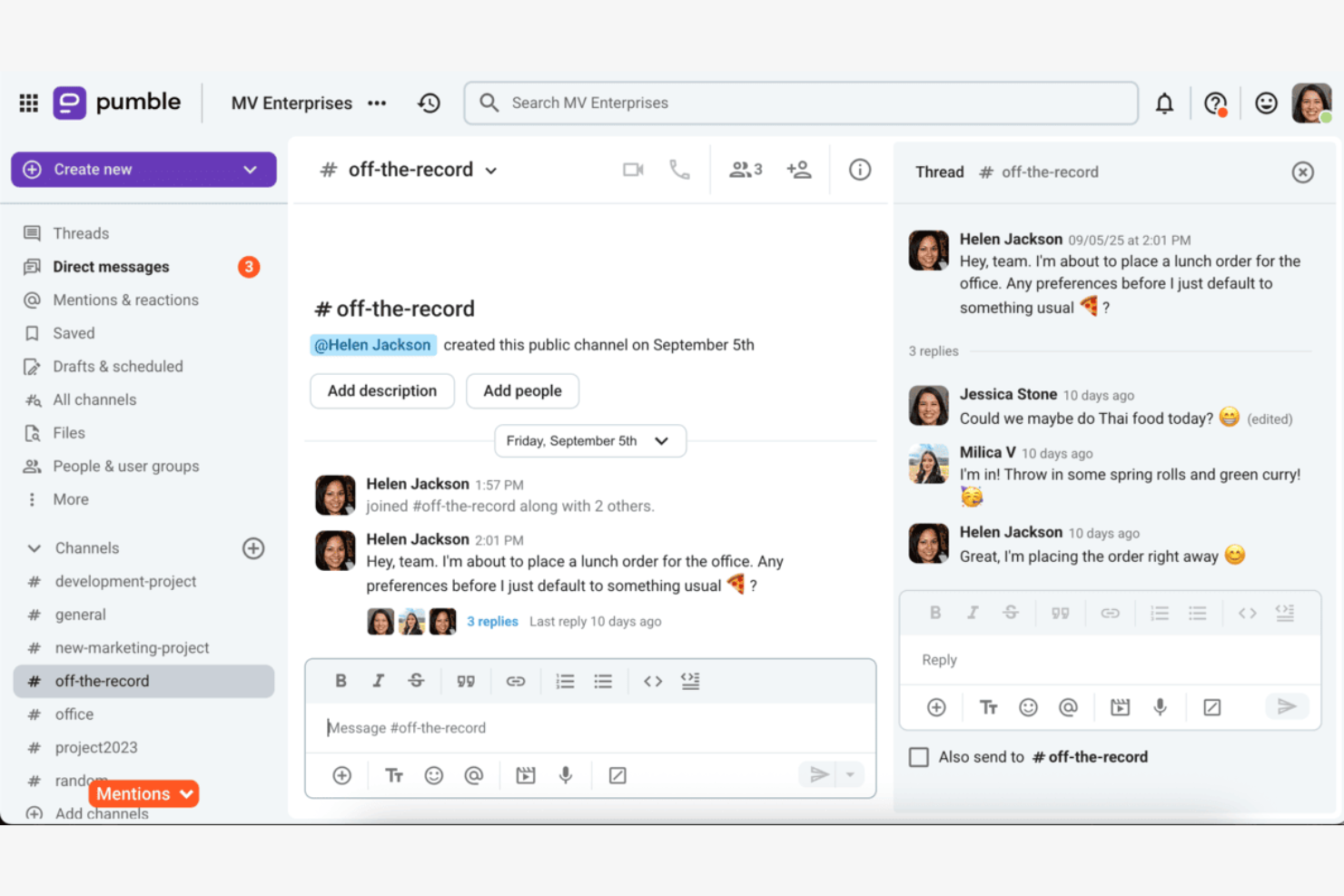
Pumble es una herramienta de comunicación para equipos diseñada para pequeñas y medianas empresas que buscan una mensajería y colaboración eficientes. Proporciona una plataforma para que los equipos se conecten y compartan información.
Por qué es una buena alternativa a Slack: Pumble ofrece un historial ilimitado de mensajes, lo que permite a tu equipo acceder a conversaciones anteriores sin restricciones. Esta función garantiza que la información importante nunca se pierda. Con su interfaz sencilla e intuitiva, Pumble facilita una comunicación clara y eficiente. La plataforma también proporciona herramientas de colaboración, como canales y mensajes directos, para mantener conectado a tu equipo.
Funciones e integraciones destacadas:
Las funciones incluyen el intercambio de archivos, que permite a tu equipo compartir rápidamente documentos y recursos. La configuración de notificaciones de Pumble te ayuda a mantenerte informado sin sentirte abrumado. La función de búsqueda de la plataforma facilita encontrar mensajes y archivos anteriores.
Las integraciones incluyen Google Calendar, GitHub, Google Drive y más.
Pros and Cons
Pros:
- Historial ilimitado de mensajes
- Interfaz sencilla e intuitiva
- Búsqueda sencilla de mensajes y archivos
Cons:
- Enfocado principalmente en la comunicación
- No es ideal para proyectos complejos
Brosix
Ideal para la mensajería privada de equipos
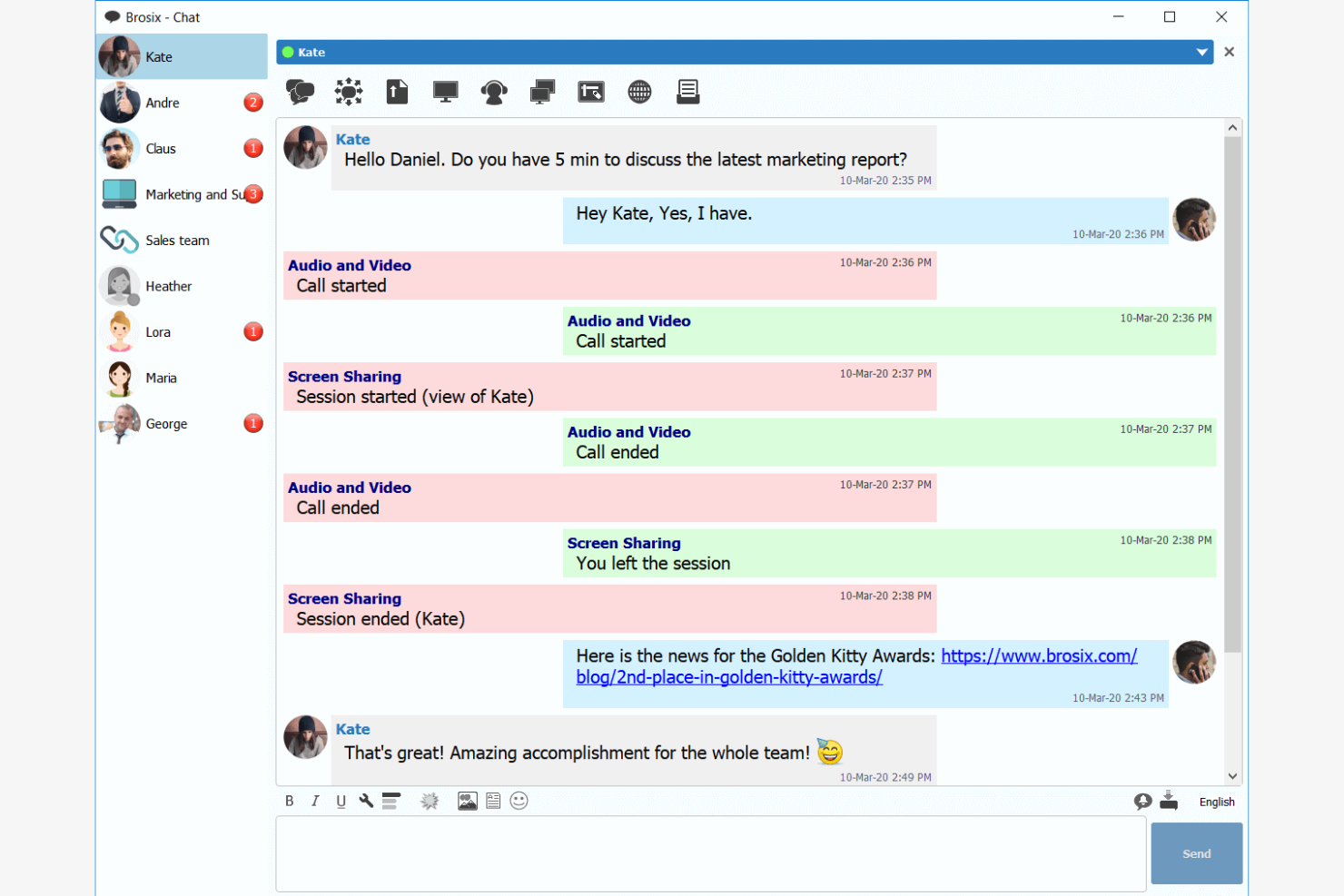
Brosix es una plataforma segura de comunicación para equipos diseñada para empresas que necesitan una solución de mensajería privada. Es ideal para equipos que buscan mejorar las comunicaciones internas sin la complejidad de la gestión de TI.
Por qué es una buena alternativa a Slack: Brosix ofrece comunicaciones cifradas, lo que garantiza que las conversaciones de la aplicación de mensajería de tu equipo permanezcan confidenciales. Su interfaz fácil de usar requiere una configuración mínima, lo que la hace accesible para todos los miembros del equipo. La interfaz del panel de control basado en la web permite gestionar fácilmente los usuarios y los permisos. El enfoque de Brosix en la privacidad y la simplicidad lo convierte en una sólida alternativa a Slack para equipos que necesitan una aplicación de comunicación SAAS segura.
Características e integraciones destacadas:
Las características incluyen compartir archivos fácilmente, capacidades para compartir pantalla y un panel de control basado en la web para la gestión de usuarios. Brosix también proporciona cumplimiento de HIPAA, lo que garantiza que las comunicaciones de tu equipo cumplan con los estándares de seguridad del sector. La interfaz intuitiva de la plataforma permite una incorporación rápida sin necesidad de conocimientos de TI.
Las integraciones incluyen Google Sheets, YouTube, Shopify, HubSpot y más.
Pros and Cons
Pros:
- Fácil de usar con una interfaz familiar
- Alta seguridad con comunicaciones cifradas
- Incorporación rápida y atención al cliente receptiva
Cons:
- Carece de funciones de chat público
- Funcionalidades avanzadas limitadas en comparación con plataformas más grandes

Chanty
La mejor opción para la integración de la gestión de tareas
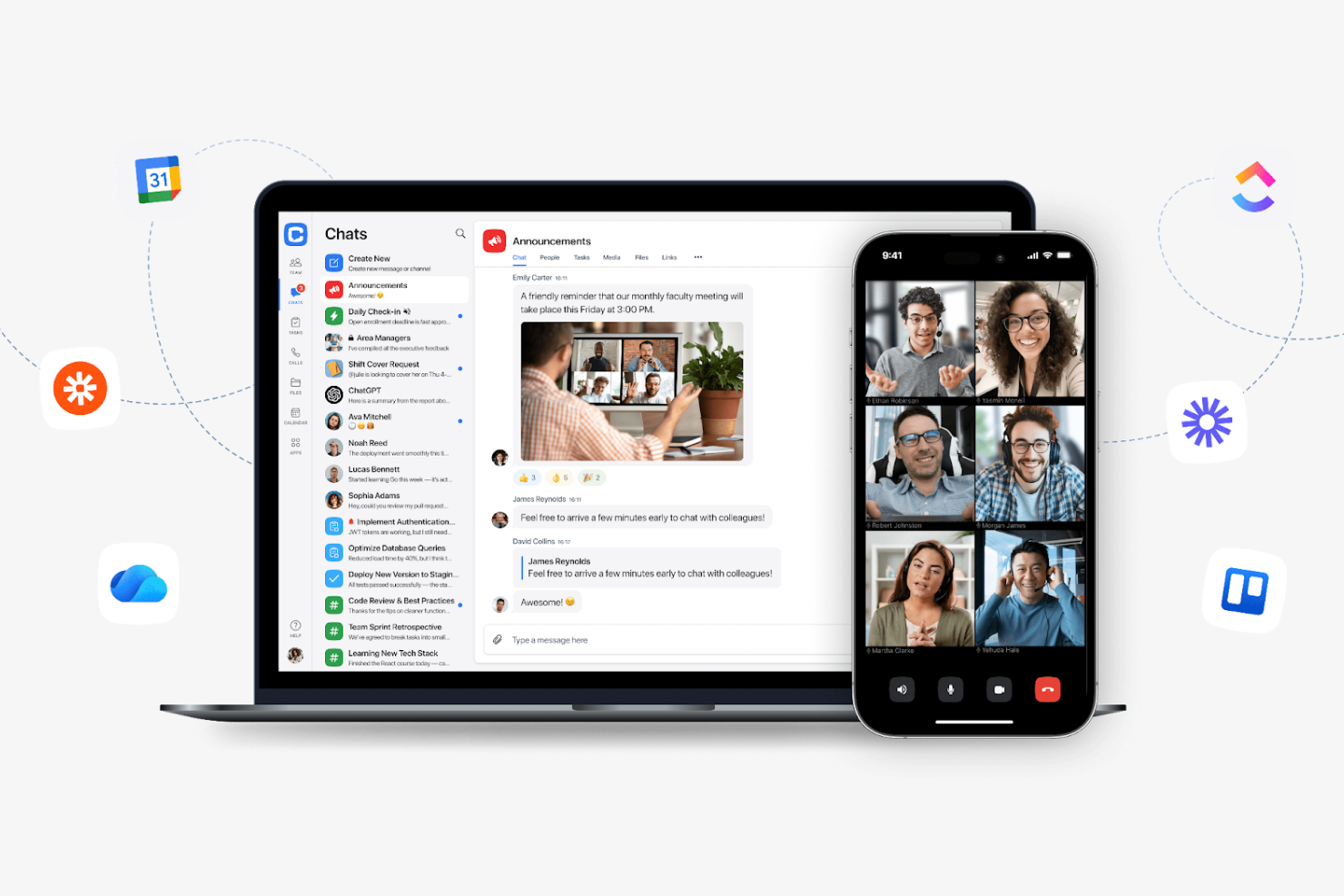
Chanty es un software de comunicación y colaboración en equipo diseñado para facilitar la mensajería, las videollamadas y la gestión de tareas. Su principal base de usuarios incluye sectores como la atención sanitaria, el comercio minorista, el marketing, la educación y las tecnologías de la información, con especial énfasis en mejorar la productividad y el trabajo en equipo.
Por qué es una buena alternativa a Slack: Chanty ofrece gestión de tareas con vistas Kanban, lo que permite a tu equipo organizar y supervisar las tareas de manera eficiente. Su función de videollamadas en 4K garantiza una comunicación clara durante las reuniones virtuales. Con chats grupales ilimitados y uso compartido seguro de archivos, Chanty se centra en facilitar la comunicación interna. La interfaz fácil de usar de la plataforma la hace accesible para equipos de diversos sectores.
Características e integraciones destacadas:
Las características incluyen la creación y gestión de tareas con vistas Kanban, que ayudan a mantener tus proyectos organizados. Chanty también ofrece uso compartido seguro de archivos, lo que garantiza que tus datos permanezcan protegidos. La plataforma admite chats grupales ilimitados, lo que permite a tu equipo colaborar sin restricciones.
Las integraciones incluyen Zapier, Google Drive, Dropbox, Trello, Asana, GitHub, Bitbucket, Mailchimp, HubSpot y más.
Pros and Cons
Pros:
- Opciones seguras para compartir archivos
- Interfaz fácil de usar
- Adecuado para diversos sectores
Cons:
- Opciones básicas de personalización
- Enfocado principalmente en el uso interno

ProofHub
Ideal para herramientas de gestión de proyectos

ProofHub es un software de gestión de proyectos y colaboración que está dirigido a equipos que necesitan una plataforma centralizada para la planificación, la colaboración y la gestión de tareas. Es ampliamente utilizado por gestores de proyectos, equipos creativos y empresas que buscan mejorar su flujo de trabajo.
Por qué es una buena alternativa a Slack: ProofHub ofrece herramientas de gestión de proyectos, incluida la gestión de tareas, el seguimiento del tiempo y los diagramas de Gantt, que no están disponibles en Slack. Sus flujos de trabajo personalizados permiten a tu equipo adaptar los procesos para ajustarlos a las necesidades específicas de cada proyecto. La función de chat mantiene centralizada la comunicación, lo que reduce la necesidad de utilizar varias aplicaciones. El enfoque de ProofHub en la gestión de proyectos la convierte en una alternativa valiosa para los equipos que buscan consolidar sus herramientas.
Funciones e integraciones destacadas:
Las funciones incluyen roles personalizados, que permiten definir los niveles de acceso de los miembros del equipo. La función de plantillas de proyectos ayuda a ahorrar tiempo al reutilizar estructuras de proyectos exitosas. ProofHub también proporciona informes detallados para realizar un seguimiento del progreso y la productividad.
Las integraciones incluyen Google Drive, Dropbox, OneDrive, Box, FreshBooks, QuickBooks, Google Calendar, iCal, Slack y más.
Pros and Cons
Pros:
- Flujos de trabajo personalizados para procesos adaptados
- Adecuado para diversos sectores y equipos
- Informes detallados sobre el progreso y la productividad
Cons:
- Puede resultar complejo para equipos pequeños
- Enfoque limitado en la comunicación ajena a los proyectos

Ideal para la integración de videoconferencias
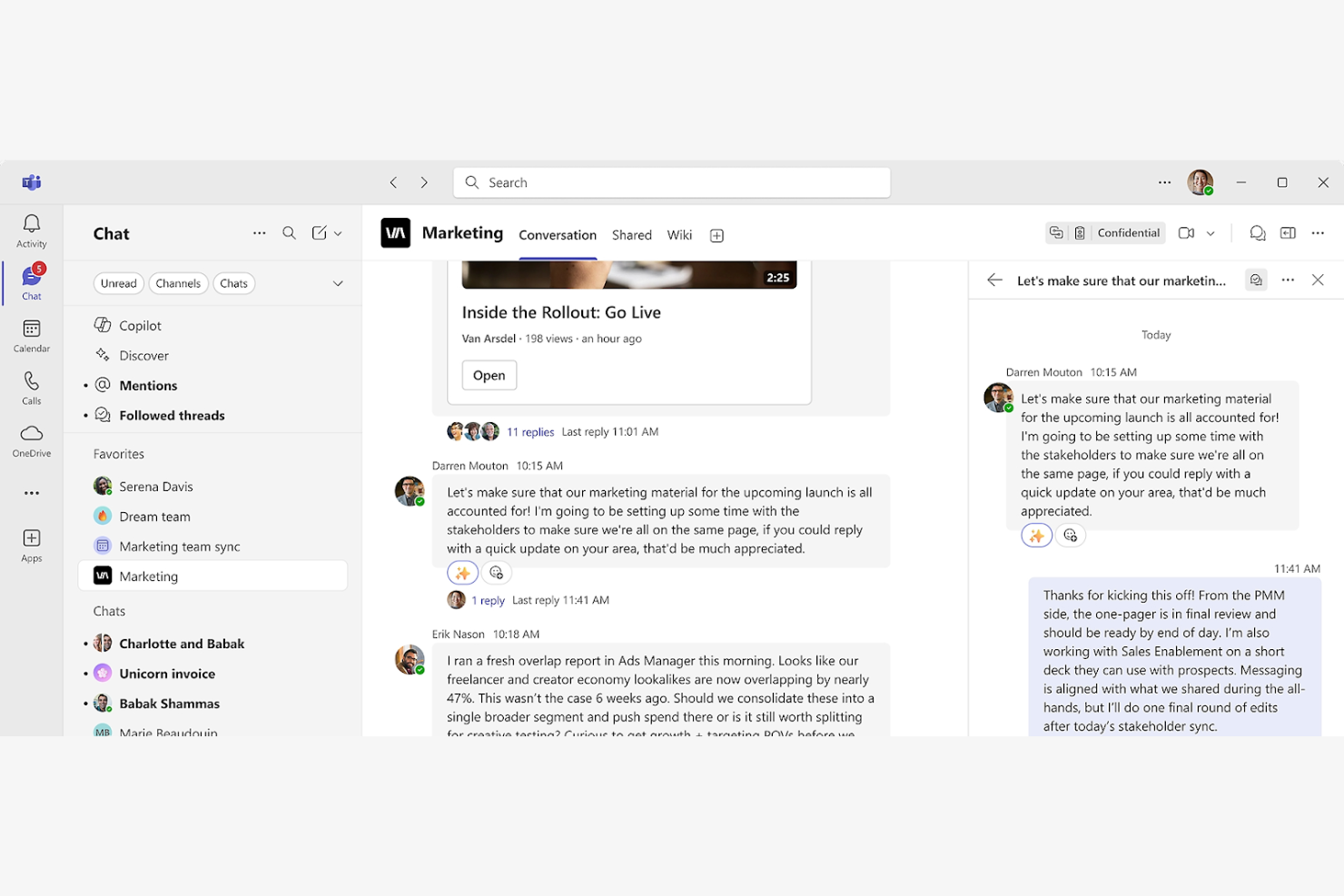
Microsoft Teams es una plataforma de colaboración utilizada principalmente por empresas e instituciones educativas para la comunicación y el trabajo en equipo. Facilita el chat, las videoconferencias y el intercambio de archivos para mejorar la productividad y la conectividad entre los equipos.
Por qué es una buena alternativa a Slack: Microsoft Teams ofrece videoconferencias integradas con funciones como compartir pantalla y grabar reuniones, de las que Slack carece. La plataforma permite colaborar mediante una aplicación de chat, llamadas de audio, archivos compartidos y edición en tiempo real en las aplicaciones de Office. Con su calendario integrado, puedes programar reuniones fácilmente y hacer un seguimiento de las actividades del equipo. Microsoft Teams ofrece un entorno cohesionado para la comunicación y la gestión de proyectos, lo que la convierte en una opción sólida para empresas grandes y pequeñas.
Funciones e integraciones destacadas:
Las funciones incluyen herramientas de gestión de tareas que ayudan a tu equipo a organizar y priorizar el trabajo de manera eficiente. Microsoft Teams también ofrece canales de equipo personalizables para mantener las conversaciones centradas y organizadas. La función de pizarra integrada de la plataforma permite realizar sesiones creativas de lluvia de ideas.
Las integraciones incluyen Microsoft 365, SharePoint, OneDrive, Power BI, GitHub, Trello, Asana, Zoom, Salesforce, Adobe Creative Cloud y más.
Pros and Cons
Pros:
- Admite videoconferencias grandes
- Canales de equipo personalizables
- Herramientas integradas de gestión de tareas
Cons:
- Gran dependencia del ecosistema de Microsoft
- Puede resultar abrumador para equipos pequeños

Ideal para la comunicación segura

Rocket.Chat es una plataforma de comunicación de código abierto diseñada para empresas y desarrolladores que requieren mensajería y colaboración seguras. Está dirigida a organizaciones que valoran la privacidad y el control de los datos.
Por qué es una buena alternativa a Slack: Rocket.Chat ofrece opciones de alojamiento propio, lo que garantiza que tus datos permanezcan bajo tu control, a diferencia del enfoque basado en la nube de Slack. Admite E2EE en salas seleccionadas, lo que proporciona una capa adicional de seguridad para las comunicaciones de tu equipo. Con permisos personalizables, puedes gestionar el acceso y asegurarte de que solo los usuarios autorizados vean información confidencial. El enfoque de Rocket.Chat en la seguridad lo hace ideal para organizaciones preocupadas por la privacidad de los datos.
Características e integraciones destacadas:
Las características incluyen traducción en tiempo real, que permite a tu equipo comunicarse sin barreras lingüísticas. Rocket.Chat también ofrece una API con numerosas funciones, que permite a los desarrolladores crear soluciones personalizadas. Las opciones de marca blanca de la plataforma te permiten adaptar la interfaz para que coincida con tu marca.
Las integraciones incluyen GitHub, GitLab, Jitsi, Google Drive, Dropbox, Zapier, Trello y más.
Pros and Cons
Pros:
- Alto nivel de control de los datos
- Permisos y acceso personalizables
- Adecuado para organizaciones preocupadas por la privacidad
Cons:
- Puede ser complejo de configurar
- No es ideal para equipos pequeños

Twist
Mejor para la comunicación asíncrona

Twist es una herramienta de comunicación para equipos diseñada para organizaciones que priorizan el trabajo concentrado y reflexivo. Su principal base de usuarios incluye equipos remotos y empresas que valoran el trabajo profundo sin interrupciones constantes.
Por qué es una buena alternativa a Slack: Twist enfatiza la comunicación asíncrona, lo que permite que tu equipo trabaje a su propio ritmo sin la presión de responder de inmediato. La plataforma organiza las conversaciones en hilos, lo que facilita seguir las discusiones y encontrar información. Con una interfaz sin distracciones, Twist ayuda a tu equipo a concentrarse en las tareas sin el ruido de las notificaciones constantes. Este enfoque fomenta un entorno de trabajo más equilibrado y productivo.
Funciones e integraciones destacadas:
Las funciones incluyen la posibilidad de crear y gestionar hilos para organizar las discusiones. Twist también ofrece un modo sin distracciones, que permite a tu equipo concentrarse en el trabajo sin interrupciones. La plataforma proporciona un historial en el que se pueden realizar búsquedas, por lo que encontrar conversaciones e información anteriores es sencillo.
Las integraciones incluyen Asana, Trello, GitHub, Zapier, Todoist, Google Calendar, Google Drive y más.
Pros and Cons
Pros:
- Modelo de comunicación asíncrona
- Organización de conversaciones en hilos
- Interfaz sin distracciones
Cons:
- Curva de aprendizaje para nuevos usuarios
- Falta de llamadas de vídeo/audio integradas

Clariti
La mejor opción para organizar la comunicación del equipo

Clariti es una herramienta de comunicación y colaboración dirigida a empresas que buscan organizar sus conversaciones y tareas de manera eficiente. Sus principales usuarios son equipos que necesitan un enfoque cohesivo para gestionar correos electrónicos, chats y documentos en un solo lugar.
Por qué es una buena alternativa a Slack: Clariti ofrece la posibilidad de conectar correos electrónicos, chats y documentos relacionados en hilos, algo que Slack no proporciona. Esta función ayuda a tu equipo a mantener toda la información relevante junta, reduciendo el tiempo dedicado a buscar comunicaciones anteriores. Clariti también admite llamadas de voz y uso compartido de pantalla, lo que facilita la colaboración dentro de tu equipo. Su enfoque en la organización y la integración de diversas formas de comunicación la convierte en una herramienta valiosa para equipos que necesitan una solución de comunicación integral.
Funciones e integraciones destacadas:
Las funciones incluyen la posibilidad de organizar conversaciones y contenido en hilos conectados, lo que mantiene a tu equipo enfocado y reduce el desorden. La función integrada de llamadas de voz de Clariti garantiza que puedas comunicarte verbalmente sin salir de la plataforma. La herramienta también admite el uso compartido de pantalla, lo que facilita la colaboración y las presentaciones a distancia.
Las integraciones incluyen Salesforce, Stripe, Tableau, Power BI y más.
Pros and Cons
Pros:
- Conecta correos electrónicos, chats y documentos
- Organización fluida de la comunicación
- Llamadas de voz integradas
Cons:
- Puede no ser adecuada para necesidades en tiempo real
- Opciones de personalización limitadas


Mattermost es una plataforma de mensajería de código abierto diseñada para organizaciones que necesitan soluciones de comunicación seguras y personalizables. Sus principales usuarios incluyen profesionales de TI, desarrolladores y equipos centrados en la privacidad y el control de los datos.
Por qué es una buena alternativa a Slack: Mattermost ofrece opciones de alojamiento propio, lo que garantiza que sus datos permanezcan bajo su control, a diferencia del enfoque basado en la nube de Slack. La plataforma admite funciones de chat privado y grupal, lo que permite que su equipo colabore eficazmente. Es compatible con el alojamiento propio y con controles de seguridad empresariales, priorizando la protección de sus comunicaciones. Su naturaleza de código abierto también permite una amplia personalización, lo que facilita su adaptación a las necesidades específicas de su equipo.
Funciones e integraciones destacadas:
Las funciones incluyen conversaciones encadenadas que ayudan a organizar los debates y a mantener claros los temas. Mattermost también ofrece compatibilidad con varios idiomas, lo que resulta beneficioso para los equipos globales. La interfaz personalizable de la plataforma permite adaptar su apariencia y estilo para que coincidan con la marca de su organización.
Las integraciones incluyen GitLab, Jira, Jenkins, GitHub, Zoom, Zendesk y más.
Pros and Cons
Pros:
- Alto nivel de personalización
- Gran enfoque en la seguridad
- Adecuado para equipos de TI y desarrolladores
Cons:
- Puede requerir conocimientos técnicos
- Funciones limitadas de vídeo y llamadas, que a menudo requieren integraciones de terceros


Discord es una plataforma de comunicación ampliamente utilizada por los jugadores para chatear mediante voz, video y texto. También es popular entre los profesionales como centro de comunicación, ya que permite la interacción y colaboración en tiempo real.
Por qué es una buena alternativa a Slack: Discord ofrece canales de voz para la comunicación espontánea por voz, lo que resulta especialmente beneficioso para las sesiones de trabajo colaborativo. La configuración personalizable del servidor permite crear espacios específicos para distintos temas o grupos. Gracias a sus funciones de audio y video de alta calidad y a sus herramientas para crear comunidades, como los roles y permisos, también facilita una gestión de grupos organizada y eficiente.
Funciones e integraciones destacadas:
Las funciones incluyen compartir pantalla, lo que permite compartir la pantalla o las presentaciones con el equipo. La función de pulsar para hablar de Discord garantiza una comunicación por voz clara y controlada. La plataforma también ofrece canales de texto para debates específicos y el intercambio de información.
Las integraciones incluyen YouTube, Spotify, Twitch, Reddit, Twitter, PayPal, Steam, Nightbot, MEE6 y más.
Pros and Cons
Pros:
- Herramientas para crear comunidades
- Comunicación espontánea por voz
- Adecuado para comunidades no relacionadas con los videojuegos
Cons:
- Centrado principalmente en los videojuegos
- Puede resultar abrumador para uso empresarial y requerir un ligero periodo de aprendizaje
Otras alternativas a Slack
\u003cspan style=\u0022font-weight: 400\u0022\u003eEstas son algunas alternativas adicionales a Slack que no llegaron a mi lista de selección, pero que aun así merece la pena conocer:\u003c/span\u003e


Cómo evalúo las alternativas a Slack
Evalúo las alternativas a Slack en dos niveles: la base que toda herramienta necesita para entrar en la lista y los factores diferenciadores que realmente importan a los equipos que gestionan proyectos a través de canales y zonas horarias.
Funcionalidades principales (requisitos básicos para esta lista)
Al seleccionar herramientas para mi lista, clasifico cada una en una escala de 0 (no ofrece la funcionalidad) a 5 (sobresale en esta área) para cada una de las funcionalidades principales que se indican a continuación. Después, convierto la puntuación total de la herramienta en un porcentaje. Cada herramienta debe alcanzar una puntuación total mínima del 65 % para ser considerada.
- Mensajería en tiempo real: Busco canales persistentes, mensajes directos grupales y acceso para invitados, de modo que los equipos de proyecto puedan separar las conversaciones por flujo de trabajo, cliente o sprint.
- Conversaciones con hilos: Los hilos evitan que las reuniones diarias, los bloqueos y los comentarios sobre diseños queden enterrados en un canal con mucha actividad. Compruebo hasta qué punto los hilos son visibles y fáciles de buscar.
- Intercambio y búsqueda de archivos: Evalúo si se puede añadir un documento de requisitos o una maqueta a un canal y encontrarlo realmente semanas después mediante una búsqueda de texto completo o filtrada.
- Llamadas de voz y vídeo: Las reuniones rápidas sustituyen al ciclo de «¿podemos hacer una llamada?». Busco audio y vídeo nativos con uso compartido de pantalla para sincronizaciones ad hoc y revisiones de sprint.
- Integraciones con herramientas de proyectos: Conectar el chat con herramientas como Jira, Asana o Monday permite que las actualizaciones de estado lleguen automáticamente a los canales. Compruebo la disponibilidad de conectores nativos y la profundidad de la API.
- Notificaciones y presencia: Evalúo el nivel de detalle de los controles de notificaciones: si se pueden silenciar canales durante el tiempo de concentración, establecer estados personalizados y configurar reglas de alertas por canal.
Una vez que tengo una lista de herramientas que cumplen estos criterios, analizo qué distingue a cada plataforma.
Factores diferenciadores (qué distingue a los proveedores)
Así es como comparo y contrasto los distintos proveedores:
Características destacadas
Los resúmenes basados en IA son un factor diferenciador importante: busco herramientas que permitan a un gestor de proyectos ponerse al día con la actividad nocturna de los canales sin desplazarse por cientos de mensajes. La automatización de flujos de trabajo también es importante, especialmente la posibilidad de convertir un mensaje de chat en una tarea o activar una secuencia de aprobación sin salir de la conversación. También evalúo si una plataforma incluye funciones nativas de gestión de proyectos, como tableros de tareas o cronogramas, ya que esto puede eliminar por completo una herramienta de la pila tecnológica.
Más allá de las características
Los modelos de precios y licencias varían mucho en esta categoría, por lo que compruebo cómo gestionan los planes gratuitos los límites del historial de mensajes y las plazas para invitados; ambos aspectos pueden ser decisivos para los equipos de proyecto que colaboran con contratistas externos. Las certificaciones de seguridad y cumplimiento, como SOC 2 e ISO 27001, son importantes cuando los proyectos incluyen entregables confidenciales. También evalúo la escalabilidad, especialmente si una herramienta admite estructuras con múltiples espacios de trabajo y canales compartidos, ya que las oficinas de gestión de proyectos en crecimiento a menudo necesitan segmentar por cartera sin crear instancias completamente independientes.
¿Por qué buscar una alternativa a Slack?
Aunque Slack es una buena opción de software de comunicación y colaboración para equipos, hay varios motivos por los que algunos usuarios buscan soluciones alternativas. Es posible que estés buscando una alternativa a Slack porque:
- Necesitas más funciones de colaboración
- Tu equipo requiere una seguridad avanzada
- Quieres una mejor integración con las herramientas de CRM existentes
- Tu presupuesto no se ajusta a los precios del plan de pago de Slack
- Tu equipo necesita funcionalidades de acceso sin conexión
Si alguna de estas situaciones te resulta familiar, has llegado al lugar adecuado. Mi lista contiene varias opciones de software de comunicación para equipos y todo en uno que se adaptan mejor a los equipos que se enfrentan a estos desafíos con Slack y buscan soluciones alternativas.
Características clave de Slack
Estas son algunas de las características clave de Slack, para ayudarte a contrastar y comparar lo que ofrecen las soluciones alternativas:
- Canales: Organiza la comunicación de tu equipo creando espacios específicos para distintos proyectos, listas de tareas o temas.
- Slack Connect: Colabora de forma segura con socios externos, sustituyendo la comunicación tradicional por correo electrónico.
- Reuniones de audio/vídeo: Organiza reuniones rápidas en tiempo real con tu equipo mediante llamadas de audio o vídeo.
- Generador de flujos de trabajo: Automatiza tareas y procesos rutinarios con bots para ahorrar tiempo y reducir el trabajo manual.
- Integraciones: Conecta con más de 2.600 aplicaciones para centralizar documentos y flujos de trabajo, y mejorar la productividad.
- Plantillas: Utiliza plantillas prediseñadas para gestionar proyectos de forma eficiente e iniciar tareas.
- Canvas: Crea documentos escalables y colabora en tiempo real con tu equipo.
- Seguridad empresarial: Protege tus datos con funciones de seguridad y herramientas de cumplimiento normativo.
- Integración con Salesforce: Incorpora información de Salesforce a Slack para mejorar la coordinación del equipo y agilizar los flujos de trabajo.
A continuación:
Si estás investigando software de comunicación y colaboración para equipos, contacta gratuitamente con un asesor de SoftwareSelect para obtener recomendaciones.
Rellenas un formulario y mantienes una breve conversación en la que se analizan los detalles específicos de tus necesidades. Después recibirás una lista de opciones de software preseleccionadas para revisar. También te apoyarán durante todo el proceso de compra, incluidas las negociaciones de precios.