

10 alternativas a Microsoft Forms para encuestas en 2026

Lista de alternativas a Microsoft Forms


Una buena alternativa a Microsoft Forms ofrece un diseño flexible de encuestas, funciones avanzadas de recopilación de datos e integraciones que se adaptan al flujo de trabajo de tu equipo. Si estás buscando alternativas a Microsoft Forms, probablemente busques herramientas capaces de gestionar encuestas más complejas, ofrecer mejores análisis o facilitar la colaboración más allá de lo que proporciona Microsoft Forms.
Con tantas opciones disponibles, es difícil saber qué plataforma satisfará realmente tus necesidades, especialmente cuando los requisitos cambian o las partes interesadas esperan más de tus datos. Esta lista te ayudará a comparar rápidamente las principales alternativas a Microsoft Forms para 2026, para que encuentres la opción adecuada para tus proyectos, equipos y necesidades de elaboración de informes.
¿Qué es Microsoft Forms?
Microsoft Forms es un creador de formularios en línea que permite a los usuarios crear encuestas, cuestionarios y formularios de registro para recopilar datos. Como parte del ecosistema de Microsoft 365, se conecta con herramientas como Excel y Power Automate, por lo que resulta útil para equipos que ya trabajan dentro de un entorno de cuentas de Microsoft.
Lo utilizan habitualmente educadores, equipos de proyectos y empresas que necesitan una forma sencilla de recopilar respuestas de formularios, realizar encuestas rápidas o recoger comentarios sin una curva de aprendizaje pronunciada. Aunque cubre las necesidades básicas de las encuestas, es más adecuado para la recopilación de datos sencilla que para los flujos de trabajo complejos.
Resumen de las mejores alternativas a Microsoft Forms
Este cuadro comparativo resume los detalles de precios de mi selección de las principales alternativas a Microsoft Forms para ayudarte a encontrar la mejor opción para tu presupuesto y las necesidades de tu empresa.
| Tool | Best For | Trial Info | Price | ||
|---|---|---|---|---|---|
| 1 | Ideal para encuestas interactivas y sondeos de la audiencia en vivo | Plan gratuito disponible | Desde $14/usuario/mes (facturado anualmente) | Website | |
| 2 | Ideal para lógica y análisis avanzados de encuestas | Plan gratuito disponible | Desde $30/usuario/mes (facturado anualmente) | Website | |
| 3 | Ideal para formularios conversacionales con una interfaz fácil de usar | Plan gratuito disponible | Desde $28/mes (facturado anualmente) | Website | |
| 4 | Ideal para la gestión empresarial de encuestas y experiencias | Demostración gratuita disponible | Precios bajo consulta | Website | |
| 5 | Ideal para crear formularios sencillos y gratuitos con integración de Google | Plan gratuito disponible | Plan gratuito disponible; desde $7/usuario/mes (facturado anualmente) para Google Workspace | Website | |
| 6 | Ideal para respuestas ilimitadas en formularios sin código | Plan gratuito disponible | Desde $24/mes (facturado anualmente) | Website | |
| 7 | La mejor opción para una plataforma de encuestas de código abierto con tipos de preguntas flexibles | Hay un plan gratuito disponible | Desde $36/mes (facturado anualmente) | Website | |
| 8 | La mejor opción para encuestas y respuestas ilimitadas en todos los planes | Plan gratuito disponible | Desde $20/mes | Website | |
| 9 | Ideal para cálculos avanzados y lógica condicional en formularios | Prueba gratuita de 14 días + plan gratuito disponible | Desde $19/mes | Website | |
| 10 | Ideal para un creador de formularios de arrastrar y soltar con amplias integraciones | Plan gratuito disponible | Desde $34/usuario/mes (facturado anualmente) | Website |
Por qué confiar en nuestras recomendaciones de software
Nuestro equipo lleva probando y evaluando software desde 2012. Como gestores de proyectos, sabemos lo difícil —y lo importante— que es elegir el software adecuado.
Para esta guía, evaluamos las herramientas mediante pruebas prácticas e investigación independiente, puntuando las herramientas según nuestros criterios de selección. También nos basamos en la experiencia de líderes de opinión del sector y de profesionales en activo de la gestión de proyectos.
Nuestras reseñas reflejan nuestro criterio editorial humano, no un discurso de ventas.
Revisores expertos:
Opiniones sobre alternativas a Microsoft Forms
A continuación encontrarás mis resúmenes detallados de las alternativas a Microsoft Forms que llegaron a mi lista. Mis análisis ofrecen una visión detallada de las funciones, integraciones y precios de cada plataforma para ayudarte a encontrar la mejor opción para ti.

Ideal para encuestas interactivas y sondeos de la audiencia en vivo
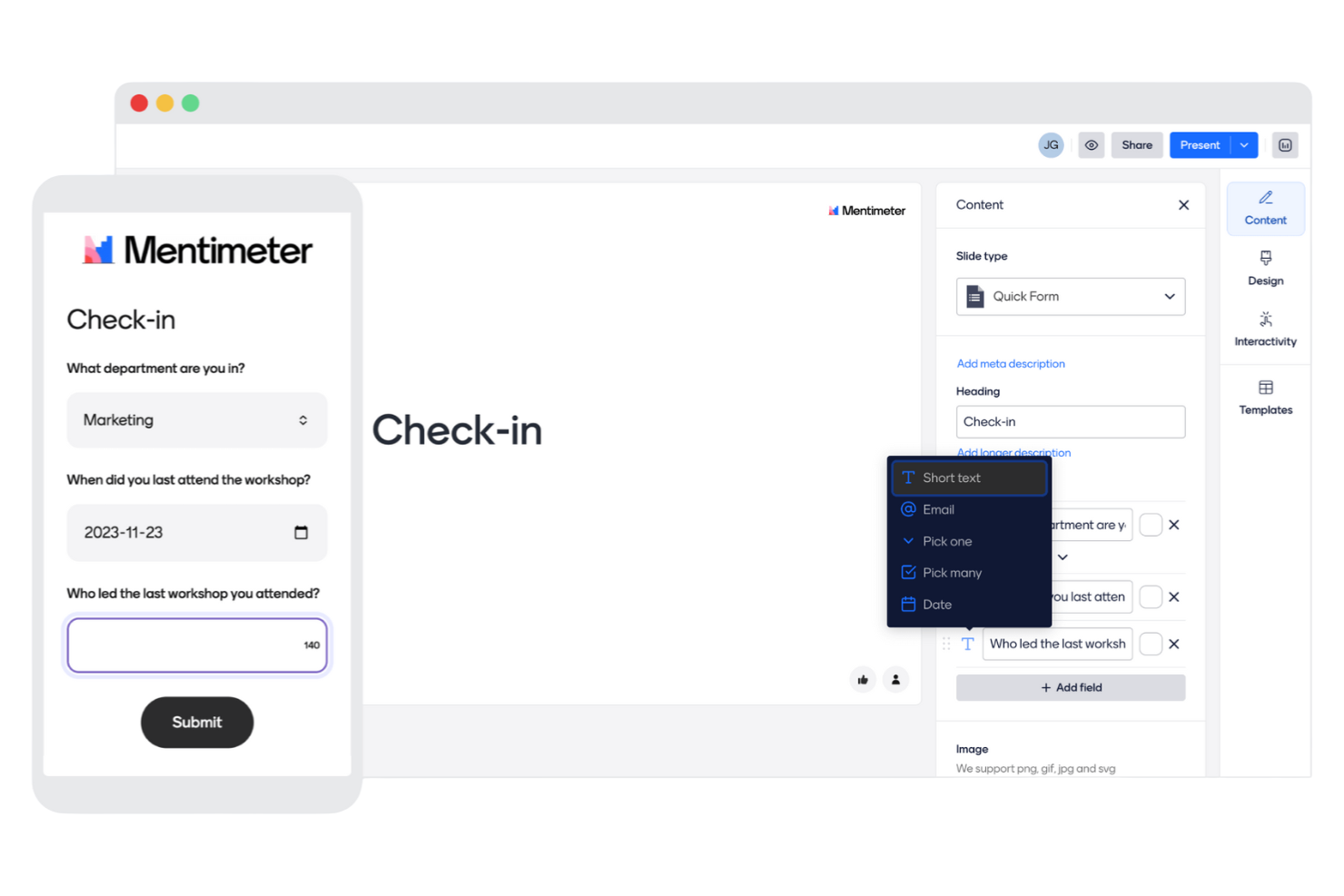
Los presentadores y facilitadores que quieren incorporar encuestas en sesiones en vivo e interactivas suelen recurrir a Mentimeter. Esta herramienta está diseñada para cualquiera que dirija reuniones, talleres o clases en las que la participación de la audiencia en tiempo real y los comentarios instantáneos sean importantes. Mentimeter se diferencia de Microsoft Forms porque permite mostrar los resultados de las encuestas en vivo en pantalla y utilizar tipos de preguntas interactivas que mantienen a los participantes involucrados durante toda la sesión.
Por qué Mentimeter es una buena alternativa a Microsoft Forms
A diferencia de la mayoría de las herramientas de encuestas, Mentimeter está diseñado específicamente para fomentar la participación de la audiencia en vivo, lo que lo convierte en una buena opción si quieres recopilar comentarios en tiempo real durante reuniones o presentaciones. Elegí Mentimeter porque permite mostrar los resultados de las encuestas al instante en pantalla, para que todos puedan ver las respuestas a medida que llegan. La herramienta también ofrece tipos de preguntas interactivas, como nubes de palabras, encuestas y cuestionarios, que mantienen a los participantes activamente involucrados. Si necesitas una herramienta de encuestas que vaya más allá de los formularios estáticos y admita comentarios dinámicos en el momento, Mentimeter es una alternativa convincente a Microsoft Forms.
Características principales de Mentimeter
Otras características hacen de Mentimeter una opción flexible para las necesidades de encuestas interactivas:
- Biblioteca de plantillas: Accede a una colección de plantillas prediseñadas para reuniones, talleres y clases.
- Preguntas y respuestas de la audiencia: Permite que los participantes envíen preguntas de forma anónima durante la sesión.
- Marca personalizada: Añade el logotipo y los colores de tu organización a las presentaciones y encuestas.
- Exportación de resultados: Descarga los datos de las encuestas y los resultados de las presentaciones en formato Excel o PDF.
Integraciones de Mentimeter
Las integraciones incluyen Microsoft Teams, Zoom, Slack, PowerPoint, Google Meet, Webex, Microsoft Office 365, Google Slides, Canva y Trello.
Pros and Cons
Pros:
- Los sondeos en vivo permiten la participación de la audiencia en tiempo real
- Los tipos de preguntas interactivas aumentan la participación durante las sesiones
- Las preguntas y respuestas de la audiencia admiten aportes anónimos de los participantes
Cons:
- La lógica de las encuestas es limitada en comparación con las herramientas de encuestas especializadas
- El plan gratuito limita el número de preguntas por sesión

Ideal para lógica y análisis avanzados de encuestas
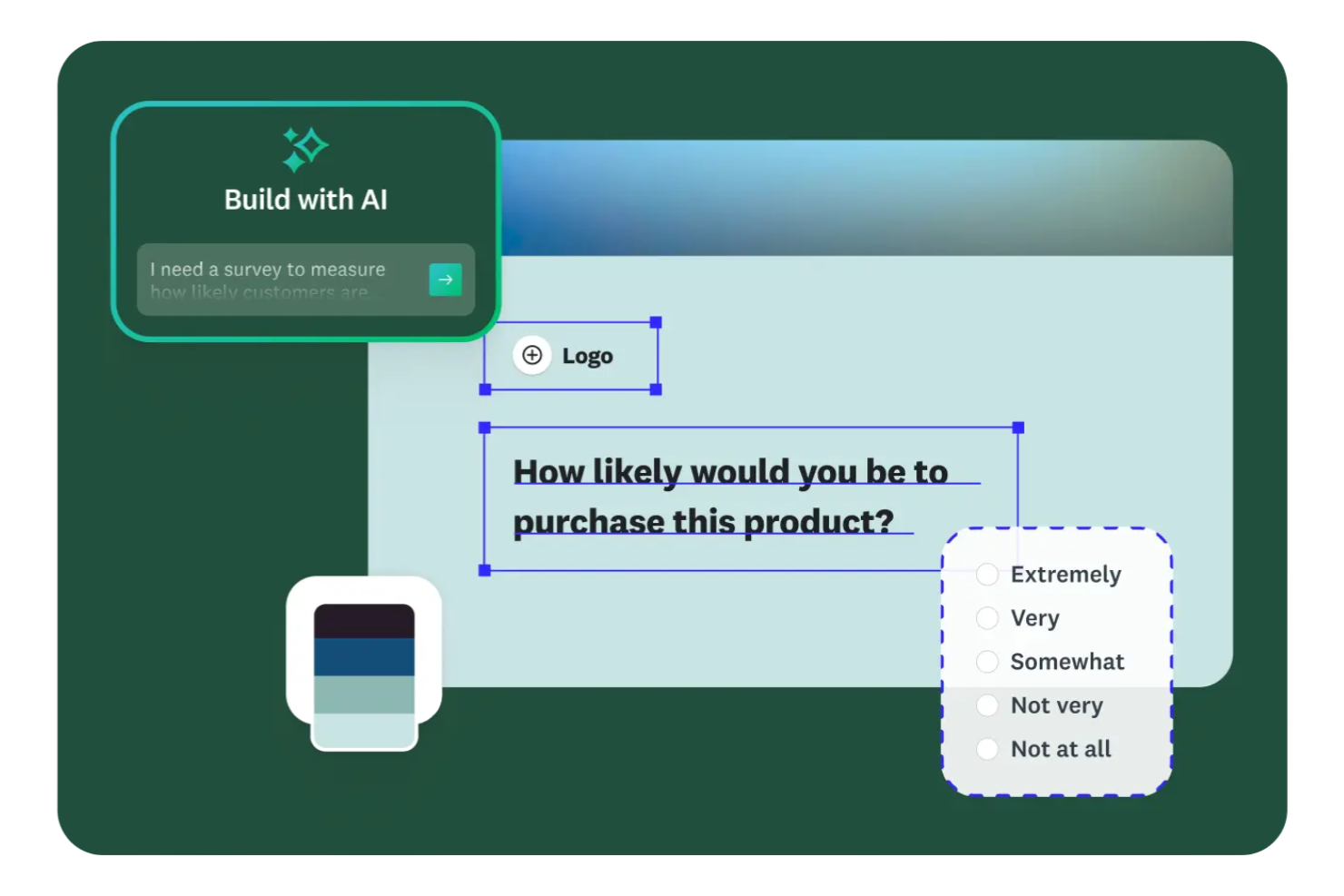
SurveyMonkey es una plataforma de encuestas basada en la web, diseñada para equipos que necesitan lógica avanzada para las preguntas y análisis detallados. Es una opción ideal para gestores de proyectos, investigadores y organizaciones que desean un mayor control sobre el diseño de encuestas y el análisis de datos del que ofrece Microsoft Forms. Si necesitas realizar encuestas complejas o recopilar comentarios detallados para elaborar informes, SurveyMonkey ofrece la flexibilidad y las funciones necesarias para satisfacer esas necesidades.
Por qué SurveyMonkey es una buena alternativa a Microsoft Forms
SurveyMonkey destaca por su lógica y sus análisis avanzados de encuestas, que superan ampliamente lo que ofrece Microsoft Forms. Lo elegí para equipos que necesitan funciones como la lógica de salto y la ramificación de preguntas para crear encuestas dinámicas y personalizadas. La plataforma también proporciona paneles de análisis detallados, lo que facilita la interpretación y el uso de los datos de las encuestas. Si buscas obtener información más profunda y un mayor control sobre el flujo de la encuesta, SurveyMonkey es una opción excelente.
Funciones principales de SurveyMonkey
Otras funciones que convierten a SurveyMonkey en una plataforma de encuestas versátil incluyen:
- Banco de preguntas: Accede a una biblioteca de preguntas prediseñadas para agilizar la creación de encuestas y mantener la coherencia.
- Marca personalizada: Añade el logotipo, los colores y los temas de tu organización a las encuestas para darles un aspecto profesional.
- Cuotas de respuestas: Establece límites en el número de respuestas para controlar la recopilación de datos y gestionar la participación en la encuesta.
- Opciones de exportación: Descarga los resultados de las encuestas en varios formatos, incluidos CSV, XLS y PDF, para realizar análisis adicionales o compartirlos.
Integraciones de SurveyMonkey
Entre las integraciones se incluyen Salesforce, Mailchimp, HubSpot, Slack, Microsoft Teams, Google Drive, Zapier, Zendesk, Eventbrite y Shopify.
Pros and Cons
Pros:
- La lógica avanzada permite crear flujos de encuestas dinámicos y personalizados
- Los paneles de análisis detallados facilitan una interpretación más profunda de los datos
- Amplia variedad de tipos de preguntas para diseñar encuestas flexibles
Cons:
- La personalización del diseño parece limitada en comparación con herramientas más recientes
- Las funciones de colaboración pueden ser restrictivas para equipos grandes
Typeform
Ideal para formularios conversacionales con una interfaz fácil de usar

Si quieres crear encuestas interactivas y visualmente atractivas que se parezcan más a conversaciones, vale la pena considerar Typeform. Los equipos de marketing, los gerentes de producto y los investigadores de UX suelen elegir Typeform por su lógica avanzada, sus ramificaciones y su flexibilidad de diseño. A diferencia de Microsoft Forms, Typeform te permite crear experiencias altamente personalizadas y alineadas con tu marca que se adaptan a las respuestas de cada encuestado.
Por qué Typeform es una buena alternativa a Microsoft Forms
Typeform adopta un enfoque diferente al centrarse en formularios conversacionales que guían a los encuestados con una pregunta a la vez. Elegí Typeform porque su lógica avanzada y sus ramificaciones te permiten crear flujos de encuestas altamente personalizados que se adaptan a las respuestas de cada usuario. La plataforma también ofrece amplias opciones de personalización del diseño, por lo que puedes adaptar la apariencia de tu encuesta a tu marca. Si quieres ir más allá de los formularios básicos y crear experiencias interactivas y atractivas, Typeform ofrece una flexibilidad que Microsoft Forms no proporciona.
Funciones principales de Typeform
Otras funciones hacen de Typeform una excelente opción para crear encuestas basadas en la web:
- Biblioteca de preguntas: Elige entre una amplia variedad de tipos de preguntas prediseñadas para configurar encuestas rápidamente.
- Campo de carga de archivos: Permite a los encuestados adjuntar archivos directamente dentro del formulario.
- Pantallas de agradecimiento personalizadas: Personaliza la experiencia al finalizar la encuesta con mensajes adaptados.
- Notificaciones de respuestas en tiempo real: Recibe alertas instantáneas cuando alguien complete tu encuesta.
Integraciones de Typeform
Entre las integraciones se incluyen Google Sheets, Slack, Mailchimp, HubSpot, Salesforce, Zapier, Google Analytics, Trello, Airtable y Microsoft Teams.
Pros and Cons
Pros:
- El formato conversacional mejora la participación y las tasas de finalización
- Las ramificaciones avanzadas admiten recorridos de encuesta personalizados
- La sólida personalización del diseño permite crear experiencias alineadas con la marca
Cons:
- Los límites de respuestas restringen la recopilación de datos a gran escala
- Las funciones de colaboración son relativamente básicas

Ideal para la gestión empresarial de encuestas y experiencias
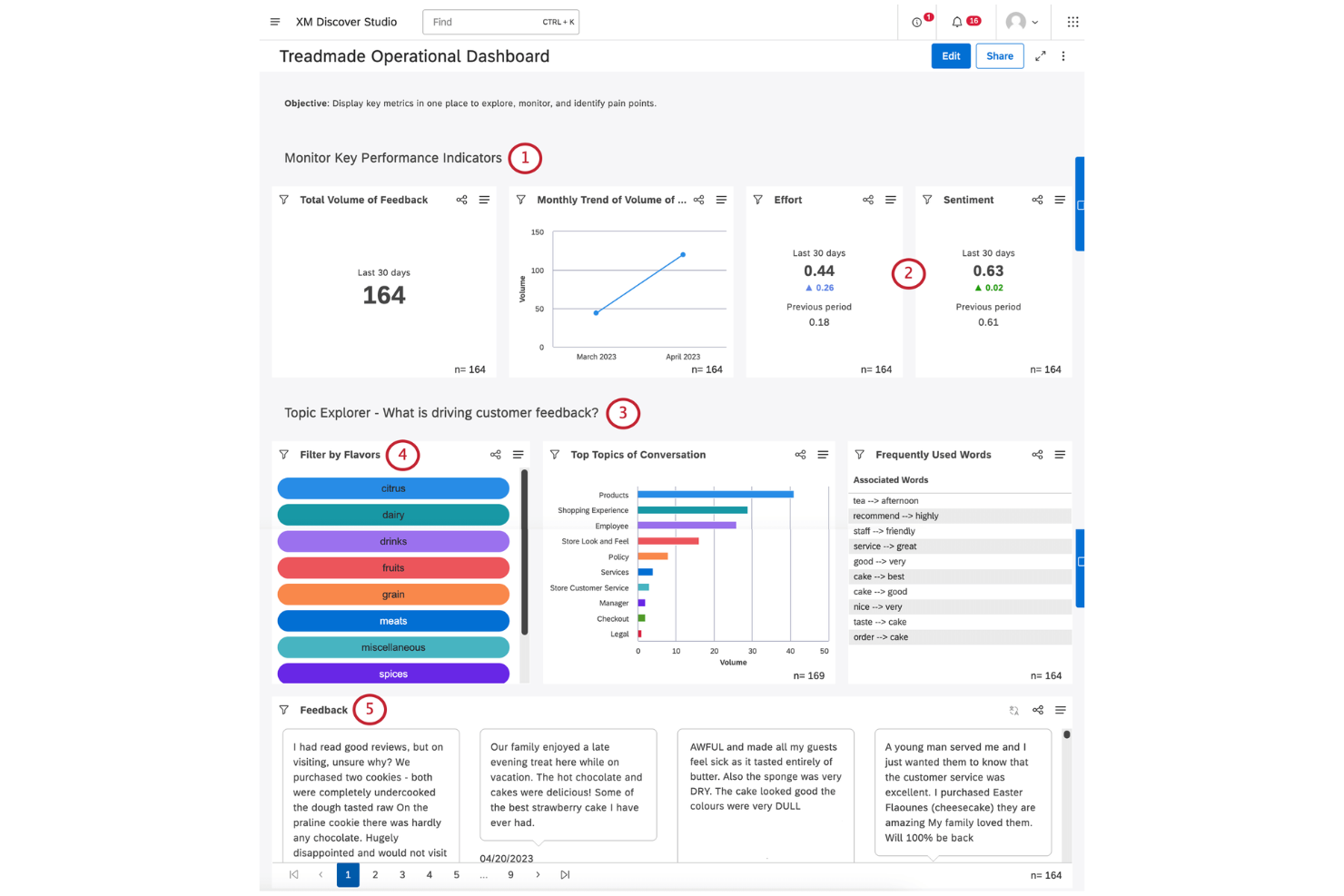
Qualtrics está diseñado para organizaciones que necesitan una personalización avanzada de encuestas y análisis de nivel empresarial. Es especialmente útil para equipos de investigación, departamentos de recursos humanos y profesionales de la experiencia del cliente que requieren un control detallado sobre la lógica de las encuestas y la seguridad de los datos. Si buscas una plataforma compatible con flujos de trabajo complejos y que se integre con sistemas empresariales, Qualtrics ofrece capacidades que van mucho más allá de Microsoft Forms.
Por qué Qualtrics es una buena alternativa a Microsoft Forms
Cuando necesitas personalización y análisis de encuestas de nivel empresarial, Qualtrics es un claro paso adelante respecto a Microsoft Forms. Lo elegí por su capacidad para admitir lógica avanzada de preguntas, flujos de trabajo personalizados e informes detallados que las grandes organizaciones suelen requerir. Qualtrics permite diseñar encuestas altamente adaptadas con funciones como lógica de visualización, datos integrados y activadores automatizados. Si tu equipo necesita gestionar proyectos de encuestas complejos y analizar resultados a gran escala, Qualtrics ofrece la profundidad y flexibilidad que le faltan a Microsoft Forms.
Funciones principales de Qualtrics
Otras funciones que hacen de Qualtrics una opción sólida para las encuestas basadas en la web incluyen:
- Distribución multicanal: Envía encuestas por correo electrónico, SMS, redes sociales o enlaces web integrados para llegar a los encuestados estén donde estén.
- Controles de acceso basados en roles: Asigna permisos y gestiona el acceso de los distintos miembros del equipo para proteger los datos confidenciales.
- Herramientas de traducción de encuestas: Traduce encuestas a varios idiomas y gestiona la localización desde un único panel.
- Alertas automatizadas: Configura notificaciones que se activen cuando se reciban respuestas específicas o se alcancen determinados umbrales.
Integraciones de Qualtrics
Las integraciones incluyen Salesforce, Marketo, Tableau, Slack, Microsoft Teams, Adobe Experience Cloud, Google Analytics, Zendesk, Workday y ServiceNow.
Pros and Cons
Pros:
- La lógica detallada de las encuestas permite flujos de trabajo de investigación altamente personalizados
- Los permisos basados en roles ayudan a gestionar el acceso en equipos grandes
- Las herramientas multilingües permiten distribuir encuestas a nivel internacional
Cons:
- La interfaz puede resultar compleja para casos de uso sencillos de encuestas
- La flexibilidad del diseño es limitada en comparación con las herramientas modernas
Ideal para crear formularios sencillos y gratuitos con integración de Google
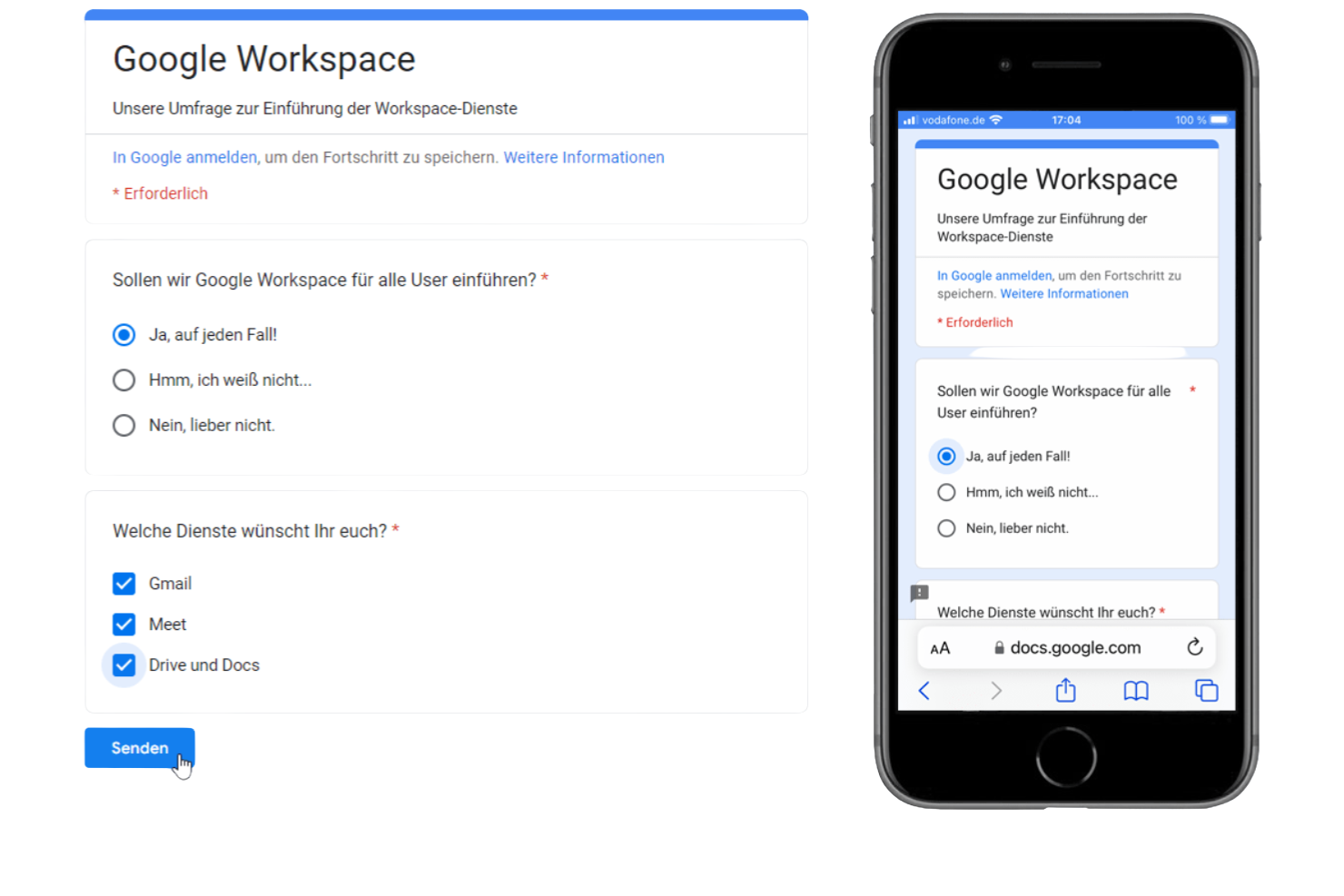
Si buscas una herramienta de encuestas que se integre de forma natural en tu Google Workspace existente, vale la pena considerar Google Forms. Es especialmente útil para equipos y organizaciones que ya dependen de Google Drive, Sheets y Gmail para la colaboración y la gestión de datos. Google Forms se diferencia de Microsoft Forms al ofrecer una sincronización instantánea con Google Sheets y opciones sencillas para compartir, lo que facilita recopilar y analizar respuestas dentro de tus flujos de trabajo existentes.
Por qué Google Forms es una buena alternativa a Microsoft Forms
Lo que distingue a Google Forms es que funciona de forma nativa dentro del ecosistema de Google Workspace, por lo que es una opción sólida para equipos que ya utilizan las herramientas de productividad de Google. Elegí Google Forms porque sincroniza automáticamente las respuestas de las encuestas con Google Sheets, de modo que puedes analizar los datos en tiempo real sin pasos adicionales. La herramienta también te permite compartir encuestas al instante con cualquier persona que tenga una cuenta de Google, lo que simplifica la colaboración y la recopilación de respuestas. Si tu equipo depende de Google Drive y quiere una herramienta de encuestas que se integre perfectamente, Google Forms es una alternativa práctica a Microsoft Forms.
Funciones principales de Google Forms
Otras funciones hacen de Google Forms una opción flexible para proyectos de encuestas:
- Múltiples tipos de preguntas: Elige entre respuestas cortas, opción múltiple, casillas de verificación, menús desplegables y mucho más.
- Validación de respuestas: Establece reglas para exigir formatos o valores específicos en las respuestas.
- Carga de archivos: Permite que los encuestados carguen archivos directamente a través del formulario.
- Temas personalizados: Personaliza los formularios con colores, imágenes y fuentes personalizadas.
Integraciones de Google Forms
Entre las integraciones se incluyen Google Workspace, Slack, Jira, Salesforce, Trello y muchas más.
Pros and Cons
Pros:
- La sincronización de respuestas en tiempo real facilita un análisis rápido de los datos
- Las funciones de colaboración permiten que varios editores trabajen simultáneamente
- La interfaz sencilla hace que la creación de encuestas sea rápida y accesible
Cons:
- La personalización limitada restringe la flexibilidad de la marca
- Las capacidades de lógica y ramificación son bastante básicas

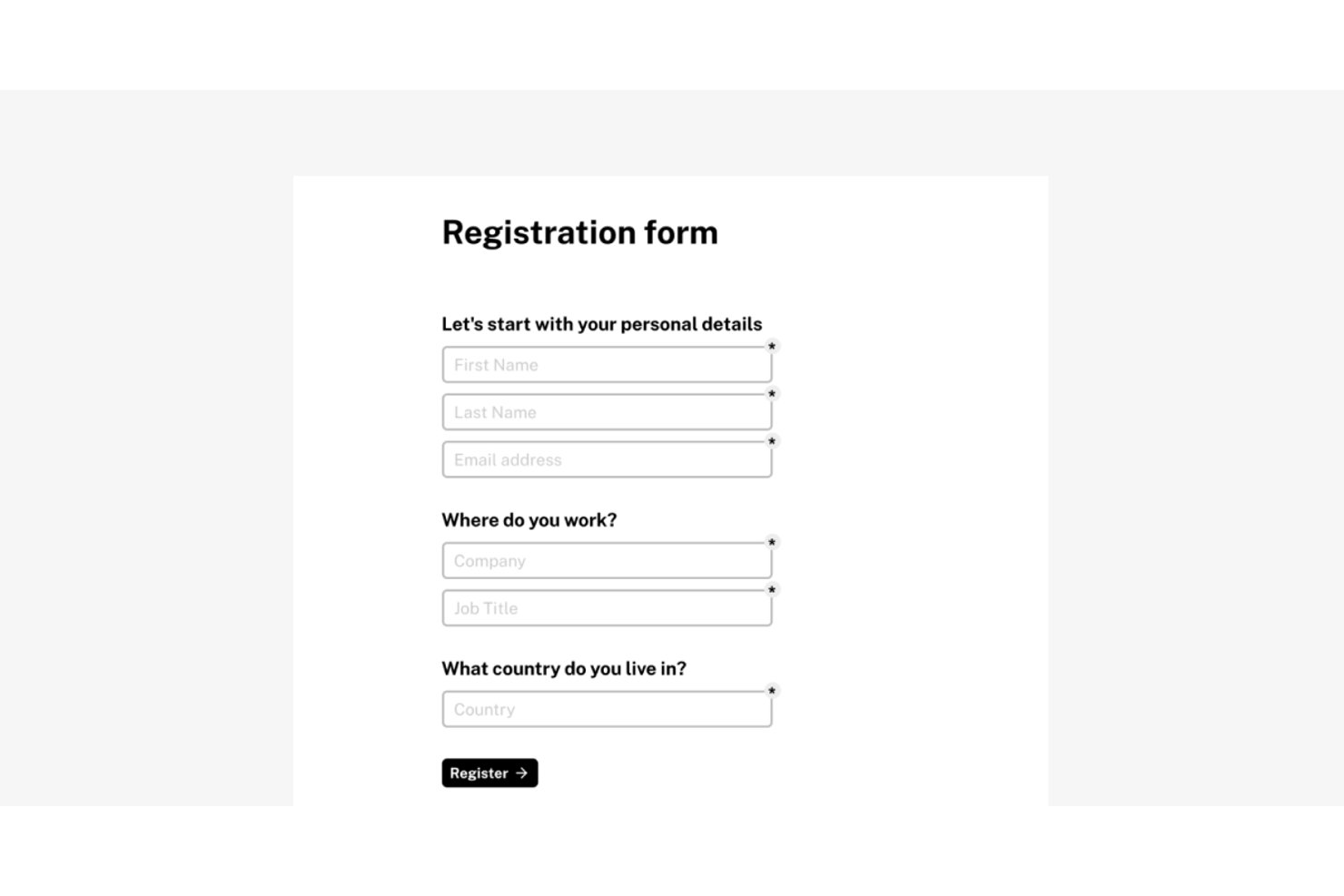
Tally es un creador de formularios sin código diseñado para equipos que desean crear y publicar formularios rápidamente, sin las restricciones típicas de pago que suelen limitar las herramientas gratuitas como Microsoft Forms.
¿Para quién es mejor Tally?
Tally es ideal para equipos pequeños, freelancers y empresas en etapas iniciales que necesitan un creador de formularios eficiente sin comprometerse con un plan mensual costoso.
Por qué Tally es una buena alternativa principal a Microsoft Forms
Elegí Tally como uno de los mejores porque elimina los límites de envíos y la dependencia de Microsoft 365 que hacen frustrante el escalado en Forms. En el plan gratuito, obtienes formularios ilimitados, respuestas ilimitadas, lógica condicional y el envío de respuestas entre preguntas: funciones que la mayoría de las herramientas reserva para planes de pago. Construir un formulario se siente como escribir en Notion: escribes una pregunta, seleccionas un tipo de bloque y publicas, sin necesidad de una configuración de arrastrar y soltar.
Características clave de Tally
- Integraciones nativas con Notion y Airtable: Conecta los envíos de formularios directamente con bases de datos de Notion o bases de Airtable mediante integraciones predefinidas.
- CSS personalizado y controles de marca: Personaliza los formularios según tu marca con temas, fuentes, logotipos personalizados y soporte de hojas de estilo en los planes pagos.
- Soporte multilingüe y RTL: Publica formularios en más de 50 idiomas, incluidos formatos de derecha a izquierda para mayor accesibilidad.
- Cobro de pagos con integración Stripe: Acepta pagos a través de campos integrados de Stripe para formularios de pedidos, inscripciones o donaciones.
Integraciones de Tally
Tally ofrece integraciones nativas con Notion, Airtable, Google Sheets, Slack y Coda, Piepdream, y se conecta con Make y Zapier. Hay una API disponible para integraciones personalizadas.
Pros and Cons
Pros:
- Respuestas ilimitadas en el plan gratuito
- El editor con bloques tipo Notion agiliza la creación de formularios
- Sin límites de envíos en ningún plan de pago
Cons:
- El panel de reportes es básico en comparación con los competidores
- La colaboración y los permisos carecen de controles granulares de roles

La mejor opción para una plataforma de encuestas de código abierto con tipos de preguntas flexibles
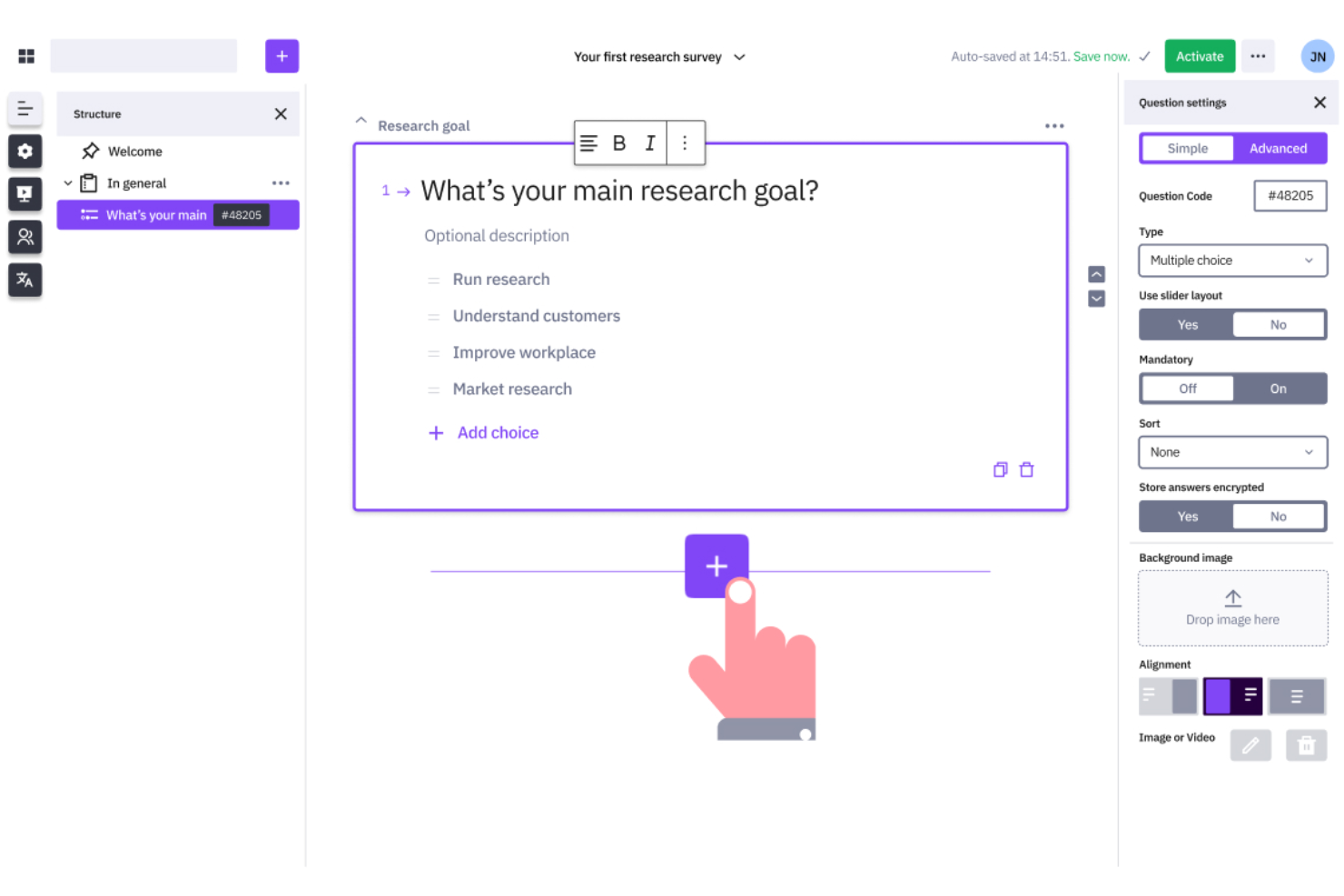
Las organizaciones que necesitan un control total sobre el diseño de las encuestas y los datos suelen elegir LimeSurvey. Esta plataforma de código abierto resulta atractiva para equipos de investigación, universidades y empresas con requisitos de encuestas complejos o necesidades estrictas de privacidad de datos. A diferencia de Microsoft Forms, LimeSurvey ofrece personalización avanzada, opciones de alojamiento propio y compatibilidad con una lógica de encuestas compleja.
Por qué LimeSurvey es una buena alternativa a Microsoft Forms
Si necesitas una herramienta de encuestas que admita una personalización y un control avanzados, vale la pena considerar LimeSurvey. Elegí LimeSurvey porque es de código abierto, por lo que puedes alojarla en tus propios servidores y adaptar la plataforma a los requisitos específicos de tu organización. La herramienta admite una lógica de encuestas compleja, tipos de preguntas personalizados y ramificaciones detalladas, características que no están disponibles en Microsoft Forms. Para los equipos que necesitan gestionar datos confidenciales o crear encuestas altamente especializadas, LimeSurvey ofrece una flexibilidad que va mucho más allá de las herramientas de encuestas web estándar.
Principales características de LimeSurvey
Otras características hacen de LimeSurvey una opción flexible para crear y gestionar encuestas:
- Encuestas multilingües: Crea encuestas en varios idiomas para llegar a públicos diversos.
- Importación y exportación de preguntas: Mueve preguntas y encuestas entre proyectos utilizando archivos CSV o Excel.
- Gestión de participantes: Organiza, invita y realiza un seguimiento de los participantes de las encuestas dentro de la plataforma.
- Amplia variedad de tipos de preguntas: Elige entre más de 25 formatos de preguntas, incluidos los de clasificación, matriz y carga de archivos.
Integraciones de LimeSurvey
Entre las integraciones se incluyen R, SPSS, Microsoft Excel, Google Sheets, Tableau, Power BI, Salesforce, HubSpot, Zapier y WordPress.
Pros and Cons
Pros:
- El modelo de código abierto permite controlar completamente la personalización
- La lógica avanzada admite estructuras de encuestas complejas
- La compatibilidad con varios idiomas permite recopilar datos a escala mundial
Cons:
- La interfaz parece anticuada en comparación con las plataformas modernas
- La configuración requiere conocimientos técnicos para aprovecharla al máximo

La mejor opción para encuestas y respuestas ilimitadas en todos los planes

Los equipos que necesitan realizar encuestas ilimitadas sin preocuparse por los límites de respuestas suelen recurrir a SurveyPlanet. Esta plataforma es una opción excelente para educadores, organizaciones sin fines de lucro y empresas que gestionan comentarios de gran volumen o encuestas frecuentes. A diferencia de Microsoft Forms, SurveyPlanet ofrece encuestas y respuestas ilimitadas en todos los planes, por lo que es ideal para organizaciones con necesidades continuas o a gran escala de recopilación de datos.
Por qué SurveyPlanet es una buena alternativa a Microsoft Forms
SurveyPlanet destaca para quienes necesitan recopilar respuestas ilimitadas a encuestas sin alcanzar límites restrictivos. Elegí SurveyPlanet porque todos los planes, incluida la versión gratuita, permiten crear tantas encuestas y recopilar tantas respuestas como sea necesario. Esto resulta especialmente útil para organizaciones que realizan investigaciones continuas, recopilan comentarios frecuentes sobre eventos o llevan a cabo encuestas a gran escala. Si buscas una herramienta de encuestas basada en la web que no limite la recopilación de datos, SurveyPlanet ofrece una flexibilidad que Microsoft Forms no iguala.
Funciones clave de SurveyPlanet
Otras funciones convierten a SurveyPlanet en una opción versátil para crear encuestas:
- Plantillas de preguntas prediseñadas: Accede a una biblioteca de preguntas listas para usar y agiliza el diseño de encuestas.
- Temas personalizados: Aplica colores, fuentes y fondos personalizados para adaptarlos a tu marca.
- Opción de encuesta anónima: Recopila respuestas sin registrar información identificativa.
- Encuestas adaptables a dispositivos móviles: Asegúrate de que las encuestas se muestren correctamente en teléfonos inteligentes y tabletas.
Integraciones de SurveyPlanet
Entre las integraciones se incluyen Google Sheets, Microsoft Excel, Slack, Zapier, Salesforce, Dropbox, Mailchimp, Trello, Asana y HubSpot.
Pros and Cons
Pros:
- Las encuestas ilimitadas permiten recopilar datos de gran volumen
- Las plantillas prediseñadas agilizan la creación de encuestas
- Las opciones de respuesta anónima permiten casos de uso centrados en la privacidad
Cons:
- Las funciones de generación de informes son limitadas en comparación con las de la competencia
- Las opciones de lógica carecen de flexibilidad para encuestas complejas

Si necesitas formularios que se adapten a los datos introducidos por los usuarios y gestionen cálculos complejos, vale la pena considerar Cognito Forms. Está diseñado para equipos de finanzas, educación y operaciones que necesitan formularios dinámicos con lógica avanzada y validación de datos. A diferencia de Microsoft Forms, Cognito Forms te permite crear encuestas que realizan cálculos en tiempo real y muestran u ocultan campos según las respuestas de los usuarios.
Por qué Cognito Forms es una buena alternativa a Microsoft Forms
Cognito Forms destaca para los equipos que necesitan formularios con cálculos avanzados y lógica dinámica. Elegí Cognito Forms porque te permite crear encuestas que realizan cálculos automáticamente, como puntuaciones o precios, directamente en el formulario. También puedes configurar lógica condicional para mostrar u ocultar preguntas según las respuestas anteriores, lo que hace que cada encuesta responda de forma muy dinámica a los datos introducidos por el usuario. Para quienes necesitan algo más que formularios estáticos, Cognito Forms ofrece una flexibilidad que Microsoft Forms no iguala.
Características principales de Cognito Forms
Otras características hacen de Cognito Forms una opción sólida para crear encuestas basadas en la web:
- Carga de archivos: Recopila documentos, imágenes u otros archivos directamente a través de tus formularios.
- Cifrado de datos: Protege los datos confidenciales de los formularios con opciones de cifrado integradas.
- Secciones repetibles: Permite que los encuestados añadan varias entradas para un conjunto de preguntas dentro de un mismo formulario.
- Cobro de pagos: Acepta pagos mediante integraciones con Stripe, PayPal y Square.
Integraciones de Cognito Forms
Entre las integraciones se incluyen Microsoft Flow, Zapier, PayPal, Stripe, Square, QuickBooks, Google Sheets, Dropbox, OneDrive y Mailchimp.
Pros and Cons
Pros:
- Los campos de cálculo permiten gestionar escenarios complejos de recopilación de datos
- La lógica condicional permite un comportamiento adaptable de los formularios
- El cifrado de datos permite gestionar la información de forma segura
Cons:
- Las funciones de generación de informes son menos avanzadas que las de la competencia
- El diseño móvil puede requerir ajustes manuales
Jotform
Ideal para un creador de formularios de arrastrar y soltar con amplias integraciones
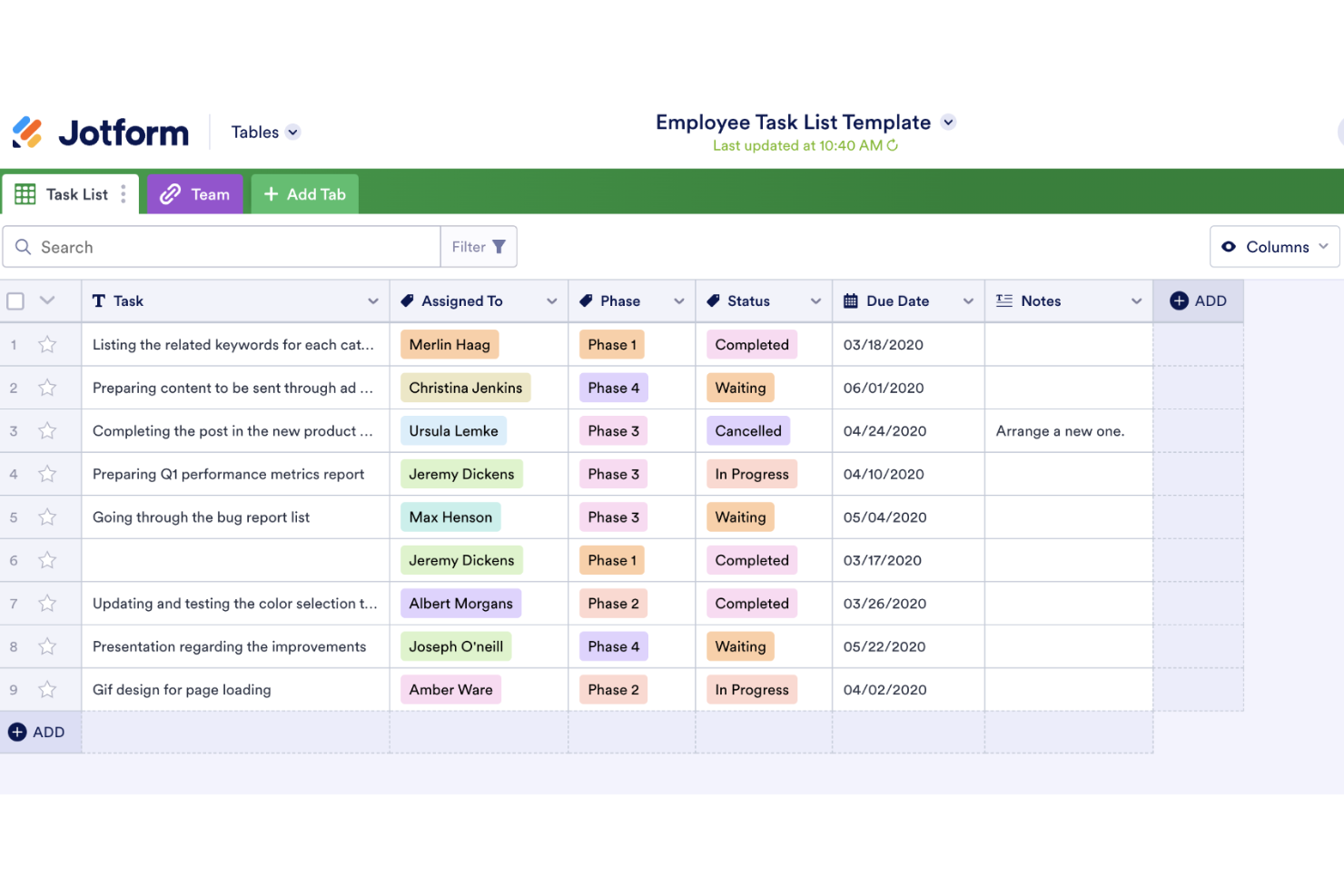
Jotform Enterprise destaca para las organizaciones que necesitan automatización avanzada de flujos de trabajo y una gestión segura de datos en sus procesos de encuestas. Es una opción adecuada para los equipos de TI, RR. HH. y operaciones de sectores regulados que requieren flujos de aprobación personalizados y controles de acceso granulares. A diferencia de Microsoft Forms, Jotform Enterprise ofrece funciones de nivel empresarial como inicio de sesión único, dominios personalizados y opciones avanzadas de cumplimiento normativo.
Por qué Jotform es una buena alternativa a Microsoft Forms
Jotform Enterprise incorpora automatización avanzada de flujos de trabajo y controles empresariales que van mucho más allá de lo que ofrece Microsoft Forms. Elegí Jotform para los equipos que necesitan automatizar procesos de aprobación de varios pasos y gestionar de forma segura recopilaciones de datos complejas. Con funciones como flujos de aprobación personalizados y permisos de usuario granulares, puedes diseñar encuestas que se ajusten a requisitos organizativos estrictos. Para las empresas que necesitan algo más que la creación básica de formularios, el enfoque preparado para empresas de Jotform ofrece una ventaja clara.
Funciones principales de Jotform
Otras funciones hacen de Jotform Enterprise una opción flexible para las necesidades de encuestas basadas en la web:
- Dominios personalizados: Usa tu propio dominio de marca para todos los formularios y encuestas.
- Inicio de sesión único (SSO): Controla el acceso de los usuarios con sistemas de autenticación empresarial.
- Cumplimiento de HIPAA: Recopila y almacena de forma segura datos de salud confidenciales.
- Generación avanzada de PDF: Crea y comparte automáticamente archivos PDF a partir de los envíos de formularios.
Integraciones de Jotform
Las integraciones incluyen Google Drive, Dropbox, PayPal, Stripe, Salesforce, Mailchimp, Google Sheets, Slack, Zoom y HubSpot.
Pros and Cons
Pros:
- La automatización de flujos de trabajo permite procesos de aprobación de varios pasos
- Los controles de acceso facilitan una gestión estructurada de los equipos
- La generación de PDF permite crear documentos a partir de las respuestas
Cons:
- El rendimiento puede ralentizarse con grandes conjuntos de datos
- La configuración avanzada puede requerir la intervención de personal técnico
Otras alternativas a Microsoft Forms
Estas son algunas opciones adicionales de alternativas a Microsoft Forms que no llegaron a mi lista, pero que merece la pena conocer:
- Sogolytics
Ideal para encuestas seguras y personalizables con informes detallados
- Alchemer
Ideal para la personalización avanzada y la automatización de flujos de trabajo
- SmartSurvey
Ideal para una plataforma de encuestas con sede en el Reino Unido y funciones avanzadas de cumplimiento
- BlockSurvey
Ideal para encuestas cifradas de extremo a extremo para la recopilación de datos centrada en la privacidad


Cómo Evalúo las Alternativas a Microsoft Forms
Divido mi evaluación en dos niveles: la funcionalidad básica que toda herramienta debe ofrecer para estar en la lista y los diferenciadores—como la sincronización con herramientas de gestión de proyectos y los flujos de aprobación—que distinguen a las mejores alternativas.
Funcionalidad Básica (Requisitos Fundamentales Para Esta Lista)
Cuando selecciono herramientas para mi lista, califico cada una en una escala del 0 (no ofrece la funcionalidad) al 5 (sobresale en este aspecto) para cada funcionalidad básica que aparece a continuación. Luego, calculo la puntuación total de la herramienta en porcentaje. Cada herramienta debe alcanzar una puntuación mínima total del 65% para ser considerada.
- Constructor de Formularios Personalizables: Reviso la variedad de tipos de campos disponibles—como cargas de archivos para briefings de proyectos, selectores de fecha para solicitudes de hitos y escalas de valoración para encuestas retro.
- Lógica Condicional: Las buenas alternativas permiten ramificar un formulario de registro de proyectos, de modo que una solicitud creativa se dirija de manera distinta a un ticket de desarrollo, según las respuestas del solicitante.
- Integración de Flujos de Trabajo y Tareas: Verifico si los envíos pueden transferirse a herramientas de gestión de proyectos como Asana o Jira como nuevas tareas o tickets, sin necesidad de copiar y pegar manualmente.
- Gestión de Respuestas y Reportes: La herramienta debe permitir filtrar, visualizar y exportar respuestas—por ejemplo, obtener un panel de resumen de todas las solicitudes recibidas en este sprint.
- Opciones de Compartir y Distribución: Evalúo cómo llegan los formularios a los encuestados, desde formularios incrustados en una wiki de Confluence hasta enlaces protegidos por contraseña enviados a clientes externos para obtener feedback.
- Colaboración y Permisos: Los equipos de proyectos necesitan edición compartida y acceso basado en roles, para que un líder PMO pueda administrar plantillas de formularios mientras los coordinadores gestionan los envíos diarios.
Una vez que tengo una lista de herramientas que cumplen con estos criterios, considero qué diferencia a cada plataforma.
Factores Diferenciadores (Lo Que Distingue a los Proveedores)
Así es como comparo y contrasto los distintos proveedores:
Funciones Destacadas
Los flujos de aprobación son un gran diferenciador—cuando un formulario de registro de proyectos puede enviar automáticamente una solicitud de cambio a una cadena de revisores, libera a los PM de estar persiguiendo aprobaciones por correo electrónico. También reviso la creación de formularios asistida por inteligencia artificial, que agiliza la elaboración de plantillas desde cero. Las capacidades de autocompletar son relevantes para participantes recurrentes que no deberían tener que volver a escribir los detalles del proyecto cada vez que envían una solicitud.
Más Allá de las Funciones
Ya que estás migrando de Microsoft Forms, reviso cómo se integra cada herramienta con tu espacio de trabajo actual—ya sea Microsoft 365, Google Workspace o ambos. Una transición fluida depende de esto. La profundidad del ecosistema de integraciones también es importante; evalúo si la herramienta se conecta de forma nativa con plataformas de gestión de proyectos o solo mediante soluciones iPaaS como Zapier. Finalmente, el precio y la escalabilidad merecen atención. Algunas herramientas limitan el volumen de respuestas o cobran por formulario, lo que puede ser un problema si tu PMO amplía la recepción de solicitudes entre varios equipos.
¿Por qué buscar una alternativa a Microsoft Forms?
Aunque Microsoft Forms es una herramienta de encuestas web bastante competente, hay varios motivos por los que algunos usuarios buscan soluciones alternativas. Es posible que busques una alternativa porque…
- Necesitas lógica avanzada o campos de cálculo en tus formularios
- Quieres recopilar pagos o archivos directamente a través de las encuestas
- Necesitas controles de privacidad de datos o cifrado más sólidos
- Necesitas funciones de análisis o elaboración de informes más avanzadas
- Trabajas fuera del ecosistema de Microsoft 365
- Quieres más opciones de personalización para la imagen de marca y el diseño
Si alguna de estas situaciones te resulta familiar, has llegado al lugar adecuado. Mi lista incluye varias opciones de herramientas de encuestas web más adecuadas para equipos que se enfrentan a estos desafíos con Microsoft Forms y buscan soluciones alternativas.
Principales funciones de Microsoft Forms
Estas son algunas de las principales funciones de Microsoft Forms, para que puedas contrastar y comparar lo que ofrecen las soluciones alternativas:
- Múltiples tipos de preguntas, incluidas de opción, texto, valoración y fecha
- Seguimiento de respuestas en tiempo real y paneles de análisis básicos
- Integración con aplicaciones de Microsoft 365 como Excel y Teams
- Lógica de ramificación para flujos de trabajo condicionales sencillos
- Exportación automática de datos a Excel para realizar análisis adicionales
- Diseño de formularios adaptado a dispositivos móviles y recopilación de respuestas
- Opciones integradas para compartir mediante enlace, código QR o correo electrónico
- Límites de respuestas y ajustes de privacidad y permisos
- Funciones de colaboración para crear formularios conjuntamente con compañeros
- Compatibilidad con cuestionarios con calificación y comentarios automáticos