



Clio vs. PracticePanther: Comparación y Opiniones de Expertos para 2026



You’re juggling cases, deadlines, and documents—and trying to find the right tools to keep your legal team on track. Clio and PracticePanther both promise to help, but choosing between them isn’t always straightforward. When you’re looking for project management software for lawyers, you need more than a feature list—you need real answers about how these platforms fit your workflow.
In this article, I’ll walk you through a side-by-side comparison of Clio and PracticePanther. You’ll get insights into pros and cons, top use cases, pricing, security, and usability to help you make a confident choice.
Clio vs. PracticePanther: An Overview
Clio
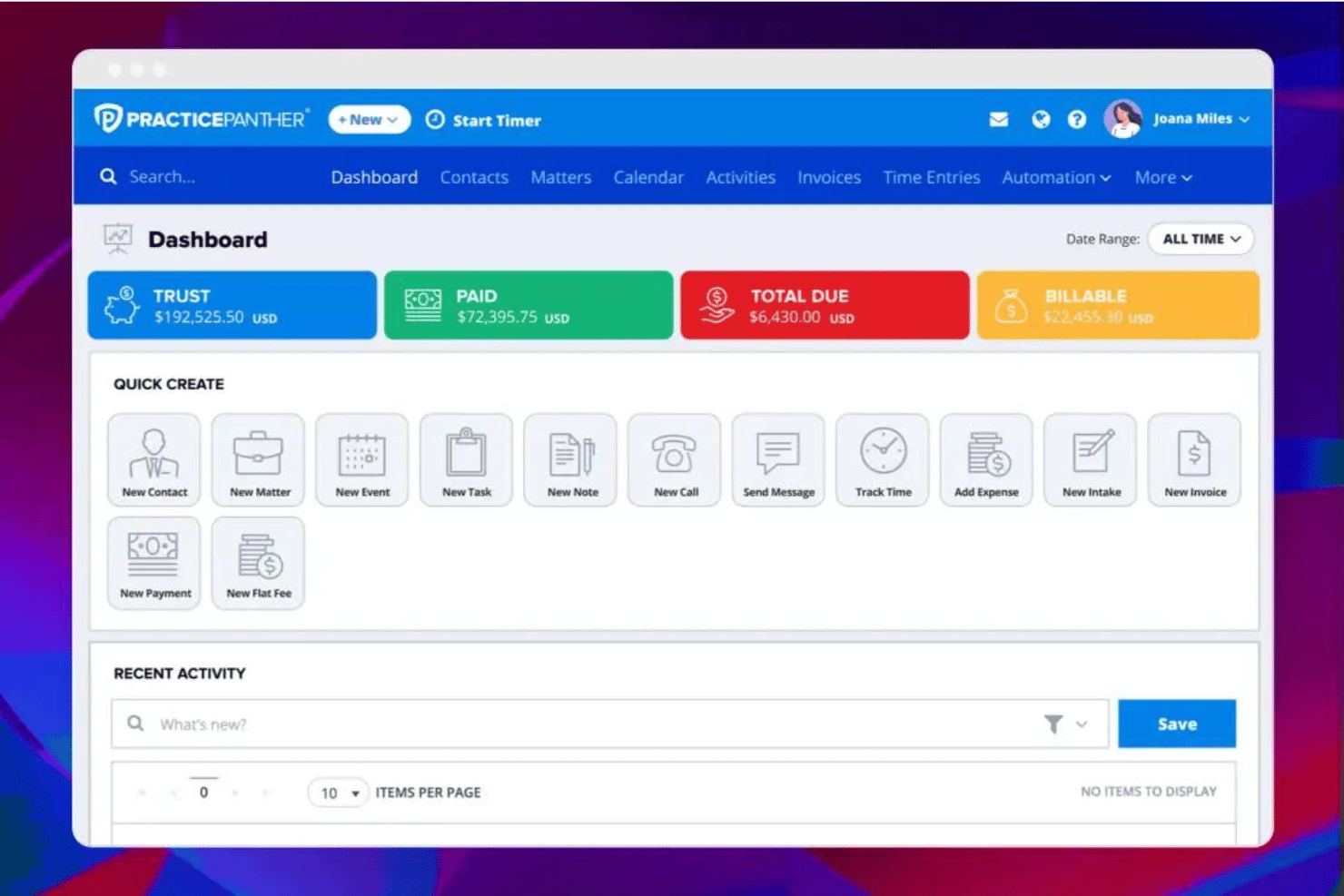
PracticePanther



Por qué confiar en nuestras recomendaciones de software
Nuestro equipo lleva probando y evaluando software desde 2012. Como gestores de proyectos, sabemos lo difícil —y lo importante— que es elegir el software adecuado.
Para esta guía, evaluamos las herramientas mediante pruebas prácticas e investigación independiente, puntuando las herramientas según nuestros criterios de selección. También nos basamos en la experiencia de líderes de opinión del sector y de profesionales en activo de la gestión de proyectos.
Nuestras reseñas reflejan nuestro criterio editorial humano, no un discurso de ventas.
Revisores expertos:
Clio vs. PracticePanther Pricing Comparison
| Clio | PracticePanther | |
|---|---|---|
| Free Trial | Free trial available | 7-day free trial + free demo available |
| Pricing | From £79/user/month | From $59/user/month |
Precios y Costos Ocultos de Clio vs. PracticePanther
Clio y PracticePanther utilizan ambos un modelo de suscripciones con planes escalonados según características y necesidades del despacho. El precio inicial es el mismo para ambos, pero la manera en que aumentan los costos es diferente. Clio utiliza un enfoque más modular, donde las capacidades avanzadas—como CRM, contabilidad y automatización de documentos—a menudo se venden como complementos. PracticePanther, en cambio, incluye más funciones directamente en sus planes de nivel superior, con menos complementos separados.
Esa diferencia es importante al momento de presupuestar. Con Clio, tu costo total puede aumentar al agregar herramientas adicionales. Con PracticePanther, el precio suele ser más predecible, pero necesitarás subir de nivel para desbloquear funciones avanzadas. Ambas plataformas incluyen funcionalidades centrales de gestión de casos, facturación y comunicación con clientes, pero los informes avanzados, la automatización y las herramientas financieras están reservados para los planes más costosos.
Clio vs. PracticePanther Feature Comparison
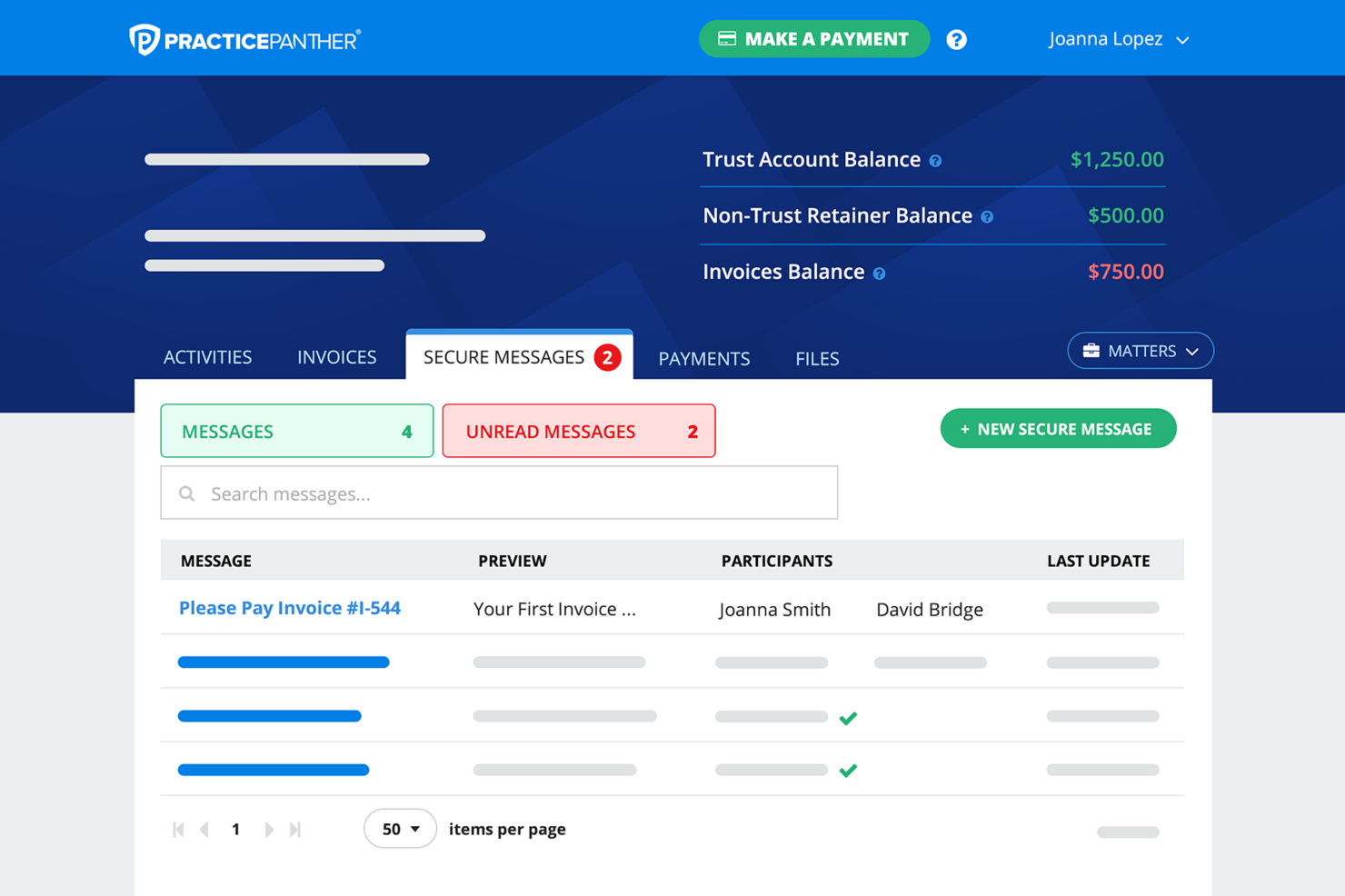
Tanto Clio como PracticePanther cubren la misma base esencial que esperas de un software moderno de gestión de despachos legales. Ambas plataformas ofrecen gestión de casos y asuntos, seguimiento del tiempo, facturación, gestión documental y herramientas de comunicación con clientes, además de portales para clientes y automatización de flujos de trabajo para mantener tu despacho organizado y eficiente.
Donde empiezan a diferenciarse es en cómo amplían esas funciones básicas. Clio destaca por su enorme ecosistema de integraciones (más de 250 aplicaciones) y complementos modulares como Clio Grow y Clio Accounting, que te permiten crear un entorno tecnológico altamente personalizado. PracticePanther, por otro lado, se diferencia por incorporar más funciones de serie—especialmente firmas electrónicas nativas, mensajería SMS bidireccional y una potente automatización de flujos de trabajo lista para usar que reduce la necesidad de otras herramientas.
| Clio | PracticePanther | |
|---|---|---|
| 2-Factor Authentication | ||
| API | ||
| Approval Workflows | ||
| Audit Trail | ||
| Calendar Management | ||
| Compliance Tracking | ||
| Contract Management | ||
| Custom Reports | ||
| Customer Management | ||
| Data Export | ||
| Data Import | ||
| Document Management | ||
| External Integrations | ||
| Multi-User | ||
| NDA Management | ||
| Notifications | ||
| Policy Management | ||
| Scheduling | ||
| Workflow Management |
Clio vs. PracticePanther Integraciones
| Integración | Clio | PracticePanther |
|---|---|---|
| QuickBooks Online | ✅ | ✅ |
| Microsoft 365 | ✅ | ✅ |
| Google Workspace | ✅ | ✅ |
| Dropbox | ✅ | ✅ |
| LawPay | ✅ | ✅ |
| Xero | ✅ | ❌ |
| NetDocuments | ✅ | ❌ |
| Box | ✅ | ✅ |
| RingCentral | ❌ | ✅ |
| DocuSign | ✅ | ✅ |
| API | ✅ | ✅ |
| Zapier | ✅ | ✅ |
Tanto Clio como PracticePanther ofrecen las integraciones principales que necesitan los despachos legales, incluyendo herramientas contables, almacenamiento de documentos, plataformas de correo electrónico y firmas electrónicas. Ambos proporcionan también APIs y conexiones con Zapier, lo que permite ampliar la funcionalidad mucho más allá de los ecosistemas nativos.
La diferencia, según mi experiencia, está en la profundidad y el tamaño del ecosistema. Clio suele tener un mercado de integraciones más amplio y maduro, especialmente con herramientas legales especializadas como NetDocuments y plataformas contables como Xero. PracticePanther cubre lo esencial e incluye integraciones como RingCentral, pero su ecosistema es generalmente más reducido — por eso, conviene revisar bien si tus herramientas críticas están disponibles antes de decidirte.
Clio vs. PracticePanther Seguridad, Cumplimiento y Fiabilidad
| Factor | Clio | PracticePanther |
|---|---|---|
| Cifrado de datos | Cifrado AES-256 en tránsito y en reposo en todas las cuentas. | Cifrado AES-256 para datos almacenados y transmitidos en todos los planes. |
| Cumplimiento normativo | Se adhiere a SOC 2, GDPR y regulaciones legales de EE. UU. | Sigue estándares legales de EE. UU. e internacionales, incluido GDPR. |
| Copias de seguridad de datos | Copias de seguridad automáticas diarias con centros de datos geográficamente dispersos. | Copias de seguridad automáticas regulares y alojamiento de datos en múltiples ubicaciones. |
| Controles de acceso | Permisos basados en roles, SSO y autenticación de dos factores disponibles. | Acceso basado en roles y opciones de autenticación de dos factores. |
| Garantía de tiempo activo | Seguimiento público del tiempo de actividad y compromiso del 99.9% de disponibilidad. | Historial confiable de tiempo activo y monitoreo proactivo de la infraestructura. |
Tanto Clio como PracticePanther ofrecen a los despachos de abogados seguridad robusta de datos, cumplimiento normativo y acceso confiable, pero la certificación SOC 2 de Clio y sus informes de tiempo activo pueden darte mayor tranquilidad. Creo que Clio destaca especialmente por su transparencia, mientras que PracticePanther ofrece una gran flexibilidad y políticas de seguridad fáciles de usar.
Clio vs. PracticePanther Facilidad de Uso
| Factor | Clio | PracticePanther |
|---|---|---|
| Interfaz de usuario | Interfaz moderna y limpia con diseños consistentes y menús claros. | Panel de control intuitivo con widgets personalizables y paneles de acceso rápido. |
| Incorporación | Flujos de configuración guiados, base de conocimiento y especialistas en incorporación. | Asistencia personalizada para la configuración, tutoriales en video y sesiones de soporte individual. |
| Personalización | Ajustes flexibles para flujos de trabajo, paneles y notificaciones. | Flujos de trabajo, plantillas y campos altamente personalizables en toda la plataforma. |
| Soporte | Centro de ayuda extenso, chat en vivo y soporte telefónico 24/5. | Chat en vivo, correo electrónico y soporte telefónico con tiempos de respuesta rápidos. |
Ambos productos facilitan empezar, pero las opciones de personalización y la incorporación personalizada de PracticePanther le dan una ligera ventaja para equipos que quieren una configuración a medida. Encuentro que Clio es especialmente fuerte si prefieres una interfaz que se sienta instantáneamente familiar, mientras que PracticePanther gana en flexibilidad.
Clio vs PracticePanther: Pros & Cons
Clio
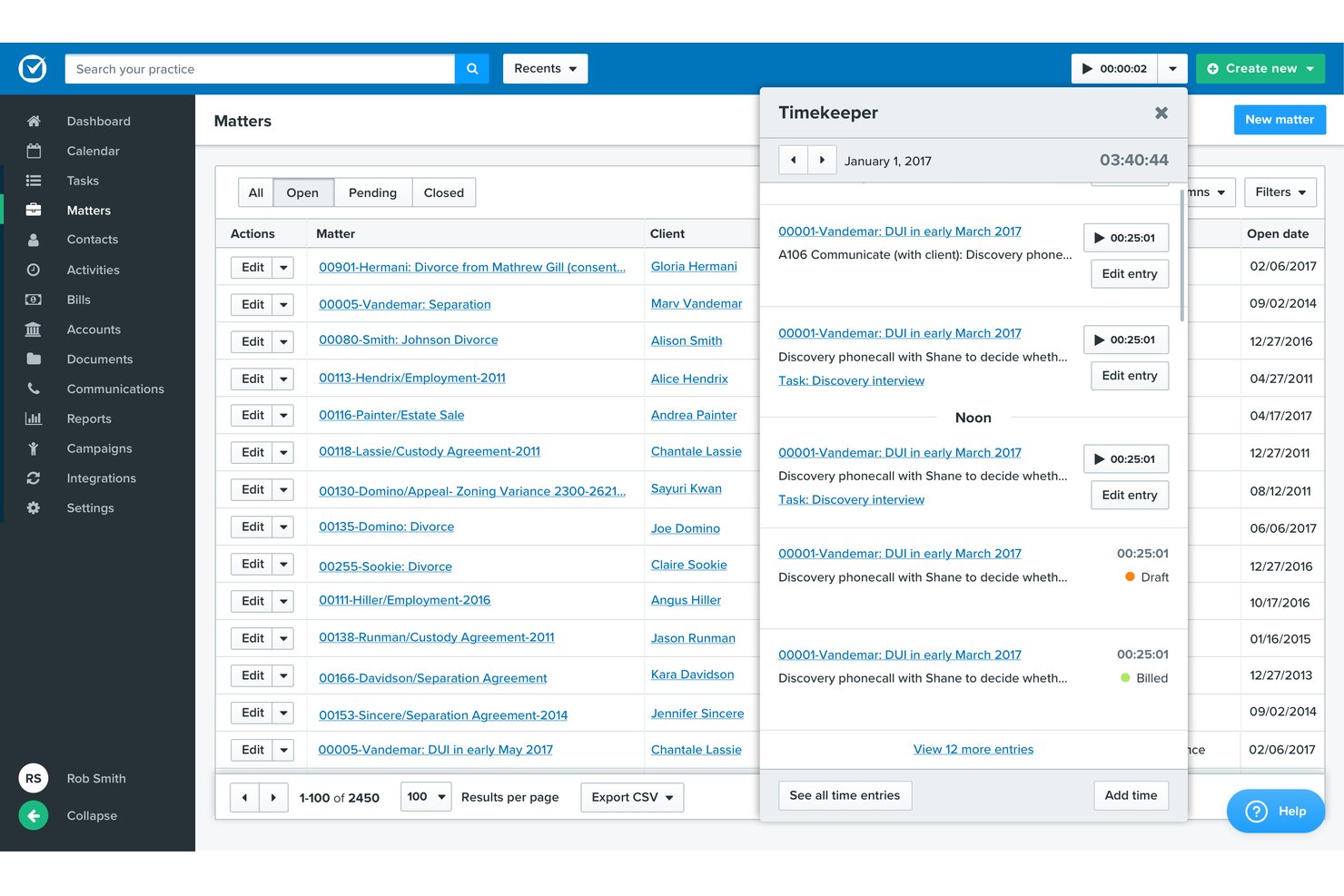
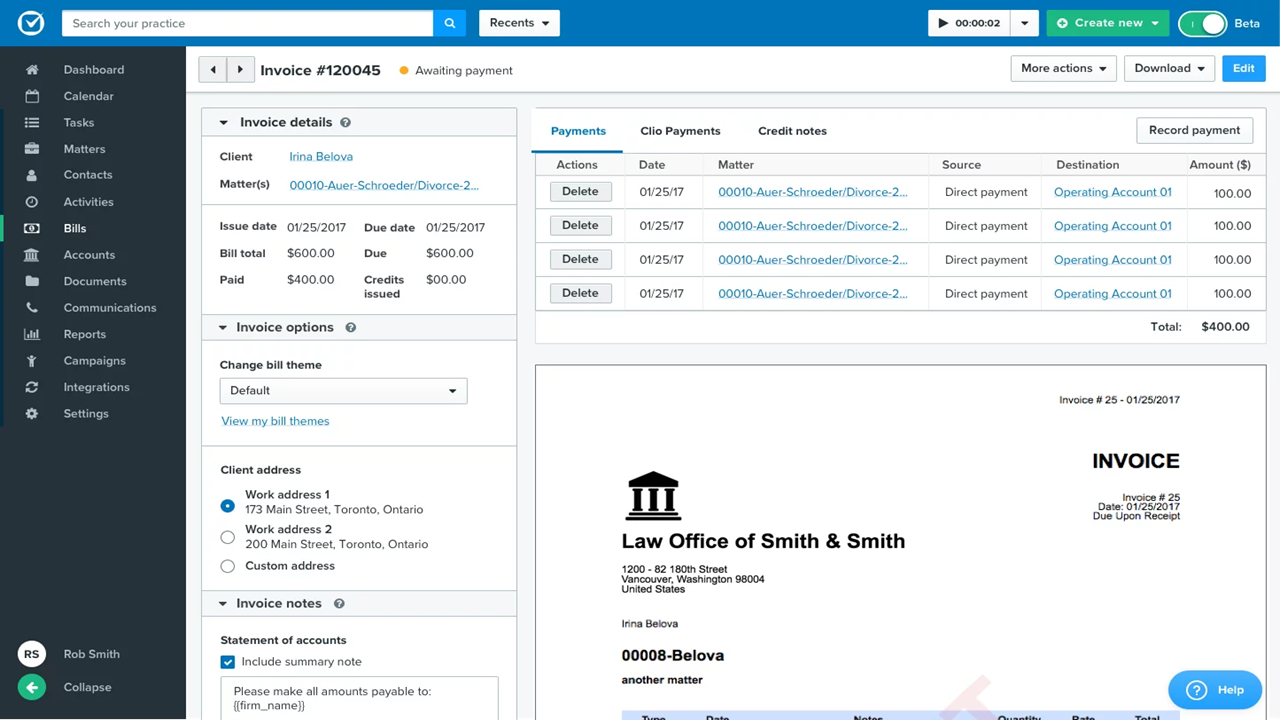
- Built-in time tracking links directly to billing.
- Task lists automate recurring workflows for cases.
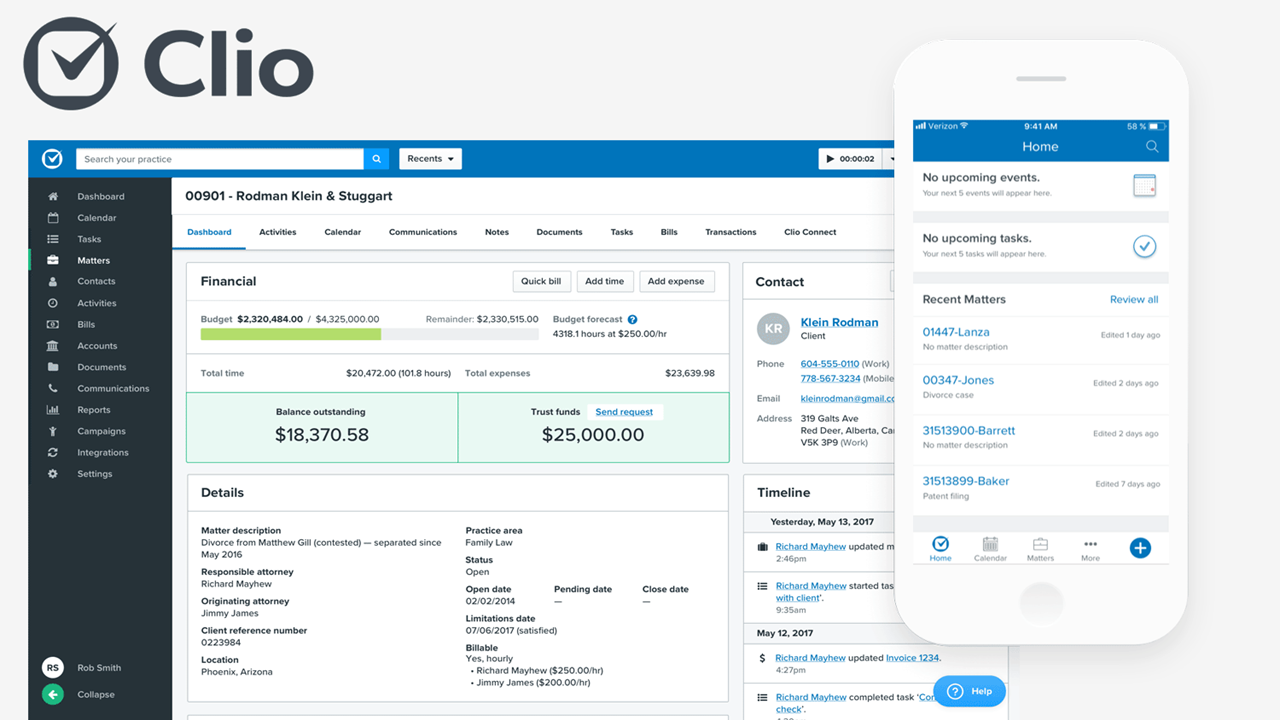
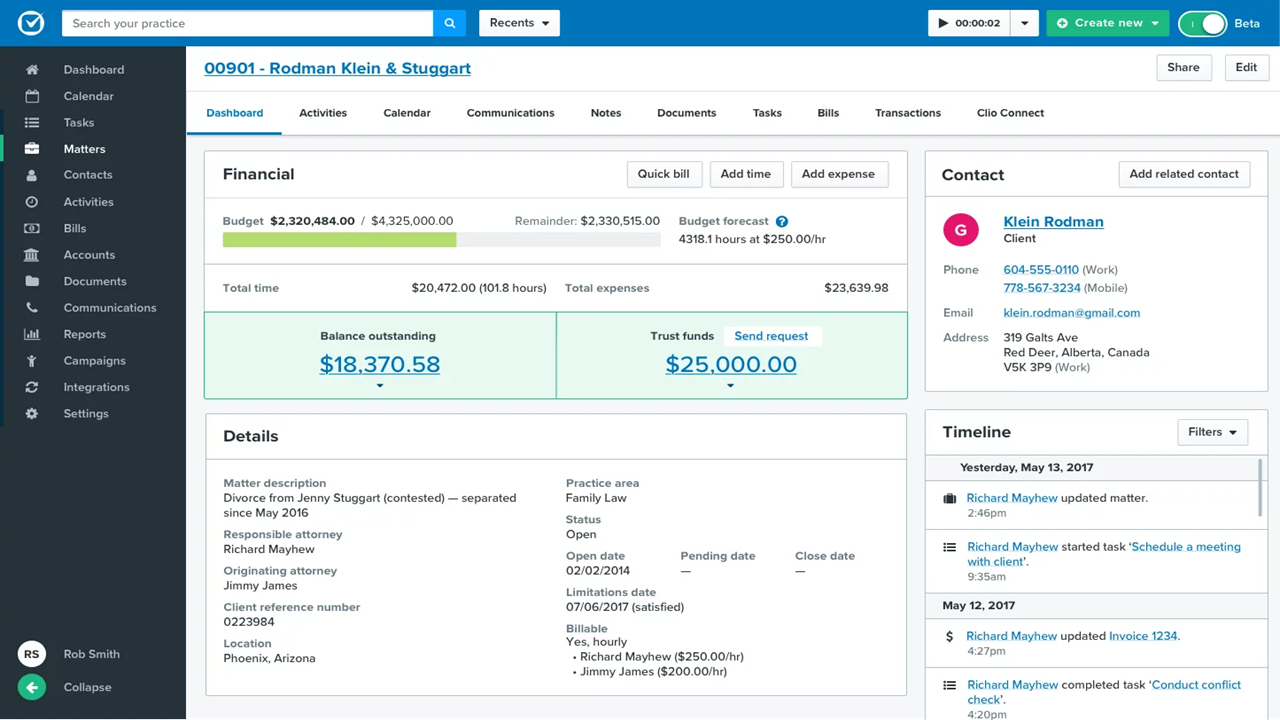
- Custom matter templates match legal practice areas.
- Mobile app features lag behind desktop version.
- Reporting tools feel limited for complex performance analysis.
- Automated task dependencies are missing for multi-step projects.
PracticePanther
- Built-in legal billing and trust accounting tools
- Customizable workflow automation for repetitive case tasks
- Responsive customer support with live chat and webinars
- Limited case document version control options
- Occasional lag when accessing large case files
- Calendar reminders lack detailed customization
Best Use Cases for Clio and PracticePanther
Clio
- Solo Practitioners Clio’s easy setup, client intake, and end-to-end workflow tools support solo lawyers with busy caseloads.
- Small Law Firms Teams of up to 20 gain from built-in document automation, secure case files, and collaborative calendars.
- Mid-Size Law Firms Growing firms value Clio’s advanced reporting, trust accounting, and task tracking across diverse practice areas.
- Legal Administrators Admins use the platform to manage billing, client intake, and compliance tasks with audit trails and status monitoring.
- Family Law Practices Document management, deadline tracking, and client communication features suit firms handling sensitive, ongoing matters.
- Litigation Departments Calendaring, document storage, and court deadline automation streamline high-volume litigation work.
PracticePanther
- Solo Attorneys PracticePanther’s simple setup, intuitive billing, and automation tools keep solo practices running smoothly with minimal administrative work.
- Small Law Firms I think smaller firms benefit from its bundled case, document, and billing management tailored to legal workflows.
- In-House Legal Teams Centralized case tracking and secure document sharing provide transparency and control for corporate legal departments.
- Boutique Firms Boutique practices get value from PracticePanther’s branded client portals and customizable workflows for niche matters.
- Virtual Law Practices Remote teams enjoy cloud-based matter management, secure communication channels, and automation for repetitive tasks.
- Immigration Law Practices PracticePanther’s automated workflows and document templates suit practices handling high volumes of client intakes and filings.
¿Quién debería usar Clio y quién debería usar PracticePanther?
Clio es la mejor opción si gestionas un despacho en crecimiento o más complejo y quieres una plataforma que pueda escalar contigo. En mi experiencia, destaca sobre todo para despachos que necesitan una personalización profunda, informes avanzados y una amplia gama de integraciones. Si planeas desarrollar una infraestructura tecnológica más sofisticada—o quieres CRM, contabilidad y automatizaciones integradas a lo largo del tiempo—Clio te da esa flexibilidad.
Por otro lado, PracticePanther es ideal si prefieres algo más simple y todo en uno desde el primer momento. He comprobado que funciona especialmente bien para abogados independientes y pequeños despachos que valoran la facilidad de uso, precios predecibles y funciones integradas como mensajería, firmas electrónicas y flujos de trabajo sin depender mucho de complementos. Si tu prioridad es poner todo en marcha rápido y con mínima configuración, PracticePanther suele ser la opción más directa.
Differences Between Clio and PracticePanther
| Clio | PracticePanther | |
|---|---|---|
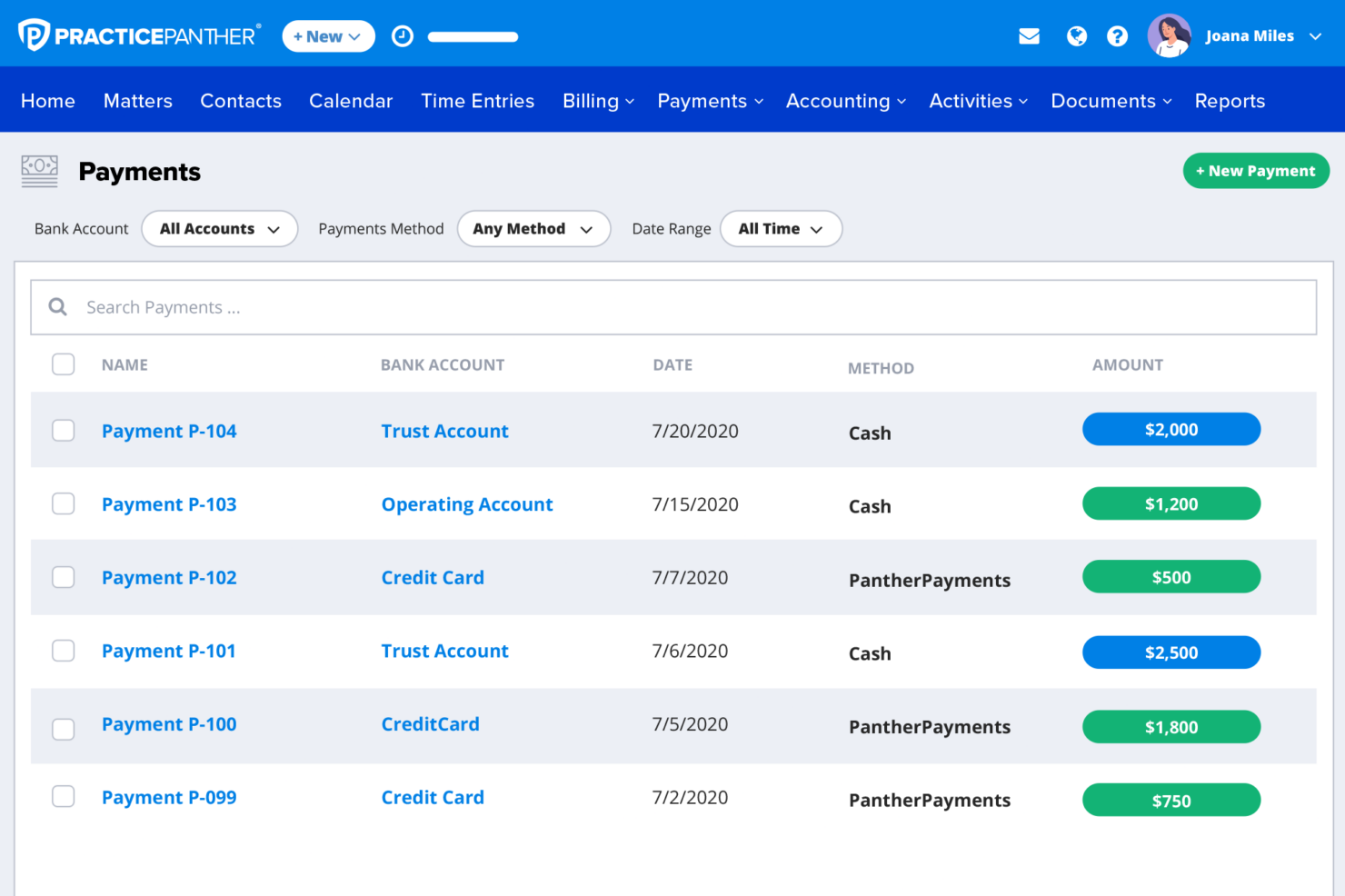
| Accounting Features | Separate legal accounting product (Clio Accounting) and integrations like QuickBooks/Xero. | Native accounting features included in top-tier (Business Pro) plan. |
| App Marketplace | Extensive integration marketplace (250+ apps) with many legal-specific tools. | Fewer direct integrations, with focus on core and popular apps. |
| CRM & Client Intake | Dedicated CRM (Clio Grow) with marketing and intake automation (add-on or bundled in top tier). | Built-in intake forms and client management features included in higher tiers. |
| Reporting Tools | Advanced reports and performance dashboards for in-depth analytics. | Standard reporting with some advanced insights in higher tiers. |
| Workflow Automation | Advanced automation (tasks, documents, workflows) available in higher tiers and add-ons. | Strong built-in workflow automation with triggers and task automation included in core plans. |
| Read Clio ReviewOpens new window | Read PracticePanther ReviewOpens new window |
Similarities Between Clio and PracticePanther
| Case Management | Both deliver robust case and matter management, including task tracking, calendaring, and document storage features. |
|---|---|
| Client Communication | Both offer secure client portals, texting, and email integrations to streamline communication and document sharing. |
| Cloud Accessibility | Both are fully cloud-based, so teams can access files and manage workflows from anywhere with an internet connection. |
| Document Management | Both provide centralized document storage with version control, document sharing, and organization by matter. |
| Read Clio ReviewOpens new window Read PracticePanther ReviewOpens new window | |
| Mobile Access | Each offers fully functional mobile apps (iOS and Android) for managing cases, time tracking, and communication on the go. |
| Time & Billing | Each system makes time tracking and invoicing natural, supporting legal billing codes and integrated payment options. |
| Read Clio ReviewOpens new window Read PracticePanther ReviewOpens new window | |