

2026’nın En İyi 10 Ücretsiz Süreç Haritalama Yazılımı

En İyi Ücretsiz Süreç Haritalama Yazılımları Kısa Listesi


Ücretsiz süreç haritalama yazılımları, abonelik ücreti ödemeden iş akışı diyagramları oluşturmanıza, düzenlemenize ve paylaşmanıza olanak tanır; bunun için ücretsiz bir plan veya deneme sunan araçları kullanır. Süreçleri görselleştirmenin, ekibinizi uyumlu hale getirmenin veya bütçenize ek yük getirmeden iş akışlarını belgelemenin yollarını arıyorsanız, temel özellikleri ödeme duvarının arkasına saklamayan seçeneklere ihtiyacınız vardır.
Bu liste, en iyi ücretsiz süreç haritalama araçlarını karşılaştırmanıza yardımcı olacak; böylece ekibinizin iş birliği, belgeleme ve iş akışı ihtiyaçları için doğru seçeneği bulabileceksiniz.
Why Trust Our Software Recommendations
Our team has been testing and reviewing software since 2012. As project managers ourselves, we know how difficult—and important—it is to choose the right software.
For this guide, we evaluated tools using hands-on testing and independent research, scoring tools using our selection criteria. We also draw on insights from industry thought leaders and practicing project management experts.
Our reviews reflect our human editorial judgment, not a sales pitch.
Expert reviewers:
Ücretsiz Süreç Haritalama Yazılımları Karşılaştırma Tablosu
Bu karşılaştırma tablosu, en iyi ücretsiz süreç haritalama yazılımı seçimlerimdeki temel ücretli plan fiyatlarını vurgular.
| Tool | Starting Price | Website | |
|---|---|---|---|
| Best for real-time team collaboration | 4.8 out of 5 | $8/user/month Free plan + 14-day trial available | Book Demo |
| Best for combining diagrams with sticky notes | 4.6 out of 5 | $10/user/month Free plan available | Website |
| Best for multi-project workspace management | 4.4 out of 5 | $8/user/month Free plan + 30-day free trial available | Website |
| Best for hand-drawn style diagrams | — | $6/user/month 14-day free trial + free plan available | Website |
| Best for offline diagram editing | — | Free to use Free forever | Website |
| Best for visually engaging presentations | — | Free plan available Free plan available | Website |
| Best for brainstorming with mind maps | — | $5/user/month Free plan available | Website |
| Best for enterprise-ready modeling tools | — | $4/user/month Free plan available | Website |
| Best for distraction-free flowchart creation | — | Free to use | Website |
| Best for text-to-flowchart conversion | — | $6/month Free plan available | Website |
En İyi Ücretsiz Süreç Haritalama Yazılımları İncelemeleri
Aşağıda, kısa listeme giren ücretsiz süreç haritalama yazılımlarının ayrıntılı özetlerini bulabilirsiniz. İncelemelerim, sizin için en iyi seçeneği bulmanıza yardımcı olmak amacıyla her aracın özelliklerine, en uygun kullanım alanlarına ve entegrasyonlarına ayrıntılı bir bakış sunar.
Miro
Best for real-time team collaboration
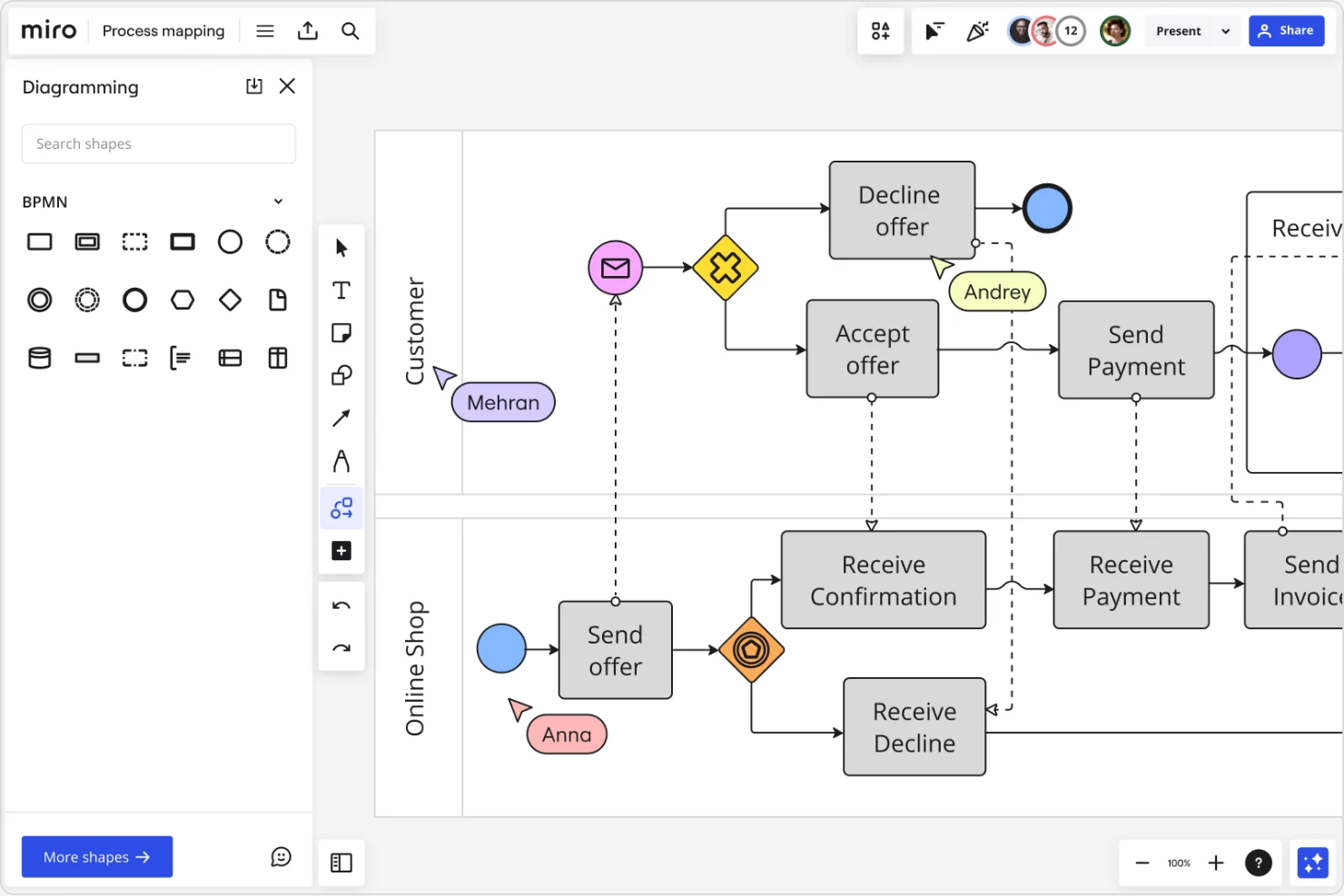
If your team needs to map processes together in real time, Miro is worth considering. This online whiteboard platform is popular with distributed teams, product managers, and facilitators who need to visualize workflows and systems collaboratively. Miro helps you capture ideas, organize handoffs, and keep everyone aligned as you build out process maps together.
Why I Picked Miro
What sets Miro apart for process mapping is its real-time team collaboration, which is especially valuable for distributed or hybrid teams. I picked Miro because you can see everyone’s changes as they happen, making it easy to co-create process maps during live meetings or workshops. The tool’s infinite canvas and built-in facilitation features, like sticky notes and voting, help teams brainstorm, organize, and refine workflows together. This level of interactivity makes Miro a strong choice if you need to keep everyone engaged and aligned while mapping out processes.
Miro Key Features
Some other features that make Miro useful for process mapping include:
- Template library: Access a wide range of pre-built process mapping and flowchart templates to get started quickly.
- Shape and connector tools: Use a variety of shapes, arrows, and connectors to build clear, detailed process diagrams.
- Presentation mode: Share your process maps in a guided, step-by-step format directly within the board.
- Commenting and tagging: Add comments and tag teammates directly on specific elements for targeted feedback and discussion.
Miro Integrations
Integrations include Microsoft Teams, Slack, Google Drive, Jira, Asana, Trello, Zoom, Dropbox, Notion, and more.
What's Free?
Miro offers a free-forever plan with unlimited team members and access to core features. The free plan limits you to three editable boards at a time and restricts some advanced diagramming and export options.
Pros and Cons
Pros:
- Native sticky note digitization
- Integrated video chat functionality
- Real-time mouse cursor tracking
Cons:
- No offline local file editing
- Free plan limits to three editable boards
New Product Updates from Miro
Miro Adds Japan Data Residency for Enterprise Customers
Miro has introduced Japan data residency for enterprise customers, offering in-region storage for production data, backups, and metadata, plus in-region compute infrastructure. For more information, visit Miro's official site.
 .

Best for combining diagrams with sticky notes
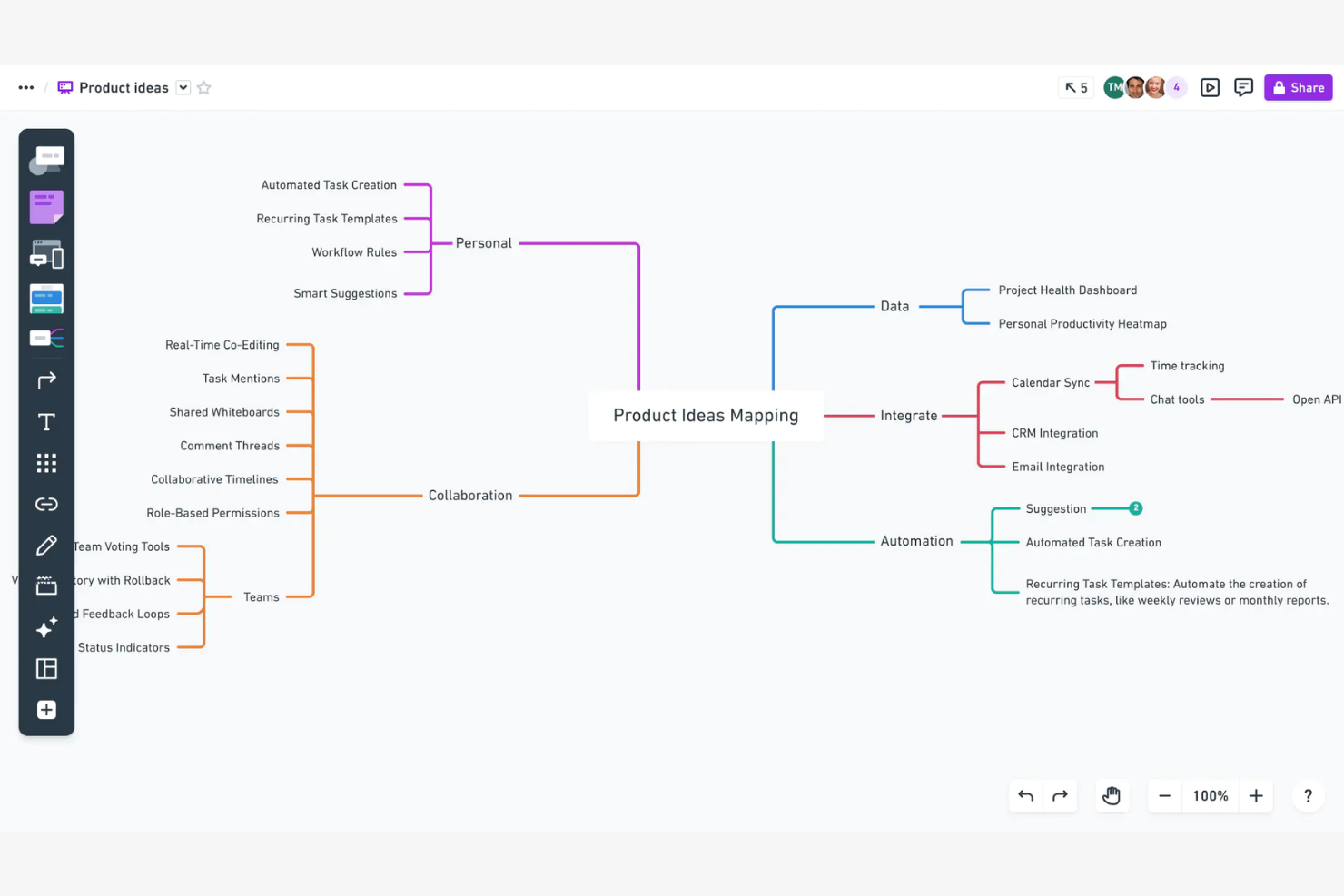
If you want to combine process diagrams with sticky notes in one workspace, Whimsical is worth considering. It’s designed for teams who need to map out workflows visually while capturing ideas, feedback, or requirements alongside their diagrams. Whimsical is especially useful for product managers, UX designers, and cross-functional teams who want to keep brainstorming and process mapping tightly connected.
Why I Picked Whimsical
What drew me to Whimsical is how it lets you combine process flowcharts and sticky notes in a single, unified workspace. This approach is especially helpful when you need to map out a workflow and capture related ideas, requirements, or feedback right alongside your diagram. I like that you can drag and drop sticky notes directly onto your flowcharts, making it easy to annotate steps or highlight action items. For teams that want to keep brainstorming and process mapping tightly linked, Whimsical offers a flexible and visual solution.
Whimsical Key Features
Some other features that make Whimsical useful for free process mapping include:
- Flowchart templates: Choose from a library of pre-built flowchart templates to get started quickly.
- Real-time collaboration: Multiple users can edit and comment on diagrams at the same time.
- Version history: Access previous versions of your diagrams and restore changes as needed.
- Multi-format export: Export diagrams as PNG, PDF, or SVG files for sharing or documentation.
Whimsical Integrations
Integrations include Google Docs, Jira, GitHub, Notion, Slack, and more.
What's Free?
Whimsical offers a free-forever plan that allows up to 1,000 items across all your boards. The free plan is limited to a single workspace and does not include advanced admin controls or priority support.
Pros and Cons
Pros:
- Collaborative real-time cursor chat
- Built-in searchable icon sets
- Integrated wireframing and flowcharts
Cons:
- Restricted free plan board limit
- Basic data visualization features

Creately
Best for multi-project workspace management
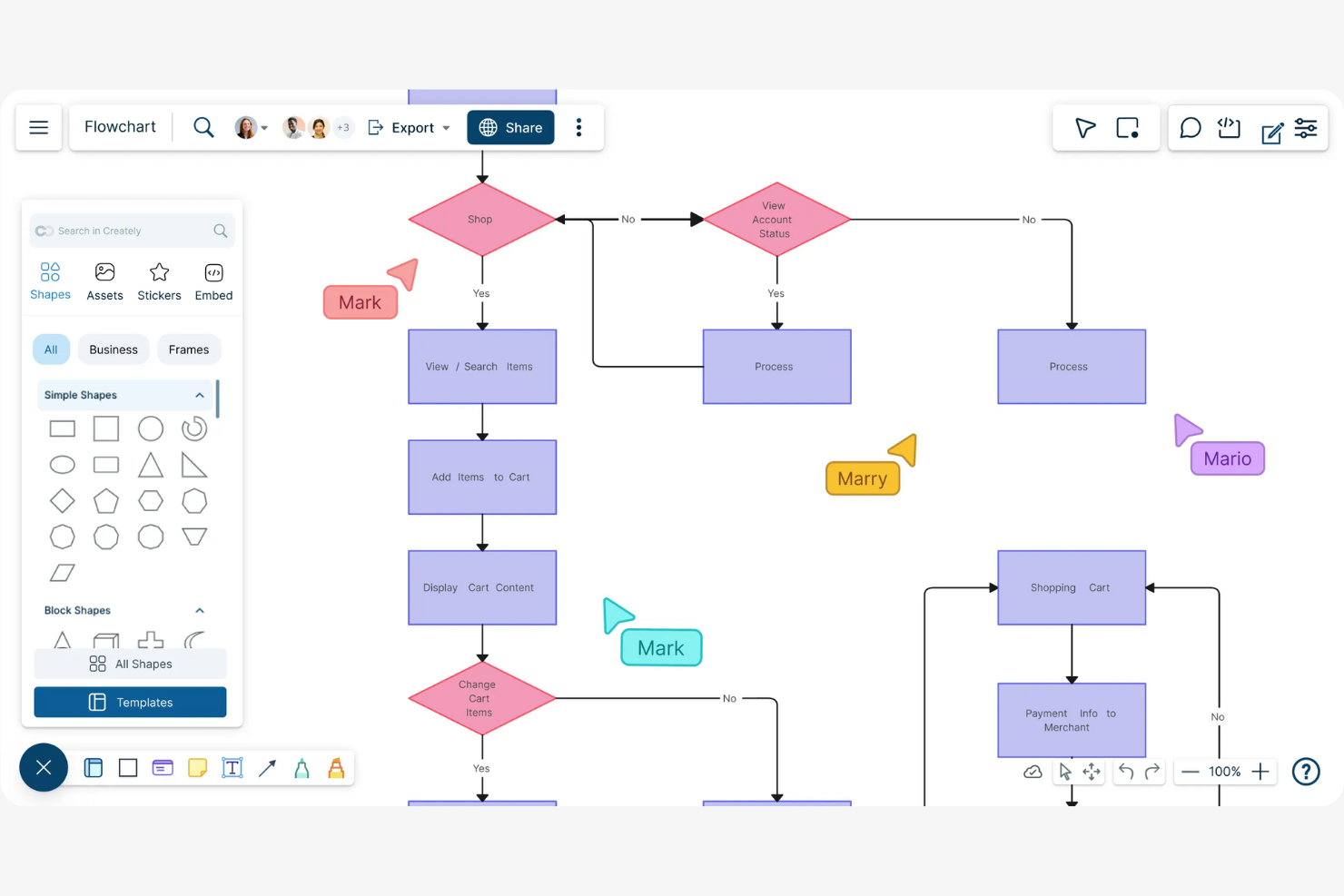
If you’re looking for a process mapping tool that can handle multiple projects and teams in one place, Creately is worth considering. This platform is designed for professionals who need to organize, visualize, and manage complex workflows across different workspaces. Creately stands out for its ability to connect diagrams, notes, and data, making it easier to coordinate work and keep everything linked together.
Why I Picked Creately
What makes Creately stand out for process mapping is its focus on managing multiple projects and workspaces within a single platform. I picked Creately because it lets you create separate workspaces for different teams or initiatives, so you can keep value stream mapping, documents, and data organized by project. The tool also links diagrams directly to notes and tasks, which helps you connect process flows to actionable work. This structure is especially useful if you’re juggling several projects at once and need a clear way to keep everything coordinated.
Creately Key Features
Some other features that make Creately useful for free process mapping include:
- Drag-and-drop diagram editor: Build process maps, flowcharts, and diagrams using an intuitive visual interface.
- Real-time collaboration: Invite team members to edit, comment, and brainstorm together on the same canvas.
- Template library: Access a wide range of pre-built templates for process mapping, org charts, and workflow diagrams.
- Revision history: Track changes and restore previous versions of your diagrams to maintain accuracy and accountability.
Creately Integrations
Integrations include Confluence, Microsoft Teams, Slack, and more.
What's Free?
Creately offers a free-forever plan with unlimited public documents and up to 3 collaborators per workspace. The free plan limits private documents, advanced export options, and access to some templates and shapes.
Pros and Cons
Pros:
- Automatic layout and shape alignment
- Built-in project management kanban views
- Real-time data syncing from Jira
Cons:
- Restricted custom font selections
- Free plan restricts private documents

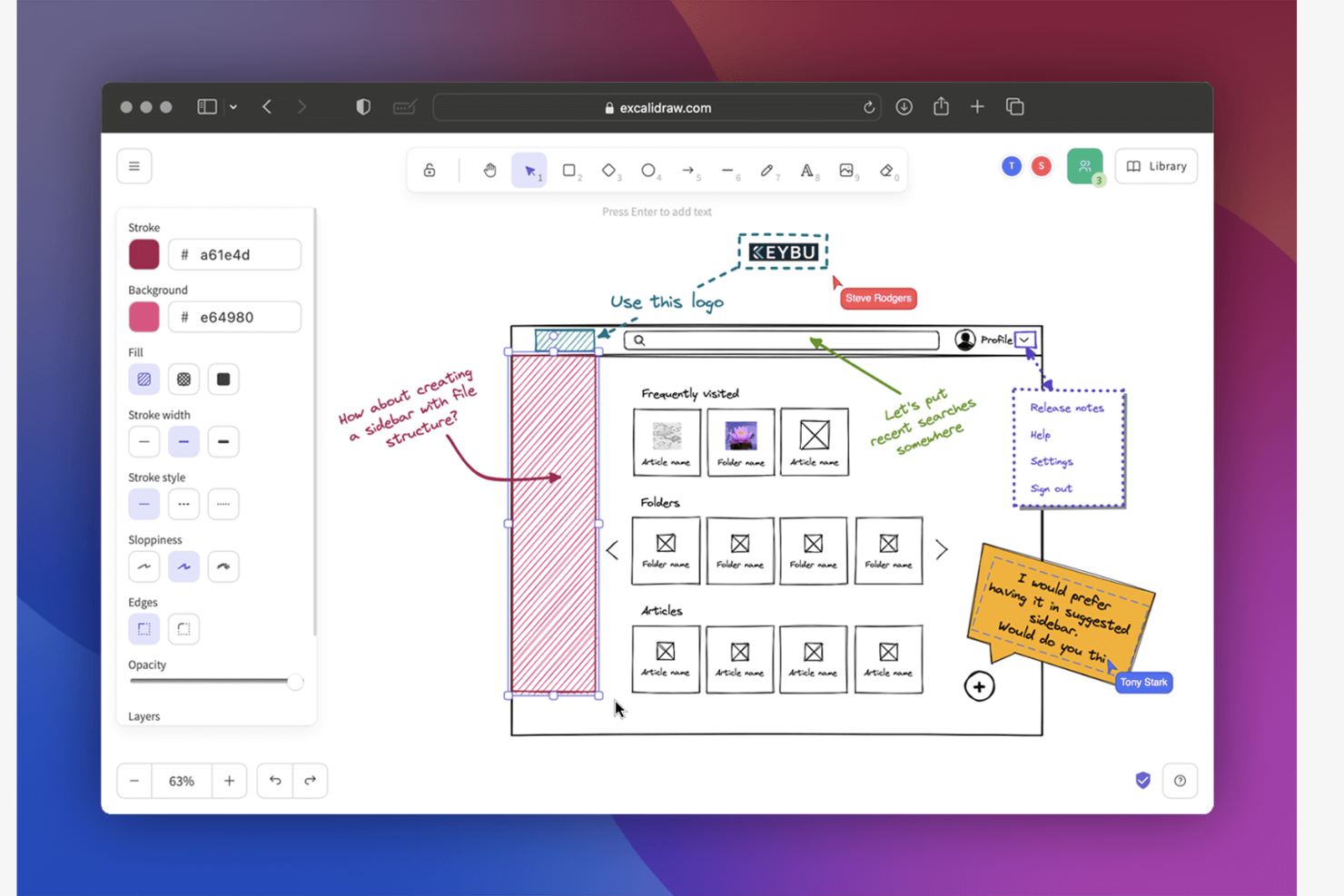
If you want to create process maps that look like they were sketched on a whiteboard, Excalidraw is worth a look. This tool appeals to product managers, designers, and teams who prefer a more informal, hand-drawn style for brainstorming and mapping workflows. It helps you capture ideas quickly and visually, making it easier to communicate rough concepts or evolving processes.
Why I Picked Excalidraw
What drew me to Excalidraw is its unique hand-drawn style, which sets it apart from most process mapping tools that focus on rigid, polished diagrams. This sketch-like approach is especially useful for teams who want to brainstorm, iterate, or present workflows in a more approachable and informal way. Excalidraw lets you create freeform shapes, arrows, and text that mimic the look of marker on a whiteboard, making it easy to capture ideas as they evolve. For anyone who values flexibility and visual storytelling in their process maps, Excalidraw offers a refreshing alternative to traditional diagramming tools.
Excalidraw Key Features
Some other features that make Excalidraw useful for process mapping include:
- Collaboration mode: Multiple users can draw and edit diagrams together in real time.
- Library of reusable shapes: Access a collection of pre-made shapes and icons to speed up diagram creation.
- Export options: Save diagrams as PNG, SVG, or even shareable links for easy distribution.
- Version history: Review and restore previous versions of your diagrams to track changes or undo mistakes.
Excalidraw Integrations
Integrations include Notion and Obsidian.
What's Free?
Excalidraw offers a free-forever plan with no sign-up required. You can create, edit, and export unlimited diagrams, but features like collaboration, version history, and advanced export options may require a paid plan.
Pros and Cons
Pros:
- Direct end-to-end encryption support
- Privacy-focused local-first data model
- Diagrams have a hand-drawn look
Cons:
- Limited structured data linking
- No automated flowchart logic
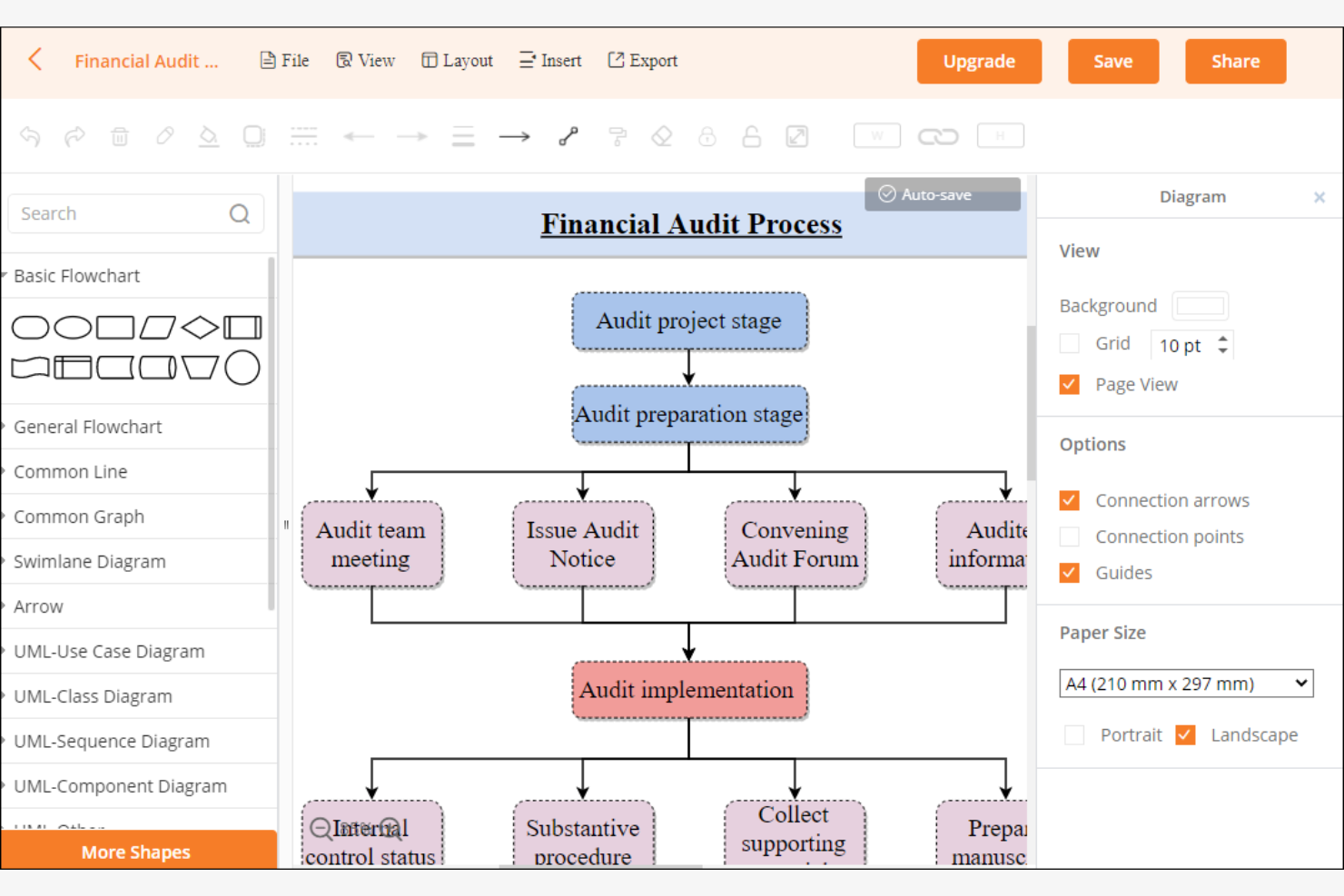
If you need a process mapping tool that works both online and offline, Diagrams.net (formerly draw.io) is worth a look. It’s a strong all-in-one fit for teams that want to create and edit diagrams without relying on cloud access or paid subscriptions. Diagrams.net helps you map out workflows, systems, and processes while keeping your files local and your costs at zero.
Why I Picked Diagrams.net
Diagrams.net stands out for its ability to let you create and edit process maps entirely offline, which is rare among free tools. I picked it because you can download the desktop app and work on diagrams without an internet connection, making it ideal for teams with strict data privacy needs or unreliable connectivity. The tool also supports saving files locally in multiple outputs, so you keep full control over your process documentation. Its offline editing and flexible file management make it a practical choice for anyone who needs process mapping without cloud dependencies.
Diagrams.net Key Features
Some other features that make diagrams.net useful for process mapping include:
- Template library: Access a wide range of pre-built templates for flowcharts, process diagrams, and organizational charts.
- Drag-and-drop interface: Build and modify diagrams quickly using an intuitive drag-and-drop canvas.
- Collaboration via cloud storage: Share and collaborate on diagrams by connecting to Google Drive, OneDrive, or Dropbox.
- Version history: Track changes and revert to previous versions of your diagrams when needed.
Diagrams.net Integrations
Integrations include GitHub, Jira, Confluence, and an API for custom integrations.
What's Free?
Diagrams.net offers a free-forever plan with no user or diagram limits. All core features, including offline editing and cloud integrations, are available without restrictions.
Pros and Cons
Pros:
- Offline desktop application available
- No account registration required
- Open-source code transparency
Cons:
- Basic visual template variety
- Lacks real-time multi-user editing
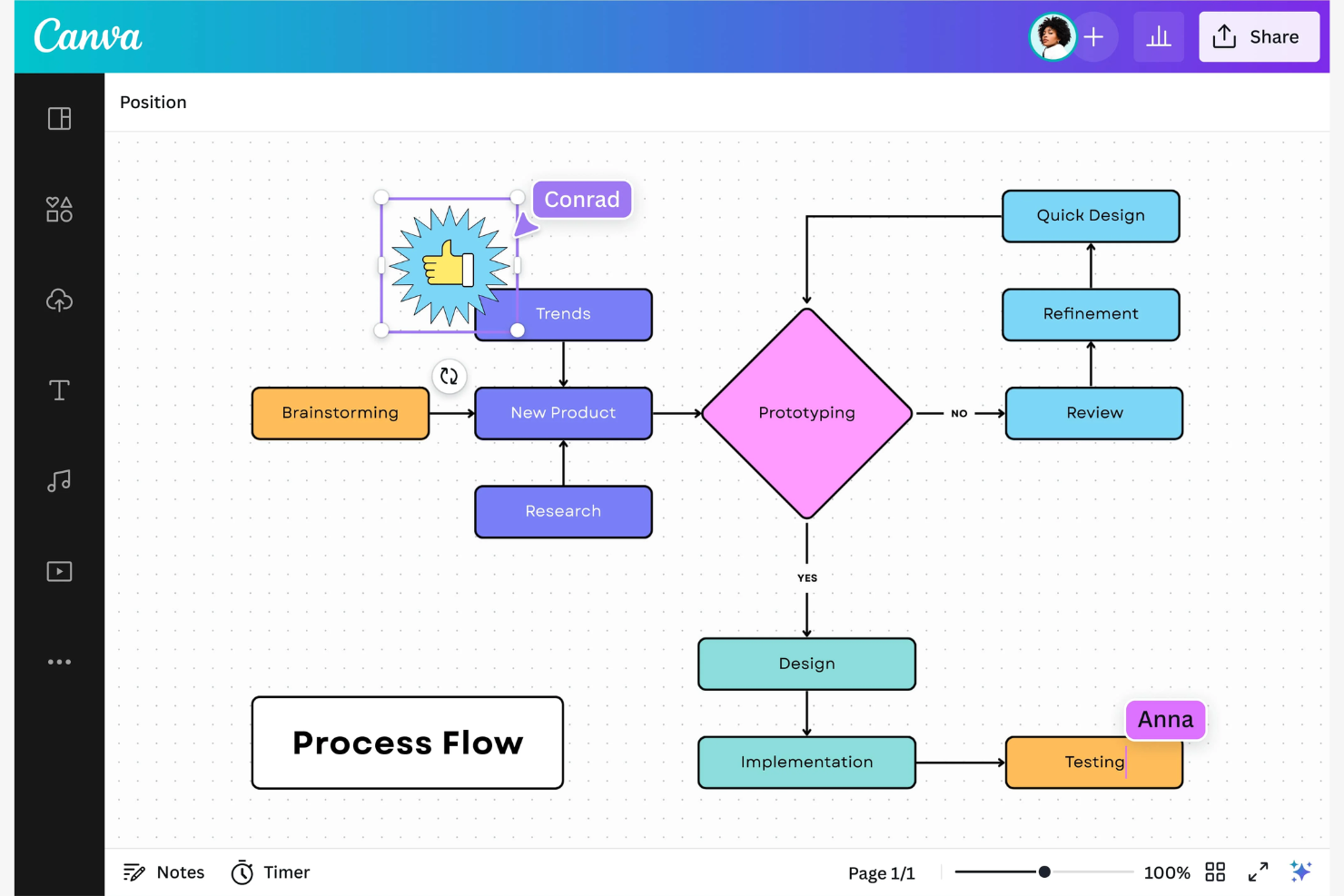
If you want to create process maps that are visually engaging and presentation-ready, Canva Whiteboards is worth a look. This tool appeals to teams and professionals who need to communicate workflows or ideas in a clear visual representation. Canva Whiteboards stands out for its design-focused features, making it easy to build process diagrams that capture attention in meetings or client presentations.
Why I Picked Canva Whiteboards
What drew me to Canva Whiteboards for process mapping is how it makes creating visually engaging presentations simple and accessible. The tool offers a wide range of design elements, including icons, illustrations, and color palettes, so you can build process maps that look polished and professional. I also appreciate the drag-and-drop interface, which lets you arrange and customize flowcharts or diagrams to match your brand or audience. If you need to present process maps to clients or stakeholders, Canva Whiteboards helps you create diagrams that are both clear and visually impressive.
Canva Whiteboards Key Features
Some other features that make Canva Whiteboards useful for free process mapping include:
- Collaboration tools: Invite team members to comment, edit, and brainstorm together in real time.
- Template library: Access a wide range of pre-built flowcharts and process map templates to get started quickly.
- Version history: Review and restore previous versions of your whiteboard to track changes or undo mistakes.
- Export options: Download your process maps as images, PDFs, or share them via a link for easy distribution.
Canva Whiteboards Integrations
Integrations include Slack, Microsoft Teams, Google Drive, Asana, and more.
What's Free?
Canva Whiteboards offers a free-forever plan with unlimited team members and access to core whiteboard features. The free plan limits some export options and advanced design elements, and does not include premium templates or brand management tools.
Pros and Cons
Pros:
- Drag-and-drop interface
- One-click background removal tool
- Large template library available
Cons:
- Restricted professional diagramming shortcuts
- Basic connector line logic

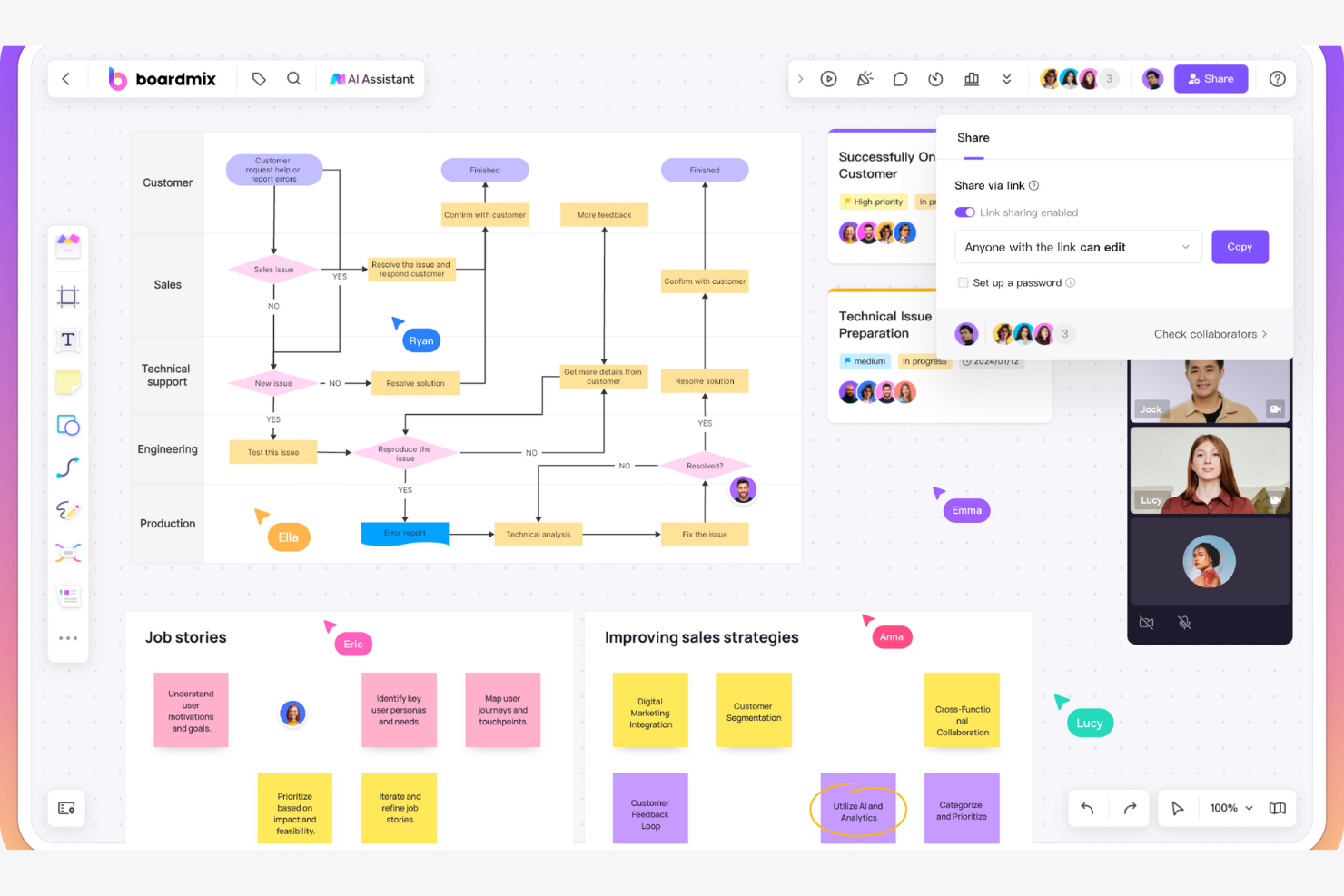
If you’re looking for a process mapping tool that puts brainstorming front and center, Boardmix is worth a look. It’s designed for teams and professionals who want to capture, organize, and expand on ideas visually using mind maps. Boardmix helps you turn freeform brainstorming sessions into structured process maps, making it easier to move from ideation to actionable workflows.
Why I Picked Boardmix
What drew me to Boardmix is how it centers brainstorming with mind maps, making it a strong fit for teams who want to visually organize ideas before building out process flows. The mind mapping feature lets you capture thoughts in a non-linear way, then easily branch out or rearrange nodes as your process takes shape. I also appreciate that you can convert mind maps into more structured flow diagrams, which helps bridge the gap between ideation and process mapping. For anyone who needs a tool that supports both creative brainstorming and process documentation, Boardmix offers a flexible approach.
Boardmix Key Features
Some other features that make Boardmix useful for process mapping include:
- Collaboration tools: Multiple users can edit, comment, and react on the same board in real time.
- Template library: Access a range of pre-built templates for high-level process mapping, flowcharts, and diagrams.
- Attachment support: Add files, images, and links directly to nodes or boards for richer context.
- Presentation mode: Share your process maps in a guided, full-screen view for team walkthroughs.
Boardmix Integrations
Integrations include Google Meet, Microsoft Teams, Zoom, Skype, and more.
What's Free?
Boardmix offers a free-forever plan that lets you create unlimited boards with basic mind mapping and collaboration features. Some advanced templates, export options, and premium features are only available on paid plans.
Pros and Cons
Pros:
- High-resolution image carousel attachments
- Integrated Kanban task management
- AI-powered automatic flowchart generation
Cons:
- Restricted storage on free tier
- Occasional browser interface bugs

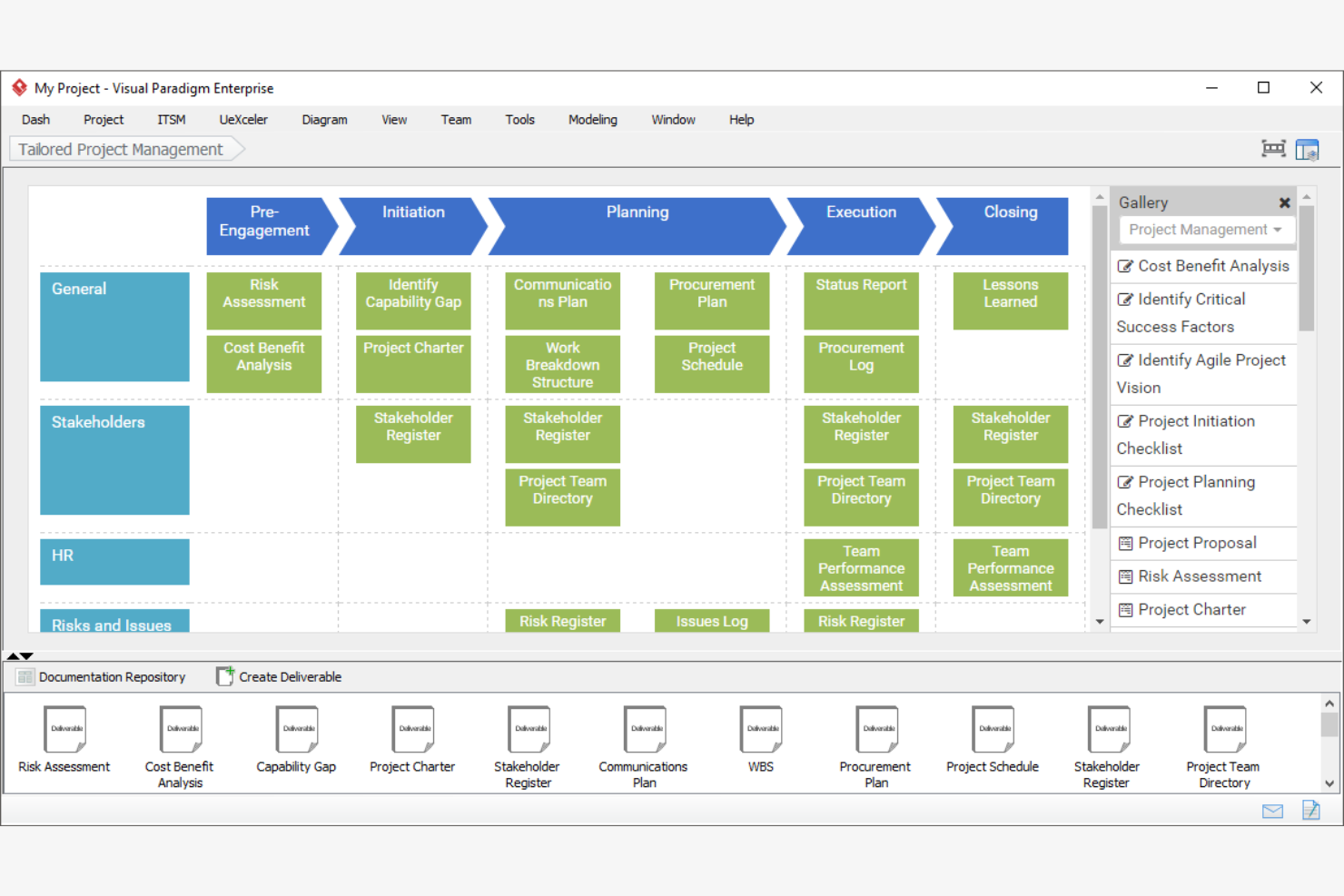
If you need process mapping software with advanced modeling capabilities, Visual Paradigm Online is worth considering. This platform is designed for teams in enterprise environments or regulated industries that require support for complex diagram types and standards. Visual Paradigm Online helps you create everything from BPMN and UML diagrams to enterprise architecture models, making it a strong fit for organizations with formal process documentation needs.
Why I Picked Visual Paradigm Online
What drew me to Visual Paradigm Online is its focus on enterprise-ready modeling tools, which you rarely find in free process mapping software. The platform supports advanced diagram types like BPMN, UML, and ArchiMate, so you can document processes that meet industry standards and regulatory requirements. I also appreciate that it includes features for version control and team collaboration, which are essential for organizations managing complex workflows. If your team needs more than just basic flowcharts and wants to align with formal modeling practices, Visual Paradigm Online stands out as a strong option.
Visual Paradigm Online Key Features
Some other features that make Visual Paradigm Online useful for free process mapping include:
- Drag-and-drop diagram editor: Build process maps and diagrams quickly using an intuitive visual interface.
- Template library: Access a wide range of pre-built templates for flowcharts, org charts, and process diagrams.
- Export options: Download diagrams in formats like PNG, JPG, PDF, and SVG for easy sharing or documentation.
- Cloud-based workspace: Store, access, and manage your diagrams online without installing any software.
Visual Paradigm Online Integrations
Integrations include Jira and Google Drive.
What's Free?
Visual Paradigm Online offers a free-forever plan with unlimited diagrams and basic features. The free plan adds a watermark to exports and restricts access to advanced diagram types, premium templates, and collaboration features.
Pros and Cons
Pros:
- Direct IDE integration for developers
- Automated Java code engineering support
- Industry-standard BPMN 2.0 compliance
Cons:
- Steep learning curve for non-engineers
- Outdated user interface design
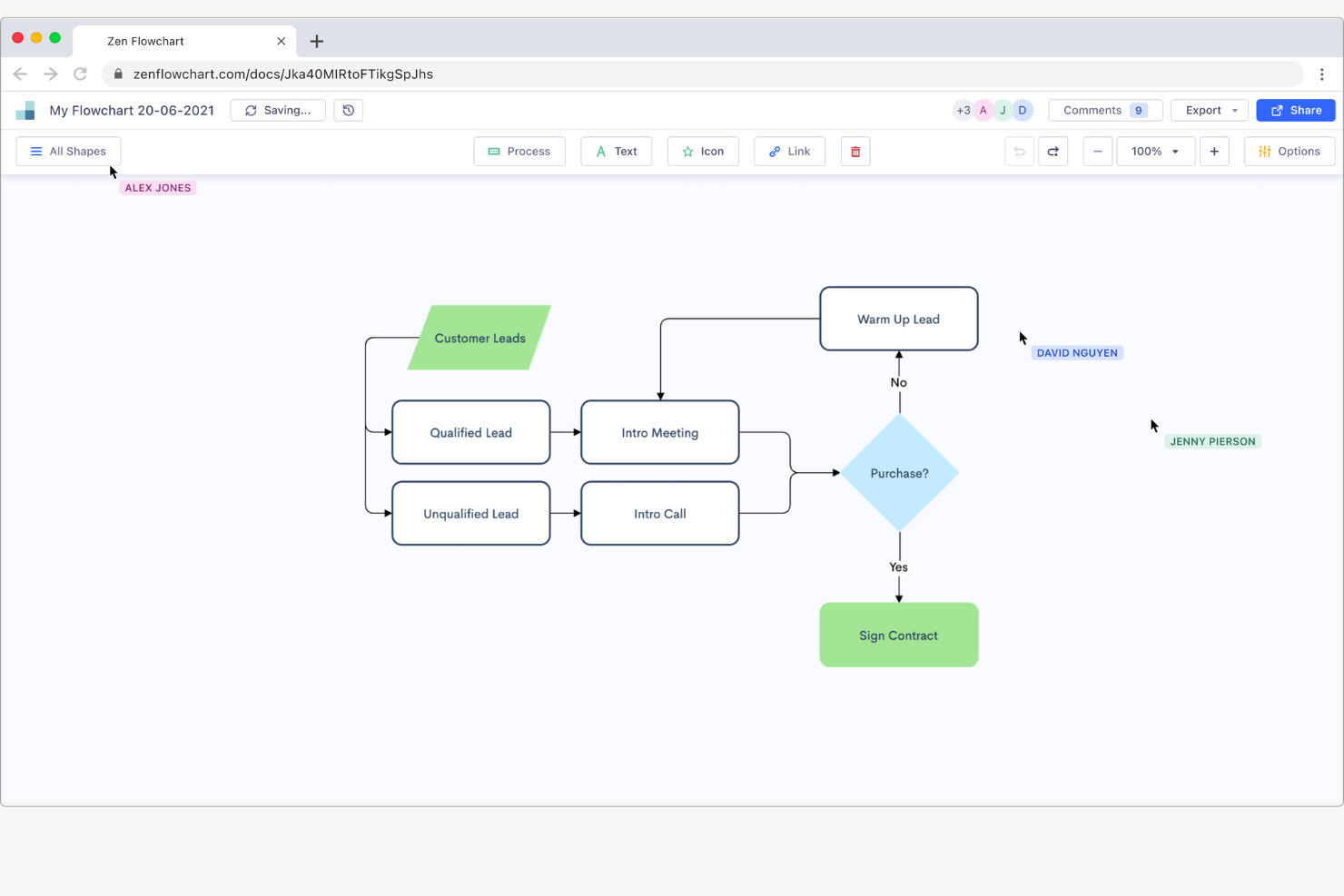
If you want a process mapping tool that keeps things simple, Zen Flowchart is worth a look. It’s designed for professionals who need to create clear, distraction-free flowcharts without extra clutter or complex menus. Zen Flowchart helps you focus on mapping out ideas and processes quickly, making it a good fit for educators, consultants, and teams who value a minimalist approach.
Why I Picked Zen Flowchart
What sets Zen Flowchart apart is its commitment to a distraction-free flowcharting experience. The interface strips away unnecessary toolbars and menus, so you can focus entirely on mapping out your process without visual clutter. I like that you can create and connect nodes with just a few clicks, which helps keep your workflow fast and straightforward. For anyone who wants to quickly sketch out ideas or processes without getting bogged down by extra features, Zen Flowchart delivers a clean and focused solution.
Zen Flowchart Key Features
Some other features that make Zen Flowchart useful for free process mapping include:
- Auto-formatting: The tool automatically aligns and spaces your flowchart elements for a tidy layout.
- Multiple export options: Export your diagrams as PNG, PDF, or SVG files for easy sharing.
- Collaboration tools: Invite others to view or edit your flowcharts in real time.
- Unlimited nodes: Create as many shapes and connections as you need without artificial limits.
Zen Flowchart Integrations
Integrations are not publicly listed.
What's Free?
Zen Flowchart offers a free-forever plan with unlimited flowcharts and nodes. The free plan adds a watermark to exports and does not include advanced features like team collaboration or premium templates.
Pros and Cons
Pros:
- Auto-formats to keep diagrams organized
- Instant PNG and PDF exports
- Minimalist one-click node creation
Cons:
- No advanced BPMN notation
- Very limited shape library

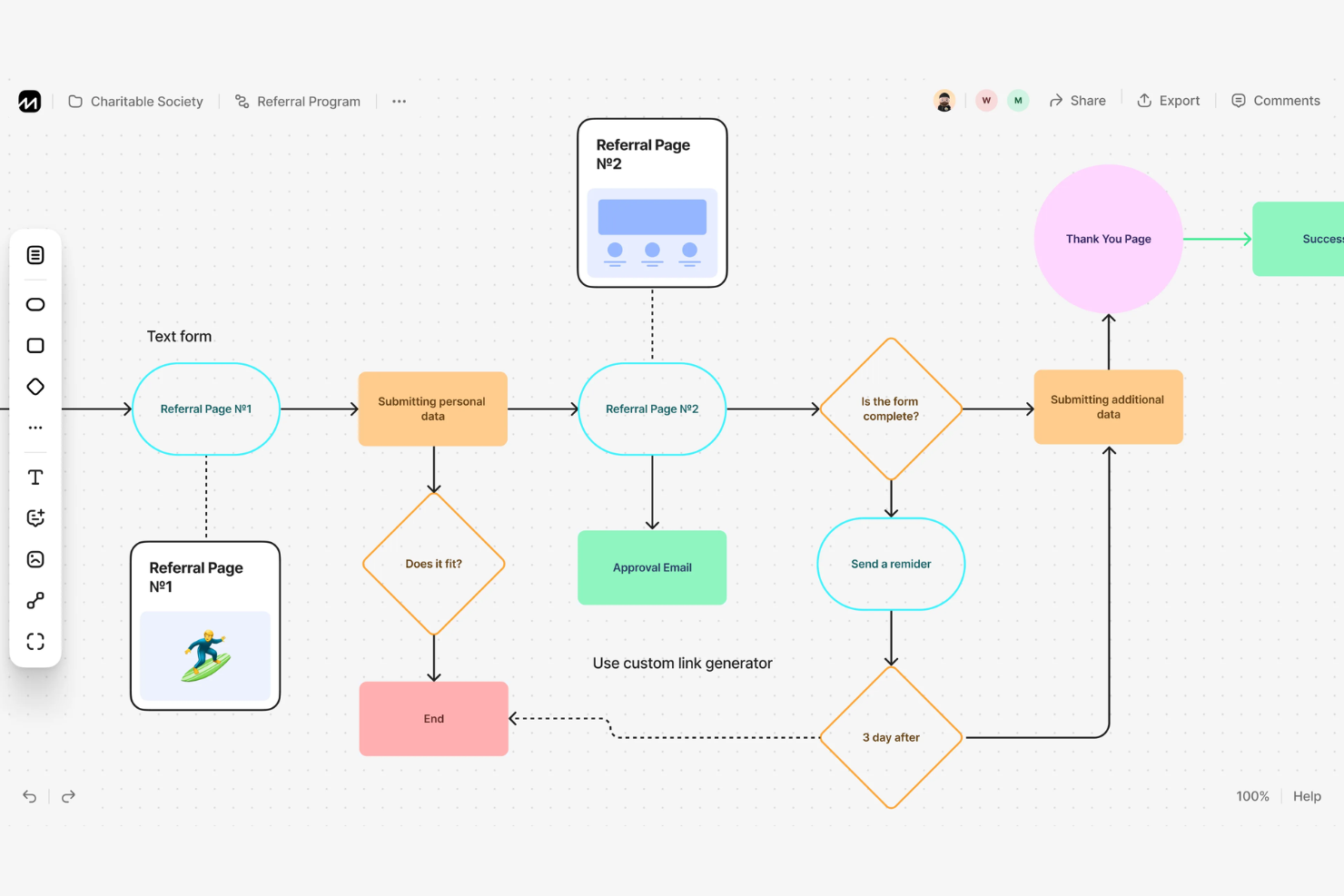
If you want to turn plain text into flowcharts quickly, Flowchart Fun is designed for you. This tool is especially useful for developers, technical writers, and anyone who prefers typing out processes instead of dragging shapes. It solves the problem of manual diagramming by converting structured text directly into visual process maps.
Why I Picked Flowchart Fun
What stands out about Flowchart Fun is how it lets you create flowcharts directly from plain text, which is rare among free process mapping tools. I picked it because this text-to-flowchart conversion is especially helpful for people who think in lists or outlines and want to skip the manual drag-and-drop process models. You can type out your process steps using simple syntax, and the tool instantly generates a visual diagram. This approach is ideal for technical users or anyone who wants to quickly map out processes without switching between keyboard and mouse.
Flowchart Fun Key Features
Some other features that make Flowchart Fun useful for process mapping include:
- Markdown support: You can use markdown syntax to format and structure your flowchart text.
- Collaboration mode: Invite others to view or edit your flowcharts in real time.
- Export options: Download your diagrams as PNG or SVG files for sharing or documentation.
- Dark mode: Switch to a dark interface for easier viewing during long work sessions.
Flowchart Fun Integrations
Native integrations are not currently listed by Flowchart Fun.
What's Free?
Flowchart Fun offers a free-forever plan with no sign-up required. You can create, edit, and export flowcharts without limits, but features like collaboration and advanced export options may require a paid plan.
Pros and Cons
Pros:
- Version control friendly format
- Direct SVG and CSV exports
- Converts structured text directly into flowcharts
Cons:
- No drag-and-drop shape placement
- Minimal manual aesthetic control
Diğer Ücretsiz Süreç Haritalama Yazılımları
Aşağıda, kısa listeme giremeyen ancak yine de göz atmaya değer bazı ek ücretsiz süreç haritalama yazılımı seçeneklerini bulabilirsiniz:
- tldraw
For infinite canvas sketching
- Lucidchart
For advanced integration options
- yEd Graph Editor
For automatic layout generation
- LibreOffice Draw
For open-source desktop editing


How I Evaluate Free Process Mapping Software
I split my evaluation into baseline requirements—like true BPMN support and a real free plan—and the differentiators that matter for distributed project teams.
Core Functionality (Table Stakes For This List)
When I'm selecting tools for my list, I rank each one on a scale from 0 (does not offer the functionality) to 5 (excels in this area) for each core functionality listed below. Then, I calculate the tool's total score into a percentage. Each tool needs to achieve a minimum total score of 65% to be considered for inclusion.
- Process Diagramming Tools: I evaluate the canvas, shape libraries, and connector logic—things like whether you can build a swimlane diagram for a sprint workflow without fighting the tool.
- Pre-Built Templates: A good template library saves real time. I look for ready-made process maps covering common scenarios like change request flows or release pipelines.
- Free Plan Availability: I check that the free tier is genuinely usable for ongoing work, not a 14-day trial or a plan capped so tightly you can't map more than a couple of processes.
- Real-Time Collaboration: Distributed teams need live co-editing. I evaluate whether multiple stakeholders can work on the same diagram simultaneously with comments and cursors.
- Standard Notation Support: Tools like Lucidchart and draw.io handle BPMN and UML differently. I look for proper notation libraries that let you create spec-compliant diagrams.
- Export & Sharing Options: I check for PDF, PNG, and SVG export at minimum, plus shareable links—your process maps need to land cleanly in Confluence pages or project charters.
Once I have a list of tools that meet this criteria, I consider what sets each platform apart.
Differentiating Factors (What Sets Vendors Apart)
Here's how I compare and contrast different vendors:
Standout Features
AI diagram generation is a big differentiator—tools that can turn a text description into a draft flowchart cut hours off initial process discovery. I also evaluate native integrations with platforms like Jira and Confluence, since embedding a process map directly into a sprint board or project wiki beats sharing static screenshots. Whiteboard modes with sticky notes and voting are worth noting too, especially for teams running remote process workshops during retrospectives or kickoffs.
Beyond Features
Free plan transparency matters a lot here. I check whether diagrams get watermarked on export or whether collaboration caps make a tool impractical once your team grows past a handful of contributors. Security is another factor I weigh—process maps often contain sensitive operational details, so I look for SOC 2 or ISO 27001 compliance and granular share permissions even on free tiers. Browser-based performance also counts, especially when a diagram grows into a 50-shape swimlane. Tools that lag or crash at scale aren't useful for real project documentation.
Ücretsiz Süreç Haritalama Yazılımı Nasıl Seçilir?
Uzun özellik listeleri ve karmaşık fiyatlandırma yapıları içinde kaybolmak kolaydır. Size özgü yazılım seçim sürecinizi yürütürken odaklanmanızı korumanıza yardımcı olmak için göz önünde bulundurmanız gereken faktörleri aşağıda bir kontrol listesi olarak bulabilirsiniz:
| Faktör | Dikkat Edilmesi Gerekenler |
| Ölçeklenebilirlik | Araç, ekibiniz büyüdükçe onu destekleyecek mi, yoksa ücretsiz planda kullanıcı veya pano sınırları var mı? |
| Entegrasyonlar | Yazılım mevcut araçlarınıza yerel olarak bağlanıyor mu, yoksa geçici çözümlere mi ihtiyacınız olacak? |
| Özelleştirilebilirlik | Diyagramları, şablonları ve iş akışlarını ekibinizin süreçlerine ve terminolojisine uyacak şekilde uyarlayabiliyor musunuz? |
| Kullanım kolaylığı | Yeni kullanıcılar, eğitim veya destek almadan süreçleri haritalamaya ne kadar hızlı başlayabilir? |
| Uygulama ve işe alıştırma | Ekibinizin başlamasına yardımcı olmak için eğitimler, şablonlar veya rehberli turlar gibi hangi kaynaklar sunuluyor? |
| Maliyet | Daha sonra iş akışınızı sekteye uğratabilecek gizli maliyetler, yükseltme yönlendirmeleri veya ödeme duvarları var mı? |
| Güvenlik önlemleri | Araç, ihtiyaçlarınız için yeterli veri koruması, erişim denetimleri ve gizlilik ayarları sunuyor mu? |
| Destek erişilebilirliği | Sorunlarla karşılaşırsanız ücretsiz planda sohbet, e-posta veya bilgi tabanı üzerinden zamanında yardım alabiliyor musunuz? |
Ücretsiz Süreç Haritalama Yazılımı Nedir?
Ücretsiz süreç haritalama yazılımı, ödeme gerektirmeden iş akışlarının veya iş süreçlerinin görsel diyagramlarını oluşturmanıza, düzenlemenize ve paylaşmanıza olanak tanıyan dijital bir araçtır. Bu platformlar genellikle temel diyagram oluşturma özelliklerini, temel iş birliği araçlarını ve dışa aktarma seçeneklerini ücretsiz olarak sunar. Böylece süreçleri bütçe ayırmadan belgelemek veya optimize etmek isteyen bireyler ve ekipler için erişilebilir hale gelir.
Ücretsiz Süreç Haritalama Yazılımının Özellikleri
Süreç haritalama yazılımlarında yaygın olarak bulunan özellikleri ve bunlardan hangilerinin genellikle ücretsiz veya ücretli planlara dahil edildiğini inceleyelim.
Genellikle Ücretsiz Süreç Haritalama Yazılımı Özellikleri
- Sürükle ve bırak ile diyagram oluşturma: Şekilleri, çizgileri ve bağlayıcıları bir tuvale sürükleyerek süreç haritaları oluşturun; böylece teknik becerilere ihtiyaç duymadan iş akışlarını kolayca görselleştirebilirsiniz.
- Temel şekil ve bağlayıcı kitaplığı: Süreç diyagramlarınızdaki adımları, kararları ve akışları temsil etmek için dikdörtgenler, elmaslar ve oklar gibi standart şekillere erişin.
- Metin açıklamaları: Süreç adımlarını ve sorumlulukları netleştirmek için doğrudan şekillere veya bağlayıcılara etiketler, notlar ve açıklamalar ekleyin.
- Basit dışa aktarma seçenekleri: Diyagramları platform dışında paylaşmak veya belgelendirmek için görüntü ya da PDF dosyaları olarak indirin.
- İş birliği araçları: Ekip üyelerini diyagramları gerçek zamanlı olarak görüntülemeye veya düzenlemeye davet ederek grup beyin fırtınasını ve süreç incelemesini destekleyin.
- Şablon erişimi: Yaygın süreç türleri için önceden hazırlanmış şablonları kullanarak yeni diyagramları hızlı ve tutarlı bir şekilde oluşturmaya başlayın.
- Sınırsız veya sınırlı pano: Birden fazla diyagram ya da pano oluşturun; ancak bazı araçlar ücretsiz planlarda kullanılabilecek pano sayısını sınırlayabilir.
- Yorum yapma: Tartışmayı ve yinelemeli geliştirmeyi kolaylaştırmak için diyagramın belirli bölümlerine geri bildirim veya sorular bırakın.
Genellikle Ücretli Süreç Haritalama Yazılımı Özellikleri
- Gelişmiş dışa aktarma biçimleri: Diyagramları diğer iş araçlarında kullanmak üzere SVG, Visio veya düzenlenebilir PowerPoint dosyaları gibi biçimlere aktarın.
- Özel şekil kitaplıkları: Kuruluşunuzun süreçlerine veya sektör standartlarına göre uyarlanmış özel şekillere erişin ya da bunları oluşturun.
- Otomatik iş akışı tetikleyicileri: Süreç haritasındaki değişikliklere göre eylemler veya bildirimler ayarlayın; örneğin bir adım güncellendiğinde uyarı gönderin.
- Sürüm geçmişi ve geri alma: Zaman içindeki değişiklikleri izleyin ve gerektiğinde bir diyagramın önceki sürümlerine geri dönün.
- Role dayalı erişim denetimleri: Kullanıcılara veya gruplara izinler atayarak belirli diyagramları kimlerin görüntüleyebileceğini, düzenleyebileceğini veya paylaşabileceğini kontrol edin.
- Dış araçlarla entegrasyon: Daha sorunsuz iş akışları için süreç haritalarını proje yönetimi, belgelendirme veya iletişim platformlarına bağlayın.
- Yüzme kulvarı diyagramları: Yüzme kulvarlarını veya katmanlı görünümleri kullanarak karmaşık süreçleri departmana, role veya aşamaya göre düzenleyin.
- Veri içe ve dışa aktarma: Süreç verilerini elektronik tablolardan veya veritabanlarından içe aktarın ya da analiz ve raporlama için diyagram verilerini dışa aktarın.
- Öncelikli destek: Satıcıdan daha hızlı yanıt sürelerine, özel destek kanallarına veya işe alıştırma desteğine erişin.
- Özel markalama: Profesyonel ve markalı bir görünüm için kuruluşunuzun logosunu, renklerini ve stillerini diyagramlara ekleyin.
Ücretsiz Süreç Haritalama Yazılımının Faydaları
Ücretsiz süreç haritalama yazılımını uygulamak, ekibiniz ve işletmeniz için çeşitli faydalar sağlar. Yararlanabileceğiniz avantajlardan bazıları şunlardır:
- Ön maliyet yok: Ücretsiz ve sürekli kullanılabilen planlar sayesinde bütçe onayı veya finansal risk olmadan süreçleri haritalamaya ve iyileştirmeye başlayın.
- Erişilebilir iş birliği: Ekip üyelerini diyagramları gerçek zamanlı olarak birlikte düzenlemeye davet ederek görüş toplamayı ve iş akışları üzerinde uzlaşmayı kolaylaştırın.
- Daha hızlı süreç belgelendirme: Eğitim veya analiz amacıyla iş süreçlerini hızlıca görselleştirmek ve belgelendirmek için sürükle ve bırak araçlarını ve şablonları kullanın.
- Kolay paylaşım ve dışa aktarma: Diyagramları paydaşlarla paylaşmak veya proje belgelerine eklemek için görüntü ya da PDF olarak dışa aktarın.
- Benimseme engelinin azalması: Basit arayüzler ve işe alıştırma kaynakları, ekiplerin kapsamlı eğitim veya BT desteği olmadan çalışmaya başlamasına yardımcı olur.
- Sürekli iyileştirmeyi destekler: İş akışları geliştikçe süreç haritalarını özgürce güncelleyin ve yineleyerek geliştirin; böylece belgeleri güncel ve uygulanabilir tutun.
- Süreç şeffaflığını teşvik eder: İş akışlarını sürece dahil olan herkes için görünür kılarak karmaşayı azaltın ve ekiplerin darboğazları veya verimsizlikleri belirlemesine yardımcı olun.
Süreç Haritalama Yazılımının Maliyetleri ve Fiyatlandırması
Bu makaleye, ücretsiz olarak kullanılabilen en iyi süreç haritalama yazılımı seçeneklerini aradığınız için geldiğinizi biliyorum. Ancak ücretsiz planlar yalnızca sınırlı özellikler sunduğundan, gelecekte planınızı yükseltmeniz gerekme ihtimali oldukça yüksektir.
Aşağıdaki tablo, süreç haritalama yazılımlarında yaygın planları, ortalama fiyatlarını ve genellikle sunulan özellikleri özetlemektedir:
Süreç Haritalama Yazılımı İçin Plan Karşılaştırma Tablosu
| Plan Türü | Ortalama Fiyat | Yaygın Özellikler |
| Ücretsiz Plan | $0 | Temel diyagram oluşturma, sınırlı şablonlar, basit dışa aktarma seçenekleri, gerçek zamanlı iş birliği ve temel yorum ekleme. |
| Kişisel Plan | $5–$10/ kullanıcı/ay | Sınırsız diyagram, gelişmiş dışa aktarma biçimleri, özel şablonlar, öncelikli destek ve sınırlı entegrasyonlar. |
| İşletme Planı | $10–$25/ kullanıcı/ay | Ekip yönetimi, role dayalı izinler, iş akışı otomasyonu, gelişmiş entegrasyonlar ve sürüm geçmişi. |
| Kurumsal Plan | $25–$40/ kullanıcı/ay | SSO ve gelişmiş güvenlik, özel markalama, özel destek, uyumluluk özellikleri ve API erişimi. |
Ücretsiz Süreç Haritalama Yazılımı Hakkında SSS
Ücretsiz süreç haritalama yazılımı hakkında sık sorulan soruların bazı yanıtları aşağıdadır:
Ücretsiz süreç haritalama yazılımını iş amaçlarıyla kullanabilir miyim?
Evet, çoğu ücretsiz süreç haritalama yazılımı iş amaçlarıyla kullanılabilir; ancak her aracın hizmet koşullarını incelemelisiniz. Bazı sağlayıcılar ticari kullanımı kısıtlar veya ücretsiz planlarda işletme ekiplerinin kullanabileceği özellikleri sınırlar. Bu nedenle kuruluşunuzda kullanıma sunmadan önce tüm kullanım kısıtlamalarını kontrol edin.
Ücretsiz süreç haritalama yazılımlarının sınırlamaları nelerdir?
Ücretsiz süreç haritalama yazılımları genellikle erişebileceğiniz diyagram, kullanıcı veya dışa aktarma biçimi sayısını sınırlar. İş akışı otomasyonu, entegrasyonlar ve özel markalama gibi gelişmiş özellikler genellikle ücretli planlara ayrılır. Bu nedenle ücretsiz bir aracı kullanmaya karar vermeden önce uzun vadeli ihtiyaçlarınızı göz önünde bulundurun.
Ücretsiz süreç haritalama yazılımı kullanırken verilerim güvende mi?
Veri güvenliği sağlayıcıya göre değişir; ancak saygın ücretsiz süreç haritalama yazılımı sağlayıcılarının çoğu standart şifreleme ve erişim denetimleri kullanır. Bununla birlikte, ücretsiz planlar SSO veya uyumluluk sertifikaları gibi gelişmiş güvenlik özelliklerini içermeyebilir. Hassas bilgileri işliyorsanız sağlayıcının güvenlik belgelerini inceleyin.
Ücretli bir plana yükseltir veya araç değiştirirsem diyagramlarımı taşıyabilir miyim?
Evet, çoğu süreç haritalama yazılımı diyagramları PDF veya PNG gibi yaygın biçimlerde dışa aktarmanıza olanak tanır; bazıları SVG veya Visio gibi biçimleri de destekler. Bununla birlikte, düzenlenebilir dosyaları farklı araçlar arasında taşımak zor olabilir. Bu nedenle araç değiştirmeden önce içe ve dışa aktarma uyumluluğunu kontrol edin.
Ücretsiz süreç haritalama araçları gerçek zamanlı iş birliğini destekliyor mu?
Evet, birçok ücretsiz süreç haritalama aracı gerçek zamanlı iş birliği sunarak birden fazla kullanıcının aynı anda diyagramları düzenlemesine ve yorum yapmasına olanak tanır. Ancak bazı araçlar iş birliği yapan kişi sayısını sınırlayabilir veya gelişmiş iş birliği özelliklerini ücretli planlarla kısıtlayabilir.