

2026’nın En İyi 10 Fiyat Teklifi ve Teklif Yazılımı

En İyi Teklif ve Öneri Yazılımları Kısa Listesi


Teklif ve öneri yazılımı, satış ekiplerinin birbirinden kopuk elektronik tablolara veya manuel şablonlara bağlı kalmadan profesyonel teklifler, satış önerileri ve satış belgeleri oluşturmasına yardımcı olur. Doğru teklif yazılımı, teklif oluşturma sürecinizi kolaylaştırabilir, manuel hataları azaltabilir ve ekibinize ilk görüşmeden imzalı sözleşmeye kadar satış döngüsünü daha net görme imkânı sunabilir.
İster büyüyen bir hizmet işletmesi için satış teklifi yazılımına, ister karmaşık ürün yapılandırmaları için CPQ yazılımına, ister müşterilerle doğrudan çalışan ekipler için bulut tabanlı teklif yazılımına ihtiyaç duyun, bu rehber farklı iş akışları için en iyi teklif yazılımlarını karşılaştırır. Hangi araçların teklif oluşturmanıza, onay iş akışlarını yönetmenize, daha sorunsuz bir öneri sürecini desteklemenize ve daha güçlü bir müşteri deneyimi sunmanıza yardımcı olabileceğini göreceksiniz.
Why Trust Our Software Recommendations
Our team has been testing and reviewing software since 2012. As project managers ourselves, we know how difficult—and important—it is to choose the right software.
For this guide, we evaluated tools using hands-on testing and independent research, scoring tools using our selection criteria. We also draw on insights from industry thought leaders and practicing project management experts.
Our reviews reflect our human editorial judgment, not a sales pitch.
Expert reviewers:
Teklif ve Öneri Yazılımları Karşılaştırma Tablosu
Bu karşılaştırma tablosu, en iyi teklif ve öneri yazılımı seçimlerimin fiyatlandırma ayrıntılarını özetler:
Score legend (out of 5)
- Excellent 4.5–5
- Good 4–4.4
- Average 3–3.9
- Below average 2–2.9
- Poor 1–1.9
| Tool | Starting Price | Website | |||||||
|---|---|---|---|---|---|---|---|---|---|
| Best for controlled content reuse | 3.8 out of 5 | 4 | 4 | 3 | 4 | 4 | 4 | $19/user/month 14-day free trial + free demo available | Website |
| Best for accounting firms billing after sign-off | 3.5 out of 5 | 3 | 4 | 4 | 4 | 3 | 3 | $39/month 14-day free trial + free demo available | Website |
| Best for interactive, web-based proposals | 3.8 out of 5 | 4 | 4 | 3 | 5 | 4 | 3 | $49/user/month 14-day free trial + free demo available | Website |
| Best for quoting across CRM and accounting in one flow | 3.8 out of 5 | 4 | 4 | 3 | 4 | 4 | 4 | $45.83/user/month Free trial available | Website |
| Best for MSP quoting with distributor pricing | 3.7 out of 5 | 4 | 3 | 4 | 4 | 3 | 4 | $299/month Free demo available | Website |
| Best for proposal-to-signature in one workflow | 3.8 out of 5 | 4 | 5 | 2 | 4 | 4 | 4 | $19/user/month Free plan + 14-day free trial available | Website |
| Best for complex guided selling | 3.8 out of 5 | 4 | 4 | 3 | 4 | 4 | 4 | Pricing upon request Free demo available | Website |
| Best for reusable proposal sections and tracking | 3.5 out of 5 | 4 | 4 | 2 | 4 | 4 | 3 | $29/month 14-day free trial | Website |
| Best for video-enabled buyer engagement | 3.5 out of 5 | 4 | 4 | 2 | 4 | 4 | 3 | $25/user/month 14-day free trial + free demo available | Website |
| Best for solo and small-team quoting | 3.5 out of 5 | 4 | 3 | 3 | 4 | 3 | 4 | $28/user/month 21-day free trial | Website |
En İyi Teklif ve Öneri Yazılımları İncelemeleri
Aşağıda, kısa listeme giren en iyi teklif ve öneri yazılımlarına ilişkin ayrıntılı özetlerimi bulabilirsiniz. İncelemelerim, size en uygun seçeneği bulmanıza yardımcı olmak için her platformun özelliklerine, fiyatlandırmasına ve entegrasyonlarına ayrıntılı bir bakış sunar.

Best for controlled content reuse
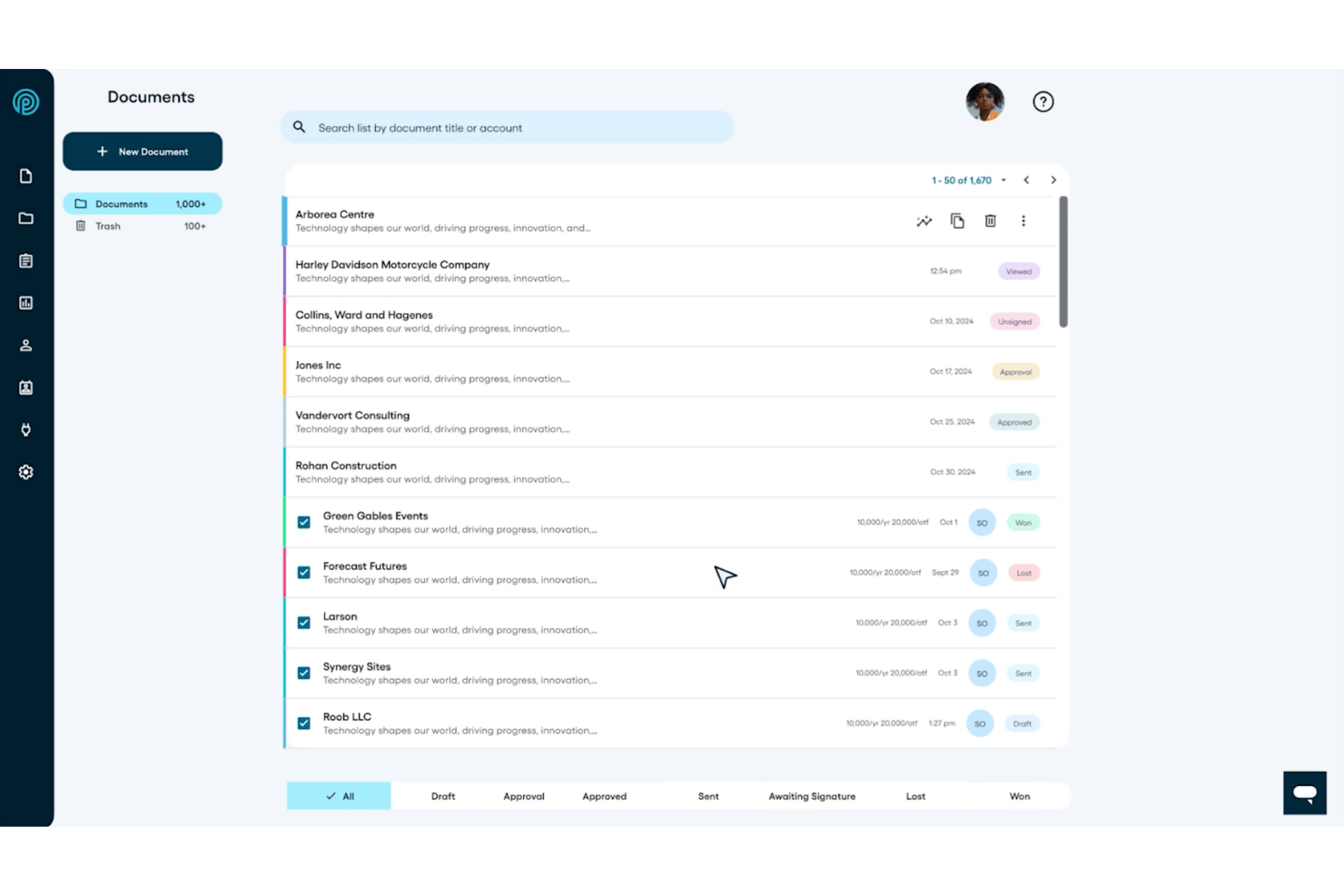
Proposify is a proposal and quoting platform that lets sales teams build branded documents, manage pricing catalogs, collect e-signatures, and track prospect engagement across the deal cycle.
Who Is Proposify Best For?
Proposify fits sales teams that need to control what reps can and can't change when building proposals from shared, approved content.
Why I Picked Proposify
I picked Proposify as one of the best because of how precisely it controls what reps can and can't touch inside a shared template. The content library lets you store approved sections, pricing, and case studies, while role-based permissions let you lock specific document elements so reps personalize without going off-script. I especially like the approval workflow, which triggers a required review when a quote hits a set value threshold before it can ever reach a client.
Proposify Key Features
- Interactive pricing tables: Buyers can adjust quantities and optional line items directly in the proposal and see price totals update in real time.
- Document engagement analytics: Track when recipients open a proposal, how long they spend on each section, and view a full chronological activity timeline.
- E-signature collection: Collect legally binding signatures from multiple signees, with a full audit trail that records IP addresses, timestamps, and locks signed documents.
- CRM data sync: Connect with HubSpot or Salesforce to pull contact, company, and deal data into proposals and push document status updates back to the CRM.
Proposify Integrations
Documented integrations include HubSpot, Salesforce, QuickBooks, Harvest, Basecamp, Stripe, Slack, Trello, and monday.com, plus Zapier. Proposify also provides a REST-style API, webhooks, and OAuth 2.0 for custom integrations.
Pros and Cons
Pros:
- Section-level engagement guides follow-ups
- Polished documents improve client presentation
- Reusable content keeps proposals consistent
Cons:
- PDF downloads lose detailed tracking
- Large edits can disrupt formatting

Ignition
Best for accounting firms billing after sign-off
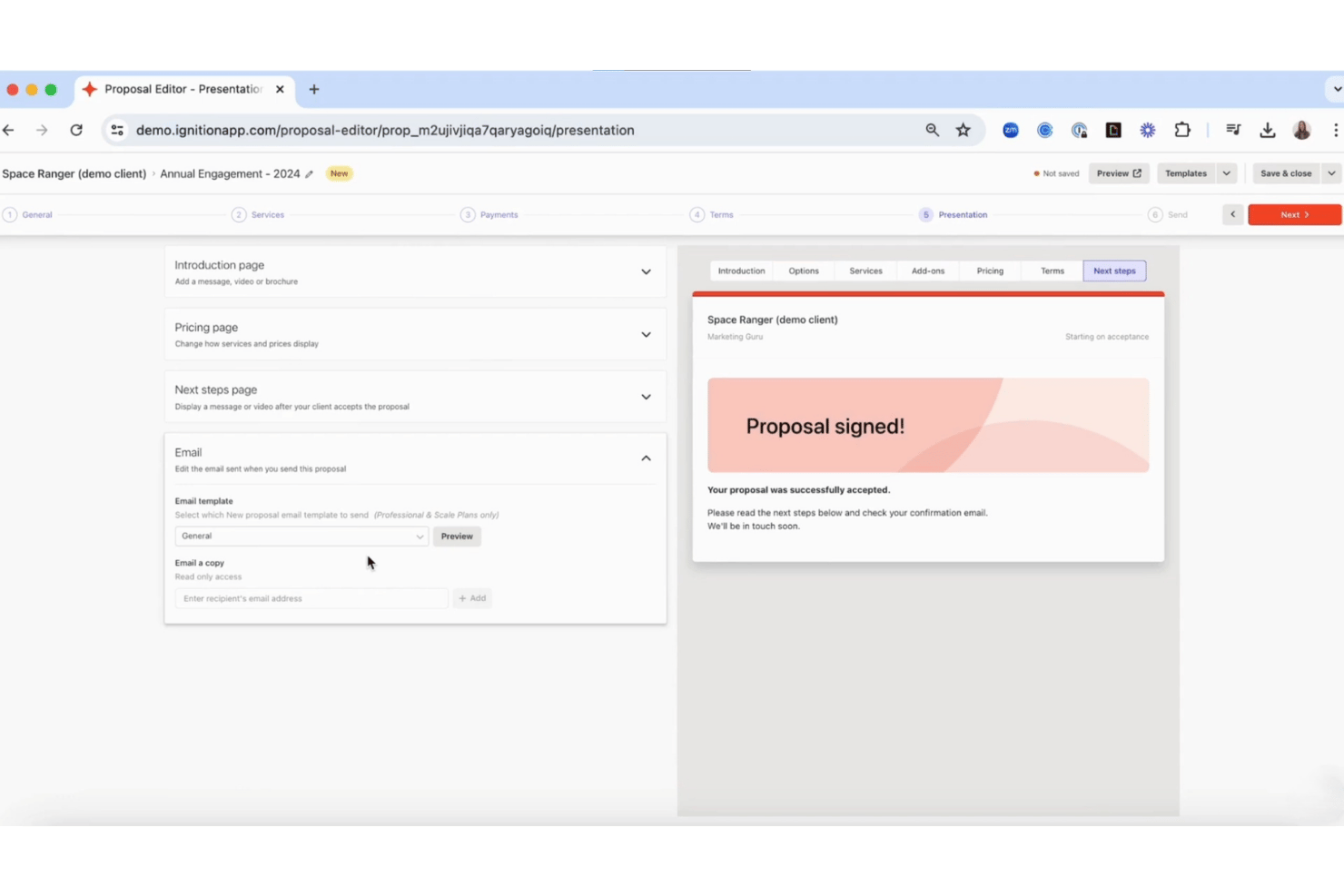
Ignition is a proposal and client engagement platform built for professional services firms, combining branded proposal templates, e-signatures, engagement letters, automated billing, and payment collection in one workflow.
Who Is Ignition Best For?
Ignition suits accounting and bookkeeping firms that want to tie proposal sign-off directly to automated billing and payment collection.
Why I Picked Ignition
I've included Ignition in my top picks because it's one of the few proposal tools that treats client sign-off as the trigger for billing, not just a paper trail. When a client accepts a proposal, Ignition automatically creates and schedules invoices in QuickBooks or Xero, collecting payment details at signature so nothing falls through the cracks. I also like its engagement letter templates, which are region-tailored and legally vetted, making them genuinely useful for accounting firms sending high volumes of client agreements.
Ignition Key Features
- Reusable service library: Store and search pre-built services with fixed, unit, minimum, or range pricing that you can customize per client without changing the saved record.
- Milestone billing: Split fixed-price engagements into named payment stages, each generating its own invoice automatically after proposal acceptance.
- Multiple signatories: Assign more than one decision-maker to a single proposal, with each signer notified by email in sequence after the primary signs.
- AML and KYC compliance workflow: Run client verification and risk reviews within Ignition, with records structured to support audit readiness.
Ignition Integrations
Ignition offers native integrations with Xero, QuickBooks, MYOB Business, Sage, Karbon, FYI, and Xero Practice Manager. It supports custom reporting via API, Early Access webhooks, and Zapier.
Pros and Cons
Pros:
- Region-tailored accounting and tax templates
- Accepted proposals trigger scheduled client billing
- Polished proposals with reusable service packages
Cons:
- Proposal tracking lacks section-level engagement analytics
- Proposal package choices cap at three

Qwilr
Best for interactive, web-based proposals
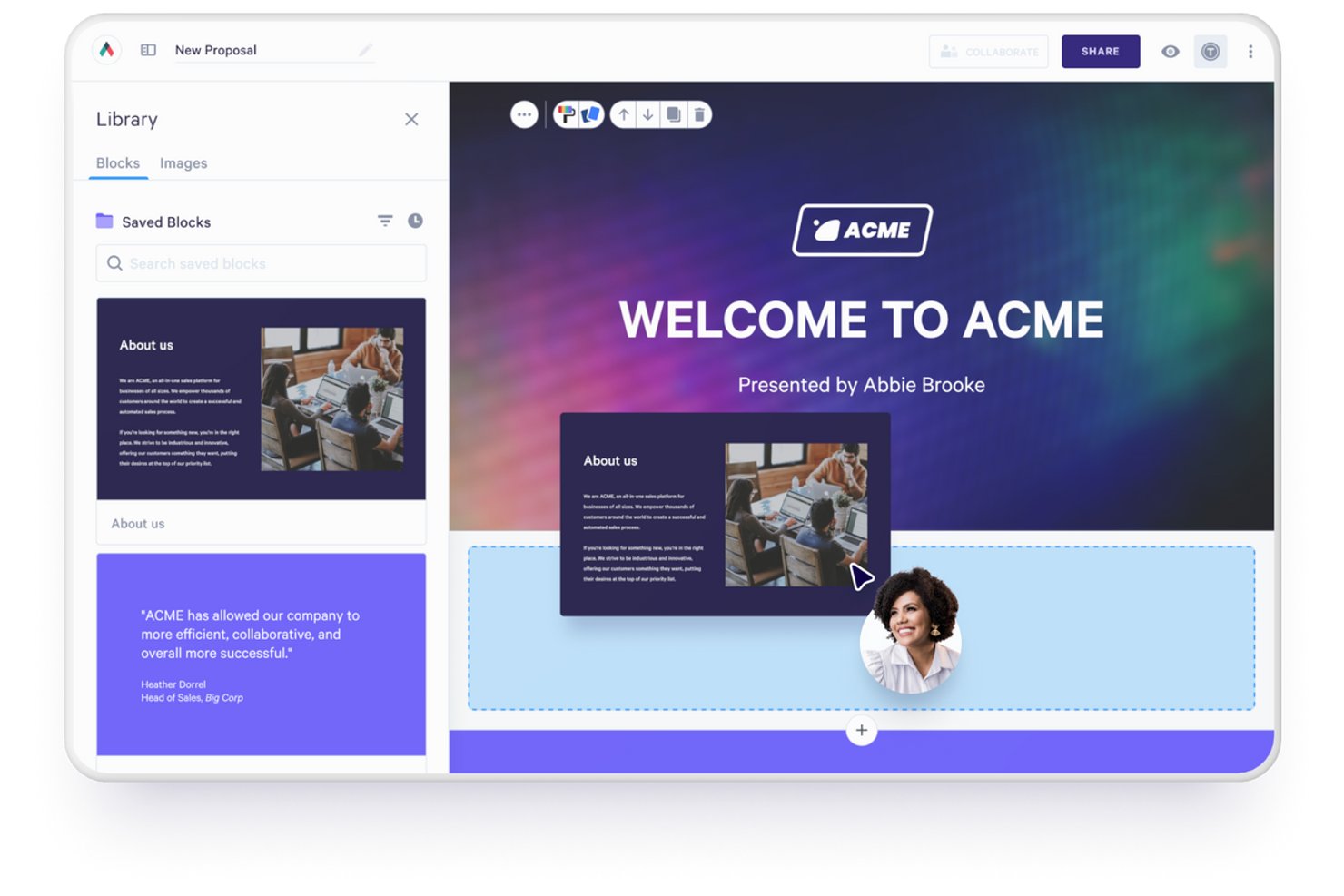
Qwilr is a web-based proposal and quoting tool that turns sales documents into interactive, link-based pages with embedded pricing tables, e-signatures, payment collection, and real-time engagement analytics.
Who Is Qwilr Best For?
Qwilr suits sales reps and small business owners who want to send visually polished, interactive proposals and track exactly how buyers engage with them.
Why I Picked Qwilr
Qwilr earns its spot on my shortlist because it turns static proposal documents into live, interactive web pages that buyers can actually engage with. I love that you can embed tiered pricing tables directly in a proposal, letting buyers toggle options and see costs update in real time before they sign. On top of that, Qwilr's section-level engagement analytics show exactly which parts of a proposal a buyer lingered on, so follow-up calls are sharper and more targeted.
Qwilr Key Features
- AI Proposal Creator: Scans a prospect's website to generate a full proposal draft, including messaging, offer details, and brand styling pulled from the site.
- Multi-signer e-signature: Collects legally binding signatures from multiple recipients within a single Qwilr page, holding acceptance until all parties have signed.
- CRM-based proposal automation: Pulls deal, contact, and pricing data from connected CRMs like HubSpot, Salesforce, and Pipedrive to populate and personalize proposals automatically.
- Pipeline Report: Tracks sales velocity, page funnel progression, and status transitions by count and value, with filters for team member, template, currency, and tag.
Qwilr Integrations
Qwilr offers native integrations with HubSpot, Salesforce, Microsoft Dynamics 365, Zoho CRM, Pipedrive, QuickBooks, Stripe, and Slack. It also provides a REST API, webhooks, and Zapier connectivity for custom workflows.
Pros and Cons
Pros:
- Reusable blocks speed consistent quote creation
- Section-level analytics guide buyer follow-ups
- Interactive proposals showcase multimedia content
Cons:
- Nested budgets can exceed quote-table flexibility
- PDF exports can disrupt page formatting

Best for quoting across CRM and accounting in one flow
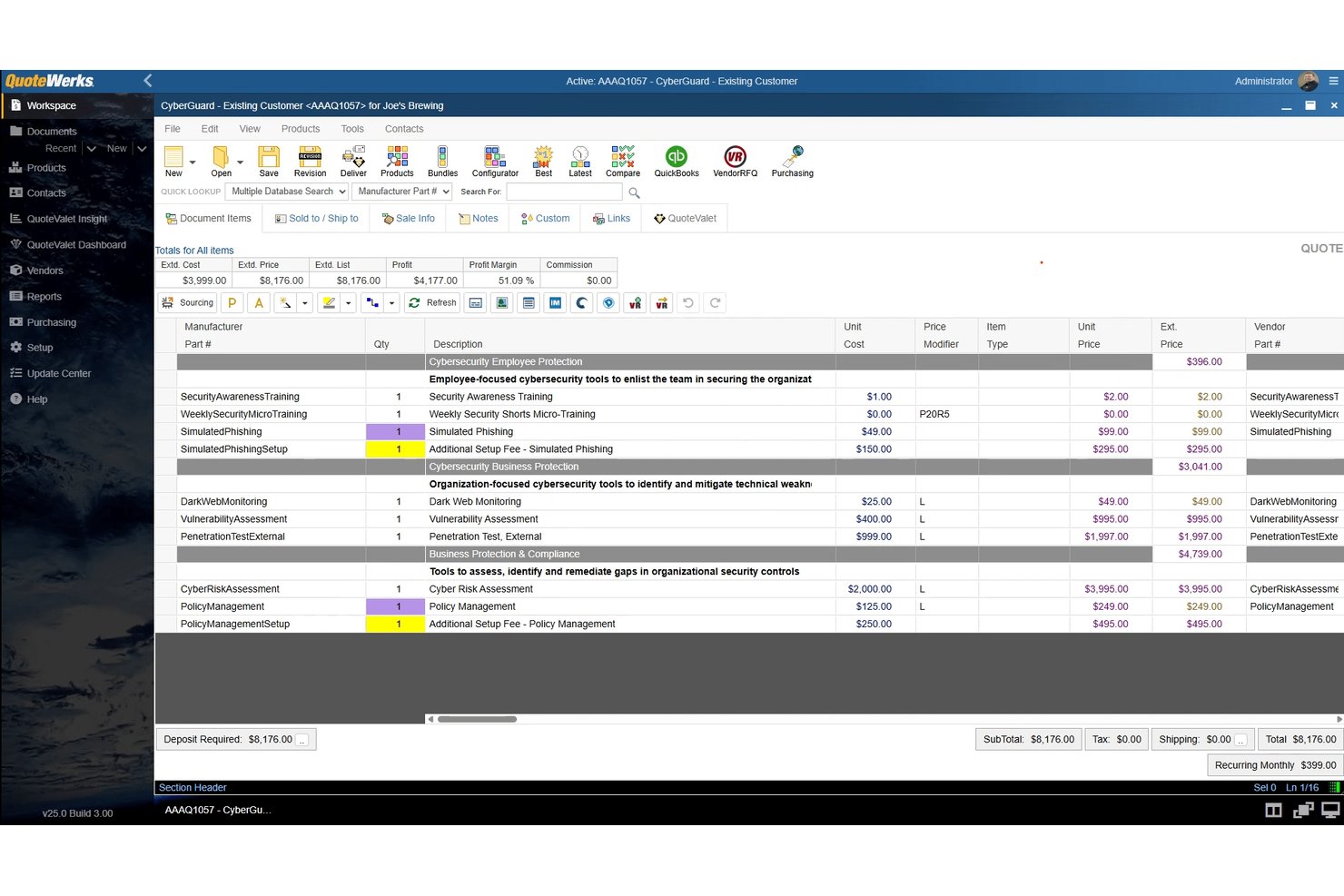
QuoteWerks is a CPQ and quoting platform that lets sales teams build quotes and proposals, manage product catalogs and pricing rules, track customer engagement, collect e-signatures, and connect with CRM and accounting systems.
Who Is QuoteWerks Best For?
QuoteWerks is a strong fit for sales teams that need to move a deal from CRM to quote to accounting invoice without jumping between disconnected systems.
Why I Picked QuoteWerks
QuoteWerks earns its spot on my shortlist because it keeps the entire sales motion—CRM, quoting, and accounting—inside one connected flow rather than forcing reps to re-enter data across three separate tools. I particularly like how QuoteValet lets customers view, select options, and sign a quote online, and that accepted quote then carries its acceptance date straight into the order conversion. Pair that with native integrations for Salesforce, HubSpot, and QuickBooks Online, and the handoff from closed deal to invoice becomes far less error-prone.
QuoteWerks Key Features
- Guided selling configurator: Steps sales reps through product selections to build quotes, bundles, and solutions without missing required items.
- QuoteValet Shopping Cart: Creates online order forms customers can use for reorders or purchases from promotional email campaigns.
- Peer review and approval workflow: Requires reps to get management sign-off before sending quotes, with rules-based and margin-triggered approval routing.
- Real-time distributor pricing lookup: Retrieves current pricing and availability from supported distributors directly within the quoting interface.
QuoteWerks Integrations
QuoteWerks offers 115+ native integrations, including HubSpot, Salesforce, Pipedrive, Microsoft Dynamics CRM, Zoho CRM, and QuickBooks Online. It also supports REST API, webhooks, scripting, and Zapier.
Pros and Cons
Pros:
- Margin visibility supports controlled pricing
- Customers can review and sign proposals online
- Reusable templates speed routine quote creation
Cons:
- Price-list updates can consume time
- Proposal template edits can require repeated adjustment

Quoter
Best for MSP quoting with distributor pricing
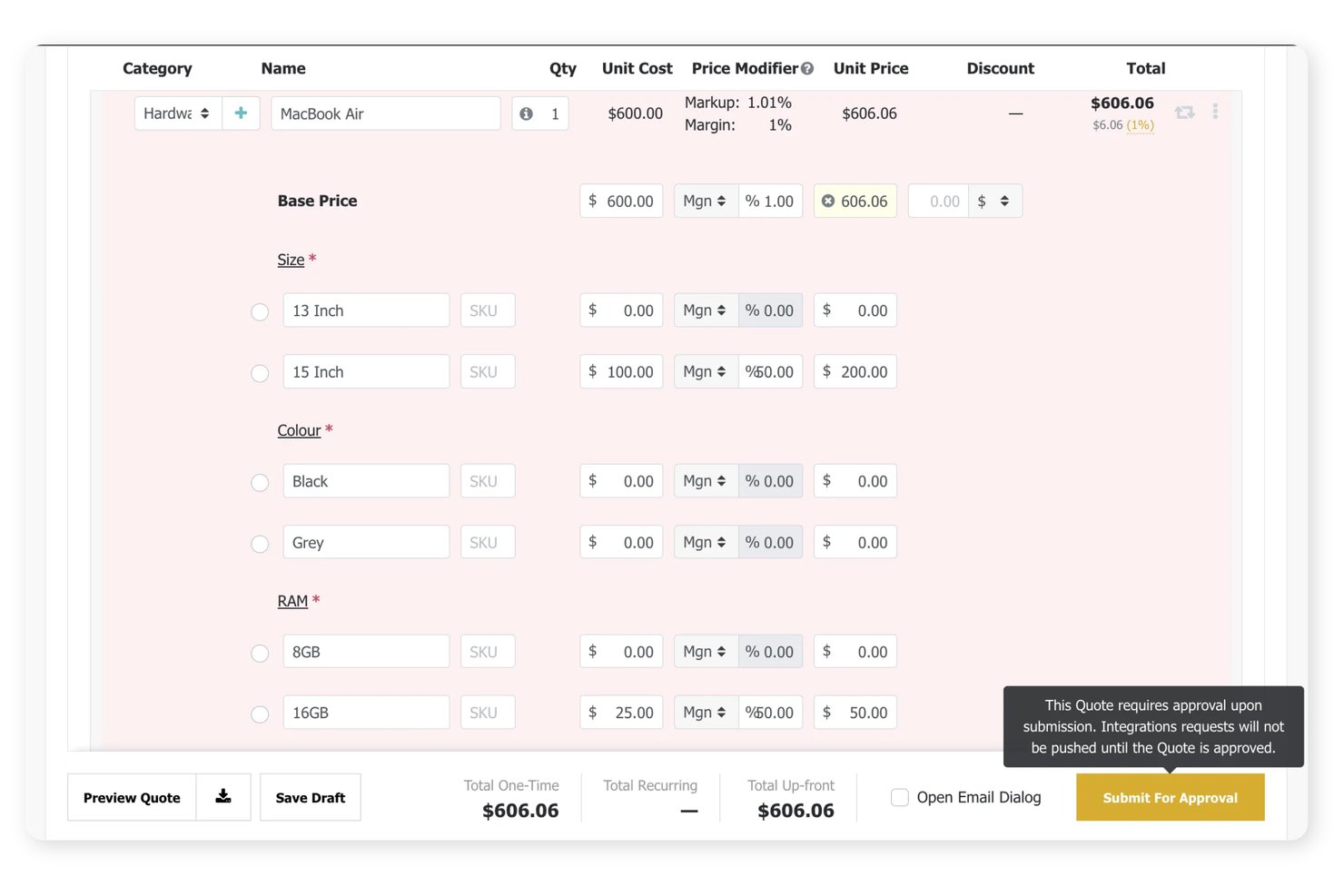
Quoter is a quoting and proposal platform built for MSPs that covers quote building, product catalog management, e-signatures, contract workflows, and integrations with PSA, CRM, and accounting systems.
Who Is Quoter Best For?
Quoter is a strong fit for MSPs that need to build quotes from live distributor pricing and move accepted proposals through PSA and accounting workflows without manual rekeying.
Why I Picked Quoter
Quoter earns its spot on my shortlist because of how it handles live distributor pricing through Product Cloud, which gives MSPs access to more than 21 million hardware SKUs to build accurate quotes without manually hunting down current costs. I also like that once a quote is accepted, Quoter can automatically trigger contract document signing and push invoice data directly to QuickBooks Online or Xero, cutting out the rekeying that usually eats up time between a signed proposal and a billable order.
Quoter Key Features
- Quote lifecycle tracking: Monitor each quote's status across stages—delivered, opened, clicked, accepted, ordered, or lost—from a filterable quote list.
- Multi-sign contract workflows: Route agreements to multiple recipients and track signature status as each party completes their part.
- Margin color-coding: View recurring and upfront margin sorted and color-coded by range directly in the quote list before sending.
- Optional line items: Add customer-selectable items to a quote with default selections or editable quantities for buyers to configure before accepting.
Quoter Integrations
Quoter offers 36 native integrations, including ConnectWise PSA, HubSpot, QuickBooks Online, Xero, D&H Distributing, and Authorize.Net Payment Gateway. It also provides ScalePad API and MCP access for custom connections.
Pros and Cons
Pros:
- Quote tracking reveals opens and clicks
- Optional items let buyers shape proposals
- Quotes clearly separate recurring and upfront charges
Cons:
- Retired catalog items require manual upkeep
- Proposal layouts offer limited formatting control
PandaDoc
Best for proposal-to-signature in one workflow
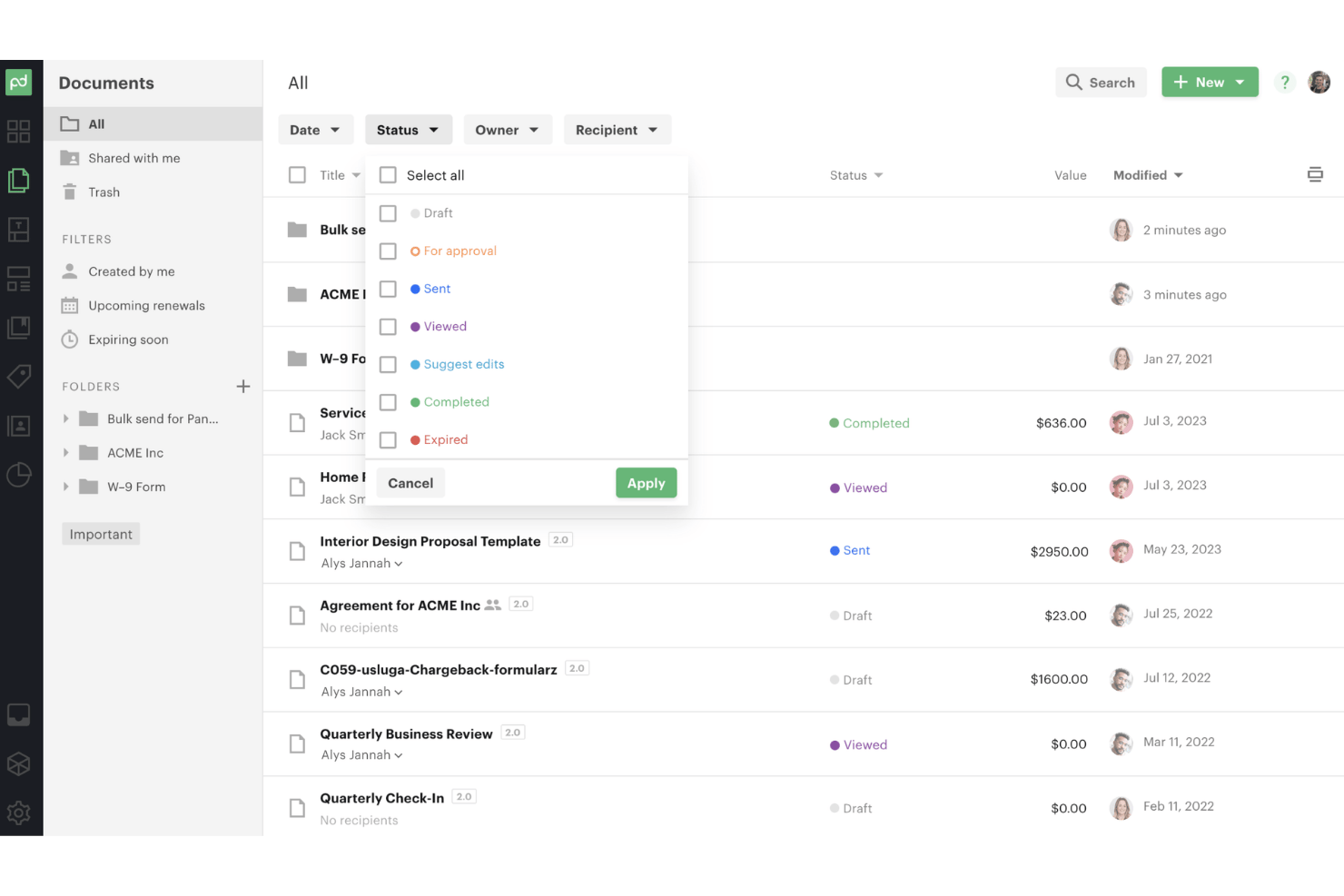
PandaDoc is a proposal and document automation platform that combines a drag-and-drop editor, product catalog, interactive pricing tables, e-signatures, approval workflows, and real-time engagement tracking in one tool.
Who Is PandaDoc Best For?
PandaDoc is a strong fit for sales teams that need to take a deal from draft to signed contract without switching between tools.
Why I Picked PandaDoc
PandaDoc earns its spot on my shortlist because it keeps the entire deal cycle, from first draft to countersigned contract, inside one tool. I particularly like the conditional approval routing: when a rep discounts a deal beyond a set margin threshold, PandaDoc automatically queues it for manager sign-off before it ever reaches the client. Pair that with per-recipient engagement analytics showing exactly how long a prospect spent on your pricing page, and you have real signal to act on before following up.
PandaDoc Key Features
- Recipient analytics: View per-recipient engagement data, including number of views, total time spent, and page-level activity for each sent document.
- Product catalog: Store and search SKUs, services, and pricing in a central catalog that populates directly into pricing tables.
- Bulk send: Use templates and CSV files to send personalized documents to multiple recipients at once.
- E-signature compliance: Collect legally binding signatures with support for ESIGN, UETA, eIDAS, and QES standards.
PandaDoc Integrations
PandaDoc offers 30+ integrations, including native integrations with Salesforce, HubSpot CRM, Pipedrive, Microsoft Dynamics CRM, and Zoho, plus QuickBooks Online and Zapier integrations. Its REST API, webhooks, and SDKs support custom integrations.
Pros and Cons
Pros:
- Conditional approvals can protect quote margins
- E-signatures and recipient tracking in one workflow
- Polished proposals from reusable templates
Cons:
- Editing sent documents removes previous analytics
- Complex tables can be awkward to format

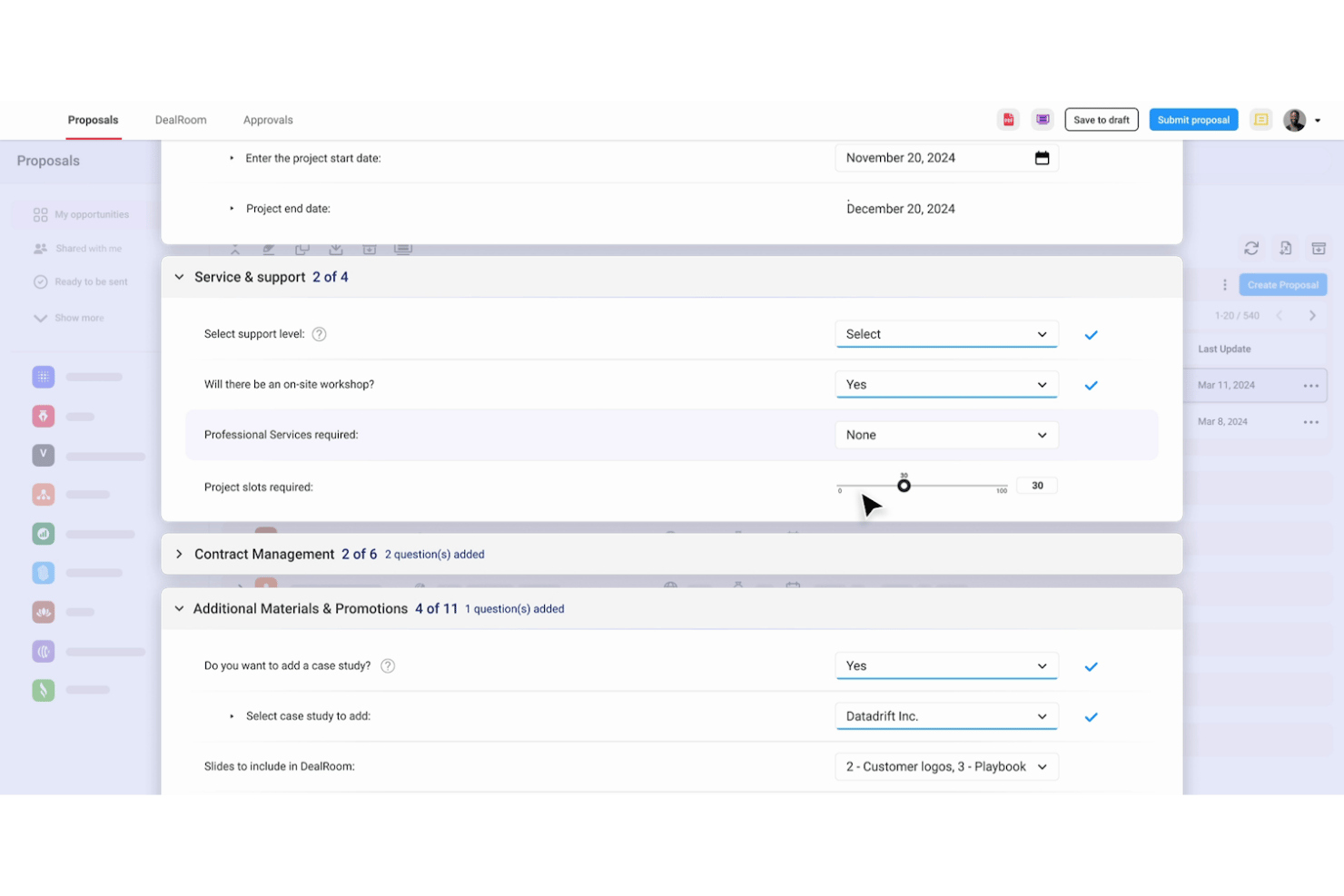
DealHub is a quote-to-revenue platform that combines CPQ, contract lifecycle management, digital sales rooms, subscription management, and billing into a single connected workflow.
Who Is DealHub Best For?
DealHub is a strong fit for mid-market and enterprise sales teams that manage complex product configurations, multi-tier pricing, and structured approval workflows across long deal cycles.
Why I Picked DealHub
I picked DealHub as one of the best because its guided Playbook does something most proposal tools can't: it walks sales reps through configuration step by step, automatically generating products, calculating prices, and applying discounts within pre-set guardrails. That means a rep quoting a complex, multi-tier deal can't accidentally undercut margins or skip an approval step. The Deal Desk dashboard then gives ops teams live visibility into quote progress and approval status across every open deal.
DealHub Key Features
- Branded proposal templates: Build quotes and proposals using drag-and-drop templates that combine logos, colors, dynamic content, and localized text.
- Digital DealRoom: Share proposals, contracts, and supporting content in a single branded buyer portal with permission-based access and in-room chat.
- Built-in e-signature: Capture single- or multi-party signatures natively or through DocuSign, with real-time status tracking and CRM sync.
- Subscription and billing management: Generate invoices for recurring, one-time, and milestone pricing, and manage the full subscription lifecycle from amendments to renewals.
DealHub Integrations
DealHub offers native integrations with Salesforce, HubSpot, Microsoft Dynamics 365, NetSuite, Slack, and DocuSign. Its API supports custom connections and headless quoting, while some third-party connectors may cost extra.
Pros and Cons
Pros:
- DealRoom tracks buyer activity across shared proposals
- Proposal templates help reps create accurate documents quickly
- Guided prompts keep discounts within approved ranges
Cons:
- Editing proposal tables can involve trial and error
- Complex pricing rules can require formula workarounds

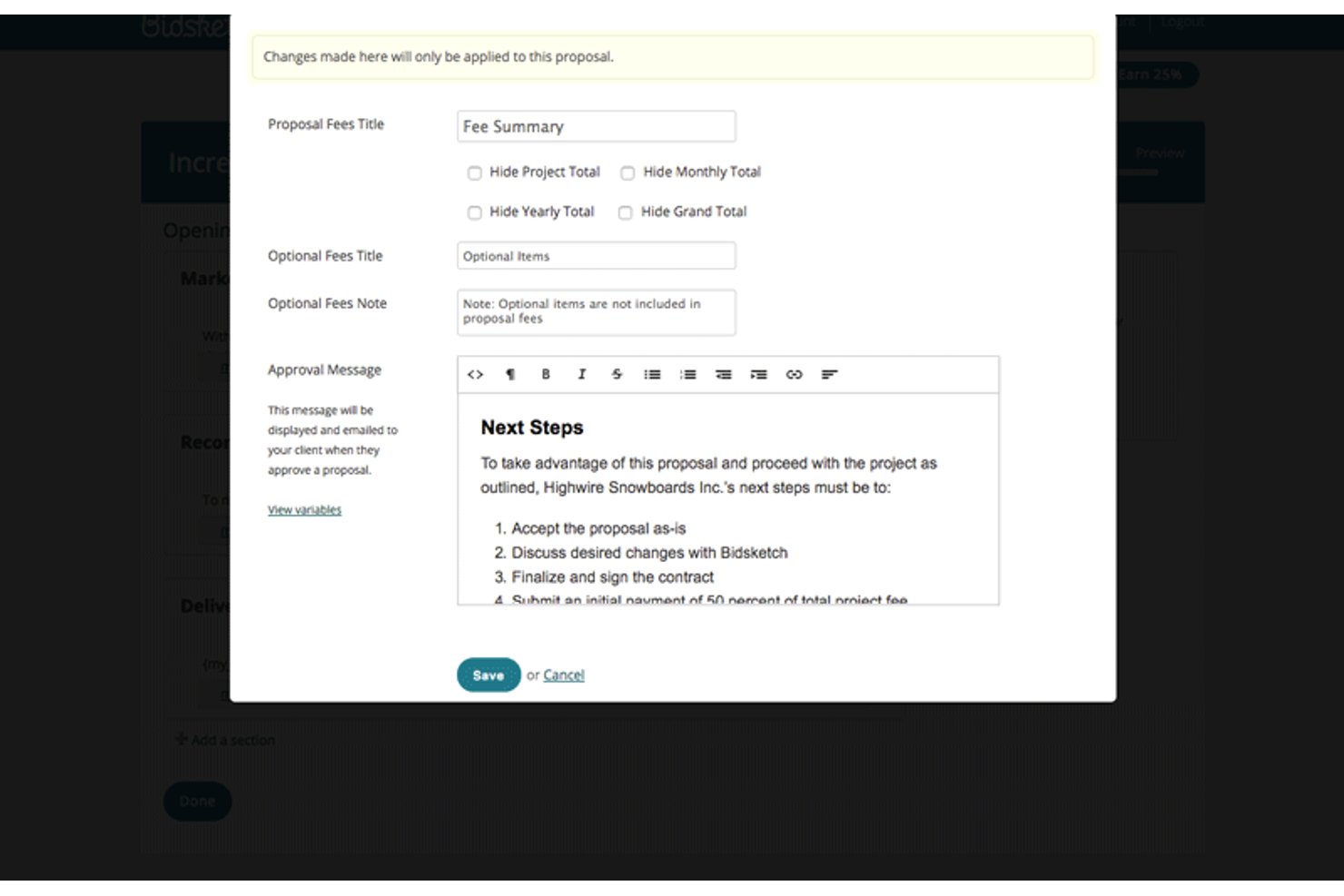
Bidsketch is proposal software that lets you build, send, and track client proposals using reusable content sections, customizable fee structures, e-signatures, and native integrations with tools like Salesforce, FreshBooks, and Basecamp.
Who Is Bidsketch Best For?
Bidsketch suits freelancers and small teams who send client proposals regularly and want to build a reusable content library to speed up their workflow.
Why I Picked Bidsketch
I picked Bidsketch as one of the best because it's built around a reusable content library that genuinely cuts proposal turnaround time. I like how you can save individual proposal sections, from scope descriptions to pricing blocks, and pull them into new proposals without starting from scratch. The engagement tracking also earns its place: you can see exactly how long a client spent viewing a proposal and whether they exported it to PDF, which tells you a lot more than a simple open notification.
Bidsketch Key Features
- E-signatures: Clients can type or draw their signature to approve proposals, with the signed document automatically archived and locked from further edits.
- Optional fee items: Mark individual pricing line items as optional so clients can add or remove them when reviewing a proposal.
- Client landing page: Each proposal gets a dedicated page where clients can view, comment on, approve, or download the proposal as a PDF.
- Salesforce integration: Connect Bidsketch to Salesforce to create proposals from opportunities and automatically update opportunity status when a proposal is accepted.
Bidsketch Integrations
Bidsketch has four documented native integrations: Salesforce, FreshBooks, Harvest, and Basecamp. It also offers an API and connects with 2,000+ other web services through Zapier.
Pros and Cons
Pros:
- View alerts help time follow-ups
- Optional fees support tailored offers
- Reusable sections shorten proposal preparation
Cons:
- Proposal analytics offer limited detail
- Editing saved text can feel awkward

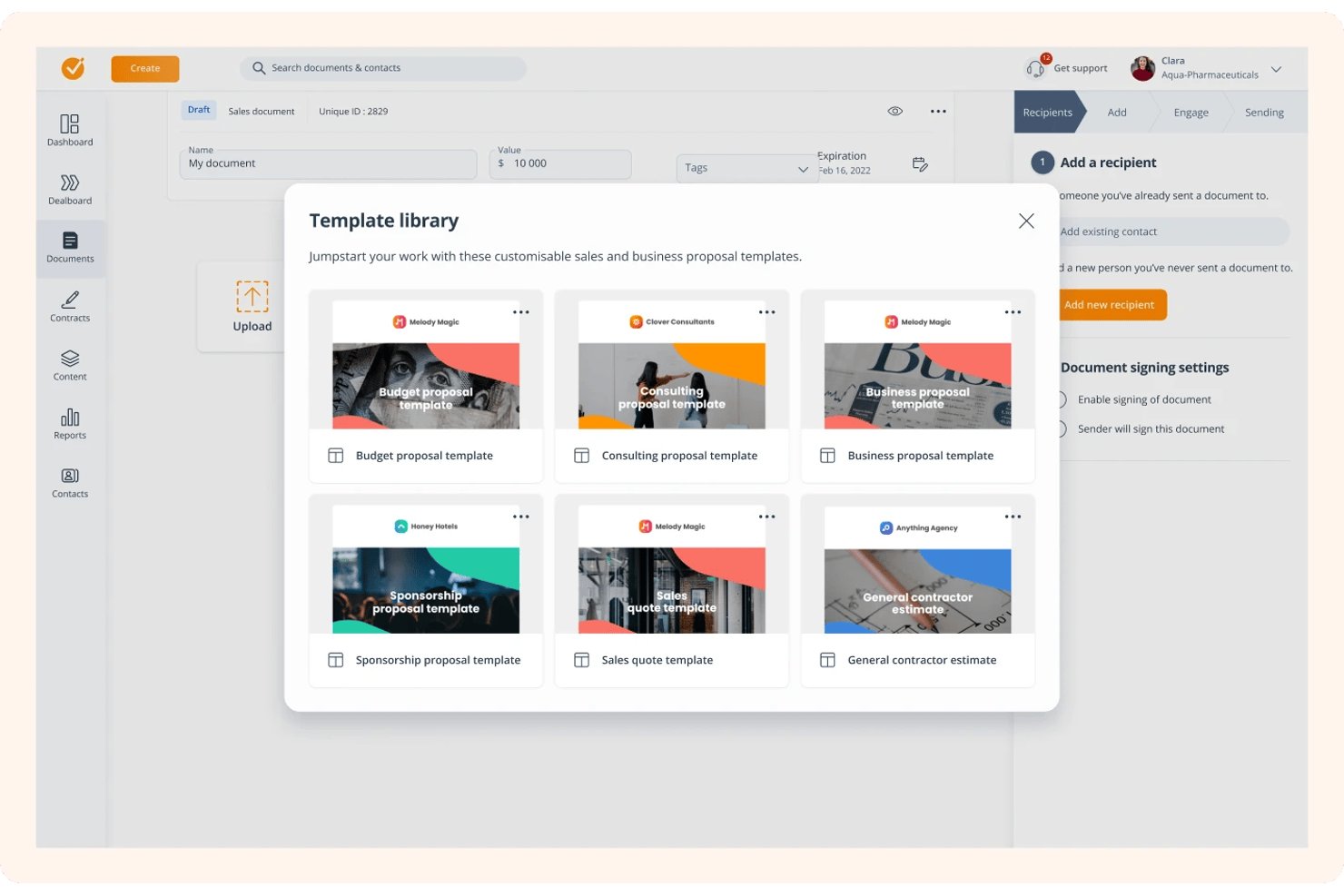
GetAccept is a proposal and digital sales room platform that combines document creation, pricing tables, e-signatures, engagement tracking, and CRM integration in one place.
Who Is GetAccept Best For?
GetAccept suits sales teams at mid-sized companies who want to add video, live chat, and real-time engagement tracking to their proposal workflow.
Why I Picked GetAccept
I picked GetAccept as one of the best because it's the only proposal tool I've seen that lets you embed a personalized video directly into the proposal itself, so buyers get a warm, face-to-camera walkthrough before they've read a single line item. Pair that with the Engagement tab, which shows exactly which pages a prospect spent time on and for how long, and you have a genuinely useful signal for your next follow-up. The mutual action plan feature adds another layer by giving buyers and sellers a shared to-do list inside the deal room, keeping momentum alive after the proposal lands.
GetAccept Key Features
- Pricing table builder: Create quote line items with grouped products, discount fields, tax calculation, and currency selection directly inside a proposal document.
- E-signature with role-based signing order: Route documents to signers, external approvers, internal approvers, and viewers in sequential or parallel order before capturing a legally binding signature.
- CRM data merge tags: Pull live deal, contact, and product data from HubSpot, Salesforce, or Pipedrive directly into proposal fields to populate documents automatically.
- Contract management and renewal reminders: Store signed documents and trigger automated reminders when contracts approach their renewal dates.
GetAccept Integrations
GetAccept has native Salesforce and HubSpot integrations, plus documented connections for Pipedrive, Microsoft Dynamics, Stripe, Authorize.net, and Google Drive. It offers a REST API, webhooks, Power Automate, and Zapier.
Pros and Cons
Pros:
- Reviewers praise electronic signing and reminders
- Page-level viewing data guides timely follow-ups
- Personalized video adds a human touch to proposals
Cons:
- Product catalog and multiple discounts feel underdeveloped
- Reviewers report clunky image editing

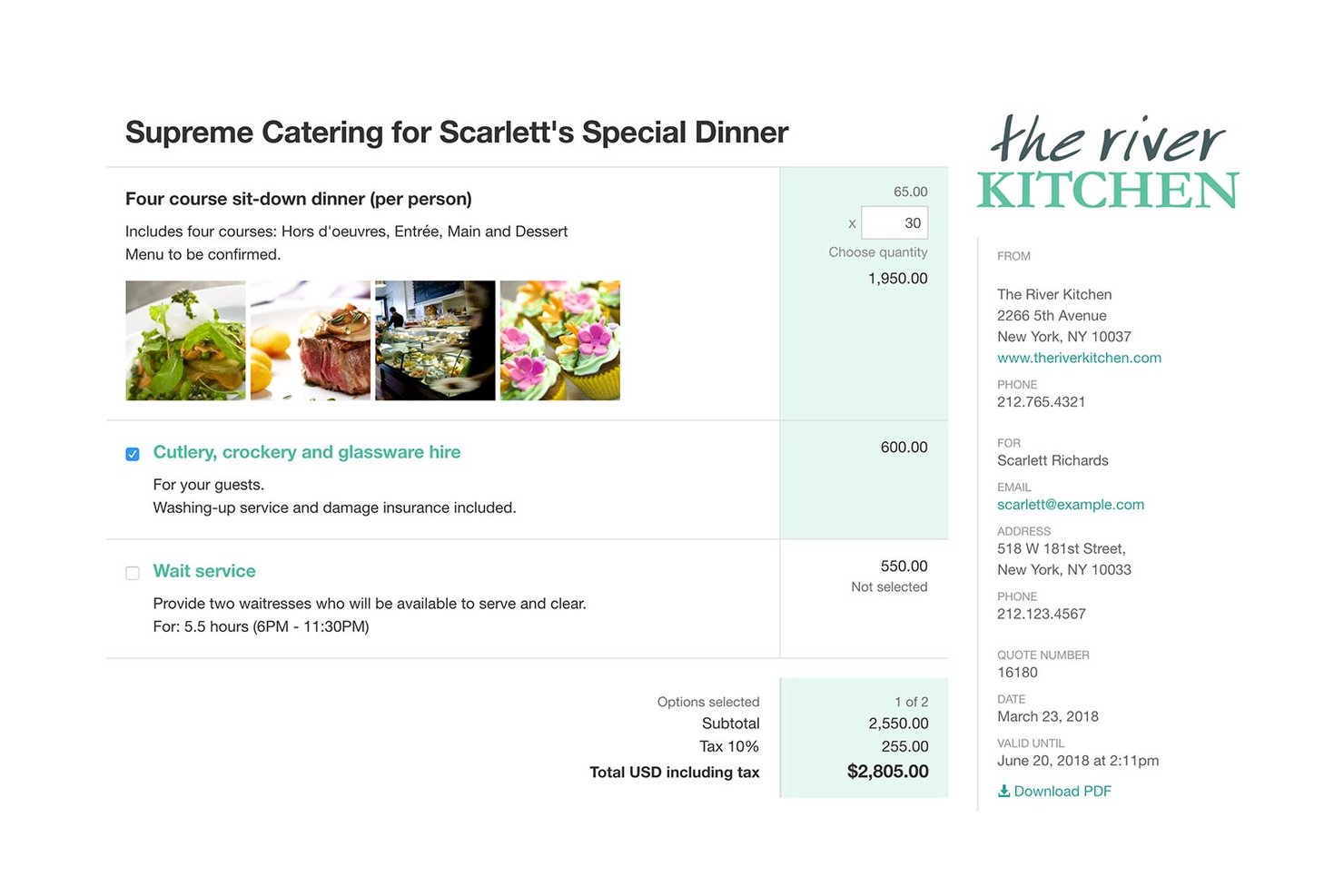
Quotient is online quoting software that lets you build branded quotes with optional and multiple-choice line items, track customer engagement, collect e-signatures, and convert accepted quotes into invoices via Xero or QuickBooks.
Who Is Quotient Best For?
Quotient is a strong fit for freelancers and small business owners who need to send polished, professional quotes without the complexity of a full CPQ platform.
Why I Picked Quotient
I picked Quotient as one of the best because it strips quoting down to exactly what a solo operator or small team actually needs. I love how optional and multiple-choice line items let customers configure their own quote total in real time, which cuts down the back-and-forth that kills deal momentum. You can also see the moment a customer opens your quote and flag aging deals directly from the dashboard, so follow-ups happen at the right time, not just whenever you remember.
Quotient Key Features
- Branded quote builder: Apply logo-derived colors, choose from three layouts, and preview your quote before sending.
- E-signature capture: Customers can draw or type a signature directly on the quote from any touch device.
- Cost price and margin tracking: Add a cost price to each line item and let Quotient calculate the selling price using your chosen markup or margin percentage.
- Customer review requests: Automatically prompt customers for feedback or reviews after a job is complete and display selected reviews on future quotes.
Quotient Integrations
Quotient offers native integrations with Xero, QuickBooks Online, Capsule, Insightly, Highrise, and Mailchimp. It also supports Webhooks API connections and Zapier for custom workflows.
Pros and Cons
Pros:
- Quote-view alerts help time customer follow-ups
- Optional line items let customers shape totals
- Polished quotes reuse templates and saved items
Cons:
- Sales reporting lacks detailed conversion breakdowns
- Complex proposals offer limited visual-design flexibility
Diğer Teklif ve Öneri Yazılımları
Kısa listeme giremeyen ancak yine de göz atmaya değer bazı ek teklif ve öneri yazılımı seçenekleri şunlardır:
- ScalePad
For MSP-native quoting and procurement
- Quote IQ
For field service quoting and invoicing
- Better Proposals
For freelancer and agency proposal branding
- HoneyBook
For solo service businesses booking clients
- Zoho CRM
For CPQ-driven quoting within a CRM
- Jobber
For field service quoting to job conversion
- Oneflow
For quote-to-contract without extra tools
- Conga CPQ
For enterprise Salesforce CPQ and approvals
- Oracle CPQ
For complex product and pricing configuration
- HubSpot Quotes
For sales-native quoting within a CRM


How I Evaluate Quote and Proposal Software
I split my evaluation into three parts, giving the most weight to tools that create branded quotes with catalog pricing and capture client approval. Next, I look for differentiators like resource-based estimating. Finally, I consider onboarding, support, and pricing value beyond the feature set.
Core Functionality (Table Stakes For This List)
When I'm selecting tools for my list, I score each one on a scale from 0 (does not offer the functionality) to 5 (excels in this area) for each core functionality listed below. I then convert the total into a percentage to help assess each tool's overall fit, with extra weight on any functionalities I’ve deemed essential.
- Quote & Proposal Builder (Essential): I look for branded templates, reusable content, and pricing tables that make project scope clear before a client approves.
- Catalog & Pricing (Essential): I check whether teams can add stored services, tiered prices, and discounts to quotes without re-entering line items.
- E-Signature & Approval: I evaluate in-document signing, approval routing, and audit records when several stakeholders must approve a proposal.
- Quote-to-Cash: I look for accepted quotes that convert into orders, invoices, or contracts without manually re-entering scope and pricing.
- Engagement Tracking: I check for view alerts and activity details that help sales teams follow up when prospects review a proposal.
- CRM & Accounting Integrations: I assess whether customer, deal, and pricing data sync with CRM or accounting tools used by sales and finance teams.
Once I have a list of tools that meet the criteria, I consider what sets each platform apart.
Differentiating Factors (What Sets Vendors Apart)
Here's how I compare and contrast different vendors:
Standout Features
I look for resource-based estimating that builds quotes from roles, hours, and rates instead of static line items—this matters when a proposal needs to reflect actual project staffing. I also evaluate project handoff automation, checking whether accepted proposals push scope, budgets, and tasks directly into delivery tools like Asana or Monday.com. Win-loss reporting is another differentiator; I check if the tool surfaces conversion trends by deal size or client type so teams can sharpen future bids.
Beyond Features
I check whether vendors offer guided onboarding and template migration support, since configuring complex rate cards and approval chains from scratch can stall adoption for weeks. Cross-departmental collaboration matters too—I look for role-based permissions that let PMs define scope while finance controls pricing, plus inline commenting so internal revisions happen inside the proposal rather than over email. I also evaluate integration depth with PM and accounting tools, specifically whether syncs run in real time or require manual updates between sales and delivery.
Teklif ve Öneri Yazılımı Nasıl Seçilir?
Yazılım araçlarını karşılaştırırken her platformun gerçek satış sürecinizi nasıl desteklediğine odaklanın. Kullanımı kolay bir teklif aracı, ekibinizin hızlı bir şekilde teklifler oluşturmasına yardımcı olurken yöneticilere fiyatlandırma kuralları, onay iş akışları ve markalı teklifler üzerinde kontrol sağlamalıdır.
Aracı Satış Sürecinizle Uyumlu Hâle Getirin
Öncelikle platformun hem mevcut satış döngünüzü hem de gelecekteki ihtiyaçlarınızı destekleyip destekleyemeyeceğini değerlendirin. Örneğin, basit bir öneri aracı küçük işletmeler için iyi çalışabilir. Ancak karmaşık ürün paketleri satıyorsanız, dinamik fiyatlandırma kullanıyorsanız veya yapılandırılmış ürün yapılandırmalarına ihtiyaç duyuyorsanız CPQ yazılımı daha uygun olabilir.
Ardından yazılımın mevcut iş akışınıza nasıl uyacağını düşünün. Özellikle entegrasyonlarının CRM'nizi, ödeme sağlayıcınızı, proje yönetimi araçlarınızı ve müşteri destek sistemlerinizi destekleyip desteklemediğini kontrol edin.
Karşılaştırmanıza rehberlik edecek kontrol listesi aşağıdadır:
| Faktör | Dikkat Edilmesi Gerekenler |
|---|---|
| Ölçeklenebilirlik | Kadro sayısını veya proje yükünü iki katına çıkardığınızda platform ekibinizi ve iş hacminizi destekleyebilecek mi? Büyüdükçe ortaya çıkan ek maliyetlere dikkat edin. |
| Entegrasyonlar | CRM, ERP veya faturalandırma sistemlerinize doğrudan bağlanıyor mu, yoksa süreçleriniz için API çalışmasına veya Zapier gibi üçüncü taraf bağlayıcılara mı ihtiyacınız olacak? |
| Özelleştirilebilirlik | Şablonları, iş akışlarını ve marka kimliğini firmanızın süreçlerine uyacak şekilde kolayca uyarlayabilir misiniz, yoksa engeller ve geçici çözümlerle mi karşılaşacaksınız? |
| Kullanım kolaylığı | Ekip üyeleri sürekli desteğe veya kapsamlı eğitime ihtiyaç duymadan teklifleri ne kadar hızlı oluşturabilir, gönderebilir ve takip edebilir? Yalnızca yöneticilerle değil, tipik kullanıcılarla da demoyu deneyin. |
| Uygulama ve işe alıştırma | Hangi işe alıştırma olanakları sunuluyor; şablonlar, geçiş, eğitim? Sistemi kullanıma almak için özel desteğe ihtiyacınız olacak mı, yoksa kurulumu şirket içinde gerçekleştirebilir misiniz? |
| Maliyet | Kullanıcılar, belgeler ve premium özellikler için fiyatlandırma nasıl değişiyor? Ölçek büyüdükçe entegrasyonlar veya elektronik imzalar için beklenmedik ücretlere dikkat edin. |
| Güvenlik önlemleri | Özellikle müşteri verileri veya sözleşmeler söz konusuysa izinler, denetim günlükleri ve SOC 2 veya GDPR uyumluluğu gibi sertifikalar mevcut mu? |
| Destek erişilebilirliği | Destek ekibinizin çalıştığı saatlerde canlı ve hızlı yanıt veren bir destek sunuluyor mu, yoksa teknik sorunlar satışlarınızı ve proje başlangıçlarınızı geciktirecek mi? |
Teklif ve Öneri Yazılımı Nedir?
Teklif yazılımı; bazen satış teklifi yazılımı veya fiyat teklifi yazılımı olarak da adlandırılır ve fiyat teklifleri, satış önerileri ve sözleşmeler oluşturmak, göndermek ve yönetmek için kullanılan bulut tabanlı bir yazılım çözümüdür. Ekiplerin kalemlere ayrılmış fiyatlandırma, kapsam, koşullar ve isteğe bağlı hizmetlerle özelleştirilmiş teklifler oluşturmasına, ardından elektronik imza talep etmeden önce bunları bir onay sürecine yönlendirmesine yardımcı olur.
Temel bir belge düzenleyicinin aksine teklif yazılımı; teklif şablonlarını, fiyatlandırma kurallarını, ürün yapılandırmalarını ve onay iş akışlarını destekleyebilir. Bu, markaya uygun satış belgeleri oluşturmayı, manuel hataları azaltmayı ve kabul edilen işleri satış hattınıza, faturalandırma iş akışınıza veya proje yönetim sisteminize aktarmayı kolaylaştırır.
Özellikler
Her iyi teklif ve öneri yazılımında bulunması gereken temel özellikler şunlardır:
- Teklif oluşturma ve teklif şablonları: Yeniden kullanılabilir düzenlerden, hizmet kitaplıklarından ve markalı teklif şablonlarından profesyonel teklifler oluşturun.
- Ürün yapılandırmaları ve fiyatlandırma kuralları: Her fiyat teklifini manuel olarak yeniden oluşturmadan karmaşık ürün seçeneklerini, paketleri, miktarları, indirimleri ve dinamik fiyatlandırmayı yapılandırın.
- Onay iş akışları: İndirimler, marj eşikleri, karmaşık ürün yapılandırmaları veya standart dışı koşullar için bir onay süreci oluşturun.
- Etkileşimli fiyatlandırma: Daha doğru teklifler oluşturmak için alıcıların öneri içinde isteğe bağlı hizmetleri veya eklentileri seçmesine ya da üst satış yapmasına olanak tanıyın.
- Elektronik imza işlevi: Elektronik imzaları toplayın ve kabul işleminin denetlenebilir kaydını tutun.
- Satış hattı görünürlüğü: Satış görevlilerinin doğru zamanda takip yapabilmesi için öneri etkinliğini CRM'inize bağlayın.
- Müşteri deneyimi ve marka kimliği: Satın alma sürecinin daha profesyonel görünmesini sağlayan özelleştirilmiş teklifler, özenli düzenler ve markaya uygun satış belgeleri sunun.
Yaygın Teklif ve Öneri Yazılımı Yapay Zekâ Özellikleri
Yukarıda listelenen standart teklif ve öneri yazılımı özelliklerinin ötesinde, bu çözümlerin çoğu aşağıdaki gibi özelliklerle yapay zekâyı bünyesine katıyor:
- Yapay zekâ destekli taslak oluşturma: Geçmişte kazanılan önerilere ve müşteri verilerine dayanarak öneri içeriğini, kapsam açıklamalarını veya fiyatlandırma açıklamalarını otomatik olarak oluşturun.
- Akıllı içerik önerileri: Anlaşma türüne veya müşteri sektörüne göre önerinize eklemeniz için ilgili vaka çalışmalarını, hukuki maddeleri veya fiyatlandırma tablolarını önerin.
- Tahmine dayalı anlaşma puanlaması: Bir anlaşmayı kazanma olasılığını öngörmek için öneri verilerini ve müşteri etkileşimini analiz ederek takip çalışmalarına öncelik vermenize yardımcı olun.
- RFP'lere otomatik yanıt: RFP belgelerindeki gereksinimleri içerik kitaplığınızla eşleştirmek, yanıtları otomatik olarak doldurmak ve incelenmesi gereken eksikleri vurgulamak için yapay zekâyı kullanın.
- Dinamik kişiselleştirme: Müşteri profiline, tercihlerine veya önceki etkileşimlerine göre öneri dilini, görselleri ve fiyatlandırma önerilerini gerçek zamanlı olarak uyarlayın.
Faydalar
Teklif ve öneri yazılımını uygulamak, ekibiniz ve işletmeniz için çeşitli faydalar sağlar. Yararlanmayı bekleyebileceğiniz birkaç fayda şunlardır:
- Daha hızlı teklif hazırlama: Yerleşik şablonlar ve içerik kitaplıkları, karmaşık projeler için bile markalı teklifleri hızlıca oluşturmanızı sağlar.
- Geliştirilmiş fiyat teklifi doğruluğu: Kalem bazında fiyatlandırma, onay iş akışları ve yönlendirmeli fiyatlandırma, hataları azaltır ve tutarlı kapsam ile fiyat yapılarının korunmasını sağlar.
- Kolaylaştırılmış onay süreci: Entegre elektronik imza ve dijital kabul iş akışları, manuel imzalardan ve dağınık onaylardan kaynaklanan gecikmeleri ortadan kaldırır.
- Anlaşmalar hakkında daha fazla görünürlük: Etkileşim takibi ve analizler, teklif durumunu, müşteri ilgisini ve sürecin her aşamasındaki darboğazları izlemenize yardımcı olur.
- Profesyonel müşteri deneyimi: Özel markalama, etkileşimli fiyat teklifi özellikleri ve dijital teslimat, tekliflerinizin öne çıkmasını sağlar ve modern satın alma süreçlerini destekler.
- Basitleştirilmiş proje devri: Otomatik durum güncellemeleri ve CRM ya da faturalandırma araçlarıyla entegrasyonlar, kabul edilen tekliflerin doğrudan teslimat veya faturalandırma aşamasına geçmesini sağlar.
- Geliştirilmiş güvenlik ve uyumluluk: Kullanıcı izinleri, denetim kayıtları ve yerleşik güvenlik önlemleri, iş akışınız boyunca hassas müşteri ve sözleşme verilerini korur.
Maliyetler ve Fiyatlandırma
Fiyat teklifi ve teklif yazılımı seçerken mevcut çeşitli fiyatlandırma modellerini ve planları anlamak gerekir. Maliyetler; özelliklere, ekip büyüklüğüne, eklentilere ve daha fazlasına göre değişir. Aşağıdaki tablo, fiyat teklifi ve teklif yazılımı çözümlerinde yaygın planları, ortalama fiyatlarını ve genellikle dahil edilen özellikleri özetlemektedir:
Fiyat Teklifi ve Teklif Yazılımı İçin Plan Karşılaştırma Tablosu
| Plan Türü | Ortalama Fiyat | Yaygın Özellikler |
|---|---|---|
| Ücretsiz Plan | $0 | Temel fiyat teklifi ve teklif oluşturma, sınırlı şablonlar, tek kullanıcı erişimi ve temel elektronik imza. |
| Kişisel Plan | $10-$25/kullanıcı/ay | Ücretsiz plandaki tüm özellikler, daha fazla şablon, sınırlı içerik kitaplığı, basit analizler ve temel entegrasyonlar. |
| İşletme Planı | $30-$65/kullanıcı/ay | Ekip iş birliği, gelişmiş şablonlar, onay iş akışları, CRM entegrasyonları, etkileşim analizleri ve özel markalama. |
| Kurumsal Plan | $75-$150/kullanıcı/ay | SSO/SAML, gelişmiş güvenlik, API erişimi, özel işe alıştırma, özel destek ve özel sözleşme veya uyumluluk özellikleri. |
SSS
Fiyat teklifi ve teklif yazılımı hakkında sık sorulan bazı soruların yanıtları aşağıdadır:
Fiyat teklifi ve teklif yazılımı CRM'imle entegre olabilir mi?
Evet, çoğu çözüm Salesforce, HubSpot veya Pipedrive gibi popüler CRM’lerle doğrudan entegrasyonlar sunar. Bu sayede kişi ve anlaşma verilerini doğrudan tekliflerinize aktarabilir ve anlaşmalar ilerledikçe satış hattınızı otomatik olarak güncelleyebilirsiniz.
Hassas sözleşmeler için fiyat teklifi ve teklif yazılımı ne kadar güvenlidir?
Önde gelen platformlar SOC 2 sertifikası, ayrıntılı kullanıcı izinleri, denetim kayıtları ve veri şifreleme gibi özellikler sunar. Bu özellikler, platformları gizli müşteri bilgilerini işlemek ve uyumluluk gereksinimlerini desteklemek için uygun hâle getirir.
Teklif gönderildikten sonra takipleri veya hatırlatıcıları otomatikleştirmek mümkün mü?
Evet, birçok araç müşterileri teklifleri incelemeye, imzalamaya veya kabul etmeye yönlendirmek için otomatik hatırlatıcılar ve bildirimler ayarlamanıza olanak tanır. Böylece manuel takip yapmadan anlaşmaların ilerlemesini sağlayabilirsiniz.
Teklifler için karmaşık onayları yönetmemiz gerekirse ne olur?
Çoğu işletme ve kurumsal plan, çok adımlı onay iş akışlarını destekler. Onaylayanları anlaşma değerine, ürün türüne veya role göre atayabilir ve her teklifin müşteriye ulaşmadan önce doğru kişiler tarafından onaylanmasını sağlayabilirsiniz.
Ekibimin bu yazılımı kullanmak için özel bir eğitime ihtiyacı olacak mı?
Hayır, çoğu modern fiyat teklifi ve teklif platformu, işe alıştırma eğitimleri, şablon kitaplıkları ve uygulama içi kılavuzlarla kullanım kolaylığına önem verir. Böylece ekibiniz çok az hazırlık süresiyle çalışmaya başlayabilir.