

2026’nın En İyi 10 Akıllı Yapay Zekâ Belge İşleme Yazılımı

10 En İyi Akıllı Yapay Zekâ Belgesi İşleme Yazılımları Kısa Listesi


Akıllı yapay zekâ belgesi işleme yazılımı; zamandan tasarruf etmek ve doğruluğu hemen artırmak için belgelerinizi düzenleme, verileri çıkarma ve belgelerinizi yönetme gibi sıkıcı görevleri otomatikleştirmenizi sağlar. Manuel hataları ortadan kaldırmak ve iş akışınızı kolaylaştırmak istiyorsanız, doğru araç büyük fark yaratabilir.
İhtiyaçlarınıza en uygun seçeneği bulmanıza yardımcı olmak için mevcut en iyi seçenekleri bizzat test edip inceledim. Aşağıda, akıllı yapay zekâ belgesi işleme yazılımları için dürüst değerlendirmelerimi ve her birinin diğerleriyle karşılaştırıldığında nasıl performans gösterdiğini bulabilirsiniz.
Why Trust Our Software Recommendations
Our team has been testing and reviewing software since 2012. As project managers ourselves, we know how difficult—and important—it is to choose the right software.
For this guide, we evaluated tools using hands-on testing and independent research, scoring tools using our selection criteria. We also draw on insights from industry thought leaders and practicing project management experts.
Our reviews reflect our human editorial judgment, not a sales pitch.
Expert reviewers:
Akıllı Yapay Zekâ Belgesi İşleme Yazılımları Karşılaştırma Tablosu
Aşağıdaki tabloda incelediğim akıllı yapay zekâ belgesi işleme yazılımlarının fiyatlandırma ayrıntıları karşılaştırılmaktadır.
| Tool | Starting Price | Website | |
|---|---|---|---|
| Best for finance and insurance document intake | 4.3 out of 5 | Pricing upon request 14-day free trial | Website |
| Best for custom document workflows | 4.8 out of 5 | Pricing upon request Free demo available | Website |
| Best for no-code document automation | 4.5 out of 5 | $399/month Free demo available | Website |
| Best for processing unstructured documents | 4.9 out of 5 | Pricing upon request Free trial available + free demo | Website |
| Best for robotic process automation | 4.6 out of 5 | $25/month Free plan available | Website |
| Best for AI-powered document insights | 4.5 out of 5 | $19.99/user/month 7-day free trial | Website |
| Best for enterprise content management | 4.2 out of 5 | Pricing upon request Free demo available | Website |
| Best for integration with Microsoft tools | — | $15/user/month 30-day free trial + free plan | Website |
| Best for API-led connectivity | — | Pricing upon request Free trial + free demo available | Website |
| Best for cloud-native RPA | — | Pricing upon request Free demo available | Website |
En İyi Akıllı Yapay Zekâ Belgesi İşleme Yazılımları İncelemesi
Aşağıda, en iyi akıllı yapay zekâ belgesi işleme yazılımlarına ilişkin ayrıntılı özetlerimi bulabilirsiniz. Doğru seçeneği bulmanıza yardımcı olmak için her aracın temel özelliklerini, artılarını & eksilerini, entegrasyonlarını ve ideal kullanım alanlarını ayrıntılı olarak inceledim.

Docsumo
Best for finance and insurance document intake
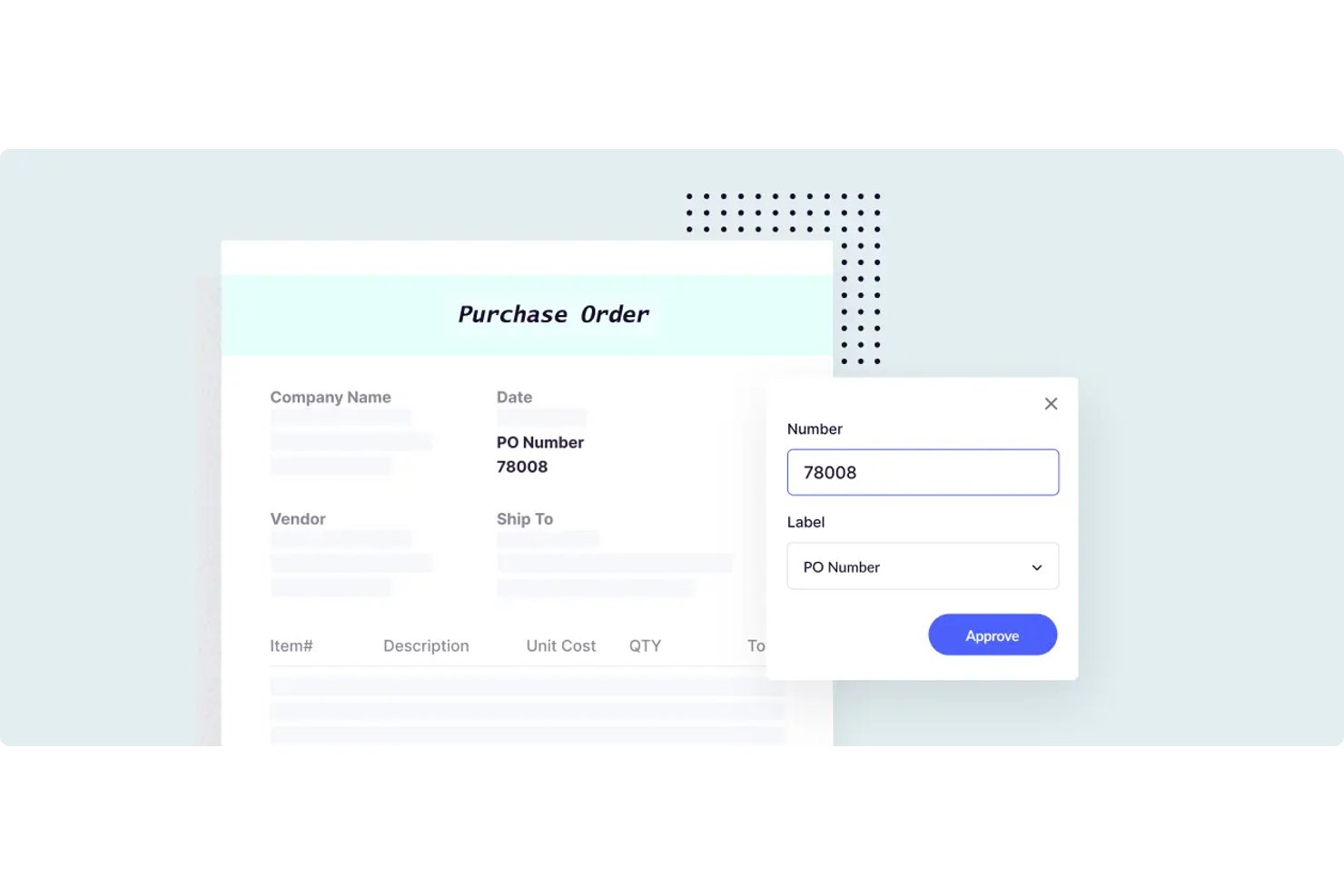
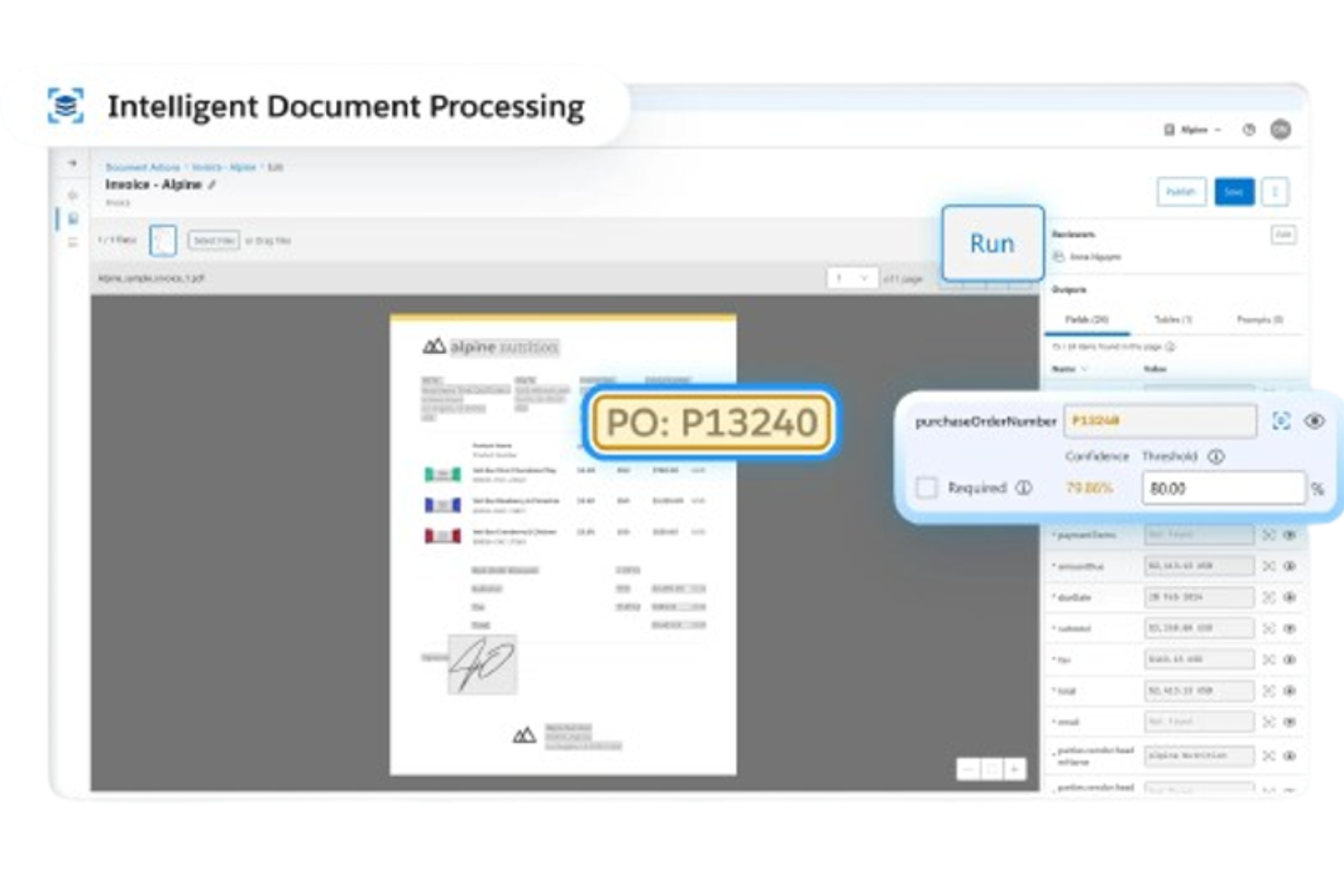
Docsumo is an intelligent document processing platform that combines OCR, AI-based classification, structured data extraction, and human-in-the-loop review workflows, with pre-built models spanning finance, insurance, and accounts payable document types.
Who Is Docsumo Best For?
Docsumo is a strong fit for finance and insurance teams that process high volumes of structured documents like invoices, loan files, and ACORD forms.
Why I Picked Docsumo
I picked Docsumo as one of the best because its pre-built models for finance and insurance documents are genuinely impressive. It ships with trained extractors for ACORD forms, bank statements, invoices, and loan files out of the box. I also like how its confidence-based review queue routes only low-confidence documents to a human reviewer, which keeps manual effort focused where it actually matters.
Docsumo Key Features
- Auto-classifier and document splitter: Automatically labels document types and separates multi-page uploads into individual documents for processing.
- Cross-document validation: Matches names, dates, and amounts across related documents—such as invoices against contracts—to flag discrepancies.
- Case management with collection agent: Groups related documents into a single case, tracks missing files via checklist, and emails requests for outstanding documents automatically.
- LLM-based waterfall extraction engine: Routes each document through a sequence of AI models from providers like Anthropic and OpenAI to maximize field-level extraction accuracy.
Docsumo Integrations
Docsumo offers documented integrations with Google Drive, OneDrive, SharePoint, Dropbox, Box, Amazon S3, Salesforce, and Google Sheets. It also supports REST API, webhooks, external API calls, and Zapier.
Pros and Cons
Pros:
- Cross-document validation flags discrepancies
- Confidence-based exception review queues
- Prebuilt finance and insurance models
Cons:
- Custom workflows require implementation effort
- Accuracy varies across document layouts

Best for custom document workflows

Klippa DocHorizon is an intelligent document processing software that automates document workflows using AI and OCR technologies.
Why I picked Klippa DocHorizon: One reason I chose Klippa DocHorizon is its ability to handle over 50 document types, including invoices, receipts, ID cards, passports, and contracts. You can also train models to process custom document types, allowing for flexibility in your workflows. The software even lets you define specific data fields to extract, such as document numbers, dates, names, addresses, total amounts, and IBANs.
Standout features & integrations:
Features include document fraud detection, which uses AI to spot altered documents through EXIF data analysis and cross-checking with databases. The software also offers data anonymization, allowing you to mask sensitive information to comply with GDPR and other data privacy regulations.
Integrations include Google Workspace, Dropbox, Zoho, Xero, Odoo, Microsoft Teams, Slack, Discord, OpenAI, Jira, monday.com, and Stripe.
Pros and Cons
Pros:
- Masks sensitive information to comply with GDPR and other privacy regulations
- Combines AI with human-in-the-loop automation for better data accuracy
- Supports processing of over 50 document types, including custom docs
Cons:
- No option to try the software before buying
- Setting up custom workflows might be complex for non-technical users
New Product Updates from Doxis AI.dp.
Doxis AI.dp Adds Zero-Shot Classification and Natural-Language Search
Doxis AI.dp adds zero-shot classification, image classification, natural-language Inbox Search, expanded financial outputs, and Active Learning improvements. These updates help teams classify documents, find information, and process financial data. For more information, visit Doxis AI.dp’s official site.
 .

altaFlow
Best for no-code document automation
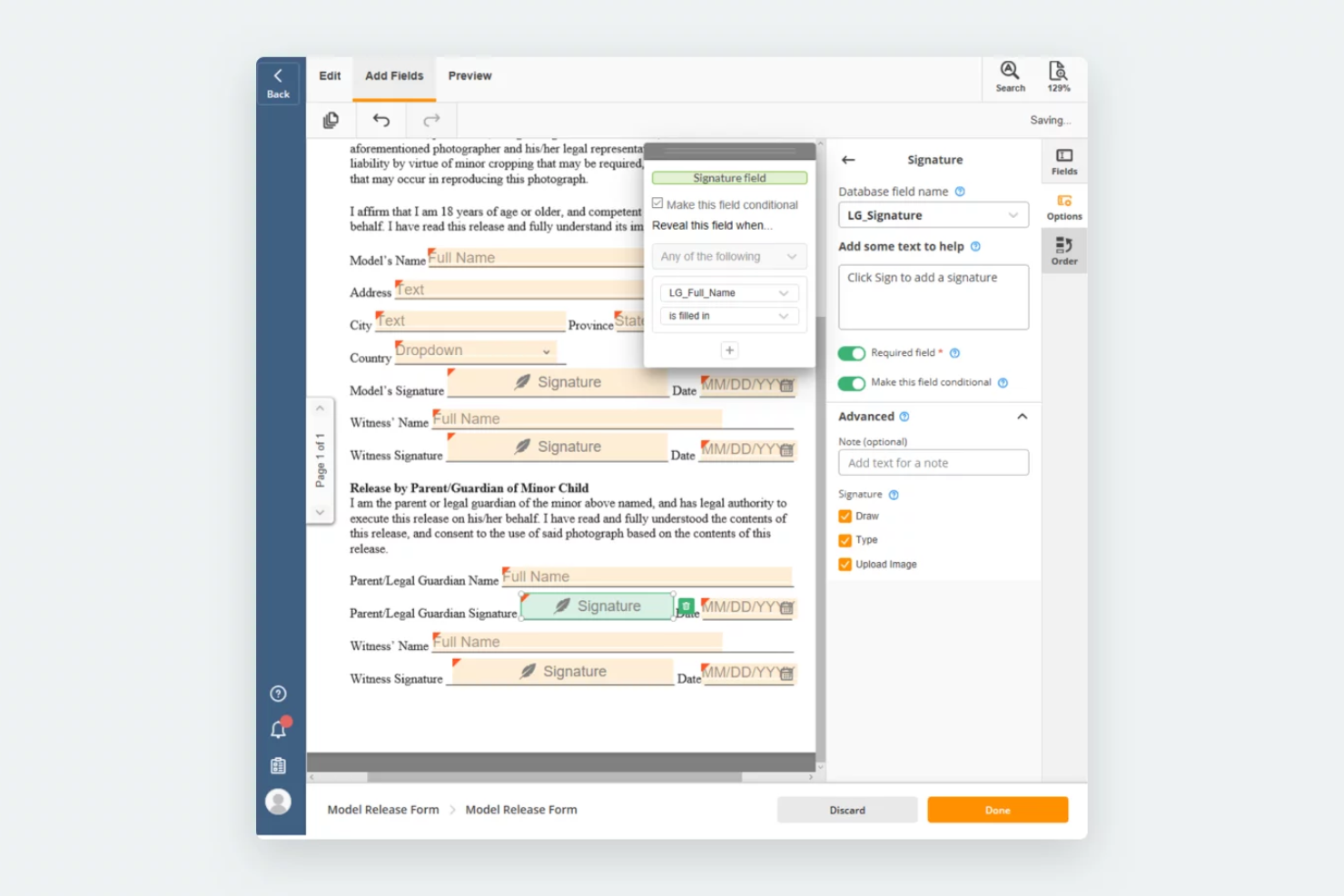
airSlate Workflow is a no-code platform that helps you automate document workflows without needing programming skills. It offers AI features that let you create, route, and sign documents in one place, which makes it easier to manage processes and reduce manual work.
Why I picked airSlate Workflow: I chose this tool because it allows you to build dynamic document packages that adapt automatically based on recipient data. This means you can deliver the right information to the right person without extra steps. I also like that it can pre-fill forms using data from connected databases or Customer Relationship Management (CRM) systems, which helps reduce errors. Its visual workflow builder makes it easy to design and monitor document lifecycles, even if you’re not technical.
Standout features & integrations:
Features include workflow automation that replaces manual tasks, dynamic document creation with conditional logic, and secure attachment of signed documents to connected system records.
Integrations include Salesforce, Microsoft Dynamics 365, Netsuite, UiPath, HubSpot, Google, Airtable, Smartsheet, Magento, Pipedrive, and ServiceNow.
Pros and Cons
Pros:
- Flexible workflow creation options
- Bots save time on routine tasks
- Securely attaches signed documents to records
Cons:
- Some integrations may not work smoothly
- Initial setup can feel complex

TrailHQ
Best for processing unstructured documents
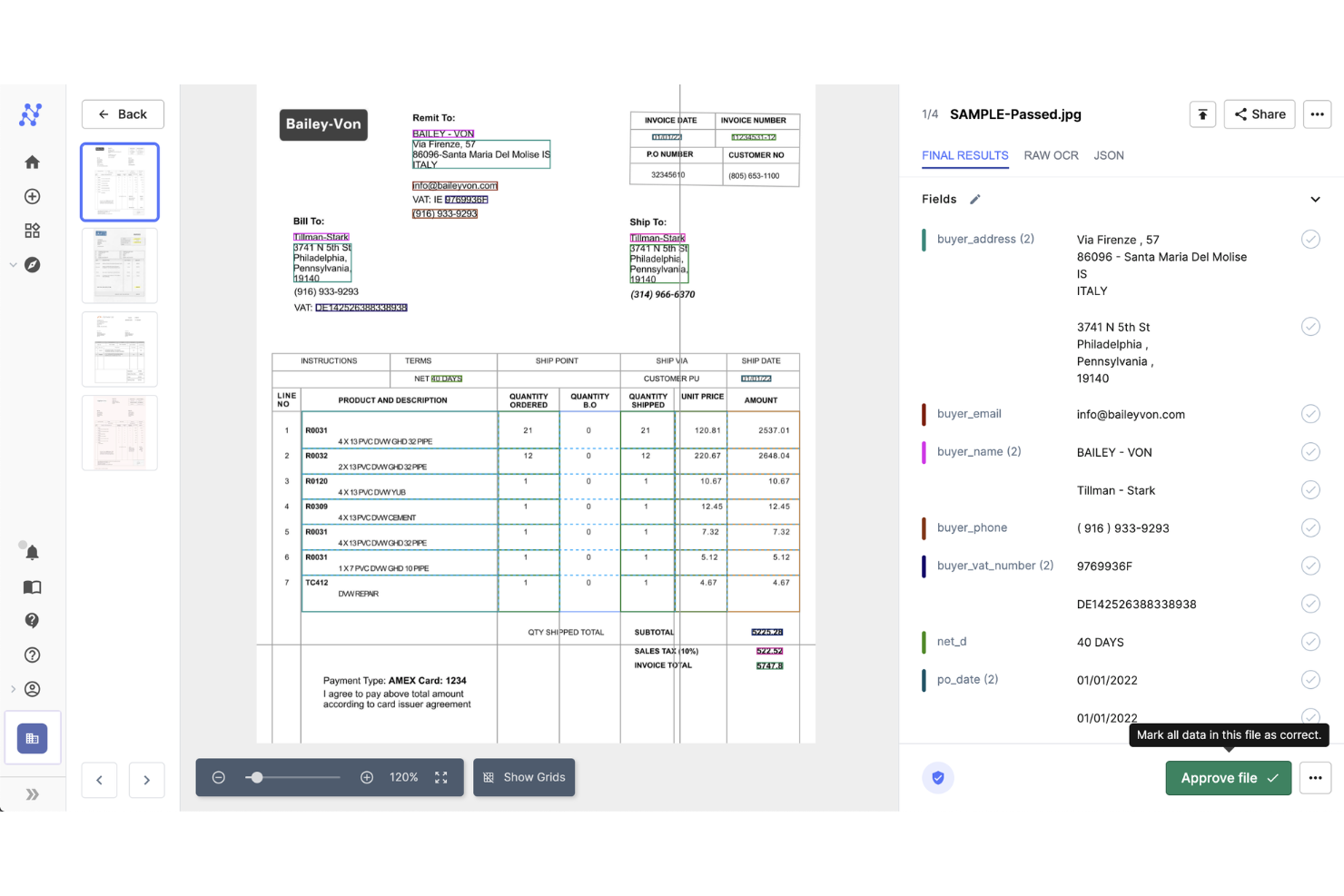
Nanonets is an AI-powered platform designed for document processing and workflow automation, capturing data from various document types such as invoices, receipts, and ID cards.
Why I picked Nanonets: One reason I chose Nanonets is its ability to handle unstructured documents. Unlike traditional OCR tools that require predefined templates, Nanonets' AI reads unseen, semi-structured documents that don’t follow a standard template. This means you can process various document types without the hassle of setting up new templates for each format.
Standout features & integrations:
Features include quick data validation, enabling you to verify extracted information, which helps maintain data accuracy. It also offers end-to-end process automation to help your team process documents faster and more accurately.
Integrations include Google Drive, Zapier, Dropbox, SharePoint, Gmail, Notion, Airtable, SAP, Salesforce, and HubSpot.
Pros and Cons
Pros:
- Recognized for its advanced OCR applications
- Accurate data extraction
- Handles various document types
Cons:
- Limited offline functionality
- Initial setup can be complex

UiPath
Best for robotic process automation
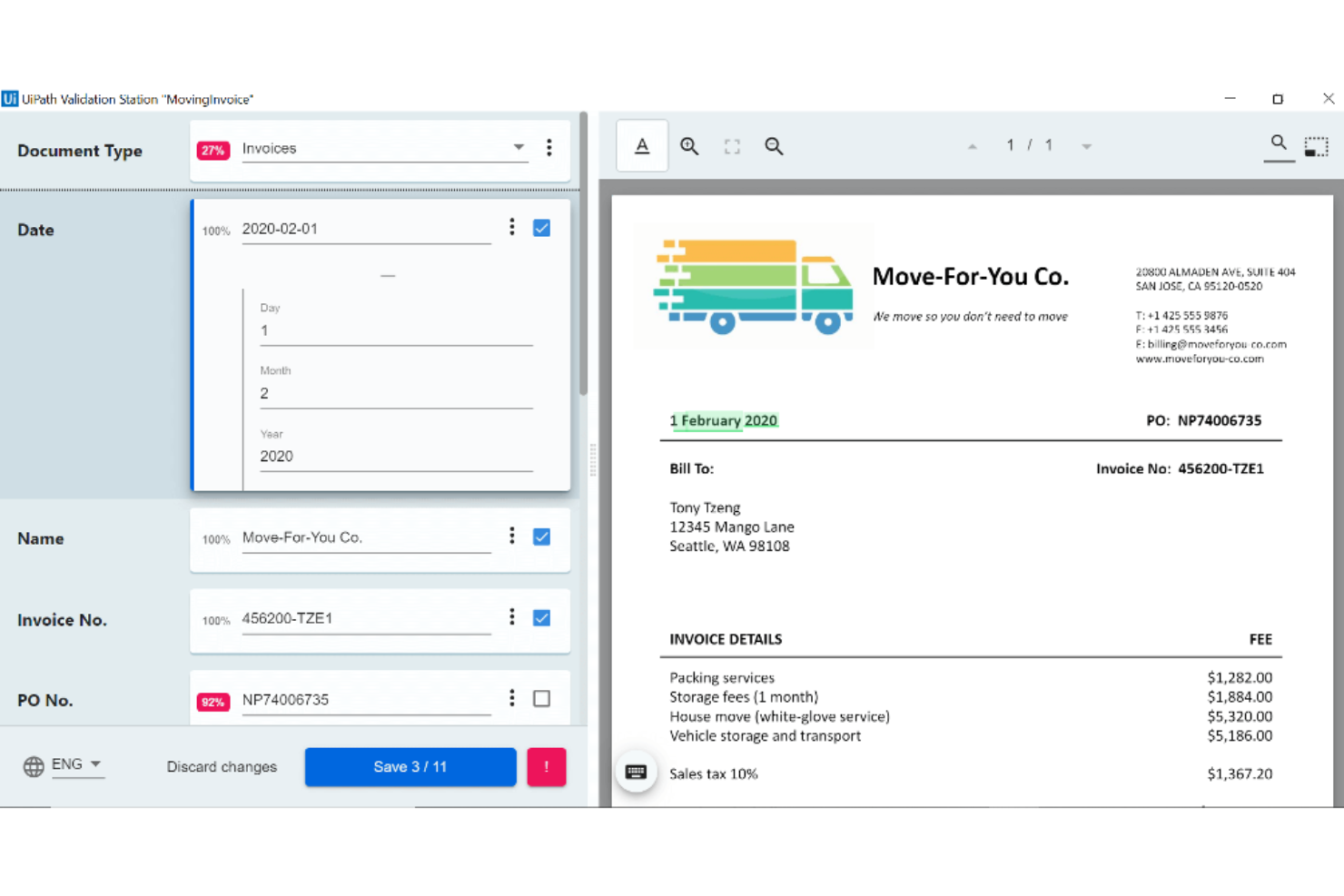
UiPath is a robotic process automation (RPA) tool designed to automate repetitive tasks within businesses. It serves companies that want to improve efficiency by automating routine processes and reducing manual workload.
Why I picked UiPath: It's known for its strong RPA capabilities, which help you automate a wide range of tasks. The tool offers a drag-and-drop interface and is accessible for teams with varying technical skills. UiPath's automation features are flexible and allow you to tailor processes to your specific needs. This focus on automation makes it suitable for you if you want to improve operational efficiency.
Standout features & integrations:
Features include unattended automation, which allows processes to run independently. It also provides real-time analytics that you can use to monitor and optimize your workflows.
Integrations include Salesforce, SAP, Oracle, Microsoft Office, Google Workspace, ServiceNow, AWS, Dropbox, Box, and Slack.
Pros and Cons
Pros:
- Supports unattended automation
- Flexible automation features
- Strong RPA capabilities
Cons:
- Requires technical expertise
- High learning curve

Best for AI-powered document insights
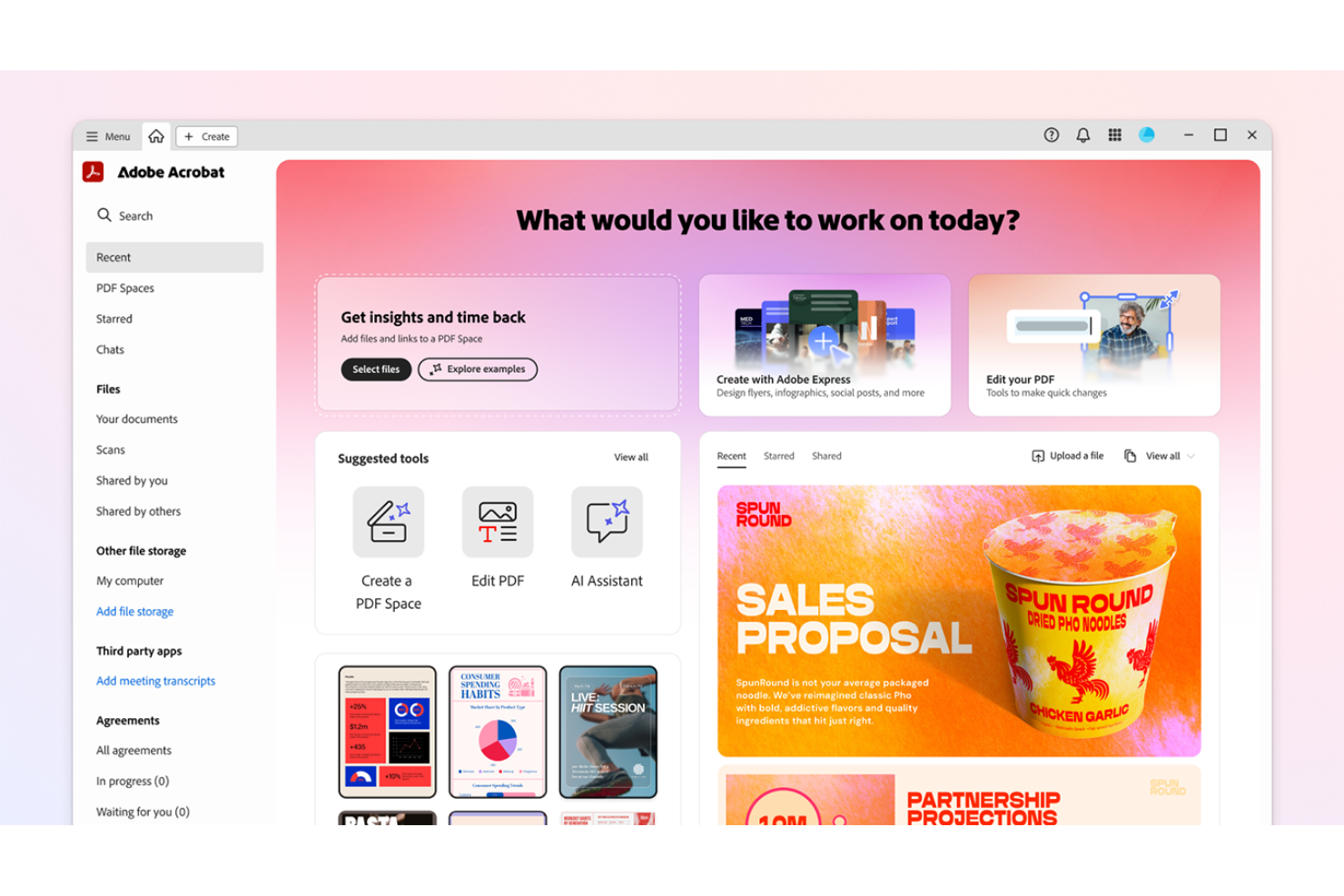
Adobe Acrobat is an intelligent document processing platform for teams that need advanced PDF editing, AI-driven document insights, collaboration tools, and centralized template management.
Who Is Adobe Acrobat Best For?
Adobe Acrobat is a good fit for cross-functional teams in mid-sized to large organizations that need to manage, process, and collaborate on high volumes of digital documents.
Why I Picked Adobe Acrobat
I picked Adobe Acrobat as one of the best because its AI-powered document insights help my team quickly extract key information from large PDF sets. I use features like intelligent search and automated data extraction to surface trends and patterns in contracts and reports. In practice, that means we can analyze and categorize documents at scale without manual review.
Adobe Acrobat Key Features
- PDF editing tools: Edit text, images, and formatting directly within PDF documents.
- E-signature workflows: Collect legally binding electronic signatures on documents.
- Template management: Create, store, and reuse document templates for consistent formatting.
- Commenting and markup: Add comments, highlights, and annotations for team collaboration.
Adobe Acrobat Integrations
Adobe Acrobat offers native integrations with Microsoft 365, Google Drive, Dropbox, Box, and OneDrive. An API is available for custom integrations.
Pros and Cons
Pros:
- Centralized template management for business teams
- Advanced AI-powered document summarization tools
- Real-time PDF collaboration with multiple users
Cons:
- Bulk processing can be slow with large files
- AI features require higher-tier subscriptions

OpenText
Best for enterprise content management
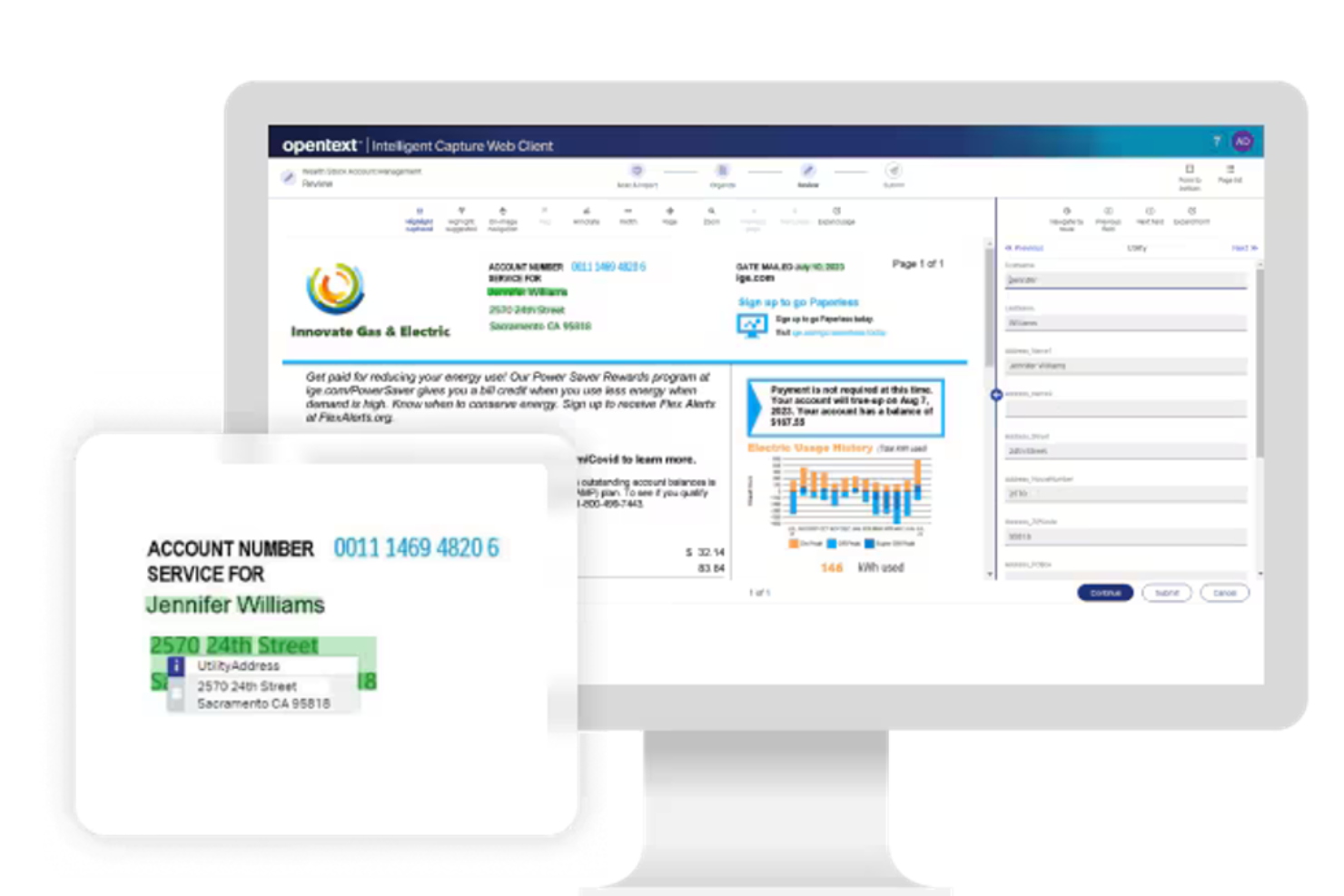
OpenText is a document processing solution designed for enterprises that need efficient content management. It serves large organizations by offering features like AI and automations for document capture and improved data accuracy.
Why I picked OpenText: Its focus on enterprise content management makes it unique. The tool offers advanced capture capabilities to keep data extraction accurate. Its focus on managing large volumes of content makes it ideal for enterprises with extensive documentation needs.
Standout features & integrations:
Features include advanced document capture that increases data accuracy and processing speed. The tool's workflow automation capabilities help you manage document tasks, and it also offers a secure platform to store and manage sensitive documents.
Integrations include SAP, Oracle, Microsoft Dynamics, Salesforce, IBM, Google Workspace, AWS, Box, Dropbox, and SharePoint.
Pros and Cons
Pros:
- Secure platform for sensitive documents
- Advanced document capture
- Strong content management capabilities
Cons:
- Complex for small teams
- High learning curve


Microsoft Power Automate is a workflow automation tool designed for businesses looking to automate repetitive tasks and processes. It primarily serves organizations that are already using Microsoft products, and improves productivity by automating document processing and data flow.
Why I picked Microsoft Power Automate: It's uniquely positioned for those who rely on Microsoft tools, and its ability to integrate with Microsoft 365 allows for smooth task automation across platforms. It makes it easy to set up workflows without extensive technical knowledge. This makes it a great choice for teams that want to increase their efficiency within the Microsoft ecosystem.
Standout features & integrations:
Features include pre-built templates that you can use to quickly create, edit, and manage your workflows and any related document automations. The tool's drag-and-drop interface makes designing workflows straightforward. It also offers mobile access, so you can manage processes on the go.
Integrations include Microsoft Teams, SharePoint, OneDrive, Outlook, Dynamics 365, Azure, Salesforce, Dropbox, Google Drive, and Slack.
Pros and Cons
Pros:
- Mobile app for remote access
- Customizable workflow templates
- Integrates well with Microsoft products
Cons:
- Requires understanding of flow logic
- Limited features outside Microsoft ecosystem
MuleSoft is an integration platform that helps businesses connect applications, data, and devices. It primarily serves enterprises that want to improve connectivity and automate their workflows across different systems.
Why I picked MuleSoft: Its API-led connectivity allows you to connect disparate systems efficiently. The platform also supports building APIs quickly, which allows for seamless data exchange. This makes it ideal for organizations that need to improve their complex IT environments.
Standout features & integrations:
Features include a visual development environment that simplifies the process of creating integrations, AI agents, and scalable API management that can grow with your business. It also provides real-time monitoring so you can maintain consistent performance.
Integrations include Salesforce, SAP, Oracle, Microsoft Dynamics, ServiceNow, Workday, NetSuite, AWS, Google Cloud, and Slack.
Pros and Cons
Pros:
- Visual development tools
- Scalable for large enterprises
- Strong API connectivity
Cons:
- Limited offline capabilities
- Requires technical expertise

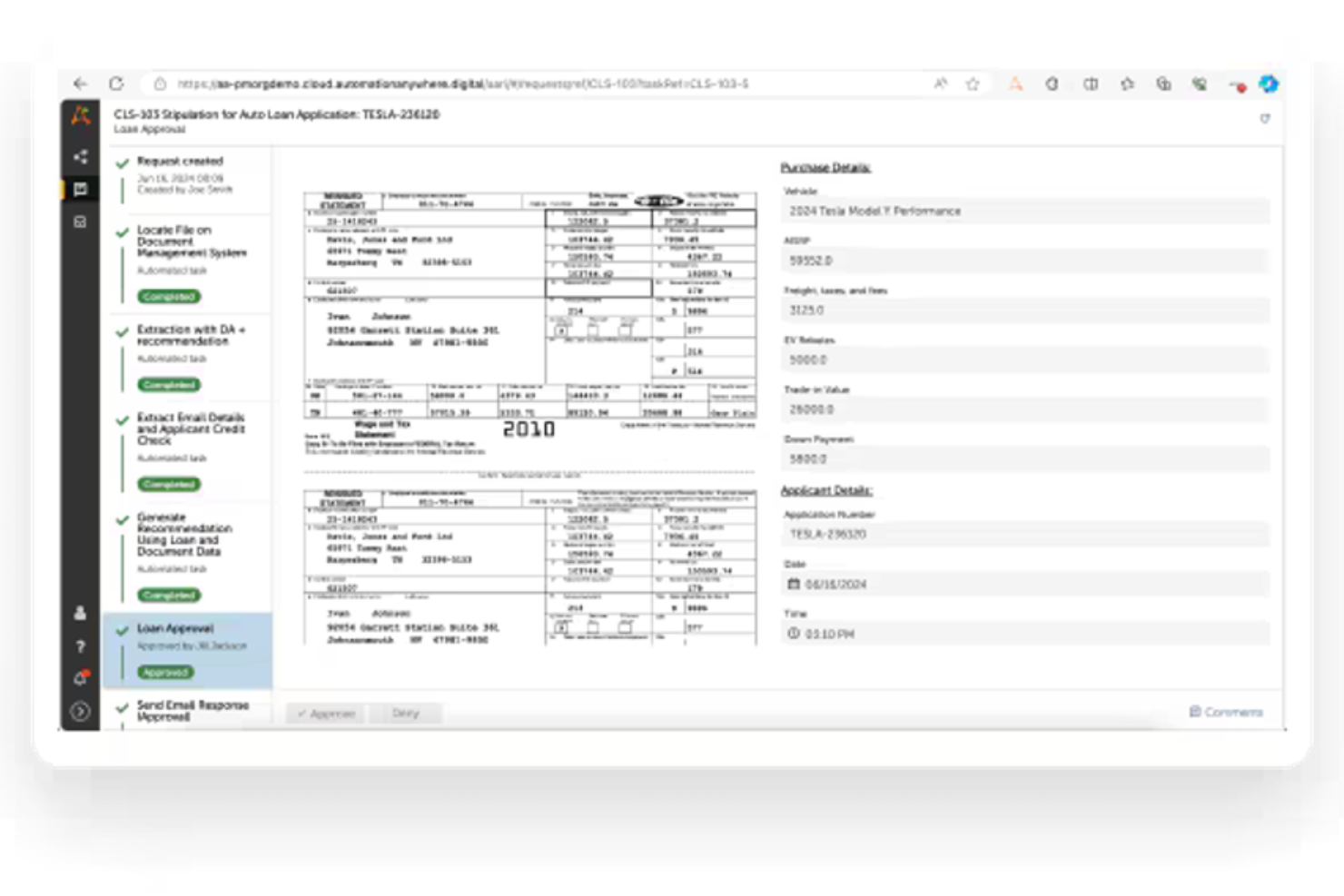
Automation Anywhere is a cloud-native RPA tool designed to automate repetitive tasks and processes. It offers agentic AI features, and primarily serves businesses that want to improve their productivity by reducing manual workload and improving operations.
Why I picked Automation Anywhere: It's known for its cloud-native RPA capabilities, which allow teams to access and manage automation from anywhere. The tool offers a user-friendly interface that makes creating automation processes simpler. Its scalability makes sure it can grow with your business needs. This focus on flexibility and accessibility makes it suitable for organizations that want to optimize their operations.
Standout features & integrations:
Features include a drag-and-drop interface for easily building automation workflows, and it also supports the ability to create bots to carry out automations. The tool also includes analytics to track and improve automation performance.
Integrations include Microsoft Office, Salesforce, SAP, Oracle, Google Workspace, ServiceNow, Workday, Dropbox, Box, and Slack.
Pros and Cons
Pros:
- Supports complex task automation
- Scalable for growing businesses
- Cloud-native platform
Cons:
- Limited offline capabilities
- High learning curve
Diğer Akıllı Yapay Zekâ Belgesi İşleme Yazılımları
Kısa listeme giremeyen ancak yine de göz atmaya değer bazı ek akıllı yapay zekâ belgesi işleme yazılımı seçenekleri şunlardır:
- ABBYY
For accurate data capture
- Hyland IDP
For healthcare compliance
- Conga
For contract lifecycle management
- Templafy
For brand compliance
- AntWorks
For cognitive automation
- NeuralSpace
For multilingual document processing
- DocuPipe
For custom layout data extraction
- Work.AI by WorkFusion
For AI-driven decision-making
- Document360
For scaling documentation efforts
- ProcessMaker
For workflow automation


How I Evaluate Intelligent Document Processing Software
I evaluate these tools in two layers: core capabilities that qualify a vendor, and differentiators that determine which tools fit how project teams actually process contracts, SOWs, and invoices.
Core Functionality (Table Stakes For This List)
When I'm selecting tools for my list, I rank each one on a scale from 0 (does not offer the functionality) to 5 (excels in this area) for each core functionality listed below. Then, I calculate the tool's total score into a percentage. Each tool needs to achieve a minimum total score of 65% to be considered for inclusion.
- OCR & Data Capture: I check whether a tool can accurately extract text, tables, and field values from scanned contracts, invoices, and low-quality PDFs common in project documentation.
- AI/ML Document Classification: Each platform should automatically sort incoming files—SOWs, change orders, purchase orders—into the right category without relying solely on rigid templates.
- Structured Data Output: I look for configurable output formats like JSON, CSV, or direct database mapping so extracted project data flows cleanly into downstream reporting tools.
- Workflow Automation: Routing a vendor invoice through budget approval or escalating a flagged contract clause should be triggerable based on extracted data, not manual intervention.
- Integration Capabilities: I evaluate whether the tool connects to project management and storage platforms like Jira, Procore, SharePoint, or SAP through native connectors or open APIs.
- Human-in-the-Loop Validation: A clear review interface matters—project teams need side-by-side views to verify extracted fields, flag exceptions, and correct errors before data is finalized.
Once I have a list of tools that meet this criteria, I consider what sets each platform apart.
Differentiating Factors (What Sets Vendors Apart)
Here's how I compare and contrast different vendors:
Standout Features
I look for generative AI querying that lets project managers ask plain-language questions across processed documents—like pulling the liability cap from a 40-page SOW without scrolling. Multi-document comparison is another differentiator, especially for teams reviewing contract revisions or competing vendor bids side by side. Pre-built models for common project documents like invoices, change orders, and RFIs also matter because they cut setup time and get teams producing results faster.
Beyond Features
Pricing transparency matters a lot here—I check whether costs are tied to page volume, users, or documents, because a PMO processing thousands of invoices monthly needs predictable billing without surprise overages. Security and compliance certifications like SOC 2 Type II and ISO 27001 are worth verifying, especially when handling sensitive contracts or vendor agreements. I also evaluate accuracy and continuous learning: platforms that retrain extraction models based on human corrections tend to improve over time, which pays off as document volume scales across a portfolio.
Akıllı Yapay Zekâ Belgesi İşleme Yazılımı Nasıl Seçilir?
Uzun özellik listeleri ve karmaşık fiyatlandırma yapıları arasında kaybolmak kolaydır. Kendinize özgü yazılım seçim sürecinizi yürütürken odaklanmanıza yardımcı olmak için göz önünde bulundurmanız gereken faktörleri içeren bir kontrol listesi hazırladım:
| Faktör | Göz önünde bulundurulması gerekenler |
|---|---|
| Ölçeklenebilirlik | Yazılımın işletmenizle birlikte büyüyebildiğinden ve performanstan ödün vermeden artan belge hacmini işleyebildiğinden emin olun. |
| Entegrasyonlar | Verimli bir iş akışını korumak için CRM veya ERP gibi mevcut sistemlerinizle sorunsuz şekilde entegre olduğundan emin olun. |
| Özelleştirilebilirlik | Yazılımı belirli süreçlerinize ve sektör ihtiyaçlarınıza göre uyarlamanıza, böylece ekibinize daha uygun hâle getirmenize olanak tanıyan seçenekleri arayın. |
| Kullanım Kolaylığı | Kullanıcı arayüzünün sezgisel olduğundan emin olmak ve ekibinizin eğitim için harcadığı zamanı azaltarak verimliliği artırmak için arayüzü değerlendirin. |
| Bütçe | Temel özelliklerden ödün vermeden mali sınırlarınız içinde kaldığından emin olmak için gizli ücretler de dâhil olmak üzere toplam maliyeti göz önünde bulundurun. |
| Güvenlik Önlemleri | Özellikle gizli belgelerle çalışıyorsanız hassas verileri korumak için yazılımın güvenlik önlemlerini doğrulayın. |
| Destek Hizmetleri | Bir sorun yaşanması durumunda ekibinize yardımcı olmak için müşteri desteğinin ve öğreticiler ya da SSS gibi kaynakların mevcut olup olmadığını değerlendirin. |
| Performans Ölçütleri | Belge işleme verimliliğini izlemek ve iyileştirme alanlarını belirlemek için yazılımın içgörüler ve analizler sunma becerisini göz önünde bulundurun. |
Akıllı Yapay Zekâ ile Belge İşleme Yazılımı Nedir?
Akıllı yapay zekâ ile belge işleme yazılımı, dijital veya taranmış belgeleri okumak, sıralamak ve bu belgelerden veri çekmek için makine öğrenimi ve otomasyon kullanan bir araçtır. Bu araçlar, genellikle çok miktarda evrakı hızlı ve doğru bir şekilde yönetmesi gereken proje yöneticileri, operasyon ekipleri ve yöneticiler tarafından kullanılır.
Belge sınıflandırma, veri çıkarma ve OCR gibi özellikler manuel görevleri azaltmaya, düzeni korumaya ve hataları düşürmeye yardımcı olur. Genel olarak bu araçlar ekiplerin zamandan tasarruf etmesini ve kaynaklarını daha verimli kullanmasını sağlar.
Akıllı Yapay Zekâ ile Belge İşleme Yazılımının Özellikleri
Akıllı yapay zekâ ile belge işleme yazılımı seçerken aşağıdaki temel özelliklere dikkat edin:
- Veri çıkarma: Belgelerdeki ilgili bilgileri otomatik olarak çeker; bu da zamandan tasarruf sağlar ve manuel veri girişi hatalarını azaltır.
- Doğal dil işleme: Karmaşık metinleri anlamaya ve işlemeye yardımcı olarak belge yönetimindeki doğruluğu artırır.
- Yapay zekâ destekli içgörüler: Verilerden eyleme geçirilebilir içgörüler sunarak hızlı karar almayı kolaylaştırır.
- Gerçek zamanlı iş birliği: Birden fazla kullanıcının belgeler üzerinde aynı anda çalışmasına olanak tanır ve üretkenliği ve ekip çalışmasını geliştirir.
- İş akışı otomasyonu: Belgeyle ilgili iş süreçlerini iyileştirir ve operasyonlardaki verimliliği ve tutarlılığı artırır. Bu amaçla belge otomasyonu yazılımı da kullanabilirsiniz.
- Bulut tabanlı erişim: Dijital çalışma alanlarının ihtiyaçlarını karşılayan esneklik ve uzaktan erişim sunar.
- Gelişmiş güvenlik: Hassas verileri şifreleme ve uyumluluk özellikleriyle korur.
- Belge sınıflandırma: Belgeleri otomatik olarak düzenler ve kategorilere ayırarak erişmeyi ve yönetmeyi kolaylaştırır.
- Özelleştirilebilir şablonlar: Kullanıcıların belge şablonlarını belirli iş ihtiyaçlarına göre uyarlamasını sağlar ve tutarlılığı artırır.
- Analiz ve raporlama: Belge işleme ölçümlerini takip eder ve optimizasyon ile performans iyileştirmeleri için içgörüler sunar.
Akıllı Yapay Zekâ ile Belge İşleme Yazılımının Faydaları
Akıllı yapay zekâ ile belge işleme yazılımını uygulamak ekibiniz ve işletmeniz için çeşitli faydalar sağlar. Yararlanabileceğiniz bazı avantajlar şunlardır:
- Artan verimlilik: Veri çıkarma gibi tekrarlayan görevleri otomatikleştirerek ekibinizin zamandan ve emekten tasarruf etmesini sağlar.
- Gelişmiş doğruluk: Yapay zekâ destekli içgörüler ve doğal dil işleme gibi özelliklerle manuel hataları azaltır.
- Artan iş birliği: Gerçek zamanlı iş birliği araçları birden fazla ekip üyesinin birlikte çalışmasına olanak tanır ve üretkenliği artırır.
- Daha iyi veri güvenliği: Gelişmiş güvenlik önlemleri hassas bilgileri korur ve düzenlemelere uyumlu olmanızı sağlar.
- Ölçeklenebilirlik: Bulut tabanlı çözümler işletmenizle birlikte büyür ve performans kaybı olmadan artan belge hacimlerini karşılayabilir.
- Daha hızlı karar alma: Analiz ve raporlama özellikleri eyleme geçirilebilir içgörüler sunar ve ekibinizin hızlı bir şekilde bilinçli kararlar almasına yardımcı olur.
- Düzenli belge yönetimi: Otomatik sınıflandırma ve özelleştirilebilir şablonlar belgelerinizi düzenli ve kolay erişilebilir tutar.
Akıllı Yapay Zekâ ile Belge İşleme Yazılımının Maliyetleri ve Fiyatlandırması
Aşağıdaki tablo, akıllı yapay zekâ ile belge işleme yazılımı çözümlerinde yaygın planları, bunların ortalama fiyatlarını ve genellikle dahil edilen özellikleri özetlemektedir:
| Plan Türü | Ortalama Fiyat | Yaygın Özellikler |
|---|---|---|
| Ücretsiz Plan | $0 | Sınırlı veri çıkarma, temel belge depolama ve minimum düzeyde destek |
| Kişisel Plan | $5 - $25/kullanıcı/ay | Veri çıkarma, belge sınıflandırma ve temel iş akışı otomasyonu |
| İşletme Planı | $30-60/kullanıcı/ay | Gelişmiş veri çıkarma, iş akışı otomasyonu, iş birliği araçları ve güvenlik özellikleri |
| Kurumsal Plan | $75-$150/kullanıcı/ay | Tam özellikli otomasyon, gelişmiş analiz, özel entegrasyonlar ve ayrıcalıklı destek |
Akıllı yapay zekâ belge işleme yazılımı SSS'leri
Akıllı yapay zekâ belge işleme yazılımı hakkında sık sorulan soruların bazı yanıtları:
Akıllı yapay zekâ belge işleme ne kadar doğrudur?
Akıllı belge işleme, yüksek doğruluk oranıyla bilinir. Bu doğruluk; verileri ayıklamak ve doğrulamak, ayrıca belge işlemede hassasiyeti korumak için birlikte çalışan doğal dil işleme, optik karakter tanıma ve makine öğrenimi gibi gelişmiş teknolojiler sayesinde elde edilir.
IDP'nin yetenekleri nelerdir?
IDP, verileri yakalayıp bağlamlandırmak için otomasyonu, yukarıdaki soruda belirtilen teknolojilerle birleştirir. Bu, belgeleri işlerken daha yüksek doğruluk ve verimlilik sağlar; işletmelerin tekrarlayan görevleri otomatikleştirmesine ve daha stratejik faaliyetler için zaman kazanmasına olanak tanır.
IDP, geleneksel OCR'dan nasıl farklıdır?
Geleneksel OCR, taranmış belgeleri okunabilir metne dönüştürürken IDP, içeriği anlayıp işleyerek bunun ötesine geçer. Örüntüleri ve bağlamı tanımak için yapay zekâ kullanır ve karmaşık belge biçimlerini bile işleyebilir. Bu özellik, daha karmaşık görevleri otomatikleştirmenize yardımcı olur.
IDP birden fazla belge türünü işleyebilir mi?
Evet, IDP faturalar ve sözleşmelerden e-postalara ve formlara kadar çok çeşitli belge türlerini işleyebilir. Bu esneklik, işletmeniz çeşitli belge türleriyle çalışıyorsa onu değerli bir araç hâline getirir.
IDP çözümlerinde veri güvenliği nasıl yönetilir?
IDP çözümleri veri güvenliğini şifreleme, erişim denetimleri ve düzenlemelere uyumluluk yoluyla yönetir. Bu önlemler, hassas bilgilerin yetkisiz erişime karşı korunmasını sağlar.