

2026’da İncelenen Serbest Çalışanlar İçin En İyi 10 Ücretsiz Zaman Takip Uygulaması

Serbest Çalışanlar İçin En İyi Ücretsiz Zaman Takibi Uygulamaları Kısa Listesi


Serbest çalışan olarak zamanınızı verimli bir şekilde yönetmek kritik önem taşır. Birden fazla projeyle ilgilenirken çalışma saatlerini takip etmek zor olabilir. Ücretsiz serbest çalışan zaman takibi uygulamaları tam da bu noktada işe yarar; masraflarınızı artırmadan çalışmalarınızı kaydetmenize yardımcı olur.
Bu araçları test etme deneyimimde, düzenli kalmanıza ve doğru faturalandırma yapmanıza nasıl yardımcı olabildiklerini gördüm. Bütçenizi aşmadan ihtiyaçlarınıza uygun bir çözüme ihtiyacınız var.
Bu makalede, ücretsiz zaman takibi uygulamaları arasından en iyi seçimlerimi paylaşacağım. Araştırmayı ben yaptım; böylece siz işinize odaklanabilirsiniz. Sizin ve ekibiniz için doğru aracı bulalım.
Why Trust Our Software Recommendations
Our team has been testing and reviewing software since 2012. As project managers ourselves, we know how difficult—and important—it is to choose the right software.
For this guide, we evaluated tools using hands-on testing and independent research, scoring tools using our selection criteria. We also draw on insights from industry thought leaders and practicing project management experts.
Our reviews reflect our human editorial judgment, not a sales pitch.
Expert reviewers:
Karşılaştırma Tablosu: Serbest Çalışanlar İçin Ücretsiz Zaman Takibi Uygulamaları
Kısa listeme giren araçların her biri için temel ücretler aşağıda yer alıyor:
| Tool | Starting Price | Website | |
|---|---|---|---|
| Best for automatic productivity analysis | 4.5 out of 5 | $6.42/user/month Free trial available | Website |
| Best for browser extension tracking | 4.8 out of 5 | $4.99/user/month Free plan + 7-day trial + demo available | Website |
| Best for project management | 4.8 out of 5 | $5/user/month Free plan + 14-day free trial + free demo available | Website |
| Best for mobile access | 4.8 out of 5 | Pricing upon request Free plan + free demo available | Website |
| Best for automated tracking | 4.7 out of 5 | $3.99/user/month Free plan + free trial + free demo available | Website |
| Best for integration options | 4.7 out of 5 | $8.50/user/month Free plan + 14-day free trial available | Website |
| Best for unlimited users | 4.5 out of 5 | $3.75/user/month Free plan + free demo + 14-day free trial available | Website |
| Best for invoicing tools | 4.6 out of 5 | $11.95/month Free plan + 14-day free trial available | Website |
| Best for simplicity | 4.6 out of 5 | $14/month 14-day free trial | Website |
| Best for freelancers | 4.6 out of 5 | $9/user/month 7-day free trial | Website |
Serbest Çalışanlar İçin En İyi Ücretsiz Zaman Takibi Uygulamaları İncelemeleri
Aşağıda, kısa listeme giren serbest çalışanlar için en iyi ücretsiz zaman takibi uygulamalarına ilişkin ayrıntılı özetlerimi bulabilirsiniz. İncelemelerim, sizin için en iyi seçeneği bulmanıza yardımcı olmak amacıyla her aracın temel özelliklerine, artılarına ve eksilerine, entegrasyonlarına ve ideal kullanım alanlarına ayrıntılı bir bakış sunuyor.
Bu araçlardan bazıları tamamen ücretsiz bir sürüm sunarken bazıları ücretsiz deneme süresi sunuyor. İncelemelerimin her birine nelerin ücretsiz olduğuna dair bir not ekledim.

DeskTime
Best for automatic productivity analysis
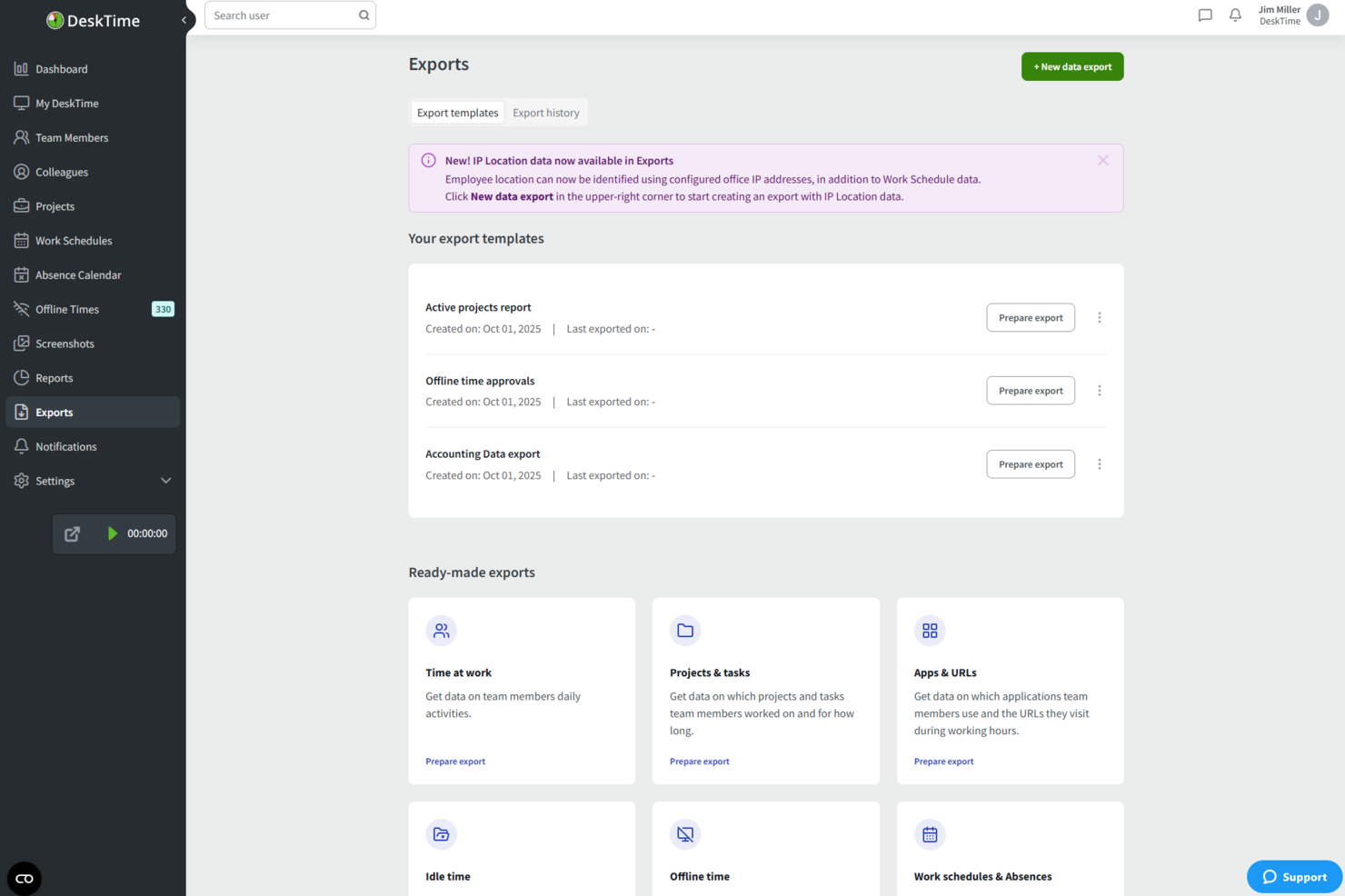
DeskTime is an automatic time tracking tool that monitors app, website, and document usage, logs offline time, and tracks hours across projects—all without requiring manual input.
Who Is DeskTime Best For?
DeskTime is a good fit for freelancers and small teams who want hands-off time tracking without logging hours manually.
Why I Picked DeskTime
DeskTime earns its spot on my shortlist because I love how its productivity analysis runs without any manual setup. The app automatically categorizes every app and URL you use as productive, unproductive, or neutral, then calculates a real-time productivity percentage for your workday. I find the document title tracking especially useful: it logs which specific files you're working in, not just which app is open, giving you a granular view of where your hours actually go.
DeskTime Key Features
- Project time tracking: Log hours against specific projects and tasks directly from the desktop app.
- Offline time tracking: Manually record time spent on non-computer activities, like calls or meetings.
- Time reports: Generate detailed reports of tracked hours, filterable by date, project, or team member.
- Pomodoro timer: Use the built-in timer to structure work into focused intervals with scheduled breaks.
DeskTime Integrations
DeskTime offers native integrations with Google Calendar, Outlook Calendar, Trello, GitLab, Asana, and Jira, and it connects with Zapier. An API is also available for custom integrations.
What's Free?
DeskTime doesn't offer a free-forever plan, but it does provide a 14-day free trial. Paid plans start at $6.42 per user per month (billed annually) on the Pro plan.
Pros and Cons
Pros:
- Built-in Pomodoro timer for focus sessions
- Categorizes apps as productive or unproductive
- Tracks time automatically without manual input
Cons:
- Dashboard interface feels visually dated
- Free plan limited to one user

Clockify
Best for browser extension tracking
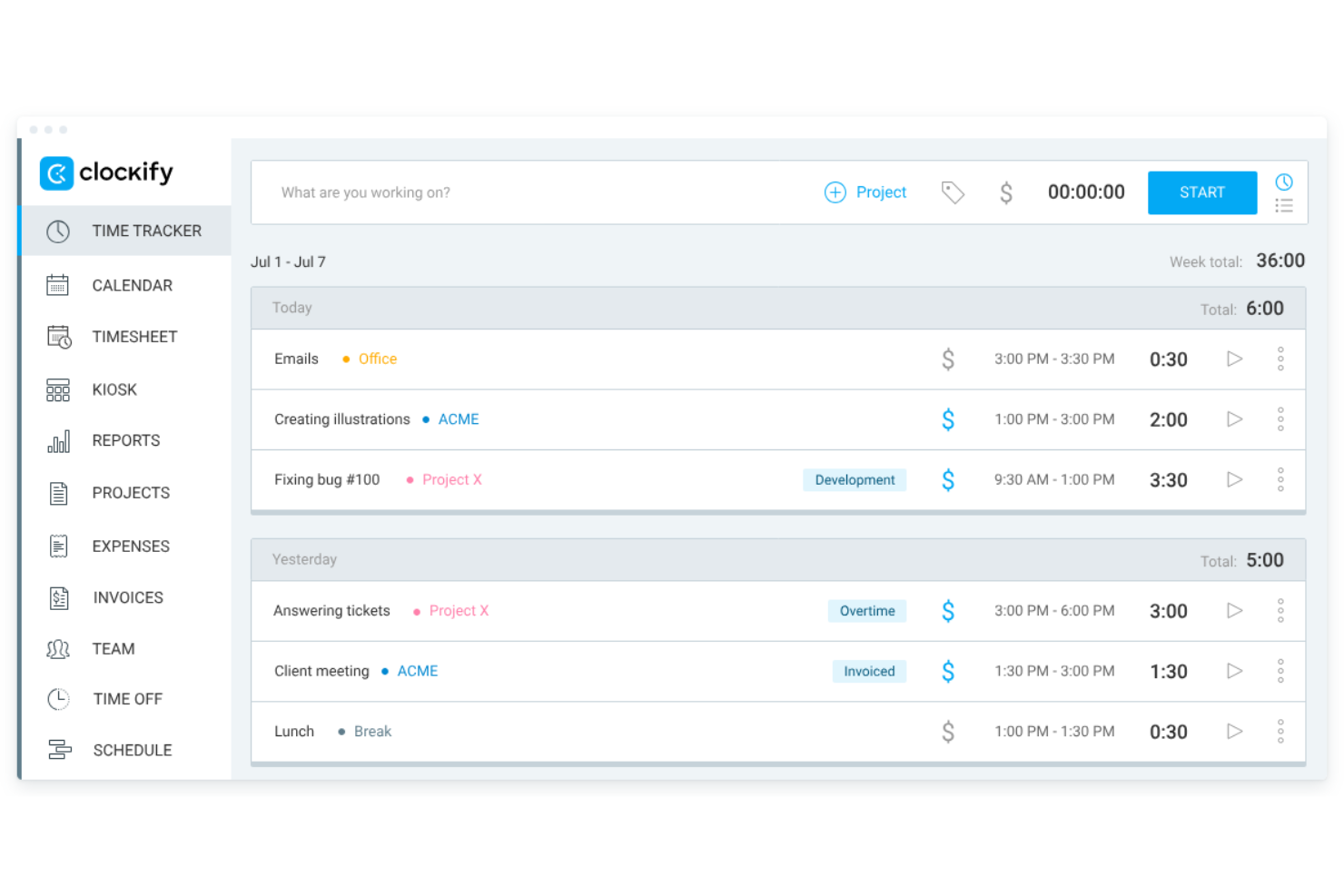
Clockify is a time tracking app designed for freelancers and contractors. It allows users to track billable hours, manage budgets, and create invoices. This tool is ideal for freelancers who need to organize their projects and assess productivity without additional costs.
Why I picked Clockify: I selected Clockify because its browser extension allows freelancers to log hours directly inside their existing toolstack without interrupting daily workflows. The extension embeds a quick-start timer straight into web apps, preventing manual tracking friction. This makes it ideal for independent contractors who need to track project time on the fly while keeping administrative setup minimal.
Standout Features and Integrations:
Features include timekeeping through timers and timesheets, invoicing capabilities, and detailed reporting on weekly activity. You can also manage budgets and assess productivity levels efficiently. The app's straightforward setup process helps you get started quickly.
Integrations include Asana, Trello, Jira, monday.com, QuickBooks, Zapier, Notion, Google Calendar, and more.
What's free? Clockify offers a free-forever plan that includes core time-tracking, timesheet management, and reporting tools for up to 5 users, though advanced administrative controls, billing features, and custom approvals require a paid plan.
Pros and Cons
Pros:
- Broad cross-platform device and extension support
- Allows easy-to-set hourly rates
- Offers timer button in web browsers
Cons:
- Clunky mobile app
- Limited free features

My Hours
Best for project management

My Hours is a project management tool tailored for freelancers and small teams. It allows users to track time, manage tasks, and oversee projects efficiently. This tool is perfect for those who want to organize their project workflows and boost productivity.
Why I picked My Hours: The free plan provides essential project management features that cater to freelancers' needs. You can manage unlimited projects and tasks, making it flexible for various work scenarios. The tool includes project time tracking with detailed reporting, helping you understand where time is spent. Its user-friendly interface simplifies the process of setting up and managing projects.
Standout Features and Integrations:
Features include task management, where you can break down projects into smaller tasks and allocate time. You can also generate detailed reports to analyze project performance and profitability. The invoicing feature helps you bill clients accurately based on tracked hours.
Integrations include Google Calendar, QuickBooks, Asana, Zapier, Basecamp, and more.
What's free? My Hours offers a free-forever plan that supports unlimited projects and tasks, with some limitations on advanced features.
Pros and Cons
Pros:
- Task management
- Detailed reporting
- Unlimited projects
Cons:
- Mobile app can be sluggish
- Limited free plan features

Jibble
Best for mobile access
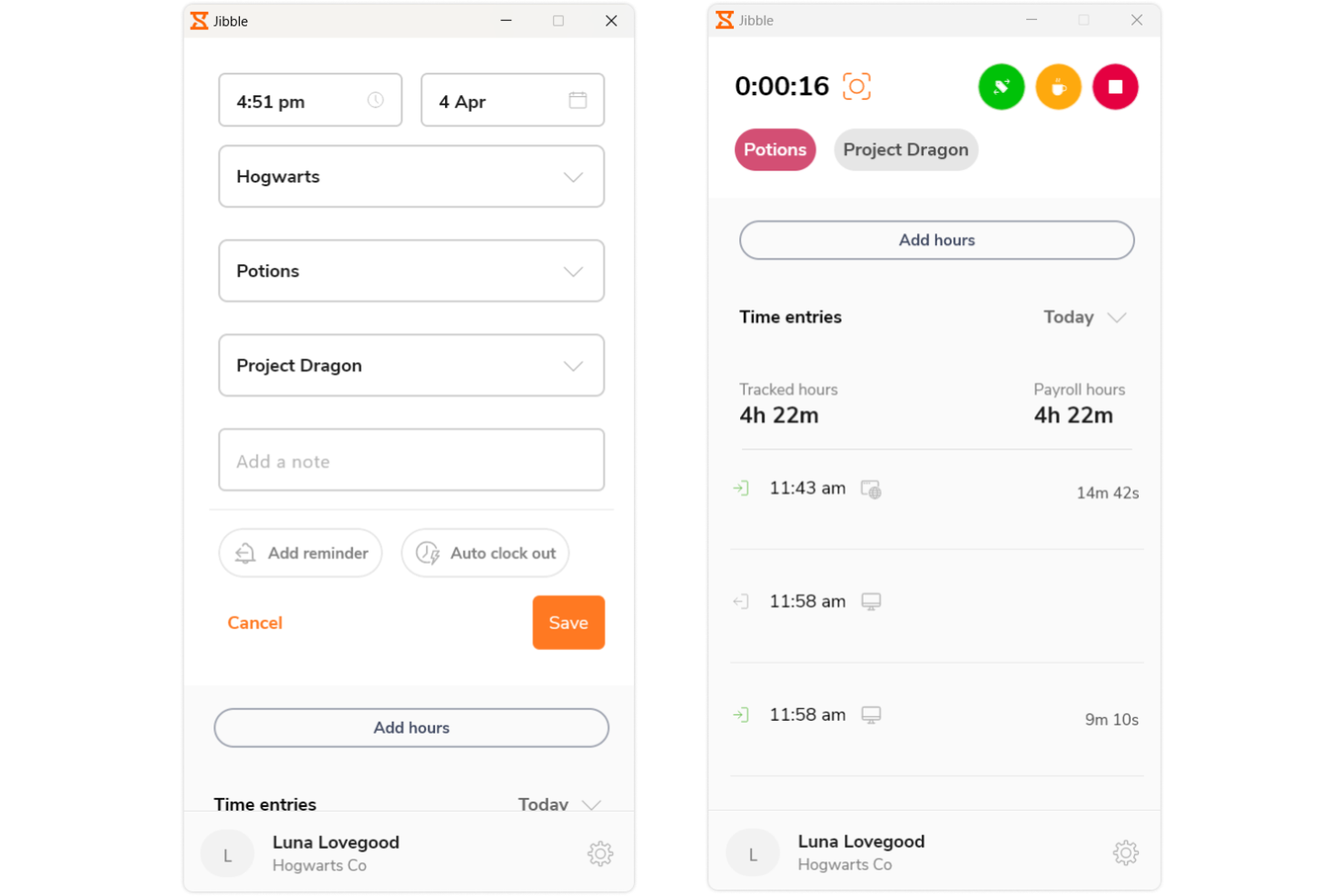
Jibble is a time tracking and attendance software tailored for teams and freelancers. It provides easy clock-in and clock-out functionality, ideal for managing work hours on the go. This tool serves users who need a mobile-friendly solution for tracking time efficiently.
Why I picked Jibble: The free version offers mobile access, allowing you to track time from anywhere. You can clock in and out using your smartphone, making it convenient for remote work. The app includes facial recognition for secure and accurate attendance tracking. With the ability to manage multiple teams, it's a flexible solution for freelancers and small businesses.
Standout Features and Integrations:
Features include facial recognition, which ensures secure clock-ins, and GPS tracking for location-based attendance management. You can also access timesheets for detailed work hour analysis. The tool provides activity tracking to monitor productivity levels effectively.
Integrations include Slack, Microsoft Teams, Google Calendar, Zapier, and more.
What's free? Jibble offers a free-forever plan with mobile access and attendance tracking features, without major restrictions.
Pros and Cons
Pros:
- Detailed timesheet
- Facial recognition security
- Mobile clock-in and out
Cons:
- No offline functionality
- Basic dashboard flexibility

TimeCamp
Best for automated tracking
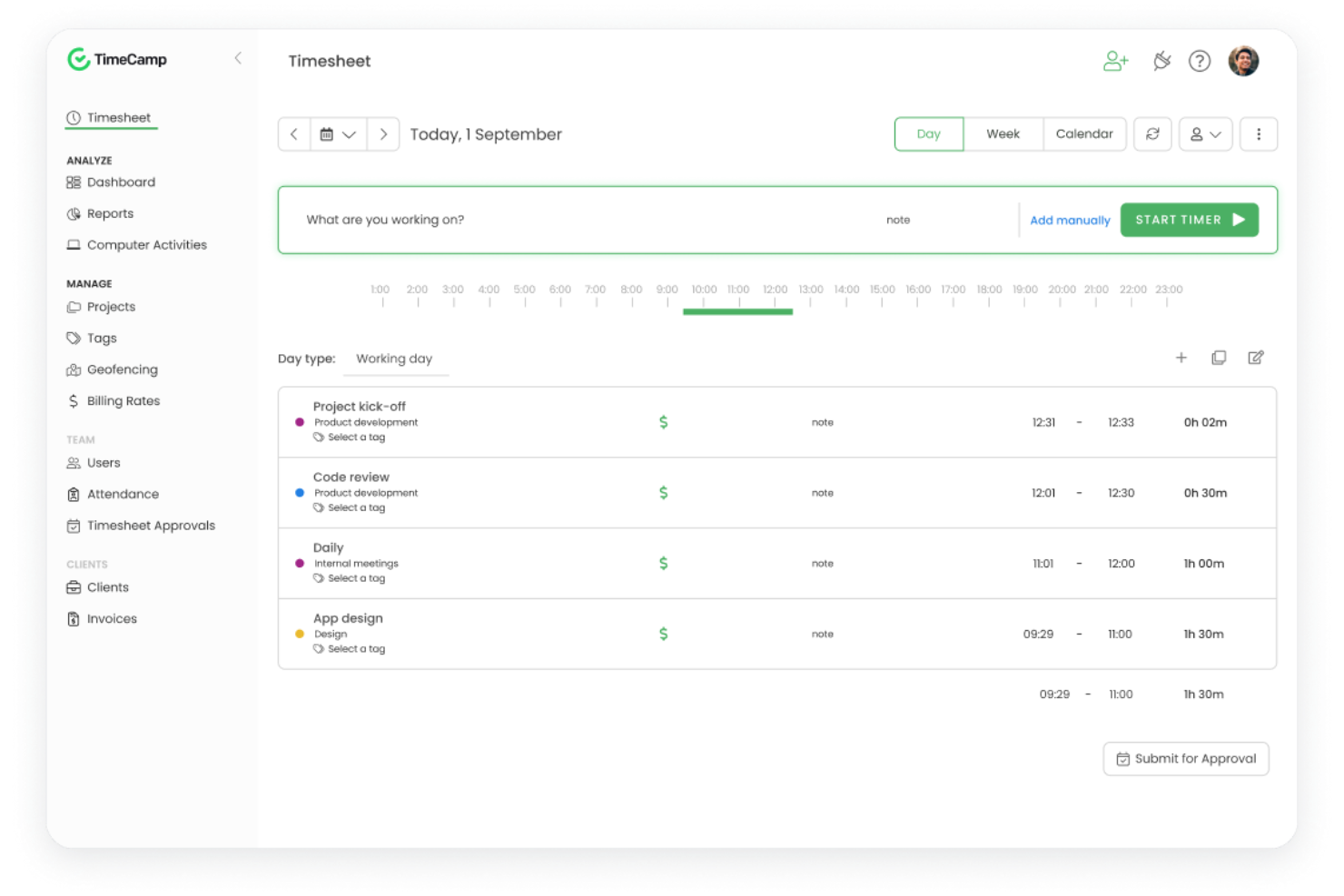
TimeCamp is a time tracking software tailored for freelancers and small businesses. It provides automatic time tracking and reporting, making it easier to manage projects and billing. This tool is ideal for users who want to automate time management tasks and increase productivity.
Why I picked TimeCamp: The free version features automated tracking, which eliminates the need for manual time entries. You can benefit from the tool's ability to categorize activities automatically, saving you time and effort. It offers detailed reports that help you analyze how time is spent across different projects. The tool also includes a single-user plan, allowing freelancers to access its capabilities without cost.
Standout Features and Integrations:
Features include the ability to track time automatically based on user activity, which helps reduce manual errors. You can also set goals and monitor project progress with visual dashboards. The reporting feature allows you to create custom reports for better insights into your work patterns.
Integrations include Asana, Trello, Jira, Slack, QuickBooks, Zapier, and more.
What's free? TimeCamp offers a free-forever plan with automated tracking and reporting features for unlimited users.
Pros and Cons
Pros:
- Custom report creation
- Visual dashboards
- Automated time tracking
Cons:
- Busy user interface
- Occasional sync lag

Everhour
Best for integration options
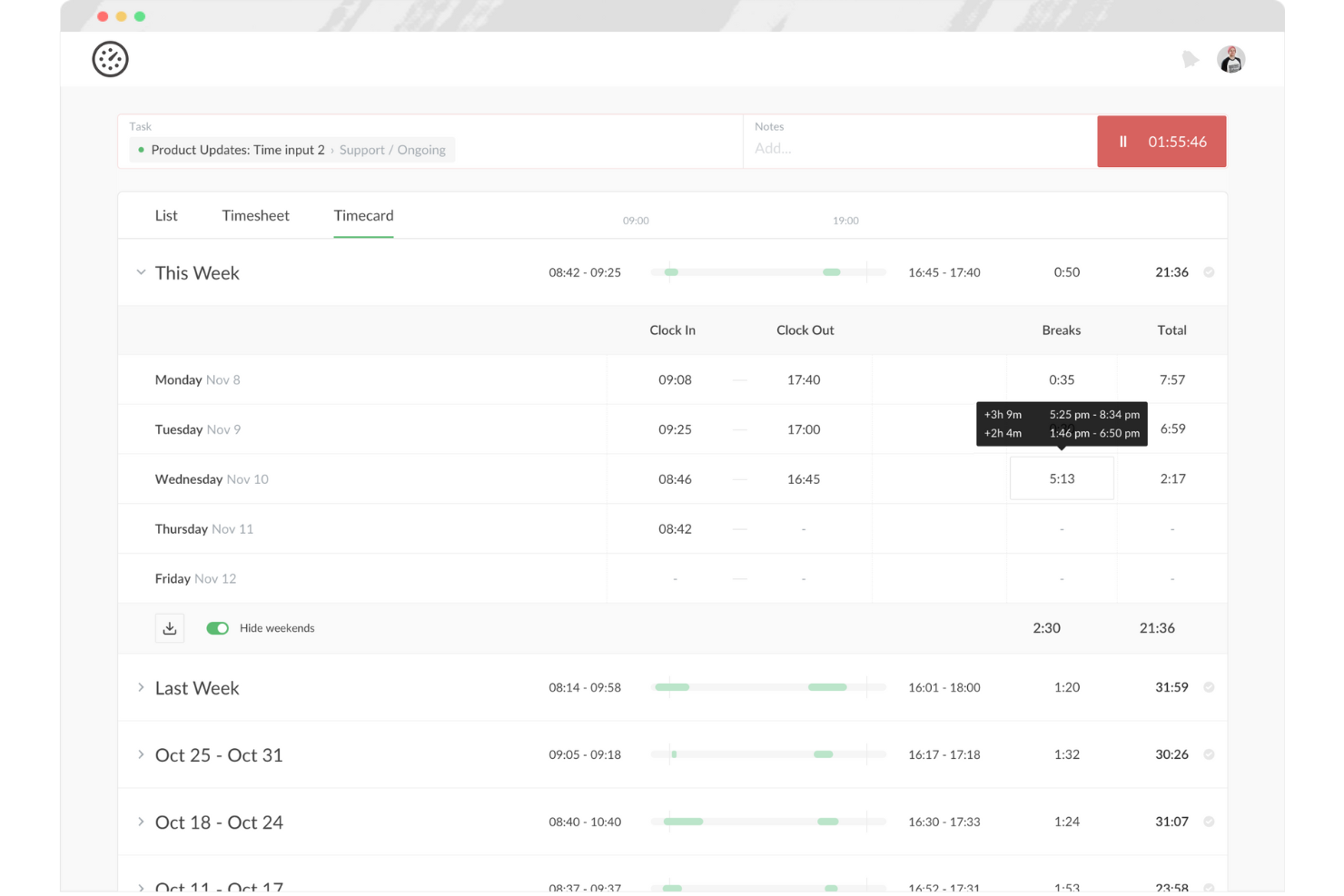
Everhour is a time tracking and project management tool tailored for teams and freelancers. It helps users track time, manage budgets, and generate reports, making it ideal for those who need detailed insights into project performance. This tool is particularly beneficial for teams that rely on smooth integration with other software.
Why I picked Everhour: The free offering includes integration options that allow you to connect with various project management tools. You can track time directly within the platforms you already use, boosting productivity without switching between apps. The tool provides detailed reporting features, helping you analyze your time usage effectively. With budget management tools included, it's a wide-ranging solution for freelancers managing multiple projects.
Standout Features and Integrations:
Features include budget tracking, which helps you manage project costs efficiently. You can also create custom reports to gain insights into your team's performance. The tool offers real-time dashboards that provide an overview of ongoing projects and tasks.
Integrations include Asana, Trello, Jira, Slack, Basecamp, and more.
What's free? Everhour offers a free plan for up to five seats, which is useful for small teams.
Pros and Cons
Pros:
- Custom report creation
- Real-time dashboards
- Extensive integration options
Cons:
- Manual entry can be tedious
- Basic reporting capabilities

Best for unlimited users
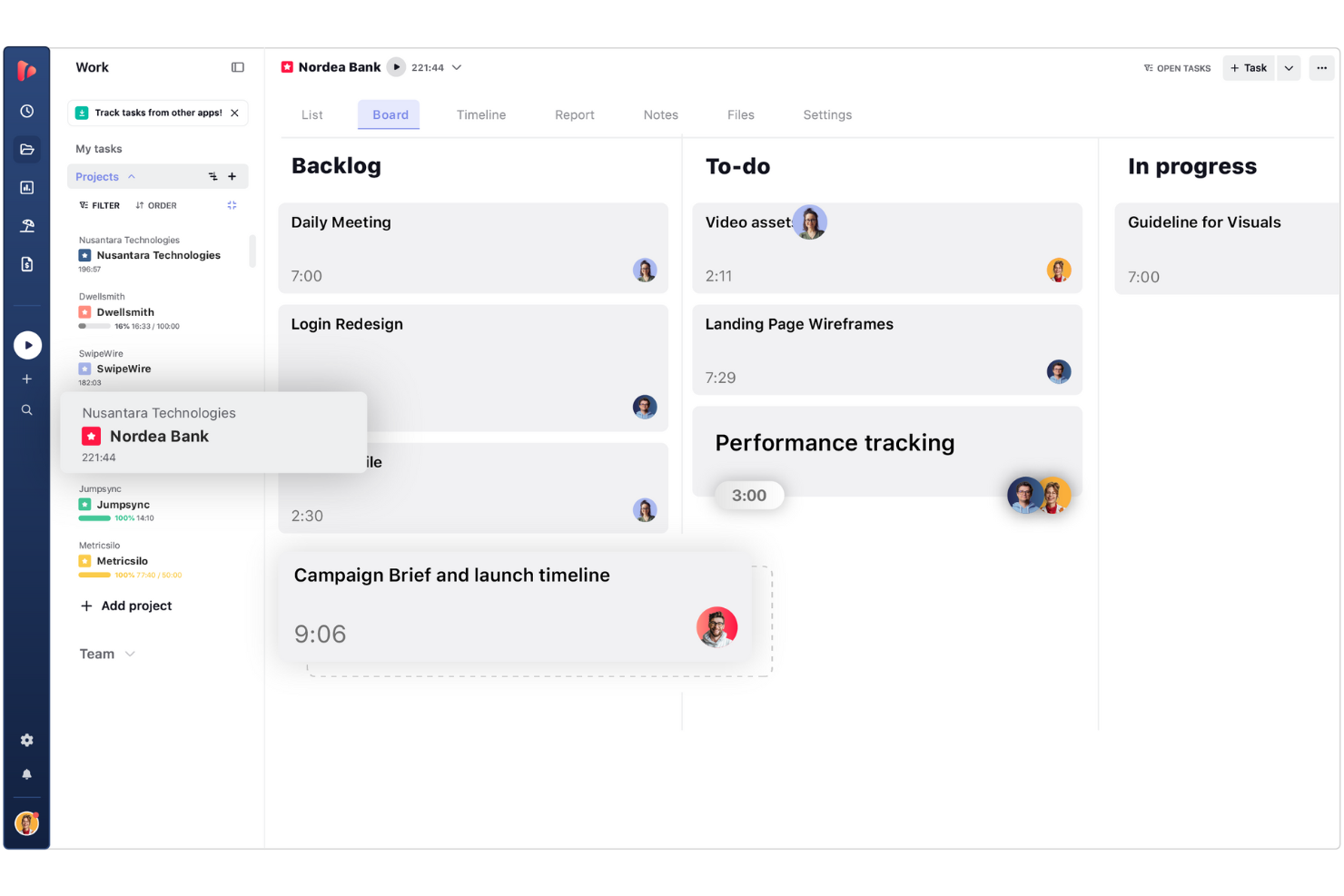
TrackingTime is a web-based time tracking app designed to help freelancers, digital project managers, and growing remote teams log hours across daily tasks. It enables users to monitor project progress, measure productivity, and generate time reports without restrictive seat limits.
Why I picked TrackingTime: I selected TrackingTime because its free plan allows you to add unlimited team members without incurring per-user fees. Unlike competitors that lock free access behind small seat caps, it lets freelancers bring on subcontractors, clients, or collaborators to log time on shared projects for free. This makes it ideal for project leads who need to coordinate time logs across flexible, growing project teams while keeping software expenses down.
Standout Features and Integrations:
Features include task management, where you can assign tasks and track progress. You can also use the calendar view to plan and schedule work effectively. The tool provides reporting capabilities that offer insights into project timelines and team performance.
Integrations include Asana, Trello, Slack, Basecamp, GitHub, and more.
What's free? TrackingTime offers a free-forever plan that supports unlimited users, tasks, and projects with basic real-time tracking, though export options to CSV/Excel and billable rate calculations require a paid tier.
Pros and Cons
Pros:
- Calendar view for scheduling
- Task comments and notifications
- Real-time team activity tracking
Cons:
- Desktop app can be glitchy
- Reporting lacks deep customization
Avaza
Best for invoicing tools
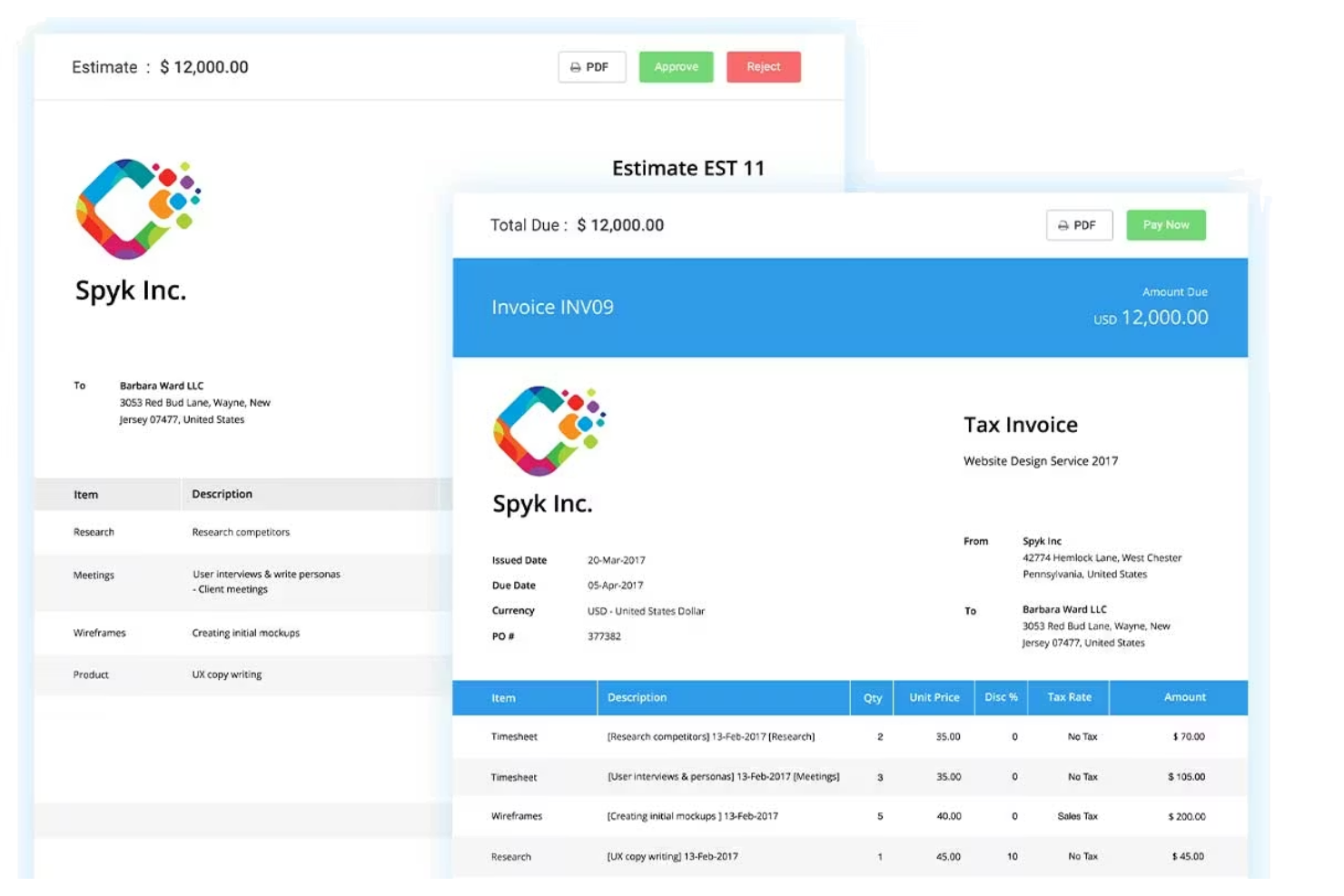
Avaza is a project management and time tracking tool designed for freelancers and small businesses. It offers features such as task management, time tracking, and invoicing, which help simplify business operations. This tool is ideal for those who need an all-in-one solution to manage projects and finances.
Why I picked Avaza: The free version includes invoicing capabilities, allowing you to create and send invoices with ease. You can track billable hours and convert them directly into invoices, simplifying your billing process. The tool provides project management features that support unlimited tasks and projects. With its user-friendly interface, managing your work and finances becomes straightforward.
Standout Features and Integrations:
Features include expense tracking, which helps you monitor and manage project costs efficiently. You can also schedule resources to optimize project timelines. The tool offers detailed reports that provide insights into project performance and financial health.
Integrations include Xero, QuickBooks, Slack, Zapier, Google Drive, and more.
What's free? Avaza offers a free-forever plan with invoicing and project management features, limited to one user.
Pros and Cons
Pros:
- Expense tracking features
- Unlimited tasks and projects
- Invoicing and billing capabilities
Cons:
- High cost for adding more users
- Complex UI can feel overwhelming

Memtime
Best for simplicity
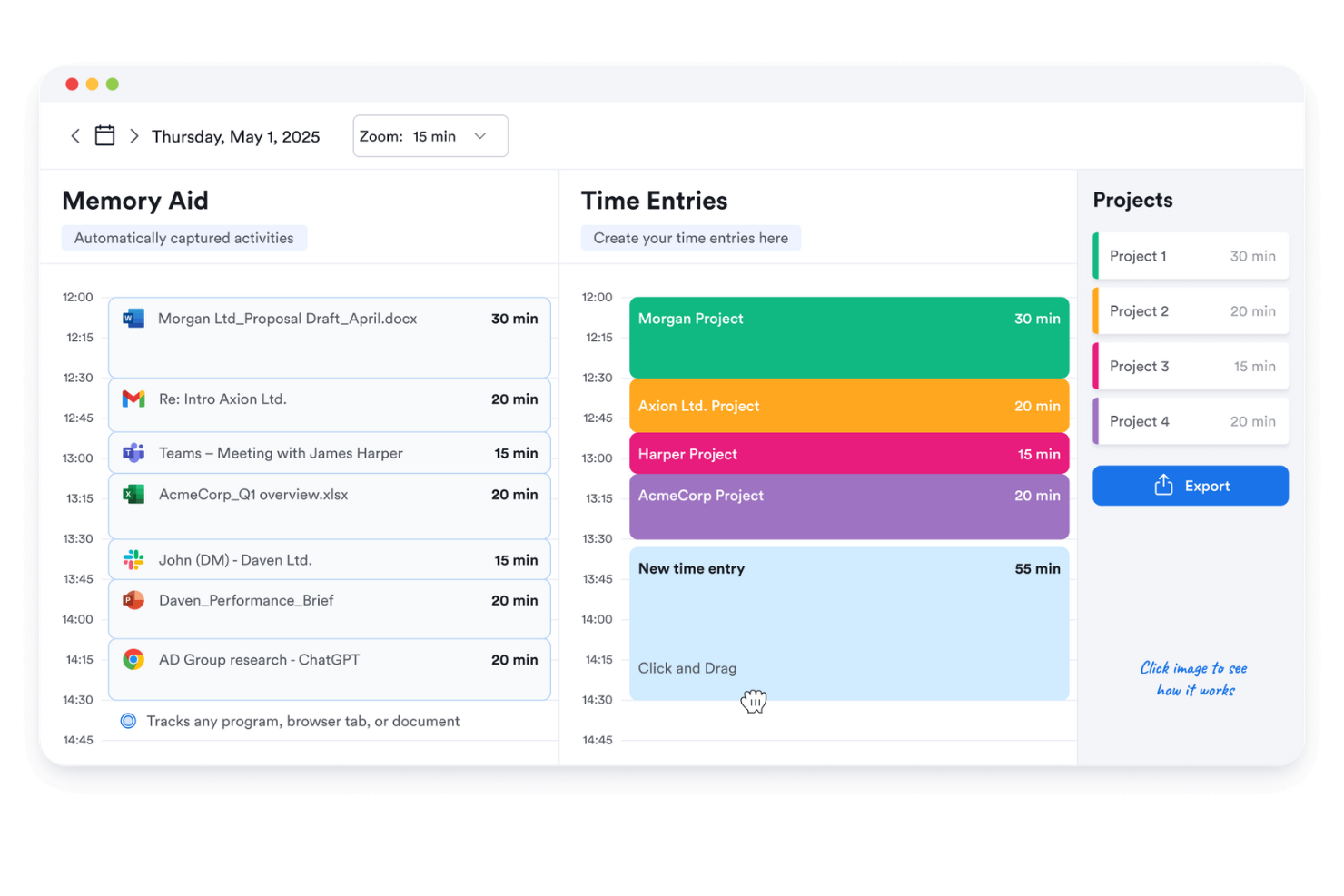
Memtime is a straightforward time tracking tool designed for freelancers and small teams. It helps users track their work hours with minimal setup, making it ideal for those who value simplicity and efficiency. This tool is perfect for anyone looking to keep track of their time without the complexity of additional features.
Why I picked Memtime: The free version focuses on simplicity, offering a user-friendly interface that requires little to no learning curve. You can automatically track your time without manually starting or stopping timers. The tool provides basic reports that help you understand how you spend your time. It's a good option for those who want a no-frills approach to time management.
Standout Features and Integrations:
Features include automatic time tracking, which records your activity without any manual input. You can review your logged time with simple reports that highlight your productivity trends. The tool offers a distraction-free interface, allowing you to focus on your work.
Integrations include Asana, Google Calendar, Microsoft Teams, Zapier, QuickBooks, Xero, and more.
What's free? Memtime offers a 14-day free trial with automatic time tracking and basic reporting features, suitable for individual users.
Pros and Cons
Pros:
- Minimal learning curve
- Automatic time tracking
- Simple to use
Cons:
- No real-time tracking view
- Privacy concerns with logging

Bonsai
Best for freelancers
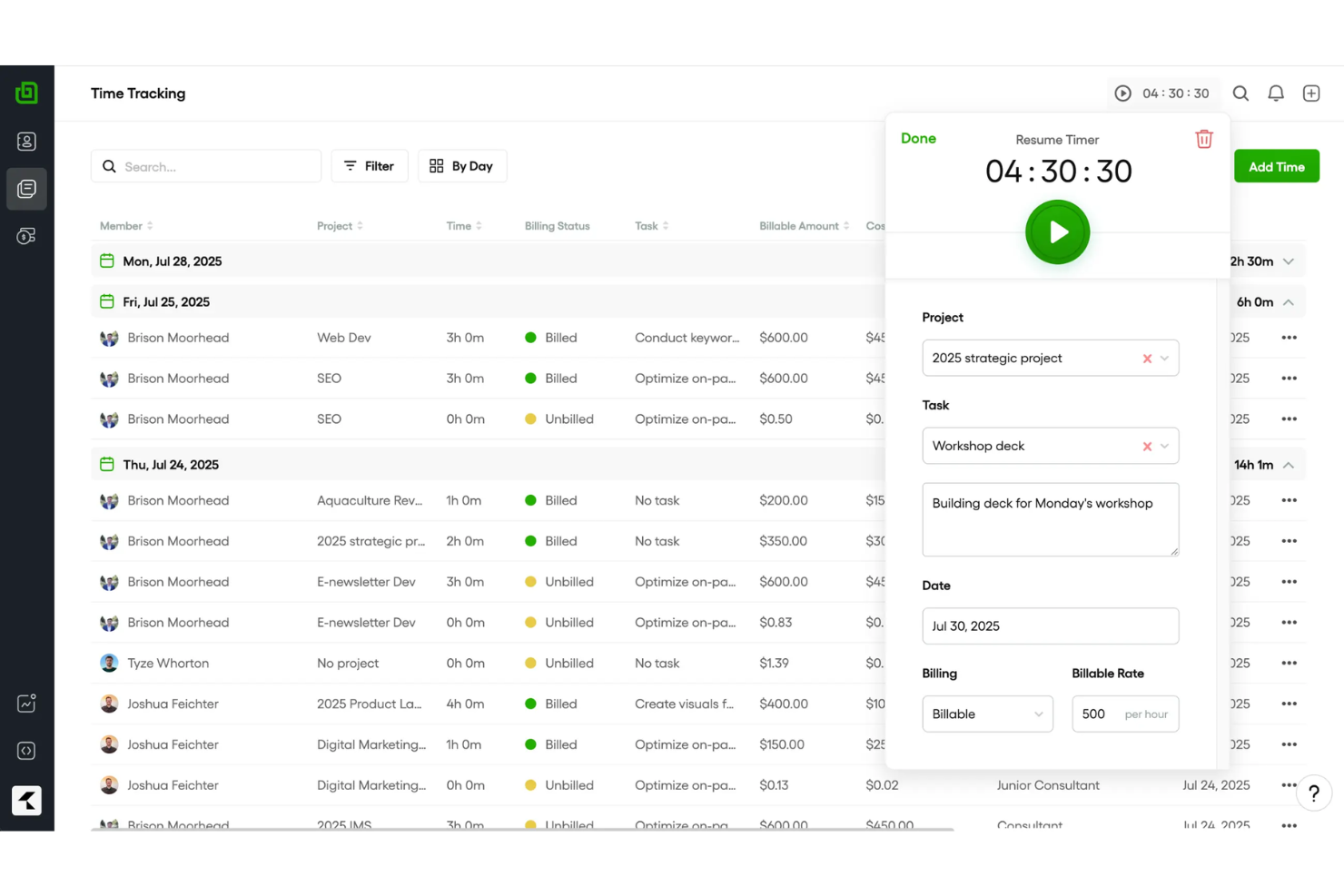
Bonsai is an extensive tool designed primarily for freelancers and small businesses, offering features such as contract management, invoicing, and time tracking. It helps users manage their projects and finances efficiently, making it a go-to solution for independent professionals.
Why I picked Bonsai: The free offering is tailored for freelancers, providing essential tools to manage contracts and invoices. You can track your time and generate professional reports. The tool offers contract templates, making it easy to formalize agreements with clients. Its user-friendly interface ensures that you can manage your projects without any hassle.
Standout Features and Integrations:
Features include task management, which allows you to organize and prioritize your work. You can also use the proposal feature to create and send proposals to potential clients. The tool offers expense tracking, helping you keep an eye on your project costs.
Integrations include QuickBooks, Xero, Zapier, Calendly, HiBob, and more.
What's free? Bonsai offers a limited-time free trial with access to its core features, suitable for freelancers looking to explore its capabilities.
Pros and Cons
Pros:
- Easy time tracking
- Proposal creation feature
- Extensive contract management
Cons:
- Limited time tracking insights
- Limited customization options
Serbest Çalışanlar İçin Diğer Ücretsiz Zaman Takibi Uygulamaları
Serbest çalışanlar için ücretsiz planlar veya deneme sürümleri de sunan bazı ek zaman takibi uygulamaları şunlardır. Bu araçlar kısa listeme girememiş olsa da göz atmaya değer:
- Harvest
For expense tracking
- TopTracker
For privacy focus
- Hubstaff
For GPS tracking
- QuickBooks Time
For payroll integration
- Timely
For automatic time logging
- Apploye
For remote team monitoring
- Deltek Replicon Time
For enterprise scalability
- TimeTrack for Freelancers
App for mobile freelancers


How I Evaluate Free Time Tracking Apps for Freelancers
I split my evaluation into baseline criteria—like a real free tier with billable rate tracking for client projects—and the differentiators that set one tool apart from the rest.
Core Functionality (Table Stakes For This List)
When I'm selecting tools for my list, I rank each one on a scale from 0 (does not offer the functionality) to 5 (excels in this area) for each core functionality listed below. Then, I calculate the tool's total score into a percentage. Each tool needs to achieve a minimum total score of 65% to be considered for inclusion.
- Time Tracking Timer: I check whether a tool offers both a live start/stop timer and manual entry, since freelancers often need to log hours after the fact when switching between client calls and deep work.
- Genuinely Free Plan: The free tier has to be usable long-term for a solo freelancer—I look for whether core tracking features stay accessible without a forced upgrade after a trial window.
- Project & Client Organization: Freelancers juggle multiple clients at once, so I evaluate whether each tool lets you tag and separate time entries by client, project, and task.
- Billable Hours & Rate Support: I look for a billable toggle and the ability to assign hourly rates, since freelancers need accurate totals when sending invoices to different clients at different rates.
- Reporting & Data Exports: Clear weekly or per-project reports that export to CSV or PDF matter here—tools like Toggl Track and Clockify handle this differently, so I compare format options and filtering.
- Cross-Device Access: Freelancers track time from laptops, phones, and tablets throughout the day, so I check for native apps on iOS and Android alongside the web experience.
Once I have a list of tools that meet this criteria, I consider what sets each platform apart.
Differentiating Factors (What Sets Vendors Apart)
Here's how I compare and contrast different vendors:
Standout Features
Built-in invoice generation is a big one—freelancers who can turn tracked hours into a sendable invoice skip the step of exporting data into a separate billing tool. I also look for automatic time capture, which logs the apps and sites you work in so you can recover billable time you forgot to track manually. Calendar integration matters too, especially when client meetings in Google Calendar or Outlook can sync directly into time entries without double data entry.
Beyond Features
I pay close attention to how generous a free plan really is—some tools cap the number of clients or projects, which becomes a problem fast when you're juggling five or six active contracts. Integrations also weigh heavily in my evaluation. Freelancers rely on tools like Trello, Asana, QuickBooks, and FreshBooks, so native connections to these platforms reduce manual data shuffling. Data portability is another factor I check, because you want full CSV or PDF exports of your time history if you ever decide to switch tools.
Serbest Çalışanlar İçin Ücretsiz Zaman Takibi Uygulaması Nasıl Seçilir?
Karmaşık özellik listeleri ve fiyatlandırma yapıları, serbest çalışanlar için ücretsiz bir zaman takibi uygulamasından gerçekten ne elde ettiğinizi anlamanızı zorlaştırabilir. Yazılım seçimi süreciniz boyunca odaklanmanıza yardımcı olmak için göz önünde bulundurmanız gereken bazı faktörleri aşağıda bulabilirsiniz:
| Faktör | Göz önünde bulundurulması gerekenler |
|---|---|
| Ücretsiz Teklifin Kapsamı | Ücretsiz planda hangi özelliklerin bulunduğunu inceleyin. Hemen yükseltme yapmanızı gerektirmeden temel ihtiyaçlarınızı karşıladığından emin olun. |
| Ölçeklenebilirlik | Aracın sizinle birlikte büyüyüp büyüyemeyeceğini değerlendirin. Ekibiniz genişlerse uygulama ek kullanıcıları ve projeleri destekleyebilecek mi? |
| Entegrasyonlar | Zaten kullandığınız araçlarla uyumluluğunu kontrol edin. Kolay entegrasyonlar zamandan tasarruf etmenizi ve iş akışı verimliliğinizi artırmanızı sağlayabilir. |
| Kullanım Kolaylığı | Arayüzü ve gezinmeyi değerlendirin. Kullanıcı dostu bir tasarım öğrenme eğrisini en aza indirir ve hızlı bir şekilde başlamanıza yardımcı olur. |
| Raporlama | Ayrıntılı raporlama özellikleri arayın. Verimliliğiniz ve proje zaman çizelgeleriniz hakkında hızlıca içgörüler oluşturabiliyor musunuz? |
| Mobil Erişim | Uygulamanın mobil sürüm sunup sunmadığını belirleyin. Böylece hareket hâlindeyken zaman takibi yapabilir ve görevleri yönetebilirsiniz. |
| Müşteri Desteği | Sunulan destek düzeyini değerlendirin. Sorunlarla karşılaştığınızda hızlı ve faydalı yanıtlar kritik önem taşıyabilir. |
Serbest Çalışanlar İçin Ücretsiz Zaman Takibi Uygulaması Nedir?
Serbest çalışanlar için zaman takibi uygulaması, profesyonellerin çalışma saatlerini izlemelerine ve kaydetmelerine yardımcı olan bir araçtır. Bu araçlar genellikle ücretsiz planlar veya deneme sürümleri sunarak kullanıcıların temel özelliklere herhangi bir ücret ödemeden erişmesine olanak tanır.
Serbest çalışanlar, yükleniciler ve küçük işletme sahipleri, faturalandırılabilir saatleri ve faturaları verimli bir şekilde yönetmek için genellikle bu uygulamaları kullanır. Zaman takibi, faturalandırma ve raporlama gibi özellikler, serbest çalışanların düzenli kalmasına, projelerini yönetmesine ve doğru faturalandırma yapmasını sağlamasına yardımcı olur.
Özellikler
Serbest çalışanlar için zaman takibi uygulamalarında yaygın olarak bulunan özellikleri ve bunların ücretsiz ve ücretli planlarda genellikle hangilerinin sunulduğunu inceleyelim.
Serbest Çalışanlar İçin Zaman Takibi Uygulamalarında Genellikle Ücretsiz Sunulan Özellikler
- Zaman takibi: Kullanıcıların çalışma saatlerini doğru bir şekilde kaydetmesini sağlar; bu, faturalandırma ve üretkenlik analizi için gereklidir.
- Temel raporlama: Kullanıcıların farklı projelerde zamanlarını nasıl harcadıklarını anlamalarına yardımcı olmak için basit raporlar sunar.
- Manuel zaman girişi: Kullanıcıların çalışılan süreyi manuel olarak girmesine olanak tanır; atlanan veya unutulan kayıtları düzeltmek için kullanışlıdır.
- Proje yönetimi: Görevlerin ve projelerin düzenlenmesini destekleyerek serbest çalışanların son teslim tarihlerini ve teslim edilecek işleri takip etmesine yardımcı olur.
- Faturalandırma: Takip edilen saatlere göre faturalar oluşturur ve serbest çalışanlar için faturalandırma sürecini kolaylaştırır.
- Mobil erişim: Mobil cihazları kullanarak zaman takibi yapma olanağı sunar ve uzaktan çalışma için esneklik sağlar.
- Tek kullanıcı desteği: Genellikle hesap başına bir kullanıcıya izin verir ve bireysel serbest çalışanların ihtiyaçlarını karşılar.
Serbest Çalışanlar İçin Zaman Takibi Uygulamalarında Genellikle Ücretli Sunulan Özellikler
- Gelişmiş raporlama: Ayrıntılı içgörüler ve analizler sunarak kapsamlı performans değerlendirmelerine ve karar alma süreçlerine yardımcı olur.
- Ekip iş birliği: Ekip üyeleri arasındaki iletişimi ve görev paylaşımını kolaylaştırarak proje koordinasyonunu iyileştirir.
- GPS takibi: Saha çalışmalarında konumu izleyerek mobil ekiplerin çalışma süresini doğru şekilde kaydetmesini sağlar.
- Çevrimdışı takip: İnternet bağlantısı olmadan zaman takibi yapmaya olanak tanır; bağlantının sınırlı olduğu bölgelerde kullanışlıdır.
- Entegrasyonlar: Muhasebe ve proje yönetimi uygulamaları gibi diğer yazılım araçlarına bağlanarak iş akışı verimliliğini artırır.
- Özelleştirilebilir özellikler: Aracı belirli işletme ihtiyaçlarına göre uyarlama olanağı sunarak farklı projeler için esneklik sağlar.
- Çoklu kullanıcı desteği: Tek bir hesap içinde birden fazla kullanıcıyı destekler ve büyüyen ekipler veya küçük işletmeler için idealdir.
Avantajlar
Serbest çalışanlar için ücretsiz bir zaman takibi uygulamasını kullanmak, ekibiniz ve işletmeniz için çeşitli avantajlar sağlar. Yararlanabileceğiniz avantajlardan bazıları şunlardır:
- Maliyet tasarrufu: Ücretsiz bir araç kullanmak, zamanınızı ve projelerinizi herhangi bir mali yatırım yapmadan yönetmenize yardımcı olur ve bütçesi sınırlı serbest çalışanlar için erişilebilirlik sağlar.
- Geliştirilmiş faturalandırma doğruluğu: Zaman takibi özellikleri, müşterilerden çalışılan saatler için doğru ücret talep etmenizi sağlayarak anlaşmazlıkları ve hataları azaltır.
- Geliştirilmiş üretkenlik: Temel raporlama, zamanın nasıl harcandığını analiz etmenize yardımcı olarak verimsizlikleri belirlemenizi ve ortadan kaldırmanızı sağlar.
- Esneklik: Mobil erişim, her yerden zaman takibi yapabilmenizi sağlayarak uzaktan çalışmayı ve hareket hâlindeki profesyonelleri destekler.
- Basitleştirilmiş faturalandırma: Ücretsiz faturalandırma özellikleri, doğrudan takip edilen saatlerden fatura oluşturmanıza olanak tanıyarak faturalandırma sürecini kolaylaştırır.
- Kolay kurulum: Kullanıcı dostu arayüzler ve basit başlangıç süreçleri, aracı minimum zahmetle hızlı bir şekilde kullanmaya başlamanızı sağlar.
- Görev düzenleme: Proje yönetimi özellikleri, görevleri ve son teslim tarihlerini düzenli tutmanıza yardımcı olarak iş akışını ve zaman yönetimini iyileştirir.
Maliyetler ve Fiyatlandırma
Bu makaleye serbest çalışanlar için ücretsiz olarak sunulan en iyi zaman takibi uygulaması seçeneklerini arayarak geldiğinizi biliyorum. Ancak ücretsiz planlar yalnızca sınırlı özellikler sunduğundan gelecekte planınızı yükseltmeniz gerekebilir.
Serbest Çalışanlar İçin Zaman Takibi Uygulaması Plan Karşılaştırma Tablosu
| Plan Türü | Ortalama Fiyat | Yaygın Özellikler |
|---|---|---|
| Ücretsiz Plan | $0 | Zamanı takip edin, temel raporlar oluşturun ve projeleri yönetin. |
| Kişisel Plan | $3.99-$14/kullanıcı/ ay | Zamanı takip edin, faturalar oluşturun, mobil uygulamalara erişin ve birden fazla projeyi yönetin. |
| İşletme Planı | $10-$48/kullanıcı/ ay | Zamanı takip edin, gelişmiş raporlama ve ekip iş birliği araçlarını kullanın ve diğer yazılımlarla entegrasyon sağlayın. |
| Kurumsal Plan | $25-$50/kullanıcı/ ay | Zamanı takip edin, özel raporlamadan yararlanın, özel hesap yöneticisine erişin, gelişmiş güvenlik özelliklerini kullanın ve sınırsız kullanıcı ekleyin. |
Serbest Çalışanlar için Ücretsiz Zaman Takibi Uygulamaları SSS
Serbest çalışanlar için ücretsiz zaman takibi uygulamaları hakkında sık sorulan soruların bazı yanıtları burada yer alıyor:
Serbest çalışanlar saatlerini nasıl hesaplar?
Serbest çalışanlar, saatleri doğru bir şekilde hesaplamak ve kategorilere ayırmak için genellikle zaman takip araçlarını kullanır. Bu araçlar, projeye özgü saatlerin takip edilmesine yardımcı olur ve müşterilere harcanan zamanla ilgili şeffaf raporlar sunar. Faturalandırma sürecini kolaylaştırmak için yinelenen faturalar da oluşturulabilir.
Bağımsız yüklenici olarak saatleri nasıl takip edebilirim?
Bağımsız yükleniciler, projelerde harcanan faturalandırılabilir saatleri kaydetmek için zaman çizelgeleri veya zaman takip uygulamaları kullanır. İster basit bir elektronik tablo isterse kapsamlı özelliklere sahip bir uygulama kullanılsın, bu araçlar takip ve faturalandırma işlemlerini otomatikleştirerek müşteriler için doğru faturalandırma yapılmasını sağlar.
Faturalandırma için zaman takip yazılımını kullanabilir miyim?
Evet, birçok zaman takip uygulaması, müşterilere doğrudan takip edilen saatler üzerinden fatura kesmenizi sağlayan faturalandırma özellikleri içerir. Bu, faturalandırma sürecini kolaylaştırır ve çalıştığınız süre için doğru şekilde ödeme almanızı sağlar.
Ücretsiz zaman takip uygulamalarının sınırlamaları nelerdir?
Ücretsiz zaman takip uygulamaları genellikle daha az özellik, sınırlı raporlama ve proje takip özellikleri ya da kullanıcı veya proje sayısına ilişkin kısıtlamalar gibi sınırlamalara sahiptir. Bununla birlikte, serbest çalışanların zamanlarını ve görevlerini etkili bir şekilde yönetmeleri için temel araçları yine de sunarlar.
Ücretsiz zaman takip uygulamaları güvenli midir?
Ücretsiz zaman takip uygulamalarının çoğu, verilerinizi korumak için şifreleme ve güvenli sunucular kullanarak güvenliğe öncelik verir. Bilgilerinizin güvende kalmasını sağlamak için seçtiğiniz herhangi bir uygulamanın güvenlik önlemlerini incelemeniz önemlidir.