

Os 10 Melhores Sistemas de Gestão Documental de Código Aberto para 2026

Lista dos melhores sistemas de gestão documental de código aberto


Gerir documentos pode ser difícil para a sua equipa, especialmente quando os ficheiros se perdem ou ficam no local errado. Precisa de um sistema que mantenha tudo organizado e fácil de encontrar. É aí que entram os sistemas de gestão documental.
Dediquei algum tempo a testar e analisar estas ferramentas, concentrando-me nas opções de código aberto devido à sua flexibilidade e às poupanças de custos.
Neste artigo, apresento-lhe alguns dos melhores sistemas de gestão documental de código aberto. Destacarei as suas funcionalidades, vantagens e a forma como podem ajudar a sua equipa a trabalhar de forma mais eficiente. O meu objetivo é fornecer-lhe informações claras para que possa tomar decisões fundamentadas.
Why Trust Our Software Recommendations
Our team has been testing and reviewing software since 2012. As project managers ourselves, we know how difficult—and important—it is to choose the right software.
For this guide, we evaluated tools using hands-on testing and independent research, scoring tools using our selection criteria. We also draw on insights from industry thought leaders and practicing project management experts.
Our reviews reflect our human editorial judgment, not a sales pitch.
Expert reviewers:
Tabela comparativa de sistemas de gestão documental de código aberto
Esta tabela comparativa resume os detalhes de preços das minhas principais seleções de sistemas de gestão documental de código aberto:
| Tool | Best For | Trial Info | Price | ||
|---|---|---|---|---|---|
| 1 | Best for secure file sharing | 1-hour free trial | From 71.29€/user/year (billed annually) | Website | |
| 2 | Best for enterprise workflows | Free and open-source | Free and open-source | Website | |
| 3 | Best for document security | Free and open-source | Free and open-source | Website | |
| 4 | Best for compliance tracking | Free demo available | Pricing upon request | Website | |
| 5 | Best for simple user interface | Free and open-source | Free and open-source | Website | |
| 6 | Best for enterprise-grade records governance | Free plan available | Pricing upon request | Website | |
| 7 | Best for multilingual support | Free and open-source | Free and open-source | Website | |
| 8 | Best for automatic document tagging | Free and open-source | Free and open-source | Website | |
| 9 | Best for document version control | Free | Free | Website | |
| 10 | Best for self-hosted OCR and AI classification | Free and open-source | Free and open-source | Website |
Análise dos melhores sistemas de gestão documental de código aberto
Apresentamos abaixo os meus resumos detalhados dos melhores sistemas de gestão documental de código aberto que entraram na minha lista. As minhas análises oferecem uma visão detalhada das principais funcionalidades, vantagens e desvantagens, integrações e casos de utilização ideais de cada ferramenta, para o ajudar a encontrar a melhor opção para si.

Best for secure file sharing
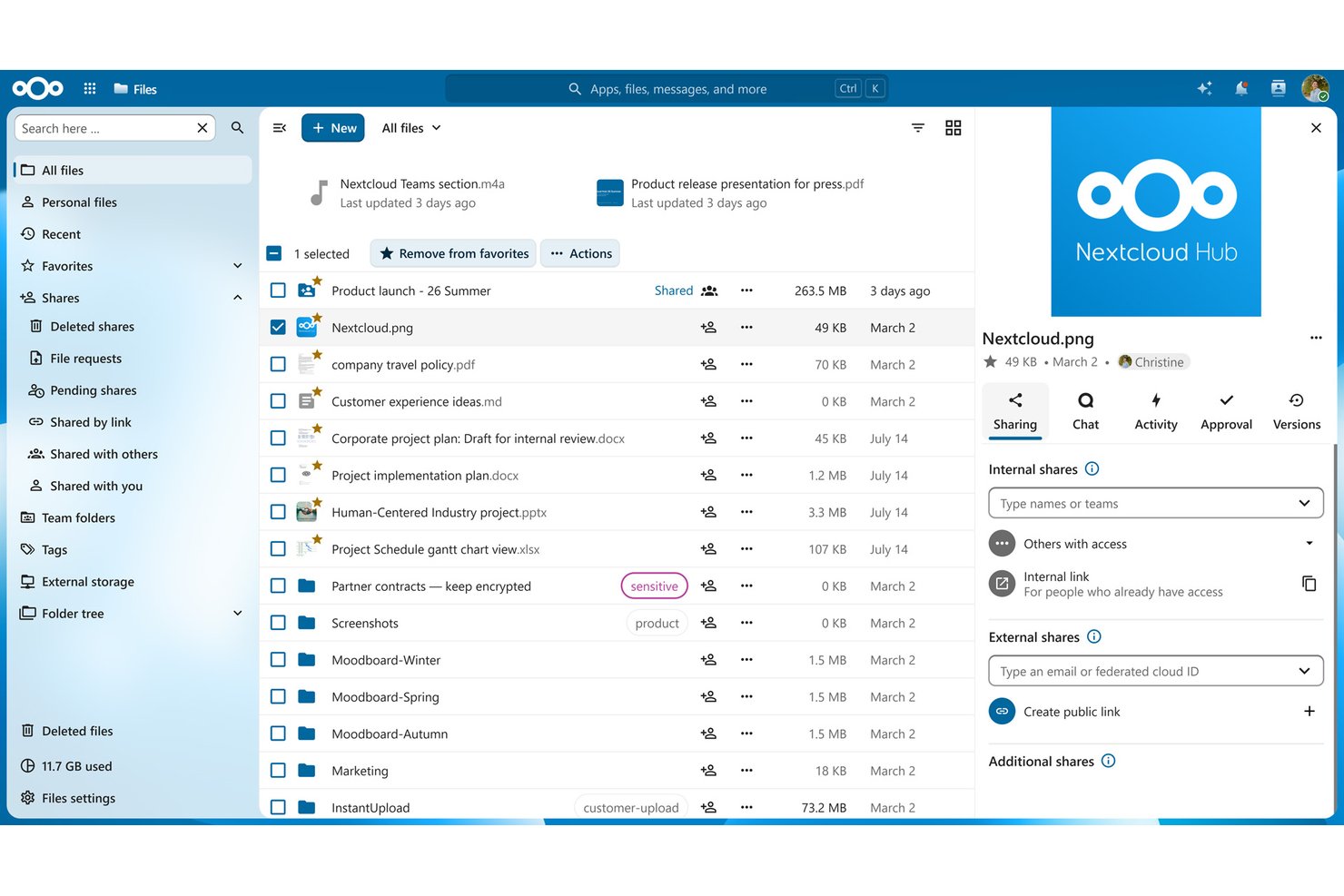
Nextcloud is a self-hosted, open-source file management and collaboration platform that combines document storage, version control, access control, real-time co-editing, and workflow automation in a single deployable system.
Who Is Nextcloud Best For?
Nextcloud is a strong fit for IT-forward teams and technical project managers who need full control over where their documents live and who can access them.
Why I Picked Nextcloud
Nextcloud earns its spot on my shortlist because no other open-source platform matches its layered approach to secure file sharing. I love that File Access Control policies let you restrict sharing by IP address, user group, file type, or even time of access, which is exactly what you need when sharing sensitive project documents with external contractors. Secure View adds another layer by letting stakeholders preview watermarked documents without ever downloading them.
Nextcloud Key Features
- File versioning with rollback: Track every revision of a document and restore any prior version directly from the file manager.
- Nextcloud Flow automation: Build no-code workflow automations using a Windmill-based engine to trigger actions like PDF generation, email notifications, and approval routing.
- Real-time collaborative editing: Co-edit Word, Excel, and PowerPoint-compatible files in the browser via Nextcloud Office without leaving the platform.
- External storage integration: Connect Amazon S3, SMB, SharePoint, and FTP backends so all your existing file repositories appear inside one unified interface.
Nextcloud Integrations
Nextcloud offers native Microsoft ecosystem integrations, including Microsoft 365, Teams, Outlook, Exchange, and SharePoint, plus OpenProject. Marketplace integrations include Jira, GitHub, GitLab, Slack, and Mattermost; REST/OCS API, WebDAV, webhooks, and AppAPI support custom connections.
Pros and Cons
Pros:
- Real-time co-editing with self-hosted office suite
- Advanced file access control policies included
- No feature gating in free edition
Cons:
- OCR functionality is complex to configure
- Full-text search needs external Elasticsearch setup

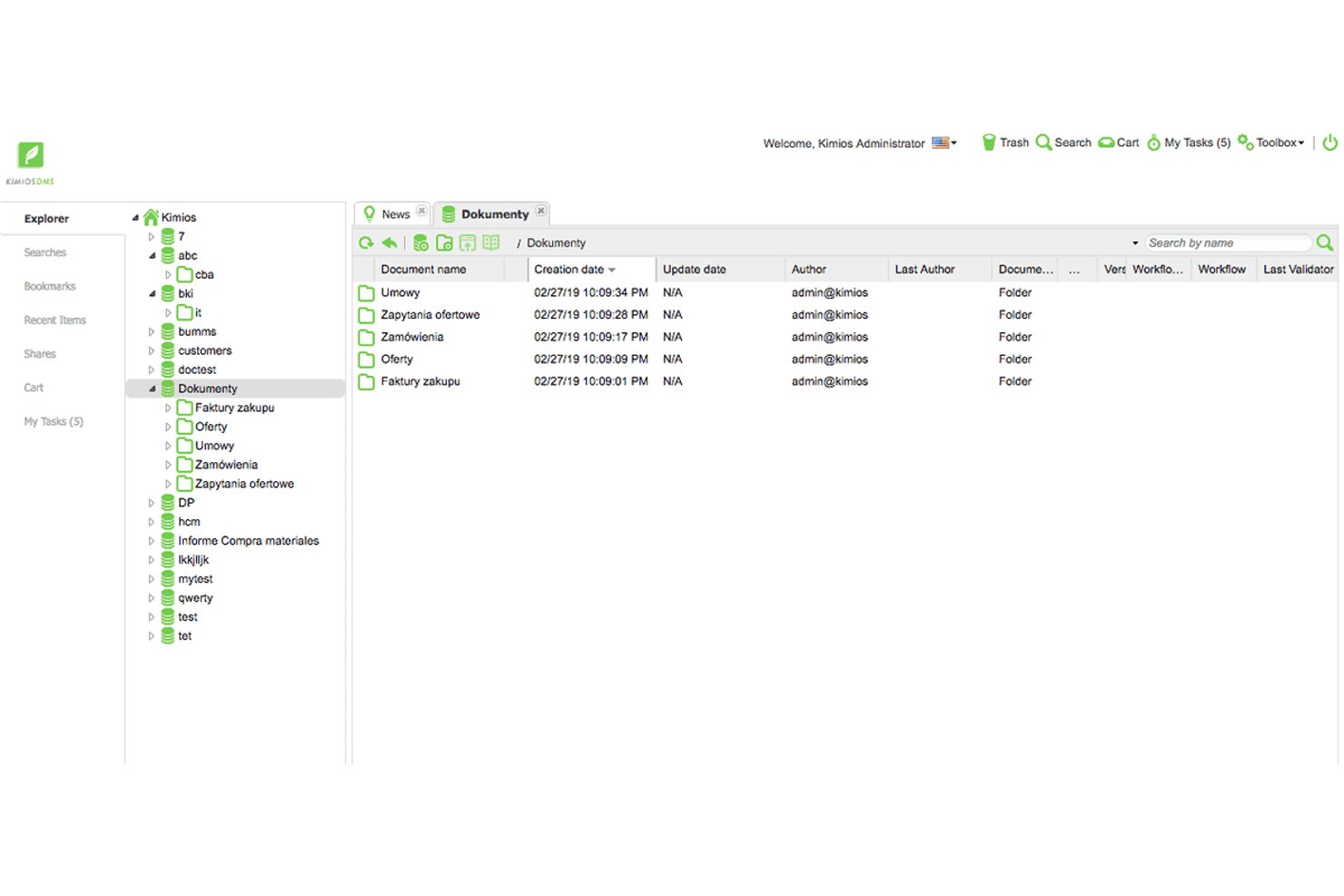
Kimios is a Java-based, self-hosted open-source document management system built around fine-grained permissions, Apache Solr full-text search, customizable metadata schemas, and Bonita BPM workflow integration.
Who Is Kimios Best For?
Kimios is a strong fit for IT project managers and technical teams that need a self-hosted, zero-licensing-cost DMS with fine-grained permissions and BPM-driven document workflows.
Why I Picked Kimios
Kimios earns its spot on my shortlist because of its native Bonita BPM integration, which lets you build real, multi-step document approval workflows without bolting on a third-party engine. I picked it specifically for enterprise workflow use cases: you can route a contract through legal, finance, and sign-off stages with configurable rules and deadline reminders tied directly to document metadata. The fine-grained permissions model, backed by LDAP and Active Directory, means access control holds up across large, cross-functional teams.
Kimios Key Features
- Apache Solr full-text search: Indexes document content and metadata so you can retrieve files across the entire repository using keyword queries.
- Customizable metadata schemas: Lets you define custom fields and tags at the document level to match your team's classification and categorization needs.
- Check-in/check-out locking: Prevents simultaneous edits by locking a document when one user has it open for editing.
- REST and SOAP APIs: Expose core DMS functions to external systems, enabling custom integrations with your existing tools and pipelines.
Kimios Integrations
Kimios has documented integrations with LDAP, Active Directory, Apereo CAS, Bonita BPM, Apache Solr, PostgreSQL, MariaDB, and MySQL. REST and SOAP APIs support custom integrations, but no pre-built Jira, Asana, or Microsoft Project connectors are documented.
Pros and Cons
Pros:
- Apache Solr-powered full-text document search
- Fine-grained permissions and SSO support
- Native Bonita BPM workflow engine integration
Cons:
- No confirmed OCR or native mobile app
- Stagnant development and inactive community

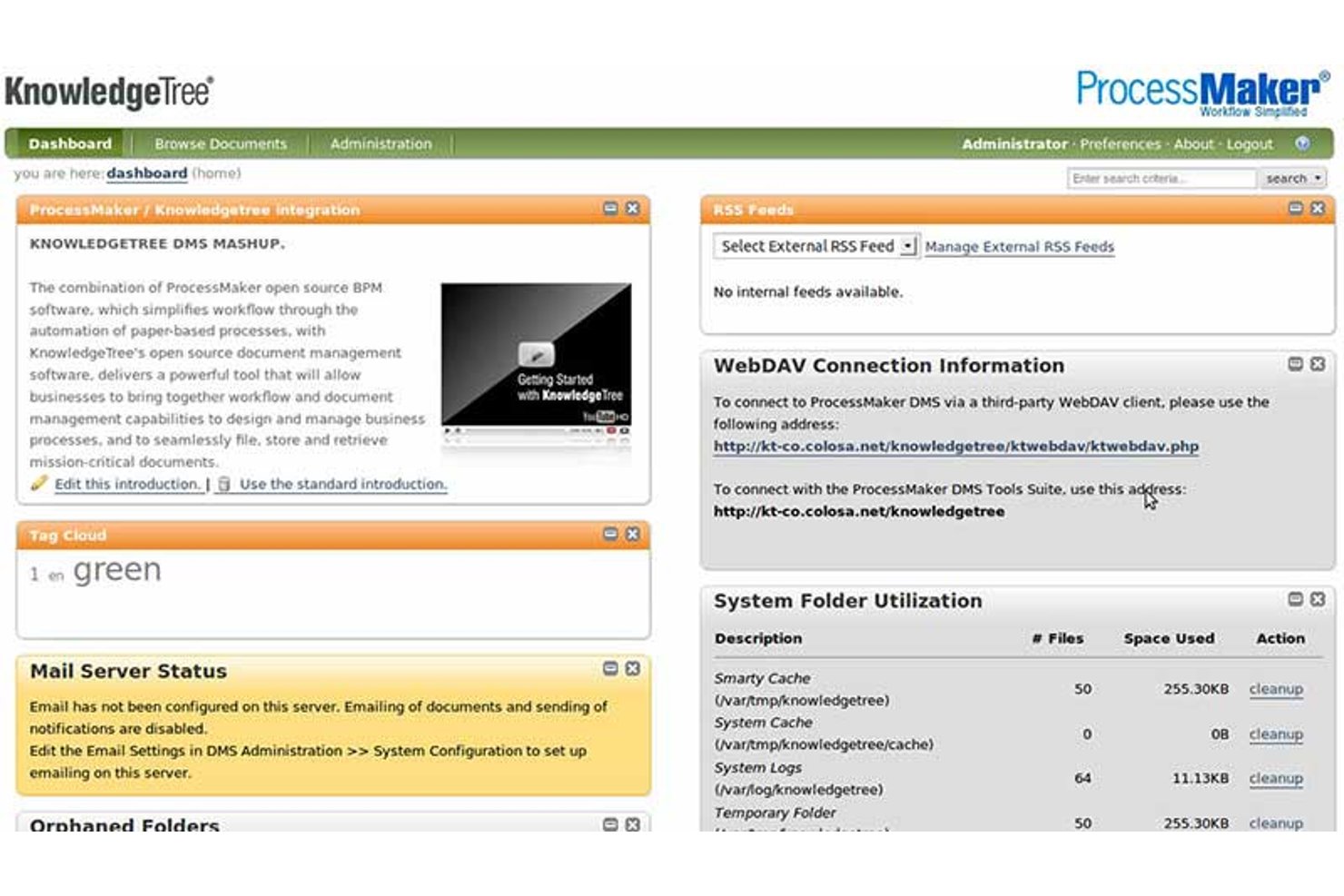
KnowledgeTree Community Edition is a self-hosted, open-source document management system built on a LAMP stack that offers hierarchical document storage, version control with check-in/check-out, granular role-based access control, configurable state-machine workflows, and full-text search with custom metadata schemas.
Who Is KnowledgeTree Community Edition Best For?
KnowledgeTree Community Edition suits technically resourced teams in regulated industries that need granular access control and detailed audit trails for compliance-driven document workflows.
Why I Picked KnowledgeTree Community Edition
I've included KnowledgeTree Community Edition in my top picks because its access control model is one of the most granular I've seen in an open-source DMS. It combines role-based permissions with Dynamic Conditions, which lets you restrict access based on document metadata, not just folder location. Pair that with per-workflow-state permission enforcement, and sensitive documents stay visible only to the right people at the right stage of a review cycle.
KnowledgeTree Community Edition Key Features
- Full-text search: Indexes document content across Office, PDF, and OpenOffice formats using Boolean search queries against both content and metadata fields.
- Custom document types: Administrators define metadata schemas per document class, including hierarchical drop-down fields, so each document type carries the right structured data.
- State-machine workflow engine: Configurable workflows move documents through discrete states with guards, automated actions, and email notifications triggered at each transition.
- WebDAV access: Users can connect to the repository through standard file system clients, including Windows Explorer, without using the web interface.
KnowledgeTree Community Edition Integrations
KnowledgeTree Community Edition has native LDAP and Microsoft Active Directory integrations, plus WebDAV access. Its SOAP and REST APIs support custom integrations, but no Jira, Asana, or other project management connectors are documented.
Pros and Cons
Pros:
- Custom Document Types with detailed metadata schemas
- Regulatory compliance framing for audit requirements
- Most granular access controls in open source DMS
Cons:
- Lacks OCR, digital signatures, and retention tools
- No security patches or maintenance since 2012

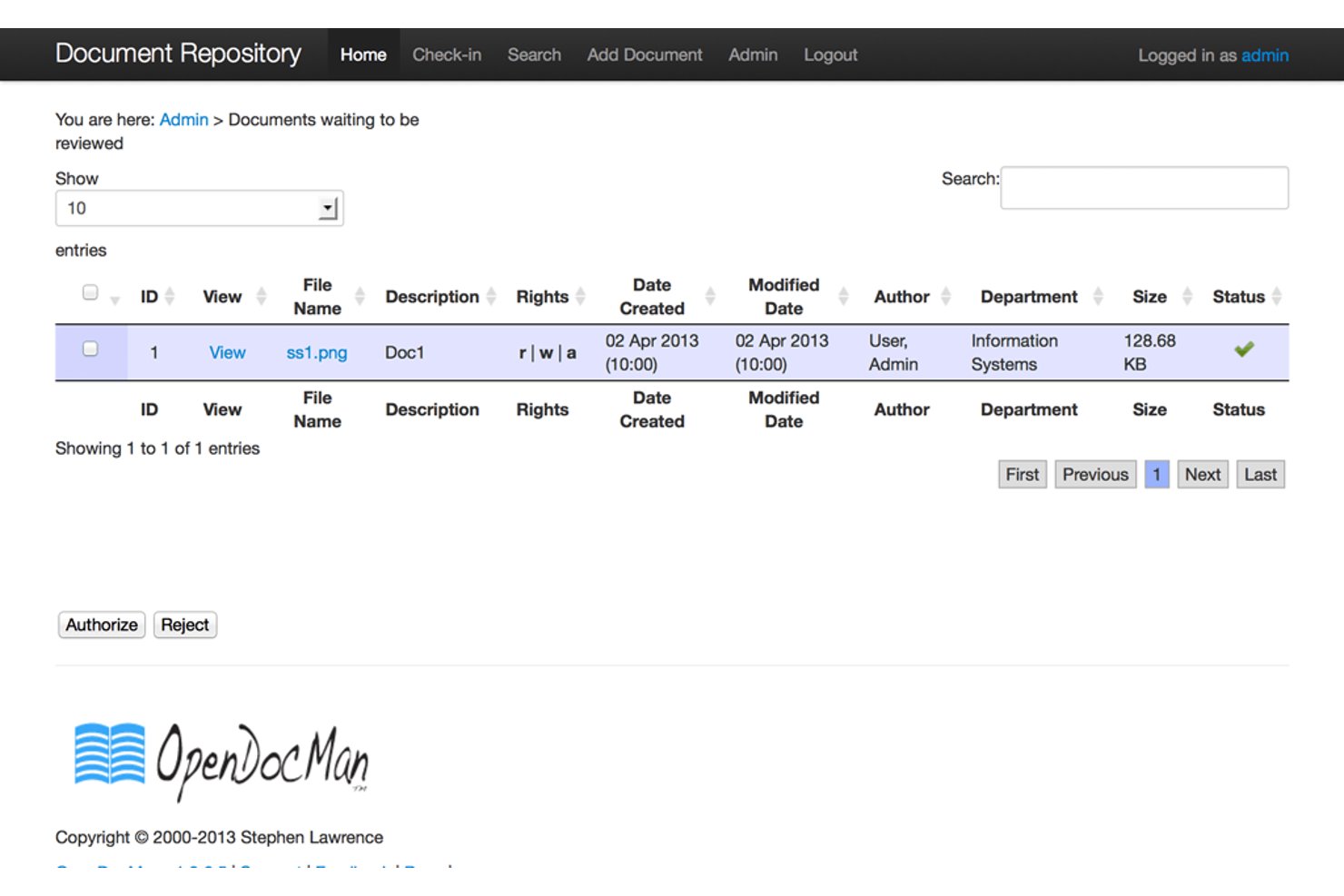
OpenDocMan is a GPL v2.0-licensed, self-hosted document management system built around version control, audit trails, check-in/check-out file locking, and role-based access control.
Who Is OpenDocMan Best For?
OpenDocMan is a strong fit for IT project managers and engineering document controllers who need self-hosted, compliance-ready document control without licensing costs.
Why I Picked OpenDocMan
I picked OpenDocMan as one of the best because its compliance tracking capabilities are built into the core product, not bolted on as a paid add-on. It's explicitly designed to meet ISO 17025 and OIE standards, with check-in/check-out file locking, full revision history, and a complete audit trail available in the free Community Edition. I find that combination particularly valuable for engineering document controllers who need to prove version integrity during a regulatory review without paying for an enterprise license.
OpenDocMan Key Features
- Custom metadata fields: Define your own document properties (UDFs) so uploaded files carry the exact metadata your team already uses.
- Department-level permissions: Assign access rights at the departmental level so teams only see the documents relevant to their work.
- Automated review notifications: Email alerts fire automatically before and after document review cycles, keeping reviewers on schedule.
- Document expiration tracking: Flag or auto-expire outdated files so your repository doesn't quietly accumulate stale versions.
OpenDocMan Integrations
OpenDocMan doesn't have any native integrations with project management or productivity tools. It supports custom extensions through plugins, but has no documented REST API or prebuilt Jira, Asana, or Microsoft Project connectors.
Pros and Cons
Pros:
- Custom metadata fields for document properties
- Designed for ISO 17025 compliance reporting
- Fully open source with audit trails included
Cons:
- No built-in document preview function
- No full-text document search available

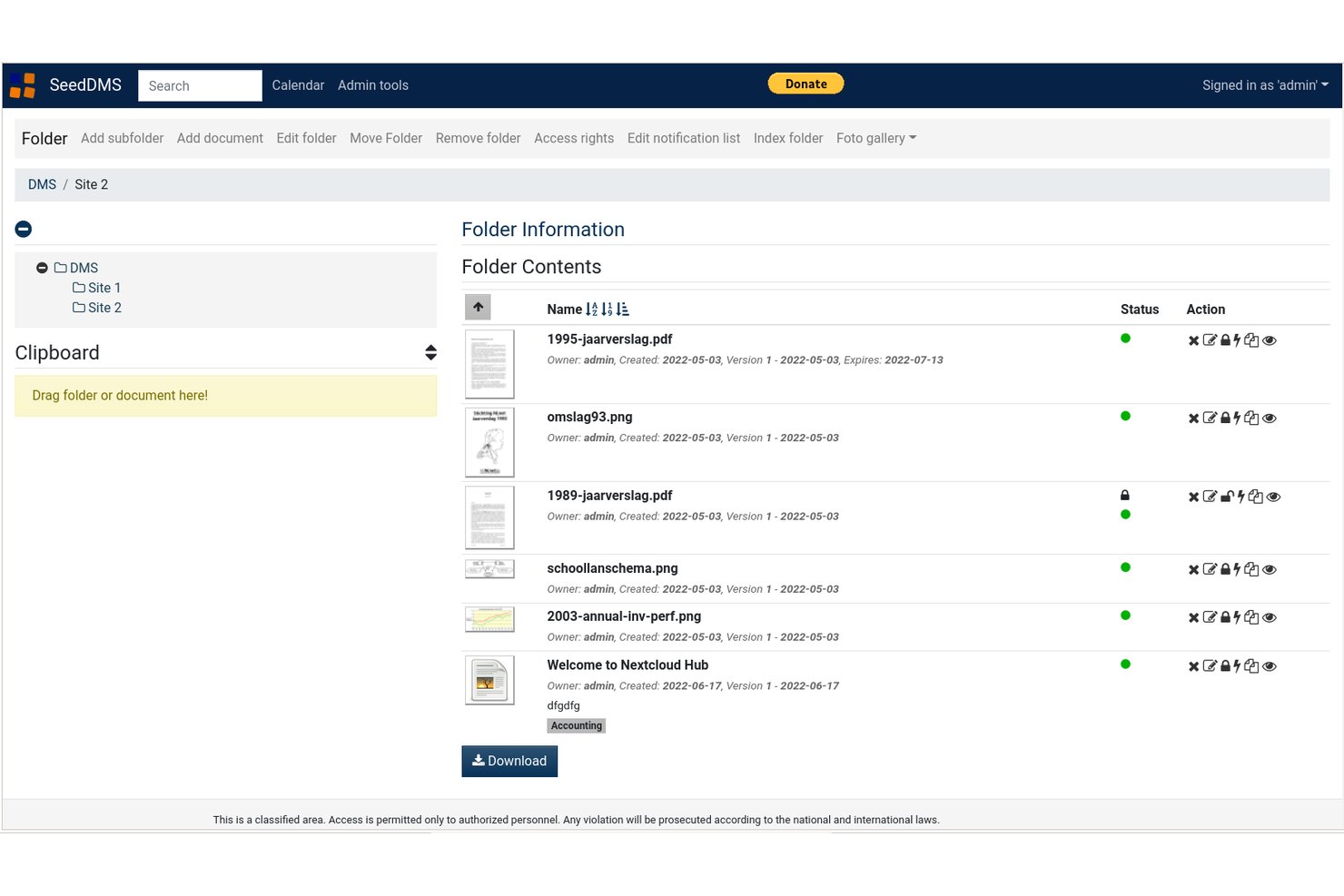
SeedDMS is a self-hosted, open-source document management system built around hierarchical folder organization, granular access controls, version history, and multi-step approval workflows.
Who Is SeedDMS Best For?
SeedDMS is a strong fit for IT project managers and engineering document controllers who need self-hosted version control, granular access permissions, and LDAP integration without licensing costs.
Why I Picked SeedDMS
SeedDMS earns its spot on my shortlist because its interface cuts through the clutter that makes so many self-hosted DMS tools frustrating to navigate. I particularly like how the hierarchical folder structure mirrors a familiar file system, so my team isn't relearning where anything lives. The check-in/check-out locking system is especially practical: when someone checks out a contract for editing, the document is locked and a new version is created on check-in, keeping history clean without any manual tracking.
SeedDMS Key Features
- LDAP/Active Directory integration: Connects SeedDMS to your existing directory service to sync user groups and authenticate team members centrally.
- Advanced multi-step workflow engine: Lets administrators define branching, multi-stage approval workflows with custom states and transitions across document types.
- Full-text search with faceted filtering: Indexes document content via SqliteFTS and supports faceted search to narrow results by metadata attributes.
- Prometheus metrics endpoint: Exposes live system metrics—users, documents, and folders—via an HTTP endpoint for operational monitoring.
SeedDMS Integrations
SeedDMS offers documented integrations with Collabora Office, OnlyOffice, Tesseract OCR, Etherpad, HedgeDoc, LDAP/Active Directory, and WebDAV. It also provides a REST API for custom integrations and supports Paperless-NGX API-compatible clients.
Pros and Cons
Pros:
- Prometheus metrics endpoint supports live monitoring
- Advanced multi-step workflow engine for approvals
- LDAP and Active Directory integration included
Cons:
- LDAP setup only possible via config file
- No native mobile app available

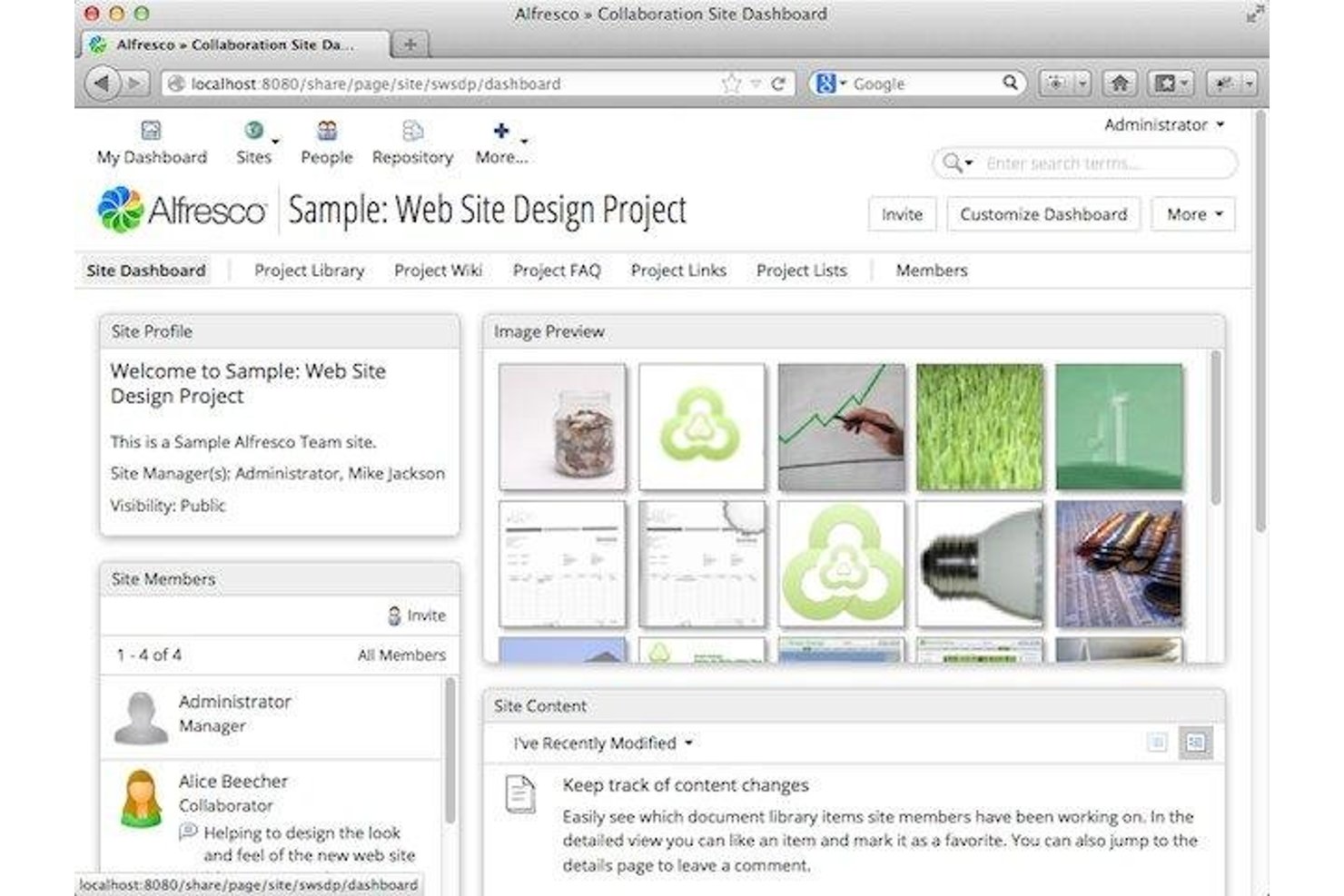
Alfresco Community Edition is a self-hosted, open-source document management system built on an enterprise-grade content repository, offering version control, RBAC, custom metadata schemas, BPM-powered workflows, and built-in records governance via its Governance Services module.
Who Is Alfresco Community Edition Best For?
Alfresco Community Edition is a strong fit for IT-led teams and document controllers who need enterprise-grade records governance without paying for a commercial license.
Why I Picked Alfresco Community Edition
Alfresco Community Edition earns its spot on my shortlist because it ships with records governance features that most open-source tools simply don't offer. I'm particularly impressed by Governance Services Community Edition, which gives you formal retention schedules, automated record lifecycle management from capture through disposition, and legal hold support. Pair that with version rollback and comprehensive audit logging, and you have a genuinely compliance-ready repository at zero licensing cost.
Alfresco Community Edition Key Features
- Custom metadata schemas: Define your own metadata fields and content models to classify documents by project type, discipline, or any organizational standard your team requires.
- Activiti BPM workflow engine: Build multi-step document approval and review workflows using a fully embedded BPMN-compliant engine with task assignment and notifications.
- LDAP and SSO integration: Sync your existing directory service and enable single sign-on via Keycloak, supporting SAML and multiple identity providers.
- Mobile Workspace app: Access, preview, scan, and upload documents from iOS or Android devices, with offline support for field-based teams working without reliable connectivity.
Alfresco Community Edition Integrations
Alfresco Community Edition integrates with Microsoft Office via AOS, Google Docs, and Jira through Ricksoft’s third-party connector. REST, CMIS, WebDAV, CIFS/Samba, LDAP, and Keycloak SSO support custom connectivity and identity management.
Pros and Cons
Pros:
- Fine-grained folder and document permissions
- Full version history with audit rollback
- Native records retention and legal hold support
Cons:
- Digital signatures require third-party add-ons
- No vendor support for community edition

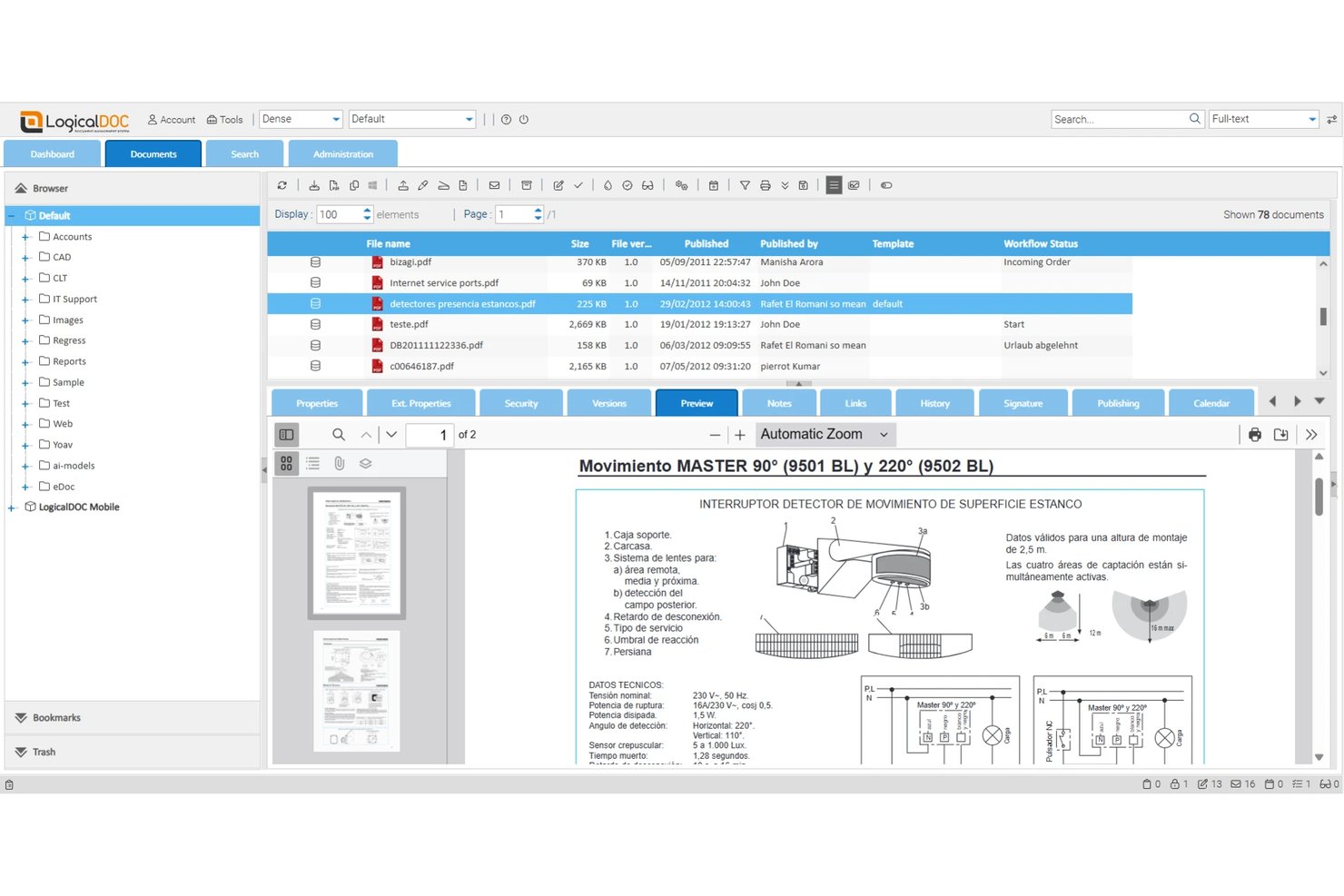
LogicalDOC Community Edition is a self-hosted, open-source document management system licensed under LGPL v3 that offers multilingual full-text search, version control, role-based permissions, workflow automation, and REST/SOAP APIs.
Who Is LogicalDOC Community Edition Best For?
LogicalDOC Community Edition is a strong fit for international teams that need to search, manage, and retrieve documents across multiple languages without paying for a commercial license.
Why I Picked LogicalDOC Community Edition
I've included LogicalDOC Community Edition in my top picks because its multilingual full-text indexing is genuinely rare in free, self-hosted DMS tools. It indexes documents across multiple languages simultaneously, so a team managing contracts in French, German, and Japanese can run a single search and surface results across all three. I also like that version control is thorough here: check-in/check-out locking, rollback, and per-version notes give you a clean audit trail without any paid upgrade.
LogicalDOC Community Edition Key Features
- Role-based access control: Set granular permissions at the folder and document level, with LDAP, Active Directory, and SSO authentication included in the free tier.
- Custom workflow engine: Route documents through approval and review workflows with task assignments, notifications, and reading confirmation requests.
- REST and SOAP APIs: Access full API support in the Community Edition, plus WebDAV and CMIS interfaces, for custom integrations with external systems.
- Native mobile apps: Browse, upload, search, and receive workflow notifications on iOS and Android devices at no additional cost.
LogicalDOC Community Edition Integrations
LogicalDOC Community Edition offers integrations with OnlyOffice, Google Drive, Joomla, WordPress, LDAP, and Active Directory, plus SSO. REST, SOAP, WebDAV, and CMIS interfaces support custom integrations with project and business systems.
Pros and Cons
Pros:
- Native mobile apps included in free version
- Version control with rollback and audit trail
- Multilingual full-text search across all documents
Cons:
- Advanced workflow automation is paid only
- No official vendor support for CE
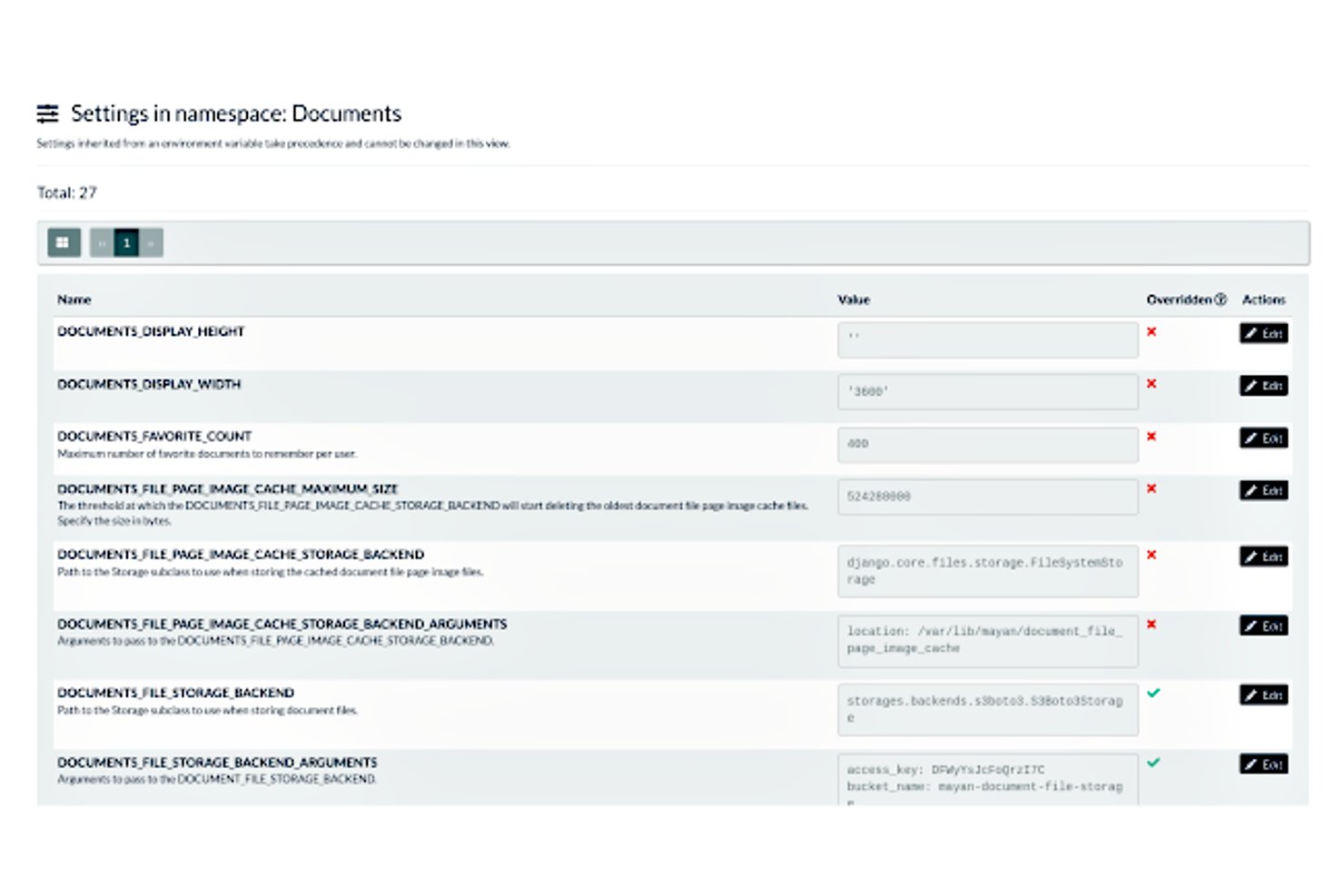
Mayan EDMS is a self-hosted, open-source document management system that covers the full document lifecycle—from multi-source capture and OCR to versioned storage, granular access control, state machine workflows, and AI-driven classification.
Who Is Mayan EDMS Best For?
Mayan EDMS is a strong fit for IT project managers and engineering document controllers who need a self-hosted, enterprise-grade DMS with granular access control and AI-driven classification.
Why I Picked Mayan EDMS
I picked Mayan EDMS as one of the best because its AI-driven automatic tagging genuinely sets it apart. Using OpenAI API or a locally hosted Ollama model, it classifies incoming documents and writes structured metadata back into the system automatically. Color-coded tags can also trigger workflow state transitions, so a tag applied at ingestion can route a contract through an approval chain without any manual intervention.
Mayan EDMS Key Features
- Finite state machine workflow engine: Define document states and allowed transitions, with automated actions, escalation timers, and external system triggers at each stage.
- Non-destructive page manipulation: Reorder, hide, rotate, crop, or redact pages as overlay layers without modifying the original stored file.
- Multi-source document ingestion: Pull documents into the repository from watched folders, IMAP/POP3 email inboxes, SANE-compatible scanners, or S3-compatible cloud storage.
- Atomic, per-object access control: Assign discrete permissions for every individual operation—view, download, print, redact, check out—at both the role level and per-document level.
Mayan EDMS Integrations
Mayan EDMS integrates with Amazon S3, MinIO, LDAP, Active Directory, SSO, OIDC, IMAP, POP3, SANE, Elasticsearch, OpenAI, and Ollama. Its versioned REST API supports custom integrations with project and business systems.
Pros and Cons
Pros:
- Non-destructive page rearrangement and redaction
- AI-driven automatic metadata tagging
- Atomic per-operation document permissions
Cons:
- No real-time collaborative document editing
- No native offline mobile access
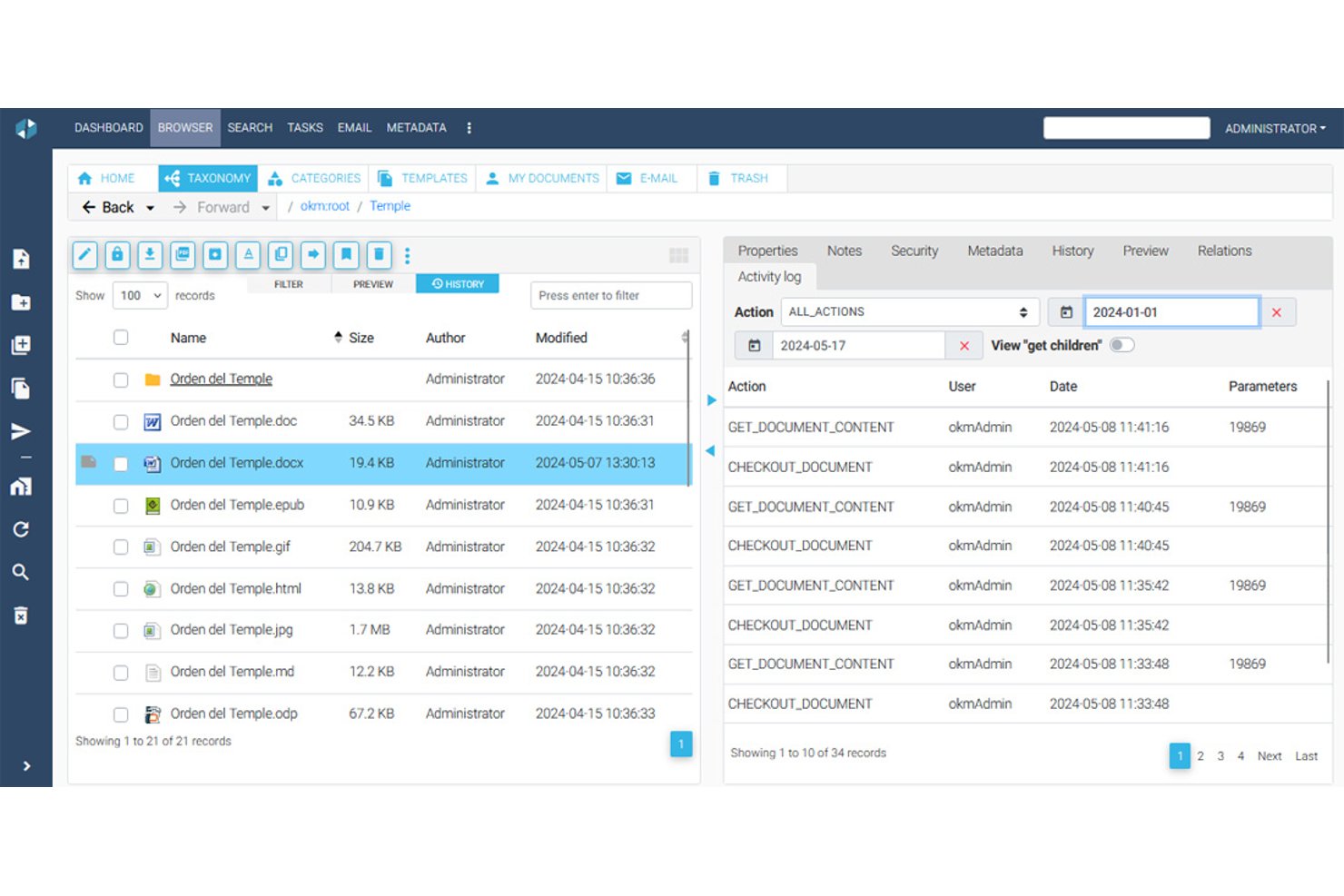
OpenKM Community Edition is a self-hosted document management system that combines hierarchical document storage, full-text search with OCR, role-based access control, jBPM-powered workflows, and check-in/check-out version control.
Who Is OpenKM Community Edition Best For?
OpenKM Community Edition is a strong fit for engineering document controllers and IT project managers who need rigorous version control and self-hosted document governance without licensing costs.
Why I Picked OpenKM Community Edition
I picked OpenKM Community Edition as one of the best because its version control system is genuinely hard to beat at no cost. The check-in/check-out model locks documents during editing, and every save creates a versioned snapshot with per-version comments and a full text diff. When a change order gets disputed or a prior spec needs restoring, I can roll back to any previous state in seconds.
OpenKM Community Edition Key Features
- jBPM workflow engine: Configure multi-step document review and approval workflows with both parallel and serial paths, triggered automatically by folder or document type.
- Full-text search with OCR: Index and search document content using Apache Lucene or Elasticsearch, with Tesseract OCR extracting text from scanned files and images.
- Custom metadata schemas: Define document metadata fields—text inputs, dates, dropdowns, checkboxes—across multiple languages to match your project taxonomy.
- REST API with SDKs: Access roughly 500 API endpoints with official SDKs for Java, .NET, Node.js, and PHP to connect OpenKM to your existing toolchain.
OpenKM Community Edition Integrations
OpenKM Community Edition integrates with Microsoft Office, LDAP/Active Directory, WebDAV, FTP, PostgreSQL, MySQL, Oracle, and Microsoft SQL Server. CMIS is available through an extension, while its REST API and SDKs support custom integrations.
Pros and Cons
Pros:
- Granular role-based permissions and audit trails
- Full-text search supports OCR for scanned files
- Strong version control with check-in/check-out
Cons:
- No AI features in free edition
- Source code is not public in v7.0
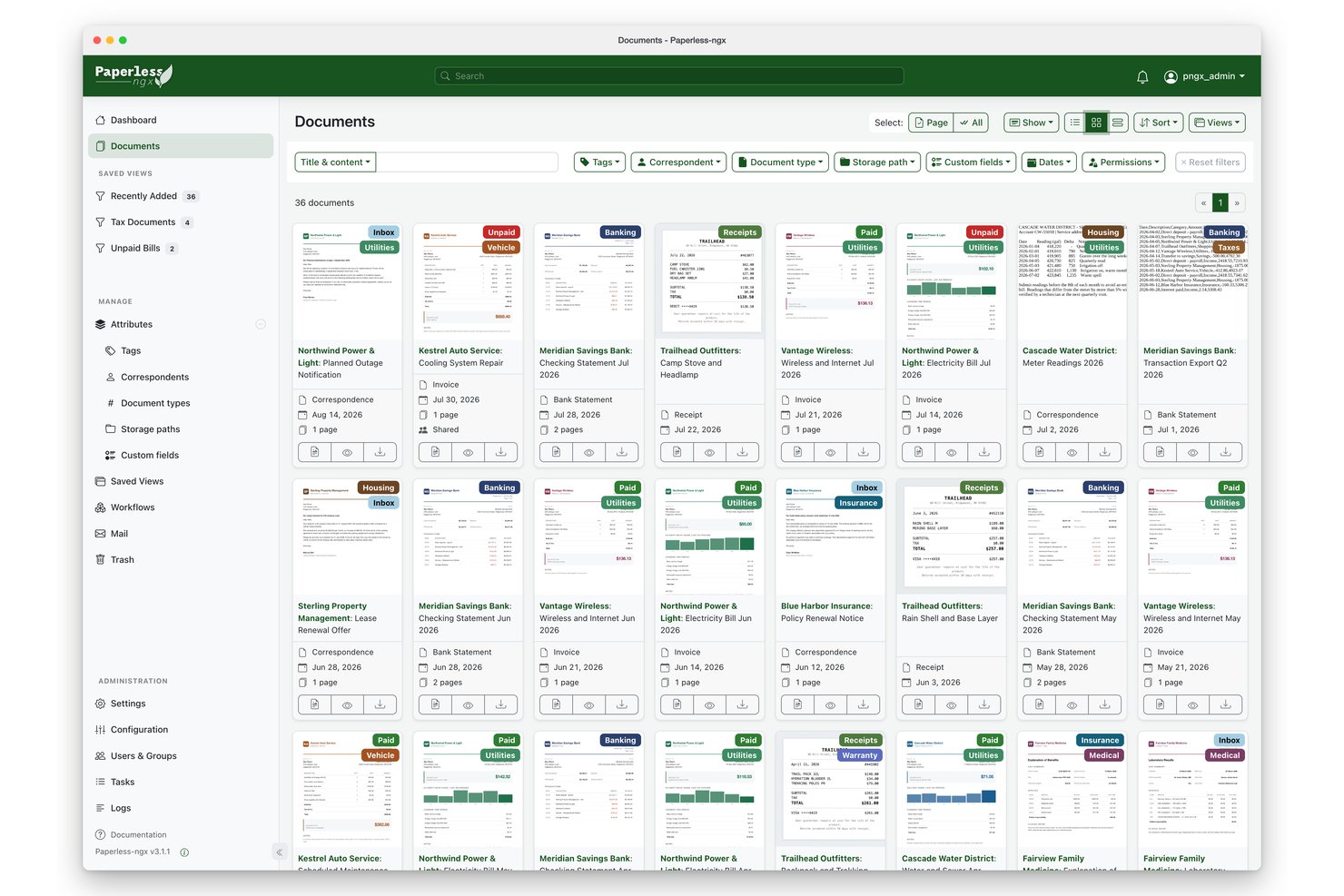
Paperless-ngx is a self-hosted, open-source document management system that combines OCR-powered text extraction, AI-based auto-classification, full-text search, and multi-user access control to digitize and organize large document archives.
Who Is Paperless-ngx Best For?
Paperless-ngx is a strong fit for IT project managers and technical teams who want full control over their document infrastructure without paying for a commercial platform.
Why I Picked Paperless-ngx
Paperless-ngx earns its spot on my shortlist because its OCR and AI classification capabilities are genuinely best-in-class for a self-hosted, open-source tool. Tesseract OCR handles 100+ languages, while the built-in ML classifier automatically assigns tags, correspondents, and document types, and you can layer in LLM-based suggestions on top of that. I've seen teams processing thousands of scanned invoices and contracts get to 75%+ auto-classification accuracy once the corpus is large enough, which is a real payoff for paper-heavy workflows.
Paperless-ngx Key Features
- Email ingestion via IMAP: Paperless-ngx automatically polls configured mailboxes and ingests attachments as documents, then applies post-receipt actions like marking emails as read or deleting them.
- Consume folder: A monitored directory watches for new files and automatically pulls them into the document archive without any manual upload step.
- Object-level permissions: You can assign view and edit access on a per-document basis to specific users or groups, separate from global role-based permissions.
- REST API: A fully documented API exposes all core functionality—uploading documents, querying metadata, fetching OCR text, and triggering reprocessing—for custom integrations and automation pipelines.
Paperless-ngx Integrations
Paperless-ngx offers a Nextcloud marketplace integration, plus connectivity with n8n and OIDC providers such as Authentik. Its documented REST API and webhooks support custom integrations; native Jira, Asana, and Microsoft Project connectors aren't available.
Pros and Cons
Pros:
- Strong full-text search with fuzzy matching
- Multi-user permissions with object-level control
- Advanced OCR and AI-powered classification
Cons:
- Lacks automated retention policy options
- No true document version history
Outros sistemas de gestão documental de código aberto
Eis algumas opções adicionais de sistemas de gestão documental de código aberto que não entraram na minha lista, mas que continuam a valer a pena consultar:
- Seafile
For block-based sync on self-hosted storage
- NemakiWare
For integration with CMIS
- OpenProject
For construction project BIM workflows
- DocMGR
For WebDAV-accessible file repositories
- FormKiQ
For serverless AWS document ingestion
- Papermerge DMS
For GoBD-compliant document archiving
- Epiware
For all-in-one project and document tracking


How I Evaluate Open Source Document Management Systems
I look at these tools in two layers: the baseline every platform must meet—like self-hostable versioning and role-based access for project teams—and the differentiators that separate top picks from the rest.
Core Functionality (Table Stakes For This List)
When I'm selecting tools for my list, I rank each one on a scale from 0 (does not offer the functionality) to 5 (excels in this area) for each core functionality listed below. I then calculate the tool's total score into a percentage, using 65% as a benchmark to help assess its overall fit for the list.
- Open Source Licensing Model: I check for an OSI-approved license and a publicly accessible code repository, since some platforms market themselves as "open source" but gate core DMS features behind paid enterprise editions.
- Document Storage & Repository: The platform should support a centralized, hierarchical folder structure that handles diverse file types—from CAD drawings to contracts—with bulk upload and scalable storage backends.
- Version Control & Audit Trails: I evaluate whether the system tracks every revision with rollback capability and logs who changed what, which matters when project teams need to trace edits on shared deliverables.
- Access Control & Permissions: Granular, role-based permissions at both the folder and document level are what I look for, especially the ability to create user groups that mirror cross-functional project teams.
- Metadata & Search: Full-text search paired with custom metadata schemas makes a real difference when a PMO needs to locate a specific submittal or RFI across hundreds of project folders.
- Workflow & Collaboration: I look at whether the tool supports configurable approval chains and check-in/check-out flows, since document review cycles are a daily reality for most project teams.
Once I have a list of tools that meet this criteria, I consider what sets each platform apart.
Differentiating Factors (What Sets Vendors Apart)
Here's how I compare and contrast different vendors:
Standout Features
API extensibility is a big one for me. Project teams typically run Jira or Asana alongside their DMS, so I evaluate whether a platform offers REST APIs and webhooks that make those connections realistic. OCR and content intelligence also separate the strong picks from the average ones—being able to auto-extract text from scanned drawings or contracts saves hours of manual tagging. For teams with field workers, mobile and offline access matters too, since site-based coordinators need to pull up specs without relying on stable connectivity.
Beyond Features
Deployment flexibility matters a lot in this space. I check whether a platform supports Docker or Kubernetes, since many project teams want full data sovereignty without heavy DevOps overhead. Community health is another factor I weigh—active GitHub repos, frequent releases, and well-maintained docs signal long-term viability. Total cost of ownership rounds out my evaluation. A free license means little if the platform demands significant infrastructure spend or locks key features behind an enterprise tier that quietly inflates costs as your project portfolio grows.
Como escolher um sistema de gestão documental de código aberto
É fácil ficar preso a longas listas de funcionalidades e estruturas de preços complexas. Para o ajudar a manter o foco enquanto avalia o seu processo específico de seleção de software, apresentamos uma lista de verificação dos fatores a ter em conta:
| Fator | O que considerar |
|---|---|
| Escalabilidade | O sistema consegue acompanhar o crescimento da sua equipa? Considere as necessidades atuais e a expansão futura. Procure soluções que consigam lidar com um volume crescente de documentos sem grandes quebras de desempenho. |
| Integrações | Integra-se com as ferramentas existentes? Verifique a compatibilidade com o seu conjunto atual de software para evitar perturbações nos fluxos de trabalho ou custos adicionais com soluções intermediárias. |
| Personalização | Pode adaptá-lo aos seus processos? Certifique-se de que a ferramenta permite ajustar os fluxos de trabalho e as interfaces de modo a corresponder aos requisitos e preferências específicos da sua equipa. |
| Facilidade de utilização | A interface é intuitiva para a sua equipa? Teste a navegação e a disposição do sistema. Uma curva de aprendizagem acentuada pode dificultar a adoção e reduzir a eficiência. |
| Implementação e integração inicial | A transição é simples? Avalie os recursos necessários para a configuração e a qualidade dos materiais de integração inicial, como guias, vídeos ou a disponibilidade de pessoal de apoio. |
| Custo | Qual é o custo total de propriedade? Para além das taxas de subscrição, tenha em conta os custos de configuração, integração e eventual expansão. Compare-os com as limitações do seu orçamento. |
| Medidas de segurança | Como protege os seus dados? Certifique-se de que o sistema dispõe de encriptação, controlos de acesso e atualizações de segurança regulares para proteger informações sensíveis. |
| Requisitos de conformidade | Cumpre as normas do setor? Verifique se a ferramenta está em conformidade com os regulamentos relevantes para o seu setor, como o RGPD, para evitar problemas legais. |
O que é um sistema de gestão documental de código aberto?
Um sistema de gestão documental de código aberto é um software que permite aos utilizadores armazenar, gerir e acompanhar documentos eletronicamente, utilizando código aberto. Estas ferramentas são habitualmente utilizadas por profissionais como gestores de projetos, especialistas de TI e pessoal administrativo para melhorar a organização e a acessibilidade dos documentos.
O controlo de versões, as permissões de acesso e as capacidades de pesquisa ajudam a gerir documentos de forma eficiente e segura. De modo geral, estas ferramentas fornecem soluções económicas para melhorar o fluxo de trabalho documental e a colaboração.
Funcionalidades de um sistema de gestão documental de código aberto
Ao selecionar um sistema de gestão documental de código aberto, tenha em atenção as seguintes funcionalidades principais:
- Controlo de versões: Regista as alterações aos documentos e garante que os utilizadores acedem às versões mais recentes, reduzindo erros e confusões.
- Permissões de acesso: Gere quem pode ver ou editar documentos, reforçando a segurança e o controlo sobre informações sensíveis.
- Funcionalidade de pesquisa: Permite aos utilizadores encontrar rapidamente documentos através de palavras-chave ou metadados, poupando tempo e melhorando a eficiência.
- Fluxos de trabalho personalizáveis: Permite às equipas adaptar os processos às suas necessidades específicas, aumentando a flexibilidade e a capacidade de adaptação.
- Encriptação de documentos: Protege os dados sensíveis contra acessos não autorizados, garantindo a conformidade com as normas de segurança.
- Registos de auditoria: Fornece um registo detalhado das atividades relacionadas com os documentos, ajudando na conformidade e na responsabilização.
- Etiquetagem automática de documentos: Utiliza metadados para categorizar documentos automaticamente, melhorando a organização e a recuperação.
- Capacidades de integração: Liga-se a outras ferramentas e software, facilitando a partilha de dados e a colaboração sem interrupções.
- Acesso móvel: Permite aos utilizadores gerir documentos em qualquer lugar, aumentando a flexibilidade para os membros da equipa que trabalham remotamente ou viajam.
Benefícios de um sistema de gestão documental de código aberto
A implementação de um sistema de gestão documental de código aberto proporciona vários benefícios à sua equipa e à sua empresa. Eis alguns dos benefícios que pode esperar:
- Boa relação custo-benefício: As soluções de código aberto têm frequentemente custos iniciais mais baixos, tornando-as económicas para empresas de todas as dimensões.
- Colaboração melhorada: Funcionalidades como o controlo de versões e as permissões de acesso permitem às equipas trabalhar em conjunto de forma eficiente, sem substituir o trabalho umas das outras.
- Segurança melhorada: A encriptação de documentos e os controlos de acesso protegem as informações sensíveis, reduzindo o risco de violações de dados.
- Maior flexibilidade: Os fluxos de trabalho personalizáveis e as capacidades de integração permitem adaptar o sistema às necessidades específicas da sua empresa.
- Melhor conformidade: Os registos de auditoria e a etiquetagem de documentos ajudam a garantir que a sua organização cumpre os regulamentos e as normas do setor.
- Escalabilidade fácil: O sistema pode acompanhar o crescimento da sua empresa, adaptando-se ao aumento do volume de documentos e do número de utilizadores sem grandes interrupções.
Custos e preços de um sistema de gestão documental de código aberto
A seleção de um sistema de gestão documental de código aberto exige uma compreensão dos vários modelos de preços e planos disponíveis. Os custos variam consoante as funcionalidades, a dimensão da equipa, os complementos e outros fatores.
A tabela abaixo resume os planos comuns, os respetivos preços médios e as funcionalidades normalmente incluídas nas soluções de sistemas de gestão documental de código aberto:
Tabela de comparação de planos para um sistema de gestão documental de código aberto
| Tipo de plano | Preço médio | Funcionalidades comuns |
|---|---|---|
| Plano gratuito | $0 | Armazenamento básico, suporte limitado e acesso à comunidade. |
| Plano pessoal | $5-$15/utilizador/mês | Armazenamento melhorado, integrações básicas e controlo de versões. |
| Plano empresarial | $20-$40/utilizador/mês | Integrações avançadas, personalização de fluxos de trabalho e registos de auditoria. |
| Plano empresarial de grande escala | $50-$100/utilizador/mês | Suporte completo, funcionalidades de segurança avançadas e opções de escalabilidade. |
Perguntas frequentes sobre sistemas de gestão documental de código aberto
Eis algumas respostas a perguntas comuns sobre sistemas de gestão documental de código aberto:
Em que difere a gestão documental de código aberto do software proprietário?
Os sistemas de gestão documental de código aberto permitem modificar e personalizar o software de acordo com as suas necessidades específicas, ao contrário do software proprietário, que oferece uma personalização limitada. Beneficia também de uma comunidade de programadores que contribui para melhorias e atualizações. Isto pode conduzir a uma inovação mais rápida e a soluções adaptadas ao seu setor.
O que devo ter em consideração ao escolher um sistema de gestão documental de código aberto?
Tenha em consideração a escalabilidade do sistema para garantir que este pode acompanhar o crescimento da sua empresa. Avalie a facilidade de integração com as suas ferramentas e plataformas existentes. Analise o suporte disponibilizado pela comunidade, uma vez que este pode ser inestimável para a resolução de problemas e o desenvolvimento personalizado.
Os sistemas de gestão documental de código aberto podem cumprir as normas de conformidade?
Sim, muitos sistemas de código aberto foram concebidos para cumprir normas de conformidade como o GDPR ou a HIPAA. Certifique-se de que o sistema suporta funcionalidades como registos de auditoria e encriptação de dados. É crucial verificar se o sistema pode ser configurado para cumprir regulamentações específicas do setor.
Quão seguros são os sistemas de gestão documental de código aberto?
Os sistemas de código aberto podem ser muito seguros, oferecendo frequentemente encriptação robusta e controlos de acesso. A segurança depende do nível de manutenção e atualização ativa do sistema. É importante acompanhar as atualizações e correções para proteger contra vulnerabilidades.
Os sistemas de gestão documental de código aberto exigem conhecimentos técnicos?
É frequentemente necessário algum nível de conhecimentos técnicos para instalar e configurar sistemas de código aberto. No entanto, muitos têm interfaces fáceis de utilizar e disponibilizam documentação para ajudar na configuração e personalização. Avalie as capacidades técnicas da sua equipa antes de tomar uma decisão.
Quais são as vantagens em termos de custos da utilização de um sistema de gestão documental de código aberto?
Os sistemas de código aberto têm normalmente custos iniciais mais baixos e não implicam taxas de licenciamento, o que os torna económicos. Pode personalizar o sistema sem pagar por funcionalidades adicionais. No entanto, tenha em consideração os potenciais custos de alojamento, suporte e desenvolvimento personalizado.