



Zoho Projects vs. Teamwork: Confronto Esperto per il 2026



Zoho Projects offre una soluzione completa per ottimizzare il flusso di lavoro del tuo team, mentre Teamwork.com eccelle nel potenziare la collaborazione e la responsabilità tra i membri del team.
Sebbene entrambi gli strumenti mirino a migliorare la produttività, si differenziano per le interfacce utente e le opzioni di personalizzazione, fattori che potrebbero incidere sull’efficienza del tuo team.
In questo articolo troverai un confronto dettagliato tra questi software di project management, incluse funzionalità, pro e contro, prezzi e altro ancora.
Zoho Projects vs. Teamwork.com: An Overview
Zoho Projects
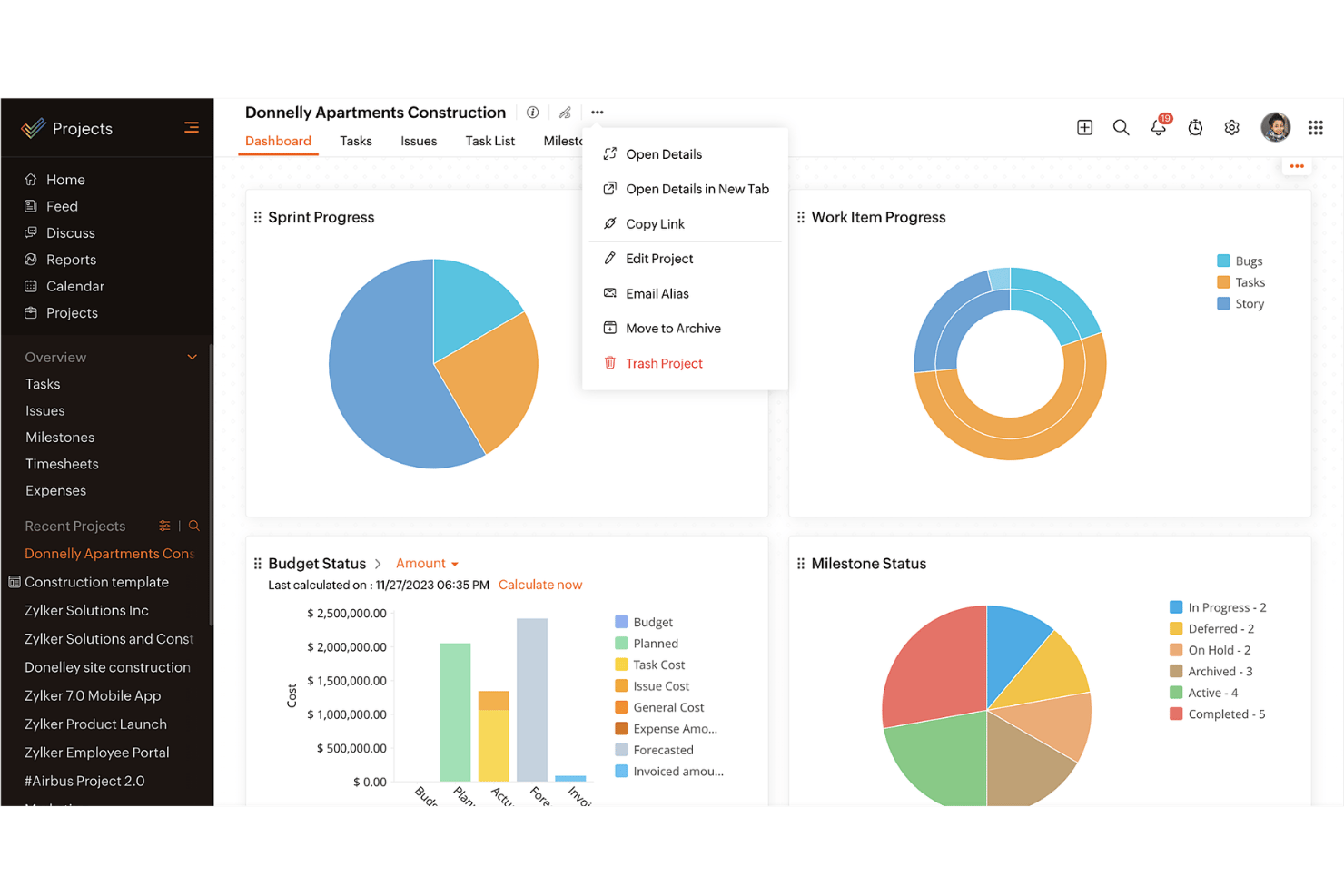


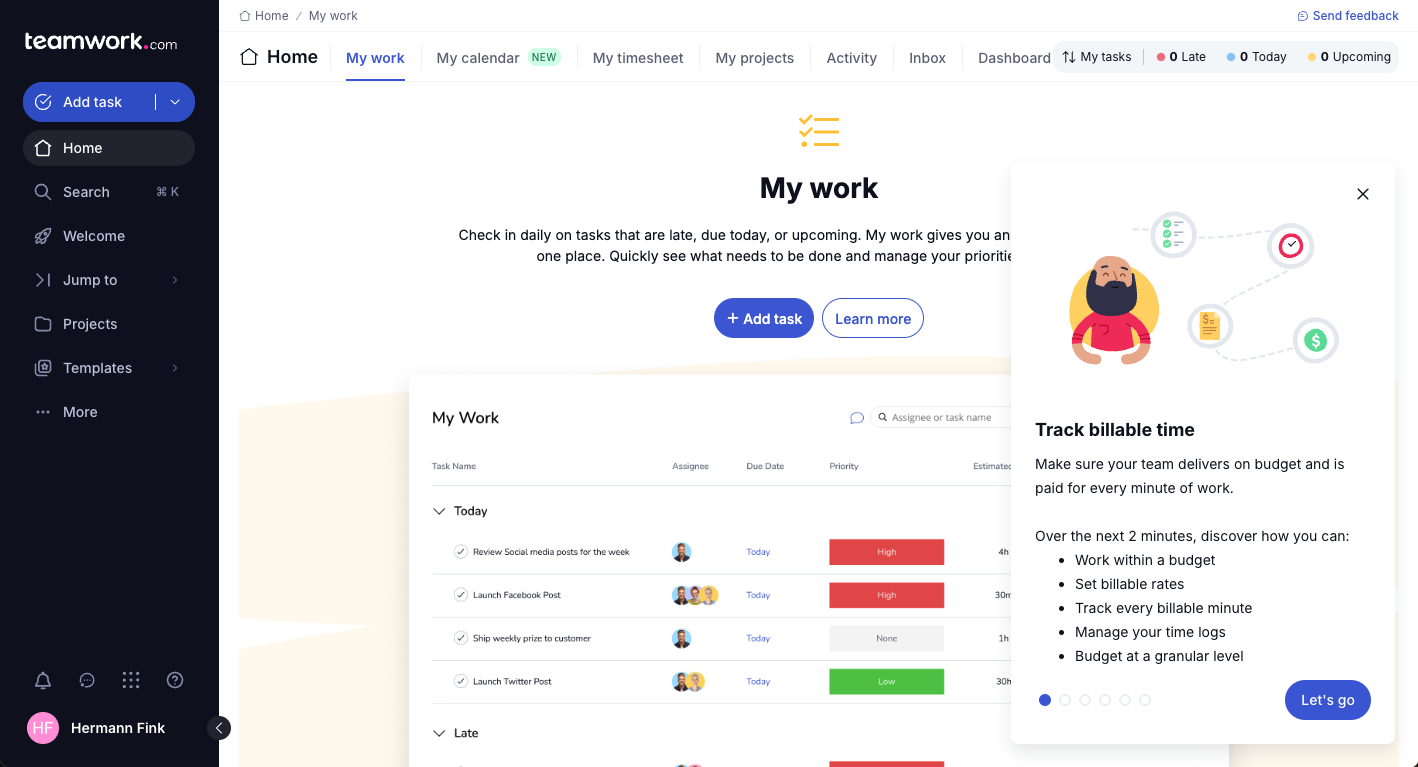
Teamwork.com


Perché puoi fidarti di noi
Testiamo e recensiamo software di project management dal 2012. Come project manager, sappiamo quanto sia fondamentale (e difficile) fare la scelta giusta quando si seleziona un software. Investiamo molte risorse nella ricerca per aiutare la nostra audience a scegliere meglio. Abbiamo testato più di 2.000 strumenti per diversi casi d’uso e scritto oltre 1.000 recensioni dettagliate. Scopri come restiamo trasparenti & la nostra metodologia di recensione del software.
Zoho Projects vs. Teamwork.com Pricing Comparison
| Zoho Projects | Teamwork.com | |
|---|---|---|
| Free Trial | Free plan available | Free demo + 14-day trial available |
| Pricing | From $4/user/month (billed annually) | From $9.99/user/month (billed annually) |
Zoho Projects vs. Teamwork: Prezzi e Costi Nascosti
Il piano prezzi di Zoho Projects offre un modello di abbonamento a più livelli in base alle funzionalità e al numero di utenti, ma occorre prestare attenzione ai costi aggiuntivi per il supporto clienti premium e lo spazio di archiviazione extra. Teamwork adotta anch’esso una struttura a più livelli, con eventuali spese extra per integrazioni avanzate e limiti aumentati di utenti.
Come project manager, valuta le necessità di funzionalità del tuo team e la crescita prevista; confrontale con i piani di ciascun fornitore e con i costi aggiuntivi per assicurarti di scegliere uno strumento che non solo si adatti al budget attuale, ma sia anche scalabile in futuro.
Zoho Projects vs. Teamwork.com Feature Comparison
Con la funzione di gestione delle attività di Zoho Projects puoi creare e assegnare facilmente attività e sotto-attività, tracciando l’avanzamento in tempo reale. Questo è un vantaggio rilevante in contesti dinamici dove il rispetto delle scadenze è fondamentale. Teamwork, invece, si distingue per i suoi strumenti di collaborazione come la chat integrata e i forum di discussione, ideali per i team che devono mantenere una comunicazione costante e un feedback continuo, specialmente nel lavoro a distanza.
Entrambi gli strumenti includono tutte le principali funzionalità di pianificazione progetti: kanban board, diagrammi di Gantt, elenchi attività, dipendenze tra attività e monitoraggio del tempo. Offrono inoltre notifiche di sistema personalizzabili e la possibilità di configurare i permessi utente.
| Zoho Projects | Teamwork.com | |
|---|---|---|
| API | ||
| Batch Permissions & Access | ||
| Budgeting | ||
| Calendar Management | ||
| Collaboration Support | ||
| Contact Management | ||
| Contact Sharing | ||
| Customer Management | ||
| Dashboard | ||
| Dashboards | ||
| Data Export | ||
| Data Import | ||
| Data Visualization | ||
| Dependency Tracking | ||
| Document Sharing | ||
| Expense Tracking | ||
| External Integrations | ||
| File Sharing | ||
| Gantt Charts | ||
| Kanban Boards | ||
| Multi-User | ||
| Notifications | ||
| Project Management | ||
| Resource Management | ||
| Scheduling | ||
| Task Scheduling/Tracking | ||
| Third-Party Plugins/Add-Ons | ||
| Time Management | ||
| Travel Management | ||
| Workflow Management |
Zoho Projects vs. Teamwork: Integrazioni
| Integrazione | Zoho Projects | Teamwork |
| Slack | ✅ | ✅ |
| Google Drive | ✅ | ✅ |
| Dropbox | ✅ | ✅ |
| Microsoft Teams | ❌ | ✅ |
| QuickBooks | ❌ | ✅ |
| HubSpot | ❌ | ✅ |
| Microsoft Outlook | ✅ | ✅ |
| Salesforce | ✅ | ❌ |
| Trello | ✅ | ❌ |
| Asana | ❌ | ✅ |
| API | ✅ | ✅ |
| Zapier | ✅ | ✅ |
L’integrazione tra Zoho Projects e Slack consente di semplificare la comunicazione, un aspetto cruciale per i team distribuiti che necessitano aggiornamenti in tempo reale.
L’integrazione di Teamwork con Google Drive è ideale per i project manager che hanno bisogno di uno spazio centrale per la condivisione e la collaborazione sui documenti, in particolare nei progetti che richiedono molta documentazione.
Entrambe le integrazioni offrono vantaggi specifici per aumentare la collaborazione e l’efficienza del team a seconda delle esigenze del progetto. Nota – in tema di componenti aggiuntivi e integrazioni, Zoho mette a disposizione anche il marketplace e le sue soluzioni di project management si integrano perfettamente con il resto dell’ecosistema Zoho.
Zoho Projects vs. Teamwork: Sicurezza, Conformità e Affidabilità
| Fattore | Zoho Projects | Teamwork |
| Crittografia dei dati | Protegge i dati con crittografia AES-256, garantendo che le tue informazioni restino al sicuro. | Utilizza crittografia TLS per proteggere i dati durante il transito e l'archiviazione. |
| Conformità normativa | È conforme al GDPR, aiutandoti a rispettare gli standard europei sulla protezione dei dati. | Rispetta il GDPR e il CCPA, garantendo la conformità alle principali normative sui dati. |
| Backup dei dati | Esegue backup giornalieri per prevenire la perdita di dati e garantire l'affidabilità. | Esegue regolarmente backup dei dati e offre opzioni di recupero per i tuoi progetti. |
Zoho Projects e Teamwork offrono entrambe funzionalità di sicurezza e conformità solide, ma Teamwork fornisce una copertura normativa più ampia.
Per scegliere il fornitore giusto, valuta le esigenze di conformità specifiche del tuo settore, considera i metodi di crittografia offerti e verifica i processi di backup e ripristino per assicurarti che siano allineati con le priorità di sicurezza del tuo team.
Zoho Projects vs. Teamwork: Facilità d'Uso
| Fattore | Zoho Projects | Teamwork |
| Interfaccia utente | Offre un’interfaccia pulita e intuitiva, che consente una facile navigazione e gestione delle attività. | Propone un’interfaccia user-friendly con dashboard personalizzabili per visualizzazioni su misura. |
| Esperienza di onboarding | Include tutorial guidati per aiutare i nuovi utenti a iniziare rapidamente. | Offre risorse complete per l'onboarding, inclusi webinar e un centro assistenza. |
| Procedura di configurazione | Configurazione semplice con istruzioni passo-passo per impostare il proprio workspace. | Procedura di configurazione rapida con opzioni per importare senza problemi i dati dei progetti esistenti. |
| Supporto | Fornisce assistenza 24/7 via chat ed e-mail per aiutare con domande e problematiche degli utenti. | Offre supporto esteso, incluso live chat e una knowledge base dettagliata. |
Zoho Projects è facile da navigare, ma può risultare difficile quando si tratta di integrare altri strumenti, il che potrebbe rallentare il flusso di lavoro.
Teamwork si distingue grazie a un’interfaccia personalizzabile e risorse di supporto solide, rendendo più facile l'adattamento alle esigenze specifiche del tuo team.
Zoho Projects vs Teamwork.com: Pros & Cons
Zoho Projects
- Task dependencies are highly visual and easy to set up.
- Built-in time tracking integrates smoothly with billing features.
- Customizable project templates support repeatable workflows.
- Reporting customization can be limited for advanced needs.
- Mobile app notifications do not always sync in real time.
- Gantt chart drag-and-drop can feel sluggish with large projects.
Teamwork.com
- You can manage workloads and resources effectively with its robust features.
- Teamwork's collaboration tools, like chat and message boards, keep your team connected.
- The platform's Academy offers useful videos to help you use it effectively.
- You might find the interface overwhelming with its many features.
- Some users feel the mobile app could be more intuitive.
- The learning curve can be steep for new users without prior experience.
Best Use Cases for Zoho Projects and Teamwork.com
Zoho Projects
- Small Agencies Kanban boards, time tracking, and client billing streamline project delivery and reporting for agency teams.
- IT Departments Issue tracking, blueprint automations, and strong permission controls provide what IT teams need for complex internal projects.
- Consulting Firms Time sheets, detailed reports, and project-level billing help consultants keep track of client hours and invoicing.
- Remote Teams Robust collaboration tools, document sharing, and project forums help distributed users stay connected.
- Marketing Teams Reusable templates, task dependencies, and timeline tracking make repeated campaigns run smoothly and transparently.
- Construction Projects Gantt charts, milestones, and resource allocation features support the scheduling needs of construction and field project managers.
Teamwork.com
- Creative Agencies Teamwork.com supports your agency with tools for managing client projects and tracking billable hours.
- Remote Teams Use Teamwork to stay connected with your team through its communication and collaboration features.
- Marketing Departments Manage your marketing campaigns with task lists, calendars, and resource allocation.
- Consulting Firms Track time and manage multiple client projects efficiently with Teamwork’s time tracking capabilities.
- Event Planning Organize events with ease using project timelines and task dependencies.
- Product Development Coordinate product launches with detailed task management and team collaboration features.
Chi dovrebbe usare Zoho Projects e Teamwork.com?
Secondo me, Zoho Projects è particolarmente adatto a team piccoli o medi che cercano una soluzione tutto-in-uno accessibile, con funzioni di gestione delle attività solide e integrazioni semplici.
Se lavori in un settore tecnologico orientato alla personalizzazione, Teamwork potrebbe essere la scelta migliore, poiché offre maggiore flessibilità e strumenti di collaborazione avanzati. Teamwork è perfetto per i team che danno priorità alla comunicazione e necessitano di una piattaforma che supporti una documentazione di progetto estesa e flussi di lavoro diversificati.
Differences Between Zoho Projects and Teamwork.com
| Zoho Projects | Teamwork.com | |
|---|---|---|
| Automation | Offers basic workflow automation for task management. | Provides more advanced workflow automation features. |
| Collaboration | Includes basic communication tools. | Excels with built-in chat and message boards for better team collaboration. |
| Integrations | Integrates with Slack and Salesforce, but lacks support for Microsoft Teams. | Supports integrations with Microsoft Teams and QuickBooks, but not Salesforce. |
| Pricing | Uses a tiered subscription model with additional costs for premium support. | Offers a tiered pricing model with potential extra charges for advanced features. |
| User Interface | Provides a clean, intuitive interface for easy task management. | Features a customizable interface with dashboards for a personalized user experience. |
| Read Zoho Projects ReviewOpens new window | Read Teamwork.com ReviewOpens new window |
Similarities Between Zoho Projects and Teamwork.com
| API Integration | They support API integrations, enabling you to connect with other tools and streamline your workflow. |
|---|---|
| Data Security | Both ensure data security with encryption and compliance with major regulations, helping protect your team's sensitive information. |
| Mobile Usability | Each offers mobile apps – for both ios and android – so users can use their project management tool on-the-go, so you can check updates and manage tasks from anywhere. |
| Pricing | The platforms utilize tiered pricing models, providing flexibility to choose plans based on your team's size and specific feature needs. |
| Task Management | Zoho Projects and Teamwork offer robust task management features, allowing you to create, assign, and track tasks efficiently. |
| Read Zoho Projects ReviewOpens new window Read Teamwork.com ReviewOpens new window | |