



Zoho Projects vs. ClickUp: Confronto e Recensione Esperta 2026



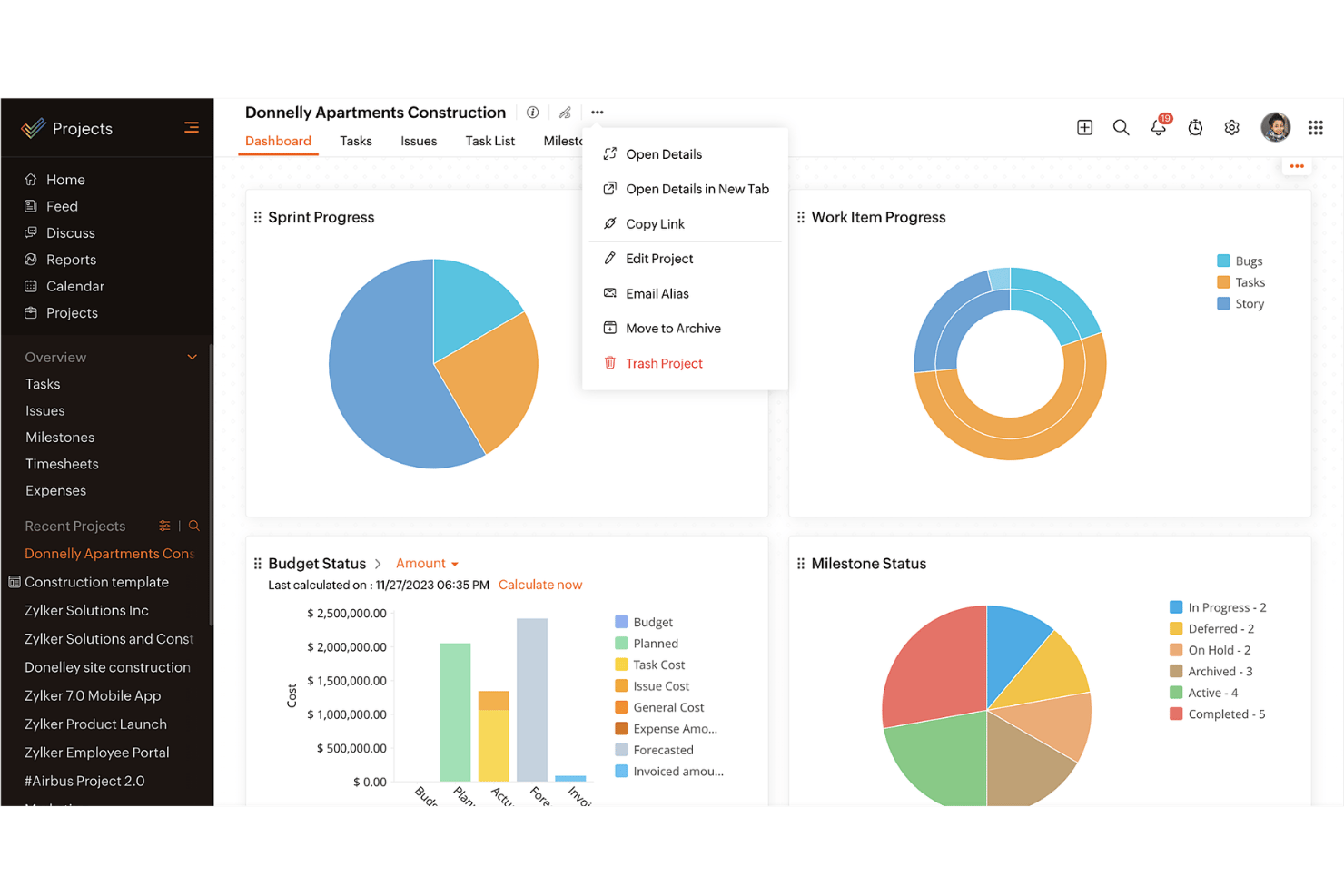
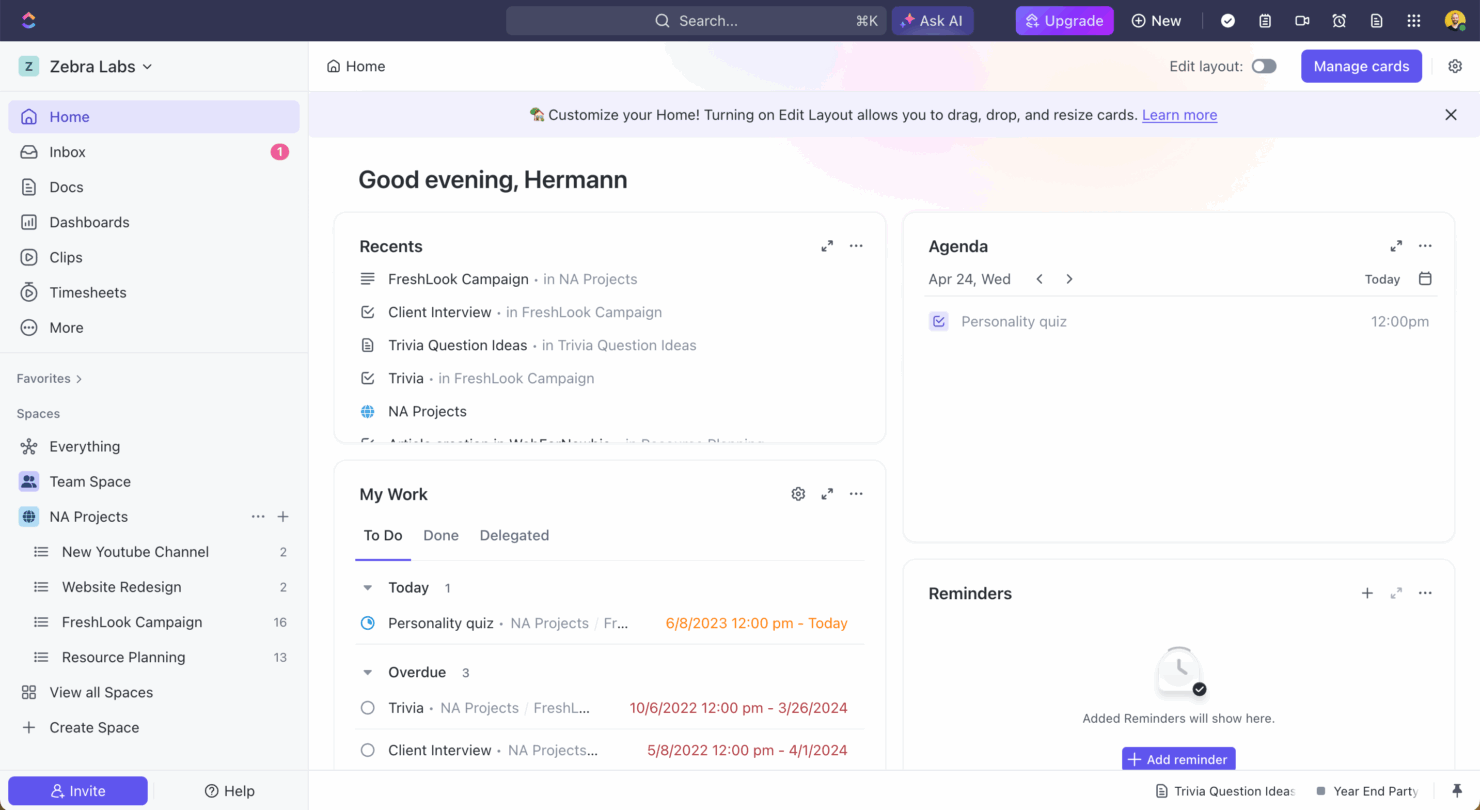
Zoho Projects offre una soluzione solida per gestire i progetti del tuo team con efficienza e facilità. ClickUp risponde a esigenze di gestione progetti versatili grazie alla sua piattaforma flessibile. Mentre Zoho Projects eccelle nella pianificazione strutturata dei progetti, ClickUp si distingue per le sue opzioni di adattabilità e personalizzazione. In questo articolo troverai un confronto dettagliato tra questi due software di project management, esplorando le loro funzionalità, vantaggi e svantaggi, prezzi e altro ancora.
Zoho Projects vs. ClickUp: An Overview
Zoho Projects
ClickUp
Perché fidarsi dei nostri consigli sui software
Il nostro team testa e recensisce software dal 2012. In quanto project manager noi stessi, sappiamo quanto sia difficile — e importante — scegliere il software giusto.
Per questa guida, abbiamo valutato gli strumenti attraverso test pratici e ricerche indipendenti, assegnando un punteggio agli strumenti in base ai nostri criteri di selezione. Ci basiamo inoltre sulle competenze di leader di pensiero del settore e di professionisti attivi nella gestione dei progetti.
Le nostre recensioni riflettono il nostro giudizio editoriale umano, non un discorso di vendita.
Revisori esperti:
Prezzi e costi nascosti di Zoho Projects vs. ClickUp
Il prezzo di Zoho Projects è strutturato su piani a livelli, offrendo una gamma di funzionalità in base al livello scelto, ma fai attenzione ai possibili componenti aggiuntivi che possono aumentare i costi. Il prezzo di ClickUp segue un modello a livelli simile, con un livello gratuito e costi aggiuntivi per funzionalità premium e spazio di archiviazione. Per scegliere lo strumento con il prezzo più adatto alle tue esigenze, valuta le funzionalità specifiche richieste dal tuo team e considera eventuali costi nascosti che potrebbero insorgere con la crescita delle tue necessità. Assicurati di allineare ciò che offre lo strumento con i tuoi obiettivi di progetto e la possibilità di scalare in futuro.
Zoho Projects vs. ClickUp Feature Comparison
Con il monitoraggio delle milestone di Zoho Projects, puoi gestire progetti complessi definendo fasi chiare, molto utile soprattutto nella coordinazione di linee temporali a lungo termine. La gestione attività versatile di ClickUp ti permette di personalizzare ampiamente i flussi di lavoro, rendendola perfetta per i team che devono adattarsi a obiettivi di progetto in evoluzione. Ogni strumento offre punti di forza unici: Zoho Projects è ideale per fasi di progetto strutturate, mentre ClickUp eccelle in personalizzazione e flessibilità.
| Zoho Projects | ClickUp | |
|---|---|---|
| API | ||
| Batch Permissions & Access | ||
| Budgeting | ||
| Calendar Management | ||
| Collaboration Support | ||
| Contact Management | ||
| Contact Sharing | ||
| Customer Management | ||
| Dashboard | ||
| Dashboards | ||
| Data Export | ||
| Data Import | ||
| Data Visualization | ||
| Dependency Tracking | ||
| Document Sharing | ||
| Expense Tracking | ||
| External Integrations | ||
| File Sharing | ||
| Gantt Charts | ||
| Kanban Boards | ||
| Multi-User | ||
| Notifications | ||
| Project Management | ||
| Resource Management | ||
| Scheduling | ||
| Task Scheduling/Tracking | ||
| Third-Party Plugins/Add-Ons | ||
| Time Management | ||
| Travel Management | ||
| Workflow Management |
Zoho Projects vs. ClickUp Integrazioni
| Integrazione | Zoho Projects | ClickUp |
|---|---|---|
| Slack | ✅ | ✅ |
| Google Drive | ✅ | ✅ |
| Microsoft Teams | ✅ | ✅ |
| Dropbox | ✅ | ✅ |
| HubSpot | ❌ | ✅ |
| Figma | ❌ | ✅ |
| GitHub | ❌ | ✅ |
| Salesforce | ✅ | ❌ |
| API | ✅ | ✅ |
| Zapier | ✅ | ✅ |
Grazie all'integrazione di Zoho Projects con Microsoft Teams puoi semplificare la comunicazione e la collaborazione, soluzione particolarmente preziosa nella gestione di team a distanza. L'integrazione di ClickUp con Slack è ideale per aggiornare il team sull'avanzamento delle attività senza uscire dalla piattaforma di chat. Entrambi gli strumenti offrono integrazioni che aumentano la produttività in modi diversi: valuta quali si abbinano meglio al tuo flusso di lavoro.
Zoho Projects vs. ClickUp Sicurezza, Conformità & Affidabilità
| Fattore | Zoho Projects | ClickUp |
|---|---|---|
| Tutela dei dati | Zoho Projects aderisce agli standard GDPR, garantendo privacy e protezione dei tuoi dati. | ClickUp è conforme a GDPR e CCPA, offrendo solide opzioni di controllo sulla privacy dei tuoi dati. |
| Crittografia | Zoho Projects utilizza la crittografia AES-256 per proteggere i dati sia in transito che a riposo. | ClickUp impiega la crittografia AES-256, salvaguardando i tuoi dati durante il trasferimento e l’archiviazione. |
| Affidabilità dell'uptime | Zoho Projects garantisce il 99,9% di disponibilità, offrendo accesso costante ai tuoi progetti. | ClickUp offre anch’esso il 99,99% di disponibilità, assicurando un’interruzione minima del tuo flusso di lavoro. |
Zoho Projects e ClickUp danno entrambi priorità a sicurezza e conformità, ma ClickUp ha un piccolo vantaggio grazie alla conformità aggiuntiva al CCPA. Quando valuti le funzionalità relative a sicurezza e compliance, concentrati sulla comprensione delle specifiche misure di protezione dei dati offerte da ciascun strumento e valuta come queste possono essere in linea con le esigenze di conformità del tuo team.
Zoho Projects vs. ClickUp Facilità d'Uso
| Fattore | Zoho Projects | ClickUp |
|---|---|---|
| Interfaccia utente | Zoho Projects offre un'interfaccia pulita con dashboard personalizzabili per una navigazione semplice. | ClickUp vanta un'interfaccia altamente personalizzabile, che permette di adattare le visualizzazioni alle proprie esigenze. |
| Esperienza di onboarding | Zoho Projects fornisce tutorial guidati e istruzioni passo-passo per aiutarti a iniziare. | ClickUp offre un processo di onboarding intuitivo, con video tutorial e modelli preimpostati. |
| Supporto | Zoho Projects include assistenza clienti 24/5 tramite chat ed email per un supporto rapido. | ClickUp offre supporto 24/7 con chat dal vivo e un centro assistenza completo. |
Zoho Projects è facile da usare grazie all’interfaccia lineare, ma le viste altamente personalizzabili di ClickUp lo rendono più adattabile per flussi di lavoro diversi. ClickUp eccelle in personalizzazione e supporto, mentre Zoho Projects si distingue per un onboarding diretto e una navigazione intuitiva.
Zoho Projects vs ClickUp: Pros & Cons
Zoho Projects
- Task dependencies are highly visual and easy to set up.
- Built-in time tracking integrates smoothly with billing features.
- Customizable project templates support repeatable workflows.
- Reporting customization can be limited for advanced needs.
- Mobile app notifications do not always sync in real time.
- Gantt chart drag-and-drop can feel sluggish with large projects.
ClickUp
- Extensive task management features keep your projects organized and on track
- Real-time collaboration makes team communication more effective
- Built-in automations reduce manual work and speed up your workflow
- Users often find the learning curve steep due to its rich feature set
- Some users report occasional performance lags when managing large projects
- Mobile app can be less intuitive than the desktop version
Best Use Cases for Zoho Projects and ClickUp
Zoho Projects
- Small Agencies Kanban boards, time tracking, and client billing streamline project delivery and reporting for agency teams.
- IT Departments Issue tracking, blueprint automations, and strong permission controls provide what IT teams need for complex internal projects.
- Consulting Firms Time sheets, detailed reports, and project-level billing help consultants keep track of client hours and invoicing.
- Remote Teams Robust collaboration tools, document sharing, and project forums help distributed users stay connected.
- Marketing Teams Reusable templates, task dependencies, and timeline tracking make repeated campaigns run smoothly and transparently.
- Construction Projects Gantt charts, milestones, and resource allocation features support the scheduling needs of construction and field project managers.
ClickUp
- Creative agencies ClickUp's customizable dashboards and task automation features can help you manage client projects, track feedback and revisions, and keep creative teams aligned.
- Tech startups ClickUp supports agile development with sprints and real-time collaboration features that can help teams iterate quickly.
- Marketing teams You can streamline campaign planning and execution using ClickUp’s task dependencies and timelines.
- Remote teams ClickUp's real-time updates and collaboration tools keep everyone on the same page, no matter where they are.
- Product managers ClickUp’s roadmaps and goal-tracking features help you align development with business objectives.
- Freelancers You can track your tasks and deadlines efficiently with ClickUp’s simple task and time management tools.
Chi dovrebbe usare Zoho Projects e chi dovrebbe usare ClickUp?
Secondo me, Zoho Projects è l’ideale per team che necessitano di uno strumento di gestione progetti strutturato, con funzionalità semplici e un focus su scadenze chiare. È perfetto per settori in cui le fasi tradizionali del progetto sono fondamentali, come edilizia o manifatturiero. D’altra parte, credo che ClickUp sia perfetto per team che necessitano di flessibilità e personalizzazione, specialmente in ambiti dinamici come startup tecnologiche o agenzie creative. Se il tuo team valorizza l’adattabilità e flussi di lavoro diversificati, ClickUp è probabilmente la scelta migliore.
Differences Between Zoho Projects and ClickUp
| Zoho Projects | ClickUp | |
|---|---|---|
| Automation | Zoho Projects includes basic automation for task management. | ClickUp offers advanced automation capabilities, allowing complex workflows. |
| Integrations | Zoho Projects integrates well with Microsoft Teams and Salesforce. | ClickUp excels with integrations like Slack, Figma, and GitHub. |
| Pricing | Zoho Projects offers tiered plans with additional costs for premium add-ons. | ClickUp provides a free tier with premium features available at extra cost. |
| Support | Zoho Projects provides 24/5 support via chat and email. | ClickUp offers 24/7 support with live chat and a detailed help center. |
| User Interface | Zoho Projects has a clean, straightforward interface for easy navigation. | ClickUp features a highly customizable interface tailored to your needs. |
| Read Zoho Projects ReviewOpens new window | Visit ClickUpOpens new window |
Similarities Between Zoho Projects and ClickUp
| Cloud-Based Access | Zoho Projects and ClickUp are cloud-based, offering your team remote access to project data anytime, anywhere, which is essential for modern teams. |
|---|---|
| Collaboration | Zoho Projects and ClickUp both integrate communication tools, enhancing team collaboration and keeping everyone in the loop. |
| Project Timelines | Each tool provides project timeline views, helping you visualize project phases and deadlines, ensuring your team stays on track. |
| Reporting | Both platforms allow you to generate custom reports, giving you insights into project performance and team productivity. |
| Task Management | Both Zoho Projects and ClickUp offer robust task management features, letting you assign, track, and manage tasks efficiently within your team. |
| Read Zoho Projects ReviewOpens new window Visit ClickUpOpens new window | |