


Trello vs Podio: Confronto e Recensioni degli Esperti per il 2026



Trello utilizza bacheche intuitive per offrire un modo semplice di organizzare il lavoro. Podio, invece, propone un'esperienza più personalizzabile per la gestione dei progetti. Sebbene entrambi gli strumenti supportino la gestione delle attività, Trello viene spesso scelto per la sua facilità d'uso, mentre Podio è preferito per la gestione di flussi di lavoro più complessi.
In questo articolo troverai un confronto dettagliato di questi strumenti, esplorando le loro funzionalità, vantaggi e svantaggi, prezzi e altro ancora, per aiutarti a scegliere il miglior software di gestione delle attività in base alle esigenze del tuo team.
Trello vs. Podio: An Overview
Trello




Podio


Perché fidarsi dei nostri consigli sui software
Il nostro team testa e recensisce software dal 2012. In quanto project manager noi stessi, sappiamo quanto sia difficile — e importante — scegliere il software giusto.
Per questa guida, abbiamo valutato gli strumenti attraverso test pratici e ricerche indipendenti, assegnando un punteggio agli strumenti in base ai nostri criteri di selezione. Ci basiamo inoltre sulle competenze di leader di pensiero del settore e di professionisti attivi nella gestione dei progetti.
Le nostre recensioni riflettono il nostro giudizio editoriale umano, non un discorso di vendita.
Revisori esperti:
Trello vs. Podio Pricing Comparison
| Trello | Podio | |
|---|---|---|
| Free Trial | 14-day free trial | 30-day free trial + free plan + free demo available |
| Pricing | From $5/user/month (billed annually) | From $11.20/user/month (billed annually) |
Il prezzo di Trello segue un modello a livelli, offrendo una versione gratuita con funzionalità di base e piani a pagamento che sbloccano funzionalità aggiuntive. Tuttavia, gli utenti devono considerare i possibili costi aggiuntivi per integrazioni e power-up.
Anche il prezzo di Podio offre una struttura a livelli, con un livello gratuito per piccoli team e costi aggiuntivi per funzionalità avanzate e capacità per team più grandi.
Per scegliere lo strumento più adatto alle tue esigenze, analizza le funzionalità specifiche e le integrazioni di cui il tuo team ha bisogno, valuta la scalabilità del piano e calcola il costo totale di proprietà nel tempo, inclusi eventuali costi aggiuntivi per gli add-on essenziali.
Trello vs. Podio Feature Comparison
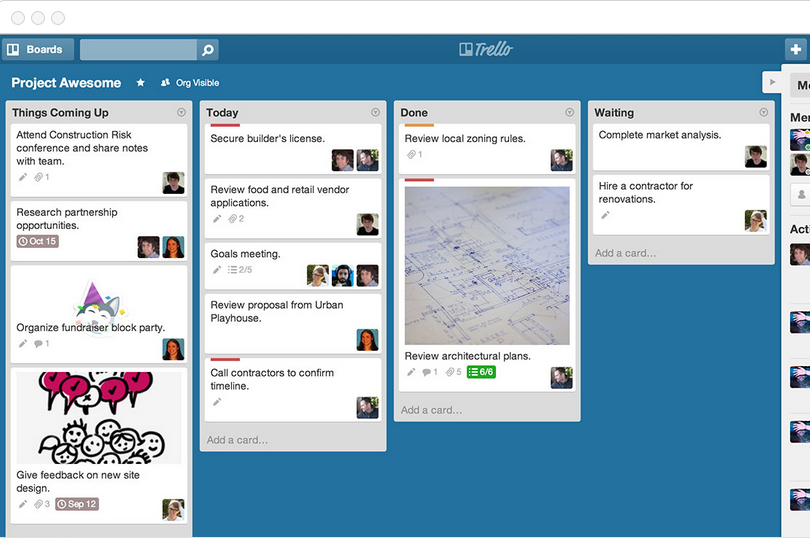
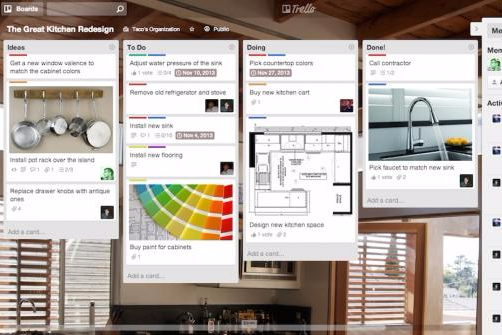
Il sistema a schede di Trello (Kanban) facilita il monitoraggio dell’avanzamento dei progetti e la gestione visiva delle attività, particolarmente utile per i project manager che seguono numerosi progetti contemporaneamente. Podio offre spazi di lavoro personalizzabili che permettono ai team di adattare i flussi di lavoro ai specifici processi aziendali, creando un ambiente progettuale più strutturato.
Trello eccelle nella gestione visiva delle attività, mentre Podio si distingue per la flessibilità nella personalizzazione dei flussi di lavoro.
| Trello | Podio | |
|---|---|---|
| API | ||
| Batch Permissions & Access | ||
| Budgeting | ||
| Calendar Management | ||
| Collaboration Support | ||
| Contact Management | ||
| Contact Sharing | ||
| Customer Management | ||
| Dashboard | ||
| Dashboards | ||
| Data Export | ||
| Data Import | ||
| Data Visualization | ||
| Dependency Tracking | ||
| Document Sharing | ||
| Expense Tracking | ||
| External Integrations | ||
| File Sharing | ||
| Gantt Charts | ||
| Kanban Boards | ||
| Multi-User | ||
| Notifications | ||
| Project Management | ||
| Resource Management | ||
| Scheduling | ||
| Task Scheduling/Tracking | ||
| Third-Party Plugins/Add-Ons | ||
| Time Management | ||
| Travel Management | ||
| Workflow Management |
Trello vs. Podio Integrazioni
| Integrazioni | Trello | Podio |
| Slack | ✅ | ✅ |
| Google Drive | ✅ | ✅ |
| Dropbox | ✅ | ✅ |
| Microsoft Teams | ✅ | ❌ |
| Evernote | ✅ | ❌ |
| Salesforce | ❌ | ✅ |
| QuickBooks | ❌ | ✅ |
| Zendesk | ✅ | ❌ |
| API | ✅ | ✅ |
| Zapier | ✅ | ✅ |
Trello si integra con Slack per inviare aggiornamenti sui progetti direttamente nei canali del team, aiutando tutti a restare informati durante progetti con ritmi serrati. Podio si collega con QuickBooks, consentendo ai project manager di tracciare le spese e gestire le fatture all'interno della piattaforma per una panoramica finanziaria chiara.
Queste integrazioni aumentano la produttività, con Trello che migliora la comunicazione del team e Podio che supporta la gestione finanziaria.
Trello vs. Podio Sicurezza, Conformità & Affidabilità
| Fattore | Trello | Podio |
| Crittografia dei dati | Trello utilizza la crittografia TLS per i dati in transito per proteggere le informazioni degli utenti. | Podio impiega la crittografia SSL/TLS per mettere in sicurezza i dati durante la trasmissione. |
| Privacy dei dati | Trello è conforme al GDPR, mettendo a disposizione strumenti per l'accesso e la cancellazione dei dati. | Podio aderisce al GDPR, offrendo agli utenti il controllo sulla gestione dei dati. |
| Affidabilità | Trello offre una disponibilità del 99,99%, garantendo accesso costante agli utenti. | Podio garantisce un'elevata disponibilità grazie a un'infrastruttura solida. |
Sia Trello sia Podio danno priorità a sicurezza e conformità, ma la robusta infrastruttura di Podio può offrire maggiore affidabilità. Quando valuti questi strumenti, considera le esigenze del tuo team in termini di protezione dei dati e verifica le certificazioni di conformità e le garanzie di uptime offerte da ogni fornitore.
Trello vs. Podio Facilità d'Uso
| Fattore | Trello | Podio |
| Interfaccia utente | Trello offre un'interfaccia pulita e intuitiva con funzione drag-and-drop facile da navigare. | Podio propone un'interfaccia personalizzabile, che può risultare difficile per i nuovi utenti. |
| Onboarding | Trello propone un onboarding semplice con tutorial e guide immediate. | L'onboarding di Podio presenta una curva di apprendimento dovuta alla sua complessità e alle possibilità di personalizzazione. |
| Supporto | Trello include un centro assistenza completo e forum della comunità per il supporto. | Podio fornisce un supporto personalizzato, ma può richiedere più tempo per risolvere problemi complessi. |
Trello è facile da usare, con un'interfaccia intuitiva e un onboarding semplice, il che lo rende una buona scelta per i team che necessitano di una configurazione rapida. Podio offre maggiore flessibilità grazie alla personalizzazione, ma può essere più difficile da imparare e richiede più tempo per essere utilizzato in modo efficace.
Trello vs Podio: Pros & Cons
Trello
- You can easily visualize your tasks with Trello's board and card layout.
- It's simple to use, making it accessible for team members of all skill levels.
- Trello adapts to your team's workflow, offering flexibility in task management.
- Trello lacks advanced reporting features you might find in more complex tools.
- You can't create intricate task dependencies, which may limit complex project planning.
- Trello's simplicity might not suit large teams with detailed project management needs.
Podio
- Podio lets you customize workflows, making it ideal for teams with unique processes.
- It offers excellent collaboration tools, enhancing team communication.
- Podio's app market provides flexibility to tailor your workspace.
- The learning curve can be steep for new users.
- Some users find its interface less intuitive compared to competitors.
- Advanced features might require additional setup time.
Best Use Cases for Trello and Podio
Trello
- Creative Agencies Trello's visual task management makes it easy for you to track projects, ideas, and client feedback.
- Startups The flexibility Trello offers helps your team adapt quickly as you grow and change.
- Marketing Teams You can easily plan campaigns and track progress with Trello's board system.
- Design Departments Trello's simple interface allows you to manage design projects and revisions efficiently.
- Freelancers You can organize your tasks and deadlines without getting overwhelmed by complex features
- Product Development Trello's adaptability helps your team streamline workflows and manage product roadmaps effectively.
Podio
- Creative Agencies Podio's customization lets you design project spaces that reflect your creative processes
- Marketing Teams Use Podio to track campaigns with custom apps and improve team collaboration.
- Startups Podio adapts as your business grows, offering flexibility in managing diverse projects and your operations. Podio can consolidate lead tracking, customer relationship management (CRM), and your sales team organization.
- Remote Teams Podio enhances communication and workflow management, keeping remote teams connected.
- Consulting Firms Track client projects and tailor workspaces to meet specific client needs with Podio.
- Nonprofits Podio's flexibility helps manage volunteers, events, and donor relationships effectively.
Chi dovrebbe usare Trello e chi dovrebbe usare Podio?
Secondo me, Trello è un software di gestione progetti particolarmente adatto a piccoli team e startup che hanno bisogno di uno strumento semplice e diretto per gestire le attività. Funziona particolarmente bene in ambiti come marketing e design, dove le sue principali funzionalità, come il tracciamento visivo delle attività, sono rilevanti.
Podio, invece, è adatto a organizzazioni più grandi o team con flussi di lavoro complessi, come quelli nel settore immobiliare o della consulenza, dove la personalizzazione e l'integrazione con altri strumenti sono fondamentali. Se il tuo team valorizza la flessibilità ed è in grado di gestire una curva di apprendimento più ripida, Podio può essere una scelta migliore.
Differences Between Trello and Podio
| Trello | Podio | |
|---|---|---|
| Automation | Trello includes basic automation with Butler for task automation. | Podio offers advanced automation through integrations and workflows. |
| Customization | Trello is less customizable but easy to set up. For further customization, such as adding Gantt charts, agile methodology features, or time tracking, teams typically rely on paid or free plug-ins. | Podio allows deep customization, ideal for complex workflows. |
| Onboarding | Trello’s onboarding is quick and simple with tutorials. | Podio’s onboarding is more complex due to its extensive customization options. |
| Pricing | Trello provides a free version with paid upgrades. | Podio offers tiered pricing with advanced features in higher plans. |
| User Interface | Trello uses a card-based system (Kanban) for visual task management | Podio offers a customizable interface, allowing tailored workflows. |
| Read Trello ReviewOpens new window | Read Podio ReviewOpens new window |
Similarities Between Trello and Podio
| Collaboration | Trello and Podio both support team collaboration by allowing multiple users to work on tasks at the same time. For collaboration features, Trello uses shared boards to coordinate work in real-time, while Podio relies on customizable workspaces. |
|---|---|
| Integrations | Both platforms integrate with popular tools like Slack and Google Drive, making it easier to enhance their functionality within your existing tech stack. |
| Mobile Usability | Trello and Podio both offer mobile apps, allowing you to manage tasks and projects easily while on the go. |
| Security | Both platforms prioritize security through encryption and comply with regulations like GDPR, helping ensure your data is protected. |
| Task Management | Both platforms offer task management features like due dates and checklists. Trello organizes tasks using cards, while Podio uses customizable apps. |
| Read Trello ReviewOpens new window Read Podio ReviewOpens new window | |