



Productive vs ClickUp: Confronto Esperto e Recensioni 2026



Productive offre un approccio semplificato alla gestione dei progetti del tuo team, mentre ClickUp propone una piattaforma versatile per tutte le esigenze di project management. La principale differenza tra Productive e ClickUp risiede nella loro impostazione di personalizzazione e nelle capacità di integrazione.
In questo articolo confronteremo gli strumenti e le loro funzionalità, vantaggi e svantaggi, prezzi e altro ancora per aiutarti a scegliere il miglior software di gestione dei progetti per il tuo team.
Productive vs. ClickUp: An Overview
Productive



ClickUp
Perché fidarsi dei nostri consigli sui software
Il nostro team testa e recensisce software dal 2012. In quanto project manager noi stessi, sappiamo quanto sia difficile — e importante — scegliere il software giusto.
Per questa guida, abbiamo valutato gli strumenti attraverso test pratici e ricerche indipendenti, assegnando un punteggio agli strumenti in base ai nostri criteri di selezione. Ci basiamo inoltre sulle competenze di leader di pensiero del settore e di professionisti attivi nella gestione dei progetti.
Le nostre recensioni riflettono il nostro giudizio editoriale umano, non un discorso di vendita.
Revisori esperti:
Productive vs. ClickUp Pricing Comparison
| Productive | ClickUp | |
|---|---|---|
| Free Trial | 14-day free trial + free demo available | Free plan + free demo available |
| Pricing | From $10/user/month (billed annually) | From $9/user/month (billed annually) |
Productive vs. ClickUp: Prezzi e Costi Nascosti
La struttura dei prezzi di Productive è basata su un modello in abbonamento, con costi che possono aumentare in base al numero di utenti e alle funzionalità aggiuntive come le analisi avanzate. La struttura dei prezzi di ClickUp segue un modello di abbonamento a più livelli, dove i costi possono variare aggiungendo ulteriore spazio di archiviazione o opzioni di supporto premium. Per scegliere lo strumento più adatto alle tue esigenze, valuta le funzionalità di cui hai effettivamente bisogno e considera la possibilità di aumentare o diminuire la scala di utilizzo. Esamina come ciascuna struttura dei prezzi si adatta ai piani di crescita del tuo team e alle funzionalità specifiche essenziali per i tuoi progetti.
Productive vs. ClickUp Feature Comparison
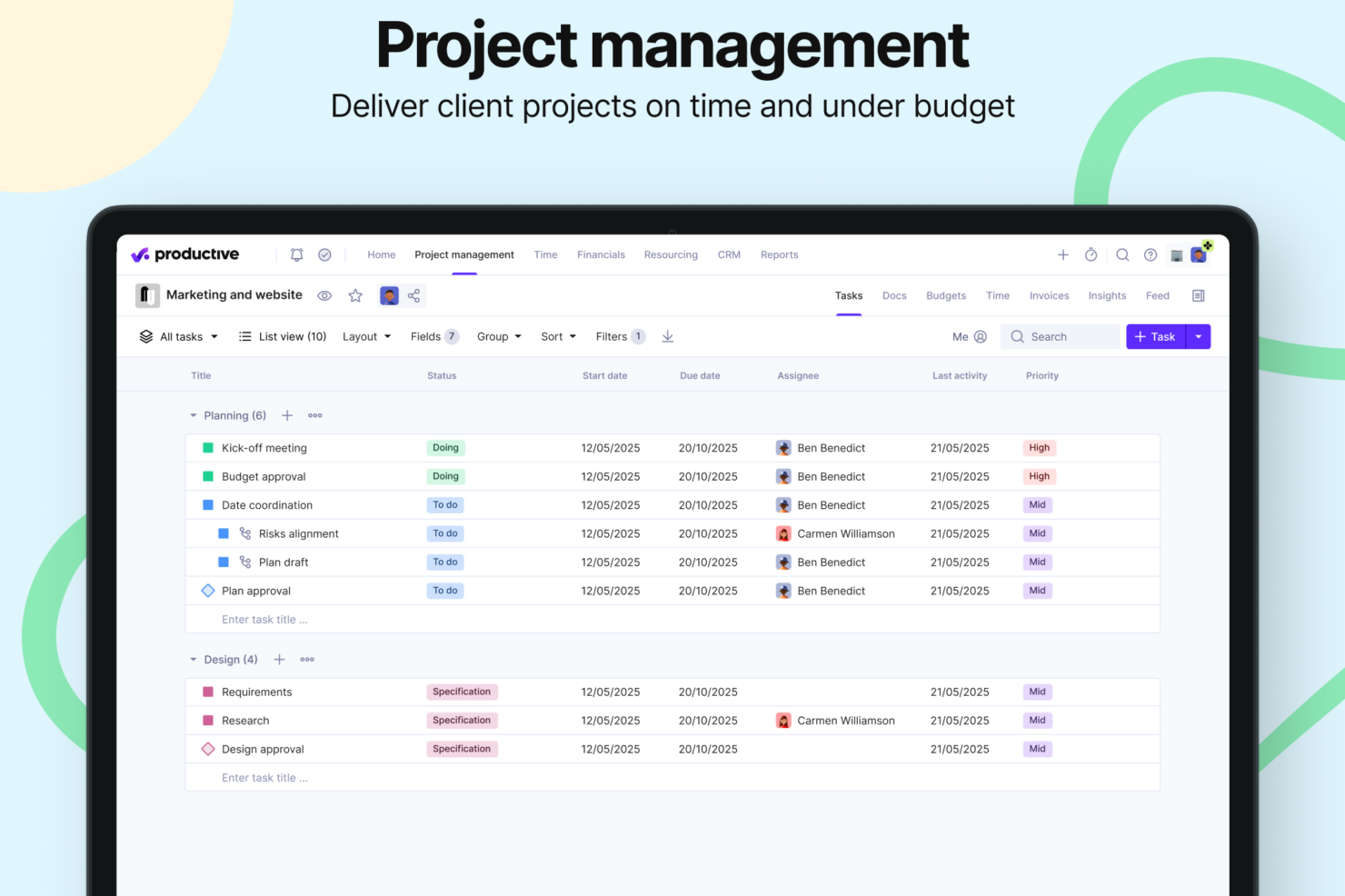
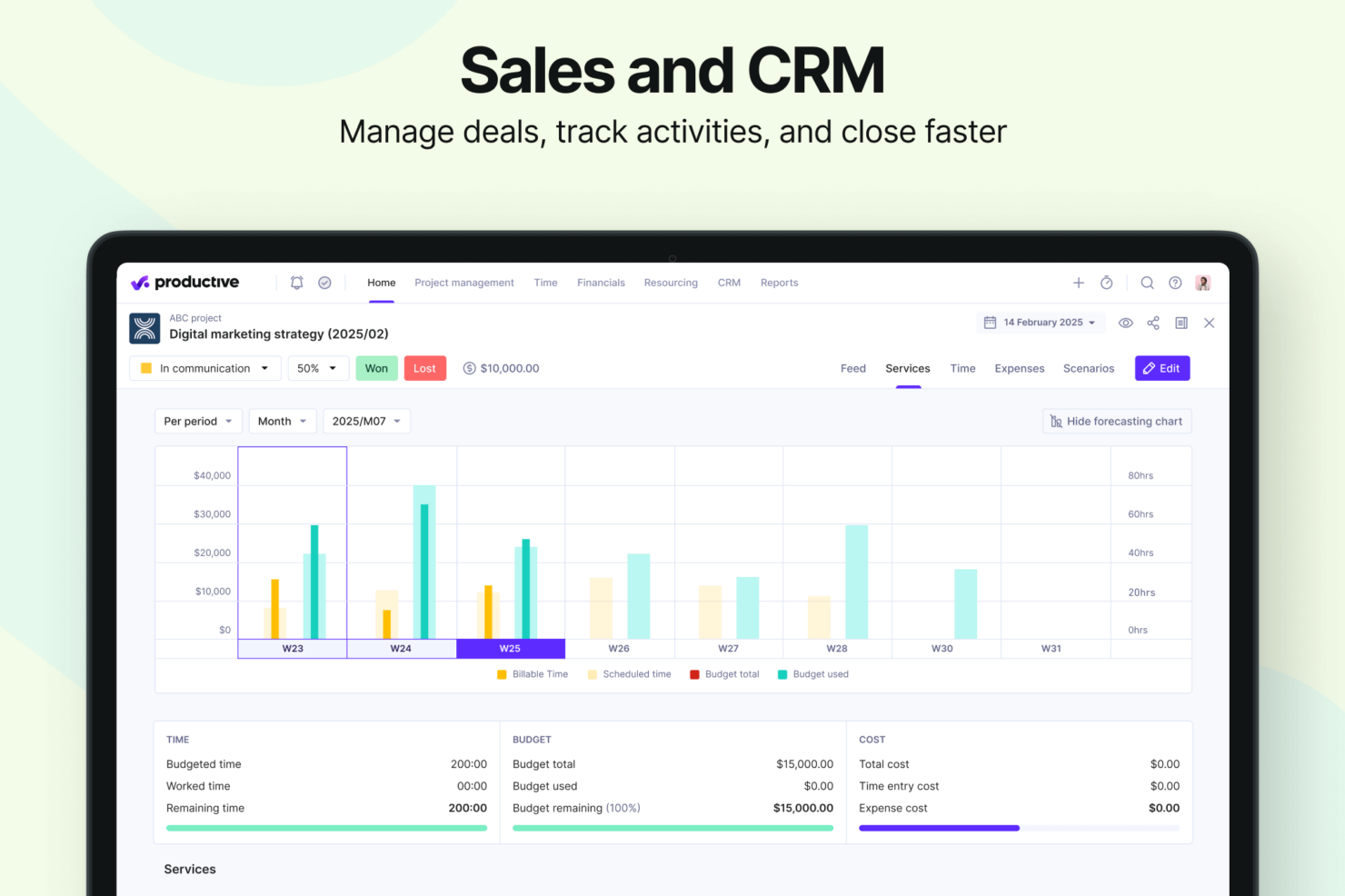
Con la gestione finanziaria dei progetti di Productive, puoi gestire budget, fatture e pagamenti: una funzione preziosa quando si sovrintendono progetti complessi con molteplici componenti finanziarie. Il task management di ClickUp è ideale per impostare flussi di lavoro dettagliati e tracciare il tempo, rivelandosi perfetto per team che richiedono una visibilità completa sulle attività. Entrambi gli strumenti offrono punti di forza unici, quindi la scelta dipende dal fatto che per il tuo team sia più cruciale la tracciabilità finanziaria o la gestione delle attività.
| Productive | ClickUp | |
|---|---|---|
| API | ||
| Budgeting | ||
| Dashboards | ||
| Data Export | ||
| Data Import | ||
| Expense Tracking | ||
| External Integrations | ||
| Gantt Charts | ||
| Multi-User | ||
| Notifications | ||
| Project Management | ||
| Resource Management | ||
| Scheduling | ||
| Task Scheduling/Tracking | ||
| Time Management | ||
| Workflow Management |
Productive vs. ClickUp: integrazioni
| Integrazione | Productive | ClickUp |
|---|---|---|
| Google Calendar | ✅ | ✅ |
| Slack | ✅ | ✅ |
| HubSpot | ✅ | ✅ |
| Jira | ✅ | ❌ |
| QuickBooks | ✅ | ❌ |
| Microsoft Teams | ❌ | ✅ |
| Zoom | ❌ | ✅ |
| Figma | ❌ | ✅ |
| API | ✅ | ✅ |
| Zapier | ✅ | ✅ |
Con l'integrazione di Productive con QuickBooks puoi gestire facilmente le finanze, aspetto cruciale per agenzie che gestiscono numerosi account clienti. L'integrazione di ClickUp con Slack è ottima per migliorare la comunicazione e la collaborazione nel team, soprattutto quando si lavora su progetti che richiedono aggiornamenti costanti. Entrambe le integrazioni soddisfano esigenze differenti, quindi la scelta dipende da cosa sia più importante per te: la gestione finanziaria o la comunicazione.
Productive vs. ClickUp Sicurezza, Conformità & Affidabilità
| Fattore | Productive | ClickUp |
|---|---|---|
| Privacy dei dati | Productive utilizza politiche di gestione dei dati conformi al GDPR per proteggere i dati degli utenti. | ClickUp è conforme a GDPR e CCPA, garantendo che la privacy dei dati degli utenti sia una priorità. |
| Crittografia | Productive cripta i dati sia a riposo che durante la trasmissione per mantenere la sicurezza. | ClickUp utilizza la crittografia AES-256 per i dati a riposo e TLS per i dati in transito. |
| Affidabilità uptime | Productive garantisce una disponibilità del 99,9% grazie a un'infrastruttura solida. | ClickUp assicura la massima affidabilità con un SLA di uptime del 99,99%. |
| Conformità | Productive è allineato agli standard ISO 27001 per la sicurezza delle informazioni. | ClickUp è conforme agli standard SOC 2 Tipo II per la protezione dei dati. |
Sia Productive che ClickUp offrono solide funzionalità di sicurezza e conformità, ma le certificazioni più ampie di ClickUp potrebbero essere più interessanti per i team di livello enterprise. Quando valuti questi strumenti, considera le esigenze di conformità del tuo settore e verifica attentamente le certificazioni e le misure di sicurezza di ciascun fornitore per assicurarti che siano in linea con i requisiti del tuo progetto.
Productive vs. ClickUp Facilità d'Uso
| Fattore | Productive | ClickUp |
|---|---|---|
| Interfaccia utente | Productive offre un'interfaccia pulita e intuitiva con una navigazione semplice. | ClickUp fornisce un'interfaccia personalizzabile che all'inizio può risultare complessa. |
| Esperienza di onboarding | Productive include guide passo-passo per aiutare i nuovi utenti a iniziare rapidamente. | ClickUp offre un onboarding completo con tutorial e webinar. |
| Configurazione | La configurazione di Productive è semplice e veloce, permettendo ai team di avviare subito i progetti. | ClickUp richiede più tempo per la configurazione a causa delle numerose opzioni di personalizzazione. |
| Supporto | Productive offre un supporto reattivo tramite chat ed e-mail, insieme a una knowledge base completa. | ClickUp offre assistenza 24/7 insieme a un centro di supporto dettagliato e forum della community. |
Productive è più facile da usare grazie all'interfaccia semplice, mentre le numerose funzionalità di ClickUp possono essere inizialmente complesse per i nuovi utenti. Productive consente di iniziare subito senza difficoltà, mentre la profondità di ClickUp richiede più tempo per essere assimilata ma offre una maggiore flessibilità una volta imparato.
Productive vs ClickUp: Pros & Cons
Productive
- Strong financial tracking and forecasting tools give you real-time insight into project profitability and overall business performance.
- You can handle agency projects end-to-end, from proposal to payment, which simplifies your workflow.
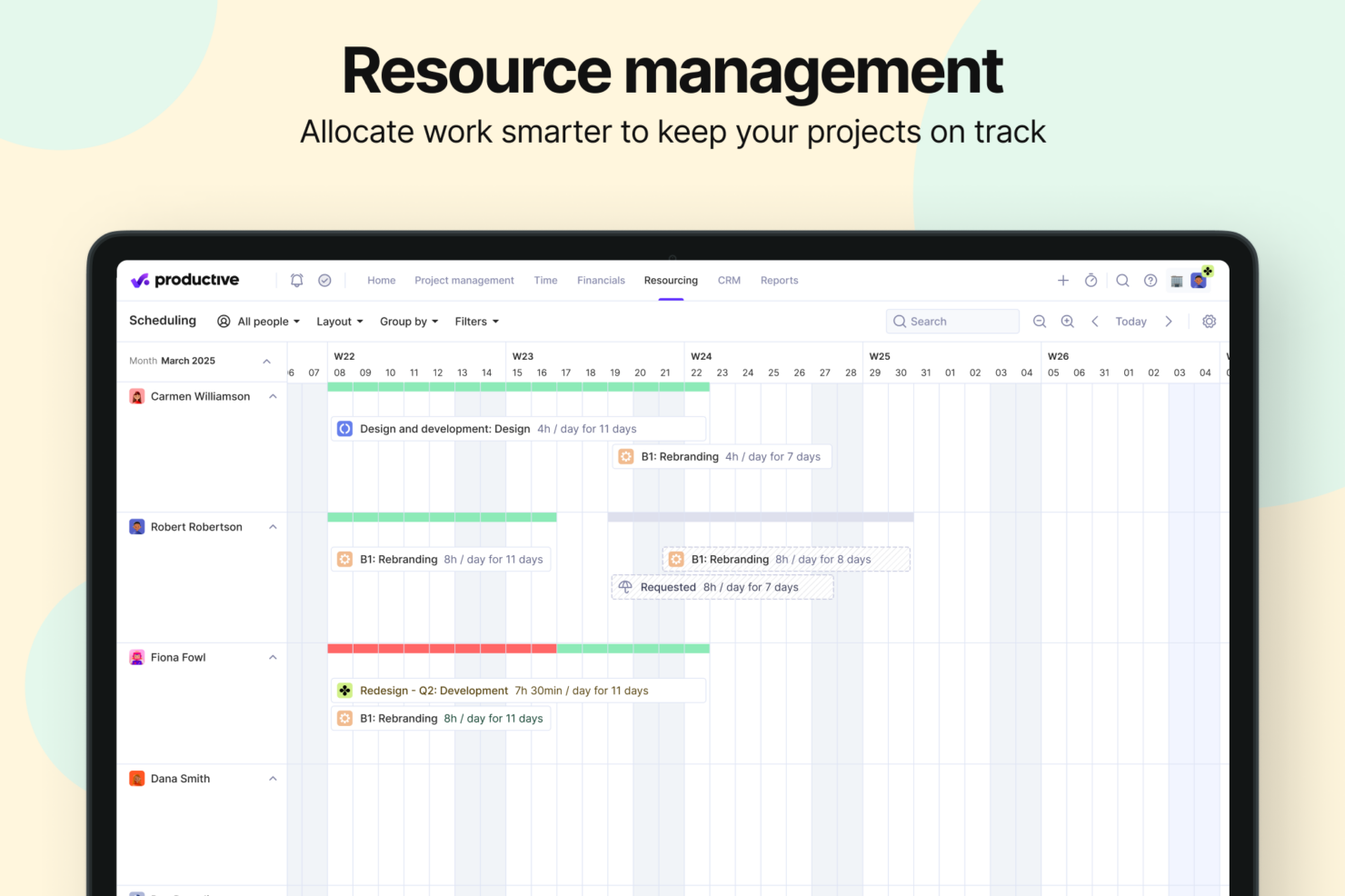
- Robust resource planning and workload management help you allocate people effectively.
- No free option available for teams looking for core project management functions.
- Advanced features can be complicated for small companies that just want basic task tracking.
- There's a minimum 3-seat requirement, so the tool isn't fit for single users or tiny teams.
ClickUp
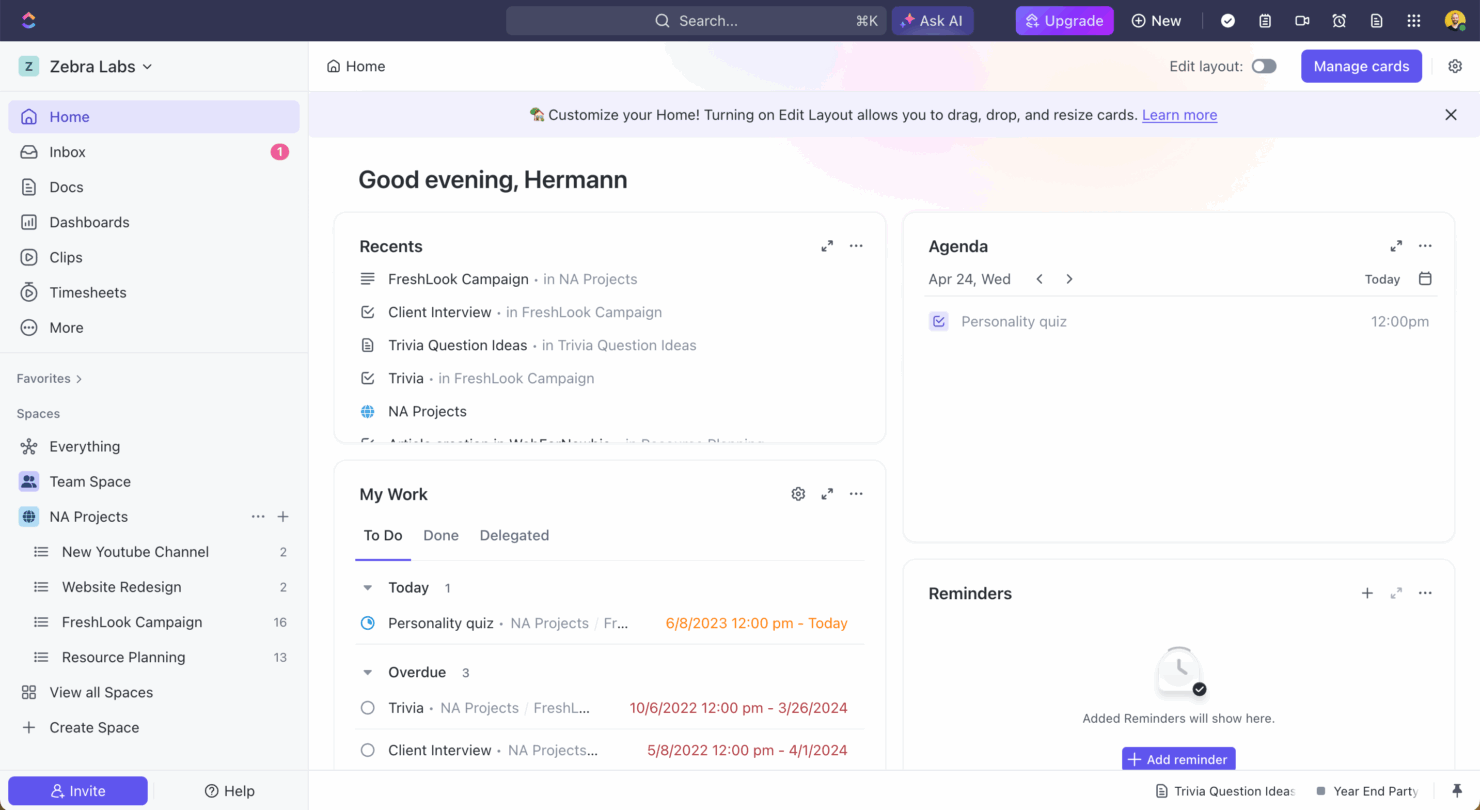
- Extensive task management features keep your projects organized and on track
- Real-time collaboration makes team communication more effective
- Built-in automations reduce manual work and speed up your workflow
- Users often find the learning curve steep due to its rich feature set
- Some users report occasional performance lags when managing large projects
- Mobile app can be less intuitive than the desktop version
Best Use Cases for Productive and ClickUp
Productive
- Creative agencies Agencies managing client retainers or project-based work gain real-time control over budgets, utilization, and profitability. Productive supports collaborative workflows while giving leadership deep financial insights.
- Architecture & Engineering Firms Productive aligns well with your workflows by combining project budgeting, resource planning, phased delivery, and profitability tracking.
- Consulting Firms Consultancies benefit from Productive’s integrated approach to scoping, staffing, project financials, and invoicing—providing clarity across complex engagements and supporting better revenue forecasting.
- Professional Service Providers Productive supports end-to-end service delivery with strong project financials, resource planning, time tracking, and billing workflows.
- IT Services IT service teams can streamline client engagements with robust time tracking, retainer management, cost tracking, and project profitability features.
- Mid-to-Large Businesses Organizations with growing teams benefit from Productive’s scalable project controls, forecasting, custom reporting, and multi-office management capabilities.
ClickUp
- Creative agencies ClickUp's customizable dashboards and task automation features can help you manage client projects, track feedback and revisions, and keep creative teams aligned.
- Tech startups ClickUp supports agile development with sprints and real-time collaboration features that can help teams iterate quickly.
- Marketing teams You can streamline campaign planning and execution using ClickUp’s task dependencies and timelines.
- Remote teams ClickUp's real-time updates and collaboration tools keep everyone on the same page, no matter where they are.
- Product managers ClickUp’s roadmaps and goal-tracking features help you align development with business objectives.
- Freelancers You can track your tasks and deadlines efficiently with ClickUp’s simple task and time management tools.
Chi dovrebbe usare Productive e chi dovrebbe usare ClickUp?
A mio avviso, Productive è ideale per agenzie e team che puntano sulla gestione finanziaria e il monitoraggio del budget, in cui semplicità e facilità di configurazione sono fondamentali. Dal mio punto di vista, ClickUp si addice a team che cercano personalizzazione e necessitano di strumenti completi per la gestione delle attività, soprattutto in ambienti dinamici. Secondo me, se il tuo team apprezza la flessibilità e può investire tempo nell'apprendere uno strumento avanzato, ClickUp è un'ottima scelta. Tuttavia, se hai bisogno di concentrarti sugli aspetti finanziari dei progetti senza complicazioni, Productive è la soluzione giusta.
Differences Between Productive and ClickUp
| Productive | ClickUp | |
|---|---|---|
| Customization | Productive offers fewer customization options (though they still exist, especially in reporting and automation), and is straightforward to use. | ClickUp allows extensive customization, which requires more setup time. |
| Financial Features | Productive excels in managing budgets and invoices for complex projects. | ClickUp focuses more on task management and lacks extensive financial tools. |
| Freemium Model | Productive does not offer a freemium plan. It starts with paid tiers designed for professional service teams that need full project, financial, and resource management. | ClickUp offers a generous free plan, making it more accessible for individuals and small teams who don’t need advanced financial or resource features. |
| Integrations | Productive integrates well with QuickBooks and other financial tools. | ClickUp integrates seamlessly with Slack and other communication platforms. |
| User Interface | Productive has a clean, intuitive interface for easy navigation. | ClickUp provides a highly flexible and customizable interface, which can feel complex or overwhelming for new users. |
| Visit ProductiveOpens new window | Visit ClickUpOpens new window |
Similarities Between Productive and ClickUp
| Automation | Both tools include automation features that streamline repetitive work, such as triggering actions, sending notifications, and updating tasks automatically. |
|---|---|
| Cloud-Based Access | Both Productive and ClickUp are fully cloud-based, enabling teams to access projects and data from anywhere on any device. |
| Collaboration | Each platform provides collaboration tools such as comments, mentions, and file sharing to help teams communicate in real time. |
| Support | Both platforms offer extensive support resources, including knowledge bases and customer assistance to help teams get the most out of the software. |
| Task Management | Both Productive and ClickUp offer robust task management, allowing teams to create, assign, and track tasks efficiently. |
| Visit ProductiveOpens new window Visit ClickUpOpens new window | |