

I 10 migliori software gratuiti per mappare i processi nel 2026

Elenco dei migliori software gratuiti per la mappatura dei processi


I software gratuiti per la mappatura dei processi consentono di creare, modificare e condividere diagrammi dei flussi di lavoro senza pagare un abbonamento, utilizzando strumenti che offrono un piano gratuito o una versione di prova. Se cerchi modi per visualizzare i processi, allineare la tua squadra o documentare i flussi di lavoro senza incidere sul budget, hai bisogno di opzioni che non nascondano le funzionalità essenziali dietro un blocco a pagamento.
Questo elenco ti aiuterà a confrontare i migliori strumenti gratuiti per la mappatura dei processi, così potrai trovare quello più adatto alle esigenze di collaborazione, documentazione e gestione dei flussi di lavoro della tua squadra.
Perché fidarsi dei nostri consigli sui software
Il nostro team testa e recensisce software dal 2012. In quanto project manager noi stessi, sappiamo quanto sia difficile — e importante — scegliere il software giusto.
Per questa guida, abbiamo valutato gli strumenti attraverso test pratici e ricerche indipendenti, assegnando un punteggio agli strumenti in base ai nostri criteri di selezione. Ci basiamo inoltre sulle competenze di leader di pensiero del settore e di professionisti attivi nella gestione dei progetti.
Le nostre recensioni riflettono il nostro giudizio editoriale umano, non un discorso di vendita.
Revisori esperti:
Tabella comparativa dei software gratuiti per la mappatura dei processi
Questa tabella comparativa evidenzia il prezzo base dei piani a pagamento delle mie migliori selezioni di software gratuiti per la mappatura dei processi.
| Tool | Best For | Trial Info | Price | ||
|---|---|---|---|---|---|
| 1 | Ideale per la collaborazione di squadra in tempo reale | Piano gratuito disponibile | Da $8/membro/mese (fatturato annualmente) | Website | |
| 2 | Ideale per combinare diagrammi e post-it | Piano gratuito disponibile | Da $10/editor/mese (fatturato annualmente) | Website | |
| 3 | Ideale per la gestione di spazi di lavoro multi-progetto | Piano gratuito disponibile | Da $5/utente/mese (fatturati annualmente) | Website | |
| 4 | Ideale per diagrammi in stile disegno a mano | Prova gratuita di 14 giorni + piano gratuito disponibile | Da $6/utente/mese (fatturazione annuale) | Website | |
| 5 | Ideale per la modifica di diagrammi offline | Gratuito per sempre | Gratuito | Website | |
| 6 | Ideale per presentazioni visivamente coinvolgenti | Piano gratuito disponibile | Da $19/persona/mese | Website | |
| 7 | Ideale per il brainstorming con mappe mentali | Piano gratuito disponibile | A partire da $5/membro/mese (fatturazione annuale) | Website | |
| 8 | Ideale per strumenti di modellazione a livello enterprise | Piano gratuito disponibile | Da $4/utente/mese (fatturazione annuale) | Website | |
| 9 | Ideale per la creazione di diagrammi di flusso senza distrazioni | Not available | Gratuito | Website | |
| 10 | Ideale per la conversione da testo a diagramma di flusso | Piano gratuito disponibile | Da $6/mese | Website |

Recensioni dei migliori software gratuiti per la mappatura dei processi
Di seguito trovi le mie descrizioni dettagliate dei software gratuiti per la mappatura dei processi inclusi nel mio elenco. Le mie recensioni offrono un’analisi approfondita delle funzionalità, dei migliori casi d’uso e delle integrazioni di ogni strumento, per aiutarti a trovare quello più adatto a te.

Miro
Ideale per la collaborazione di squadra in tempo reale
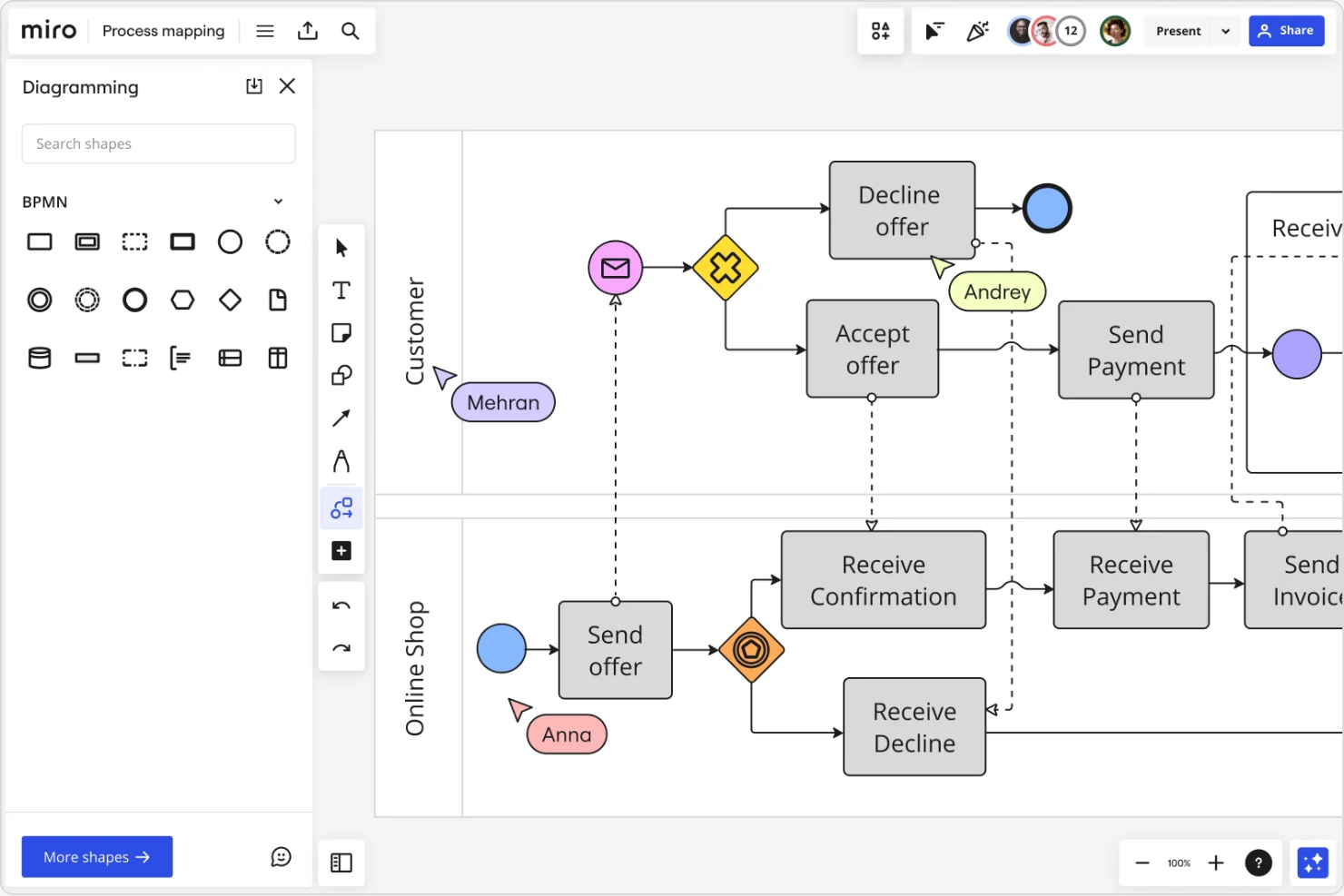
Se il tuo team ha bisogno di mappare i processi insieme in tempo reale, Miro merita considerazione. Questa piattaforma di lavagna online è popolare tra i team distribuiti, i project manager e i facilitatori che devono visualizzare flussi di lavoro e sistemi in modo collaborativo. Miro ti aiuta a catturare idee, organizzare i passaggi e mantenere tutti allineati mentre costruite insieme le mappe dei processi.
Perché ho scelto Miro
Ciò che distingue Miro per la mappatura dei processi è la collaborazione di squadra in tempo reale, particolarmente preziosa per team distribuiti o ibridi. Ho scelto Miro perché puoi vedere tutte le modifiche degli altri non appena avvengono, rendendo facile la co-creazione delle mappe dei processi durante riunioni o workshop dal vivo. La tela infinita dello strumento e le funzioni integrate di facilitazione, come i post-it e le votazioni, aiutano i team a fare brainstorming, organizzare e affinare i flussi di lavoro insieme. Questo livello di interattività rende Miro un'ottima scelta se hai bisogno di mantenere tutti coinvolti e allineati durante la mappatura dei processi.
Funzionalità principali di Miro
Altre funzionalità che rendono Miro utile per la mappatura dei processi includono:
- Libreria di modelli: Accedi a un'ampia gamma di modelli predefiniti per la mappatura dei processi e i diagrammi di flusso per iniziare rapidamente.
- Strumenti per forme e connettori: Usa una varietà di forme, frecce e connettori per costruire diagrammi di processo chiari e dettagliati.
- Modalità presentazione: Condividi le tue mappe di processo in un formato guidato, passo dopo passo, direttamente dalla lavagna.
- Commenti e tag: Aggiungi commenti e tagga i colleghi direttamente su elementi specifici per feedback mirati e discussioni.
Integrazioni di Miro
Le integrazioni includono Microsoft Teams, Slack, Google Drive, Jira, Asana, Trello, Zoom, Dropbox, Notion e altro ancora.
Cosa è gratuito?
Miro offre un piano gratuito per sempre con membri illimitati del team e accesso alle funzionalità principali. Il piano gratuito ti limita a tre lavagne modificabili alla volta e limita alcune opzioni avanzate di diagrammazione ed esportazione.
Pros and Cons
Pros:
- Tracciamento in tempo reale dei cursori del mouse
- Funzionalità di videochat integrata
- Digitalizzazione nativa dei post-it
Cons:
- Il piano gratuito limita a tre lavagne modificabili
- Nessuna modifica offline di file locali
New Product Updates from Miro
Miro Adds Japan Data Residency for Enterprise Customers
Miro has introduced Japan data residency for enterprise customers, offering in-region storage for production data, backups, and metadata, plus in-region compute infrastructure. For more information, visit Miro's official site.

Ideale per combinare diagrammi e post-it
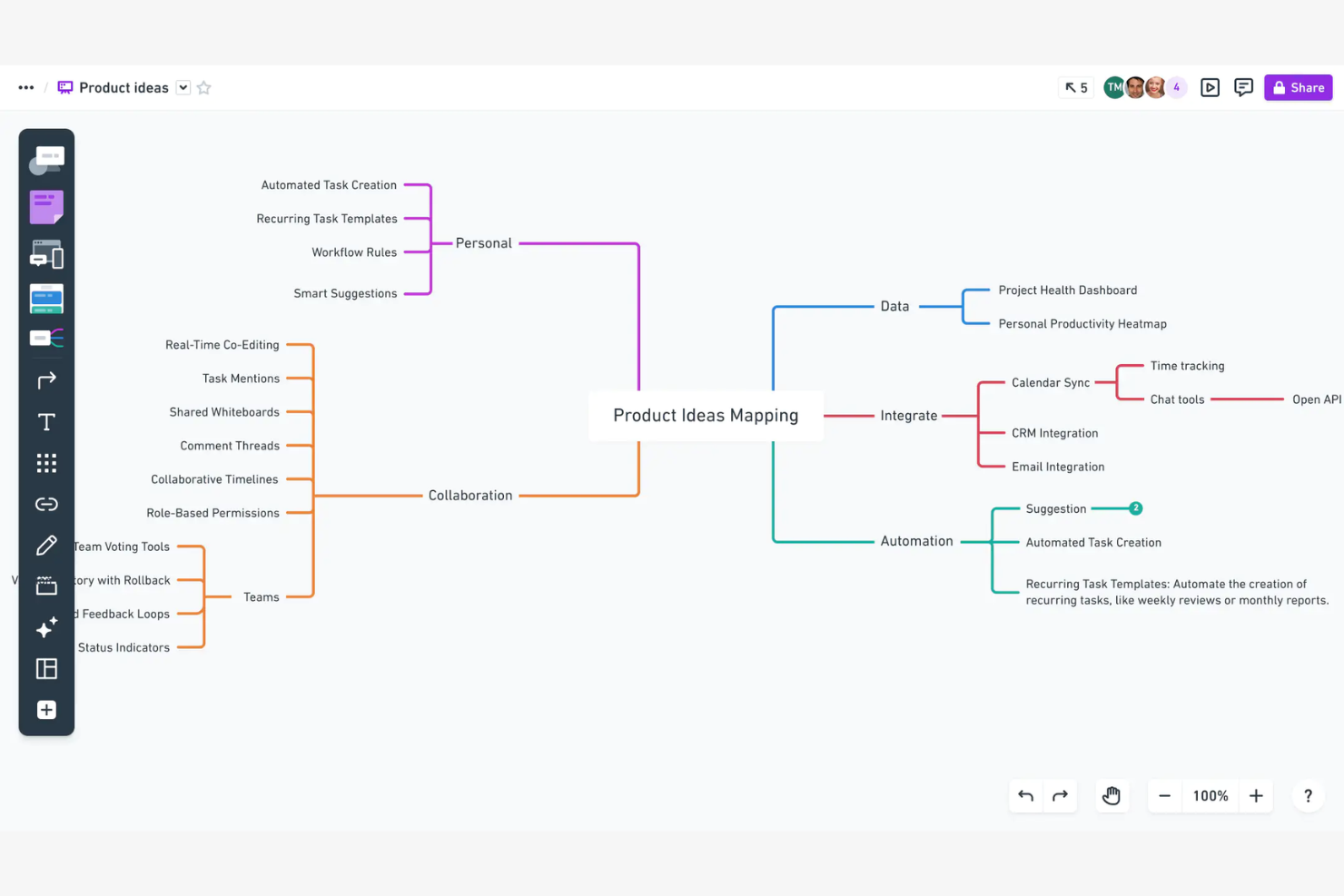
Se vuoi combinare diagrammi di processo con post-it in un unico spazio di lavoro, Whimsical merita di essere preso in considerazione. È progettato per i team che hanno bisogno di mappare i flussi di lavoro visivamente, raccogliendo allo stesso tempo idee, feedback o requisiti accanto ai loro diagrammi. Whimsical è particolarmente utile per product manager, designer UX e team cross-funzionali che desiderano mantenere brainstorming e mappatura dei processi strettamente collegati.
Perché ho scelto Whimsical
Ciò che mi ha attratto di Whimsical è il modo in cui permette di combinare diagrammi di flusso e post-it in uno spazio di lavoro unificato. Questo approccio è particolarmente utile quando hai bisogno di mappare un flusso di lavoro e raccogliere idee correlate, requisiti o feedback direttamente vicino al tuo diagramma. Mi piace che sia possibile trascinare e rilasciare i post-it direttamente sui diagrammi di flusso, rendendo facile annotare i passaggi o evidenziare punti di azione. Per i team che vogliono che brainstorming e mappatura dei processi restino strettamente legati, Whimsical offre una soluzione flessibile e visiva.
Caratteristiche principali di Whimsical
Altre funzionalità che rendono Whimsical utile per la mappatura gratuita dei processi includono:
- Modelli di diagrammi di flusso: Scegli tra una libreria di modelli di diagrammi di flusso predefiniti per iniziare rapidamente.
- Collaborazione in tempo reale: Più utenti possono modificare e commentare i diagrammi contemporaneamente.
- Cronologia delle versioni: Accedi alle versioni precedenti dei tuoi diagrammi e ripristina le modifiche secondo necessità.
- Esportazione in vari formati: Esporta i diagrammi come file PNG, PDF o SVG per condivisione o documentazione.
Integrazioni Whimsical
Le integrazioni comprendono Google Docs, Jira, GitHub, Notion, Slack e altro ancora.
Cosa è gratuito?
Whimsical offre un piano gratuito per sempre che consente fino a 1.000 elementi su tutte le tue bacheche. Il piano gratuito è limitato a un unico spazio di lavoro e non include controlli amministratore avanzati o supporto prioritario.
Pros and Cons
Pros:
- Wireframing e diagrammi di flusso integrati
- Set di icone integrati e ricercabili
- Chat collaborativa in tempo reale tramite cursore
Cons:
- Funzionalità base di visualizzazione dati
- Limite di bacheche nel piano gratuito

Creately
Ideale per la gestione di spazi di lavoro multi-progetto
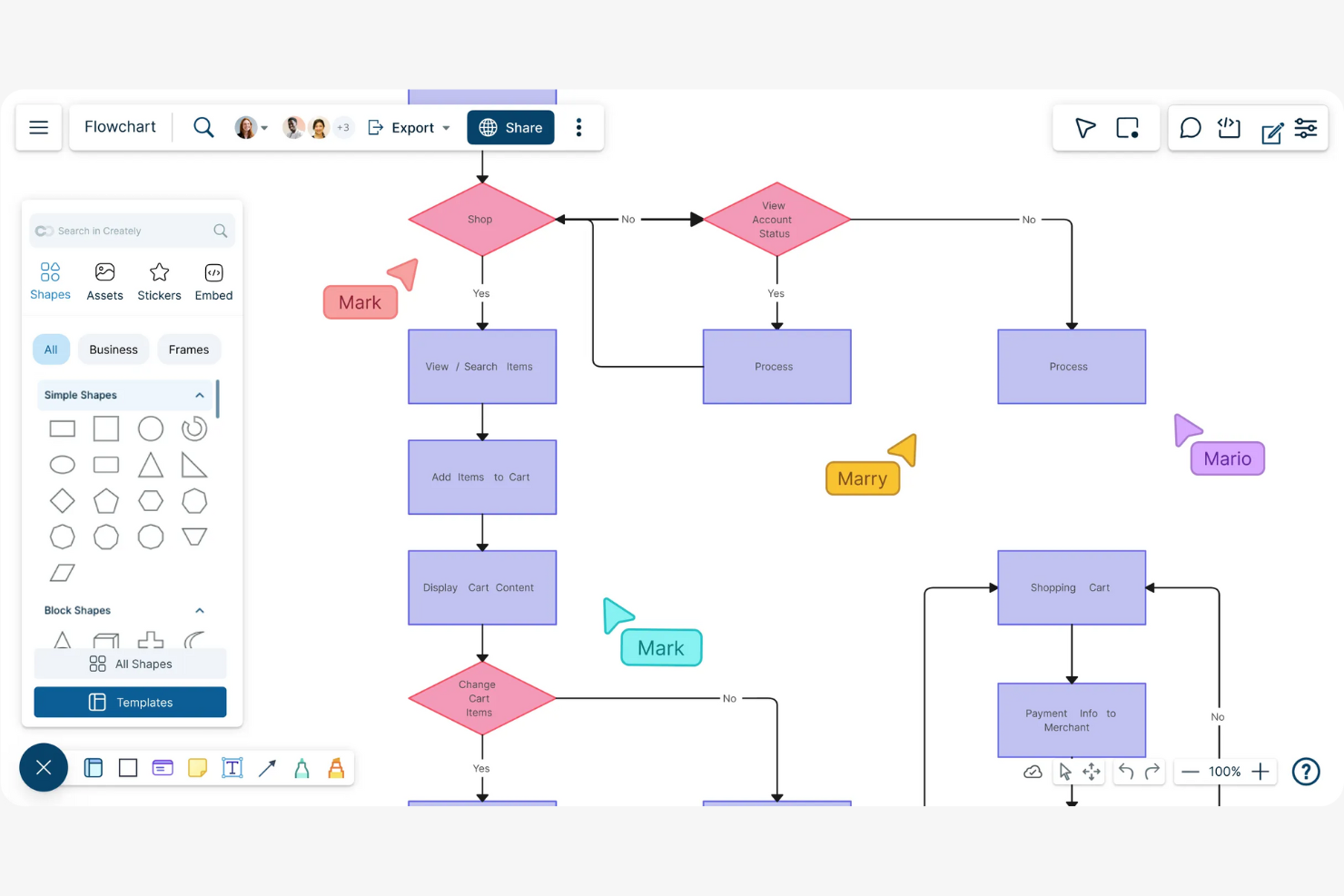
Se stai cercando uno strumento di process mapping che possa gestire più progetti e team in un unico spazio, Creately è una scelta da considerare. Questa piattaforma è pensata per i professionisti che hanno bisogno di organizzare, visualizzare e gestire flussi di lavoro complessi su diversi spazi di lavoro. Creately si distingue per la capacità di collegare diagrammi, note e dati, facilitando il coordinamento del lavoro e mantenendo tutto connesso.
Perché ho scelto Creately
Ciò che rende Creately unico per il process mapping è la sua attenzione alla gestione di più progetti e spazi di lavoro su una singola piattaforma. Ho scelto Creately perché permette di creare spazi di lavoro separati per diversi team o iniziative, così da mantenere value stream mapping, documenti e dati organizzati per progetto. Inoltre, lo strumento collega direttamente i diagrammi a note e attività, aiutandoti a collegare i flussi di processo al lavoro concreto. Questa struttura è particolarmente utile se gestisci diversi progetti contemporaneamente e hai bisogno di un modo chiaro per tenere tutto coordinato.
Funzionalità principali di Creately
Altre funzionalità di Creately utili per il process mapping gratuito includono:
- Editor di diagrammi drag-and-drop: Crea mappe di processo, flow chart e diagrammi utilizzando un'interfaccia visiva intuitiva.
- Collaborazione in tempo reale: Invita i membri del team a modificare, commentare e fare brainstorming insieme sulla stessa tela.
- Libreria di modelli: Accedi a una vasta gamma di modelli preimpostati per il process mapping, organigrammi e diagrammi di flusso.
- Cronologia delle revisioni: Tieni traccia delle modifiche e ripristina versioni precedenti dei tuoi diagrammi per garantire accuratezza e responsabilità.
Integrazioni di Creately
Le integrazioni includono Confluence, Microsoft Teams, Slack e altro ancora.
Cosa è gratuito?
Creately offre un piano gratuito per sempre con documenti pubblici illimitati e fino a 3 collaboratori per spazio di lavoro. Il piano gratuito limita i documenti privati, le opzioni di esportazione avanzate e l'accesso ad alcuni modelli e forme.
Pros and Cons
Pros:
- Sincronizzazione dati in tempo reale da Jira
- Visualizzazioni kanban di gestione progetti integrate
- Allineamento automatico di layout e forme
Cons:
- Il piano gratuito limita i documenti privati
- Scelta di font personalizzati limitata

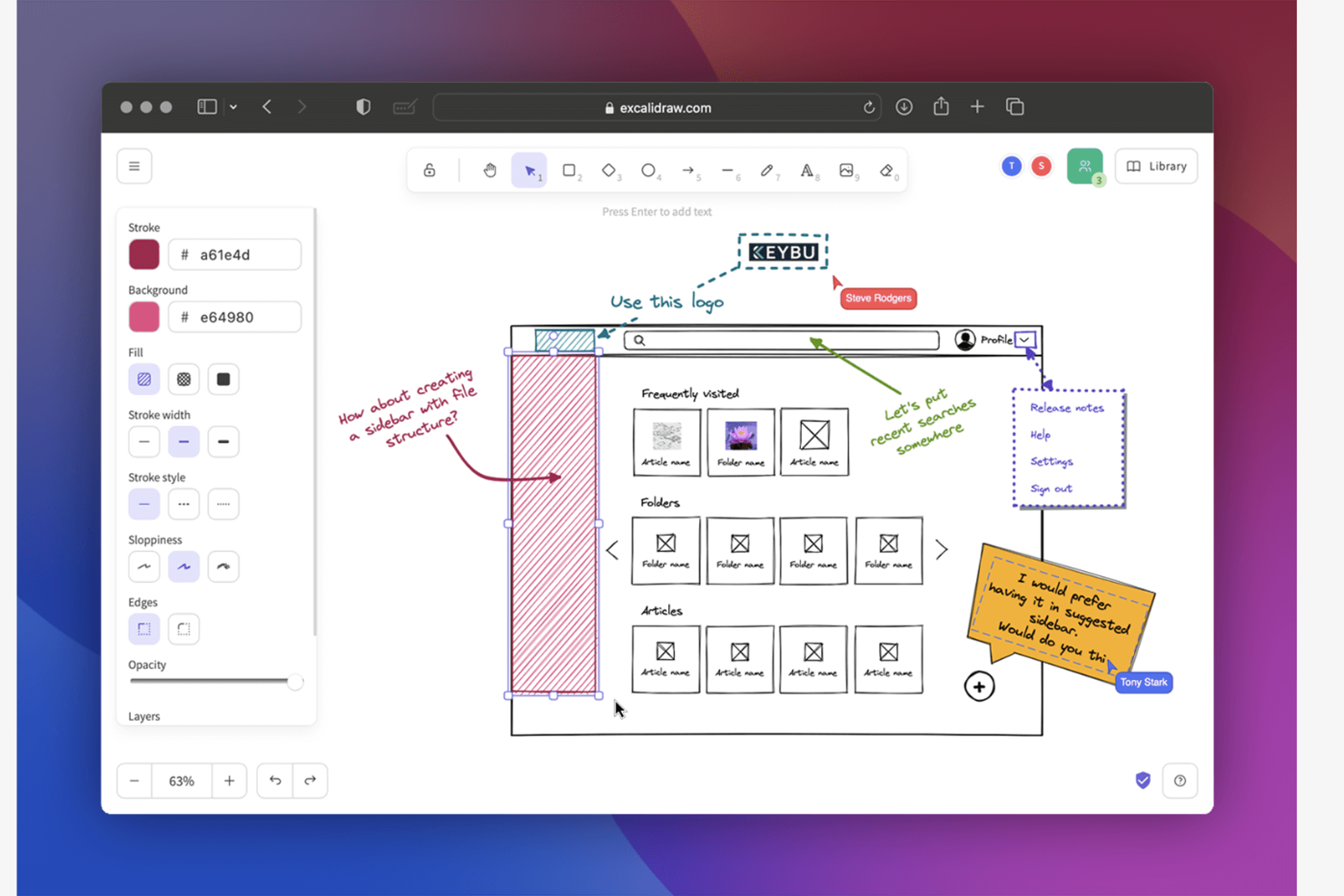
Se vuoi creare mappe di processo che sembrano disegnate su una lavagna, Excalidraw merita sicuramente di essere considerato. Questo strumento attrae product manager, designer e team che preferiscono uno stile più informale e 'a mano libera' per il brainstorming e la mappatura dei flussi di lavoro. Ti aiuta a catturare idee in modo rapido e visivo, facilitando la comunicazione di concetti ancora grezzi o processi in evoluzione.
Perché ho scelto Excalidraw
Ciò che mi ha attirato verso Excalidraw è il suo stile unico disegnato a mano, che lo distingue dalla maggior parte degli strumenti di mappatura dei processi, spesso focalizzati su diagrammi rigidi e rifiniti. Questo approccio 'da schizzo' è particolarmente utile per i team che vogliono fare brainstorming, iterare o presentare flussi di lavoro in modo più accessibile e informale. Excalidraw ti consente di creare forme libere, frecce e testo che imitano l'aspetto di un pennarello su una lavagna, rendendo semplice catturare le idee man mano che si sviluppano. Per chiunque dia valore alla flessibilità e alla narrazione visiva nelle proprie mappe di processo, Excalidraw rappresenta un'alternativa fresca rispetto agli strumenti di diagrammazione tradizionali.
Caratteristiche principali di Excalidraw
Altre funzionalità che rendono Excalidraw utile per la mappatura dei processi includono:
- Modalità di collaborazione: più utenti possono disegnare ed editare i diagrammi insieme in tempo reale.
- Libreria di forme riutilizzabili: accedi a una raccolta di forme e icone predefinite per velocizzare la creazione dei diagrammi.
- Opzioni di esportazione: salva i diagrammi come PNG, SVG o anche come link condivisibili per una distribuzione rapida.
- Cronologia delle versioni: rivedi e ripristina versioni precedenti dei tuoi diagrammi per tenere traccia delle modifiche o annullare eventuali errori.
Integrazioni di Excalidraw
Le integrazioni includono Notion e Obsidian.
Cosa è gratuito?
Excalidraw offre un piano gratuito per sempre, senza necessità di registrazione. Puoi creare, modificare ed esportare un numero illimitato di diagrammi, ma funzionalità come la collaborazione, la cronologia delle versioni e opzioni di esportazione avanzate potrebbero richiedere un piano a pagamento.
Pros and Cons
Pros:
- I diagrammi hanno un aspetto disegnato a mano
- Modello di dati locale orientato alla privacy
- Supporto diretto per la crittografia end-to-end
Cons:
- Nessuna logica di flusso automatizzata
- Collegamento limitato di dati strutturati

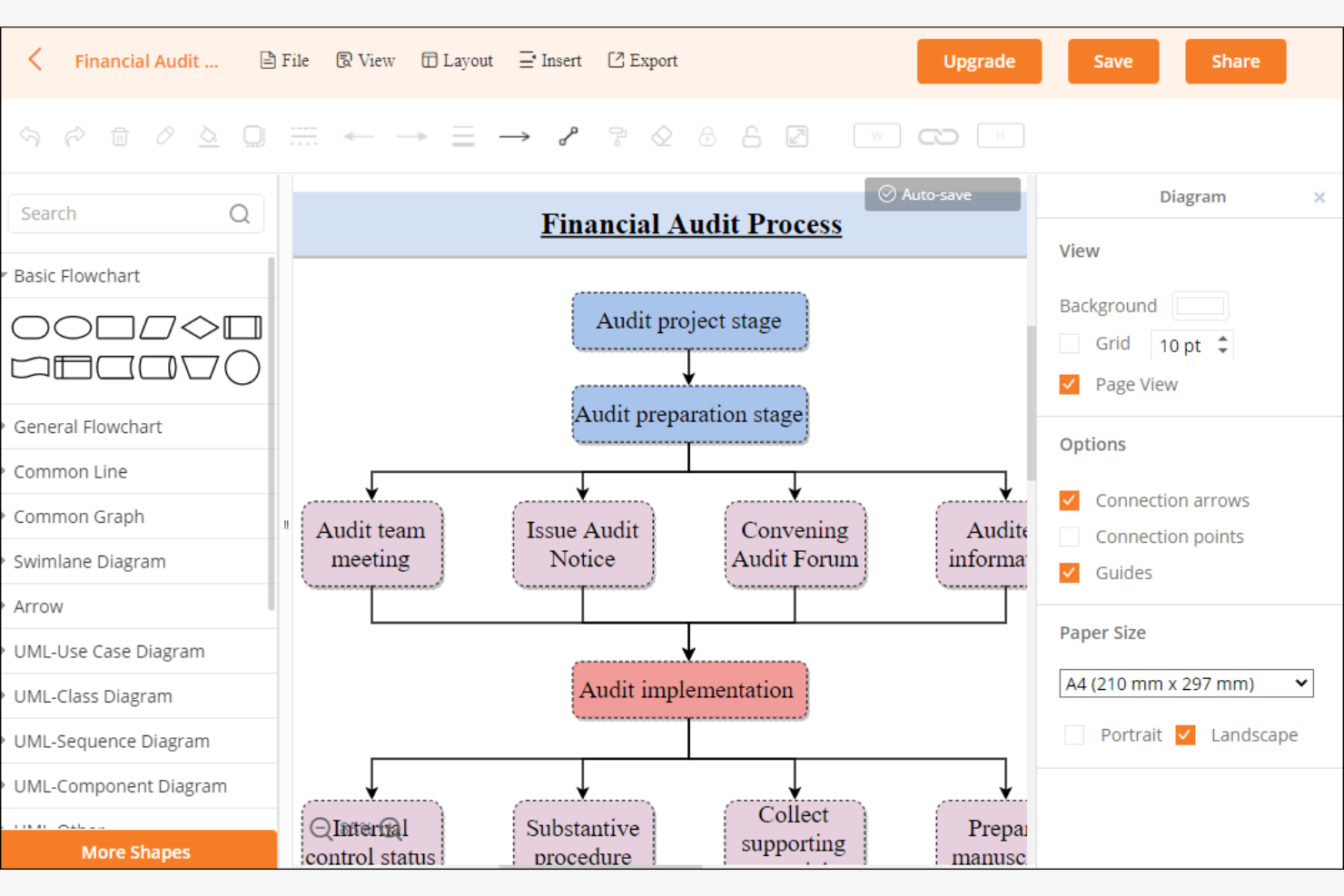
Se hai bisogno di uno strumento per la mappatura dei processi che funzioni sia online che offline, Diagrams.net (precedentemente draw.io) merita sicuramente una considerazione. È una soluzione tutto-in-uno molto valida per i team che desiderano creare e modificare diagrammi senza dover dipendere dall'accesso al cloud o da abbonamenti a pagamento. Diagrams.net ti aiuta a mappare flussi di lavoro, sistemi e processi mantenendo i tuoi file in locale e i tuoi costi pari a zero.
Perché ho scelto Diagrams.net
Diagrams.net si distingue per la possibilità di creare e modificare mappe di processo completamente offline, cosa rara tra gli strumenti gratuiti. L'ho scelto perché puoi scaricare l'app desktop e lavorare sui diagrammi senza connessione a internet, ideale per team con severe esigenze di privacy dei dati o connettività instabile. Lo strumento supporta il salvataggio dei file localmente in diversi formati, dandoti il pieno controllo sulla documentazione dei processi. La sua modifica offline e la gestione flessibile dei file lo rendono una scelta pratica per chi necessita di mappature di processo senza dipendere dal cloud.
Funzionalità principali di Diagrams.net
Altre funzionalità che rendono diagrams.net utile per la mappatura dei processi includono:
- Libreria di modelli: Accedi a una vasta gamma di modelli preimpostati per flowchart, diagrammi di processo e organigrammi.
- Interfaccia drag-and-drop: Costruisci e modifica rapidamente i diagrammi tramite una tela intuitiva drag-and-drop.
- Collaborazione tramite archiviazione cloud: Condividi e collabora sui diagrammi collegandoti a Google Drive, OneDrive o Dropbox.
- Cronologia delle versioni: Tieni traccia delle modifiche e torna alle versioni precedenti dei tuoi diagrammi quando necessario.
Integrazioni Diagrams.net
Le integrazioni includono GitHub, Jira, Confluence e un'API per integrazioni personalizzate.
Cosa è gratuito?
Diagrams.net offre un piano gratuito per sempre senza limiti di utenti o diagrammi. Tutte le funzionalità principali, inclusi modifica offline e integrazione con il cloud, sono disponibili senza restrizioni.
Pros and Cons
Pros:
- Codice open source e trasparente
- Nessuna registrazione richiesta
- Applicazione desktop offline disponibile
Cons:
- Manca modifica multi-utente in tempo reale
- Scelta limitata di modelli visivi base

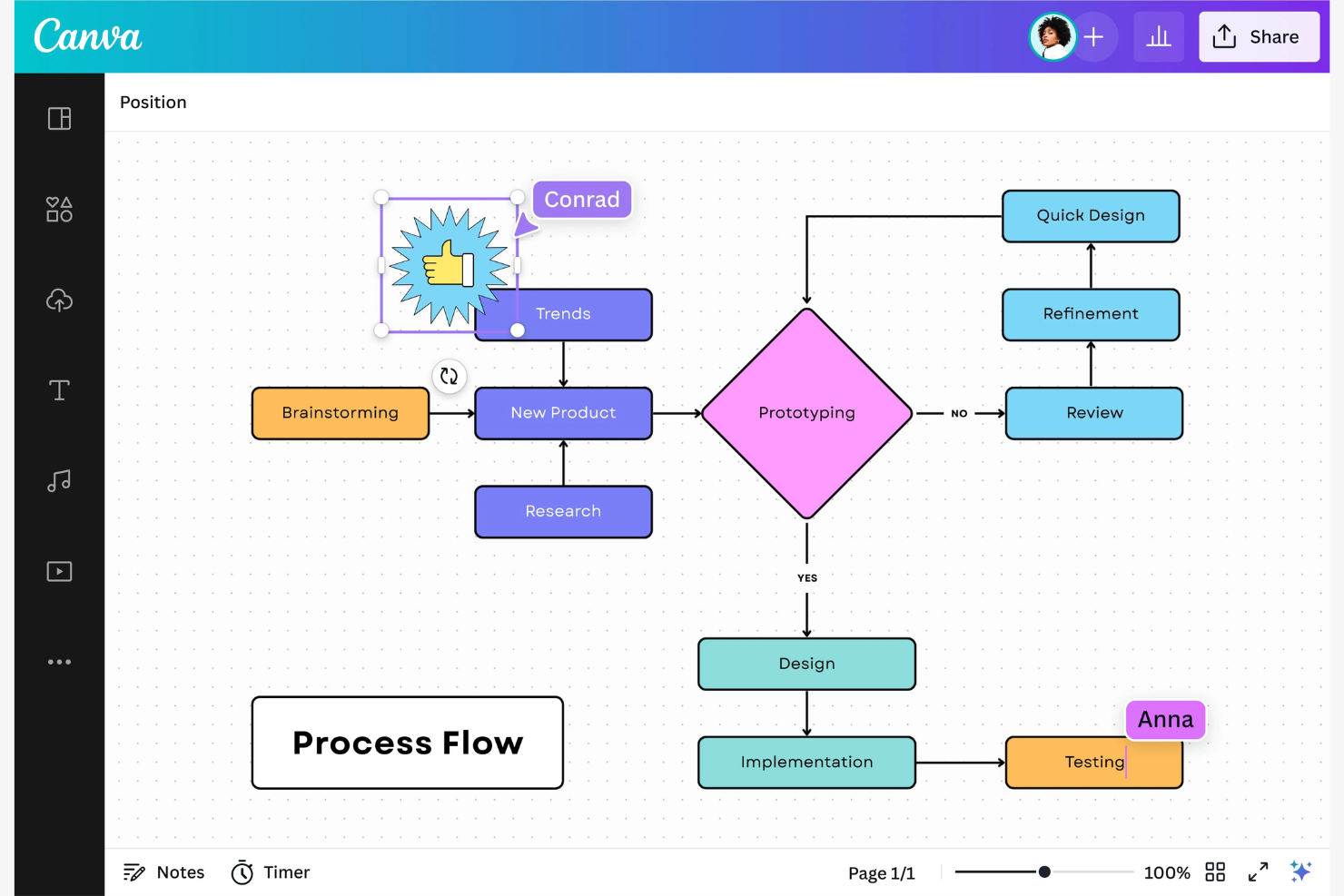
Se desideri creare mappe di processo visivamente coinvolgenti e pronte per le presentazioni, Canva Whiteboards merita attenzione. Questo strumento è ideale per team e professionisti che devono comunicare flussi di lavoro o idee in una rappresentazione visiva chiara. Canva Whiteboards si distingue per le sue funzionalità orientate al design, rendendo semplice costruire diagrammi di processo che catturano l'attenzione in riunioni o presentazioni ai clienti.
Perché ho scelto Canva Whiteboards
Quello che mi ha colpito di Canva Whiteboards per la mappatura dei processi è la semplicità e accessibilità nella creazione di presentazioni visivamente accattivanti. Lo strumento offre un'ampia gamma di elementi grafici, inclusi icone, illustrazioni e palette di colori, così puoi costruire mappe di processo dall'aspetto professionale e curato. Apprezzo anche l'interfaccia drag-and-drop, che consente di disporre e personalizzare facilmente diagrammi di flusso o schemi per adattarli al tuo marchio o pubblico. Se hai bisogno di presentare mappe di processo a clienti o stakeholder, Canva Whiteboards ti permette di creare diagrammi chiari e di grande impatto visivo.
Funzionalità principali di Canva Whiteboards
Altre funzionalità che rendono Canva Whiteboards utile per la mappatura dei processi gratuita includono:
- Strumenti di collaborazione: invita i membri del team a commentare, modificare e fare brainstorming insieme in tempo reale.
- Libreria di template: accedi a un'ampia scelta di diagrammi di flusso e modelli di mappe di processo predefiniti per iniziare rapidamente.
- Cronologia delle versioni: revisiona e ripristina versioni precedenti della tua lavagna per tenere traccia delle modifiche o annullare errori.
- Opzioni di esportazione: scarica le tue mappe di processo come immagini, PDF o condividile tramite link per una distribuzione facile.
Integrazioni di Canva Whiteboards
Tra le integrazioni ci sono Slack, Microsoft Teams, Google Drive, Asana e altro.
Cosa è gratis?
Canva Whiteboards offre un piano gratuito per sempre con membri illimitati del team e accesso alle funzionalità principali delle lavagne. Il piano gratuito limita alcune opzioni di esportazione e elementi grafici avanzati, e non include template premium o strumenti di gestione del brand.
Pros and Cons
Pros:
- Ampia libreria di template disponibile
- Strumento per rimuovere lo sfondo con un clic
- Interfaccia drag-and-drop
Cons:
- Logica base per le linee di connessione
- Scorciatoie di diagrammazione professionale limitate

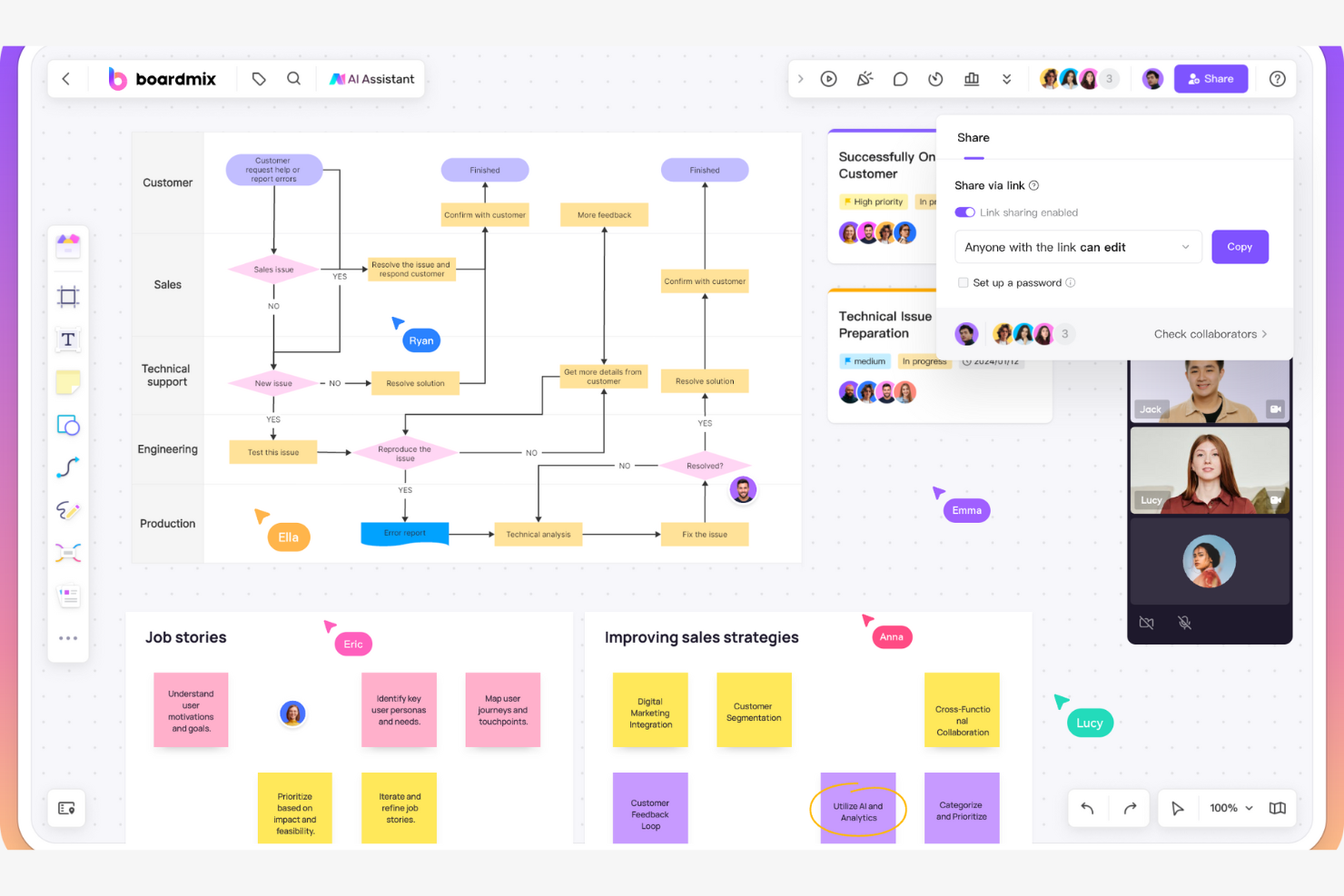
Se cerchi uno strumento di mappatura dei processi che metta il brainstorming al centro, Boardmix merita un’occhiata. È progettato per team e professionisti che desiderano acquisire, organizzare ed espandere le idee in modo visivo utilizzando mappe mentali. Boardmix ti aiuta a trasformare sessioni di brainstorming libero in mappe di processo strutturate, rendendo più semplice il passaggio dall’ideazione a flussi di lavoro concreti.
Perché ho scelto Boardmix
Quello che mi ha attirato su Boardmix è il modo in cui mette il brainstorming con le mappe mentali al centro, risultando ideale per i team che vogliono organizzare visivamente le idee prima di sviluppare i flussi di processo. La funzione di mappatura mentale consente di raccogliere pensieri in modo non lineare, per poi espandere o riorganizzare facilmente i nodi man mano che il processo prende forma. Apprezzo anche la possibilità di convertire le mappe mentali in diagrammi di flusso più strutturati, che aiutano a colmare il divario tra ideazione e mappatura dei processi. Per chiunque abbia bisogno di uno strumento che supporti sia il brainstorming creativo che la documentazione dei processi, Boardmix offre un approccio flessibile.
Funzionalità principali di Boardmix
Altre funzionalità che rendono Boardmix utile per la mappatura dei processi includono:
- Strumenti di collaborazione: più utenti possono modificare, commentare e reagire sulla stessa board in tempo reale.
- Libreria di modelli: accesso a una gamma di modelli predefiniti per mappature di processo di alto livello, diagrammi di flusso e schemi.
- Supporto agli allegati: aggiungi file, immagini e link direttamente ai nodi o alle board per maggiore contesto.
- Modalità presentazione: condividi le tue mappe di processo in una visualizzazione guidata a schermo intero durante le presentazioni di gruppo.
Integrazioni di Boardmix
Le integrazioni includono Google Meet, Microsoft Teams, Zoom, Skype e altro ancora.
Cosa è gratuito?
Boardmix offre un piano gratuito per sempre che consente di creare board illimitate con funzionalità base di mappe mentali e collaborazione. Alcuni modelli avanzati, opzioni di esportazione e funzionalità premium sono disponibili solo nei piani a pagamento.
Pros and Cons
Pros:
- Generazione automatica di diagrammi di flusso tramite intelligenza artificiale
- Gestione integrata delle attività in stile Kanban
- Allegati di immagini ad alta risoluzione in carosello
Cons:
- Bug occasionali nell’interfaccia web
- Archiviazione limitata nel piano gratuito

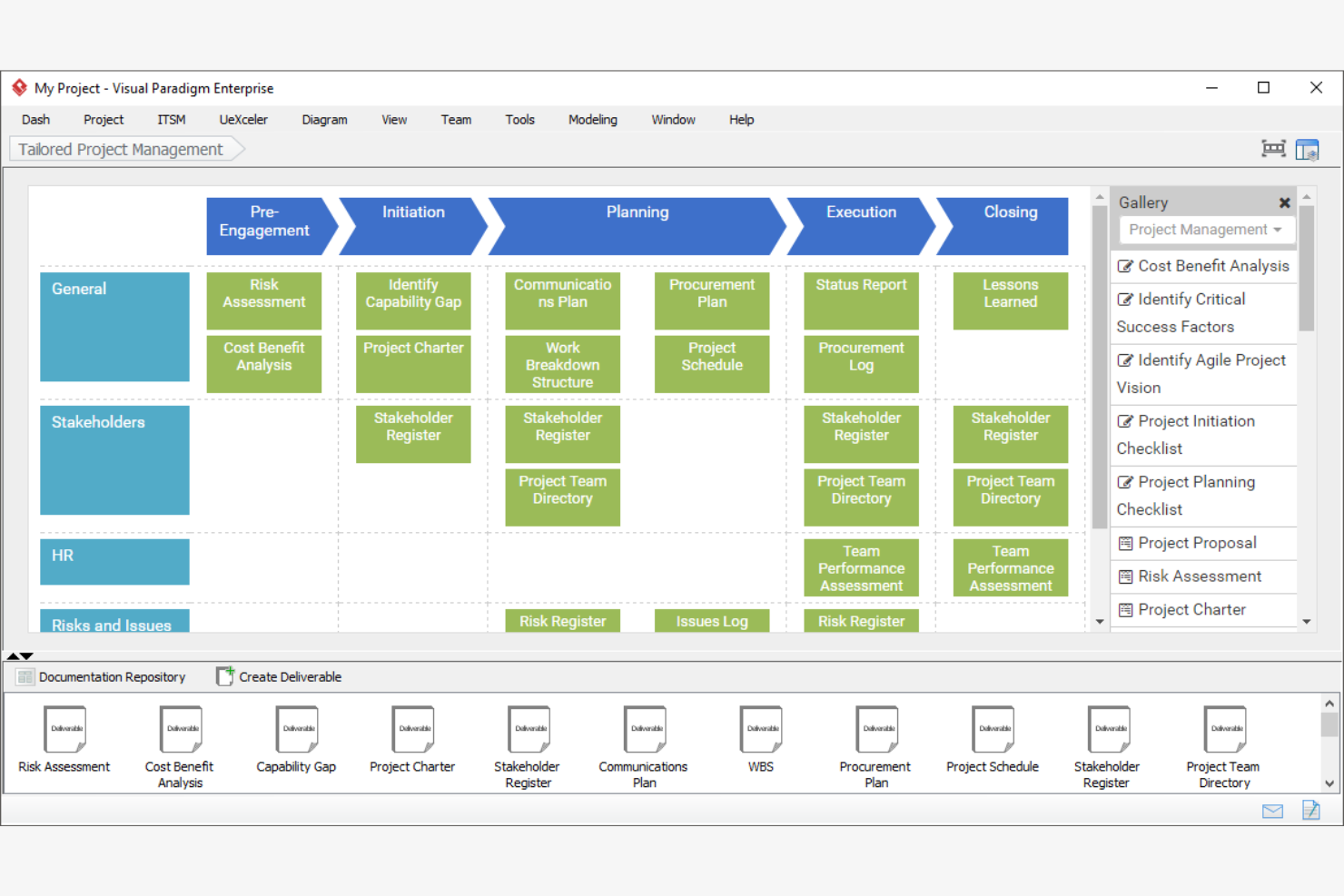
Se hai bisogno di un software di mappatura dei processi con capacità avanzate di modellazione, Visual Paradigm Online è da prendere in considerazione. Questa piattaforma è progettata per team in ambienti aziendali o settori regolamentati che richiedono supporto per tipologie di diagrammi complessi e standard. Visual Paradigm Online ti aiuta a creare di tutto, dai diagrammi BPMN e UML ai modelli di architettura aziendale, risultando una soluzione ideale per le organizzazioni con esigenze formali di documentazione dei processi.
Perché ho scelto Visual Paradigm Online
Ciò che mi ha colpito di Visual Paradigm Online è il suo focus su strumenti di modellazione a livello enterprise, che raramente si trovano nei software gratuiti per la mappatura dei processi. La piattaforma supporta tipi avanzati di diagrammi come BPMN, UML e ArchiMate, così puoi documentare processi conformi agli standard di settore e requisiti normativi. Apprezzo anche la presenza di funzionalità per il controllo delle versioni e la collaborazione del team, essenziali per le organizzazioni che gestiscono flussi di lavoro complessi. Se il tuo team ha bisogno di più dei semplici diagrammi di flusso e vuole adottare pratiche di modellazione formali, Visual Paradigm Online si distingue come un'ottima scelta.
Funzionalità chiave di Visual Paradigm Online
Altre funzionalità che rendono Visual Paradigm Online utile per la mappatura gratuita dei processi includono:
- Editor di diagrammi drag-and-drop: Crea rapidamente mappe di processo e diagrammi utilizzando un'interfaccia visiva intuitiva.
- Libreria di modelli: Accedi a una vasta gamma di modelli preimpostati per flowchart, organigrammi e diagrammi di processo.
- Opzioni di esportazione: Scarica i diagrammi in formati come PNG, JPG, PDF e SVG per una facile condivisione o documentazione.
- Workspace basato su cloud: Archivia, accedi e gestisci i tuoi diagrammi online senza installare alcun software.
Integrazioni di Visual Paradigm Online
Le integrazioni includono Jira e Google Drive.
Cosa è gratuito?
Visual Paradigm Online offre un piano gratuito per sempre con diagrammi illimitati e funzionalità di base. Il piano gratuito aggiunge una filigrana alle esportazioni e limita l'accesso a tipologie di diagrammi avanzati, modelli premium e funzionalità collaborative.
Pros and Cons
Pros:
- Conformità BPMN 2.0 riconosciuta a livello industriale
- Supporto all'ingegnerizzazione automatica del codice Java
- Integrazione IDE diretta per sviluppatori
Cons:
- Interfaccia utente datata
- Curva di apprendimento ripida per i non ingegneri
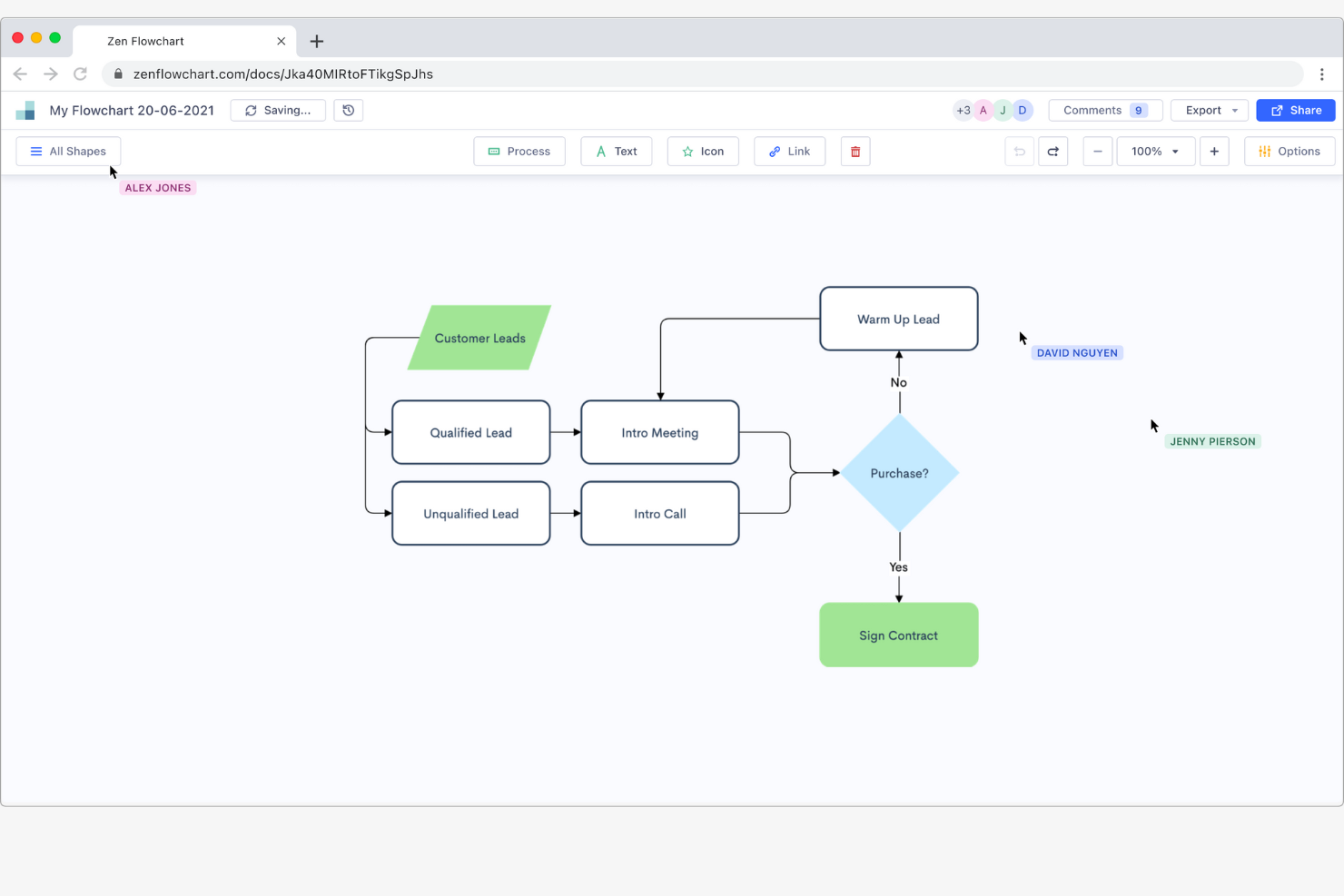
Se cerchi uno strumento per la mappatura dei processi che mantenga le cose semplici, Zen Flowchart merita attenzione. È progettato per professionisti che hanno bisogno di creare diagrammi di flusso chiari e senza distrazioni, senza menu complessi o elementi superflui. Zen Flowchart ti aiuta a concentrarti rapidamente sulla mappatura di idee e processi, rendendolo adatto a educatori, consulenti e team che apprezzano un approccio minimalista.
Perché ho scelto Zen Flowchart
Ciò che distingue Zen Flowchart è il suo impegno per un’esperienza di disegno senza distrazioni. L’interfaccia elimina barre degli strumenti e menu non necessari, così puoi concentrarti completamente sulla mappatura del processo senza elementi visivi di troppo. Mi piace che si possano creare e collegare i nodi con pochi clic, rendendo il flusso di lavoro veloce e diretto. Per chiunque voglia delineare rapidamente idee o processi senza essere rallentato da funzionalità extra, Zen Flowchart offre una soluzione pulita e mirata.
Funzionalità principali di Zen Flowchart
Altre funzionalità che rendono Zen Flowchart utile per la mappatura dei processi gratuita includono:
- Formattazione automatica: Lo strumento allinea e distanzia automaticamente gli elementi del diagramma di flusso per un layout ordinato.
- Opzioni di esportazione multiple: Esporta i tuoi diagrammi come file PNG, PDF o SVG per una facile condivisione.
- Strumenti di collaborazione: Invita altri utenti a visualizzare o modificare i tuoi diagrammi di flusso in tempo reale.
- Nodi illimitati: Crea tutte le forme e connessioni che desideri, senza limiti artificiali.
Integrazioni Zen Flowchart
Le integrazioni non sono elencate pubblicamente.
Cosa è gratuito?
Zen Flowchart offre un piano gratuito per sempre con diagrammi di flusso e nodi illimitati. Il piano gratuito aggiunge una filigrana all’esportazione e non include funzionalità avanzate come la collaborazione in team o modelli premium.
Pros and Cons
Pros:
- Minimalista, crea nodi con un solo clic
- Esporta istantaneamente in PNG e PDF
- Organizza automaticamente i diagrammi in modo ordinato
Cons:
- Libreria di forme molto limitata
- Nessuna notazione BPMN avanzata

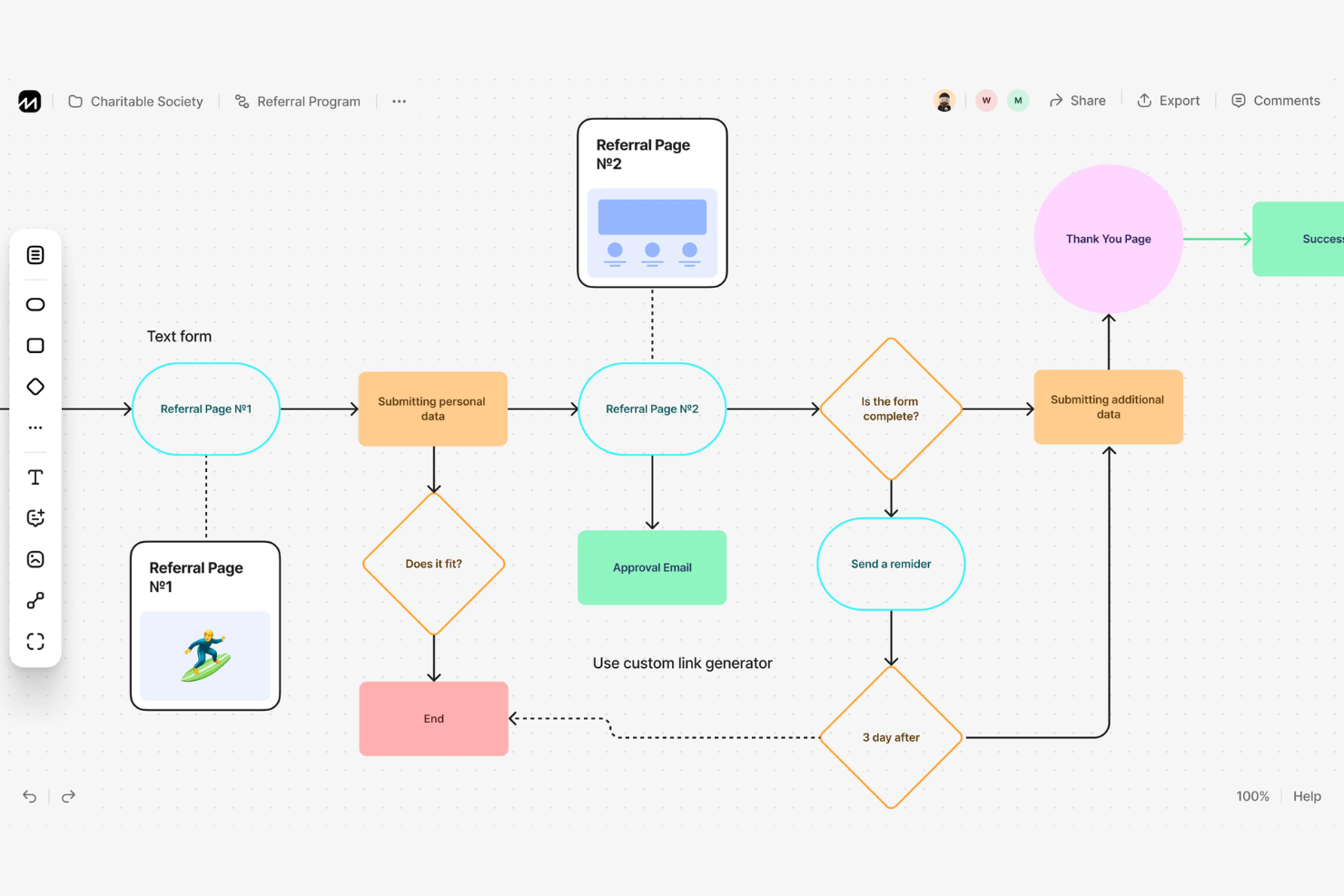
Se desideri trasformare rapidamente il testo semplice in diagrammi di flusso, Flowchart Fun è stato creato per te. Questo strumento è particolarmente utile per sviluppatori, redattori tecnici e chiunque preferisca scrivere i processi piuttosto che trascinare forme. Risolve il problema della creazione manuale di diagrammi convertendo il testo strutturato direttamente in mappe di processo visive.
Perché ho scelto Flowchart Fun
Ciò che colpisce di Flowchart Fun è la possibilità di creare diagrammi di flusso direttamente dal testo, qualità rara tra gli strumenti gratuiti per la mappatura dei processi. L'ho scelto perché questa conversione da testo a diagramma è particolarmente utile per chi ragiona per elenchi o scalette e vuole saltare il modello manuale di drag-and-drop. Puoi scrivere i passaggi del processo usando una sintassi semplice e lo strumento genera istantaneamente un diagramma visivo. Questo approccio è ideale per utenti tecnici o per chi desidera mappare rapidamente dei processi senza passare continuamente da tastiera a mouse.
Caratteristiche principali di Flowchart Fun
Altre caratteristiche che rendono Flowchart Fun utile per la mappatura dei processi includono:
- Supporto Markdown: Puoi utilizzare la sintassi markdown per formattare e strutturare il testo dei tuoi diagrammi di flusso.
- Modalità collaborativa: Invita altri a visualizzare o modificare i tuoi diagrammi in tempo reale.
- Opzioni di esportazione: Scarica i tuoi diagrammi come file PNG o SVG per condividerli o documentarli.
- Modalità scura: Passa a un'interfaccia scura per una visualizzazione più confortevole durante lunghe sessioni di lavoro.
Integrazioni di Flowchart Fun
Attualmente, Flowchart Fun non elenca integrazioni native.
Cosa è gratuito?
Flowchart Fun offre un piano gratuito per sempre senza necessità di registrazione. È possibile creare, modificare ed esportare diagrammi di flusso senza limiti, ma funzionalità come la collaborazione e le opzioni di esportazione avanzate potrebbero richiedere un piano a pagamento.
Pros and Cons
Pros:
- Converte testo strutturato direttamente in diagrammi di flusso
- Esporta direttamente in SVG e CSV
- Formato compatibile con il controllo di versione
Cons:
- Controllo estetico manuale minimo
- Nessun posizionamento di forme tramite drag-and-drop
Altri software gratuiti per la mappatura dei processi
Ecco alcune ulteriori opzioni di software gratuiti per la mappatura dei processi che non sono state incluse nel mio elenco, ma che vale comunque la pena prendere in considerazione:
- tldraw
Ideale per lo sketching su tela infinita
- Lucidchart
Ideale per opzioni di integrazione avanzate
- LibreOffice Draw
Ideale per l'editing desktop open-source


Come Valuto i Software Gratuiti per la Mappatura dei Processi
Divido la mia valutazione in requisiti di base—come il vero supporto BPMN e un piano gratuito reale—e i fattori differenzianti che contano per i team distribuiti sui progetti.
Funzionalità di Base (Requisiti Minimi per Questa Lista)
Quando seleziono gli strumenti per la mia lista, valuto ciascuno su una scala da 0 (non offre la funzionalità) a 5 (eccelle in quest’area) per ciascuna delle funzionalità di base elencate di seguito. Quindi, calcolo il punteggio totale dello strumento in percentuale. Ogni strumento deve raggiungere un punteggio totale minimo del 65% per essere preso in considerazione.
- Strumenti di Diagrammazione di Processo: Valuto la tela, le librerie di forme e la logica dei connettori—ad esempio, se è possibile costruire un diagramma swimlane per un flusso di sprint senza dover lottare contro lo strumento.
- Modelli Predefiniti: Una buona libreria di modelli fa davvero risparmiare tempo. Cerco mappe di processo pronte che coprano scenari comuni come flussi di richiesta di cambiamento o pipeline di rilascio.
- Disponibilità del Piano Gratuito: Controllo che il livello gratuito sia effettivamente utilizzabile per il lavoro continuo, non una prova di 14 giorni o un piano così limitato da non consentire la mappatura di più di un paio di processi.
- Collaborazione in Tempo Reale: I team distribuiti hanno bisogno di co-editing live. Valuto se più stakeholder possono lavorare sullo stesso diagramma contemporaneamente con commenti e cursori.
- Supporto per Notazione Standard: Strumenti come Lucidchart e draw.io gestiscono BPMN e UML in modo differente. Cerco librerie di notazione corrette che permettano di creare diagrammi conformi alle specifiche.
- Opzioni di Esportazione e Condivisione: Controllo almeno l’esportazione in PDF, PNG e SVG, oltre a link condivisibili—le tue mappe di processo devono potersi integrare facilmente in pagine Confluence o chart di progetto.
Una volta che ho un elenco di strumenti che soddisfano questi criteri, considero cosa distingue ogni piattaforma.
Fattori Differenzianti (Cosa Distingue i Fornitori)
Ecco come confronto e metto a contrasto i diversi fornitori:
Funzionalità Distintive
La generazione di diagrammi tramite IA è un notevole elemento di differenziazione—gli strumenti che trasformano una descrizione testuale in uno schema di flusso preliminare fanno risparmiare ore nella fase iniziale di analisi dei processi. Valuto anche le integrazioni native con piattaforme come Jira e Confluence, poiché incorporare direttamente una mappa di processo in una board di sprint o in una wiki di progetto è meglio che condividere screenshot statici. Le modalità lavagna con post-it e votazioni sono importanti, specialmente per i team che organizzano workshop di processo a distanza durante retrospettive o avvii progetto.
Oltre le Funzionalità
La trasparenza del piano gratuito è molto importante. Controllo se i diagrammi vengono contrassegnati con watermark durante l’esportazione o se i limiti di collaborazione rendono uno strumento poco pratico quando il team cresce oltre pochi collaboratori. La sicurezza è un altro aspetto che considero—le mappe di processo spesso includono dettagli operativi sensibili, quindi cerco conformità SOC 2 o ISO 27001 e permessi di condivisione granulari anche nei livelli gratuiti. Anche le prestazioni via browser contano, soprattutto quando un diagramma cresce e si trasforma in una swimlane da 50 forme. Strumenti che rallentano o si bloccano su larga scala non sono utili per una documentazione reale di progetto.
Come scegliere un software gratuito per la mappatura dei processi
È facile perdersi tra lunghi elenchi di funzionalità e strutture tariffarie complesse. Per aiutarti a rimanere concentrato mentre affronti il tuo processo di selezione del software, ecco un elenco di fattori da tenere a mente:
| Fattore | Cosa considerare |
| Scalabilità | Lo strumento supporterà la tua squadra durante la crescita oppure il piano gratuito prevede limiti al numero di utenti o di bacheche? |
| Integrazioni | Il software si connette in modo nativo agli strumenti che già utilizzi oppure dovrai ricorrere a soluzioni alternative? |
| Personalizzazione | Puoi adattare diagrammi, modelli e flussi di lavoro ai processi e alla terminologia della tua squadra? |
| Facilità d'uso | Con quale rapidità i nuovi utenti possono iniziare a mappare i processi senza formazione o supporto? |
| Implementazione e introduzione | Quali risorse, come tutorial, modelli o visite guidate, sono disponibili per aiutare la tua squadra a iniziare? |
| Costo | Ci sono costi nascosti, inviti a passare a un piano superiore o blocchi a pagamento che potrebbero interrompere il tuo flusso di lavoro in seguito? |
| Misure di sicurezza | Lo strumento offre una protezione dei dati, controlli degli accessi e impostazioni sulla privacy adeguati alle tue esigenze? |
| Disponibilità del supporto | Se riscontri problemi, il piano gratuito offre assistenza tempestiva tramite chat, e-mail o una base di conoscenza? |
Che cos'è un software gratuito per la mappatura dei processi?
Un software gratuito per la mappatura dei processi è uno strumento digitale che consente di creare, modificare e condividere diagrammi visivi dei flussi di lavoro o dei processi aziendali senza richiedere un pagamento. Queste piattaforme offrono generalmente funzionalità essenziali per la creazione di diagrammi, collaborazione di base e opzioni di esportazione senza costi, rendendole accessibili a singoli utenti e squadre che devono documentare o ottimizzare i processi senza impegnare il budget.
Funzionalità del software gratuito per la mappatura dei processi
Vediamo le funzionalità comunemente presenti nei software per la mappatura dei processi e quali sono generalmente incluse nei piani gratuiti rispetto a quelli a pagamento.
Funzionalità tipiche dei software gratuiti per la mappatura dei processi
- Creazione di diagrammi tramite trascinamento: Crea mappe dei processi trascinando forme, linee e connettori su una tela, per visualizzare facilmente i flussi di lavoro senza competenze tecniche.
- Libreria di base di forme e connettori: Accedi a forme standard come rettangoli, rombi e frecce per rappresentare fasi, decisioni e flussi nei diagrammi dei processi.
- Annotazioni di testo: Aggiungi etichette, note e descrizioni direttamente alle forme o ai connettori per chiarire le fasi dei processi e le responsabilità.
- Opzioni di esportazione semplici: Scarica i diagrammi come immagini o file PDF per condividerli o documentarli al di fuori della piattaforma.
- Strumenti di collaborazione: Invita i membri del team a visualizzare o modificare i diagrammi in tempo reale, favorendo il brainstorming di gruppo e la revisione dei processi.
- Accesso ai modelli: Utilizza modelli predefiniti per i tipi di processo più comuni, iniziando a creare nuovi diagrammi in modo rapido e coerente.
- Tavole illimitate o limitate: Crea più diagrammi o tavole, anche se alcuni strumenti potrebbero porre un limite al numero disponibile nei piani gratuiti.
- Commenti: Lascia feedback o domande su parti specifiche di un diagramma per facilitare la discussione e l'iterazione.
Funzionalità tipiche dei software a pagamento per la mappatura dei processi
- Formati di esportazione avanzati: Esporta i diagrammi in formati come SVG, Visio o file PowerPoint modificabili per utilizzarli con altri strumenti aziendali.
- Librerie di forme personalizzate: Accedi a forme specializzate, oppure creane di nuove, adattate ai processi della tua organizzazione o agli standard del settore.
- Attivatori automatici dei flussi di lavoro: Configura azioni o notifiche basate sulle modifiche alla mappa del processo, ad esempio inviando avvisi quando una fase viene aggiornata.
- Cronologia delle versioni e ripristino: Tieni traccia delle modifiche nel tempo e torna alle versioni precedenti di un diagramma quando necessario.
- Controlli degli accessi basati sui ruoli: Assegna autorizzazioni a utenti o gruppi, controllando chi può visualizzare, modificare o condividere diagrammi specifici.
- Integrazione con strumenti esterni: Collega le mappe dei processi alle piattaforme di gestione dei progetti, documentazione o comunicazione per rendere più fluidi i flussi di lavoro.
- Diagrammi a corsie: Organizza i processi complessi per reparto, ruolo o fase utilizzando corsie o visualizzazioni a livelli.
- Importazione ed esportazione dei dati: Importa i dati dei processi da fogli di calcolo o database, oppure esporta i dati dei diagrammi per analisi e report.
- Assistenza prioritaria: Accedi a tempi di risposta più rapidi, canali di assistenza dedicati o supporto all'avvio fornito dal fornitore.
- Branding personalizzato: Aggiungi il logo, i colori e gli stili della tua organizzazione ai diagrammi per un aspetto professionale e coerente con il marchio.
Vantaggi del software gratuito per la mappatura dei processi
L'implementazione di un software gratuito per la mappatura dei processi offre diversi vantaggi al tuo team e alla tua azienda. Eccone alcuni di cui potrai beneficiare:
- Nessun costo iniziale: Inizia a mappare e migliorare i processi senza approvazione del budget o rischi finanziari, grazie ai piani gratuiti per sempre.
- Collaborazione accessibile: Invita i membri del team a modificare insieme i diagrammi in tempo reale, facilitando la raccolta di contributi e l'allineamento sui flussi di lavoro.
- Documentazione più rapida dei processi: Utilizza strumenti di trascinamento e modelli per visualizzare e documentare rapidamente i processi aziendali a fini di formazione o analisi.
- Condivisione ed esportazione semplici: Esporta i diagrammi come immagini o PDF per condividerli con le parti interessate o includerli nella documentazione dei progetti.
- Barriera all'adozione ridotta: Interfacce semplici e risorse per l'avvio aiutano i team a iniziare senza una formazione approfondita o il supporto informatico.
- Supporto al miglioramento continuo: Aggiorna e perfeziona liberamente le mappe dei processi mentre i flussi di lavoro si evolvono, mantenendo la documentazione aggiornata e utilizzabile.
- Promuove la trasparenza dei processi: Rendi visibili i flussi di lavoro a tutte le persone coinvolte, riducendo la confusione e aiutando i team a individuare colli di bottiglia o inefficienze.
Costi e prezzi dei software per la mappatura dei processi
Mi rendo conto che sei arrivato a questo articolo cercando le migliori opzioni di software per la mappatura dei processi disponibili gratuitamente. Tuttavia, poiché i piani gratuiti offrono solo funzionalità limitate, è molto probabile che in futuro dovrai passare a un piano superiore.
La tabella seguente riassume i piani più comuni, i relativi prezzi medi e le funzionalità tipicamente incluse nei software per la mappatura dei processi:
Tabella di confronto dei piani per i software di mappatura dei processi
| Tipo di piano | Prezzo medio | Funzionalità comuni |
| Piano gratuito | $0 | Creazione di diagrammi di base, modelli limitati, semplici opzioni di esportazione, collaborazione in tempo reale e commenti di base. |
| Piano personale | $5–$10/ utente/mese | Diagrammi illimitati, formati di esportazione avanzati, modelli personalizzati, assistenza prioritaria e integrazioni limitate. |
| Piano aziendale | $10–$25/ utente/mese | Gestione del team, autorizzazioni basate sui ruoli, automazione dei flussi di lavoro, integrazioni avanzate e cronologia delle versioni. |
| Piano aziendale avanzato | $25–$40/ utente/mese | SSO e sicurezza avanzata, personalizzazione del marchio, assistenza dedicata, funzionalità per la conformità e accesso API. |
Domande frequenti sui software gratuiti di mappatura dei processi
Ecco alcune risposte alle domande comuni sui software gratuiti di mappatura dei processi:
Posso utilizzare un software gratuito di mappatura dei processi per scopi aziendali?
Sì, la maggior parte dei software gratuiti di mappatura dei processi può essere utilizzata per scopi aziendali, ma è consigliabile esaminare i termini di servizio di ogni strumento. Alcuni fornitori limitano l’uso commerciale o le funzionalità disponibili per i team aziendali nei piani gratuiti, quindi verifica eventuali limitazioni d’uso prima di implementarlo nella tua organizzazione.
Quali sono i limiti dei software gratuiti di mappatura dei processi?
I software gratuiti di mappatura dei processi spesso limitano il numero di diagrammi, utenti o formati di esportazione a cui puoi accedere. Le funzionalità avanzate, come l’automazione dei flussi di lavoro, le integrazioni e la personalizzazione del marchio, sono generalmente riservate ai piani a pagamento; valuta quindi le tue esigenze a lungo termine prima di scegliere uno strumento gratuito.
I miei dati sono al sicuro quando utilizzo un software gratuito di mappatura dei processi?
La sicurezza dei dati varia a seconda del fornitore, ma la maggior parte dei fornitori affidabili di software gratuiti di mappatura dei processi utilizza sistemi standard di crittografia e controlli degli accessi. Tuttavia, i piani gratuiti potrebbero non includere funzionalità di sicurezza avanzate come SSO o certificazioni di conformità; se gestisci informazioni sensibili, consulta quindi la documentazione sulla sicurezza del fornitore.
Posso migrare i miei diagrammi se passo a un piano a pagamento o cambio strumento?
Sì, la maggior parte dei software di mappatura dei processi consente di esportare i diagrammi in formati comuni come PDF o PNG e alcuni supportano formati come SVG o Visio. Tuttavia, la migrazione dei file modificabili tra strumenti diversi può essere complessa, quindi verifica la compatibilità di importazione ed esportazione prima di cambiare strumento.
Gli strumenti gratuiti di mappatura dei processi supportano la collaborazione in tempo reale?
Sì, molti strumenti gratuiti di mappatura dei processi offrono la collaborazione in tempo reale, consentendo a più utenti di modificare e commentare i diagrammi contemporaneamente. Tuttavia, alcuni potrebbero limitare il numero di collaboratori o riservare le funzionalità avanzate di collaborazione ai piani a pagamento.