

Le 10 migliori alternative a Wufoo per i moduli online nel 2026

Elenco delle migliori alternative a Wufoo


Hai difficoltà con i limiti di Wufoo e stai cercando una soluzione più adatta al tuo team? Non sei il solo. Molti responsabili di progetto devono affrontare problemi come opzioni di personalizzazione limitate, difficoltà di integrazione o dubbi sulla gestione dei dati con Wufoo.
Molti creatori di moduli basati sul cloud offrono soluzioni adatte alle tue esigenze specifiche. Secondo la mia esperienza, trovare lo strumento giusto può fare una grande differenza nel flusso di lavoro e nell'efficienza.
In questo articolo condividerò la mia recensione imparziale delle migliori alternative a Wufoo. Scoprirai opzioni che potrebbero migliorare la produttività del tuo team e rispondere alle tue esigenze specifiche. Esaminiamo le migliori proposte e troviamo quella perfetta per la tua azienda.
Che cos'è Wufoo?
Wufoo è un creatore di moduli basato sul cloud che ti consente di creare facilmente moduli online. Viene comunemente utilizzato da professionisti del marketing, del servizio clienti e dell'organizzazione di eventi per la raccolta e la gestione dei dati. La funzionalità di trascinamento, i modelli personalizzabili e la facile integrazione con altri strumenti contribuiscono a creare moduli in modo rapido ed efficiente. Nel complesso, Wufoo offre una piattaforma intuitiva per gestire attività basate sui moduli.
Riepilogo delle migliori alternative a Wufoo
Questa tabella comparativa riassume i dettagli sui prezzi delle mie migliori alternative a Wufoo, per aiutarti a trovare quella più adatta al tuo budget e alle esigenze della tua azienda.
| Tool | Best For | Trial Info | Price | ||
|---|---|---|---|---|---|
| 1 | Ideale per moduli incentrati sulla progettazione | Prova gratuita di 7 giorni + piano gratuito disponibile | A partire da $24/mese (con fatturazione annuale) | Website | |
| 2 | Ideale per la personalizzazione dei sondaggi | Piano gratuito disponibile | A partire da $30/utente/mese (fatturati annualmente) | Website | |
| 3 | Ideale per l'integrazione con WordPress | Piano gratuito disponibile | A partire da $49.50/anno (fatturato annualmente) | Website | |
| 4 | Ideale per i percorsi di generazione di contatti | Prova gratuita di 14 giorni | A partire da $56/mese (fatturato annualmente) | Website | |
| 5 | Ideale per la conformità normativa del settore | Prova gratuita di 14 giorni + demo gratuita disponibile | A partire da $83/mese (con fatturazione annuale) | Website | |
| 6 | Ideale per moduli online sicuri | Prova gratuita di 14 giorni disponibile | A partire da $21/mese (fatturato annualmente) | Website | |
| 7 | Ideale per una condivisione semplice | Piano gratuito disponibile | Piano gratuito disponibile; da $7/utente/mese (con fatturazione annuale) per Google Workspace | Website | |
| 8 | Ideale per la collaborazione in tempo reale | Prova gratuita di 30 giorni | A partire da $9.99/utente/mese (Microsoft 365 Business Basic o incluso nei piani Microsoft 365) | Website | |
| 9 | Ideale per l'automazione dei flussi di lavoro | Prova gratuita di 14 giorni + piano gratuito disponibile | A partire da $19/mese | Website | |
| 10 | Ideale per sondaggi coinvolgenti | Piano gratuito disponibile | A partire da $28/mese (con fatturazione annuale) | Website |
Perché fidarsi dei nostri consigli sui software
Il nostro team testa e recensisce software dal 2012. In quanto project manager noi stessi, sappiamo quanto sia difficile — e importante — scegliere il software giusto.
Per questa guida, abbiamo valutato gli strumenti attraverso test pratici e ricerche indipendenti, assegnando un punteggio agli strumenti in base ai nostri criteri di selezione. Ci basiamo inoltre sulle competenze di leader di pensiero del settore e di professionisti attivi nella gestione dei progetti.
Le nostre recensioni riflettono il nostro giudizio editoriale umano, non un discorso di vendita.
Revisori esperti:
Recensioni delle migliori alternative a Wufoo
Di seguito trovi i miei riepiloghi dettagliati delle migliori alternative a Wufoo incluse nel mio elenco. Le mie recensioni offrono uno sguardo approfondito alle caratteristiche principali, ai pro e contro, alle integrazioni e ai casi d’uso ideali di ogni strumento, per aiutarti a trovare quello più adatto a te.

Ideale per moduli incentrati sulla progettazione
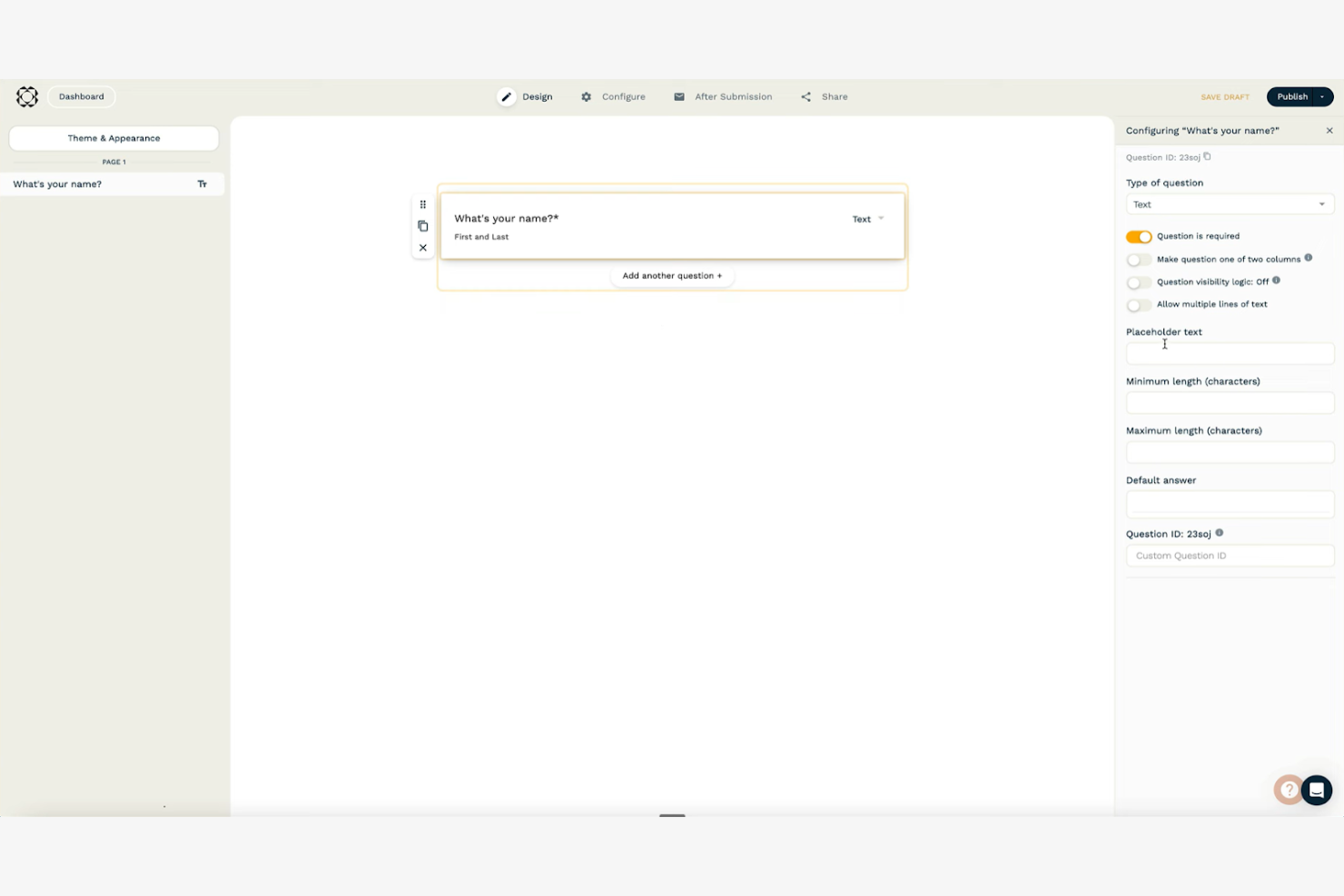
Paperform è un versatile strumento online per la creazione di moduli che consente di creare bellissimi moduli e pagine di destinazione. È popolare tra le piccole imprese, gli esperti di marketing e i professionisti creativi che apprezzano la flessibilità e l'estetica della progettazione.
Perché Paperform è una valida alternativa a Wufoo: Paperform offre numerose opzioni di personalizzazione, consentendo di progettare moduli che riflettono l'identità del tuo marchio. Il suo strumento di modifica intuitivo supporta contenuti multimediali avanzati come immagini e video, rendendo i tuoi moduli più coinvolgenti. Puoi anche automatizzare i flussi di lavoro con la logica condizionale, aiutando il tuo team a risparmiare tempo. Queste funzionalità rendono Paperform ideale se cerchi di creare moduli visivamente accattivanti che si distinguano.
Funzionalità e integrazioni principali:
Le funzionalità includono la possibilità di accettare pagamenti direttamente tramite i moduli, una soluzione perfetta per le aziende di commercio elettronico. Puoi utilizzare calcoli avanzati per eseguire operazioni complesse all'interno dei moduli. La piattaforma offre inoltre HTML e CSS personalizzati, consentendoti di avere il pieno controllo sull'aspetto dei tuoi moduli.
Le integrazioni includono Zapier, Mailchimp, Google Sheets, Stripe, PayPal, Slack, HubSpot, Trello, Dropbox e Square.
Pros and Cons
Pros:
- Interfaccia a testo libero per un'ampia flessibilità di progettazione
- Supporta contenuti multimediali avanzati, tra cui immagini, video, mappe personalizzate e calendari
- Possibilità di inserire codice HTML e CSS personalizzato per un maggiore controllo
Cons:
- Analisi integrate limitate
- Possibilità di essere sopraffatti dalle numerose opzioni a causa dell'elevato livello di personalizzazione

Ideale per la personalizzazione dei sondaggi
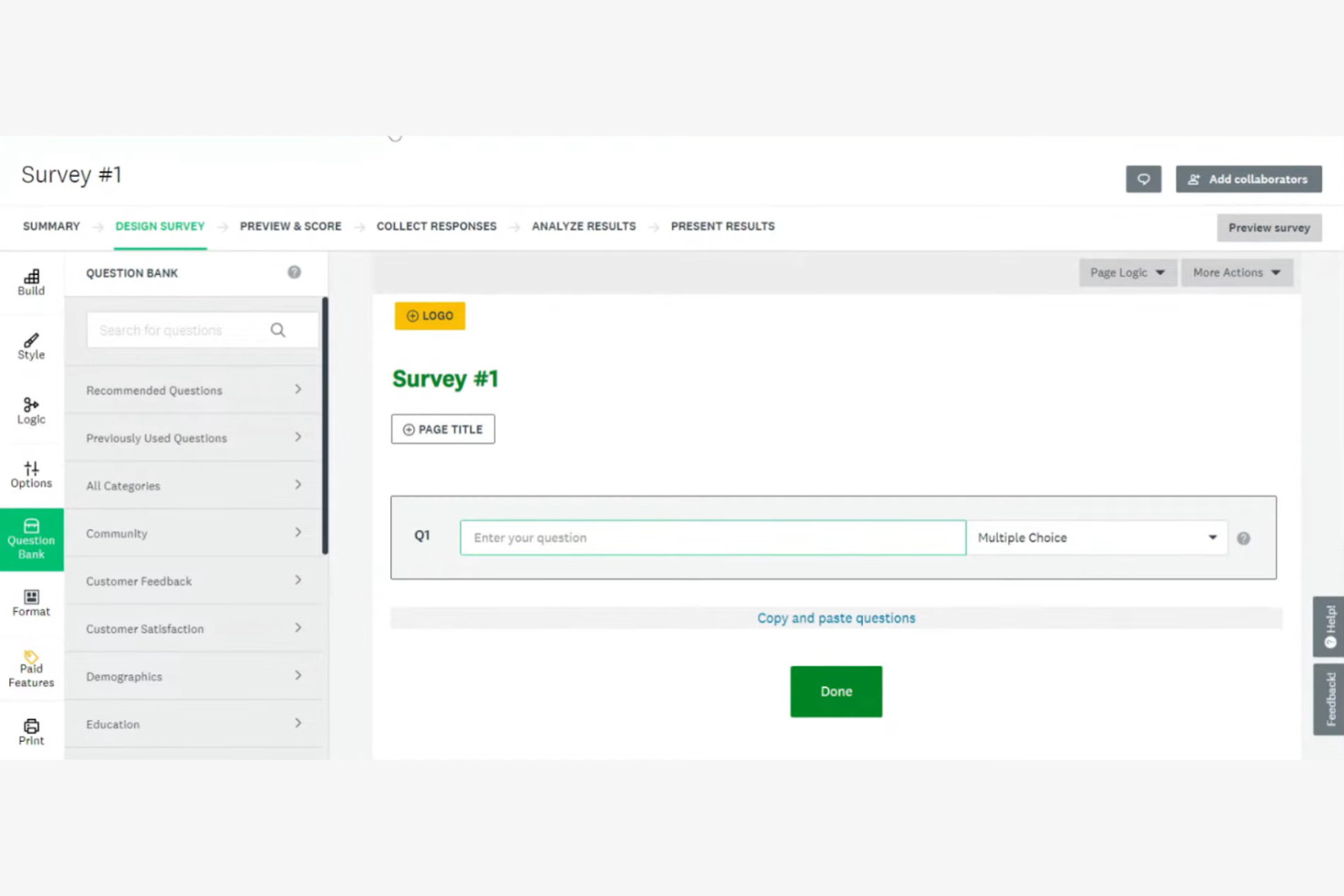
SurveyMonkey è uno strumento per sondaggi online che aiuta aziende e privati a raccogliere e analizzare i feedback. È ampiamente utilizzato da ricercatori, esperti di marketing e organizzazioni che devono raccogliere dati in modo efficiente.
Perché SurveyMonkey è una valida alternativa a Wufoo: SurveyMonkey offre ampie opzioni di personalizzazione, consentendo di adattare i sondaggi alle proprie esigenze specifiche. La varietà di tipi di domande e le funzionalità di logica permettono di creare sondaggi complessi per ottenere informazioni approfondite. Gli strumenti di analisi della piattaforma aiutano a interpretare i dati in modo efficace, facilitando il processo decisionale informato del team. Il design intuitivo rende semplice la creazione di sondaggi, anche per i principianti.
Funzionalità e integrazioni distintive:
Le funzionalità includono una logica avanzata per i sondaggi che consente di personalizzare il flusso in base alle risposte. È possibile utilizzare modelli di sondaggio predefiniti per risparmiare tempo e assicurarsi di porre le domande giuste. La piattaforma offre anche l'analisi dei dati in tempo reale, che aiuta a monitorare le risposte man mano che vengono raccolte.
Le integrazioni includono Salesforce, Mailchimp, HubSpot, Slack, Microsoft Teams, Google Drive, Dropbox, Zendesk, Eventbrite e Constant Contact.
Pros and Cons
Pros:
- Ampia personalizzazione per temi, colori ed elementi del marchio dei sondaggi
- Piano gratuito conveniente e opzioni scalabili per soddisfare le esigenze degli utenti
- Ampia varietà di tipi di domande, tra cui scelta multipla, scale Likert, classifiche e opzioni con immagini
Cons:
- Prezzi più elevati per le funzionalità avanzate
- Limiti alle risposte nel piano gratuito

WPForms
Ideale per l'integrazione con WordPress

WPForms è un plugin di WordPress progettato per creare e gestire moduli online direttamente dal tuo sito WordPress. Viene utilizzato principalmente da blogger, titolari di piccole imprese e sviluppatori che hanno bisogno di un modo semplice per aggiungere moduli ai propri siti web.
Perché WPForms è una buona alternativa a Wufoo: WPForms offre l'integrazione con WordPress, rendendolo una scelta pratica per gli utenti che già utilizzano questa piattaforma. Il suo builder con funzionalità di trascinamento consente di creare rapidamente moduli senza scrivere codice. Grazie a funzionalità come i modelli predefiniti e la logica condizionale intelligente, puoi personalizzare i moduli in base alle tue esigenze. Il plugin supporta anche le notifiche istantanee, così ricevi automaticamente gli aggiornamenti relativi a qualsiasi nuovo invio di moduli.
Funzionalità e integrazioni principali:
Le funzionalità includono la possibilità di creare moduli multipagina, che suddividono i moduli lunghi in sezioni gestibili. Puoi utilizzare i componenti aggiuntivi per sondaggi e questionari per raccogliere feedback dettagliati dal tuo pubblico. La piattaforma offre inoltre strumenti di protezione antispam per mantenere i tuoi moduli al sicuro da invii indesiderati.
Le integrazioni includono Mailchimp, PayPal, Stripe, AWeber, Campaign Monitor, GetResponse, Drip, Constant Contact, Salesforce e Zapier.
Pros and Cons
Pros:
- Plugin dedicato di WordPress progettato per integrarsi direttamente nella bacheca
- Creazione di moduli intuitiva con funzionalità di trascinamento nelle versioni gratuite e a pagamento
- Oltre 2.000 modelli di moduli predefiniti
Cons:
- L'assistenza è disponibile solo per gli utenti con licenze premium attive
- Le funzionalità avanzate richiedono componenti aggiuntivi

Heyflow
Ideale per i percorsi di generazione di contatti
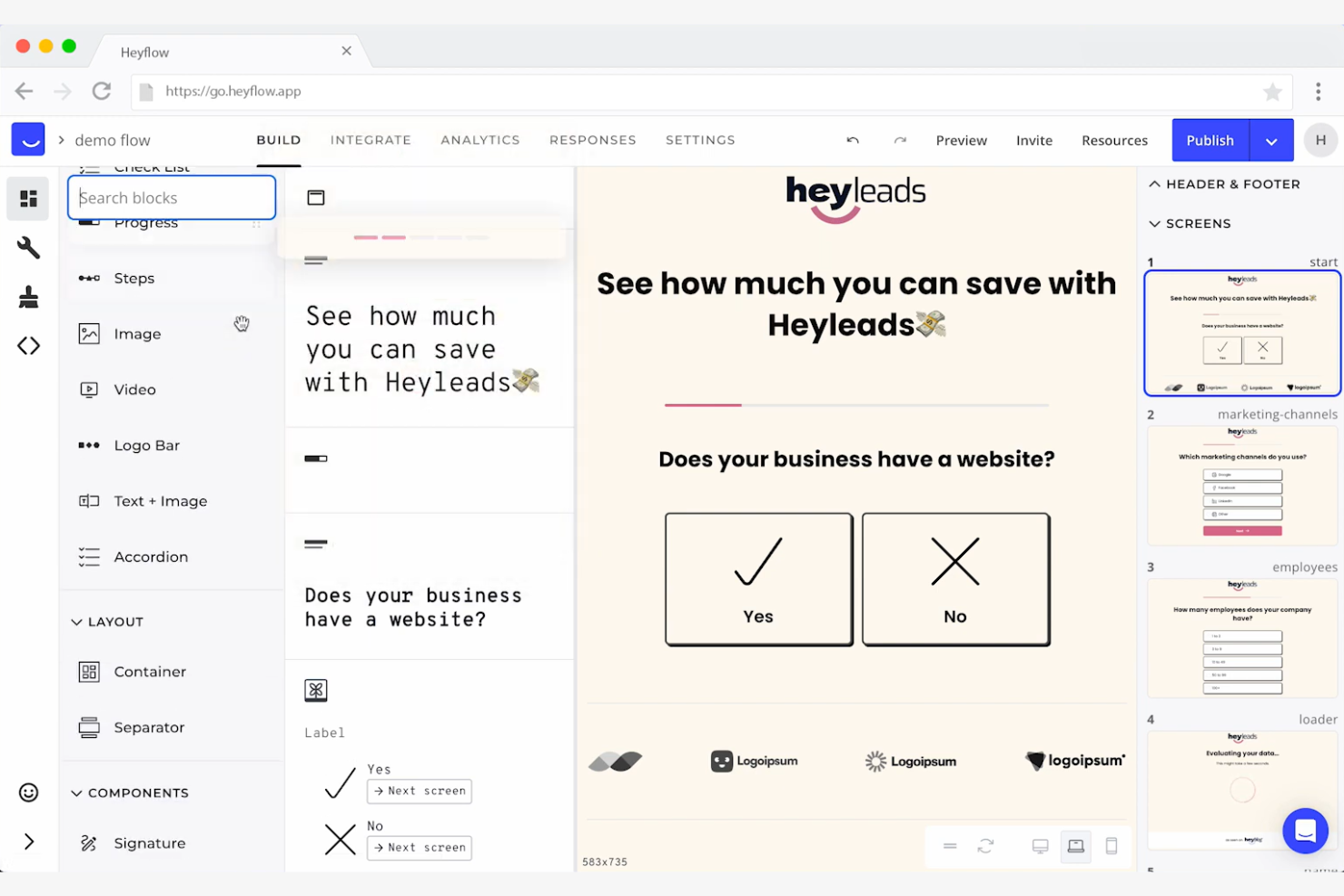
Heyflow è una piattaforma senza codice progettata per trasformare i visitatori dei siti web in potenziali clienti attraverso percorsi interattivi e pensati prima di tutto per i dispositivi mobili. È utilizzata principalmente da professionisti del marketing delle performance, designer e sviluppatori in vari settori, tra cui B2C e B2B.
Perché Heyflow è una buona alternativa a Wufoo: Heyflow offre un'ampia personalizzazione di pagine di destinazione e moduli interattivi, rendendola ideale per la generazione di contatti. Grazie agli strumenti integrati di analisi, ai test A/B e alla valutazione dei contatti, aiuta a ottimizzare il coinvolgimento e i tassi di conversione. La progettazione pensata prima di tutto per i dispositivi mobili garantisce un'esperienza utente fluida, mentre funzionalità come la codifica personalizzata e i pagamenti integrati supportano attività di marketing avanzate.
Funzionalità e integrazioni principali:
Le funzionalità includono test A/B integrati per ottimizzare i percorsi di conversione, analisi degli abbandoni per capire in quale punto gli utenti lasciano il percorso e valutazione dei contatti per dare priorità ai potenziali clienti. La piattaforma offre inoltre più di 40 blocchi con trascinamento per una facile personalizzazione.
Le integrazioni includono Zapier, HubSpot, Mailchimp, Salesforce, Google Analytics, Facebook Pixel, Intercom, Slack, Google Tag Manager e Shopify.
Pros and Cons
Pros:
- I percorsi interattivi passo dopo passo acquisiscono contatti con tassi di conversione più elevati rispetto ai moduli statici
- Tutti i percorsi di conversione sono ottimizzati per i dispositivi mobili per impostazione predefinita
- Potenti analisi integrate per dati chiari sulle prestazioni
Cons:
- L'interfaccia senza codice limita gli utenti ai blocchi predefiniti della piattaforma
- Marchio Heyflow visibile sui percorsi di conversione nei piani gratuito e base

Ideale per la conformità normativa del settore
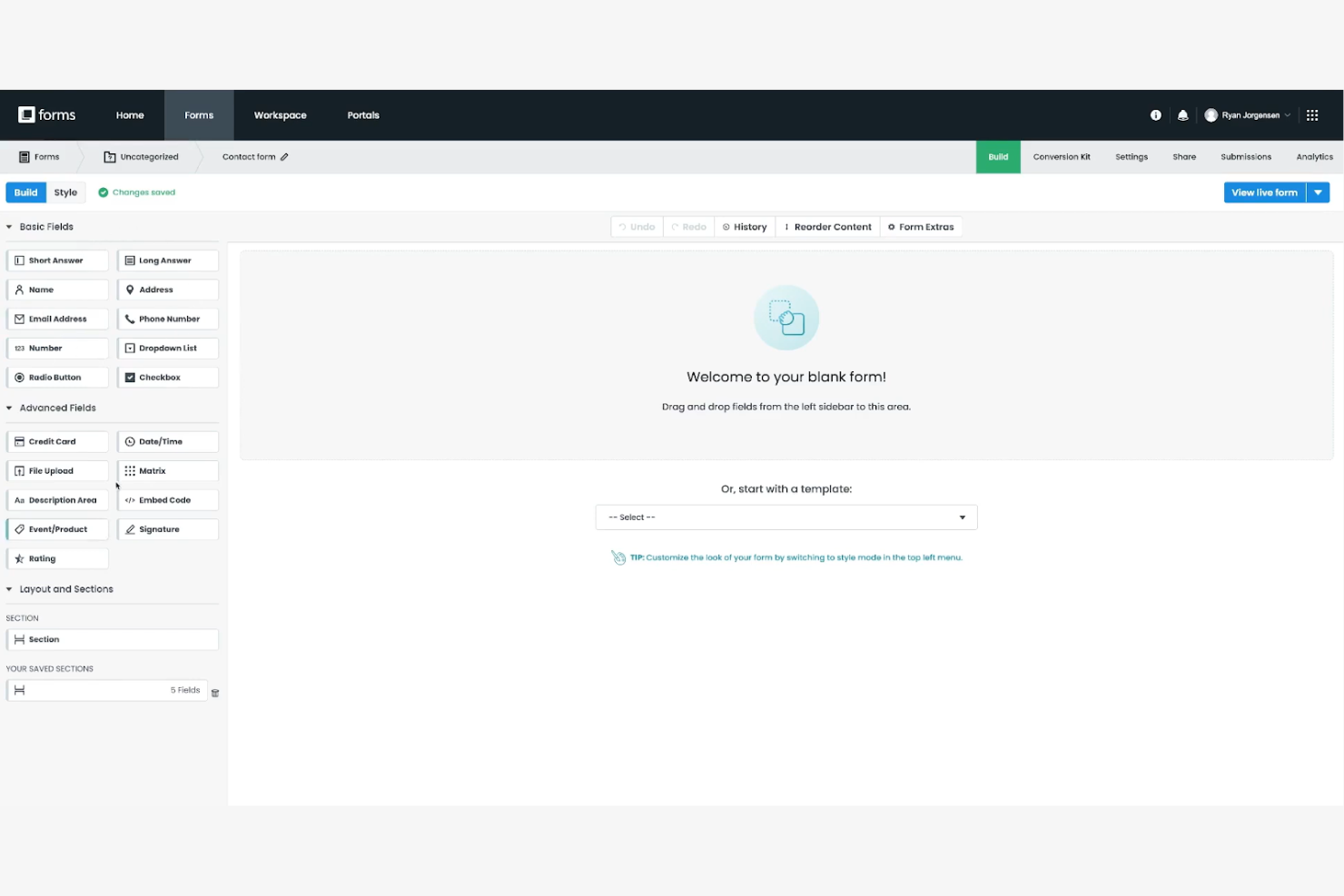
Formstack è un versatile creatore di moduli che aiuta le aziende ad automatizzare i flussi di lavoro e a gestire i dati in modo efficiente. È ampiamente utilizzato da operatori sanitari, istituti scolastici e società di servizi finanziari che necessitano di una gestione sicura e conforme dei dati.
Perché Formstack è una valida alternativa a Wufoo: Formstack offre funzionalità avanzate di conformità, tra cui la conformità HIPAA e la crittografia dei dati, rendendolo ideale per i settori con normative rigorose in materia di dati. Il suo flessibile creatore di moduli supporta flussi di lavoro e approvazioni complesse, aiutandoti a perfezionare i processi. Le misure di sicurezza della piattaforma garantiscono la protezione dei tuoi dati, offrendo tranquillità al tuo team.
Funzionalità e integrazioni principali:
Le funzionalità includono analisi avanzate dei moduli che ti aiutano a monitorarne le prestazioni e a prendere decisioni basate sui dati. Puoi utilizzare la logica condizionale per creare moduli dinamici che si adattano agli input degli utenti. La piattaforma offre anche funzionalità di generazione di documenti, che consentono di creare PDF a partire dalle risposte ai moduli.
Le integrazioni includono Salesforce, Mailchimp, Google Drive, HubSpot, PayPal, QuickBooks, Dropbox, Stripe, Microsoft Teams e Slack.
Pros and Cons
Pros:
- Misure di conformità e sicurezza in linea con le principali normative e gli standard del settore
- Le funzionalità di automazione consentono di personalizzare le catene di approvazione
- Crittografia SSL a 256 bit, crittografia dei dati inattivi, download sicuri e protezione tramite password
Cons:
- Assistenza telefonica minima o assente nei piani base
- Limiti di utilizzo per tutti i livelli di piano

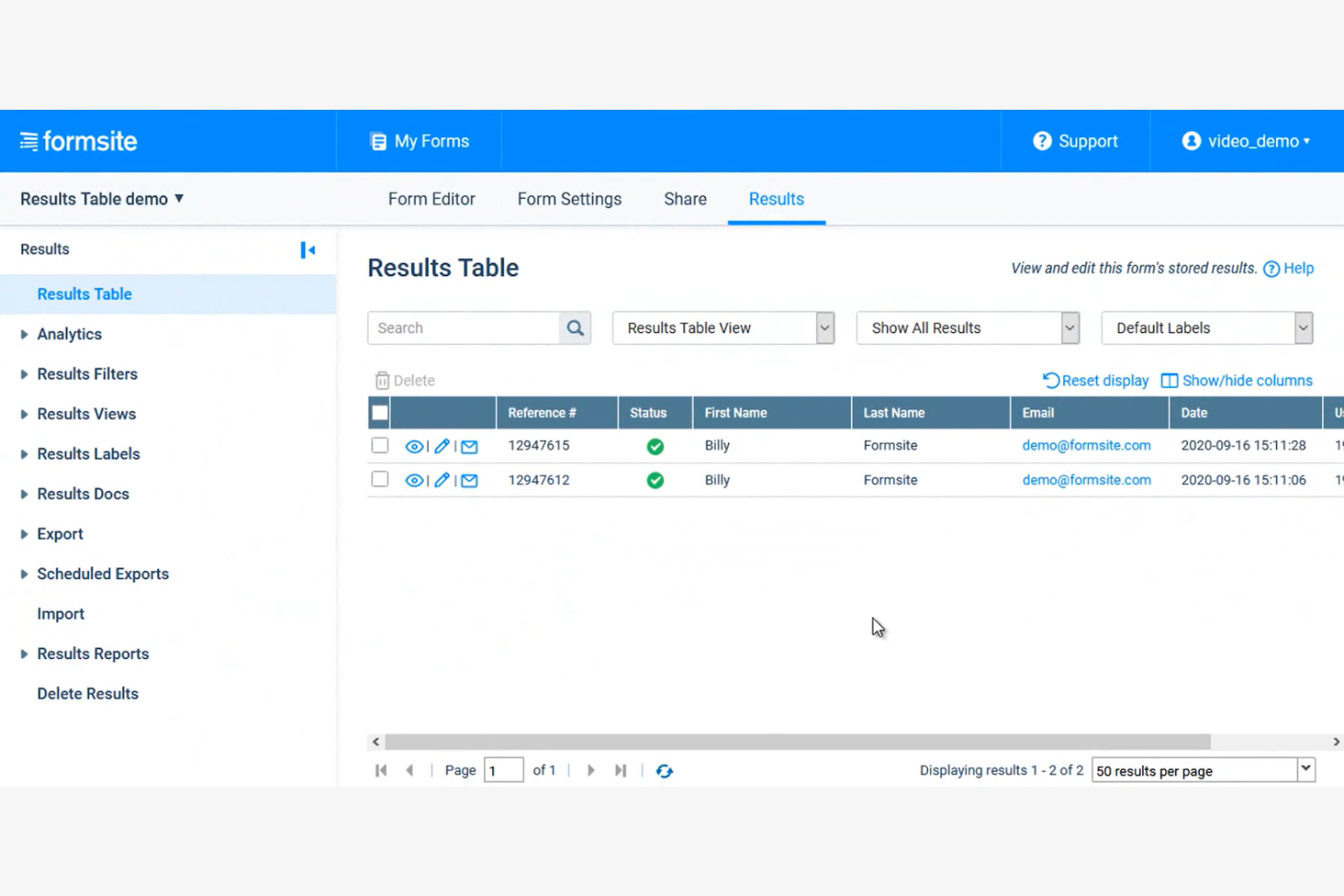
Formsite è un creatore di moduli online che si concentra sulla creazione di moduli sicuri per la raccolta dei dati. Viene utilizzato principalmente da aziende e organizzazioni che devono gestire informazioni sensibili, tra cui operatori sanitari, istituti scolastici e società finanziarie.
Perché Formsite è una buona alternativa a Wufoo: Formsite offre funzionalità di sicurezza avanzate, tra cui la crittografia SSL e la protezione tramite password, per mantenere al sicuro i tuoi dati. I suoi moduli personalizzabili consentono di adattarli alle tue esigenze specifiche, mantenendo al contempo la conformità agli standard del settore. La piattaforma offre anche funzionalità come l'analisi dei moduli e la logica condizionale, che ti aiutano a gestire e analizzare i dati in modo efficiente.
Funzionalità e integrazioni principali:
Le funzionalità includono un creatore di moduli con funzionalità di trascinamento che consente di creare moduli in modo rapido e semplice. Puoi utilizzare la logica condizionale per mostrare o nascondere le domande in base alle risposte degli utenti. La piattaforma offre inoltre funzionalità per il caricamento di file, consentendo agli utenti di inviare documenti tramite i tuoi moduli.
Le integrazioni includono Google Sheets, Salesforce, Dropbox, Mailchimp, PayPal, Zapier, Slack, HubSpot, Constant Contact e Stripe.
Pros and Cons
Pros:
- Elevata sicurezza dei dati, inclusa la crittografia HTTPS e una politica di conservazione dei dati
- Creatore di moduli personalizzabile con funzionalità di trascinamento e opzioni di modifica CSS
- Funzionalità di caricamento sicuro di file disponibile in tutti i piani a pagamento per raccogliere documenti e immagini dei rispondenti
Cons:
- Le analisi dei moduli integrate non hanno una sofisticatezza visiva
- Reattività mobile limitata

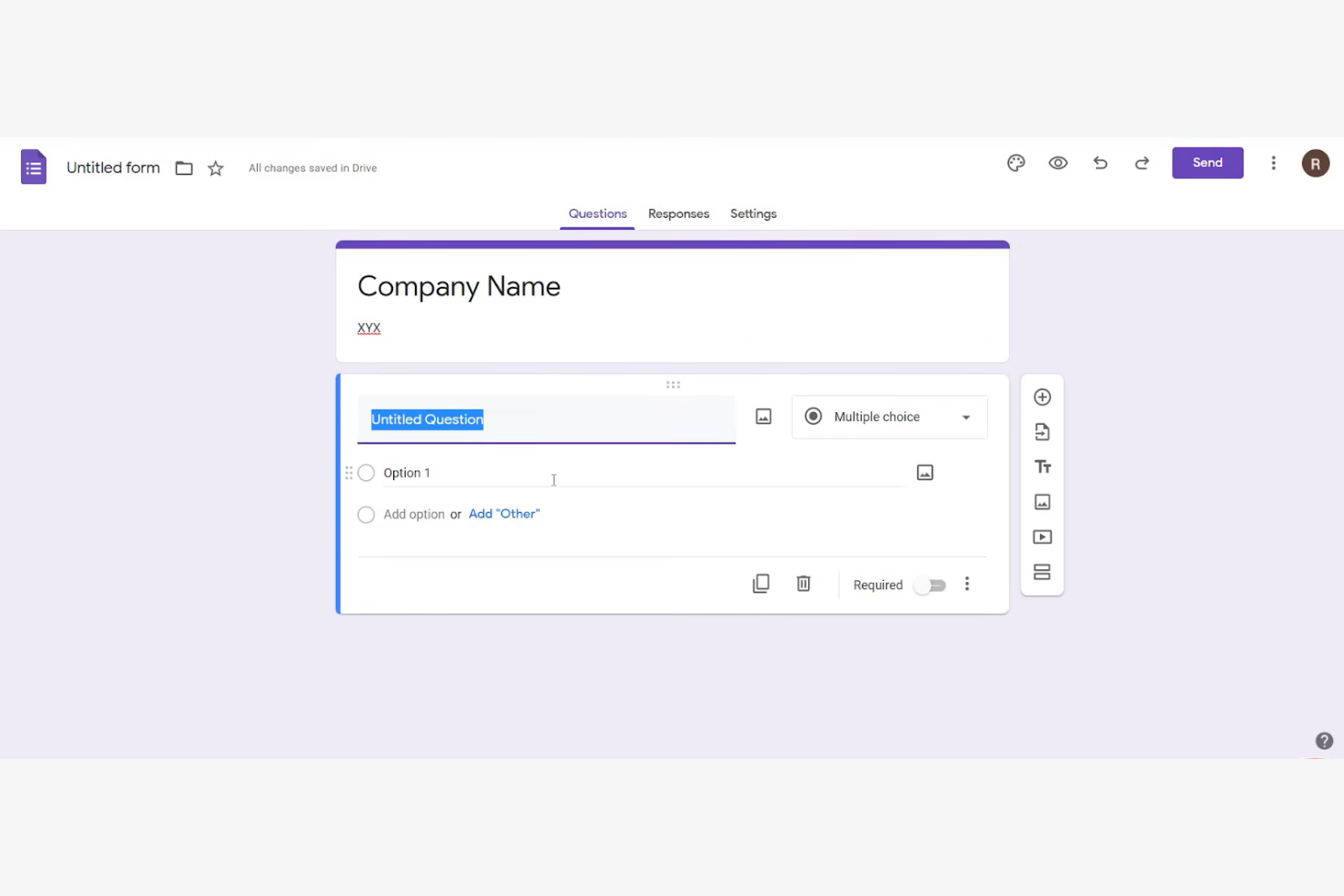
Google Forms è uno strumento per sondaggi online che consente agli utenti di creare facilmente moduli e raccogliere dati. È ampiamente utilizzato da educatori, piccole imprese e privati che hanno bisogno di raccogliere e condividere rapidamente informazioni.
Perché Google Forms è una valida alternativa a Wufoo: Google Forms offre semplici opzioni di condivisione e collaborazione in tempo reale, caratteristiche che lo rendono ideale per i team che devono lavorare insieme. Puoi condividere facilmente i moduli tramite un link o un'e-mail, mentre le risposte vengono raccolte automaticamente in Google Sheets. L'interfaccia intuitiva e l'integrazione con Google Workspace ne migliorano ulteriormente l'utilizzo.
Funzionalità e integrazioni principali:
Le funzionalità includono la raccolta automatica dei dati in Google Sheets, che ti aiuta ad analizzare le risposte in modo efficiente. Puoi personalizzare i temi e aggiungere immagini o video ai tuoi moduli per un'esperienza più coinvolgente. Lo strumento offre inoltre il monitoraggio delle risposte in tempo reale, così puoi controllare i dati in arrivo in tempo reale.
Le integrazioni includono Google Sheets, Google Drive, Google Classroom, Google Calendar, Google Docs, Google Slides, Google Chat e Google Sites.
Pros and Cons
Pros:
- I moduli possono essere condivisi tramite link diretto, e-mail, social media o incorporati nei siti web
- Supporta la collaborazione in tempo reale
- Maggiore efficienza dei flussi di lavoro grazie all'integrazione con Google Workspace
Cons:
- Personalizzazione limitata del design e del branding
- Logica condizionale di base


Microsoft Forms è uno strumento online per sondaggi e quiz progettato per raccogliere feedback e dati in modo efficiente. Viene utilizzato principalmente da insegnanti, aziende e organizzazioni che hanno bisogno di raccogliere informazioni rapidamente e collaborare in tempo reale.
Perché Microsoft Forms è una buona alternativa a Wufoo: Microsoft Forms offre funzionalità di collaborazione in tempo reale che consentono a più membri del team di lavorare contemporaneamente sui moduli. Puoi condividere facilmente i moduli tramite e-mail o link, semplificandone la distribuzione. L'integrazione della piattaforma con Microsoft 365 ne amplia le funzionalità, offrendo agli utenti un'interfaccia familiare. Grazie agli strumenti di analisi integrati, puoi analizzare rapidamente le risposte e ottenere informazioni utili.
Funzionalità e integrazioni distintive:
Le funzionalità includono la raccolta e l'analisi automatiche delle risposte, che fanno risparmiare tempo al tuo team. Puoi creare moduli con diramazioni che si adattano in base agli input degli utenti, offrendo un'esperienza personalizzata. La piattaforma supporta anche i quiz, consentendoti di valutare le conoscenze o raccogliere feedback in modo efficace.
Le integrazioni includono Microsoft Teams, Microsoft Excel, Microsoft SharePoint, Microsoft OneDrive, Microsoft Power Automate, Microsoft Outlook e Microsoft Power BI.
Pros and Cons
Pros:
- Collaborazione in tempo reale per la modifica e la gestione simultanee dei moduli
- I moduli possono essere condivisi tramite link, codici QR ed e-mail oppure incorporati nei prodotti Microsoft
- I grafici e i report automatici in tempo reale possono essere esportati in Excel per un'analisi più approfondita
Cons:
- Meno adatto ai sondaggi complessi
- Tipi di domande limitati

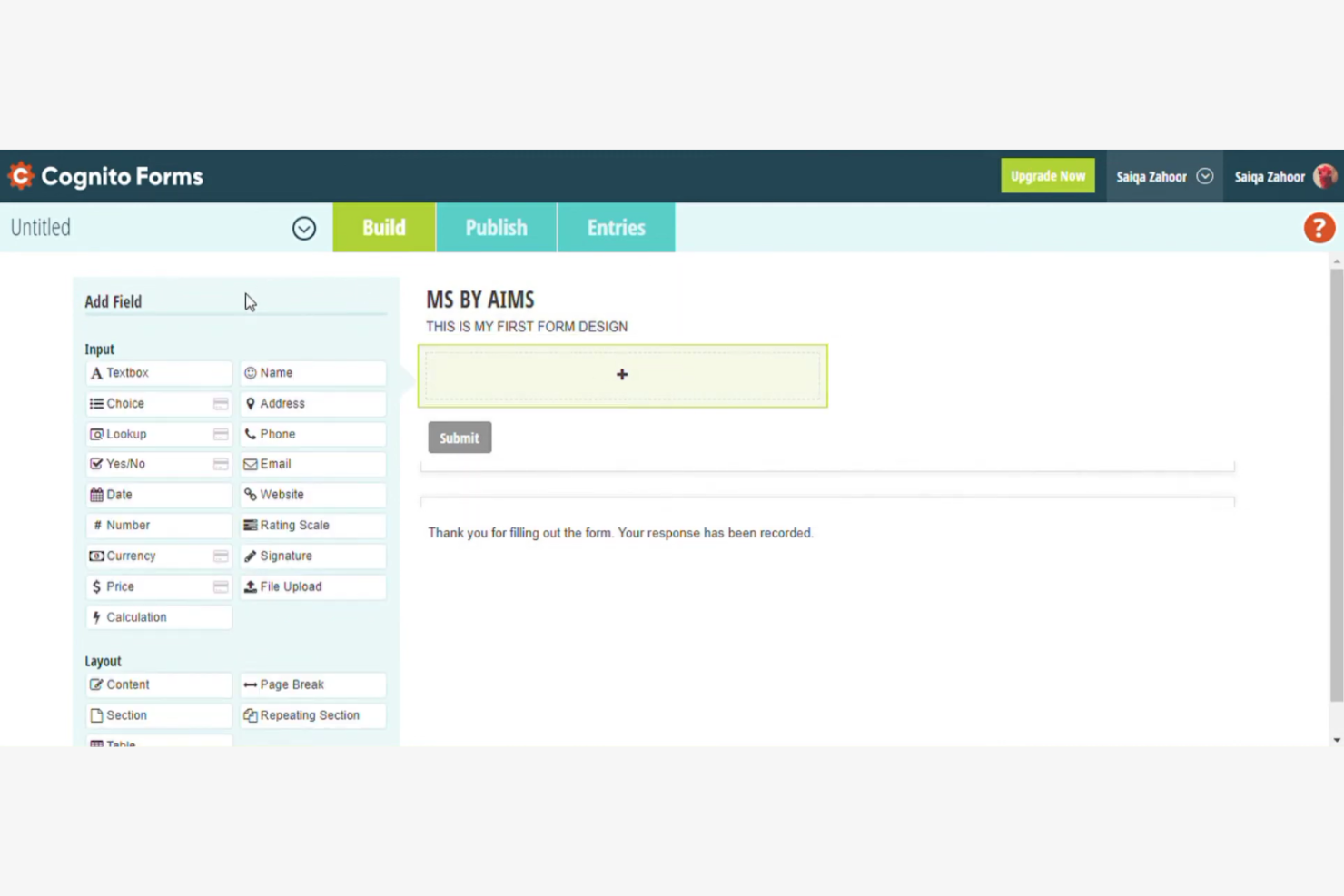
Cognito Forms è un generatore di moduli online che eccelle nella creazione di moduli complessi e nell'automazione dei flussi di lavoro. È ampiamente utilizzato da aziende e organizzazioni che devono semplificare i processi e gestire i dati in modo efficiente.
Perché Cognito Forms è una buona alternativa a Wufoo: Cognito Forms offre calcoli avanzati e logica condizionale per automatizzare i flussi di lavoro, risultando un'ottima opzione per migliorare l'efficienza. È possibile creare moduli che eseguono calcoli direttamente nell'interfaccia, riducendo il lavoro manuale. La capacità della piattaforma di gestire logiche complesse e la gestione dei dati la distingue dalle altre soluzioni. Le sue funzionalità di sicurezza garantiscono la protezione dei dati, rendendola una scelta affidabile per le informazioni sensibili.
Funzionalità e integrazioni principali:
Le funzionalità includono la possibilità di eseguire calcoli complessi all'interno dei moduli, contribuendo a ridurre gli errori manuali. È possibile utilizzare sezioni ripetibili per raccogliere più dati con un'unica compilazione del modulo. La piattaforma offre inoltre notifiche email personalizzabili per tenere il team informato sui nuovi invii.
Le integrazioni includono Zapier, Microsoft Power Automate, Dropbox, Google Sheets, Stripe, PayPal, Mailchimp, Square, Microsoft OneDrive e QuickBooks Online.
Pros and Cons
Pros:
- Le integrazioni della piattaforma facilitano l'automazione avanzata dei flussi di lavoro e il trasferimento dei dati
- Ottime funzionalità di calcolo direttamente nell'interfaccia del modulo
- Supporta una logica condizionale complessa per sezioni, pagine, valori calcolati e instradamento
Cons:
- L'interfaccia utente è considerata funzionale o meno moderna rispetto a quella dei concorrenti
- Personalizzazione limitata del design senza utilizzare codice CSS


Typeform è un generatore di moduli online che si concentra sulla creazione di sondaggi interattivi e visivamente accattivanti. È popolare tra esperti di marketing, educatori e aziende che desiderano coinvolgere il proprio pubblico con moduli dinamici.
Perché Typeform è una buona alternativa a Wufoo: Typeform offre un'esperienza unica con i suoi moduli conversazionali, che guidano gli intervistati attraverso le domande una alla volta. Questo approccio incoraggia tassi di completamento più elevati e un maggiore coinvolgimento. Grazie a funzionalità come design personalizzabili, salti logici e supporto per contenuti multimediali, puoi creare facilmente sondaggi distintivi. È quindi una scelta eccellente se desideri catturare l'attenzione del tuo pubblico e raccogliere risposte più approfondite.
Funzionalità e integrazioni principali:
Le funzionalità includono modelli personalizzabili che ti consentono di adattare i moduli all'aspetto e allo stile del tuo marchio. I salti logici permettono di personalizzare l'esperienza del sondaggio in base alle risposte degli intervistati. Puoi anche incorporare video e immagini per rendere i tuoi moduli più coinvolgenti.
Le integrazioni includono HubSpot, Slack, Google Sheets, Mailchimp, Zapier, Salesforce, Airtable, Asana, Trello e Intercom.
Pros and Cons
Pros:
- Interfaccia conversazionale con una domanda alla volta per migliorare i tassi di completamento
- Ampia flessibilità di progettazione per personalizzare con precisione i moduli
- Flusso interattivo delle domande con salti logici
Cons:
- Opzioni limitate di personalizzazione avanzata per sviluppatori o designer
- Nessun caricamento nativo di file nel piano gratuito
Altre alternative a Wufoo
Ecco alcune alternative aggiuntive a Wufoo che non sono state incluse nel mio elenco, ma che vale comunque la pena prendere in considerazione:


Wie ich ProofHub-Alternativen bewerte
Ich teile meine Bewertung in zwei Ebenen auf: die Grundvoraussetzungen, die ein Tool erfüllen muss – Mehransichten-Planung, Zeiterfassung, Teamzusammenarbeit – und die Unterscheidungsmerkmale, die die besten Optionen wirklich voneinander abheben.
Kernfunktionen (Mindestanforderungen für diese Liste)
Wenn ich Tools für meine Liste auswähle, bewerte ich jedes einzelne auf einer Skala von 0 (bietet die Funktionalität nicht an) bis 5 (hervorragende Umsetzung in diesem Bereich) für jede unten aufgelistete Kernfunktion. Anschließend rechne ich die Gesamtpunktzahl des Tools prozentual um. Jedes Tool muss eine Mindest-Gesamtpunktzahl von 75% erreichen, um in Betracht gezogen zu werden.
- Aufgaben- & Projektmanagement: Ich achte auf Unteraufgaben, Abhängigkeiten, sich wiederholende Aufgaben und Multi-Projekt-Unterstützung – zum Beispiel die Aufteilung eines Produkt-Launches in parallele Arbeitsströme mit klaren Zuständigkeiten.
- Mehrere Projektansichten: Teams arbeiten unterschiedlich, daher prüfe ich, ob ein Tool Kanban-, Gantt-, Kalender- und Listenansichten bietet, sodass der Kontextwechsel ohne Informationsverlust möglich ist.
- Team-Zusammenarbeitstools: Ich bewerte, wie ein Tool Diskussionen, @Erwähnungen und Echtzeit-Chat ermöglicht – besonders für asynchrone Teams, die Thread-Diskussionen benötigen, die an einzelne Aufgaben gekoppelt sind.
- Zeiterfassung & Berichte: Eingebaute Timer, Arbeitszeitnachweise und Projektberichte sind hier wichtig. Ich schaue, ob abrechenbare Stunden erfasst und Arbeitslastübersichten abgerufen werden können, ohne dass ein Export in eine Tabelle nötig ist.
- Dateifreigabe & Freigabeprozesse: Kreative Prüfung ist ein zentrales ProofHub-Anwendungsszenario. Ich prüfe also auf Datei-Markups, Versionskontrolle und Freigabeworkflows für Dokumente und Bilder.
- Individuelle Workflows & Rollen: Jedes Team strukturiert Arbeit anders. Ich bewerte, ob sich eigene Projektphasen definieren, detaillierte Berechtigungen einstellen und die Sichtbarkeit pro Rolle oder Team steuern lassen.
Nachdem ich eine Liste von Tools erstellt habe, die diese Kriterien erfüllen, untersuche ich, was die jeweilige Plattform besonders macht.
Unterscheidungsmerkmale (Was Anbieter wirklich abhebt)
So vergleiche und kontrastiere ich verschiedene Anbieter:
Herausragende Funktionen
Ressourcen- und Auslastungsmanagement ist ein wichtiges Unterscheidungsmerkmal. Ich achte auf visuelle Kapazitätsplanung, die anzeigt, wer teamübergreifend überlastet ist, sodass Arbeit vor Fristüberschreitungen umverteilt werden kann. Auch der Gast- und Kundenzugang ist entscheidend – Agenturen benötigen externe Prüfer für die Freigabe von Ergebnissen, ohne dass für diese ein kostenpflichtiger Zugang erforderlich ist. Workflow-Automatisierung hebt gute Tools von großartigen ab, insbesondere wenn Aufgaben automatisch zugewiesen oder Statusänderungen projektbasiert ausgelöst werden, ohne manuelle Eingriffe.
Mehr als nur Funktionen
Die Preisgestaltung spielt hierbei eine große Rolle. ProofHub ist für sein Pauschalpreismodell bekannt, daher bewerte ich, ob Alternativen pro Nutzer abrechnen oder ähnlich kalkulierbare Modelle anbieten – das verändert die Wirtschaftlichkeit für wachsende Teams grundlegend. Auch die Integrationsmöglichkeiten beeinflussen meine Empfehlungen stark. Ein Tool, das sich nativ mit Slack, Google Workspace und GitHub verknüpfen lässt, passt meist zu Technikteams, aber ich achte zusätzlich auf offene API- oder Zapier‑Unterstützung, wenn individuelle Workflows gefordert sind. Ebenso berücksichtige ich den Team-Fit, da ein 5-Personen-Startup und eine 50-köpfige Agentur ganz unterschiedliche Anforderungen an Tools dieser Kategorie haben.
Perché cercare un'alternativa a Wufoo?
Sebbene Wufoo sia una buona scelta come creatore di moduli basato sul cloud, ci sono diversi motivi per cui alcuni utenti cercano soluzioni alternative. Potresti cercare un'alternativa a Wufoo perché…
- Hai bisogno di opzioni di personalizzazione più avanzate
- Il tuo team richiede migliori funzionalità di sicurezza dei dati
- Cerchi funzionalità di integrazione migliori
- Hai bisogno di uno strumento più scalabile per la crescita
- Il tuo team ha bisogno di un'assistenza clienti più tempestiva
- Hai bisogno della funzionalità di moduli non in linea
Se ti riconosci in una di queste situazioni, sei nel posto giusto. Il mio elenco contiene diverse opzioni di creatori di moduli basati sul cloud più adatte ai team che affrontano queste difficoltà con Wufoo e cercano soluzioni alternative.
Caratteristiche principali di Wufoo
Ecco alcune delle caratteristiche principali di Wufoo, per aiutarti a mettere a confronto le funzionalità offerte dalle soluzioni alternative:
- Generatore con trascinamento: crea facilmente moduli senza dover programmare, rendendoli accessibili a tutti gli utenti.
- Marchio personalizzato: personalizza i moduli con loghi ed elementi del marchio per mantenere la coerenza.
- Integrazione dei pagamenti: accetta pagamenti direttamente tramite i moduli utilizzando diversi fornitori, semplificando le transazioni e abilitando i pagamenti online.
- Caricamento di file: raccoglie i file direttamente dai rispondenti, una funzione utile per candidature e sondaggi.
- Notifiche in tempo reale: riceve avvisi istantanei per i nuovi invii, mantenendoti aggiornato sulle risposte.
- Automazione dei flussi di lavoro: automatizza il trasferimento dei dati ad altri strumenti e sistemi, facendo risparmiare tempo al tuo team.
- Logica condizionale: personalizza l'esperienza del modulo in base alle risposte degli utenti, aumentando il coinvolgimento.
- Resoconti personalizzati: analizza gli invii con resoconti integrati o personalizzati per ottenere informazioni utili.
- Esportazione dei dati: esporta facilmente i dati per ulteriori analisi, una funzione utile per la reportistica.
- Funzionalità di sicurezza: includono la crittografia SSL e CAPTCHA per la protezione dei dati, garantendo invii sicuri.
Cosa succede ora:
Se stai cercando un generatore di moduli basato sul cloud, contatta gratuitamente un consulente di SoftwareSelect per ricevere consigli.
Compili un modulo e fai una breve conversazione durante la quale vengono approfonditi i dettagli delle tue esigenze. Poi riceverai una selezione ristretta di software da valutare. Ti supporteranno anche durante l'intero processo di acquisto, comprese le negoziazioni sul prezzo.