

Le 10 migliori alternative a Power BI recensite nel 2026

Migliori alternative a Power BI: selezione


Una valida alternativa a Power BI offre visualizzazione flessibile dei dati, ampie opzioni di integrazione e funzionalità di analisi affidabili che si adattano al flusso di lavoro del tuo team. Se stai cercando alternative a Power BI, probabilmente stai valutando strumenti in grado di gestire dati complessi, supportare la collaborazione, offrire funzionalità avanzate e adattarsi alle mutevoli esigenze aziendali, garantendo al contempo facilità d’uso.
Con così tante piattaforme di analisi disponibili, è difficile sapere quali offrano la combinazione giusta di facilità d’uso, scalabilità e sicurezza. Questo elenco ti aiuterà a confrontare le principali alternative a Power BI per il 2026, così potrai scegliere con sicurezza una soluzione in linea con i requisiti del tuo progetto e gli obiettivi della tua organizzazione.
Che cos’è Power BI?
Power BI è un software di visualizzazione dei dati di Microsoft che consente agli utenti di connettere, analizzare e visualizzare dati provenienti da diverse fonti. Offre dashboard interattive, report personalizzabili e analisi in tempo reale per aiutare i team a prendere decisioni basate sui dati.
Power BI è ampiamente utilizzato da responsabili di progetto, analisti e responsabili aziendali che devono trasformare i dati grezzi in informazioni chiare e utili per le loro organizzazioni.
Riepilogo delle migliori alternative a Power BI
Questo grafico comparativo riassume i dettagli dei prezzi delle mie principali alternative a Power BI, per aiutarti a trovare quella più adatta al tuo budget e alle esigenze della tua azienda.
| Tool | Best For | Trial Info | Price | ||
|---|---|---|---|---|---|
| 1 | Ideale per la creazione di dashboard interattive | Piano gratuito disponibile | Da $15/utente/mese (fatturato annualmente) | Website | |
| 2 | Ideale per analisi integrate nei flussi di lavoro | Piano gratuito disponibile | Da $9/utente/progetto/mese | Website | |
| 3 | Ideale per il monitoraggio dei dati in tempo reale | Prova gratuita di 30 giorni + demo gratuita disponibile | Prezzo su richiesta | Website | |
| 4 | Ideale per analisi personalizzate tramite API | Prova gratuita di 7 giorni + demo gratuita disponibile | Prezzo su richiesta | Website | |
| 5 | Ideale per l'integrazione con i sistemi aziendali SAP | Demo gratuita disponibile | Prezzo su richiesta | Website | |
| 6 | Ideale per la scalabilità su infrastruttura AWS | Piano gratuito disponibile | Da $3/utente/mese | Website | |
| 7 | Ideale per funzionalità di sicurezza di livello enterprise | Prova gratuita di 14 giorni + demo gratuita disponibile | Da $13/utente/mese | Website | |
| 8 | Ideale per insight sui dati assistiti dall'IA | Prova gratuita di 30 giorni disponibile | Da $11.25/utente/mese | Website | |
| 9 | Ideale per l’esplorazione associativa dei dati | Prova gratuita disponibile | Da $300/10 utenti/mese (fatturato annualmente) | Website | |
| 10 | Ideale per reportistica self-service open-source | Piano gratuito disponibile | Da $100/mese (fatturazione mensile) + $6/utente/mese | Website |
Perché fidarsi dei nostri consigli sui software
Il nostro team testa e recensisce software dal 2012. In quanto project manager noi stessi, sappiamo quanto sia difficile — e importante — scegliere il software giusto.
Per questa guida, abbiamo valutato gli strumenti attraverso test pratici e ricerche indipendenti, assegnando un punteggio agli strumenti in base ai nostri criteri di selezione. Ci basiamo inoltre sulle competenze di leader di pensiero del settore e di professionisti attivi nella gestione dei progetti.
Le nostre recensioni riflettono il nostro giudizio editoriale umano, non un discorso di vendita.
Revisori esperti:
Recensioni delle alternative a Power BI
Di seguito trovi i miei riepiloghi dettagliati delle alternative a Power BI incluse nella mia selezione. Le mie recensioni offrono una panoramica approfondita delle funzionalità, dei casi d’uso ideali, dell’esperienza utente e delle integrazioni di ciascuna piattaforma, per aiutarti a trovare quella più adatta a te.

Tableau
Ideale per la creazione di dashboard interattive

Tableau si distingue per i team che necessitano di dashboard altamente interattive ed esplorazione visiva avanzata. È una scelta eccellente per analisti dei dati e professionisti della business intelligence che desiderano approfondire set di dati complessi e condividere visualmente le informazioni tra i reparti.
Perché è una valida alternativa a Power BI
Il punto di forza di Tableau nella creazione di dashboard interattive lo rende una scelta top per i team che devono visualizzare ed esplorare i dati in tempo reale. Ho scelto Tableau perché il suo builder drag-and-drop permette di creare visualizzazioni dinamiche e altamente personalizzate che si aggiornano con le variazioni dei dati.
La piattaforma supporta anche filtri avanzati e funzionalità di 'drill-down', consentendo agli utenti di individuare rapidamente tendenze e anomalie. Se desideri creare dashboard che favoriscono un'esplorazione dati attiva, Tableau offre più flessibilità rispetto alla maggior parte degli altri strumenti.
Funzionalità
Altre funzionalità di Tableau di interesse per i team alla ricerca di software di data visualization includono:
- Data Blending: Combina dati provenienti da fonti multiple all'interno di una singola visualizzazione per creare report più completi.
- Mappatura Geospaziale: Visualizza dati geografici con mappe integrate e analisi delle posizioni.
- Aggiornamento Programmato dei Dati: Automatizza l'aggiornamento dei dati per dashboard e report secondo una pianificazione definita.
- Strumenti di Collaborazione: Condividi le dashboard in modo sicuro e aggiungi commenti o annotazioni per discussioni di team.
Integrazioni
Le integrazioni includono Salesforce, Microsoft Excel, Google BigQuery, Amazon Athena e Cloudera. Tableau offre anche un'API per integrazioni personalizzate.
Pros and Cons
Pros:
- Offre dashboard altamente interattive
- Supporta l'unione di dati da più fonti
- Consente condivisione protetta e collaborazione
Cons:
- Richiede una licenza separata per lo strumento di preparazione dei dati
- Funzionalità di analisi avanzata limitate

Looker
Ideale per analisi integrate nei flussi di lavoro
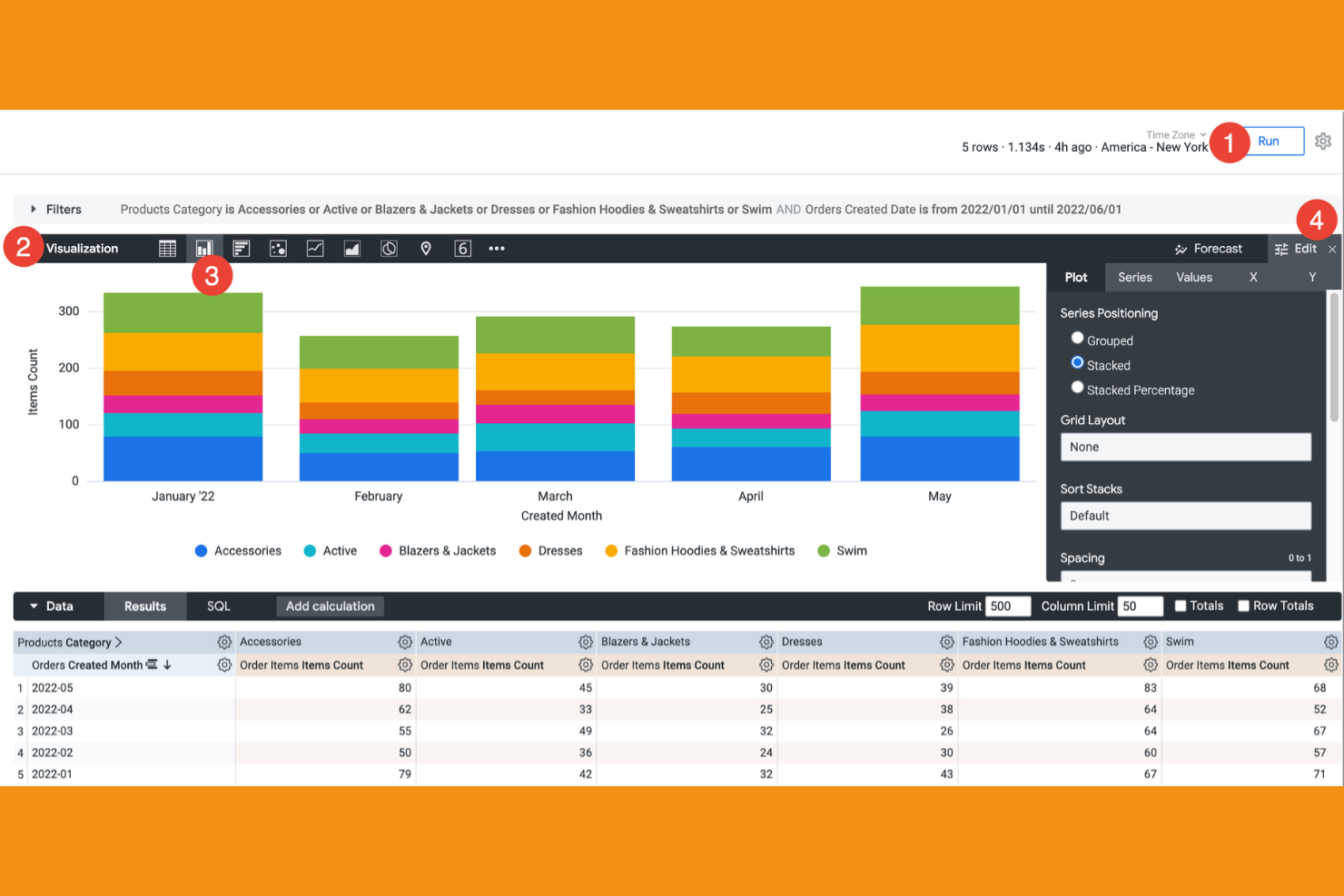
Looker è progettato per i team che necessitano di integrare potenti analisi direttamente nei loro flussi di lavoro e applicazioni esistenti. È pensato per product manager, aziende SaaS e team di data che desiderano offrire dashboard interattivi e personalizzabili all’interno delle proprie piattaforme.
Sfruttando il suo esclusivo livello di modellazione e un’architettura orientata alle API, Looker aiuta gli utenti ad accedere facilmente agli approfondimenti direttamente dove lavorano, distinguendosi così dagli strumenti tradizionali di visualizzazione dati come Power BI.
Perché è una buona alternativa a Power BI
Looker è una scelta solida se hai bisogno di analisi che si inseriscano direttamente nei flussi di lavoro già esistenti del tuo team. Ho scelto Looker perché le sue capacità di analytics integrato consentono di collocare dashboard e report interattivi all’interno di applicazioni, portali clienti o strumenti interni. Il livello semantico di modellazione della piattaforma, inoltre, contribuisce a mantenere una logica di business consistente su tutti i contenuti integrati.
Per le organizzazioni che vogliono offrire insight dove gli utenti già lavorano, Looker offre una flessibilità che Power BI non eguaglia.
Funzionalità
Altre funzionalità di Looker utili per i team di data includono:
- Linguaggio di modellazione LookML: Definisci e gestisci le relazioni tra i dati e la logica di business tramite un linguaggio di modellazione dedicato.
- Distribuzione programmata dei dati: Automatizza l’invio di report e dashboard via email o su piattaforme di messaggistica.
- Visualizzazioni personalizzate: Crea e integra tipi di grafici personalizzati usando JavaScript e librerie open source.
- Sicurezza a livello di riga: Controlla l’accesso ai dati per singolo utente o gruppo al fine di proteggere le informazioni sensibili.
Integrazioni
Le integrazioni includono Google BigQuery, Snowflake, Amazon Redshift, Microsoft Azure e Zendesk. Looker offre inoltre un’API per integrazioni personalizzate.
Pros and Cons
Pros:
- Incorpora dashboard direttamente nelle applicazioni web personalizzate
- La modellazione LookML garantisce coerenza nella logica di business
- Supporta la sicurezza granulare a livello di riga
Cons:
- La consegna programmata dei report è meno flessibile
- Meno opzioni di visualizzazione rispetto a Power BI
Domo
Ideale per il monitoraggio dei dati in tempo reale
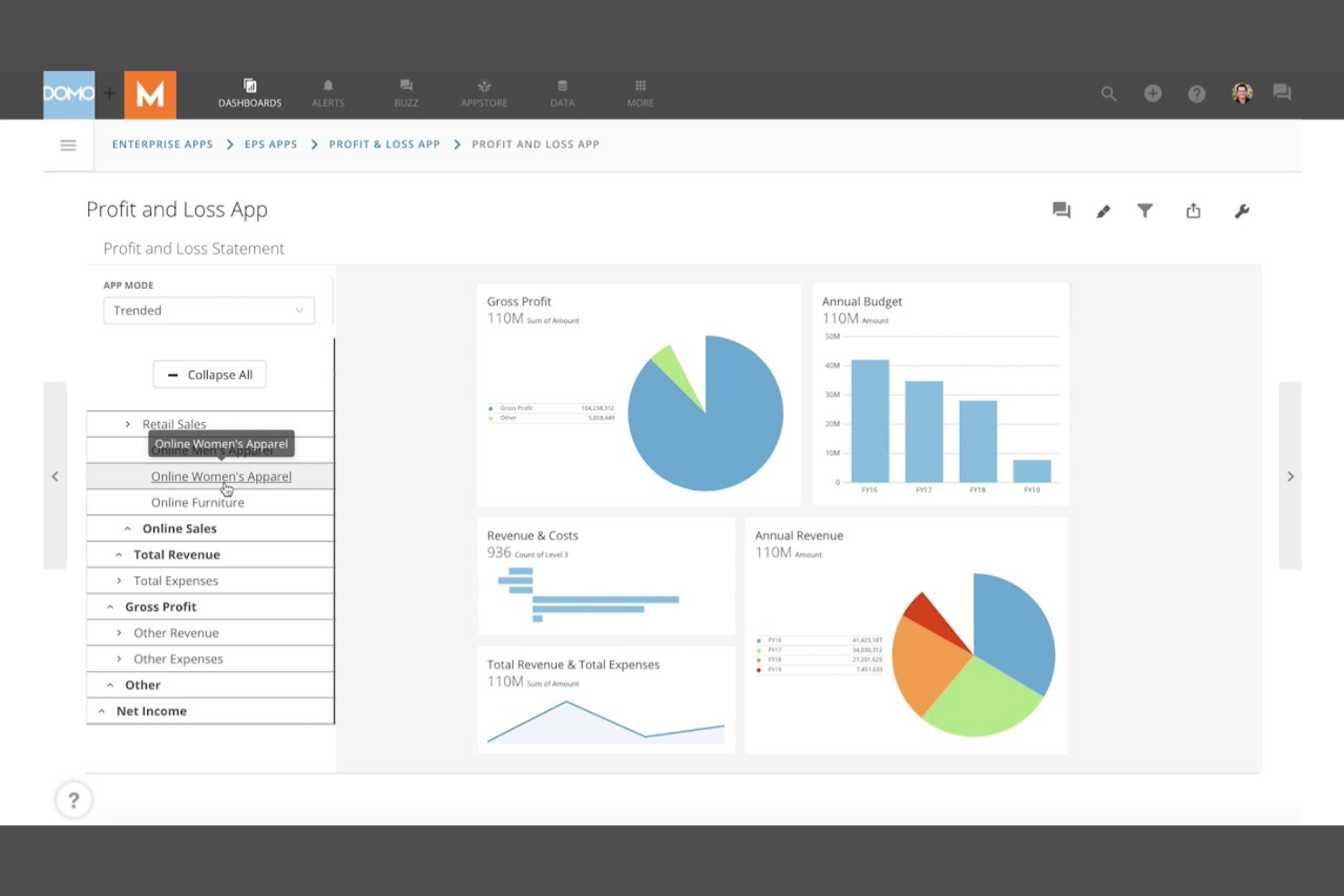
Domo si distingue come un potente strumento di business intelligence progettato per i professionisti che necessitano di informazioni immediate sui dati aziendali. Ideale per team operativi, digital marketer e dirigenti, consolida metriche in tempo reale da più fonti in un'unica dashboard sempre aggiornata.
Il suo punto di forza è il monitoraggio dei dati in tempo reale e gli avvisi automatici, che consentono agli utenti aziendali di reagire rapidamente ai cambiamenti non appena si verificano.
Perché è una valida alternativa a Power BI
Domo eccelle per i team che devono monitorare i dati in tempo reale, non solo analizzarli a posteriori. Ho scelto Domo perché le sue dashboard si aggiornano istantaneamente con l'arrivo di nuovi dati, così hai sempre gli ultimi numeri a portata di mano.
La piattaforma offre anche avvisi automatici e accesso mobile, facilitando l'individuazione e la gestione dei cambiamenti ovunque tu sia. Per le organizzazioni in cui insight immediati e reazione tempestiva sono una priorità, Domo offre un approccio diverso rispetto a Power BI.
Funzionalità
Altre funzionalità di Domo che possono essere utili per i team di analytics includono:
- App Studio: Crea app e flussi di lavoro personalizzati direttamente sulla piattaforma.
- Magic ETL: Utilizza un'interfaccia drag-and-drop per trasformare e preparare i dati per l'analisi.
- Strumenti di Data Governance: Imposta permessi, monitora l'utilizzo e gestisci l'accesso ai dati nell'organizzazione.
- Analisi Incorporata: Integra dashboard e visualizzazioni all'interno di siti web o applicazioni esterni.
Integrazioni
Le integrazioni includono Salesforce, Google Analytics, Amazon Redshift, Microsoft Azure e ServiceNow. Domo offre anche un'API per integrazioni personalizzate.
Pros and Cons
Pros:
- Aggiornamenti in tempo reale delle dashboard per decisioni immediate
- Si collega nativamente a fonti dati cloud
- Offre trasformazione dei dati drag-and-drop
Cons:
- Le prestazioni sono lente con grandi set di dati
- Trasparenza dei prezzi assente

Sisense
Ideale per analisi personalizzate tramite API

Sisense si distingue per i team che necessitano di analisi profondamente personalizzabili integrate direttamente nei loro prodotti o flussi di lavoro. È ideale per product manager, sviluppatori SaaS e team di dati che richiedono un ampio accesso alle API per adattare dashboard e modelli di dati esattamente alle proprie esigenze. A differenza di Power BI, Sisense offre un controllo dettagliato su integrazione e visualizzazione dei dati, consentendo esperienze analitiche uniche guidate dagli sviluppatori.
Perché è una valida alternativa a Power BI
Per i team che devono andare oltre le dashboard standard, Sisense si distingue per le sue capacità di analisi personalizzate tramite API. Ho scelto Sisense perché permette di integrare l'analisi direttamente nei propri prodotti e flussi di lavoro, offrendo una flessibilità maggiore rispetto alle opzioni preconfezionate di Power BI.
Il toolkit per sviluppatori della piattaforma supporta la modellazione e la visualizzazione personalizzata dei dati, così puoi adattare le analisi alle tue esigenze specifiche. Se desideri creare esperienze analitiche uniche, guidate da API, Sisense offre un livello di personalizzazione difficile da uguagliare.
Funzionalità
Altre funzionalità di Sisense che possono essere utili ai team di dati includono:
- Motore dati Elasticube: archivia, prepara e analizza grandi insiemi di dati con elaborazione in-memory.
- Approfondimenti guidati dall'AI: individua automaticamente tendenze e anomalie nei dati tramite machine learning integrato.
- White Labeling: personalizza l'aspetto delle dashboard per rispecchiare il tuo brand.
- Controlli di accesso basati sui ruoli: gestisci autorizzazioni e accesso ai dati a livello dettagliato.
Integrazioni
Le integrazioni includono Salesforce, Google Analytics, Snowflake, Microsoft Azure, Amazon Redshift e Jira. Sisense offre anche API robuste per integrazioni analitiche personalizzate.
Pros and Cons
Pros:
- Offre API complete per flussi di lavoro dati personalizzati
- Integra analisi direttamente nei prodotti SaaS
- Supporta l'elaborazione dei dati in-memory
Cons:
- Le opzioni di design delle dashboard sono meno varie rispetto a Power BI
- La documentazione per gli sviluppatori può essere incoerente

Ideale per l'integrazione con i sistemi aziendali SAP
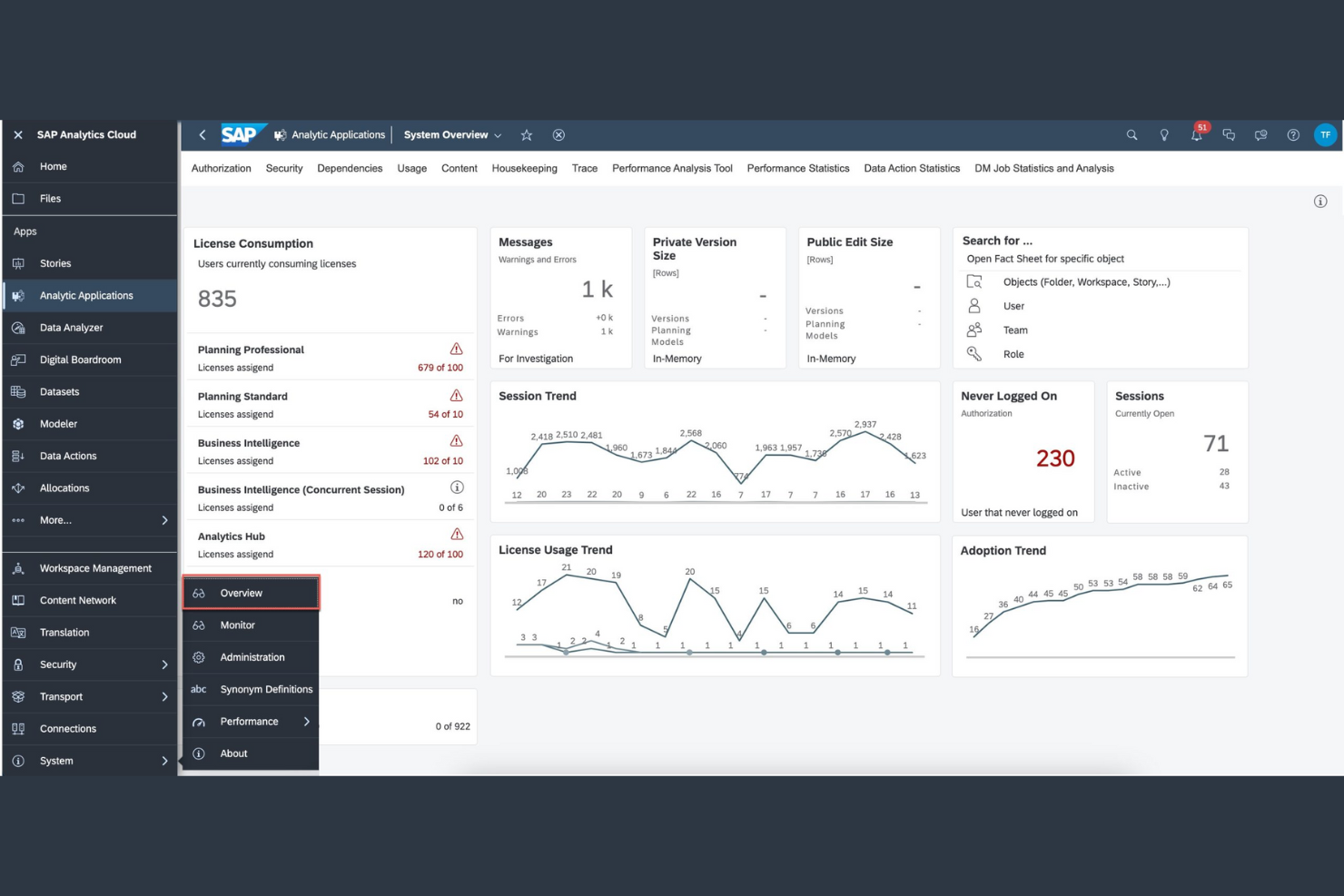
SAP Analytics Cloud è progettato per le aziende profondamente integrate nell'ecosistema SAP che cercano un'integrazione dati senza soluzione di continuità e analisi avanzate. Si rivolge ai team finanziari e agli analisti aziendali che necessitano di informazioni in tempo reale direttamente dai sistemi SAP ERP e S/4HANA.
Combinando la connettività nativa SAP con funzionalità di analisi predittiva e pianificazione, semplifica il processo decisionale e massimizza il valore dell'infrastruttura dati SAP esistente.
Perché SAP Analytics Cloud è una valida alternativa a Power BI
SAP Analytics Cloud è stato concepito per connettersi direttamente con i tuoi dati e flussi di lavoro SAP esistenti. Ho scelto questo strumento perché offre un'integrazione nativa con SAP ERP, S/4HANA e altre applicazioni aziendali SAP, cosa che Power BI non può offrire immediatamente.
La piattaforma supporta connessioni dati in tempo reale, così puoi visualizzare e analizzare informazioni aggiornate senza dover esportare o sincronizzare manualmente i dati. Per i team che devono unificare pianificazione, reportistica e analisi all'interno dell'ecosistema SAP, SAP Analytics Cloud garantisce un'esperienza senza interruzioni.
Funzionalità
Altre funzionalità di SAP Analytics Cloud che possono essere utili per i team di analisi includono:
- Smart Predict: Utilizza il machine learning automatizzato per generare approfondimenti predittivi dai tuoi dati.
- Strumenti di Collaborazione: Condividi report, commenta le dashboard e assegna attività all'interno della piattaforma.
- Data Wrangling: Pulisci, trasforma e arricchisci i dati prima di realizzare visualizzazioni.
- Accesso Mobile: Visualizza e interagisci con le dashboard su dispositivi iOS e Android.
Integrazioni
Le integrazioni includono SAP S/4HANA, SAP BW/4HANA, SAP HANA, SAP SuccessFactors, SAP Ariba e Amazon Redshift.
Pros and Cons
Pros:
- Include pianificazione e previsione integrate
- Offre machine learning automatizzato per analisi predittive
- Fornisce funzionalità di governance dei dati e sicurezza avanzate
Cons:
- Integrazione con sorgenti dati non-SAP meno flessibile
- Le prestazioni possono rallentare con modelli di dati di grandi dimensioni

Ideale per la scalabilità su infrastruttura AWS
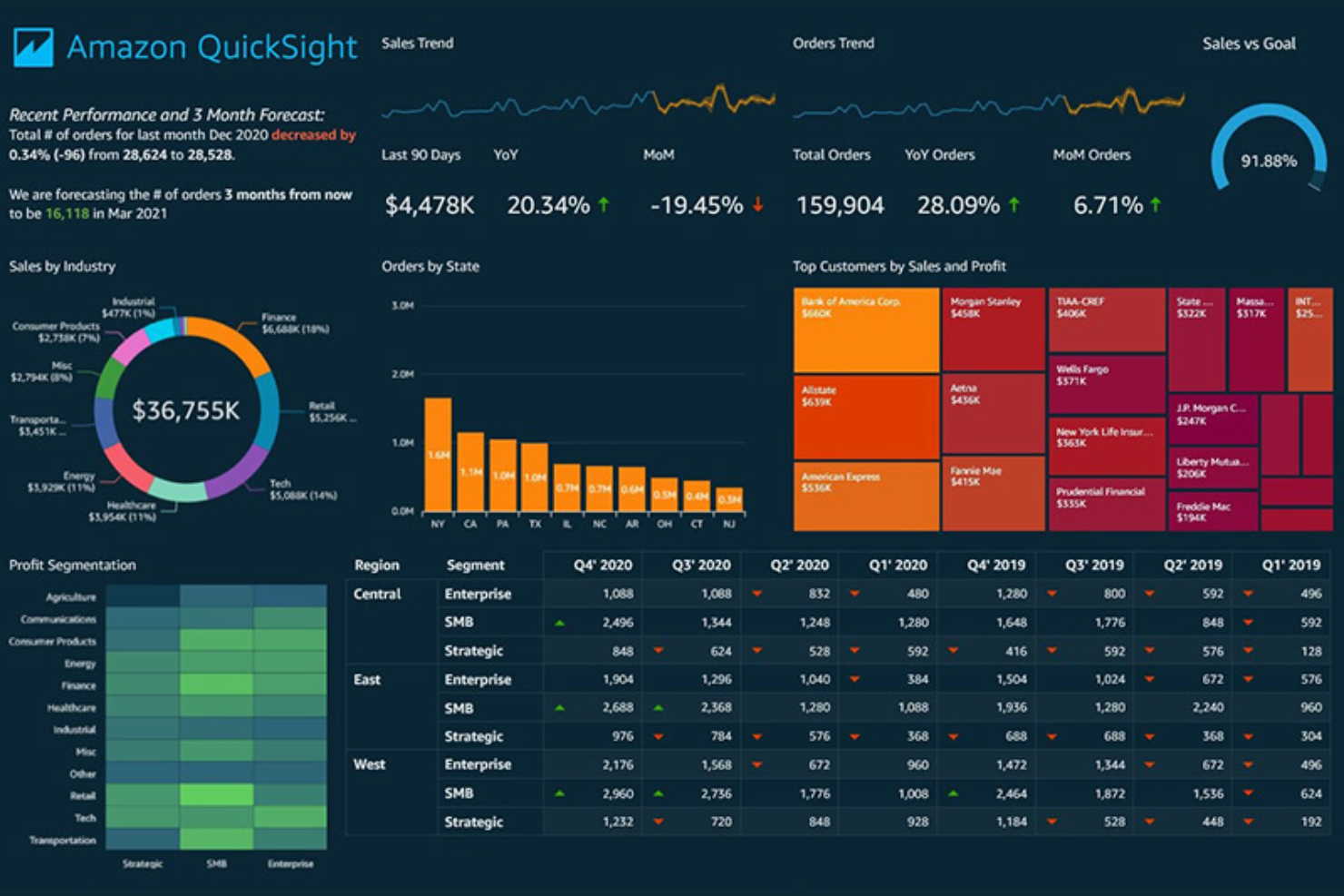
AWS QuickSight offre un'esperienza di analytics cloud serverless pensata per ambienti cloud-native. È ideale per architetti cloud, data engineer e professionisti di analytics che necessitano di scalare e visualizzare velocemente grandi dataset distribuiti senza dover gestire l’infrastruttura.
L’integrazione nativa di QuickSight con i servizi AWS e le capacità di scalabilità automatica lo rendono una scelta distintiva per le organizzazioni che cercano insight efficienti e scalabili, oltre i tradizionali strumenti BI come Power BI.
Perché è una valida alternativa a Power BI
Quando si tratta di scalare l’analisi dei dati con fluidità all’interno dell’ecosistema AWS, QuickSight si distingue come alternativa potente a Power BI. Ho scelto QuickSight perché la sua architettura serverless si adatta automaticamente per gestire grandi volumi di dati e fluttuazioni nella domanda degli utenti senza interventi manuali.
La stretta integrazione con servizi AWS come Amazon Redshift e S3 consente una visualizzazione dei dati in tempo reale con una configurazione minima. Per le organizzazioni fortemente investite in AWS, la scalabilità e le capacità cloud native di QuickSight offrono un vantaggio evidente rispetto a Power BI.
Caratteristiche
Altre funzionalità che rendono QuickSight utile per i team di analytics includono:
- Motore in-memory SPICE: Analizza grandi insiemi di dati rapidamente grazie al motore di calcolo in-memory di AWS.
- Analisi embedded: Integra dashboard e visualizzazioni interattive direttamente nelle tue applicazioni.
- ML Insights: Accedi a funzionalità di machine learning integrate per il rilevamento di anomalie e la previsione.
- Sicurezza a livello di riga: Controlla l’accesso ai dati a livello granulare per utenti e gruppi diversi.
Integrazioni
Le integrazioni includono Amazon S3, Amazon Redshift, Amazon RDS, Amazon Athena e ServiceNow.
Pros and Cons
Pros:
- Motore SPICE per interrogazioni rapide
- Architettura serverless che scala con la crescita dei dati
- Sicurezza a livello di riga per il controllo della visibilità dei dati
Cons:
- Opzioni di visualizzazione meno ampie rispetto a Power BI
- Calcoli personalizzati limitati

Strategy
Ideale per funzionalità di sicurezza di livello enterprise
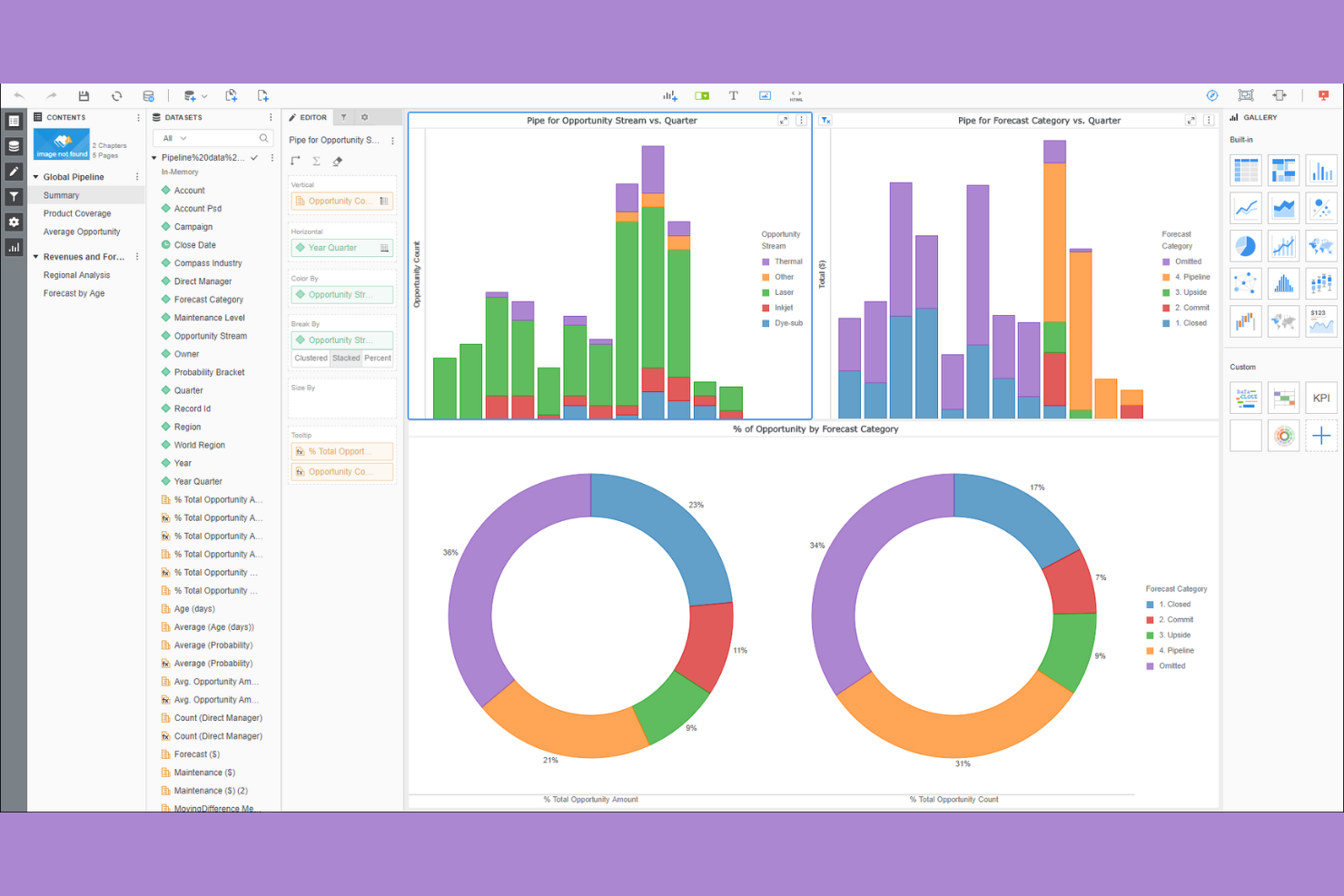
Strategy (precedentemente MicroStrategy) si distingue come una solida piattaforma di analisi progettata per grandi aziende che danno priorità alla sicurezza e alla governance di livello enterprise. È particolarmente adatta a settori regolamentati e responsabili IT che necessitano di rigorosi controlli sui dati e di rispetto delle normative. Offrendo funzionalità avanzate di sicurezza e gestione centralizzata, risponde alle sfide della gestione dei dati sensibili in ambienti complessi.
Perché è una buona alternativa a Power BI
Quando sicurezza e conformità non sono negoziabili, Strategy offre funzionalità che vanno oltre quelle disponibili in Power BI. Ho scelto Strategy perché offre funzionalità di sicurezza di livello enterprise come controlli di accesso dettagliati, autenticazione a più fattori e gestione centralizzata degli utenti.
La piattaforma supporta inoltre strumenti avanzati di auditing e governance, che aiutano le organizzazioni a rispettare severi requisiti normativi. Se il tuo team gestisce dati sensibili o regolamentati, il framework di sicurezza di Strategy è realizzato appositamente per soddisfare queste esigenze.
Funzionalità
Altre caratteristiche che rendono Strategy preziosa per i team di analisi includono:
- HyperIntelligence Cards: Visualizza approfondimenti contestuali direttamente all'interno di applicazioni web e strumenti aziendali.
- Data Blending: Combina dati da più fonti per un'analisi e reportistica unificate.
- Costruttore di App Mobile: Crea e distribuisci app di analisi personalizzate per dispositivi iOS e Android.
- Libreria per la Collaborazione: Condividi, annota e discuti dashboard e report all'interno di una libreria digitale centralizzata.
Integrazioni
Le integrazioni includono Salesforce, SAP, Oracle, Hadoop, Teradata, Amazon Redshift, Google BigQuery e IBM Db2.
Pros and Cons
Pros:
- Libreria centralizzata favorisce la collaborazione su larga scala
- Il costruttore di app mobile consente analisi personalizzate
- Controlli di sicurezza avanzati per il rispetto delle normative più severe
Cons:
- La configurazione iniziale richiede un significativo coinvolgimento dell'IT
- Gli aggiornamenti vengono rilasciati meno frequentemente rispetto ai concorrenti

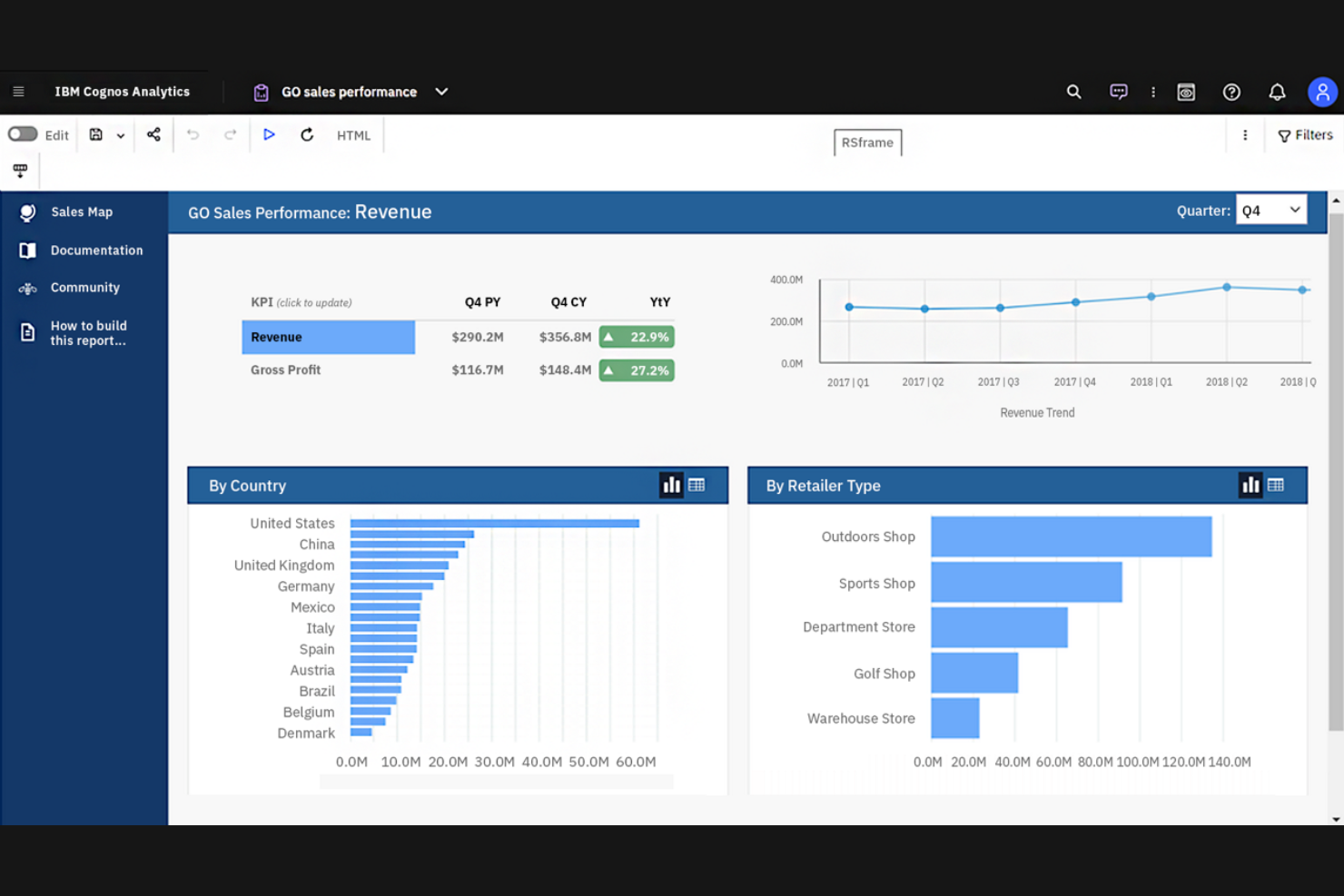
IBM Cognos Analytics si distingue integrando la scoperta dati guidata dall'IA e l'analisi predittiva direttamente nella sua piattaforma. È ideale per analisti aziendali, professionisti della finanza e responsabili delle operations che necessitano di insight automatici e interrogazioni in linguaggio naturale per individuare rapidamente le tendenze. A differenza di Power BI, Cognos Analytics riduce l'esplorazione manuale dei dati, consentendo agli utenti di prendere decisioni più rapide e informate.
Perché è una valida alternativa a Power BI
IBM Cognos Analytics si distingue per il forte focus sugli insight assistiti dall'IA, il che lo differenzia da Power BI. Le funzionalità di intelligenza artificiale della piattaforma generano automaticamente visualizzazioni dei dati e mettono in evidenza i fattori chiave, facilitando l'individuazione di schemi significativi senza sforzo manuale.
La funzione di query in linguaggio naturale consente agli utenti di porre domande in italiano corrente e ricevere risposte visive immediate, semplificando l'esplorazione dei dati. Inoltre, Cognos Analytics offre funzionalità di scoperta automatica e analisi predittiva che forniscono insight più profondi rispetto a quelli forniti nativamente da Power BI.
Caratteristiche
Altre caratteristiche che rendono Cognos Analytics interessante per i team dati includono:
- Strumenti di preparazione dei dati: Pulisci, unisci e trasforma i dati direttamente all'interno della piattaforma.
- Modelli di dashboard personalizzati: Usa template predefiniti per creare rapidamente dashboard interattive.
- Accesso tramite app mobile: Visualizza e interagisci con report e dashboard da dispositivi iOS e Android.
- Pianificazione dei report: Automatizza la distribuzione dei report agli utenti secondo una pianificazione ricorrente.
Integrazioni
Le integrazioni includono Salesforce, Microsoft Excel, Microsoft Power BI, SAP, Oracle, Google Analytics e IBM Db2.
Pros and Cons
Pros:
- Le analisi guidate dall'IA mettono in evidenza anomalie nei dati
- Supporta reportistica complessa per le aziende
- Gli strumenti di preparazione dei dati consentono la pulizia dei dati all'interno della piattaforma
Cons:
- Configurazione iniziale difficile per chi non è tecnico
- Libreria di visualizzazioni ridotta


Qlik Sense offre un approccio unico alla visualizzazione dei dati grazie al suo potente motore associativo, ideale per analisti e team aziendali che cercano approfondimenti più profondi. È particolarmente indicato per chi ha bisogno di esplorare relazioni complesse tra i dati senza essere vincolato a percorsi di analisi lineari. Questa flessibilità aiuta a scoprire connessioni nascoste che strumenti tradizionali come Power BI potrebbero trascurare.
Perché è una buona alternativa a Power BI
Qlik Sense si distingue per l’esplorazione associativa dei dati, che consente di andare oltre gli approfondimenti lineari e di individuare relazioni all’interno dell’intero set di dati. Ho scelto Qlik Sense perché il suo motore associativo mette in evidenza sia i punti dati correlati sia quelli non correlati durante la selezione, aiutandoti a individuare pattern e anomalie che altrimenti potrebbero passare inosservati.
La piattaforma offre anche funzionalità di ricerca intelligente, così puoi trovare rapidamente connessioni tra i campi dati senza creare query complesse. Per i team che desiderano analizzare i dati da più prospettive e scoprire rapidamente nuove intuizioni, Qlik Sense propone un approccio unico rispetto a Power BI.
Funzionalità
Altre funzionalità di Qlik Sense che possono interessare ai data team includono:
- Preparazione dei dati self-service: Gli utenti possono caricare, trasformare e arricchire i dati senza dipendere dal supporto IT.
- Design responsivo: I dashboard si adattano automaticamente a tutte le dimensioni di schermo e dispositivi.
- Estensioni di visualizzazione personalizzate: Gli sviluppatori possono creare e integrare visualizzazioni personalizzate tramite API aperte.
- Avvisi sui dati: Configura notifiche automatiche in base a determinate condizioni o soglie dei dati.
Integrazioni
Le integrazioni includono Salesforce, Microsoft Azure, SAP, Google BigQuery, Snowflake e Tableau.
Pros and Cons
Pros:
- Il motore associativo consente un’esplorazione flessibile dei dati
- Gestisce grandi quantità e set di dati complessi
- Offre strumenti avanzati di preparazione dei dati
Cons:
- Richiede competenze tecniche per scripting avanzato
- Poche funzionalità AI e di machine learning pronte all’uso

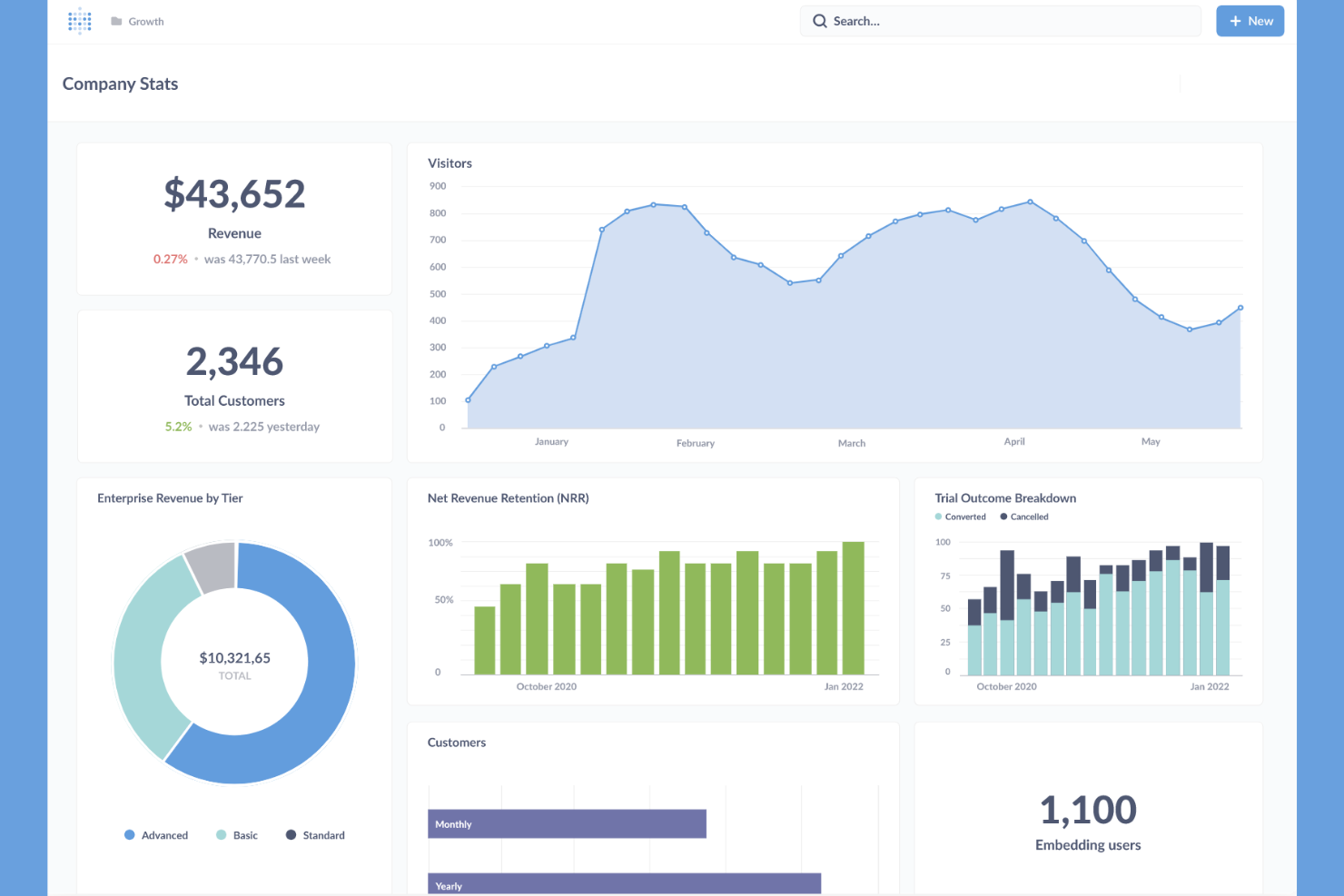
Metabase è una piattaforma open-source di visualizzazione dei dati pensata per i team che desiderano democratizzare l'accesso ai dati senza dipendere pesantemente dall'IT. È ideale per startup, analisti di dati e team di prodotto che cercano un modo intuitivo e senza codice per esplorare e condividere insight.
A differenza di Power BI, Metabase punta sulla facilità di personalizzazione e sulla flessibilità di self-hosting, consentendo agli utenti di adattare l'ambiente di analisi alle proprie esigenze specifiche.
Perché è una valida alternativa a Power BI
Metabase è una scelta solida se vuoi un reporting self-service open-source che metta l'esplorazione dei dati direttamente nelle mani degli utenti. Ho scelto Metabase perché il suo costruttore di query visuali permette a chiunque di creare grafici e dashboard senza scrivere SQL, un grande vantaggio per i team senza data engineer dedicati.
La piattaforma supporta anche implementazioni personalizzate, quindi puoi ospitarla sulla tua infrastruttura e adattarla alle esigenze della tua organizzazione. Per i team che danno valore a trasparenza e controllo sul proprio stack di analytics, Metabase offre un livello di flessibilità che Power BI non eguaglia.
Funzionalità
Altre funzionalità di Metabase che potrebbero interessare i team di dati includono:
- Report programmati: Automatizza la consegna di dashboard e report via email o Slack secondo una pianificazione prestabilita.
- Editor del modello dati: Definisci e gestisci metadati, relazioni e descrizioni dei campi per i tuoi dataset.
- Log di audit: Traccia l'attività degli utenti e le modifiche all'interno della piattaforma per compliance e sicurezza.
- White labeling: Personalizza l'interfaccia con il branding e i colori della tua organizzazione.
Integrazioni
Le integrazioni includono MySQL, PostgreSQL, MongoDB, Google BigQuery, Amazon Redshift, Snowflake e SQLite. Metabase offre anche un'API per integrazioni personalizzate.
Pros and Cons
Pros:
- Supporta la consegna programmata di report tramite email
- L'editor del modello dati aiuta a definire le relazioni
- Il white labeling consente di personalizzare l'aspetto della piattaforma
Cons:
- Funzionalità di analisi avanzate e AI limitate
- Pochi tipi di visualizzazione integrati
Altre alternative a Power BI
Ecco alcune ulteriori alternative a Power BI che non sono entrate nella mia selezione, ma che vale comunque la pena valutare:
- Klipfolio
Ideale per modelli di dashboard preimpostati
- Apache Superset
Ideale per visualizzazioni avanzate basate su SQL


Come valuto le alternative a Power BI
Valuto ogni strumento su due livelli: le funzionalità fondamentali di cui ha bisogno un PMO reale—connettori per più origini, cruscotti autonomi e aggiornamento dei dati in tempo reale—e gli elementi distintivi che differenziano una piattaforma dall'altra.
Funzionalità fondamentali (essenziali per questo elenco)
Quando seleziono gli strumenti per il mio elenco, assegno a ciascuno un punteggio su una scala da 0 (non offre la funzionalità) a 5 (eccelle in quest'area) per ogni funzionalità fondamentale elencata di seguito. Quindi calcolo il punteggio totale dello strumento come percentuale. Ogni strumento deve raggiungere un punteggio totale minimo del 75% per essere preso in considerazione.
- Cruscotti interattivi: cerco il filtraggio incrociato, l'analisi dettagliata e diversi tipi di grafici, in modo che un direttore del PMO possa analizzare lo stato di salute del portafoglio senza richiedere un report personalizzato.
- Connettori per dati provenienti da più origini: lo strumento dovrebbe acquisire dati da database, applicazioni cloud, fogli di calcolo e piattaforme PM come Jira o Smartsheet tramite connettori nativi.
- Creazione autonoma di report: gli analisti di progetto e i responsabili della consegna dovrebbero poter creare visualizzazioni tramite trascinamento senza scrivere query SQL o DAX.
- Modellazione e trasformazione dei dati: valuto se sia possibile unire tabelle, creare campi calcolati e realizzare modelli di dati riutilizzabili a partire da origini come strumenti di rilevazione delle ore e di gestione del budget.
- Condivisione e collaborazione: le autorizzazioni basate sui ruoli, i commenti e la distribuzione tramite abbonamento sono importanti quando i cruscotti contengono dati finanziari sensibili sui progetti o dati dei clienti.
- Aggiornamento pianificato e dati in tempo reale: gli intervalli di aggiornamento automatizzati e le connessioni in tempo reale mantengono aggiornati i cruscotti degli sprint e i report sull'utilizzo delle risorse senza dover reimportare manualmente i dati.
Una volta ottenuto un elenco di strumenti che soddisfano questo criterio, valuto ciò che distingue ogni piattaforma.
Fattori distintivi (ciò che differenzia i fornitori)
Ecco come confronto i diversi fornitori:
Funzionalità distintive
Le integrazioni native con strumenti PM come Jira, Asana e monday.com sono importanti perché eliminano le esportazioni manuali e permettono ai dati di progetto di confluire direttamente nei cruscotti. Verifico anche la presenza di informazioni dettagliate basate sull'IA, come il rilevamento delle anomalie o le previsioni predittive, che segnalano i rischi di consegna prima che una retrospettiva dello sprint li faccia emergere. Anche l'analisi incorporata è un altro elemento distintivo che valuto, poiché i team PMO spesso devono condividere cruscotti aggiornati in tempo reale all'interno di portali per le parti interessate o di applicazioni rivolte ai clienti, senza obbligare gli utenti a utilizzare una piattaforma separata.
Oltre le funzionalità
Il costo totale di proprietà merita particolare attenzione: valuto se un fornitore applichi un costo per utente, per autore o in base alla capacità, poiché un PMO con decine di parti interessate con accesso in sola lettura può vedere i costi aumentare rapidamente con i modelli basati sul numero di licenze. Anche la governance e la conformità sono elementi che considero. Quando i cruscotti contengono dati finanziari di progetto o dati dei clienti, verifico la certificazione SOC 2 e la sicurezza a livello di riga. Anche l'ecosistema è importante: le API aperte e la compatibilità con magazzini di dati come Snowflake o BigQuery determinano quanto bene lo strumento si integri in un'architettura di reporting esistente.
Perché cercare un’alternativa a Power BI?
Sebbene Power BI sia una buona scelta come software di visualizzazione dei dati, ci sono diversi motivi per cui alcuni utenti cercano soluzioni alternative. Potresti essere alla ricerca di un’alternativa a Power BI perché…
- Hai bisogno di funzionalità avanzate di sicurezza o conformità
- Il tuo team lavora al di fuori dell’ecosistema Microsoft
- Hai bisogno di opzioni di visualizzazione più flessibili, convenienti o moderne
- Devi analizzare dati provenienti da insiemi di dati molto grandi o complessi
- La tua organizzazione ha sede in una regione in cui Power BI è disponibile solo limitatamente
Se ti riconosci in una di queste situazioni, sei nel posto giusto. Il mio elenco include diverse opzioni di software per la visualizzazione dei dati più adatte ai team che affrontano queste difficoltà con Power BI e cercano soluzioni alternative.
Funzionalità principali di Power BI
Ecco alcune delle funzionalità principali di Power BI, per aiutarti a mettere a confronto ciò che offrono le soluzioni alternative:
- Creazione di dashboard e report interattivi
- Integrazione con i servizi Microsoft 365 e Azure
- Modellazione dei dati con formule DAX
- Aggiornamento programmato dei dati e aggiornamenti automatici
- Funzionalità di query in linguaggio naturale (Q&A)
- Streaming e monitoraggio dei dati in tempo reale
- Marketplace di elementi visivi personalizzati di terze parti
- Sicurezza a livello di riga per il controllo degli accessi ai dati
- App mobile per l'analisi dei dati in mobilità
- Collaborazione e condivisione all'interno di Microsoft Teams
Qual è il prossimo passo:
Se stai valutando alternative a Power BI, contatta gratuitamente un consulente di SoftwareSelect per ricevere consigli.
Compili un modulo e partecipi a una breve conversazione durante la quale verranno analizzate nel dettaglio le tue esigenze. In seguito riceverai una selezione ristretta di software da valutare. Ti supporteranno anche durante l'intero processo di acquisto, comprese le trattative sul prezzo.