

10 alternative a Microsoft Whiteboard da provare nel 2026

Selezione delle alternative a Microsoft Whiteboard


Una valida alternativa a Microsoft Whiteboard offre al tuo team una lavagna virtuale flessibile, una solida piattaforma di collaborazione e integrazioni adatte al tuo flusso di lavoro, sia su Windows che su macOS. Se stai cercando una lavagna online come Conceptboard o un altro strumento per lavagne, probabilmente hai bisogno di funzionalità avanzate per lavagne, gestione integrata delle attività oppure un'interfaccia utente moderna con una curva di apprendimento ridotta. Questo elenco ti aiuterà a confrontare i migliori software per lavagne del 2026, così potrai trovare una soluzione intuitiva che si adatti allo stile del tuo team, supporti i processi decisionali critici e si adegui al tuo modo di lavorare.
Che cos'è Microsoft Whiteboard?
Microsoft Whiteboard è una piattaforma per lavagne a superficie libera di Microsoft, facilmente accessibile tramite una versione gratuita. Consente a singoli utenti e team remoti di disegnare, scrivere, aggiungere note adesive e condividere idee in tempo reale, rendendo semplice la visualizzazione per la pianificazione o le retrospettive. Microsoft Whiteboard si integra direttamente con le app di Microsoft 365, garantendo un'elevata facilità d'uso insieme a Teams e OneNote. È progettato per il brainstorming, la pianificazione e la collaborazione visiva su diversi dispositivi.
Riepilogo delle migliori alternative a Microsoft Whiteboard
Questa tabella comparativa riassume i dettagli sui prezzi delle mie migliori alternative a Microsoft Whiteboard, per aiutarti a trovare quella più adatta al tuo budget e alle esigenze della tua azienda.
| Tool | Best For | Trial Info | Price | ||
|---|---|---|---|---|---|
| 1 | Ideale con integrazioni agli strumenti di design | Piano gratuito disponibile | Da $3/utente/mese | Website | |
| 2 | Ideale per collaborazione incentrata su https://www.collaboard.app/ | Piano gratuito + prova gratuita disponibili | Da €5/utente/mese | Website | |
| 3 | Ideale per spiegazioni video in tempo reale | Piano gratuito disponibile | Da $69/anno | Website | |
| 4 | Ideale per organizzare informazioni complesse | Gratis | Gratis | Website | |
| 5 | Ideale per flussi di lavoro strutturati nelle riunioni | Prova gratuita di 30 giorni + piano gratuito + demo gratuita disponibile | Da $8.33/utente/mese (fatturazione annuale) | Website | |
| 6 | Ideale per la condivisione di contenuti interattivi | Disponibile piano gratuito | Da $11.61/mese | Website | |
| 7 | Ideale per modelli avanzati di collaborazione visiva | Piano gratuito + demo gratuita disponibile | A partire da $9.99/utente/mese (con fatturazione annuale) | Website | |
| 8 | Ideale per wireframing e pianificazione dell'interfaccia utente | Piano gratuito disponibile | Da $14/mese (fatturato annualmente) | Website | |
| 9 | Ideale per un'esperienza di disegno naturale | Piano gratuito disponibile | Da $5/mese | Website | |
| 10 | Ideale per brainstorming creativi e rapidi | Piano gratuito disponibile | Da $19/persona/mese | Website |
Perché fidarsi dei nostri consigli sui software
Il nostro team testa e recensisce software dal 2012. In quanto project manager noi stessi, sappiamo quanto sia difficile — e importante — scegliere il software giusto.
Per questa guida, abbiamo valutato gli strumenti attraverso test pratici e ricerche indipendenti, assegnando un punteggio agli strumenti in base ai nostri criteri di selezione. Ci basiamo inoltre sulle competenze di leader di pensiero del settore e di professionisti attivi nella gestione dei progetti.
Le nostre recensioni riflettono il nostro giudizio editoriale umano, non un discorso di vendita.
Revisori esperti:
Recensioni delle alternative a Microsoft Whiteboard
Di seguito trovi i miei riepiloghi dettagliati delle migliori alternative a Microsoft Whiteboard incluse nella mia selezione. Le mie recensioni offrono una panoramica dettagliata delle funzionalità, dei casi d’uso principali e delle integrazioni di ciascuna piattaforma, per aiutarti a trovare quella più adatta alle tue esigenze.

FigJam
Ideale con integrazioni agli strumenti di design
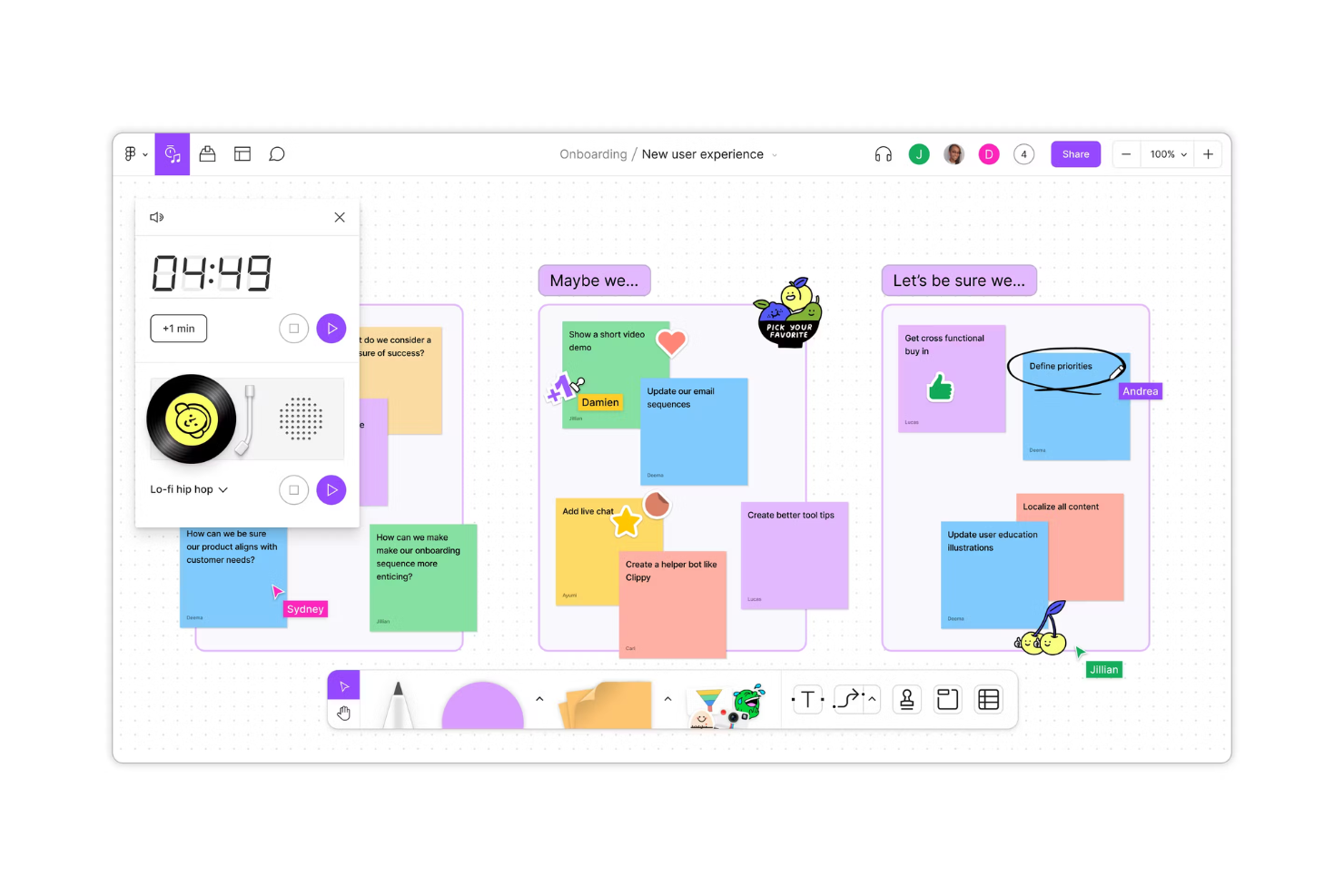
I team di design e prodotto che cercano una whiteboard collaborativa integrata direttamente con il loro flusso di lavoro di progettazione spesso si affidano a FigJam. Lo strumento è strettamente integrato con Figma, consentendo di passare facilmente dal brainstorming, alla creazione di diagrammi e al prototipaggio senza cambiare piattaforma. FigJam è particolarmente utile per i team che desiderano riunire file di design, feedback e idee in un unico spazio visivo.
Perché FigJam è una valida alternativa a Microsoft Whiteboard
Per i team che hanno bisogno di una tela digitale strettamente collegata ai loro strumenti di design, FigJam è una scelta naturale. Ho scelto FigJam perché permette di incorporare file Figma dal vivo direttamente nelle board, così puoi fare riferimento o aggiornare i progetti in tempo reale durante workshop o revisioni. Lo strumento supporta anche widget interattivi e post-it, facilitando la raccolta di feedback e idee accanto alle risorse di design. Questo livello di integrazione aiuta i team orientati al design a mantenere allineati collaborazione e lavoro creativo senza saltare da una piattaforma all'altra.
Funzionalità principali di FigJam
Altre funzionalità di FigJam che aiutano i team a collaborare visivamente includono:
- Chat audio: avvia conversazioni vocali dal vivo direttamente sulla tela per discussioni in tempo reale.
- Reazioni emoji: utilizza emoji e timbri per reagire rapidamente alle idee o evidenziare feedback durante le sessioni.
- Template predefiniti: accedi a una libreria di modelli per brainstorming, diagrammi e cerimonie agile.
- Strumento timer: imposta un conto alla rovescia sulla board per mantenere workshop e attività in linea con i tempi.
Integrazioni di FigJam
Le integrazioni includono Figma, Microsoft Teams, Slack, Asana, Jira e Notion.
Pros and Cons
Pros:
- Migliore disegno vettoriale
- Prestazioni veloci sul web
- Eccellente libreria di plugin
Cons:
- Fortemente focalizzato sul design
- Costoso per chi non è designer

Ideale per collaborazione incentrata su https://www.collaboard.app/

Per i team che necessitano di una rigorosa privacy dei dati durante la collaborazione visiva, Collaboard offre un ambiente sicuro di lavagna digitale. È una scelta ideale per le organizzazioni in settori regolamentati, enti pubblici o qualsiasi gruppo che abbia bisogno di tutelare informazioni sensibili durante brainstorming e pianificazioni. Collaboard si distingue offrendo l’hosting on-premises e opzioni avanzate di controllo dei dati che vanno oltre quanto proposto dalla maggior parte delle lavagne digitali basate su cloud.
Perché Collaboard è un’altra valida alternativa a Microsoft Whiteboard
Se la privacy è la tua priorità, Collaboard offre un livello di protezione dei dati difficile da eguagliare in questo settore. Ho scelto Collaboard perché consente di scegliere l’hosting on-premises o su cloud privato, così che le sessioni di brainstorming sensibili non escano mai dal controllo dell’organizzazione. La piattaforma include anche autorizzazioni granulari degli utenti e il rispetto di stringenti standard di tutela dei dati, particolarmente rilevanti per i settori regolamentati. Queste caratteristiche rendono Collaboard una scelta eccellente per i team che non possono scendere a compromessi sulla sicurezza durante la collaborazione visiva.
Funzionalità principali di Collaboard
Altre funzionalità di Collaboard che aiutano i team a collaborare e organizzare le idee includono:
- Integrazione videoconferenza: Avvia chiamate video direttamente nello spazio di lavoro della lavagna per discussioni in tempo reale.
- Libreria di template: Accedi a una gamma di modelli predefiniti per mappe mentali, pianificazione di progetti e workshop.
- Sticky notes e forme: Aggiungi post-it, forme e connettori per organizzare visivamente pensieri e flussi di lavoro.
- Importazione PDF e immagini: Carica e annota PDF o immagini direttamente sulla lavagna per una collaborazione più ricca.
Integrazioni di Collaboard
Le integrazioni includono Microsoft Teams, Webex, Nextcloud, XWiki e Jira.
Pros and Cons
Pros:
- Forte attenzione alla sicurezza dei dati
- Ottima integrazione di mappe
- Condivisione sicura verso l’esterno
Cons:
- Nessuna suite Office nativa
- Costo di self-hosting più elevato

Ideale per spiegazioni video in tempo reale
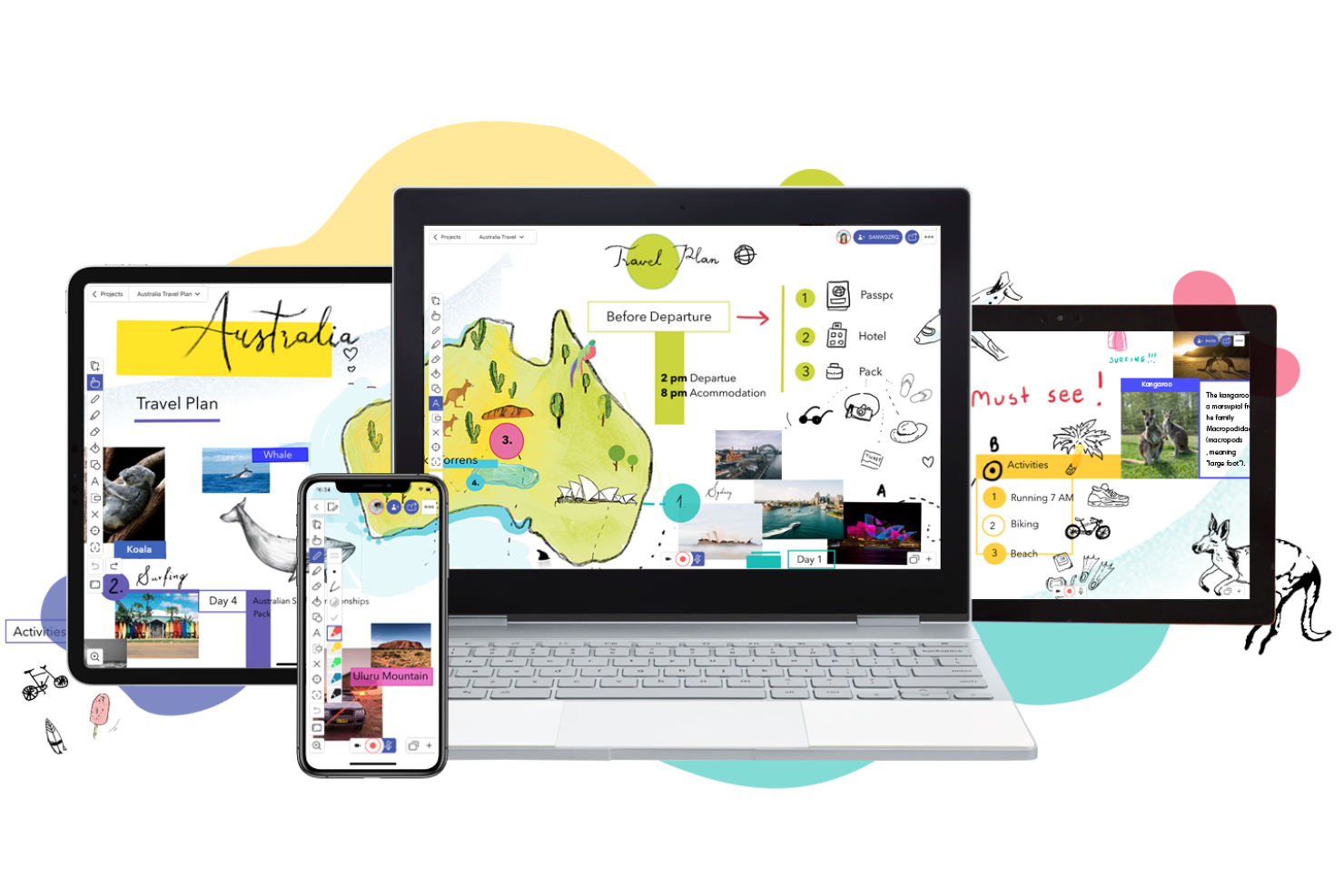
Se desideri creare spiegazioni video interattive o presentazioni visive dal vivo, Explain Everything ti offre una lavagna collaborativa con strumenti di registrazione integrati. Questa piattaforma è particolarmente utile per formatori, educatori e team che hanno bisogno di presentare idee visivamente e catturare il processo in tempo reale. A differenza di Microsoft Whiteboard, Explain Everything ti permette di registrare, annotare e condividere sessioni video dinamiche direttamente dalla tua tela.
Perché Explain Everything è una buona alternativa a Microsoft Whiteboard
Per i team che devono creare e condividere spiegazioni video in tempo reale, Explain Everything offre un set unico di strumenti che vanno oltre la semplice lavagna statica. Ho scelto Explain Everything perché puoi registrare tutta l’attività sulla tela—inclusi disegni, spostamento di oggetti e aggiunta della voce fuori campo—direttamente all’interno della piattaforma. Lo strumento supporta anche la collaborazione dal vivo, così più utenti possono contribuire a una sessione mentre viene registrata. Se cerchi una tela digitale che funzioni anche come spazio per la creazione e la presentazione di video, Explain Everything è una valida alternativa a Microsoft Whiteboard.
Funzionalità principali di Explain Everything
Altre funzionalità che rendono Explain Everything utile per il lavoro collaborativo includono:
- Tela infinita: Espandi il tuo spazio di lavoro senza limiti per accogliere progetti di grandi dimensioni o sessioni di brainstorming.
- Opzioni di importazione ed esportazione: Importa file PDF, PPT, immagini ed esporta il tuo lavoro in diversi formati.
- Riconoscimento della scrittura a mano: Trasforma appunti scritti a mano in testo modificabile direttamente sulla tela.
- Strumenti per forme e linee: Disegna forme e linee precise per strutturare diagrammi e spiegazioni visive.
Integrazioni di Explain Everything
Le integrazioni includono Google Classroom, Canvas, Schoology, Moodle, Blackboard e Microsoft Teams.
Pros and Cons
Pros:
- Ideale per tutorial
- Supporto per voce fuori campo
- Ottima modifica della timeline
Cons:
- Costoso nelle funzionalità pro
- Manca integrazione profonda con MS Teams

Weje
Ideale per organizzare informazioni complesse

Se hai bisogno di organizzare grandi volumi di informazioni o di pianificare progetti complessi, Weje offre una tela digitale flessibile pensata per la strutturazione. Questo strumento è ideale per project manager, ricercatori e team che devono collegare documenti, link e elementi visivi in un unico posto. A differenza di Microsoft Whiteboard, Weje consente di creare bacheche multi-livello con schede annidate, facilitando la gestione di flussi di lavoro complessi e basi di conoscenza strutturate.
Perché Weje è una buona alternativa a Microsoft Whiteboard
Quando è necessario mettere ordine tra molte informazioni complesse, Weje si distingue come una tela digitale pensata per la struttura e l’organizzazione. Ho scelto Weje perché permette di creare bacheche con schede annidate, così puoi suddividere grandi argomenti in parti gestibili e collegare tra loro contenuti correlati. Lo strumento supporta inoltre l’incorporamento di documenti, immagini e link web direttamente sulle bacheche, aiutando i team a centralizzare ricerche e risorse. Se cerchi un’alternativa a Microsoft Whiteboard che gestisca informazioni stratificate e mappe della conoscenza, Weje è una scelta solida.
Funzionalità principali di Weje
Altre funzioni di Weje che aiutano i team a organizzare e collaborare includono:
- Collaborazione in tempo reale: Più utenti possono modificare le bacheche contemporaneamente e vedere i cambiamenti in tempo reale.
- Strumento di mind mapping: Crea mappe mentali visive per collegare idee e concetti nel tuo workspace.
- Tag personalizzabili: Aggiungi tag a schede e bacheche per facilitare l’ordinamento e il filtraggio delle informazioni.
- Allegati file: Carica e allega file direttamente alle schede per accedere rapidamente ai documenti di supporto.
Integrazioni Weje
Le integrazioni includono Google Drive, Dropbox, OneDrive, Slack, Trello, Asana, Microsoft Teams, Evernote, Notion e GitHub.
Pros and Cons
Pros:
- Raggruppamento dati ordinato
- Inserimento testo rapido
- Ottimo per mood board
Cons:
- Poche integrazioni disponibili
- Non adatto al disegno dal vivo

Ideale per flussi di lavoro strutturati nelle riunioni
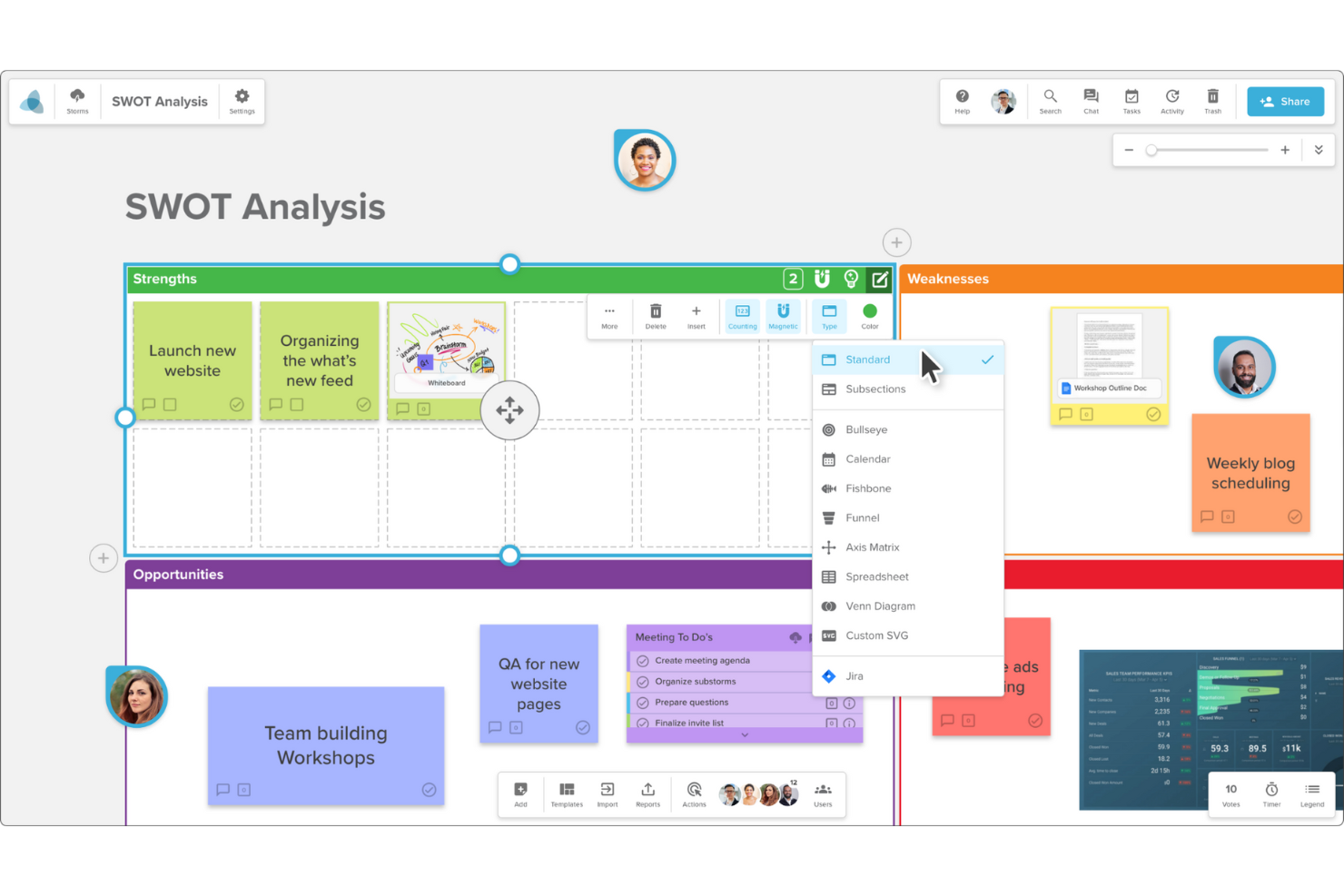
Quando il tuo team ha bisogno di più struttura rispetto a una tela bianca, Stormboard offre uno spazio di lavoro digitale pensato per riunioni e workshop organizzati. È particolarmente utile per project manager, facilitatori e team che desiderano guidare sessioni di brainstorming o pianificazione tramite modelli e flussi di lavoro integrati. Stormboard si distingue perché ti permette di catturare, ordinare e mettere in pratica le idee emerse in riunione in modo strettamente integrato con la collaborazione guidata da un ordine del giorno.
Perché Stormboard è una buona alternativa a Microsoft Whiteboard
A differenza della maggior parte delle lavagne digitali, Stormboard si basa su flussi di lavoro strutturati per le riunioni che aiutano i team a passare dal brainstorming all'azione. Ho scelto Stormboard perché offre modelli basati sull'ordine del giorno e guide alle riunioni passo dopo passo, facilitando il mantenimento della concentrazione e della produttività delle sessioni. Lo strumento ti consente inoltre di assegnare compiti e monitorare le decisioni direttamente sulla lavagna, così nulla si perde dopo la fine della riunione. Per i team che vogliono qualcosa di più di una semplice tela bianca, Stormboard apporta la struttura necessaria al lavoro collaborativo.
Caratteristiche principali di Stormboard
Altre funzionalità di Stormboard che aiutano i team a collaborare e organizzare le informazioni includono:
- Post-it e Cartoncini Indice: Aggiungi, sposta e raggruppa post-it digitali e cartoncini indice per catturare e organizzare visivamente le idee.
- Strumenti di Votazione e Dotmocracy: Usa le funzioni di voto integrate per dare priorità alle idee e raggiungere velocemente il consenso.
- Opzioni di Reportistica ed Esportazione: Genera report dettagliati ed esporta le bacheche in formati come PDF, Word o Excel per una condivisione semplice.
- Collaborazione in tempo reale: Collabora con i membri del team in contemporanea, visualizzando aggiornamenti e modifiche man mano che avvengono.
Integrazioni di Stormboard
Le integrazioni includono Microsoft Teams, Slack, Jira, Azure DevOps e Rally.
Pros and Cons
Pros:
- Assegnazione di compiti facilitata
- Esportazione migliorata su Excel
- Ottimo per la pianificazione agile
Cons:
- Non ideale per disegnare a mano libera
- Sembra meno una tela


Se il tuo team ha bisogno di una tela digitale che renda semplice la condivisione di contenuti interattivi, Padlet merita attenzione. È particolarmente popolare tra educatori, team creativi e facilitatori che desiderano raccogliere, organizzare e mostrare un'ampia varietà di media in un unico posto. Padlet si distingue permettendo agli utenti di incorporare video, immagini, link e documenti direttamente sulle bacheche, rendendo la collaborazione visivamente coinvolgente e altamente interattiva.
Perché Padlet è una valida alternativa a Microsoft Whiteboard
Padlet porta la condivisione di contenuti interattivi a un livello superiore, rappresentando una scelta solida per i team che vogliono qualcosa in più rispetto a semplici disegni e post-it. Ho scelto Padlet perché consente di inserire video, immagini, audio e documenti direttamente sulle bacheche, così la collaborazione va oltre testi e schizzi. Lo strumento supporta anche commenti e reazioni in tempo reale, facilitando la raccolta di feedback e alimentando la discussione direttamente sulla tela. Se cerchi una lavagna digitale progettata per condividere e coinvolgere con contenuti multimediali ricchi, Padlet è un'alternativa evidente a Microsoft Whiteboard.
Funzionalità principali di Padlet
Altre funzionalità di Padlet che aiutano i team a organizzare e presentare le informazioni includono:
- Molteplici layout per le bacheche: Scegli tra layout a griglia, flusso, scaffale, mappa e cronologia per strutturare visivamente i tuoi contenuti.
- Branding personalizzato: Aggiungi il logo e i colori della tua organizzazione per personalizzare le bacheche per il tuo team o pubblico.
- Strumenti di moderazione: Approva i post prima che vengano pubblicati e gestisci i permessi degli utenti per una collaborazione sicura.
- Condivisione tramite QR Code: Genera istantaneamente QR code per condividere le bacheche con i partecipanti per un accesso rapido.
Integrazioni Padlet
Le integrazioni includono Zapier, Safari, Firefox, Chrome, Microsoft Edge, iOS e Android.
Pros and Cons
Pros:
- Layout molto intuitivo
- Sfondi divertenti
- Condivisione di link veloce
Cons:
- Integrazione debole con Teams
- Bacheche gratuite limitate

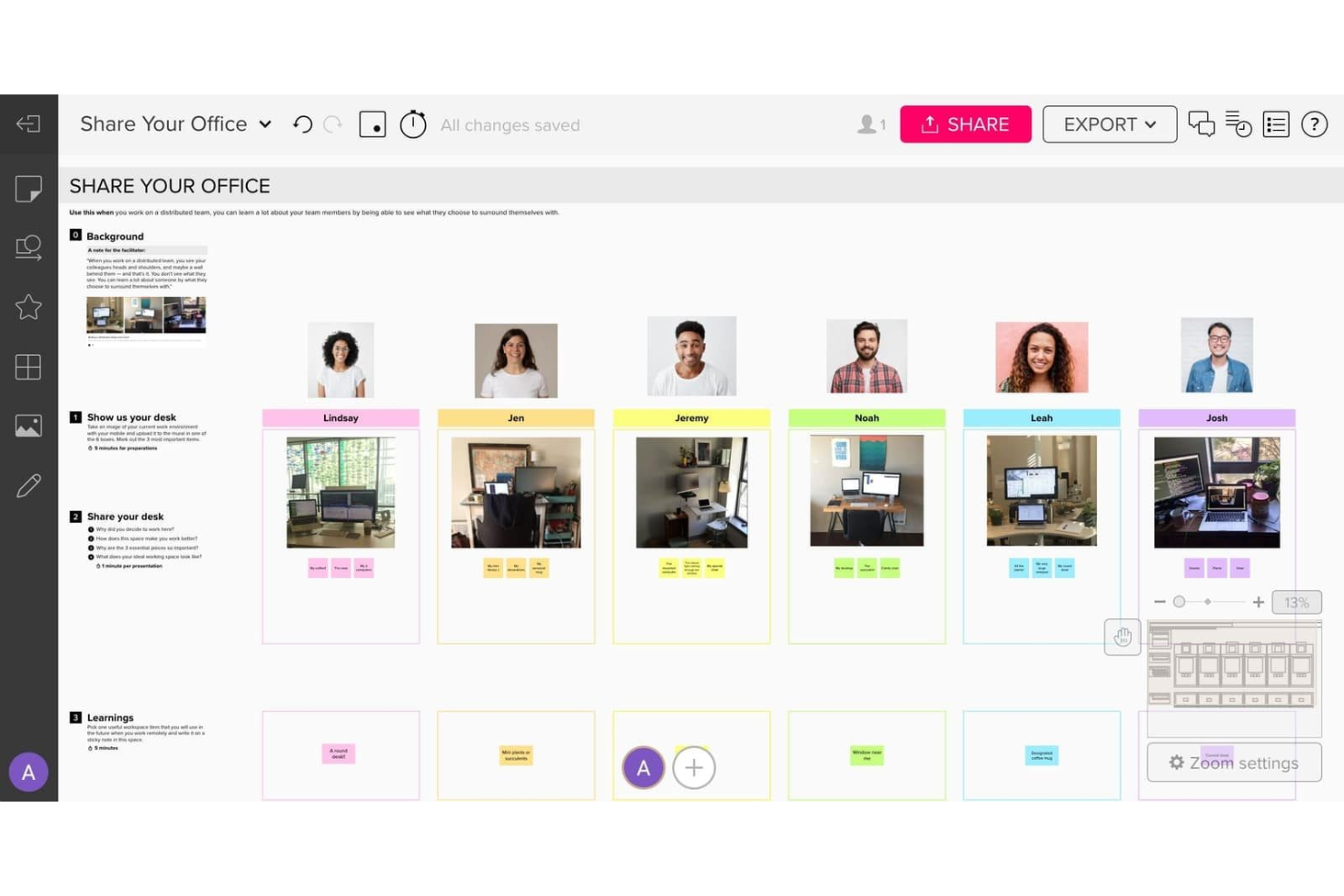
Se il tuo team ha bisogno di modelli avanzati per la collaborazione visiva, Mural offre uno spazio di lavoro digitale flessibile progettato per professionisti creativi e team interfunzionali. La piattaforma si distingue per la sua ampia raccolta di modelli e per le funzionalità di facilitazione che supportano workshop strutturati, sprint di progettazione e sessioni di brainstorming. Mural è particolarmente adatto alle organizzazioni che desiderano una collaborazione più guidata rispetto a quella offerta da Microsoft Whiteboard.
Perché Mural è una buona alternativa a Microsoft Whiteboard
Mural si distingue per i suoi modelli avanzati per la collaborazione visiva, che vanno ben oltre ciò che offre Microsoft Whiteboard. Ho scelto Mural perché la sua raccolta di modelli copre tutto, dalle cerimonie agili al design thinking, rendendo semplice avviare sessioni strutturate. La piattaforma include anche strumenti di facilitazione integrati, come votazioni, timer e modalità privata, per guidare le attività di gruppo. Queste funzionalità aiutano i team a passare dal brainstorming all'azione con maggiore struttura e chiarezza rispetto alla maggior parte delle lavagne digitali.
Funzionalità principali di Mural
Alcune altre funzionalità di Mural utili per la collaborazione digitale includono:
- Area di lavoro infinita: Lo spazio di lavoro si amplia man mano che aggiungi contenuti, così non rimani mai senza spazio per idee o diagrammi.
- Note adesive e strumenti di disegno: Aggiungi note adesive con codifica a colori, disegni a mano libera e forme per organizzare e visualizzare le informazioni.
- Opzioni di esportazione dei contenuti: Esporta le lavagne come PDF, immagini o modelli per condividere i risultati o riutilizzare i framework.
- Accesso degli ospiti: Invita collaboratori esterni a lavagne specifiche senza richiedere loro di creare un account.
Integrazioni di Mural
Le integrazioni includono Microsoft Teams, Slack, Jira, Webex, Zoom e Asana.
Pros and Cons
Pros:
- Diagrammi più complessi
- Controlli del timer integrati
- Modalità anonima per i contributi
Cons:
- Più costoso per utente
- Eccessivo per le attività semplici

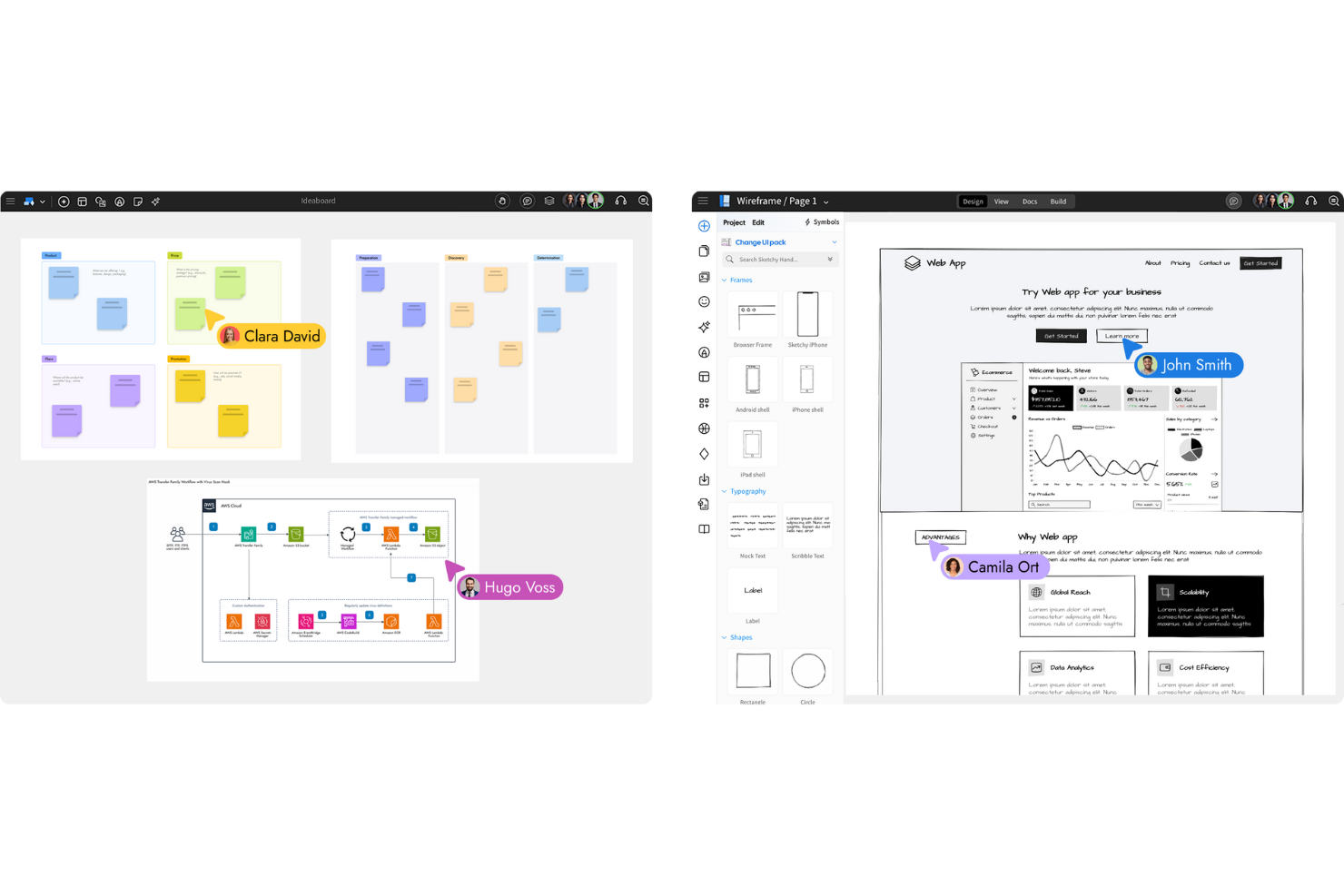
Se il tuo team ha bisogno di uno spazio dedicato per il wireframing e la pianificazione dell'interfaccia utente, MockFlow è pensato proprio per questo scopo. Product manager, designer UX e sviluppatori lo utilizzano per mappare i flussi utente e la struttura delle interfacce grazie a strumenti e modelli specializzati. A differenza di Microsoft Whiteboard, MockFlow offre un ambiente strutturato per creare, organizzare e iterare wireframe dettagliati e sistemi di design.
Perché MockFlow è una valida alternativa a Microsoft Whiteboard
Per i team focalizzati sul wireframing e sulla pianificazione delle interfacce, MockFlow offre un ambiente progettato su misura che va ben oltre il semplice disegno. Ho scelto MockFlow perché mette a disposizione una libreria di componenti UI e template già pronti, rendendo facile creare wireframe dettagliati per app web e mobile. La piattaforma supporta inoltre la gestione dei sistemi di design, così da mantenere coerenza tra più progetti e team. Se hai bisogno di una tela digitale pensata per la progettazione strutturata dell'interfaccia, anziché il brainstorming libero, MockFlow è una valida alternativa a Microsoft Whiteboard.
Caratteristiche principali di MockFlow
Altre funzionalità che rendono MockFlow utile per il lavoro su tela digitale includono:
- Collaborazione in tempo reale: Più utenti possono modificare e commentare i wireframe contemporaneamente.
- Cronologia delle revisioni: Traccia le modifiche e ripristina versioni precedenti dei tuoi wireframe.
- Esportazione in diversi formati: Scarica i wireframe come file PNG, PDF o HTML per la condivisione o la documentazione.
- Creazione di componenti personalizzati: Crea e riutilizza i tuoi componenti UI in diversi progetti.
Integrazioni di MockFlow
Le integrazioni includono Slack, Microsoft Teams, Jira, Trello, Confluence e Google Workspace.
Pros and Cons
Pros:
- Perfetto per designer di app
- Tracciamento della cronologia delle revisioni
- Condivisione prototipi semplice
Cons:
- Nessun link riunione MS Teams
- Strumento di nicchia, non generale

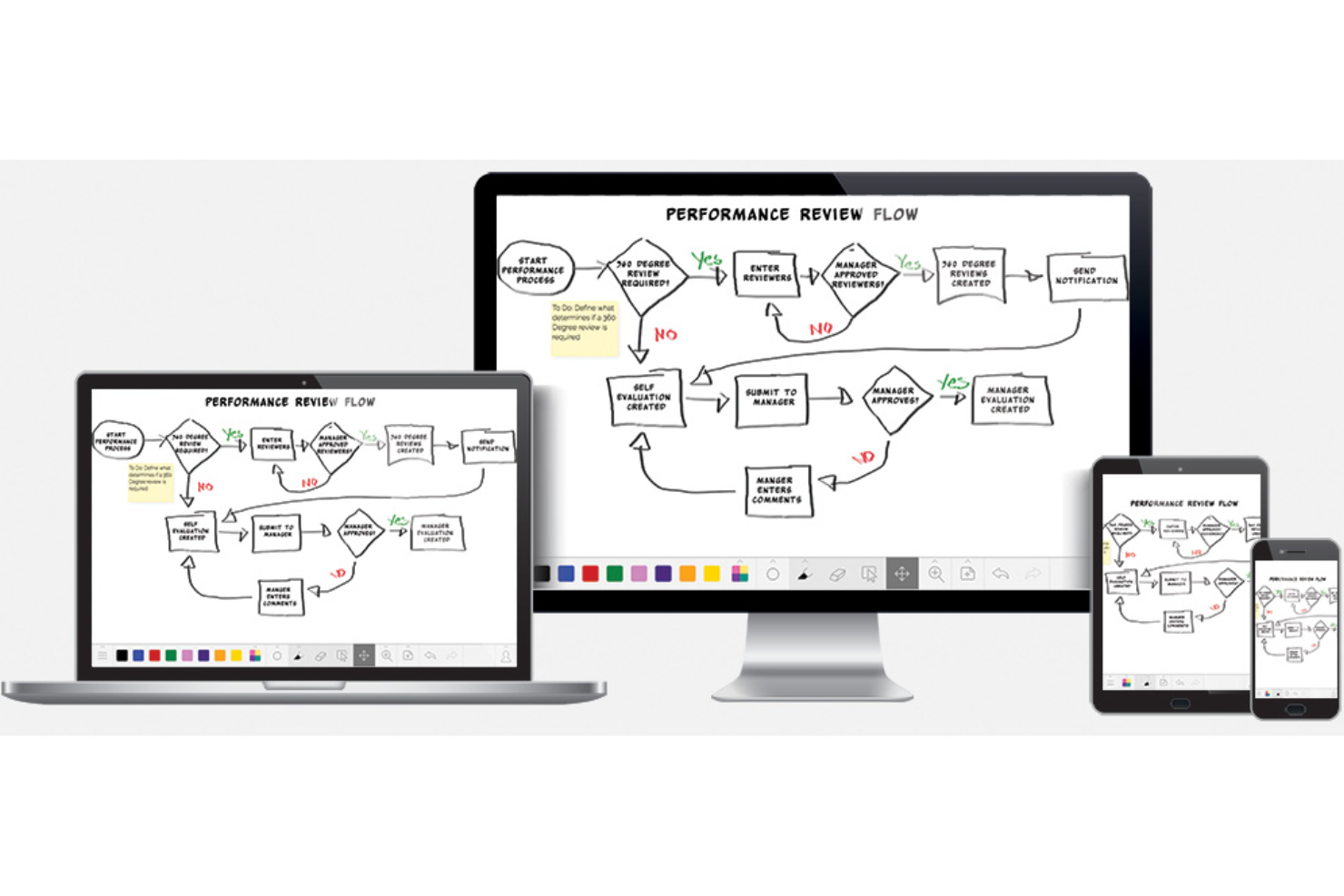
Artisti, designer e team che desiderano una lavagna digitale che dia la sensazione di disegnare su carta si affidano spesso a Limnu. Questo strumento si distingue per un'esperienza di disegno fluida e realistica, ideale per brainstorming, pensiero visivo e collaborazione creativa. A differenza di Microsoft Whiteboard, la tela e gli strumenti di disegno di Limnu sono progettati per imitare fedelmente l'aspetto e la sensazione del disegno a mano tradizionale.
Perché Limnu è una buona alternativa a Microsoft Whiteboard
Se cerchi una tela digitale che replichi fedelmente la sensazione di disegnare su carta vera, Limnu merita di essere preso in considerazione. Ho scelto Limnu perché i suoi strumenti pennello e penna offrono tratti fluidi e sensibili alla pressione che rendono naturale disegnare e scrivere a mano. La tela infinita della piattaforma ti permette di espandere liberamente lo spazio di lavoro, il che è particolarmente utile per brainstorming e mappature visive. Per chiunque valorizzi un'esperienza di disegno realistica nel proprio software di collaborazione, Limnu si distingue come una valida alternativa a Microsoft Whiteboard.
Funzionalità principali di Limnu
Altre caratteristiche che rendono Limnu interessante per i team collaborativi includono:
- Bacheche di gruppo: Crea bacheche condivise per sessioni di brainstorming di gruppo e progetti in corso.
- Cronologia delle bacheche: Accedi alle versioni precedenti delle tue bacheche per rivedere o ripristinare lavori passati.
- Note adesive: Aggiungi note adesive digitali ovunque sulla tela per idee rapide o commenti.
- Accesso ospite: Invita collaboratori a partecipare alle bacheche senza che debbano creare un account.
Integrazioni Limnu
Le integrazioni includono Slack, Microsoft Teams, Zoom, Google Drive, Dropbox, Trello, Asana, Jira, Miro e Notion.
Pros and Cons
Pros:
- Condivisione istantanea delle bacheche
- Interfaccia molto semplice
- Ottimo per schizzi rapidi
Cons:
- Formattazione del testo limitata
- Manca la gestione delle attività

Se cerchi una lavagna digitale che renda il brainstorming creativo rapido e coinvolgente dal punto di vista visivo, Canva Whiteboards merita un'occhiata. Lo strumento è particolarmente indicato per team di marketing, insegnanti e chiunque abbia bisogno di combinare elementi visuali, modelli predefiniti e idee libere su un'unica tela. Canva Whiteboards si distingue per i suoi elementi di design drag-and-drop e l'accesso a una vasta libreria di grafiche, facilitando la trasformazione delle idee grezze in piani visivi raffinati.
Perché Canva Whiteboards è una valida alternativa a Microsoft Whiteboard
Quando hai bisogno di iniziare subito una sessione creativa e far fluire le idee rapidamente, Canva Whiteboards offre un vantaggio unico. Ho scelto Canva Whiteboards perché ti dà accesso immediato a migliaia di modelli, immagini ed elementi di design che puoi trascinare direttamente sulla tua tela. Lo strumento supporta anche la collaborazione in tempo reale, così il tuo team può fare brainstorming, disegnare e organizzare idee insieme senza alcun ritardo di configurazione. Questo rende Canva Whiteboards particolarmente utile per i gruppi che vogliono passare dal concetto al piano visuale in pochi minuti.
Funzionalità principali di Canva Whiteboards
Altre funzionalità di Canva Whiteboards che aiutano i team nella collaborazione e nell'organizzazione delle idee includono:
- Post-it: Aggiungi note adesive colorate ovunque sulla tela per raccogliere pensieri o feedback.
- Area di lavoro infinita: Espandi lo spazio di lavoro quanto desideri senza limiti di spazio.
- Strumenti di disegno: Usa strumenti di disegno libero e annotazioni per schizzare o evidenziare direttamente sulla lavagna.
- Commenti: Lascia commenti in thread su qualsiasi elemento per feedback mirati e discussioni.
Integrazioni di Canva Whiteboards
Le integrazioni includono Slack, Microsoft Teams, Google Drive, Dropbox, Zoom, Trello, Asana, Miro, Notion e Figma.
Pros and Cons
Pros:
- Modalità di presentazione migliori
- Eccellenti opzioni tipografiche
- Ottimo per team di marketing
Cons:
- Interfaccia disordinata per il disegno
- Manca la sincronizzazione con autenticazione MS
Altre alternative a Microsoft Whiteboard
Ecco alcune ulteriori alternative a Microsoft Whiteboard che non sono state incluse nella mia selezione, ma che vale comunque la pena prendere in considerazione:
- Frameable Whiteboard
Migliore con integrazione a Microsoft Teams
- Whiteboard.fi
Ideale per il coinvolgimento istantaneo in classe
- Lessonspace
Ideale per le sessioni di tutoraggio a distanza


Criteri di selezione delle alternative a Microsoft Whiteboard
Per selezionare le migliori alternative a Microsoft Whiteboard da includere in questo elenco, ho preso in considerazione le esigenze e i punti critici più comuni degli acquirenti in relazione ai prodotti software per tele e collaborazione digitali a superficie libera, come il supporto alla creazione strutturata di wireframe e la possibilità di collaborare in tempo reale con il team. Ho inoltre utilizzato il seguente quadro di riferimento per mantenere la mia valutazione strutturata e imparziale:
Funzionalità principali (25% del punteggio totale)
Per essere presa in considerazione in questo elenco, ogni soluzione doveva soddisfare questi casi d'uso comuni:
- Creare e modificare lavagne digitali
- Collaborare con più utenti in tempo reale
- Aggiungere note adesive, forme e connettori
- Condividere le lavagne con membri del team o ospiti
- Esportare le lavagne nei formati di file più comuni
Funzionalità aggiuntive distintive (25% del punteggio totale)
Per restringere ulteriormente la rosa dei concorrenti, ho cercato anche funzionalità uniche, come:
- Strumenti integrati per la creazione di wireframe e prototipi
- Funzionalità per la gestione dei sistemi di progettazione
- Controlli avanzati per autorizzazioni e accessi
- Integrazione con piattaforme di gestione dei progetti
- Suggerimenti per diagrammi o contenuti basati sull'intelligenza artificiale
Usabilità (10% del punteggio totale)
Per avere un'idea dell'usabilità di ogni sistema, ho considerato i seguenti aspetti:
- Progettazione dell'interfaccia pulita e intuitiva
- Numero minimo di clic per accedere alle funzioni principali
- Prestazioni reattive con lavagne di grandi dimensioni
- Configurazioni personalizzabili dell'area di lavoro
- Accessibilità per gli utenti con disabilità
Inserimento (10% del punteggio totale)
Per valutare l'esperienza di inserimento di ogni piattaforma, ho considerato i seguenti aspetti:
- Disponibilità di tour guidati del prodotto passo dopo passo
- Accesso a video di formazione e documentazione
- Modelli predefiniti per i casi d'uso più comuni
- Assistenti virtuali integrati nell'app o assistenza guidata
- Webinar o sessioni di inserimento dal vivo
Assistenza clienti (10% del punteggio totale)
Per valutare i servizi di assistenza clienti di ciascun fornitore di software, ho considerato i seguenti aspetti:
- Molteplici canali di assistenza (chat, e-mail, telefono)
- Tempi di risposta rapidi alle richieste
- Accesso a una base di conoscenza consultabile
- Forum della comunità o gruppi di utenti
- Disponibilità di responsabili dedicati
Rapporto qualità-prezzo (10% del punteggio totale)
Per valutare il rapporto qualità-prezzo di ogni piattaforma, ho considerato i seguenti aspetti:
- Piani tariffari trasparenti e flessibili
- Funzionalità incluse nei piani di fascia inferiore
- Disponibilità di un piano gratuito o di una versione di prova
- Sconti per la fatturazione annuale o per le organizzazioni non profit
- Nessun costo nascosto o addebito imprevisto
Recensioni dei clienti (10% del punteggio totale)
Per avere un'idea della soddisfazione complessiva dei clienti, nella lettura delle recensioni ho considerato i seguenti aspetti:
- Riscontri positivi sulle funzioni di collaborazione
- Segnalazioni di disponibilità e prestazioni affidabili
- Commenti sulla facilità di adozione da parte dei team
- Critiche relative a lacune o limitazioni delle funzionalità
- Valutazioni complessive del valore e della soddisfazione
Perché cercare un'alternativa a Microsoft Whiteboard?
Sebbene Microsoft Whiteboard sia una buona soluzione per la lavagna digitale a mano libera e la collaborazione, ci sono diversi motivi per cui alcuni utenti cercano soluzioni alternative. Potresti cercare un'alternativa a Microsoft Whiteboard perché…
- Hai bisogno di strumenti avanzati per la creazione di strutture visive o la prototipazione
- Il tuo team collabora tra piattaforme non Microsoft
- Hai bisogno di controlli degli accessi più granulari
- Vuoi accedere alle tue lavagne offline
- La tua organizzazione ha bisogno di integrazioni oltre Microsoft 365
- Hai bisogno di un supporto migliore per workshop su larga scala
Se ti riconosci in una di queste situazioni, sei nel posto giusto. Il mio elenco include diverse opzioni di software per lavagne digitali a mano libera e collaborazione, più adatte ai team che affrontano queste difficoltà con Microsoft Whiteboard e cercano soluzioni alternative.
Funzionalità principali di Microsoft Whiteboard
Ecco alcune delle funzionalità principali di Microsoft Whiteboard, per aiutarti a mettere a confronto ciò che offrono le soluzioni alternative:
- Collaborazione in tempo reale tra più utenti sulle lavagne condivise
- Integrazione con Microsoft Teams e Office 365
- Note adesive, testo, forme e strumenti di disegno
- Lavagna infinita per la generazione libera di idee
- Modelli per scenari comuni di riunioni e workshop
- Supporto per il caricamento di immagini e documenti
- Scrittura a inchiostro e riconoscimento della scrittura a mano
- Condivisione delle lavagne con utenti interni ed esterni
- Cronologia delle versioni e opzioni di recupero delle lavagne
- Disponibilità di app per il web, Windows, iOS e Android