



Basecamp vs. Notion: Confronto e Recensioni Esperte per il 2026



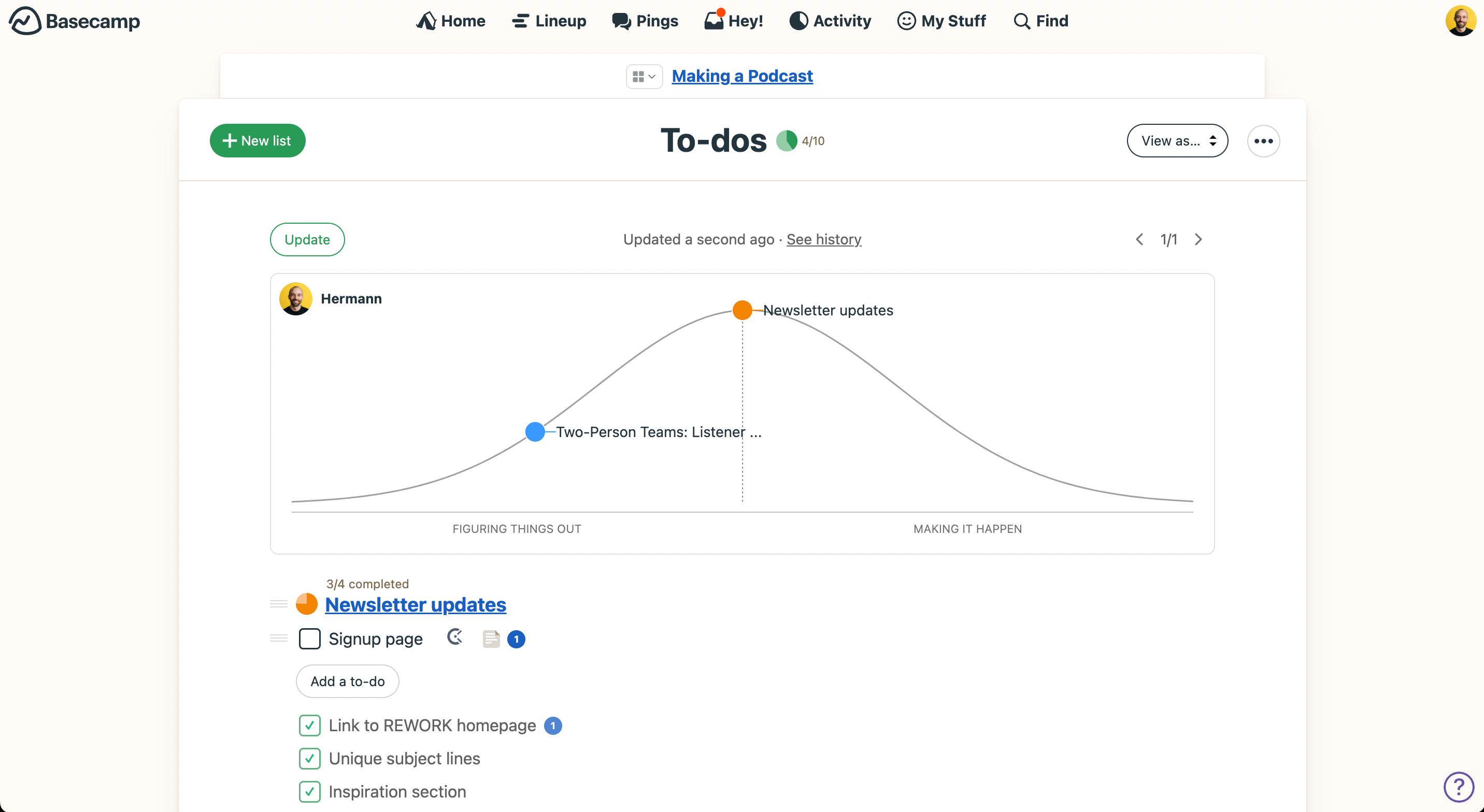
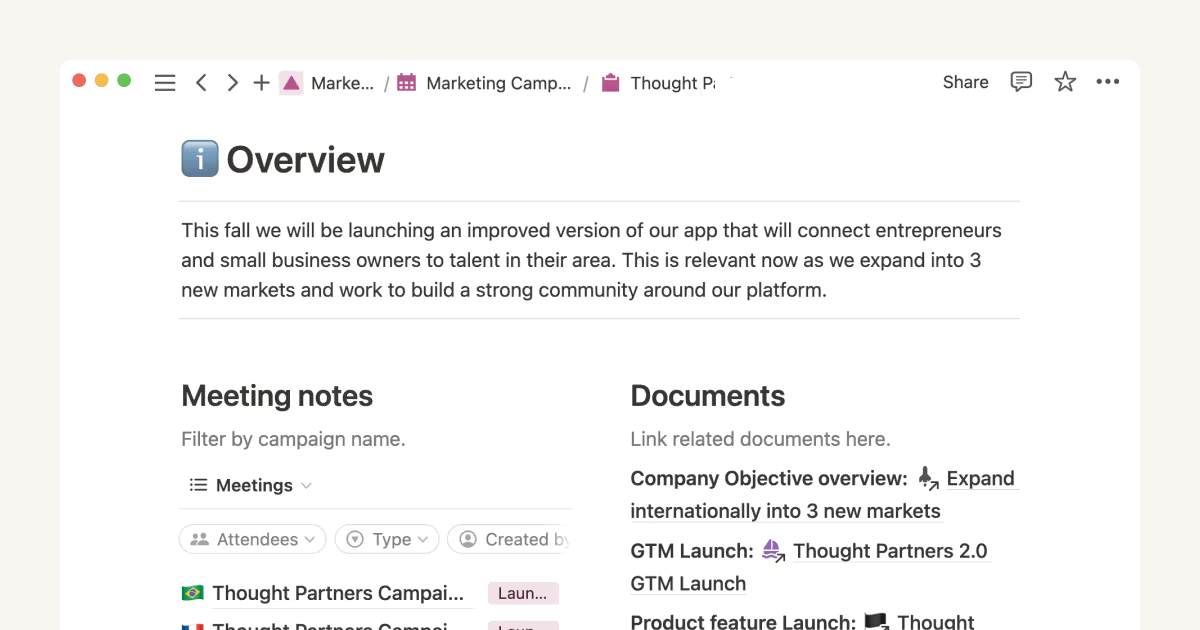
Basecamp adotta un approccio semplice all'organizzazione del lavoro di squadra, mentre Notion offre una piattaforma flessibile per gestire diversi aspetti di un progetto. Entrambi sono strumenti di project management: Basecamp mette l'accento sulla semplicità, Notion si concentra su personalizzazione e adattabilità.
Ho testato e confrontato ciascuno strumento, i loro principali punti di forza e debolezza, prezzi e molto altro ancora. Leggi il mio confronto dettagliato per scoprire quale software di project management è il migliore per il tuo team.
Basecamp vs. Notion: An Overview
Basecamp


Notion



Perché fidarsi dei nostri consigli sui software
Il nostro team testa e recensisce software dal 2012. In quanto project manager noi stessi, sappiamo quanto sia difficile — e importante — scegliere il software giusto.
Per questa guida, abbiamo valutato gli strumenti attraverso test pratici e ricerche indipendenti, assegnando un punteggio agli strumenti in base ai nostri criteri di selezione. Ci basiamo inoltre sulle competenze di leader di pensiero del settore e di professionisti attivi nella gestione dei progetti.
Le nostre recensioni riflettono il nostro giudizio editoriale umano, non un discorso di vendita.
Revisori esperti:
Basecamp vs. Notion Pricing Comparison
| Basecamp | Notion | |
|---|---|---|
| Free Trial | 30-day free trial + free demo available | Free plan available |
| Pricing | From $15/user/month | From $10/user/month (billed annually) |
Prezzi e costi nascosti di Basecamp e Notion
Il piano tariffario di Basecamp include un piano gratuito, uno a pagamento per utente e una tariffa fissa per tutta l’organizzazione. Invece, la tariffazione di Notion prevede diversi livelli che si adattano man mano che aggiungi funzionalità e utenti. Le funzioni più avanzate sono disponibili solo nei piani superiori.
Per scegliere lo strumento giusto per il tuo team, considera la scala del tuo progetto, le funzionalità specifiche di cui hai bisogno e valuta le offerte di ogni fornitore in base all’utilizzo previsto e alla possibile crescita futura.
Basecamp vs. Notion Feature Comparison
Le liste di attività di Basecamp rendono facile tenere traccia dei compiti e delle attività emerse durante le riunioni di team, così non si dimentica nulla. I database personalizzabili di Notion sono l’ideale per i team di design che gestiscono asset di progetto e collaborano in tempo reale.
| Basecamp | Notion | |
|---|---|---|
| API | ||
| Calendar Management | ||
| Data Export | ||
| Data Import | ||
| External Integrations | ||
| Multi-User | ||
| Notifications | ||
| Project Management | ||
| Scheduling | ||
| Task Scheduling/Tracking |
Integrazioni di Basecamp vs. Notion
| Integrazione | Basecamp | Notion |
|---|---|---|
| Miro | ✅ | ✅ |
| HubSpot | ✅ | ❌ |
| Adobe Creative Cloud | ✅ | ❌ |
| InVision | ✅ | ❌ |
| Slack | ✅ | ✅ |
| Salesforce | ✅ | ❌ |
| Zoom | ✅ | ✅ |
| Zendesk | ✅ | ✅ |
| API | ✅ | ✅ |
| Zapier | ✅ | ✅ |
Basecamp si integra con Miro permettendoti di accedere facilmente alle tue board insieme alle attività e alla documentazione di progetto. Basecamp offre inoltre un’API e integrazioni aggiuntive tramite Zapier. L’integrazione di Notion con Zoom favorisce la collaborazione e ti consente di riunirti e lavorare su documenti condivisi nello stesso momento.
Basecamp vs. Notion: Sicurezza, conformità e affidabilità
| Fattore | Basecamp | Notion |
|---|---|---|
| Crittografia dei dati | Basecamp cripta e protegge i dati sia in transito sia a riposo. | Notion utilizza crittografia AES-256 per i dati a riposo e TLS per i dati in transito. |
| Conformità normativa | Basecamp è conforme al GDPR e fornisce accordi per il trattamento dei dati. | Anche Notion è conforme al GDPR e offre altri livelli di conformità per imprese. |
| Backup & recovery | Basecamp offre backup giornalieri e un solido piano di recupero dati. | Notion garantisce backup regolari e dispone di un affidabile processo di disaster recovery. |
Sia Basecamp che Notion pongono grande attenzione alla sicurezza dei dati grazie alla forte crittografia e al rispetto delle normative. Per scegliere lo strumento più adatto, valuta le specifiche esigenze di sicurezza del tuo team e consulta la documentazione e il supporto di ciascuna piattaforma.
Basecamp vs. Notion Facilità d'Uso
| Fattore | Basecamp | Notion |
|---|---|---|
| Interfaccia utente | Basecamp offre un'interfaccia pulita e semplice che è facile da navigare per ogni membro del team. | Notion offre un'interfaccia flessibile e intuitiva con dashboard personalizzabili, che però può risultare inizialmente complessa. |
| Esperienza di onboarding | L'onboarding di Basecamp è immediato, con una configurazione minima richiesta per iniziare. | Il percorso di onboarding di Notion prevede una curva di apprendimento dovuta alle ampie possibilità di personalizzazione. |
| Risorse di supporto clienti | Basecamp fornisce guide utili e un supporto reattivo per un'assistenza rapida. | Notion propone una knowledge base completa e forum della community per l'apprendimento autonomo. |
Basecamp presenta un'interfaccia semplice e facile da navigare, ideale per i team che necessitano di una rapida configurazione e un onboarding minimo. Notion invece offre una maggiore flessibilità e possibilità di personalizzazione, ma le sue funzionalità avanzate possono comportare una curva di apprendimento più ripida all'inizio.
Basecamp vs Notion: Pros & Cons
Basecamp
- With automatic check-ins, you can keep everyone updated without lengthy meetings.
- Basecamp's message board keeps your team communication clear and organized.
- You can easily get your team onboard with its intuitive interface.
- The tool is missing a built-in time tracking feature for tasks.
- Basecamp's simplicity might not meet the needs of complex project workflows.
- You might find the lack of advanced reporting tools limiting.
Notion
- You can tailor your workspace to fit your needs with flexible layouts and templates.
- The intuitive design makes it easy for users to navigate and organize their projects.
- You can take notes, manage projects, and maintain your databases in one place.
- It can be challenging for new users to master without spending time on tutorials.
- You might experience slow performance if you have large databases or complex setups.
- The mobile app is less intuitive than the desktop version.
Best Use Cases for Basecamp and Notion
Basecamp
- Small businesses You'll benefit from Basecamp's straightforward design and ease of use, which are ideal for managing projects without the complexity of more robust software.
- Creative agencies Its visual communication tools and message boards support creative brainstorming and project discussions.
- Remote teams Basecamp's centralized platform keeps remote team members connected and aligned on tasks and goals.
- Startups Quick onboarding and straightforward features help startups get organized fast without a learning curve.
- Non-profits Basecamp allows non-profit teams to focus on their mission by simplifying project tracking and communication.
- Freelancers Freelancers can manage their client projects efficiently with Basecamp’s task management and client communication tools.
Notion
- Creative Agencies You can use customizable templates within a flexible workspace to manage creative projects and collaborate with the team.
- Freelancers You can manage multiple projects and clients in a single, organized platform.
- Startups You can tailor your workspace to your needs in order to manage rapid growth and changing project requirements.
- Remote Teams Notion supports constant communication and project tracking across different locations.
- Education Departments You can use Notion's database capabilities to organize curricula, schedules, and educational materials.
- Content Writers You can use the note-taking and organization features to manage research, drafts, and editorial calendars efficiently.
Chi dovrebbe usare Basecamp e chi dovrebbe usare Notion?
Secondo me, Basecamp è consigliato a team piccoli o medi che necessitano di uno strumento di project management semplice per rimanere allineati e concentrati. È una soluzione solida per i settori in cui semplicità e configurazione immediata rappresentano fattori essenziali.
Notion, invece, è ideale per team creativi o per chi ha bisogno di massima personalizzazione e flessibilità. Il suo spazio di lavoro dinamico e la vasta gamma di funzionalità lo rendono particolarmente adatto a chi desidera costruire una soluzione su misura con diverse integrazioni.
Differences Between Basecamp and Notion
| Basecamp | Notion | |
|---|---|---|
| Automation | Basecamp has limited automation with basic task management and tracking. | Notion supports advanced automation with integrations and customizable workflows. |
| Integrations | Basecamp doesn’t offer many integrations, but they do offer an API and can connect with Zapier. | Notion offers integrations with visual tools like Zoom, Miro, and more. |
| Onboarding | Basecamp has a quick and simple onboarding process. | Notion requires more time to learn due to its extensive customization. |
| User Interface | Basecamp features a straightforward and simple interface | Notion provides a flexible and customizable interface. |
| Read Basecamp ReviewOpens new window | Read Notion ReviewOpens new window |
Similarities Between Basecamp and Notion
| Cloud-Based Access | Both Basecamp and Notion are accessible online and let your team work remotely. |
|---|---|
| Collaboration | Both platforms allow team collaboration via document sharing and editing. |
| Communication Tools | Basecamp helps streamline discussions, while Notion incorporates team communication within its collaborative workspace. |
| Project Tracking | Both tools allow for project tracking through task lists and timelines. |
| User Support | Both offer support resources like guides and help centers. |
| Read Basecamp ReviewOpens new window Read Notion ReviewOpens new window | |