



Basecamp vs. ClickUp: Confronto e Recensioni degli Esperti per il 2026



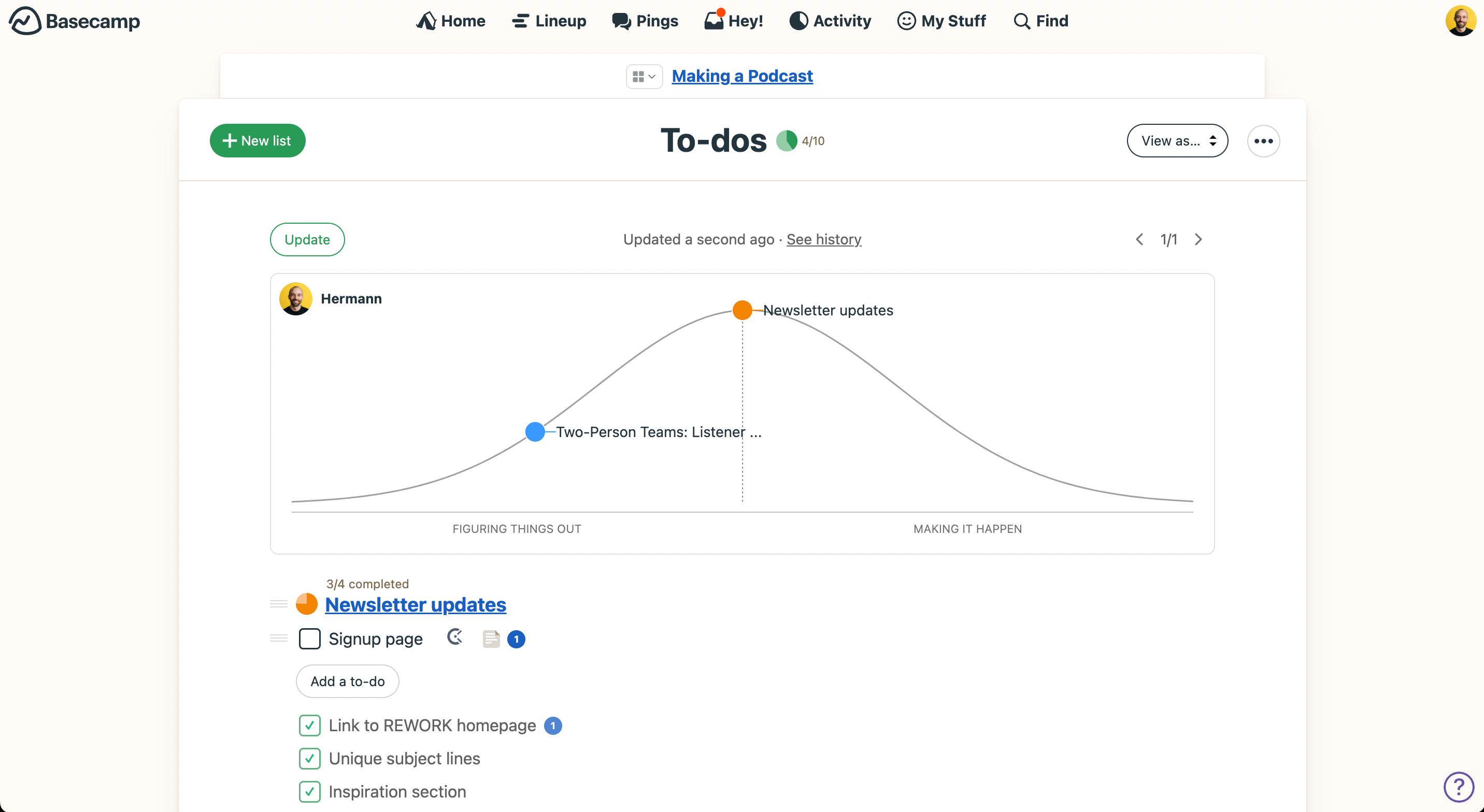
Basecamp offre una piattaforma semplice per organizzare i progetti e le comunicazioni del tuo team, mentre ClickUp fornisce una piattaforma personalizzabile che si adatta al tuo stile di lavoro. Basecamp punta sulla semplicità e ClickUp garantisce flessibilità con un gran numero di funzionalità.
Ho testato e recensito approfonditamente ciascun software di project management ed esaminato le caratteristiche chiave, i pro e i contro e i prezzi, così potrai fare la scelta migliore per le esigenze del tuo team.
Basecamp vs. ClickUp: An Overview
Basecamp


ClickUp




Perché fidarsi dei nostri consigli sui software
Il nostro team testa e recensisce software dal 2012. In quanto project manager noi stessi, sappiamo quanto sia difficile — e importante — scegliere il software giusto.
Per questa guida, abbiamo valutato gli strumenti attraverso test pratici e ricerche indipendenti, assegnando un punteggio agli strumenti in base ai nostri criteri di selezione. Ci basiamo inoltre sulle competenze di leader di pensiero del settore e di professionisti attivi nella gestione dei progetti.
Le nostre recensioni riflettono il nostro giudizio editoriale umano, non un discorso di vendita.
Revisori esperti:
Basecamp vs. ClickUp Pricing Comparison
| Basecamp | ClickUp | |
|---|---|---|
| Free Trial | 30-day free trial + free demo available | Free plan + free demo available |
| Pricing | From $15/user/month | From $7/user/month (billed annually) |
Prezzi di Basecamp vs. ClickUp e costi nascosti
Il prezzo di Basecamp segue un modello di abbonamento e puoi scegliere di pagare per singolo utente oppure con una tariffa fissa per tutta l'organizzazione. Il prezzo di ClickUp prevede anch'esso piani a livelli, con i costi che aumentano aggiungendo spazio di archiviazione e funzionalità avanzate. Entrambi gli strumenti offrono anche un piano gratuito.
Per scegliere lo strumento giusto per il tuo team, identifica prima le funzionalità di project management di cui hai più bisogno e considera come ogni modello di prezzo si adatta alla crescita e all’allocazione delle risorse del tuo team.
Basecamp vs. ClickUp Feature Comparison
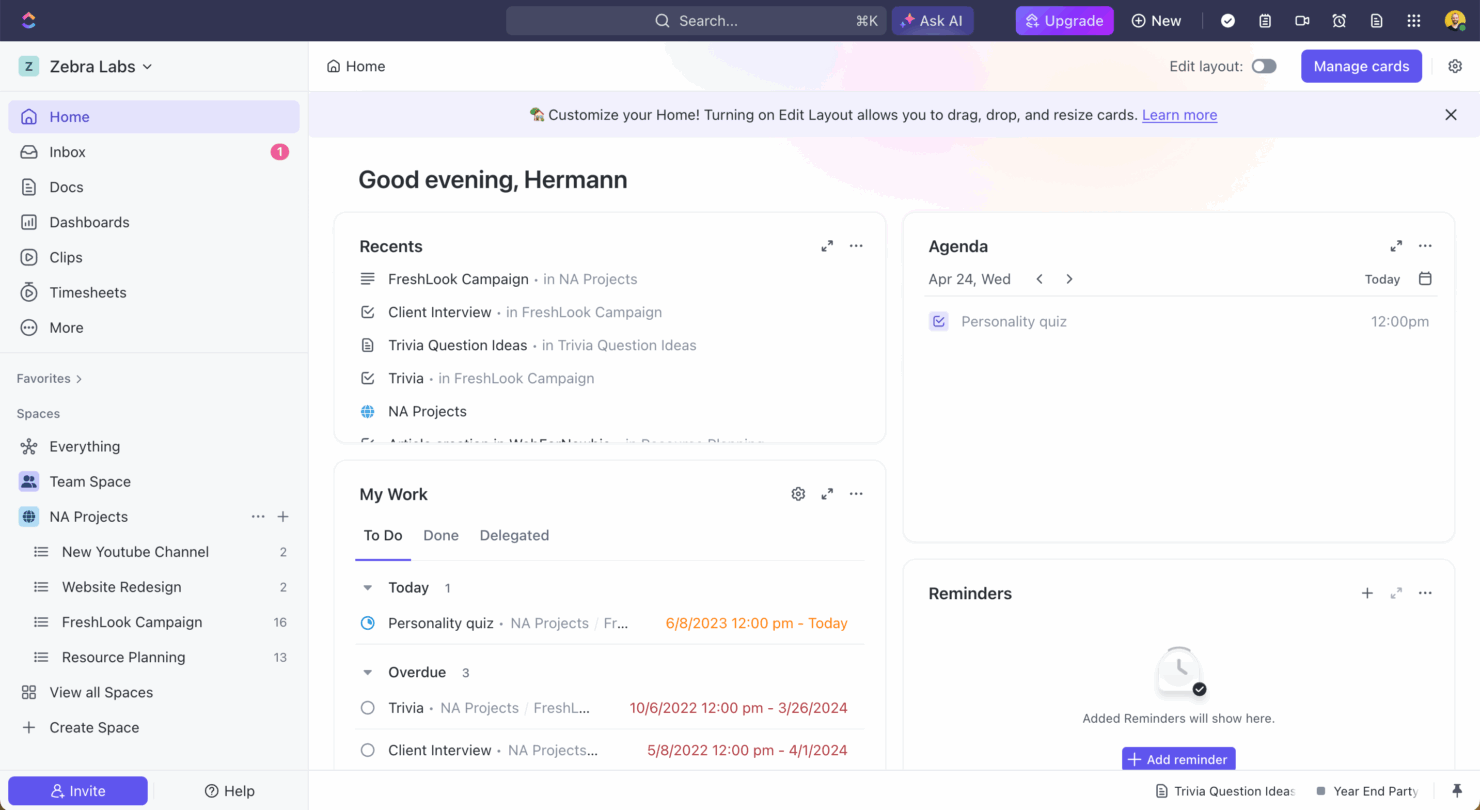
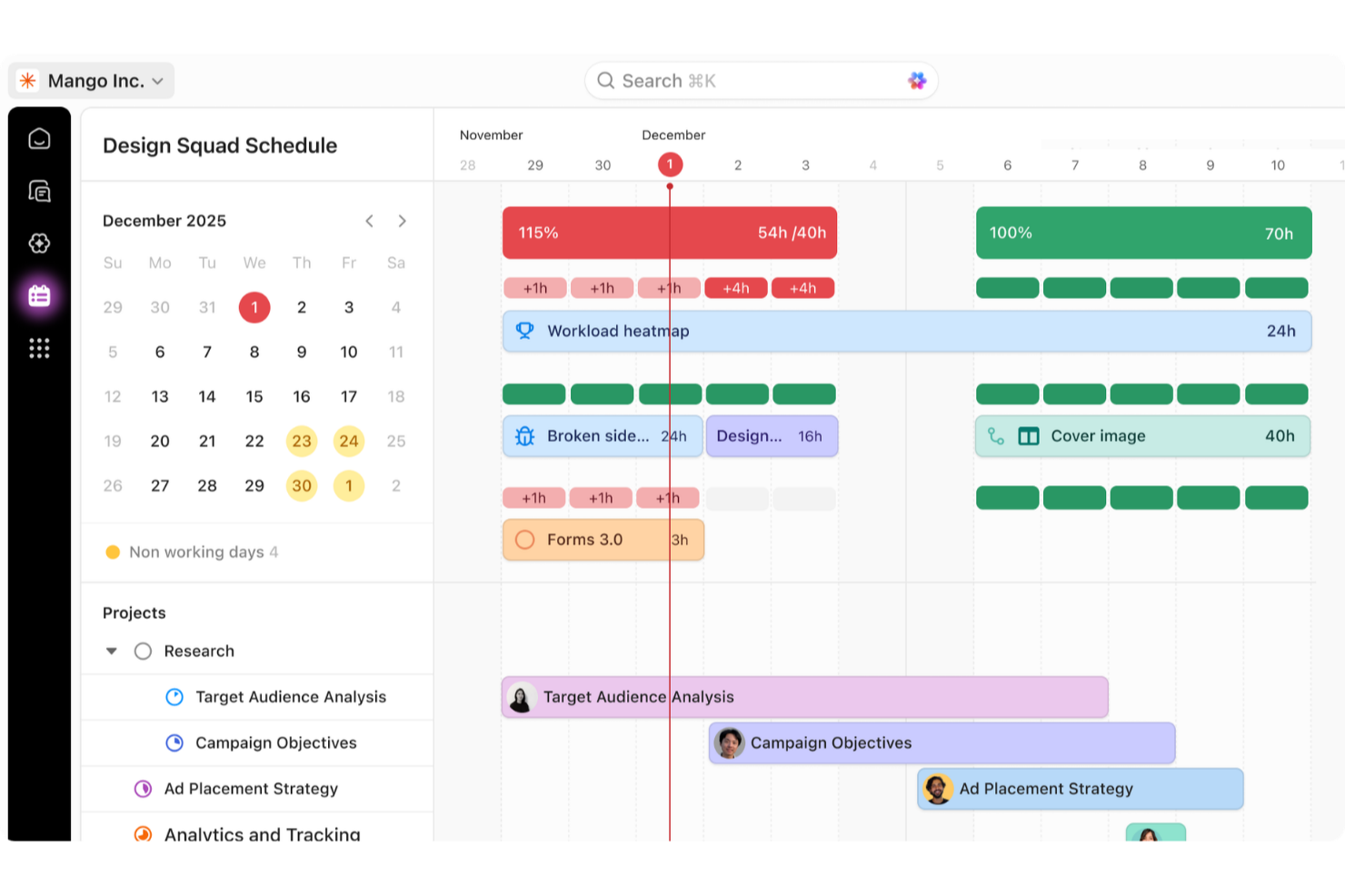
Con le liste di cose da fare intuitive di Basecamp puoi organizzare attività e sottoattività giornaliere e centralizzare il lavoro di progetto e le comunicazioni. Le viste delle attività versatili e le funzionalità di ClickUp, che includono il monitoraggio del tempo e la modifica in blocco, sono ideali per gestire progetti complessi dove flessibilità e supervisione dettagliata sono cruciali.
| Basecamp | ClickUp | |
|---|---|---|
| API | ||
| Batch Permissions & Access | ||
| Budgeting | ||
| Calendar Management | ||
| Collaboration Support | ||
| Contact Management | ||
| Contact Sharing | ||
| Customer Management | ||
| Dashboard | ||
| Dashboards | ||
| Data Export | ||
| Data Import | ||
| Data Visualization | ||
| Dependency Tracking | ||
| Document Sharing | ||
| Expense Tracking | ||
| External Integrations | ||
| File Sharing | ||
| Gantt Charts | ||
| Kanban Boards | ||
| Multi-User | ||
| Notifications | ||
| Project Management | ||
| Resource Management | ||
| Scheduling | ||
| Task Scheduling/Tracking | ||
| Third-Party Plugins/Add-Ons | ||
| Time Management | ||
| Travel Management | ||
| Workflow Management |
Integrazioni di Basecamp vs. ClickUp
| Integrazione | Basecamp | ClickUp |
|---|---|---|
| Slack | ✅ | ✅ |
| Zoom | ✅ | ✅ |
| Google Calendar | ✅ | ✅ |
| Microsoft Teams | ✅ | ✅ |
| HubSpot | ✅ | ✅ |
| Adobe Creative Cloud | ✅ | ❌ |
| Salesforce | ✅ | ✅ |
| Figma | ✅ | ✅ |
| API | ✅ | ✅ |
| Zapier | ✅ | ✅ |
L’integrazione di Basecamp con Slack ti permette di mantenere tutte le conversazioni dei membri del team in un unico posto, ideale per i team che puntano su una comunicazione aperta. L’integrazione di ClickUp con Google Calendar è ottima per la pianificazione e per assicurarti che nulla venga dimenticato.
Sicurezza, conformità e affidabilità di Basecamp vs. ClickUp
| Fattore | Basecamp | ClickUp |
|---|---|---|
| Crittografia dei dati | Basecamp cripta alcuni dati in transito e alcuni dati a riposo. | ClickUp protegge i dati con crittografia end-to-end ed è conforme a SOC 2. |
| Controllo accessi | Basecamp offre controlli di accesso basati sui ruoli per gestire chi può vedere determinate informazioni. | ClickUp consente impostazioni di permesso dettagliate per utenti e team. |
| Standard di conformità | Basecamp è conforme al GDPR per la protezione dei dati. | ClickUp soddisfa i requisiti di GDPR e HIPAA. |
Sia Basecamp che ClickUp offrono solide funzionalità di sicurezza, ma ClickUp propone opzioni di conformità più ampie. Quando valuti questi strumenti, concentrati sugli standard di conformità richiesti dal tuo settore e assicurati che il fornitore soddisfi tali necessità specifiche.
Basecamp vs. ClickUp Facilità d'Uso
| Fattore | Basecamp | ClickUp |
|---|---|---|
| Interfaccia utente | Basecamp ha un'interfaccia intuitiva con una navigazione chiara, che rende facile trovare rapidamente ciò di cui hai bisogno. | L'interfaccia di ClickUp è più complessa ma consente flussi di lavoro personalizzabili. |
| Onboarding | Basecamp offre un onboarding semplice con video formativi utili e una guida di benvenuto. | ClickUp fornisce una guida rapida con video e funzionalità interattive per facilitare l'ingresso degli utenti nel sistema. |
| Configurazione | La configurazione di Basecamp è veloce e richiede uno sforzo minimo per iniziare. | La configurazione di ClickUp può essere più impegnativa a causa delle ampie opzioni di personalizzazione. |
| Supporto | Basecamp offre un canale diretto di comunicazione con il supporto, compresa una lettera di benvenuto dal CEO. | ClickUp offre un supporto ampio tramite guide e modelli, ma la sua complessità può richiedere ulteriore assistenza. |
Basecamp è più facile da usare grazie a una configurazione semplice e una navigazione intuitiva, il che lo rende ideale per chi desidera iniziare subito. La flessibilità di ClickUp può essere inizialmente un po' travolgente, ma offre potenti personalizzazioni per chi è disposto a investire tempo nell'apprendimento delle sue funzionalità.
Basecamp vs ClickUp: Pros & Cons
Basecamp
- With automatic check-ins, you can keep everyone updated without lengthy meetings.
- Basecamp's message board keeps your team communication clear and organized.
- You can easily get your team onboard with its intuitive interface.
- The tool is missing a built-in time tracking feature for tasks.
- Basecamp's simplicity might not meet the needs of complex project workflows.
- You might find the lack of advanced reporting tools limiting.
ClickUp
- Extensive task management features keep your projects organized and on track
- Real-time collaboration makes team communication more effective
- Built-in automations reduce manual work and speed up your workflow
- Users often find the learning curve steep due to its rich feature set
- Some users report occasional performance lags when managing large projects
- Mobile app can be less intuitive than the desktop version
Best Use Cases for Basecamp and ClickUp
Basecamp
- Small businesses You'll benefit from Basecamp's straightforward design and ease of use, which are ideal for managing projects without the complexity of more robust software.
- Creative agencies Its visual communication tools and message boards support creative brainstorming and project discussions.
- Remote teams Basecamp's centralized platform keeps remote team members connected and aligned on tasks and goals.
- Startups Quick onboarding and straightforward features help startups get organized fast without a learning curve.
- Non-profits Basecamp allows non-profit teams to focus on their mission by simplifying project tracking and communication.
- Freelancers Freelancers can manage their client projects efficiently with Basecamp’s task management and client communication tools.
ClickUp
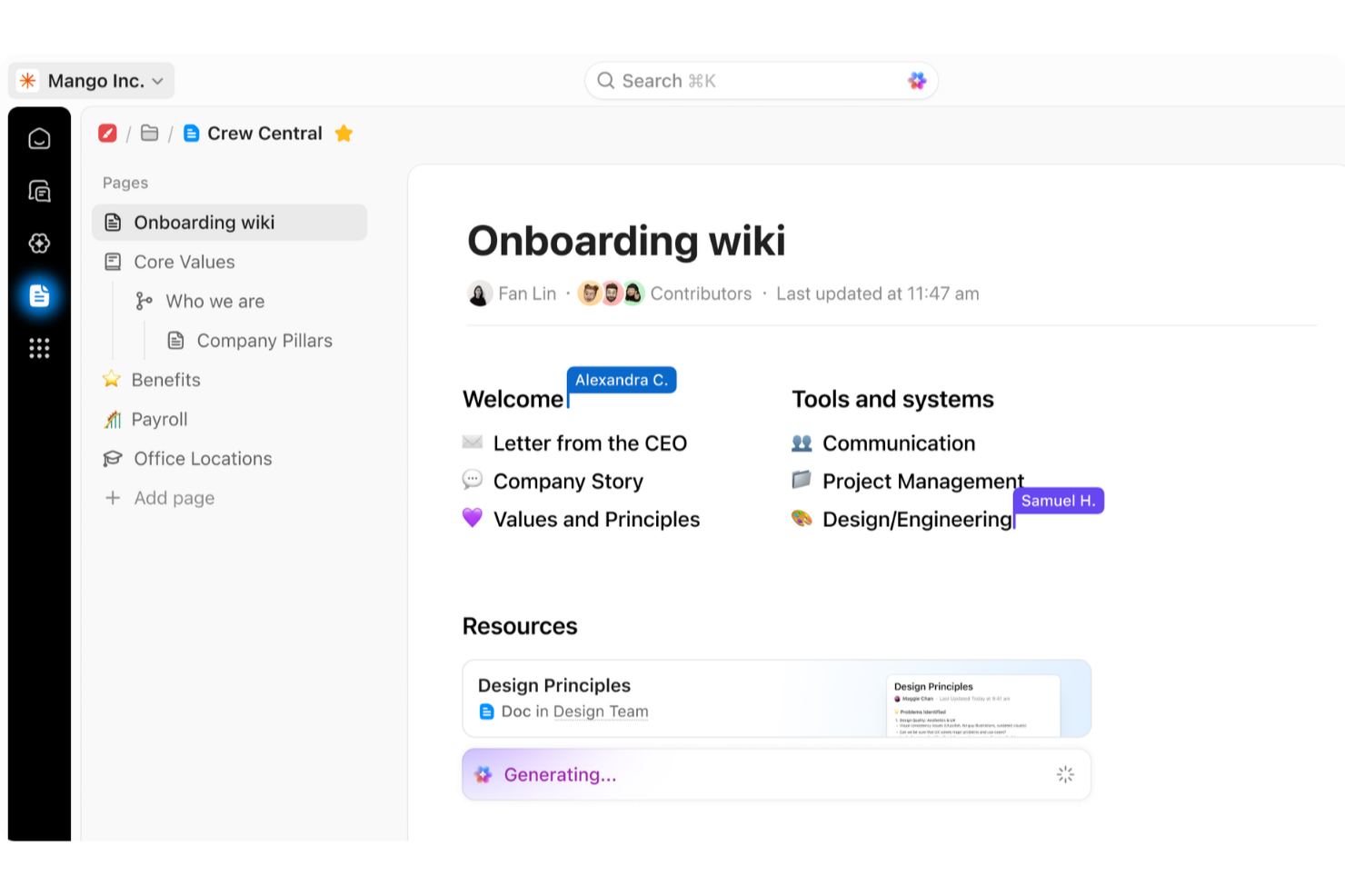
- Creative agencies ClickUp's customizable dashboards and task automation features can help you manage client projects, track feedback and revisions, and keep creative teams aligned.
- Tech startups ClickUp supports agile development with sprints and real-time collaboration features that can help teams iterate quickly.
- Marketing teams You can streamline campaign planning and execution using ClickUp’s task dependencies and timelines.
- Remote teams ClickUp's real-time updates and collaboration tools keep everyone on the same page, no matter where they are.
- Product managers ClickUp’s roadmaps and goal-tracking features help you align development with business objectives.
- Freelancers You can track your tasks and deadlines efficiently with ClickUp’s simple task and time management tools.
Chi dovrebbe utilizzare Basecamp e chi dovrebbe utilizzare ClickUp?
Secondo me, Basecamp è perfetto per team piccoli o medi che danno valore alla semplicità e alla comunicazione chiara e non necessitano di funzionalità complesse. È ideale per team creativi o startup che cercano una gestione progetti diretta.
Credo che ClickUp sia la scelta migliore per organizzazioni più grandi o team esperti in tecnologia che hanno bisogno di uno strumento altamente personalizzabile. Se il tuo caso d'uso prevede progetti intricati che richiedono monitoraggio e report approfonditi, scegli ClickUp.
Differences Between Basecamp and ClickUp
| Basecamp | ClickUp | |
|---|---|---|
| Automation | Basecamp lacks built-in automation features. | ClickUp provides automation capabilities that can improve your workflows. |
| Integrations | Basecamp offers limited integrations but includes popular tools like Slack. | ClickUp supports a wide range of integrations, including Google Calendar and Microsoft Teams. |
| Key Features | Basecamp focuses on essential project management tools like task lists and message boards. | ClickUp offers a wide range of features, including task views and time tracking. |
| User Interface | Basecamp has a simple and intuitive interface that is easy for beginners. | ClickUp's interface is complex but highly customizable for advanced users. |
| Read Basecamp ReviewOpens new window | Visit ClickUpOpens new window |
Similarities Between Basecamp and ClickUp
| Collaboration | Both platforms facilitate team communication—Basecamp offers message boards and ClickUp lets you chat and comment on tasks. |
|---|---|
| File Sharing | You can share files easily on both platforms; Basecamp integrates file storage within projects, while ClickUp allows attachments to tasks. |
| Mobile Usability | Both Basecamp and ClickUp have mobile apps, so you can manage your projects on the go. |
| Task Management | Both Basecamp and ClickUp offer tools for organizing tasks. Basecamp has to-do lists and ClickUp has customizable task views. |
| User-Friendly Design | Each platform is designed to be user-friendly. Basecamp is more straightforward and ClickUp offers more customization for experienced users. |
| Read Basecamp ReviewOpens new window Visit ClickUpOpens new window | |