

10 meilleures alternatives à Loom pour la vidéo asynchrone en 2026

10 Meilleures alternatives à Loom


Le rôle de chef de projet peut être difficile. Vous devez gérer les délais, coordonner les équipes et favoriser la productivité. Les outils de communication vidéo comme Loom sont devenus incontournables pour beaucoup, mais ils ne correspondent parfois tout simplement pas aux besoins de votre équipe.
Vous recherchez peut-être de meilleures fonctionnalités, davantage d’espace de stockage ou une conformité spécifique. D’après mon expérience, trouver le bon outil peut faire toute la différence en matière de collaboration et d’efficacité.
Dans cet article, je vous présente les meilleures alternatives à Loom. J’ai testé et évalué chaque option de manière indépendante afin de vous aider à trouver celle qui vous conviendra parfaitement. Explorons des solutions capables de répondre véritablement aux défis spécifiques de votre équipe.
Qu’est-ce que Loom ?
Loom est un logiciel de communication vidéo et de collaboration qui vous permet d’enregistrer et de partager facilement des messages vidéo. Il est largement utilisé par des professionnels tels que les chefs de projet, les enseignants et les spécialistes du marketing qui doivent communiquer rapidement des idées complexes.
Grâce à ses fonctionnalités d’enregistrement, de partage d’écran et de partage instantané, Loom vous aide, vous et votre équipe, à transmettre efficacement vos messages. Dans l’ensemble, Loom offre un moyen simple d’améliorer la communication et la collaboration au sein des équipes.
Résumé des meilleures alternatives à Loom
Ce tableau comparatif résume les tarifs de mes meilleures alternatives à Loom afin de vous aider à trouver celle qui correspond le mieux à votre budget et aux besoins de votre entreprise.
| Tool | Best For | Trial Info | Price | ||
|---|---|---|---|---|---|
| 1 | Idéal pour la documentation de tutoriels multilingues | Essai gratuit de 10 jours + démo gratuite disponible | À partir de $40/mois (facturé annuellement) | Website | |
| 2 | Idéal pour les équipes marketing | Formule gratuite disponible | À partir de $79/mois (facturé annuellement) | Website | |
| 3 | Idéal pour le montage vidéo | Forfait gratuit disponible | À partir de $39/an | Website | |
| 4 | Idéal pour la transcription | Forfait gratuit disponible | À partir de $12/utilisateur/mois | Website | |
| 5 | Idéal pour l'analyse vidéo | Forfait gratuit + essai gratuit + démo gratuite | À partir de $59/utilisateur/mois (facturé annuellement) | Website | |
| 6 | Idéal pour le partage de fichiers | Essai gratuit de 7 jours | À partir de $8.25 /membre/mois | Website | |
| 7 | Idéal pour l'engagement commercial | Démo gratuite disponible | À partir de $42/mois | Website | |
| 8 | Idéal pour l'enregistrement d'écran simple | Forfait gratuit disponible | À partir de $8.16/utilisateur/mois (facturé annuellement) | Website | |
| 9 | Idéal pour une narration créative | Essai gratuit de 7 jours disponible | À partir de $13/mois (facturé annuellement) | Website | |
| 10 | Idéal pour les analyses par IA | Essai gratuit de 7 jours disponible | À partir de 120 $/mois (facturé annuellement) | Website |
Pourquoi faire confiance à nos recommandations de logiciels
Notre équipe teste et évalue des logiciels depuis 2012. En tant que chefs de projet nous-mêmes, nous savons à quel point il est difficile — et important — de choisir le bon logiciel.
Pour ce guide, nous avons évalué les outils grâce à des tests pratiques et une recherche indépendante, en notant les outils selon nos critères de sélection. Nous nous appuyons également sur les enseignements de leaders d’opinion du secteur et de professionnels de la gestion de projet en activité.
Nos avis reflètent notre jugement éditorial humain, et non un argumentaire de vente.
Réviseurs experts:
Avis sur les meilleures alternatives à Loom
Vous trouverez ci-dessous mes résumés détaillés des meilleures alternatives à Loom qui figurent dans ma sélection. Mes avis présentent en détail les principales fonctionnalités, les avantages et les inconvénients, les intégrations et les cas d’utilisation idéaux de chaque outil afin de vous aider à trouver celui qui vous convient le mieux.

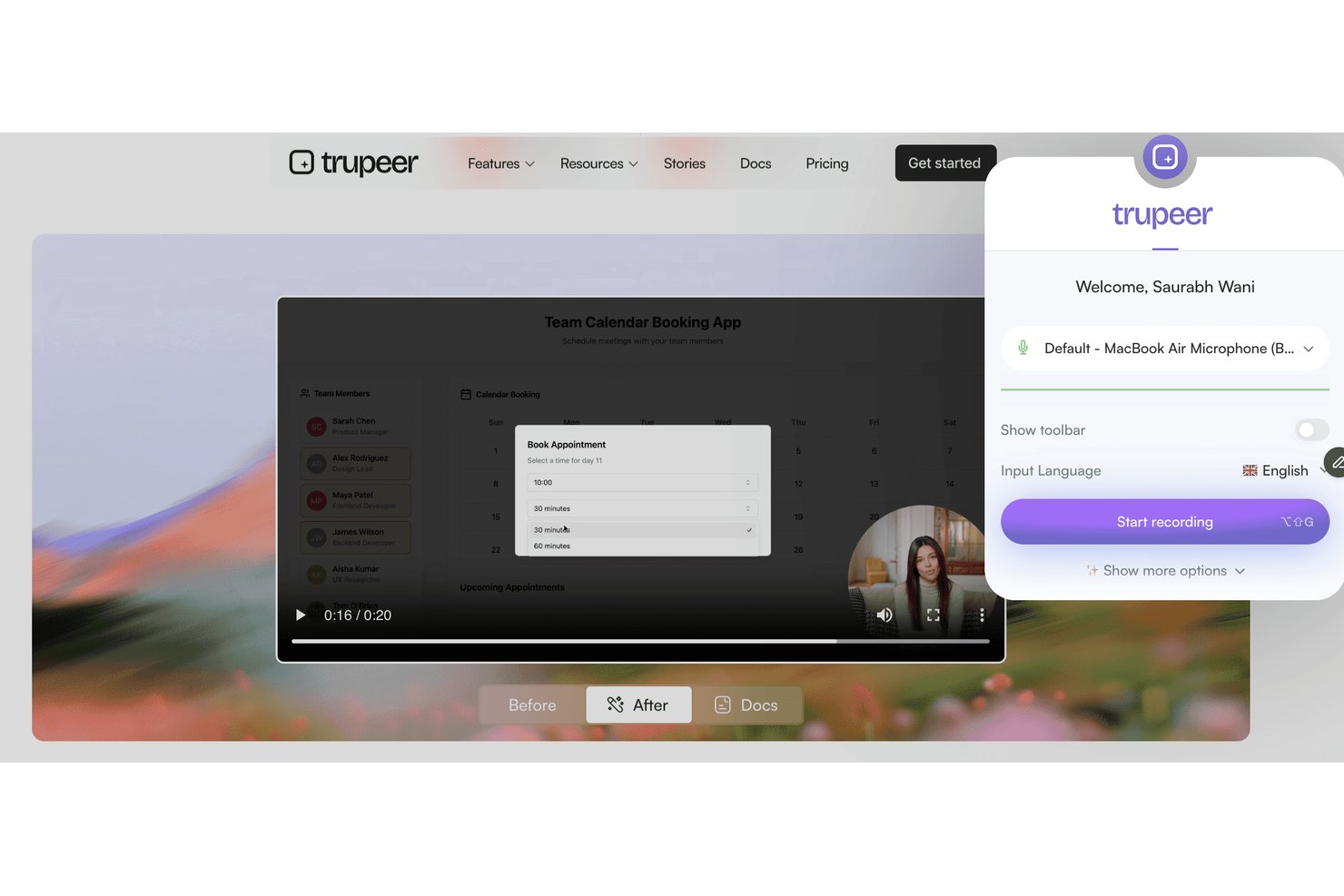
Trupeer est une plateforme d'enregistrement d'écran et de messagerie vidéo conçue pour les équipes qui doivent fournir des instructions visuelles claires, intégrer de nouveaux utilisateurs ou partager des présentations détaillées de processus au sein d'équipes distribuées ou multiculturelles.
À qui Trupeer convient-il le mieux ?
Trupeer convient aux équipes internationales qui doivent créer, partager et localiser la documentation visuelle des processus dans différentes langues.
Pourquoi Trupeer est une bonne alternative à Loom
J'ai choisi Trupeer parce que mon équipe doit fournir des formations et des présentations détaillées dans plusieurs langues. Les fonctionnalités automatiques d'enregistrement d'écran multilingue et de messagerie vidéo de Trupeer me permettent de créer une documentation des processus pour les équipes internationales, puis de localiser instantanément les instructions et de partager des tutoriels avec les utilisateurs dans leur langue préférée.
Principales fonctionnalités de Trupeer
- Tableau de bord d'enregistrement intégré à l'application : Enregistrez votre écran, votre caméra ou les deux directement depuis votre navigateur sans installer de logiciel supplémentaire.
- Modèles vidéo de marque : Personnalisez vos enregistrements avec le logo, les couleurs et les mises en page de votre entreprise.
- Analyses avancées des spectateurs : Suivez les personnes qui ont regardé chaque vidéo, la durée de visionnage et les points d'abandon.
- Contrôles d'accès granulaires : Définissez les autorisations des vidéos au niveau de l'espace de travail, de l'équipe ou de l'utilisateur afin de gérer la confidentialité et le partage.
Intégrations de Trupeer
Trupeer propose des intégrations natives avec Slack, Notion, Jira et Confluence, ainsi que des importations depuis Loom et Zoom. Les clients professionnels peuvent créer des intégrations personnalisées via l'API REST, tandis que MCP connecte Trupeer à Claude et ChatGPT.
Pros and Cons
Pros:
- Tutoriels multilingues générés automatiquement à partir des enregistrements
- Modèles vidéo de marque pour assurer la cohérence de l'entreprise
- Suivi granulaire des spectateurs et contrôles d'accès
Cons:
- Aucune intégration directe native avec des services tiers
- Tarification non transparente sans contacter le service commercial

Wistia
Idéal pour les équipes marketing
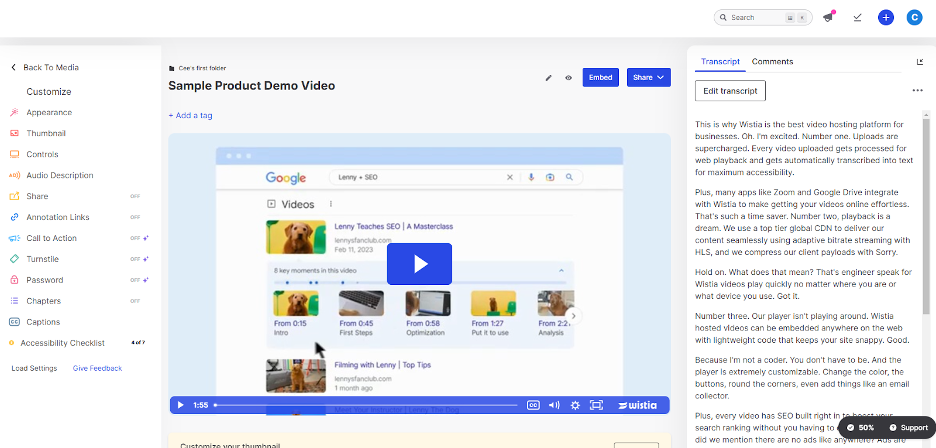
Wistia est une plateforme d’hébergement vidéo conçue pour les entreprises qui souhaitent créer et gérer du contenu vidéo. Elle est idéale pour les équipes marketing et créatives qui veulent améliorer la narration de marque et mobiliser leur audience.
Pourquoi c’est une bonne alternative à Loom : Wistia fournit des outils marketing avancés qui vous permettent de suivre l’engagement des spectateurs et d’intégrer un appel à l’action cliquable dans vos vidéos. Vous pouvez personnaliser votre lecteur vidéo pour l’harmoniser avec votre marque et créer une apparence cohérente. La plateforme permet également d’obtenir des analyses vidéo détaillées afin de mieux comprendre le comportement de l’audience. Ces fonctionnalités font de Wistia un excellent choix pour les équipes marketing qui se concentrent sur des stratégies vidéo fondées sur les données.
Fonctionnalités et intégrations remarquables :
Les fonctionnalités comprennent des outils de référencement vidéo pour améliorer la visibilité ainsi que des cartes thermiques pour visualiser l’engagement des spectateurs. Wistia propose également des formulaires de génération de prospects pour recueillir les informations de l’audience.
Les intégrations comprennent HubSpot, Mailchimp, Salesforce, Adobe Marketo Engage, Zapier, Google Analytics, Pardot, et bien plus encore.
Pros and Cons
Pros:
- Lecteur vidéo personnalisable
- Outils marketing avancés
- Inclut des analyses détaillées
Cons:
- Outils de montage intégrés limités
- N’inclut que des outils d’annotation basiques

Camtasia
Idéal pour le montage vidéo

Camtasia est un logiciel de montage vidéo et d'enregistrement d'écran conçu pour créer des vidéos de qualité professionnelle. Il est largement utilisé par les enseignants, les équipes marketing et les formateurs en entreprise qui ont besoin de produire facilement du contenu soigné.
Pourquoi c'est une bonne alternative à Loom : Camtasia propose des outils de montage avancés qui vous permettent d'ajuster vos vidéos avec précision. Des fonctionnalités telles que les chronologies multipistes et les animations permettent une personnalisation détaillée. Le logiciel fournit également des modèles intégrés et des options pour améliorer vos projets. Ces fonctionnalités font de Camtasia un excellent choix pour les utilisateurs qui se concentrent sur le montage vidéo complet.
Fonctionnalités et intégrations remarquables :
Fonctionnalités notamment des effets d'écran vert pour créer des arrière-plans originaux, une narration vocale pour ajouter une touche personnelle aux vidéos et la création de quiz pour concevoir du contenu interactif.
Les intégrations ne sont pas répertoriées publiquement.
Pros and Cons
Pros:
- Fonctionnalités de montage avancées
- Sortie de haute qualité
- Propose des quiz interactifs
Cons:
- Pas de coédition en temps réel
- Les fonctionnalités vidéo interactives peuvent être considérées comme basiques

VEED
Idéal pour la transcription

Veed est un outil de montage vidéo en ligne destiné aux créateurs et aux équipes qui ont besoin d'une production et d'un montage vidéo simples. Il est populaire auprès des équipes marketing, des formateurs et des créateurs de contenu qui souhaitent produire rapidement des vidéos soignées.
Pourquoi c'est une bonne alternative à Loom : Veed propose des services de transcription qui convertissent automatiquement la parole en texte, ce qui vous permet de créer plus facilement du contenu accessible. Son interface conviviale vous permet de monter des vidéos avec des fonctionnalités telles que les incrustations de texte et les sous-titres. La plateforme permet d'exporter des vidéos dans plusieurs formats, répondant ainsi à divers besoins de diffusion. Ces fonctionnalités font de Veed une option intéressante pour ceux qui se concentrent sur la transcription et l'accessibilité.
Fonctionnalités et intégrations remarquables :
Les fonctionnalités comprennent le rognage et la découpe des vidéos pour affiner votre contenu, des filtres et des effets pour améliorer l'attrait visuel, ainsi que la suppression du bruit de fond pour un son plus clair.
Les intégrations ne sont pas répertoriées publiquement.
Pros and Cons
Pros:
- Outils de transcription faciles à utiliser
- Interface de montage simple
- Aucun téléchargement de logiciel requis
Cons:
- Fonctionnalités avancées limitées
- Restrictions de montage pour les fichiers volumineux

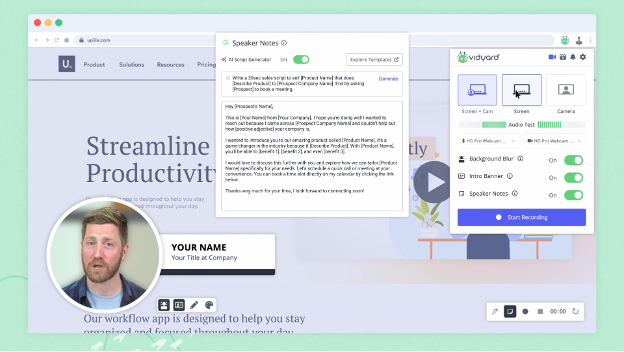
Vidyard est une plateforme vidéo conçue pour les entreprises afin de créer, héberger et partager du contenu vidéo. Elle est principalement utilisée par les équipes marketing et commerciales qui cherchent à améliorer l'engagement et à suivre les performances des vidéos.
Pourquoi c'est une bonne alternative à Loom : Vidyard propose des analyses vidéo avancées qui vous aident à suivre l'engagement des spectateurs et les performances des vidéos. Grâce à des fonctionnalités telles que la création de vidéos personnalisées et les appels à l'action interactifs, la plateforme favorise une communication ciblée. Elle permet de partager facilement des vidéos sur différents canaux, ce qui améliore votre portée. Ces fonctionnalités font de Vidyard un choix judicieux pour les entreprises axées sur des stratégies vidéo fondées sur les données.
Fonctionnalités et intégrations remarquables :
Les fonctionnalités comprennent l'hébergement vidéo pour une gestion simplifiée, des lecteurs vidéo personnalisables adaptés à votre marque et des outils de référencement vidéo pour accroître la visibilité dans les recherches.
Les intégrations comprennent Salesforce, HubSpot, Marketo, LinkedIn, Facebook, YouTube, Slack, Google Analytics et bien plus encore.
Pros and Cons
Pros:
- Inclut des outils d'analyse avancés
- Fonctionnalités interactives
- Solides capacités de personnalisation de la marque
Cons:
- Outils de collaboration limités
- Annotations vidéo limitées

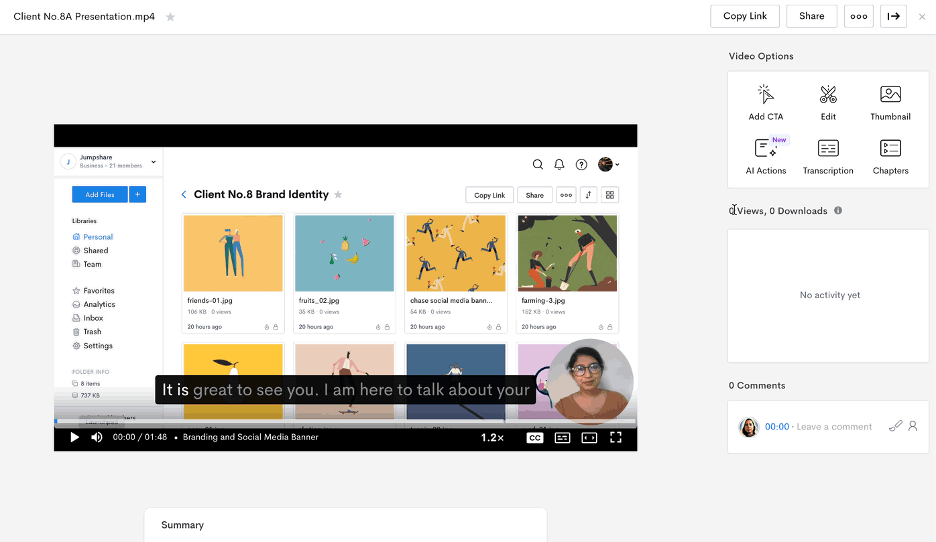
Jumpshare est un outil de partage de fichiers et d'enregistrement d'écran conçu pour les équipes et les particuliers qui ont besoin de partager rapidement et efficacement du contenu. Il est largement utilisé par les professionnels qui privilégient la collaboration et la communication par le biais de contenus visuels.
Pourquoi c'est une bonne alternative à Loom : Jumpshare excelle dans le partage de fichiers grâce à sa fonctionnalité de glisser-déposer, qui vous permet de partager des fichiers instantanément. Vous pouvez enregistrer votre écran et partager des liens vidéo sans longs téléversements. L'outil propose également des annotations visuelles pour vous aider à transmettre clairement votre message. Ces fonctionnalités en font une solution idéale pour les équipes axées sur une communication rapide et efficace.
Fonctionnalités et intégrations remarquables :
Les fonctionnalités comprennent la capture d'écran avec annotation pour mettre en évidence les points clés, la création de GIF pour des contenus attrayants et le partage programmé pour contrôler l'accès aux fichiers.
Les intégrations comprennent Slack, Trello, Asana, Microsoft Teams, Google Drive, Dropbox, Jira, Salesforce, Zendesk et Basecamp.
Pros and Cons
Pros:
- Partage instantané de fichiers
- Annotations visuelles
- Création de GIF
Cons:
- Montage vidéo limité
- Capacités de montage audio minimales


Dubb est une plateforme de communication vidéo conçue pour améliorer les efforts de vente et de marketing grâce à la messagerie vidéo personnalisée. Elle est principalement utilisée par les équipes commerciales et marketing qui souhaitent interagir avec leurs prospects et leurs clients actuels à l'aide de contenus vidéo interactifs.
Pourquoi c'est une bonne alternative à Loom : Dubb propose des fonctionnalités telles que des campagnes vidéo par e-mail et SMS qui vous aident à atteindre directement votre audience. Vous pouvez inclure des boutons d'appel à l'action dans vos vidéos afin de stimuler l'engagement et les conversions. La plateforme permet également de suivre les vidéos, afin de savoir comment votre audience interagit avec votre contenu. Ces fonctionnalités font de Dubb un outil précieux pour les équipes qui cherchent à renforcer l'engagement commercial.
Fonctionnalités et intégrations remarquables :
Les fonctionnalités comprennent des pages de destination vidéo personnalisables pour correspondre à votre marque, des flux de travail automatisés pour simplifier la communication et des analyses vidéo pour suivre les performances.
Les intégrations comprennent Salesforce, HubSpot, Mailchimp, YouTube, Zoho CRM et bien plus encore.
Pros and Cons
Pros:
- Messagerie vidéo personnalisée
- Boutons d'appel à l'action interactifs
- Fonctionnalités de suivi vidéo
Cons:
- Peu d'outils d'annotation
- Commandes audio limitées

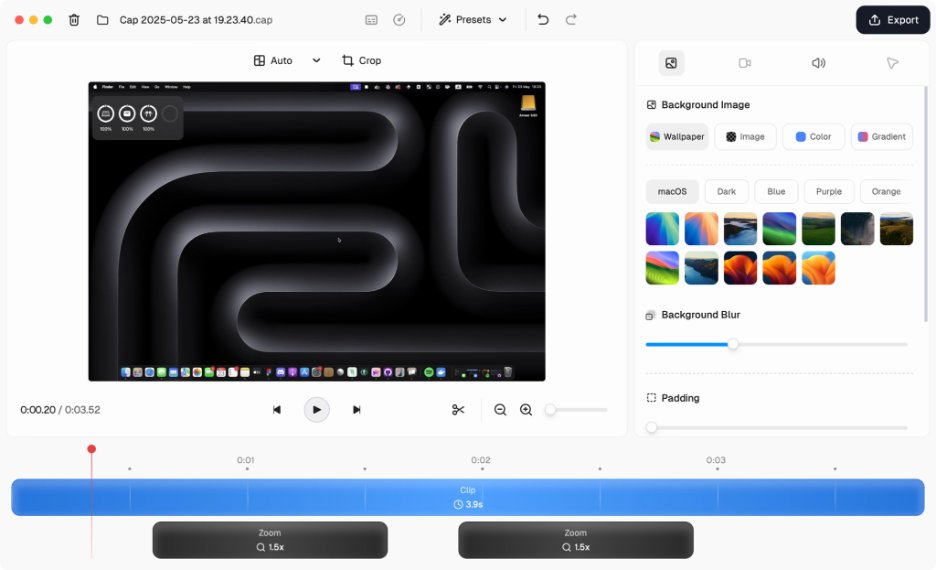
Cap est un outil à code source ouvert d'enregistrement d'écran conçu pour les utilisateurs qui ont besoin d'une capture vidéo simple. Il est idéal pour les équipes et les particuliers souhaitant enregistrer leur écran en haute qualité.
Pourquoi c'est une bonne alternative à Loom : Cap propose un enregistrement d'écran simple avec des fonctionnalités telles que l'enregistrement en 4K et la capture à 60 ips. Sa compression intelligente garantit une haute qualité vidéo sans générer de fichiers volumineux. Les modes Instantané et Studio offrent une grande flexibilité pour capturer votre contenu. Ces fonctionnalités en font un excellent choix pour ceux qui privilégient un enregistrement vidéo efficace et de haute qualité.
Fonctionnalités et intégrations remarquables :
Les fonctionnalités comprennent des transcriptions générées automatiquement pour l'accessibilité, ainsi que des titres et des résumés qui facilitent l'organisation de votre contenu. Cap propose également des outils de collaboration asynchrone avec des commentaires et des réactions pour recueillir les retours de l'équipe.
Les intégrations comprennent Google Drive, Dropbox, Slack, Trello, Asana, Jira, Zoom, Microsoft Teams et monday.com.
Pros and Cons
Pros:
- Enregistrement de haute qualité
- Flexibilité du code source ouvert
- Configuration facile
Cons:
- Montage avancé limité
- Pas d'application mobile

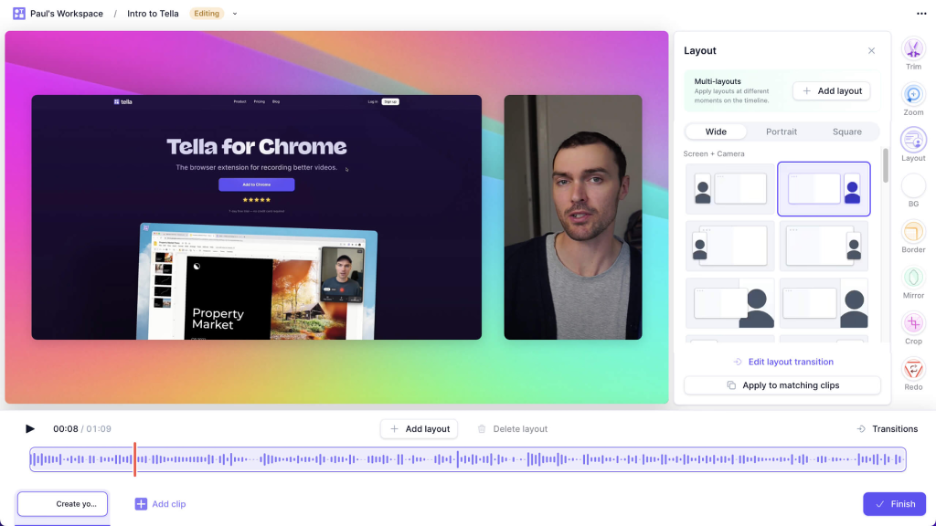
Tella est un outil d'enregistrement et de montage vidéo conçu pour les créateurs et les équipes qui souhaitent produire du contenu vidéo attrayant. Il est populaire auprès des équipes marketing, des enseignants et des créateurs de contenu qui se concentrent sur la narration et la présentation.
Pourquoi constitue-t-il une bonne alternative à Loom : Tella propose des fonctionnalités de narration créative qui vous permettent de combiner des clips vidéo, des enregistrements d'écran et des superpositions de texte. Vous pouvez personnaliser vos vidéos avec différentes mises en page et différents arrière-plans, en ajoutant une touche unique à votre contenu. L'outil permet également un partage et une collaboration faciles, ce qui le rend idéal pour les projets d'équipe. Ces fonctionnalités s'adressent à ceux qui cherchent à enrichir leur narration grâce à la vidéo.
Fonctionnalités et intégrations remarquables :
Les fonctionnalités comprennent des modèles vidéo personnalisables pour un montage rapide, le sous-titrage automatique pour rendre le contenu accessible et la possibilité d'exporter des vidéos dans plusieurs formats pour différentes plateformes.
Les intégrations comprennent Google Drive, Dropbox, Slack, Trello, Asana, Zoom, Microsoft Teams, YouTube, Vimeo et LinkedIn.
Pros and Cons
Pros:
- Options de montage créatives
- Modèles attrayants
- Inclut le sous-titrage automatique
Cons:
- Options de contrôle audio limitées
- Manque de visuels et d'effets avancés

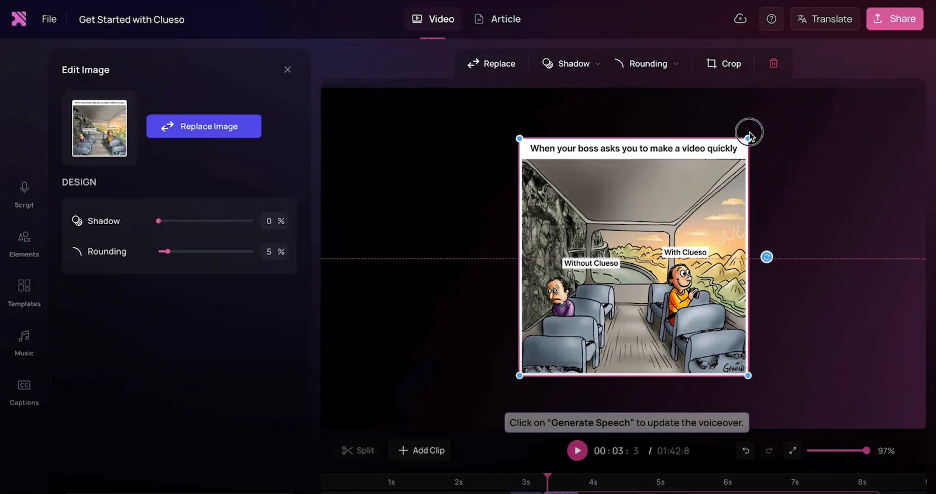
Clueso est une plateforme alimentée par l’IA conçue pour transformer des enregistrements d’écran bruts en vidéos de présentation de produits soignées et en instructions étape par étape. Elle est principalement utilisée par les équipes chargées de la formation des clients, du marketing produit et de l’accompagnement des ventes afin de rationaliser la création de contenu.
Pourquoi c’est une bonne alternative à Loom : Clueso offre des fonctionnalités avancées d’IA qui automatisent le montage vidéo et proposent des voix off IA réalistes, vous permettant ainsi de gagner du temps et de réduire vos efforts. Vous pouvez utiliser des zooms automatiques intelligents et des légendes accrocheuses pour améliorer vos vidéos. La plateforme génère également automatiquement des procédures opératoires normalisées (SOP), ce qui en fait un outil précieux pour créer une documentation détaillée. Ces fonctionnalités font de Clueso une excellente option pour les équipes souhaitant tirer parti de l’IA afin de créer du contenu efficacement.
Fonctionnalités et intégrations remarquables :
Les fonctionnalités comprennent des options musicales personnalisables pour enrichir vos vidéos, des améliorations visuelles pour un rendu de qualité professionnelle et des capacités de redimensionnement adaptées à différents formats.
Les intégrations ne sont pas répertoriées publiquement.
Pros and Cons
Pros:
- Propose un montage vidéo automatisé
- Voix off IA réalistes
- Inclut la génération automatique de procédures opératoires normalisées (SOP)
Cons:
- Contrôles de montage limités
- Outils de sous-titrage et de superposition personnalisée limités
Autres alternatives à Loom
Voici quelques alternatives supplémentaires à Loom qui ne figurent pas dans ma sélection, mais qui méritent tout de même votre attention :
- ScreenRec
Idéal pour les contrôles de confidentialité
- Poindeo
Idéal pour la collaboration en équipe
- UserGuiding
Idéal pour l’intégration des utilisateurs
- OBS Studio
Idéal pour la diffusion en direct


Come valuto le alternative a Loom
Divido la mia valutazione in due livelli: i requisiti di base che ogni strumento video asincrono deve soddisfare e i fattori distintivi, come le integrazioni con gli strumenti di gestione dei progetti e i riepiloghi generati dall'IA, che rendono una soluzione più adatta delle altre.
Funzionalità fondamentali (requisiti essenziali per questo elenco)
Quando seleziono gli strumenti per il mio elenco, assegno a ciascuno un punteggio su una scala da 0 (non offre la funzionalità) a 5 (eccelle in quest'area) per ogni funzionalità fondamentale elencata di seguito. Poi calcolo il punteggio totale dello strumento e lo converto in percentuale. Ogni strumento deve raggiungere un punteggio totale minimo del 65% per essere preso in considerazione.
- Opzioni di registrazione dello schermo: verifico se è possibile acquisire l'intero schermo, una finestra specifica o un'area selezionata, ad esempio registrando solo il diagramma di Gantt senza mostrare il resto del desktop.
- Acquisizione di webcam e audio: un riquadro sovrapposto della webcam abbinato all'ingresso del microfono aggiunge l'elemento umano che rende personali gli aggiornamenti asincroni, quindi valuto i controlli del riquadro e la qualità dell'audio.
- Link condivisibili istantaneamente: dopo aver premuto il pulsante di arresto, lo strumento dovrebbe generare subito un link ospitato nel cloud, senza caricamenti manuali né allegati che intasino i thread di Slack.
- Libreria video nel cloud: cerco uno spazio di archiviazione organizzato con cartelle, aree di lavoro e funzionalità di ricerca, così il team può ritrovare mesi dopo il video della retrospettiva dello sprint dell'ultimo trimestre senza dover scorrere all'infinito.
- Strumenti per il coinvolgimento degli spettatori: i commenti con indicazione temporale e le reazioni emoji trasformano una registrazione a senso unico in una conversazione, quindi valuto come ogni strumento gestisce i feedback degli spettatori su momenti specifici del video.
- Integrazioni con gli strumenti di progetto: incorporare un video direttamente in un ticket Jira o in un documento Notion mantiene il contesto nel luogo in cui si svolge il lavoro, quindi analizzo la profondità delle integrazioni native con le piattaforme di gestione dei progetti e comunicazione.
Una volta ottenuto un elenco di strumenti che soddisfano questi criteri, considero ciò che distingue ogni piattaforma dalle altre.
Fattori distintivi (ciò che differenzia i fornitori)
Ecco come confronto e metto a confronto i diversi fornitori:
Funzionalità distintive
Le trascrizioni e i riepiloghi generati dall'IA sono importanti perché un responsabile di progetto che gestisce tre flussi di lavoro non ha tempo di riguardare un aggiornamento di 10 minuti: ha bisogno che i punti chiave vengano estratti automaticamente. Gli strumenti di modifica integrati, come il taglio dei silenzi e la rimozione delle parole riempitive, aiutano a pubblicare spiegazioni dettagliate curate senza aprire un editor separato. Valuto anche le analisi degli spettatori, perché sapere se le parti interessate hanno effettivamente guardato la registrazione della revisione dello sprint fornisce più informazioni di una semplice conferma di lettura.
Oltre le funzionalità
La struttura dei prezzi svolge un ruolo importante quando si introduce uno strumento video asincrono in un team di progetto di 20 persone: verifico se i costi per postazione rimangono ragionevoli su larga scala e se i piani gratuiti impongono limiti di registrazione che ostacolerebbero l'uso quotidiano. Anche la sicurezza è importante: i team che condividono roadmap interne e aggiornamenti per le parti interessate hanno bisogno almeno della conformità SOC 2 e dell'accesso SSO. Valuto inoltre i controlli di collaborazione, in particolare le autorizzazioni di accesso degli ospiti per condividere le registrazioni dei progetti con clienti o collaboratori esterni.
Pourquoi chercher une alternative à Loom ?
Bien que Loom soit un bon choix de logiciel de communication vidéo et de collaboration, plusieurs raisons peuvent pousser certains utilisateurs à rechercher d’autres solutions. Vous pourriez chercher une alternative à Loom pour des raisons telles que :
- Vous avez besoin de fonctionnalités avancées de montage vidéo
- Les membres de votre équipe ont besoin de davantage d’espace de stockage
- Vous souhaitez disposer de meilleures analyses pour les vidéos
- Vous devez respecter les réglementations relatives aux données
- Votre équipe a besoin d’un accès hors ligne
- Vous avez besoin de davantage d’options de personnalisation
Si vous vous reconnaissez dans l’une de ces situations, vous êtes au bon endroit. Ma liste comprend plusieurs logiciels de montage vidéo accessibles en ligne ou disponibles sur ordinateur qui pourraient convenir aux équipes à la recherche d’une alternative payante ou gratuite à Loom.
Principales fonctionnalités de Loom
Voici quelques-unes des principales fonctionnalités de Loom pour vous aider à comparer les offres des solutions alternatives :
- Capture audio et écran : L’écran et l’audio peuvent être enregistrés sur macOS, Windows et les appareils mobiles, ce qui permet aux équipes de créer facilement du contenu vidéo sur n’importe quelle plateforme.
- Partage instantané : Partagez instantanément des vidéos via des liens, par e-mail ou en les intégrant à des sites web.
- Outils de montage de base : Les fonctionnalités de découpage et d’annotation permettent de personnaliser les vidéos et de mettre en évidence les points importants pour le public.
- Options de commentaires : Interagissez avec les spectateurs grâce aux commentaires et aux émojis afin d’encourager une communication et des retours interactifs.
- Sous-titrage : Ajoutez des sous-titres aux vidéos pour améliorer l’accessibilité et toucher un public plus large.
- Extension Chrome : L’extension est facile à installer et offre un accès rapide et pratique aux fonctionnalités d’enregistrement.
- Options d’enregistrement : Les options permettant de capturer uniquement l’écran, uniquement la webcam ou les deux offrent une grande flexibilité dans la présentation du contenu.
- Compatibilité avec les appareils : La compatibilité avec les appareils Mac, Windows, iOS et Android permet aux équipes de l’utiliser où qu’elles se trouvent.
- Enregistrement en 720p : Enregistrez jusqu’en 720p dans la version gratuite, avec la possibilité de passer à une formule supérieure pour produire des vidéos de meilleure qualité.
Et ensuite :
Si vous êtes en train d’étudier les logiciels de communication et de collaboration vidéo, échangez gratuitement avec un conseiller SoftwareSelect pour obtenir des recommandations.
Vous remplissez un formulaire et échangez brièvement avec un conseiller qui examine en détail vos besoins. Vous recevez ensuite une sélection de logiciels à étudier. Les conseillers vous accompagnent même tout au long du processus d’achat, notamment lors des négociations tarifaires.