

10 meilleures alternatives à Calendly pour la prise de rendez-vous en 2026

Sélection des meilleures alternatives à Calendly


Gérer efficacement le calendrier de votre équipe peut être un véritable casse-tête. Planifier des réunions, gérer les rendez-vous et veiller à ce que tout le monde soit sur la même longueur d’onde peut prendre un temps précieux. C’est là qu’intervient un logiciel de planification de rendez-vous comme Calendly.
Mais Calendly ne répond peut-être pas aux besoins de chacun. Vous recherchez peut-être davantage de personnalisation, une plus grande facilité d’utilisation, une meilleure formule tarifaire ou des fonctionnalités spécifiques que Calendly ne propose pas. Quelle qu’en soit la raison, vous n’êtes pas seul à chercher des alternatives.
J’ai identifié et testé les meilleures alternatives à Calendly qui pourraient mieux répondre à vos exigences. Dans cet article, je partagerai des informations impartiales sur chacune d’entre elles afin de vous aider à trouver la solution de planification adaptée aux défis spécifiques de votre équipe.
Qu’est-ce que Calendly ?
Calendly est un logiciel de gestion de calendrier qui simplifie le processus de planification en permettant aux utilisateurs de définir leurs disponibilités et de les partager avec d’autres personnes. Il est couramment utilisé par des professionnels tels que les équipes commerciales, les consultants et les travailleurs indépendants qui doivent réserver efficacement des réunions. Calendly propose des fonctionnalités telles que les rappels automatisés, la détection des fuseaux horaires et l’intégration du calendrier avec d’autres applications, ce qui contribue à réduire les conflits de planning et à gagner du temps. Globalement, Calendly offre un moyen simple de réserver des rendez-vous sans les échanges d’e-mails incessants.
Comparaison des alternatives à Calendly
Ce tableau comparatif récapitule les informations tarifaires de mes meilleures alternatives à Calendly.
| Tool | Best For | Trial Info | Price | ||
|---|---|---|---|---|---|
| 1 | Idéal pour les solutions adaptées à chaque secteur | Essai gratuit de 7 jours | À partir de $20/mois | Website | |
| 2 | Idéal pour les pages de réservation personnalisables | Essai gratuit de 14 jours et formule gratuite disponibles | À partir de $14.40/utilisateur/mois | Website | |
| 3 | Idéal pour les sondages de réunions de groupe | Formule gratuite disponible | À partir de 6,95 $/utilisateur/mois (facturé annuellement) | Website | |
| 4 | Idéal pour le tarif d'une offre à vie | Forfait gratuit disponible | À partir de $29 (paiement unique) | Website | |
| 5 | Idéal pour les utilisateurs de l’écosystème Google | Essai gratuit de 14 jours | $7.56/mois | Website | |
| 6 | Idéal pour la planification alimentée par l’IA | Forfait gratuit disponible | À partir de $10/utilisateur/mois | Website | |
| 7 | Idéal pour une planification aux couleurs de votre marque | Essai gratuit de 7 jours + démonstration gratuite disponible | À partir de 9 $/mois (facturé annuellement) | Website | |
| 8 | Idéal pour personnaliser les types de réunions | Essai gratuit de 14 jours + forfait gratuit disponible | À partir de 9,99 $/utilisateur/mois (facturé annuellement) | Website | |
| 9 | Idéal pour la planification open source | Essai gratuit de 14 jours + forfait gratuit + démonstration gratuite disponible | À partir de $12/utilisateur/mois | Website | |
| 10 | Idéal pour la gestion de la relation client | Essai gratuit disponible | À partir de 29 $/mois (facturation annuelle) | Website |
Pourquoi faire confiance à nos recommandations de logiciels
Notre équipe teste et évalue des logiciels depuis 2012. En tant que chefs de projet nous-mêmes, nous savons à quel point il est difficile — et important — de choisir le bon logiciel.
Pour ce guide, nous avons évalué les outils grâce à des tests pratiques et une recherche indépendante, en notant les outils selon nos critères de sélection. Nous nous appuyons également sur les enseignements de leaders d’opinion du secteur et de professionnels de la gestion de projet en activité.
Nos avis reflètent notre jugement éditorial humain, et non un argumentaire de vente.
Réviseurs experts:
Avis sur les meilleures alternatives à Calendly
Vous trouverez ci-dessous mes résumés détaillés des meilleures alternatives à Calendly qui ont retenu mon attention. Mes avis présentent en détail les principales fonctionnalités, les avantages et les inconvénients, les intégrations et les cas d’utilisation idéaux de chaque outil afin de vous aider à trouver la meilleure application de planification pour vous.

Idéal pour les solutions adaptées à chaque secteur
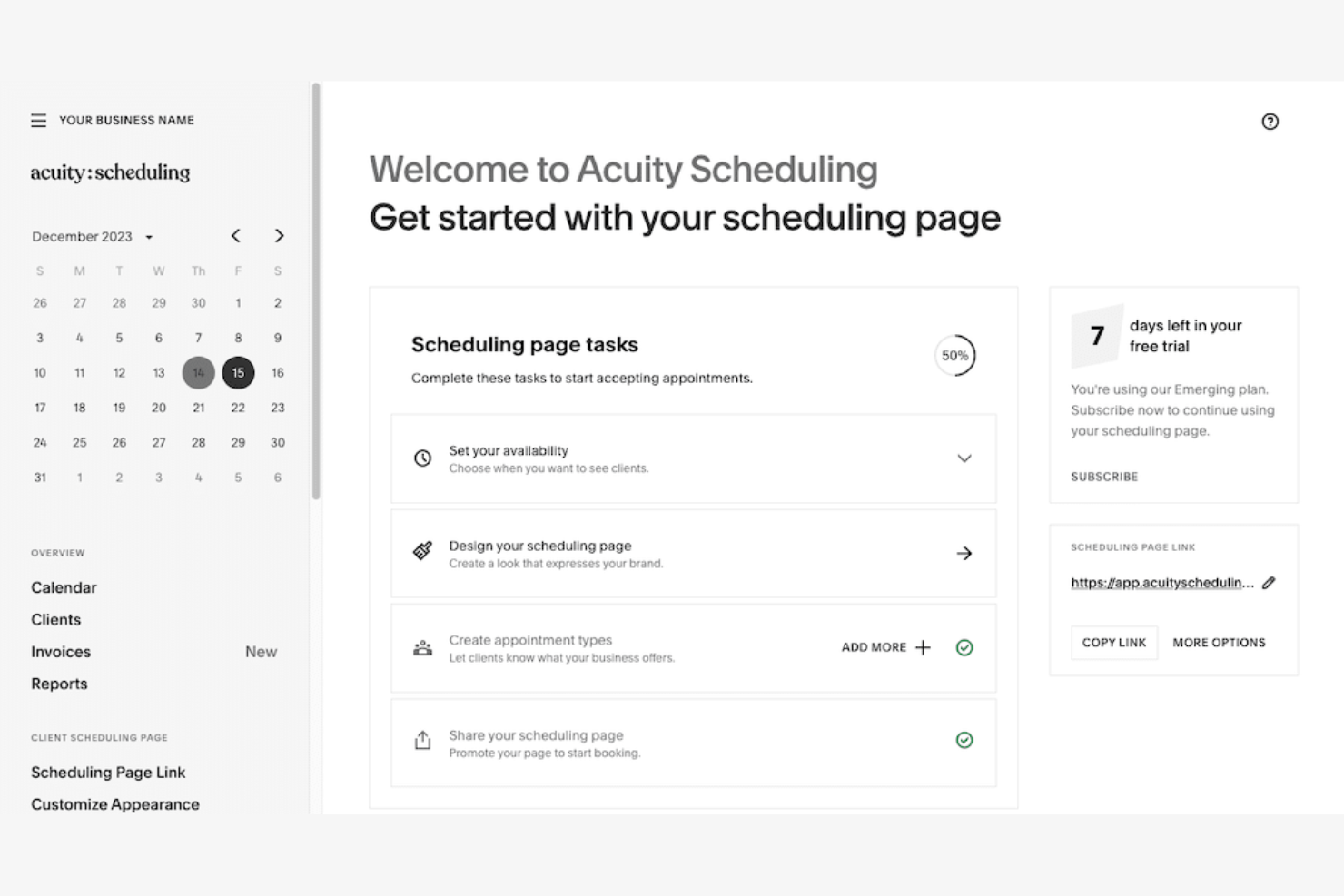
Acuity Scheduling est un outil de planification de rendez-vous en ligne proposant des solutions de planification personnalisées. Il est destiné aux secteurs qui ont besoin de fonctionnalités de réservation spécifiques et d'une gestion flexible des rendez-vous.
Pourquoi Acuity Scheduling est une bonne alternative à Calendly : Acuity Scheduling propose des solutions adaptées à chaque secteur, répondant aux besoins uniques en matière de planification grâce à des pages de réservation et des formulaires d'informations personnalisables. Vous pouvez facilement gérer plusieurs sites et les plannings du personnel. Sa capacité à gérer différents fuseaux horaires et à envoyer des rappels automatiques contribue à optimiser votre processus de prise de rendez-vous. Cela en fait un outil précieux pour les entreprises ayant des exigences spécifiques en matière de planification.
Fonctionnalités et intégrations remarquables :
Les fonctionnalités comprennent l'auto-planification par les clients, qui leur permet de prendre rendez-vous au moment qui leur convient. Vous pouvez également accepter les paiements directement via l'interface de planification, ce qui simplifie le processus de paiement. Acuity Scheduling propose des rapports détaillés permettant d'analyser les tendances des réservations.
Les intégrations comprennent Google Meet, Zoom, QuickBooks, Stripe, PayPal, GoToMeeting, Squarespace, Zapier, et bien plus encore.
Pros and Cons
Pros:
- Personnalisation adaptée à chaque secteur
- Gère plusieurs sites
- Rappels automatiques
Cons:
- Courbe d'apprentissage pour les nouveaux utilisateurs
- Peut être complexe à configurer

Idéal pour les pages de réservation personnalisables
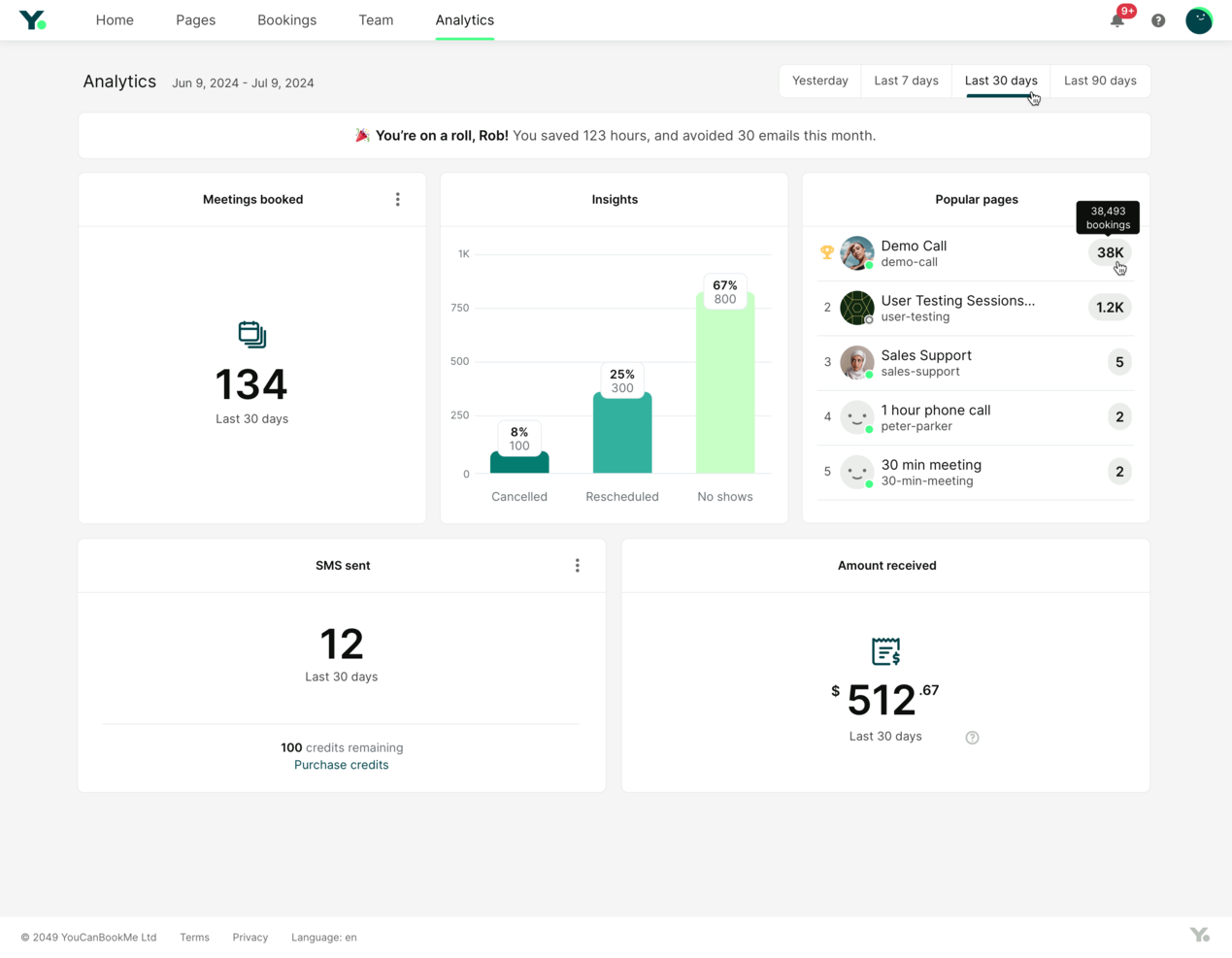
YouCanBookMe est un outil de planification en ligne qui aide les professionnels à gérer facilement leurs rendez-vous. Il optimise les processus de réservation et améliore les interactions avec les clients.
Pourquoi YouCanBookMe est une bonne alternative à Calendly : YouCanBookMe vous permet de créer des pages de réservation, offrant une expérience personnalisée à vos clients. Vous pouvez ajuster l’apparence et les paramètres pour les harmoniser avec l’identité de votre marque. Des fonctionnalités telles que la détection du fuseau horaire et les rappels automatiques vous aident à organiser votre emploi du temps et à réduire le risque de rendez-vous manqués. Cette flexibilité et cette attention portée aux détails font de YouCanBookMe un choix de premier plan pour ceux qui ont besoin d’options de planification plus personnalisées.
Fonctionnalités et intégrations remarquables :
Les fonctionnalités incluent la possibilité de définir des temps tampons entre les rendez-vous, ce qui vous laisse suffisamment de temps pour vous préparer. Vous pouvez également créer et gérer plusieurs profils de réservation, afin de prendre en charge différents services ou membres de l’équipe. L’outil fournit des analyses détaillées qui vous aident à suivre et à optimiser les performances de votre planification.
Les intégrations incluent Google Calendar, Microsoft Outlook, Zoom, Slack, Zapier, iCloud Calendar, Office 365, Stripe, Microsoft Teams, et bien plus encore.
Pros and Cons
Pros:
- Pages de réservation personnalisables
- Rappels automatiques
- Détection du fuseau horaire
Cons:
- Fonctionnalités avancées limitées
- Nécessite du temps pour la configuration

Doodle
Idéal pour les sondages de réunions de groupe
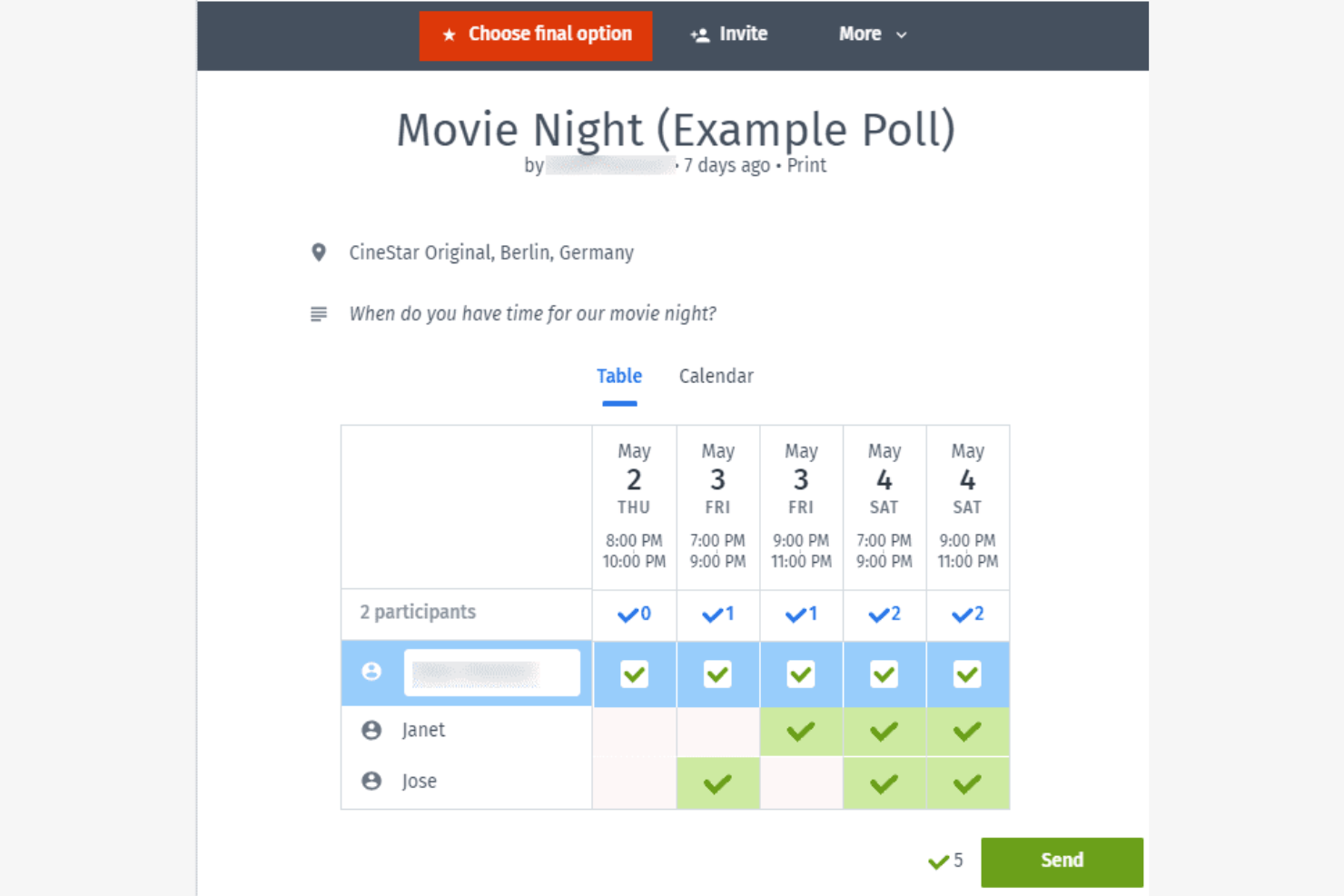
Doodle est un outil de planification conçu pour simplifier le processus de recherche du meilleur moment pour les réunions de groupe. Il est populaire auprès des équipes et des organisations qui doivent coordonner plusieurs participants.
Pourquoi Doodle est une bonne alternative à Calendly : la fonctionnalité de sondage de Doodle permet aux participants de voter pour leurs créneaux de réunion préférés, ce qui en fait un outil idéal pour planifier des réunions de groupe. Vous pouvez créer des sondages, les envoyer et voir rapidement quel horaire convient le mieux à tout le monde. Cette fonctionnalité est particulièrement utile pour les grandes équipes ou les événements où il est difficile de trouver un créneau commun. L'interface facile à utiliser de Doodle permet à chacun de participer.
Fonctionnalités et intégrations remarquables :
Les fonctionnalités comprennent des options de personnalisation de la marque, qui vous permettent de personnaliser votre interface de planification. Vous pouvez également définir des dates limites pour les réponses aux sondages afin de garantir des retours en temps utile. L'affichage du calendrier de Doodle offre une vue d'ensemble claire de tous les horaires de réunion proposés, vous aidant à prendre des décisions éclairées en matière de planification de rendez-vous.
Les intégrations comprennent Google Calendar, Microsoft Outlook, Slack, Zoom, Microsoft Teams, Zapier, et bien plus encore.
Pros and Cons
Pros:
- Planification facile de réunions de groupe
- Sondages sur les horaires de réunion
- Paramètres de date limite pour les réponses
Cons:
- Fonctionnalités avancées limitées
- Personnalisation de base pour les utilisateurs gratuits

TidyCal
Idéal pour le tarif d'une offre à vie
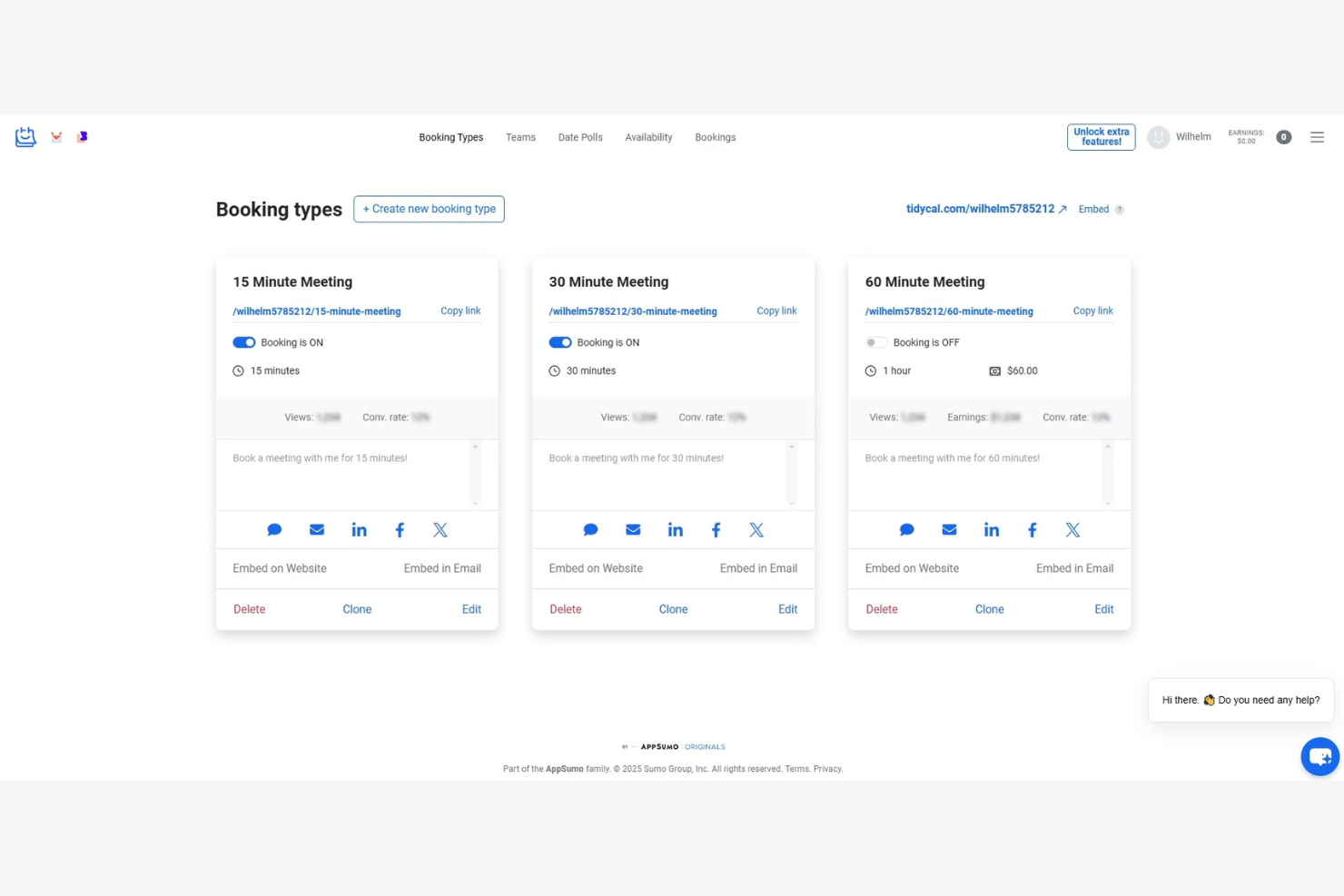
TidyCal est un outil de planification conçu pour les entrepreneurs et les petites entreprises à la recherche d'un moyen abordable de gérer leurs rendez-vous. Il aide les utilisateurs à organiser efficacement leur emploi du temps sans les coûts récurrents associés à de nombreux autres outils.
Pourquoi TidyCal est une bonne alternative à Calendly : TidyCal propose une offre à vie, ce qui en fait une solution économique par rapport au modèle d'abonnement de Calendly. Il offre une interface facile à utiliser grâce à laquelle vous pouvez définir vos disponibilités et permettre à vos clients de prendre rendez-vous avec vous. Des fonctionnalités telles que la détection du fuseau horaire et la synchronisation des calendriers garantissent l'exactitude de vos rendez-vous. Cet outil est donc idéal pour ceux qui souhaitent une planification simple sans frais récurrents.
Fonctionnalités et intégrations remarquables :
Les fonctionnalités comprennent des pages de réservation personnalisables, vous permettant d'adapter l'apparence à votre marque. Vous pouvez également définir des temps tampons entre les rendez-vous afin de vous accorder un peu de répit. La conversion automatique des fuseaux horaires de TidyCal garantit que vos réunions sont planifiées avec précision, quel que soit l'endroit où se trouvent vos clients.
Les intégrations comprennent Google Agenda, Calendrier Outlook, Calendrier Apple, Zapier et bien plus encore.
Pros and Cons
Pros:
- Option de paiement unique
- Pages de réservation personnalisables
- Conversion automatique des fuseaux horaires
Cons:
- Fonctionnalités avancées limitées
- Peut ne pas convenir aux grandes équipes

Idéal pour les utilisateurs de l’écosystème Google
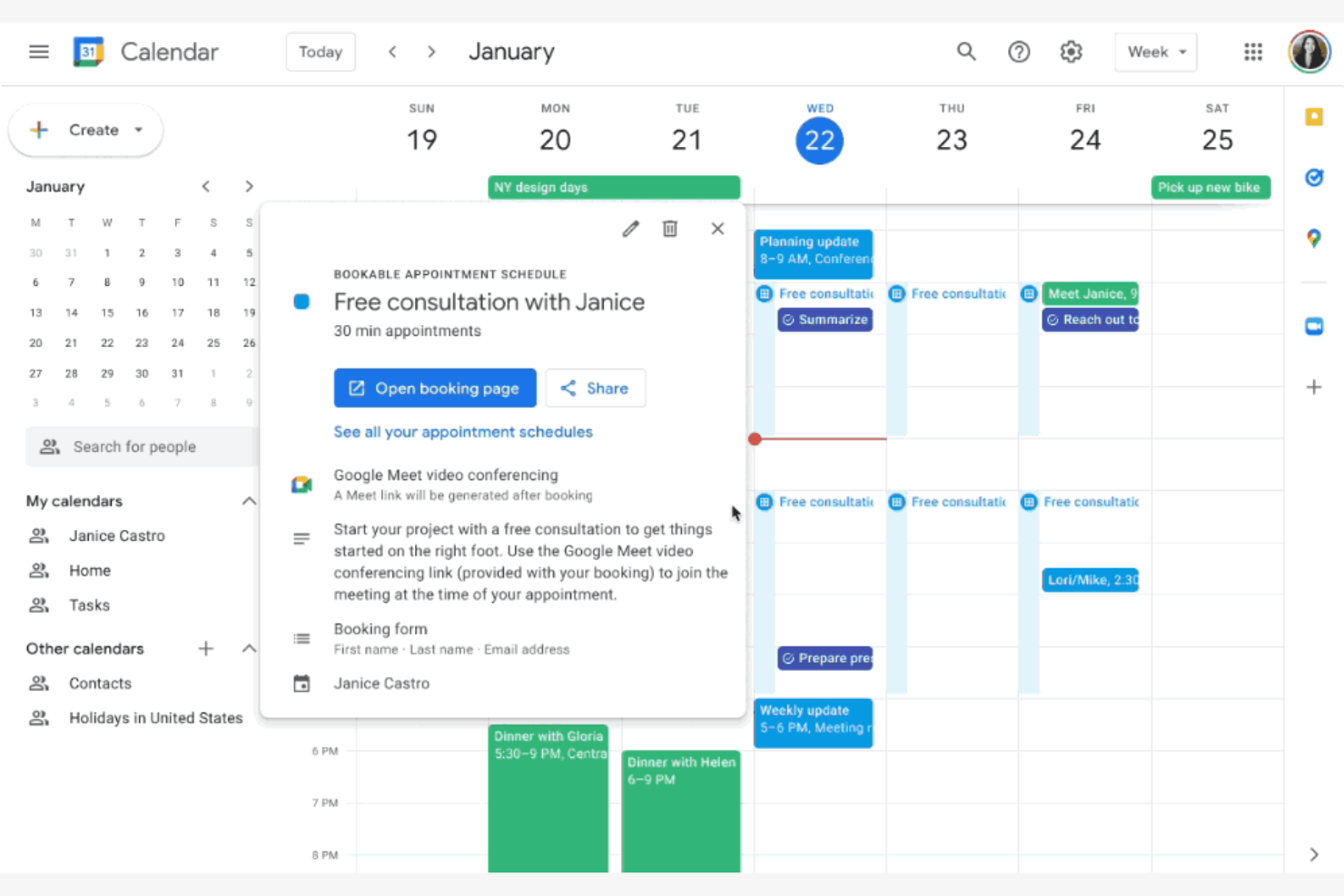
Google Calendar est un outil de calendrier numérique largement utilisé par les particuliers et les entreprises pour planifier et gérer des événements. Il est populaire auprès des utilisateurs déjà engagés dans l’écosystème Google, car il offre un accès et une intégration faciles avec les autres services Google.
Pourquoi Google Calendar est une bonne alternative à Calendly : Google Calendar est idéal pour les utilisateurs qui souhaitent une intégration et des connexions avec Gmail et d’autres applications Google. Sa capacité à ajouter automatiquement des événements depuis Gmail et à partager des calendriers avec d’autres personnes en fait un choix pratique. Les utilisateurs peuvent également configurer facilement des rappels et des événements récurrents. L’interface intuitive de l’outil et son accessibilité sur tous les appareils en font un choix pratique pour un usage personnel comme professionnel.
Fonctionnalités et intégrations remarquables :
Les fonctionnalités comprennent la possibilité de créer plusieurs calendriers à des fins différentes, ce qui aide à organiser les événements professionnels et personnels. Vous pouvez définir des notifications spécifiques à chaque événement pour garder le contrôle de votre emploi du temps. La fonction de codage couleur permet de différencier visuellement les types d’événements et les priorités.
Les intégrations comprennent Gmail, Google Meet, Microsoft Outlook, Slack, Zoom, Trello, Salesforce, Asana, Zapier, HubSpot, Microsoft Teams, et bien plus encore.
Pros and Cons
Pros:
- S’intègre aux services Google
- Accessible sur tous les appareils
- Interface conviviale
Cons:
- Manque de flux de réservation avancés
- Fonctionnalités limitées de planification d’équipe

Reclaim
Idéal pour la planification alimentée par l’IA
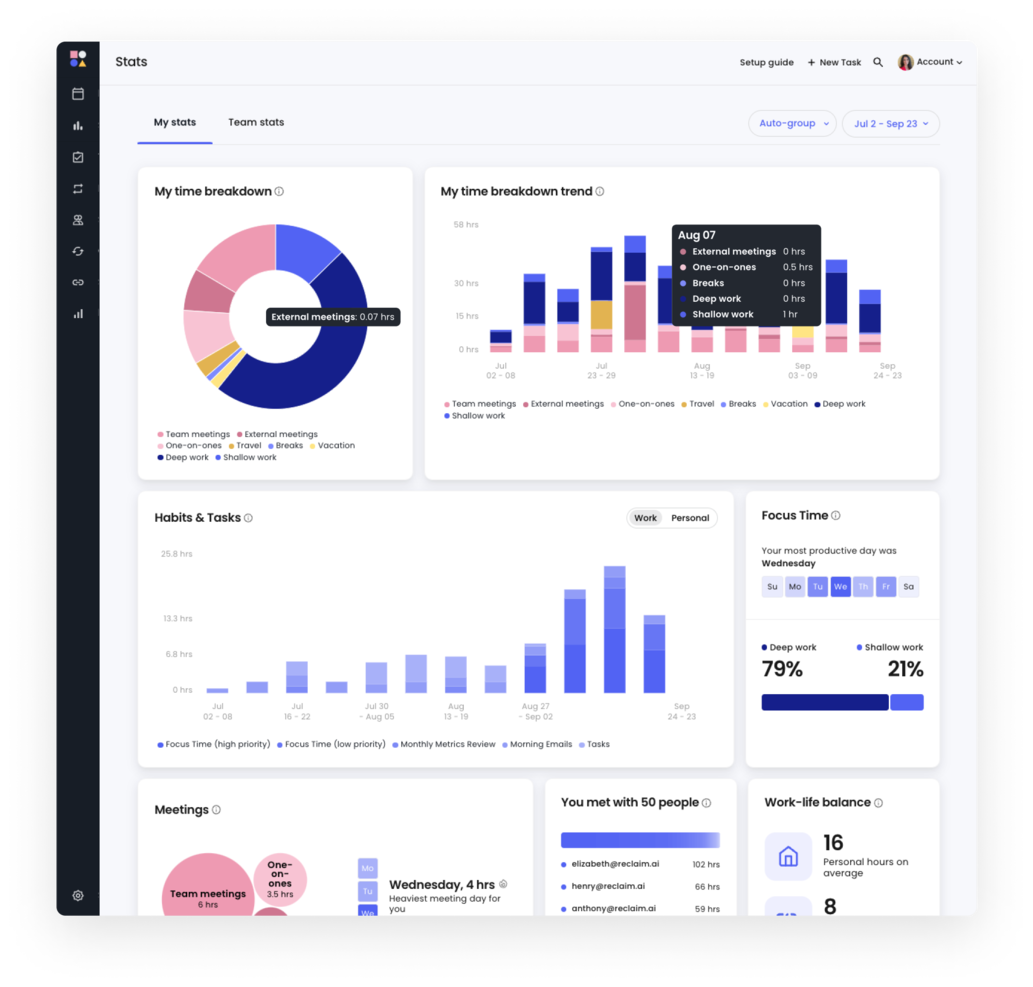
Reclaim est un outil de calendrier alimenté par l’IA conçu pour les particuliers et les équipes afin d’améliorer leur productivité en automatisant les tâches de planification. Il est principalement utilisé par des professionnels de divers secteurs, tels que les ressources humaines, les ventes et l’ingénierie, pour optimiser leur équilibre entre vie professionnelle et vie privée.
Pourquoi Reclaim est une bonne alternative à Calendly : Reclaim automatise la planification des rendez-vous, protège les périodes de concentration et coordonne les tâches, ce qui le distingue de Calendly. Ces fonctionnalités aident les utilisateurs à récupérer du temps et à réduire les conflits de planning, pour une expérience plus automatisée et efficace.
Fonctionnalités et intégrations remarquables :
Les fonctionnalités comprennent la gestion des tâches, la protection des périodes de concentration et le suivi des habitudes. Vous pouvez définir des temps tampons pour garantir des pauses entre les réunions et utiliser la planification intelligente pour ajuster automatiquement votre calendrier en fonction des priorités. Le flux de travail piloté par l’IA de Reclaim vous aide à gérer efficacement votre semaine de travail et à soutenir votre productivité.
Les intégrations comprennent Google Calendar, Slack, Asana, Zoom, ClickUp, Microsoft Outlook, Jira, Todoist et bien d’autres.
Pros and Cons
Pros:
- Protection des périodes de concentration
- Temps tampons intégrés pour la gestion du temps
- Ajustements intelligents des réunions
Cons:
- Courbe d’apprentissage plus prononcée
- Nécessite une intégration au calendrier

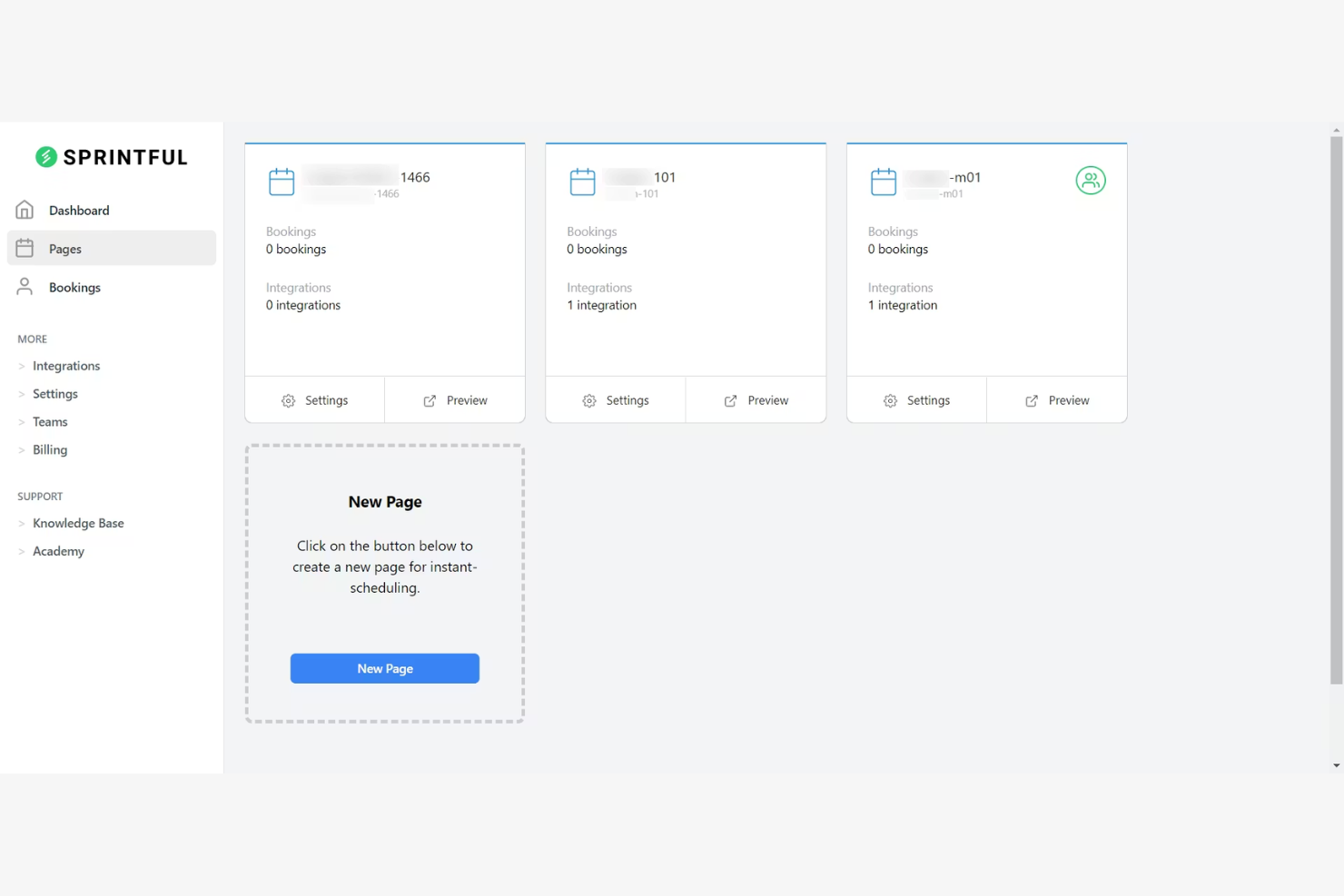
Sprintful est un outil de planification en ligne conçu pour permettre aux entreprises et aux professionnels de gérer efficacement leurs rendez-vous et leurs réunions. Il s'adresse aux utilisateurs qui ont besoin de solutions de planification personnalisées avec des options de personnalisation de marque afin de correspondre à l'identité de leur entreprise.
Pourquoi Sprintful est une bonne alternative à Calendly : Sprintful fournit des pages de réservation personnalisées avec les couleurs, les logos et les thèmes de votre marque. Cela contribue à créer une expérience cohérente pour vos clients. De plus, Sprintful propose des options de planification flexibles, notamment des temps tampons et des rendez-vous récurrents pour répondre aux besoins de votre entreprise.
Fonctionnalités et intégrations remarquables :
Les fonctionnalités comprennent la possibilité pour plusieurs membres de l'équipe de gérer leurs rendez-vous depuis un seul compte. Vous pouvez également configurer des relances automatisées afin de réduire les absences et de vous assurer que les horaires des réunions sont respectés. La fonctionnalité de rapports de Sprintful vous permet de suivre les réservations et d'obtenir des informations sur l'efficacité de votre planification.
Les intégrations comprennent Google Calendar, Microsoft Outlook, Zoom, Slack, Stripe, Microsoft Teams, Zapier, et bien plus encore.
Pros and Cons
Pros:
- Options de personnalisation de la marque
- Paramètres de planification flexibles
- Rappels automatisés
Cons:
- Fonctionnalités avancées limitées
- Peut être complexe pour les débutants

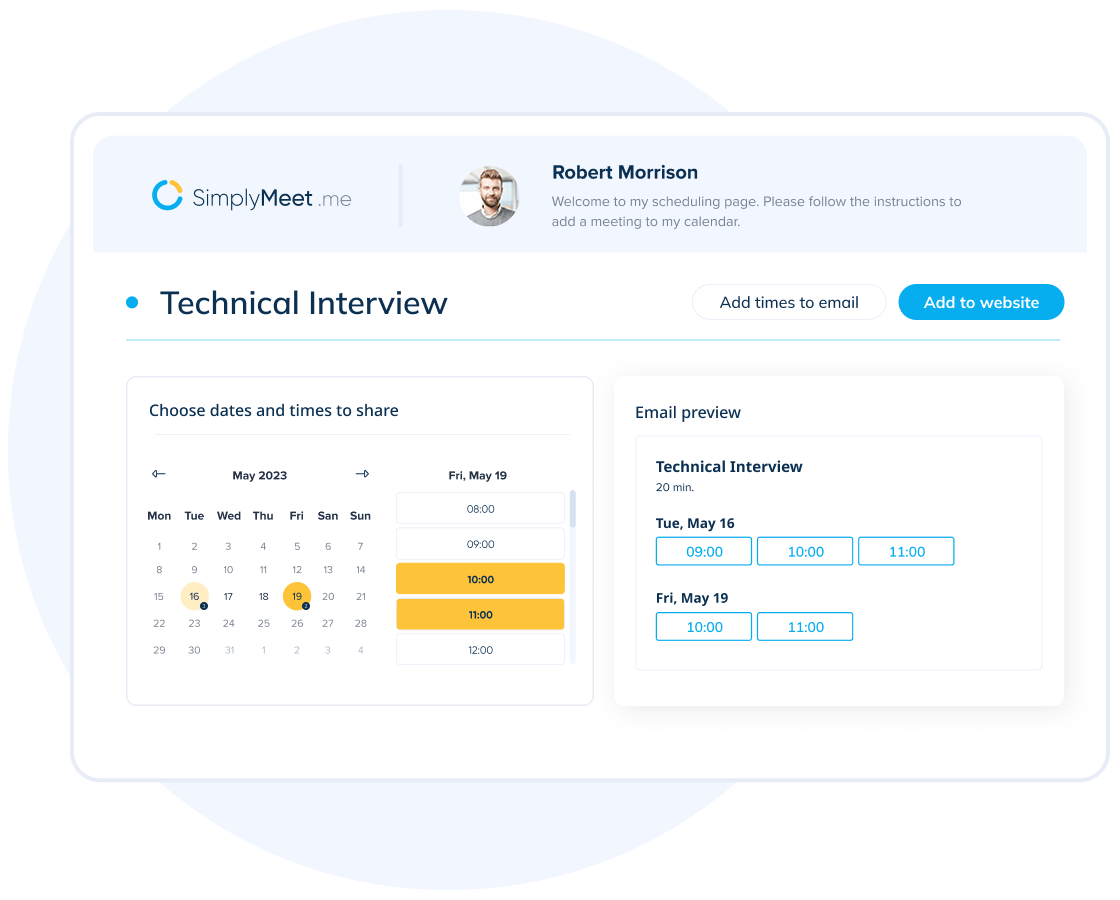
SimplyMeet.me est un outil de planification en ligne conçu pour simplifier l'organisation de réunions pour les professionnels et les équipes. Il offre un moyen simple de gérer efficacement différents types de réunions.
Pourquoi SimplyMeet.me est une bonne alternative à Calendly : SimplyMeet.me vous permet de personnaliser les types de réunions afin de répondre à divers besoins de planification. Vous pouvez définir différentes durées et disponibilités, offrant ainsi des options à vos clients. Son interface conviviale vous permet d'ajuster rapidement les paramètres en fonction de vos préférences. Cette flexibilité fait de SimplyMeet.me un choix pratique pour ceux qui souhaitent mieux contrôler leur planification.
Fonctionnalités et intégrations remarquables :
Les fonctionnalités comprennent des rappels automatisés pour avertir les participants avant les réunions et réduire les absences. Vous pouvez également créer des liens de réservation personnalisés, afin de permettre à vos clients de planifier facilement un rendez-vous avec vous. SimplyMeet.me fournit des analyses pour suivre votre activité de planification et améliorer votre efficacité.
Les intégrations comprennent Google Calendar, Microsoft Outlook, Zoom, Microsoft Teams, Slack, iCloud Calendar, Office 365, et bien plus encore.
Pros and Cons
Pros:
- Types de réunions personnalisés
- Options de planification flexibles
- Rappels automatisés
Cons:
- Fonctionnalités avancées limitées
- Nécessite un temps de configuration

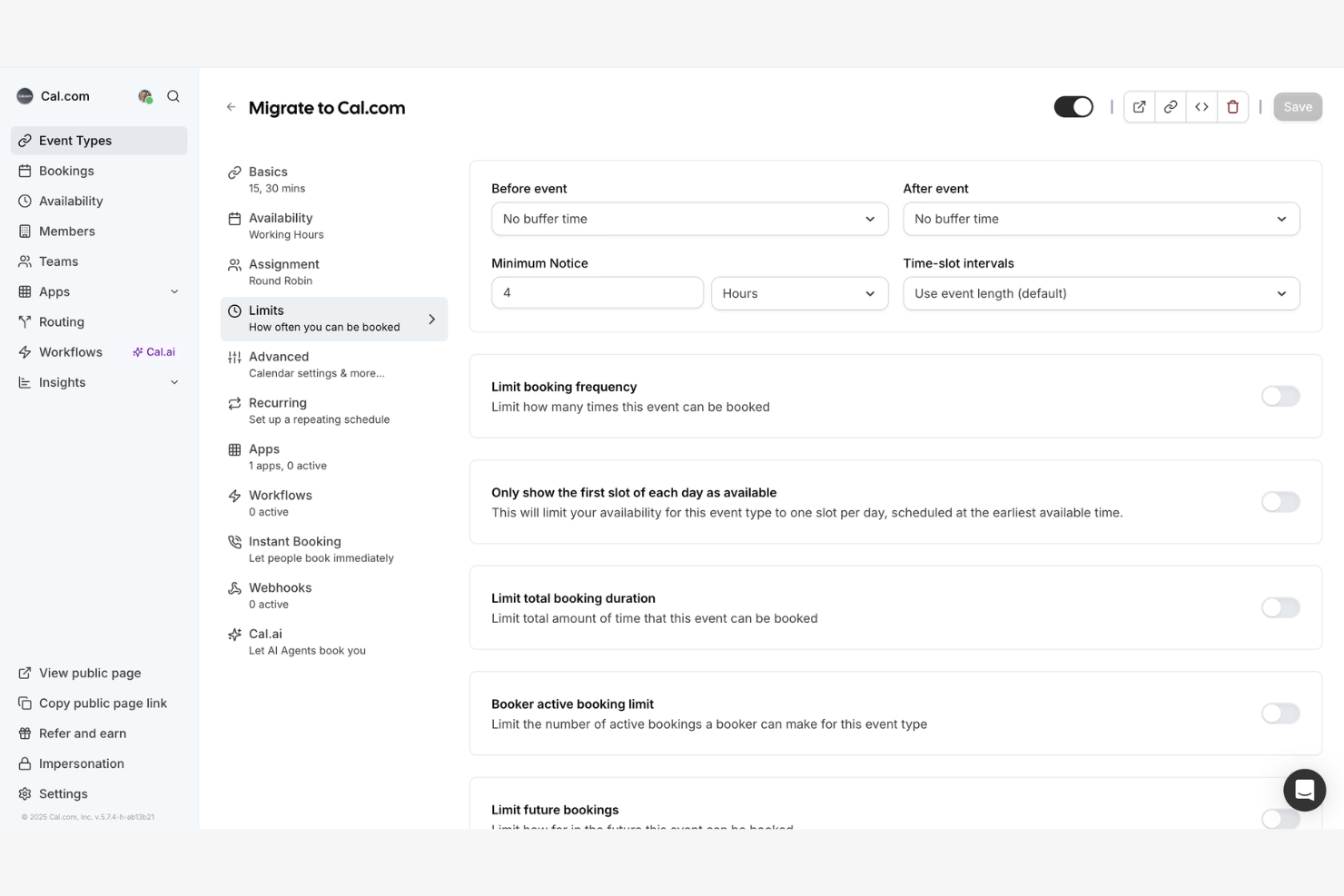
Cal.com est une plateforme de planification open source destinée aux entreprises et aux développeurs à la recherche de solutions personnalisables. Elle s'adapte à des exigences spécifiques sans être liée à des logiciels propriétaires.
Pourquoi Cal.com est une bonne alternative à Calendly : La nature open source de Cal.com vous permet de personnaliser et d'étendre ses fonctionnalités afin de répondre à vos besoins. Vous pouvez modifier sa base de code pour intégrer des fonctionnalités ou des flux de travail. Sa flexibilité vous permet d'adapter l'outil à mesure que votre entreprise évolue. C'est donc un excellent choix pour les équipes qui privilégient la personnalisation et le contrôle de leur logiciel de planification.
Fonctionnalités et intégrations remarquables :
Les fonctionnalités incluent la possibilité d'auto-héberger la plateforme, ce qui vous donne un contrôle total sur vos données et votre confidentialité. Vous pouvez également personnaliser les pages de réservation afin que le processus de planification soit aligné sur votre marque. Cal.com prend en charge plusieurs langues, ce qui le rend adapté aux équipes internationales et aux utilisateurs aux profils variés.
Les intégrations incluent Google Calendar, Microsoft Outlook, Zoom, Slack, Microsoft Teams, iCloud Calendar, Office 365, Webex, Zapier et bien plus encore.
Pros and Cons
Pros:
- Personnalisation open source
- Prise en charge de plusieurs langues
- Pages de réservation personnalisées
Cons:
- Fonctionnalités intégrées limitées
- La configuration peut prendre du temps

HoneyBook
Idéal pour la gestion de la relation client
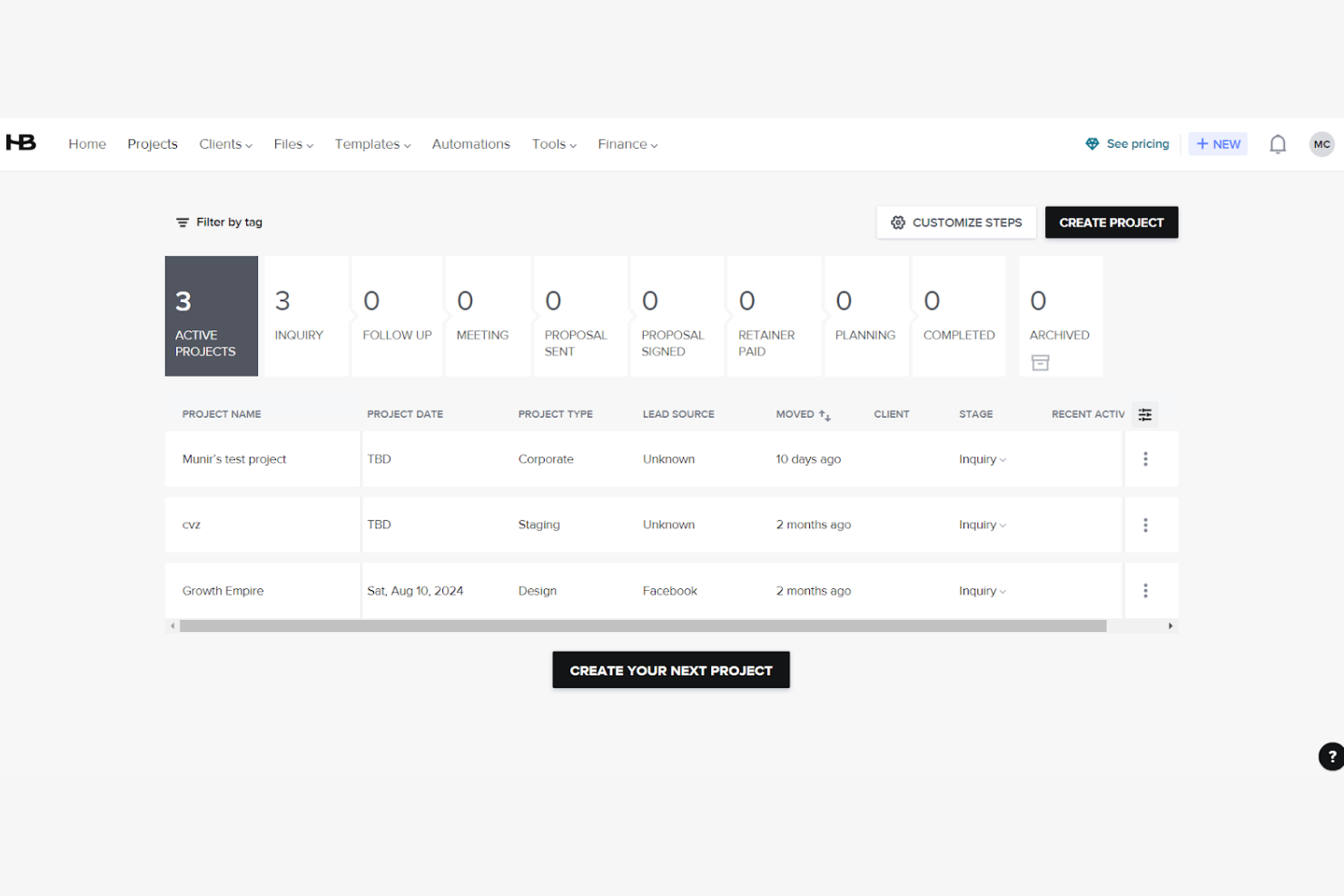
HoneyBook est une plateforme de gestion d'entreprise qui permet de gérer des projets, de réserver des clients et d'optimiser les tâches administratives. Bien qu'il ne s'agisse pas principalement d'un outil de planification, il peut convenir aux entreprises de services qui souhaitent intégrer la planification à un flux de travail plus large de gestion des clients.
Pourquoi HoneyBook est une bonne alternative à Calendly : HoneyBook offre bien plus qu'une simple planification. Vous pouvez gérer les projets, les contrats et les factures au même endroit, pour une solution complète adaptée aux besoins de votre entreprise. L'outil vous permet également d'automatiser les flux de travail, ce qui vous fait gagner du temps et réduit les tâches manuelles. HoneyBook constitue donc un choix intéressant pour ceux qui souhaitent intégrer la planification à des fonctions plus larges de gestion d'entreprise.
Fonctionnalités et intégrations remarquables :
Les fonctionnalités comprennent des modèles de propositions, de contrats et de factures, qui vous permettent de maintenir une certaine cohérence dans vos échanges avec les clients. Vous pouvez également configurer des rappels de paiement automatisés afin de garantir des transactions ponctuelles. La fonctionnalité de gestion des tâches de HoneyBook vous aide à suivre les étapes importantes et les échéances des projets.
Les intégrations comprennent QuickBooks, Google Calendar, Gmail, Zapier, Zoom, Calendly, Slack, et bien plus encore.
Pros and Cons
Pros:
- Relances de paiement automatisées
- Fonctionnalités de gestion des tâches
- Intègre la planification aux fonctions de l'entreprise
Cons:
- Peut nécessiter une assistance à la prise en main
- Peut ne pas convenir à tous les secteurs d'activité
Autres alternatives à Calendly
Voici quelques alternatives supplémentaires à Calendly qui n’ont pas été retenues dans ma sélection, mais qui méritent tout de même d’être examinées :
- Book Like A Boss
Idéal pour les entrepreneurs
- Zoho Bookings
Idéal pour l’intégration à l’écosystème Zoho
- Cirrus Insight
Idéal pour les utilisateurs de Salesforce


Comment j'évalue les alternatives à Calendly
J'évalue les outils sur deux niveaux : les fondamentaux de la planification que chacun doit proposer, comme la disponibilité de l'équipe et la synchronisation des calendriers, ainsi que les éléments différenciateurs qui comptent le plus pour les responsables de projet qui coordonnent des travaux interfonctionnels.
Fonctionnalités essentielles (conditions minimales pour cette liste)
Lorsque je sélectionne les outils de ma liste, j'attribue à chacun une note sur une échelle de 0 (ne propose pas la fonctionnalité) à 5 (excelle dans ce domaine) pour chaque fonctionnalité essentielle répertoriée ci-dessous. Je convertis ensuite le score total de l'outil en pourcentage. Chaque outil doit obtenir un score total minimum de 75 % pour être pris en considération.
- Planification automatisée des réunions : je vérifie si les invités peuvent réserver eux-mêmes un créneau en fonction des disponibilités en temps réel, comme un client qui choisit un créneau pour une réunion de lancement sans avoir à échanger un seul e-mail.
- Synchronisation des calendriers : chaque outil doit se synchroniser dans les deux sens avec Google, Outlook, iCloud et Exchange afin que les responsables de projet qui jonglent entre plusieurs calendriers évitent les doubles réservations.
- Planification d'équipe et de groupe : je recherche des options de réservation en rotation, collective et de groupe, essentielles lorsqu'une revue de sprint nécessite la présence d'un designer, d'un responsable technique et d'un responsable de projet lors du même appel.
- Pages de réservation personnalisables : les types d'événements, les questions de collecte d'informations, les marges et l'image de marque configurables sont importants. Un lien pour un point quotidien de 15 minutes doit avoir une apparence et un fonctionnement différents de ceux d'un appel de découverte de 60 minutes.
- Intégration de la visioconférence : j'évalue si l'outil génère automatiquement des liens Zoom, Google Meet ou Microsoft Teams au moment de la réservation, afin que les organisateurs n'aient pas à copier-coller manuellement des URL dans chaque invitation.
- Automatisation des flux de travail et notifications : les confirmations, rappels et suivis automatisés permettent de maintenir les réunions sur la bonne voie. Je vérifie également si l'outil se connecte aux plateformes de gestion de projet et de CRM pour les flux de travail postérieurs à la réservation.
Une fois que j'ai établi une liste d'outils qui répondent à ces critères, j'examine ce qui distingue chaque plateforme.
Facteurs différenciateurs (ce qui distingue les fournisseurs)
Voici comment je compare les différents fournisseurs :
Fonctionnalités distinctives
Les sondages de réunion sont un élément important : lorsque vous essayez de réunir cinq parties prenantes pour une revue de sprint, permettre à chacun de voter pour des horaires est plus efficace que d'envoyer un lien de réservation distribuant les créneaux à tour de rôle. Je recherche également des formulaires d'orientation qui dirigent les personnes effectuant une réservation vers le bon responsable de projet ou la bonne équipe en fonction de leurs réponses, ce qui fait gagner du temps lors des appels de découverte. Les analyses et les rapports complètent l'ensemble. Le suivi des taux d'absence et du volume de réservations facilite la planification des capacités au sein des équipes projet.
Au-delà des fonctionnalités
La qualité de la connexion d'un outil avec votre pile d'outils de gestion de projet est importante. Je vérifie la présence d'intégrations natives avec des plateformes comme Jira, Asana ou monday.com, afin que les réunions réservées puissent être directement associées à des tâches ou à des épopées. La structure tarifaire constitue un autre facteur clé. Un outil qui réserve la planification d'équipe à une formule entreprise peut rapidement devenir peu pratique pour un bureau de gestion de projet en pleine croissance. J'évalue également l'expérience proposée aux clients, notamment la personnalisation en marque blanche et les widgets intégrables, car les agences et les cabinets de conseil ont besoin de pages de réservation qui correspondent à leur marque lorsqu'ils planifient des réunions avec des parties prenantes externes.
Pourquoi chercher une alternative à Calendly ?
Bien que Calendly soit un bon choix pour un logiciel de planification de rendez-vous, certaines fonctionnalités limitées et diverses raisons poussent certains utilisateurs à rechercher un nouvel outil de planification. Vous pourriez chercher une alternative à Calendly parce que :
- Vous avez besoin d’options de CRM plus personnalisées
- Les besoins de planification de votre équipe nécessitent des intégrations de calendrier avancées
- Vous souhaitez des formules payantes abordables
- Votre entreprise opère dans plusieurs fuseaux horaires
- Vous avez besoin d’un meilleur service client
Si cela vous correspond, vous êtes au bon endroit. Ma liste contient plusieurs options qui intègrent des flux de travail mieux adaptés aux équipes confrontées à ces difficultés et à la recherche d’alternatives à Calendly.
Fonctionnalités
Voici quelques-unes des principales fonctionnalités de Calendly, afin de vous aider à mettre en contraste et à comparer ce que proposent les solutions alternatives :
- Automatisation de la planification : Prend en charge la planification des rendez-vous en rotation pour les réunions, vous faisant gagner du temps.
- Intégrations : Se connecte en temps réel à des outils tels que Google Agenda et Microsoft Outlook Calendar pour gérer la planification de groupe et éviter les doubles réservations.
- Types d’événements personnalisés : Vous permet de créer des formats de réunion adaptés à des besoins spécifiques.
- Accès mobile et par navigateur : Vous permet de planifier des rendez-vous et de gérer vos horaires de réunion où que vous soyez grâce à l’application mobile et à l’accès web.
- Rappels automatisés : Envoie des notifications et des rappels par e-mail afin de réduire les annulations et les absences, tout en aidant les invités à se souvenir de leurs réunions.
- Analyses : Suit les performances des réunions pour vous aider à améliorer les processus de planification des rendez-vous.
- Formulaires d’orientation : Dirige les utilisateurs vers la page de réservation appropriée en fonction des informations recueillies.
- Outils de gestion administrateur : Permet de contrôler les activités du tableau de bord des utilisateurs et les pages de planification.
- Fonctionnalités de sécurité : Garantit la protection des données et la conformité aux normes de confidentialité.