

Las 10 mejores alternativas a WeTransfer para archivos grandes en 2026

Selección de las mejores alternativas a WeTransfer


En la gestión de proyectos, compartir archivos grandes de forma rápida y segura es esencial para mantener el trabajo en marcha. Aunque WeTransfer es una herramienta popular para transferir archivos, puede no satisfacer todos los requisitos empresariales. Los equipos suelen buscar alternativas cuando necesitan límites de tamaño de archivo más altos, controles de seguridad más sólidos o mejor compatibilidad con los requisitos de cumplimiento.
He pasado por ello y conozco las dificultades. Por eso he probado y analizado diversas plataformas de transferencia de archivos basadas en la nube para encontrar las mejores alternativas.
En este artículo, compartiré mis principales recomendaciones de alternativas a WeTransfer, incluidas plataformas con cuentas gratuitas y planes prémium, centrándome en las funciones que abordan problemas habituales, como la seguridad y la velocidad de transferencia. Obtendrás una visión imparcial de cada opción, lo que te ayudará a elegir la más adecuada para tu equipo.
¿Qué es WeTransfer?
WeTransfer es una plataforma SaaS que permite a los usuarios enviar archivos grandes sin complicaciones. Es popular entre profesionales creativos, autónomos y pequeñas empresas que necesitan acceder rápidamente a la transferencia gratuita de archivos sin crear cuentas. Una interfaz sencilla, generosos límites de transferencia gratuitos y la ausencia de requisitos de registro facilitan el uso compartido de archivos de forma directa y eficiente. En general, WeTransfer ofrece una solución práctica tanto para enviar como para recibir archivos sin complicaciones.
Tabla comparativa de alternativas a WeTransfer
Esta tabla comparativa resume los detalles de precios de mis principales alternativas a WeTransfer.
| Tool | Best For | Trial Info | Price | ||
|---|---|---|---|---|---|
| 1 | Ideal para el almacenamiento en la nube cifrado | Prueba gratuita de 14 días + demostración gratuita disponible | Desde $4.75/usuario/mes (facturado anualmente) | Website | |
| 2 | Ideal para ancho de banda ilimitado | Prueba gratuita de 7 días | Desde $4/usuario/mes (facturado anualmente) | Website | |
| 3 | Ideal para tamaños de archivo ilimitados | Plan gratuito disponible | Desde $15/mes | Website | |
| 4 | Ideal para transferencias grandes de 250 GB | Prueba gratuita de 7 días + plan gratuito disponible | Desde $15/usuario/mes | Website | |
| 5 | Ideal para compartir archivos al instante | Plan gratuito disponible | Desde $5.99/mes | Website | |
| 6 | Ideal para la colaboración creativa | Prueba gratuita de 14 días + plan gratuito disponible | Desde $12/mes (facturado anualmente) | Website | |
| 7 | Ideal para transferencias gratuitas de 5 GB | Plan gratuito disponible | Desde $35.48 (facturado anualmente) | Website | |
| 8 | Mejor para almacenamiento centrado en la privacidad | Plan gratuito disponible | Desde $4.99/mes | Website | |
| 9 | Ideal para enlaces con fecha de caducidad | Plan gratuito disponible | Precios bajo consulta | Website | |
| 10 | Ideal para transferencias de 200 GB | Plan gratuito disponible | Desde $9.99/mes | Website |
Por qué confiar en nuestras recomendaciones de software
Nuestro equipo lleva probando y evaluando software desde 2012. Como gestores de proyectos, sabemos lo difícil —y lo importante— que es elegir el software adecuado.
Para esta guía, evaluamos las herramientas mediante pruebas prácticas e investigación independiente, puntuando las herramientas según nuestros criterios de selección. También nos basamos en la experiencia de líderes de opinión del sector y de profesionales en activo de la gestión de proyectos.
Nuestras reseñas reflejan nuestro criterio editorial humano, no un discurso de ventas.
Revisores expertos:
Análisis de las mejores alternativas a WeTransfer
A continuación se muestran mis resúmenes detallados de las mejores alternativas a WeTransfer que llegaron a mi selección. Mis análisis ofrecen una visión detallada de las funciones principales, las ventajas y desventajas, las integraciones y los casos de uso ideales de cada herramienta para ayudarte a encontrar la más adecuada para ti.

Tresorit
Ideal para el almacenamiento en la nube cifrado

Tresorit es un servicio de almacenamiento en la nube centrado en ofrecer un intercambio seguro de archivos para empresas y particulares que priorizan la protección de datos. Ofrece cifrado de extremo a extremo, por lo que tus archivos permanecen privados y seguros.
Por qué es una buena alternativa a WeTransfer: Tresorit ofrece almacenamiento en la nube cifrado, lo que supone un nivel superior a las capacidades básicas de intercambio de archivos de WeTransfer. Gracias a su cifrado de conocimiento cero, solo tú y las personas que autorices pueden acceder a tus archivos. La plataforma también ofrece funciones de seguridad avanzadas, como la autenticación de dos factores y controles de acceso detallados, lo que proporciona tranquilidad a tu equipo. Además, los enlaces seguros para compartir de Tresorit te permiten enviar archivos confidenciales con confianza.
Funciones destacadas e integraciones:
Las funciones incluyen controles de acceso avanzados, que te permiten especificar quién puede ver o editar tus archivos. Tresorit también ofrece un seguimiento detallado de la actividad, para que puedas supervisar quién accedió a tus datos y cuándo. Su control de versiones seguro de archivos te permite recuperar versiones anteriores de los archivos si es necesario.
Las integraciones incluyen Microsoft Office 365, Outlook, Gmail, SIEM y más.
Pros and Cons
Pros:
- Estándares de cifrado sólidos
- Control de versiones seguro de archivos
- Política de conocimiento cero
Cons:
- Funcionalidad de búsqueda limitada
- Cada edición requiere volver a cargar el archivo completo
Filemail
Ideal para ancho de banda ilimitado

Filemail es un servicio de transferencia de archivos basado en la nube, diseñado para empresas y particulares que necesitan enviar archivos grandes de forma fiable y eficiente. Admite la transferencia de archivos de tamaño enorme, atendiendo a las necesidades de los usuarios que requieren transferir grandes volúmenes de datos.
Por qué es una buena alternativa a WeTransfer: Filemail admite archivos de tamaño excepcionalmente grande, por lo que es ideal si necesitas enviar archivos de datos voluminosos sin límites. Ofrece ancho de banda ilimitado, lo que permite realizar transferencias rápidas independientemente del tamaño del archivo. Con funciones como las notificaciones automáticas de descarga, tú y tu equipo podéis manteneros informados sobre el estado de entrega de los archivos. Filemail también proporciona protección mediante contraseña para las transferencias, lo que añade una capa de seguridad a los archivos compartidos.
Funciones e integraciones destacadas:
Las funciones incluyen una marca personalizable, que te permite mantener la identidad de tu empresa durante las transferencias de archivos. Filemail también ofrece una aplicación de escritorio para Windows, Linux y Mac, lo que proporciona flexibilidad en la forma de enviar archivos. Además, ofrece un seguimiento detallado de las transferencias, para que sepas exactamente cuándo se descargan tus archivos.
Las integraciones incluyen Zapier y más.
Pros and Cons
Pros:
- Admite archivos muy grandes
- Ancho de banda ilimitado
- Protección mediante contraseña para archivos
Cons:
- Rendimiento inconsistente del navegador
- Funcionalidad móvil limitada

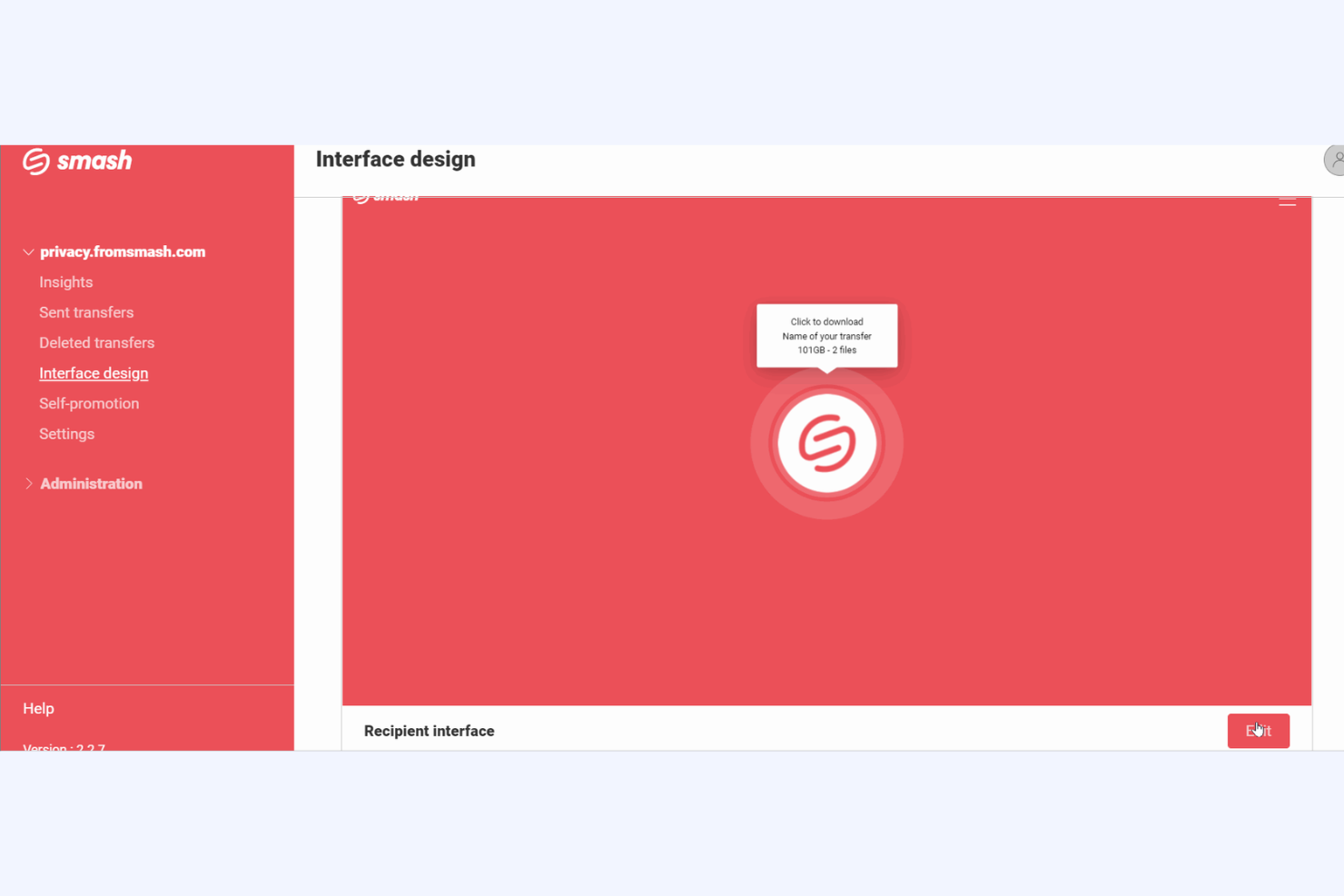
Smash es una plataforma de transferencia de archivos basada en la nube, diseñada para empresas de todos los tamaños que buscan enviar archivos grandes de manera eficiente. Simplifica el proceso de compartir contenido de alta calidad al centrarse en la facilidad de uso y la fiabilidad.
Por qué es una buena alternativa a WeTransfer: A diferencia de WeTransfer, Smash no tiene un límite máximo de tamaño de archivo, lo que significa que puedes enviar archivos de cualquier tamaño sin restricciones. También ofrece transferencias sin límites de velocidad, por lo que tus archivos llegan rápidamente a su destino. Ya sea que envíes archivos de vídeo grandes o proyectos de diseño extensos, Smash se adapta a tus necesidades con flexibilidad y facilidad.
Funciones e integraciones destacadas:
Las funciones incluyen una imagen de marca personalizable, que te permite personalizar las páginas de descarga con tu logotipo y colores para mantener la coherencia de la marca. Smash también ofrece vistas previas de archivos, lo que permite a los destinatarios ver los archivos antes de descargarlos, algo especialmente útil para el contenido visual. Además, proporciona un seguimiento detallado de las transferencias, para que puedas supervisar cuándo se descargan tus archivos.
Las integraciones incluyen Microsoft Outlook y más.
Pros and Cons
Pros:
- Transferencias de archivos de tamaño ilimitado
- Vistas previas de archivos disponibles
- Seguimiento detallado de las transferencias
Cons:
- Tiempo de almacenamiento gratuito limitado
- Utiliza métodos de cifrado básicos


TransferNow es un servicio de transferencia de archivos basado en la nube dirigido a empresas y particulares que necesitan compartir archivos grandes de forma segura y eficiente. Ayuda a los usuarios a enviar archivos de gran capacidad fácilmente, por lo que es ideal para equipos que gestionan archivos multimedia grandes o conjuntos de datos extensos.
Por qué es una buena alternativa a WeTransfer: TransferNow admite transferencias grandes de hasta 250 GB, lo que satisface las necesidades de quienes suelen enviar archivos voluminosos. Ofrece protección mediante contraseña y fechas de caducidad personalizables, lo que añade capas de seguridad y control sobre las transferencias de archivos. Gracias a su seguimiento detallado de las transferencias, sabrás exactamente cuándo tus destinatarios descargan los archivos. Además, proporciona opciones de personalización de marca para mantener la imagen profesional de tu equipo.
Características destacadas e integraciones:
Las características incluyen estadísticas detalladas de las transferencias, que te ayudan a realizar un seguimiento del éxito de tus envíos de archivos. La plataforma ofrece notificaciones por correo electrónico, para mantenerte informado sobre el acceso y las descargas de archivos. TransferNow también proporciona un generador de enlaces seguros para compartir tus datos confidenciales de forma segura.
Las integraciones no están listadas públicamente.
Pros and Cons
Pros:
- Gran capacidad de transferencia de archivos
- Transferencias protegidas mediante contraseña
- Generación de enlaces seguros
Cons:
- Personalización limitada para los usuarios de la versión gratuita
- Las funciones avanzadas tienen un coste mayor

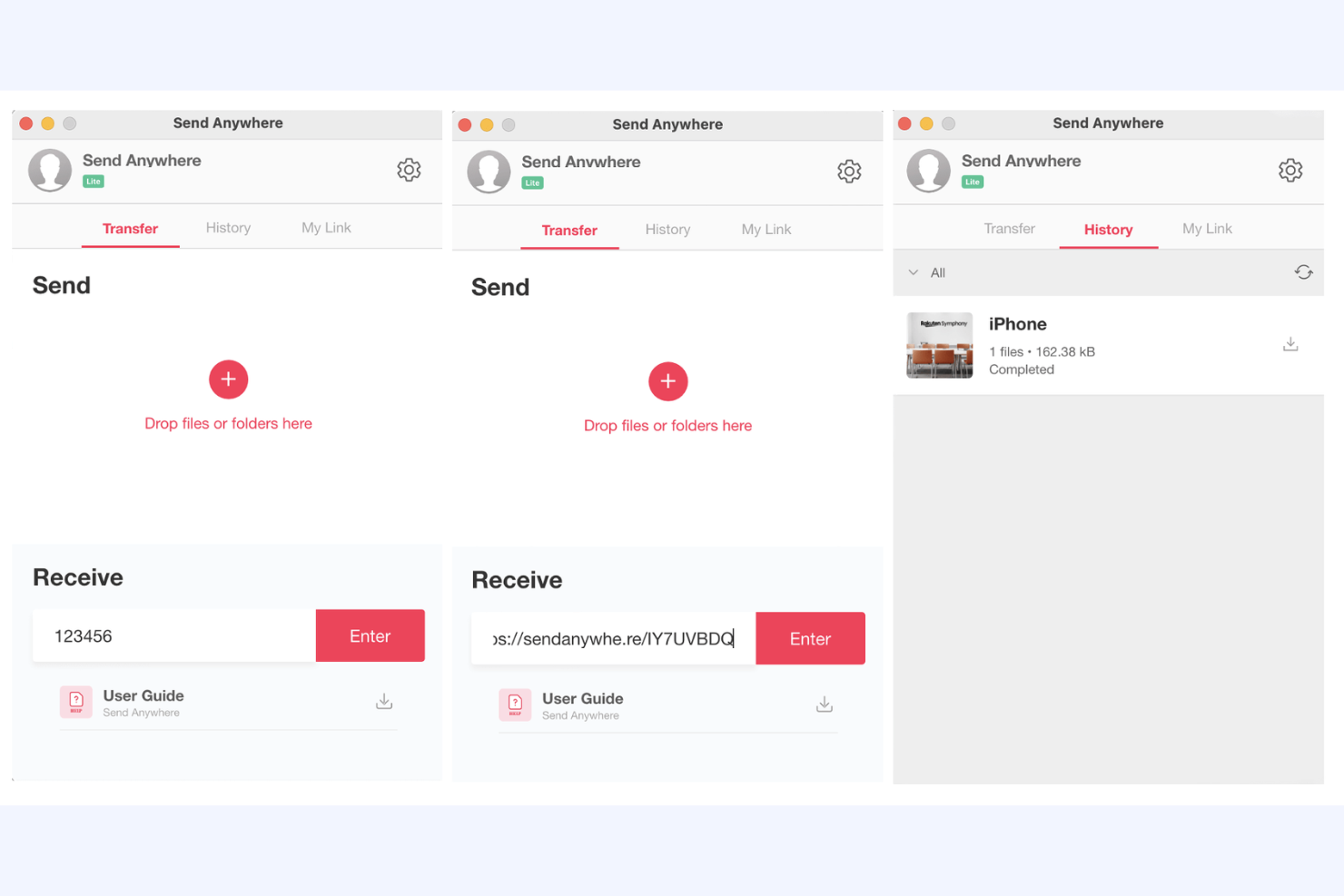
Send Anywhere es un servicio de transferencia de archivos basado en la nube, diseñado para personas y equipos que necesitan compartir archivos de forma rápida y eficiente. Está dirigido a usuarios que buscan una manera sencilla de transferir archivos sin limitaciones de tamaño.
Por qué es una buena alternativa a WeTransfer: Send Anywhere permite compartir archivos al instante mediante una clave única de seis dígitos, lo que te permite enviar archivos sin demora. Admite tamaños de archivo ilimitados y mantiene tus datos seguros con un cifrado de archivos de 256 bits. Apreciarás la posibilidad de transferir archivos directamente entre dispositivos sin necesidad de almacenamiento en la nube. Su disponibilidad multiplataforma facilita que tú y tu equipo compartan archivos entre distintos dispositivos y sistemas operativos.
Características destacadas e integraciones:
Las características incluyen el uso compartido de archivos en tiempo real, que te permite enviar archivos al instante sin cargarlos. El servicio ofrece una opción de transferencia directa entre dispositivos, eliminando la necesidad de almacenamiento en la nube. Además, proporciona un sistema seguro de uso compartido basado en claves, de modo que solo los destinatarios previstos puedan acceder a tus archivos.
Las integraciones incluyen PI Music Player y más.
Pros and Cons
Pros:
- Transferencia directa entre dispositivos
- Cifrado seguro
- Compatibilidad multiplataforma
Cons:
- El nivel gratuito con muchos anuncios puede interrumpir el flujo de trabajo
- Opciones de asistencia limitadas

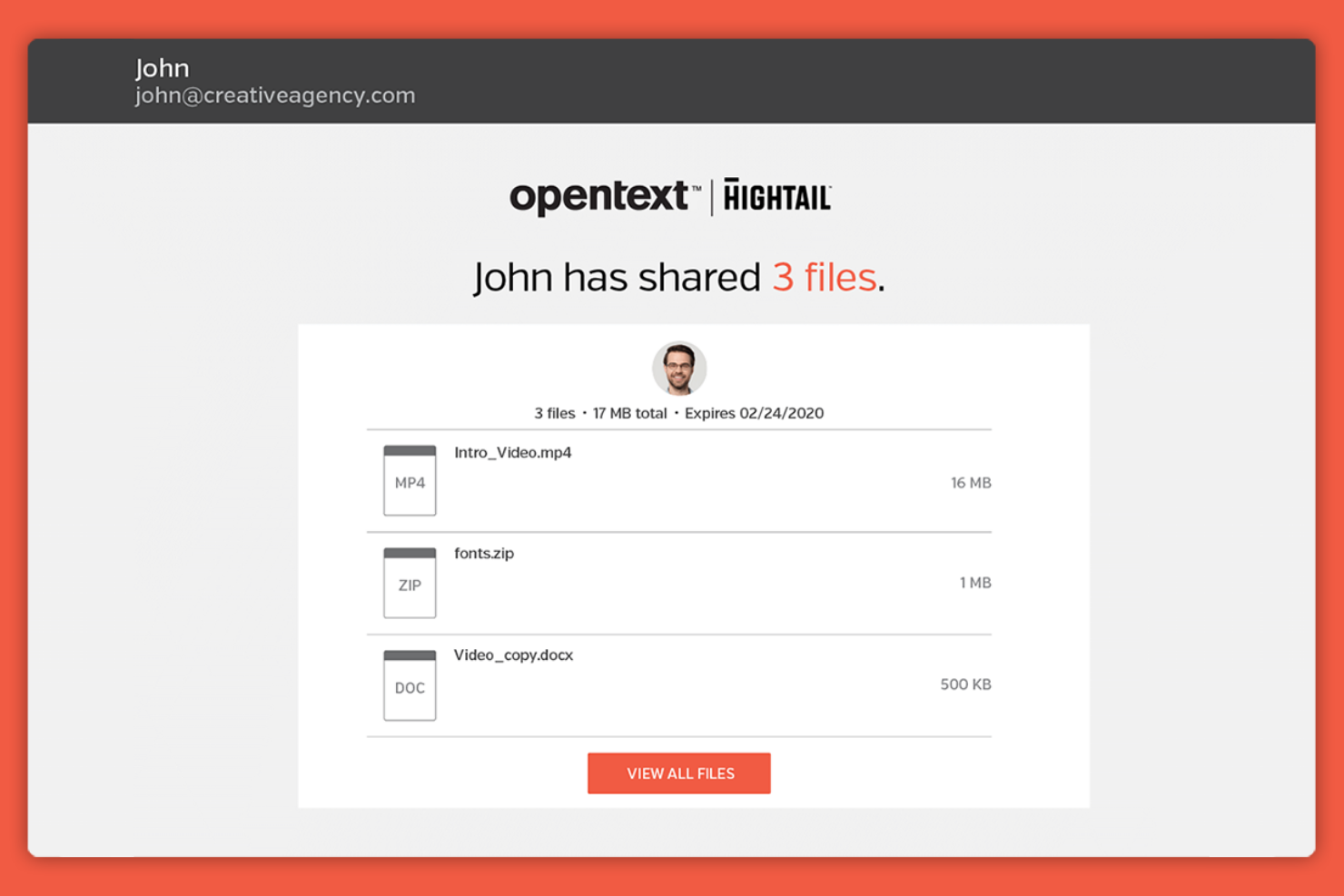
Hightail es una plataforma de intercambio de archivos y colaboración adaptada a profesionales y equipos creativos que necesitan compartir archivos grandes y gestionar comentarios sobre proyectos creativos. Facilita el intercambio de archivos, la colaboración en proyectos y la recopilación de comentarios, todo en un solo lugar.
Por qué es una buena alternativa a WeTransfer: Hightail ofrece herramientas de colaboración creativa que permiten a los equipos compartir archivos multimedia grandes con facilidad. Con comentarios y opiniones en tiempo real, tu equipo puede revisar y debatir proyectos de forma eficiente. Su control de versiones permite que todos trabajen con el archivo más reciente, reduciendo la confusión y los errores. La posibilidad de organizar proyectos y comentarios en un solo lugar convierte a Hightail en una herramienta valiosa para los equipos creativos.
Funciones e integraciones destacadas:
Las funciones incluyen capacidades de gestión de proyectos, que te ayudan a organizar y realizar un seguimiento del progreso de tu equipo. La plataforma también admite vistas previas de archivos, lo que permite revisar el contenido sin descargarlo. Además, Hightail ofrece intercambio seguro de archivos, para que tus archivos permanezcan privados y protegidos.
Las integraciones incluyen Slack, Adobe Creative Cloud, Microsoft Teams, Google Calendar, monday.com, Asana, Basecamp y más.
Pros and Cons
Pros:
- Admite transferencias de archivos grandes
- Control de versiones para archivos
- Funciones de gestión de proyectos
Cons:
- Almacenamiento limitado en los planes inferiores
- Falta de seguridad básica en Pro


SendGB es un servicio de transferencia de archivos basado en la nube que atiende a particulares y empresas que necesitan enviar archivos grandes rápidamente y sin contratiempos. Ofrece una interfaz sencilla y fácil de usar para transferir archivos de hasta 5 GB de forma gratuita.
Por qué es una buena alternativa a WeTransfer: SendGB permite transferir archivos de hasta 5 GB sin ningún coste, lo que es más generoso que la oferta gratuita de WeTransfer. Proporciona una interfaz sencilla de arrastrar y soltar, lo que facilita las transferencias de archivos para ti y tu equipo. Con funciones como la protección mediante contraseña y las fechas de caducidad personalizables, puedes mantener tus archivos seguros y accesibles durante el periodo deseado. Además, la posibilidad de enviar archivos sin registrarse significa que puedes empezar de inmediato.
Funciones e integraciones destacadas:
Las funciones incluyen la posibilidad de enviar archivos a varios destinatarios simultáneamente, lo que te ahorra tiempo al compartirlos con equipos. SendGB ofrece notificaciones por correo electrónico opcionales para mantenerte informado sobre el estado de tus transferencias de archivos. Además, ofrece una función de 'autodestrucción' que elimina automáticamente los archivos después de un periodo establecido, mejorando la seguridad.
Las integraciones no aparecen públicamente.
Pros and Cons
Pros:
- No requiere registro
- Protección mediante contraseña disponible
- Función de autodestrucción para archivos
Cons:
- Retención breve de archivos
- Publicidad intrusiva
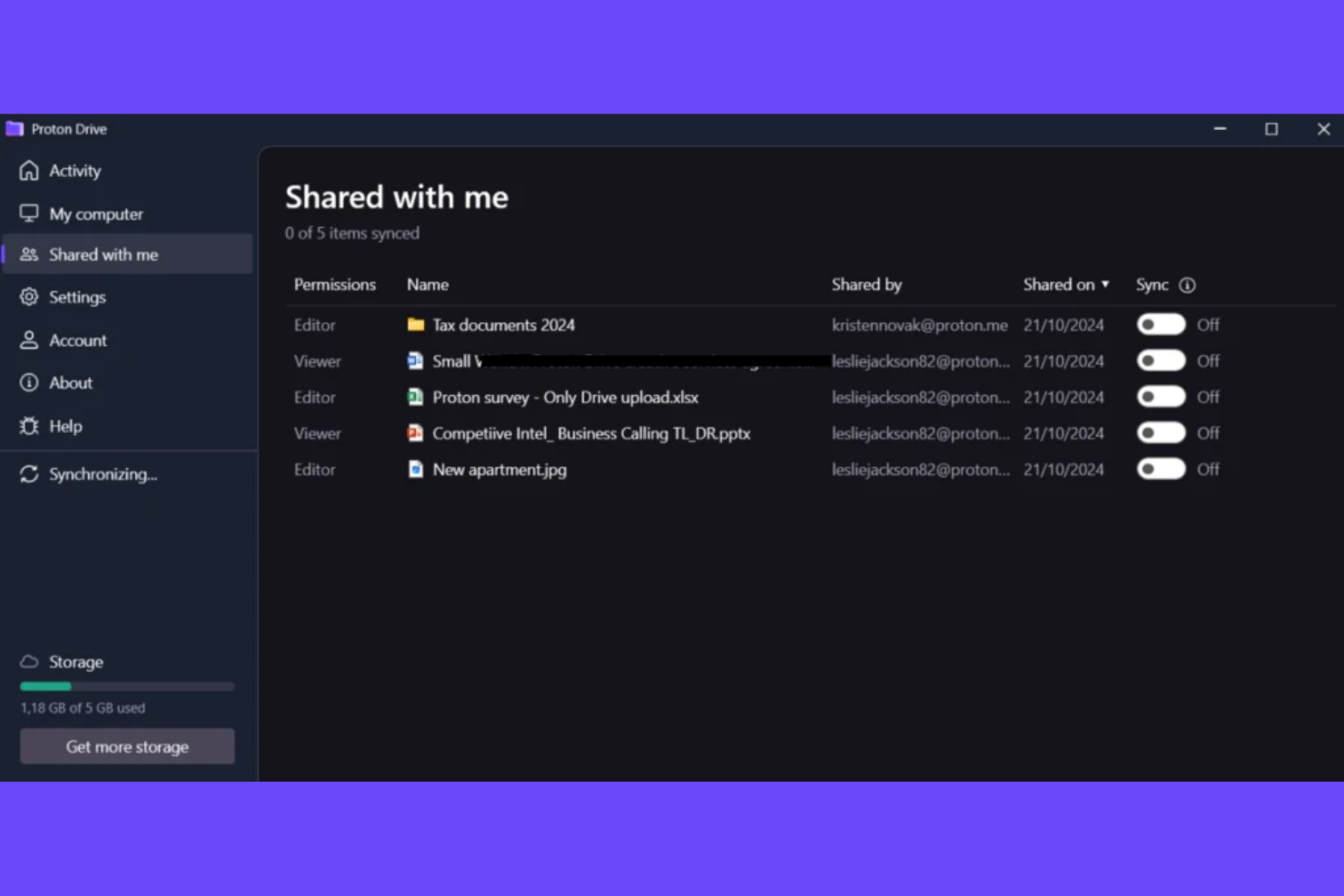
Proton Drive es un servicio seguro de almacenamiento en la nube diseñado para personas y organizaciones que priorizan la privacidad y la protección de datos. Ofrece cifrado de extremo a extremo, por lo que tus archivos permanecen privados y protegidos frente al acceso no autorizado.
Por qué es una buena alternativa a WeTransfer: Proton Drive hace hincapié en la privacidad gracias a su cifrado de extremo a extremo, que no está disponible en WeTransfer. Esto hace que tus archivos solo sean accesibles para ti y para las personas a las que autorices. También ofrece opciones seguras para compartir archivos, lo que facilita la colaboración de tu equipo sin comprometer la confidencialidad. Gracias a su enfoque en la privacidad de los usuarios, Proton Drive ofrece una solución confiable para almacenar y compartir información confidencial.
Características destacadas e integraciones:
Las características incluyen almacenamiento de archivos cifrado, que mantiene tus datos protegidos de miradas indiscretas. Proton Drive también ofrece el uso compartido de enlaces seguros, lo que te permite compartir archivos sin comprometer la seguridad. Su interfaz intuitiva facilita la organización y el acceso eficiente a tus archivos.
Las integraciones no aparecen publicadas.
Pros and Cons
Pros:
- Fuerte enfoque en la privacidad
- Cifrado de extremo a extremo
- Protección de datos confiable
Cons:
- Rendimiento más lento al cargar y descargar
- Integraciones limitadas con terceros


Wormhole es un servicio de transferencia de archivos basado en la nube que se centra en la privacidad y la seguridad de los usuarios que necesitan compartir archivos de forma rápida y segura. Proporciona una plataforma para que particulares y equipos envíen archivos con cifrado de extremo a extremo.
Por qué es una buena alternativa a WeTransfer: Wormhole proporciona cifrado de extremo a extremo, por lo que tú y tu equipo pueden compartir archivos de forma segura. Gracias a sus capacidades de intercambio instantáneo de archivos, los destinatarios pueden empezar a descargar archivos en cuanto comienzas a cargarlos. La interfaz web de Wormhole simplifica el proceso de transferencia y facilita su uso para cualquiera sin necesidad de instalar nada.
Características e integraciones destacadas:
Las características incluyen protección mediante contraseña para una mayor seguridad, de modo que solo los destinatarios previstos puedan acceder a tus archivos. Wormhole permite establecer tiempos de caducidad para los enlaces, para que controles durante cuánto tiempo estarán disponibles tus archivos. También ofrece una sencilla interfaz de arrastrar y soltar, lo que facilita cargar y compartir archivos rápidamente.
Las integraciones no están disponibles públicamente.
Pros and Cons
Pros:
- Enlaces con fecha de caducidad para mayor seguridad
- Intercambio instantáneo de archivos
- No requiere instalación
Cons:
- Falta de seguimiento histórico
- Herramientas organizativas limitadas

TransferXL es un servicio de transferencia de archivos basado en la nube que atiende a particulares y empresas que necesitan compartir archivos grandes de manera eficiente. Permite a los usuarios enviar archivos de hasta 200 GB, lo que lo hace ideal para quienes tienen necesidades considerables de transferencia de datos.
Por qué es una buena alternativa a WeTransfer: TransferXL admite transferencias de archivos de hasta 200 GB, una capacidad significativamente superior al límite de WeTransfer. Ofrece seguimiento de archivos en tiempo real para que puedas supervisar el progreso de tus transferencias. La plataforma proporciona cifrado de extremo a extremo, manteniendo tus archivos seguros durante todo el proceso de transferencia. Con su interfaz fácil de usar, tú y tu equipo pueden gestionar y compartir archivos grandes sin complicaciones.
Funciones e integraciones destacadas:
Las funciones incluyen vistas previas de archivos, para que puedas ver el contenido antes de descargarlo. Realiza un seguimiento de tus transferencias de archivos y todas las transferencias de datos se muestran en una línea de tiempo, para que puedas ver qué transferencias de archivos has enviado y recibido.
Las integraciones no aparecen listadas públicamente.
Pros and Cons
Pros:
- Gran capacidad de transferencia de archivos
- Interfaz fácil de usar
- Límites generosos de transferencia gratuita
Cons:
- Límites diarios de transferencia
- Diseño de interfaz básico
Otras alternativas a WeTransfer
Estas son algunas alternativas adicionales a WeTransfer que no llegaron a mi selección, pero que merece la pena conocer:
- Dropbox
Mejor para la colaboración en equipo
- Microsoft OneDrive
Ideal para la integración con Microsoft 365
- 4shared
Ideal para compartir en la comunidad


Cómo evalúo las alternativas a WeTransfer
Analizo dos niveles: requisitos básicos indispensables como transferencias de varios GB y acceso para clientes sin cuenta, y diferenciadores como integraciones con herramientas de gestión de proyectos, personalización de marca y portales de carga que distinguen a una herramienta de otra.
Funcionalidad principal (Requisitos mínimos para esta lista)
Cuando selecciono herramientas para mi lista, califico cada una en una escala del 0 (no ofrece la funcionalidad) al 5 (destaca en este aspecto) según cada funcionalidad principal que aparece a continuación. Después, calculo la puntuación total de la herramienta como un porcentaje. Cada una debe alcanzar una puntuación mínima total del 65% para ser considerada.
- Transferencia de archivos grandes: Verifico cómo gestiona cada herramienta los envíos de varios GB—como entregar una exportación completa de video o un modelo BIM a un cliente—sin comprimir ni perder calidad.
- Enlaces de descarga compartibles: Cada herramienta debe permitirte generar un enlace que los destinatarios puedan abrir directamente, sin tener que instalar software o registrarse antes de acceder al archivo.
- Solicitud de archivos y portales de carga: Busco una forma de recopilar archivos de partes externas, como un cliente que sube materiales de marca o un contratista que presenta permisos a través de un portal dedicado.
- Seguridad y controles de acceso: Son importantes la protección con contraseña, la caducidad de enlaces y la encriptación—aún más cuando compartes contratos, archivos de diseño o información financiera con partes externas.
- Seguimiento de entregas y notificaciones: Evalúo si la herramienta confirma descargas y registra la actividad de acceso, para que sepas cuándo un cliente realmente recibió y abrió tus entregas.
- Soporte para colaboración externa: La experiencia del destinatario es fundamental. Analizo si los colaboradores externos pueden descargar o subir archivos sin tener que crear una cuenta o instalar nada.
Una vez tengo una lista de herramientas que cumplen con estos criterios, considero qué diferencia a cada plataforma.
Factores diferenciadores (lo que distingue a los proveedores)
Así es como comparo los diferentes proveedores:
Funciones destacadas
La personalización de marca convierte una transferencia de archivos en un punto de contacto profesional con el cliente—busco herramientas que te permitan añadir tu logo y colores a las páginas de transferencia y portales de carga. Las integraciones con herramientas de gestión de proyectos también son importantes, ya que conectar las transferencias con tableros de Asana, Jira o monday.com ayuda a mantener las entregas vinculadas a las tareas correspondientes. La sincronización con almacenamiento en la nube es otro factor que evalúo, porque la mayoría de los equipos ya tiene archivos en Google Drive o Dropbox y no debería tener que volver a subirlos sólo para compartirlos externamente.
Más allá de las funciones
El cumplimiento normativo cobra relevancia cuando compartes archivos sensibles del proyecto—verifico certificaciones como SOC 2 y cumplimiento con GDPR, especialmente si tu equipo maneja datos regulados. La estructura de precios es otro factor que valoro, ya que los modelos por usuario pueden volverse costosos rápidamente cuando agregas contratistas y freelancers a un proyecto. También considero la experiencia del cliente: si un destinatario tiene dificultades para descargar una entrega en móvil o se confunde con una interfaz poco intuitiva, eso repercute negativamente en tu equipo.
¿Por qué buscar una alternativa a WeTransfer?
Aunque WeTransfer es una buena opción como plataforma de transferencia de archivos basada en la nube, hay varios motivos por los que algunos usuarios buscan soluciones alternativas. Puede que estés buscando una alternativa a WeTransfer porque…
- Necesitas límites de tamaño de archivo más grandes
- Tu equipo necesita más funciones de seguridad
- Buscas una retención de archivos más prolongada
- Necesitas una mejor integración con otras herramientas
- Tu equipo quiere más opciones de personalización
- Necesitas mejores servicios de asistencia
Si alguna de estas situaciones te resulta familiar, has llegado al lugar adecuado. Mi lista contiene varias opciones de plataformas de transferencia de archivos basadas en la nube que se adaptan mejor a los equipos que afrontan estos desafíos con WeTransfer y buscan soluciones alternativas.
Funciones
Estas son algunas de las características clave de WeTransfer, para ayudarte a contrastar y comparar lo que ofrecen las soluciones alternativas:
- Interfaz sencilla: Puedes cargar y enviar archivos sin complicaciones.
- No requiere registro: Envía archivos rápidamente sin crear una cuenta.
- Transferencias gratuitas de hasta 2 GB: Comparte archivos de tamaño mediano sin pagar.
- Notificaciones por correo electrónico: Recibirás alertas cuando se descarguen los archivos.
- Caducidad de los enlaces de descarga: Los enlaces caducan después de siete días, lo que mantiene tus transferencias temporales.
- Fondos personalizables: Personaliza la página de transferencia con tus propias imágenes.
- Protección mediante contraseña: Añade una capa adicional de seguridad a tus transferencias de archivos.
- Funcionalidad de arrastrar y soltar: Carga archivos rápidamente arrastrándolos al navegador.
- Seguimiento de transferencias: Controla cuándo los destinatarios descargan tus archivos.
- Varios destinatarios: Envía archivos a varias personas a la vez con facilidad.