

Las 10 mejores alternativas a Loom para vídeo asíncrono en 2026

10 Lista de las mejores alternativas a Loom


El trabajo de un director de proyectos puede ser difícil. Tienes que gestionar plazos, coordinar equipos y fomentar la productividad. Las herramientas de comunicación por vídeo como Loom han sido la opción preferida de muchas personas, pero a veces simplemente no se adaptan a las necesidades de tu equipo.
Quizá buscas mejores funciones, más almacenamiento o un cumplimiento normativo específico. Según mi experiencia, encontrar la herramienta adecuada puede marcar la diferencia en la colaboración y la eficiencia.
En este artículo, te explicaré cuáles son las mejores alternativas a Loom. He probado y analizado cada opción de forma independiente para ayudarte a encontrar la que mejor se adapte a tus necesidades. Exploremos soluciones que realmente puedan respaldar los desafíos específicos de tu equipo.
¿Qué es Loom?
Loom es un software de comunicación y colaboración por vídeo que te permite grabar y compartir mensajes de vídeo fácilmente. Lo utilizan ampliamente profesionales como directores de proyectos, educadores y especialistas en marketing que necesitan comunicar ideas complejas rápidamente.
Con sus funciones de grabación, uso compartido de pantalla y distribución instantánea, Loom te ayuda a ti y a tu equipo a transmitir mensajes de forma eficaz. En general, Loom ofrece una manera sencilla de mejorar la comunicación y la colaboración dentro de los equipos.
Resumen de las mejores alternativas a Loom
Esta tabla comparativa resume los detalles de precios de mis principales alternativas a Loom para ayudarte a encontrar la mejor opción según tu presupuesto y las necesidades de tu empresa.
| Tool | Best For | Trial Info | Price | ||
|---|---|---|---|---|---|
| 1 | Ideal para documentación de tutoriales multilingües | Prueba gratuita de 10 días + demostración gratuita disponible | Desde $40/mes (facturado anualmente) | Website | |
| 2 | Ideal para equipos de marketing | Plan gratuito disponible | Desde $79/mes (facturado anualmente) | Website | |
| 3 | Ideal para la edición de video | Plan gratuito disponible | Desde $39/año | Website | |
| 4 | Mejor para la transcripción | Plan gratuito disponible | Desde $12/usuario/mes | Website | |
| 5 | Ideal para análisis de video | Plan gratuito + prueba gratuita + demostración gratuita | Desde $59/usuario/mes (facturado anualmente) | Website | |
| 6 | Ideal para compartir archivos | Prueba gratuita de 7 días | Desde $8.25 /miembro/mes | Website | |
| 7 | Ideal para la interacción en ventas | Demostración gratuita disponible | Desde $42/mes | Website | |
| 8 | Ideal para grabaciones de pantalla sencillas | Plan gratuito disponible | Desde $8.16/usuario/mes (facturado anualmente) | Website | |
| 9 | Ideal para la narración creativa | Prueba gratuita de 7 días disponible | Desde $13/mes (facturado anualmente) | Website | |
| 10 | Ideal para obtener información mediante IA | Prueba gratuita de 7 días disponible | Desde $120/mes (facturado anualmente) | Website |
Por qué confiar en nuestras recomendaciones de software
Nuestro equipo lleva probando y evaluando software desde 2012. Como gestores de proyectos, sabemos lo difícil —y lo importante— que es elegir el software adecuado.
Para esta guía, evaluamos las herramientas mediante pruebas prácticas e investigación independiente, puntuando las herramientas según nuestros criterios de selección. También nos basamos en la experiencia de líderes de opinión del sector y de profesionales en activo de la gestión de proyectos.
Nuestras reseñas reflejan nuestro criterio editorial humano, no un discurso de ventas.
Revisores expertos:
Análisis de las mejores alternativas a Loom
A continuación encontrarás mis resúmenes detallados de las mejores alternativas a Loom que llegaron a mi lista. Mis análisis ofrecen una visión detallada de las funciones principales, las ventajas y desventajas, las integraciones y los casos de uso ideales de cada herramienta para ayudarte a encontrar la mejor opción para ti.

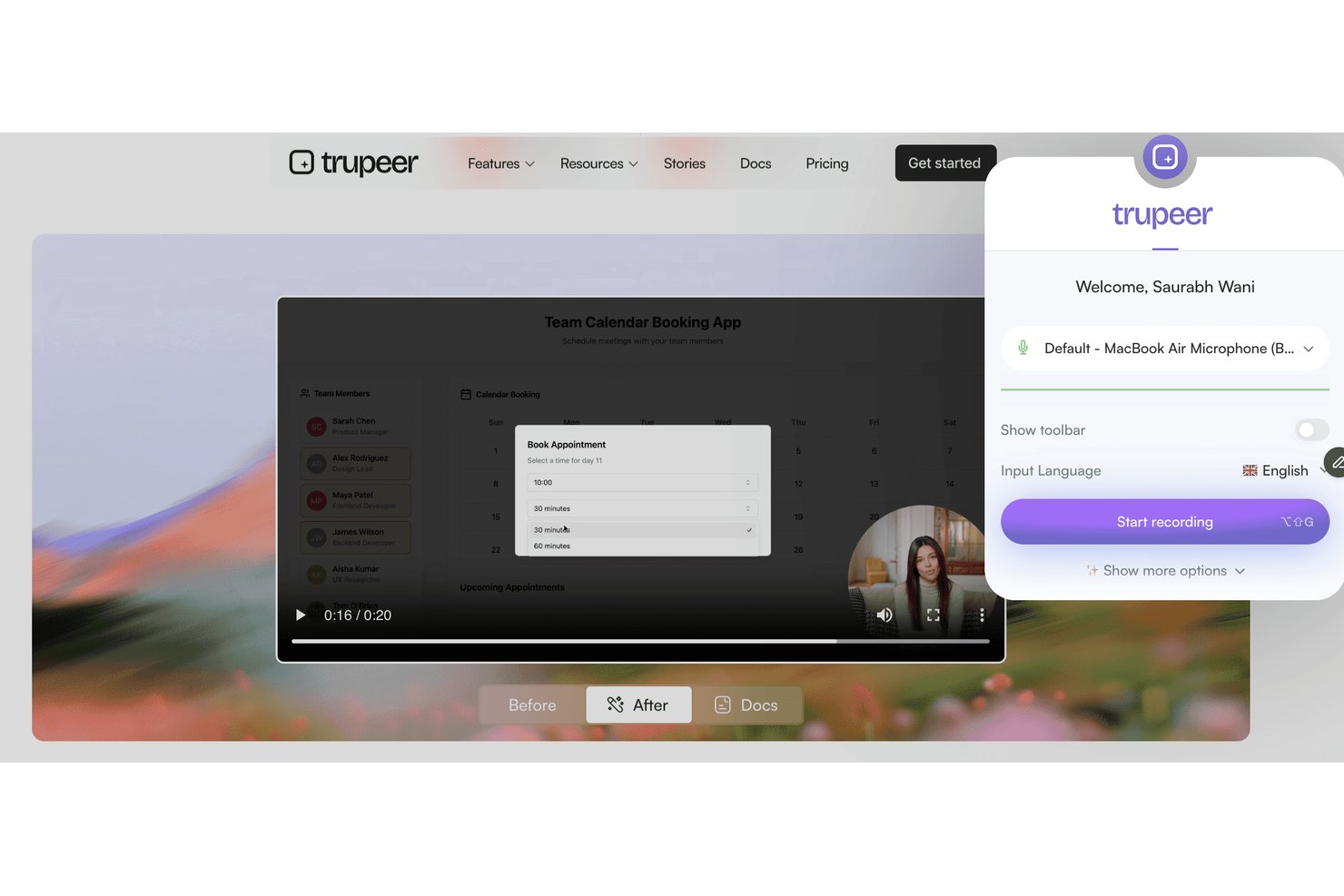
Trupeer es una plataforma de grabación de pantalla y mensajería de video diseñada para equipos que necesitan ofrecer instrucciones visuales claras, incorporar usuarios o compartir recorridos de procesos entre equipos distribuidos o multiculturales.
¿Para quién es más adecuado Trupeer?
Trupeer es adecuado para equipos globales que necesitan crear, compartir y localizar documentación visual de procesos en diferentes idiomas.
Por qué Trupeer es una buena alternativa a Loom
Elegí Trupeer porque mi equipo necesita ofrecer capacitación y recorridos en varios idiomas. Las funciones de grabación de pantalla y mensajería de video multilingües automáticas de Trupeer me permiten crear documentación de procesos para equipos globales, localizar al instante las instrucciones y compartir tutoriales con los usuarios en su idioma preferido.
Funciones principales de Trupeer
- Panel de grabación integrado en la aplicación: Graba tu pantalla, cámara o ambas directamente desde el navegador sin instalar software adicional.
- Plantillas de video con marca: Personaliza tus grabaciones con el logotipo, los colores y los diseños de marca de tu empresa.
- Análisis avanzados de visualización: Haz un seguimiento de quién vio cada video, durante cuánto tiempo lo vio y en qué puntos abandonó la reproducción.
- Controles de acceso detallados: Establece permisos para los videos a nivel del espacio de trabajo, del equipo o del usuario para gestionar la privacidad y el uso compartido.
Integraciones de Trupeer
Trupeer ofrece integraciones nativas con Slack, Notion, Jira y Confluence, además de importaciones desde Loom y Zoom. Los clientes empresariales pueden crear integraciones personalizadas mediante la API REST, mientras que MCP conecta Trupeer con Claude y ChatGPT.
Pros and Cons
Pros:
- Tutoriales multilingües generados automáticamente a partir de las grabaciones
- Plantillas de video con marca para mantener la coherencia de la empresa
- Seguimiento detallado de los espectadores y controles de acceso
Cons:
- No hay integraciones directas nativas con terceros
- Los precios no son transparentes sin contactar con ventas

Wistia
Ideal para equipos de marketing
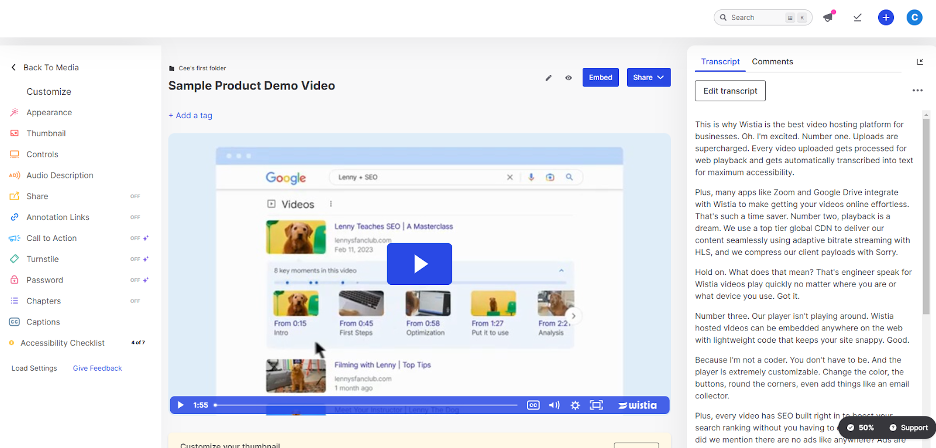
Wistia es una plataforma de alojamiento de videos adaptada a las empresas que buscan crear y gestionar contenido de video. Es ideal para equipos de marketing y creatividad que desean mejorar la narrativa de marca y atraer a las audiencias.
Por qué es una buena alternativa a Loom: Wistia ofrece herramientas avanzadas de marketing que permiten realizar un seguimiento de la interacción de los espectadores e integrar una llamada a la acción en la que se puede hacer clic en tus videos. Puedes personalizar tu reproductor de video para que coincida con tu marca y crear una imagen coherente. La plataforma también permite consultar análisis detallados de los videos, lo que te ayuda a comprender el comportamiento de la audiencia. Estas funciones convierten a Wistia en una excelente opción para los equipos de marketing centrados en estrategias de video basadas en datos.
Funciones e integraciones destacadas:
Las funciones incluyen herramientas de SEO para videos que mejoran su visibilidad y mapas de calor para visualizar la interacción de los espectadores. Wistia también ofrece formularios de generación de clientes potenciales para recopilar información de la audiencia.
Las integraciones incluyen HubSpot, Mailchimp, Salesforce, Adobe Marketo Engage, Zapier, Google Analytics, Pardot y más.
Pros and Cons
Pros:
- Reproductor de video personalizable
- Herramientas avanzadas de marketing
- Incluye análisis detallados
Cons:
- Herramientas de edición integradas limitadas
- Solo incluye herramientas básicas de anotación

Camtasia
Ideal para la edición de video
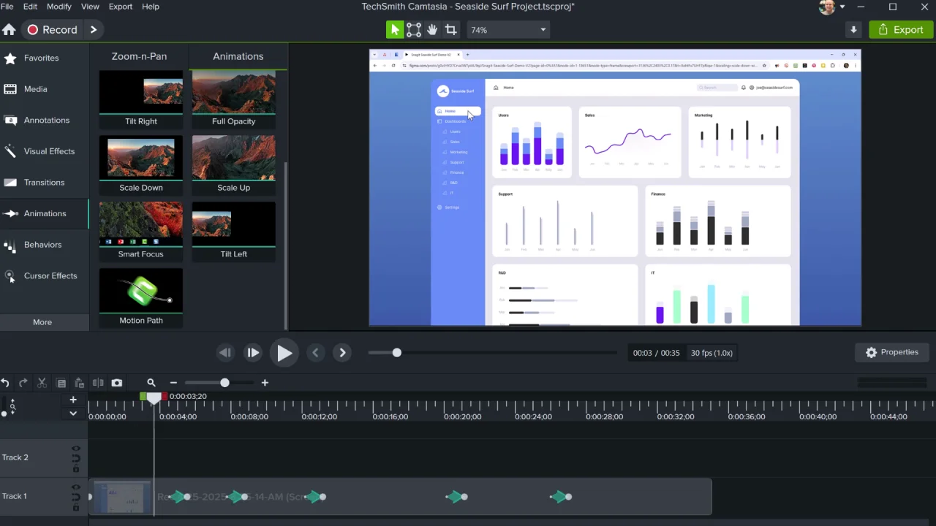
Camtasia es un software de edición de video y grabación de pantalla diseñado para crear videos de calidad profesional. Se utiliza ampliamente en el ámbito educativo, por equipos de marketing y por formadores corporativos que necesitan producir contenido pulido con facilidad.
Por qué es una buena alternativa a Loom: Camtasia ofrece herramientas de edición avanzadas que permiten ajustar los videos con precisión. Funciones como las líneas de tiempo multipista y las animaciones permiten una personalización detallada. El software también proporciona plantillas integradas y opciones para mejorar los proyectos. Estas capacidades hacen de Camtasia una excelente opción para los usuarios interesados en una edición de video integral.
Características e integraciones destacadas:
Características incluyen efectos de pantalla verde para crear fondos originales, narración de voz para añadir un toque personal a los videos y creación de cuestionarios para producir contenido interactivo.
Integraciones no aparecen publicadas.
Pros and Cons
Pros:
- Capacidades avanzadas de edición
- Salida de alta calidad
- Ofrece cuestionarios interactivos
Cons:
- No permite la coedición en tiempo real
- Las funciones de video interactivo podrían considerarse básicas

VEED
Mejor para la transcripción
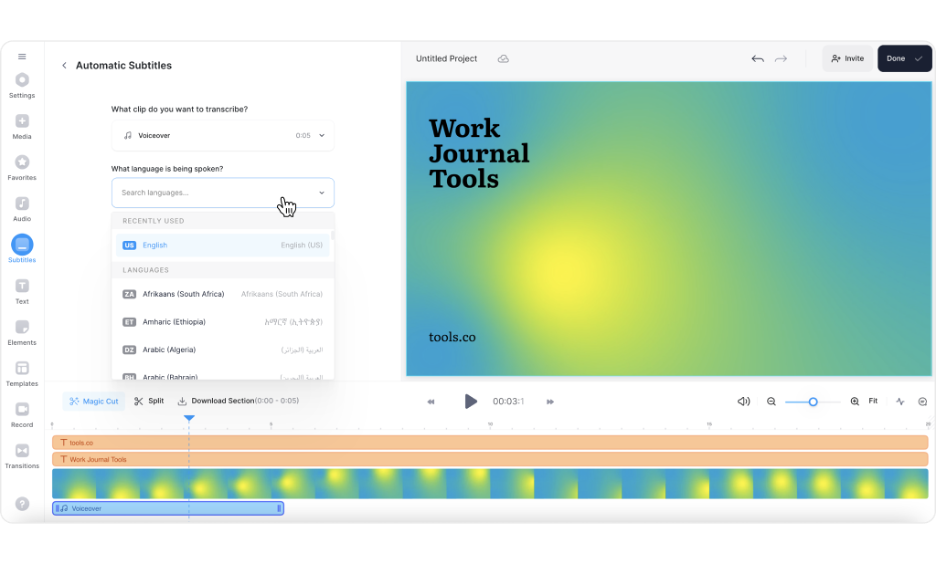
Veed es una herramienta de edición de video en línea para creadores y equipos que necesitan una producción y edición de video sencillas. Es popular entre equipos de marketing, educadores y creadores de contenido que quieren producir videos pulidos rápidamente.
Por qué es una buena alternativa a Loom: Veed ofrece servicios de transcripción que convierten automáticamente el habla en texto, lo que facilita la creación de contenido accesible. Su interfaz fácil de usar permite editar videos con funciones como superposiciones de texto y subtítulos. La plataforma permite exportar videos en varios formatos, adaptándose a diversas necesidades de distribución. Estas funciones convierten a Veed en una opción sólida para quienes se centran en la transcripción y la accesibilidad.
Funciones e integraciones destacadas:
Las funciones incluyen recortar y cortar videos para perfeccionar el contenido, filtros y efectos para mejorar el atractivo visual, y eliminación del ruido de fondo para obtener un audio más claro.
Las integraciones no se enumeran públicamente.
Pros and Cons
Pros:
- Herramientas de transcripción fáciles de usar
- Interfaz de edición sencilla
- No requiere descargar ningún software
Cons:
- Funciones avanzadas limitadas
- Restricciones de edición para archivos grandes

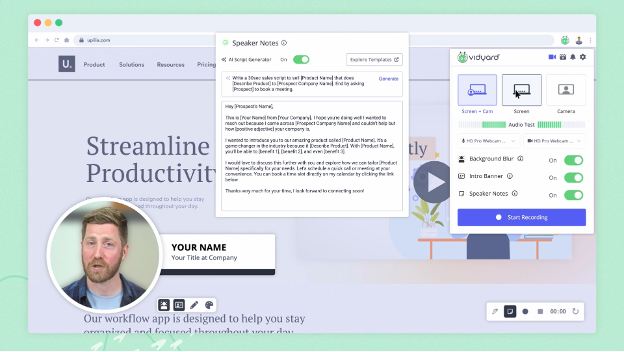
Vidyard es una plataforma de video diseñada para que las empresas creen, alojen y compartan contenido de video. La utilizan principalmente los equipos de marketing y ventas que buscan mejorar la interacción y hacer un seguimiento del rendimiento de los videos.
Por qué es una buena alternativa a Loom: Vidyard ofrece análisis avanzados de video que te ayudan a supervisar la interacción de los espectadores y el rendimiento de los videos. Con funciones como la creación de videos personalizados y las llamadas a la acción interactivas, permite una comunicación dirigida. La plataforma facilita compartir videos en varios canales, lo que amplía tu alcance. Estas capacidades convierten a Vidyard en una excelente opción para las empresas centradas en estrategias de video basadas en datos.
Funciones e integraciones destacadas:
Las funciones incluyen alojamiento de videos para facilitar la gestión, reproductores de video personalizables que se adaptan a tu marca y herramientas de SEO para videos que aumentan la visibilidad en las búsquedas.
Las integraciones incluyen Salesforce, HubSpot, Marketo, LinkedIn, Facebook, YouTube, Slack, Google Analytics y mucho más.
Pros and Cons
Pros:
- Incluye herramientas de análisis avanzadas
- Funciones interactivas
- Sólidas capacidades de marca
Cons:
- Herramientas de colaboración limitadas
- Anotaciones mínimas sobre los videos

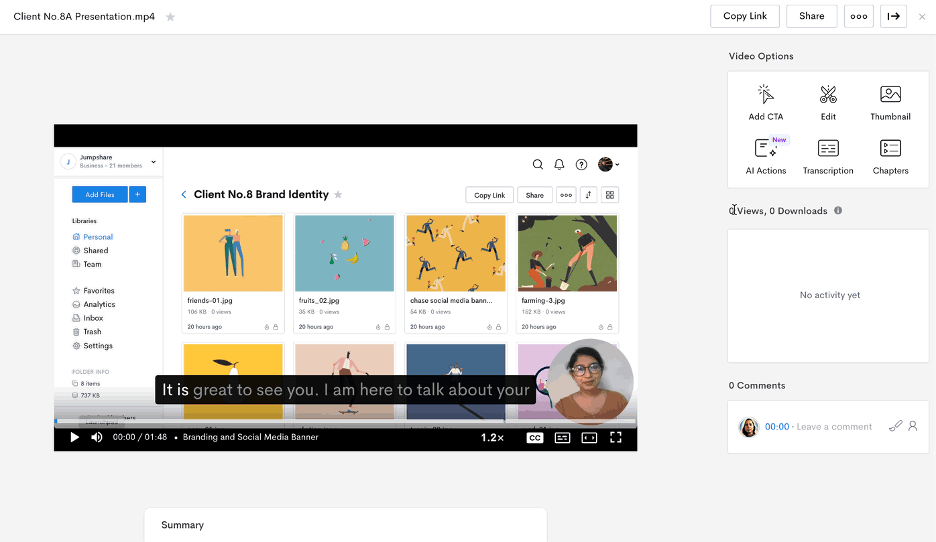
Jumpshare es una herramienta para compartir archivos y grabar pantallas, diseñada para equipos y particulares que necesitan compartir contenido de forma rápida y eficiente. Es ampliamente utilizada por profesionales que priorizan la colaboración y la comunicación mediante contenido visual.
Por qué es una buena alternativa a Loom: Jumpshare destaca en el uso compartido de archivos gracias a su funcionalidad de arrastrar y soltar, que permite compartir archivos al instante. Puedes grabar tu pantalla y compartir enlaces de vídeo sin realizar cargas prolongadas. La herramienta también ofrece anotaciones visuales para ayudarte a transmitir tu mensaje con claridad. Estas características la hacen ideal para equipos centrados en una comunicación rápida y eficaz.
Características e integraciones destacadas:
Las características incluyen captura de pantalla con anotaciones para resaltar puntos clave, creación de GIF para contenido atractivo y uso compartido programado para controlar el acceso a los archivos.
Las integraciones incluyen Slack, Trello, Asana, Microsoft Teams, Google Drive, Dropbox, Jira, Salesforce, Zendesk y Basecamp.
Pros and Cons
Pros:
- Compartir archivos al instante
- Anotaciones visuales
- Creación de GIF
Cons:
- Edición de vídeo limitada
- Capacidades mínimas de edición de audio

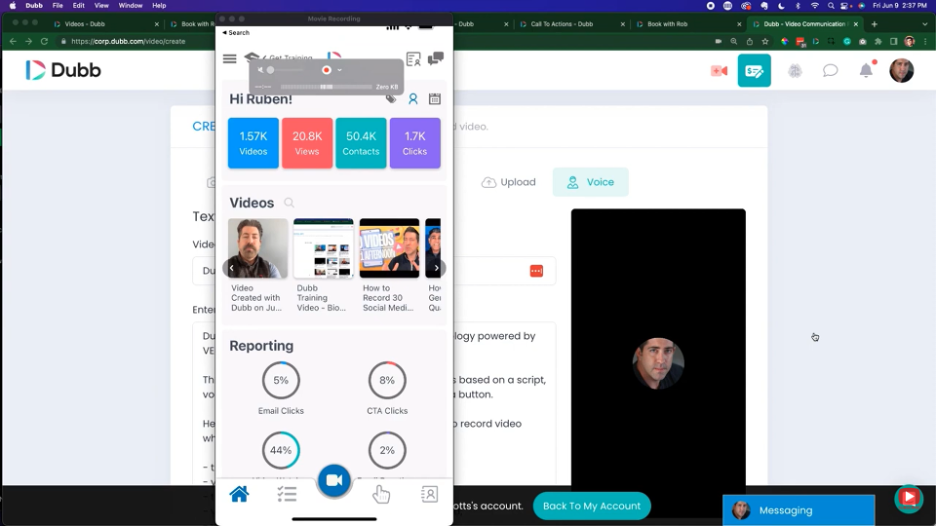
Dubb es una plataforma de comunicación por video diseñada para mejorar los esfuerzos de ventas y marketing mediante mensajes de video personalizados. Se utiliza principalmente por equipos de ventas y marketing que desean interactuar con clientes potenciales y clientes actuales a través de contenido de video interactivo.
Por qué es una buena alternativa a Loom: Dubb ofrece funciones como campañas de video por correo electrónico y SMS que te ayudan a llegar directamente a tu audiencia. Puedes incluir botones de llamada a la acción en tus videos para impulsar la interacción y las conversiones. La plataforma también permite realizar un seguimiento de los videos, para que sepas cómo interactúa tu audiencia con tu contenido. Estas funciones hacen de Dubb una herramienta valiosa para los equipos enfocados en aumentar la interacción en ventas.
Características e integraciones destacadas:
Características incluyen páginas de destino de video personalizables para adaptarse a tu marca, flujos de trabajo automatizados para agilizar la comunicación y análisis de video para realizar un seguimiento del rendimiento.
Integraciones incluyen Salesforce, HubSpot, Mailchimp, YouTube, Zoho CRM y más.
Pros and Cons
Pros:
- Mensajería de video personalizada
- Botones de llamada a la acción interactivos
- Funciones de seguimiento de videos
Cons:
- Pocas herramientas de anotación
- Controles de audio limitados

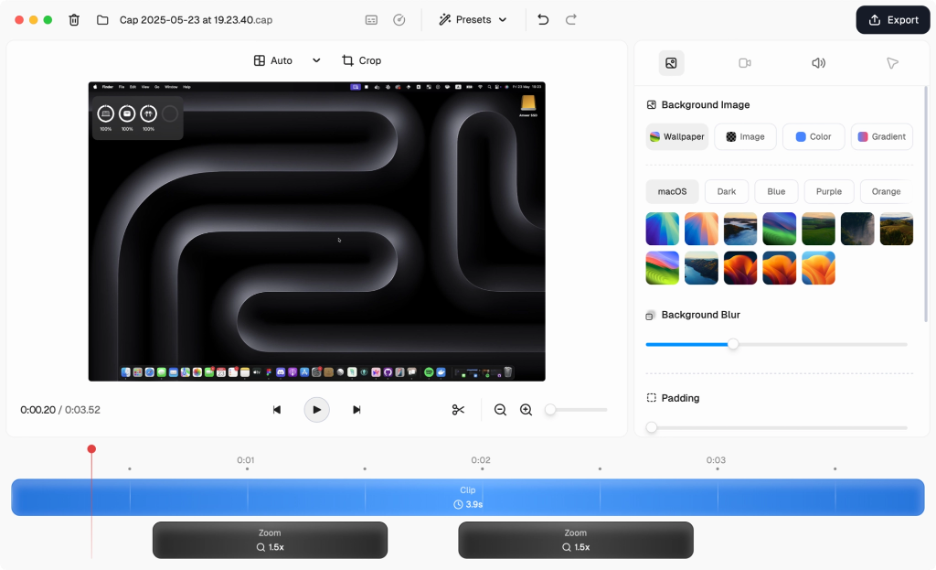
Cap es una herramienta de código abierto para grabar la pantalla, diseñada para usuarios que necesitan capturas de vídeo sencillas. Es ideal para equipos y personas que buscan grabar pantallas con alta calidad.
Por qué es una buena alternativa a Loom: Cap ofrece una grabación de pantalla sencilla con funciones como grabación en 4K y captura a 60 fps. Su compresión inteligente garantiza que tus vídeos tengan una alta calidad sin ocupar mucho espacio. Los modos Instantáneo y Estudio ofrecen flexibilidad en la forma de capturar tu contenido. Estas funciones lo convierten en una excelente opción para quienes priorizan una grabación de vídeo eficiente y de alta calidad.
Funciones e integraciones destacadas:
Las funciones incluyen transcripciones generadas automáticamente para mejorar la accesibilidad, así como títulos y resúmenes que ayudan a mantener tu contenido organizado. Cap también cuenta con herramientas de colaboración asíncrona, con comentarios y reacciones para recibir opiniones del equipo.
Las integraciones incluyen Google Drive, Dropbox, Slack, Trello, Asana, Jira, Zoom, Microsoft Teams y monday.com.
Pros and Cons
Pros:
- Grabación de alta calidad
- Flexibilidad del código abierto
- Fácil de configurar
Cons:
- Edición avanzada limitada
- No tiene aplicación móvil

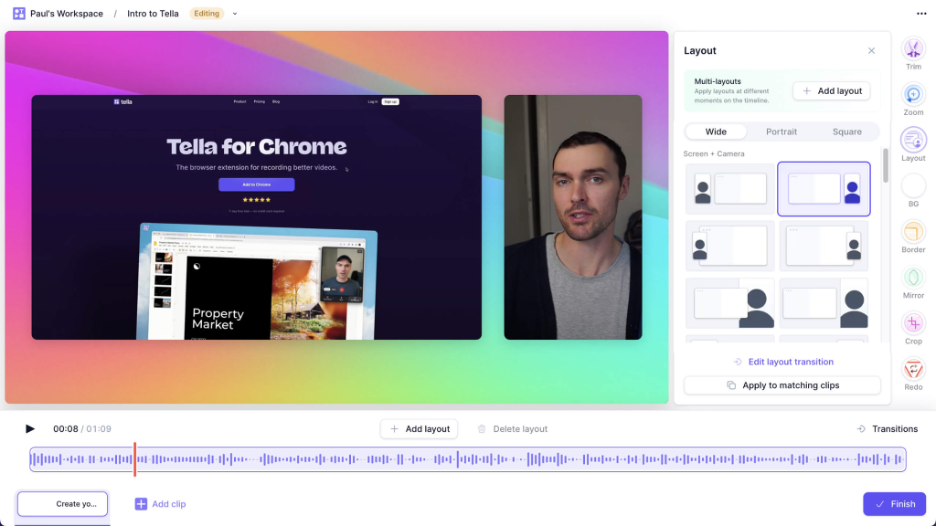
Tella es una herramienta de grabación y edición de video diseñada para creadores y equipos que quieren producir contenido de video atractivo. Es popular entre equipos de marketing, educadores y creadores de contenido que se centran en la narración y la presentación.
Por qué es una buena alternativa a Loom: Tella ofrece funciones creativas de narración que permiten combinar clips de video, grabaciones de pantalla y superposiciones de texto. Puedes personalizar tus videos con diferentes diseños y fondos, aportando un toque único a tu contenido. La herramienta también permite compartir y colaborar fácilmente, lo que la hace ideal para proyectos en equipo. Estas funciones son perfectas para quienes buscan mejorar su narración mediante videos.
Características destacadas e integraciones:
Características que incluyen plantillas de video personalizables para una edición rápida, subtítulos automáticos para hacer accesible el contenido y la posibilidad de exportar videos en múltiples formatos para diferentes plataformas.
Integraciones que incluyen Google Drive, Dropbox, Slack, Trello, Asana, Zoom, Microsoft Teams, YouTube, Vimeo y LinkedIn.
Pros and Cons
Pros:
- Opciones de edición creativas
- Plantillas atractivas
- Incluye subtítulos automáticos
Cons:
- Opciones limitadas de control de audio
- Carece de efectos y elementos visuales avanzados

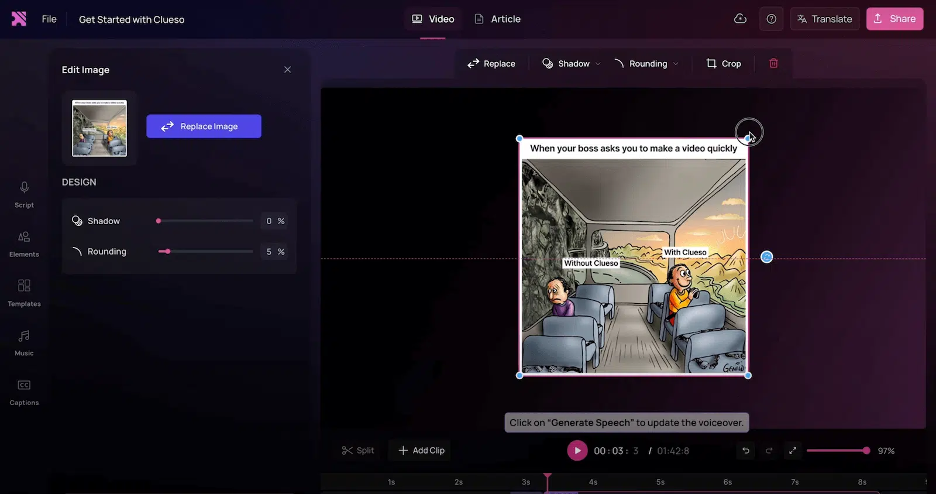
Clueso es una plataforma impulsada por IA diseñada para transformar grabaciones de pantalla sin editar en videos de producto pulidos e instrucciones paso a paso. Se utiliza principalmente en equipos de educación del cliente, marketing de producto y habilitación de ventas para agilizar la creación de contenido.
Por qué es una buena alternativa a Loom: Clueso ofrece funciones avanzadas de IA que automatizan la edición de videos y proporcionan locuciones de IA realistas, lo que te permite ahorrar tiempo y esfuerzo. Puedes utilizar zooms automáticos inteligentes y subtítulos llamativos para mejorar tus videos. La plataforma también genera automáticamente procedimientos operativos estándar (SOPs), lo que la convierte en una herramienta valiosa para la documentación detallada. Estas capacidades hacen de Clueso una excelente opción para los equipos que buscan aprovechar la IA para crear contenido de forma eficiente.
Funciones e integraciones destacadas:
Las funciones incluyen opciones de música personalizables para enriquecer tus videos, mejoras visuales para obtener resultados de calidad profesional y capacidades de redimensionamiento para adaptarse a diversos formatos.
Las integraciones no aparecen en una lista pública.
Pros and Cons
Pros:
- Ofrece edición de videos automatizada
- Locuciones de IA realistas
- Incluye SOPs generados automáticamente
Cons:
- Controles de edición limitados
- Herramientas mínimas para subtítulos y superposiciones personalizadas
Otras alternativas a Loom
Estas son algunas alternativas adicionales a Loom que no llegaron a mi lista, pero que aun así merece la pena conocer:
- ScreenRec
Ideal para controles de privacidad
- Poindeo
Ideal para la colaboración en equipo
- UserGuiding
Ideal para la incorporación de usuarios
- OBS Studio
Ideal para transmisiones en directo


Cómo evalúo las alternativas a Loom
Divido mi evaluación en dos niveles: los requisitos básicos que toda herramienta de video asíncrono debe cumplir y los factores diferenciadores —como las integraciones con herramientas de gestión de proyectos y los resúmenes de IA— que hacen que una sea la opción adecuada.
Funcionalidad principal (requisitos mínimos de esta lista)
Al seleccionar herramientas para mi lista, puntúo cada una en una escala del 0 (no ofrece la funcionalidad) al 5 (sobresale en esta área) para cada una de las funcionalidades principales que se indican a continuación. Después, convierto la puntuación total de la herramienta en un porcentaje. Cada herramienta debe alcanzar una puntuación total mínima del 65 % para ser considerada para su inclusión.
- Opciones de grabación de pantalla: Compruebo si puedes capturar toda la pantalla, una ventana específica o una región seleccionada, como grabar solo el diagrama de Gantt sin mostrar el resto del escritorio.
- Captura de cámara web y audio: Una superposición flotante de la cámara web junto con la entrada del micrófono añade el elemento humano que hace que las actualizaciones asíncronas se sientan personales, por lo que evalúo los controles de la superposición y la calidad del audio.
- Enlaces compartibles instantáneos: Después de pulsar el botón de detener, la herramienta debería generar de inmediato un enlace alojado en la nube, sin cargas manuales ni archivos adjuntos que saturen los hilos de Slack.
- Biblioteca de videos en la nube: Busco un almacenamiento organizado con carpetas, espacios de trabajo y búsqueda para que tu equipo pueda encontrar meses después la guía grabada de la retrospectiva del sprint del trimestre pasado sin desplazarse interminablemente.
- Herramientas de interacción para espectadores: Los comentarios con marca de tiempo y las reacciones con emojis convierten una grabación unidireccional en una conversación, por lo que evalúo cómo gestiona cada herramienta los comentarios de los espectadores sobre momentos concretos de un video.
- Integraciones con herramientas de proyectos: Insertar un video directamente en un ticket de Jira o en un documento de Notion mantiene el contexto donde se realiza el trabajo, así que analizo la profundidad de las integraciones nativas en las plataformas de gestión de proyectos y comunicación.
Una vez que tengo una lista de herramientas que cumplen estos criterios, considero qué distingue a cada plataforma.
Factores diferenciadores (qué distingue a los proveedores)
Así es como comparo y contrasto los distintos proveedores:
Características destacadas
Las transcripciones y los resúmenes generados por IA son importantes porque un gestor de proyectos que coordina tres líneas de trabajo no tiene tiempo para volver a ver una actualización de 10 minutos: necesita que los puntos clave se extraigan automáticamente. Las herramientas de edición integradas, como recortar los silencios y eliminar las palabras de relleno, te ayudan a publicar guías pulidas sin abrir un editor independiente. También evalúo los análisis de los espectadores, ya que saber si las partes interesadas realmente vieron la grabación de la revisión del sprint te informa más que una confirmación de lectura.
Más allá de las características
La estructura de precios desempeña un papel importante cuando implementas una herramienta de video asíncrono en un equipo de proyectos de 20 personas: analizo si los costos por usuario siguen siendo razonables a gran escala y si los planes gratuitos imponen límites de grabación que bloquearían el uso diario. La seguridad también es importante: los equipos que comparten hojas de ruta internas y actualizaciones para las partes interesadas necesitan, como mínimo, el cumplimiento de SOC 2 y SSO. También evalúo los controles de colaboración, especialmente los permisos de acceso de invitados para compartir grabaciones de proyectos con clientes externos o contratistas.
¿Por qué buscar una alternativa a Loom?
Aunque Loom es una buena opción de software de comunicación y colaboración por vídeo, hay varios motivos por los que algunos usuarios buscan soluciones alternativas. Es posible que busques una alternativa a Loom por razones como las siguientes:
- Necesitas funciones avanzadas de edición de vídeo
- Los miembros de tu equipo necesitan más espacio de almacenamiento
- Quieres mejores análisis para los vídeos
- Necesitas cumplir la normativa sobre datos
- Tu equipo necesita acceso sin conexión
- Necesitas más opciones de personalización
Si alguna de estas situaciones te resulta familiar, has llegado al lugar adecuado. Mi lista contiene varias opciones de software de edición de vídeo basadas en la web y para ordenador que podrían adaptarse a equipos que buscan una alternativa de pago o gratuita a Loom.
Características principales de Loom
Estas son algunas de las características principales de Loom para que puedas contrastar y comparar lo que ofrecen las soluciones alternativas:
- Captura de audio y pantalla: La pantalla y el audio se pueden grabar en macOS, Windows y dispositivos móviles, lo que facilita que los equipos creen contenido de vídeo en cualquier plataforma.
- Compartición instantánea: Comparte vídeos al instante mediante enlaces, correo electrónico o insertándolos en sitios web.
- Herramientas básicas de edición: Las funciones de recorte y anotación permiten personalizar los vídeos y destacar los puntos importantes para la audiencia.
- Opciones de comentarios: Interactúa con los espectadores mediante comentarios y emojis para fomentar la comunicación y recibir comentarios interactivos.
- Subtítulos: Añade subtítulos a los vídeos para mejorar la accesibilidad y llegar a una audiencia más amplia.
- Extensión de Chrome: La extensión es fácil de instalar y proporciona un acceso rápido y cómodo a las funciones de grabación.
- Opciones de grabación: Las opciones para capturar solo la pantalla, solo la cámara web o ambas ofrecen flexibilidad en la presentación del contenido.
- Compatibilidad con dispositivos: La accesibilidad en dispositivos Mac, Windows, iOS y Android garantiza que los equipos puedan utilizarlo estén donde estén.
- Grabación en 720p: Graba hasta 720p en la versión gratuita, con opciones de actualización para producir vídeos de mayor calidad.
Qué viene después:
Si estás investigando software de comunicación y colaboración por vídeo, ponte en contacto con un asesor de SoftwareSelect para recibir recomendaciones gratuitas.
Rellenas un formulario y mantienes una breve conversación en la que se concretan los detalles de tus necesidades. Después recibirás una lista corta de programas que puedes revisar. Además, te ayudarán durante todo el proceso de compra, incluidas las negociaciones de precios.