

Las 10 mejores alternativas a Adobe Acrobat para editar PDF en 2026

Mejores alternativas a Adobe Acrobat: selección


Gestionar documentos digitales puede ser un quebradero de cabeza, especialmente cuando tienes que coordinar varios proyectos. Puede que Adobe Acrobat te parezca demasiado caro o complicado para las necesidades de tu equipo. No eres la única persona que se enfrenta a esta dificultad.
Según mi experiencia, las alternativas a Adobe Acrobat suelen ofrecer interfaces fáciles de usar y soluciones rentables. Pueden ayudar a tu equipo a gestionar archivos PDF y firmas electrónicas con facilidad, sin las funciones adicionales que quizá no necesites.
En este artículo, compartiré mis principales recomendaciones de alternativas a Adobe Acrobat. Ofreceré reseñas imparciales basadas en pruebas exhaustivas. Conocerás sus funciones, ventajas y desventajas, así como sus precios, para ayudarte a encontrar el mejor editor de PDF para tus proyectos.
¿Qué es Adobe Acrobat?
Adobe Acrobat es un software de PDF y firma electrónica que te ayuda a gestionar, editar y crear archivos PDF. Profesionales como responsables de proyectos, equipos jurídicos y educadores lo utilizan habitualmente cuando necesitan una gestión fiable de documentos. Va más allá de ser un simple lector de PDF, ya que incluye funciones como edición de PDF, firmas electrónicas y uso compartido de documentos, que ayudan a simplificar los flujos de trabajo y mejorar la colaboración. En general, Adobe Acrobat aporta valor al ofrecer una herramienta versátil para gestionar documentos digitales de forma eficiente.
Resumen de las mejores alternativas a Adobe Acrobat
Esta tabla comparativa resume los detalles de precios de mis principales alternativas a Adobe Acrobat para ayudarte a encontrar el mejor software según tu presupuesto y las necesidades de tu empresa.
| Tool | Best For | Trial Info | Price | ||
|---|---|---|---|---|---|
| 1 | Ideal para herramientas de PDF fáciles de usar | Prueba gratuita de 7 días + plan gratuito disponible | Desde $10/mes (facturado anualmente) | Website | |
| 2 | Ideal para la productividad asistida por IA | Plan gratuito + prueba gratuita disponible | Desde $20.62/licencia/usuario/mes | Website | |
| 3 | Ideal para funciones de PDF integradas con IA | Plan gratuito disponible | Desde $49.99/año | Website | |
| 4 | Ideal para soluciones seguras de firma electrónica | Prueba gratuita de 14 días + demostración gratuita disponible | Desde $15/usuario/mes (facturado anualmente) | Website | |
| 5 | La mejor opción para editar PDF con una aplicación móvil | Prueba gratuita + demostración gratuita disponibles | Precios bajo solicitud | Website | |
| 6 | Ideal para profesionales de la construcción | Prueba gratuita de 14 días disponible | Desde $260/usuario/año | Website | |
| 7 | Ideal para la edición de archivos PDF basada en IA | Plan gratuito disponible | Desde $79.99/año | Website | |
| 8 | Ideal para tareas de PDF en línea | Plan gratuito disponible | Desde $7/7 días (pago único) | Website | |
| 9 | Ideal para la gestión de documentos entre dispositivos | Prueba gratuita + demostración gratuita disponibles | Desde $4.99/licencia/mes (facturado anualmente) | Website | |
| 10 | La mejor opción para soluciones PDF empresariales | Prueba gratuita disponible | Desde $149/unidad (pago único) | Website |
Por qué confiar en nuestras recomendaciones de software
Nuestro equipo lleva probando y evaluando software desde 2012. Como gestores de proyectos, sabemos lo difícil —y lo importante— que es elegir el software adecuado.
Para esta guía, evaluamos las herramientas mediante pruebas prácticas e investigación independiente, puntuando las herramientas según nuestros criterios de selección. También nos basamos en la experiencia de líderes de opinión del sector y de profesionales en activo de la gestión de proyectos.
Nuestras reseñas reflejan nuestro criterio editorial humano, no un discurso de ventas.
Revisores expertos:
Reseñas de las mejores alternativas a Adobe Acrobat
A continuación, he redactado resúmenes detallados de las mejores alternativas a Adobe Acrobat que formaron parte de mi selección. Mis reseñas ofrecen un análisis detallado de las funciones principales, ventajas y desventajas, integraciones y casos de uso ideales de cada herramienta para ayudarte a encontrar la más adecuada para ti.

Smallpdf
Ideal para herramientas de PDF fáciles de usar
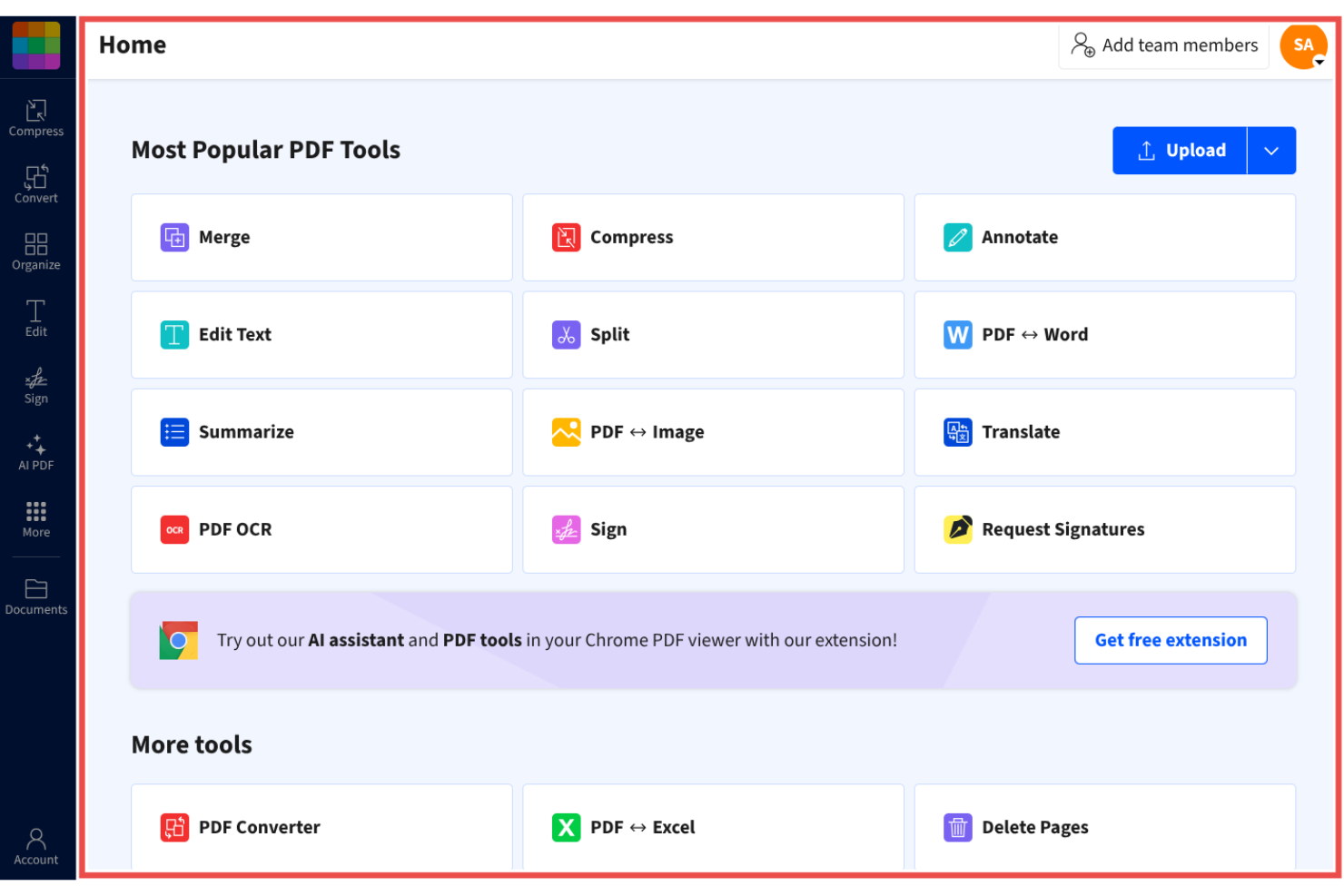
Smallpdf es una herramienta de gestión de PDF diseñada para personas y empresas que buscan una solución sencilla para gestionar documentos. Es popular entre los usuarios que necesitan un acceso rápido y directo a funciones de PDF como la conversión, la compresión y la edición.
Por qué es una buena alternativa a Adobe Acrobat: Smallpdf ofrece herramientas de PDF fáciles de usar que simplifican las tareas con documentos, lo que la convierte en una opción práctica para quienes buscan una gestión sencilla de PDF. Su interfaz intuitiva proporciona una forma simple y eficiente de convertir, comprimir y editar archivos PDF. Se puede acceder a la herramienta desde cualquier dispositivo, lo que resulta práctico para equipos en movimiento.
Funciones e integraciones destacadas:
Las funciones incluyen la edición, compresión y conversión de archivos PDF, lo que permite reducir el tamaño de los archivos y compartirlos sin perder calidad. Las herramientas de conversión permiten cambiar rápidamente entre distintos formatos de archivo.
Las integraciones incluyen Google Workspace, Dropbox, Microsoft OneDrive y más.
Pros and Cons
Pros:
- Accesible desde cualquier dispositivo
- Herramientas de compresión fiables
- Amplia variedad de funciones de PDF
Cons:
- Limitaciones de la versión gratuita
- Sin formato avanzado
Ideal para la productividad asistida por IA
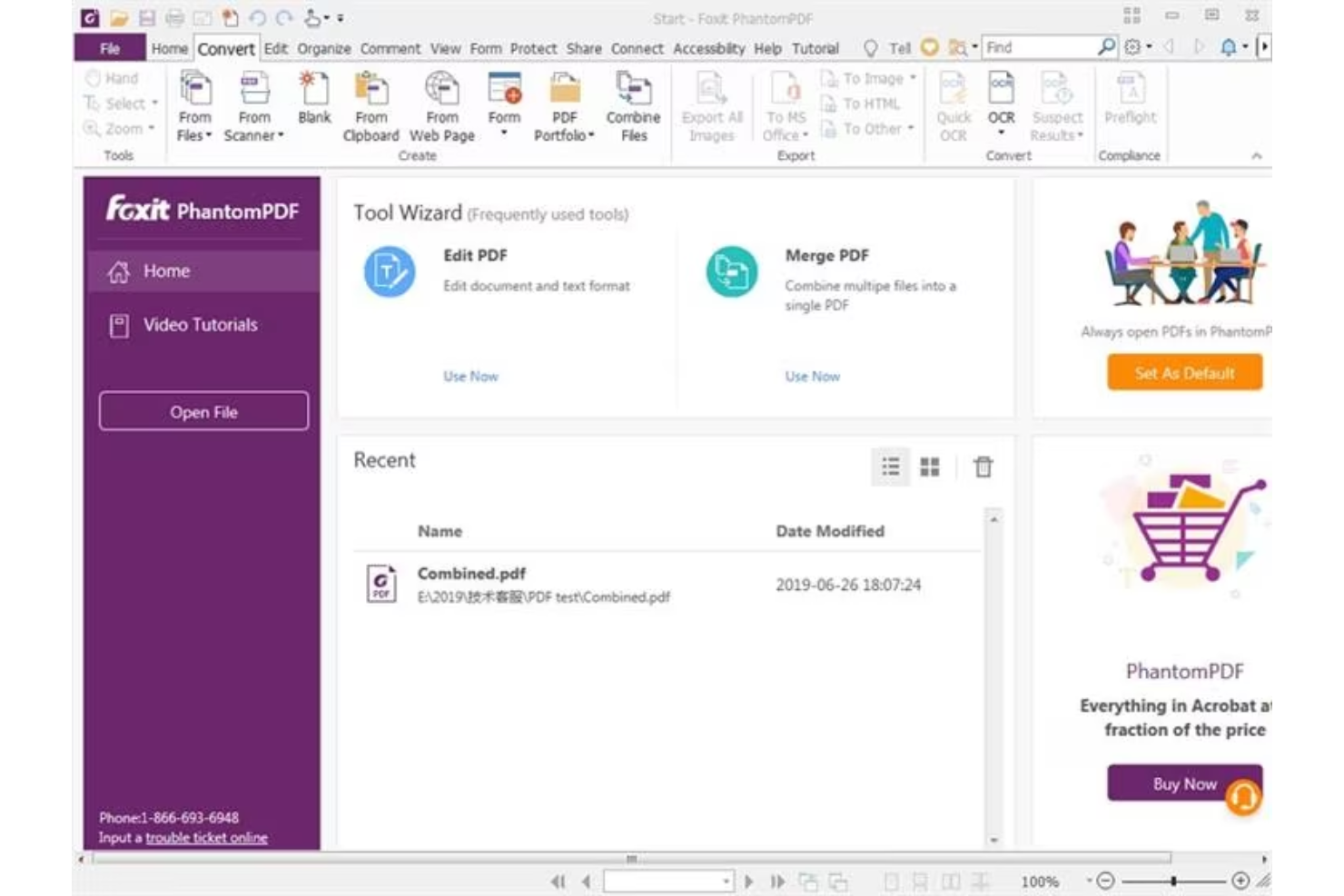
Foxit PDF Editor está diseñado para empresas y particulares que necesitan soluciones fiables de gestión documental. Es popular entre los profesionales que requieren herramientas eficientes para editar, compartir y proteger archivos PDF.
Por qué es una buena alternativa a Adobe Acrobat: Foxit PDF Editor ofrece funciones de productividad basadas en IA que hacen que la gestión documental sea más intuitiva. Gracias a sus capacidades basadas en IA, puedes automatizar tareas repetitivas y hacer que el flujo de trabajo de tu equipo sea más eficiente. El software incluye opciones avanzadas de seguridad para proteger tus documentos y proporciona complementos para aplicaciones de Microsoft Office, incluido PowerPoint. Estas funciones convierten a Foxit PDF Editor en una opción práctica para quienes buscan una alternativa más sencilla y eficiente a Adobe Acrobat.
Funciones e integraciones destacadas:
Las funciones incluyen medidas de seguridad avanzadas y accesibilidad móvil. Puedes gestionar documentos de forma segura mediante cifrado y configuraciones de permisos. El software también admite la colaboración en tiempo real.
Las integraciones incluyen Google Workspace, Dropbox, Microsoft OneDrive, Box, SharePoint y más.
Pros and Cons
Pros:
- Herramientas de productividad impulsadas por IA
- Funciones de seguridad avanzadas
- Opciones de colaboración en tiempo real
Cons:
- Herramientas limitadas para la edición avanzada de PDF
- Alto consumo de recursos
UPDF
Ideal para funciones de PDF integradas con IA

UPDF es un software de edición de PDF diseñado para usuarios que buscan una gestión de documentos eficiente y sencilla. Es popular entre particulares y equipos pequeños que necesitan herramientas sencillas para editar, anotar y convertir archivos PDF.
Por qué es una buena alternativa a Adobe Acrobat: UPDF ofrece funciones de PDF integradas con IA que simplifican las tareas con tus documentos, lo que lo convierte en una opción atractiva para quienes buscan una alternativa eficiente a Adobe Acrobat. El software proporciona opciones sencillas de edición y conversión, lo que lo hace accesible para usuarios de todos los niveles, además de herramientas potenciadas por IA que permiten automatizar tareas repetitivas y aumentar la productividad.
Características destacadas e integraciones:
Las funciones incluyen anotación de PDF (con resaltados y comentarios), conversión y edición.
Las integraciones incluyen Google Workspace, Dropbox y más.
Pros and Cons
Pros:
- Automatización de documentos potenciada por IA
- Conversión eficiente de formatos
- Adecuado para equipos pequeños
Cons:
- Carece de herramientas empresariales avanzadas
- Notificaciones agresivas para fomentar la compra

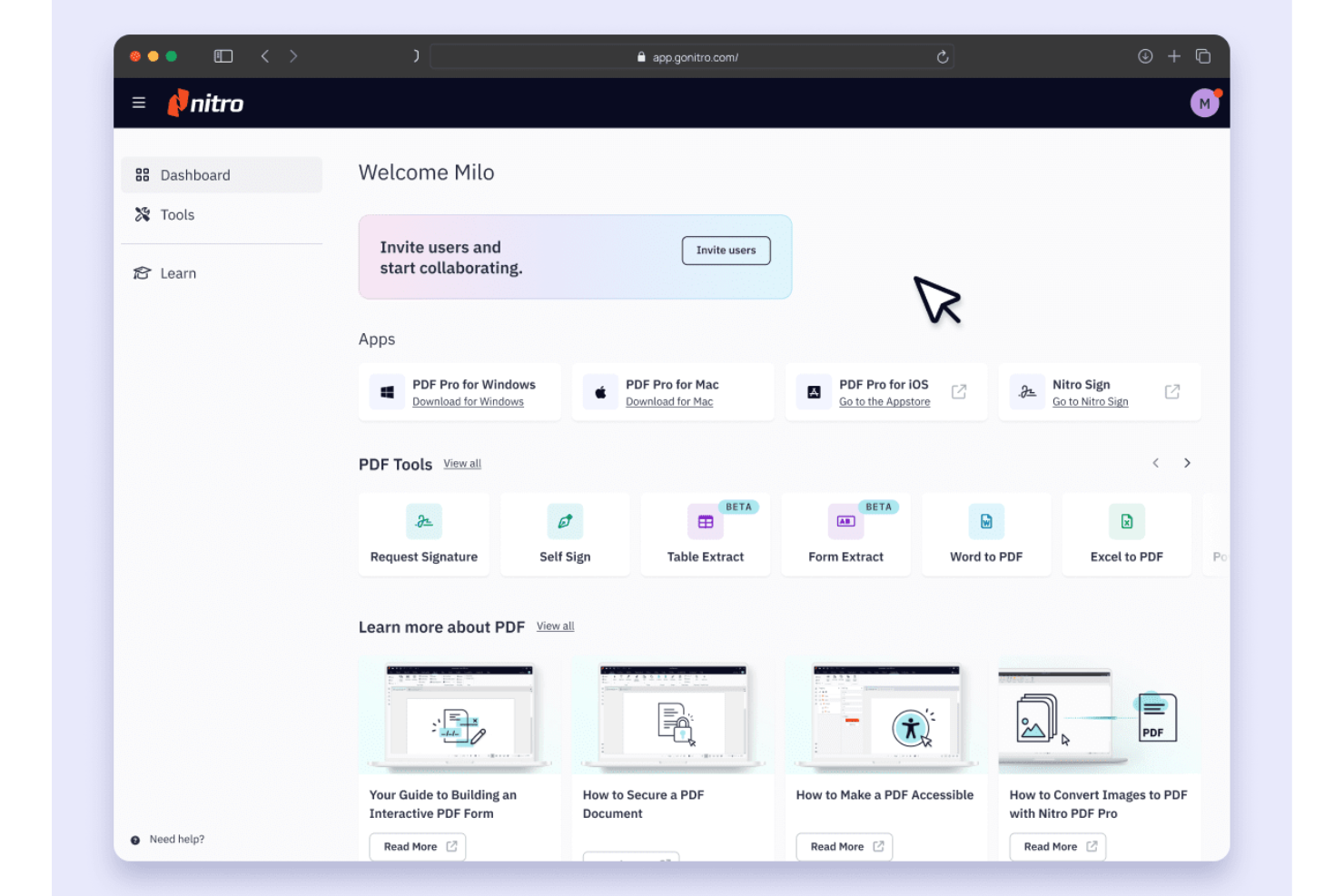
Nitro PDF es un software de PDF y firma electrónica diseñado para empresas y profesionales que necesitan capacidades eficientes de gestión y firma de documentos. Lo utilizan ampliamente equipos que requieren soluciones seguras y fiables para gestionar archivos PDF y firmas electrónicas.
Por qué es una buena alternativa a Adobe Acrobat: Nitro PDF ofrece soluciones seguras de firma electrónica que priorizan la protección de tus documentos. Puedes enviar, firmar y gestionar documentos con funciones avanzadas de cifrado y seguridad. El software también proporciona herramientas de colaboración y productividad, lo que lo convierte en una excelente opción para equipos centrados en la eficiencia. Para obtener más funciones, Nitro PDF Pro es una opción para quienes buscan una alternativa a Adobe Acrobat Pro.
Funciones e integraciones destacadas:
Las funciones incluyen herramientas de colaboración, análisis de documentos y accesibilidad para iPhone. Puedes trabajar con tu equipo en tiempo real y realizar un seguimiento de los flujos de trabajo de los documentos de forma sencilla y eficiente. Gracias a la accesibilidad para iPhone y iPad, tienes acceso a tus documentos estés donde estés.
Las integraciones incluyen Google Drive, Dropbox, Microsoft OneDrive, SharePoint, Salesforce, iManage, Microsoft 365 y mucho más.
Pros and Cons
Pros:
- Funciones seguras de firma electrónica
- Herramientas de colaboración en tiempo real
- Seguimiento del flujo de trabajo de documentos
Cons:
- Centrado en Windows
- Herramientas de edición móvil limitadas

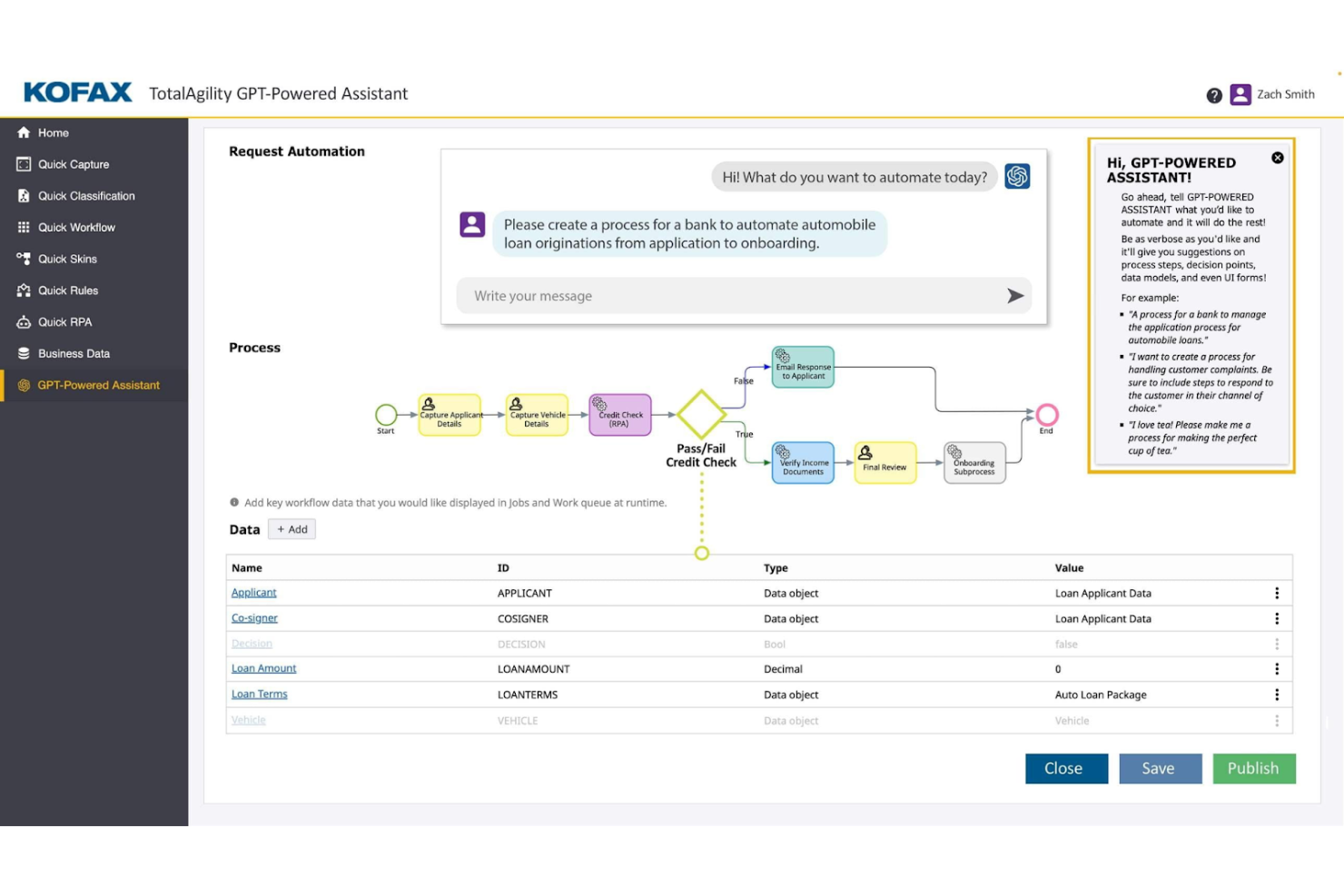
Tungsten Automation Power PDF proporciona soluciones de PDF y firma electrónica para profesionales que buscan desarrollar sus flujos de trabajo de documentos digitales. Está diseñado para usuarios que necesitan capacidades eficientes de edición y firma de documentos con funciones basadas en IA.
Por qué es una buena alternativa a Adobe Acrobat: Tungsten Automation Power PDF ofrece funciones avanzadas y un sólido soporte de seguridad, por lo que es adecuado para particulares y empresas. Incluye interfaces fáciles de usar y opciones de implementación flexibles que facilitan la integración del software de su equipo en los flujos de trabajo existentes, mientras que su cumplimiento de las normas ISO ayuda a que sus documentos cumplan los requisitos del sector.
Funciones e integraciones destacadas:
Las funciones incluyen edición de PDF, firmas digitales seguras y herramientas fáciles de usar para la conversión y la redacción. Puede gestionar documentos mediante la interfaz intuitiva, lo que simplifica su flujo de trabajo.
Las integraciones incluyen Google Drive, Dropbox, Microsoft OneDrive, Box, SharePoint, Evernote, Salesforce, NetDocuments, iManage, Microsoft Office 365 y mucho más.
Pros and Cons
Pros:
- Cumplimiento de las normas ISO
- Opciones de implementación flexibles
- Potentes funciones de la aplicación móvil
Cons:
- Los cuadros de texto pueden presentar errores
- Sincronización deficiente entre el ordenador y el móvil

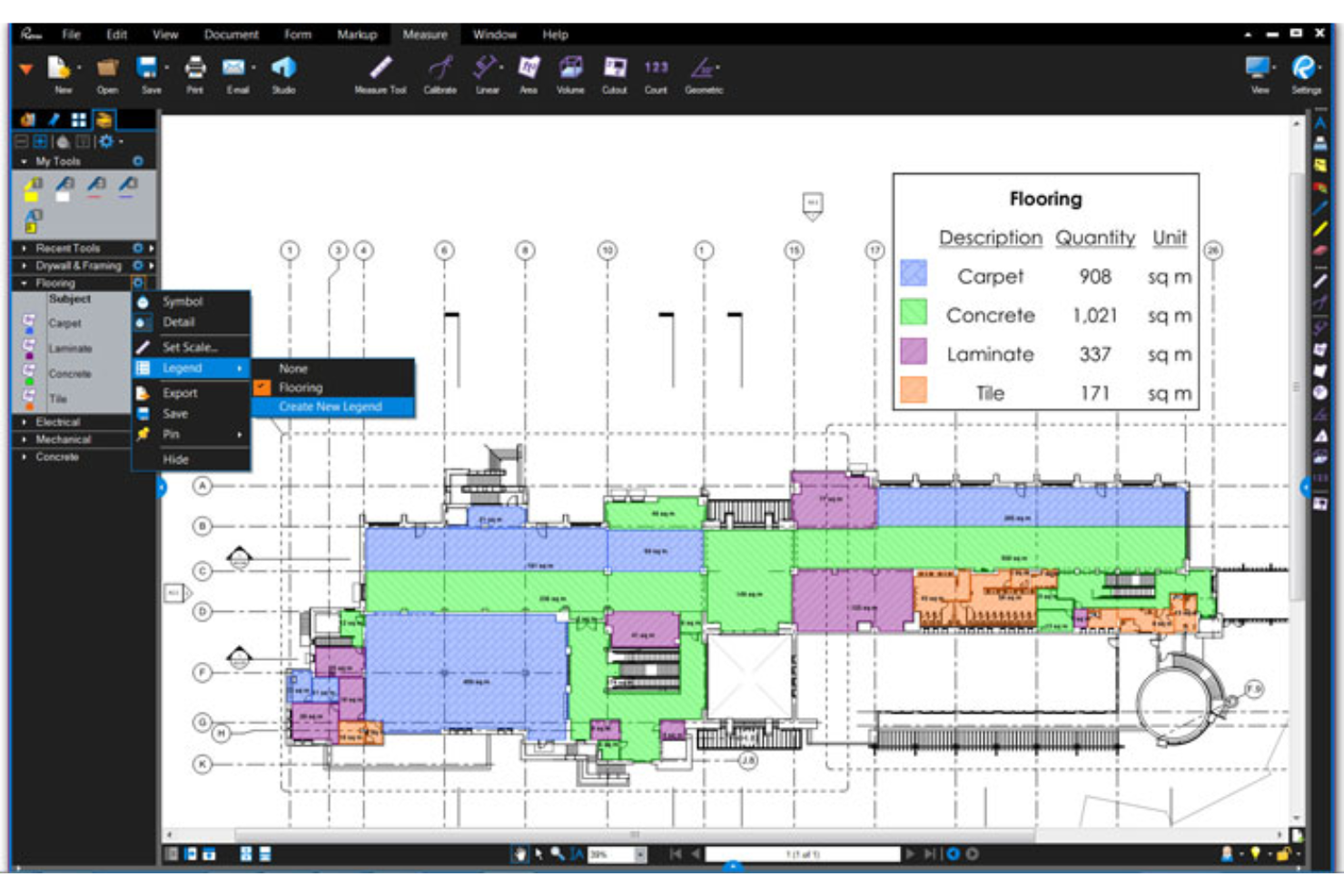
Bluebeam es un software de PDF diseñado para profesionales de la construcción que necesitan herramientas eficientes de gestión y marcado de documentos. Es ampliamente utilizado por arquitectos, ingenieros y contratistas para optimizar los flujos de trabajo de los proyectos y mejorar la colaboración.
Por qué es una buena alternativa a Adobe Acrobat: Bluebeam ofrece herramientas especializadas para profesionales de la construcción que favorecen la eficiencia de los proyectos, incluidas capacidades avanzadas de marcado y funciones de colaboración en tiempo real. Estas funcionalidades lo convierten en una sólida alternativa a Adobe Acrobat para quienes buscan soluciones adaptadas a la industria de la construcción.
Características e integraciones destacadas:
Las características incluyen herramientas avanzadas de marcado, colaboración en tiempo real y capacidades de gestión de proyectos. Puedes utilizar las herramientas de marcado para añadir comentarios y anotaciones directamente en tus documentos. La función de colaboración en tiempo real permite que tu equipo trabaje conjuntamente de manera eficiente en los proyectos.
Las integraciones incluyen Autodesk Construction Cloud, SharePoint, ProjectWise, Box, Egnyte, Microsoft OneDrive, Dropbox y más.
Pros and Cons
Pros:
- Adaptado a proyectos de construcción
- Capacidades avanzadas de marcado
- Funciones de colaboración en tiempo real
Cons:
- No existe una versión completa para usuarios de Mac
- Requiere hardware de PC de alta gama
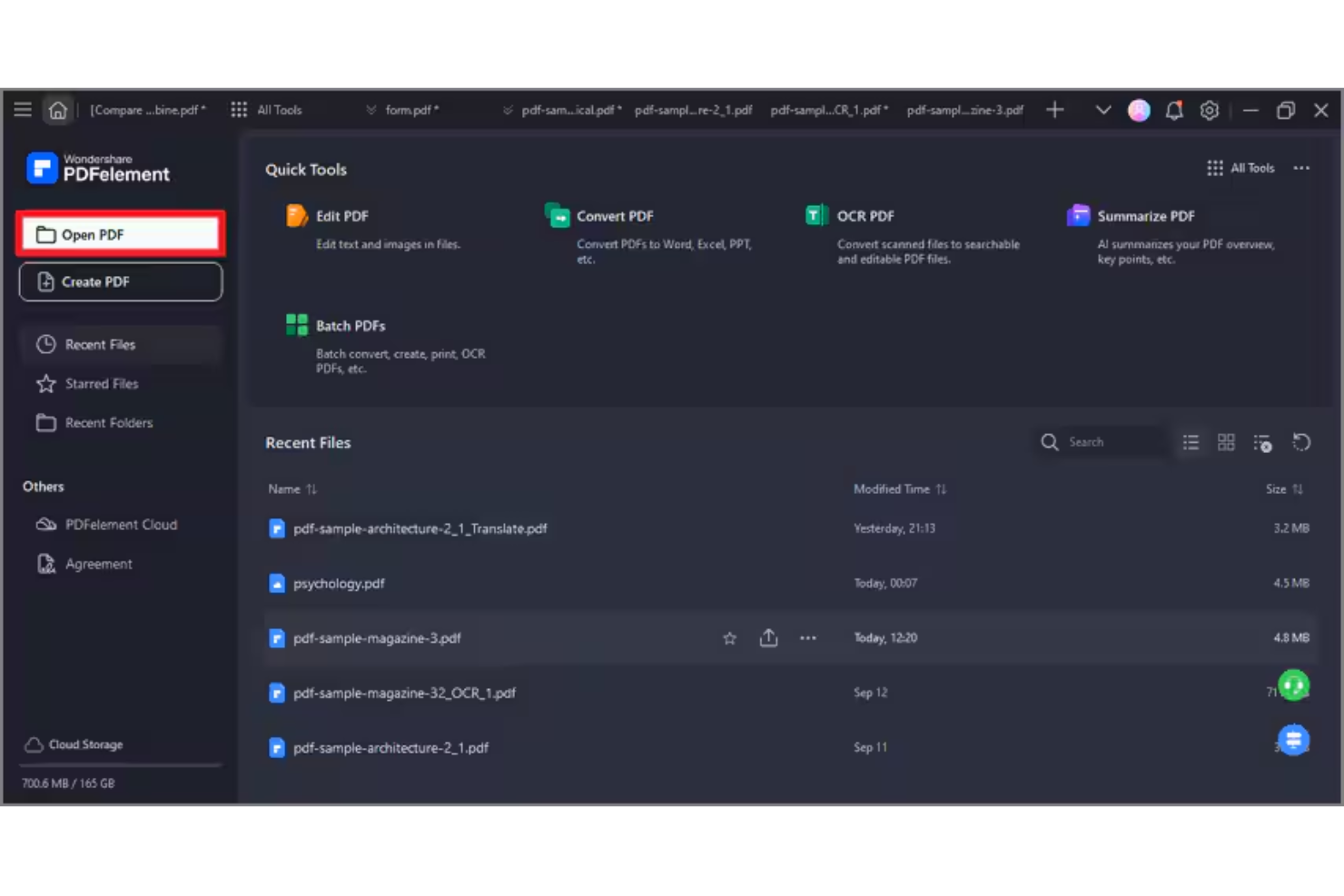
Wondershare PDFelement es un software de PDF y firma electrónica diseñado para profesionales que necesitan capacidades eficientes de gestión y edición de documentos PDF. Está dirigido a una amplia variedad de usuarios, incluidos equipos de pequeñas empresas y profesionales individuales, y ofrece formas sencillas de crear, editar, gestionar y firmar archivos PDF en los sistemas operativos Windows y Apple.
Por qué es una buena alternativa a Adobe Acrobat: PDFelement ofrece edición de archivos PDF basada en IA, lo que mejora la gestión de documentos. Sus funciones de IA simplifican tareas como el reconocimiento de texto y la creación de formularios PDF. El software también incluye procesamiento por lotes, lo que ayuda a gestionar varios archivos de manera eficiente, y hay disponible una licencia perpetua para equipos. En general, PDFelement proporciona una solución rentable para quienes desean desarrollar sus capacidades con archivos PDF sin la complejidad de Adobe Acrobat.
Funciones e integraciones destacadas:
Las funciones incluyen edición de texto basada en IA, procesamiento por lotes y creación de formularios. El software permite editar archivos PDF con precisión y facilidad. También ofrece herramientas para convertir archivos PDF a diversos formatos, lo que hace que los flujos de trabajo con documentos sean más flexibles.
Las integraciones incluyen Google Drive, Dropbox, Microsoft OneDrive, Apple iCloud, Microsoft Office 365 y más.
Pros and Cons
Pros:
- Herramientas de edición basadas en IA
- Procesamiento por lotes para una mayor eficiencia
- Conversiones flexibles de formatos de archivo
Cons:
- Algunas restricciones en el tamaño de los documentos
- Límites de créditos de IA

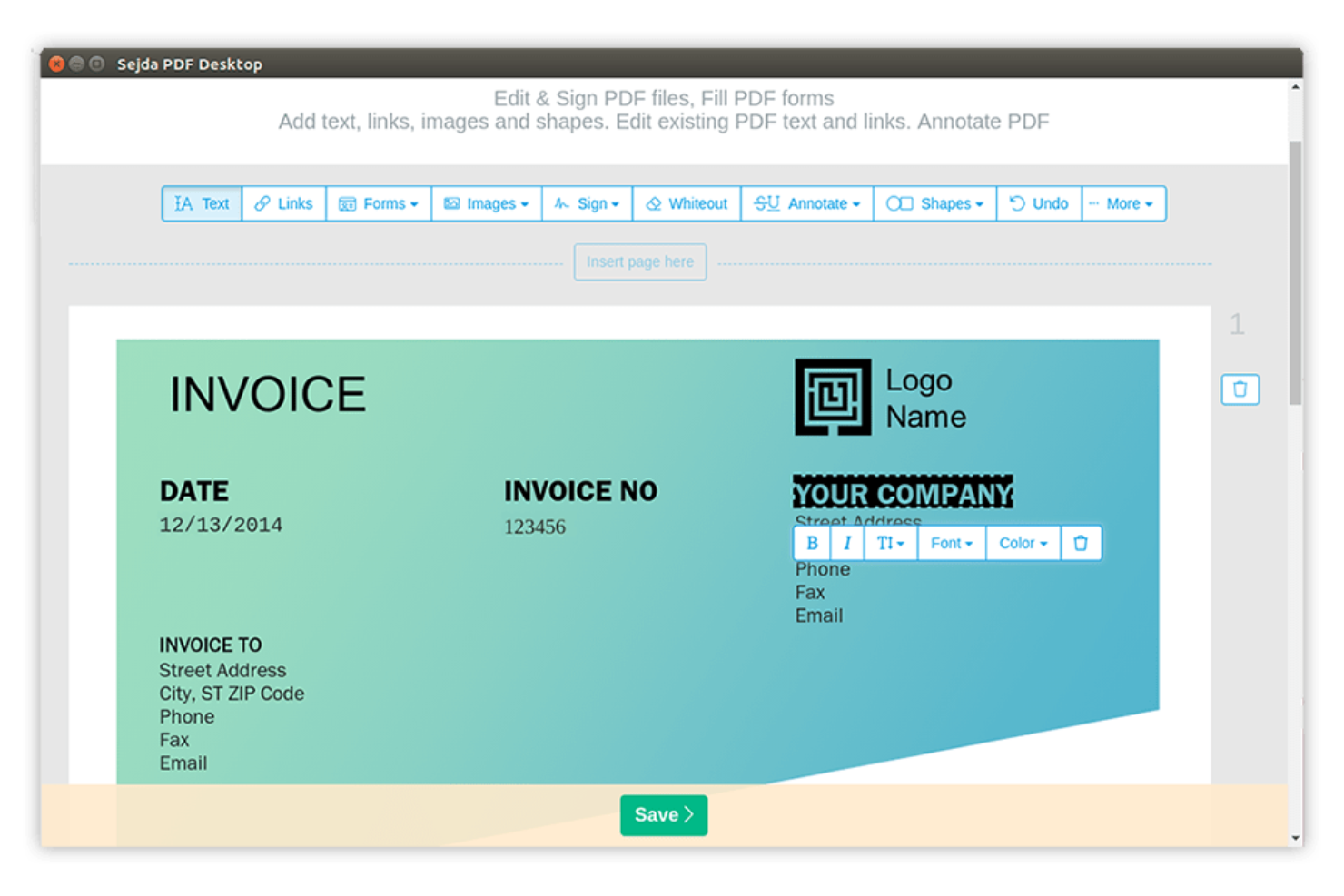
Sejda es una herramienta de PDF en línea diseñada para usuarios que necesitan un acceso rápido y sencillo a las funcionalidades de PDF. Es popular entre particulares y pequeñas empresas por su capacidad para realizar tareas como editar, combinar y dividir archivos PDF.
Por qué es una buena alternativa a Adobe Acrobat: Sejda destaca por gestionar eficazmente las tareas de PDF en línea. Puedes editar y manipular archivos PDF directamente en tu navegador, lo que la hace muy accesible, mientras que la simplicidad de la herramienta permite realizar modificaciones rápidas en los documentos sin necesidad de utilizar software complejo. Estas características hacen de Sejda una opción práctica para quienes buscan soluciones de PDF en línea sencillas.
Características destacadas e integraciones:
Las características incluyen edición, combinación y división de archivos PDF, así como compatibilidad con fuentes personalizadas. Puedes combinar varios archivos PDF en un solo documento, mientras que la función de división permite desglosar archivos PDF grandes en archivos más pequeños y manejables.
Las integraciones incluyen Google Drive, Dropbox y más.
Pros and Cons
Pros:
- Edición eficiente de PDF en línea
- No requiere instalar software
- Manipulación sencilla de documentos
Cons:
- Límites estrictos de tamaño de archivo y número de páginas
- Carece de herramientas de procesamiento por lotes

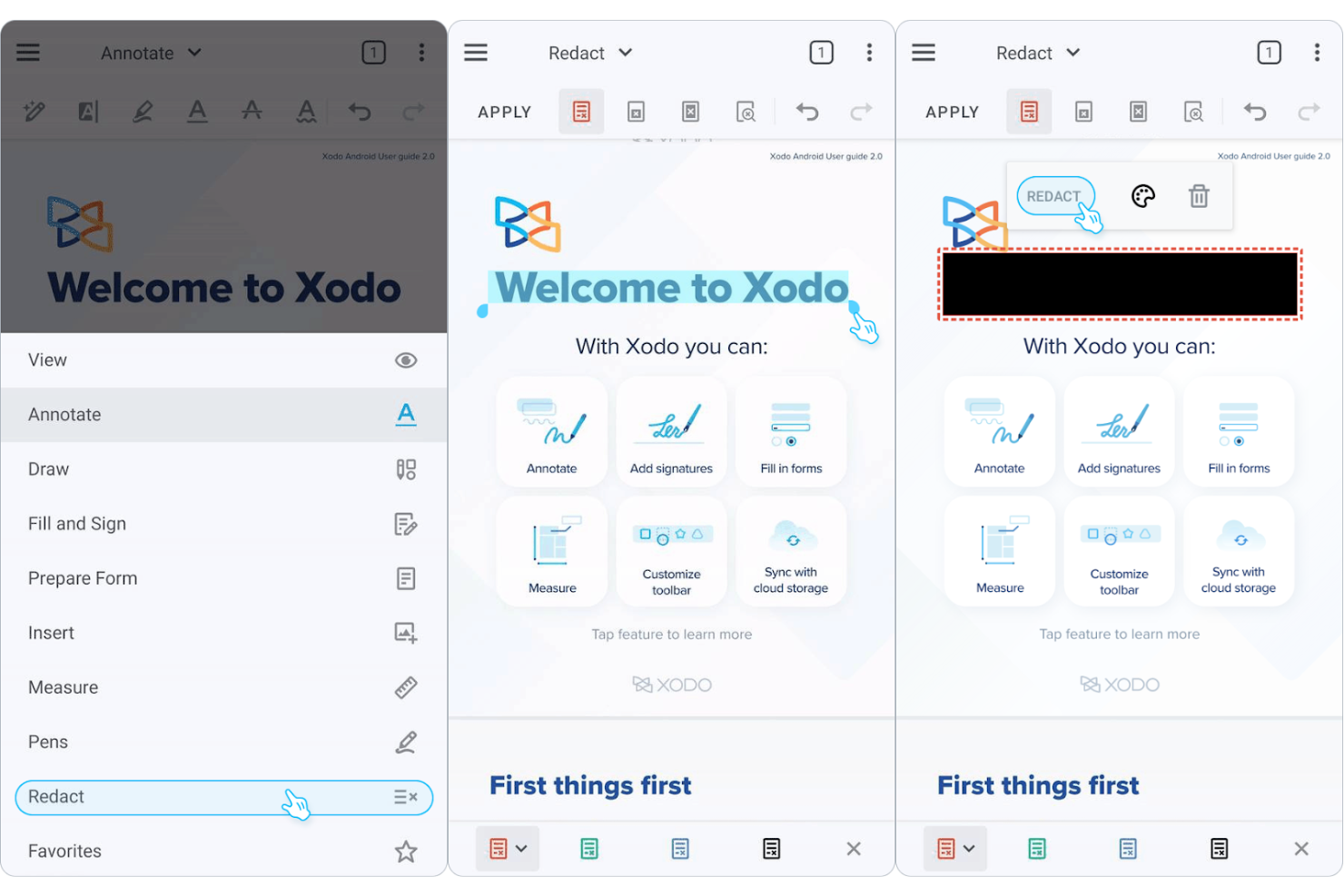
Xodo es una herramienta de gestión de PDF diseñada para usuarios que necesitan acceder eficientemente a documentos en varios dispositivos. Es popular entre personas y equipos que requieren herramientas fiables para visualizar, anotar y compartir archivos PDF.
Por qué es una buena alternativa a Adobe Acrobat: Xodo destaca en la gestión de documentos entre dispositivos, ofreciendo una experiencia uniforme tanto si usas un móvil como un ordenador o la web. Puedes anotar y colaborar en archivos PDF en tiempo real gracias a las notas adhesivas y las herramientas de marcado de texto. El software intuitivo facilita que tu equipo se adapte rápidamente. Estas funciones convierten a Xodo en una opción práctica para quienes buscan flexibilidad y accesibilidad en sus soluciones PDF.
Funciones e integraciones destacadas:
Las funciones incluyen herramientas de anotación, colaboración en tiempo real y acceso al almacenamiento en la nube, lo que te permite resaltar, subrayar y añadir comentarios a archivos PDF mientras ayudas a tu equipo a mantenerse conectado y productivo.
Las integraciones incluyen Google Drive, Dropbox, Microsoft OneDrive, Evernote y más.
Pros and Cons
Pros:
- Experiencia uniforme entre dispositivos
- Acceso al almacenamiento en la nube
- Adaptación rápida para equipos
Cons:
- Sincronización lenta en la nube para archivos grandes
- Edición deficiente del reajuste de texto

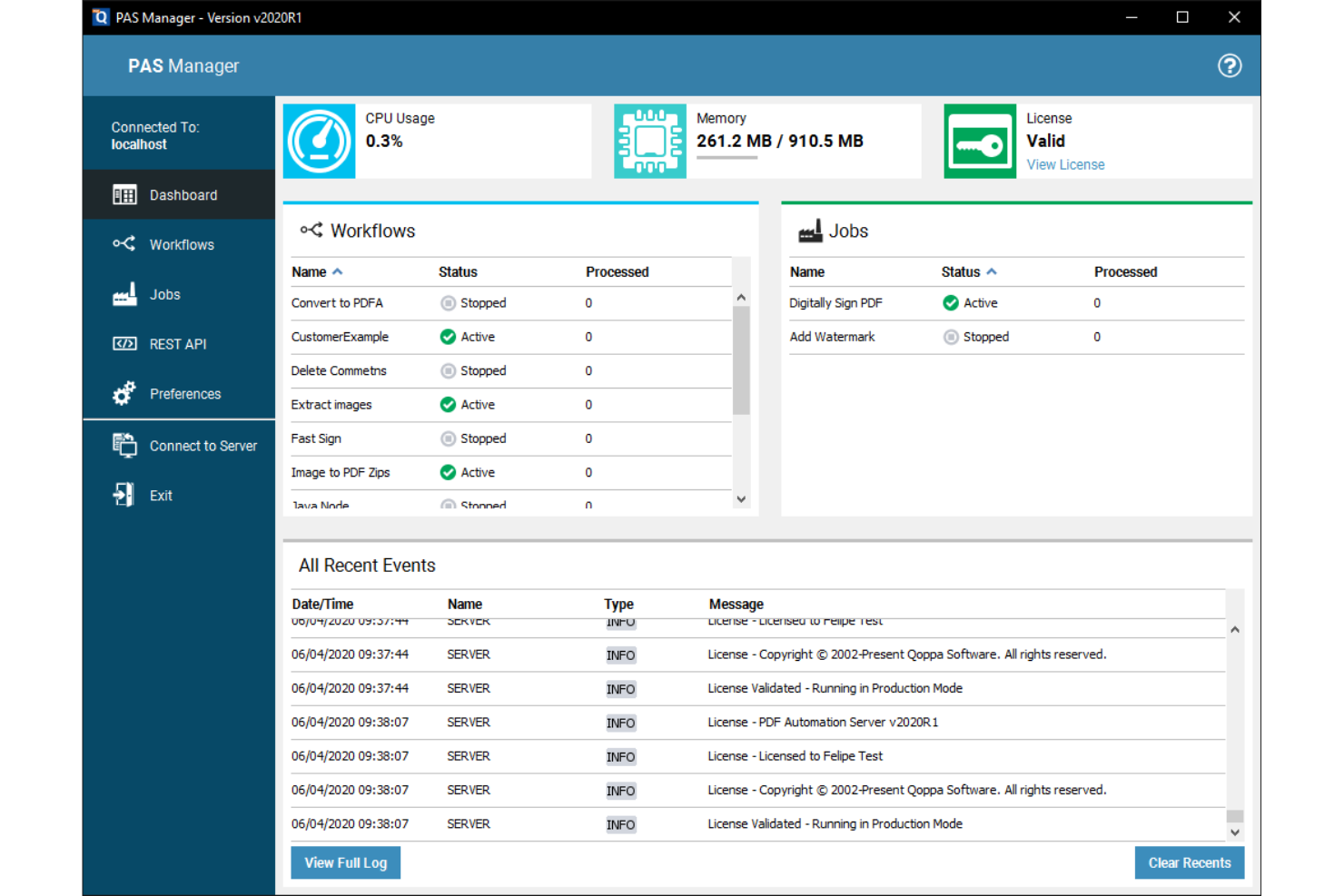
Qoppa PDF Studio ofrece soluciones PDF de nivel empresarial para negocios que necesitan capacidades avanzadas de procesamiento de documentos. Es ideal para equipos que necesitan herramientas amplias para gestionar, editar y proteger archivos PDF.
Por qué es una buena alternativa a Adobe Acrobat: Qoppa PDF Studio ofrece soluciones PDF empresariales que se adaptan a necesidades comerciales complejas. Con funciones como la edición de PDF, la creación de formularios y la funcionalidad de firma digital, permite a tu equipo gestionar documentos de manera eficiente, mientras que sus opciones de seguridad ayudan a mantener protegidos tus documentos. Estas capacidades convierten a Qoppa PDF Studio en una excelente opción para empresas que buscan una alternativa a Adobe Acrobat.
Funciones e integraciones destacadas:
Las funciones incluyen seguridad avanzada de documentos, procesamiento por lotes, creación de formularios y cifrado y permisos de PDF. Varias herramientas de manipulación de archivos permiten dividir, combinar y reorganizar documentos.
Las integraciones incluyen Google Drive, Dropbox, Microsoft OneDrive, Box y más.
Pros and Cons
Pros:
- Procesamiento por lotes eficiente
- Herramientas avanzadas para crear formularios
- Adecuado para equipos grandes
Cons:
- Carece de funciones modernas de chat con IA
- Problemas de escalabilidad en monitores 4K
Otras alternativas a Adobe Acrobat
Estas son algunas alternativas adicionales a Adobe Acrobat que no llegaron a formar parte de mi selección, pero que siguen mereciendo la pena:
- PDF Expert
Ideal para usuarios de dispositivos Apple
- PDF-XChange Editor
Ideal para la edición rentable de archivos PDF
- PDF24
La mejor opción para utilidades PDF basadas en el navegador


Cómo evalúo las alternativas a Adobe Acrobat
Divido mi evaluación en criterios básicos que toda herramienta debe cumplir —como la edición real de PDF, la gestión de páginas y las firmas electrónicas— y los factores diferenciadores que separan la opción más adecuada para tu equipo del resto.
Funcionalidad principal (requisitos básicos para esta lista)
Al seleccionar herramientas para mi lista, clasifico cada una en una escala de 0 (no ofrece la funcionalidad) a 5 (sobresale en esta área) para cada funcionalidad principal indicada a continuación. Después, calculo la puntuación total de la herramienta como porcentaje. Cada herramienta debe alcanzar una puntuación total mínima del 65% para ser considerada.
- Edición de PDF: Compruebo si puedo editar texto existente, sustituir imágenes y ajustar el formato directamente, como actualizar la fecha de entrega enterrada en un documento de alcance del trabajo de 40 páginas.
- Creación y conversión de PDF: Convertir un acta de constitución de proyecto basada en Word o un registro de riesgos de Excel en un PDF pulido (y viceversa) debería conservar las tablas, las fuentes y el diseño.
- Anotación y marcado: Evalúo la profundidad de las herramientas de revisión —comentarios, llamadas y formas de dibujo— y si varios revisores pueden marcar el mismo documento dentro de un flujo de trabajo compartido.
- Compatibilidad con firmas electrónicas: Busco flujos de trabajo de firma electrónica integrados o estrechamente vinculados que permitan enviar un contrato o una orden de cambio para que varias partes lo firmen, con un registro de auditoría.
- Gestión de páginas: Combinar documentos de alcance independientes en un solo paquete de entrega, dividir anexos o reordenar secciones debería ser rápido e intuitivo en trabajos con varios archivos.
- Seguridad y redacción: Evalúo la protección mediante contraseña, los permisos detallados y la verdadera redacción del contenido, especialmente para eliminar datos confidenciales de costes o información de identificación personal antes de compartir archivos externamente.
Una vez que tengo una lista de herramientas que cumplen estos criterios, analizo qué distingue a cada plataforma.
Factores diferenciadores (qué distingue a los proveedores)
Así es como comparo y contrasto los distintos proveedores:
Características destacadas
La inteligencia documental basada en IA es un gran factor diferenciador: busco herramientas que puedan resumir una especificación de 100 páginas o extraer cláusulas clave de un contrato con un proveedor sin necesidad de revisarlo manualmente. La colaboración en la nube es igual de importante, especialmente cuando los equipos distribuidos necesitan revisar conjuntamente un documento en tiempo real en lugar de enviarse copias marcadas por correo electrónico. También evalúo las capacidades de creación de formularios, ya que crear solicitudes de información (RFIs) o plantillas de órdenes de cambio rellenables directamente dentro del editor de PDF ahorra una cantidad sorprendente de intercambios.
Más allá de las características
Las integraciones con el ecosistema son muy importantes en este caso: compruebo si una herramienta se conecta de forma nativa con plataformas como Jira, Smartsheet o SharePoint, ya que ahí es donde realmente se almacenan la mayoría de los documentos de proyecto. La estructura de licencias es otro factor clave; algunos proveedores ofrecen suscripciones por usuario, mientras que otros proporcionan licencias por volumen o para todo el sitio, que funcionan mejor para una oficina de gestión de proyectos (PMO) con contratistas que se incorporan y salen de forma rotativa. También evalúo la cobertura multiplataforma, porque los equipos mixtos que trabajan con Windows, macOS y dispositivos móviles necesitan un acceso coherente sin diferencias de funcionalidad.
¿Por qué buscar una alternativa a Adobe Acrobat?
Aunque Adobe Acrobat es una buena opción de software de PDF y firma electrónica, hay varios motivos por los que algunos usuarios buscan soluciones alternativas. Puede que estés buscando una alternativa a Adobe Acrobat porque…
- Necesitas opciones de precios más asequibles.
- Tu equipo quiere una interfaz de usuario más sencilla.
- Necesitas una funcionalidad mejor para la aplicación móvil.
- Necesitas funciones adaptadas a sectores específicos.
- Tu equipo desea recibir una respuesta más rápida del servicio de atención al cliente.
- Necesitas acceder a los documentos sin conexión.
Si alguna de estas situaciones te resulta familiar, has llegado al lugar adecuado. Mi lista contiene varias opciones de software de PDF y firma electrónica más adecuadas para equipos que se enfrentan a estos desafíos con Adobe Acrobat y buscan soluciones alternativas.
Funciones principales de Adobe Acrobat
Estas son algunas de las funciones clave de Adobe Acrobat, para ayudarte a compararlo con soluciones alternativas:
- Edición de PDF: Te permite crear archivos PDF y modificar directamente el texto y las imágenes de tus archivos.
- Conversión de archivos: Te permite convertir documentos a PDF y desde PDF, lo que facilita trabajar con distintos formatos de archivo.
- Firmas electrónicas: Ofrece herramientas para añadir y recopilar firmas digitales, simplificando el proceso.
- Organización de páginas: Te ayuda a reordenar, eliminar o girar páginas en tu PDF para mantener tus documentos organizados.
- Protección de documentos: Ofrece protección mediante contraseña y ajustes de permisos para mantener tus archivos PDF seguros.
- Colaboración y uso compartido: Te permite compartir documentos y recopilar comentarios, fomentando la colaboración del equipo.
- Productividad con IA: Utiliza la IA para automatizar y ayudar con las tareas relacionadas con documentos, mejorando la eficiencia.
- Creación de formularios: Te permite crear y rellenar formularios, organizando la recopilación de datos.
- Comparación de documentos: Te permite comparar dos versiones de un documento para identificar diferencias.
- Acceso móvil: Proporciona acceso a las herramientas desde dispositivos móviles, para que puedas trabajar desde cualquier lugar.
Qué viene después:
Si estás investigando software de PDF y firma electrónica, contacta gratuitamente con un asesor de SoftwareSelect para recibir recomendaciones.
Rellenas un formulario y mantienes una breve conversación en la que conocerán los detalles específicos de tus necesidades. Después recibirás una lista de opciones de software para revisar. Incluso te apoyarán durante todo el proceso de compra, incluidas las negociaciones de precios.