

2026’da İş Gücü İçin En İyi 10 Connecteam Alternatifi Aracı

En İyi Connecteam Alternatifleri Kısa Listesi


Ekibinizin iş yükünü, programlarını ve kaynaklarını yönetmek zor olabilir. Her şeyi daha karmaşık hâle getirmeden düzenli tutan bir araca ihtiyacınız var. Ayrıca Connecteam, benzersiz ihtiyaçlarınıza her zaman uygun olmayabilir ve bu da sizi doğru alternatifi aramaya yöneltebilir.
Neyse ki ekibinize daha uygun olabilecek pek çok alternatif var. Farklı sektörlere ve ekip büyüklüklerine uygun çözümler bulmak için yazılımları test edip incelemeye zaman ayırdım. Bu makalede, işletme hedeflerinizle daha iyi örtüşebilecek en iyi Connecteam alternatiflerini paylaşacağım.
Connecteam nedir?
Connecteam, masa başında çalışmayan ekipleri yönetmesi gereken işletmeler için tasarlanmış bir çalışan kaynakları yönetimi yazılımıdır. Programları koordine etmek, zamanı takip etmek ve çalışanlarla iletişim kurmak için inşaat, perakende ve saha hizmetleri gibi sektörlerdeki yöneticiler tarafından yaygın olarak kullanılır.
Zaman takibi, vardiya planlama ve görev yönetimi gibi özellikler, ofiste veya sahada olmalarından bağımsız olarak ekibinizi düzenli ve işlerinizi yolunda tutmanıza yardımcı olabilir. Genel olarak Connecteam, iş gücü yönetimini her şeyi tek bir yerde tutarak basitleştirir ve projeleri ve günlük operasyonları denetlemeyi kolaylaştırır.
Connecteam Alternatifleri Karşılaştırma Tablosu
Bu karşılaştırma tablosu, en iyi Connecteam alternatifleri seçimlerimin fiyatlandırma ayrıntılarını özetlemektedir.
Score legend (out of 5)
- Excellent 4.5–5
- Good 4–4.4
- Average 3–3.9
- Below average 2–2.9
- Poor 1–1.9
| Tool | Starting Price | Website | |||||||
|---|---|---|---|---|---|---|---|---|---|
| Best for user-friendly time tracking | — | 4 | 4 | 4 | 2 | 4 | — | $4.99/user/month 14-day free trial + free demo available | Website |
| Best for automatic shift scheduling | 3.2 out of 5 | 4 | 3 | 3 | 3 | 3 | 3 | $3.50/user/month 21-day free trial + free demo available | Website |
| Best for advanced payroll automation | 3.0 out of 5 | 4 | 3 | 4 | 2 | 4 | 1 | $50/user/month 30-day free trial + free demo available | Website |
| Best for location-based time tracking | 2.8 out of 5 | 3 | 3 | 3 | 1 | 4 | 3 | $4.99/user/month Free plan + 7-day trial + demo available | Website |
| Best for maintenance management | 2.8 out of 5 | 2 | 3 | 2 | 3 | 3 | 4 | $20/user/month Free plan + free trial + free demo available | Website |
| Best for restaurant scheduling | 3.7 out of 5 | 4 | 3 | 4 | 3 | 4 | 4 | $44.99/month Free plan + 14-day free trial + free demo available | Website |
| Best for HR and payroll integration | 2.8 out of 5 | 3 | 4 | 4 | 1 | 3 | 2 | $125/month Free plan + trial + demo available | Website |
| Best for frontline workforce management | — | 1 | 4 | — | 4 | — | 5 | Pricing upon request 14-day free trial + demo available | Website |
| Best for food safety compliance | 3.5 out of 5 | 4 | 4 | 4 | 2 | 3 | 4 | Pricing upon request Free demo available | Website |
| Best for deskless workforce management | 2.8 out of 5 | 4 | 3 | 2 | 3 | 2 | 3 | Pricing upon request Free demo available | Website |
Why Trust Our Software Recommendations
Our team has been testing and reviewing software since 2012. As project managers ourselves, we know how difficult—and important—it is to choose the right software.
For this guide, we evaluated tools using hands-on testing and independent research, scoring tools using our selection criteria. We also draw on insights from industry thought leaders and practicing project management experts.
Our reviews reflect our human editorial judgment, not a sales pitch.
Expert reviewers:
En İyi Connecteam Alternatifleri İncelemeleri
Aşağıda, kısa listeme giren en iyi Connecteam alternatiflerinin ayrıntılı özetlerini bulabilirsiniz. İncelemelerim, sizin için en iyi seçeneği bulmanıza yardımcı olmak amacıyla her aracın temel özelliklerine, artılarına & eksilerine, entegrasyonlarına ve ideal kullanım alanlarına ayrıntılı bir bakış sunuyor.

Best for user-friendly time tracking
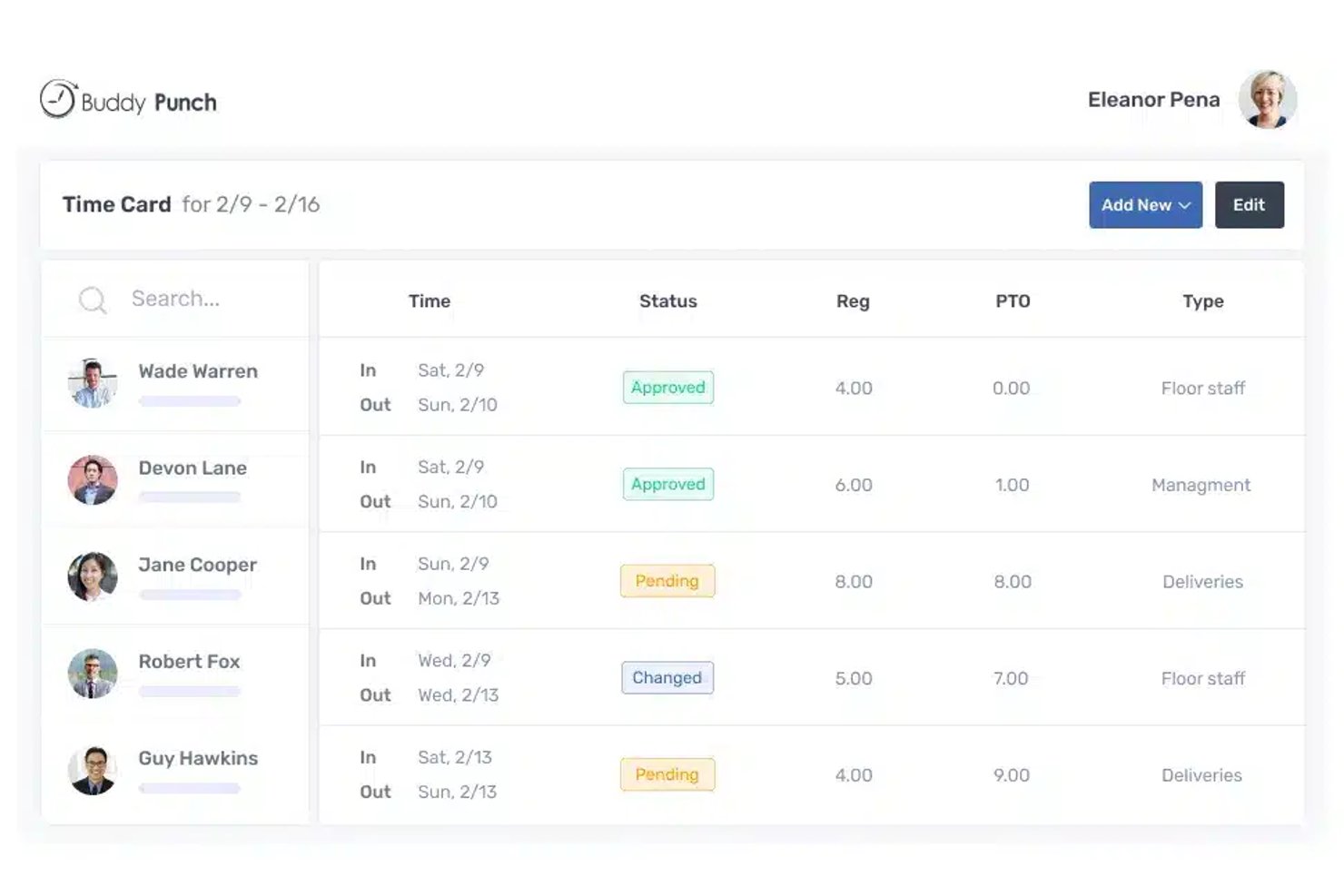
Buddy Punch is time clock and scheduling software built for businesses with hourly or deskless workforces, helping managers track attendance across multiple locations, manage shifts, and feed accurate time data into payroll.
Who Is Buddy Punch Best For?
Buddy Punch is a strong fit for small to mid-sized businesses with hourly or shift-based teams who need reliable time tracking and payroll-ready exports without a steep learning curve.
Why I Picked Buddy Punch
I picked Buddy Punch as one of the best because it makes time tracking genuinely frictionless for hourly teams. I love how employees can clock in with a GPS-stamped punch from their phones, and managers get automatic alerts for late arrivals, early departures, or missed punches without chasing anyone down. The drag-and-drop schedule builder with shift trade and cover requests keeps things running smoothly when plans change mid-week.
Buddy Punch Key Features
- Timesheet approvals: Managers can review, approve, reject, and correct employee timesheets and individual punches before payroll runs.
- PTO accrual policies: Administrators can configure multiple paid or unpaid time-off earning codes with accrual rules, waiting periods, carryover caps, and balance limits.
- Payroll integrations: Buddy Punch connects with 17 payroll providers, including QuickBooks Online, Gusto, ADP Workforce Now, Paychex, and Workday.
- Kiosk mode: Employees can punch in and out from a shared tablet using PIN or QR code, without needing individual devices.
Buddy Punch Integrations
Buddy Punch offers 17 payroll integrations, including QuickBooks Online, Gusto, ADP Workforce Now, Paychex, Paylocity, and Workday. It also connects with Google Calendar, Apple Calendar, Outlook Calendar, Zapier, and an API for custom integrations.
Pros and Cons
Pros:
- Quick punches reduce paper timekeeping
- Approved shift swaps update schedules automatically
- GPS punches help verify jobsite attendance
Cons:
- No task or checklist tracking
- Push messages don’t support employee replies

Agendrix
Best for automatic shift scheduling
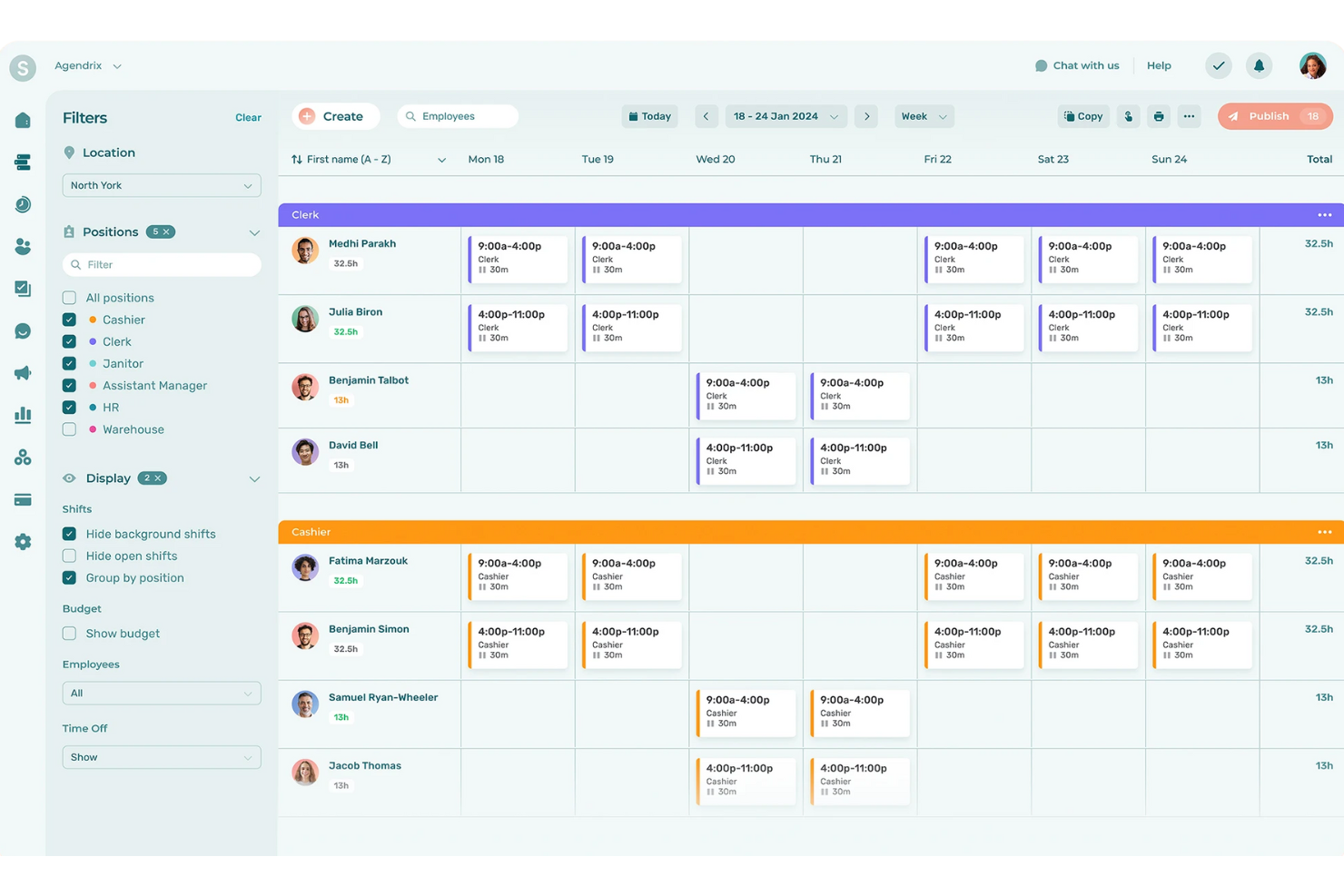
Agendrix is an employee scheduling platform built for small businesses and distributed teams that need to manage shift planning, time-off requests, and staff communication across multiple locations or departments.
Who Is Agendrix Best For?
Agendrix is a strong fit for small business owners and scheduling coordinators managing shift-based teams across multiple locations or departments.
Why I Picked Agendrix
I picked Agendrix as one of the best Connecteam alternatives because of how well it handles automatic shift scheduling for distributed teams. I love that it can auto-assign shifts while accounting for each employee's availability, approved leave, and position requirements, so there's no manual back-and-forth. Managers can also set open shifts to fill by seniority or first-come, first-served rules, with conflict alerts firing before anything gets published.
Agendrix Key Features
- Employee profile-based scheduling: Build shifts using stored employee data including roles, skills, certifications, and availability to avoid manual cross-referencing.
- Targeted newsfeed announcements: Publish internal messages and documents filtered by department, role, or location so the right employees see relevant updates.
- HR document storage and e-signatures: Upload, share, and collect electronic signatures on HR documents directly within employee profiles.
- Shift-task reporting: Export shift-task completion reports filtered by all, completed, or uncompleted tasks for a selected day or period.
Agendrix Integrations
Agendrix offers native integrations with ADP Workforce Now, QuickBooks Canada, Payworks, Nethris, Sage 50, Acomba, Ceridian Powerpay, EmployerD, Easypay, and Azur. It also provides an API for custom integrations.
Pros and Cons
Pros:
- Reviewers praise straightforward shift creation and publishing
- Conflict alerts catch scheduling issues before publishing
- Automatic assignments account for availability and leave
Cons:
- Mobile clocking cannot work offline
- Tasks sit behind the Plus plan

TimeTrex
Best for advanced payroll automation
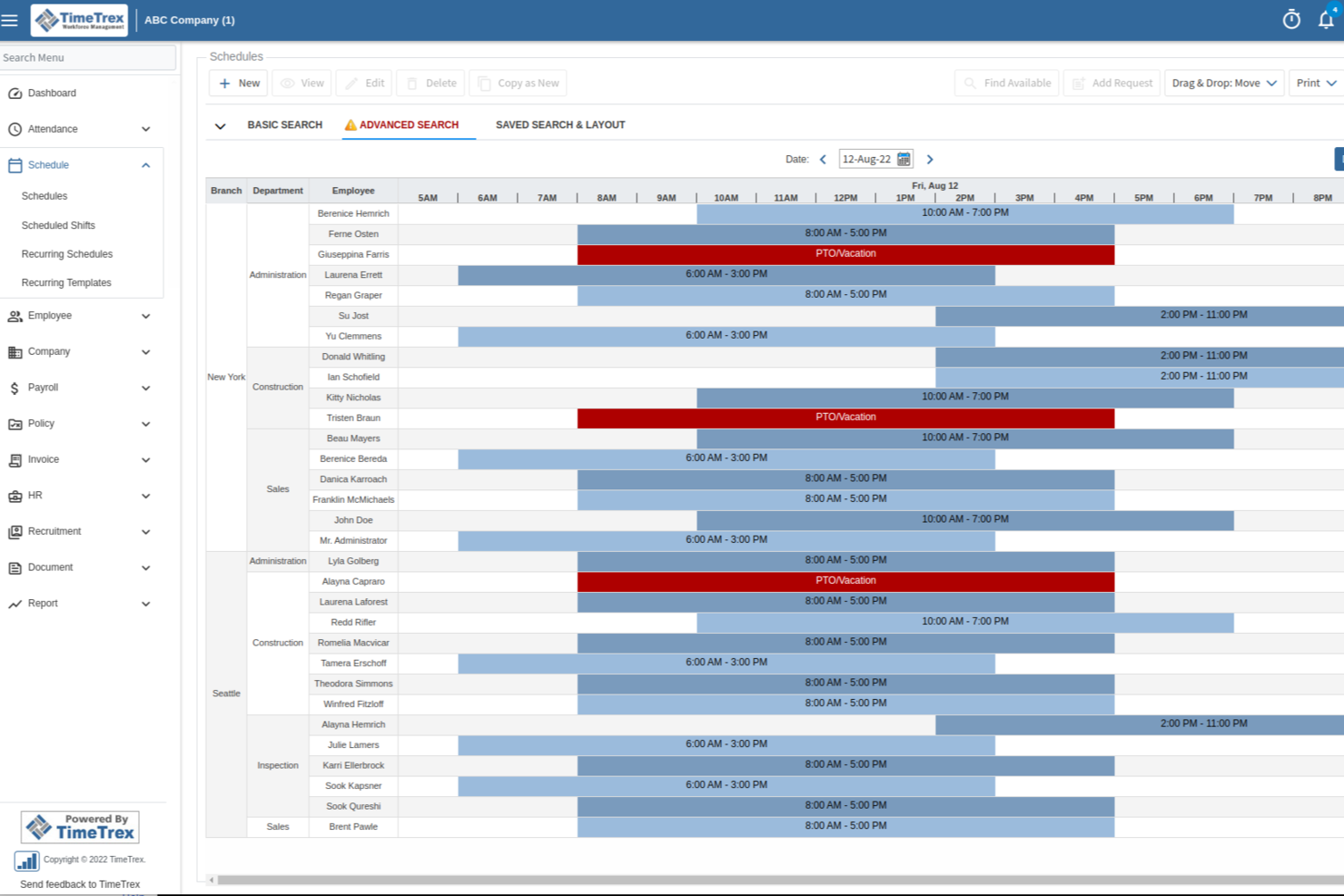
TimeTrex is a workforce management platform that brings time tracking, scheduling, payroll, and HR into one system—making it a practical fit for small business owners and HR managers who want tighter control over attendance and pay cycles without juggling separate tools.
Who Is TimeTrex Best For?
TimeTrex is a strong fit for small business owners and HR managers who want time tracking, scheduling, and payroll handled in one place without paying for separate tools.
Why I Picked TimeTrex
I've included TimeTrex in my top picks because its payroll automation goes deeper than most tools in this category. Rather than relying on third-party payroll apps, TimeTrex connects attendance records directly to payroll calculations, deductions, and tax forms inside the same platform. I particularly like that it exports time and earnings data in native formats for ADP, Paychex, Ceridian, and QuickBooks Pro, so there's no manual reformatting between systems. That direct linkage between clock-in data and pay runs is where TimeTrex separates itself.
TimeTrex Key Features
- Biometric facial recognition: Verifies employee identity at clock-in and clock-out to reduce buddy punching and improve attendance accuracy.
- AI-powered scheduling: Automatically builds schedules to help avoid overstaffing, reduce overtime costs, and flag potential labor-law conflicts.
- Leave and absence management: Centralizes time-off requests and balances so scheduling impacts are visible when planning coverage.
- Customizable workforce reports: Lets managers build and schedule reports across attendance, pay periods, branches, and departments in real time.
TimeTrex Integrations
TimeTrex offers integrations with ADP, Intuit QuickBooks, Sage, Paychex, and Ceridian for payroll and accounting workflows. It also provides a REST API for custom integrations.
Pros and Cons
Pros:
- Reviewers praise accurate, easier payroll processing
- Facial recognition helps prevent buddy punching
- Payroll stays connected to attendance records
Cons:
- Reviewers describe dated mobile and interface experiences
- No documented task or checklist tracking
New Product Updates from TimeTrex
TimeTrex Redesigns Workforce Management With New Payroll, Scheduling, and AI Tools
TimeTrex redesigns its workforce management experience with new dashboards, scheduling and timesheet tools, a rebuilt payroll workflow, and expanded AI assistance. These updates give teams more flexible ways to manage schedules, payroll, reporting, and employee data. For more information, visit TimeTrex’s official site.
 .

Clockify
Best for location-based time tracking
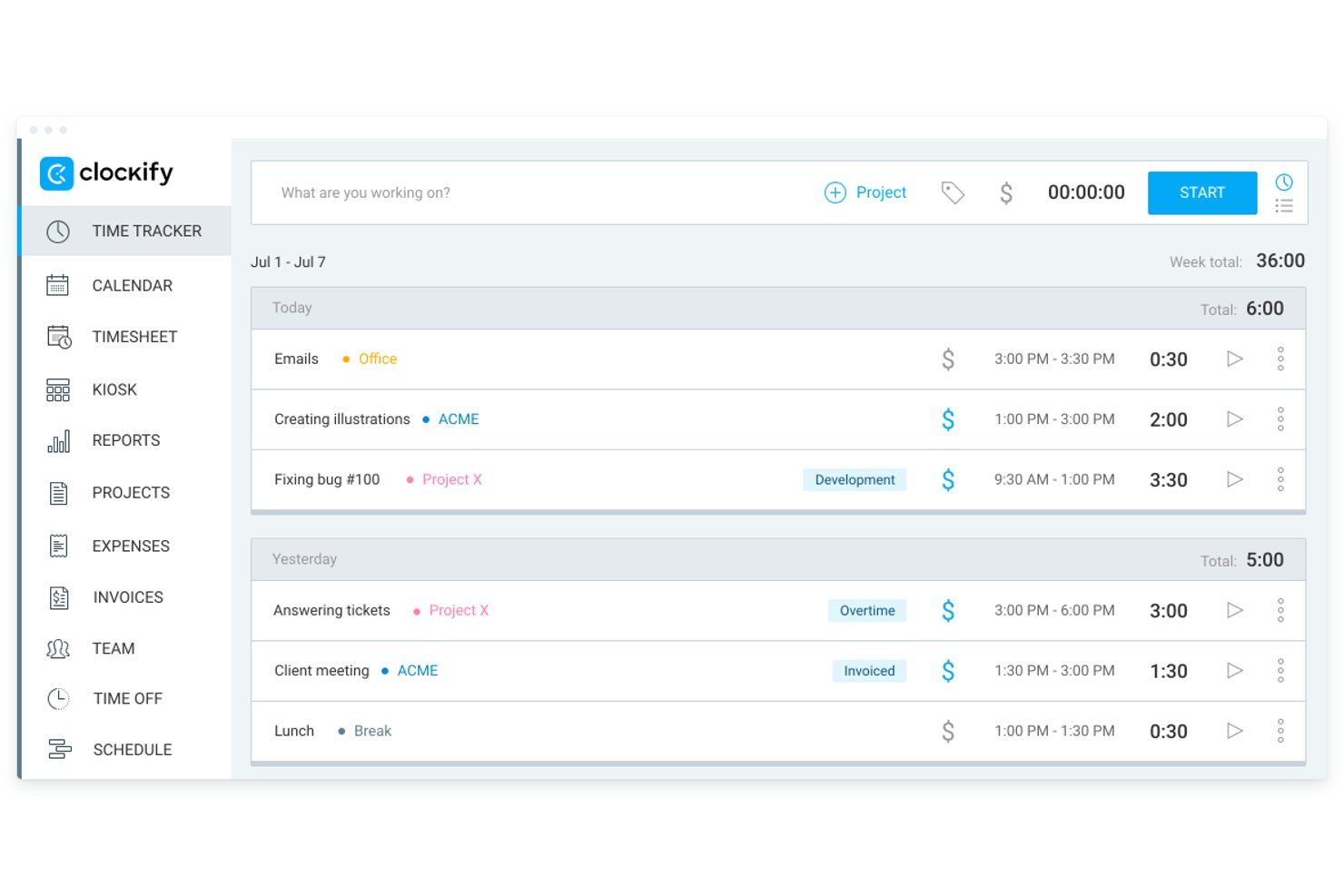
Clockify is a time tracking and timesheet app that suits small businesses and field-based teams who need accurate hour logging, GPS location visibility, and straightforward payroll exports without paying for a full workforce management platform.
Who Is Clockify Best For?
Clockify is a strong fit for small teams and project-based businesses that need reliable hour logging and GPS location visibility without paying for a full workforce management platform.
Why I Picked Clockify
I picked Clockify as one of the best Connecteam alternatives because of how it handles location-based time tracking on the Pro plan: GPS records a worker's location when their timer starts, stops, and during significant movement, so I can pull up routes and timestamps for any team member directly in the admin view. I also rely on the seven-day location history to cross-reference where someone was when hours were logged, which is genuinely useful for field-based billing disputes.
Clockify Key Features
- Timesheet submission and approval: Employees submit weekly or monthly timesheets for manager review, and managers can approve or reject them directly within the platform.
- Attendance and overtime reporting: A dedicated report shows each employee's daily start and end times, breaks, overtime, and time off in a single view.
- Kiosk clock-in with photo capture: Employees clock in and out from a shared device using a PIN or QR code, with an optional photo taken at login to reduce buddy punching.
- QuickBooks integration: Clockify sends time entries from detailed reports directly to QuickBooks Online for billing and payroll, with a separate Payroll add-on for QuickBooks Online Payroll.
Clockify Integrations
Clockify documents 100+ web app integrations, including native integrations with Pumble, QuickBooks, Xero, Google Calendar, and Outlook. It also offers a REST API, webhooks, and Zapier.
Pros and Cons
Pros:
- Project-hour reports support payroll preparation
- Location history aids field-hour checks
- Quick timer captures forgotten hours
Cons:
- Scheduling lacks shift swaps and approvals
- GPS doesn’t enforce geofenced clock-ins

Best for maintenance management
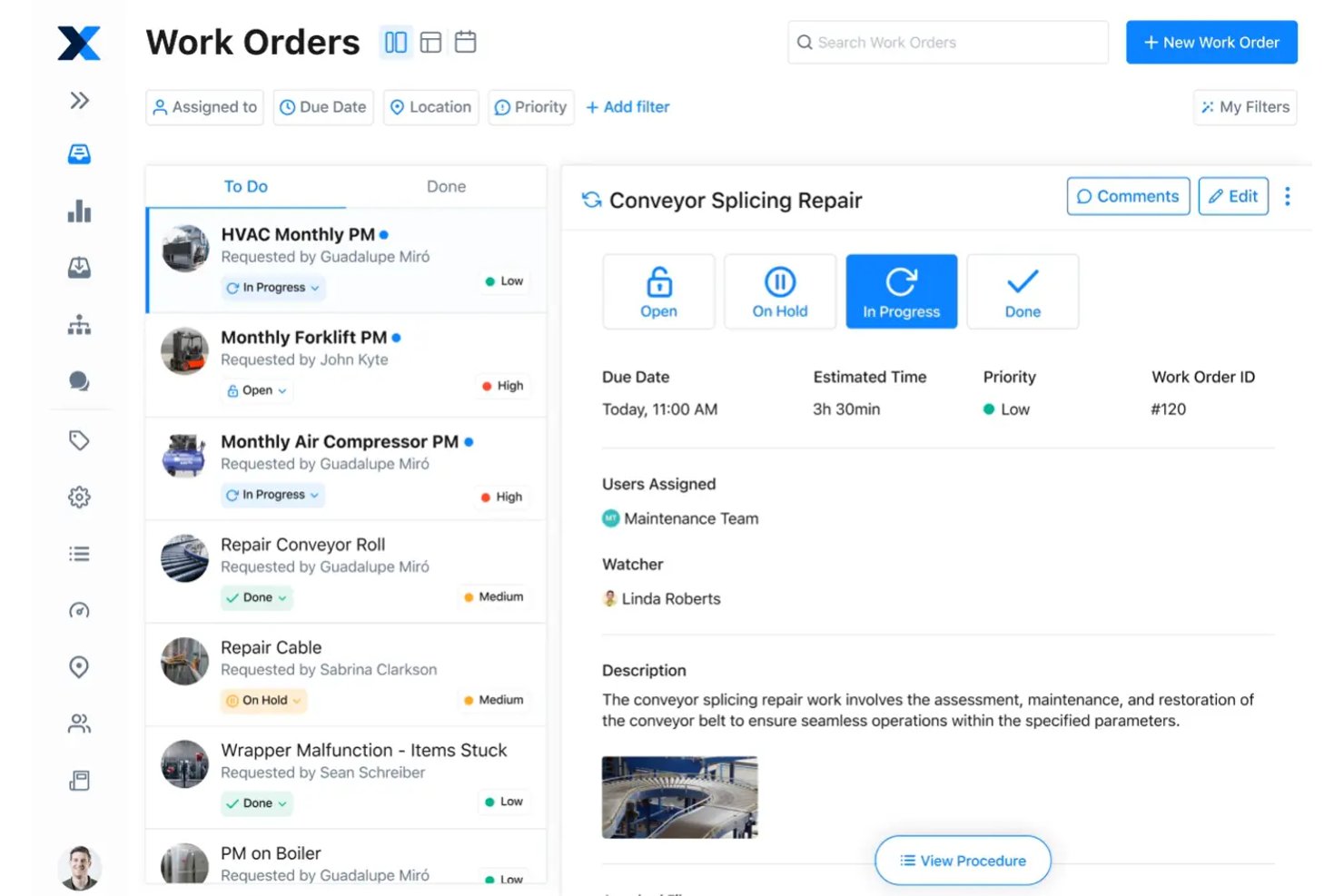
MaintainX is a maintenance management and asset tracking platform built for industrial and field operations teams who need to manage work orders, preventive maintenance, and equipment across multiple sites.
Who Is MaintainX Best For?
MaintainX is a strong fit for industrial and facilities teams that need to manage equipment, maintenance work orders, and multi-site operations from a single platform.
Why I Picked MaintainX
I picked MaintainX as one of the best Connecteam alternatives because it's purpose-built for maintenance management in a way no general workforce app can match. I love how work orders, procedures, and team messaging all live together, so a technician in the field can receive an assignment, follow a step-by-step procedure, and report back without leaving the app. The Workload view lets me schedule work orders against each team member's actual capacity, which keeps maintenance operations moving across multiple sites.
MaintainX Key Features
- Built-in team messaging: Send one-to-one, group, and team messages with photo and file attachments directly within the platform.
- Mobile work-order capture: Technicians can record work notes, photos, and time against assigned work orders from iOS or Android devices.
- Preventive maintenance scheduling: Set up recurring work orders and maintenance plans triggered by time intervals or meter readings.
- Parts inventory tracking: Monitor parts availability, usage against work orders, and stock levels, with low-inventory alerts.
MaintainX Integrations
MaintainX offers marketplace integrations with Slack, Google Sheets, QuickBooks Online, Microsoft Outlook, Jira, Salesforce, and Microsoft Power BI. It also provides an open REST API and connects with over 7,000 apps through Zapier.
Pros and Cons
Pros:
- Team chats connect directly to assigned work
- Technicians update jobs from mobile devices
- Work orders keep photos, procedures, and status together
Cons:
- No GPS-verified attendance or clock-in/out
- Workload plans jobs, not employee shifts

7shifts
Best for restaurant scheduling
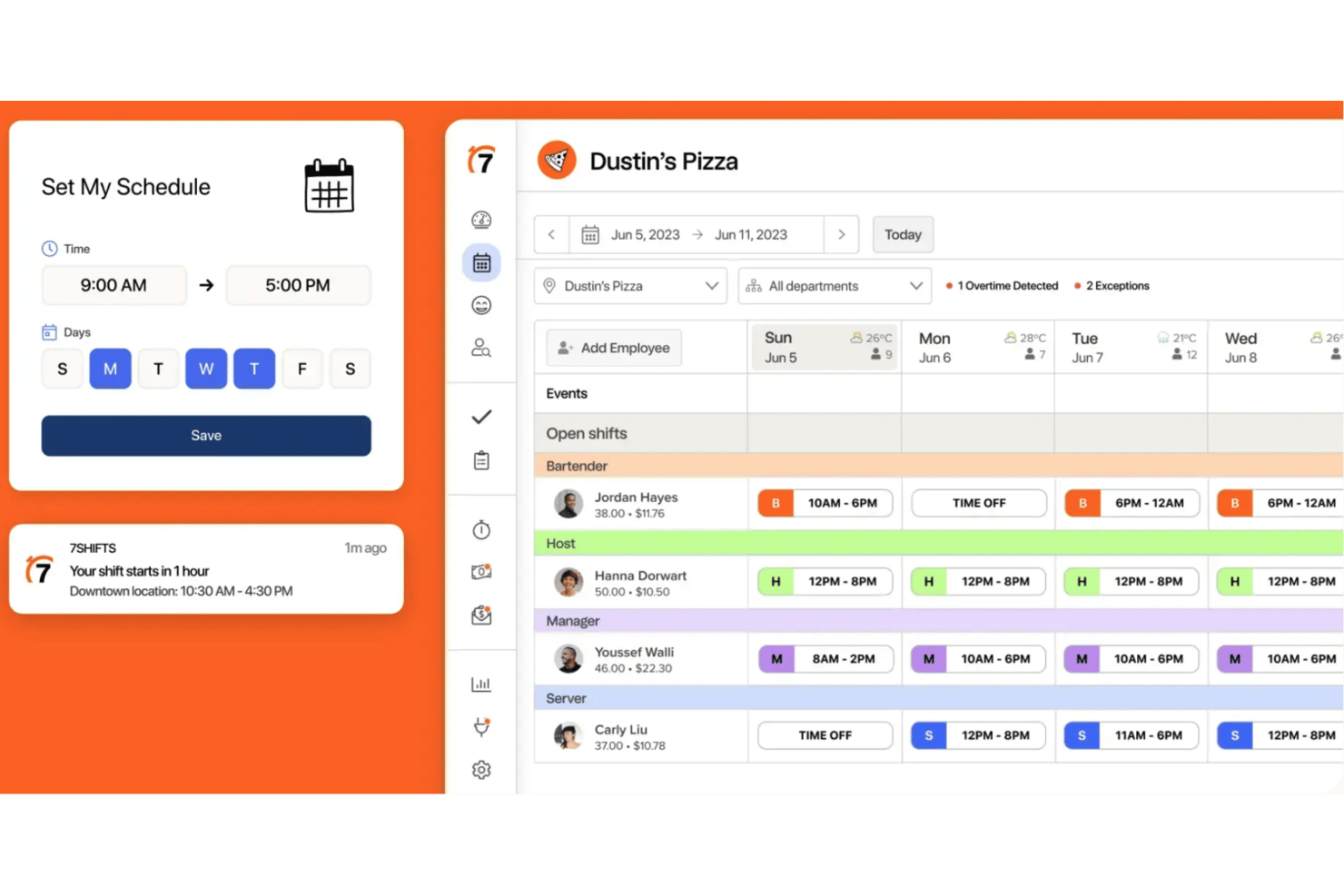
7shifts is a restaurant workforce platform built for food service operators who need to manage employee scheduling, team communication, and payroll in one place.
Who Is 7shifts Best For?
7shifts is a strong fit for restaurant operators who need scheduling, labor cost controls, and team communication built specifically around food service workflows.
Why I Picked 7shifts
I picked 7shifts as one of the best because it's purpose-built for restaurant scheduling in a way that generic workforce tools simply aren't. I love how scheduling templates account for roles, qualifications, and employee availability simultaneously, so a manager running a Friday dinner service can populate a full shift without manually cross-referencing who's certified for what. The Shift Pool lets staff claim open shifts directly in the app, and POS-linked labor forecasting ties scheduled hours to actual sales projections.
7shifts Key Features
- Employee certification storage: Store and manage employee certifications—including food handling and liquor handling credentials—with configurable expiry reminders sent up to 90 days before a certification lapses.
- Roster Talk messaging: Send messages directly to employees based on their scheduled shifts, without needing to manually select recipients or build a custom group.
- Geofenced time clock: Restrict employee clock-ins and clock-outs to a configured radius around a specific location using GPS-based geofencing through the 7punches app.
- Manager Log Book: Keep a shared digital log that lets managers document shift notes, incidents, and operational updates across a location for team-wide visibility.
7shifts Integrations
7shifts offers 60+ native integrations, including ADP Workforce Now, QuickBooks Online, Gusto, Toast, Square, Lightspeed, and TouchBistro. Its REST API, webhooks, and embed SDK support custom integrations.
Pros and Cons
Pros:
- Staff messaging reduces scattered texts
- Sales-based labor forecasting
- Restaurant-focused shift coverage and swaps
Cons:
- App glitches can disrupt clock-ins
- Restaurant focus limits non-food-service fit

factoHR
Best for HR and payroll integration
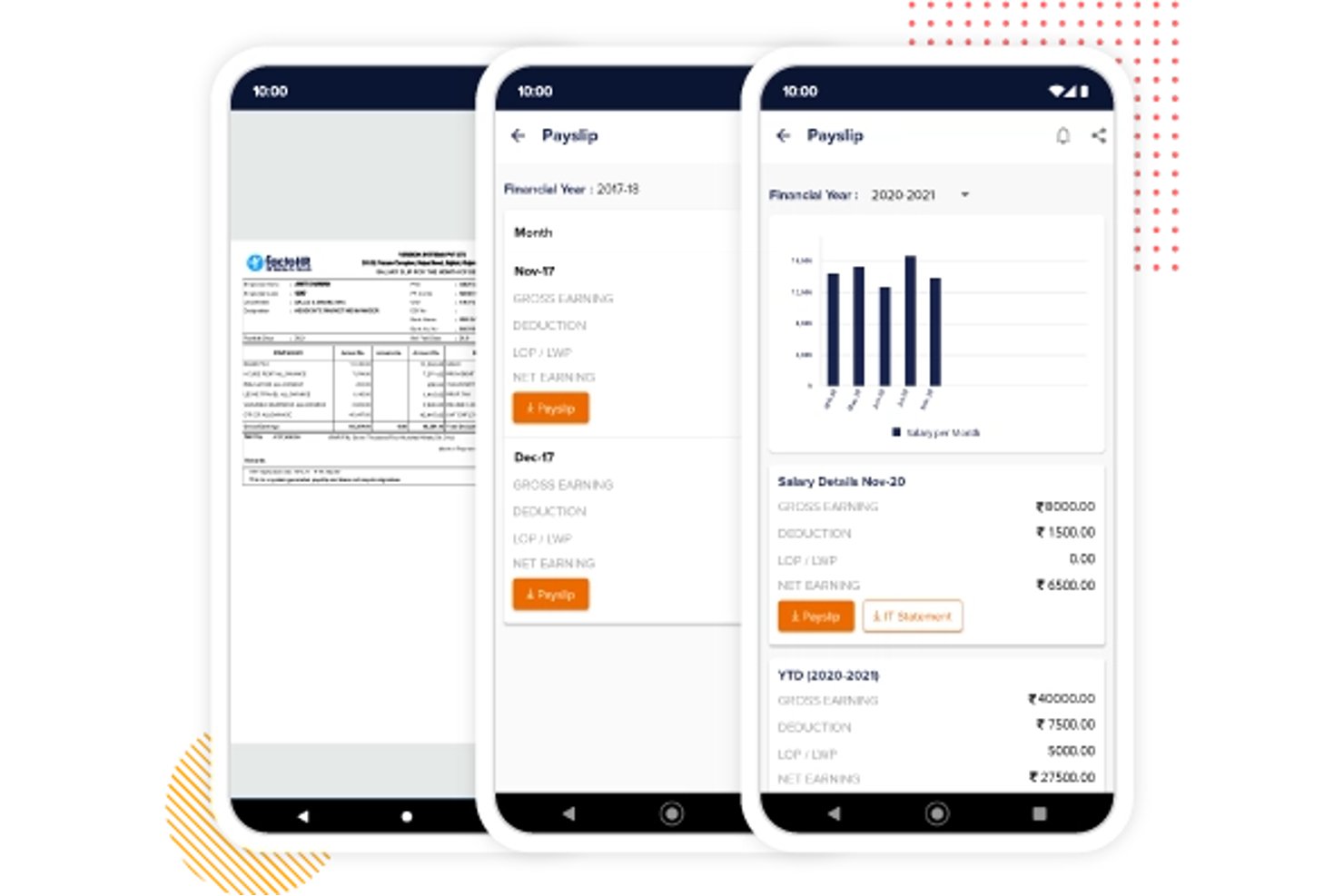
factoHR is a cloud-based HRMS built for HR and operations teams that need to bring payroll, attendance, and employee lifecycle management into one place—particularly in organizations with large frontline or shift-based workforces.
Who Is factoHR Best For?
factoHR suits HR and operations teams managing large, shift-based workforces who need payroll, attendance, and employee lifecycle management in a single platform.
Why I Picked factoHR
I picked factoHR because its payroll and HR integration runs deeper than most tools in this space. Attendance data flows directly into payroll calculations, so paid days, overtime, and loss-of-pay are computed automatically from punch records rather than manually reconciled. I also appreciate that biometric and geofenced attendance connect to the same payroll engine, meaning a shift worker's late punch or geofenced absence hits the payslip without anyone touching a spreadsheet.
factoHR Key Features
- Shift rotation scheduling: Configure day-, week-, or week-and-day-based rotation patterns and assign shifts by employee category or individually with an effective date.
- Employee self-service portal: Employees can submit leave requests, view payslips, check balances, and manage expense claims through the web or mobile app.
- HR announcements and surveys: Share company announcements, run employee surveys, and collect feedback and acknowledgments through the mobile app.
- Task tracking with audit logs: Create tasks with deadlines, attachments, and ownership, and track every status change through a full audit log history.
factoHR Integrations
Documented integrations include QuickBooks, Xero, Tally, SAP, Google Calendar, Google Meet, Microsoft Teams, and Zoom. factoHR also provides a REST API for custom integrations.
Pros and Cons
Pros:
- Reviewers praise payroll and attendance workflows
- Mobile app supports shift-change requests
- Biometric attendance feeds payroll calculations
Cons:
- Tasks lack checklists and manager verification steps
- No documented employee chat or group messaging

Xenia
Best for frontline workforce management
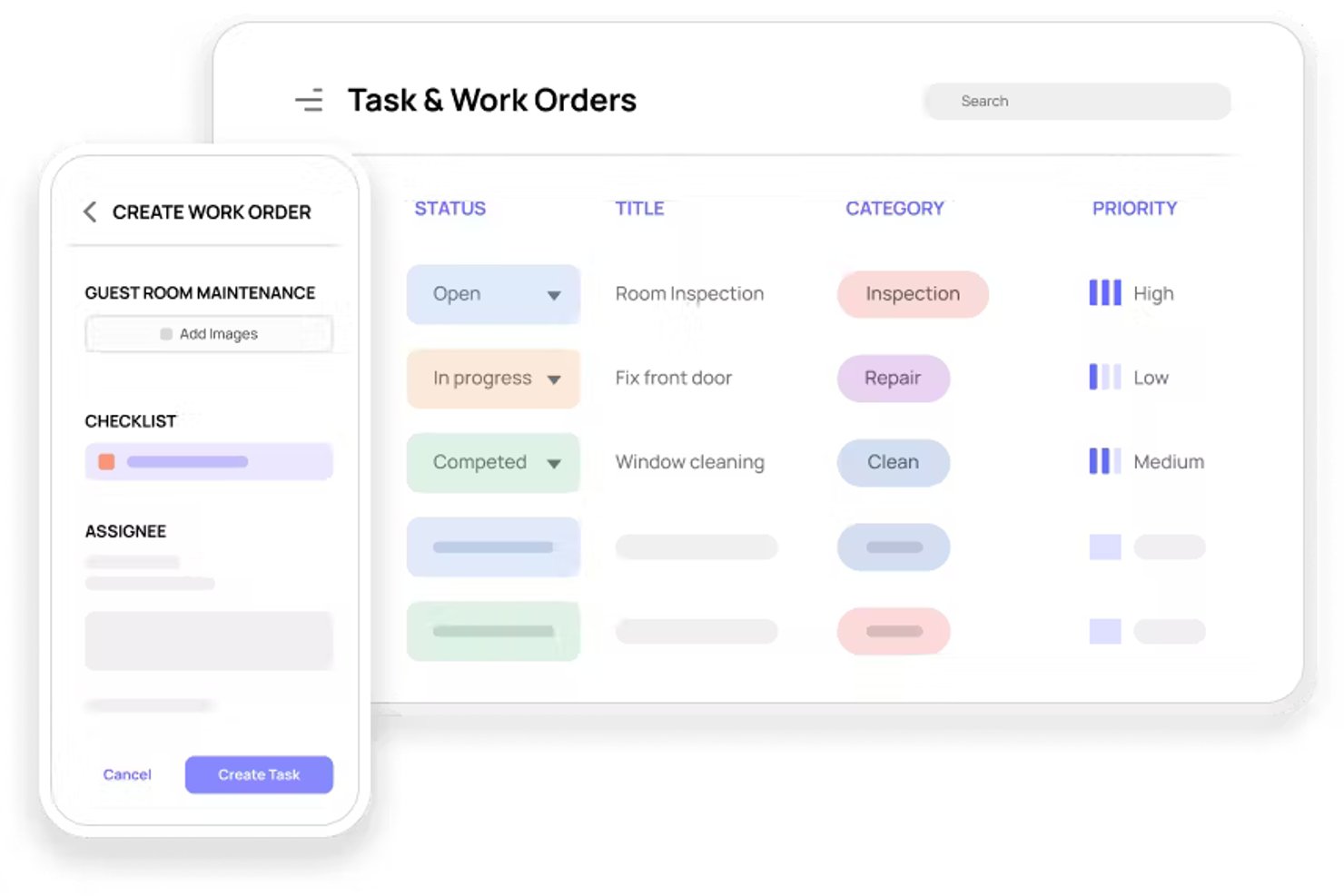
Xenia is a frontline operations platform built for multi-location businesses that need to manage recurring tasks, inspections, audits, and team communication across sites from a single dashboard.
Who Is Xenia Best For?
Xenia is a strong fit for multi-location operations teams that need to manage recurring tasks, inspections, and audits across sites—without a scheduling or time-tracking requirement.
Why I Picked Xenia
I picked Xenia as one of the best because it's built specifically for frontline workforce management across multiple locations, which is where Connecteam can start to feel thin. I love how recurring tasks and checklist workflows deploy automatically by role and location, so a district manager can confirm that every site ran its daily opening audit without chasing anyone down. The AI Photo Rollouts feature takes that further, reviewing submitted photos for brand-standard or quality issues without manual spot-checking.
Xenia Key Features
- Targeted announcements: Send broadcasts to specific users, teams, locations, or roles, with required acknowledgments or signatures and engagement tracking.
- Weighted audit scoring: Assign point values to inspection questions and sections, with score thresholds that trigger color ratings and corrective-action workflows.
- Work order management: Create, assign, and track work orders from inspection findings, QR-code requests, or store submissions, including preventive maintenance scheduling.
- Custom operational dashboards: Build dashboards combining audit scores, task completion rates, and corrective-action data, filtered and published by role or location hierarchy.
Xenia Integrations
Xenia lists integrations with Workday, ADP, BambooHR, Proliant, and Paycor for employee-data syncing and user provisioning. It also offers a RESTful API and webhooks for custom integrations.
Pros and Cons
Pros:
- Targeted announcements track acknowledgments
- Cross-location dashboards track task completion
- Custom checklists document frontline work
Cons:
- Reviewers want more reporting templates
- No employee shifts or time clock

Jolt
Best for food safety compliance
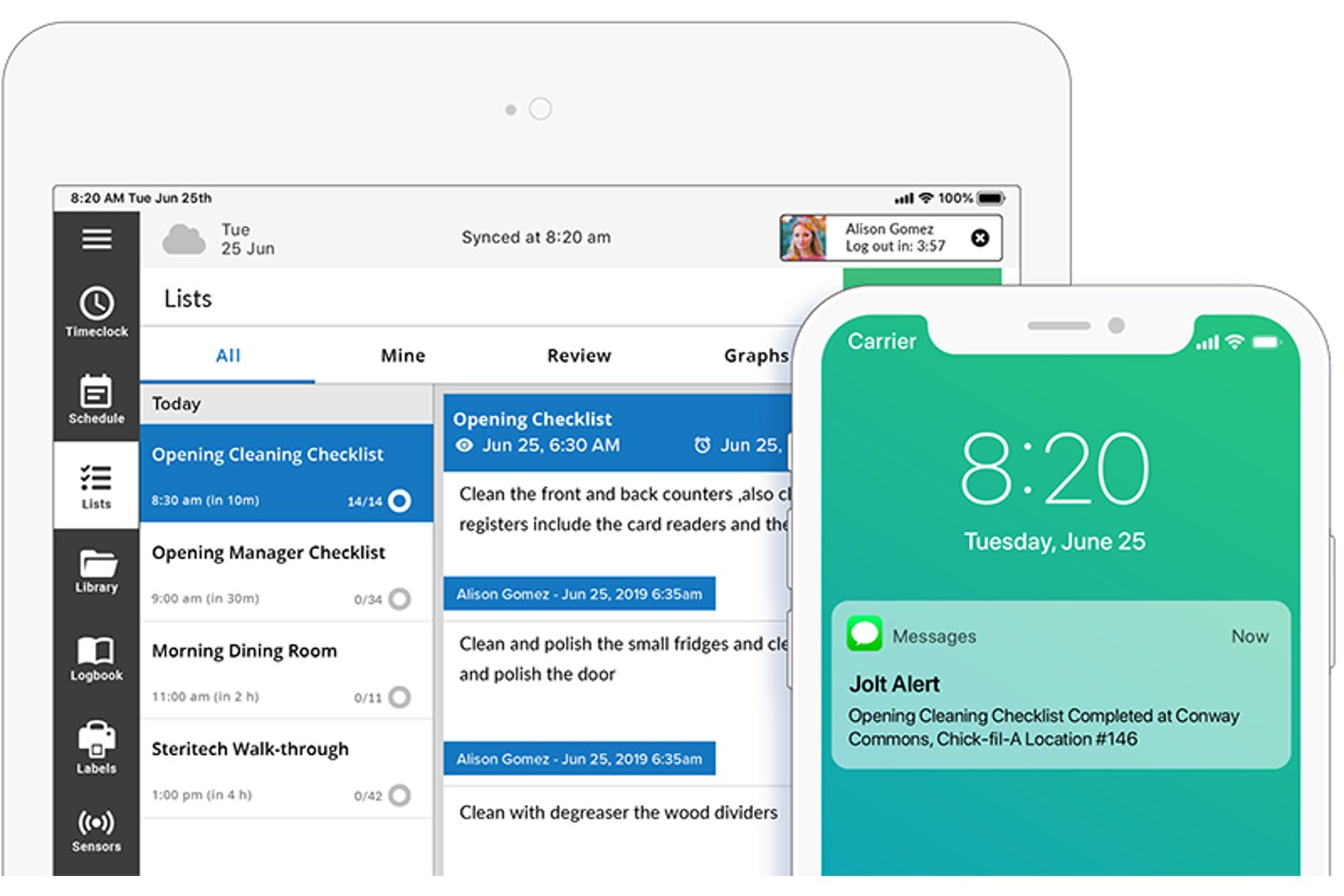
Jolt (now part of SmartSense ONE) is a frontline operations platform built for food service and multi-location businesses that need to manage employee scheduling, task checklists, time tracking, and food safety compliance from a single system.
Who Is Jolt Best For?
Jolt is a strong fit for multi-location food service operations that need to replace paper-based food safety checks with digital, audit-ready workflows.
Why I Picked Jolt
I picked Jolt as one of the best because food safety compliance is baked into every layer of its workflow, not bolted on as an afterthought. I particularly like how the Guard module runs digital HACCP workflows for cooking, cooling, and holding, capturing temperature readings and flagging out-of-range results with predefined corrective actions. Paired with Operate's time-stamped checklists and photo or signature verification, my team can produce audit-ready records that hold up under regulatory scrutiny without touching a paper log.
Jolt Key Features
- Drag-and-drop schedule builder: Managers can create, duplicate, and copy shifts across weeks using a visual drag-and-drop tool with projected labor costs displayed in real time.
- Mobile time clock with photo verification: Employees clock in and out from the Jolt mobile app, with optional photo capture to prevent buddy punching and early clock-ins.
- Mass announcements with acknowledgment tracking: Admins can send announcements via email or SMS, and require employees to record acknowledgment directly in the mobile app.
- Labor report export for payroll upload: Time clock data and calculated overtime hours can be exported as a spreadsheet and uploaded to your payroll system.
SmartSense ONE Integrations
SmartSense ONE offers native integrations with PrimeroEdge, Harris, and Mosaic for menu and recipe updates that support food-safety checks. It also provides product integration, cloud printing, and data APIs for custom connectivity.
Pros and Cons
Pros:
- Shift templates support multi-location scheduling
- Photo and timestamp evidence supports checklist accountability
- HACCP checks replace paper food-safety logs
Cons:
- Payroll exports require manual upload
- Mobile updates can freeze or lag

Skedulo
Best for deskless workforce management
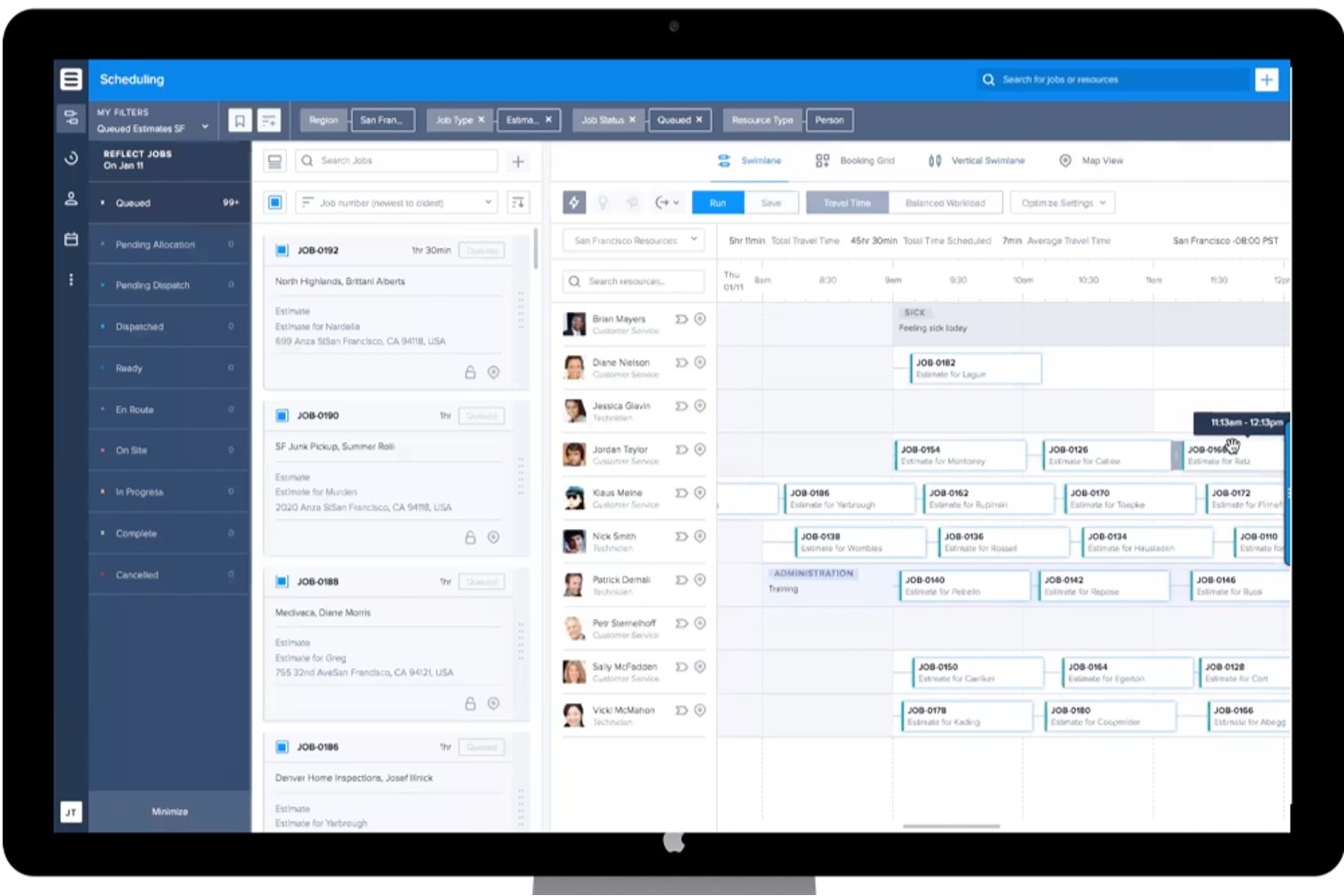
Skedulo is a frontline operations platform built for organizations that need to coordinate field teams and shift-based workers across jobs, routes, and locations.
Who Is Skedulo Best For?
Skedulo is a strong fit for enterprise operations teams coordinating large field workforces across multiple locations, routes, and job types.
Why I Picked Skedulo
I picked Skedulo as one of the best because it's purpose-built for coordinating deskless workers across jobs, routes, and locations in a way that most workforce tools simply aren't. I especially like its field scheduling dispatch workspace, where I can view jobs, workers, and routes together and use Mastermind's AI-driven optimization to match people to jobs based on skills, availability, and travel requirements. The mobile app lets field workers move through structured job status steps and complete forms with photos and signatures, so I always have a real-time record of what's happening on the ground.
Skedulo Key Features
- Shift coverage and open-shift management: Define staffing needs by role and location, offer open shifts, and handle swap requests using configurable workforce policies.
- Team messaging channels: Create public or private channels for regions, service teams, or on-call groups, with mentions, reactions, and file attachments built into the mobile app.
- Configurable forms and checklists: Build mobile forms with conditional logic, photo capture, and customer signature fields that workers complete directly on a job or shift.
- Operational analytics dashboards: Review job completion, workforce utilization, travel time, and regional performance across teams and time periods using embedded Looker reporting.
Skedulo Integrations
Skedulo offers a native Salesforce integration, plus documented connections with Workday, ADP, Microsoft Dynamics 365, Zendesk, and Epic. Its API supports GraphQL, REST, events, webhooks, and functions for custom integrations.
Pros and Cons
Pros:
- Mobile workers record job progress and forms
- Dispatchers see jobs, workers, and routes together
- Schedule jobs around skills and locations
Cons:
- Complex recurring rosters can require manual work
- Attendance verification and break tracking remain unclear
Diğer Connecteam Alternatifleri
Kısa listeme giremeyen ancak yine de göz atmaya değer bazı ek Connecteam alternatifleri şunlardır:
- Sling
For free employee scheduling
- Workyard
For construction job costing
- TeamSense
For text-based absence reporting
- Insightful
For real-time productivity monitoring
- Hubstaff
For productivity insights
- Rippling
For IT and HR integration
- Asana
For project management tasks
- QuickBooks Time
For QuickBooks integration
- Deputy
For workforce compliance
- Homebase
For hiring and onboarding


How I Evaluate Connecteam Alternatives
I evaluate Connecteam alternatives in two layers: baseline must-haves like mobile time tracking and job-site scheduling, and the differentiators that set one platform apart for your specific team.
Core Functionality (Table Stakes For This List)
When I'm selecting tools for my list, I rank each one on a scale from 0 (does not offer the functionality) to 5 (excels in this area) for each core functionality listed below. Then, I calculate the tool's total score into a percentage. Each tool needs to achieve a minimum total score of 65% to be considered for inclusion.
- Mobile-First Workforce Management: I check whether field crews can open the app on-site to view job details, pull up project docs, and log updates without touching a desktop.
- Scheduling & Shift Management: Whether it's dispatching a crew to a new job site or covering a last-minute callout, I look for drag-and-drop scheduling with shift swaps.
- Time Tracking & GPS Verification: I evaluate how each tool handles clock-ins at project locations, looking at geofencing setup, GPS breadcrumbs, and break tracking.
- Task & Project Assignment: Assigning punch-list items or daily site tasks should be straightforward. I look for status tracking, deadlines, and the ability to attach photos or notes.
- In-App Team Communication: I consider whether managers can push safety alerts, share updates with specific crews, or run group chats without relying on external messaging apps.
- Digital Forms & Checklists: From safety inspections to daily progress reports, I evaluate each tool's form builder for custom fields, conditional logic, and submission tracking.
Once I have a list of tools that meet this criteria, I consider what sets each platform apart.
Differentiating Factors (What Sets Vendors Apart)
Here's how I compare and contrast different vendors:
Standout Features
Offline mode is a big one—crews on remote job sites need to log hours and complete checklists even without cell service. I also look for job costing tools that tie labor hours back to specific projects, since that's how managers spot budget overruns before they snowball. A built-in training hub adds real value too. Onboarding seasonal workers with mobile courses and safety quizzes beats sending PDFs that nobody reads.
Beyond Features
Pricing structure matters here because crew sizes fluctuate seasonally. I check whether platforms charge per user or offer flat-rate plans, since that difference adds up fast when you're onboarding 20 temporary workers for a summer project. Payroll integrations are another factor I weigh—tools that sync with providers like QuickBooks or Gusto save hours of manual timesheet exports each pay cycle. I also consider industry fit, looking for pre-built templates geared toward construction, cleaning, or field service workflows.
Neden bir Connecteam alternatifi aramalısınız?
Connecteam iyi bir çalışan kaynakları yönetimi yazılımı seçeneği olsa da bazı kullanıcıların alternatif çözümler aramasının çeşitli nedenleri vardır. Şu nedenlerle bir Connecteam alternatifi arıyor olabilirsiniz…
- Sektörünüzün özel ihtiyaçlarını karşılamıyor olabilir
- Diğer araçlarla daha iyi entegrasyon arıyor olabilirsiniz
- Daha fazla özelleştirme seçeneğine ihtiyacınız olabilir
- Fiyatlandırma bütçenize uygun olmayabilir
- Daha basit bir kullanıcı deneyimi arıyor olabilirsiniz
- Daha gelişmiş raporlama özelliklerine ihtiyaç duyuyor olabilirsiniz
Bunlardan herhangi biri size uyuyorsa doğru yere geldiniz. Listemde, Connecteam ile ilgili bu zorluklarla karşılaşan ve en iyi alternatif çözümleri arayan ekipler için daha uygun olan çeşitli çalışan kaynakları yönetimi yazılımı seçenekleri bulunuyor.
Connecteam'in temel özellikleri
Connecteam'in alternatif çözümlerin sunduklarıyla karşılaştırmanıza ve aralarındaki farkları görmenize yardımcı olacak temel özelliklerinden bazıları şunlardır:
- Zaman takibi: Çalışma saatlerini kolayca kaydedin ve bordro doğruluğunu artırın.
- Görev yönetimi: Ekibinize görevler atayın ve ilerlemeyi verimli bir şekilde takip edin.
- Vardiya planlama: Çakışmaları azaltmak için çalışan vardiyalarını planlayın ve düzenleyin.
- İletişim araçları: Uygulama içi mesajlaşma ile ekip üyelerinin bağlantıda kalmasını sağlayın.
- Eğitim modülleri: Eğitim içerikleri sunun ve çalışanların ilerlemesini takip edin.
- İK yönetimi: Çalışan bilgilerini ve belgelerini tek bir yerde yönetin.
- Anketler ve oylamalar: İş yeri memnuniyetini artırmak için ekibinizden geri bildirim toplayın.
- Kontrol listeleri ve formlar: Verimliliği artırmak için dijital kontrol listeleri ve formlar oluşturun.
- GPS takibi: Çalışanların olmaları gereken yerde bulunduğundan emin olmak için konumlarını izleyin.
- Özelleştirilebilir şablonlar: Görevleri ve süreçleri hızlı bir şekilde kurmak için şablonları kullanın.