

2026’da Ekip Aramaları için 10 Skype Kurumsal Alternatifi

En İyi Skype for Business Alternatifleri Kısa Listesi


Uzaktan veya hibrit bir ekibi yönetiyorsanız, Skype for Business'ın bir zamanlar ekibinizin iletişim biçiminde merkezi bir rol oynamış olması muhtemeldir. O zamandan beri Microsoft, bu özellikleri Microsoft Teams'e taşıyarak platformu sohbet, toplantılar ve iş birliği için daha kapsamlı bir merkeze dönüştürdü.
Birçok ekip için Teams ihtiyaç duydukları her şeyi karşılıyor. Ancak diğerleri için bu geçiş, ek karmaşıklık, çakışan özellikler, fiyatlandırma endişeleri veya ekiplerinin çalışma biçimine tam olarak uymayan iş akışları gibi yeni zorluklar yaratıyor. Bu gibi durumlarda, başka bir aracın iletişim ihtiyaçlarınıza daha iyi uyup uymadığını araştırmaya değer.
Daha basit görüntülü görüşmeler, daha odaklı iş birliği veya belirli iş kullanım senaryoları için tasarlanmış seçenekler de dahil olmak üzere çeşitli Skype for Business alternatiflerini test edip inceledim. Bu makalede, değerlendirebileceğiniz en iyi alternatifleri ele alacağım; böylece Teams'i kullanmaya devam edip etmeyeceğinize veya ekibinizin gerçekte çalışma biçimini daha iyi destekleyen bir aracı seçip seçmeyeceğinize karar verebilirsiniz.
Skype for Business nedir?
Skype for Business, ekiplerin video konferans, anlık mesajlaşma, ekran paylaşımı ve dosya paylaşımı yoluyla bağlantı kurmasına yardımcı olmak için tasarlanmış kurumsal bir iletişim ve iş birliği platformuydu. Farklı konumlardaki iş arkadaşları ve müşterilerle güvenli ve güvenilir iletişim kurmaya ihtiyaç duyan kuruluşlar tarafından yaygın olarak kullanılıyordu.
Microsoft, Skype for Business'ı kullanımdan kaldırdı ve temel işlevlerini artık Microsoft'un birincil iş iletişimi platformu olan Microsoft Teams'e taşıdı. Teams, Skype for Business'ın arama ve toplantı özelliklerini temel alırken kalıcı sohbet, daha kapsamlı Microsoft 365 entegrasyonları ve daha geniş iş birliği araçları ekliyor.
Skype for Business Alternatifleri Karşılaştırma Tablosu
Aşağıdaki tablo, en iyi Skype for Business alternatiflerimin fiyatlandırma ayrıntılarını karşılaştırır.
| Tool | Starting Price | Website | |
|---|---|---|---|
| Best for private business messaging | 4.6 out of 5 | $6/month Free trial + demo available | Website |
| Best for integration with Google Workspace | 4.5 out of 5 | Pricing upon request Free plan available | Website |
| Best for task management | 4.6 out of 5 | $3/user/month Free plan + free demo available | Website |
| Best for global free calls | 4.4 out of 5 | Free Free demo available | Website |
| Best for integrated business solutions | 4.3 out of 5 | $4/user/month Free plan + 1-month free trial available | Website |
| Best for business communication tools | 4.3 out of 5 | $12/organizer/month Free trial + free demo available | Website |
| Best for secure deployments | 4.2 out of 5 | Pricing upon request Free plan + free demo available | Website |
| Best for all-in-one communications | 4.2 out of 5 | £18/user/month 14-day free trial | Website |
| Best for mission-critical environments | — | Pricing upon request 30-day free trial | Website |
| Best for virtual phone systems | — | $39/month/10 users Free plan | Website |
Why Trust Our Software Recommendations
Our team has been testing and reviewing software since 2012. As project managers ourselves, we know how difficult—and important—it is to choose the right software.
For this guide, we evaluated tools using hands-on testing and independent research, scoring tools using our selection criteria. We also draw on insights from industry thought leaders and practicing project management experts.
Our reviews reflect our human editorial judgment, not a sales pitch.
Expert reviewers:
En İyi Skype for Business Alternatifleri İncelemeleri
Aşağıda, kısa listeme giren en iyi Skype alternatiflerinin ayrıntılı özetlerini bulabilirsiniz. İncelemelerim, size en uygun aracı bulmanıza yardımcı olmak için her aracın temel özelliklerine, artılarına ve eksilerine, entegrasyonlarına ve ideal kullanım senaryolarına ayrıntılı bir bakış sunuyor.
Brosix
Best for private business messaging

Brosix is an instant messaging software designed for businesses that prioritize secure and private communication. It's ideal for teams in industries such as finance, health care, and education that require encrypted messaging and collaboration.
Why Brosix is a good Skype alternative: Brosix offers private business messaging with end-to-end encryption, ensuring your communications remain confidential. You can create a closed network for your team, enhancing security. The tool provides chat rooms for group discussions, enabling effective team collaboration. Additionally, its file transfer feature ensures your documents are shared safely within the network.
Standout features & integrations:
Features include a whiteboard tool that allows your team to brainstorm ideas visually. Brosix also offers a screen-sharing feature, contributing to ease of use when collaborating on projects. The software includes a co-browsing tool, helping you assist team members or customers in real time.
Integrations include Google Drive, Dropbox, Facebook, Shopify, Slack, Microsoft Teams, Salesforce, HubSpot, and GitHub.
Pros and Cons
Pros:
- Secure file sharing
- Real-time co-browsing
- Strong encryption
Cons:
- Basic interface design
- Limited customization

Best for integration with Google Workspace
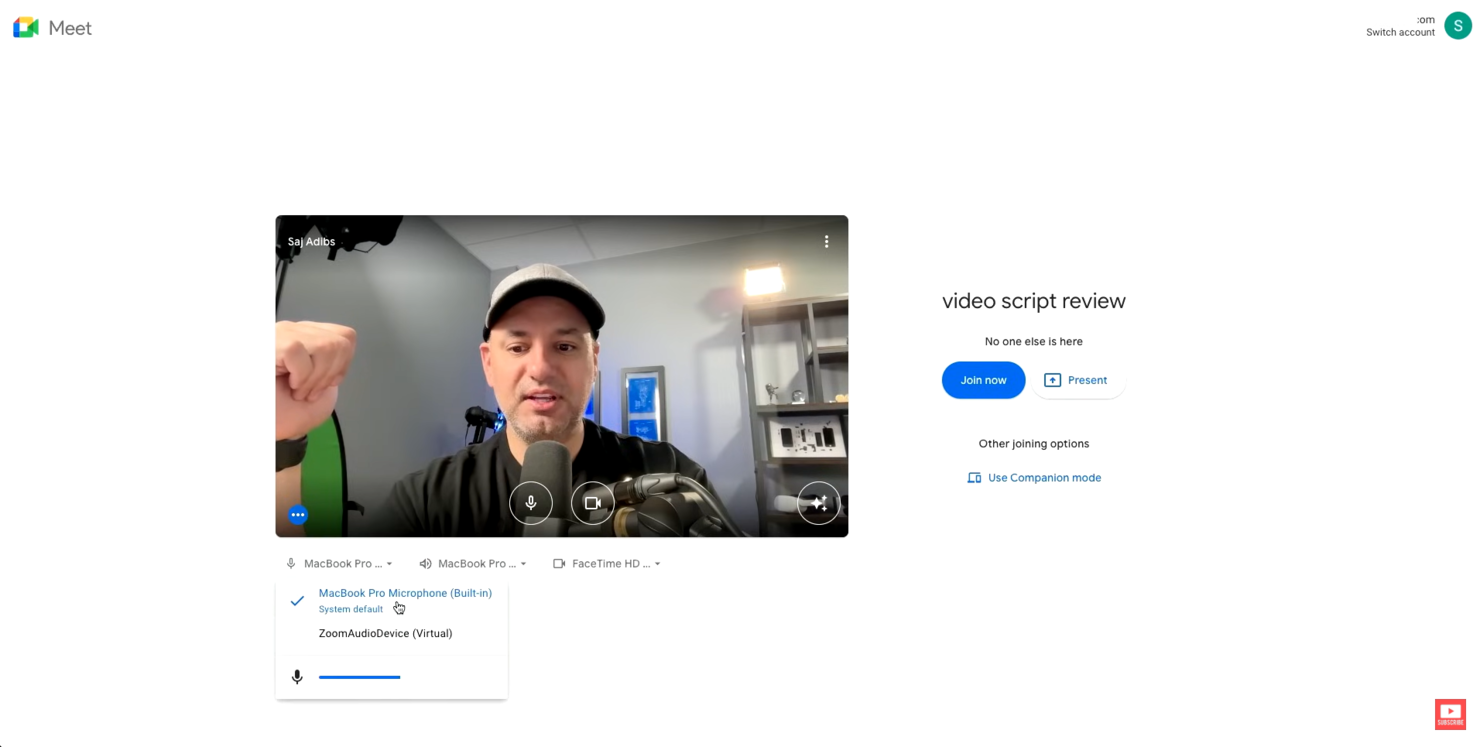
Google Meet is a video conferencing tool that serves businesses, educational institutions, and individuals needing reliable online meetings. It facilitates video calls, webinars, and virtual classrooms, enhancing communication and collaboration.
Why Google Meet is a good Skype alternative: Google Meet integrates smoothly with Google Workspace, making it convenient for those already using Google services. It offers real-time captions during meetings, which improve accessibility for all participants. You can schedule meetings directly from Google Calendar, simplifying the process for your team. Additionally, Google Meet supports large-scale meetings, accommodating up to 250 participants.
Standout features & integrations:
Features include a feature that reduces background noise during calls, enhancing audio clarity. The platform offers a low-light mode, which automatically adjusts your video to ensure visibility in dim lighting. It also offers meeting recordings, so you can save them to Google Drive, making it easy to share with absentees.
Integrations include Google Calendar, Google Drive, Gmail, Microsoft Outlook, Microsoft Office, Slack, Trello, Zoom, Cisco Webex, Salesforce, and more.
Pros and Cons
Pros:
- Real-time captions available
- Noise cancellation feature
- Easy Google Workspace integration
Cons:
- Limited control over participants
- No breakout rooms

Chanty
Best for task management

Chanty is a team communication and collaboration tool designed for industries such as health care, retail, marketing, education, and logistics. It mainly serves teams needing efficient messaging, video calls, and task management functionalities.
Why Chanty is a good Skype alternative: Chanty excels in task management, offering features such as Kanban boards and task creation directly from chat. Unlike Skype, it supports 4K video conferences and audio calls, enhancing communication quality. Screen sharing allows your team to collaborate visually, and its integration with various apps helps support workflows. These features make it a feature-rich choice for teams needing more than just communication.
Standout features & integrations:
Features include task management with Kanban view, secure file sharing, and audio messages. You can create tasks directly from chat, making it easy to turn discussions into actionable items. Chanty also focuses on data security, ensuring compliance with standards such as ISO 27001 and GDPR.
Integrations include Trello, Asana, Google Drive, Dropbox, GitHub, Zapier, Mailchimp, Giphy, HubSpot, and more.
Pros and Cons
Pros:
- Accessible from anywhere
- User-friendly interface
- 4K video call support
Cons:
- Few customization options
- Free plan offers very basic services

Viber
Best for global free calls
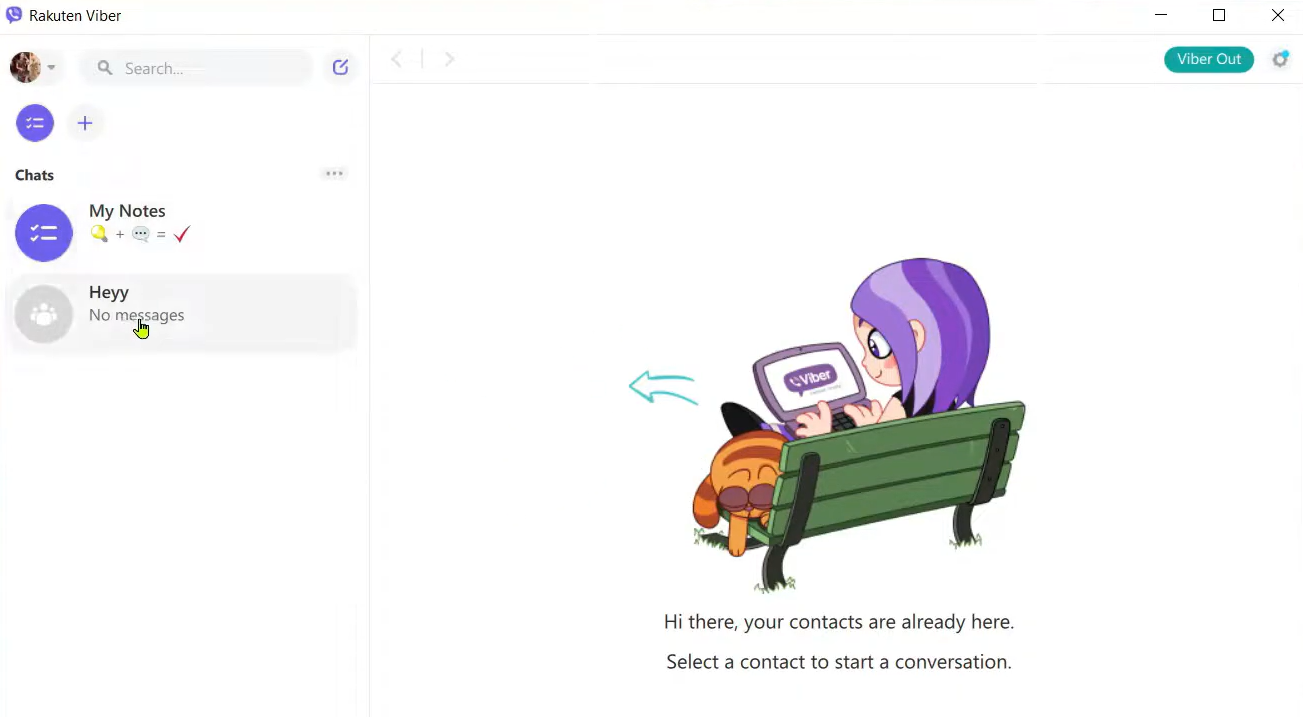
Viber is a communication app that individuals and businesses use for messaging, voice, and video communication. It caters to users who need reliable and cost-effective communication with friends, family, and colleagues worldwide.
Why Viber is a good Skype alternative: Viber offers free global calls, making it an attractive choice for those who frequently communicate internationally. You can send text, photo, and video messages, which improve your interaction options. With its high-quality voice and video calling, Viber ensures clear communication. Additionally, the app supports group chats, allowing you to connect with multiple people at once.
Standout features & integrations:
Features include the ability to create communities, which lets you engage with large groups of people around shared interests. Viber also offers disappearing messages, providing an extra layer of privacy for your communications. You can use the app's sticker market to add fun and to personalize your messages.
Integrations include Facebook, Twitter, YouTube, Spotify, Giphy, Google Maps, Dropbox, Evernote, Slack, Microsoft Teams, and more.
Pros and Cons
Pros:
- Engaging communities with targeted messages
- Supports large group chats
- High-quality voice calls
Cons:
- Requires an internet connection
- No desktop app features

Best for integrated business solutions
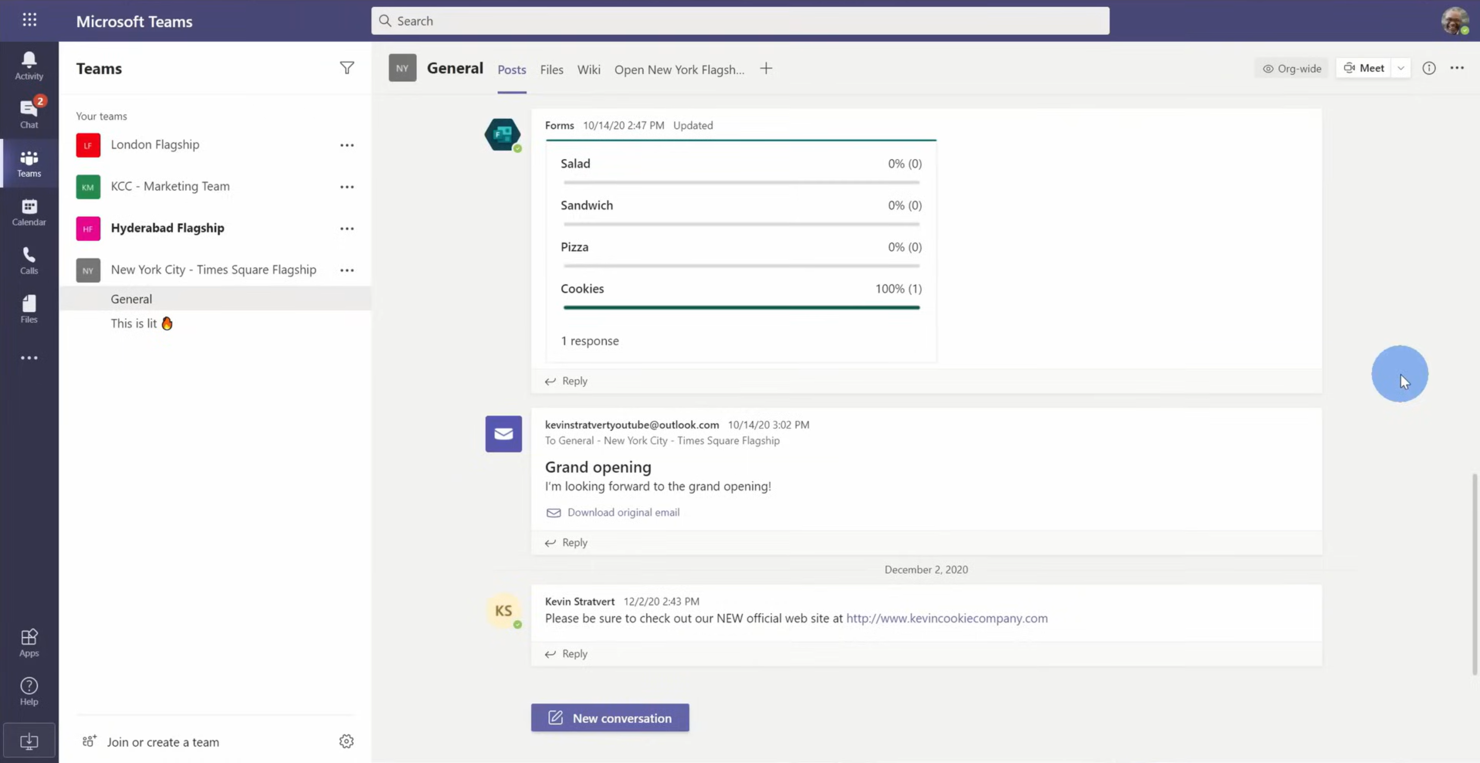
Microsoft Teams is a collaboration platform designed for businesses and organizations needing integrated communication and productivity tools. It supports chat, video meetings, and file sharing to strengthen team collaboration.
Why Microsoft Teams is a good Skype alternative: Microsoft Teams offers integrated business solutions with features such as shared workspaces and file collaboration. You can conduct video meetings with up to 300 participants, facilitating large team interactions. The platform allows for real-time document editing, which keeps your team on the same page. Additionally, its task management capabilities help you organize and track projects efficiently.
Standout features & integrations:
Features include a whiteboard tool that lets your team brainstorm and visualize ideas together. Microsoft Teams also offers meeting transcription, providing a written record of discussions for easy reference. The platform includes a built-in calendar, helping you schedule and manage meetings effectively.
Integrations include Microsoft Office 365, SharePoint, OneDrive, Power BI, Trello, Zoom, Salesforce, Asana, and more.
Pros and Cons
Pros:
- Meeting transcription available
- Built-in task management
- Integrated with Microsoft Office
Cons:
- Occasional performance issues
- Requires a Microsoft 365 subscription
Best for business communication tools
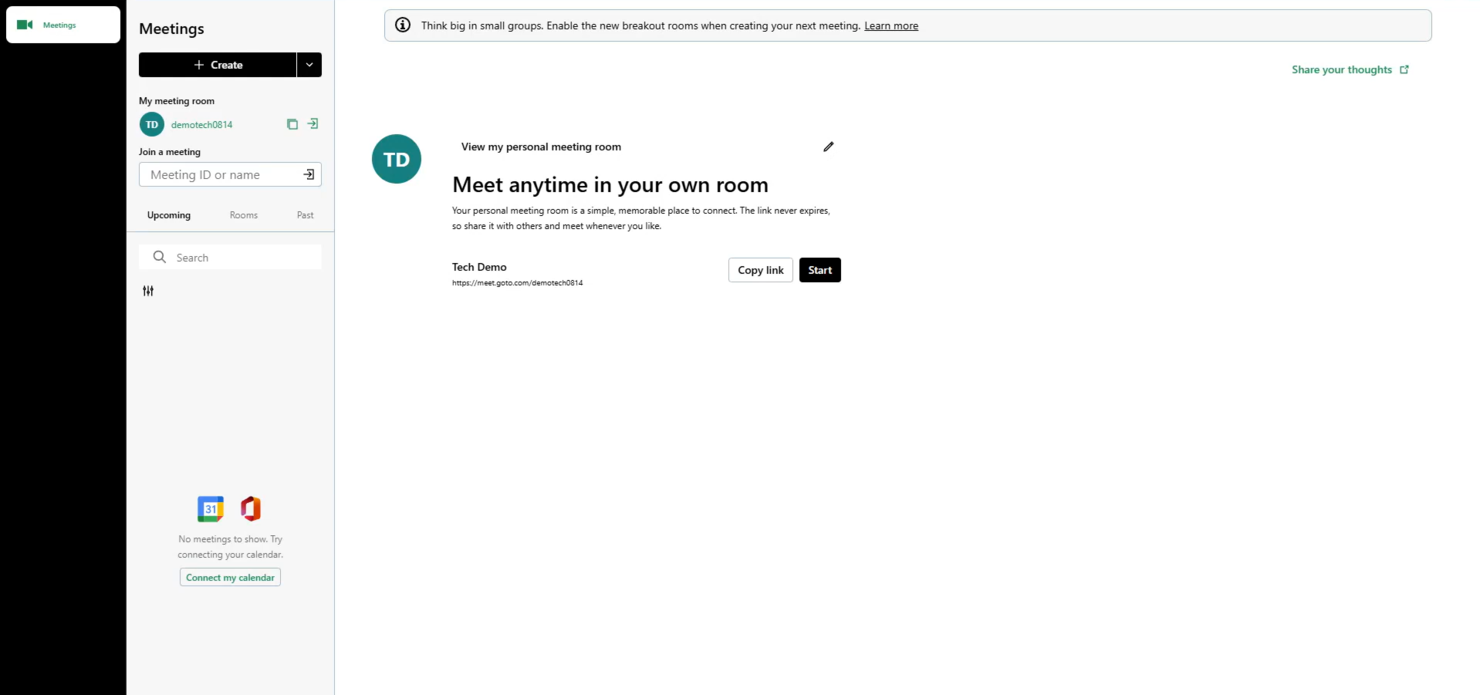
GoTo Meeting is a web conferencing tool that caters to professionals and businesses needing reliable online meeting solutions. It enables video conferencing, screen sharing, and collaboration for remote teams and clients.
Why GoTo Meeting is a good Skype alternative: GoTo Meeting provides business communication tools that improve virtual meetings with features such as HD video conferencing and crystal-clear audio. The platform supports up to 250 participants, making it suitable for large meetings. You can record sessions for future reference, ensuring important details aren't missed. Additionally, its mobile app keeps your team connected on the go.
Standout features & integrations:
Features include a meeting lock feature that prevents uninvited attendees from joining, adding an extra layer of security. GoTo Meeting offers drawing tools that let you annotate shared screens during presentations. The platform also provides custom meeting links, making it easy to invite participants.
Integrations include Microsoft Office 365, Slack, Salesforce, Google Calendar, HubSpot, Microsoft Teams, Zoho CRM, Zendesk, and more.
Pros and Cons
Pros:
- Secure meeting lock feature
- High-definition audio and video
- Mobile app available
Cons:
- Basic customization options
- Can be resource-intensive

Best for secure deployments
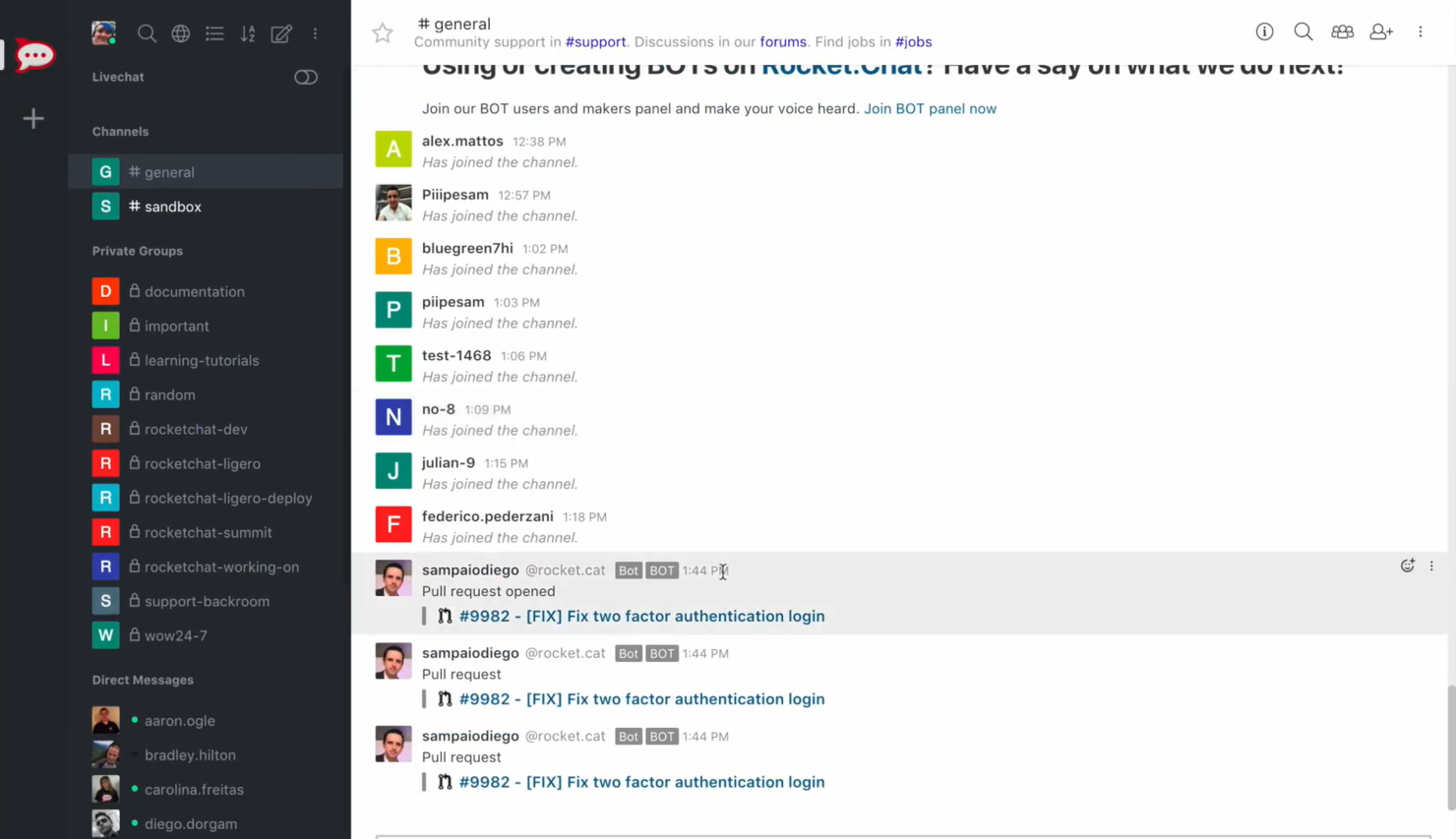
Rocket.Chat is a communication platform designed for businesses and organizations focused on data privacy and security. It's ideal for teams in industries needing secure communication, such as health care, finance, and government.
Why Rocket.Chat is a good Skype alternative: Rocket.Chat offers secure deployments with on-premises hosting, giving you full control over your data. With end-to-end encryption, your team's conversations remain private. It supports unlimited users, making it scalable for larger organizations. Additionally, customizable user roles and permissions ensure that your team has the right level of access.
Standout features & integrations:
Features include live chat support, which lets you communicate with customers in real time. Rocket.Chat also offers a white-label option, allowing you to brand the platform as your own. It provides real-time translation, ensuring that language barriers don't hinder communication.
Integrations include GitHub, GitLab, Zapier, Google Drive, Dropbox Paper, Trello, Slack, Microsoft Teams Bridge, and more.
Pros and Cons
Pros:
- White-label option
- Customizable user permissions
- Strong data privacy controls
Cons:
- Requires technical knowledge
- Complex initial setup

Best for all-in-one communications

RingCentral is a cloud-based communication platform that serves businesses requiring an integrated solution for voice, video, and messaging. It supports remote workforces and helps teams collaborate effectively from anywhere.
Why RingCentral is a good Skype alternative: RingCentral offers an all-in-one communication solution, combining phone, video meetings, and team messaging. It provides high-definition video conferencing, which improves the quality of virtual meetings. The platform supports call management features, such as call forwarding and auto-attendant, ensuring your team stays connected. Additionally, its analytics and reporting tools give you insights into communication patterns.
Standout features & integrations:
Features include a mobile app that allows your team to stay connected on the go. RingCentral offers voicemail-to-email functionality, so you can access messages anytime. The platform provides team collaboration tools, including task assignments and shared calendars, to improve productivity.
Integrations include Microsoft Teams, Salesforce, Google Workspace, Zendesk, and more.
Pros and Cons
Pros:
- Includes analytics and reporting tools
- Supports remote workforces
- Clear high-definition video calls
Cons:
- Limited customization options
- Can be complex to set up

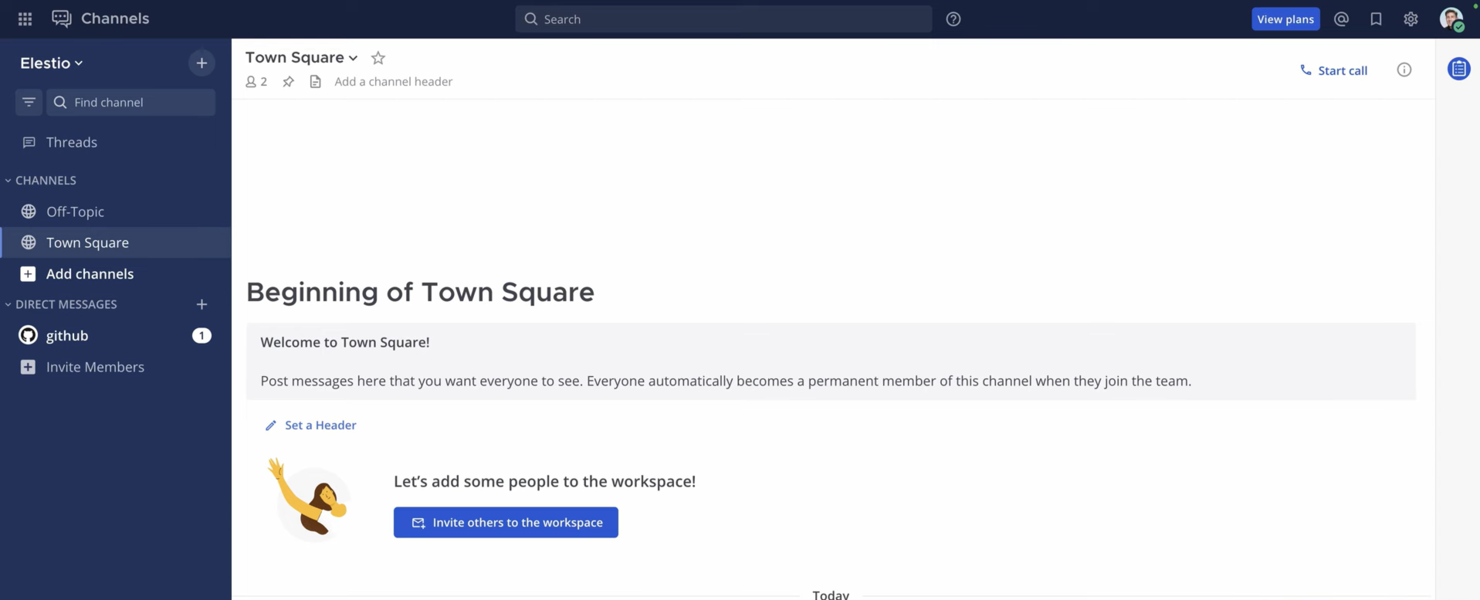
Mattermost is an open-source messaging platform designed for teams that require secure and scalable communication solutions. It's popular among industries, such as technology, healthcare, and government, where data privacy is paramount.
Why Mattermost is a good Skype alternative: Mattermost offers mission-critical environments with self-hosted deployment options, giving you complete control over your data. It supports end-to-end encryption, ensuring your team's conversations are secure. With its customizable interface, you can tailor the platform to fit your organization's needs. Additionally, the platform supports compliance with industry standards, including HIPAA, making it suitable for regulated industries.
Standout features & integrations:
Features include threaded messaging, which helps you keep conversations organized. Mattermost also offers file sharing with unlimited storage, enabling your team to collaborate efficiently. The platform provides advanced search functionality, allowing you to quickly find relevant information and conversations.
Integrations include Jira, GitHub, GitLab, Jenkins, Zoom, Cisco Syslog, Slack, Google Drive, Microsoft Teams, Trello, and more.
Pros and Cons
Pros:
- Supports industry compliance
- Customizable interface
- Self-hosted deployment
Cons:
- Can be complex to set up
- Requires technical expertise

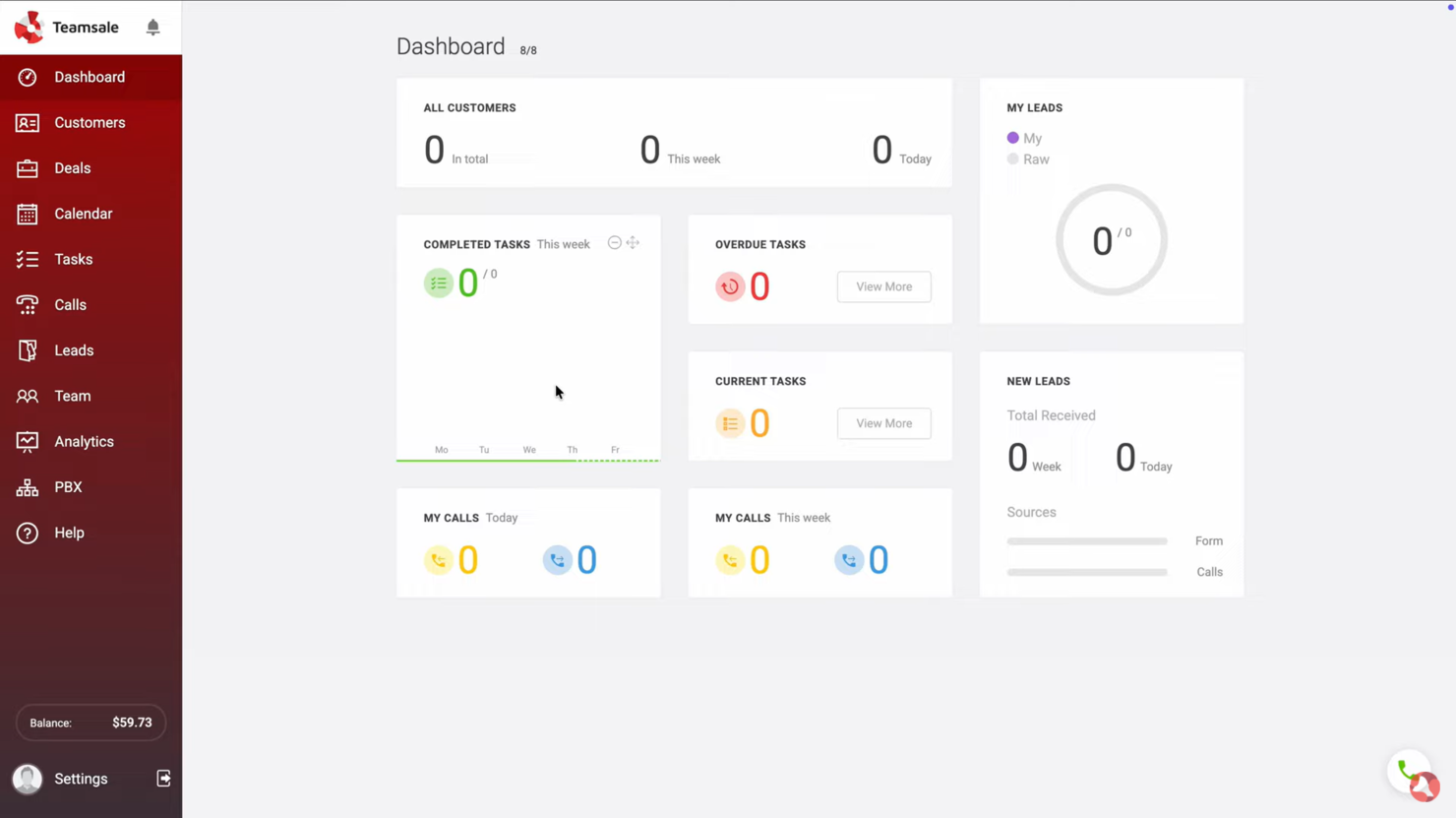
Zadarma is a virtual phone system tailored for small businesses, remote workers, call centers, and enterprises. It provides voice over internet protocol (VoIP) calls, virtual phone numbers, and a multifunctional customer relationship management (CRM) system to strengthen communication and business operations.
Why Zadarma is a good Skype alternative: Zadarma offers a virtual phone system with calling features, such as Cloud PBX and SIP trunk, that are not available in Skype. It allows your team to set up a virtual office quickly and at no cost. With call tracking and speech analytics, you can gain insights into your communication processes. Additionally, its video conferencing capabilities offer a well-rounded communication solution for your business.
Standout features & integrations:
Features include a multifunctional CRM for managing customer profiles, speech analytics for monitoring calls, and a call tracking system to evaluate team performance. You can also make calls directly from your browser, simplifying user access. The platform supports both video conferencing and SMS services, enhancing communication flexibility.
Integrations include Zoho CRM, Slack, Zendesk, Salesforce, HubSpot, Microsoft Teams, and more.
Pros and Cons
Pros:
- Direct browser calling
- Strong speech analytics
- Detailed call tracking
Cons:
- Limited third-party app support
- No large enterprise tools
Diğer Skype for Business Alternatifleri
İşte kısa listeme giremeyen ancak yine de göz atmaya değer bazı ek Skype alternatifleri:
- Slack
For team collaboration tools
- Zoom
For hybrid meeting support
- Troop Messenger
For small team collaboration
- Wire
For secure messaging
- Flock
For team productivity tools
- Nextiva
For customer relationship management
- Dialpad
For AI-powered communication
- 3CX
For call center solutions
- ULTATEL
For virtual phone systems
- Zulip
For threaded conversations
- Genesys Cloud CX
For customer experience management
- VoIPstudio
For VoIP services
- Cisco
For unified communications
- Mitel
For scalable VoIP solutions


How I Evaluate Skype for Business Alternatives
I split my evaluation into two layers: the baseline capabilities every tool must have—like group video, persistent chat, and VoIP—and the differentiators that separate good from great.
Core Functionality (Table Stakes For This List)
When I'm selecting tools for my list, I rank each one on a scale from 0 (does not offer the functionality) to 5 (excels in this area) for each core functionality listed below. Then, I calculate the tool's total score into a percentage. Each tool needs to achieve a minimum total score of 75% to be considered for inclusion.
- Video Conferencing: I evaluate group video capacity, screen sharing, and recording—features project teams rely on for sprint reviews, client demos, and stakeholder presentations.
- Instant Messaging: Persistent 1:1 and group chat with threaded replies, file sharing, and searchable history matters when your team needs to trace back a decision made weeks ago.
- VoIP & Audio Calling: I check whether a platform supports internet-based voice calls and optional PSTN dial-in, since distributed teams often need a quick call over a scheduled meeting.
- Team Channels & Workspaces: Organized channels by project, client, or workstream keep conversations findable—I look at how each tool handles permissions, guest access, and channel structure.
- Third-Party Integrations: I look for native connections to tools like Jira, Asana, Monday.com, and Trello, plus open APIs that let teams build custom workflows between their PM stack and comms platform.
- Cross-Platform Availability: Desktop, mobile, and web access with consistent feature parity is something I check for, since hybrid teams move between devices throughout the day.
Once I have a list of tools that meet this criteria, I consider what sets each platform apart.
Differentiating Factors (What Sets Vendors Apart)
Here's how I compare and contrast different vendors:
Standout Features
AI-powered meeting assistants are a big differentiator. I look for tools that auto-generate summaries and extract action items, so project managers can skip manual note-taking after every stand-up or client call. Guest and external access also matter. Agency teams and client-facing PMs need to bring stakeholders into channels or meetings without forcing them onto a paid license. I also evaluate whether a platform includes built-in task assignment, since fewer context switches between your comms tool and your PM board means fewer falls through the cracks.
Beyond Features
Security and compliance certifications like SOC 2 and ISO 27001 are worth checking, especially if your projects involve sensitive client data or regulated industries. Migration support is another factor I evaluate closely—teams moving off Skype for Business need clear tooling or guided onboarding to avoid downtime during the switch. I also consider how well a platform scales, since a tool that works for a 10-person project team but buckles at 500 concurrent meeting participants won't serve a growing PMO for long.
Neden Skype for Business alternatifi aramalısınız?
Skype for Business ve artık Microsoft Teams kurumsal iletişim için güçlü bir seçenek olabilir; ancak bazı ekiplerin hâlâ alternatif çözümler aramasının çeşitli nedenleri var. Şu durumlarda Skype for Business alternatifi düşünebilirsiniz:
- Microsoft dışı araçlarla daha iyi entegrasyona ihtiyacınız var
- Ekibiniz daha gelişmiş veya daha esnek güvenlik denetimleri istiyor
- Daha iyi arama kalitesi veya güvenilirlik arıyorsunuz
- İşletmenizin daha ölçeklenebilir veya daha hafif bir iletişim çözümüne ihtiyacı var
- Daha fazla özelleştirme veya daha basit bir kurulum gerekiyor
- Ekibinizin daha odaklı iş birliği özelliklerine ihtiyacı var
Bunlardan herhangi biri size tanıdık geliyorsa doğru yere geldiniz. Bu liste, Microsoft Teams'i geride bırakmış ekipler için daha uygun olabilecek ve ideal olarak çalışma biçimleriyle daha iyi örtüşecek çeşitli kurumsal iletişim araçlarını içeriyor.
Özellikler
Artık Microsoft Teams üzerinden sunulan Skype for Business'ın temel özellikleri, birçok ekibin modern iletişim araçlarından beklediği standartları belirliyor. Alternatif çözümlerin sunduklarını karşılaştırmak için bu özellikleri kullanın:
- Görüntülü aramalar: Ekibinizle veya müşterilerinizle yüz yüze bağlantı kurun
- Ekran paylaşımı: Projeler üzerinde gerçek zamanlı iş birliği yapmak için ekranınızı paylaşın
- Dosya paylaşımı: Toplantılar ve sohbetler sırasında belgeler gönderip alın
- Canlı altyazılar: Erişilebilirlik için birden fazla dilde gerçek zamanlı altyazıları görüntüleyin
Toplantı bağlantıları: Toplantı bağlantılarını herhangi bir cihazdaki katılımcılarla paylaşın - Arka plan efektleri: Farklı toplantı ortamlarına uygun arka planları özelleştirin
- Sohbet özelleştirme: Sohbet düzenlerini ve temalarını kişiselleştirin
- İş birliği araçları: Aramalar ve toplantılar sırasında içerik paylaşın ve iş birliği yapın