

2026 İçin En İyi 10 Restorasyon Proje Yönetimi Yazılımı

En İyi Restorasyon Projesi Yönetim Yazılımları Kısa Listesi


En iyi restorasyon projesi yönetim yazılımı, ekipleri koordine etmenize, görevleri planlamanıza ve ilerlemeyi takip etmenize yardımcı olur; böylece projeleri zamanında tamamlayabilir ve hiçbir şeyin gözden kaçmamasını sağlayabilirsiniz. Doğru araç olmadan iş emirlerinin takibini kaybedebilir, planlama güncellemelerini kaçırabilir veya ekip iletişiminde zorlanabilirsiniz. Bu da restorasyon çalışmalarını yavaşlatır ve müşterileri hayal kırıklığına uğratır.
Doğru restorasyon projesi yönetim yazılımı; görevleri atamanıza ve izlemenize, denetimleri ve fotoğrafları kaydetmenize, ekipmanları ve uygunluk kayıtlarını yönetmenize ve müşterileri bilgilendirmenize olanak tanır.
Proje yönetimindeki deneyimimi ve yazılım araçlarını test ettiğim 3+ yılı kullanarak onlarca platformu inceledim ve iş akışlarınızı kolaylaştırıp restorasyon projelerinin ilerlemesini sağlamak için doğru seçeneği bulabilmeniz adına en iyi olanları belirledim. Her incelemede temel özellikler, artılar ve eksiler ile aracı öne çıkaran unsurlar yer alıyor.
Why Trust Our Software Recommendations
Our team has been testing and reviewing software since 2012. As project managers ourselves, we know how difficult—and important—it is to choose the right software.
For this guide, we evaluated tools using hands-on testing and independent research, scoring tools using our selection criteria. We also draw on insights from industry thought leaders and practicing project management experts.
Our reviews reflect our human editorial judgment, not a sales pitch.
Expert reviewers:
Restorasyon Projesi Yönetim Yazılımları Karşılaştırma Tablosu
Bu karşılaştırma tablosu, en iyi restorasyon projesi yönetim yazılımı seçimlerimin fiyatlandırma ayrıntılarını özetlemektedir:
Score legend (out of 5)
- Excellent 4.5–5
- Good 4–4.4
- Average 3–3.9
- Below average 2–2.9
- Poor 1–1.9
| Tool | Starting Price | Website | |||||||
|---|---|---|---|---|---|---|---|---|---|
| Best for field-first restoration crew ops | 2.5 out of 5 | 3 | 2 | 3 | 2 | 2 | 3 | $14/month Free plan available | Website |
| Best for contractor CRM-led restoration ops | 2.7 out of 5 | 3 | 3 | 3 | 2 | 2 | 3 | Pricing upon request 14-day free trial | Website |
| Best for multi-crew dispatch across active jobs | 2.8 out of 5 | 2 | 4 | 3 | 3 | 2 | 3 | Pricing upon request Free demo available | Website |
| Best for insurance carrier compliance alerts | 3.0 out of 5 | 3 | 3 | 3 | 4 | 2 | 3 | Pricing upon request Free demo available | Website |
| Best for restoration job profitability tracking | 2.7 out of 5 | 3 | 2 | 3 | 3 | 3 | 2 | Pricing upon request Free demo available | Website |
| Best for real-time WIP and job cost tracking | 3.0 out of 5 | 3 | 3 | 3 | 4 | 2 | 3 | $49/month 30-day free trial + free demo available | Website |
| Best for Xactimate-based job compliance | 3.0 out of 5 | 3 | 3 | 3 | 3 | 3 | 3 | Pricing upon request Free demo available | Website |
| Best for Xactimate-linked job costing | 3.2 out of 5 | 3 | 3 | 3 | 3 | 3 | 4 | Pricing upon request Free demo available | Website |
| Best for small restoration teams | 3.2 out of 5 | 3 | 3 | 4 | 3 | 3 | 3 | Pricing upon request Free demo available | Website |
| Best for building restoration workflows from scratch | 3.2 out of 5 | 3 | 3 | 3 | 4 | 3 | 3 | Pricing upon request Free demo available | Website |
En İyi Restorasyon Projesi Yönetim Yazılımları İncelemesi
İşte en iyi restorasyon projesi yönetim yazılımlarının ayrıntılı özetleri. Her araç için temel özellikleri, artıları & eksileri, entegrasyonları ve ideal kullanım alanlarını ele alıyorum.
Best for field-first restoration crew ops

Contractor+ is a contractor business management platform that covers job tracking, restoration phase templates, mobile field documentation, crew scheduling, estimating, invoicing, and job costing across mitigation, contents, and rebuild work.
Who Is Contractor+ Best For?
Contractor+ fits small to mid-sized independent restoration operators who need field-first job management—phase tracking, mobile documentation, and crew coordination—without enterprise-level complexity.
Why I Picked Contractor+
I picked Contractor+ as one of the best because field crews can log moisture readings, timestamp damage photos by room, and mark restoration phases complete right from their phones, with everything syncing to the job timeline automatically. I like how restoration templates cover water extraction, structural drying, mold remediation, and reconstruction as distinct phases, each with its own tasks and cost tracking. Barcoding equipment onto a job and starting an automatic time-on-rent clock is the kind of detail that makes field-first ops genuinely tighter.
Contractor+ Key Features
- Estimatic AI estimate import: Pulls standard insurance estimation formats into the platform so you can work with them alongside job records and invoicing.
- Adjuster portal: Gives adjusters a secure claim link with filtered access to daily logs, photo sets, moisture readings, estimates, and change orders.
- Gantt chart scheduling: Lets you map tasks across job phases with a visual timeline and set up recurring schedules and progress billing by milestone.
- QuickBooks Online connection: Syncs job financials with your accounting software to keep costs, invoices, and profitability data in one place.
Contractor+ Integrations
Contractor+ offers native integrations with QuickBooks Online, CompanyCam, EagleView, Hover, and Wisetack. It also supports custom integrations through its API and Zapier.
Pros and Cons
Pros:
- Barcode scans capture equipment rental time
- Timestamped room-level logs support adjuster review
- Restoration phases track moisture, tasks, and costs
Cons:
- Budget variance alerts aren’t documented
- No live crew location or dispatch alerts

Best for contractor CRM-led restoration ops

JobNimbus is a contractor CRM and project management platform that combines lead tracking, job workflows, scheduling, estimating, invoicing, and field documentation tools for restoration and roofing contractors.
Who Is JobNimbus Best For?
JobNimbus fits roofing and restoration contractors who want a CRM-first system to manage leads, jobs, and billing in one place—and don't need deep insurance-claim lifecycle tools to run their ops.
Why I Picked JobNimbus
I've included JobNimbus in my top picks because it's built around a CRM-first model that keeps leads, jobs, and billing connected in a single record, which suits restoration contractors who run sales-driven ops. I especially like how its configurable status-based workflows let you map a custom production pipeline, and how Profit Tracker ties planned versus actual costs directly to each job. That per-job financial view, paired with work-order assignment and subcontractor scheduling, makes it a practical fit for contractor teams managing restoration jobs without a separate ops system.
JobNimbus Key Features
- Xactimate/XactAnalysis estimate import: Pulls estimate line items—including identifiers, descriptions, quantities, costs, and prices—from XactAnalysis assignments directly into a job's financials tab.
- Status-based job workflows: Lets teams build and edit custom statuses for job, contact, and work-order records to map any production pipeline step-by-step.
- Shared job record links: Sends external recipients a controlled view of a job record, letting them upload or download attachments and add notes without a JobNimbus account.
- Supplier integrations with material ordering: Connects to distributors like ABC Supply and Beacon PRO+ to pull pricing, place orders, and receive delivery updates from within a job.
JobNimbus Integrations
JobNimbus integrates with Xactimate/XactAnalysis for estimate imports and offers marketplace integrations with QuickBooks, Beacon PRO+, ABC Supply, CompanyCam, and Google Calendar. Zapier is also listed.
Pros and Cons
Pros:
- Work orders support subcontractor coordination
- Job records centralize photos and paperwork
- Custom boards map production stages
Cons:
- No live crew dispatch visibility
- No restoration-specific claim lifecycle

Best for multi-crew dispatch across active jobs
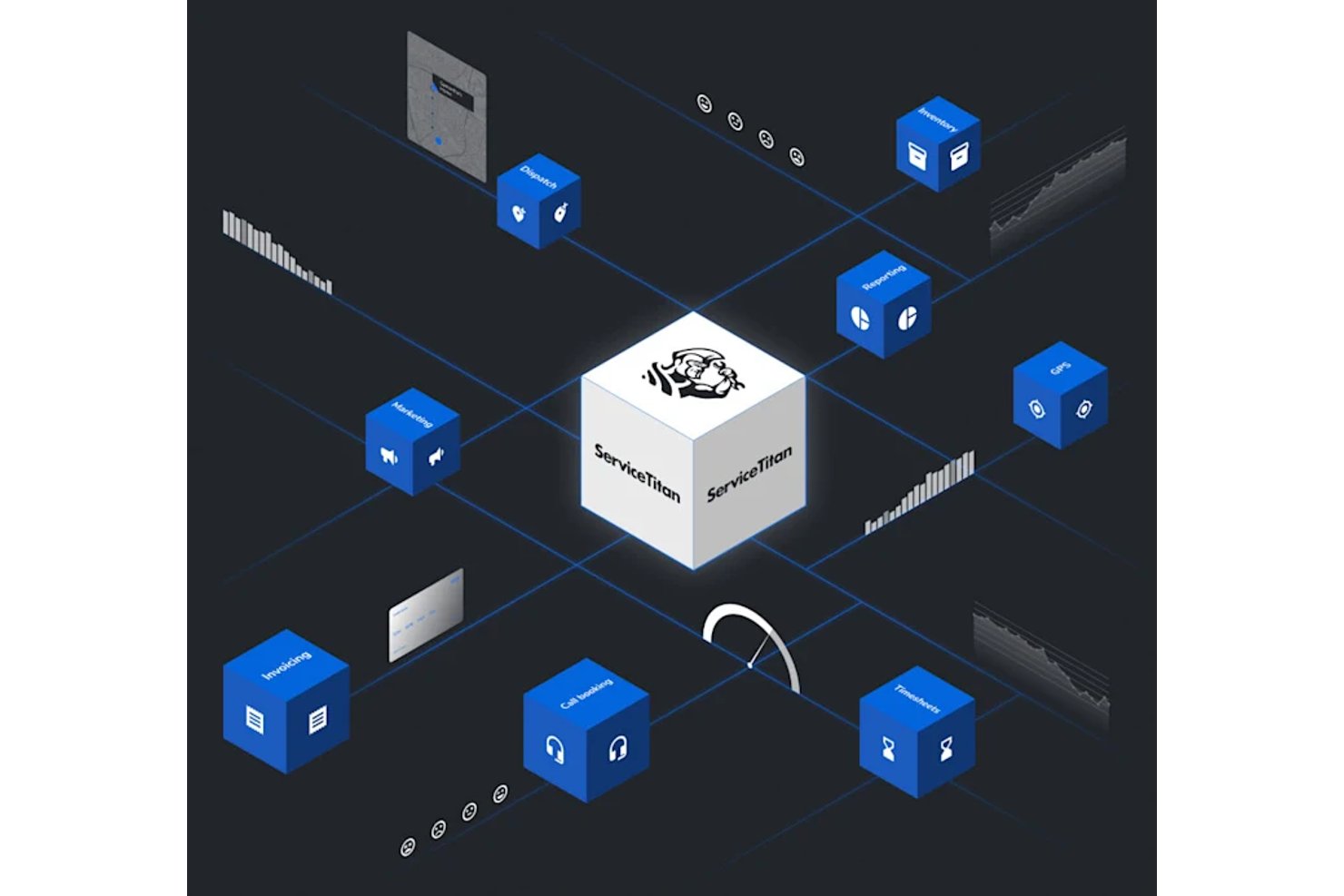
ServiceTitan is a field service management platform for trades contractors that combines scheduling, dispatch, job costing, work order management, inventory tracking, and digital documentation into one system.
Who Is ServiceTitan Best For?
ServiceTitan suits trades contractors who need to coordinate multiple crews across concurrent jobs and want scheduling, dispatch, and job costing in one platform.
Why I Picked ServiceTitan
I picked ServiceTitan as one of the best because its Crew Scheduling Board genuinely solves the multi-crew dispatch problem that restoration coordinators run into daily. I can see a full seven-day view of crew availability, assigned-versus-needed technician counts, and live job appointments across concurrent active jobs. When an emergency water loss comes in mid-week, I can reassign technicians to that job directly from the board without losing visibility into what's already running.
ServiceTitan Key Features
- Active Projects WIP report: Tracks estimated and actual labor, material, and equipment costs alongside invoices, payments, earned revenue, and margins across all open jobs.
- Insurance Sales Queue: Provides a configurable task-workflow template with roughly 20 prebuilt insurance tasks, assignees, durations, subtasks, and dependencies.
- Custom forms with mobile photo capture: Lets technicians complete structured forms and attach photos in the field, with completed forms emailed automatically to customers on job close.
- Inventory Locations: Displays stock quantities and transaction history for trucks and warehouses and supports transfers between inventory locations.
ServiceTitan Integrations
ServiceTitan offers 70+ pre-built integrations, including ServiceChannel, XOi, Viewpoint Spectrum, Sage, and Ferguson. It also provides an API for custom integrations.
Pros and Cons
Pros:
- Job-linked forms keep field photos organized
- WIP reports connect labor costs with margins
- Seven-day crew board supports emergency reassignment
Cons:
- Users report field photos lost after crashes
- No dedicated carrier-linked restoration claim record

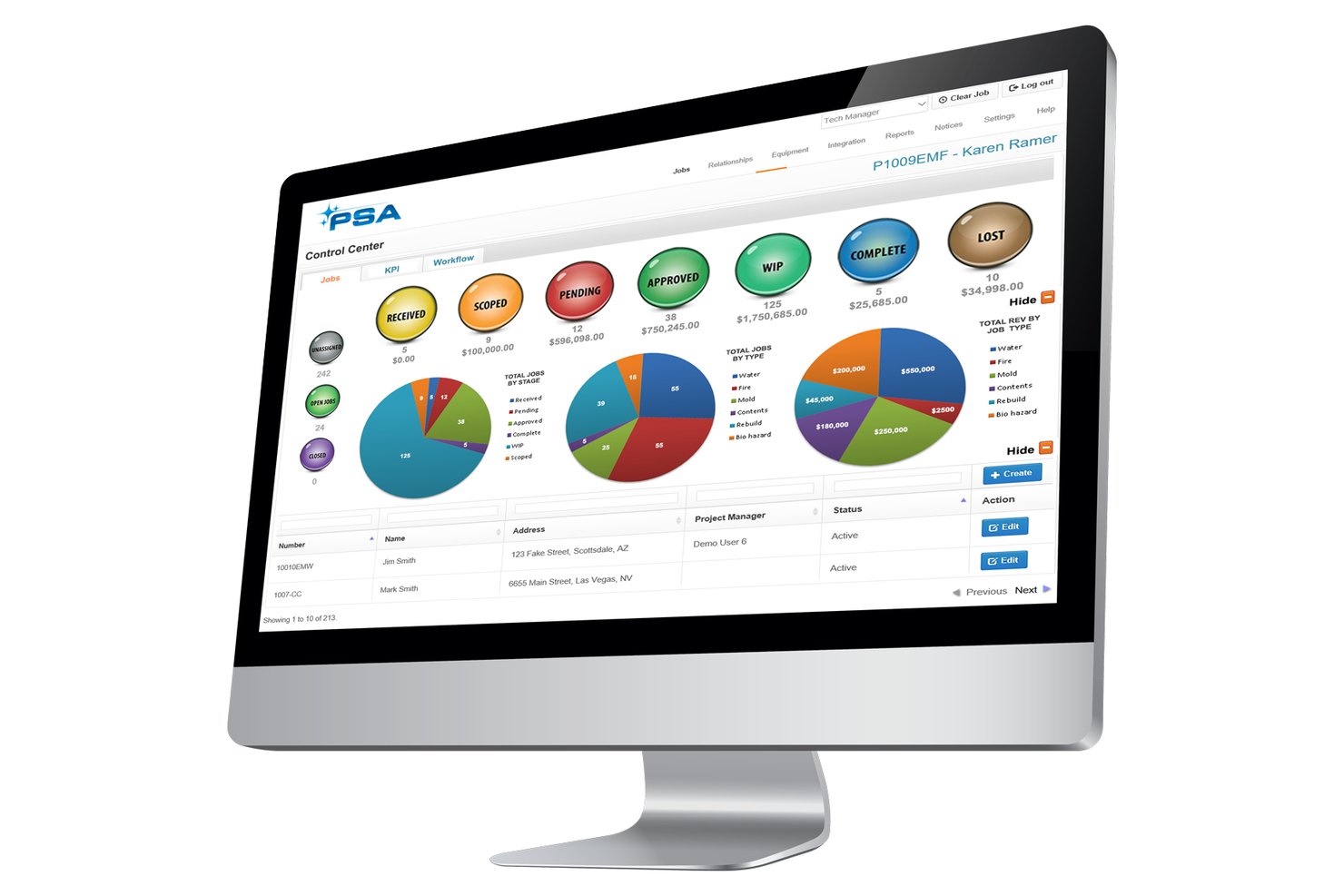
PSA by Canam Systems is restoration management software that covers job intake, dispatch, scheduling, work-in-progress tracking, job costing, and insurance estimate integration for restoration contractors.
Who Is PSA Best For?
PSA is a strong fit for restoration contractors who work within carrier-managed programs and need built-in compliance alerts tied to XactAnalysis and Symbility workflows.
Why I Picked PSA
I picked PSA as one of the best because it's purpose-built around the compliance demands that come with carrier-managed programs. When a job comes in through XactAnalysis or Symbility, PSA fires configurable alerts tied to carrier response-time requirements, so nothing slips past a deadline. I also like that Smart Tech Mobile prompts field technicians on S500 requirements during drying-log capture, keeping documentation in line with program expectations without relying on anyone to remember the rules.
PSA Key Features
- Job intake from multiple channels: Create jobs from XactAnalysis, Symbility, phone, email, or a website in 30 seconds or less.
- Real-time job costing: Track labor, materials, subcontractor, and equipment costs against budgets as work progresses.
- Gantt-chart production timelines: Build project timelines and company-wide calendars with Gantt charts and calendar reminders.
- Franchise-level analytics: View profit and loss, compliance KPIs, and cycle times across company and franchise data sets.
PSA Integrations
Documented integrations include Xactimate, XactAnalysis, CoreLogic Symbility, Encircle, Matterport, DocuSketch, magicplan, Intuit QuickBooks, and Google Maps. PSA also offers an open API for custom integrations.
Pros and Cons
Pros:
- Carrier alerts reinforce response-time discipline
- Work-in-progress views expose departmental bottlenecks
- Job-cost reports clarify project profitability
Cons:
- Spreadsheet exports need manual cleanup
- Mobile uploads sometimes fail to sync
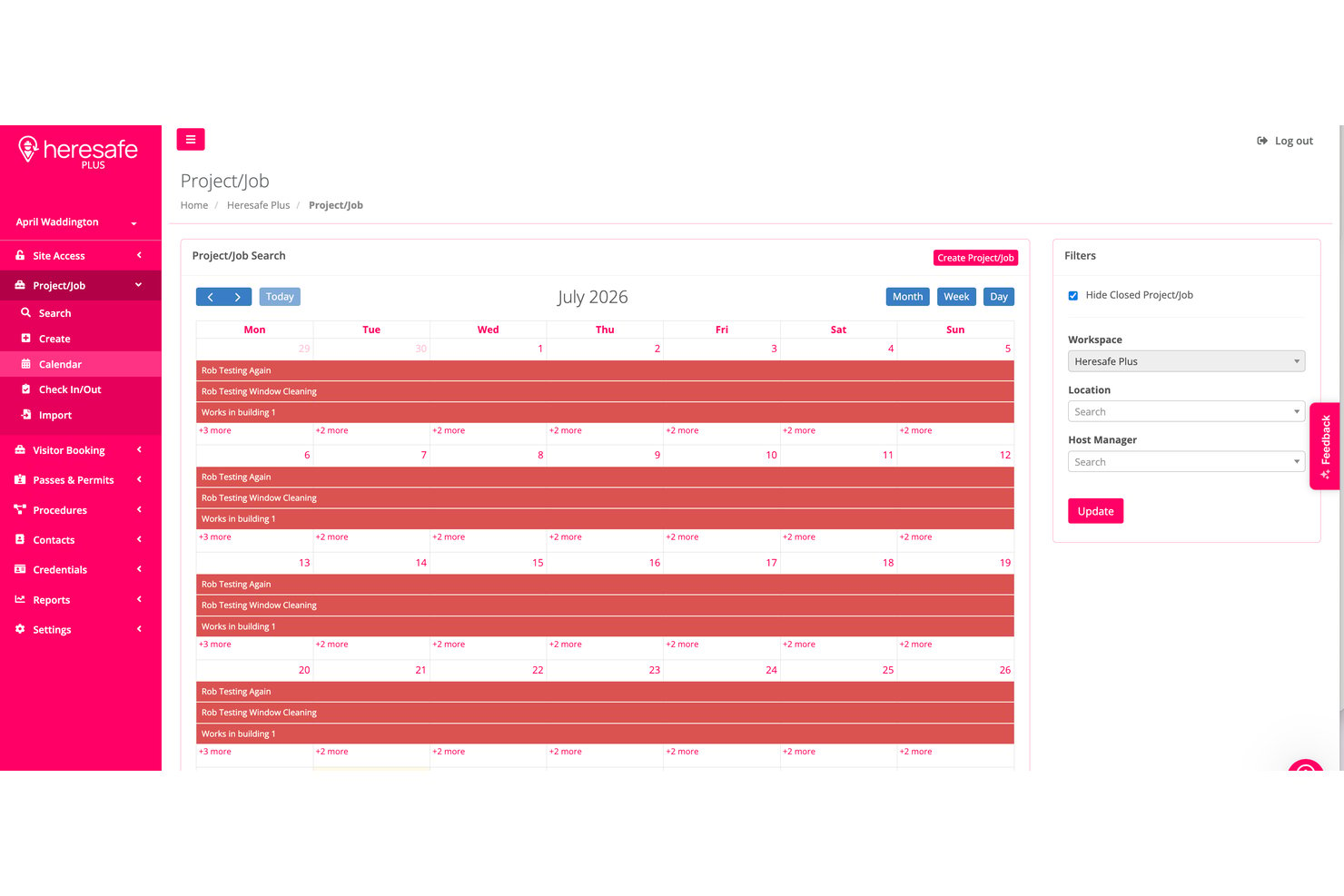
DASH is a web and mobile restoration business management platform from Cotality that covers job intake, configurable workflow management, documentation and photo capture, equipment tracking, scheduling, timesheets, and job-level profitability reporting.
Who Is DASH Best For?
DASH fits restoration company owners and coordinators who need clear visibility into job-level profitability across active jobs.
Why I Picked DASH
DASH earns its spot on my shortlist because of how clearly it surfaces job-level profitability while work is still in progress. The Job Slideboard shows working gross profit percentage alongside accounting details in real time, so I can see at a glance whether a job is trending toward margin or away from it. DASH Timesheets adds another layer by tying labor hours and configurable pay rates directly to job costs, giving restoration owners the numbers they need before a job closes.
DASH Key Features
- Configurable workflow builder: Users can design and adjust workflows to match their business's restoration process steps and requirements.
- DASH View portal: An emailed secure link lets external stakeholders view job photos, statuses, and notes in real time.
- Electronic signatures: Homeowners can review, sign, and submit job-file documents through a secure portal on their personal mobile device.
- Offline mobile access: Field users can make job-file changes without a connection, and DASH syncs all updates once the device reconnects.
DASH Integrations
DASH lists integrations with QuickBooks Online, Sage 100, Sage 300, Claims Connect, MICA, DryTrack, LuxorCRM, and DocuSketch. Its DASH Account 4 API supports custom integrations.
Pros and Cons
Pros:
- Configurable workflows help teams track job steps
- Centralized job files support adjuster documentation
- Job Slideboard shows working gross profit
Cons:
- Scheduling doesn't establish live crew dispatch
- Mobile photo sync problems risk lost documentation

Best for real-time WIP and job cost tracking
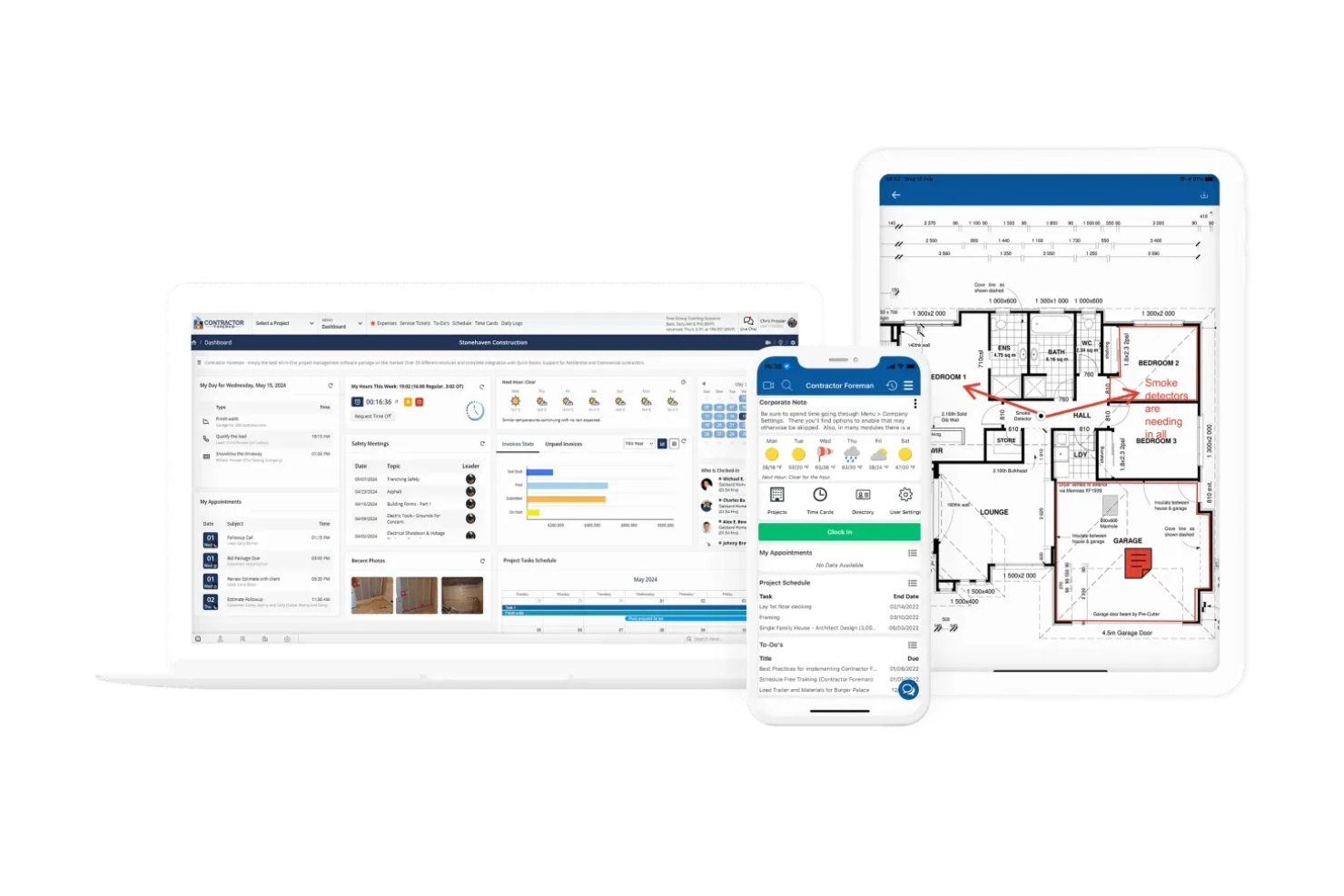
Contractor Foreman is a construction management platform that covers project scheduling, job costing, work orders, crew dispatch, daily logs, document management, estimates, and invoicing.
Who Is Contractor Foreman Best For?
Contractor Foreman is a good fit for small to mid-sized general contractors who need real-time job costing and WIP visibility without paying enterprise-level prices.
Why I Picked Contractor Foreman
I picked Contractor Foreman because its real-time WIP reporting gives restoration contractors a live read on job profitability before a project closes. I especially like how the WIP report calculates cost percent complete from actual timecards, bills, and expenses against the current cost budget, then flags over- or under-billings automatically. Pair that with work orders that capture labor, materials, equipment, and subcontractor costs in one place, and you've got clear financial visibility across every active job.
Contractor Foreman Key Features
- Client portal: Give clients controlled access to project schedules, documents, invoices, and approvals directly from the platform.
- Crew scheduling: Build crew rosters, assign jobs, and send text and email reminders so field staff always know where to be.
- Daily logs: Record jobsite activity including weather, crew presence, materials used, and safety notes for every active job.
- AIA-style progress billing: Create G702/G703-style invoices with retainage tracking tied directly to your project's schedule of values.
Contractor Foreman Integrations
Contractor Foreman documents 50+ integrations, including QuickBooks Online and Desktop, CompanyCam, Google Calendar, Outlook Calendar, Stripe, SweetPay, Gusto, and Microsoft Project. It also supports Zapier.
Pros and Cons
Pros:
- Reviewers praise centralized logs, photos, and files
- Timecards, bills, and expenses inform job costs
- WIP reports flag over- and under-billing
Cons:
- No moisture readings or equipment location tracking
- No restoration-specific claim lifecycle or intake


Restoration Manager is a restoration job management platform by Verisk that centralizes work orders, Gantt scheduling, job budgeting, equipment and consumable tracking, document and photo management, and homeowner and partner portals.
Who Is Restoration Manager Best For?
Restoration Manager suits project managers and field coordinators at restoration companies already working within the Verisk/Xactimate ecosystem who need job workflows, budgeting, and compliance tracking tied directly to their estimates.
Why I Picked Restoration Manager
I've included Restoration Manager in my top picks because it's built squarely inside the Verisk ecosystem, which means Xactimate estimates flow directly into work orders and job budgets without manual rekeying. That tight link keeps your scope, budget, and compliance status tied to the same source of truth throughout the job. I also like that Gantt scheduling with automated dependencies lets project managers track task order and trigger team notifications when schedules shift.
Restoration Manager Key Features
- ManageIT Mobile: Field employees can access job details, capture and upload photos, and message team members and homeowners directly from a mobile device.
- Homeowner and partner portals: Homeowners and trade partners each get a dedicated portal to view job documents, photos, correspondence, and status updates.
- Equipment and consumable tracking: Users can scan equipment with a mobile camera or Bluetooth scanner to log locations and available consumable quantities by job.
- CRM tools: Sales and marketing teams can track contacts, referrals, and return on marketing investment within the platform.
Restoration Manager Integrations
Restoration Manager has native integrations with Xactimate and DryLINK. Verisk also mentions integration with most major financial software, but doesn’t name supported systems or document an API.
Pros and Cons
Pros:
- Equipment tracking supports job-level visibility
- Gantt dependencies flag schedule changes
- Job-status emails clarify team assignments
Cons:
- Support responses may arrive late
- Mobile app loading can be slow


Xcelerate Restoration Software is a restoration job management platform that handles job tracking, scheduling and dispatch, field documentation, crew coordination, and Xactimate-linked estimating and invoicing across single and multi-location operations.
Who Is Xcelerate Restoration Software Best For?
Xcelerate is a strong fit for restoration companies scaling across multiple locations that rely on Xactimate for estimating and need job costing tied directly to field operations.
Why I Picked Xcelerate Restoration Software
I picked Xcelerate Restoration Software as one of the best because its native Xactimate and XactAnalysis integrations pull cost, materials, and labor-rate data directly into job records, so estimates and work orders stay tied to real costs from the start. When a job closes, projected versus actual margins are already tracked against those figures, which makes job costing far less manual than piecing it together in a spreadsheet. I also like that estimates can automatically generate trade-categorized work orders, keeping field scope and financial tracking connected in one record.
Xcelerate Restoration Software Key Features
- Multi-location dispatch: Coordinators can assign and manage crews across multiple branches from a centralized scheduling view.
- Custom job-report PDF builder: Users can compile insurance details, photos, notes, milestones, and documents into a single downloadable PDF per job.
- Geofencing time tracking: The platform automatically records working hours based on a technician's location to support payroll and job costing.
- Role-based permission controls: Admins can set and fine-tune access permissions by role or individual user, including restrictions on sensitive payroll data.
Xcelerate Restoration Software Integrations
Xcelerate offers native integrations with Verisk’s Xactimate and XactAnalysis, Clean Claims, Encircle, CompanyCam, Matterport, DocuSketch, QuickBooks, Microsoft 365, and Power BI. It also supports Zapier, connecting with over 5,000 other apps.
Pros and Cons
Pros:
- Reviewers praise flexible workflows and helpful staff
- Multi-location dispatch supports branch coordination
- Daily schedules help technicians see assignments
Cons:
- Time-punch problems can affect payroll accuracy
- App glitches disrupt photo uploads and forms


Albi is restoration management software that connects office and field operations through job management, Drylog moisture and equipment tracking, scheduling, field documentation, and financial tools including invoicing, estimates, and Xactimate integration.
Who Is Albi Best For?
Albi is a strong fit for small restoration companies that need to connect office staff and field technicians without managing multiple disconnected tools.
Why I Picked Albi
I picked Albi as one of the best because its Drylog tool gives small restoration teams something genuinely useful in the field: room-by-room moisture point tracking, S500-based equipment recommendations, and equipment placement records that feed directly into invoices. I also like that field technicians can work offline, capturing photos, notes, and moisture readings without needing a signal. For a small team juggling active water or fire jobs, that combination keeps documentation moving even when connectivity doesn't.
Albi Key Features
- Xactimate integration: Albi pulls completed Xactimate estimates directly into its Workbook and can generate additional project shells for revisions, supplements, and alternate estimates.
- Role-based permissions: Pro Seat users can create custom staff roles that control exactly what each team member can view, edit, or manage across projects.
- XactAnalysis assignment import: New XactAnalysis assignments sync into Albi's Leads table, bringing in carrier information, project type, and loss date automatically.
- Albi Pay: Field and office staff can send payment requests, process credit cards, accept ACH transfers, and deposit checks from within the platform.
Albi Integrations
Albi has 12 documented native integrations, including XactAnalysis, Xactimate, QuickBooks Online, QuickBooks Desktop, Sage, Xero, iCAT, Kahi, Encircle, and CompanyCam. It also supports REST APIs, webhooks, and Zapier.
Pros and Cons
Pros:
- Offline capture supports technicians without signal
- Project timelines keep active jobs visible
- Room-linked moisture and equipment documentation
Cons:
- Claim workflows lack complete lifecycle visibility
- Field app reliability complaints disrupt documentation


Ontraccr is a construction workflow automation platform that brings together customizable project boards, job costing, scheduling, time tracking, equipment management, and digital forms for field-service and construction teams.
Who Is Ontraccr Best For?
Ontraccr suits project managers at small to mid-sized construction and field-service companies who need to build custom job workflows from the ground up rather than work within a fixed system.
Why I Picked Ontraccr
I picked Ontraccr because it gives restoration project managers a genuinely blank canvas to build job workflows that match how their business actually runs. I've set up service boards with statuses like Queued, Scheduled, In Progress, and Invoiced, then layered in job-costing templates that track labor, materials, equipment, and subcontractor costs against a live budget. The drag-and-drop Field Schedule lets me assign crews and attach forms directly to shifts, so dispatch and documentation happen in the same workflow rather than across separate tools.
Ontraccr Key Features
- Client portal: Give clients a branded portal to view real-time project status, shared files, and milestones, with two-way messaging built in.
- GPS geofencing for time tracking: Set job-site boundaries that automatically clock workers in or out when they enter or leave a location.
- QR code equipment check-in: Let field workers scan equipment QR codes to pull up asset profiles and check gear into a job directly from their mobile device.
- Smart folders: Trigger automated workflows whenever a file is uploaded to a designated folder, keeping documentation-driven processes moving without manual intervention.
Ontraccr Integrations
Ontraccr offers native integrations with QuickBooks Online, Sage 100 Contractor, Procore, and Stripe, plus Zapier. It also supports API integrations for custom connections.
Pros and Cons
Pros:
- Reviewers praise responsive setup and workflow support
- Job-costing tracks labor, materials, equipment, and subcontractors
- Custom boards adapt to restoration dispatch stages
Cons:
- Remote connectivity hiccups can disrupt field updates
- High-volume photo handling can slow documentation
Diğer Restorasyon Projesi Yönetim Yazılımları
Kısa listeme girmeyen, ancak yukarıda aradığınızı bulamadıysanız yine de göz atmaya değer bazı ek restorasyon işi yönetim yazılımı seçenekleri şunlardır:
- iRestore
For barcode-based equipment tracking
- Job-Dox
For AI-driven contractor ops
- Jobber
For multi-crew service scheduling
- Procore
For large construction project teams
- Float
For visual crew scheduling across jobs
- Buildertrend
For keeping clients in the loop on jobs
- Autodesk Construction Cloud
For construction-scale document collaboration
- Encircle
For claim photo docs and Xactimate export
- Rocket Plan
For mobile field documentation
- Capabuild
For video and LiDAR sketch-to-Xactimate


How I Evaluate Restoration Project Management Software
I split my evaluation into three parts, weighting core functionality most: track jobs and claim details from intake to close, and dispatch crews across active sites. Next, I look for features such as adjuster portals. Finally, I consider field-team onboarding, support, and pricing fit.
Core Functionality (Table Stakes For This List)
When I'm selecting tools for my list, I score each one on a scale from 0 (does not offer the functionality) to 5 (excels in this area) for each core functionality listed below. I then convert the total into a percentage to help assess each tool's overall fit, with extra weight on any functionalities I’ve deemed essential.
- Job & Claims Tracking (Essential): I look for job stages that link to claim details, so coordinators can follow a water-damage job from intake through completion.
- Documentation & Photos (Essential): I check whether field teams can organize job photos, moisture readings, and notes by room, then compile records for adjuster review.
- Scheduling & Dispatch: I evaluate how teams assign technicians, crews, and equipment across active sites and spot schedule changes.
- Estimates & Invoicing: I check for estimates or invoices tied to job scope, including connections to tools such as Xactimate.
- Job Costing: I look for labor, materials, equipment, and subcontractor costs tracked against job budgets as work progresses.
- Equipment & Inventory: I assess whether teams can assign equipment and materials to jobs and track movement between sites.
Once I have a list of tools that meet the criteria, I consider what sets each platform apart.
Differentiating Factors (What Sets Vendors Apart)
Here's how I compare and contrast different vendors:
Standout Features
I check whether platforms include built-in sketching tools that let techs diagram affected areas on-site. That capability cuts back-and-forth between the field and office when scoping drying chambers. I also evaluate customer and adjuster portals, since giving adjusters direct access to job status and documents reduces follow-up calls and speeds approvals. Automated compliance alerts matter too—I look for notifications that flag jobs drifting from IICRC drying standards or missing documentation before a claim goes out.
Beyond Features
I check whether a platform's workflows align with IICRC S500/S520 documentation standards, since templates that map to those requirements save coordinators from rebuilding compliance checklists from scratch. Xactimate and XactAnalysis data exchange matters just as much—duplicate entry between estimating and job management tools slows claim cycles and introduces errors. I also evaluate onboarding support geared toward field techs, because mobile-first training from a restoration-focused specialist makes the difference between adoption and shelfware.
Restorasyon Projesi Yönetim Yazılımı Nasıl Seçilir?
Uzun özellik listeleri ve karmaşık fiyatlandırma yapıları arasında kaybolmak kolaydır. Kendinize özgü yazılım seçim süreciniz üzerinde çalışırken odağınızı korumanıza yardımcı olmak için aklınızda bulundurmanız gereken faktörlerin bir kontrol listesi aşağıda yer alıyor:
| Faktör | Dikkat Edilmesi Gerekenler |
|---|---|
| Ölçeklenebilirlik | Yazılım işletmenizle birlikte büyüyebilir mi? Performansta önemli sorunlar yaşamadan artan sayıda projeyi ve kullanıcıyı yönetip yönetemeyeceğini değerlendirin. |
| Entegrasyonlar | Muhasebe veya müşteri ilişkileri yönetimi (CRM) sistemleri gibi hâlihazırda kullandığınız araçlarla entegre oluyor mu? Manuel veri girişine büyük ölçüde güvenmek zorunda kalmamak için yerel entegrasyonları kontrol edin. |
| Özelleştirilebilirlik | Yazılımı belirli iş akışlarınıza uyacak şekilde uyarlayabilir misiniz? Süreçlerinize uygun özel alanlar ve raporlar oluştururken esneklik sunduğundan emin olun. |
| Kullanım Kolaylığı | Arayüz ekibiniz için anlaşılır mı? Benimsenme sürecini yavaşlatabilecek, kapsamlı eğitim gerektiren ve öğrenme eğrisi dik olan araçlardan kaçının. |
| Uygulama ve İşe Alıştırma | Ekibiniz ne kadar hızlı çalışmaya başlayabilir? Geçiş aşamasında eğitim materyalleri, eğitimler ve destek gibi kaynakların mevcut olup olmadığını değerlendirin. |
| Maliyet | Fiyatlandırma planları bütçeniz dâhilinde mi? Maliyeti sunulan faydalarla karşılaştırın ve ölçek büyüttükçe ortaya çıkabilecek gizli ücretleri göz önünde bulundurun. |
| Güvenlik Önlemleri | Yazılım verilerinizi koruyor mu? Şifreleme, düzenli güvenlik güncellemeleri ve ilgili veri koruma düzenlemelerine uygunluk gibi özellikleri arayın. |
| Destek Kullanılabilirliği | Müşteri desteğine kolayca erişilebiliyor mu? Gerektiğinde yardım alabilmeniz için canlı sohbet, telefon desteği ve yanıt sürelerinin kullanılabilirliğini değerlendirin. |
Restorasyon Proje Yönetimi Yazılımı Nedir?
Restorasyon proje yönetimi yazılımı, binalar ve diğer yapılardaki onarım ve bakım çalışmalarını (yani restorasyon işlerini) içeren projeleri düzenlemenize ve denetlemenize yardımcı olmak için tasarlanmış bir araçtır. Proje yöneticileri, yükleniciler ve restorasyon uzmanları bu araçları görevleri koordine etmek, kaynakları yönetmek ve ekiplerle iletişim kurmak için kullanır.
Planlama, bütçe takibi ve belge yönetimi özellikleri projeleri düzenlemenize, zaman çizelgelerini korumanıza ve maliyetleri kontrol etmenize yardımcı olur; böylece projelerin zamanında ve bütçe dâhilinde (ve stressiz) ilerlemesini sağlayabilirsiniz.
Restorasyon Proje Yönetimi Yazılımının Özellikleri
Restorasyon proje yönetimi yazılımı seçerken aşağıdaki temel özelliklere dikkat edin:
- Planlama: Projeleri yolunda tutmak ve son teslim tarihlerine uymak için kaynakları verimli bir şekilde planlamanıza ve tahsis etmenize yardımcı olur.
- Bütçe takibi: Harcamaları gerçek zamanlı olarak izlemenize, bütçe dâhilinde kalmanıza ve bilinçli finansal kararlar almanıza olanak tanır.
- Belge yönetimi: Önemli proje dosyalarını düzenler ve depolar; belgelerinize ekip üyelerinizle erişmenizi ve bunları paylaşmanızı kolaylaştırır.
- Görev yönetimi: Görevleri atamanıza ve önceliklendirmenize olanak tanır, ekip üyelerinin sorumluluklarını bilmelerini sağlayarak işlerin verimli bir şekilde tamamlanmasına yardımcı olur.
- Müşteri iletişimi: Müşterilerle doğrudan iletişim kurmanızı kolaylaştırır; böylece onları proje ilerlemesi hakkında bilgilendirebilir ve endişelerini giderebilirsiniz.
- Mobil erişim: Proje bilgilerine hareket hâlindeyken erişim sağlar; ekip üyeleri sahadan verileri güncelleyebilir ve alabilir.
- Uygunluk takibi: Projelerin restorasyon sektörü standartlarına ve düzenlemelerine uymasını sağlar ve uyumsuzluk sorunları riskini azaltır.
- Özelleştirilebilir panolar: İlgili proje ölçümlerini görüntülemek için arayüzü uyarlamanıza olanak tanır ve ilerleme ile performansa dair net bir genel bakış sunar.
- Zaman takibi: İş gücü saatlerini izleyerek maliyetleri doğru şekilde hesaplamanıza ve verimliliği artırmanıza yardımcı olur.
- Gerçek zamanlı bildirimler: Ekibinizi önemli güncellemeler ve değişiklikler hakkında bilgilendirir; böylece zamanında yanıt verebilir ve gerekli düzenlemeleri yapabilirsiniz.
Restorasyon Proje Yönetimi Yazılımının Faydaları
Restorasyon proje yönetimi yazılımını uygulamak ekibiniz ve işletmeniz için çeşitli faydalar sağlar. Yararlanabileceğiniz birkaç fayda şunlardır:
- Geliştirilmiş verimlilik: Planlama ve görev yönetimini iyileştirerek ekibinizin projeleri daha hızlı ve daha az hatayla tamamlamasını sağlar.
- Maliyet kontrolü: Bütçe takibi ve gider izleme olanağı sunar; mali durumunuzu etkili bir şekilde yönetmenize ve aşırı harcamalardan kaçınmanıza yardımcı olur.
- Geliştirilmiş iletişim: Müşteri ve ekip iletişimini kolaylaştırarak herkesin proje hedefleri hakkında bilgilendirilmesini ve hedeflerle uyumlu hareket etmesini sağlar.
- Daha iyi organizasyon: Önemli bilgileri erişilebilir ve düzenli tutmak için belge yönetimi ve özelleştirilebilir panolar sunar.
- Artan hareketlilik: Mobil erişim sağlayarak ekip üyelerinin proje verilerini her yerden güncellemesine ve almasına olanak tanır; bu da operasyonlarda esnekliği korur.
- Uygunluk güvencesi: Uygunluk takibini destekler; sektör standartlarını karşılamanıza ve olası hukuki sorunlardan kaçınmanıza yardımcı olur.
Restorasyon Projesi Yönetim Yazılımının Maliyetleri ve Fiyatlandırması
Restorasyon projesi yönetim yazılımı seçmek, mevcut çeşitli fiyatlandırma modellerinin ve planların anlaşılmasını gerektirir. Maliyetler özelliklere, ekip büyüklüğüne, eklentilere ve daha fazlasına göre değişir.
Restorasyon projesi yönetim yazılımında sunulan yaygın planların, ortalama fiyatların ve tipik özelliklerin özeti aşağıdadır:
Restorasyon Projesi Yönetim Yazılımı İçin Plan Karşılaştırma Tablosu
| Plan Türü | Ortalama Fiyat | Yaygın Özellikler |
|---|---|---|
| Ücretsiz Plan | $0 | Temel görev yönetimi, sınırlı belge depolama ve temel raporlama. |
| Bireysel Plan | $10 - $30/kullanıcı/ay | Görev yönetimi, temel planlama, belge depolama ve basit raporlama. |
| İşletme Planı | $40 - $70/kullanıcı/ay | Proje planlama, bütçe takibi, belge yönetimi ve ekip iş birliği. |
| Kurumsal Plan | $80 - $150/kullanıcı/ay | Gelişmiş analizler, uyumluluk takibi, özel entegrasyonlar ve özel destek. |
Restorasyon Projesi Yönetim Yazılımı Hakkında Sıkça Sorulan Sorular
Restorasyon projesi yönetim yazılımı hakkında sık sorulan bazı soruların yanıtlarını burada bulabilirsiniz:
Yazılım sağlayıcılarından ne tür bir destek bekleyebilirim?
Çoğu sağlayıcı canlı sohbet, e-posta veya telefon gibi çeşitli kanallar aracılığıyla müşteri desteği sunar. Yanıt süreleri değişebilir; bu nedenle işe alıştırma ve sorun giderme konusunda yardım da dâhil olmak üzere kapsamlı destek sunan sağlayıcıları tercih edin.
Bu araçlar veri güvenliğini nasıl ele alıyor?
Veri güvenliği, restorasyon projesi yönetim yazılımı için önceliktir. Sağlayıcılar verilerinizi korumak için genellikle şifreleme ve düzenli güvenlik güncellemeleri kullanır. Yazılımın ilgili veri koruma düzenlemelerine uygun olduğundan emin olun.
Bu araçlar mevcut sistemlerimle entegre olabilir mi?
Evet, birçok restorasyon projesi yönetim yazılımı çözümü QuickBooks, Dropbox ve CRM sistemleri gibi popüler araçlarla entegrasyonlar sunar. İş akışı verimliliğini de artırabilecek özel entegrasyonlar için yazılımın açık bir API sunup sunmadığını kontrol edin.
Bu yazılım çözümleri ne kadar özelleştirilebilir?
Özelleştirme seçenekleri sağlayıcıya göre değişir; ancak birçok sağlayıcı özel alanlar, raporlar ve gösterge panoları sunar. Belirli iş akışlarınıza ve işletme ihtiyaçlarınıza uyacak şekilde düzenleyebileceğiniz bir yazılım seçin.
İşe alıştırma sürecinde neleri göz önünde bulundurmalıyım?
İşe alıştırma sırasında eğitimler ve web seminerleri gibi eğitim kaynaklarının bulunabilirliğini göz önünde bulundurun. Sağlayıcının ekibinizin sorunsuz bir geçiş yapmasına yardımcı olacak destek sunduğundan emin olun ve ekibinizin yeni sistemi kullanmaya başlaması için gereken zaman ve çabayı değerlendirin.