

2026 İçin En İyi 10 Müşteri Kontrol Paneli Yazılımı

Müşteri Panosu Yazılımı Kısa Listesi


Müşteri panosu yazılımı, müşterilerinize proje güncellemelerini görüntüleyebilecekleri, paylaşılan dosyalara erişebilecekleri ve temel metrikleri gerçek zamanlı olarak izleyebilecekleri güvenli ve merkezi bir alan sunar. En iyi müşteri panosu yazılımını arıyorsanız muhtemelen şeffaflığı artırmak, raporlamayı otomatikleştirmek ve ekibiniz için daha fazla manuel iş oluşturmadan müşteri iletişimini düzenli tutmak istiyorsunuz.
Bu kadar çok seçenek varken hangi araçların iş akışınıza, veri kaynaklarınıza ve müşteri ihtiyaçlarınıza gerçekten uygun olduğunu bilmek zordur. Bu liste, 2026'nın önde gelen müşteri panosu platformlarını ayrıntılı olarak ele alır; böylece özellikleri karşılaştırabilir ve projeleriniz ile müşterileriniz için en uygun seçeneği bulabilirsiniz.
Yazılım Önerilerimize Neden Güvenebilirsiniz?
Ekibimiz 2012’den beri yazılımları test ediyor ve inceliyor. Biz de proje yöneticisi olduğumuz için doğru yazılımı seçmenin ne kadar zor ve önemli olduğunu biliyoruz.
Bu rehber için araçları uygulamalı testler ve bağımsız araştırmalarla değerlendirdik ve seçim kriterlerimize göre puanladık. Ayrıca sektörün fikir önderlerinin ve alanında çalışan proje yönetimi uzmanlarının görüşlerinden de yararlanıyoruz.
İncelemelerimiz bir satış konuşması değil, editör ekibimizin kendi değerlendirmesidir.
Uzman inceleyenler:
Müşteri Panosu Yazılımı Karşılaştırma Tablosu
En iyi müşteri panosu yazılımı seçimlerimin fiyatlandırma ayrıntılarını aşağıdaki karşılaştırma tablosunda özetledim:
| Tool | Starting Price | Website | |
|---|---|---|---|
| Best for marketing report automation | 4.8 out of 5 | $54/month 14-day free trial available | Website |
| Best for all-in-one client portals | 4.8 out of 5 | $19/month 30-day free trial available | Website |
| Best for custom data visualizations | 4.7 out of 5 | $120/month 14-day free trial | Website |
| Best for no-code dashboard creation | 4.7 out of 5 | $25/month Free plan + 7-day free trial + free demo available | Website |
| Best for CRM-connected dashboards | 4.4 out of 5 | $20/user/month Free plan available | Website |
| Best for multi-channel data aggregation | 4.5 out of 5 | $29/month 14-day free trial available | Website |
| Best for real-time KPI tracking | 4.5 out of 5 | $71/month Free plan + 14-day free trial + free demo available | Website |
| Best for accounting workflow integration | — | $49/month Free trial + free demo available | Website |
| Best for automated client onboarding | — | $134/month Free trial available | Website |
| Best for advanced analytics features | 4.4 out of 5 | $30/month 15-day free trial | Website |
Müşteri Panosu Yazılımı İncelemeleri
Aşağıda kısa listeme giren müşteri panosu yazılımlarına ilişkin ayrıntılı özetlerimi bulabilirsiniz. İncelemelerim, her platformun özelliklerini, entegrasyonlarını ve en uygun kullanım alanlarını ayrıntılı biçimde ele alarak sizin için en iyi seçeneği bulmanıza yardımcı olur.

DashThis
Best for marketing report automation
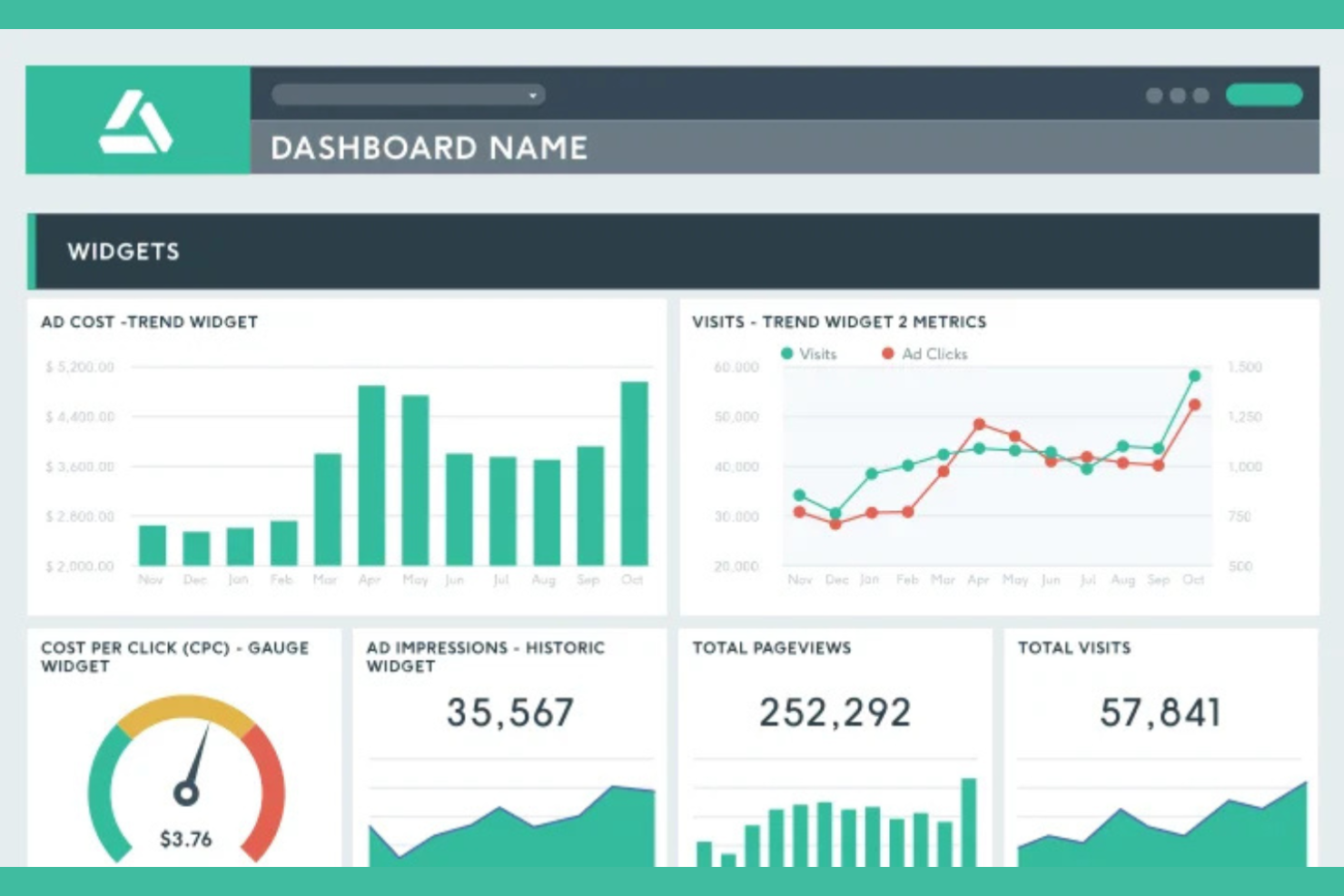
DashThis is designed for marketing agencies and digital teams that need to automate client reporting across multiple channels. It brings together data from dozens of marketing platforms into customizable dashboards, so you can deliver clear, up-to-date reports without manual effort. If you’re looking for a client dashboard tool that specializes in marketing analytics and automated report delivery, DashThis is built for that purpose.
Why I Picked DashThis
DashThis stands out for its ability to automate marketing report creation and delivery, which is a major advantage for agencies managing multiple client accounts. I picked DashThis because it lets you pull data from various marketing channels into a single dashboard, then schedule automated report sharing with clients. The tool’s drag-and-drop dashboard builder and pre-built report templates help you quickly create professional, client-ready reports. For teams that want to reduce manual reporting and keep clients updated with minimal effort, DashThis is purpose-built for that workflow.
DashThis Key Features
Some other features that make DashThis useful for client dashboard reporting include:
- White label dashboards: Lets you add your agency’s branding and custom domain to client dashboards.
- Commenting and notes: Allows you to add context or explanations directly to dashboard widgets for clients.
- CSV file import: Enables you to upload offline or third-party data into your dashboards.
- User access management: Gives you control over who can view or edit each dashboard within your team or client organizations.
DashThis Integrations
Integrations include Google Analytics, Facebook Ads, Google Ads, LinkedIn Ads, Twitter Ads, Mailchimp, HubSpot, and more.
Pros and Cons
Pros:
- Built-in comment and note features
- Unlimited dashboards on all paid plans
- Automated scheduled delivery of client reports
Cons:
- Limited widget customization for advanced users
- No real-time data refresh for dashboards
New Product Updates from DashThis

DashThis Adds AI-Powered Custom Data Sources Through MCP
DashThis now lets you add custom data sources to dashboards using AI through Claude or ChatGPT via MCP, turning data from non-native tools, spreadsheets, emails, or screenshots into scheduled widgets. For more information, visit DashThis's official site.
 .

Best for all-in-one client portals
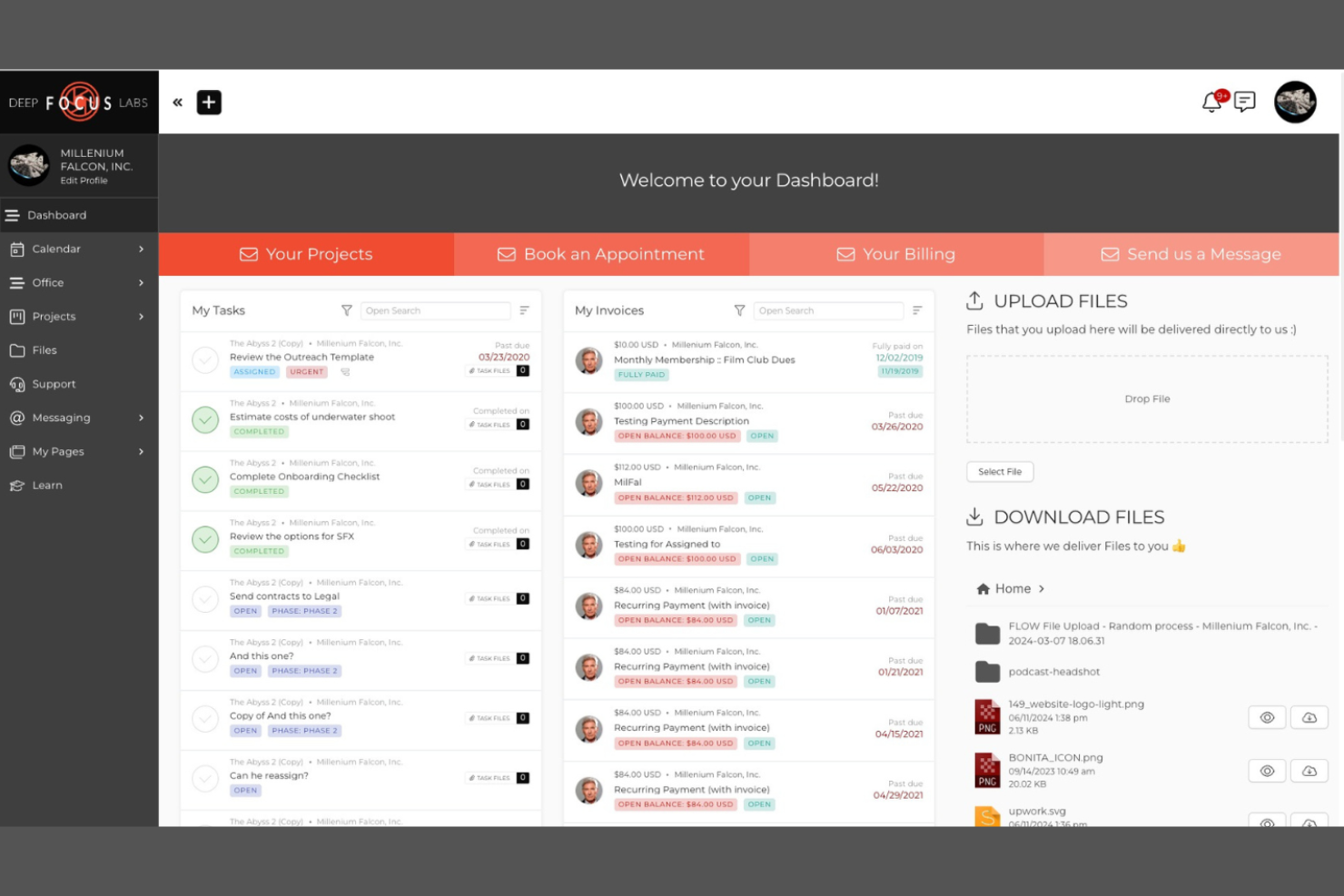
SuiteDash brings together project management, client communication, and billing in a single platform designed for businesses that want an all-in-one client portal. It’s a strong fit for agencies, consultancies, and service providers who need to centralize client interactions, document sharing, and workflow automation. SuiteDash stands out by letting you build custom client experiences with branded portals, integrated forms, and secure file exchange—all under one login.
Why I Picked SuiteDash
For teams looking to consolidate multiple client-facing tools into one platform, SuiteDash offers a true all-in-one client portal solution. I picked SuiteDash because it combines project management, secure file sharing, and invoicing within a single branded environment, so clients and teams don’t have to juggle separate logins or systems. The platform’s customizable dashboards and client-specific portals let you tailor the experience for each client, which is especially useful for agencies and service providers managing diverse accounts. This unified approach helps keep communication, deliverables, and billing organized in one place.
SuiteDash Key Features
In addition to its unified portal approach, SuiteDash includes several other features worth noting:
- Client CRM: Store and manage detailed client records, notes, and contact information in one place.
- Automated onboarding workflows: Set up step-by-step onboarding sequences to guide new clients through forms, tasks, and document uploads.
- Customizable client intake forms: Build branded forms to collect information and documents directly from clients.
- Time tracking: Log billable hours and track time spent on client projects within the platform.
SuiteDash Integrations
Integrations include Stripe, PayPal, Twilio, Google Calendar, Zoom, QuickBooks, Mailchimp, and more.
Pros and Cons
Pros:
- Recurring invoice scheduling for ongoing services
- Client-specific dashboards display unique data sets
- Built-in proposals and contract management tools
Cons:
- Workflow automation setup can be time-consuming
- Email deliverability issues reported by some users

Best for custom data visualizations
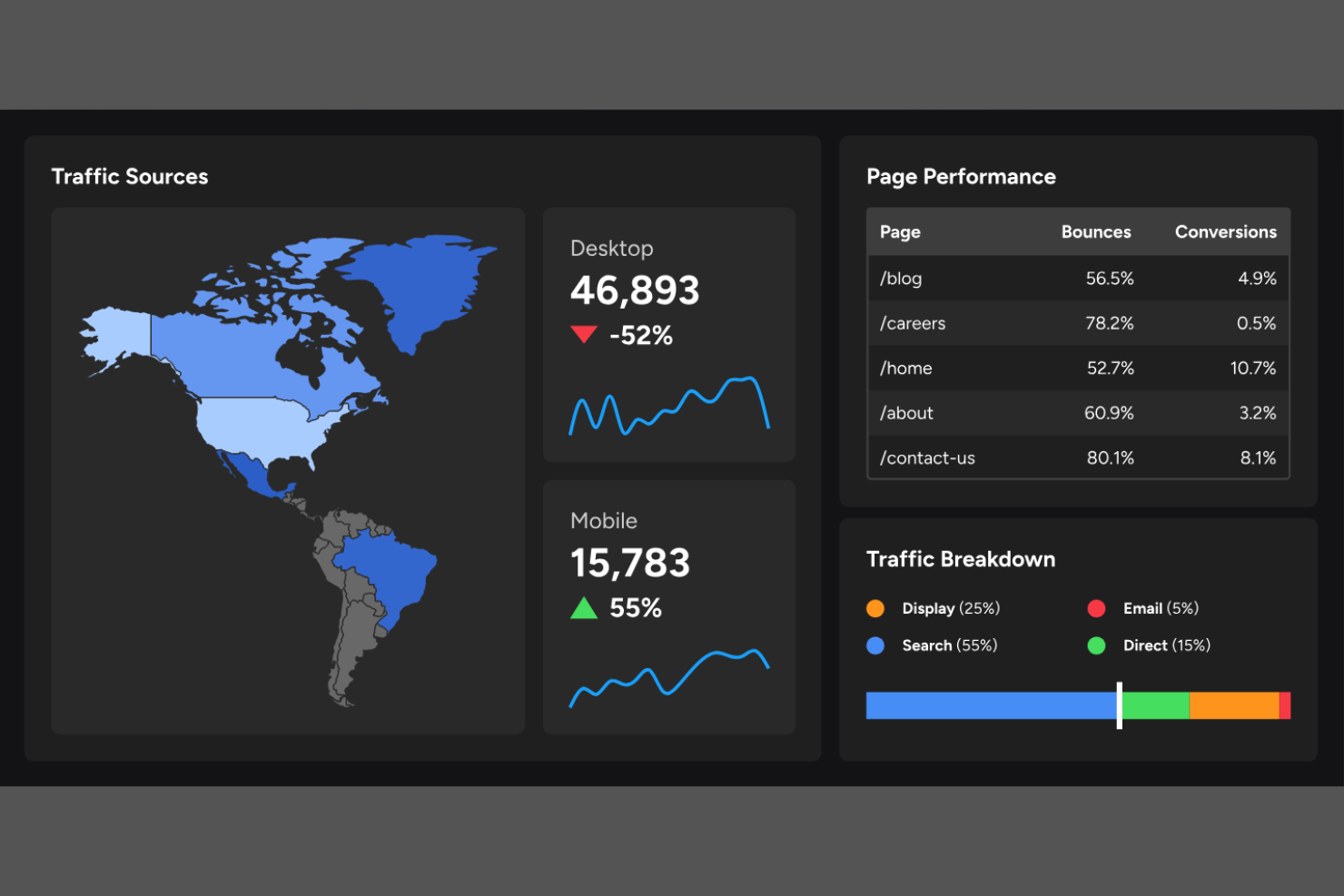
Klipfolio gives data-driven teams and agencies a way to build highly customized dashboards for clients who need more than standard reporting. With its flexible visualization options and deep data connectivity, it’s a strong fit for organizations that want to present complex metrics in a clear, interactive format. If your clients expect tailored data stories and advanced visual analysis, Klipfolio is built to deliver that level of customization.
Why I Picked Klipfolio
What sets Klipfolio apart is its focus on custom data visualizations, which is especially valuable for teams that need to go beyond standard charts and graphs. I picked Klipfolio because it lets you design dashboards with advanced visualization types, custom formulas, and interactive elements that help clients explore their data in detail. The platform’s editor supports pixel-level control and lets you build unique layouts tailored to each client’s needs. For agencies and teams that want to deliver highly personalized, visually rich dashboards, Klipfolio offers the flexibility to make that possible.
Klipfolio Key Features
Some other features that make Klipfolio useful for client dashboard software include:
- Pre-built dashboard templates: Lets you quickly launch dashboards using industry-specific templates.
- Scheduled email reports: Allows you to automatically send dashboard snapshots to clients on a set schedule.
- Role-based access controls: Enables you to manage who can view or edit dashboards within your team or client organizations.
- Mobile dashboard access: Provides clients and team members with real-time dashboard views on mobile devices.
Klipfolio Integrations
Integrations include Google Analytics, Salesforce, HubSpot, Twitter, LinkedIn, Shopify, QuickBooks, Zendesk, and more.
Pros and Cons
Pros:
- Role-based access for client collaboration
- Pixel-level control over dashboard layouts
- Advanced formula editor for custom calculations
Cons:
- Limited offline dashboard access options
- No built-in data source version control

Softr
Best for no-code dashboard creation
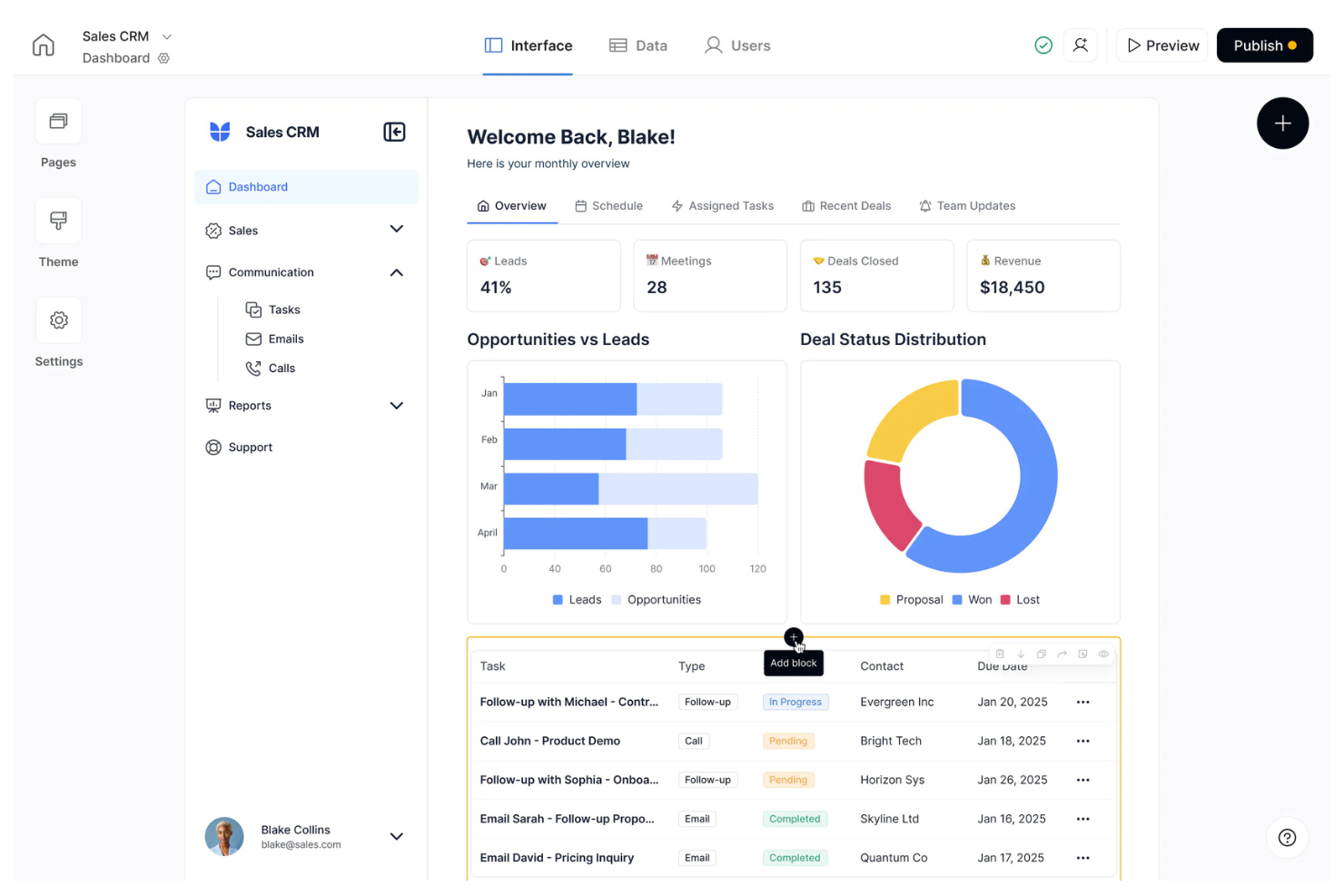
If you want to build client dashboards without writing code, Softr offers a flexible platform for assembling data-driven portals. It’s especially useful for agencies, consultants, and small businesses that need to turn Airtable or Google Sheets data into interactive dashboards for clients. Softr stands out for letting you launch secure, branded dashboards quickly—even if you don’t have a technical background.
Why I Picked Softr
What sets Softr apart is its focus on no-code dashboard creation, making it accessible for teams that don’t have dedicated developers. I picked Softr because it lets you build secure, client-facing dashboards using drag-and-drop blocks and pre-built templates. You can connect live data from Airtable or Google Sheets and control exactly what each client sees with granular permissions. This approach is especially useful if you want to deliver custom dashboards quickly without relying on engineering resources.
Softr Key Features
Some other features in Softr that help with client dashboard creation include:
- Custom domain support: Publish dashboards on your own branded domain for a professional client experience.
- User authentication: Restrict dashboard access with built-in login and user management features.
- Pre-built dashboard layouts: Choose from a library of ready-made layouts to speed up dashboard assembly.
- Native chart and list blocks: Add visualizations and data lists directly to dashboards without third-party plugins.
Softr Integrations
Integrations include Airtable, Google Sheets, Stripe, Zapier, Mailchimp, Slack, HubSpot, Intercom, Google Analytics, and more.
Pros and Cons
Pros:
- Built-in user authentication for client access
- Direct integration with Airtable and Google Sheets
- Drag-and-drop builder for dashboard assembly
Cons:
- Cannot connect to SQL databases directly
- Limited advanced data visualization options

HubSpot
Best for CRM-connected dashboards
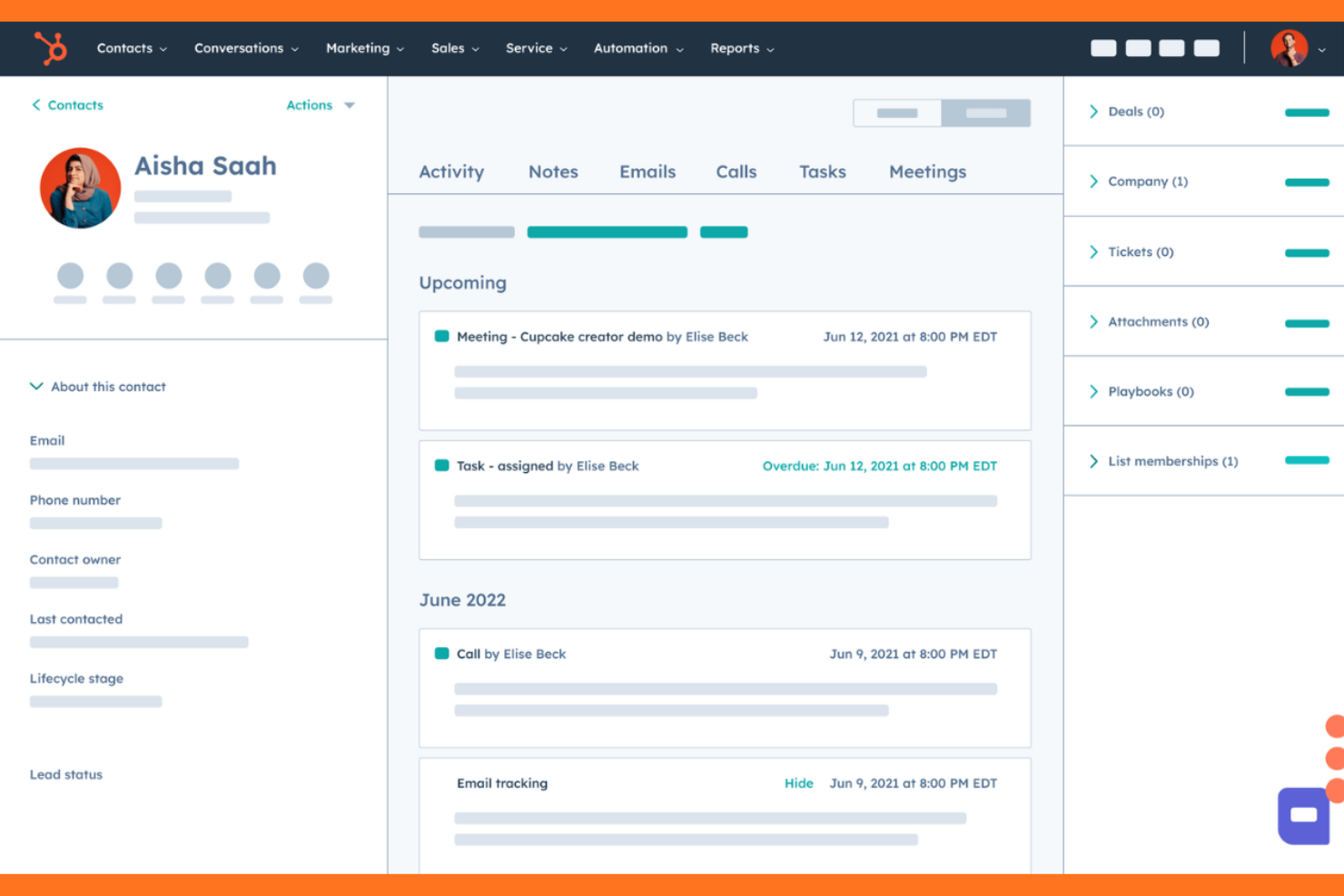
For teams that want client dashboards tightly connected to sales and marketing data, HubSpot offers a unified approach. This platform is especially useful for agencies, sales teams, and service providers who need to track client activity, pipeline, and engagement in one place. Its dashboards pull directly from CRM records, making it easier to present up-to-date client insights without manual data entry.
Why I Picked HubSpot
HubSpot stands out for client dashboard software because it connects dashboards directly to CRM data, giving you real-time visibility into client relationships and sales activity. I picked HubSpot for its ability to automatically pull in deal stages, contact interactions, and marketing campaign results, so your dashboards always reflect the latest client status. The platform’s customizable reporting tools let you build dashboards that highlight pipeline health, revenue forecasts, and client engagement metrics. For teams that want to keep client-facing dashboards in sync with their CRM, HubSpot offers a direct and reliable solution.
HubSpot Key Features
Some other features that make HubSpot useful for client dashboard software include:
- Drag-and-drop dashboard builder: Lets you quickly assemble custom dashboards from a library of pre-built widgets.
- Scheduled dashboard emails: Sends automated dashboard snapshots to clients or team members on a set schedule.
- User permission management: Allows you to control which users or clients can view or edit specific dashboards.
- Integration with HubSpot Marketing and Service Hubs: Enables you to pull in data from marketing campaigns and support tickets for a more complete client view.
HubSpot Integrations
Integrations include Salesforce, Shopify, WordPress, Slack, Zoom, Mailchimp, Microsoft Dynamics 365, Google Workspace, Stripe, and more.
Pros and Cons
Pros:
- Activity timelines show detailed client interactions
- Sharing supports password-protected links
- CRM data updates reflect instantly in dashboards
Cons:
- Dashboard export options are restricted to PDF
- Custom dashboard filters are limited in scope

Cyfe
Best for multi-channel data aggregation
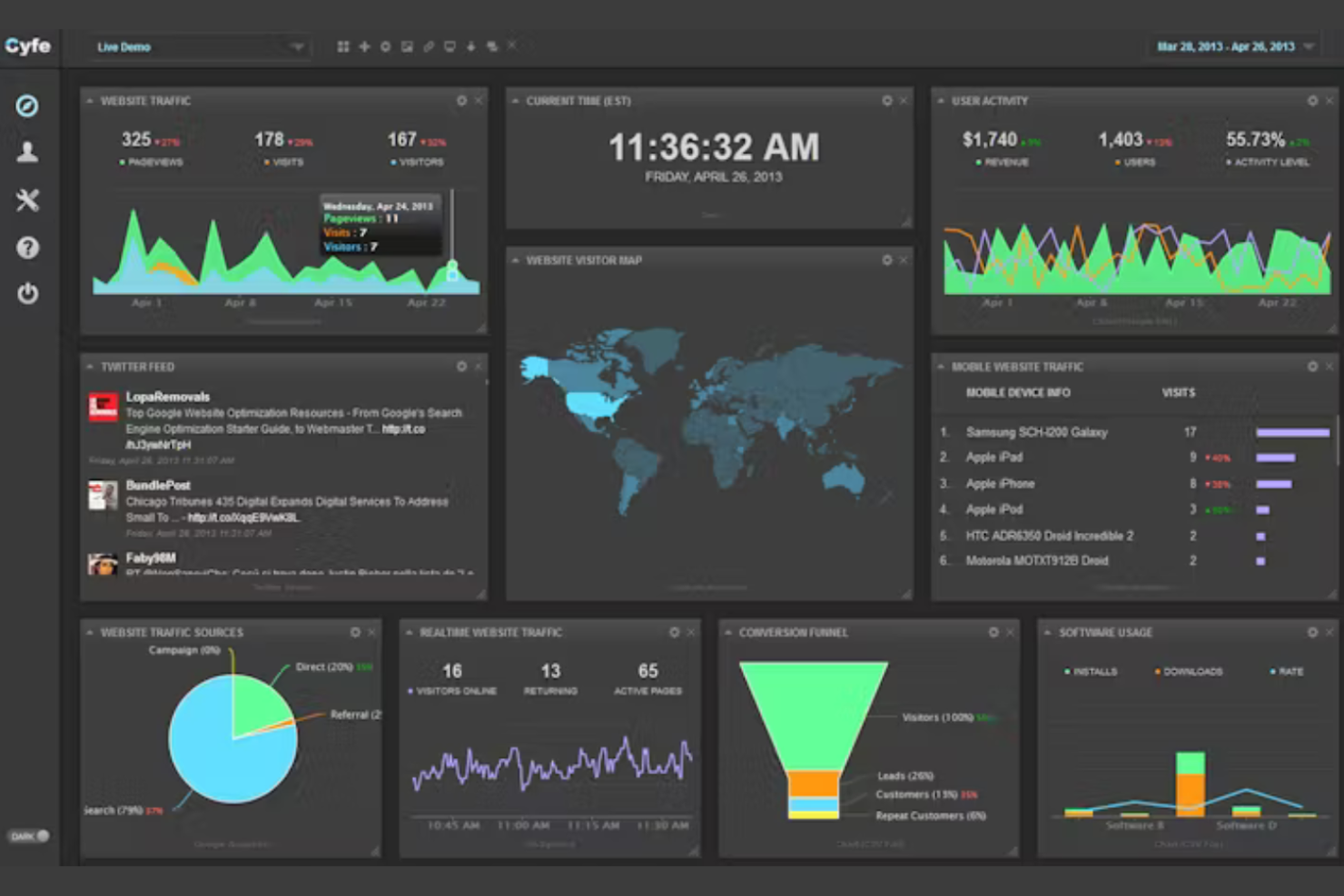
Cyfe is designed for teams and agencies that need to bring together data from many different sources into a single dashboard. If you manage marketing, sales, or operations for clients who expect unified reporting across platforms, Cyfe helps you monitor everything in one place. Its multi-channel aggregation makes it especially useful for businesses juggling analytics from social, web, finance, and more.
Why I Picked Cyfe
Cyfe stands out for its ability to aggregate data from a wide range of channels into unified dashboards, which is essential for client reporting across multiple platforms. I picked Cyfe because it lets you pull in metrics from social media, web analytics, sales, and finance tools, all within a single view. The platform’s widgets make it easy to display live data from each source, so clients can see everything that matters to them at a glance. For teams managing diverse data streams, Cyfe’s multi-channel approach helps keep client dashboards organized and actionable.
Cyfe Key Features
In addition to its data aggregation capabilities, Cyfe offers several other features that support client dashboard needs:
- Custom branded dashboards: Lets you add your own logo and colors for a white-labeled client experience.
- Historical data archiving: Stores past data so you can review trends and performance over time.
- Automated scheduled reporting: Sends dashboard snapshots to clients or stakeholders on a recurring schedule.
- Public and private sharing links: Allows you to control who can access dashboards with secure, shareable URLs.
Cyfe Integrations
Integrations include Google Analytics, Salesforce, Mailchimp, Twitter, Facebook, LinkedIn, Shopify, Zendesk, QuickBooks, and more.
Pros and Cons
Pros:
- Public and private dashboard sharing options
- Historical data retention for trend analysis
- Unlimited dashboards on all paid plans
Cons:
- No built-in client portal authentication
- Limited customization for some widget types

Databox
Best for real-time KPI tracking
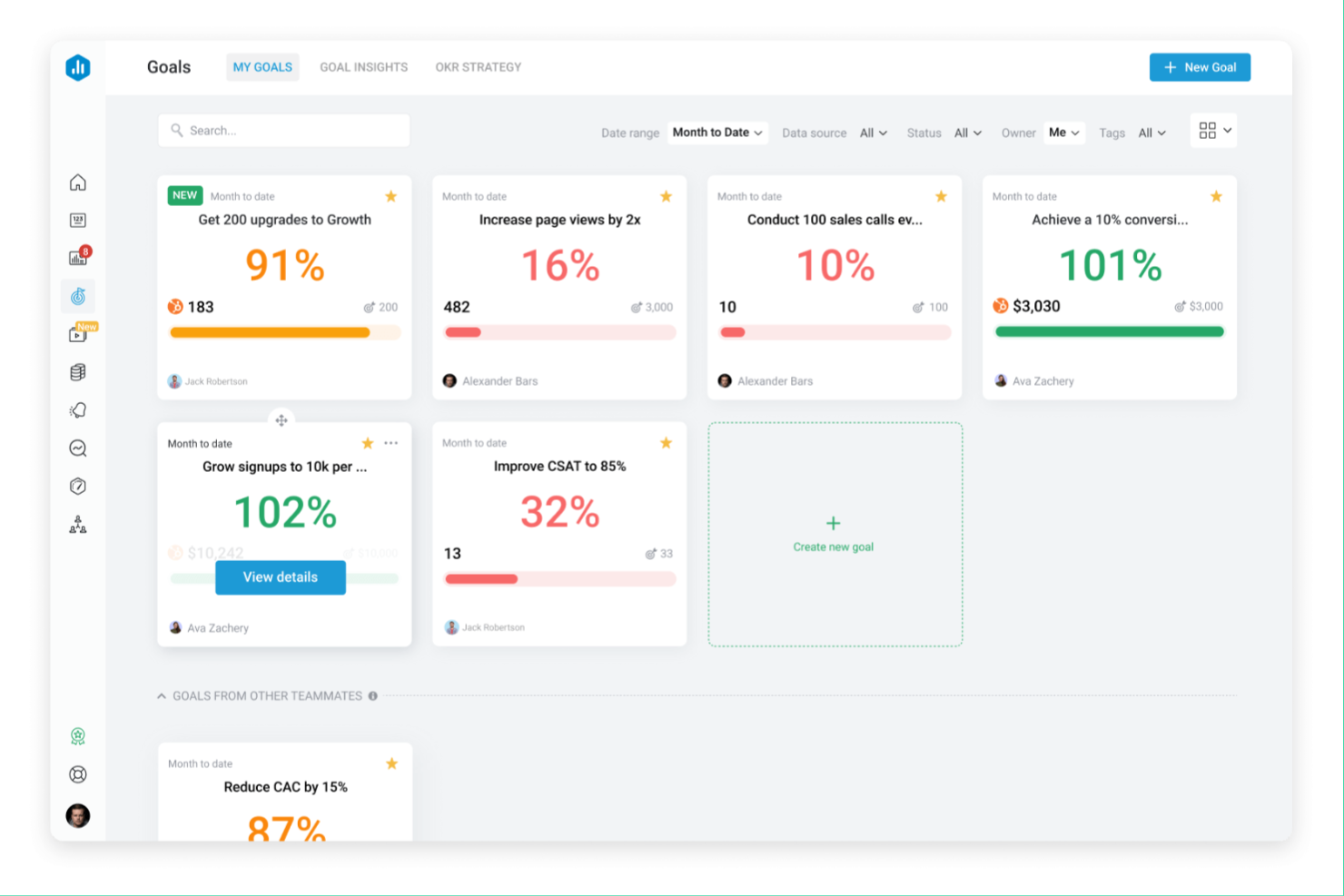
Databox gives teams a way to monitor real-time KPIs from multiple sources in one place. It’s a strong fit for agencies, consultants, and data-driven businesses that need to keep clients updated with live dashboards. If you’re looking to automate client reporting and visualize performance trends without manual data pulls, Databox is worth considering.
Why I Picked Databox
Databox stands out for its ability to deliver real-time KPI tracking, which is essential for teams that need to keep clients informed with up-to-the-minute data. I picked Databox because it connects to a wide range of data sources and updates dashboards automatically, so you don’t have to wait for manual reports. The platform’s live data visualizations and customizable alerts help you and your clients spot trends or issues as they happen. This focus on real-time insights makes Databox a strong choice for client dashboard software where timely performance updates matter.
Databox Key Features
Some other features in Databox that support client dashboard management include:
- White-label dashboards: Customize dashboards with your own branding to create a client-facing experience that matches your business identity.
- Goal tracking: Set and monitor progress toward specific targets directly within the dashboard for both your team and your clients.
- Scheduled reporting: Automate the delivery of dashboard snapshots to clients on a recurring schedule.
- Mobile app access: Give clients and team members the ability to view dashboards and metrics from any device using the Databox mobile app.
Databox Integrations
Integrations include HubSpot, Google Analytics, Salesforce, Shopify, Google Ads, Mailchimp, Stripe, Zendesk, and more.
Pros and Cons
Pros:
- Goal tracking built into dashboard views
- Scheduled automated reporting for clients
- Real-time data updates from multiple sources
Cons:
- No built-in client communication tools
- Limited historical data analysis features
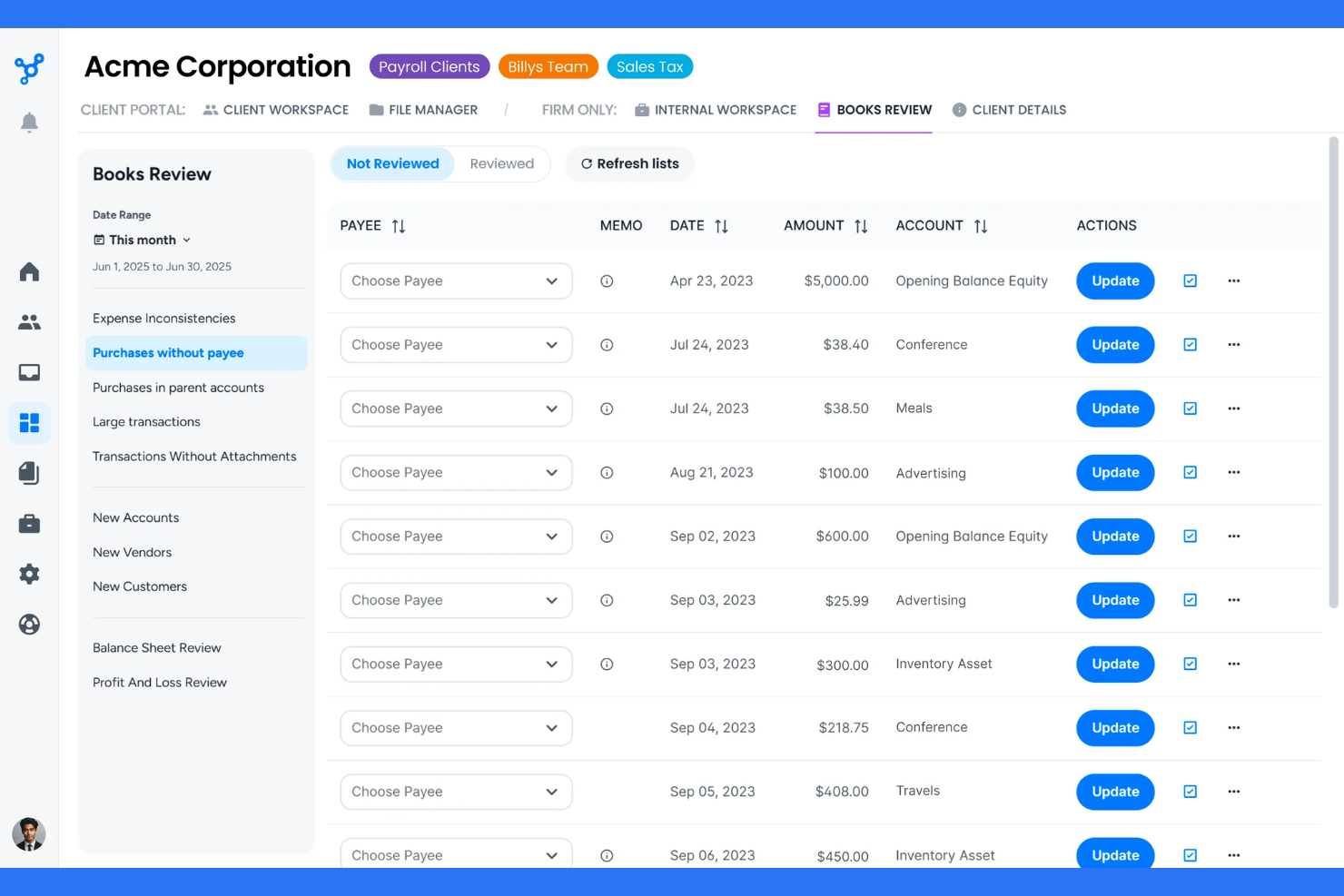
Client Hub is purpose-built for accounting firms and bookkeeping professionals who want to connect client collaboration directly to their workflow. It links client requests, document sharing, and task management with accounting platforms, so you can keep client communication and work tracking in sync. If you need a client dashboard that integrates tightly with your accounting processes, Client Hub is designed to fill that gap.
Why I Picked Client Hub
What sets Client Hub apart is its focus on connecting client collaboration directly to accounting workflows. I picked Client Hub because it lets you assign client tasks, collect documents, and manage requests all within a dashboard that syncs with your accounting software. The platform’s built-in client request system and document management tools help keep client work organized and visible for both your team and your clients. This makes it a strong choice for accounting professionals who want to reduce back-and-forth and keep client work moving efficiently.
Client Hub Key Features
Some other features that make Client Hub stand out include:
- QuickBooks Online integration: Connects directly to QuickBooks Online for real-time syncing of client data and tasks.
- Client chat messaging: Offers a secure, built-in chat feature for direct communication with clients inside the portal.
- Recurring task templates: Lets you set up and automate repeating client tasks to match your firm’s workflow.
- File request links: Allows you to send clients secure links to upload documents directly into their dashboard.
Client Hub Integrations
Integrations include Xero, QuickBooks Online, MYOB, HubSpot, Stripe, PayPal, Google Calendar, Microsoft Outlook, Zoom, and more.
Pros and Cons
Pros:
- File request links for document collection
- Automated client reminders for outstanding tasks
- Built-in secure chat for client messaging
Cons:
- No built-in e-signature functionality
- Limited branding options for client portals

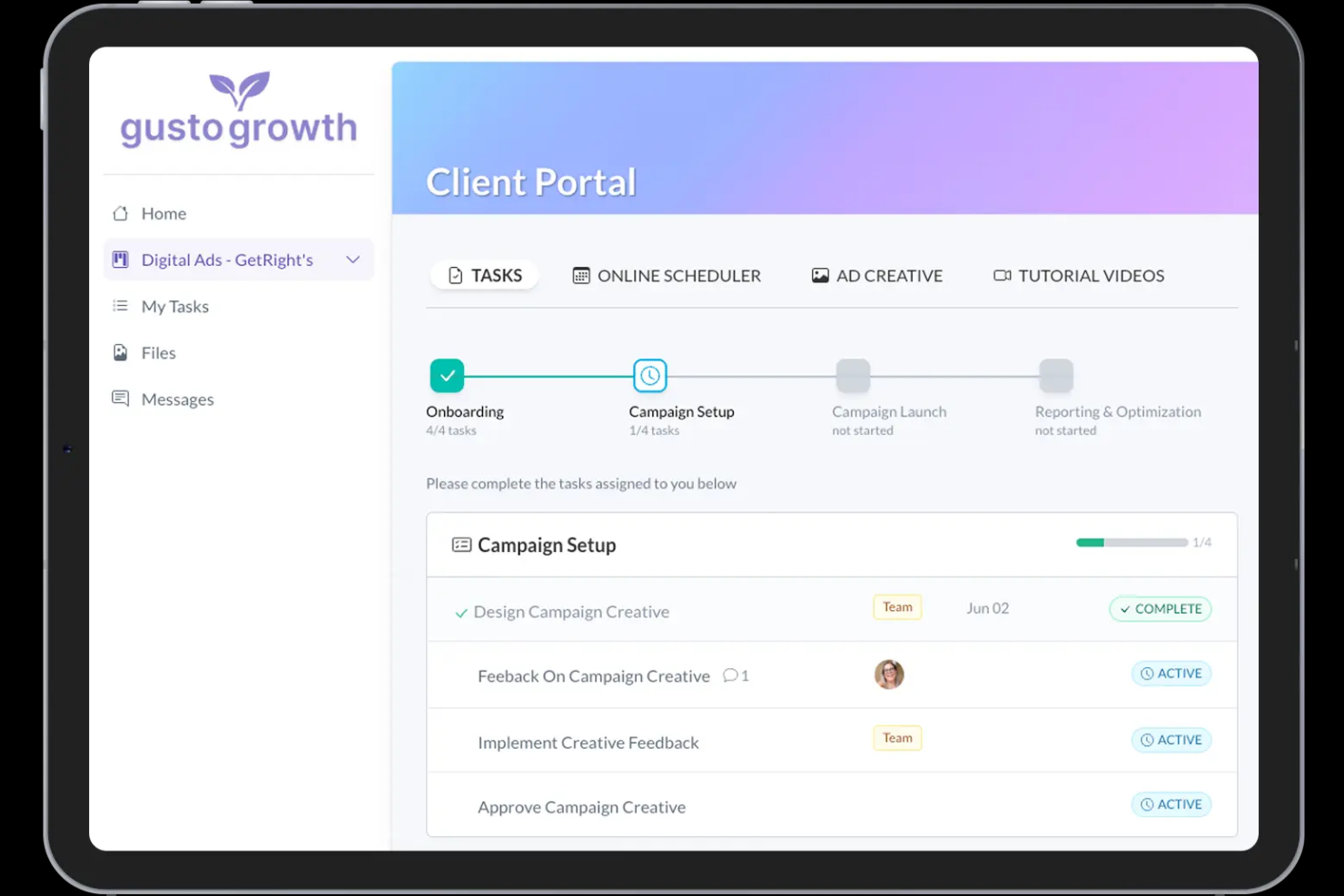
LaunchBay is a client portal and onboarding platform designed for agencies and software teams to manage post-sale delivery. It centralizes task management, file collection, and communication into a single, branded workspace for both internal teams and external clients.
Why I Picked LaunchBay
I chose LaunchBay because it specifically solves the information bottleneck that often stalls new projects. Using "magic links" allows your clients to access their portal without managing yet another password, which significantly increases engagement rates. The platform excels at automating the tedious follow-up requests for logos, assets, and signed contracts through event-driven reminders, making it ideal for project managers who need to scale their capacity and client satisfaction without increasing their administrative headcount.
LaunchBay Key Features
Some other features that make LaunchBay valuable for client dashboard software include:
- Loginless client portals: Clients access their dedicated workspace via secure magic links sent to their email, removing the friction of account creation.
- AI onboarding playbooks: An AI-powered builder that generates complete onboarding workflows and task lists based on a simple description of your process.
- Visual progress tracker: A pizza-tracker style user-friendly interface that gives clients real-time visibility into project milestones and current bottlenecks.
- Embedded app support: The ability to embed third-party tools like Calendly, Google Sheets, or Loom directly into client tasks to keep users inside the portal.
LaunchBay Integrations
Integrations include HubSpot, Pipedrive, Zapier, Stripe, and more.
Pros and Cons
Pros:
- Extremely fast setup for templates
- Professional white-label branding options
- Reduces manual client follow-up work
Cons:
- Limited internal CRM lead management
- No dedicated mobile application

Best for advanced analytics features
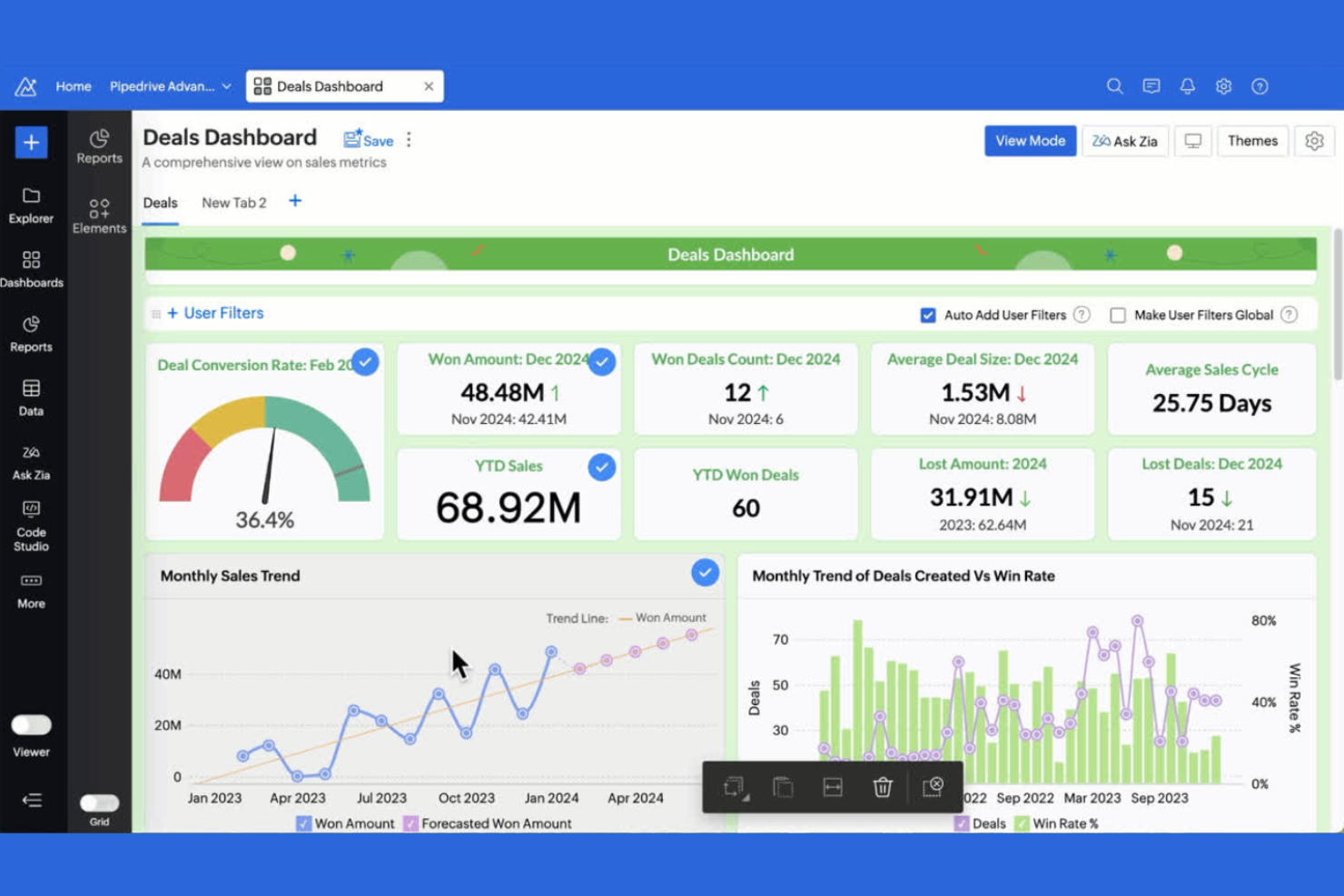
If your clients expect deep analytics and custom reporting, Zoho Analytics brings advanced data analysis to your dashboards. This platform is a strong fit for consultants, agencies, and teams that need to blend, visualize, and drill into complex data from multiple sources. Its AI-powered actionable insights and flexible reporting tools help you deliver more than just surface-level metrics to your clients.
Why I Picked Zoho Analytics
What sets Zoho Analytics apart is its focus on advanced analytics features that go beyond basic dashboard reporting. I picked Zoho Analytics because it offers AI-powered data analysis, allowing you to generate automated insights and forecasts for your clients. The platform’s drag-and-drop report builder and custom formula engine let you create highly tailored dashboards that address complex client needs. For teams that want to deliver deeper, more actionable analytics, Zoho Analytics brings a level of sophistication that’s hard to match in client dashboard software.
Zoho Analytics Key Features
Some other features that make Zoho Analytics useful for client dashboard projects include:
- White-labeling options: Lets you customize dashboards with your own branding for a professional client experience.
- Role-based access controls: Allows you to set granular permissions for different users and clients.
- Scheduled report delivery: Sends automated dashboard updates to clients on a recurring schedule.
- Embedded analytics: Enables you to embed interactive dashboards directly into client portals or websites.
Zoho Analytics Integrations
Integrations include Zoho CRM, Zoho Projects, Zoho Books, Zoho Desk, Google Analytics, Salesforce, QuickBooks, Microsoft Excel, Slack, and more.
Pros and Cons
Pros:
- Role-based permissions for secure client access
- Advanced formula engine for custom metrics
- AI assistant generates automated data insights
Cons:
- Visualization library lacks some modern chart types
- Data import can be slow for large sets
New Product Updates from Zoho Analytics

Zoho Analytics Adds Exogenous Variables to Multivariate Forecasting
Zoho Analytics introduces exogenous variables for multivariate forecasting using the VARX model. This helps forecasts account for external drivers such as marketing spend, discounts, and seasonality. For more information, visit Zoho Analytics’ official site.
 .
Diğer Müşteri Panosu Yazılımları
Kısa listeme giremeyen, ancak yine de incelemeye değer bazı ek müşteri panosu yazılımı seçeneklerini aşağıda bulabilirsiniz:
- Tableau
With advanced data visualization
- ManyRequests
For managing client service requests


How I Evaluate Client Dashboard Software
I split my evaluation into two layers—baseline requirements like a true client-facing portal with live project data, and the differentiators that separate the strongest options from the rest.
Core Functionality (Table Stakes For This List)
When I'm selecting tools for my list, I rank each one on a scale from 0 (does not offer the functionality) to 5 (excels in this area) for each core functionality listed below. Then, I calculate the tool's total score into a percentage. Each tool needs to achieve a minimum total score of 65% to be considered for inclusion.
- Client-Facing Portal: I check whether the tool offers a truly separated external view—where a client logs into their own space rather than landing inside your team's workspace.
- Real-Time Project Visibility: Dashboards should pull live milestone, timeline, and task data so clients see current progress without waiting for a manually compiled status report.
- Branding & White-Labeling: I evaluate how far customization goes—some tools like Moxo and SuiteDash let you apply a custom domain, while others only support a logo swap.
- Granular Access Permissions: I look for per-client, per-project controls that let you share a creative brief with one stakeholder without exposing budget data to the rest of the team.
- File Sharing & Approvals: The tool should support structured deliverable handoffs—uploading a design comp, collecting annotated feedback, and capturing a formal sign-off in one place.
- Client Communication Tools: I look for contextual messaging tied to specific tasks or deliverables rather than a disconnected general chat that loses thread context.
Once I have a list of tools that meet this criteria, I consider what sets each platform apart.
Differentiating Factors (What Sets Vendors Apart)
Here's how I compare and contrast different vendors:
Standout Features
Automated client notifications matter a lot—tools that send digest emails or milestone alerts cut down on the "quick status check" messages that eat into an account manager's day. I also evaluate multi-client workspace management, since agencies juggling dozens of accounts need the ability to template and clone dashboards at scale. Time and budget transparency is another differentiator: when clients can see retainer usage or billable hours in real time, it reduces billing disputes and builds trust before invoices even go out.
Beyond Features
Pricing model matters here more than in most categories—I check whether a vendor charges per internal user, per client seat, or a flat rate, since agencies that onboard dozens of clients can hit steep costs fast with per-seat models. Integration depth is equally important; the dashboard is only as useful as the data feeding it, so I look for native connections to tools like Jira, Asana, or HubSpot. I also consider target business fit, since a platform built for creative agencies may not suit an IT consultancy managing infrastructure projects.
Müşteri Panosu Yazılımı Nasıl Seçilir?
Uzun özellik listeleri ve karmaşık fiyatlandırma yapıları arasında kaybolmak kolaydır. Kendinize özgü yazılım seçim sürecinizi yürütürken odaklanmanızı korumanıza yardımcı olmak için göz önünde bulundurmanız gereken faktörleri aşağıda bir kontrol listesi hâlinde bulabilirsiniz:
| Faktör | Dikkate Alınması Gerekenler |
|---|---|
| Ölçeklenebilirlik | İşletmeniz büyüdükçe yazılım daha fazla müşteriyi, veriyi veya kullanıcıyı destekleyebilecek mi? Kullanıcı sınırlarını, veri kotalarını ve yükseltme seçeneklerini kontrol edin. |
| Entegrasyonlar | Mevcut araçlarınıza (CRM, analiz, finans) yerel olarak bağlanabiliyor mu? Geçici çözümlere veya üçüncü taraf bağlayıcılara güvenmekten kaçının. |
| Özelleştirilebilirlik | Panoları farklı müşteri ihtiyaçlarına, marka kimliğine veya raporlama gereksinimlerine göre uyarlayabiliyor musunuz? Esnek düzen ve markalama seçenekleri arayın. |
| Kullanım kolaylığı | Ekibiniz ve müşterileriniz arayüzü sezgisel bulacak mı? Olası benimseme engellerini belirlemek için teknik olmayan kullanıcılarla test yapın. |
| Uygulama ve kullanıma alıştırma | Kurulum ne kadar sürecek ve hangi kaynaklar gerekecek? Veri taşıma desteği, eğitim ve sunulan kullanıma alıştırma hizmetleri hakkında bilgi alın. |
| Maliyet | Ölçek büyüdükçe fiyatlandırma kademeleri açık ve öngörülebilir mi? Gizli ücretlere, kullanıcı başına alınan ücretlere veya zorunlu eklentilere dikkat edin. |
| Güvenlik önlemleri | Araç, role dayalı erişim, şifreleme ve denetim günlükleri sunuyor mu? Veri gizliliği ve müşteri bilgilerinin gizliliği ihtiyaçlarınızı karşıladığından emin olun. |
| Destek erişilebilirliği | Hangi destek kanalları sunuluyor ve hangi saatlerde hizmet veriliyor? 7/24 yardıma veya özel bir hesap yöneticisine ihtiyacınız olup olmadığını değerlendirin. |
Müşteri Panosu Yazılımı Nedir?
Müşteri paneli yazılımı, müşteriler için temel verileri, ölçümleri ve proje güncellemelerini tek, erişilebilir bir arayüzde merkezileştiren ve görüntüleyen dijital bir platformdur. Bu araçlar ekiplerin gerçek zamanlı bilgileri paylaşmasına, ilerlemeyi takip etmesine ve raporları güvenli bir şekilde sunmasına yardımcı olur. Müşterilere verilerini ve teslimatlarını net bir şekilde görme imkânı sunan müşteri paneli yazılımı, proje yaşam döngüsü boyunca şeffaflığı, iş birliğini ve bilinçli karar almayı destekler.
Müşteri Paneli Yazılımının Özellikleri
Müşteri paneli yazılımı seçerken aşağıdaki temel özelliklere dikkat edin:
- Özelleştirilebilir paneller: Her müşteri veya proje için en ilgili verileri, ölçümleri ve görselleştirmeleri görüntülemek üzere paneller oluşturun ve düzenleyin.
- Veri entegrasyonları: Güncel bilgileri manuel giriş yapmadan otomatik olarak almak için harici araçlara ve veri kaynaklarına bağlanın.
- Role dayalı erişim denetimleri: Müşterilerin, ekip üyelerinin ve paydaşların yalnızca kendileriyle ilgili verileri ve panelleri görmesini sağlayacak izinler belirleyin.
- Gerçek zamanlı veri güncellemeleri: Verileri düzenli aralıklarla veya isteğe bağlı olarak senkronize ederek panellerin en güncel bilgileri yansıtmasını sağlayın.
- Marka özelleştirme seçenekleri: Tutarlı bir müşteri deneyimi için panellere kendi markanızı, renklerinizi ve logolarınızı uygulayın.
- Dışa aktarma ve paylaşım araçları: Kullanıcıların raporları indirmesine veya panelleri güvenli bağlantılar, PDF'ler ya da planlanmış e-posta güncellemeleri aracılığıyla paylaşmasına olanak tanıyın.
- Etkileşimli görselleştirmeler: Müşterilerin doğrudan panel arayüzü içinde verileri filtrelemesini, ayrıntılara inmesini veya verileri keşfetmesini sağlayın.
- Denetim günlükleri ve etkinlik takibi: Şeffaflığı ve güvenliği korumak için panellere kimlerin eriştiğini, panelleri kimlerin düzenlediğini veya paylaştığını izleyin.
- Bildirim ve uyarılar: Kullanıcıları verilerdeki önemli değişiklikler, son tarihler veya anormallikler hakkında bilgilendirmek için otomatik uyarılar oluşturun.
Müşteri Paneli Yazılımının Faydaları
Müşteri paneli yazılımını uygulamak ekibiniz ve işletmeniz için çeşitli faydalar sağlar. Yararlanabileceğiniz birkaç avantaj şunlardır:
- Merkezi müşteri bilgileri: Daha kolay yönetim ve başvuru için ilgili tüm müşteri verilerine, proje güncellemelerine ve raporlara tek bir güvenli konumdan erişin.
- Geliştirilmiş şeffaflık: Gerçek zamanlı panelleri ve ilerleme güncellemelerini müşterilerle paylaşarak güven oluşturun ve manuel durum raporlarına duyulan ihtiyacı azaltın.
- Daha hızlı karar alma: Güncel ölçümler, etkileşimli görselleştirmeler ve otomatik uyarılarla müşterilerin ve ekiplerin hızlı hareket etmesini sağlayın.
- İş birliğini optimize edin: Müşterilerin ve iç ekiplerin verileri ve teslimatları incelemesi için ortak bir platform sağlayarak iletişimi ve geri bildirimi kolaylaştırın.
- Özelleştirilebilir raporlama: Panelleri ve dışa aktarımları her müşterinin benzersiz ihtiyaçlarına, marka kimliğine ve raporlama gereksinimlerine uyacak şekilde özelleştirin.
- Daha güçlü veri güvenliği: Hassas bilgilerin yalnızca yetkili kullanıcılar tarafından görülebilmesini sağlamak için erişimi role dayalı izinler ve denetim günlükleriyle kontrol edin.
- Azalan manuel iş yükü: Veri senkronizasyonunu, rapor oluşturmayı ve paylaşımı otomatikleştirerek ekibinizin daha yüksek değer taşıyan görevlere odaklanmasını sağlayın.
Müşteri Paneli Yazılımının Maliyetleri ve Fiyatlandırması
Müşteri paneli yazılımı seçmek, mevcut çeşitli fiyatlandırma modellerini ve planları anlamayı gerektirir. Maliyetler özelliklere, ekip büyüklüğüne, eklentilere ve daha fazlasına göre değişir. Aşağıdaki tablo, müşteri paneli yazılımı çözümlerinde yaygın olarak sunulan planları, ortalama fiyatlarını ve tipik özelliklerini özetlemektedir:
Müşteri Paneli Yazılımı İçin Plan Karşılaştırma Tablosu
| Plan Türü | Ortalama Fiyat | Yaygın Özellikler |
|---|---|---|
| Ücretsiz Plan | $0 | Temel paneller, sınırlı entegrasyonlar, tek kullanıcı erişimi ve topluluk desteği. |
| Kişisel Plan | $5-$25/kullanıcı/ay | Özelleştirilebilir paneller, daha fazla entegrasyon, temel paylaşım seçenekleri ve e-posta desteği. |
| İşletme Planı | $20-$60/kullanıcı/ay | Ekip iş birliği, gelişmiş izinler, marka özelleştirme, öncelikli destek ve otomatik raporlama. |
| Kurumsal Plan | $60-$150/kullanıcı/ay | Sınırsız kullanıcı, özel entegrasyonlar, özel hesap yönetimi, geliştirilmiş güvenlik ve SLA'lar. |
Müşteri Panosu Yazılımı SSS
Müşteri panosu yazılımı hakkında sık sorulan soruların bazı yanıtları:
İşletmemin müşteri panosu yazılımına ihtiyacı olup olmadığını nasıl anlayabilirim?
Birden fazla müşteriyi yönetiyor, gerçek zamanlı verileri paylaşmanız gerekiyor veya proje güncellemeleriyle raporlamayı merkezileştirmek istiyorsanız müşteri panosu yazılımı yardımcı olabilir. Müşterilerini bilgilendirmesi ve etkileşimde tutması gereken ajanslar, danışmanlık şirketleri ve hizmet sağlayıcılar için özellikle kullanışlıdır.
Farklı müşteriler için panoları özelleştirebilir miyim?
Evet, çoğu müşteri panosu yazılımı her müşteri için pano oluşturmanıza ve panoları özelleştirmenize olanak tanır. Düzenleri, veri kaynaklarını, markalamayı ve izinleri her müşterinin ihtiyaçlarına ve tercihlerine uyacak şekilde ayarlayabilirsiniz.
Müşteri panolarına ne tür veriler entegre edilebilir?
Genellikle proje yönetimi araçlarından, CRM’lerden, analiz platformlarından, elektronik tablolardan ve finansal sistemlerden veri entegre edebilirsiniz. En önemli veri kaynaklarınızı desteklediğinden emin olmak için her yazılımın entegrasyon listesini kontrol edin.
Müşteri panosu yazılımı ne kadar güvenlidir?
Çoğu çözüm, hassas bilgileri korumak için role dayalı erişim denetimleri, şifreleme ve denetim günlükleri sunar. Müşteri verilerini paylaşmadan önce her zaman sağlayıcının güvenlik belgelerini inceleyin ve ilgili standartlara uygunluk hakkında bilgi alın.
Yeni bir müşteri panosu platformuna geçiş yaparken neleri göz önünde bulundurmalıyım?
Veri geçişini, kullanıcı eğitimini ve müşteri iletişimini planlayın. Kesintiyi en aza indirmek ve ekibinizle müşterilerinizin hızlı bir şekilde uyum sağlamasına yardımcı olmak için işe alım desteği, içe aktarma araçları ve anlaşılır belgeler sunan yazılımları tercih edin.