

Os 10 melhores softwares de gestão de projetos de restauro para 2026

Melhor seleção de software de gestão de projetos de restauração


O melhor software de gestão de projetos de restauração ajuda a coordenar equipas, agendar tarefas e acompanhar o progresso, para que possa concluir os projetos dentro do prazo e garantir que nada fica por fazer. Sem a ferramenta certa, perderá o controlo das ordens de trabalho, não acompanhará as atualizações do planeamento ou terá dificuldades na comunicação com a equipa, o que atrasa os esforços de restauração e frustra os clientes.
O software de gestão de projetos de restauração certo permite-lhe atribuir e monitorizar tarefas, registar inspeções e fotografias, gerir equipamentos e registos de conformidade e manter os clientes informados.
Utilizei a minha experiência em gestão de projetos e mais de 3 anos de testes de ferramentas de software para analisar dezenas de plataformas e identificar as melhores, para que possa encontrar a solução certa para simplificar os seus fluxos de trabalho e manter os projetos de restauração em andamento. Cada análise inclui as principais funcionalidades, vantagens e desvantagens, bem como os aspetos que distinguem cada ferramenta.
Why Trust Our Software Recommendations
Our team has been testing and reviewing software since 2012. As project managers ourselves, we know how difficult—and important—it is to choose the right software.
For this guide, we evaluated tools using hands-on testing and independent research, scoring tools using our selection criteria. We also draw on insights from industry thought leaders and practicing project management experts.
Our reviews reflect our human editorial judgment, not a sales pitch.
Expert reviewers:
Tabela comparativa de software de gestão de projetos de restauração
Esta tabela comparativa resume os detalhes de preços das minhas principais escolhas de software de gestão de projetos de restauração:
| Tool | Best For | Trial Info | Price | ||
|---|---|---|---|---|---|
| 1 | Best for field-first restoration crew ops | Free plan available | From $14/month (billed annually) | Website | |
| 2 | Best for contractor CRM-led restoration ops | 14-day free trial | Pricing upon request | Website | |
| 3 | Best for multi-crew dispatch across active jobs | Free demo available | Pricing upon request | Website | |
| 4 | Best for insurance carrier compliance alerts | Free demo available | Pricing upon request | Website | |
| 5 | Best for restoration job profitability tracking | Free demo available | Pricing upon request | Website | |
| 6 | Best for real-time WIP and job cost tracking | 30-day free trial | From $49/month (billed annually) | Website | |
| 7 | Best for Xactimate-based job compliance | Free demo available | Pricing upon request | Website | |
| 8 | Best for Xactimate-linked job costing | Free demo available | Pricing upon request | Website | |
| 9 | Best for small restoration teams | Free demo available | Pricing upon request | Website | |
| 10 | Best for building restoration workflows from scratch | Free demo available | Pricing upon request | Website |
Análise do melhor software de gestão de projetos de restauração
Eis os meus resumos detalhados do melhor software de gestão de projetos de restauração. Abordo as principais funcionalidades, vantagens & desvantagens, integrações e casos de utilização ideais para cada ferramenta.
Best for field-first restoration crew ops

Contractor+ is a contractor business management platform that covers job tracking, restoration phase templates, mobile field documentation, crew scheduling, estimating, invoicing, and job costing across mitigation, contents, and rebuild work.
Who Is Contractor+ Best For?
Contractor+ fits small to mid-sized independent restoration operators who need field-first job management—phase tracking, mobile documentation, and crew coordination—without enterprise-level complexity.
Why I Picked Contractor+
I picked Contractor+ as one of the best because field crews can log moisture readings, timestamp damage photos by room, and mark restoration phases complete right from their phones, with everything syncing to the job timeline automatically. I like how restoration templates cover water extraction, structural drying, mold remediation, and reconstruction as distinct phases, each with its own tasks and cost tracking. Barcoding equipment onto a job and starting an automatic time-on-rent clock is the kind of detail that makes field-first ops genuinely tighter.
Contractor+ Key Features
- Estimatic AI estimate import: Pulls standard insurance estimation formats into the platform so you can work with them alongside job records and invoicing.
- Adjuster portal: Gives adjusters a secure claim link with filtered access to daily logs, photo sets, moisture readings, estimates, and change orders.
- Gantt chart scheduling: Lets you map tasks across job phases with a visual timeline and set up recurring schedules and progress billing by milestone.
- QuickBooks Online connection: Syncs job financials with your accounting software to keep costs, invoices, and profitability data in one place.
Contractor+ Integrations
Contractor+ offers native integrations with QuickBooks Online, CompanyCam, EagleView, Hover, and Wisetack. It also supports custom integrations through its API and Zapier.
Pros and Cons
Pros:
- Barcode scans capture equipment rental time
- Timestamped room-level logs support adjuster review
- Restoration phases track moisture, tasks, and costs
Cons:
- Budget variance alerts aren’t documented
- No live crew location or dispatch alerts

Best for contractor CRM-led restoration ops

JobNimbus is a contractor CRM and project management platform that combines lead tracking, job workflows, scheduling, estimating, invoicing, and field documentation tools for restoration and roofing contractors.
Who Is JobNimbus Best For?
JobNimbus fits roofing and restoration contractors who want a CRM-first system to manage leads, jobs, and billing in one place—and don't need deep insurance-claim lifecycle tools to run their ops.
Why I Picked JobNimbus
I've included JobNimbus in my top picks because it's built around a CRM-first model that keeps leads, jobs, and billing connected in a single record, which suits restoration contractors who run sales-driven ops. I especially like how its configurable status-based workflows let you map a custom production pipeline, and how Profit Tracker ties planned versus actual costs directly to each job. That per-job financial view, paired with work-order assignment and subcontractor scheduling, makes it a practical fit for contractor teams managing restoration jobs without a separate ops system.
JobNimbus Key Features
- Xactimate/XactAnalysis estimate import: Pulls estimate line items—including identifiers, descriptions, quantities, costs, and prices—from XactAnalysis assignments directly into a job's financials tab.
- Status-based job workflows: Lets teams build and edit custom statuses for job, contact, and work-order records to map any production pipeline step-by-step.
- Shared job record links: Sends external recipients a controlled view of a job record, letting them upload or download attachments and add notes without a JobNimbus account.
- Supplier integrations with material ordering: Connects to distributors like ABC Supply and Beacon PRO+ to pull pricing, place orders, and receive delivery updates from within a job.
JobNimbus Integrations
JobNimbus integrates with Xactimate/XactAnalysis for estimate imports and offers marketplace integrations with QuickBooks, Beacon PRO+, ABC Supply, CompanyCam, and Google Calendar. Zapier is also listed.
Pros and Cons
Pros:
- Work orders support subcontractor coordination
- Job records centralize photos and paperwork
- Custom boards map production stages
Cons:
- No live crew dispatch visibility
- No restoration-specific claim lifecycle

Best for multi-crew dispatch across active jobs
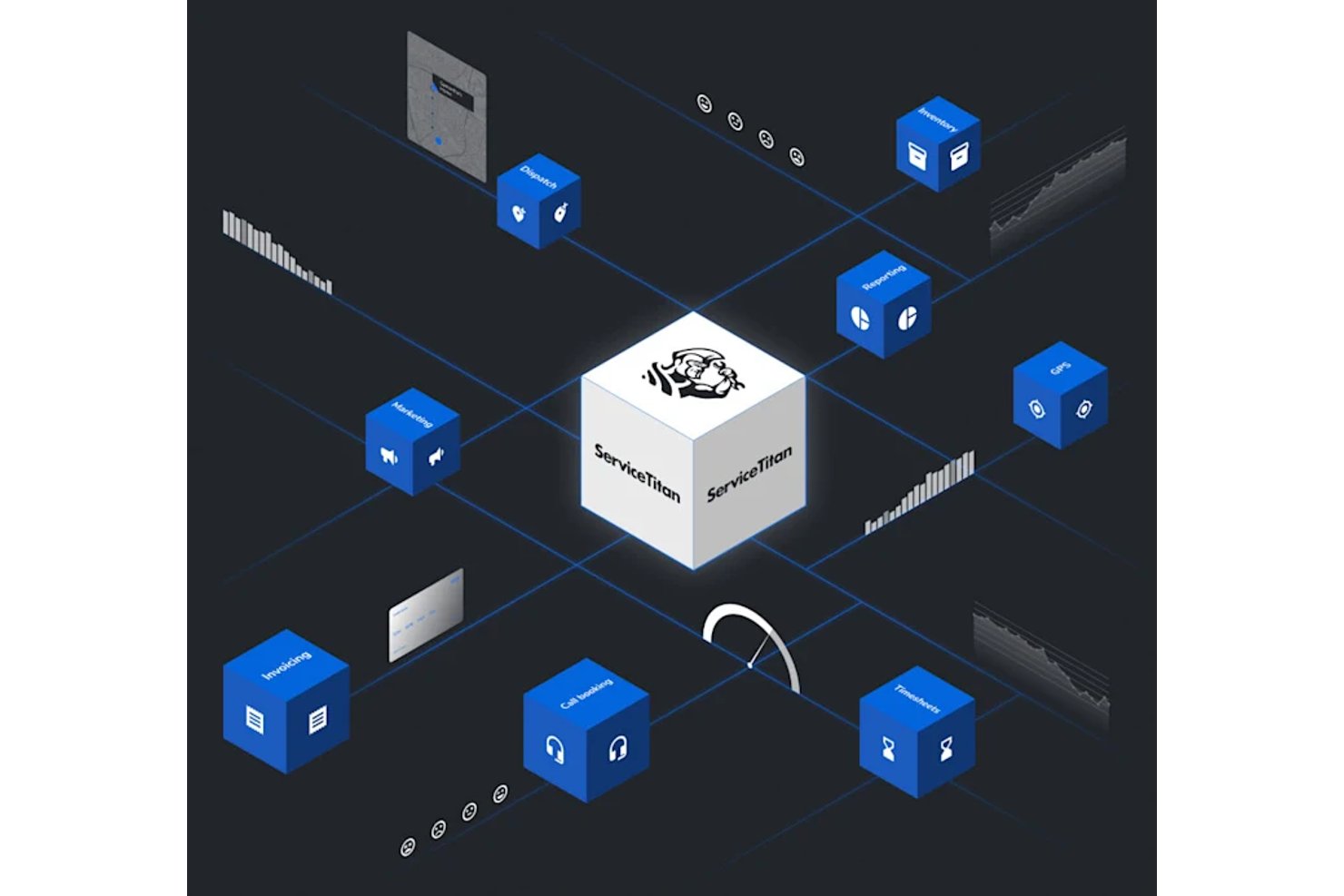
ServiceTitan is a field service management platform for trades contractors that combines scheduling, dispatch, job costing, work order management, inventory tracking, and digital documentation into one system.
Who Is ServiceTitan Best For?
ServiceTitan suits trades contractors who need to coordinate multiple crews across concurrent jobs and want scheduling, dispatch, and job costing in one platform.
Why I Picked ServiceTitan
I picked ServiceTitan as one of the best because its Crew Scheduling Board genuinely solves the multi-crew dispatch problem that restoration coordinators run into daily. I can see a full seven-day view of crew availability, assigned-versus-needed technician counts, and live job appointments across concurrent active jobs. When an emergency water loss comes in mid-week, I can reassign technicians to that job directly from the board without losing visibility into what's already running.
ServiceTitan Key Features
- Active Projects WIP report: Tracks estimated and actual labor, material, and equipment costs alongside invoices, payments, earned revenue, and margins across all open jobs.
- Insurance Sales Queue: Provides a configurable task-workflow template with roughly 20 prebuilt insurance tasks, assignees, durations, subtasks, and dependencies.
- Custom forms with mobile photo capture: Lets technicians complete structured forms and attach photos in the field, with completed forms emailed automatically to customers on job close.
- Inventory Locations: Displays stock quantities and transaction history for trucks and warehouses and supports transfers between inventory locations.
ServiceTitan Integrations
ServiceTitan offers 70+ pre-built integrations, including ServiceChannel, XOi, Viewpoint Spectrum, Sage, and Ferguson. It also provides an API for custom integrations.
Pros and Cons
Pros:
- Job-linked forms keep field photos organized
- WIP reports connect labor costs with margins
- Seven-day crew board supports emergency reassignment
Cons:
- Users report field photos lost after crashes
- No dedicated carrier-linked restoration claim record

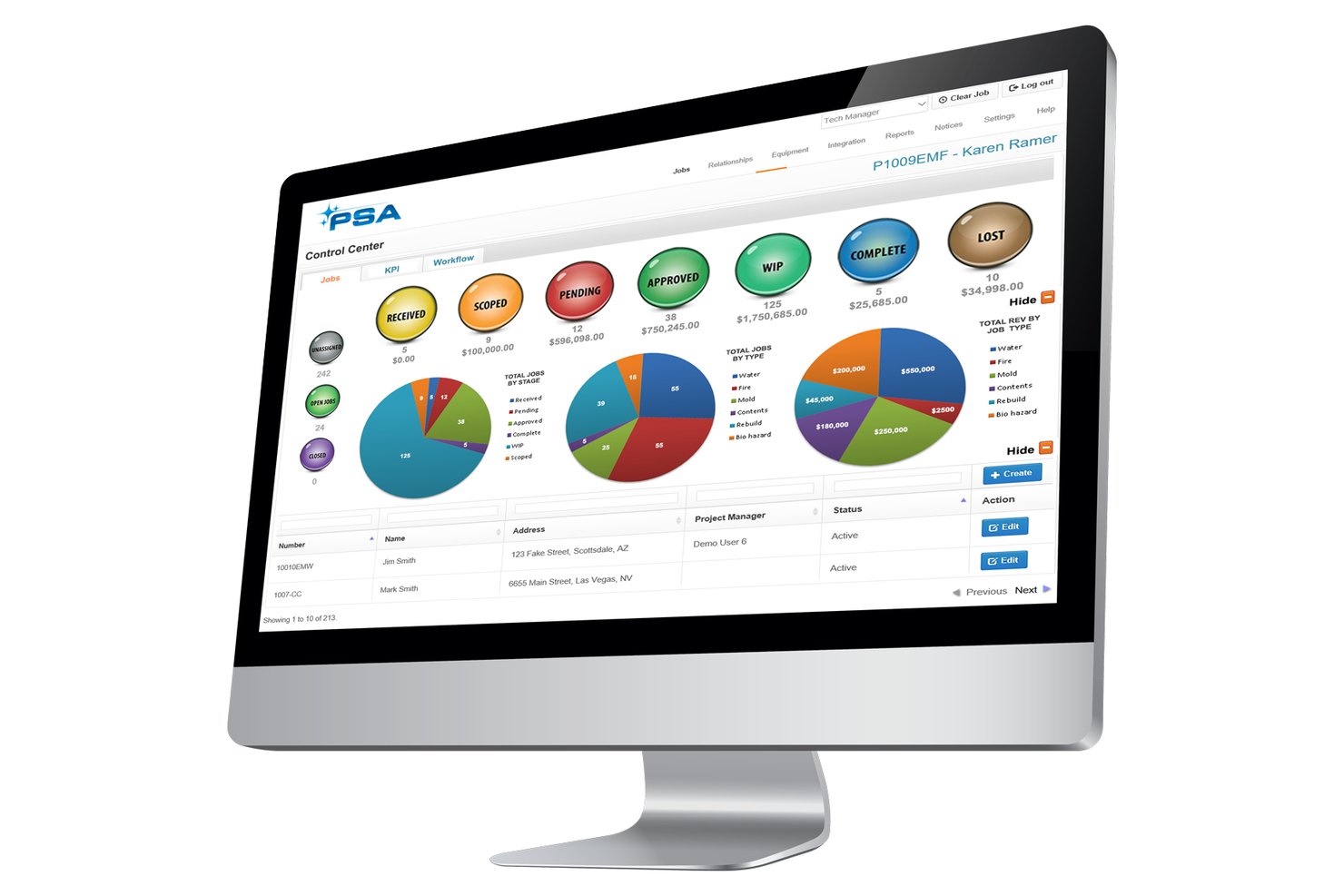
PSA by Canam Systems is restoration management software that covers job intake, dispatch, scheduling, work-in-progress tracking, job costing, and insurance estimate integration for restoration contractors.
Who Is PSA Best For?
PSA is a strong fit for restoration contractors who work within carrier-managed programs and need built-in compliance alerts tied to XactAnalysis and Symbility workflows.
Why I Picked PSA
I picked PSA as one of the best because it's purpose-built around the compliance demands that come with carrier-managed programs. When a job comes in through XactAnalysis or Symbility, PSA fires configurable alerts tied to carrier response-time requirements, so nothing slips past a deadline. I also like that Smart Tech Mobile prompts field technicians on S500 requirements during drying-log capture, keeping documentation in line with program expectations without relying on anyone to remember the rules.
PSA Key Features
- Job intake from multiple channels: Create jobs from XactAnalysis, Symbility, phone, email, or a website in 30 seconds or less.
- Real-time job costing: Track labor, materials, subcontractor, and equipment costs against budgets as work progresses.
- Gantt-chart production timelines: Build project timelines and company-wide calendars with Gantt charts and calendar reminders.
- Franchise-level analytics: View profit and loss, compliance KPIs, and cycle times across company and franchise data sets.
PSA Integrations
Documented integrations include Xactimate, XactAnalysis, CoreLogic Symbility, Encircle, Matterport, DocuSketch, magicplan, Intuit QuickBooks, and Google Maps. PSA also offers an open API for custom integrations.
Pros and Cons
Pros:
- Carrier alerts reinforce response-time discipline
- Work-in-progress views expose departmental bottlenecks
- Job-cost reports clarify project profitability
Cons:
- Spreadsheet exports need manual cleanup
- Mobile uploads sometimes fail to sync
DASH is a web and mobile restoration business management platform from Cotality that covers job intake, configurable workflow management, documentation and photo capture, equipment tracking, scheduling, timesheets, and job-level profitability reporting.
Who Is DASH Best For?
DASH fits restoration company owners and coordinators who need clear visibility into job-level profitability across active jobs.
Why I Picked DASH
DASH earns its spot on my shortlist because of how clearly it surfaces job-level profitability while work is still in progress. The Job Slideboard shows working gross profit percentage alongside accounting details in real time, so I can see at a glance whether a job is trending toward margin or away from it. DASH Timesheets adds another layer by tying labor hours and configurable pay rates directly to job costs, giving restoration owners the numbers they need before a job closes.
DASH Key Features
- Configurable workflow builder: Users can design and adjust workflows to match their business's restoration process steps and requirements.
- DASH View portal: An emailed secure link lets external stakeholders view job photos, statuses, and notes in real time.
- Electronic signatures: Homeowners can review, sign, and submit job-file documents through a secure portal on their personal mobile device.
- Offline mobile access: Field users can make job-file changes without a connection, and DASH syncs all updates once the device reconnects.
DASH Integrations
DASH lists integrations with QuickBooks Online, Sage 100, Sage 300, Claims Connect, MICA, DryTrack, LuxorCRM, and DocuSketch. Its DASH Account 4 API supports custom integrations.
Pros and Cons
Pros:
- Configurable workflows help teams track job steps
- Centralized job files support adjuster documentation
- Job Slideboard shows working gross profit
Cons:
- Scheduling doesn't establish live crew dispatch
- Mobile photo sync problems risk lost documentation

Best for real-time WIP and job cost tracking
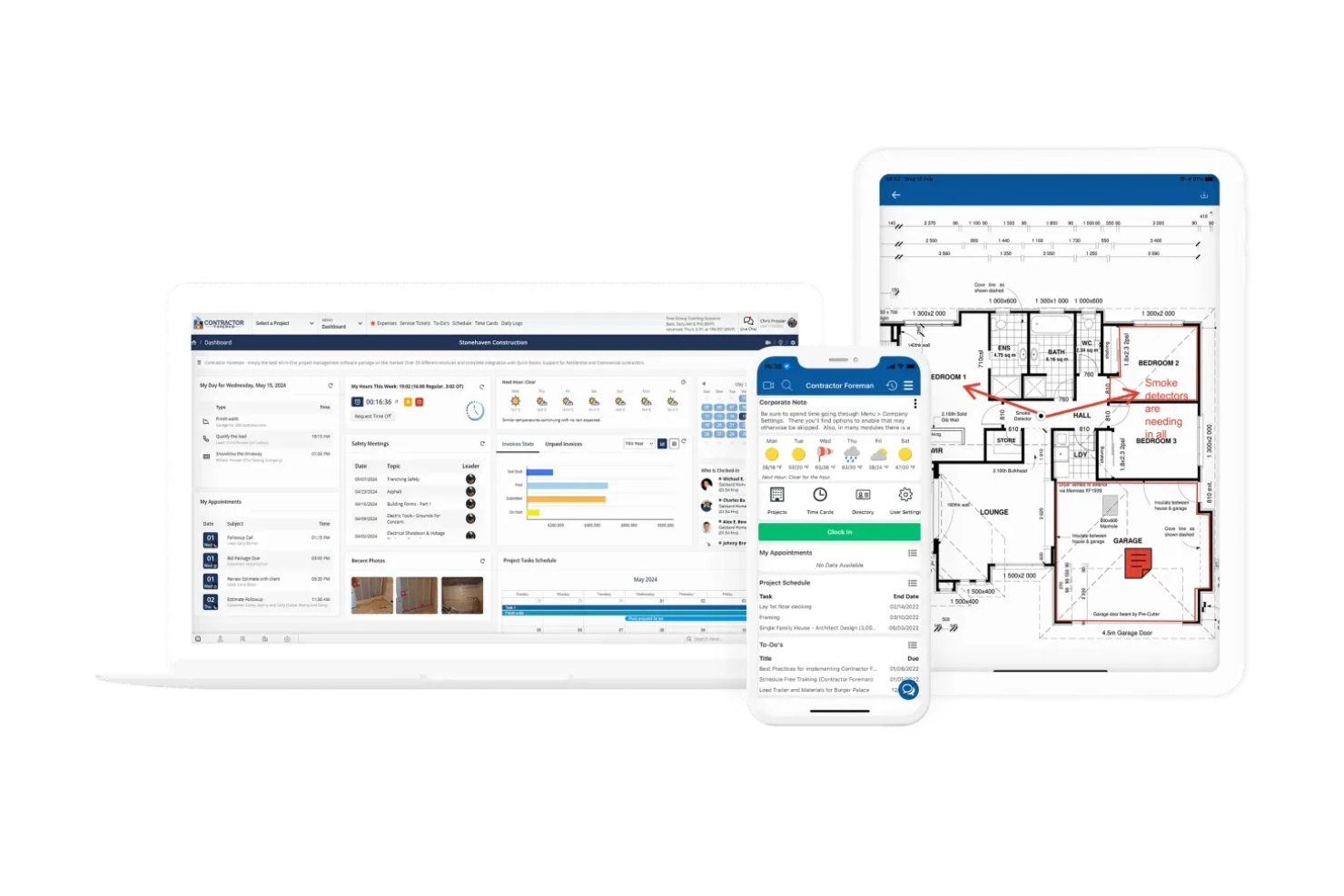
Contractor Foreman is a construction management platform that covers project scheduling, job costing, work orders, crew dispatch, daily logs, document management, estimates, and invoicing.
Who Is Contractor Foreman Best For?
Contractor Foreman is a good fit for small to mid-sized general contractors who need real-time job costing and WIP visibility without paying enterprise-level prices.
Why I Picked Contractor Foreman
I picked Contractor Foreman because its real-time WIP reporting gives restoration contractors a live read on job profitability before a project closes. I especially like how the WIP report calculates cost percent complete from actual timecards, bills, and expenses against the current cost budget, then flags over- or under-billings automatically. Pair that with work orders that capture labor, materials, equipment, and subcontractor costs in one place, and you've got clear financial visibility across every active job.
Contractor Foreman Key Features
- Client portal: Give clients controlled access to project schedules, documents, invoices, and approvals directly from the platform.
- Crew scheduling: Build crew rosters, assign jobs, and send text and email reminders so field staff always know where to be.
- Daily logs: Record jobsite activity including weather, crew presence, materials used, and safety notes for every active job.
- AIA-style progress billing: Create G702/G703-style invoices with retainage tracking tied directly to your project's schedule of values.
Contractor Foreman Integrations
Contractor Foreman documents 50+ integrations, including QuickBooks Online and Desktop, CompanyCam, Google Calendar, Outlook Calendar, Stripe, SweetPay, Gusto, and Microsoft Project. It also supports Zapier.
Pros and Cons
Pros:
- Reviewers praise centralized logs, photos, and files
- Timecards, bills, and expenses inform job costs
- WIP reports flag over- and under-billing
Cons:
- No moisture readings or equipment location tracking
- No restoration-specific claim lifecycle or intake


Restoration Manager is a restoration job management platform by Verisk that centralizes work orders, Gantt scheduling, job budgeting, equipment and consumable tracking, document and photo management, and homeowner and partner portals.
Who Is Restoration Manager Best For?
Restoration Manager suits project managers and field coordinators at restoration companies already working within the Verisk/Xactimate ecosystem who need job workflows, budgeting, and compliance tracking tied directly to their estimates.
Why I Picked Restoration Manager
I've included Restoration Manager in my top picks because it's built squarely inside the Verisk ecosystem, which means Xactimate estimates flow directly into work orders and job budgets without manual rekeying. That tight link keeps your scope, budget, and compliance status tied to the same source of truth throughout the job. I also like that Gantt scheduling with automated dependencies lets project managers track task order and trigger team notifications when schedules shift.
Restoration Manager Key Features
- ManageIT Mobile: Field employees can access job details, capture and upload photos, and message team members and homeowners directly from a mobile device.
- Homeowner and partner portals: Homeowners and trade partners each get a dedicated portal to view job documents, photos, correspondence, and status updates.
- Equipment and consumable tracking: Users can scan equipment with a mobile camera or Bluetooth scanner to log locations and available consumable quantities by job.
- CRM tools: Sales and marketing teams can track contacts, referrals, and return on marketing investment within the platform.
Restoration Manager Integrations
Restoration Manager has native integrations with Xactimate and DryLINK. Verisk also mentions integration with most major financial software, but doesn’t name supported systems or document an API.
Pros and Cons
Pros:
- Equipment tracking supports job-level visibility
- Gantt dependencies flag schedule changes
- Job-status emails clarify team assignments
Cons:
- Support responses may arrive late
- Mobile app loading can be slow


Xcelerate Restoration Software is a restoration job management platform that handles job tracking, scheduling and dispatch, field documentation, crew coordination, and Xactimate-linked estimating and invoicing across single and multi-location operations.
Who Is Xcelerate Restoration Software Best For?
Xcelerate is a strong fit for restoration companies scaling across multiple locations that rely on Xactimate for estimating and need job costing tied directly to field operations.
Why I Picked Xcelerate Restoration Software
I picked Xcelerate Restoration Software as one of the best because its native Xactimate and XactAnalysis integrations pull cost, materials, and labor-rate data directly into job records, so estimates and work orders stay tied to real costs from the start. When a job closes, projected versus actual margins are already tracked against those figures, which makes job costing far less manual than piecing it together in a spreadsheet. I also like that estimates can automatically generate trade-categorized work orders, keeping field scope and financial tracking connected in one record.
Xcelerate Restoration Software Key Features
- Multi-location dispatch: Coordinators can assign and manage crews across multiple branches from a centralized scheduling view.
- Custom job-report PDF builder: Users can compile insurance details, photos, notes, milestones, and documents into a single downloadable PDF per job.
- Geofencing time tracking: The platform automatically records working hours based on a technician's location to support payroll and job costing.
- Role-based permission controls: Admins can set and fine-tune access permissions by role or individual user, including restrictions on sensitive payroll data.
Xcelerate Restoration Software Integrations
Xcelerate offers native integrations with Verisk’s Xactimate and XactAnalysis, Clean Claims, Encircle, CompanyCam, Matterport, DocuSketch, QuickBooks, Microsoft 365, and Power BI. It also supports Zapier, connecting with over 5,000 other apps.
Pros and Cons
Pros:
- Reviewers praise flexible workflows and helpful staff
- Multi-location dispatch supports branch coordination
- Daily schedules help technicians see assignments
Cons:
- Time-punch problems can affect payroll accuracy
- App glitches disrupt photo uploads and forms


Albi is restoration management software that connects office and field operations through job management, Drylog moisture and equipment tracking, scheduling, field documentation, and financial tools including invoicing, estimates, and Xactimate integration.
Who Is Albi Best For?
Albi is a strong fit for small restoration companies that need to connect office staff and field technicians without managing multiple disconnected tools.
Why I Picked Albi
I picked Albi as one of the best because its Drylog tool gives small restoration teams something genuinely useful in the field: room-by-room moisture point tracking, S500-based equipment recommendations, and equipment placement records that feed directly into invoices. I also like that field technicians can work offline, capturing photos, notes, and moisture readings without needing a signal. For a small team juggling active water or fire jobs, that combination keeps documentation moving even when connectivity doesn't.
Albi Key Features
- Xactimate integration: Albi pulls completed Xactimate estimates directly into its Workbook and can generate additional project shells for revisions, supplements, and alternate estimates.
- Role-based permissions: Pro Seat users can create custom staff roles that control exactly what each team member can view, edit, or manage across projects.
- XactAnalysis assignment import: New XactAnalysis assignments sync into Albi's Leads table, bringing in carrier information, project type, and loss date automatically.
- Albi Pay: Field and office staff can send payment requests, process credit cards, accept ACH transfers, and deposit checks from within the platform.
Albi Integrations
Albi has 12 documented native integrations, including XactAnalysis, Xactimate, QuickBooks Online, QuickBooks Desktop, Sage, Xero, iCAT, Kahi, Encircle, and CompanyCam. It also supports REST APIs, webhooks, and Zapier.
Pros and Cons
Pros:
- Offline capture supports technicians without signal
- Project timelines keep active jobs visible
- Room-linked moisture and equipment documentation
Cons:
- Claim workflows lack complete lifecycle visibility
- Field app reliability complaints disrupt documentation


Ontraccr is a construction workflow automation platform that brings together customizable project boards, job costing, scheduling, time tracking, equipment management, and digital forms for field-service and construction teams.
Who Is Ontraccr Best For?
Ontraccr suits project managers at small to mid-sized construction and field-service companies who need to build custom job workflows from the ground up rather than work within a fixed system.
Why I Picked Ontraccr
I picked Ontraccr because it gives restoration project managers a genuinely blank canvas to build job workflows that match how their business actually runs. I've set up service boards with statuses like Queued, Scheduled, In Progress, and Invoiced, then layered in job-costing templates that track labor, materials, equipment, and subcontractor costs against a live budget. The drag-and-drop Field Schedule lets me assign crews and attach forms directly to shifts, so dispatch and documentation happen in the same workflow rather than across separate tools.
Ontraccr Key Features
- Client portal: Give clients a branded portal to view real-time project status, shared files, and milestones, with two-way messaging built in.
- GPS geofencing for time tracking: Set job-site boundaries that automatically clock workers in or out when they enter or leave a location.
- QR code equipment check-in: Let field workers scan equipment QR codes to pull up asset profiles and check gear into a job directly from their mobile device.
- Smart folders: Trigger automated workflows whenever a file is uploaded to a designated folder, keeping documentation-driven processes moving without manual intervention.
Ontraccr Integrations
Ontraccr offers native integrations with QuickBooks Online, Sage 100 Contractor, Procore, and Stripe, plus Zapier. It also supports API integrations for custom connections.
Pros and Cons
Pros:
- Reviewers praise responsive setup and workflow support
- Job-costing tracks labor, materials, equipment, and subcontractors
- Custom boards adapt to restoration dispatch stages
Cons:
- Remote connectivity hiccups can disrupt field updates
- High-volume photo handling can slow documentation
Outro software de gestão de projetos de restauração
Eis algumas opções adicionais de software de gestão de trabalhos de restauração que não incluí na minha seleção, mas que vale a pena consultar se não encontrou acima o que procurava:
- iRestore
For barcode-based equipment tracking
- Job-Dox
For AI-driven contractor ops
- Jobber
For multi-crew service scheduling
- Procore
For large construction project teams
- Float
For visual crew scheduling across jobs
- Buildertrend
For keeping clients in the loop on jobs
- Autodesk Construction Cloud
For construction-scale document collaboration
- Encircle
For claim photo docs and Xactimate export
- Rocket Plan
For mobile field documentation
- Capabuild
For video and LiDAR sketch-to-Xactimate


How I Evaluate Restoration Project Management Software
I split my evaluation into three parts, weighting core functionality most: track jobs and claim details from intake to close, and dispatch crews across active sites. Next, I look for features such as adjuster portals. Finally, I consider field-team onboarding, support, and pricing fit.
Core Functionality (Table Stakes For This List)
When I'm selecting tools for my list, I score each one on a scale from 0 (does not offer the functionality) to 5 (excels in this area) for each core functionality listed below. I then convert the total into a percentage to help assess each tool's overall fit, with extra weight on any functionalities I’ve deemed essential.
- Job & Claims Tracking (Essential): I look for job stages that link to claim details, so coordinators can follow a water-damage job from intake through completion.
- Documentation & Photos (Essential): I check whether field teams can organize job photos, moisture readings, and notes by room, then compile records for adjuster review.
- Scheduling & Dispatch: I evaluate how teams assign technicians, crews, and equipment across active sites and spot schedule changes.
- Estimates & Invoicing: I check for estimates or invoices tied to job scope, including connections to tools such as Xactimate.
- Job Costing: I look for labor, materials, equipment, and subcontractor costs tracked against job budgets as work progresses.
- Equipment & Inventory: I assess whether teams can assign equipment and materials to jobs and track movement between sites.
Once I have a list of tools that meet the criteria, I consider what sets each platform apart.
Differentiating Factors (What Sets Vendors Apart)
Here's how I compare and contrast different vendors:
Standout Features
I check whether platforms include built-in sketching tools that let techs diagram affected areas on-site. That capability cuts back-and-forth between the field and office when scoping drying chambers. I also evaluate customer and adjuster portals, since giving adjusters direct access to job status and documents reduces follow-up calls and speeds approvals. Automated compliance alerts matter too—I look for notifications that flag jobs drifting from IICRC drying standards or missing documentation before a claim goes out.
Beyond Features
I check whether a platform's workflows align with IICRC S500/S520 documentation standards, since templates that map to those requirements save coordinators from rebuilding compliance checklists from scratch. Xactimate and XactAnalysis data exchange matters just as much—duplicate entry between estimating and job management tools slows claim cycles and introduces errors. I also evaluate onboarding support geared toward field techs, because mobile-first training from a restoration-focused specialist makes the difference between adoption and shelfware.
Como escolher software de gestão de projetos de restauração
É fácil perder-se em listas extensas de funcionalidades e estruturas de preços complexas. Para se manter focado enquanto analisa o seu processo específico de seleção de software, eis uma lista de verificação dos fatores a ter em conta:
| Fator | O que considerar |
|---|---|
| Escalabilidade | O software pode crescer com a sua empresa? Considere se consegue lidar com um maior número de projetos e utilizadores sem problemas significativos de desempenho. |
| Integrações | Integra-se com as ferramentas que já utiliza, como sistemas de contabilidade ou de gestão de relações com clientes (CRM)? Verifique se existem integrações nativas para evitar depender excessivamente da introdução manual de dados. |
| Personalização | Pode adaptar o software para corresponder aos seus fluxos de trabalho específicos? Certifique-se de que permite flexibilidade na criação de campos e relatórios personalizados para corresponder aos seus processos. |
| Facilidade de utilização | A interface é intuitiva para a sua equipa? Evite ferramentas com curvas de aprendizagem acentuadas que exijam formação extensa, o que pode atrasar a adoção. |
| Implementação e integração inicial | Com que rapidez pode a sua equipa começar a trabalhar? Considere a disponibilidade de recursos de formação, como tutoriais, e de apoio durante a fase de transição. |
| Custo | Os planos de preços estão dentro do seu orçamento? Avalie o custo em relação aos benefícios proporcionados e considere quaisquer taxas ocultas que possam surgir à medida que cresce. |
| Medidas de segurança | O software protege os seus dados? Procure encriptação, atualizações de segurança regulares e conformidade com os regulamentos relevantes de proteção de dados. |
| Disponibilidade do apoio | O apoio ao cliente está facilmente acessível? Considere a disponibilidade de chat em direto, apoio telefónico e os tempos de resposta para garantir que obtém ajuda quando necessário. |
O que é o software de gestão de projetos de restauro?
O software de gestão de projetos de restauro é uma ferramenta concebida para ajudar a organizar e supervisionar projetos que envolvem reparações e manutenção de edifícios e outras estruturas (ou seja, trabalhos de restauro). Os gestores de projetos, empreiteiros e especialistas em restauro utilizam estas ferramentas para coordenar tarefas, gerir recursos e comunicar com as equipas.
As funcionalidades de agendamento, acompanhamento do orçamento e gestão de documentos ajudam a organizar projetos, manter os prazos e controlar os custos, para que possa manter os projetos dentro do prazo e do orçamento (e sem stress).
Funcionalidades do software de gestão de projetos de restauro
Ao selecionar um software de gestão de projetos de restauro, procure as seguintes funcionalidades essenciais:
- Agendamento: Ajuda a planear e atribuir recursos de forma eficiente para manter os projetos no caminho certo e cumprir os prazos.
- Acompanhamento do orçamento: Permite monitorizar as despesas em tempo real, manter-se dentro do orçamento e tomar decisões financeiras informadas.
- Gestão de documentos: Organiza e armazena ficheiros importantes dos projetos e facilita o acesso e a partilha de documentos com a equipa.
- Gestão de tarefas: Permite atribuir e definir prioridades para as tarefas e garantir que os membros da equipa conhecem as suas responsabilidades, para que o trabalho possa ser concluído de forma eficiente.
- Comunicação com os clientes: Facilita a comunicação direta com os clientes, para que possa mantê-los informados sobre o progresso do projeto e responder às suas preocupações.
- Acesso móvel: Proporciona acesso às informações dos projetos em qualquer lugar, para que os membros da equipa possam atualizar e consultar dados no local.
- Acompanhamento da conformidade: Garante que os projetos cumprem as normas e os regulamentos do setor do restauro e reduz o risco de problemas de não conformidade.
- Painéis personalizáveis: Permite adaptar a interface para apresentar métricas relevantes dos projetos e proporciona uma visão geral clara do progresso e do desempenho.
- Acompanhamento do tempo: Monitoriza as horas de trabalho para que possa calcular os custos com precisão e melhorar a produtividade.
- Notificações em tempo real: Mantém a equipa informada sobre atualizações e alterações importantes, para que possa responder atempadamente e fazer ajustes.
Benefícios do software de gestão de projetos de restauro
A implementação de um software de gestão de projetos de restauro proporciona vários benefícios para a sua equipa e para a sua empresa. Eis alguns dos benefícios que pode esperar:
- Maior eficiência: Melhora o agendamento e a gestão de tarefas, para que a equipa possa concluir os projetos mais rapidamente e com menos erros.
- Controlo dos custos: Proporciona o acompanhamento do orçamento e a monitorização das despesas, permitindo gerir as finanças de forma eficaz e evitar gastos excessivos.
- Comunicação melhorada: Facilita a comunicação com os clientes e com a equipa, para que possa garantir que todos estão informados e alinhados com os objetivos do projeto.
- Melhor organização: Disponibiliza gestão de documentos e painéis personalizáveis para manter as informações importantes acessíveis e organizadas.
- Maior mobilidade: Permite o acesso móvel, para que os membros da equipa possam atualizar e consultar os dados dos projetos a partir de qualquer lugar, mantendo a flexibilidade das operações.
- Garantia de conformidade: Apoia o acompanhamento da conformidade, ajudando a cumprir as normas do setor e a evitar potenciais problemas legais.
Custos e preços do software de gestão de projetos de restauração
A seleção de software de gestão de projetos de restauração requer uma compreensão dos vários modelos de preços e planos disponíveis. Os custos variam consoante as funcionalidades, o tamanho da equipa, os complementos, entre outros fatores.
Eis um resumo dos planos comuns, dos preços médios e das funcionalidades normalmente incluídas no software de gestão de projetos de restauração:
Tabela de comparação de planos de software de gestão de projetos de restauração
| Tipo de plano | Preço médio | Funcionalidades comuns |
|---|---|---|
| Plano gratuito | $0 | Gestão básica de tarefas, armazenamento limitado de documentos e relatórios básicos. |
| Plano pessoal | $10 - $30/utilizador/mês | Gestão de tarefas, agendamento básico, armazenamento de documentos e relatórios simples. |
| Plano empresarial | $40 - $70/utilizador/mês | Agendamento de projetos, acompanhamento do orçamento, gestão de documentos e colaboração entre equipas. |
| Plano empresarial de grande escala | $80 - $150/utilizador/mês | Análise avançada, acompanhamento da conformidade, integrações personalizadas e suporte dedicado. |
Perguntas frequentes sobre software de gestão de projetos de restauração
Eis algumas respostas a perguntas frequentes sobre software de gestão de projetos de restauração:
Que tipo de suporte posso esperar dos fornecedores de software?
A maioria dos fornecedores disponibiliza apoio ao cliente através de vários canais, como chat em direto, e-mail ou telefone. Os tempos de resposta podem variar, por isso, procure fornecedores que ofereçam suporte abrangente, incluindo ajuda durante a integração e na resolução de problemas.
Como é que estas ferramentas lidam com a segurança dos dados?
A segurança dos dados é uma prioridade no software de gestão de projetos de restauração. Normalmente, os fornecedores utilizam encriptação e atualizações de segurança regulares para proteger os seus dados. Certifique-se de que o software cumpre os regulamentos relevantes de proteção de dados.
Estas ferramentas podem integrar-se nos meus sistemas existentes?
Sim, muitas soluções de software de gestão de projetos de restauração disponibilizam integrações com ferramentas populares como o QuickBooks, o Dropbox e sistemas de CRM. Verifique se o software disponibiliza uma API aberta para integrações personalizadas, o que também pode melhorar a eficiência dos fluxos de trabalho.
Até que ponto são personalizáveis estas soluções de software?
As opções de personalização variam consoante o fornecedor, mas muitos disponibilizam campos, relatórios e painéis personalizados. Escolha software que lhe permita adaptá-lo aos seus fluxos de trabalho específicos e às necessidades da sua empresa.
O que devo considerar durante o processo de integração?
Durante a integração, considere a disponibilidade de recursos de formação, como tutoriais e seminários online. Certifique-se de que o fornecedor disponibiliza suporte para ajudar a sua equipa a fazer uma transição tranquila e avalie o tempo e o esforço necessários para preparar a sua equipa para trabalhar com o novo sistema.