

19 melhores aplicações de foco para 2026

Lista das melhores aplicações de concentração


As aplicações de concentração são ferramentas digitais que ajudam a bloquear distrações, gerir a atenção e manter o foco nas tarefas ao longo do dia de trabalho. Se está à procura das melhores aplicações de concentração, é provável que esteja a lidar com prioridades que mudam constantemente, notificações contínuas e a pressão para obter resultados sem perder o ritmo. A aplicação certa pode dar-lhe mais controlo sobre o seu fluxo de trabalho, quer precise de bloquear rigorosamente websites, de temporizadores Pomodoro ou de análises detalhadas da utilização. Nesta lista, encontrará opções adaptadas a diferentes estilos de trabalho e plataformas, para que possa escolher a ferramenta que corresponde às necessidades da sua equipa e o ajuda a manter a concentração em 2026.
Why Trust Our Software Recommendations
Our team has been testing and reviewing software since 2012. As project managers ourselves, we know how difficult—and important—it is to choose the right software.
For this guide, we evaluated tools using hands-on testing and independent research, scoring tools using our selection criteria. We also draw on insights from industry thought leaders and practicing project management experts.
Our reviews reflect our human editorial judgment, not a sales pitch.
Expert reviewers:
Tabela comparativa das aplicações de concentração
Esta tabela comparativa resume os detalhes de preços das minhas principais escolhas de aplicações de concentração:
| Tool | Best For | Trial Info | Price | ||
|---|---|---|---|---|---|
| 1 | Best for visual progress tracking with timers | Free plan available | Free to download | Website | |
| 2 | Best for multi-device website blocking | 7-day free trial available | From $3.33/month (billed annually) | Website | |
| 3 | Best for distraction-free work intervals | 7-day free trial available | From $3.33/month (billed annually) | Website | |
| 4 | Best for combining tasks with Pomodoro sessions | Free plan available | Free to download | Website | |
| 5 | Best for detailed app usage analytics | Free plan available | Free to download | Website | |
| 6 | Best for customizable daily limits | Free plan available | Free to download | Website | |
| 7 | Best for intentional app opening delays | Not available | From $5.99/month (billed annually) | Website | |
| 8 | Best for gamified productivity incentives | Free plan available | Free to download | Website | |
| 9 | Best for advanced browser blocking rules | Free plan available | Free to download | Website | |
| 10 | Best for strict website blocking on Mac | Free plan available | Free to download | Website |
Avaliações das melhores aplicações de concentração
Apresentamos abaixo os meus resumos detalhados das aplicações de concentração que entraram na minha lista. As minhas avaliações oferecem uma análise detalhada das funcionalidades, dos melhores casos de utilização e das capacidades de cada ferramenta, para o ajudar a encontrar a melhor opção para si.

Forest
Best for visual progress tracking with timers
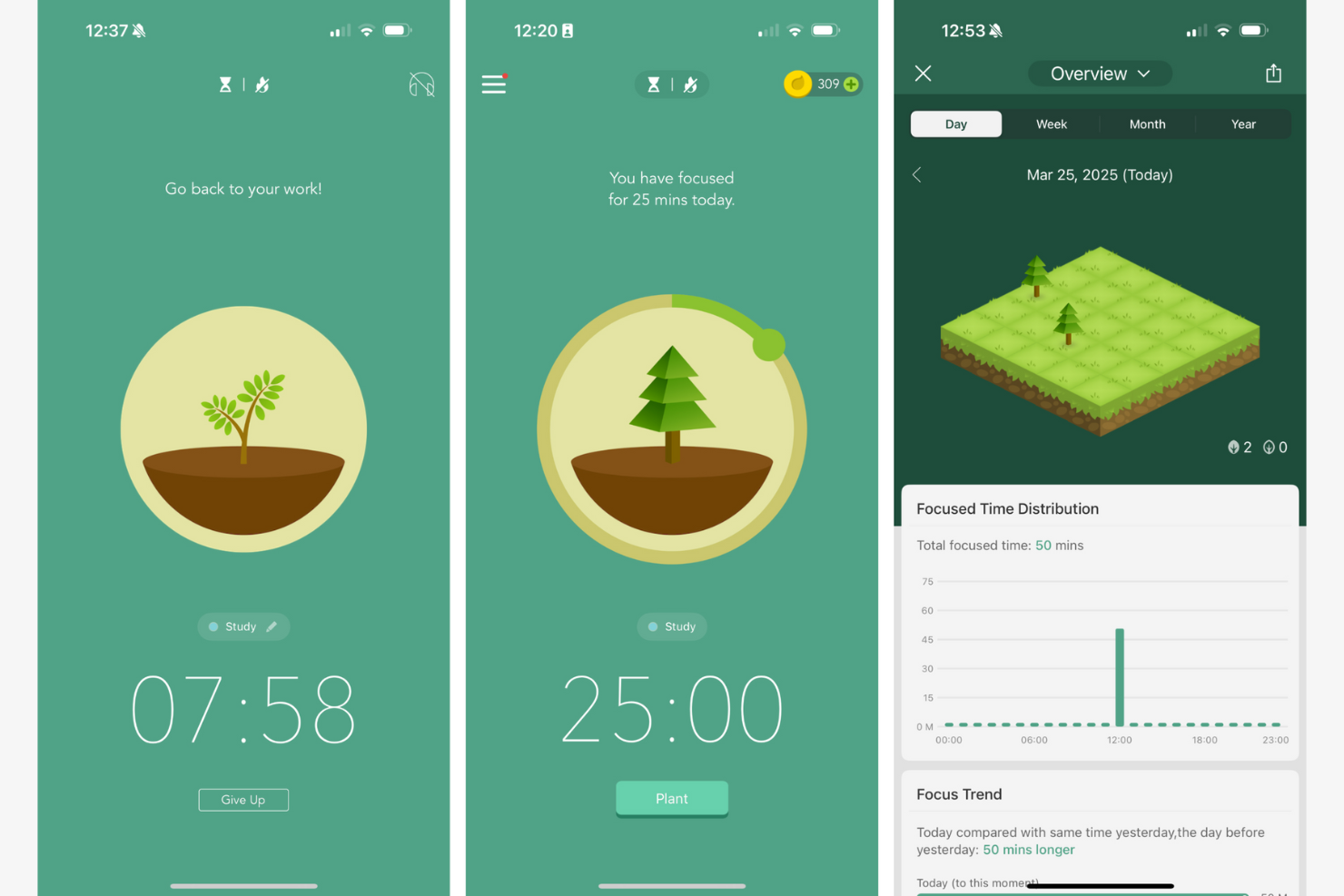
Forest uses a visual approach to help you stay focused by growing virtual trees as you work. This app is a good fit for professionals who want a tangible sense of progress while managing their time. If you’re looking for a focus tool that turns productivity into a visual experience, Forest stands out with its timer-based tree planting system.
Why I Picked Forest
I chose Forest because its visual progress tracking with timers offers a unique way to reinforce focus. The app lets you plant a virtual tree that grows as you stay on task, giving you a clear visual representation of your productivity. I find the growing forest motivates users to avoid distractions, since leaving the app causes your tree to wither. This approach is especially helpful for anyone who wants a more tangible sense of accomplishment while managing their attention.
Forest Key Features
Some other features in Forest make it a versatile choice for anyone looking to improve focus:
- Whitelist Mode: Allows you to select which apps or websites are permitted during focus sessions, giving you more control over your digital environment.
- Daily and Weekly Statistics: Tracks your focused time and displays trends to help you understand your work patterns.
- Team Mode: Lets you join focus sessions with friends or colleagues, encouraging group accountability.
- Customizable Tags: Enables you to categorize focus sessions by project or task, making it easier to review how your time is spent.
Forest Integrations
Native integrations are not currently listed.
Pros and Cons
Pros:
- Team mode enables collaborative focus challenges
- Timer-based sessions support Pomodoro-style workflows
- Visual tree growth motivates consistent focus sessions
Cons:
- No built-in support for recurring schedules
- Limited reporting export options for teams

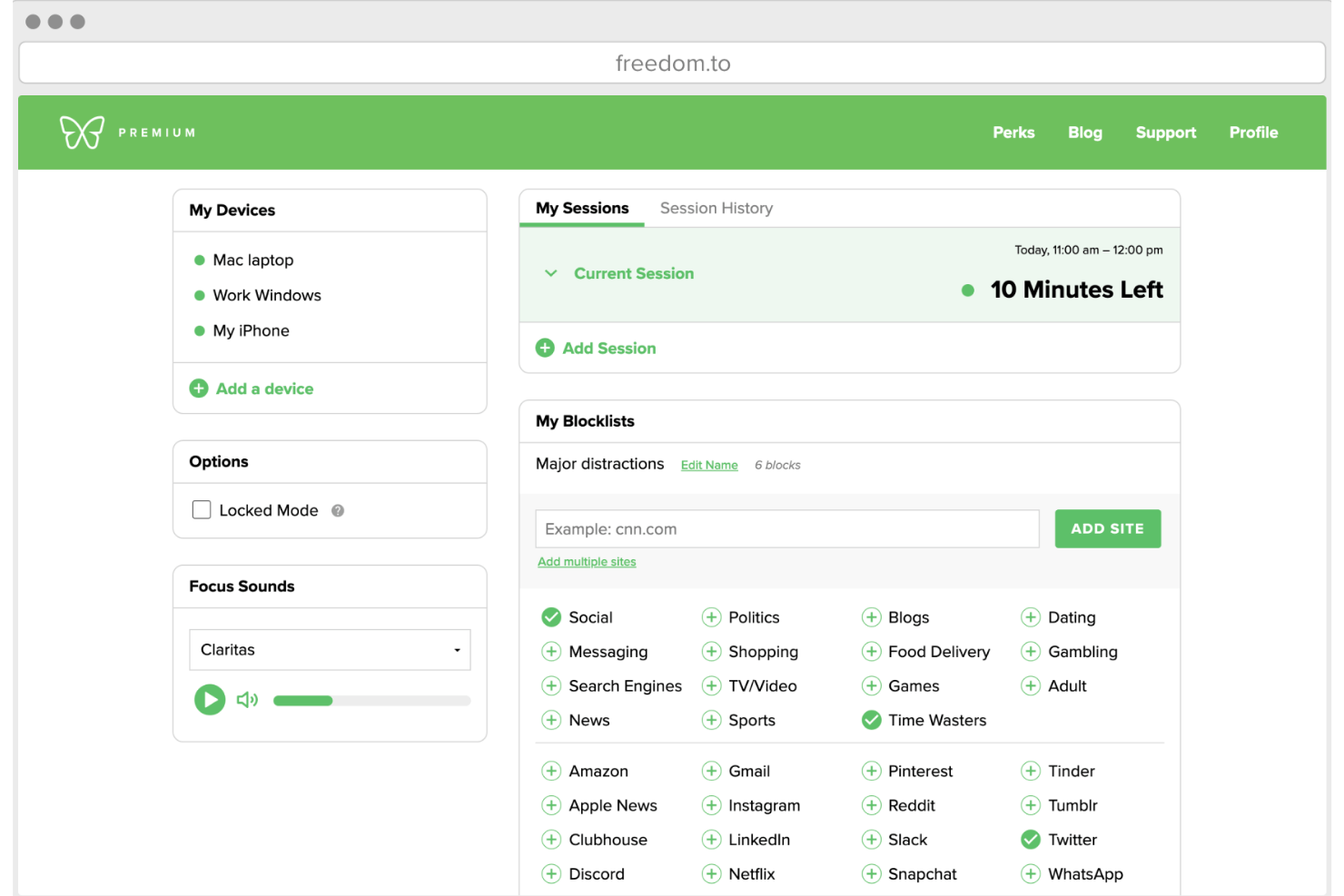
Freedom gives you control over distractions by letting you block websites and apps across all your devices at once. This tool is especially useful for remote teams, freelancers, and anyone who needs to maintain focus in a multi-device environment. If you’re looking for a way to enforce boundaries between work and distractions, Freedom’s cross-platform blocking stands out among focus apps.
Why I Picked Freedom
What sets Freedom apart is its ability to block distracting websites and apps across multiple devices at the same time. This is especially valuable for anyone who works on both a laptop and a phone, since distractions can easily jump from one device to another. I picked Freedom because you can start a session on your computer and have the same restrictions instantly apply to your phone or tablet. This unified blocking approach helps maintain focus no matter where your work happens.
Freedom Key Features
Some other features in Freedom help make it a flexible choice for managing distractions:
- Locked Mode: Prevents you from ending a session early, adding an extra layer of commitment to your focus time.
- Custom Blocklists: Lets you create and save multiple lists of sites and apps to block for different types of work sessions.
- Scheduled Sessions: Allows you to set recurring blocks in advance, so you don’t have to remember to start them manually.
- Ambient Soundscapes: Offers built-in background sounds to help you create a more focused work environment.
Freedom Integrations
Native integrations are not currently listed.
Pros and Cons
Pros:
- Custom blocklists for different work scenarios
- Locked mode prevents ending sessions early
- Blocks websites and apps across all devices
Cons:
- No built-in analytics or productivity reports
- Some users report bypass issues on Android

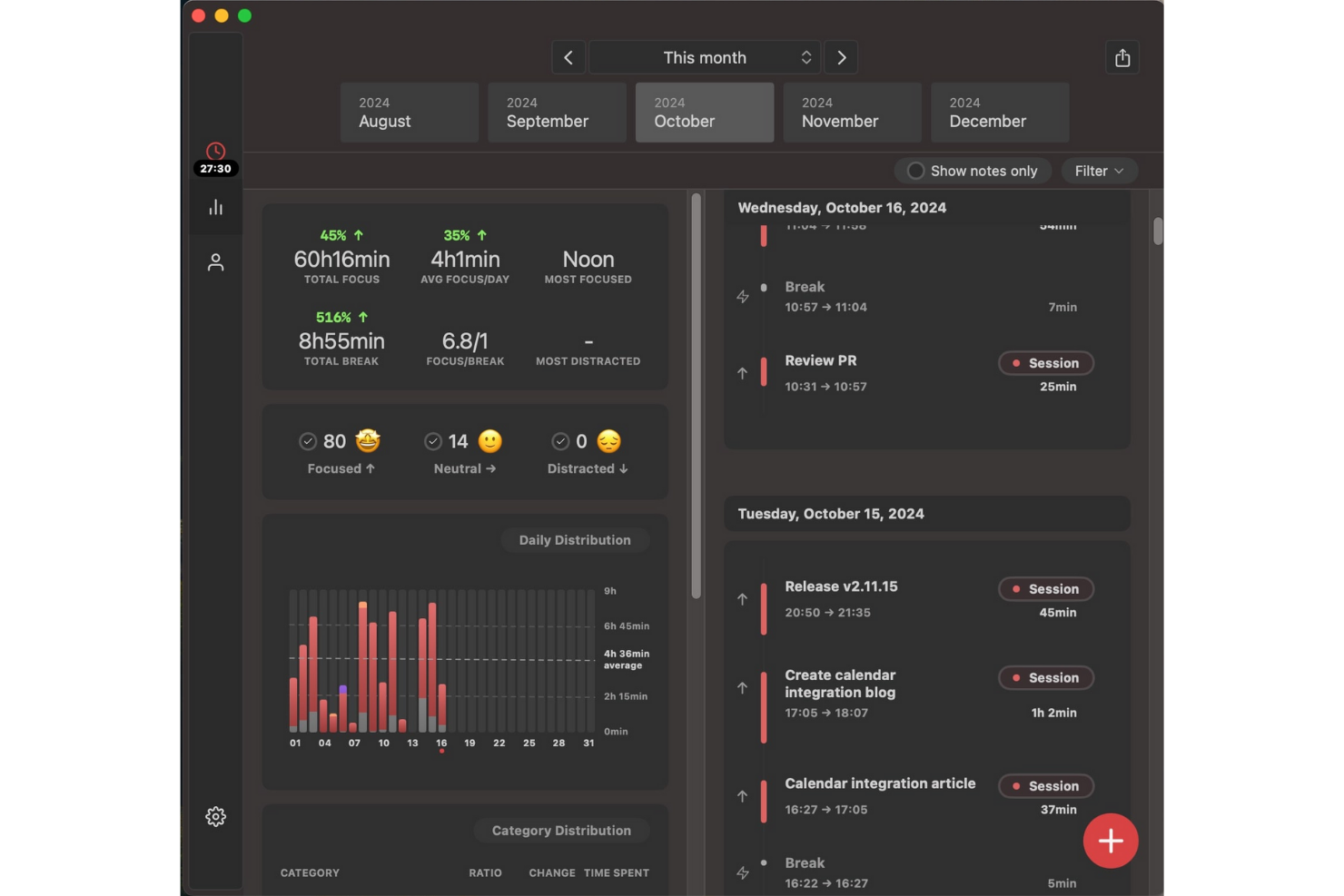
Session Pomodoro takes a unique approach to focus by guiding users through structured, distraction-free work intervals. This tool is especially useful for professionals, freelancers, and remote teams who want to break work into focused sprints and minimize interruptions. With built-in timers and session analytics, Session Pomodoro helps you maintain momentum and track your productivity patterns over time.
Why I Picked Session Pomodoro
What sets Session Pomodoro apart is its focus on creating truly distraction-free work intervals, which is essential for anyone looking to build deep work habits. I picked Session Pomodoro because it combines a minimalist interface with a built-in timer that helps you structure your day into focused sprints. The app also includes features like session analytics and automatic break reminders, so you can track your progress and avoid burnout. For anyone who wants to protect their attention and work in defined bursts, Session Pomodoro offers a focused environment that’s hard to find elsewhere.
Session Pomodoro Key Features
Some other features in Session Pomodoro help you personalize your focus experience and support your workflow:
- Distraction Blocking: Blocks access to distracting websites during active sessions.
- Session Notes: Lets you jot down quick notes or intentions before starting a session.
- Focus Music Integration: Offers built-in background music options to help you concentrate.
- Daily and Weekly Reports: Provides summaries of your completed sessions and focus trends.
Session Pomodoro Integrations
Native integrations are not currently listed.
Pros and Cons
Pros:
- Distraction blocking for specific websites
- Session notes feature for pre-session intentions
- Built-in focus music options for sessions
Cons:
- Lacks advanced analytics for long-term trends
- No mobile app for Android devices
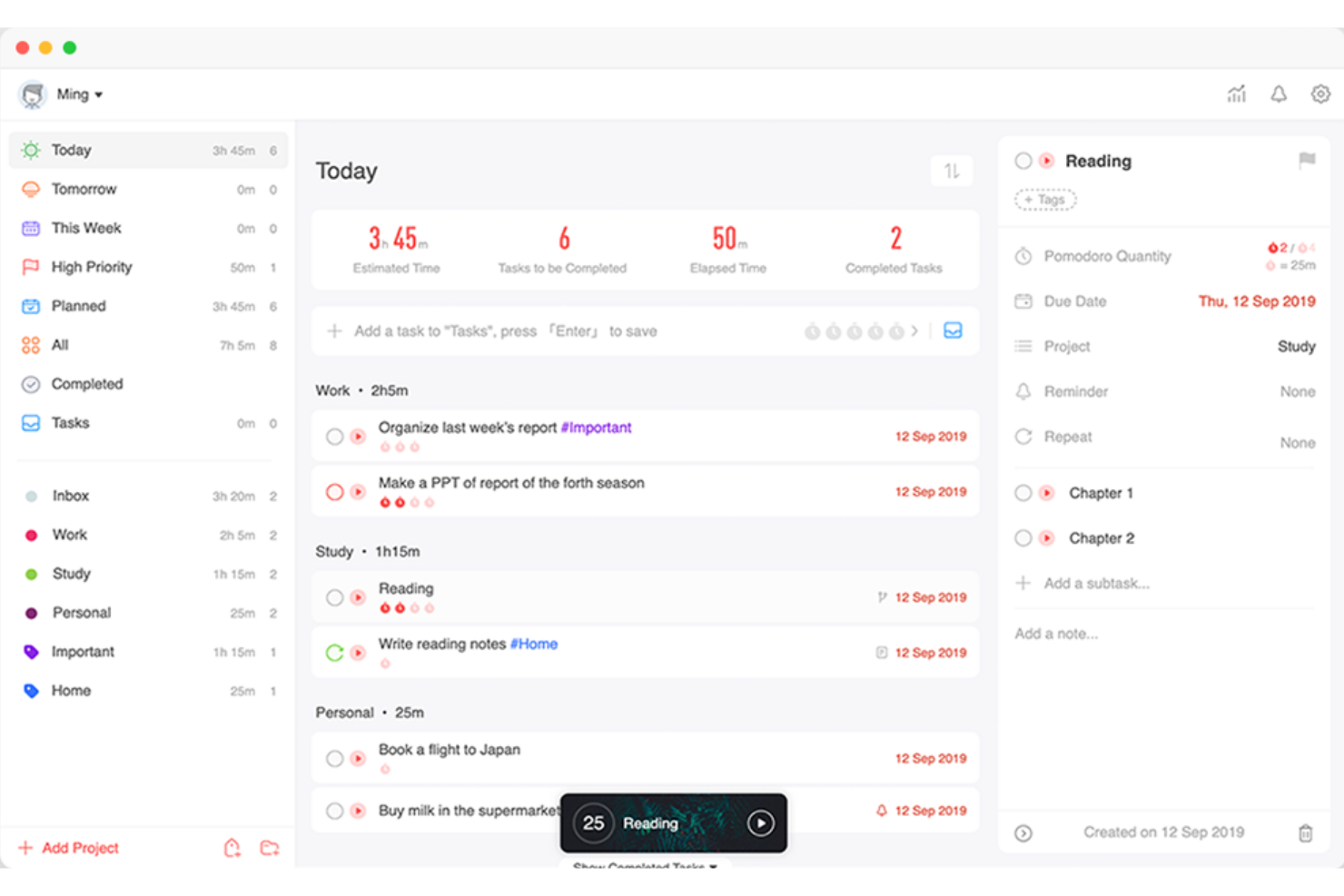
Focus To-Do brings together task management and Pomodoro timers in a single app, making it a practical choice for anyone who wants to structure their workday around focused sprints. This tool is especially useful for project managers, students, and remote workers who need to balance task lists with time-blocked work sessions. If you’re looking for a way to tie actionable tasks directly to Pomodoro cycles, Focus To-Do offers a tightly integrated approach.
Why I Picked Focus To-Do
Combining task management with Pomodoro timers in one place is what makes Focus To-Do stand out among focus apps. If you want to link your to-do list directly to timed work sessions, this tool lets you assign Pomodoro cycles to individual tasks and track your progress as you go. I picked Focus To-Do because it gives you a clear structure for breaking down work into manageable sprints, which is especially helpful for anyone juggling multiple priorities. The built-in analytics also help you see how much time you’re spending on each task, so you can adjust your workflow as needed.
Focus To-Do Key Features
Some other features in Focus To-Do help round out its approach to managing focus and productivity:
- Cross-Device Sync: Keeps your tasks and timers updated across desktop and mobile devices.
- Reminders and Due Dates: Lets you set reminders and deadlines for each task to help you stay on track.
- Subtasks: Allows you to break larger tasks into smaller, actionable steps within your main to-do list.
- Habit Tracking: Includes a built-in habit tracker so you can monitor daily routines alongside your work tasks.
Focus To-Do Integrations
Native integrations are not currently listed.
Pros and Cons
Pros:
- Syncs data across multiple device platforms
- Offers a built-in habit tracking feature
- Combines Pomodoro timer with task lists
Cons:
- No calendar view for task scheduling
- Lacks website or app blocking functionality
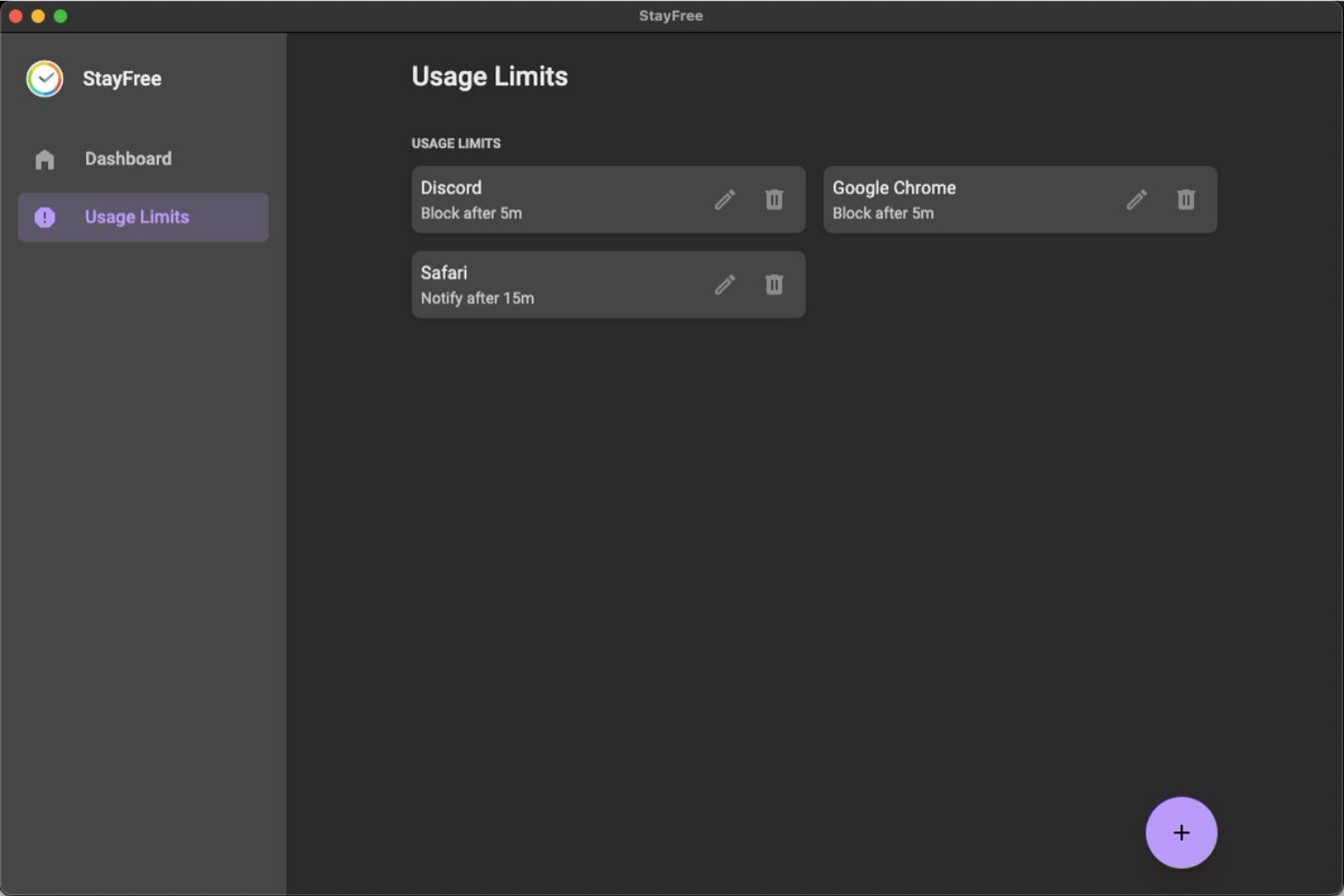
If you want to understand exactly how your time is spent on your phone, StayFree gives you detailed analytics on app usage and screen time. This tool is a strong fit for project managers, freelancers, and anyone who needs to identify digital distractions and set usage limits. StayFree stands out by offering granular reports and customizable alerts that help you take control of your digital habits.
Why I Picked StayFree
When you need to pinpoint exactly where your digital time goes, StayFree offers some of the most detailed app usage analytics available in focus apps. I picked StayFree because it tracks screen time and app usage down to the minute, giving you a clear picture of your habits. The tool also lets you set daily limits for specific apps and sends alerts when you’re close to exceeding them. For anyone serious about reducing distractions and building better focus, these analytics and controls make StayFree a strong choice.
StayFree Key Features
Some other features in StayFree help you manage your focus and digital habits more proactively:
- Historical Usage Charts: Lets you view trends in your app usage over days, weeks, or months.
- Customizable Notifications: Allows you to set personalized reminders and warnings for specific usage patterns.
- Export Data: Enables you to export your usage statistics for further analysis or reporting.
- Widget Support: Offers home screen widgets for quick access to your current usage stats.
StayFree Integrations
Native integrations are not currently listed.
Pros and Cons
Pros:
- Sends alerts when limits are reached
- Lets you set daily app usage limits
- Tracks app usage with detailed analytics
Cons:
- Does not support team or group monitoring
- Only available for Android devices

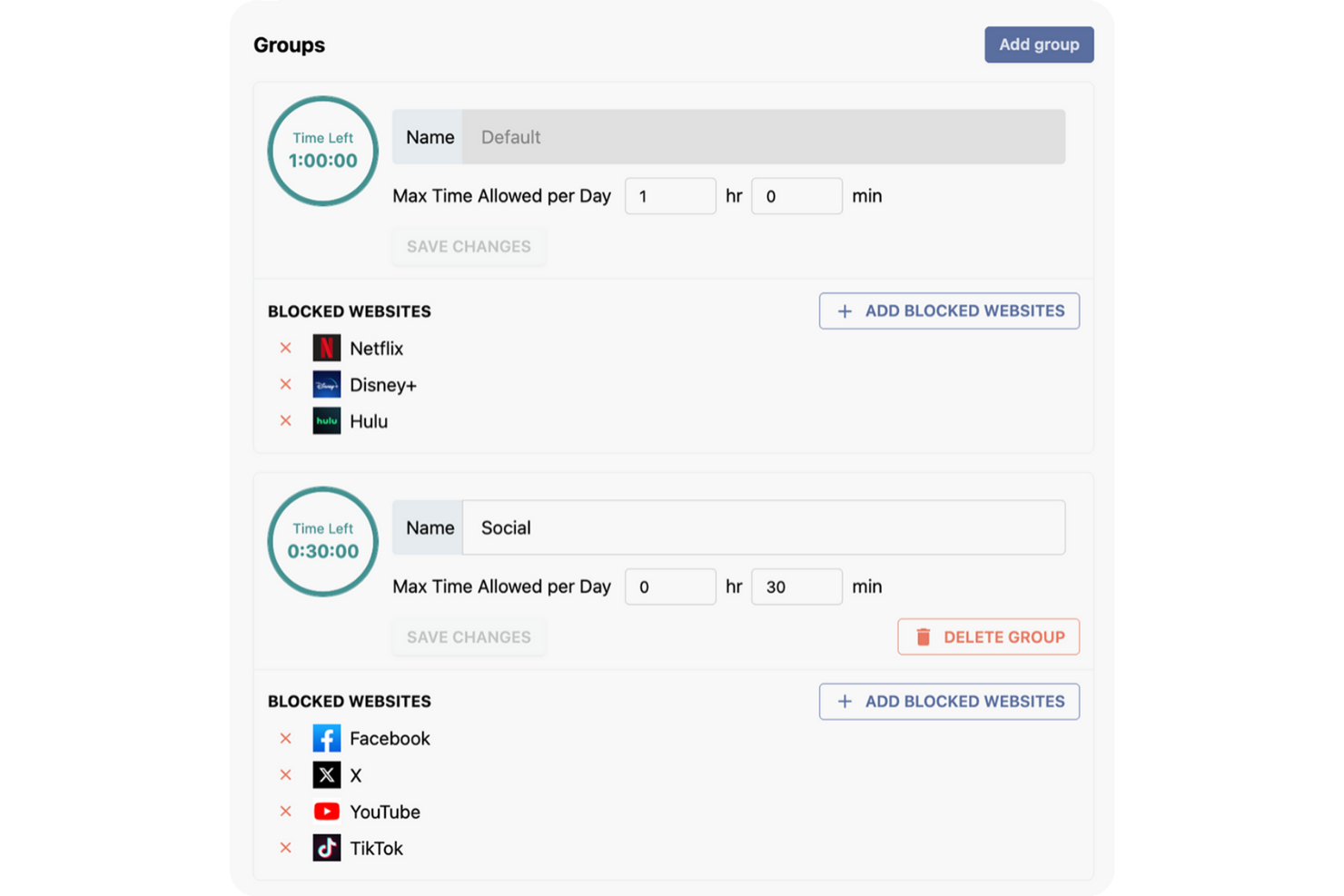
Stay Focused is designed for anyone who wants strict control over their daily digital habits, especially those who need to set precise limits on distracting websites. This tool is a strong fit for project managers, freelancers, and remote workers who want to customize which sites are accessible and for how long each day. With its flexible daily limit settings, Stay Focused helps you enforce boundaries and reclaim your focus during work hours.
Why I Picked Stay Focused
Unlike many focus apps that offer only basic blocking, Stay Focused lets you set highly customizable daily limits for specific websites or categories. I picked Stay Focused because it allows you to define exactly how much time you can spend on distracting sites each day, down to the minute. You can also create exceptions, block entire domains, or even schedule recurring focus periods. This level of control is especially useful if you want to tailor your digital boundaries to match your unique work patterns and productivity goals.
Stay Focused Key Features
Some other features you’ll find in Stay Focused include:
- Nuclear Option: Temporarily blocks all sites on your blocked list for a set period, overriding any existing settings.
- Active Days and Hours Scheduling: Lets you specify which days and times Stay Focused should enforce restrictions.
- Challenge Mode: Requires you to complete a task or answer a question before changing settings, adding friction to disabling blocks.
- Allowed Sites List: Lets you create a whitelist of sites that remain accessible even when restrictions are active.
Stay Focused Integrations
Native integrations are not currently listed.
Pros and Cons
Pros:
- Challenge Mode prevents quick disabling of blocks
- Nuclear Option blocks all sites instantly
- Customizable daily limits for individual websites
Cons:
- No team or group management features
- Does not track detailed usage analytics

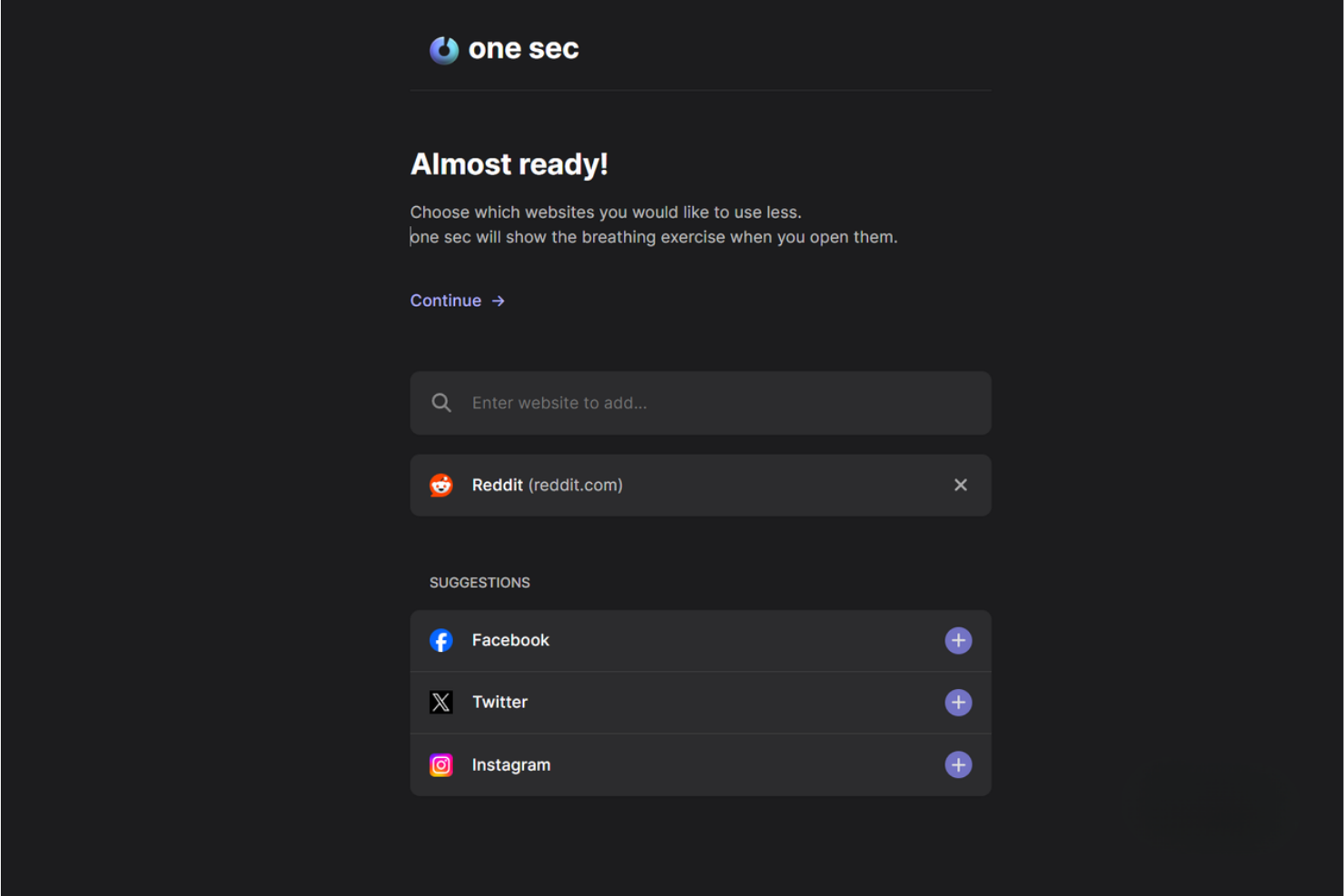
one sec introduces a deliberate pause before you open distracting apps or websites, helping you break automatic habits. This tool is especially useful for professionals, students, and anyone who wants to reduce mindless app usage throughout the workday. By adding a short delay and a mindful prompt, one sec encourages you to make more intentional choices about your digital attention.
Why I Picked one sec
Unlike most focus apps, one sec interrupts your impulse to open distracting apps by adding a short, intentional delay. I picked one sec because it uses a forced pause and a mindful breathing prompt to help you reconsider whether you really want to open an app or website. This approach is especially effective for breaking automatic scrolling habits and building more conscious digital routines. For anyone who struggles with mindless app usage, one sec’s intentional delay creates a valuable moment to reset your focus.
one sec Key Features
Some other features in one sec help you customize your experience and track your progress:
- App and Website Blocking: Lets you set up intentional delays for both apps and websites across devices.
- Analytics Dashboard: Shows detailed statistics on how often you attempt to open blocked apps or sites.
- Shortcuts and Automation Support: Integrates with Apple Shortcuts for custom workflows and triggers.
- Focus Mode Scheduling: Allows you to schedule specific times when delays or blocks are active.
one sec Integrations
Native integrations are not currently listed.
Pros and Cons
Pros:
- Tracks and displays app opening statistics
- Mindful breathing prompt before app opens
- Customizable delay times for each app
Cons:
- Delay can be bypassed with repeated attempts
- Requires device-level permissions for setup

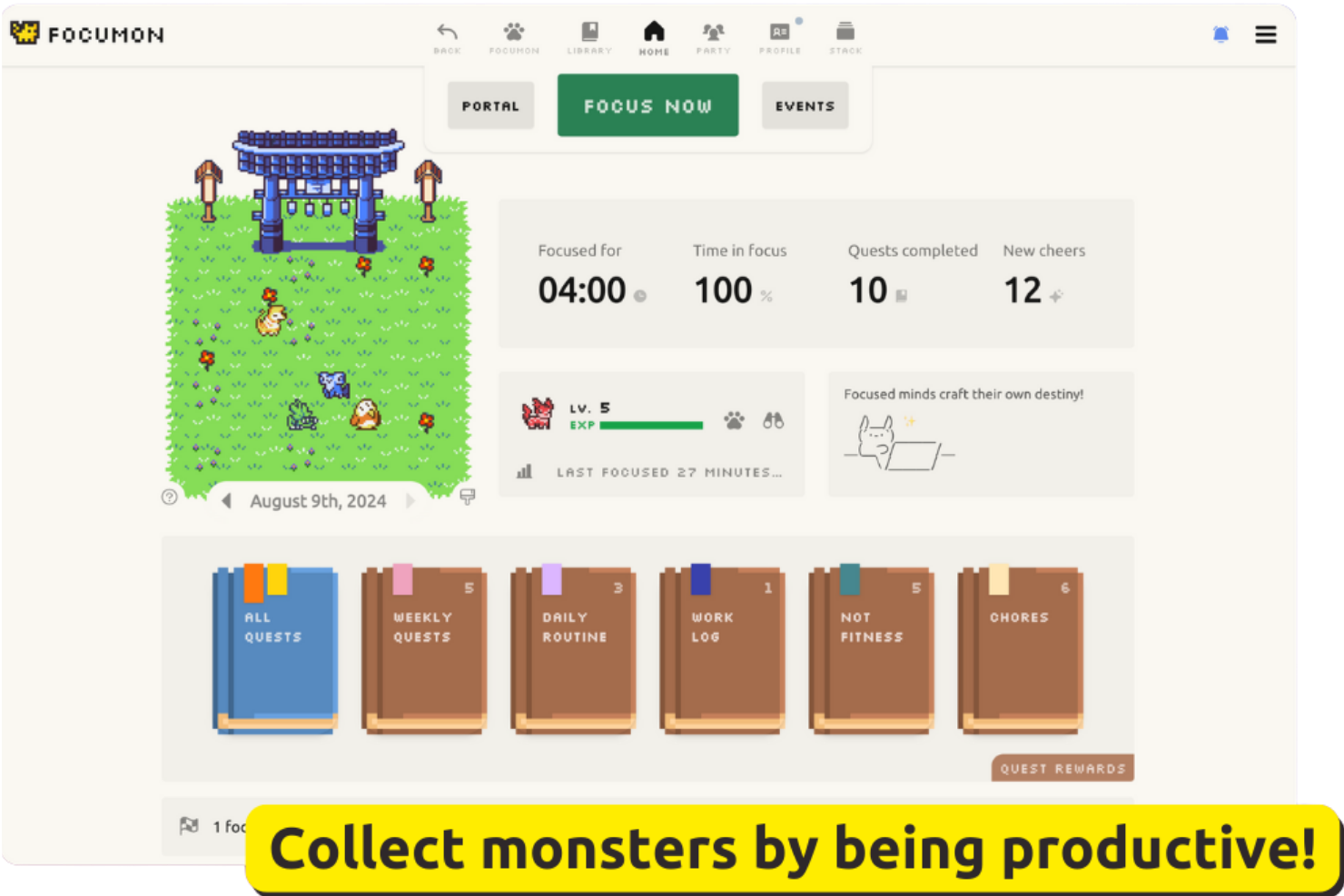
Focumon turns productivity into a game by letting you earn and collect digital creatures as you complete tasks. This approach appeals to teams and individuals who want a playful way to stay motivated and accountable. If you’re looking for a focus app that rewards progress with tangible, gamified incentives, Focumon offers a unique twist on habit-building.
Why I Picked Focumon
What sets Focumon apart is its creative use of gamified incentives to drive productivity. I picked Focumon because it transforms task completion into a rewarding experience by letting you collect and evolve digital creatures as you stay focused. The platform also introduces competitive and collaborative elements, allowing users to join teams and participate in productivity challenges. For anyone who finds traditional focus apps uninspiring, Focumon’s playful approach can make building better habits feel genuinely engaging.
Focumon Key Features
In addition to its gamified rewards system, I also found these features worth noting:
- Daily Focus Timer: Tracks your focused work sessions and helps you monitor productivity streaks.
- Task List Integration: Lets you create, organize, and check off tasks directly within the platform.
- Progress Analytics: Provides visual reports on your completed tasks and focus trends over time.
- Customizable Avatars: Allows you to personalize your digital creatures with unique accessories and themes.
Focumon Integrations
Native integrations are not currently listed.
Pros and Cons
Pros:
- Visual progress analytics track productivity trends
- Team challenges encourage group accountability
- Gamified rewards system motivates consistent focus
Cons:
- No offline functionality for focus sessions
- Progress resets if daily streak is broken

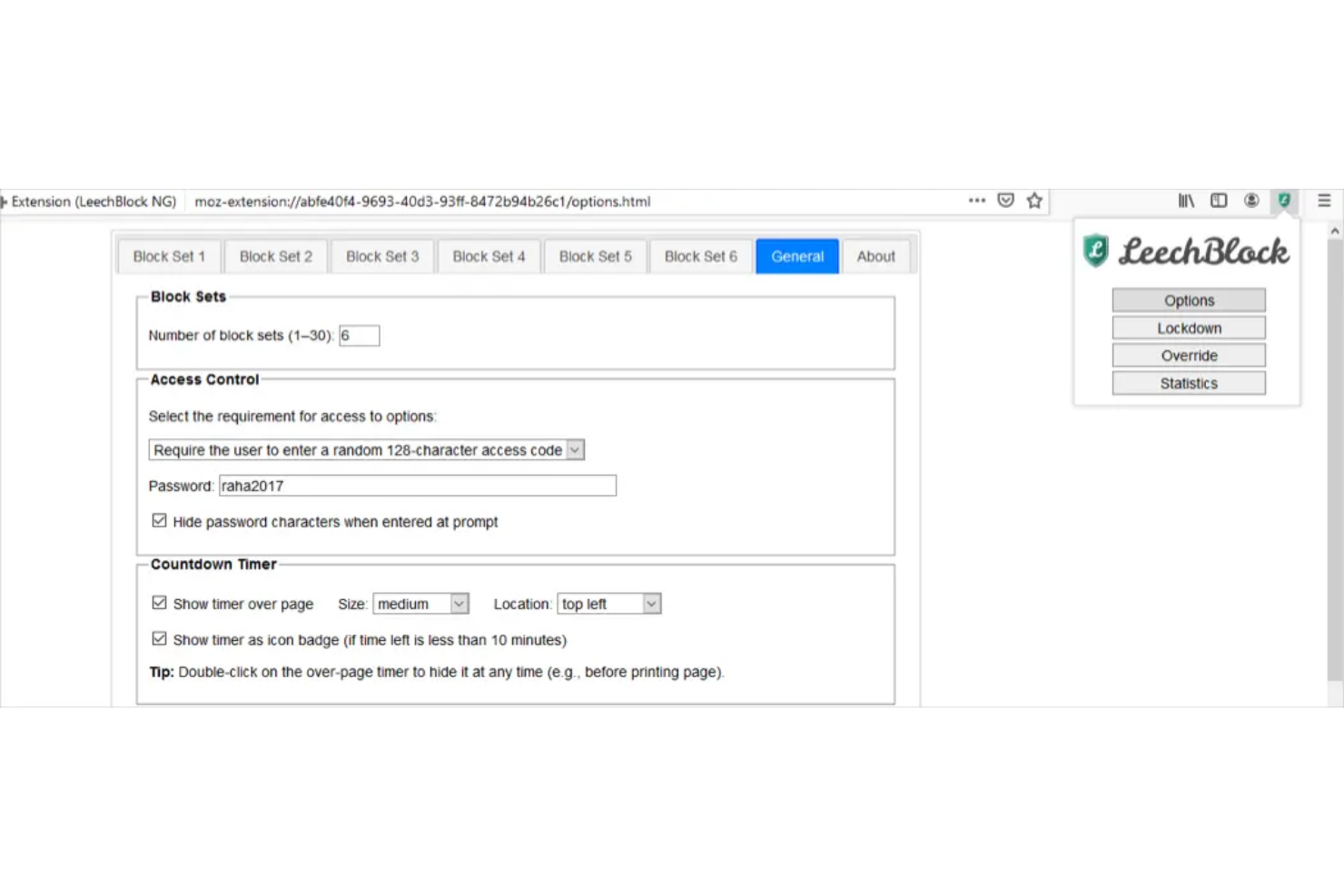
LeechBlock NG is a browser extension designed for anyone who needs granular control over distracting websites. It’s especially useful for professionals and students who want to set up detailed blocking schedules and custom rules for different sites. If you’re looking for a focus app that lets you fine-tune exactly when and how sites are blocked, LeechBlock NG offers a level of flexibility that’s hard to match.
Why I Picked LeechBlock NG
LeechBlock NG stands out for its ability to create highly customized browser blocking rules, which is essential for anyone who needs strict control over online distractions. I picked LeechBlock NG because it lets you set up multiple blocking sets, each with its own schedule, time limits, and exceptions. You can block sites based on specific days, hours, or even after a certain amount of time spent browsing. For users who want to tailor their focus app to match complex work routines or personal productivity goals, LeechBlock NG offers unmatched flexibility.
LeechBlock NG Key Features
Some other features that make LeechBlock NG appealing for focus management include:
- Password Protection: Requires a password to access blocked sites or change settings.
- Lockdown Mode: Instantly blocks all specified sites for a set period.
- Customizable Block Messages: Lets you display personalized messages when a blocked site is accessed.
- Statistics Dashboard: Tracks and displays your browsing and blocking activity over time.
LeechBlock NG Integrations
Native integrations are not currently listed.
Pros and Cons
Pros:
- Lockdown mode enables immediate, total blocking
- Password protection prevents bypassing restrictions
- Supports unlimited custom blocking sets and rules
Cons:
- No built-in focus timer or Pomodoro feature
- No mobile app or cross-device sync

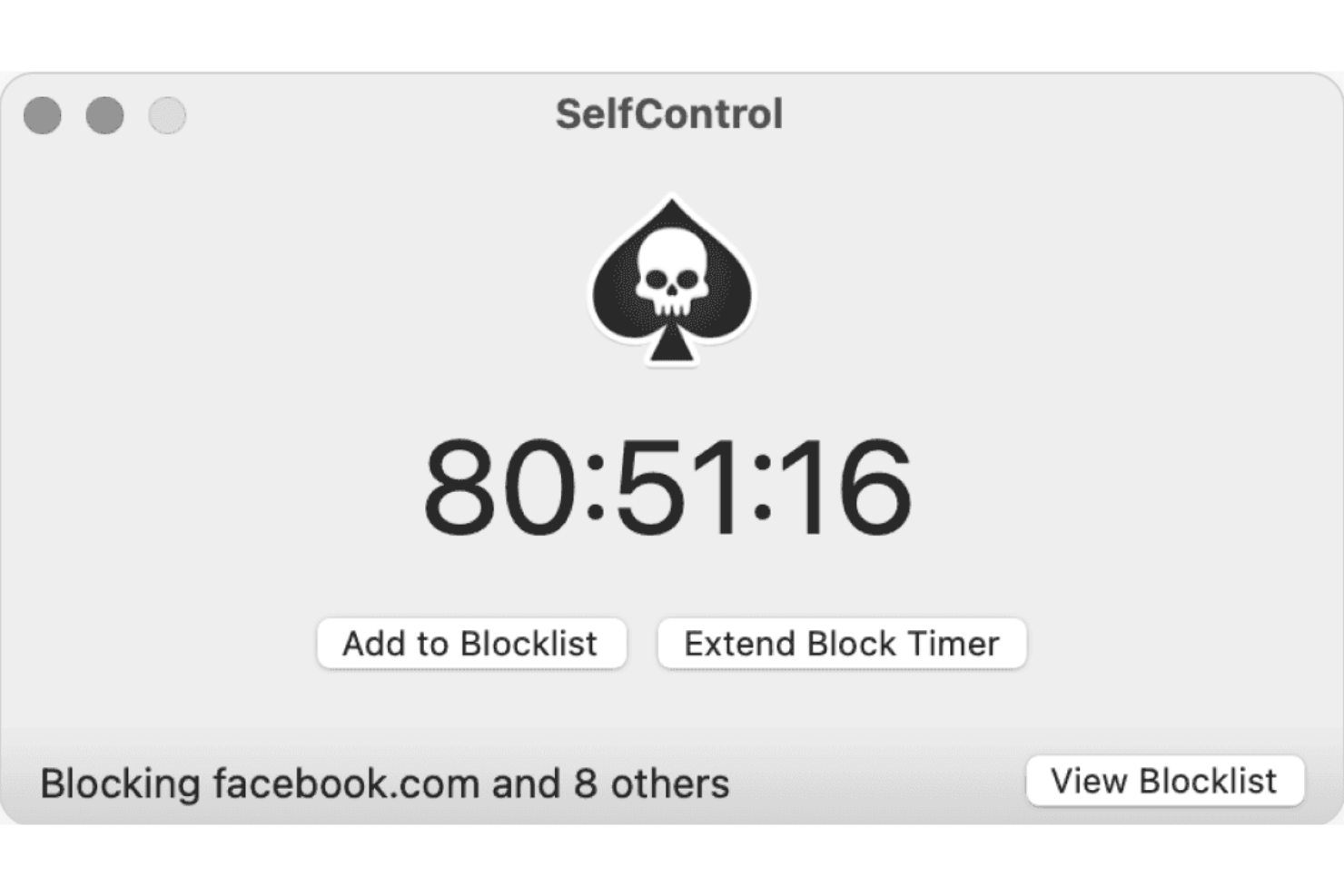
If you need a no-excuses approach to blocking distractions on your Mac, SelfControl is built for you. This app appeals to students, freelancers, and anyone who wants to enforce strict website blocking that can’t be undone—even by restarting your device. SelfControl is a strong choice if you want a focus app that makes it impossible to access blocked sites until your timer runs out.
Why I Picked SelfControl
What sets SelfControl apart is its uncompromising approach to blocking access to distracting websites on Mac devices. I picked SelfControl because once you start a block session, there’s no way to disable it—not even by restarting your computer or deleting the app. This strict enforcement is ideal for anyone who needs a focus app that removes all temptation to override their own rules. For users who struggle with self-discipline or need a hard barrier against online distractions, SelfControl’s irreversible timer and blacklist features make it uniquely effective.
SelfControl Key Features
Some other features that make SelfControl useful for focus sessions include:
- Custom Blocklist: Lets you add any website or mail server to your personal blocklist.
- Adjustable Timer: Allows you to set block sessions anywhere from 15 minutes to 24 hours.
- Open Source Code: Provides transparency and the ability for users to review or modify the app.
- Lightweight Application: Runs with minimal system resources and doesn’t require background services.
SelfControl Integrations
Native integrations are not currently listed.
Pros and Cons
Pros:
- Open source for transparency and community input
- No way to disable timer once started
- Blocked sites remain inaccessible after restarting
Cons:
- Cannot whitelist sites during a block session
- No scheduling or recurring block sessions
Outras aplicações de concentração
Eis algumas opções adicionais de aplicações de concentração que não entraram na minha lista, mas que ainda vale a pena conhecer:
- Focus Friend
For accountability partner integration
- Cold Turkey Blocker
For scheduled lockout sessions
- Todoist
For team collaboration features
- Brain.fm
For productivity-boosting music
- Microsoft To Do
With Microsoft 365 ecosystem
- TickTick
For built-in calendar integration
- Things
For intuitive task organization
- Sunsama
For daily planning workflows
- Habitify
For habit tracking alongside tasks


How I Evaluate Focus Apps
I look for tools that clear two bars: the baseline requirements—like distraction blocking and session tracking—and the differentiators that make one app a better fit than another for how project teams actually work.
Core Functionality (Table Stakes For This List)
When I'm selecting tools for my list, I rank each one on a scale from 0 (does not offer the functionality) to 5 (excels in this area) for each core functionality listed below. Then, I calculate the tool's total score into a percentage. Each tool needs to achieve a minimum total score of 65% to be considered for inclusion.
- Distraction Blocking: I check whether the app blocks websites, apps, and notifications—and whether it offers strict or lockdown modes that prevent you from overriding blocks mid-sprint.
- Focus Timer or Pomodoro: The timer should support multiple session styles, like classic Pomodoro intervals or longer deep-work blocks for planning sessions and backlog grooming.
- Session Tracking & Analytics: I look for logged session history and trend reports that help you see where your focus hours actually go across a workweek.
- Task or Project Integration: Connecting a focus session to a specific task in tools like Asana, Jira, or Todoist turns time data into something useful for standups and sprint reviews.
- Cross-Device Availability: I evaluate whether the app runs on desktop, mobile, and browser with synced data, so your focus setup follows you between a laptop and a phone.
- Customizable Work/Break Rules: Good focus apps let you configure session lengths, break intervals, and blocklists per project—so your rules for creative work differ from your rules for admin tasks.
Once I have a list of tools that meet the criteria, I consider what sets each platform apart.
Differentiating Factors (What Sets Vendors Apart)
Here's how I compare and contrast different vendors:
Standout Features
Team focus sessions are a big deal for remote project leads—apps like Flown and Focusmate let distributed teammates co-work in real time, which builds accountability during sprint pushes. I also look for calendar sync that pulls in your Google Calendar or Outlook schedule and auto-blocks focus time around existing meetings. Gamification features like streaks and virtual rewards help sustain focus habits over weeks, not just one productive afternoon.
Beyond Features
Pricing structure matters—I check whether a tool offers a free tier for solo PMs exploring options and transparent per-seat pricing for rolling it out across a project team. Privacy and data handling also deserve a close look, especially for apps that track screen activity or browsing behaviour. I evaluate whether the vendor is clear about what data it collects and how it stores it. Team admin capabilities round out my assessment; scrum masters and program coordinators need aggregate dashboards and shared blocklist controls without crossing into micromanagement.
Como escolher aplicações de concentração
É fácil ficar perdido entre listas extensas de funcionalidades e estruturas de preços complexas. Para o ajudar a manter o foco enquanto realiza o seu processo específico de seleção de software, apresentamos uma lista de fatores a ter em conta:
| Fator | O que deve considerar |
|---|---|
| Escalabilidade | A ferramenta irá responder às suas necessidades à medida que a sua equipa ou carga de trabalho crescem? Considere os limites de utilizadores e as opções de atualização. |
| Integrações | A aplicação liga-se às ferramentas que já utiliza, como calendários ou plataformas de gestão de projetos? Procure integrações nativas, não apenas acesso à API. |
| Possibilidade de personalização | Pode adaptar listas de bloqueio, horários e notificações ao seu fluxo de trabalho? Evite ferramentas que imponham estruturas rígidas se as suas necessidades forem específicas. |
| Facilidade de utilização | A interface é simples para todos os utilizadores? Teste a clareza da navegação e a necessidade de formação reduzida, especialmente no caso de equipas distribuídas. |
| Implementação e integração inicial | Com que rapidez pode a sua equipa começar? Procure recursos de integração inicial, apoio à migração e confirme se a configuração requer o envolvimento da equipa de TI. |
| Custo | O modelo de preços adequa-se ao seu orçamento e aos seus padrões de utilização? Esteja atento a custos ocultos, cobranças por utilizador ou atualizações obrigatórias para aceder às funcionalidades essenciais. |
| Medidas de segurança | Como protege a ferramenta os seus dados e a sua privacidade? Verifique a encriptação, as políticas de retenção de dados e os controlos administrativos, especialmente se lidar com informações sensíveis. |
| Disponibilidade do apoio | Que canais de apoio são disponibilizados e durante que horário? Considere se precisa de chat em direto, apoio telefónico ou apenas por email, e se o apoio está incluído ou tem um custo adicional. |
O que são aplicações de concentração?
As aplicações de foco são aplicações de produtividade concebidas para ajudar os utilizadores a minimizar as distrações e a manter a concentração durante sessões de trabalho ou estudo. Estas aplicações de topo bloqueiam frequentemente o acesso a sites que causam distração, como as redes sociais, programam períodos de foco e acompanham padrões de produtividade para reduzir a procrastinação e ajudar a realizar mais em menos tempo. Disponíveis em plataformas como a App Store e o Google Play, muitas oferecem uma versão gratuita e são compatíveis com dispositivos macOS e Windows. Algumas incluem também funcionalidades de gamificação para tornar a manutenção do foco mais cativante.
Funcionalidades das aplicações de foco
Ao selecionar aplicações de foco, procure as seguintes funcionalidades principais:
- Bloqueio de sites e aplicações: Impede o acesso a sites ou aplicações que causam distração durante os períodos de foco programados, ajudando os utilizadores a manterem-se concentrados na tarefa.
- Sessões programadas: Permite aos utilizadores definir horários específicos para períodos de foco ou de pausa, apoiando rotinas de trabalho estruturadas e a gestão do tempo.
- Listas de bloqueio personalizadas: Permite aos utilizadores criar listas personalizadas de sites ou aplicações a bloquear, adaptando a experiência aos fatores de distração individuais.
- Modos de bloqueio: Impõem restrições que não podem ser facilmente contornadas, garantindo que os utilizadores se mantêm empenhados nas suas sessões de foco.
- Acompanhamento da produtividade: Monitoriza o tempo passado no modo de foco e fornece relatórios ou análises para ajudar os utilizadores a compreender e melhorar os seus hábitos.
- Proteção por palavra-passe: Exige uma palavra-passe para alterar ou desativar as definições de bloqueio, acrescentando uma camada adicional de responsabilização.
- Mensagens motivacionais: Apresenta mensagens personalizadas ou predefinidas quando os utilizadores tentam aceder a conteúdos bloqueados, reforçando os objetivos de foco.
- Lembretes de pausa: Notifica os utilizadores quando é altura de fazer uma pausa, apoiando ritmos de trabalho saudáveis e reduzindo o esgotamento.
- Compatibilidade com vários dispositivos: Permite o bloqueio e o acompanhamento em vários dispositivos, garantindo um foco consistente, quer seja num computador ou num dispositivo móvel.
- Perfis de utilizador: Permite que vários utilizadores configurem preferências e horários individuais, tornando a aplicação adequada para equipas ou dispositivos partilhados.
Vantagens das aplicações de foco
A implementação de aplicações de foco proporciona várias vantagens à sua equipa e à sua empresa. Eis algumas das que pode esperar:
- Redução das distrações digitais: Bloquear o acesso a sites e aplicações que causam distração ajuda os utilizadores a manter a concentração e a evitar interrupções durante as sessões de trabalho.
- Melhor gestão do tempo: As sessões programadas e os lembretes de pausa incentivam hábitos de trabalho estruturados e uma utilização mais intencional do tempo.
- Maior responsabilização: Os modos de bloqueio e a proteção por palavra-passe dificultam o contorno das restrições, apoiando os utilizadores no cumprimento dos seus objetivos de foco.
- Melhores informações sobre a produtividade: O acompanhamento da produtividade e as análises dão aos utilizadores e gestores visibilidade sobre os padrões de foco e as áreas a melhorar.
- Estratégias de foco personalizadas: As listas de bloqueio personalizadas e as mensagens motivacionais permitem aos utilizadores adaptar a aplicação aos seus fatores de distração e preferências específicas.
- Foco consistente em vários dispositivos: A compatibilidade com vários dispositivos garante que os limites de foco são mantidos, quer se trabalhe num computador ou num dispositivo móvel.
- Rotinas de trabalho mais saudáveis: Os lembretes de pausa integrados ajudam a prevenir o esgotamento e promovem hábitos de trabalho sustentáveis e equilibrados.
Custos e preços das aplicações de foco
A seleção de aplicações de foco exige uma compreensão dos vários modelos de preços e planos disponíveis. Os custos variam consoante as funcionalidades, a dimensão da equipa, os complementos, entre outros fatores. A tabela abaixo resume os planos comuns, os respetivos preços médios e as funcionalidades normalmente incluídas nas soluções de aplicações de foco:
Tabela de comparação de planos para aplicações de foco
| Tipo de plano | Preço médio | Funcionalidades comuns |
|---|---|---|
| Plano gratuito | $0 | Bloqueio básico de sites e aplicações, sessões programadas limitadas, relatórios simples e compatibilidade com um único dispositivo. |
| Plano pessoal | $5–$10/utilizador/mês | Listas de bloqueio ilimitadas, programação avançada, acompanhamento da produtividade, proteção por palavra-passe e sincronização entre vários dispositivos. |
| Plano empresarial | $10–$25/utilizador/mês | Gestão de equipas, perfis de utilizador, controlos de administração centralizados, análises de utilização e suporte prioritário. |
| Plano empresarial avançado | $25–$50/utilizador/mês | Integrações personalizadas, medidas de segurança avançadas, assistência na integração, funcionalidades de conformidade e gestão dedicada de contas. |
Perguntas frequentes sobre aplicações de concentração
Aqui estão algumas respostas a perguntas comuns sobre aplicações de concentração:
É possível utilizar aplicações de concentração em vários dispositivos?
Sim, muitas aplicações de concentração são compatíveis com vários dispositivos. Isto permite bloquear distrações e acompanhar sessões de concentração tanto em computadores como em dispositivos móveis, garantindo limites consistentes, independentemente do local onde trabalha.
Como é que as aplicações de concentração lidam com as pausas programadas?
A maioria das aplicações de concentração permite programar tanto períodos de concentração como pausas. A aplicação irá notificá-lo quando for altura de fazer uma pausa, ajudando-o a manter um ritmo de trabalho saudável e a evitar o esgotamento.
As aplicações de concentração são adequadas para equipas ou apenas para indivíduos?
Sim, várias aplicações de concentração incluem funcionalidades para equipas. Estas podem incluir controlos de administração centralizados, perfis de utilizador e relatórios para toda a equipa, tornando-as úteis tanto para indivíduos como para grupos.
O que acontece se precisar de aceder a um site bloqueado durante uma sessão?
Algumas aplicações de concentração permitem o acesso de emergência ou exigem uma palavra-passe para substituir um bloqueio, enquanto outras impõem modos de bloqueio rigorosos que não podem ser contornados. Consulte as definições da aplicação para verificar qual a abordagem mais adequada às suas necessidades.
As aplicações de concentração armazenam ou partilham os meus dados?
A maioria das aplicações de concentração armazena os dados de utilização localmente ou na nuvem, dependendo do produto. Consulte a política de privacidade e as medidas de segurança de cada aplicação para compreender como os seus dados são tratados e se são partilhados com terceiros.