

10 Melhores alternativas ao Clockify para horas faturáveis em 2026

Melhores alternativas ao Clockify: lista restrita


Uma alternativa sólida ao Clockify oferece um registo de tempo fiável, relatórios flexíveis e integrações que se adequam ao fluxo de trabalho da sua equipa. Se está à procura das melhores alternativas ao Clockify, é provável que esteja à procura de ferramentas que lidem com necessidades de projeto variáveis, permitam uma faturação precisa ou disponibilizem funcionalidades que o Clockify não oferece.
Com tantas opções disponíveis, é difícil saber qual a plataforma que o ajudará realmente a gerir o tempo, os projetos e as equipas sem criar obstáculos adicionais.
Esta lista apresenta as principais alternativas para 2026, para que possa comparar funcionalidades, perceber o que distingue cada ferramenta e escolher a opção certa para os desafios reais da sua equipa.
O que é o Clockify?
O Clockify é uma ferramenta de registo de tempo baseada na nuvem que ajuda equipas e indivíduos a registar as horas de trabalho, acompanhar o progresso dos projetos e gerar relatórios detalhados. Suporta o registo de tempo manual e automático, a organização de projetos e tarefas e a integração com plataformas populares de gestão de projetos e produtividade.
Os gestores de projeto, os profissionais independentes e as empresas utilizam o Clockify para monitorizar a produtividade, gerir horas faturáveis e obter uma visão otimizada das equipas distribuídas.
Tabela de comparação das alternativas ao Clockify
A tabela abaixo compara os detalhes de preços das minhas principais alternativas ao Clockify.
| Tool | Best For | Trial Info | Price | ||
|---|---|---|---|---|---|
| 1 | Best for monitoring-heavy compliance tracking | 14-day free trial + free demo available | From $3.99/user/month (billed annually) | Website | |
| 2 | Best for payroll integration | 30-day free trial | From $20/month + $10/user/month | Website | |
| 3 | Best for client billing management | Free plan + 14-day free trial + free demo available | From $5/user/month | Website | |
| 4 | Best for facial recognition clock-ins | Free plan + free demo available | Pricing upon request | Website | |
| 5 | Best for automatic activity tracking | Free plan + free trial + free demo available | From $3.99/user/month (billed annually) | Website | |
| 6 | Best for GPS-enabled mobile teams | 14-day free trial + free demo available | From $40/month | Website | |
| 7 | Best for expense and invoice tracking | Free plan + 30-day free trial available | From $9/seat/month (billed annually) | Website | |
| 8 | Best for lightweight desktop use | Free plan + 14-day free trial available | From $9/month (billed annually) | Website | |
| 9 | Best for global compliance features | Free demo available | Pricing upon request | Website | |
| 10 | Best for legal and accounting professionals | 14-day free trial + free demo available | From $11.20/user/month (billed annually) | Website |
Why Trust Our Software Recommendations
Our team has been testing and reviewing software since 2012. As project managers ourselves, we know how difficult—and important—it is to choose the right software.
For this guide, we evaluated tools using hands-on testing and independent research, scoring tools using our selection criteria. We also draw on insights from industry thought leaders and practicing project management experts.
Our reviews reflect our human editorial judgment, not a sales pitch.
Expert reviewers:
Análises das melhores alternativas ao Clockify
Seguem-se os meus resumos detalhados das alternativas ao Clockify que entraram na minha lista restrita. As minhas análises apresentam uma visão detalhada das funcionalidades, dos melhores casos de utilização e das integrações de cada ferramenta, para o ajudar a encontrar a melhor opção para si.

Best for monitoring-heavy compliance tracking
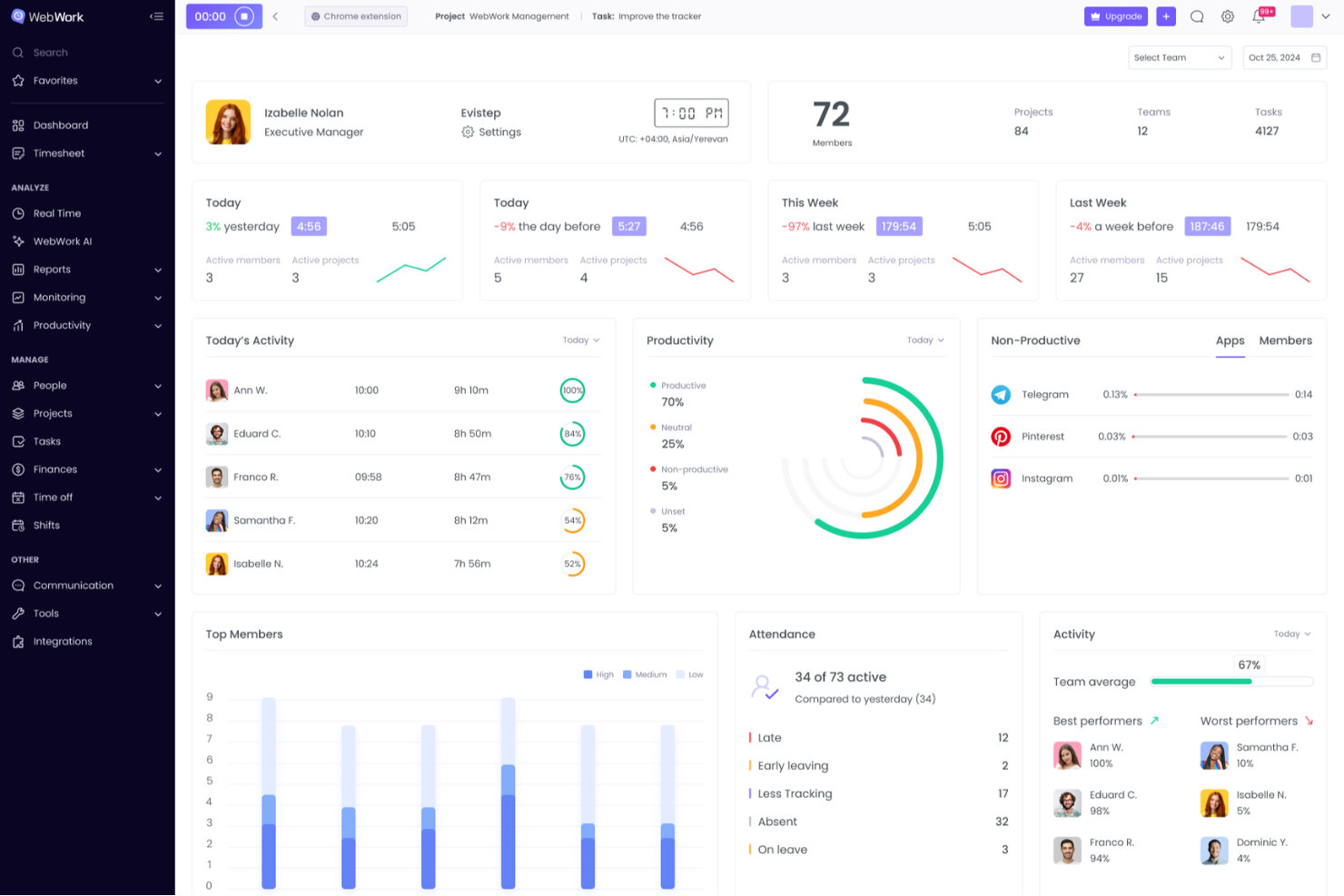
WebWork Time Tracker is time tracking software for remote teams, agencies, and growing businesses that need clearer work-hour records, attendance visibility, productivity insights, and project cost control.
Who Is WebWork Time Tracker Best For?
WebWork Time Tracker fits compliance-focused teams that need detailed activity records, attendance oversight, and auditable work-hour data across remote operations.
Why I Picked WebWork Time Tracker
I picked WebWork Time Tracker because it supports monitoring-heavy compliance tracking through screenshots, activity levels, and app or website usage records. I use its attendance data and detailed reports to verify hours, investigate disputed work logs, and document remote-team activity for audits.
WebWork Time Tracker Key Features
- Automatic time tracking: Records work hours across desktop, web, mobile, and Chrome.
- Timesheets: Organizes hours by person, project, and task.
- Payroll calculations: Calculates pay from approved hours and hourly rates.
- Invoice generation: Converts billable hours into client invoices.
WebWork Time Tracker Integrations
WebWork Time Tracker offers integrations with Google Workspace, Slack, Trello, Asana, Jira, ClickUp, Notion, Google Calendar, and Outlook Calendar, plus Make and Zapier. It also provides a public API and webhooks for custom integrations, with API access available on the Premium plan.
Pros and Cons
Pros:
- Activity records expose unproductive application usage
- Attendance reports verify disputed work hours
- Detailed screenshots support compliance audits
Cons:
- Reports may require administrative interpretation
- Frequent monitoring can feel intrusive
New Product Updates from WebWork Time Tracker
WebWork Time Tracker Adds WFH Requests and Flexible Shifts
WebWork Time Tracker adds work-from-home balances, requests, and flexible shifts. These updates simplify remote work scheduling and attendance tracking. For more information, visit WebWork Time Tracker’s official site.
 .

Best for payroll integration
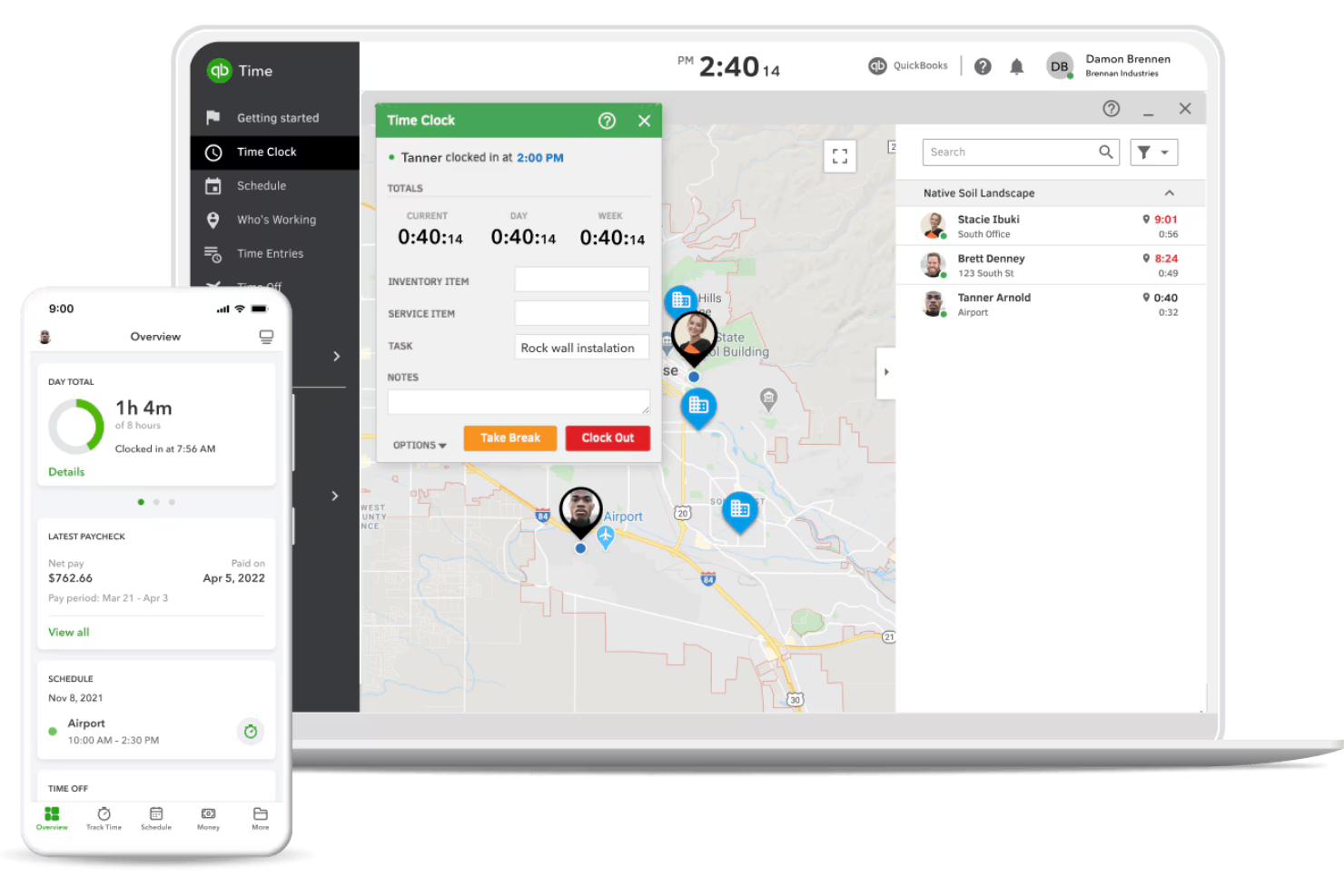
For teams that need time tracking tightly connected to payroll, QuickBooks Time offers a direct link between employee hours and payroll processing. This tool is especially useful for businesses with hourly workers, field teams, or anyone already using QuickBooks for accounting. Unlike Clockify, QuickBooks Time stands out by automating timesheet syncing with payroll, reducing manual entry and payroll errors.
Why QuickBooks Time Is a Good Clockify Alternative
If payroll integration is your top priority, QuickBooks Time is built specifically to connect time tracking with payroll processing. I picked QuickBooks Time because it automatically syncs employee hours with QuickBooks Payroll, which helps reduce manual data entry and payroll mistakes. The platform also supports GPS tracking and mobile time clocks, making it a strong fit for businesses with field teams or remote workers. For anyone who needs to turn timesheets into paychecks without extra steps, QuickBooks Time offers a direct solution that Clockify doesn’t match.
QuickBooks Time Key Features
Some other features in QuickBooks Time that may be useful for your team include:
- Job and Shift Scheduling: Assign jobs and shifts to employees and view schedules in a calendar format.
- Geofencing: Set location-based reminders for employees to clock in or out when they enter or leave a job site.
- Time Off Management: Track and approve employee time off requests directly within the platform.
- Real-Time Reporting: Generate up-to-date reports on hours worked, project time allocation, and labor costs.
QuickBooks Time Integrations
Integrations include QuickBooks Online, Gusto, ADP, Square, Clover, Xero, Sage, Salesforce, and Buildertrend.
Pros and Cons
Pros:
- Great for field service teams
- Painless payroll data export
- Strong GPS and geofencing tools
Cons:
- Occasional data sync glitches
- Intrusive location alerts

My Hours
Best for client billing management
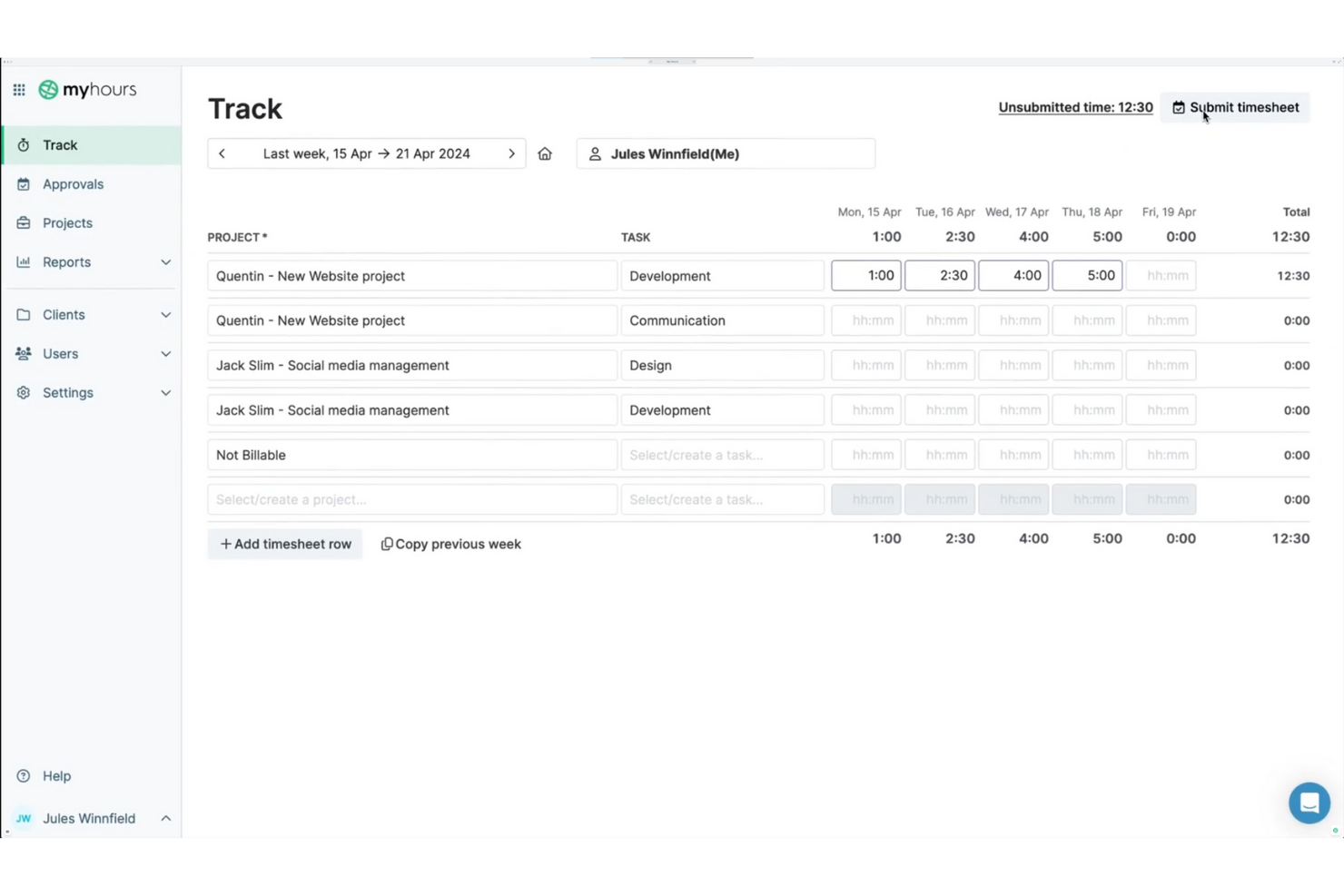
If you’re looking for a time tracking tool that puts client billing front and center, My Hours is worth a closer look. It’s designed for freelancers, agencies, and service-based teams who need to manage billable hours, project budgets, and invoicing in one place. My Hours stands out from Clockify by offering more advanced billing features and flexible client management options.
Why My Hours Is a Good Clockify Alternative
For teams and freelancers who need more control over client billing, My Hours offers features that go beyond basic time tracking. You can assign billable rates to specific projects or clients, generate detailed invoices directly from tracked hours, and track project budgets in real time. I like that My Hours lets you manage multiple clients and billing scenarios without extra manual work. If you want a time tracking tool that’s built for client billing management, My Hours is a strong alternative to Clockify.
My Hours Key Features
Some other features in My Hours that may be useful for your workflow include:
- Task Organization: Break down projects into tasks and sub-tasks for more granular tracking.
- Team Management: Assign roles and permissions to team members for better oversight.
- Customizable Reports: Generate and export detailed reports based on projects, clients, or team members.
- Mobile App: Track time and manage projects on the go with the dedicated mobile app.
My Hours Integrations
Integrations include QuickBooks Online, Xero, Jira, Asana, Monday.com, ClickUp, Basecamp, Microsoft Teams, and FreshBooks.
Pros and Cons
Pros:
- Clean and simple interface
- Easy invoice generation
- Detailed project budget tracking
Cons:
- Lacks offline time tracking
- No automatic time capture

Jibble
Best for facial recognition clock-ins
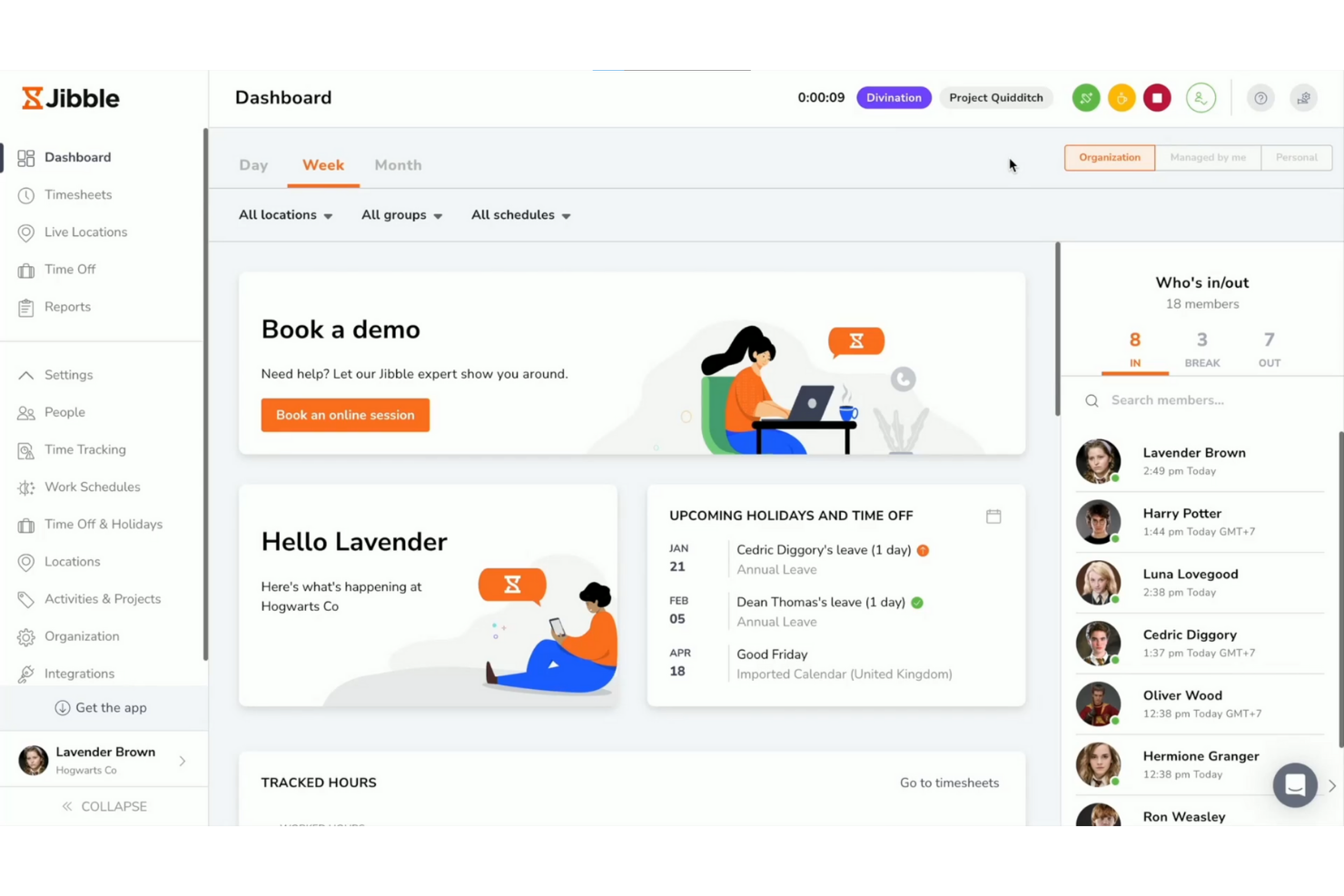
Teams that need secure, reliable attendance tracking may want to consider Jibble. This tool is designed for businesses that require facial recognition clock-ins, making it especially useful for shift-based workplaces, retail, and field teams. Jibble helps reduce buddy punching and time theft by verifying each clock-in with biometric data.
Why Jibble Is a Good Clockify Alternative
Unlike most time tracking tools, Jibble puts facial recognition at the center of its clock-in process. This approach helps prevent buddy punching and ensures that only authorized team members can log their hours. I appreciate that Jibble supports both mobile and kiosk-based facial recognition, making it flexible for different work environments. If you need a solution that prioritizes secure, verifiable attendance, Jibble offers features that go beyond what Clockify provides.
Jibble Key Features
Some other features in Jibble that may interest you include:
- Geolocation Tracking: Track where team members clock in and out using GPS data.
- Automated Timesheets: Generate timesheets automatically based on clock-in and clock-out data.
- Overtime Calculation: Calculate overtime hours according to your organization’s rules.
- Leave Management: Manage and track employee leave requests within the platform.
Jibble Integrations
Integrations include Microsoft Teams, Slack, QuickBooks Online, Xero, Deel, ADP, Asana, Trello, and Google Sheets.
Pros and Cons
Pros:
- Tablet-friendly kiosk mode
- Great for physical job sites
- Excellent GPS location tracking
Cons:
- Complex admin permission settings
- Mobile app drains battery life

TimeCamp
Best for automatic activity tracking
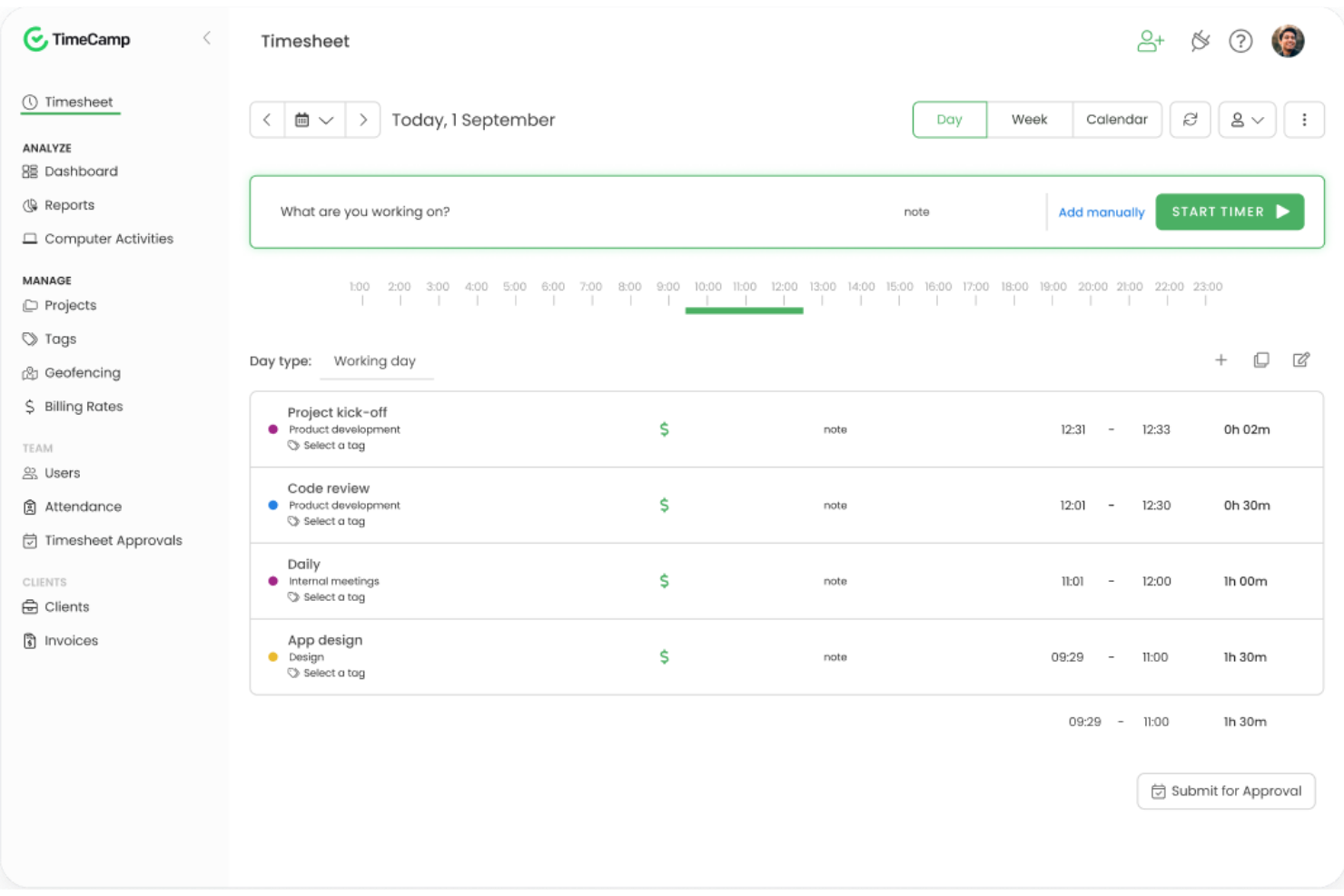
TimeCamp takes a different approach to time tracking by focusing on automatic activity monitoring. This tool is especially useful for teams and freelancers who want to capture work hours without manual input or timers. If you need detailed breakdowns of computer activity and app usage for accurate project billing or productivity analysis, TimeCamp offers features you won’t find in most standard time tracking tools.
Why TimeCamp Is a Good Clockify Alternative
Unlike most time tracking tools, TimeCamp automatically records computer activity and app usage in the background. I picked TimeCamp because it eliminates the need for manual timers, letting you capture every minute spent on projects without extra effort. The tool also categorizes activities by project or client, so you get a clear, detailed breakdown of where time goes. If you want a hands-off approach to tracking work hours, TimeCamp offers automation that sets it apart from Clockify.
TimeCamp Key Features
Some other features in TimeCamp that may be useful for your team include:
- Timesheet Approvals: Managers can review and approve submitted timesheets before payroll processing.
- Billable and Non-Billable Time Tracking: Mark tracked hours as billable or non-billable for more accurate client invoicing.
- Project Budgeting: Set project budgets and monitor tracked time against those limits.
- Attendance Tracking: Record employee start and end times to support attendance and leave management.
TimeCamp Integrations
Integrations include Trello, Asana, Monday.com, Jira, Zendesk, QuickBooks, Xero, Salesforce, Azure DevOps, and ClickUp.
Pros and Cons
Pros:
- Good client billing features
- Strong profitability reporting
- Tracks app and website usage
Cons:
- Auto-tracker makes mistakes
- Interface feels overwhelming

Best for GPS-enabled mobile teams
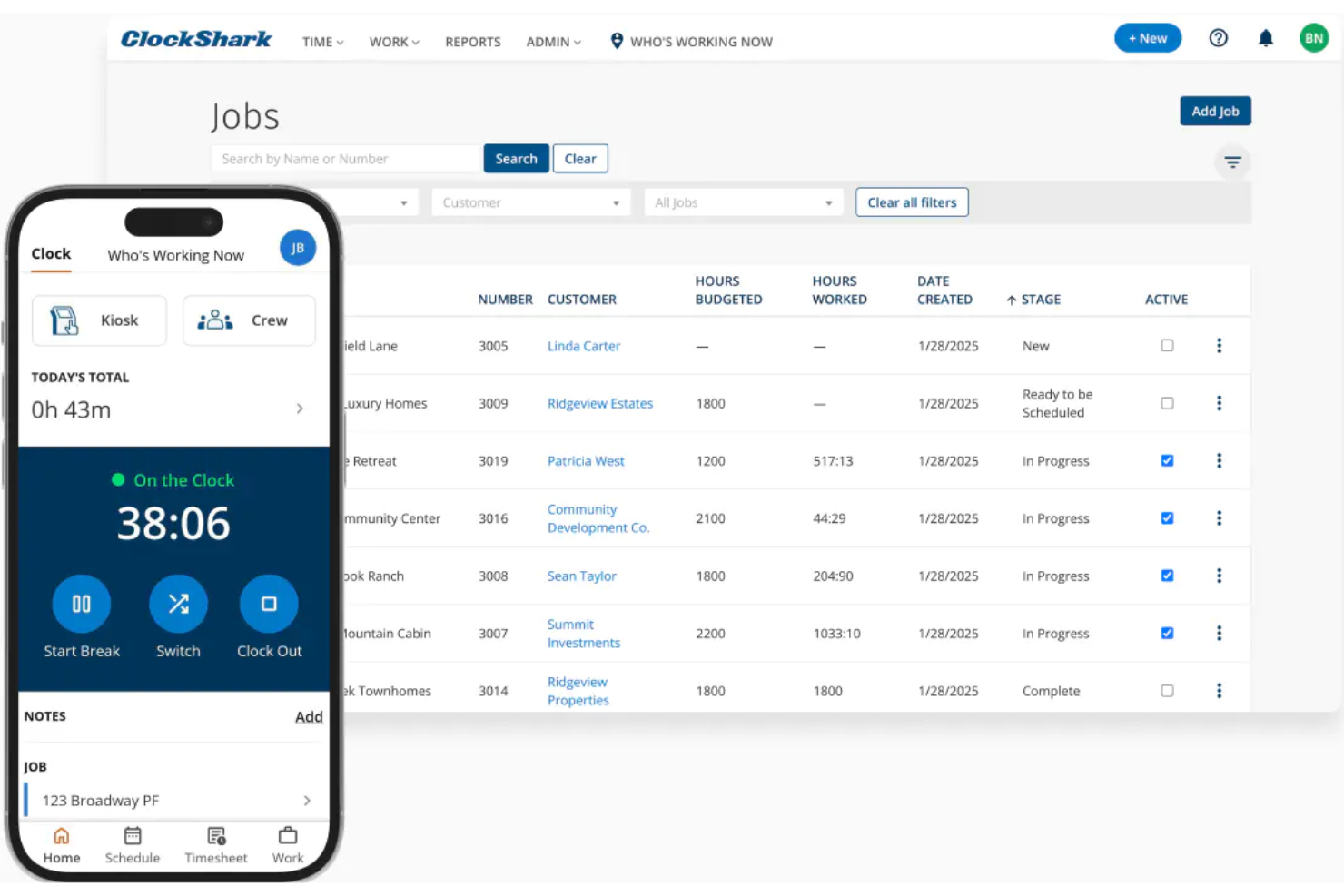
For teams that work in the field or move between job sites, ClockShark offers GPS-enabled time tracking designed for mobile crews. It’s a strong fit for construction, trades, and service businesses that need to verify worker locations and job attendance in real time. Unlike Clockify, ClockShark’s GPS features help you monitor mobile teams and reduce time theft on the go.
Why ClockShark Is a Good Clockify Alternative
If your team spends most of its time on the move, ClockShark’s GPS-enabled tracking stands out as a practical solution. I picked ClockShark because it lets you see where employees clock in and out, and even view their routes throughout the day. The geofencing feature helps ensure workers are on-site when logging hours, which is something Clockify doesn’t offer natively. For businesses that need location-based accountability, ClockShark’s mobile-first approach addresses challenges that come with managing distributed field teams.
ClockShark Key Features
Some other features in ClockShark that may be useful for your business include:
- Drag-and-Drop Scheduling: Assign shifts and jobs to employees with a simple drag-and-drop interface.
- Job and Task Codes: Track time against specific jobs or tasks for more detailed reporting.
- PTO and Sick Leave Management: Manage paid time off requests and approvals directly within the platform.
- Payroll Export Tools: Export timesheet data in formats compatible with popular payroll systems.
ClockShark Integrations
Integrations include QuickBooks, Sage 100, Xero, Jobber, Zapier, Procore, ADP, and TSheets.
Pros and Cons
Pros:
- Built-in team messaging
- Excellent mobile app for crews
- Drag-and-drop field scheduling
Cons:
- Lacks advanced invoicing features
- Weak desktop browser experience

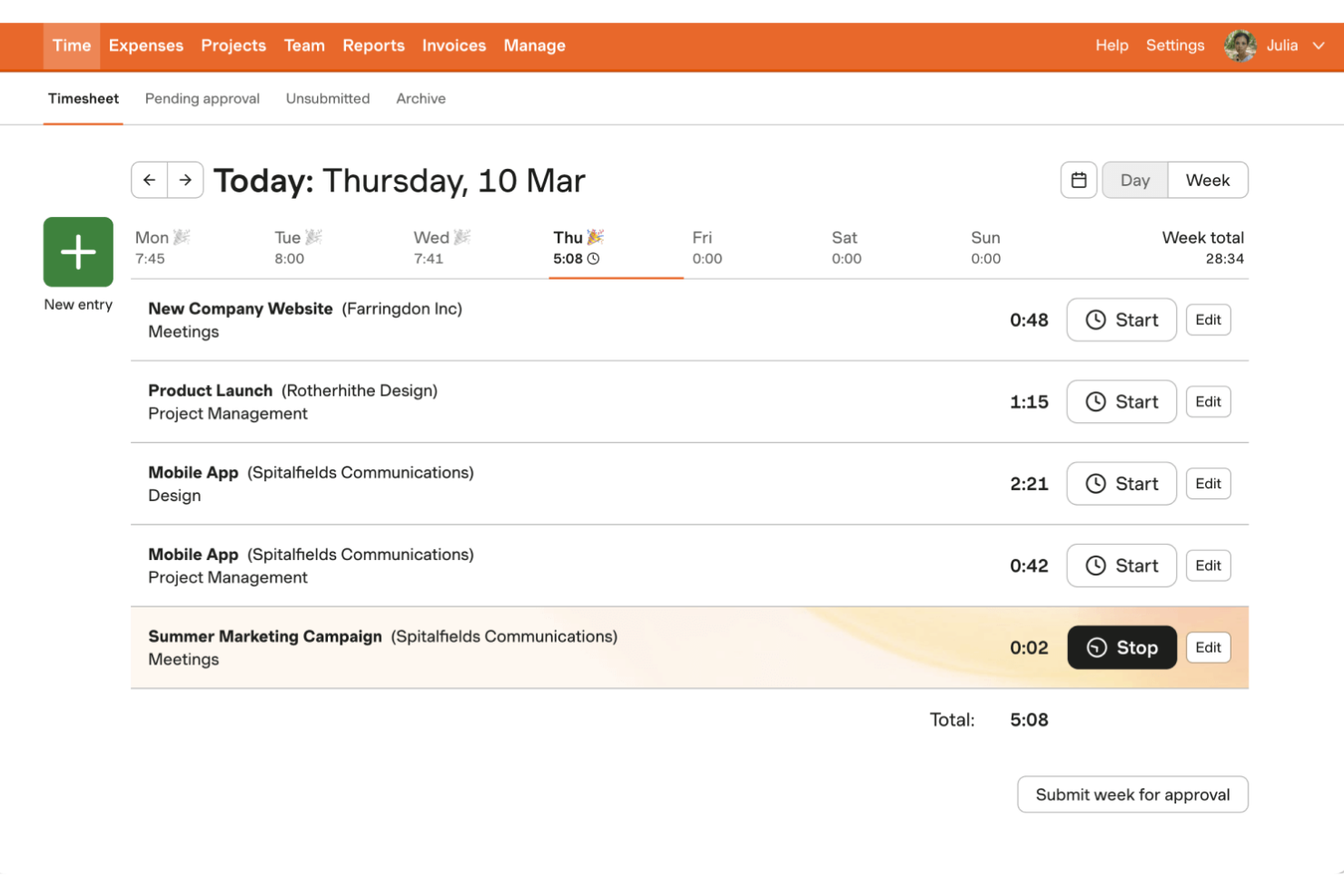
If you need a time tracking tool that also handles expenses and invoicing, Harvest is worth a close look. It’s designed for agencies, consultancies, and project-based teams that want to track billable hours and turn them into invoices without switching platforms. Unlike Clockify, Harvest combines time tracking with built-in expense logging and client invoicing, making it easier to manage the full billing cycle in one place.
Why Harvest Is a Good Clockify Alternative
For teams that need more than just time tracking, Harvest stands out by combining expense and invoice tracking in one platform. I picked Harvest because it lets you log expenses alongside tracked hours and then generate invoices directly from your timesheets and expense records. The tool also supports attaching receipts to expenses, which helps keep client billing transparent and organized. If you want to manage the full billing process without juggling multiple tools, Harvest offers a level of financial tracking that Clockify doesn’t provide.
Harvest Key Features
Some other features in Harvest that may be helpful for your team include:
- Project Budget Tracking: Set and monitor project budgets to keep spending in check.
- Team Capacity Planning: View team member availability and allocate hours across projects.
- Automated Reminders: Send automatic reminders to team members to submit timesheets.
- Visual Reporting Dashboards: Access visual dashboards that break down time and cost data by project, client, or team.
Harvest Integrations
Integrations include Asana, Trello, Slack, Zendesk, QuickBooks Online, Xero, Basecamp, Stripe, PayPal, and Google Calendar.
Pros and Cons
Pros:
- Built-in payment gateway links
- Great third-party app syncs
- Strong expense receipt tracking
Cons:
- No offline desktop mode
- Limited custom report building

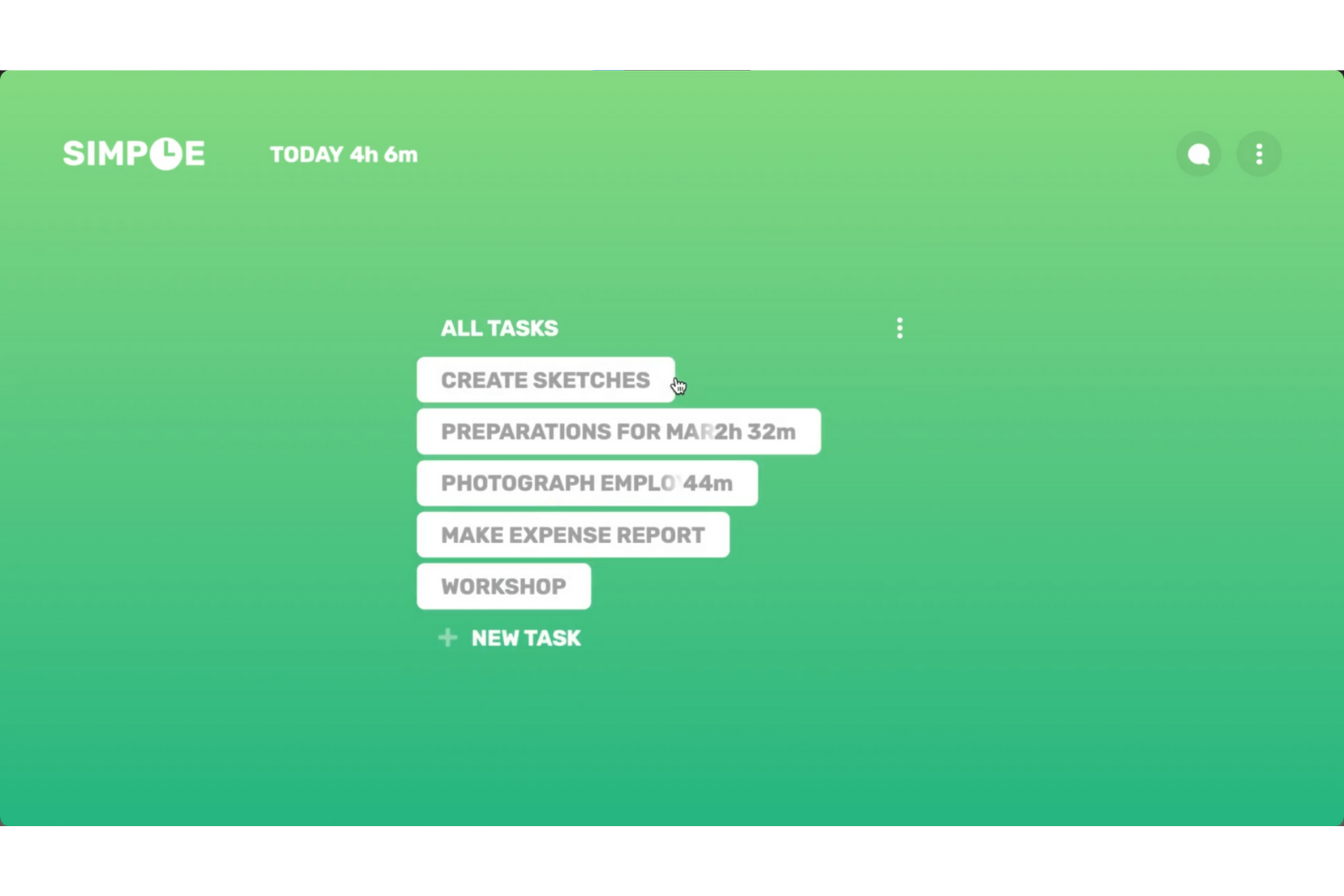
If you’re looking for a straightforward way to track time on your desktop, Simple Time Tracker is worth a look. This tool is designed for freelancers, solo professionals, and small teams who want a lightweight, no-frills solution without the complexity of larger platforms like Clockify. Simple Time Tracker stands out for its minimal interface and focus on quick, distraction-free time logging right from your desktop.
Why Simple Time Tracker Is a Good Clockify Alternative
For anyone who wants a lightweight desktop solution, Simple Time Tracker offers a focused alternative to Clockify’s broader feature set. You can start and stop timers with a single click and quickly switch between tasks without navigating through extra menus. I like that the tool keeps everything on your desktop, so you don’t have to rely on a web browser or cloud account to track your time. If you value simplicity and want to avoid unnecessary features, Simple Time Tracker is a strong pick.
Simple Time Tracker Key Features
Some other features in Simple Time Tracker that may interest you include:
- CSV Export: Export your tracked time data to CSV files for reporting or analysis.
- Tagging: Assign tags to time entries to organize and categorize your work.
- Manual Time Entry: Add or edit time entries manually for greater flexibility.
- Idle Detection: Automatically detect and flag periods of inactivity during tracking.
Simple Time Tracker Integrations
Native integrations are not currently listed by Simple Time Tracker.
Pros and Cons
Pros:
- Fast widget-based tracking
- Absolute user data privacy
- No user account required
Cons:
- Very basic reporting features
- Lacks any invoicing or billing
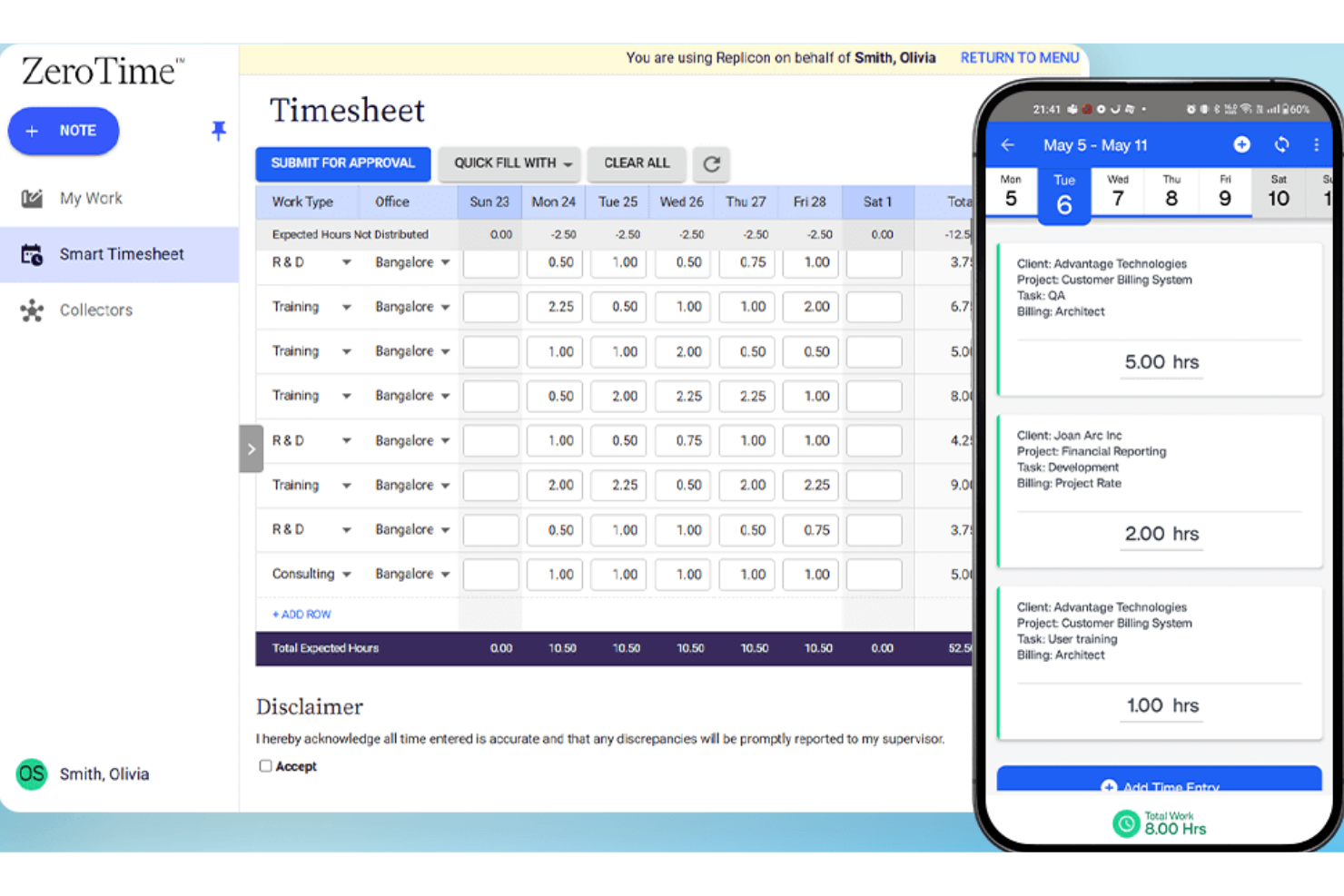
If your team operates across multiple countries or regions, Replicon is a time tracking software built to help you manage time tracking with global compliance in mind. It’s especially useful for multinational organizations and HR teams that need to navigate complex labor laws, overtime rules, and local regulations. Unlike Clockify, Replicon offers advanced compliance features that help you automate policy enforcement and reduce the risk of errors in international workforce management.
Why Replicon Is a Good Clockify Alternative
When compliance with international labor laws is a top priority for your time management, Replicon offers time tracking features that go beyond what Clockify provides. I picked Replicon because it automatically applies local overtime rules, break requirements, and holiday calendars based on each employee’s location to ensure accurate time reporting.The platform also includes audit trails and compliance reports, which help HR teams document adherence to regional regulations. For organizations managing a global workforce, Replicon’s compliance automation can help reduce manual work and the risk of costly errors.
Replicon Key Features
Some other features in Replicon that may be useful for your team include:
- AI-Powered Timesheet Validation: Automatically checks timesheets for errors or missing data before submission.
- Resource Management Module: Assigns resources to projects and tracks their allocation in real time.
- Mobile Time Tracking App: Lets users log hours, submit timesheets, and manage approvals from mobile devices.
- Customizable Approval Workflows: Allows you to set up multi-level approval processes for timesheets and expenses.
Replicon Integrations
Integrations include an open API, Salesforce, ServiceNow, Workday, Oracle NetSuite, SAP, Microsoft Dynamics, Jira, Sage Intacct, and ADP.
Pros and Cons
Pros:
- Highly scalable cloud platform
- Highly scalable cloud platform
- AI-powered timesheet approvals
Cons:
- Completely unsuited for small businesses
- Interface feels overly corporate
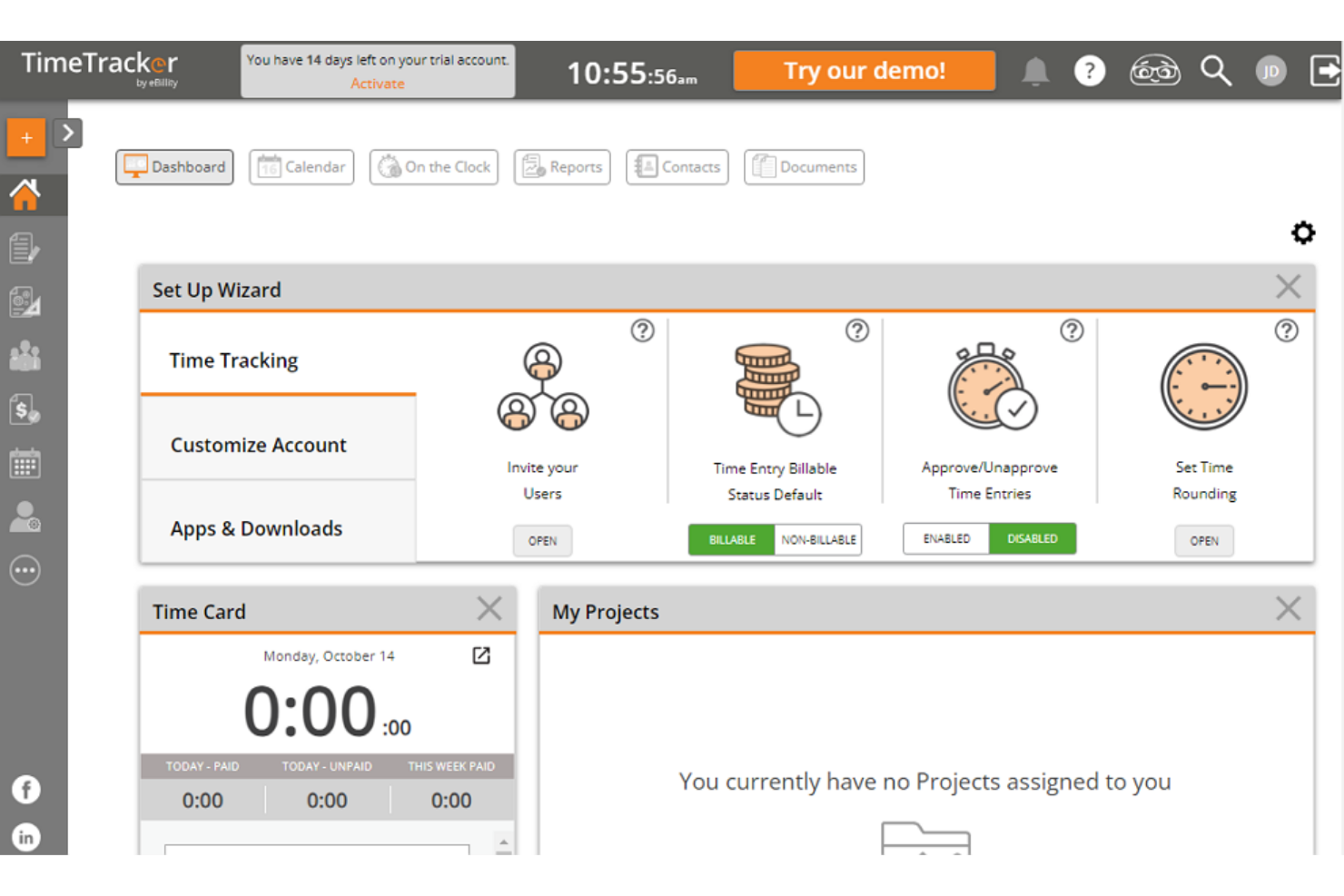
If you’re looking for a time tracking tool built for legal and accounting work, eBillity is worth a closer look. This platform caters to professionals who need detailed, billable time tracking, expense management, and compliance features tailored to client-based billing. eBillity stands out for its legal-specific tools like ABA task codes and trust accounting support, which you won’t find in most general time tracking solutions.
Why eBillity Is a Good Clockify Alternative
For legal and accounting professionals, eBillity offers specialized features that go beyond what general time tracking tools provide. I picked eBillity because it supports ABA task codes, trust accounting, and detailed client billing—capabilities that are essential for compliance and accurate invoicing in these fields. The platform also includes expense tracking and conflict checking, which help firms manage billable hours and client matters more precisely. If your work requires industry-specific compliance and billing tools, eBillity is a strong alternative to Clockify.
eBillity Key Features
Some other features in eBillity that may interest you include:
- Mobile Time Tracking: Track billable hours and expenses from your phone or tablet.
- Automated Reminders: Set up reminders for time entry and approvals to keep records accurate.
- Customizable Invoicing: Create and send invoices with your own branding and billing preferences.
- Payroll Integration: Sync tracked time directly with payroll systems for faster processing.
eBillity Integrations
Integrations include QuickBooks, Xero, Sage Intacct, Clio, Gusto, ADP, Salesforce, and Microsoft 365.
Pros and Cons
Pros:
- Excellent client billing portals
- Flexible timesheet approvals
- Strong expense tracking tools
Cons:
- Pricey for smaller businesses
- Clunky mobile application
Outras alternativas ao Clockify
Eis algumas opções adicionais de alternativas ao Clockify que não entraram na minha lista restrita, mas que vale a pena conhecer:
- Apploye
For remote employee monitoring
- Scoro
For integrated project management
- Timely
For AI-powered time logging
- Everhour
For seamless project management integrations and budgeting
- TrackingTime
For team collaboration features
- Connecteam
With mobile workforce management


How I Evaluate Clockify Alternatives
I evaluate each tool on two levels: baseline requirements like billable rate tracking and timesheet approvals, then differentiators like invoicing, capacity planning, and integration depth.
Core Functionality (Table Stakes For This List)
When I'm selecting tools for my list, I rank each one on a scale from 0 (does not offer the functionality) to 5 (excels in this area) for each core functionality listed below. Then, I calculate the tool's total score into a percentage. Each tool needs to achieve a minimum total score of 65% to be considered for inclusion.
- Time Tracking: I look for both a running timer and manual entry options, and I check whether entries can be tied to specific tasks rather than just logged as standalone hours.
- Project & Task Organization: Each tool should let you categorize time under projects, tasks, and clients so logged hours don't end up in a flat, unsortable list.
- Timesheet Management: I evaluate whether the tool offers weekly or daily timesheet views with submission and approval workflows, similar to what you'd find in Harvest or Toggl Track.
- Billable Hours & Rate Configuration: Tools need to support billable/non-billable toggles and configurable rates, especially per-project or per-user rates for agencies juggling multiple client contracts.
- Reporting & Data Exports: I check for filterable reports by project, team member, and client with export options like CSV or PDF, since most teams need to pull data into spreadsheets or share summaries with stakeholders.
- Team Access & Integrations: The tool should support multi-user workspaces with role-based permissions and connect to PM tools your team already uses, whether that's Jira, Asana, or ClickUp.
Once I have a list of tools that meet this criteria, I consider what sets each platform apart.
Differentiating Factors (What Sets Vendors Apart)
Here's how I compare and contrast different vendors:
Standout Features
Budget tracking with automated alerts is a big differentiator. When a client project approaches its hour cap, you want to know before you blow past it. I also evaluate whether a tool can generate invoices directly from tracked time. That saves agencies and freelancers from manually transferring data into separate billing software. Resource capacity planning matters too. Tools like Teamwork and Harvest offer workload views that help you spot overallocation before it derails a sprint.
Beyond Features
Pricing structure matters a lot here because Clockify's generous free tier sets a high bar. I check whether alternatives offer comparable free plans or transparent per-user pricing that won't surprise a growing team. Integration depth is another factor I weigh. A time tracker that syncs with your existing PM and accounting stack—Jira, QuickBooks, Xero—removes double entry. I also consider team size fit, since tools like Toggl Track and Harvest serve different scales and workflows than enterprise-oriented platforms like Replicon.
Por que procurar uma alternativa ao Clockify?
Embora o Clockify seja uma boa escolha como ferramenta de registo de tempo, existem vários motivos pelos quais alguns utilizadores procuram soluções alternativas. Pode estar à procura de uma alternativa ao Clockify porque…
- Precisa de monitorização por GPS para equipas móveis ou no terreno
- Pretende funcionalidades integradas de agendamento ou planeamento de turnos
- Necessita de integrações mais avançadas com processamento salarial ou faturação
- Precisa de delimitação geográfica para verificar a presença no local
- Pretende controlos mais detalhados para a gestão de dias de folga e licenças
Se alguma destas situações lhe é familiar, veio ao lugar certo. A minha lista inclui várias opções de ferramentas de registo de tempo mais adequadas para equipas que enfrentam estes desafios com o Clockify e procuram soluções alternativas.
Principais funcionalidades do Clockify
Eis algumas das principais funcionalidades do Clockify, para o ajudar a estabelecer um contraste e comparar aquilo que as soluções alternativas oferecem:
- Registo de tempo com opções de introdução manual e automática
- Registo de projetos e tarefas para uma divisão detalhada do trabalho
- Aprovação de folhas de horas e registos de auditoria
- Painéis de relatórios e análise
- Registo de horas faturáveis e gestão de tarifas
- Gestão de equipas com funções e permissões de utilizador
- Vista de calendário para visualizar o tempo registado
- Aplicações móveis para iOS e Android
- Integrações com ferramentas populares de gestão de projetos e produtividade
- Opções de exportação para processamento de salários e faturação