


Microsoft Project versus Asana: Vergelijking en beoordelingen door experts voor 2026



Microsoft Project is ontworpen voor het beheren van complexe projecten en gedetailleerde tijdlijnen. Asana richt zich op teamsamenwerking en taakbeheer met een intuïtievere interface.
Hoewel beide ondersteuning bieden voor projectworkflows, heeft Microsoft Project de voorkeur voor geavanceerde planning, terwijl Asana uitblinkt in communicatie en het bijhouden van taken.
In dit artikel vind je een gedetailleerde vergelijking van deze tools, inclusief hun functies, voor- en nadelen, prijzen en meer, zodat je de beste projectmanagementsoftware voor de behoeften van je team kunt kiezen.
Microsoft Project vs. Asana: An Overview
Microsoft Project




Asana

Waarom u onze softwareaanbevelingen kunt vertrouwen
Ons team test en beoordeelt software sinds 2012. Als projectmanagers weten we zelf hoe moeilijk — en belangrijk — het is om de juiste software te kiezen.
Voor deze gids hebben we tools geëvalueerd met behulp van praktijktests en onafhankelijk onderzoek, waarbij we tools beoordeelden aan de hand van onze selectiecriteria. We putten ook uit inzichten van vooraanstaande experts uit de branche en praktiserende projectmanagementprofessionals.
Onze reviews weerspiegelen ons menselijke redactionele oordeel, geen verkooppraatje.
Deskundige beoordelaars:
Microsoft Project vs. Asana Pricing Comparison
| Microsoft Project | Asana | |
|---|---|---|
| Free Trial | 30-day free trial | Free plan available |
| Pricing | From $10/user/month (billed annually) | From $10.99/user/month (billed annually) |
Prijzen van Microsoft Project volgen een abonnementsmodel, waarbij de kosten variëren op basis van het abonnement en de functies. Gebruikers kunnen daarnaast te maken krijgen met extra kosten voor geavanceerde functionaliteiten of integratieopties.
Prijzen van Asana maken ook gebruik van een getrapt abonnementsmodel, met een gratis versie met basisfuncties en betaalde niveaus voor geavanceerdere mogelijkheden, waarbij mogelijk extra kosten gelden voor premiumuitbreidingen.
Om de juiste tool voor je team te kiezen, bekijk je welke specifieke functies je nodig hebt en hoe deze aansluiten op de prijsstructuur. Houd daarbij rekening met eventuele extra kosten die van invloed kunnen zijn op je budget.
Microsoft Project vs. Asana Feature Comparison
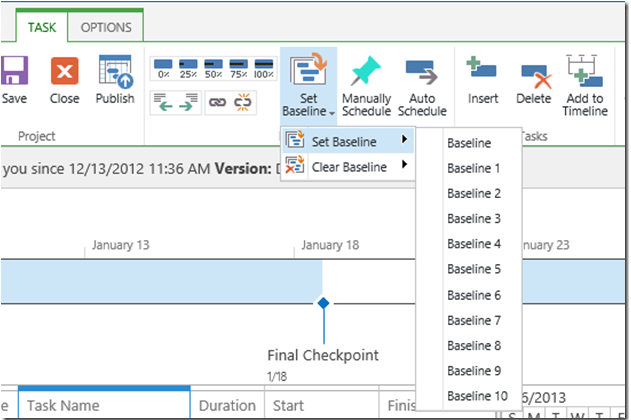
Met de tijdlijnweergave van Microsoft Project kun je complexe projectschema’s eenvoudig beheren en visualiseren, waardoor deze tool ideaal is voor gedetailleerde planning in bouwprojecten.
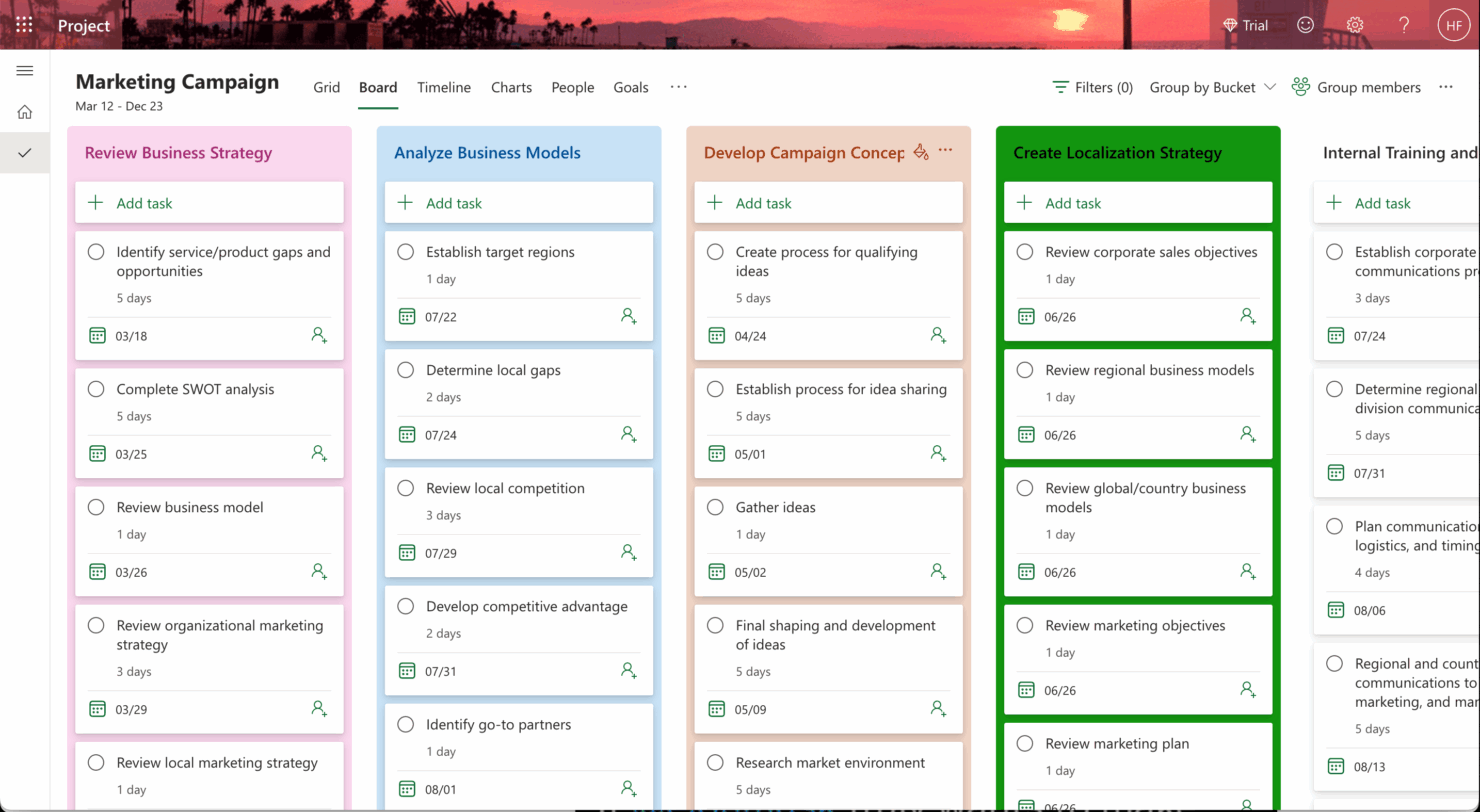
Het taakbeheer van Asana blinkt uit in samenwerkingsomgevingen, waardoor je team taken en deadlines naadloos kan volgen, wat perfect is voor marketingcampagnes.
Hoewel de gedetailleerde planning van Microsoft Project uitstekend is voor precisie, houdt het intuïtieve taakbeheer van Asana je team op één lijn en bevordert het de communicatie.
| Microsoft Project | Asana | |
|---|---|---|
| API | ||
| Batch Permissions & Access | ||
| Budgeting | ||
| Calendar Management | ||
| Collaboration Support | ||
| Contact Management | ||
| Contact Sharing | ||
| Customer Management | ||
| Dashboard | ||
| Dashboards | ||
| Data Export | ||
| Data Import | ||
| Data Visualization | ||
| Dependency Tracking | ||
| Document Sharing | ||
| Expense Tracking | ||
| External Integrations | ||
| File Sharing | ||
| Gantt Charts | ||
| Kanban Boards | ||
| Multi-User | ||
| Notifications | ||
| Project Management | ||
| Resource Management | ||
| Scheduling | ||
| Task Scheduling/Tracking | ||
| Third-Party Plugins/Add-Ons | ||
| Time Management | ||
| Travel Management | ||
| Workflow Management |
Microsoft Project versus Asana-integraties
| Integratie | Microsoft Project | Asana |
| Microsoft Teams | ✅ | ❌ |
| Power BI | ✅ | ❌ |
| SharePoint | ✅ | ❌ |
| Slack | ❌ | ✅ |
| Google Workspace | ❌ | ✅ |
| Salesforce | ✅ | ✅ |
| Dropbox | ❌ | ✅ |
| Trello | ❌ | ✅ |
| API | ✅ | ✅ |
| Zapier | ✅ | ✅ |
Microsoft Project kan worden geïntegreerd met Power BI om gedetailleerde rapporten te maken, zodat projectmanagers gegevens in zakelijke omgevingen kunnen analyseren. Asana kan worden geïntegreerd met Slack om realtimecommunicatie binnen teams te ondersteunen, wat nuttig is tijdens snelle productontwikkeling.
Hoewel Microsoft Project datagedreven besluitvorming ondersteunt, helpt Asana teams om verbonden en responsief te blijven.
Microsoft Project vs. Asana Beveiliging, naleving & betrouwbaarheid
| Factor | Microsoft Project | Asana |
| Gegevensversleuteling | Microsoft Project versleutelt gegevens zowel tijdens de overdracht als wanneer ze zijn opgeslagen volgens de AES-256-standaard. | Asana beveiligt gegevens met AES-256-versleuteling, waardoor privacy en bescherming worden gewaarborgd. |
| Naleving van regelgeving | Microsoft Project voldoet aan de AVG, HIPAA en andere wereldwijde standaarden. | Asana voldoet aan de AVG en andere internationale regelgeving op het gebied van naleving. |
| Betrouwbaarheid van de beschikbaarheid | Microsoft Project biedt een beschikbaarheidsgarantie van 99.9%, ondersteund door de wereldwijde infrastructuur van Microsoft. | Asana biedt een betrouwbare beschikbaarheid met continue monitoring en ondersteuning. |
Microsoft Project biedt sterke ondersteuning voor naleving en garanties voor beschikbaarheid, terwijl Asana de nadruk legt op versleuteling en consistente betrouwbaarheid. Houd bij het beoordelen van beveiliging en naleving rekening met de wettelijke vereisten in uw sector en met de mate waarin de maatregelen van elke tool daarop aansluiten.
Microsoft Project vs. Asana Gebruiksgemak
| Factor | Microsoft Project | Asana |
| Gebruikersinterface | De interface van Microsoft Project is uitgebreid, maar kan voor nieuwe gebruikers door de complexiteit overweldigend aanvoelen. | Asana biedt een overzichtelijke, intuïtieve interface die voor beginners eenvoudig te gebruiken is. |
| Ervaring tijdens het opstarten | Microsoft Project heeft een steilere leercurve, met gedetailleerde trainingsbronnen. | Asana biedt een eenvoudig opstartproces met interactieve zelfstudies. |
| Instellen | Het instellen van Microsoft Project kan tijdrovend zijn vanwege de geavanceerde functies. | Asana maakt een snelle configuratie mogelijk met eenvoudige projectsjablonen en gemakkelijke aanpassingsmogelijkheden. |
Microsoft Project kan door de complexiteit lastig zijn voor nieuwe gebruikers, maar is zeer geschikt voor het beheren van ingewikkelde projecten. Asana heeft een eenvoudige interface en biedt daardoor een mildere leercurve, waardoor teams het sneller kunnen invoeren en taken efficiënt kunnen beheren.
Microsoft Project vs Asana: Pros & Cons
Microsoft Project
- You can manage complex project schedules with ease.
- It offers robust resource management tools.
- You get detailed reporting and analytics for better decision-making.
- It has a steep learning curve for new users.
- The interface can feel outdated compared to newer tools.
- It requires significant time investment for setup and maintenance.
Asana
- You can easily track tasks and deadlines using Asana's intuitive interface.
- Asana's collaboration tools help your team communicate effectively in real-time.
- There are extensive customization options so you can tailor workflows and views to your specific needs.
- The reporting capabilities are somewhat basic, which may not satisfy teams needing detailed analytics.
- It can feel overwhelming if your team is small or your projects are simple.
- You might find the notification system a bit excessive or distracting.
Best Use Cases for Microsoft Project and Asana
Microsoft Project
- Construction Firms You can manage timelines and resources effectively, ensuring project phases align perfectly.
- IT Departments You’ll find its detailed scheduling invaluable for managing multiple, overlapping projects.
- Government Agencies You can rely on its precise tracking and reporting to meet regulatory requirements.
- Engineering Teams You’ll benefit from its resource management capabilities to allocate manpower and materials efficiently.
- Large Enterprises You can handle complex project portfolios with advanced analytics and reporting tools.
- Project Managers You’ll appreciate its ability to plan and track intricate project details for successful execution.
Asana
- Creative agencies You can manage creative workflows and client projects with Asana’s visual boards and timeline features.
- Tech startups You can coordinate product development and team tasks using Asana’s real-time updates and goal-setting tools.
- Marketing teams You can plan campaigns and track progress with Asana’s clear timelines and task comments.
- Nonprofits Asana lets you manage volunteer tasks, events, and fundraising efforts with clear task assignments and timelines.
- Remote teams You can collaborate effectively with Asana’s real-time updates and communication features.
- Event planners You can organize events easily with Asana’s task management and timeline visualization features.
Wie moet Microsoft Project gebruiken en wie Asana?
Naar mijn mening is Microsoft Project zeer geschikt voor sectoren waarin gedetailleerde planning en resourcebeheer vereist zijn, zoals de bouw of engineering. Het is een goede keuze voor projectmanagers die geavanceerde planningsfuncties nodig hebben en bereid zijn tijd te investeren in het leren kennen van de functies.
Asana is daarentegen ideaal voor creatieve teams en startups die samenwerking belangrijk vinden en een tool nodig hebben die gemakkelijk in gebruik te nemen is. Het gebruiksvriendelijke ontwerp ondersteunt eenvoudig taakbeheer en effectieve teamcommunicatie.
Differences Between Microsoft Project and Asana
Hieronder vindt u meer informatie over wat deze tools van elkaar onderscheidt.
| Microsoft Project | Asana | |
|---|---|---|
| Automation | Microsoft Project offers automation through complex workflows and integrations. | Asana includes built-in automation for recurring tasks and workflows. |
| Integrations | Microsoft Project integrates well with Microsoft tools like Teams and Power BI. | Asana integrates easily with communication tools like Slack and productivity tools like Google Workspace. |
| Pricing | Microsoft Project uses a subscription model with different tiers for advanced features. | Asana offers a tiered subscription model with a free version for basic use. |
| Scheduling Tools | Microsoft Project excels in detailed scheduling and resource management. | Asana provides basic scheduling, focusing more on task management and team collaboration. |
| User Interface | Microsoft Project has a complex interface designed for detailed project management. | Asana’s interface is simple and intuitive, making it easy for teams to navigate. |
| Read Microsoft Project ReviewOpens new window | Read Asana ReviewOpens new window |
Similarities Between Microsoft Project and Asana
Nu u weet wat hen van elkaar onderscheidt, bekijken we de overeenkomsten.
| Collaboration | Both Microsoft Project and Asana offers tools for team collaboration, with Microsoft Project integration with Teams, and Asana providing features like task comments. |
|---|---|
| Customizable Dashboards | Both offer customizable dashboards to visualize project data, with Microsoft Project providing detailed analytics and Asana offering a straightforward overview. |
| Integrations | Both integrate with third-party apps, with Microsoft Project connecting to Microsoft services and Asana working well with tools like Slack and Google Workspace. |
| Mobile Usability | Both have mobile apps that let you manage projects on the go, with Microsoft Project focusing on detailed project updates and Asana offering quick task management. |
| Task Management | Both platforms support task management, allowing you to assign tasks, set deadlines, and track progress, though Microsoft Project is more detailed, while Asana is user-friendly. |
| Read Microsoft Project ReviewOpens new window Read Asana ReviewOpens new window | |