


Creatio AI Studio versus Microsoft Copilot Studio: vergelijking en beoordelingen voor 2026



As AI agents take on more routine and process-driven work, teams need tools that make it easier to build automation without adding another layer of complexity. The challenge is finding the right balance between accessibility, integration depth, and control.
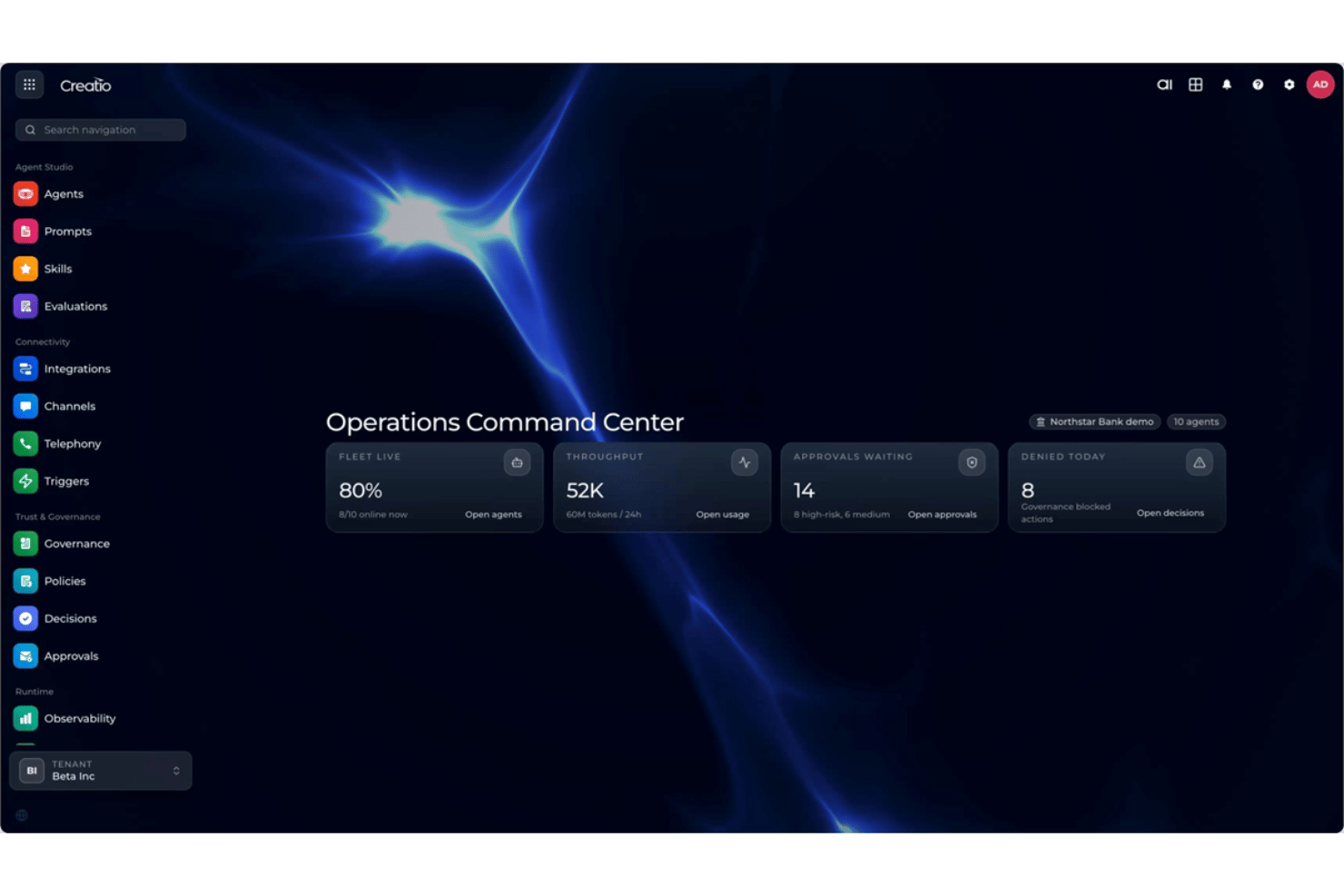
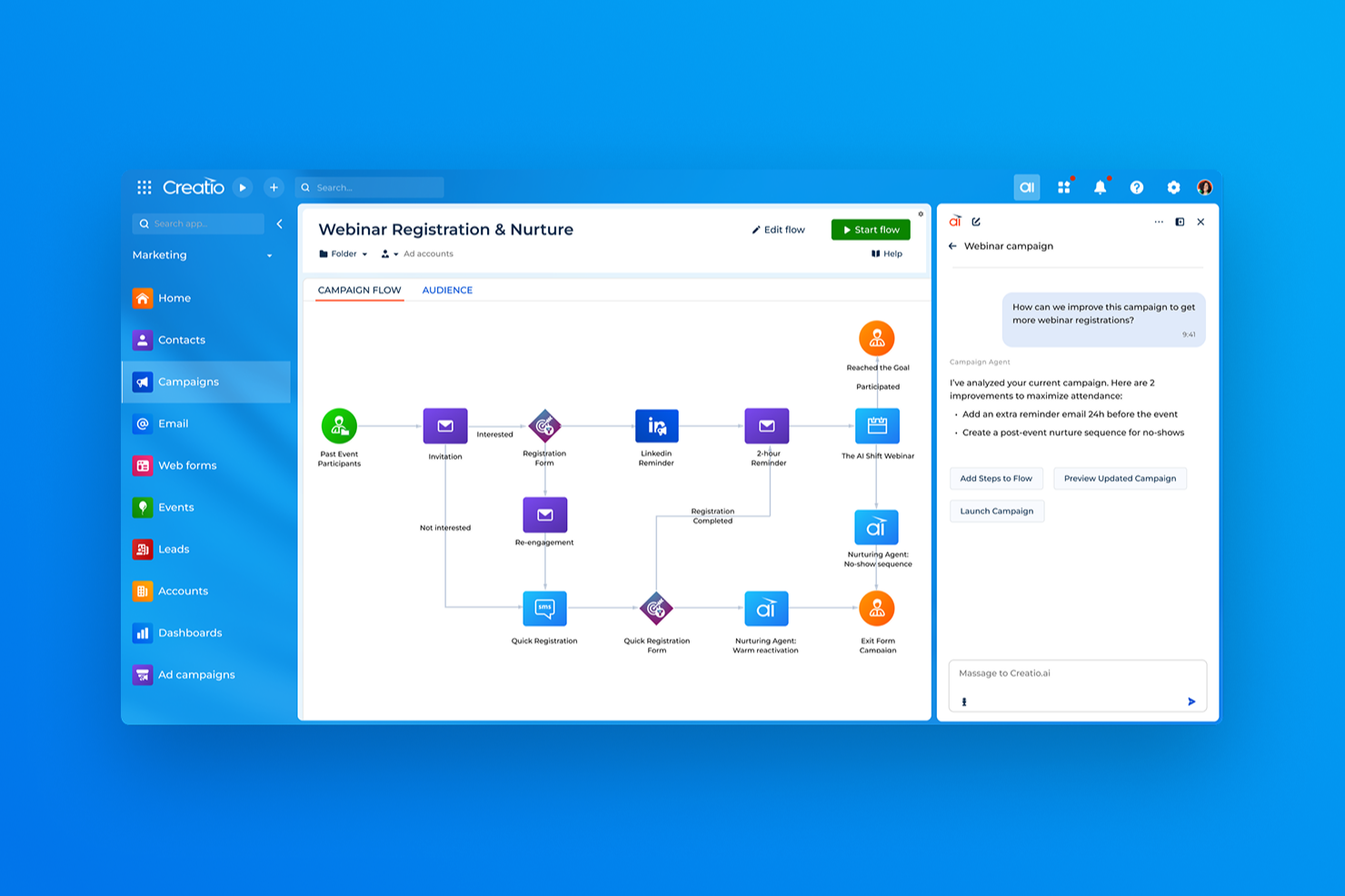
Creatio AI Studio and Microsoft Copilot Studio are AI productivity tools for building and managing AI agents and workflows. Creatio combines AI Twin’s conversational agent creation with no-code and coded development, open model support, human-led and agentic workflows, and centralized lifecycle governance, while Copilot Studio focuses on low-code building within the Microsoft ecosystem.
In this comparison, I assess which tool is the better fit for your team, workflows, and automation needs.
Creatio AI Studio vs. Microsoft Copilot Studio: An Overview
Creatio AI Studio


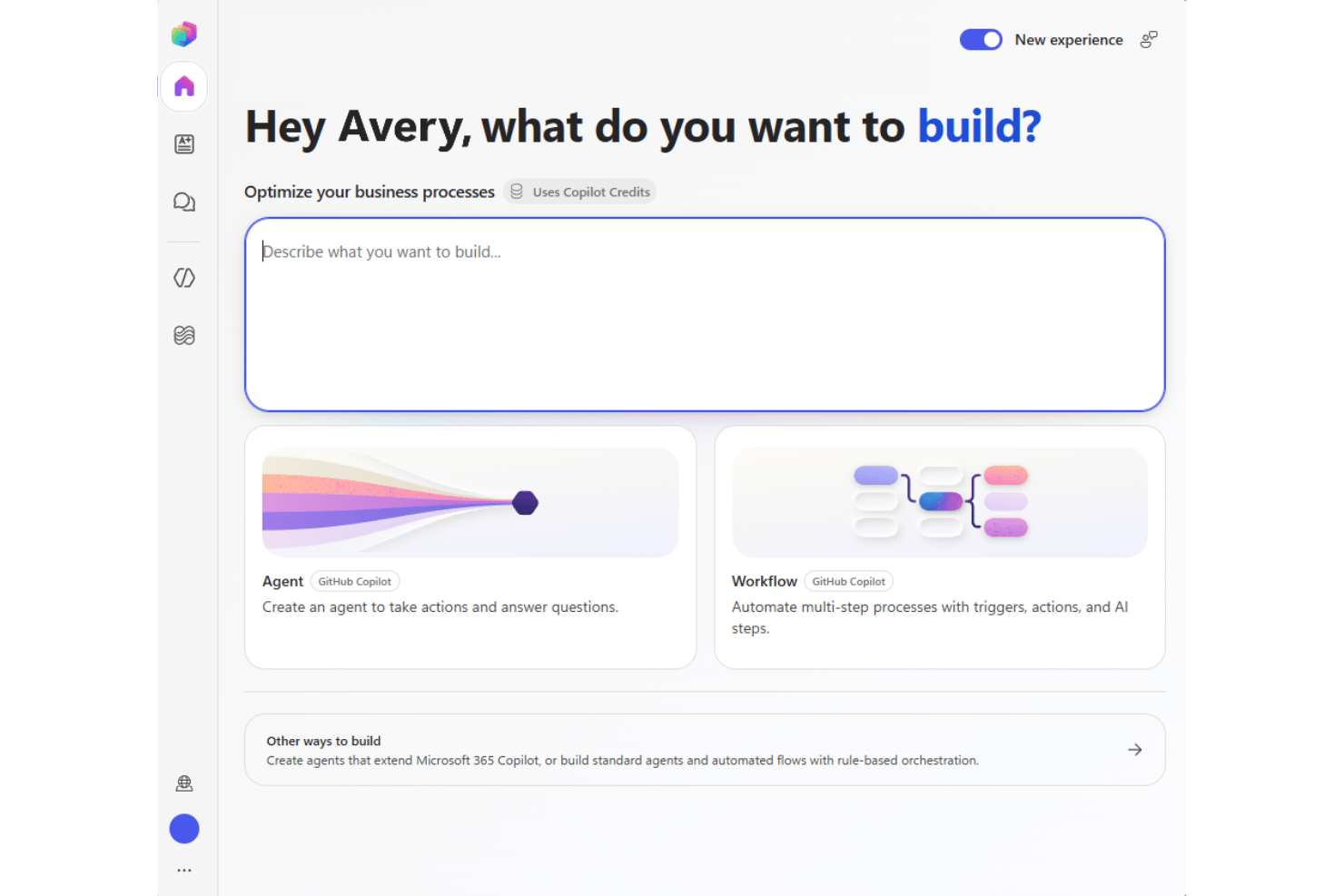
Microsoft Copilot Studio
Waarom u onze softwareaanbevelingen kunt vertrouwen
Ons team test en beoordeelt software sinds 2012. Als projectmanagers weten we zelf hoe moeilijk — en belangrijk — het is om de juiste software te kiezen.
Voor deze gids hebben we tools geëvalueerd met behulp van praktijktests en onafhankelijk onderzoek, waarbij we tools beoordeelden aan de hand van onze selectiecriteria. We putten ook uit inzichten van vooraanstaande experts uit de branche en praktiserende projectmanagementprofessionals.
Onze reviews weerspiegelen ons menselijke redactionele oordeel, geen verkooppraatje.
Deskundige beoordelaars:
Creatio AI Studio vs. Microsoft Copilot Studio Pricing Comparison
| Creatio AI Studio | Microsoft Copilot Studio | |
|---|---|---|
| Free Trial | Free demo available | 30-day free trial |
| Pricing | $40/user/month | From $30/user/month (billed annually) |
Creatio AI Studio vs. Microsoft Copilot Studio: prijzen en verborgen kosten
Creatio AI Studio combineert platformprijzen per gebruiker met afzonderlijke AI-pakketten op basis van AI Credits en optionele supportniveaus, terwijl het Unlimited-model bredere schaalbaarheid voor de hele organisatie ondersteunt. Microsoft Copilot Studio gebruikt daarentegen Copilot Credits via vooraf betalen of betalen naar gebruik, waardoor de kosten kunnen variëren op basis van agentactiviteit en taakcomplexiteit.
Om de juiste leverancier te kiezen, moet je bedenken hoe voorspelbaar je kosten moeten zijn en hoe intensief je agents zullen worden gebruikt. Ik zou voor Creatio kiezen als je de voorkeur geeft aan een duidelijke structuur voor platform- en AI-pakketten, terwijl Copilot Studio meer flexibiliteit op basis van gebruik biedt voor organisaties die al binnen het Microsoft-ecosysteem werken.
Creatio AI Studio vs. Microsoft Copilot Studio Feature Comparison
| Creatio AI Studio | Microsoft Copilot Studio | |
|---|---|---|
| API | ||
| Access Management | ||
| Data Export | ||
| Data Import | ||
| Document Management | ||
| External Integrations | ||
| Form Builder | ||
| Multi-User | ||
| Notifications | ||
| Process Modeling | ||
| Workflow Management |
Creatio AI Studio vs. Microsoft Copilot Studio: integraties
| Integratie | Creatio AI Studio | Microsoft Copilot Studio |
|---|---|---|
| Microsoft 365 | ✅ | ✅ |
| Sage | ✅ | ❌ |
| Google Workspace | ✅ | ✅ |
| Slack | ✅ | ✅ |
| Microsoft Teams | ✅ | ✅ |
| SAP | ✅ | ✅ |
| ✅ | ✅ | |
| Hootsuite | ✅ | ❌ |
| API | ✅ | ✅ |
| Zapier | ✅ | ✅ |
Zowel Creatio AI Studio als Microsoft Copilot Studio bieden uitgebreide integratie-ecosystemen om agents met bedrijfssystemen en workflows te verbinden. Creatio legt de nadruk op open, platformonafhankelijke connectiviteit via de Marketplace, API's, webhooks en MCP, terwijl Copilot Studio profiteert van het uitgebreide connector-ecosysteem van Microsoft en de nauwe integratie met Microsoft-diensten. Over het geheel genomen is Creatio een goede keuze voor teams die met een gemengde technologiestack werken, terwijl Copilot Studio goed aansluit bij omgevingen die voornamelijk op Microsoft zijn gericht.
Creatio AI Studio versus Microsoft Copilot Studio Beveiliging, naleving & betrouwbaarheid
| Factor | Creatio AI Studio | Microsoft Copilot Studio |
|---|---|---|
| Gegevensprivacy | Ondersteunt AWS- en Azure-regio's, opties voor gegevenslokalisatie, implementatie op locatie, volledig eigendom van klantgegevens en scheiding van gedeelde modeltraining. | Ondersteunt geografische gegevenslokalisatie en privacycontroles binnen de cloudinfrastructuur van Microsoft. |
| Versleuteling & controle | Gebruikt versleuteling en auditlogboekregistratie voor administratieve activiteiten, gegevensbewerkingen en agentuitvoering ter ondersteuning van traceerbaarheid. | Versleutelt gegevens tijdens opslag en overdracht en biedt logboekregistratie via het cloudbeveiligingsraamwerk van Microsoft. |
| Betrouwbaarheid | Biedt SLA's voor de bedrijfscloud, AI-observeerbaarheid, uitvoeringsgeschiedenis, beleidsbewaking, goedkeuringen, escalatiecontroles en levenscyclusbeheer. | Gebruikt de infrastructuur van Microsoft Azure en regionale redundantie ter ondersteuning van beschikbaarheid en veerkracht. |
| Naleving van regelgeving | Beschikt over SOC 2 Type II- en ISO/IEC 27001-certificeringen, met controles die ondersteuning bieden voor GDPR-vereisten en gereguleerde workflows. | Ondersteunt een breed nalevingsportfolio, waaronder SOC-, ISO-, GDPR-, HIPAA- en FedRAMP-raamwerken. |
| Toegang & AI-bestuur | Ondersteunt SAML 2.0 SSO, MFA, gedetailleerde RBAC, beleid op organisatie- en agentniveau, goedkeuringen voor tools, gegevensmaskering, bevestigingen en controles met menselijke tussenkomst. | Gebruikt Microsoft Entra ID, RBAC, authenticatiecontroles en governance voor Power Platform voor het beheren van agenttoegang en -activiteiten. |
Over het algemeen legt Creatio AI Studio de nadruk op gedetailleerde toegangscontroles, controleerbaarheid, flexibele implementatie en een AI-vertrouwens- en bestuursraamwerk dat beveiligingscontroles uitbreidt naar agentactiviteiten. Microsoft Copilot Studio bouwt voort op het bredere cloudbeveiligings- en nalevingsecosysteem van Microsoft. Beide bieden een sterke basis voor bedrijven, maar benaderen governance via verschillende platformarchitecturen.
Creatio AI Studio versus Microsoft Copilot Studio Gebruiksgemak
| Factor | Creatio AI Studio | Microsoft Copilot Studio |
|---|---|---|
| Gebruikersinterface | Combineert het maken van conversationele agents met AI Twin met visuele hulpmiddelen zonder code voor het bouwen en beheren van agents, terwijl SDK's voor codering ondersteuning bieden voor geavanceerdere vereisten. | Gebruikt een vertrouwde Microsoft-interface met begeleide hulpmiddelen voor het bouwen en beheren van agents. |
| Introductie | Volgt doorgaans een begeleide implementatie op basis van workflows, integraties, gegevens en de reikwijdte van de implementatie. | Biedt begeleide installatie, sjablonen, documentatie en Microsoft-leermiddelen. |
| Installatieproces | Ondersteunt flexibele configuratie, maar complexere implementaties kunnen integraties, migratie, testen en planning van de uitrol omvatten. | Maakt nauw verbinding met Microsoft-services en bedrijfsgegevens, hoewel bredere configuraties nog steeds configuratie vereisen. |
| Leercurve | Hulpmiddelen zonder code verlagen de drempel voor het bouwen van agents, terwijl geavanceerde implementaties baat kunnen hebben bij specialisten of gecertificeerde partners. | Hulpmiddelen met weinig code zijn toegankelijk, vooral voor Microsoft-gebruikers, maar voor geavanceerdere automatisering kan kennis van Power Platform vereist zijn. |
| Ondersteuning | Biedt ondersteuning per e-mail en regionale telefonische ondersteuning, plus Creatio Academy, zelfbedieningsbronnen en een wereldwijd partnernetwerk. | Biedt Microsoft-documentatie, trainingsbronnen, communityondersteuning en ondersteuningsopties op basis van het abonnement. |
Wat gebruiksgemak betreft biedt Creatio AI Studio zakelijke en technische teams verschillende manieren om agents te maken, van de conversationele ervaring van AI Twin en visuele hulpmiddelen zonder code tot SDK's voor codering. Microsoft Copilot Studio profiteert van een vertrouwde omgeving voor teams die Microsoft 365 en Power Platform al gebruiken. Creatio kan geschikt zijn voor teams die meer flexibiliteit willen in de manier waarop agents worden gebouwd en geconfigureerd, terwijl Copilot Studio natuurlijker kan aanvoelen binnen een op Microsoft gerichte technologiestack.
Creatio AI Studio vs Microsoft Copilot Studio: Pros & Cons
Creatio AI Studio
- No-code agent designer lets teams build and deploy AI agents with less developer support
- Supports no-code and coding-based agents, giving technical and business teams more flexibility
- Built-in governance covers policies, approvals, audit trails, and human review of agent actions
- Advanced implementations may require significant configuration and integration work
- Administrators may need time to learn its broader no-code and agent management capabilities
- Its enterprise-focused feature set may be excessive for teams that only need simple AI automation
Microsoft Copilot Studio
- Connects securely to Microsoft 365 and business data.
- Built-in governance and access controls for enterprise compliance.
- Visual builder simplifies creating conversational AI agents.
- Limited customization outside Microsoft tools and connectors.
- Lacks advanced model fine-tuning options found elsewhere.
- Some features require higher-tier Microsoft 365 licenses.
Best Use Cases for Creatio AI Studio and Microsoft Copilot Studio
Creatio AI Studio
- Banking and Financial Services Creatio supports banking, credit union, insurance, and mortgage organizations with configurable AI and workflow automation for complex, regulated processes.
- Manufacturing and Distribution Manufacturing and distribution teams can use AI agents and automated workflows across operational, service, and customer-facing processes.
- Healthcare and Life Sciences Healthcare, pharma, and life sciences organizations can use configurable workflows, integrations, and governance controls across data-intensive processes.
- Telecommunications and Utilities Telecom, energy, and utility companies can automate high-volume operational and service workflows while maintaining centralized control over AI agents.
- Retail and CPG Retail and consumer goods teams can use AI-driven workflows to automate processes across customer operations, sales, and other cross-functional activities.
- High Tech and Business Services High-tech and business services organizations with complex, changing processes can use Creatio’s no-code tools and integrations to build and adapt AI-driven workflows.
Microsoft Copilot Studio
- Large Enterprises Integrated security, compliance, and scalability features suit organizations with complex oversight needs.
- IT Departments Tight links to Microsoft Azure and Power Platform simplify workflow automation and bot management for in-house IT teams.
- Human Resources HR teams benefit from ready-to-deploy chatbots for onboarding, policy guidance, and employee support with ties to Microsoft 365.
- Healthcare Providers Built-in security and compliance controls help healthcare organizations automate patient communication while protecting sensitive data.
- Education Institutions Easy deployment inside Microsoft Teams streamlines faculty and student interactions for schools already running on Microsoft platforms.
- Customer Service Ability to build AI agents for support and integrate directly with Dynamics 365 makes it attractive for service teams.
Wie zou Creatio AI Studio moeten gebruiken en wie Microsoft Copilot Studio?
Als je op zoek bent naar een AI-productiviteitstool die zakelijke gebruikers, technische teams en AI-agents samenbrengt in dezelfde workflowomgeving, is Creatio AI Studio waarschijnlijk een goede keuze. Het is geschikt voor middelgrote en grote organisaties die AI Twin en het maken van agents zonder code, agents met code, meerdere AI-modellen, open integraties, omnichannelinteractie, gecentraliseerd bestuur en menselijk toezicht voor complexe bedrijfsprocessen nodig hebben.
Als je organisatie daarentegen al sterk afhankelijk is van Microsoft 365, Dynamics 365, Azure of Power Platform, kan Microsoft Copilot Studio beter aansluiten bij je behoeften. Het is geschikt voor grote ondernemingen, IT-teams, HR, de gezondheidszorg, het onderwijs en klantenserviceteams die workflows willen automatiseren, zelfbediening willen ondersteunen en agents willen implementeren via vertrouwde Microsoft-kanalen en bedrijfssystemen.
Differences Between Creatio AI Studio and Microsoft Copilot Studio
| Creatio AI Studio | Microsoft Copilot Studio | |
|---|---|---|
| AI Model Flexibility | Supports OpenAI, Google, Anthropic, and other model strategies through an open architecture without tying teams to one provider. | Supports selectable AI models within Microsoft’s governed Copilot Studio framework, with availability varying by region and model status. |
| Deployment Options | Supports multiple AWS and Azure regions as well as on-premises deployment for organizations needing more hosting flexibility. | Runs as a cloud service within Microsoft’s Azure and Power Platform infrastructure. |
| Ecosystem Orientation | Designed to orchestrate agents and workflows across varied enterprise systems without requiring a Creatio-first stack. | Fits most naturally into organizations centered on Microsoft 365, Power Platform, Dynamics 365, and Azure. |
| Platform Scope | Combines AI Twin, AI Studio, workflow automation, no-code application development, CRM, and human-led business processes in one platform. | Centers on agent and workflow development within Microsoft Copilot, Power Platform, and related Microsoft services. |
| Pricing and Scaling | Combines platform access with separate AI packages and AI Credits, with Unlimited supporting broader organization-wide scaling. | Uses Copilot Credits through prepaid or pay-as-you-go billing, so costs scale with agent activity and task complexity. |
| Visit Creatio AI StudioOpens new window | Read Microsoft Copilot Studio ReviewOpens new window |
Similarities Between Creatio AI Studio and Microsoft Copilot Studio
| Business Data Grounding | Both allow agents to use organizational data and business context so responses and actions are tied to real operational information. |
|---|---|
| Governance Controls | Both provide policies, permissions, and administrative controls for managing how agents access data and execute business actions. |
| Monitoring and Evaluation | Both give teams tools to test, monitor, and evaluate agent activity so they can identify issues and improve performance over time. |
| No-Code Agent Building | Both provide visual and natural-language tools that make agent creation accessible without requiring users to code every workflow from scratch. |
| Workflow Automation | Both let teams create AI-driven workflows that handle routine tasks, trigger actions, and execute multi-step business processes. |
| Visit Creatio AI StudioOpens new window Read Microsoft Copilot Studio ReviewOpens new window | |