

I 10 migliori software per la gestione dei progetti dei subappaltatori per il 2026

Miglior software di gestione dei progetti per subappaltatori - Selezione


La gestione dei subappaltatori può diventare complicata, soprattutto quando scadenze mancate, responsabilità poco chiare e aggiornamenti frammentati rendono difficile mantenere i progetti in linea con i piani.
Il software di gestione dei progetti per subappaltatori può offrirti un maggiore controllo. Ti aiuta a tenere sotto controllo tempistiche, attività e comunicazioni senza dover ricorrere a continui solleciti.
In questo articolo ti illustrerò i migliori strumenti di gestione dei progetti per subappaltatori che ho testato. Vedrai cosa fa bene ciascuno di essi, come si integra nel tuo flusso di lavoro e dove potrebbe mostrare dei limiti, così potrai trovare il software più adatto alle tue esigenze specifiche.
Perché fidarsi dei nostri consigli sui software
Il nostro team testa e recensisce software dal 2012. In quanto project manager noi stessi, sappiamo quanto sia difficile — e importante — scegliere il software giusto.
Per questa guida, abbiamo valutato gli strumenti attraverso test pratici e ricerche indipendenti, assegnando un punteggio agli strumenti in base ai nostri criteri di selezione. Ci basiamo inoltre sulle competenze di leader di pensiero del settore e di professionisti attivi nella gestione dei progetti.
Le nostre recensioni riflettono il nostro giudizio editoriale umano, non un discorso di vendita.
Revisori esperti:
Tabella comparativa dei software di gestione dei progetti per subappaltatori
Usa questa tabella comparativa per esaminare i dettagli sui prezzi dei miei migliori software di gestione dei progetti per subappaltatori.
| Tool | Best For | Trial Info | Price | ||
|---|---|---|---|---|---|
| 1 | Ideale per una pianificazione robusta | Prova gratuita di 30 giorni | Da $10/utente/mese (fatturazione annuale) | Website | |
| 2 | Ideale per la collaborazione in ambito edile | Demo gratuita disponibile | Prezzo su richiesta | Website | |
| 3 | Ideale per i progetti di costruzione di case | Demo gratuita disponibile | Prezzo su richiesta | Website | |
| 4 | Ideale per la gestione delle attività in cantiere | Piano gratuito disponibile | A partire da $39/utente/mese (fatturazione annuale) | Website | |
| 5 | Ideale per flussi di lavoro incentrati sui piani | Not available | Da $39/utente/mese (fatturazione annuale) | Website | |
| 6 | Ideale per l'integrazione nella costruzione | Demo gratuita disponibile | Da $29/utente/mese (fatturazione annuale) | Website | |
| 7 | Ideale per la comunicazione con i clienti | Dimostrazione gratuita disponibile | Da $399/mese | Website | |
| 8 | Ideale per la gestione dei subappaltatori | Not available | Da $12/utente/mese (minimo 5 licenze) | Website | |
| 9 | Ideale per la reportistica giornaliera | Da $15/utente/mese (fatturazione annuale) | Website | ||
| 10 | Ideale per computi metrici in cloud | Demo gratuita disponibile | Da $1.999/utente/anno (fatturato annualmente) | Website |
Recensioni dei migliori software di gestione dei progetti per subappaltatori
Ecco le mie valutazioni dettagliate su ogni software presente in questo elenco, compresi i punti di forza e le difficoltà che presenta.

Ideale per una pianificazione robusta

Microsoft Project semplifica la gestione dei progetti, la pianificazione e il controllo delle prestazioni dei progetti. Si distingue per la sua pianificazione avanzata grazie a strumenti completi per la gestione e il monitoraggio di tempistiche progettuali complesse.
Perché ho scelto Microsoft Project:
Ho selezionato Microsoft Project per le sue straordinarie capacità di pianificazione, fondamentali per gestire tempistiche complesse. La sua particolarità risiede nella profondità e flessibilità delle funzioni di pianificazione, senza eguali tra gli strumenti di project management. Lo considero il migliore per una pianificazione robusta grazie alla sua precisione nella gestione dei calendari di progetto dettagliati, nell’assegnazione delle risorse e nella capacità di adattarsi alla natura dinamica della gestione progetti.
Funzionalità e integrazioni principali:
Microsoft Project è rinomato per le sue funzioni avanzate di pianificazione, come i diagrammi di Gantt, livellamento delle risorse e analisi del percorso critico. Questi strumenti sono fondamentali per i project manager che devono pianificare e monitorare con precisione le scadenze dei progetti.
Si integra nativamente con una suite di applicazioni Microsoft, tra cui Microsoft Teams, OneDrive for Business, SharePoint Online, Power BI, Excel e Outlook, migliorando la collaborazione sui progetti e il processo decisionale basato sui dati.
Pros and Cons
Pros:
- Strumenti completi di pianificazione e programmazione
- Integrazione diretta con altri servizi Microsoft
- Opzioni avanzate di reportistica e monitoraggio dei progetti
Cons:
- La complessità può essere eccessiva per i nuovi utenti
- Relativamente costoso per team o progetti di piccole dimensioni
- Le funzionalità avanzate richiedono un investimento di apprendimento

Procore
Ideale per la collaborazione in ambito edile

Procore è un software di gestione delle costruzioni che facilita l'efficienza e la responsabilità nei progetti. È ideale per la collaborazione in ambito edile grazie ai suoi strumenti completi pensati per connettere i team, semplificare i flussi di lavoro e garantire che tutti possano accedere alle informazioni necessarie.
Perché ho scelto Procore:
Ho selezionato Procore per la sua eccezionale capacità di favorire la collaborazione tra tutti i partecipanti al progetto, un aspetto fondamentale nell'industria delle costruzioni. La sua piattaforma riunisce team separati, assicurando che la comunicazione sia chiara e accessibile, motivo per cui lo considero la scelta migliore per la collaborazione nel settore edile. L'obiettivo dello strumento di collegare tutti gli stakeholder e fornire una fonte unica e aggiornata dei dati di progetto lo rende un'opzione distintiva per migliorare il lavoro di squadra e l'efficienza dei progetti.
Caratteristiche principali e integrazioni:
Le funzionalità più importanti di Procore includono la comunicazione in tempo reale tra i team di progetto, la gestione documentale con controllo delle versioni e un'interfaccia intuitiva che semplifica il monitoraggio del progetto. Lo strumento si integra nativamente con numerosi altri software, tra cui Autodesk, QuickBooks, Sage, Microsoft Project, Oracle, Box, Dropbox, Google Drive, PlanGrid e Zoom.
Pros and Cons
Pros:
- Piattaforma centralizzata per tutte le informazioni di progetto
- Comunicazione in tempo reale e gestione documentale
- Interfaccia intuitiva per un facile monitoraggio dei progetti
Cons:
- Prezzo di partenza più alto rispetto ad alcuni concorrenti
- Fatturazione annuale con requisito minimo di postazioni
- Costo aggiuntivo per funzionalità e servizi avanzati

Ideale per i progetti di costruzione di case
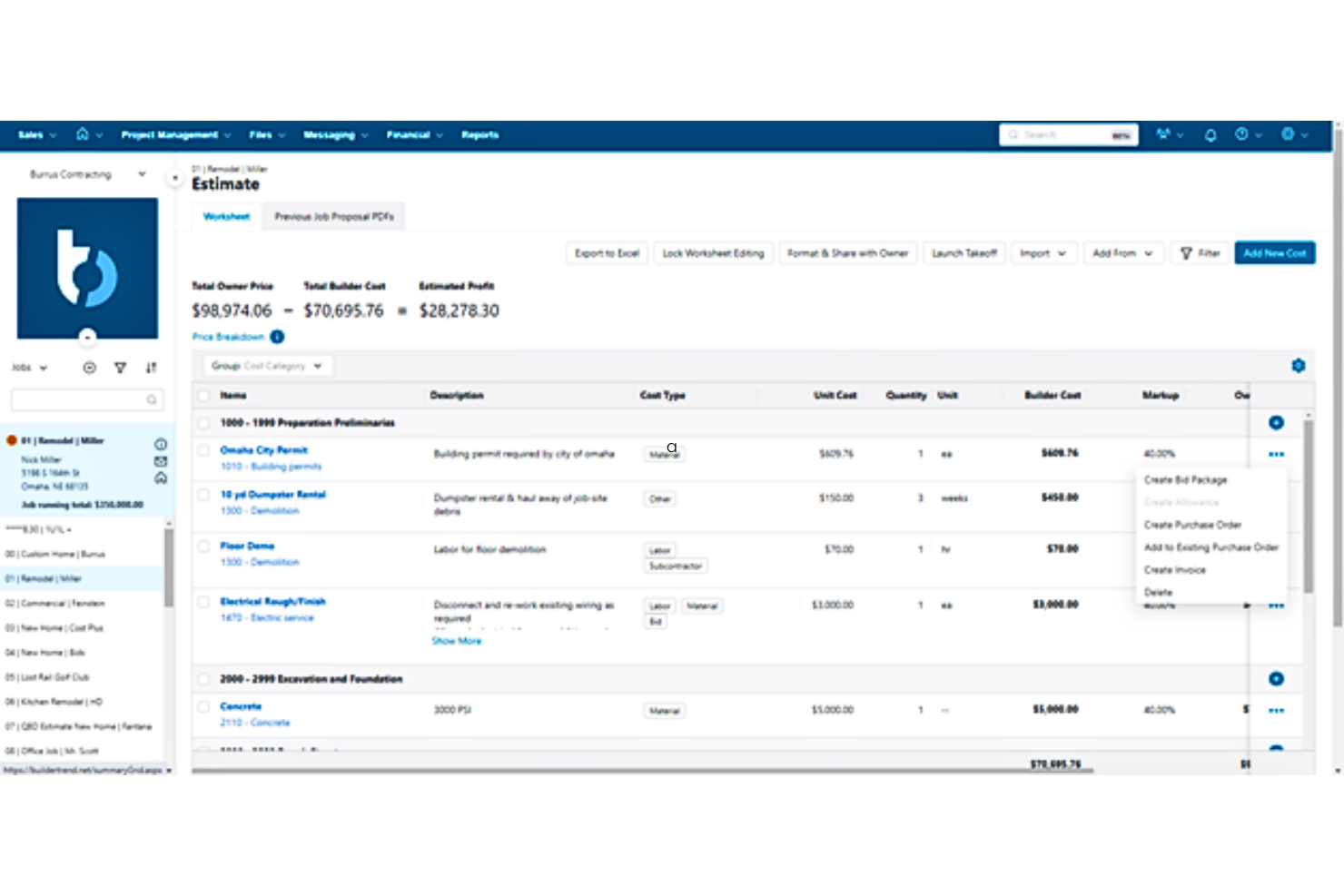
Buildertrend è una piattaforma di gestione progetti pensata per costruttori e ristrutturatori di abitazioni, progettata per aumentare l'efficienza e la soddisfazione dei clienti.
Perché ho scelto Buildertrend:
Ho selezionato Buildertrend per il suo approccio dedicato ai progetti di costruzione e ristrutturazione residenziale. La sua piattaforma si distingue per la capacità di centralizzare le attività di gestione del progetto facilitando allo stesso tempo le interazioni con i clienti, che sono fondamentali nell'edilizia residenziale. Ritengo che Buildertrend sia la soluzione migliore per i progetti di costruzione di case perché non solo consolida il coordinamento del progetto, ma favorisce anche il coinvolgimento del cliente e semplifica il flusso di lavoro edilizio, fattori essenziali per la riuscita dei progetti di costruzione residenziale.
Funzionalità e integrazioni principali:
Tra le funzionalità principali di Buildertrend figurano il monitoraggio dei progetti, la gestione delle relazioni con i clienti, l'organizzazione dei documenti e strumenti di controllo finanziario. Queste funzionalità migliorano il coordinamento, la comunicazione e la trasparenza finanziaria nei progetti.
Lo strumento si integra nativamente con QuickBooks, Xero, PlanSwift, Zapier, Dropbox, Google Drive, Google Calendar e Outlook. Queste integrazioni consentono una sincronizzazione efficiente dei dati e aiutano a gestire diversi aspetti della gestione del progetto, dalla contabilità alla condivisione dei documenti.
Pros and Cons
Pros:
- Specializzato per la costruzione e la ristrutturazione di case
- Funzionalità di gestione progetti complete
- Strumenti efficaci per la gestione delle relazioni con i clienti
Cons:
- Aumento di prezzo dopo un periodo iniziale
- Potenziale complessità per chi è alle prime armi
- Costi aggiuntivi per funzionalità o servizi avanzati

Ideale per la gestione delle attività in cantiere

Fieldwire è una soluzione di gestione delle attività progettata specificamente per il settore delle costruzioni. Eccelle nella gestione delle attività in cantiere con strumenti pensati per l'efficienza e il coordinamento sul posto.
Perché ho scelto Fieldwire:
Ho scelto Fieldwire per il suo impegno nel migliorare la produttività in cantiere, un aspetto fondamentale della gestione dei progetti per i subappaltatori. La sua attenzione alla gestione delle attività in loco, supportata da comunicazione in tempo reale e condivisione di documenti, lo rende la scelta migliore per gestire efficacemente i compiti sul posto.
Funzionalità principali e integrazioni:
Le funzionalità principali di Fieldwire comprendono un robusto sistema di gestione delle attività, visualizzazione e versionamento dei piani, così come la gestione efficiente delle punch list e delle ispezioni. Queste funzioni sono progettate per migliorare il coordinamento sul campo e assicurare che tutti in cantiere possano accedere sempre alle informazioni più aggiornate.
Fieldwire si integra tipicamente con vari strumenti comuni nel settore delle costruzioni, come PlanGrid, Dropbox, Box, Google Drive, Autodesk e Microsoft Excel.
Pros and Cons
Pros:
- Sistema di gestione delle attività robusto
- Visualizzazione e versionamento dei piani efficiente
- Gestione efficace di punch list e ispezioni
Cons:
- Assenza di informazioni trasparenti sui prezzi
- Nessun elenco chiaro delle integrazioni native
- Informazioni limitate sui dettagli delle funzionalità

PlanGrid
Ideale per flussi di lavoro incentrati sui piani

PlanGrid è uno strumento di produttività per l'edilizia che semplifica la gestione dei progetti centralizzando piani e documenti. È ideale per i flussi di lavoro incentrati sui piani perché si concentra sull'ottimizzazione dell'accesso ai progetti e sulla collaborazione.
Perché ho scelto PlanGrid:
Ho scelto PlanGrid per le sue robuste capacità di gestione dei progetti, che lo distinguono dagli altri strumenti di gestione dei progetti. Il focus sui flussi di lavoro incentrati sui piani lo rende uno strumento indispensabile per i cantieri dove l'accesso e gli aggiornamenti in tempo reale ai piani sono fondamentali. PlanGrid gestisce questi flussi di lavoro efficacemente poiché mantiene i team allineati sugli ultimi dettagli del progetto, cosa essenziale per il successo del progetto.
Funzionalità e integrazioni principali:
Le funzionalità di spicco di PlanGrid includono la capacità di gestire e condividere istantaneamente piani di costruzione, annotazioni, foto e report, assicurando che tutti i partecipanti siano aggiornati. Lo strumento offre un controllo avanzato delle versioni, permettendo agli utenti di tracciare facilmente le revisioni e gli aggiornamenti dei documenti.
PlanGrid si integra con Autodesk Construction Cloud, BIM 360, Revit, Navisworks, AutoCAD, Box, Dropbox, Egnyte, Google Drive, OneDrive e SharePoint, facilitando un flusso di lavoro senza interruzioni tra diverse piattaforme e servizi.
Pros and Cons
Pros:
- Accesso centralizzato a piani e documenti di progetto
- Aggiornamenti in tempo reale e controllo delle versioni dei documenti
- App mobile per accesso e collaborazione ai piani in cantiere
Cons:
- Costo elevato per i piani con maggiore accesso ai fogli
- Possibile curva di apprendimento per i nuovi utenti
- Opzioni di personalizzazione limitate per report e moduli

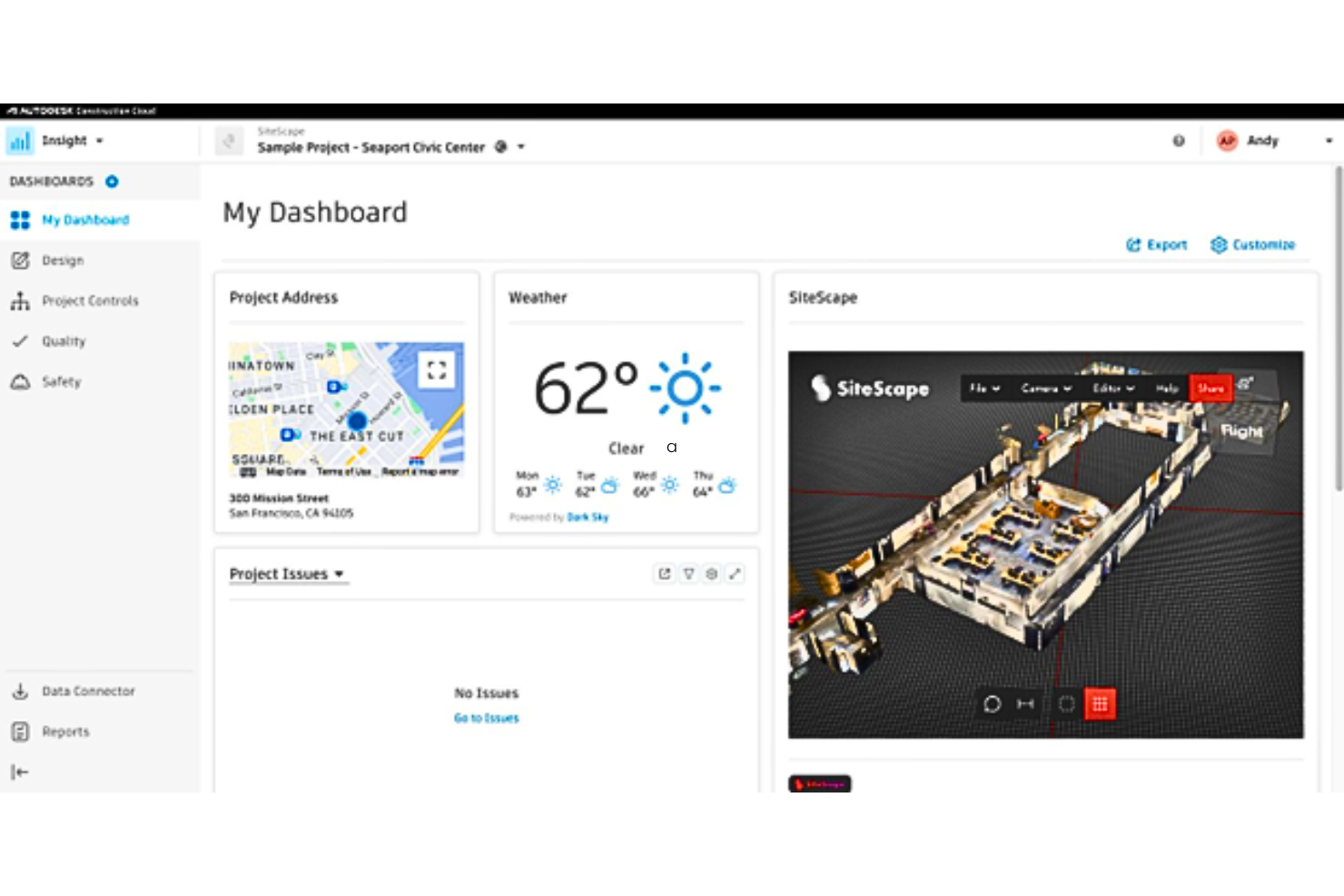
Autodesk Construction Cloud è una suite unificata progettata per connettere team, flussi di lavoro e dati. Eccelle nell'abilitare l'integrazione nei progetti di costruzione.
Perché ho scelto Autodesk Construction Cloud:
Ho scelto Autodesk Construction Cloud per il suo approccio completo alla gestione della costruzione e per l'enfasi sull'integrazione. Questa piattaforma si distingue facilitando un processo costruttivo connesso, essenziale nei progetti complessi di oggi. Credo sia la migliore per l'integrazione nella costruzione poiché colma il divario tra le varie fasi della costruzione, dalla progettazione alla realizzazione fino alle operazioni, a differenza di altri strumenti di project management che possono concentrarsi su aspetti isolati del processo costruttivo.
Caratteristiche distintive e integrazioni:
Si distingue per la capacità di centralizzare la gestione del progetto, la documentazione e le intuizioni. Offre funzionalità avanzate come analisi predittiva e apprendimento automatico per migliorare i risultati di progetto.
Lo strumento si integra nativamente con Autodesk BIM 360, Revit, AutoCAD, Navisworks, Microsoft Office 365, PlanGrid, Assemble, BuildingConnected e Pype, tra gli altri, rendendolo una scelta versatile per i professionisti dell'edilizia.
Pros and Cons
Pros:
- Si integra con una vasta gamma di prodotti Autodesk e applicazioni di terze parti
- Fornisce un'unica fonte di verità per dati e documentazione di progetto
- Utilizza intelligenza artificiale e machine learning per intuizioni predittive e gestione dei rischi
Cons:
- Barriera di costo più elevata dovuta alla tariffa base e alla fatturazione annuale
- Potrebbe essere necessario formare i membri del team per sfruttare appieno le sue numerose funzionalità
- L'ampio spettro della piattaforma potrebbe essere eccessivo per progetti più piccoli


CoConstruct è uno strumento di gestione dei progetti di costruzione progettato su misura per costruttori e ristrutturatori. Eccelle nella comunicazione con i clienti offrendo una suite di funzionalità che semplificano lo scambio di informazioni tra le parti interessate.
Perché ho scelto CoConstruct:
Ho scelto CoConstruct per il suo robusto set di funzionalità che risponde specificamente alle esigenze di costruttori di case e ristrutturatori, che spesso coinvolgono interazioni complesse con i clienti. È il migliore per la comunicazione con i clienti perché offre strumenti dedicati all’engagement dei clienti, come portali personalizzati e funzioni di messaggistica diretta, garantendo che la comunicazione sia chiara, coerente e tracciata.
Funzionalità e integrazioni distintive:
CoConstruct è progettato per semplificare la gestione di progetti di costruzione di case su misura e lavori di ristrutturazione. Offre strumenti avanzati per la pianificazione dei progetti che mantengono tutti aggiornati e aiutano a garantire che i progetti restino in linea con le tempistiche previste. Il software include anche strumenti finanziari completi per la pianificazione del budget e le previsioni. Un'altra caratteristica chiave è la piattaforma di comunicazione tra clienti e team, che centralizza messaggi, e-mail e file, riducendo le incomprensioni e mantenendo informate tutte le parti coinvolte.
CoConstruct si integra nativamente con QuickBooks, Xero, Zapier, Facebook, Instagram, Twitter, Pinterest, Houzz, GuildQuality e Google Calendar.
Pros and Cons
Pros:
- Portali clienti personalizzati per migliorare il coinvolgimento
- Strumenti completi per budget e preventivi per una chiarezza finanziaria
- Funzionalità di pianificazione, condivisione di file e foto a supporto della gestione dei progetti
Cons:
- Mancanza di informazioni sulle integrazioni native
- Assenza di dettagli specifici sui prezzi
- Dettagli limitati sull'estensione delle funzionalità dell'app mobile


eSUB Cloud è uno strumento completo di gestione di progetti edili progettato principalmente per i subappaltatori. Semplifica il monitoraggio dei progetti, la gestione dei documenti e la comunicazione per migliorare l'esecuzione dei lavori e ridurre i rischi.
Perché ho scelto eSUB Cloud:
Ho scelto eSUB Cloud per questa lista grazie al suo focus specifico nel rispondere alle esigenze uniche dei subappaltatori, che lo distingue dai software generici di gestione delle costruzioni. Questo strumento si caratterizza per le sue robuste funzionalità pensate per migliorare il controllo dei progetti e la conformità dei subappaltatori. Credo sia il migliore per la gestione dei subappaltatori perché offre strumenti che si adattano direttamente al flusso di lavoro e alle sfide affrontate da questo gruppo nell'industria delle costruzioni.
Funzionalità e integrazioni principali:
eSUB Cloud offre potenti capacità di controllo dei documenti, consentendo agli utenti di mantenere registri accurati e accedere rapidamente ai documenti di progetto necessari. La funzione di rilevazione delle presenze è particolarmente efficace per la gestione dei costi e della produttività della manodopera in cantiere. Inoltre, il tool offre aggiornamenti e reportistica in tempo reale, che aiutano a tenere informati tutti i soggetti coinvolti e i progetti nei tempi previsti.
Si integra con sistemi noti come Adobe, Autodesk, Box, Dropbox, Google Drive, Microsoft Office, Oracle, QuickBooks, Salesforce e Slack.
Pros and Cons
Pros:
- Pensato specificatamente per i subappaltatori
- Forte attenzione alla gestione e al controllo dei documenti
- Strumenti di comunicazione in tempo reale efficaci
Cons:
- Necessario un minimo di 5 licenze
- Barriera di costo più alta per i team più piccoli
- Opzioni di personalizzazione limitate rispetto ad alcuni concorrenti
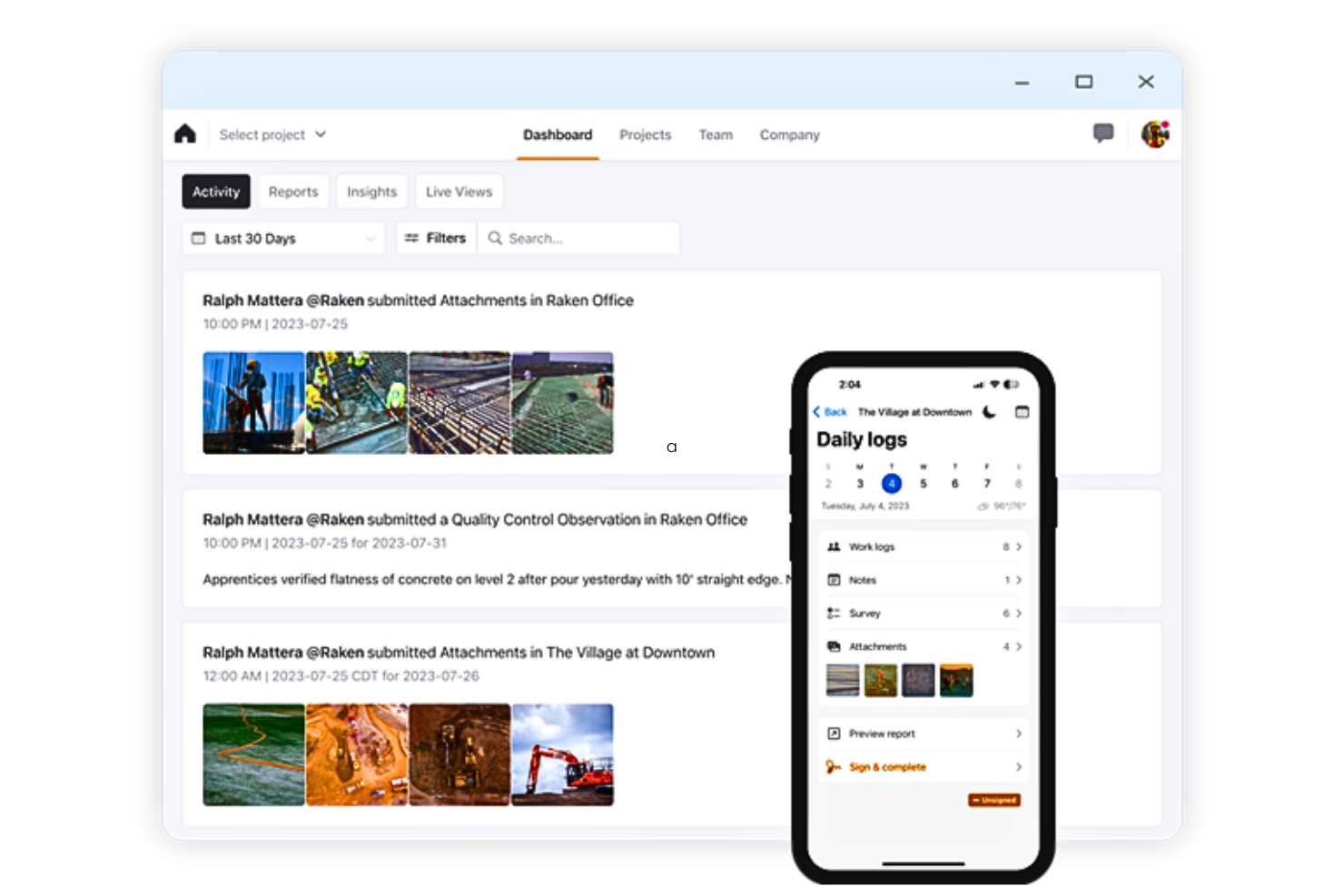
Raken semplifica la gestione dei progetti edili con un focus sulla reportistica giornaliera. È riconosciuto per la sua efficacia nel facilitare la creazione di rapporti giornalieri sul cantiere.
Perché ho scelto Raken:
Ho scelto Raken perché si distingue per le sue capacità specializzate nella reportistica giornaliera, che lo differenziano da altri strumenti di gestione dei progetti. La sua interfaccia intuitiva e l'attenzione alla reportistica sul campo lo rendono uno strumento essenziale per documentare le attività quotidiane in cantiere. Ho ritenuto Raken il migliore per la reportistica giornaliera grazie alla sua capacità di semplificare il processo, garantendo che tutti gli stakeholder siano sempre aggiornati sugli ultimi sviluppi del progetto.
Caratteristiche distintive & integrazioni:
Le funzionalità principali di Raken includono schede attività, riunioni di sicurezza, gestione delle foto e gestione delle attività, tutte pensate per migliorare l'efficienza della reportistica e il monitoraggio dei progetti. Queste caratteristiche supportano un approccio proattivo alla gestione dei progetti, permettendo ai team di documentare e comunicare i progressi in modo efficace.
Raken si integra nativamente con diversi strumenti, come Procore, Autodesk Construction Cloud, Egnyte, Box, Dropbox, Google Drive, OneDrive, Sage 300 Construction and Real Estate, Sage 100 Contractor, Viewpoint Spectrum, Viewpoint Vista, ComputerEase, Foundation Software, QuickBooks Online, EarthCam, DroneDeploy e HoloBuilder.
Pros and Cons
Pros:
- Interfaccia intuitiva per la reportistica giornaliera
- Set di funzionalità completo per il monitoraggio dei progetti
- Ampia gamma di integrazioni con altri software per l'edilizia
Cons:
- La fatturazione annuale potrebbe non essere gradita a tutti gli utenti
- Le funzionalità avanzate possono richiedere un investimento aggiuntivo
- Dipendenza dalla connessione Internet per gli aggiornamenti in tempo reale

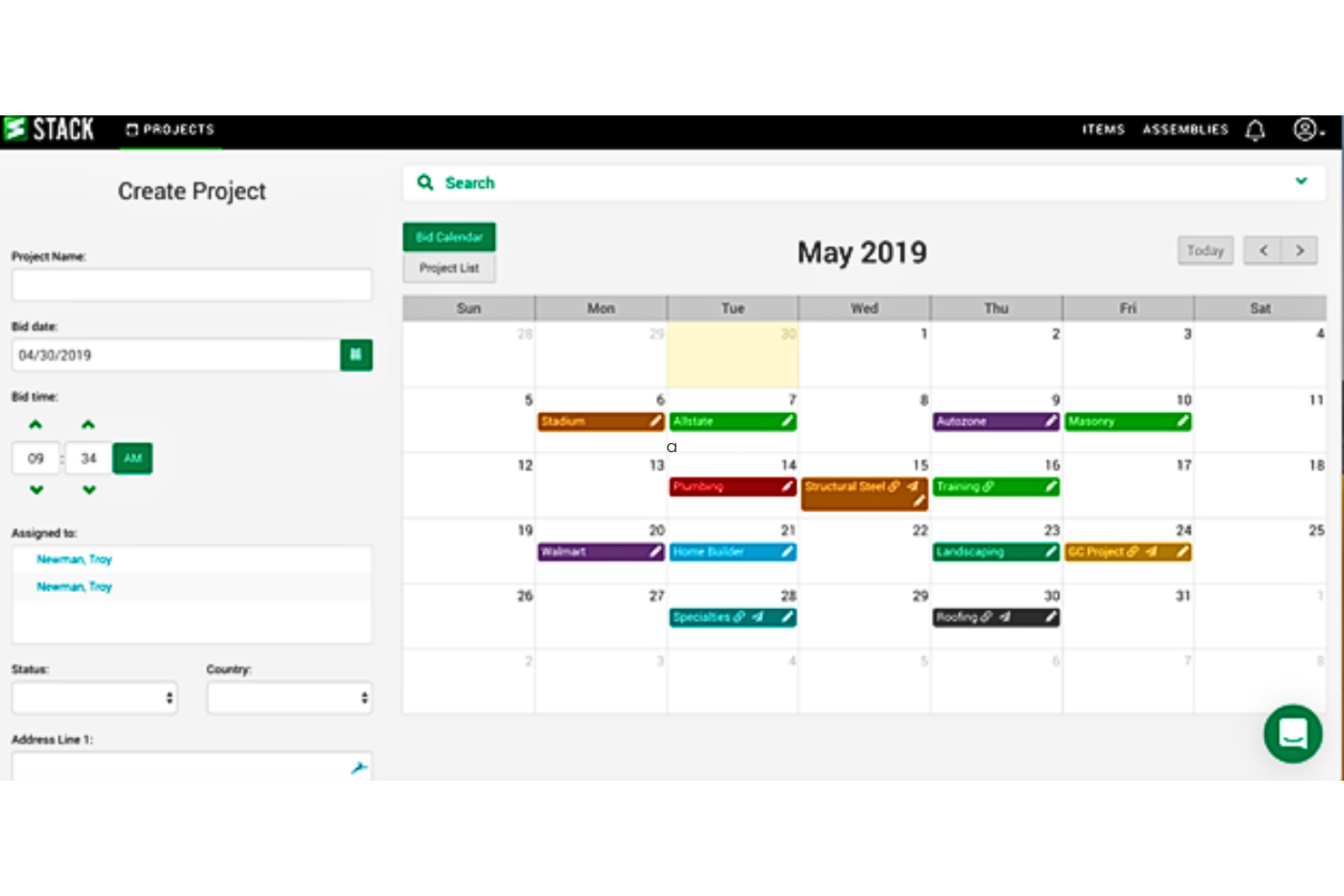
STACK è una piattaforma cloud progettata per il computo metrico e la stima dei costi in ambito edile, che aiuta gli appaltatori a misurare efficacemente i progetti digitali e a creare preventivi dettagliati.
Perché ho scelto STACK:
Ho scelto STACK per questa lista per la sua interfaccia intuitiva e la funzionalità basata su cloud, che semplificano notevolmente il processo di computo rispetto ai metodi tradizionali. Ciò che lo distingue è il suo focus sull'aumento dell'accuratezza e della velocità delle stime dei costi direttamente dai progetti digitali. Credo che sia il migliore per il computo metrico cloud in quanto offre strumenti avanzati che sfruttano la tecnologia cloud per fornire collaborazione e aggiornamenti in tempo reale.
Caratteristiche distintive e integrazioni:
Le funzionalità di STACK includono uno strumento di conteggio automatico che riconosce automaticamente i simboli nei progetti per velocizzare il computo metrico. La sua piattaforma cloud permette a più utenti di lavorare sullo stesso progetto contemporaneamente, garantendo che gli aggiornamenti siano visibili in tempo reale. Inoltre, STACK offre funzioni di reportistica personalizzata adattabili a diverse esigenze di progetto.
Le integrazioni includono QuickBooks, Google Drive, Dropbox, Microsoft Excel, Procore, Autodesk, PlanGrid, Bluebeam, Oracle e Slack.
Pros and Cons
Pros:
- Collaborazione in tempo reale sui progetti
- Funzioni di conteggio automatico per maggiore precisione
- Report personalizzabili per soddisfare diverse esigenze progettuali
Cons:
- Prezzo di partenza elevato
- Fatturazione annuale che richiede un impegno anticipato
- Può risultare complesso per i principianti senza formazione
Altri software di gestione dei progetti per subappaltatori
Di seguito è riportato un elenco di altri software di gestione dei progetti per subappaltatori che non sono entrati nella selezione principale, ma che vale comunque la pena prendere in considerazione.
- JobProgress
Ideale per l'automazione dei flussi di lavoro
- TRUE
Ideale per la contabilità edilizia
- GoodDay
Ideale per spazi di lavoro personalizzabili


Come valuto i software di gestione progetti per subappaltatori
Valuto questi strumenti su due livelli: la base necessaria che un general contractor deve avere per gestire offerte dei sub, documenti di conformità e richieste di pagamento, e i fattori distintivi che rendono una piattaforma più adatta di un’altra.
Funzionalità di base (requisiti minimi per questa lista)
Quando seleziono gli strumenti per la mia lista, valuto ciascuno su una scala da 0 (non offre la funzionalità) a 5 (eccelle in questo ambito) per ciascuna funzionalità di base elencata di seguito. Poi calcolo il punteggio totale in percentuale. Ogni strumento deve raggiungere un punteggio minimo totale del 55% per essere incluso.
- Directory & profili dei subappaltatori: Cerco una banca dati centralizzata dove conservare contatti dei sub, codici attività e performance passate—non solo una semplice rubrica nascosta nelle impostazioni.
- Gestione offerte & contratti: Dal lanciare le richieste d’offerta al confronto delle risposte e alla generazione dei contratti con ordini di modifica, valuto quanto del ciclo di approvvigionamento copre lo strumento.
- Monitoraggio conformità & documenti: Restare aggiornati su COI, licenze e liberatorie legali per decine di sub è davvero complicato, quindi verifico la presenza di avvisi automatici di scadenza e flussi per la richiesta dei documenti.
- Pianificazione & assegnazione delle attività: Guardo se è possibile assegnare scadenze specifiche ai sub e collegare le loro tempistiche al cronoprogramma generale di progetto con visibilità in tempo reale sui progressi.
- Comunicazione sul campo & collaborazione: Qui valuto la possibilità di accedere da mobile a richieste di informazioni, rapporti giornalieri e condivisione di disegni tra l’ufficio del general contractor e i subappaltatori in cantiere.
- Pagamento subappaltatori & fatturazione: I workflow per la richiesta di pagamento, il monitoraggio delle ritenute e l’approvazione delle fatture sono fondamentali—soprattutto se si gestiscono più sub in progetti simultanei.
Una volta che ho una lista di strumenti che soddisfano questi criteri, considero ciò che distingue ciascuna piattaforma.
Fattori distintivi (cosa distingue i fornitori)
Ecco come confronto e metto a paragone i diversi fornitori:
Funzionalità eccezionali
Un portale di prequalifica self-service è un grande punto di differenziazione. Permette ai sub di caricare in autonomia dati finanziari, documenti sulla sicurezza e assicurazioni, risparmiando al tuo team ore di email di follow-up. Valuto anche se la piattaforma offre un’app mobile dedicata per i sub, dato che l’adozione dipende da quanto sia semplice per loro visualizzare gli incarichi e inviare aggiornamenti senza dover acquistare una licenza. Il monitoraggio della sicurezza e degli incidenti conta molto, soprattutto in lavori commerciali dove servono briefing di sicurezza, moduli JHA e registri incidenti collegati a ciascun sub.
Oltre le funzionalità
Le integrazioni con la tua attuale suite tecnologica per l’edilizia qui sono molto importanti. Se la piattaforma non si collega al sistema contabile o ERP in uso—sia esso Sage, Viewpoint o QuickBooks—finirai per dover inserire due volte i dati delle richieste di pagamento. L’adozione da parte dei sub è un altro fattore che considero molto. Uno strumento che i tuoi sub non usano concretamente è un costo sprecato, quindi verifico quanto sia semplice per loro avviarsi senza formazione o una licenza a pagamento. Anche la struttura dei prezzi è importante, soprattutto se il fornitore applica tariffe per progetto, per utente o offre postazioni illimitate per i team in cantiere.
Come scegliere un software di gestione dei progetti per subappaltatori
È facile perdersi in lunghi elenchi di funzionalità e strutture tariffarie complesse. Per aiutarti a rimanere concentrato mentre affronti il processo di selezione del software più adatto alle tue esigenze, ecco una lista di fattori da tenere a mente:
| Fattore | Cosa considerare |
| Scalabilità | Assicurati che lo strumento possa gestire un numero maggiore di subappaltatori, progetti o membri del team man mano che la tua attività cresce, senza rallentamenti o la necessità di un costoso aggiornamento. |
| Integrazioni | Cerca strumenti che si colleghino ai sistemi già in uso, come quelli per la contabilità, la pianificazione o l'archiviazione dei documenti, così il tuo team non dovrà gestire attività duplicate. |
| Personalizzazione | Dovresti poter adattare gli elenchi di attività, i flussi di lavoro o le autorizzazioni dei subappaltatori al modo in cui il tuo team lavora realmente. |
| Semplicità d'uso | Scegli un software che il tuo team e i subappaltatori possano imparare a usare rapidamente. Un'interfaccia chiara e una struttura intuitiva fanno una grande differenza. |
| Budget | Verifica cosa è incluso in ogni livello tariffario. Evita gli strumenti che applicano costi aggiuntivi per funzionalità fondamentali come la condivisione dei file o l'accesso degli utenti. |
| Misure di sicurezza | Assicurati che lo strumento protegga i dati dei progetti con crittografia, controlli degli accessi e accessi sicuri, soprattutto quando condividi documenti sensibili con i subappaltatori. |
| Accesso mobile | Se i tuoi subappaltatori lavorano sul campo, avrai bisogno di un'app o di un accesso ottimizzato per dispositivi mobili, così gli aggiornamenti potranno avvenire in tempo reale. |
| Strumenti di reportistica | Scegli un sistema che ti aiuti a monitorare le prestazioni dei subappaltatori, le scadenze e i costi dei lavori tramite report integrati o personalizzati. |
Sia che tu abbia bisogno di una soluzione generale per la gestione dei subappaltatori, sia che tu stia cercando uno strumento specializzato come software per la gestione dei progetti di copertura, dare priorità alle funzionalità giuste garantirà efficienza, conformità e un'esecuzione fluida dei progetti.
Tendenze dei software per la gestione dei progetti dei subappaltatori nel 2025
Durante la mia ricerca, ho raccolto innumerevoli aggiornamenti di prodotto, comunicati stampa e registri delle versioni di diversi fornitori di software per la gestione dei progetti dei subappaltatori. Ecco alcune delle tendenze emergenti che sto monitorando:
- Analisi delle prestazioni dei subappaltatori: alcuni strumenti ora monitorano dati come i tassi di completamento delle attività e i ritardi per ciascun subappaltatore. Questo aiuta i project manager a individuare schemi ricorrenti e a prendere decisioni migliori sulle future assunzioni.
- Portali self-service per i subappaltatori: sempre più strumenti offrono portali attraverso i quali i subappaltatori possono accedere, visualizzare le attività, inviare aggiornamenti e caricare documenti. Questo riduce le comunicazioni avanti e indietro e offre ai subappaltatori un maggiore controllo sul proprio lavoro.
- Monitoraggio integrato della conformità: i fornitori stanno aggiungendo strumenti che aiutano a monitorare certificati assicurativi, liste di controllo sulla sicurezza e altri documenti relativi alla conformità. Questo aiuta i project manager a essere pronti per gli audit ed evitare costosi ritardi.
- Impostazioni granulari delle autorizzazioni: gli strumenti offrono ora ruoli utente più dettagliati per limitare ciò che i subappaltatori possono visualizzare o modificare. Questo può aiutare i team a mantenere private le informazioni sensibili, fornendo al contempo ai subappaltatori solo ciò di cui hanno bisogno per svolgere il proprio lavoro.
- Interfacce visive per la pianificazione: le tempistiche in stile Gantt e gli strumenti di pianificazione con trascinamento della selezione stanno diventando sempre più comuni, poiché possono facilitare l'assegnazione del lavoro e la modifica delle date quando le tempistiche cambiano.
Che cos'è il software per la gestione dei progetti dei subappaltatori?
Il software per la gestione dei progetti dei subappaltatori è un tipo di strumento che aiuta i team a gestire i subappaltatori in diversi lavori e progetti. Viene generalmente utilizzato dai project manager nel settore delle costruzioni, nei servizi sul campo e in altri settori che si affidano a manodopera esterna.
Le funzionalità di assegnazione delle attività, monitoraggio dei progressi e gestione della conformità aiutano a mantenere i subappaltatori nei tempi previsti, a restare organizzati e a soddisfare i requisiti.
Nel complesso, questi strumenti aiutano i project manager a mantenere il controllo del lavoro affidato ai subappaltatori senza perdere tempo a inseguire gli aggiornamenti.
Funzionalità del software per la gestione dei progetti dei subappaltatori
Quando scegli un software per la gestione dei progetti dei subappaltatori, presta attenzione alle seguenti funzionalità chiave:
- Assegnazione delle attività: consente di assegnare e monitorare attività specifiche per ciascun subappaltatore, così che le responsabilità siano chiare.
- Monitoraggio dei progressi: aiuta a controllare il lavoro man mano che viene completato, così da individuare tempestivamente i ritardi.
- Condivisione dei documenti: consente di caricare e condividere direttamente con i subappaltatori disegni, contratti e altri file.
- Gestione della conformità: monitora assicurazioni, certificazioni e altri documenti per aiutarti a essere pronto per gli audit.
- Strumenti di pianificazione: aiutano a pianificare le tempistiche, assegnare le giornate lavorative e modificare i programmi quando le circostanze cambiano.
- Autorizzazioni degli utenti: consentono di controllare ciò che i subappaltatori possono visualizzare o modificare all'interno dello strumento.
- Centro di comunicazione: riunisce messaggi, aggiornamenti e note in un unico luogo, così che le conversazioni non vadano perse.
- Monitoraggio del tempo: consente ai subappaltatori di registrare le ore lavorate, così da poter monitorare i costi della manodopera con maggiore precisione.
- Gestione delle fatture: aiuta a esaminare e approvare le fatture dei subappaltatori in base al lavoro completato.
- Report sulle prestazioni: mostra metriche come il completamento puntuale e l'accuratezza delle attività per aiutare a valutare le prestazioni dei subappaltatori.
Vantaggi del software per la gestione dei progetti dei subappaltatori
L'implementazione di un software per la gestione dei progetti dei subappaltatori può offrire diversi vantaggi al tuo team e alla tua azienda. Eccone alcuni che puoi aspettarti:
- Meno ritardi: La pianificazione integrata e il monitoraggio dei progressi aiutano a individuare tempestivamente i problemi e a mantenere il lavoro nei tempi previsti.
- Meno confusione: L'assegnazione delle attività e la condivisione dei documenti rendono chiaro chi è responsabile di cosa e dove trovare le informazioni chiave.
- Migliore comunicazione: Gli strumenti centralizzati per la messaggistica e gli aggiornamenti tengono tutti informati senza lunghe conversazioni via e-mail.
- Conformità migliorata: Le funzionalità per monitorare assicurazioni e licenze aiutano a mantenere l'organizzazione ed evitare sanzioni.
- Approvazioni più rapide: Il monitoraggio del tempo e gli strumenti per le fatture rendono più semplice verificare il lavoro ed elaborare rapidamente i pagamenti.
- Decisioni più consapevoli: Gli strumenti di reportistica forniscono dati sulle prestazioni dei subappaltatori, così puoi scegliere con chi collaborare nuovamente.
- Passaggi di consegne più semplici: Le impostazioni delle autorizzazioni e i registri delle attività aiutano il tuo team a gestire i subappaltatori anche se i responsabili del progetto cambiano durante i lavori.
Costi e prezzi del software di gestione dei progetti per subappaltatori
La scelta di un software di gestione dei progetti per subappaltatori richiede la comprensione dei diversi modelli di prezzo e dei piani disponibili. I costi variano in base alle funzionalità, alle dimensioni del team, agli strumenti aggiuntivi e ad altri fattori. La tabella seguente riassume i piani più comuni, i relativi prezzi medi e le funzionalità tipicamente incluse nelle soluzioni software di gestione dei progetti per subappaltatori:
| Tipo di piano | Prezzo medio | Funzionalità comuni |
| Gratuito | $0 | Assegnazione delle attività, reportistica di base, spazio di archiviazione limitato |
| Base | $10 - $35/utente/mese | Pianificazione dei progetti, monitoraggio del tempo, gestione dei documenti |
| Standard | $35 - $75/utente/mese | Flussi di lavoro personalizzati, reportistica avanzata, integrazioni |
| Premium | $75 - $150/utente/mese | Gestione delle risorse, strumenti finanziari, assistenza prioritaria |