

10 migliori alternative a Dropbox per la condivisione di file nel 2026

Elenco delle migliori alternative a Dropbox


Gestire i progetti può essere difficile quando il tuo spazio di archiviazione cloud non soddisfa le tue esigenze. Forse ti sei accorto che le funzionalità o i prezzi di Dropbox non sono la soluzione più adatta al tuo team. Hai bisogno di una soluzione che offra una migliore integrazione, sicurezza o più opzioni di archiviazione.
In base alla mia esperienza, le alternative a Dropbox potrebbero adattarsi meglio alla tua attività. Ti guiderò attraverso queste opzioni, concentrandomi su ciò che offrono e che potrebbe mancare a Dropbox.
Potresti essere alla ricerca di una soluzione di archiviazione in linea con gli obiettivi e il flusso di lavoro del tuo team. In questo articolo condividerò recensioni imparziali delle migliori alternative di archiviazione cloud a Dropbox, aiutandoti a prendere una decisione informata.
Che cos'è Dropbox?
Dropbox è un software di archiviazione cloud che ti permette di archiviare e condividere file online. Viene comunemente utilizzato da professionisti come responsabili di progetto, lavoratori freelance e titolari di piccole imprese che hanno bisogno di accedere facilmente ai propri documenti da qualsiasi luogo. La condivisione dei file, gli strumenti di collaborazione e la sincronizzazione automatica aiutano a mantenere organizzato il tuo team e aggiornati i tuoi file. Nel complesso, Dropbox offre a te e al tuo team un modo pratico per gestire e condividere i file in modo efficiente.
Tabella di confronto delle alternative a Dropbox
Questa tabella di confronto riassume i dettagli sui prezzi delle mie migliori alternative a Dropbox.
| Tool | Best For | Trial Info | Price | ||
|---|---|---|---|---|---|
| 1 | Ideale per la gestione delle risorse creative come alternativa a Dropbox | Demo gratuita disponibile | Prezzi su richiesta | Website | |
| 2 | Ideale per backup economici | Prova gratuita di 15 giorni disponibile | Da $6/TB/mese | Website | |
| 3 | Ideale per funzionalità di privacy e sicurezza | Piano gratuito disponibile | A partire da $5,89/mese (fatturazione annuale) | Website | |
| 4 | Ideale per il backup di più dispositivi | Piano gratuito disponibile | Da $1,95/mese | Website | |
| 5 | Ideale per la privacy dei dati auto-ospitati | Prova gratuita + demo gratuita disponibili | Da €42/utente (fatturato annualmente) | Website | |
| 6 | Ideale per la governance dei contenuti aziendali | Prova gratuita di 14 giorni + piano gratuito + demo gratuita disponibile | A partire da $5/utente/mese (fatturato annualmente) | Website | |
| 7 | Ideale per la crittografia end-to-end | Prova gratuita di 30 giorni disponibile | Da $6/mese (fatturato annualmente) | Website | |
| 8 | Ideale per l'integrazione con Microsoft 365 | Prova gratuita di 1 mese | Da $6.00/utente/mese (fatturazione annuale) | Website | |
| 9 | Ideale per controllo dei dati e conformità | Prova gratuita di 30 giorni | Prezzo su richiesta | Website | |
| 10 | Ideale per storage dati a basso costo | Prova gratuita di 30 giorni | Da $6.99/TB/mese | Website |
Perché fidarsi dei nostri consigli sui software
Il nostro team testa e recensisce software dal 2012. In quanto project manager noi stessi, sappiamo quanto sia difficile — e importante — scegliere il software giusto.
Per questa guida, abbiamo valutato gli strumenti attraverso test pratici e ricerche indipendenti, assegnando un punteggio agli strumenti in base ai nostri criteri di selezione. Ci basiamo inoltre sulle competenze di leader di pensiero del settore e di professionisti attivi nella gestione dei progetti.
Le nostre recensioni riflettono il nostro giudizio editoriale umano, non un discorso di vendita.
Revisori esperti:
Recensioni delle migliori alternative a Dropbox
Di seguito sono riportati i miei riepiloghi dettagliati delle migliori alternative a Dropbox incluse nel mio elenco. Le mie recensioni offrono uno sguardo approfondito alle funzionalità principali, ai pro e ai contro, alle integrazioni e ai casi d’uso ideali di ogni strumento, per aiutarti a trovare quello più adatto a te.

Pics.io
Ideale per la gestione delle risorse creative come alternativa a Dropbox
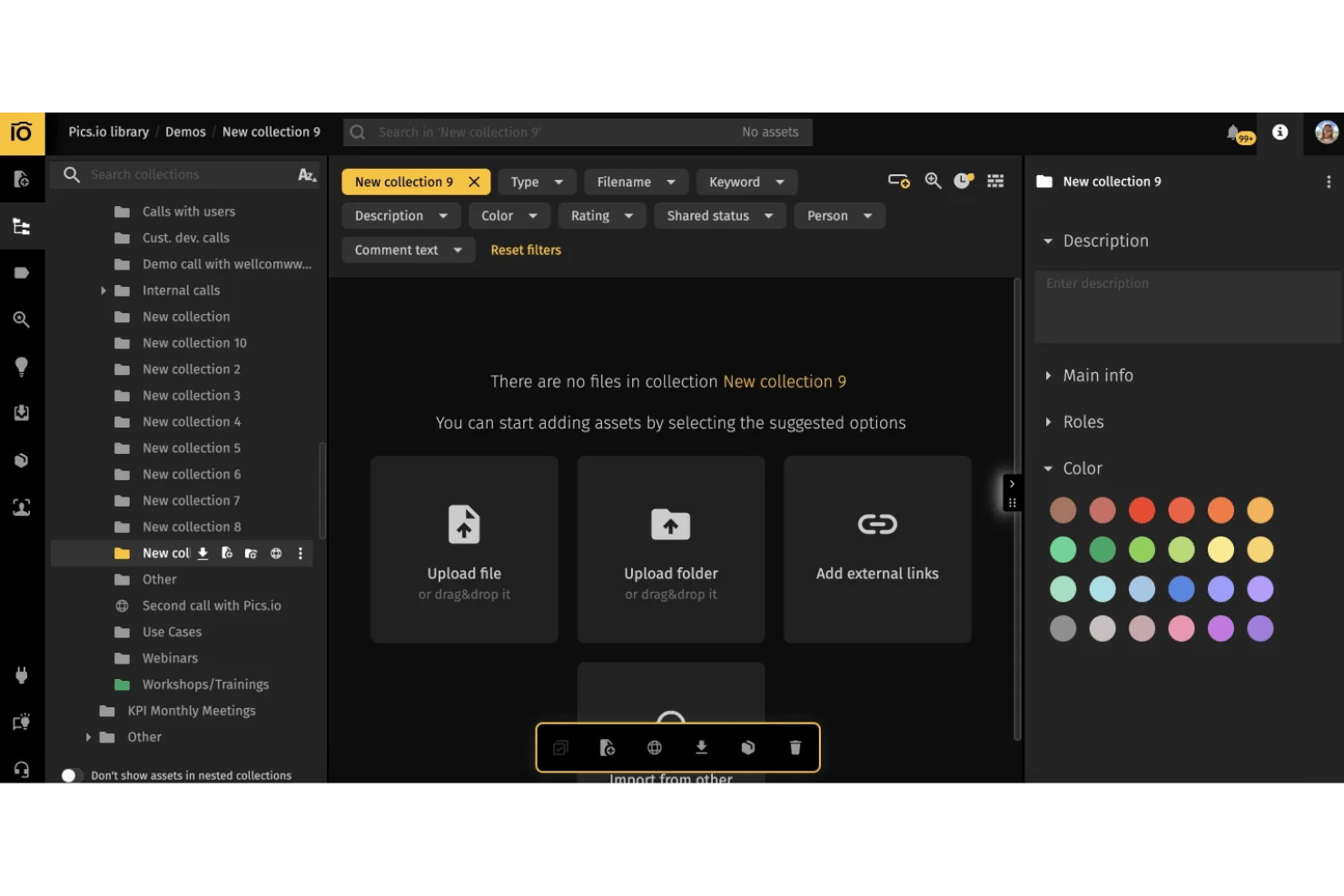
Pics.io è una piattaforma di gestione delle risorse digitali progettata per i team creativi che hanno bisogno di un modo più efficace per organizzare, condividere e collaborare sui file multimediali nel cloud.
Per chi è più adatto Pics.io?
Team creativi e agenzie che necessitano di gestione delle risorse e collaborazione basate sul cloud per progetti distribuiti.
Perché Pics.io è una delle migliori alternative a Dropbox recensite
Ho scelto Pics.io come una delle migliori alternative perché è progettato per la gestione delle risorse creative, offrendo vantaggi rispetto a Dropbox. Organizzare grandi librerie multimediali è più semplice grazie a funzionalità come l'etichettatura visiva, i metadati personalizzati e gli strumenti di revisione collaborativa, così il mio team può trovare, gestire e approvare rapidamente le risorse nei progetti distribuiti.
Funzionalità principali di Pics.io
- Controllo delle versioni: Tieni traccia delle modifiche ai file e ripristina le versioni precedenti all'interno della tua libreria di risorse.
- Accesso API: Integra Pics.io con i tuoi sistemi esistenti utilizzando un'API dedicata.
- Autorizzazioni degli utenti: Assegna ruoli e diritti di accesso specifici a singoli utenti o team.
- Caricamento e modifica in batch: Importa e modifica più file contemporaneamente per risparmiare tempo.
Integrazioni di Pics.io
Pics.io offre integrazioni native con Google Drive, Amazon S3, Slack e WordPress, oltre a fornire accesso API per integrazioni personalizzate.
Pros and Cons
Pros:
- Flussi di lavoro semplificati per l'approvazione visiva delle risorse
- Controllo delle versioni integrato per le risorse creative
- Etichettatura con metadati personalizzati adatta ai creativi
Cons:
- Nessuna sincronizzazione offline per la modifica locale
- L'interfaccia può risultare disordinata per i nuovi utenti
New Product Updates from Pics.io
Pics.io Adds AVIF File Support
Pics.io now supports AVIF files, expanding the image formats you can upload and manage in the platform. This gives teams more flexibility when working with modern image assets. For more information, visit Pics.io’s official site.
 .
.
Ideale per backup economici

Backblaze è una soluzione di backup cloud progettata per privati e aziende che cercano un'opzione di archiviazione dati sicura ed economica. Si rivolge principalmente a utenti che necessitano di un modo semplice e affidabile per eseguire il backup dei propri file.
Perché Backblaze è una buona alternativa a Dropbox: Backblaze propone soluzioni di backup convenienti, rendendola ideale per chi ha un budget limitato. Con backup illimitato a tariffa fissa, puoi archiviare tutti i dati di cui hai bisogno senza preoccuparti di costi in aumento. L'interfaccia semplice della piattaforma consente una configurazione e una gestione dei backup rapide. Backblaze B2 offre inoltre opzioni di recupero file veloce, assicurando che i tuoi dati siano sempre accessibili quando necessario.
Caratteristiche principali e integrazioni:
Le caratteristiche includono il backup illimitato, che consente di archiviare tutti i propri dati senza restrizioni. Il versioning dei file della piattaforma aiuta a tenere traccia delle modifiche e a ripristinare versioni precedenti. Backblaze B2 offre anche la funzione 'localizza il mio computer', utile per rintracciare il dispositivo in caso di smarrimento o furto.
Le integrazioni includono Synology, QNAP, TrueNAS, Veeam, Fastly, MSP360, iconik, Syncovery, GoodSync, Duplicati e altro ancora.
Pros and Cons
Pros:
- Interfaccia intuitiva
- Prezzo a tariffa fissa
- Servizio di ripristino tramite hard disk fisico
Cons:
- Nessuna opzione di condivisione file
- Limitato al backup di un solo dispositivo

MEGA
Ideale per funzionalità di privacy e sicurezza

MEGA è un servizio di archiviazione cloud che offre uno spazio sicuro per l'archiviazione e la condivisione di file, pensato sia per privati che per aziende. Si rivolge a utenti che danno la priorità a privacy e sicurezza, fornendo la crittografia end-to-end per tutti i file.
Perché MEGA è una valida alternativa a Dropbox: MEGA offre forti funzionalità di privacy e sicurezza, garantendo che i tuoi dati siano protetti con la crittografia end-to-end. Puoi condividere file in modo sicuro tramite link protetti da password, aggiungendo un ulteriore livello di sicurezza. La funzionalità di versionamento dei file permette di recuperare versioni precedenti dei tuoi documenti. Inoltre, MEGA offre una quantità generosa di spazio gratuito, rendendolo un'opzione interessante per chi necessita di più spazio.
Funzionalità principali e integrazioni:
Le funzionalità includono una chat crittografata, che permette di comunicare in modo sicuro con gli altri. Il client di sincronizzazione della piattaforma garantisce che i tuoi file siano sempre aggiornati su tutti i dispositivi. MEGA offre anche un gestore di trasferimenti, che ti consente di controllare i tuoi upload e download.
Le integrazioni includono Rclone, MSP360, Synology, Duplicati, e altri.
Pros and Cons
Pros:
- Spazio di archiviazione gratuito generoso
- Crittografia end-to-end controllata dall'utente
- Chat di comunicazione sicura integrata
Cons:
- Dati irrecuperabili in caso di perdita della password
- Larghezza di banda limitata per gli account gratuiti
IDrive
Ideale per il backup di più dispositivi

IDrive è una soluzione di archiviazione cloud pensata per privati e aziende che necessitano di backup affidabili e condivisione di file. È molto apprezzato dagli utenti che richiedono uno spazio sicuro per l'archiviazione su più dispositivi, offrendo funzionalità come sincronizzazione e archiviazione file.
Perché IDrive è una valida alternativa a Dropbox: La capacità di IDrive di eseguire il backup su più dispositivi è una caratteristica distintiva, rendendolo ideale per i team che lavorano con molteplici device. Con la sincronizzazione continua e la versionatura dei file, puoi tenere aggiornati i tuoi dati su tutte le piattaforme. Offre anche uno spazio di archiviazione ampio, particolarmente utile per le aziende con grandi necessità di dati. Queste funzionalità rendono IDrive una scelta versatile per chi cerca una soluzione di backup completa.
Funzionalità e integrazioni principali:
Le funzionalità includono la gestione delle versioni, che ti permette di recuperare versioni precedenti dei file, e la protezione continua dei dati, che avvia automaticamente il backup quando i file vengono modificati. Un'altra opzione utile è il backup ibrido, che ti consente di salvare i dati sia online che localmente; inoltre, offre un componente aggiuntivo economico per il backup di account Microsoft e Google.
Le integrazioni comprendono Microsoft 365, Google Workspace, Salesforce, QuickBooks, Oracle, Zendesk e altro ancora.
Pros and Cons
Pros:
- Esegue il backup di più dispositivi
- Versionamento dei file in tempo reale
- Opzioni di backup ibrido
Cons:
- Spazio di archiviazione gratuito limitato
- Supporto Linux limitato

Ideale per la privacy dei dati auto-ospitati
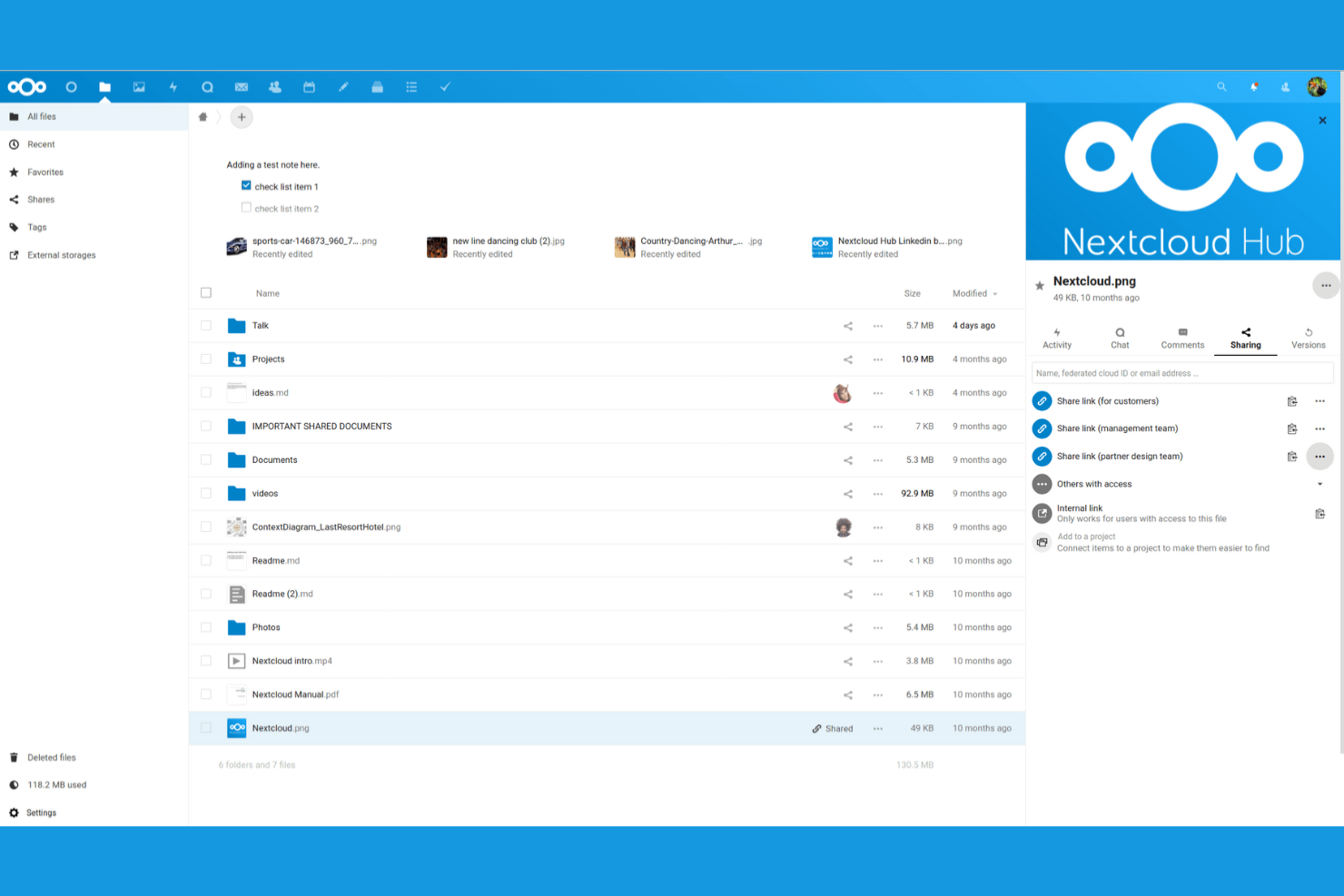
Nextcloud è una piattaforma di archiviazione cloud open source che consente ad aziende e privati di ospitare i propri dati in modo indipendente. È pensata per gli utenti che danno priorità alla privacy e al controllo dei dati, offrendo funzionalità per gestire i file e collaborare in sicurezza.
Perché Nextcloud è una valida alternativa a Dropbox: Nextcloud offre capacità di auto-ospitalità, garantendoti il pieno controllo sul tuo ambiente dati. Con le sue avanzate funzionalità di sicurezza, puoi essere certo che i tuoi dati rimangono privati. La piattaforma supporta anche un'ampia personalizzazione, permettendoti di adattarla alle esigenze del tuo team. Questo rende Nextcloud una soluzione versatile per organizzazioni con specifiche esigenze di privacy e conformità.
Caratteristiche distintive e integrazioni:
Funzionalità includono editing collaborativo, che consente a più utenti di lavorare simultaneamente su documenti. Il sistema di controllo delle versioni della piattaforma ti aiuta a monitorare le modifiche e ripristinare versioni precedenti se necessario. Puoi anche utilizzare il calendario integrato per gestire orari e appuntamenti.
Integrazioni includono Microsoft Outlook, Microsoft Exchange, Microsoft SharePoint, Active Directory, Office Online, Collabora Online, ONLYOFFICE, Zimbra e altro ancora.
Pros and Cons
Pros:
- Altamente personalizzabile
- Forti funzionalità di privacy
- Flessibilità open-source
Cons:
- Richiede manutenzione amministrativa
- Nessun supporto ufficiale integrato

Box
Ideale per la governance dei contenuti aziendali

Box è una piattaforma di archiviazione cloud e collaborazione progettata per aziende di tutte le dimensioni che necessitano di un'archiviazione e condivisione di file sicura. È rivolta principalmente alle imprese che richiedono funzionalità avanzate di sicurezza e conformità.
Perché Box è una valida alternativa a Dropbox: Box offre funzionalità superiori di privacy e sicurezza, rendendola una scelta eccellente per i team che gestiscono dati sensibili. Grazie ai controlli di accesso granulari, puoi gestire chi vede cosa all'interno della tua organizzazione. La sua conformità con varie normative sui dati, tra cui GDPR e HIPAA, assicura che la tua azienda rispetti gli standard del settore. Inoltre, gli strumenti di collaborazione di Box aumentano la produttività permettendo ai membri del team di lavorare insieme in modo efficiente, e tutti i piani aziendali offrono spazio di archiviazione illimitato.
Caratteristiche e integrazioni principali:
Le funzionalità includono avanzate capacità di ricerca, che ti permettono di trovare rapidamente i file necessari. Gli strumenti di automazione dei flussi di lavoro della piattaforma consentono di semplificare le attività ripetitive. Box offre anche una funzione di firma elettronica che potrebbe permetterti di sostituire il software per le firme digitali e risparmiare denaro.
Le integrazioni includono Microsoft 365, Google Workspace, Salesforce, Slack, Adobe, ServiceNow e molte altre.
Pros and Cons
Pros:
- Conformità agli standard del settore
- Strumenti per l'automazione dei flussi di lavoro
- Capacità di ricerca avanzate
Cons:
- Richiede formazione per i nuovi utenti
- Può richiedere molte risorse

Sync
Ideale per la crittografia end-to-end

Sync è un servizio di archiviazione cloud pensato per privati e aziende che necessitano di un deposito file sicuro e condivisione protetta. Si rivolge a chi dà priorità alla privacy e alla protezione dei dati, offrendo funzionalità per mantenere le tue informazioni al sicuro.
Perché Sync è una buona alternativa a Dropbox: Sync offre la crittografia end-to-end, garantendo che solo tu e il tuo team possiate accedere ai file. Questa caratteristica la rende una scelta eccellente per chi è attento alla privacy. Inoltre, Sync fornisce opzioni di condivisione sicura dei file, permettendoti di controllare chi può visualizzare o modificare i documenti. La sua architettura zero-knowledge significa che nemmeno Sync può accedere ai tuoi file, rendendola un'opzione affidabile per dati sensibili.
Caratteristiche principali e integrazioni:
Le funzionalità includono il versioning dei file, che consente di recuperare le versioni precedenti dei documenti. La piattaforma dispone della funzione di cancellazione remota, assicurando la rimozione dei dati da dispositivi smarriti o rubati. Sync prevede anche la protezione tramite password per i link condivisi, aggiungendo un ulteriore livello di sicurezza alla condivisione dei file.
Le integrazioni includono Microsoft 365, Slack e altro ancora.
Pros and Cons
Pros:
- Solide funzionalità di crittografia
- Architettura zero-knowledge
- Date di scadenza personalizzate per cartelle condivise
Cons:
- Integrazioni limitate con terze parti
- Sincronizzazione lenta per file di grandi dimensioni


Microsoft OneDrive è un servizio di archiviazione cloud che si rivolge sia a privati che a aziende, offrendo funzionalità di archiviazione e condivisione dei file. La sua base utenti principale comprende chi già utilizza Windows e altri prodotti Microsoft, poiché si integra con Microsoft 365.
Perché Microsoft OneDrive è una buona alternativa a Dropbox: L'integrazione di OneDrive con Microsoft 365 offre un'esperienza coesa agli utenti che si affidano alle app desktop di Microsoft, come Excel e Word. Grazie alla sincronizzazione automatica dei file, puoi assicurarti che i tuoi documenti siano sempre aggiornati su tutti i dispositivi. Le funzionalità di collaborazione della piattaforma, come la co–scrittura in tempo reale, aumentano la produttività del team. Inoltre, OneDrive offre avanzate misure di sicurezza per proteggere i tuoi dati, come le date di scadenza per i file condivisi.
Funzionalità e integrazioni principali:
Le funzionalità includono Personal Vault, che aggiunge un ulteriore livello di sicurezza per i tuoi file sensibili. Con la versione gratuita puoi archiviare fino a tre file in Personal Vault, mentre alcuni piani a pagamento permettono di salvare file fino al tuo limite di archiviazione. La funzione di ripristino file della piattaforma ti aiuta a recuperare i file in caso di eliminazione accidentale o ransomware. Con l'accesso offline puoi lavorare sui tuoi file anche senza connessione Internet.
Le integrazioni includono Microsoft 365 e altre.
Pros and Cons
Pros:
- Strumenti di collaborazione in tempo reale
- Co-scrittura in tempo reale con Office 365
- Accesso offline
Cons:
- Integrazione limitata con servizi non Microsoft
- Limiti di dimensione per i file caricati

ownCloud è una piattaforma open source di archiviazione cloud progettata per aziende e privati che necessitano di una conservazione e condivisione sicura dei dati. È popolare tra le organizzazioni che danno priorità alla privacy dei dati e alla conformità a varie normative.
Perché ownCloud è una valida alternativa a Dropbox: ownCloud offre un controllo sui dati e funzionalità di conformità senza pari, rendendolo ideale per gli utenti attenti alla privacy dei dati. Con le opzioni di implementazione on-premises, puoi ospitare i tuoi dati sui tuoi server, garantendo un controllo totale. Le sue funzioni di controllo dell'accesso ai file e crittografia aggiungono un ulteriore livello di sicurezza. Questo rende ownCloud una scelta eccellente per settori con normative rigorose sui dati.
Caratteristiche distintive e integrazioni:
Le caratteristiche includono il controllo dell'accesso ai file, che consente di gestire i permessi e garantire la sicurezza dei dati. La crittografia end-to-end offre un ulteriore livello di protezione per le informazioni sensibili. L'opzione di implementazione on-premises fornisce il pieno controllo sull'ambiente di archiviazione dei dati.
Le integrazioni includono Microsoft 365, Collabora Online, ONLYOFFICE e altre ancora.
Pros and Cons
Pros:
- Funzionalità per la privacy dei dati
- Opzioni di implementazione personalizzabili
- Supporta hosting on-premises
Cons:
- Gestione manuale dell'infrastruttura server
- Nessuna suite office integrata

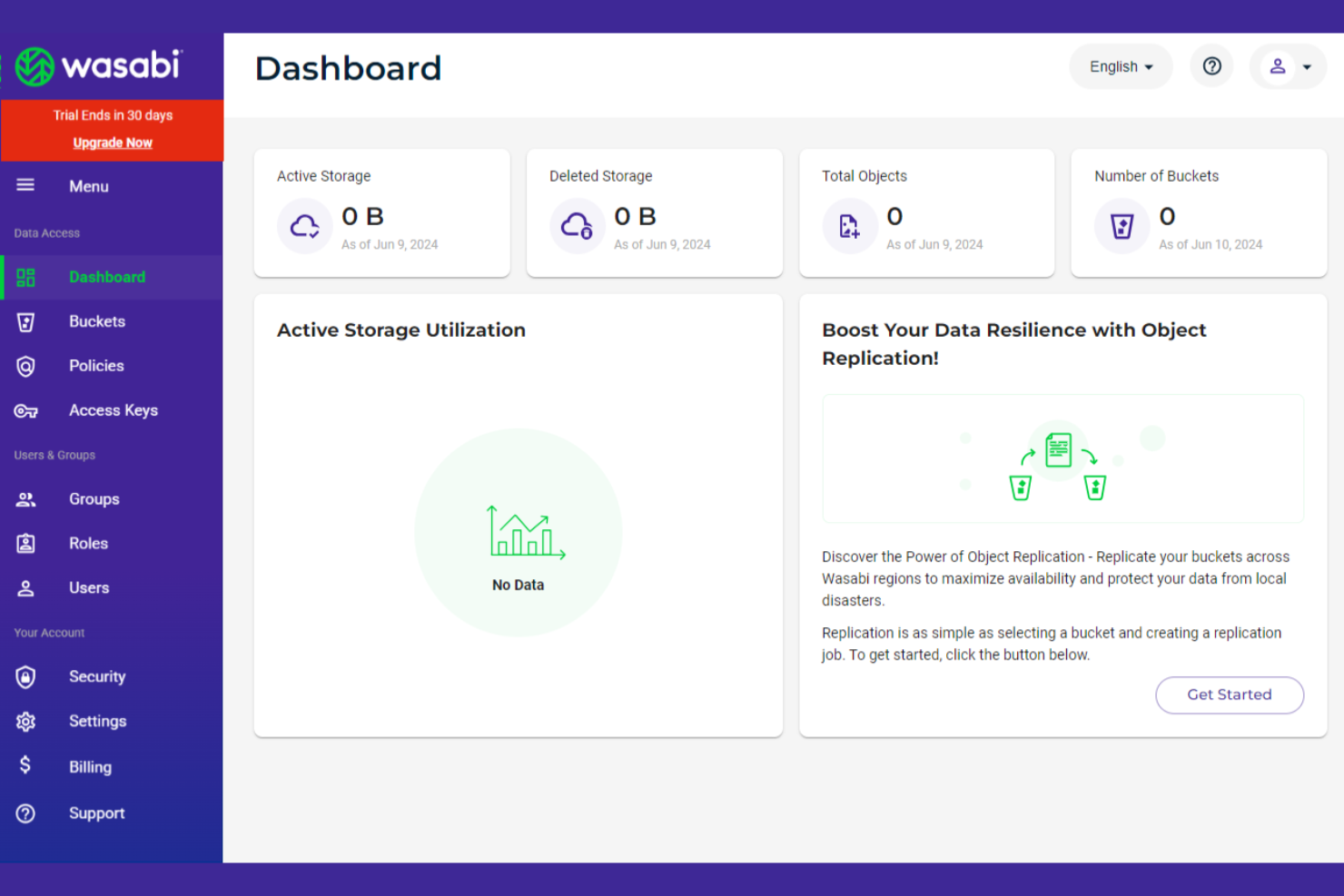
Wasabi è un servizio di archiviazione cloud che offre soluzioni di storage accessibili e ad alte prestazioni per aziende e privati. È pensato soprattutto per chi necessita di uno spazio di archiviazione affidabile e conveniente per grandi quantità di dati.
Perché Wasabi è una buona alternativa a Dropbox: Wasabi offre uno storage dati a basso costo senza compromettere le prestazioni, risultando ideale per chi vuole risparmiare sulle spese di archiviazione. Grazie all’assenza di tariffe per l’uscita dei dati e a un modello di prezzi semplice, puoi prevedere accuratamente i costi. Le capacità di trasferimento dati ad alta velocità della piattaforma assicurano un accesso rapido ai tuoi file. Wasabi fornisce anche robuste funzionalità di sicurezza per proteggere i tuoi dati.
Funzionalità principali e integrazioni:
Funzionalità includono trasferimenti dati ad alta velocità, che ti consentono di caricare e scaricare file rapidamente. La funzionalità di immutabilità dei dati della piattaforma garantisce che i tuoi file non possano essere modificati o eliminati. Wasabi offre anche un modello di prezzi semplice senza costi di uscita, facilitando la gestione dei costi di archiviazione.
Integrazioni includono Veeam, Commvault, Rubrik, Arcserve, Versity, Synology, QNAP, Panzura e altri.
Pros and Cons
Pros:
- Modello di prezzi prevedibile
- Nessuna tariffa di uscita
- Funzionalità di immutabilità dei dati
Cons:
- Manca la condivisione file nativa
- Nessun backup automatico integrato
Altre alternative a Dropbox
Ecco alcune alternative aggiuntive a Dropbox che non sono state incluse nel mio elenco, ma che vale comunque la pena considerare:
- Proton Drive
Ideale per chi cerca un archivio orientato alla privacy
- Apple iCloud
Ideale per l'integrazione con l'ecosistema Apple
- Tresorit
Ideale per la collaborazione sicura in team


Come Valuto le Alternative a Dropbox
Esamino le alternative a Dropbox su due livelli: ciò che lo strumento deve necessariamente offrire (come la cronologia delle versioni e la sincronizzazione) e ciò che distingue la scelta migliore per un'agenzia creativa rispetto a un PMO.
Funzionalità Core (Requisiti Minimi per Questa Lista)
Quando seleziono gli strumenti per la mia lista, valuto ciascuno su una scala da 0 (non offre la funzionalità) a 5 (eccelle in quest'area) per ogni funzionalità chiave elencata di seguito. Poi calcolo il punteggio totale dello strumento in percentuale. Ogni strumento deve raggiungere un punteggio totale minimo del 65% per essere considerato nell'elenco.
- Archivio Cloud di File: Valuto i livelli di archiviazione e i limiti di dimensione dei file di ciascuno strumento per assicurarmi che i team di progetto possano gestire grandi materiali come montaggi video o file di design senza necessità di pulizie continue.
- Sincronizzazione e Condivisione File: Il client di sincronizzazione di ogni piattaforma è fondamentale—verifico la sincronizzazione selettiva, l'accesso offline e i controlli sui link esterni come la protezione tramite password e le date di scadenza.
- Controllo delle Versioni e Cronologia: La profondità di ripristino è cruciale. Valuto fin dove arriva la cronologia delle versioni e quanto sia semplice ripristinare un file dopo una sovrascrittura accidentale.
- Permessi di Accesso e Sicurezza: Permessi a livello di cartella e di file, SSO, 2FA e standard di crittografia sono tutti fattori importanti, specialmente per i team che condividono documenti sensibili con stakeholder esterni.
- Funzionalità di Collaborazione: Analizzo se la piattaforma supporta la co-modifica, i commenti in linea e gli spazi di lavoro condivisi—strumenti come Box e Google Drive approcciano questo aspetto in modi differenti.
- Integrazioni con Strumenti di Progetto: Le connessioni con piattaforme come Asana, Jira, Slack e Microsoft 365 vengono valutate perché i file di progetto raramente restano isolati dai flussi di lavoro di attività e comunicazione.
Una volta stilata la lista degli strumenti che soddisfano questi criteri, considero cosa rende ciascuna piattaforma unica.
Fattori Differenzianti (Cosa Distingue i Fornitori)
Ecco come confronto e metto a contrasto i vari fornitori:
Caratteristiche Distintive
Il trasferimento di file di grandi dimensioni è essenziale—quando il tuo team invia regolarmente risorse video o disegni CAD, hai bisogno di una piattaforma che gestisca caricamenti multigigabyte in modo nativo. Valuto anche se uno strumento offre portali dedicati ai clienti, poiché i project leader che gestiscono stakeholder esterni traggono beneficio da uno spazio con brand dedicato per la condivisione dei materiali e la raccolta delle approvazioni. Anche la ricerca intelligente dei contenuti ha un peso. Poter trovare un contratto o una scheda tecnica specifica tra migliaia di file usando OCR o metadati fa davvero risparmiare tempo nei progetti documentali.
Oltre le Caratteristiche
La struttura dei prezzi è importante perché il costo per utente cresce rapidamente in un team di progetto da 30 persone. Confronto il rapporto archiviazione/costo rispetto a Dropbox per assicurarmi che cambiando si ottenga davvero più valore. La profondità dell'ecosistema è un altro elemento—se uno strumento si collega nativamente a Jira, Slack o Monday può determinare quanto bene i file restino collegati al lavoro di progetto in corso. Anche il supporto alla migrazione pesa nella valutazione. Passare da Dropbox a progetto già avviato è rischioso, quindi verifico se i fornitori offrono strumenti o servizi per migrare le strutture di file esistenti senza perdere permessi o cronologia delle versioni.
Perché cercare un'alternativa a Dropbox?
Sebbene Dropbox sia una buona scelta per l'archiviazione cloud, ci sono diversi motivi per cui alcuni utenti cercano soluzioni alternative. Potresti essere alla ricerca di un'alternativa a Dropbox perché:
- Hai bisogno di più spazio di archiviazione a un costo inferiore
- Il tuo team necessita di una crittografia dei dati più solida
- Vuoi una migliore integrazione con strumenti non Microsoft
- La tua attività deve rispettare normative specifiche
- Hai bisogno di funzionalità di collaborazione più avanzate
Se ti riconosci in una di queste situazioni, sei nel posto giusto. Il mio elenco include diverse opzioni di software di archiviazione cloud più adatte ai team che affrontano queste difficoltà con Dropbox e sono alla ricerca di soluzioni alternative.
Funzionalità principali di Dropbox
Ecco alcune delle funzionalità principali di Dropbox, per aiutarti a mettere a confronto ciò che offrono le soluzioni alternative:
- Archiviazione e condivisione dei file: accedi ai file e condividili su più dispositivi, mantenendo il tuo team connesso.
- Revisione dei video: esamina e approva i video in modo efficiente, perfezionando il processo di raccolta dei feedback del tuo team.
- Backup automatico: esegui automaticamente il backup dei dispositivi per garantire che i tuoi dati siano al sicuro e recuperabili.
- Pianificazione con l'IA: utilizza l'IA per pianificare attività e riunioni, facendo risparmiare tempo e fatica al tuo team.
- Organizzazione dei contenuti: organizza e proteggi i contenuti con Dropbox Dash, trovando facilmente ciò di cui hai bisogno.
- Invio sicuro dei documenti: invia e monitora i documenti in modo sicuro con DocSend, assicurandoti che le tue informazioni rimangano protette.
- Firme elettroniche: utilizza Dropbox Sign per aggiungere firme ai documenti, semplificando il tuo flusso di lavoro.
- Accesso anticipato: prova in anteprima le nuove funzionalità dei prodotti, mantenendo il tuo team all'avanguardia con gli strumenti più recenti.
- Strumenti di annotazione: aggiungi annotazioni ai PDF e gestisci le attività direttamente in Dropbox, migliorando la collaborazione del team.
- App per desktop e dispositivi mobili: accedi a Dropbox da qualsiasi dispositivo, garantendo flessibilità e praticità al tuo team.