

Le 10 migliori alternative ad Adobe Acrobat per modificare PDF nel 2026

Elenco delle migliori alternative ad Adobe Acrobat


Gestire i documenti digitali può essere un'impresa, soprattutto quando si lavora a più progetti contemporaneamente. Adobe Acrobat potrebbe sembrarti troppo costoso o complesso per le esigenze del tuo team. Non sei l'unico ad affrontare questa difficoltà.
In base alla mia esperienza, le alternative ad Adobe Acrobat offrono spesso interfacce intuitive e soluzioni convenienti. Possono aiutare il tuo team a gestire PDF e firme elettroniche con facilità, senza le funzionalità aggiuntive di cui potresti non avere bisogno.
In questo articolo condividerò le mie migliori alternative ad Adobe Acrobat. Fornirò recensioni imparziali basate su test approfonditi. Troverai informazioni sulle funzionalità, sui vantaggi e gli svantaggi e sui prezzi, per aiutarti a trovare il miglior editor PDF per i tuoi progetti.
Che cos'è Adobe Acrobat?
Adobe Acrobat è un software per PDF e firme elettroniche che ti aiuta a gestire, modificare e creare PDF. Viene comunemente utilizzato da professionisti come project manager, team legali e docenti che hanno bisogno di una gestione affidabile dei documenti. Va oltre il semplice lettore PDF, offrendo funzionalità come la modifica dei PDF, le firme elettroniche e la condivisione dei documenti, che aiutano a semplificare i flussi di lavoro e a migliorare la collaborazione. Nel complesso, Adobe Acrobat offre valore grazie a uno strumento versatile per gestire in modo efficiente i documenti digitali.
Riepilogo delle migliori alternative ad Adobe Acrobat
Questa tabella comparativa riassume i dettagli sui prezzi delle mie migliori alternative ad Adobe Acrobat per aiutarti a trovare il software più adatto al tuo budget e alle esigenze della tua azienda.
| Tool | Best For | Trial Info | Price | ||
|---|---|---|---|---|---|
| 1 | Ideale per strumenti PDF intuitivi | Prova gratuita di 7 giorni + piano gratuito disponibile | A partire da $10/mese (con fatturazione annuale) | Website | |
| 2 | Ideale per la produttività assistita dall'intelligenza artificiale | Piano gratuito + prova gratuita disponibile | A partire da $20.62/licenza/utente/mese | Website | |
| 3 | Ideale per funzionalità PDF integrate con l'IA | Piano gratuito disponibile | A partire da $49.99/anno | Website | |
| 4 | Ideale per soluzioni di firma elettronica sicura | Prova gratuita di 14 giorni + dimostrazione gratuita disponibile | A partire da $15/utente/mese (con fatturazione annuale) | Website | |
| 5 | Ideale per la modifica dei PDF con un'app per dispositivi mobili | Prova gratuita + demo gratuita disponibili | Prezzi disponibili su richiesta | Website | |
| 6 | Ideale per i professionisti del settore edile | Prova gratuita di 14 giorni disponibile | A partire da 260 $/utente/anno | Website | |
| 7 | Ideale per la modifica dei PDF basata sull'intelligenza artificiale | Piano gratuito disponibile | A partire da $79.99/anno | Website | |
| 8 | Ideale per le attività PDF online | Piano gratuito disponibile | A partire da $7/7 giorni (pagamento una tantum) | Website | |
| 9 | Ideale per la gestione dei documenti tra dispositivi | Prova gratuita + demo gratuita disponibili | A partire da $4.99/licenza/mese (fatturato annualmente) | Website | |
| 10 | Ideale per soluzioni PDF aziendali | Prova gratuita disponibile | A partire da $149/unità (pagamento una tantum) | Website |
Perché fidarsi dei nostri consigli sui software
Il nostro team testa e recensisce software dal 2012. In quanto project manager noi stessi, sappiamo quanto sia difficile — e importante — scegliere il software giusto.
Per questa guida, abbiamo valutato gli strumenti attraverso test pratici e ricerche indipendenti, assegnando un punteggio agli strumenti in base ai nostri criteri di selezione. Ci basiamo inoltre sulle competenze di leader di pensiero del settore e di professionisti attivi nella gestione dei progetti.
Le nostre recensioni riflettono il nostro giudizio editoriale umano, non un discorso di vendita.
Revisori esperti:
Recensioni delle migliori alternative ad Adobe Acrobat
Di seguito ho scritto riepiloghi dettagliati delle migliori alternative ad Adobe Acrobat che sono entrate nel mio elenco. Le mie recensioni offrono uno sguardo approfondito sulle funzionalità principali, sui vantaggi e gli svantaggi, sulle integrazioni e sui casi d’uso ideali di ogni strumento, per aiutarti a trovare quello più adatto a te.

Smallpdf
Ideale per strumenti PDF intuitivi
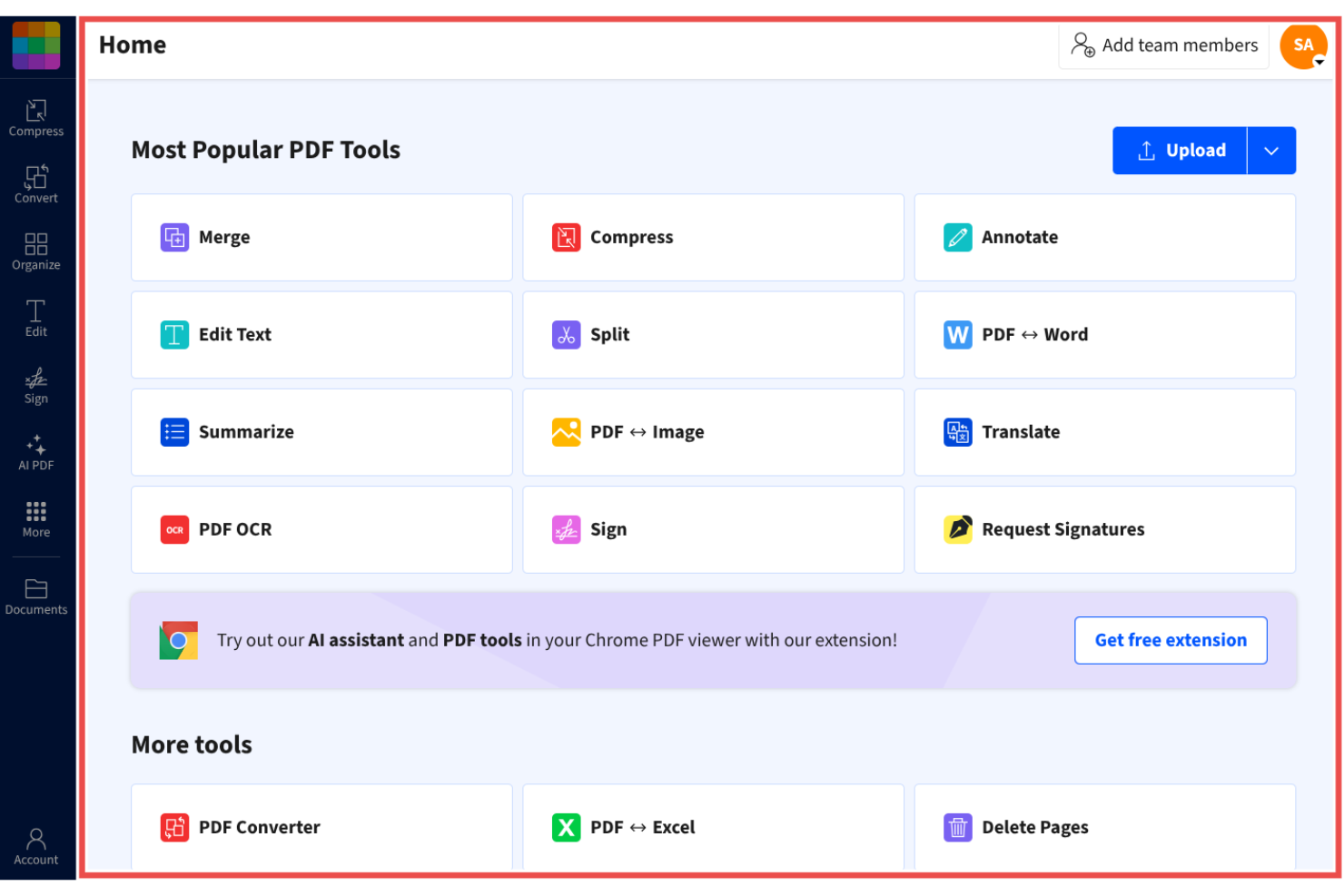
Smallpdf è uno strumento per la gestione dei PDF progettato per privati e aziende alla ricerca di una soluzione semplice per gestire i documenti. È popolare tra gli utenti che necessitano di un accesso rapido e immediato a funzionalità PDF come conversione, compressione e modifica.
Perché è una buona alternativa ad Adobe Acrobat: Smallpdf offre strumenti PDF intuitivi che semplificano le attività sui documenti, rendendolo una scelta pratica per chi cerca una gestione dei PDF immediata. La sua interfaccia intuitiva offre un modo semplice ed efficiente per convertire, comprimere e modificare i PDF. Lo strumento è accessibile da qualsiasi dispositivo, risultando comodo per i team in movimento.
Funzionalità principali e integrazioni:
Le funzionalità includono la modifica, la compressione e la conversione dei PDF, consentendo di ridurre le dimensioni dei file e condividerli senza perdere qualità. Gli strumenti di conversione permettono di passare rapidamente da un formato di file all'altro.
Le integrazioni includono Google Workspace, Dropbox, Microsoft OneDrive e altro.
Pros and Cons
Pros:
- Accessibile da qualsiasi dispositivo
- Strumenti di compressione affidabili
- Ampia gamma di funzioni PDF
Cons:
- Limitazioni della versione gratuita
- Nessuna formattazione avanzata

Ideale per la produttività assistita dall'intelligenza artificiale

Foxit PDF Editor è progettato per aziende e privati che necessitano di soluzioni affidabili per la gestione dei documenti. È popolare tra i professionisti che richiedono strumenti efficienti per modificare, condividere e proteggere i file PDF.
Perché è una buona alternativa ad Adobe Acrobat: Foxit PDF Editor offre funzionalità di produttività basate sull'intelligenza artificiale che rendono più intuitiva la gestione dei documenti. Grazie alle funzionalità basate sull'intelligenza artificiale, puoi automatizzare le attività ripetitive e rendere più efficiente il flusso di lavoro del tuo team. Il software include opzioni di sicurezza avanzate per proteggere i tuoi documenti e offre componenti aggiuntivi per le app di Microsoft Office, incluso PowerPoint. Queste funzionalità rendono Foxit PDF Editor una scelta pratica per chi cerca un'alternativa più semplice ed efficiente ad Adobe Acrobat.
Funzionalità e integrazioni principali:
Le funzionalità includono misure di sicurezza avanzate e accessibilità da dispositivi mobili. Puoi gestire i documenti in modo sicuro con la crittografia e le impostazioni delle autorizzazioni. Il software supporta anche la collaborazione in tempo reale.
Le integrazioni includono Google Workspace, Dropbox, Microsoft OneDrive, Box, SharePoint e altro.
Pros and Cons
Pros:
- Strumenti di produttività basati sull'intelligenza artificiale
- Funzionalità di sicurezza avanzate
- Opzioni di collaborazione in tempo reale
Cons:
- Strumenti limitati per la modifica avanzata dei PDF
- Elevato utilizzo delle risorse

UPDF
Ideale per funzionalità PDF integrate con l'IA
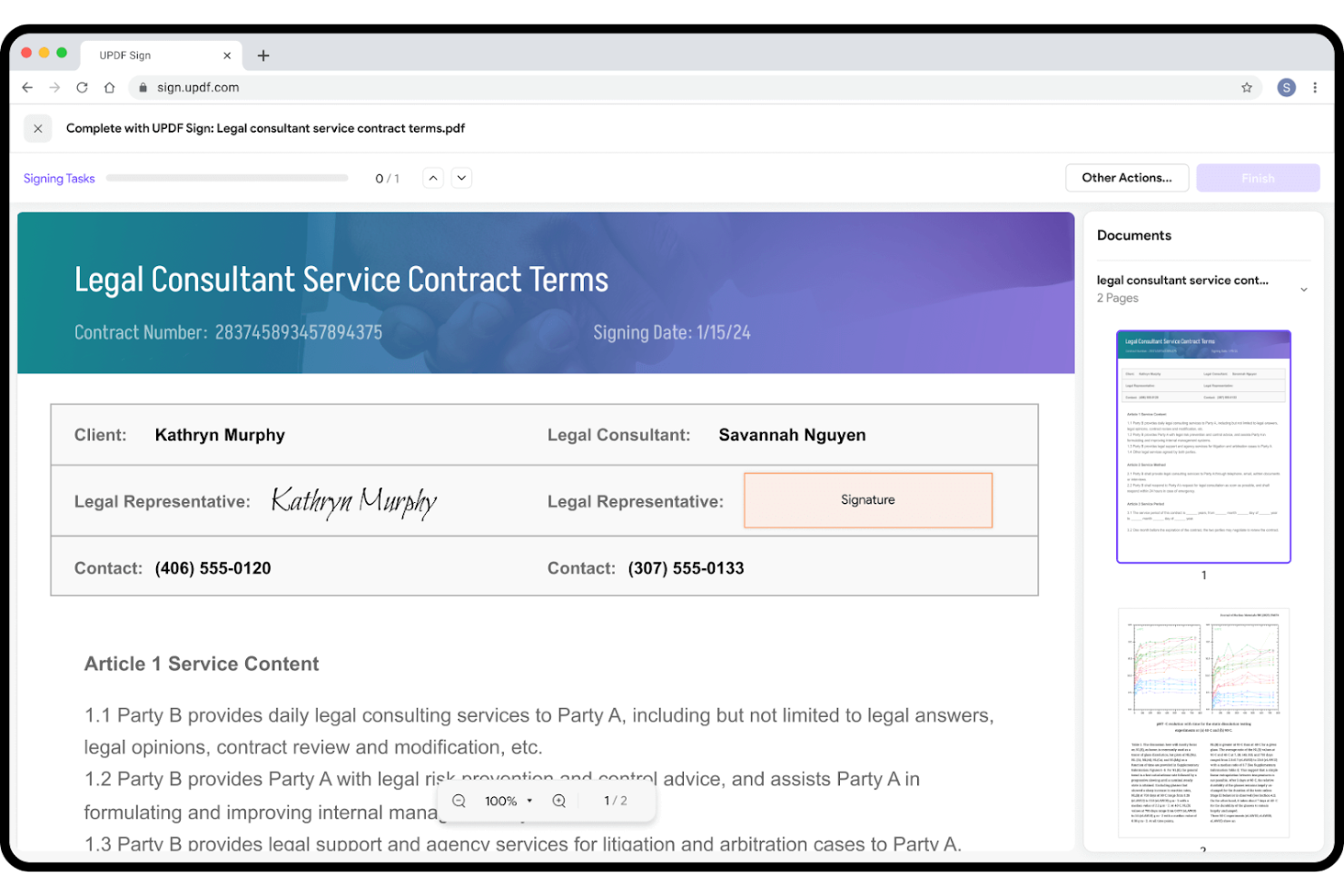
UPDF è un software per la modifica dei PDF pensato per gli utenti che cercano una gestione dei documenti efficiente e semplice. È molto apprezzato da singoli utenti e piccoli team che necessitano di strumenti intuitivi per modificare, annotare e convertire i PDF.
Perché è una valida alternativa ad Adobe Acrobat: UPDF offre funzionalità PDF integrate con l'IA che semplificano le attività relative ai documenti, rappresentando una scelta interessante per chi desidera un'alternativa efficiente ad Adobe Acrobat. Il software mette a disposizione opzioni semplici per la modifica e la conversione, rendendolo accessibile agli utenti di ogni livello, oltre a strumenti basati sull'IA che consentono di automatizzare le attività ripetitive e aumentare la produttività.
Funzionalità e integrazioni principali:
Le funzionalità includono l'annotazione dei PDF (con evidenziazioni e commenti), la conversione e la modifica.
Le integrazioni includono Google Workspace, Dropbox e altro.
Pros and Cons
Pros:
- Automazione dei documenti basata sull'IA
- Conversione efficiente dei formati
- Adatto ai piccoli team
Cons:
- Mancano strumenti aziendali avanzati
- Notifiche insistenti per l'acquisto di funzionalità aggiuntive


Nitro PDF è un software per PDF e firme elettroniche progettato per aziende e professionisti che necessitano di funzionalità efficienti per la gestione e la firma dei documenti. È ampiamente utilizzato da squadre che richiedono soluzioni sicure e affidabili per la gestione dei PDF e delle firme elettroniche.
Perché è una valida alternativa ad Adobe Acrobat: Nitro PDF offre soluzioni sicure per la firma elettronica che danno priorità alla protezione dei tuoi documenti. Puoi inviare, firmare e gestire i documenti con funzionalità avanzate di crittografia e sicurezza. Il software offre inoltre strumenti per la collaborazione e la produttività, risultando ideale per le squadre che puntano all'efficienza. Per ottenere più funzionalità, Nitro PDF Pro è un'opzione per chi cerca un'alternativa ad Adobe Acrobat Pro.
Funzionalità e integrazioni principali:
Le funzionalità includono strumenti di collaborazione, analisi dei documenti e accessibilità da iPhone. Puoi lavorare con la tua squadra in tempo reale e monitorare i flussi di lavoro dei documenti in modo semplice ed efficiente. Grazie all'accessibilità da iPhone e iPad, puoi accedere ai tuoi documenti ovunque ti trovi.
Le integrazioni includono Google Drive, Dropbox, Microsoft OneDrive, SharePoint, Salesforce, iManage, Microsoft 365 e altro.
Pros and Cons
Pros:
- Funzionalità sicure di firma elettronica
- Strumenti di collaborazione in tempo reale
- Monitoraggio del flusso di lavoro dei documenti
Cons:
- Incentrato su Windows
- Strumenti di modifica per dispositivi mobili limitati

Ideale per la modifica dei PDF con un'app per dispositivi mobili
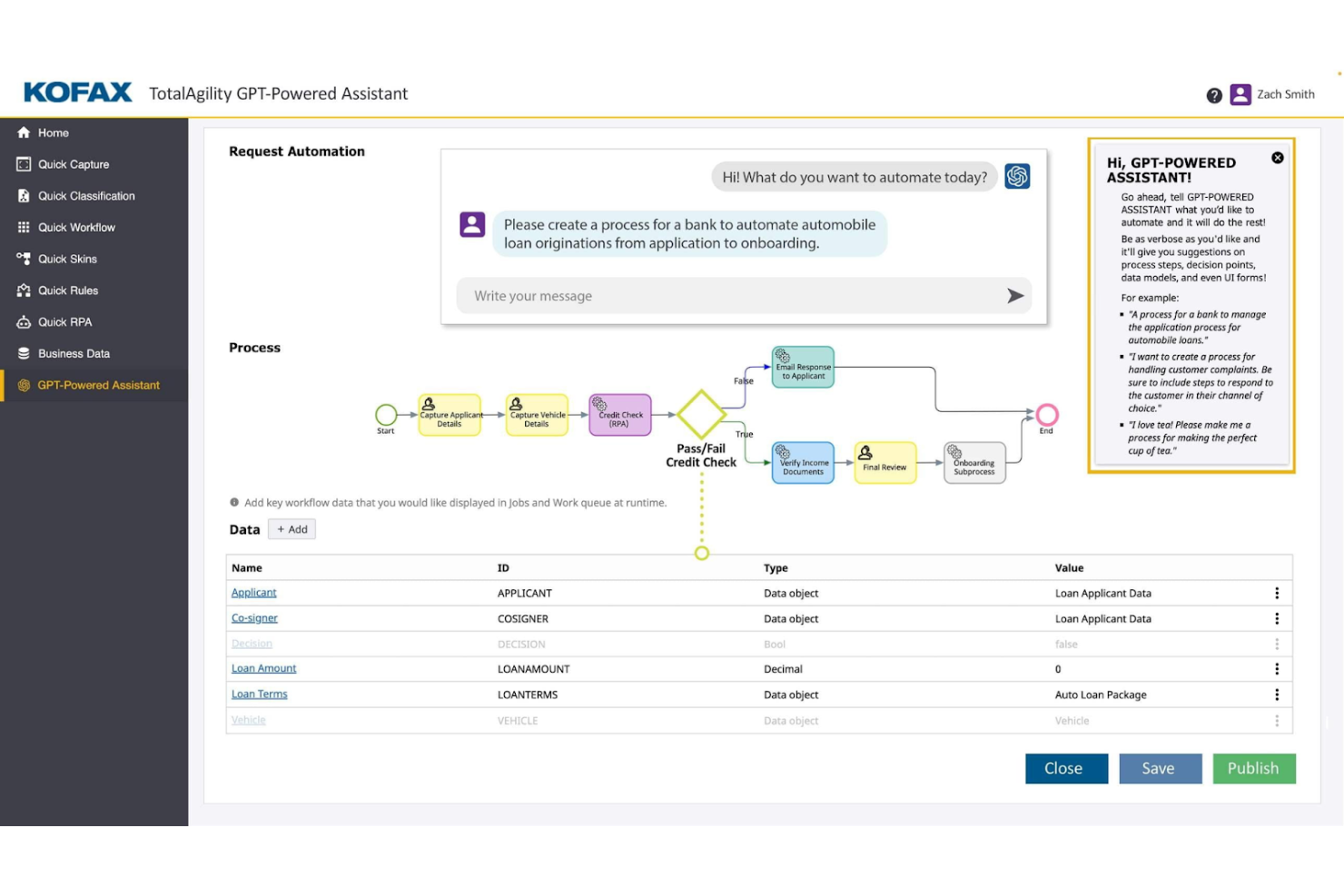
Tungsten Automation Power PDF offre soluzioni PDF e di firma elettronica per i professionisti che desiderano sviluppare i propri flussi di lavoro per i documenti digitali. È pensato per gli utenti che necessitano di funzionalità efficienti di modifica e firma dei documenti, supportate dall'intelligenza artificiale.
Perché è una valida alternativa ad Adobe Acrobat: Tungsten Automation Power PDF offre funzionalità avanzate e un solido supporto per la sicurezza, adattandosi a privati e aziende. Include interfacce intuitive e opzioni di distribuzione flessibili che consentono al tuo team di integrare facilmente il software nei flussi di lavoro esistenti, mentre la conformità agli standard ISO aiuta i tuoi documenti a soddisfare i requisiti del settore.
Funzionalità e integrazioni principali:
Le funzionalità includono la modifica dei PDF, firme digitali sicure e strumenti intuitivi per la conversione e la redazione. Puoi gestire i documenti tramite l'interfaccia intuitiva, semplificando il tuo flusso di lavoro.
Le integrazioni includono Google Drive, Dropbox, Microsoft OneDrive, Box, SharePoint, Evernote, Salesforce, NetDocuments, iManage, Microsoft Office 365 e altro ancora.
Pros and Cons
Pros:
- Conformità ISO
- Opzioni di distribuzione flessibili
- Funzionalità avanzate dell'app per dispositivi mobili
Cons:
- Le caselle di testo possono presentare malfunzionamenti
- Sincronizzazione debole tra PC e dispositivi mobili


Bluebeam è un software PDF pensato per i professionisti del settore edile che necessitano di strumenti efficienti per la gestione e l'annotazione dei documenti. È ampiamente utilizzato da architetti, ingegneri e appaltatori per ottimizzare i flussi di lavoro dei progetti e migliorare la collaborazione.
Perché è una buona alternativa ad Adobe Acrobat: Bluebeam offre strumenti specializzati per i professionisti del settore edile che favoriscono l'efficienza dei progetti, tra cui funzionalità avanzate di annotazione e strumenti per la collaborazione in tempo reale. Queste funzionalità lo rendono una valida alternativa ad Adobe Acrobat per chi cerca soluzioni su misura per il settore delle costruzioni.
Funzionalità e integrazioni principali:
Le funzionalità includono strumenti avanzati di annotazione, collaborazione in tempo reale e funzionalità di gestione dei progetti. È possibile utilizzare gli strumenti di annotazione per aggiungere commenti e note direttamente ai documenti. La funzionalità di collaborazione in tempo reale consente al team di lavorare insieme in modo efficiente sui progetti.
Le integrazioni includono Autodesk Construction Cloud, SharePoint, ProjectWise, Box, Egnyte, Microsoft OneDrive, Dropbox e altro ancora.
Pros and Cons
Pros:
- Pensato per i progetti di costruzione
- Funzionalità avanzate di annotazione
- Funzionalità di collaborazione in tempo reale
Cons:
- Nessuna versione completa per gli utenti Mac
- Richiede hardware per PC di fascia alta

Ideale per la modifica dei PDF basata sull'intelligenza artificiale
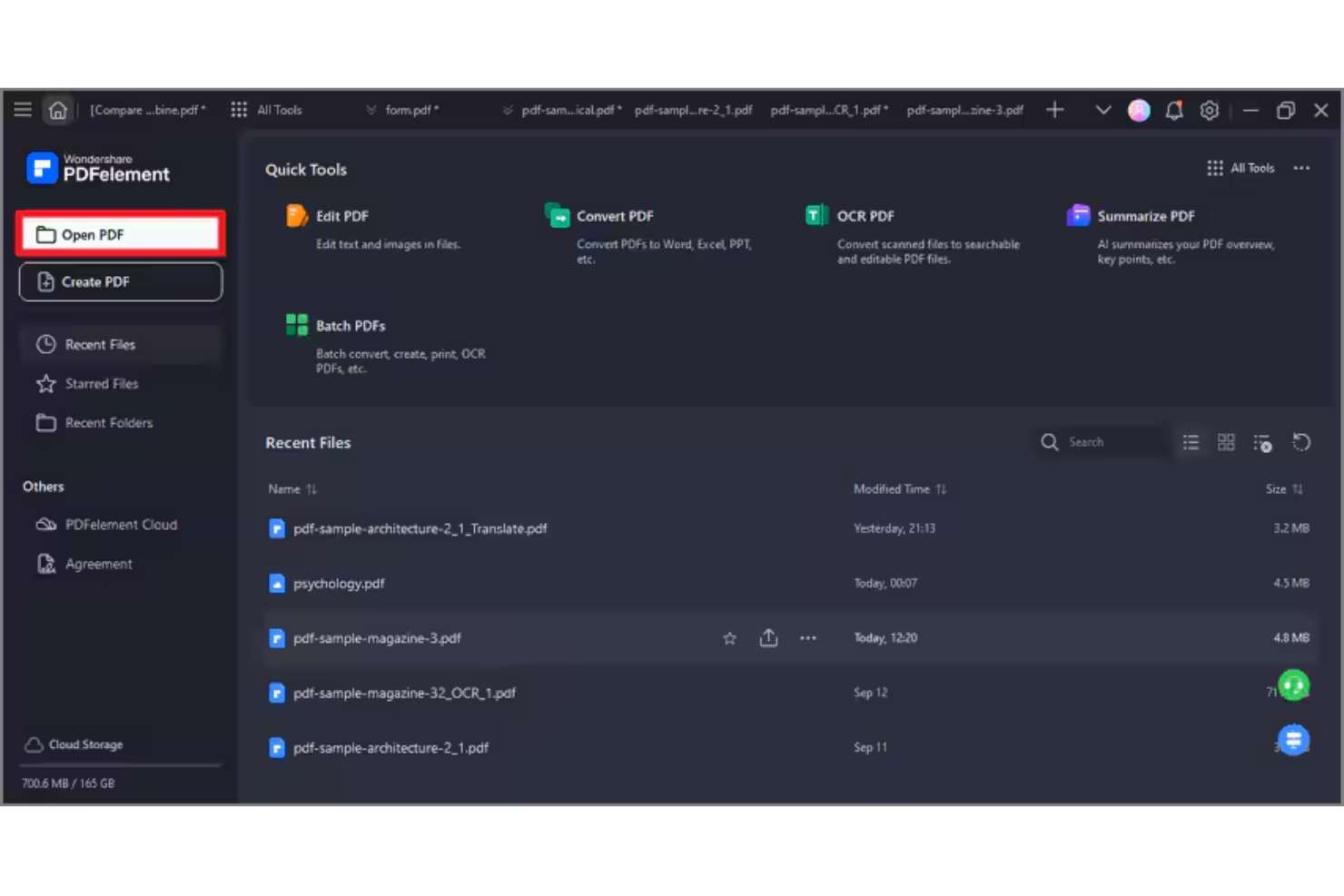
Wondershare PDFelement è un software per PDF e firme elettroniche progettato per i professionisti che necessitano di funzionalità efficienti per la gestione e la modifica dei documenti PDF. È adatto a un'ampia gamma di utenti, inclusi i team di piccole aziende e i professionisti individuali, offrendo metodi semplici per creare, modificare, gestire e firmare PDF nei sistemi operativi Windows e Apple.
Perché è una buona alternativa ad Adobe Acrobat: PDFelement offre funzionalità di modifica dei file PDF basate sull'intelligenza artificiale, che migliorano la gestione dei documenti. Le sue funzionalità di intelligenza artificiale semplificano attività come il riconoscimento del testo e la creazione di moduli PDF. Il software include anche l'elaborazione in batch, che consente di gestire più file in modo efficiente, ed è disponibile una licenza perpetua per i team. Nel complesso, PDFelement offre una soluzione conveniente per chi desidera sviluppare le proprie capacità di gestione dei PDF senza la complessità di Adobe Acrobat.
Funzionalità principali e integrazioni:
Le funzionalità includono la modifica del testo basata sull'intelligenza artificiale, l'elaborazione in batch e la creazione di moduli. Il software consente di modificare i PDF con precisione e facilità. Sono inoltre disponibili strumenti per convertire i PDF in vari formati di file, rendendo i flussi di lavoro documentali più flessibili.
Le integrazioni includono Google Drive, Dropbox, Microsoft OneDrive, Apple iCloud, Microsoft Office 365 e altro.
Pros and Cons
Pros:
- Strumenti di modifica basati sull'intelligenza artificiale
- Elaborazione in batch per una maggiore efficienza
- Conversione flessibile dei formati di file
Cons:
- Alcune restrizioni sulle dimensioni dei documenti
- Limiti ai crediti per l'intelligenza artificiale

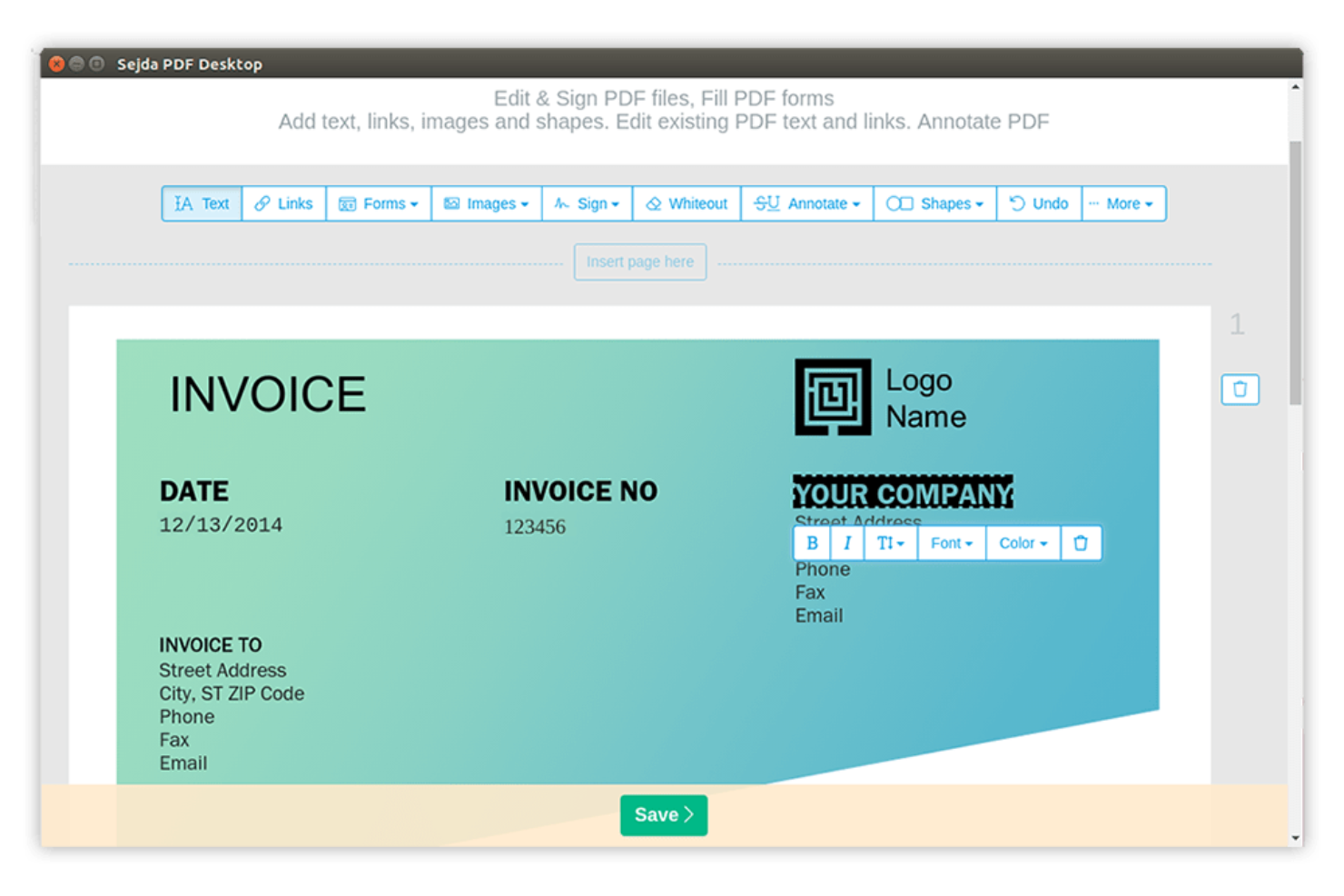
Sejda è uno strumento PDF online progettato per gli utenti che necessitano di un accesso rapido e semplice alle funzionalità PDF. È popolare tra privati e piccole aziende per la sua capacità di svolgere attività come la modifica, l'unione e la divisione dei PDF.
Perché è una buona alternativa ad Adobe Acrobat: Sejda eccelle nella gestione efficiente delle attività PDF online. Puoi modificare e manipolare i PDF direttamente nel browser, rendendolo altamente accessibile, mentre la semplicità dello strumento consente di apportare rapidamente modifiche ai documenti senza dover utilizzare software complessi. Queste funzionalità rendono Sejda una scelta pratica per chi cerca soluzioni PDF online semplici.
Funzionalità principali e integrazioni:
Le funzionalità includono la modifica, l'unione e la divisione dei PDF, oltre al supporto per i caratteri personalizzati. Puoi combinare più PDF in un unico documento, mentre la funzionalità di divisione consente di suddividere i PDF di grandi dimensioni in file più piccoli e più gestibili.
Le integrazioni includono Google Drive, Dropbox e altro.
Pros and Cons
Pros:
- Modifica efficiente dei PDF online
- Non è richiesta l'installazione di software
- Manipolazione semplice dei documenti
Cons:
- Limiti rigidi per le dimensioni dei file e il numero di pagine
- Mancano strumenti per l'elaborazione in batch

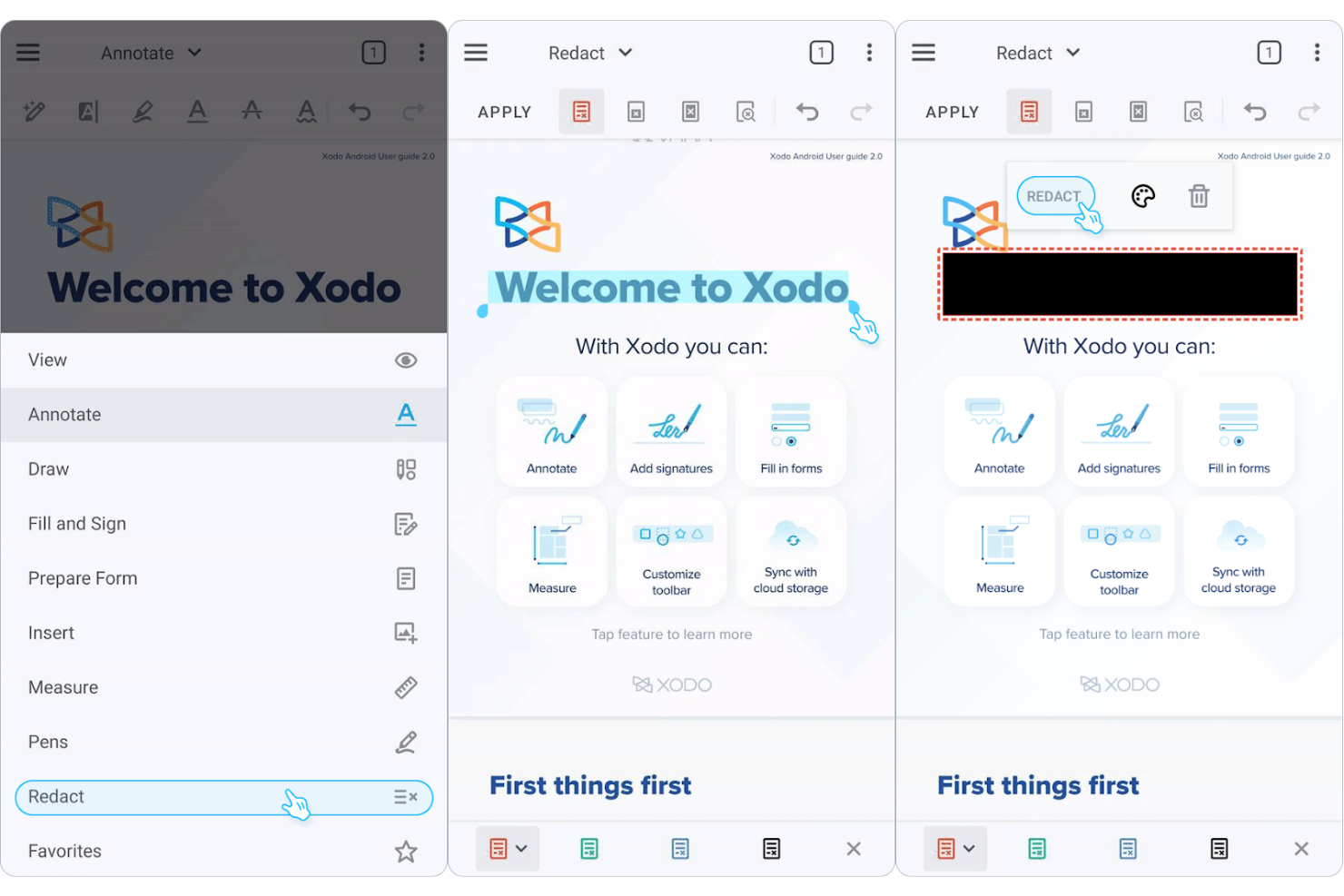
Xodo è uno strumento di gestione dei PDF progettato per gli utenti che necessitano di un accesso efficiente ai documenti su vari dispositivi. È apprezzato da singoli utenti e team che richiedono strumenti affidabili per visualizzare, annotare e condividere PDF.
Perché è una buona alternativa ad Adobe Acrobat: Xodo eccelle nella gestione dei documenti tra dispositivi, offrendo un'esperienza coerente sia su dispositivi mobili che desktop o web. È possibile annotare e collaborare sui PDF in tempo reale grazie alle note adesive e agli strumenti di evidenziazione del testo. Il software intuitivo consente al team di adattarsi rapidamente. Queste funzionalità rendono Xodo una scelta pratica per chi desidera flessibilità e accessibilità nelle proprie soluzioni PDF.
Funzionalità e integrazioni principali:
Le funzionalità includono strumenti di annotazione, collaborazione in tempo reale e accesso all'archiviazione cloud, consentendo di evidenziare, sottolineare e aggiungere commenti ai PDF, aiutando al contempo il team a rimanere connesso e produttivo.
Le integrazioni includono Google Drive, Dropbox, Microsoft OneDrive, Evernote e altro.
Pros and Cons
Pros:
- Esperienza coerente tra dispositivi
- Accesso all'archiviazione cloud
- Adattamento rapido per i team
Cons:
- Sincronizzazione cloud lenta per i file di grandi dimensioni
- Modifica con ridisposizione del testo limitata

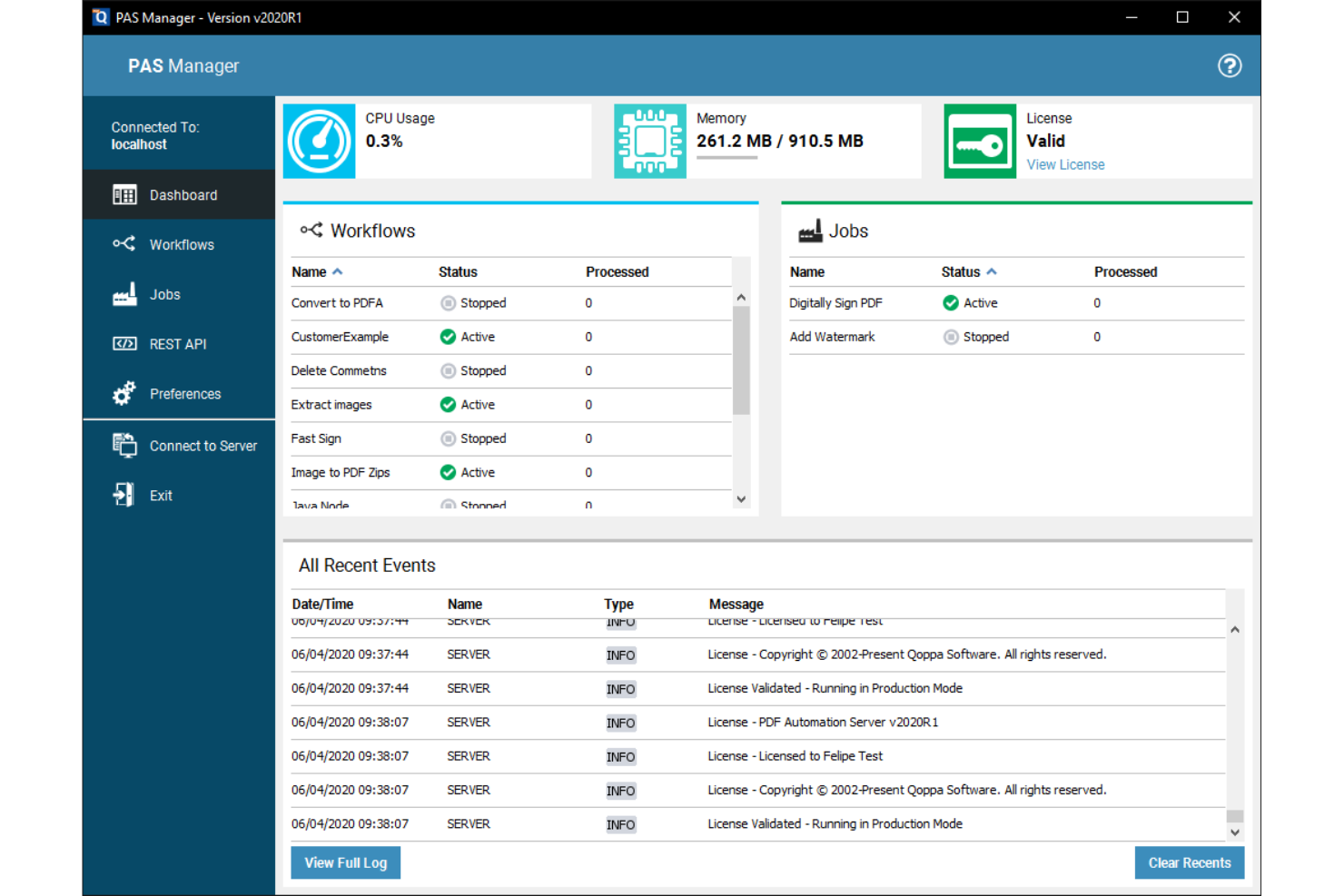
Qoppa PDF Studio offre soluzioni PDF di livello aziendale per le imprese che necessitano di funzionalità avanzate di elaborazione dei documenti. È ideale per i team che hanno bisogno di strumenti completi per gestire, modificare e proteggere i PDF.
Perché è una valida alternativa ad Adobe Acrobat: Qoppa PDF Studio offre soluzioni PDF aziendali adatte a esigenze aziendali complesse. Grazie a funzionalità come la modifica dei PDF, la creazione di moduli e le firme digitali, consente al tuo team di gestire i documenti in modo efficiente, mentre le opzioni di sicurezza contribuiscono a proteggere i tuoi documenti. Queste funzionalità rendono Qoppa PDF Studio una scelta eccellente per le aziende che cercano un'alternativa ad Adobe Acrobat.
Funzionalità e integrazioni principali:
Le funzionalità includono sicurezza avanzata dei documenti, elaborazione in batch, creazione di moduli e crittografia e autorizzazioni per i PDF. Diversi strumenti per la manipolazione dei file consentono di dividere, unire e riordinare i documenti.
Le integrazioni includono Google Drive, Dropbox, Microsoft OneDrive, Box e altro.
Pros and Cons
Pros:
- Elaborazione in batch efficiente
- Strumenti avanzati per la creazione di moduli
- Adatto ai team numerosi
Cons:
- Mancanza di moderne funzionalità di chat basate sull'IA
- Problemi di ridimensionamento sui monitor 4K
Altre alternative ad Adobe Acrobat
Ecco alcune ulteriori alternative ad Adobe Acrobat che non sono entrate nel mio elenco, ma che vale comunque la pena prendere in considerazione:
- PDF Expert
Ideale per gli utenti di dispositivi Apple
- PDF-XChange Editor
Ideale per la modifica conveniente dei PDF
- PDF24
Ideale per gli strumenti PDF basati sul browser


Come valuto le alternative ad Adobe Acrobat
Divido la mia valutazione in criteri di base che ogni strumento deve soddisfare, come la modifica effettiva dei PDF, la gestione delle pagine e le firme elettroniche, e i fattori distintivi che separano la soluzione più adatta al tuo team dalle altre.
Funzionalità principali (requisiti fondamentali per questo elenco)
Quando seleziono gli strumenti per il mio elenco, assegno a ciascuno un punteggio su una scala da 0 (non offre la funzionalità) a 5 (eccelle in quest'area) per ogni funzionalità principale elencata di seguito. Poi converto il punteggio totale dello strumento in una percentuale. Ogni strumento deve raggiungere un punteggio totale minimo del 65% per essere preso in considerazione.
- Modifica dei PDF: verifico se posso modificare il testo esistente, sostituire le immagini e regolare la formattazione direttamente nel documento, ad esempio per aggiornare una data di consegna nascosta in un SOW di 40 pagine.
- Creazione e conversione dei PDF: la conversione di un documento costitutivo del progetto basato su Word o di un registro dei rischi in Excel in un PDF professionale (e viceversa) dovrebbe preservare tabelle, caratteri e layout.
- Annotazioni e markup: valuto la profondità degli strumenti di revisione, inclusi commenti, richiami e forme di disegno, e verifico se più revisori possono contrassegnare lo stesso documento all'interno di un flusso di lavoro condiviso.
- Supporto per le firme elettroniche: cerco flussi di lavoro per le firme elettroniche integrati o strettamente collegati, che consentano di inoltrare un contratto o un ordine di modifica per la firma di più parti con una traccia di audit.
- Gestione delle pagine: unire documenti separati relativi all'ambito di lavoro in un unico pacchetto finale, dividere le appendici o riordinare le sezioni dovrebbe essere rapido e intuitivo anche nei lavori composti da più file.
- Sicurezza e oscuramento: valuto la protezione tramite password, le autorizzazioni granulari e l'effettivo oscuramento dei contenuti, soprattutto per rimuovere dati sensibili sui costi o informazioni personali identificabili prima di condividere i file all'esterno.
Una volta ottenuto un elenco di strumenti che soddisfano questi criteri, considero ciò che distingue ogni piattaforma.
Fattori distintivi (ciò che differenzia i fornitori)
Ecco come confronto i diversi fornitori:
Funzionalità di rilievo
L'intelligenza documentale basata sull'IA è un importante fattore distintivo: cerco strumenti in grado di riassumere una specifica di 100 pagine o estrarre le clausole chiave da un contratto con un fornitore senza dover eseguire una scansione manuale. La collaborazione nel cloud è altrettanto importante, soprattutto quando i team distribuiti devono revisionare insieme un documento finale in tempo reale invece di scambiarsi copie annotate via e-mail. Valuto anche le funzionalità per la creazione di moduli, poiché creare RFI compilabili o modelli di ordini di modifica direttamente nell'editor PDF riduce una quantità sorprendente di scambi.
Oltre le funzionalità
Le integrazioni con l'ecosistema sono molto importanti: verifico se uno strumento si connette nativamente a piattaforme come Jira, Smartsheet o SharePoint, poiché è lì che risiede effettivamente la maggior parte dei documenti di progetto. La struttura delle licenze è un altro fattore fondamentale; alcuni fornitori offrono abbonamenti per utente, mentre altri propongono licenze a volume o per sito, più adatte a un PMO con collaboratori che entrano ed escono a rotazione. Valuto anche la copertura multipiattaforma, perché i team misti che utilizzano Windows, macOS e dispositivi mobili hanno bisogno di un accesso uniforme senza lacune nelle funzionalità.
Perché cercare un'alternativa ad Adobe Acrobat?
Sebbene Adobe Acrobat sia una buona soluzione per PDF e firme elettroniche, ci sono diversi motivi per cui alcuni utenti cercano soluzioni alternative. Potresti essere alla ricerca di un'alternativa ad Adobe Acrobat perché…
- Hai bisogno di opzioni di prezzo più convenienti.
- Il tuo team desidera un'interfaccia utente più semplice.
- Hai bisogno di funzionalità migliori per le app mobili.
- Hai bisogno di funzionalità specifiche per determinati settori.
- Il tuo team desidera una risposta più rapida da parte dell'assistenza clienti.
- Hai bisogno di accedere ai documenti offline.
Se ti riconosci in una di queste situazioni, sei nel posto giusto. Il mio elenco contiene diverse opzioni di software per PDF e firme elettroniche più adatte ai team che affrontano queste difficoltà con Adobe Acrobat e cercano soluzioni alternative.
Funzionalità principali di Adobe Acrobat
Ecco alcune delle caratteristiche principali di Adobe Acrobat, per aiutarti a confrontarlo con soluzioni alternative:
- Modifica dei PDF: consente di creare PDF e modificare direttamente il testo e le immagini nei tuoi file.
- Conversione dei file: consente di convertire documenti in PDF e da PDF, facilitando il lavoro con diversi formati di file.
- Firme elettroniche: fornisce strumenti per aggiungere e raccogliere firme digitali, semplificando il processo.
- Organizzazione delle pagine: consente di riordinare, eliminare o ruotare le pagine del PDF, mantenendo organizzati i tuoi documenti.
- Protezione dei documenti: offre la protezione tramite password e impostazioni delle autorizzazioni per mantenere sicuri i tuoi PDF.
- Collaborazione e condivisione: consente di condividere documenti e raccogliere feedback, favorendo la collaborazione del team.
- Produttività con l'IA: utilizza l'IA per automatizzare e supportare le attività relative ai documenti, aumentando l'efficienza.
- Creazione di moduli: consente di creare e compilare moduli, organizzando la raccolta dei dati.
- Confronto dei documenti: consente di confrontare due versioni di un documento per individuare le differenze.
- Accesso da dispositivi mobili: offre l'accesso agli strumenti sui dispositivi mobili, permettendoti di lavorare ovunque.
Qual è il prossimo passo:
Se stai cercando un software per PDF e firme elettroniche, contatta gratuitamente un consulente di SoftwareSelect per ricevere consigli personalizzati.
Compili un modulo e partecipi a una breve conversazione in cui vengono analizzati nel dettaglio i tuoi requisiti. Riceverai quindi una selezione ristretta di software da valutare. Ti assisteranno anche durante l'intero processo di acquisto, comprese le negoziazioni sui prezzi.