



Microsoft Project vs. monday.com: Recensioni Esperte per il 2026



Microsoft Project offre una soluzione solida per la gestione di progetti complessi, rendendolo una scelta affidabile per le aziende. Dall'altra parte, monday.com propone una piattaforma flessibile e intuitiva che si adatta alle esigenze uniche del flusso di lavoro del tuo team.
Sebbene entrambi gli strumenti siano potenti, Microsoft Project è più tradizionale e strutturato rispetto all'approccio moderno e personalizzabile di monday.com.
In questo articolo analizzeremo nel dettaglio il confronto tra questi strumenti, esaminando funzionalità, pro e contro, prezzi e altro ancora per aiutarti a decidere quale software di project management si adatta meglio alle tue esigenze.
Microsoft Project vs. monday AI Workspace: An Overview
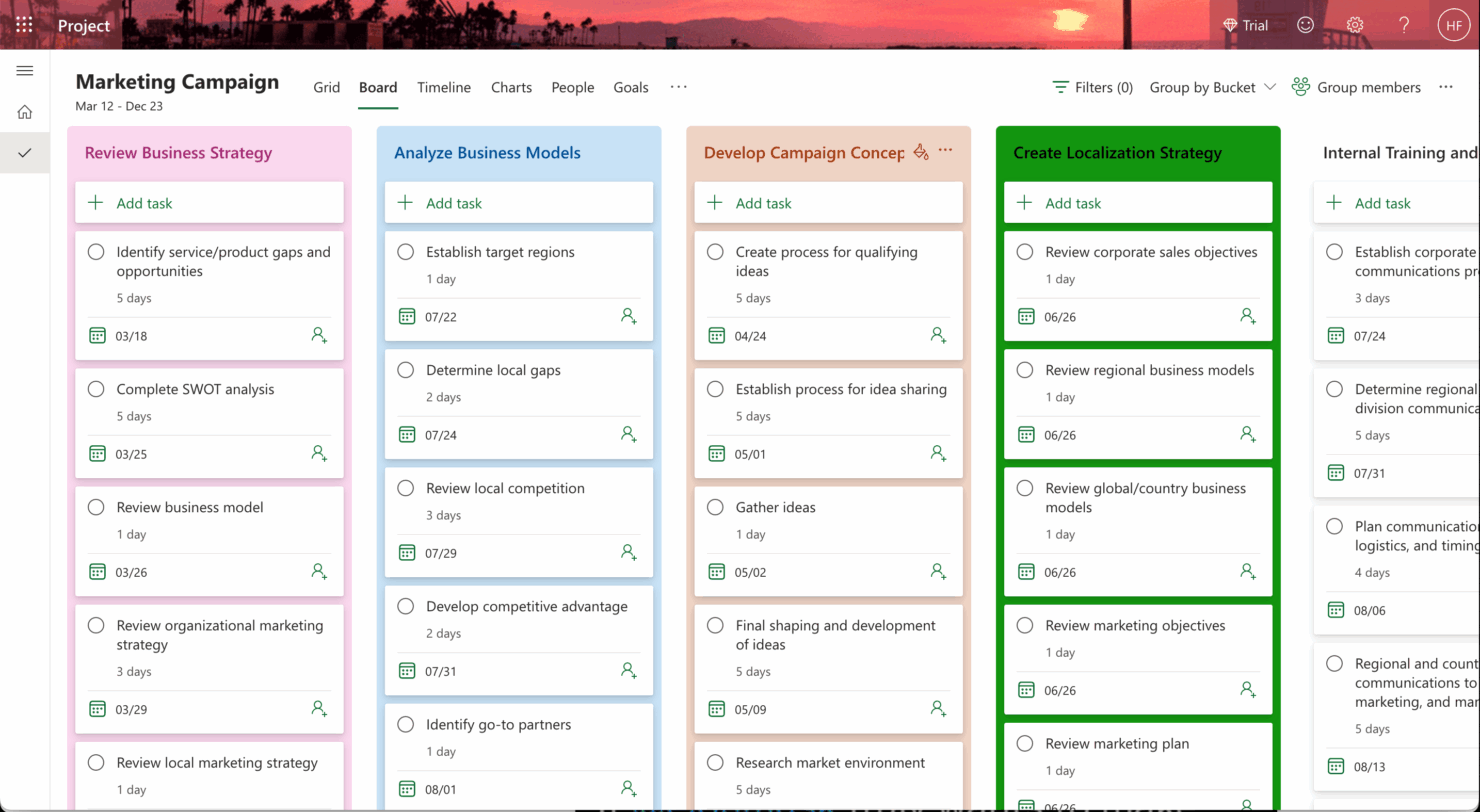
Microsoft Project




monday AI Workspace


Perché fidarsi dei nostri consigli sui software
Il nostro team testa e recensisce software dal 2012. In quanto project manager noi stessi, sappiamo quanto sia difficile — e importante — scegliere il software giusto.
Per questa guida, abbiamo valutato gli strumenti attraverso test pratici e ricerche indipendenti, assegnando un punteggio agli strumenti in base ai nostri criteri di selezione. Ci basiamo inoltre sulle competenze di leader di pensiero del settore e di professionisti attivi nella gestione dei progetti.
Le nostre recensioni riflettono il nostro giudizio editoriale umano, non un discorso di vendita.
Microsoft Project vs. monday AI Workspace Pricing Comparison
| Microsoft Project | monday AI Workspace | |
|---|---|---|
| Free Trial | 30-day free trial | Free plan available |
| Pricing | From $10/user/month (billed annually) | From $11/user/month |
Prezzi e costi nascosti di Microsoft Project vs monday.com
I prezzi di Microsoft Project seguono un modello basato su abbonamento, con costi che variano in base al piano e tariffe aggiuntive per funzionalità come report avanzati o integrazioni.
Al contrario, il listino prezzi di monday.com è strutturato a livelli, offrendo diverse opzioni in base al numero di utenti e funzionalità, con possibili costi extra per il supporto premium o gli add-on.
Per scegliere lo strumento con il prezzo più adatto alle tue esigenze, valuta la dimensione del tuo team, le funzionalità richieste e la complessità dei progetti, poi prova gli strumenti tramite versioni gratuite per vedere quale si allinea meglio al tuo flusso di lavoro e al tuo budget.
Microsoft Project vs. monday AI Workspace Feature Comparison
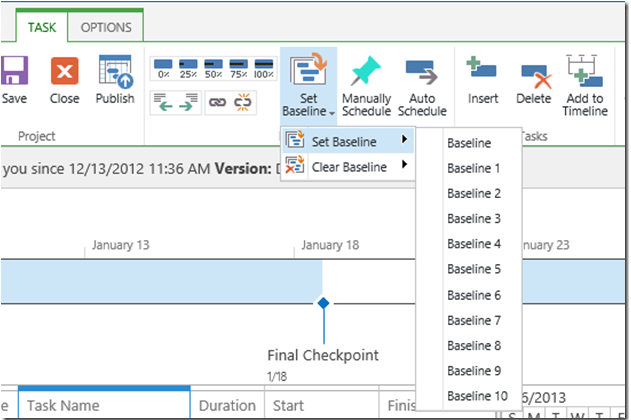
Con la funzionalità timeline drag-and-drop di Microsoft Project, puoi gestire facilmente programmi di progetto complessi, rendendolo ideale per la pianificazione dettagliata di progetti aziendali di ampia scala.
Nel frattempo, le automazioni di monday.com sono perfette per ottimizzare attività ripetitive, permettendoti di concentrarti sulle decisioni strategiche in ambienti dinamici e frenetici.
Mentre la timeline di Microsoft Project eccelle nella pianificazione strutturata, le automazioni di monday.com offrono flessibilità ed efficienza nelle operazioni quotidiane.
| Microsoft Project | monday AI Workspace | |
|---|---|---|
| API | ||
| Batch Permissions & Access | ||
| Budgeting | ||
| Calendar Management | ||
| Collaboration Support | ||
| Contact Management | ||
| Contact Sharing | ||
| Customer Management | ||
| Dashboard | ||
| Dashboards | ||
| Data Export | ||
| Data Import | ||
| Data Visualization | ||
| Dependency Tracking | ||
| Document Sharing | ||
| Expense Tracking | ||
| External Integrations | ||
| File Sharing | ||
| Gantt Charts | ||
| Kanban Boards | ||
| Multi-User | ||
| Notifications | ||
| Project Management | ||
| Resource Management | ||
| Scheduling | ||
| Task Scheduling/Tracking | ||
| Third-Party Plugins/Add-Ons | ||
| Time Management | ||
| Travel Management | ||
| Workflow Management |
Integrazioni Microsoft Project vs monday.com
| Integrazione | Microsoft Project | monday.com |
| Microsoft Teams | ✅ | ✅ |
| Slack | ❌ | ✅ |
| Jira | ✅ | ✅ |
| Trello | ❌ | ✅ |
| Salesforce | ✅ | ✅ |
| Google Workspace | ❌ | ✅ |
| Zoom | ❌ | ✅ |
| Power BI | ✅ | ❌ |
| API | ✅ | ✅ |
| Zapier | ✅ | ✅ |
Microsoft Project si integra con Power BI per creare report dettagliati e orientati ai dati, molto utili ai manager che necessitano di una visione approfondita dei progetti. monday.com si integra con Slack, consentendo comunicazione in tempo reale e aggiornamenti rapidi sulle attività per i team collaborativi. Microsoft Project si distingue per i report avanzati, mentre monday.com supporta il lavoro di squadra agile e la comunicazione.
Microsoft Project vs monday.com: Sicurezza, Conformità & Affidabilità
| Fattore | Microsoft Project | monday.com |
| Crittografia dei dati | Microsoft Project utilizza la crittografia AES-256 per proteggere i dati sia a riposo che in transito. | monday.com impiega la crittografia TLS per i dati in transito e AES-256 per quelli a riposo. |
| Conformità normativa | Microsoft Project è conforme a standard come GDPR, ISO 27001 e HIPAA | monday.com è conforme a GDPR, ISO 27001 e alle certificazioni SOC 2 Type II. |
| Privacy dei dati | Microsoft Project offre impostazioni di privacy personalizzabili e permessi utente | monday.com fornisce controllo degli accessi basato sui ruoli e funzionalità di privacy. |
Microsoft Project e monday.com pongono l’accento su sicurezza e conformità, ma Microsoft Project offre una gamma più ampia di certificazioni. Quando valuti questi strumenti, considera le esigenze normative specifiche del tuo settore e utilizza account di prova per testare le impostazioni di sicurezza di ciascuna piattaforma, così da determinare quale sia la più adatta.
Microsoft Project vs monday.com: Facilità d'Uso
| Fattore | Microsoft Project | monday.com |
| Interfaccia utente | Microsoft Project presenta un’interfaccia tradizionale e ricca di funzionalità che può risultare complessa per i principianti. | monday.com offre un’interfaccia visuale, intuitiva e con funzionalità drag-and-drop. |
| Esperienza di onboarding | Microsoft Project richiede tutorial dettagliati e formazione approfondita per sfruttare tutte le sue funzionalità. | monday.com fornisce guide interattive e modelli per un avvio rapido. |
| Configurazione | La configurazione di Microsoft Project è complessa e spesso necessita del supporto IT per l’integrazione. | monday.com richiede una configurazione semplice con passaggi di facile comprensione. |
| Supporto | Microsoft Project offre documentazione estesa e un team di supporto dedicato. | monday.com fornisce supporto via chat live e un forum della community per assistenza rapida. |
monday.com è facile da usare grazie all’interfaccia moderna e al processo di onboarding rapido. Al contrario, Microsoft Project presenta una curva di apprendimento più ripida a causa della complessità. Sebbene monday.com si distingua per la facilità d’uso, Microsoft Project mette a disposizione funzionalità avanzate che sono utili agli utenti esperti che necessitano di un maggiore controllo sui dettagli dei progetti.
Microsoft Project vs monday AI Workspace: Pros & Cons
Microsoft Project
- You can manage complex project schedules with ease.
- It offers robust resource management tools.
- You get detailed reporting and analytics for better decision-making.
- It has a steep learning curve for new users.
- The interface can feel outdated compared to newer tools.
- It requires significant time investment for setup and maintenance.
monday AI Workspace
- The interface is easy to use, with simple drag and drop timeline and charting mechanics.
- You can create forms that live within your project as a view.
- There is a long list of supported integrations
- The Gantt view isn't useful for building a project.
- Recurring tasks are considered automations and limited to higher tier plans.
- There is a steep learning curve for beginners.
Best Use Cases for Microsoft Project and monday AI Workspace
Microsoft Project
- Construction Firms You can manage timelines and resources effectively, ensuring project phases align perfectly.
- IT Departments You’ll find its detailed scheduling invaluable for managing multiple, overlapping projects.
- Government Agencies You can rely on its precise tracking and reporting to meet regulatory requirements.
- Engineering Teams You’ll benefit from its resource management capabilities to allocate manpower and materials efficiently.
- Large Enterprises You can handle complex project portfolios with advanced analytics and reporting tools.
- Project Managers You’ll appreciate its ability to plan and track intricate project details for successful execution.
monday AI Workspace
- Creative departments With features like collaborative docs and a proofing screen, creative teams can improve feedback loops and increase delivery speeds.
- Marketing teams Its customizable dashboards and automation features let you track campaigns and workflows efficiently.
- Content creation monday.com's file management and commenting capabilities let teams manage media files and improve collaboration.
- Event planners The platform’s timeline views and easy collaboration features make managing multiple events straightforward.
- Product development You can track progress and updates across teams to maintain alignment and meet deadlines.
- Remote teams With collaborative features and real-time updates, remote teams can maintain productivity and communication effortlessly.
Differences Between Microsoft Project and monday AI Workspace
Di seguito troverai i dettagli che rendono questi strumenti diversi l’uno dall’altro.
| Microsoft Project | monday AI Workspace | |
|---|---|---|
| Automation | Microsoft Project's automation is less intuitive, requiring more setup and customization. | monday.com offers easy-to-use automations that streamline repetitive tasks quickly. |
| Integrations | Microsoft Project integrates well within the Microsoft ecosystem, like with Power BI. | monday.com integrates with a wide range of apps like Slack and Trello, enhancing team collaboration. |
| Onboarding | Microsoft Project's onboarding process is extensive, often needing formal training. | monday.com provides interactive guides and templates for a quick start. |
| Pricing | Microsoft Project uses a subscription-based model with additional costs for advanced features. | monday.com offers tiered pricing based on users and features, with add-ons available. |
| User Interface | Microsoft Project has a traditional, complex interface suited for detailed planning. | monday.com features a modern, intuitive interface with drag-and-drop functionality. |
| Read Microsoft Project ReviewOpens new window | Visit monday AI WorkspaceOpens new window |
Similarities Between Microsoft Project and monday AI Workspace
Ora che conosci le differenze, vediamo quali sono i punti in comune.
| Cloud-Based | Both platforms are cloud-based, giving you and your team access to project data from anywhere. Microsoft Project offers cloud integration with Office 365, while monday.com provides seamless access through web and mobile apps |
|---|---|
| Collaboration | You can collaborate with your team using both platforms, allowing for shared updates and comments. Microsoft Project integrates with Microsoft Teams, and monday.com provides in-app communication features. |
| Customization | You can customize workflows in both tools to fit your project's needs. Microsoft Project allows for in-depth customization, while monday.com offers easy-to-use templates and drag-and-drop functions. |
| Reporting | Both offer reporting capabilities to track project progress and performance. Microsoft Project provides detailed Gantt charts and reports, whereas monday.com offers customizable dashboards and visual reports. |
| Task Management | Both Microsoft Project and monday.com enable you to create, assign, and track tasks, helping your team stay organized and on schedule. Microsoft Project excels in detailed task dependencies, while monday.com offers visual task boards. |
| Read Microsoft Project ReviewOpens new window Visit monday AI WorkspaceOpens new window | |