



Microsoft Project vs. Asana: Confronto e Recensioni Esperte per il 2026



Microsoft Project è progettato per gestire progetti complessi e cronoprogrammi dettagliati. Asana si concentra sulla collaborazione di squadra e sulla gestione delle attività con un'interfaccia più intuitiva.
Sebbene entrambi supportino i flussi di lavoro di progetto, Microsoft Project è preferito per la pianificazione avanzata, mentre Asana eccelle nella comunicazione e nel monitoraggio delle attività.
In questo articolo troverai un confronto dettagliato tra questi strumenti, comprese le loro funzionalità, vantaggi e svantaggi, prezzi e altro ancora, per aiutarti a scegliere il miglior software di gestione progetti per le esigenze del tuo team.
Microsoft Project vs. Asana: An Overview
Microsoft Project
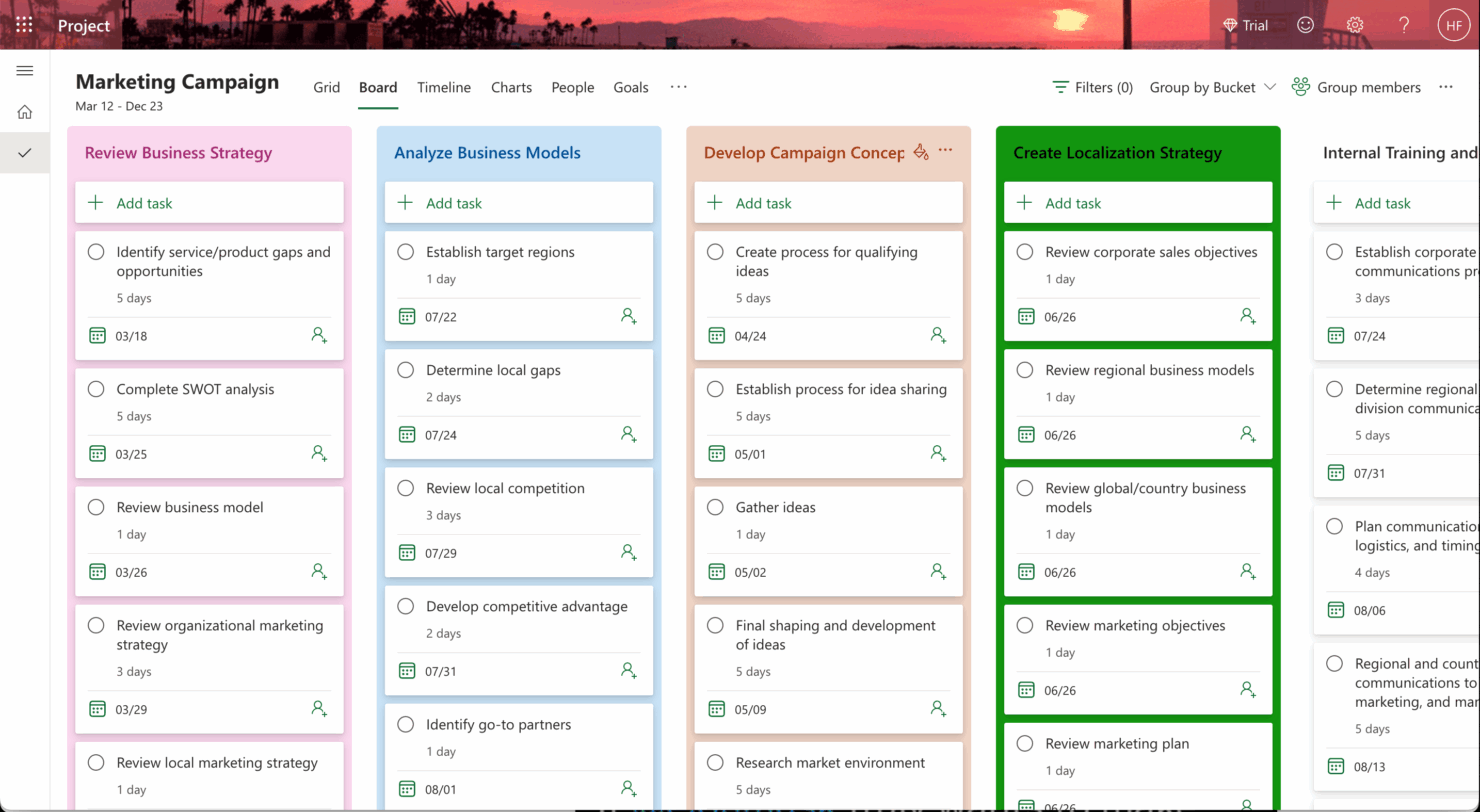


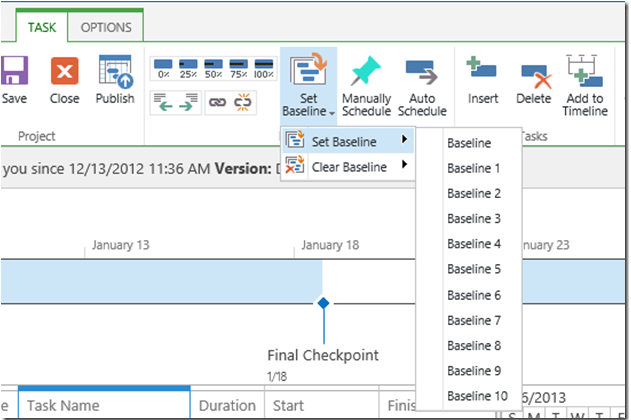


Asana

Perché fidarsi dei nostri consigli sui software
Il nostro team testa e recensisce software dal 2012. In quanto project manager noi stessi, sappiamo quanto sia difficile — e importante — scegliere il software giusto.
Per questa guida, abbiamo valutato gli strumenti attraverso test pratici e ricerche indipendenti, assegnando un punteggio agli strumenti in base ai nostri criteri di selezione. Ci basiamo inoltre sulle competenze di leader di pensiero del settore e di professionisti attivi nella gestione dei progetti.
Le nostre recensioni riflettono il nostro giudizio editoriale umano, non un discorso di vendita.
Revisori esperti:
Microsoft Project vs. Asana Pricing Comparison
| Microsoft Project | Asana | |
|---|---|---|
| Free Trial | 30-day free trial | Free plan available |
| Pricing | From $10/user/month (billed annually) | From $10.99/user/month (billed annually) |
I prezzi di Microsoft Project seguono un modello di abbonamento, con costi che variano in base al piano e alle funzionalità, e gli utenti potrebbero incontrare spese aggiuntive per funzionalità avanzate o opzioni di integrazione.
Anche i prezzi di Asana utilizzano un modello di abbonamento a livelli, offrendo una versione gratuita con funzioni di base e piani a pagamento per capacità più avanzate, con potenziali costi extra per componenti premium.
Per scegliere lo strumento giusto per il tuo team, considera le funzionalità specifiche di cui hai bisogno e come queste si allineano con la struttura dei prezzi, assicurandoti di considerare eventuali costi aggiuntivi che potrebbero incidere sul tuo budget.
Microsoft Project vs. Asana Feature Comparison
Con la visualizzazione della pianificazione di Microsoft Project, puoi facilmente gestire e visualizzare orari di progetto complessi, rendendolo ideale per una pianificazione dettagliata nei progetti di costruzione.
La gestione delle attività di Asana eccelle negli ambienti collaborativi, permettendo al tuo team di monitorare senza difficoltà attività e scadenze, perfetto per campagne di marketing.
Mentre la pianificazione dettagliata di Microsoft Project è ottima per la precisione, la gestione intuitiva delle attività di Asana mantiene il tuo team allineato e comunicativo.
| Microsoft Project | Asana | |
|---|---|---|
| API | ||
| Batch Permissions & Access | ||
| Budgeting | ||
| Calendar Management | ||
| Collaboration Support | ||
| Contact Management | ||
| Contact Sharing | ||
| Customer Management | ||
| Dashboard | ||
| Dashboards | ||
| Data Export | ||
| Data Import | ||
| Data Visualization | ||
| Dependency Tracking | ||
| Document Sharing | ||
| Expense Tracking | ||
| External Integrations | ||
| File Sharing | ||
| Gantt Charts | ||
| Kanban Boards | ||
| Multi-User | ||
| Notifications | ||
| Project Management | ||
| Resource Management | ||
| Scheduling | ||
| Task Scheduling/Tracking | ||
| Third-Party Plugins/Add-Ons | ||
| Time Management | ||
| Travel Management | ||
| Workflow Management |
Integrazioni Microsoft Project vs. Asana
| Integrazione | Microsoft Project | Asana |
| Microsoft Teams | ✅ | ❌ |
| Power BI | ✅ | ❌ |
| SharePoint | ✅ | ❌ |
| Slack | ❌ | ✅ |
| Google Workspace | ❌ | ✅ |
| Salesforce | ✅ | ✅ |
| Dropbox | ❌ | ✅ |
| Trello | ❌ | ✅ |
| API | ✅ | ✅ |
| Zapier | ✅ | ✅ |
Microsoft Project si integra con Power BI per creare report dettagliati, aiutando i project manager ad analizzare i dati in ambienti aziendali. Asana invece si integra con Slack per supportare la comunicazione del team in tempo reale, molto utile durante lo sviluppo rapido di nuovi prodotti.
Mentre Microsoft Project supporta un processo decisionale basato sui dati, Asana aiuta i team a rimanere connessi e reattivi.
Microsoft Project vs. Asana Sicurezza, Conformità & Affidabilità
| Fattore | Microsoft Project | Asana |
| Crittografia dei dati | Microsoft Project cripta i dati sia in transito che a riposo utilizzando gli standard AES-256. | Asana protegge i dati con crittografia AES-256, garantendo privacy e protezione. |
| Conformità normativa | Microsoft Project è conforme al GDPR, HIPAA e altri standard globali. | Asana rispetta il GDPR e altre normative internazionali di conformità. |
| Affidabilità del tempo di attività | Microsoft Project offre una garanzia di uptime del 99,9%, supportata dall'infrastruttura globale di Microsoft. | Asana assicura un tempo di attività affidabile grazie a monitoraggio e supporto continui. |
Microsoft Project offre un solido supporto alla conformità e garanzie di uptime, mentre Asana pone l'accento sulla crittografia e sull'affidabilità costante. Nel valutare sicurezza e conformità, considera i requisiti normativi del tuo settore e come le misure di ciascuno strumento si allineano ad essi.
Microsoft Project vs. Asana Facilità d'Uso
| Fattore | Microsoft Project | Asana |
| Interfaccia utente | L'interfaccia di Microsoft Project è robusta ma può risultare complessa e inizialmente difficile per chi non ha esperienza a causa della sua ricchezza di funzioni. | Asana offre un'interfaccia pulita e intuitiva che è facile da navigare anche per i principianti. |
| Esperienza di onboarding | Microsoft Project richiede una curva di apprendimento più ripida con risorse di formazione dettagliate disponibili. | Asana fornisce un processo di onboarding semplice con tutorial interattivi. |
| Impostazione | Configurare Microsoft Project può richiedere tempo a causa delle sue funzionalità avanzate. | Asana consente una configurazione rapida con modelli di progetto semplici e personalizzazione immediata. |
Microsoft Project può essere impegnativo per i nuovi utenti a causa della sua complessità, ma è ideale per la gestione di progetti articolati. Asana, grazie alla sua interfaccia semplice, offre una curva di apprendimento più dolce, facilitando l'adozione da parte dei team e la gestione efficace delle attività.
Microsoft Project vs Asana: Pros & Cons
Microsoft Project
- You can manage complex project schedules with ease.
- It offers robust resource management tools.
- You get detailed reporting and analytics for better decision-making.
- It has a steep learning curve for new users.
- The interface can feel outdated compared to newer tools.
- It requires significant time investment for setup and maintenance.
Asana
- You can easily track tasks and deadlines using Asana's intuitive interface.
- Asana's collaboration tools help your team communicate effectively in real-time.
- There are extensive customization options so you can tailor workflows and views to your specific needs.
- The reporting capabilities are somewhat basic, which may not satisfy teams needing detailed analytics.
- It can feel overwhelming if your team is small or your projects are simple.
- You might find the notification system a bit excessive or distracting.
Best Use Cases for Microsoft Project and Asana
Microsoft Project
- Construction Firms You can manage timelines and resources effectively, ensuring project phases align perfectly.
- IT Departments You’ll find its detailed scheduling invaluable for managing multiple, overlapping projects.
- Government Agencies You can rely on its precise tracking and reporting to meet regulatory requirements.
- Engineering Teams You’ll benefit from its resource management capabilities to allocate manpower and materials efficiently.
- Large Enterprises You can handle complex project portfolios with advanced analytics and reporting tools.
- Project Managers You’ll appreciate its ability to plan and track intricate project details for successful execution.
Asana
- Creative agencies You can manage creative workflows and client projects with Asana’s visual boards and timeline features.
- Tech startups You can coordinate product development and team tasks using Asana’s real-time updates and goal-setting tools.
- Marketing teams You can plan campaigns and track progress with Asana’s clear timelines and task comments.
- Nonprofits Asana lets you manage volunteer tasks, events, and fundraising efforts with clear task assignments and timelines.
- Remote teams You can collaborate effectively with Asana’s real-time updates and communication features.
- Event planners You can organize events easily with Asana’s task management and timeline visualization features.
Chi dovrebbe usare Microsoft Project e chi dovrebbe usare Asana?
Secondo me, Microsoft Project è particolarmente indicato per settori che richiedono una pianificazione dettagliata e la gestione delle risorse, come l'edilizia o l'ingegneria. È una scelta solida per i project manager che necessitano di strumenti avanzati per la pianificazione e sono disposti a investire tempo per apprenderne le funzionalità.
Al contrario, Asana è ideale per team creativi e startup che danno priorità alla collaborazione e hanno bisogno di uno strumento facile da adottare. Il suo design user-friendly facilita la gestione delle attività e la comunicazione all'interno del team.
Differences Between Microsoft Project and Asana
Di seguito troverai i dettagli su cosa rende questi strumenti diversi tra loro.
| Microsoft Project | Asana | |
|---|---|---|
| Automation | Microsoft Project offers automation through complex workflows and integrations. | Asana includes built-in automation for recurring tasks and workflows. |
| Integrations | Microsoft Project integrates well with Microsoft tools like Teams and Power BI. | Asana integrates easily with communication tools like Slack and productivity tools like Google Workspace. |
| Pricing | Microsoft Project uses a subscription model with different tiers for advanced features. | Asana offers a tiered subscription model with a free version for basic use. |
| Scheduling Tools | Microsoft Project excels in detailed scheduling and resource management. | Asana provides basic scheduling, focusing more on task management and team collaboration. |
| User Interface | Microsoft Project has a complex interface designed for detailed project management. | Asana’s interface is simple and intuitive, making it easy for teams to navigate. |
| Read Microsoft Project ReviewOpens new window | Read Asana ReviewOpens new window |
Similarities Between Microsoft Project and Asana
Ora che sai cosa li rende diversi, vediamo cosa hanno in comune.
| Collaboration | Both Microsoft Project and Asana offers tools for team collaboration, with Microsoft Project integration with Teams, and Asana providing features like task comments. |
|---|---|
| Customizable Dashboards | Both offer customizable dashboards to visualize project data, with Microsoft Project providing detailed analytics and Asana offering a straightforward overview. |
| Integrations | Both integrate with third-party apps, with Microsoft Project connecting to Microsoft services and Asana working well with tools like Slack and Google Workspace. |
| Mobile Usability | Both have mobile apps that let you manage projects on the go, with Microsoft Project focusing on detailed project updates and Asana offering quick task management. |
| Task Management | Both platforms support task management, allowing you to assign tasks, set deadlines, and track progress, though Microsoft Project is more detailed, while Asana is user-friendly. |
| Read Microsoft Project ReviewOpens new window Read Asana ReviewOpens new window | |