

2026’da PDF Düzenleme İçin En İyi 10 Adobe Acrobat Alternatifi

En İyi Adobe Acrobat Alternatifleri Kısa Listesi


Dijital belgeleri yönetmek, özellikle birden fazla projeyi aynı anda yürütüyorsanız baş ağrıtıcı olabilir. Adobe Acrobat'ı ekibinizin ihtiyaçları için fazla pahalı veya karmaşık bulabilirsiniz. Bu zorlukla karşılaşan yalnızca siz değilsiniz.
Deneyimlerime göre Adobe Acrobat alternatifleri genellikle kullanıcı dostu arayüzler ve uygun maliyetli çözümler sunar. İhtiyacınız olmayan ekstra özellikler olmadan ekibinizin PDF'leri ve elektronik imzaları kolayca yönetmesine yardımcı olabilirler.
Bu makalede Adobe Acrobat için en iyi alternatif seçimlerimi paylaşacağım. Kapsamlı testlere dayanan tarafsız incelemeler sunacağım. Özellikler, artılar ve eksiler ile fiyatlandırma hakkında bilgi edinerek projeleriniz için en iyi PDF düzenleyiciyi bulabileceksiniz.
Adobe Acrobat Nedir?
Adobe Acrobat, PDF'leri yönetmenize, düzenlemenize ve oluşturmanıza yardımcı olan bir PDF ve elektronik imza yazılımıdır. Güvenilir belge yönetimine ihtiyaç duyan proje yöneticileri, hukuk ekipleri ve eğitimciler gibi profesyoneller tarafından yaygın olarak kullanılır. Basit bir PDF okuyucunun ötesine geçerek PDF düzenleme, elektronik imza ve belge paylaşımı gibi özellikler sunar; bunların tümü iş akışlarını basitleştirmeye ve iş birliğini geliştirmeye yardımcı olur. Genel olarak Adobe Acrobat, dijital belgeleri verimli bir şekilde yönetmek için çok yönlü bir araç sunarak değer katar.
Neden Adobe Acrobat Alternatifi Aramalısınız?
Adobe Acrobat, temel PDF çalışmaları için pahalı ve büyük dosyalarda yavaş hissettirebilir; özellikle de belgeleri yalnızca ara sıra düzenliyor, imzalıyor ve dönüştürüyorsanız. Başka bir araç şu durumlarda daha uygun olabilir:
- PDF düzenleyicinizi tamamen satın almak istiyorsunuz. Acrobat artık yalnızca abonelikle kullanılabiliyor; yapay zekâ özellikleri en üst pakete ayrılmış durumda ve aylık ödemeli yıllık planlarda iptal ücreti bulunuyor. Wondershare PDFelement gibi araçlar süresiz lisans seçeneği sunarken UPDF, küçük ekipler için yapay zekâ destekli otomasyon ekliyor.
- Menüler arasında arama yapmadan günlük PDF işlemlerini gerçekleştirmek istiyorsunuz. Bazı kullanıcılar, özelliklerin menülere gömülmesi nedeniyle Acrobat'ın arayüzünü karmaşık buluyor. Smallpdf gibi platformlar dönüştürme, sıkıştırma ve düzenleme için basit bir arayüz sunarken Xodo'nun ekipler tarafından öğrenilmesi hızlıdır.
- Düzenli olarak büyük veya karmaşık dosyalarla çalışıyorsunuz. Bazı kullanıcılar Acrobat'ın kaynakları yoğun kullandığını ve büyük belgelerde daha yavaş çalıştığını düşünüyor. Diğer düzenleyicilerin de kendi dosya boyutu veya hız sınırlamaları olabilir; bu nedenle geçiş yapmadan önce herhangi bir deneme sürümünde en büyük gerçek PDF'nizi test edin.
Şu durumlarda Adobe Acrobat hâlâ doğru seçimdir: masaüstü, mobil ve web genelinde hassas içeriği kaldırmak, belge sürümlerini karşılaştırmak, taramaları düzenlenebilir PDF'lere dönüştürmek ve güvenli elektronik imzalar kullanmak için gelişmiş bir araç setine ihtiyacınız varsa. Hukuk, finans veya uyumluluk gereksinimleri yoğun ekipler için bu özellikler yalnızca abonelikle sunulan fiyatlandırmanın, büyük dosyalarda daha yavaş çalışmanın ve karmaşık bir arayüzün dezavantajlarından daha ağır basabilir.
Adobe Acrobat Alternatifleri Karşılaştırma Tablosu
Bu karşılaştırma tablosu, en iyi Adobe Acrobat alternatiflerim için fiyatlandırma ayrıntılarını özetlemektedir:
| Tool | Starting Price | Website | |
|---|---|---|---|
| Best for user-friendly PDF tools | 4.7 out of 5 | $10/month Free 7-day trial + free plan available | Website |
| Best for AI-assisted productivity | 4.6 out of 5 | $10.99/user/month 14-day free trial | Website |
| Best for AI-integrated PDF features | 4.5 out of 5 | $49.99/year Free plan available | Website |
| Best for secure eSigning solutions | — | $15/user/month Free 14-day trial + free demo available | Website |
| Best for PDF editing with a mobile app | — | Pricing upon request Free demo available | Website |
| Best for construction professionals | — | $260/user/year Free 14-day trial available | Website |
| Best for AI-powered PDF editing | — | $79.99/year Free plan available | Website |
| Best for online PDF tasks | — | $7/7 days Free plan available | Website |
| Best for cross-device document management | — | $4.99/license/month Free trial + free demo available | Website |
| Best for enterprise PDF solutions | — | $149/unit Free trial available | Website |
Why Trust Our Software Recommendations
Our team has been testing and reviewing software since 2012. As project managers ourselves, we know how difficult—and important—it is to choose the right software.
For this guide, we evaluated tools using hands-on testing and independent research, scoring tools using our selection criteria. We also draw on insights from industry thought leaders and practicing project management experts.
Our reviews reflect our human editorial judgment, not a sales pitch.
Expert reviewers:
En İyi Adobe Acrobat Alternatifleri İncelemeleri
Aşağıda, kısa listeme giren en iyi Adobe Acrobat alternatiflerinin ayrıntılı özetlerini yazdım. İncelemelerim, her aracın temel özelliklerine, artılarına ve eksilerine, entegrasyonlarına ve ideal kullanım alanlarına ayrıntılı bir bakış sunarak sizin için en iyi seçeneği bulmanıza yardımcı olur.

Smallpdf
Best for user-friendly PDF tools
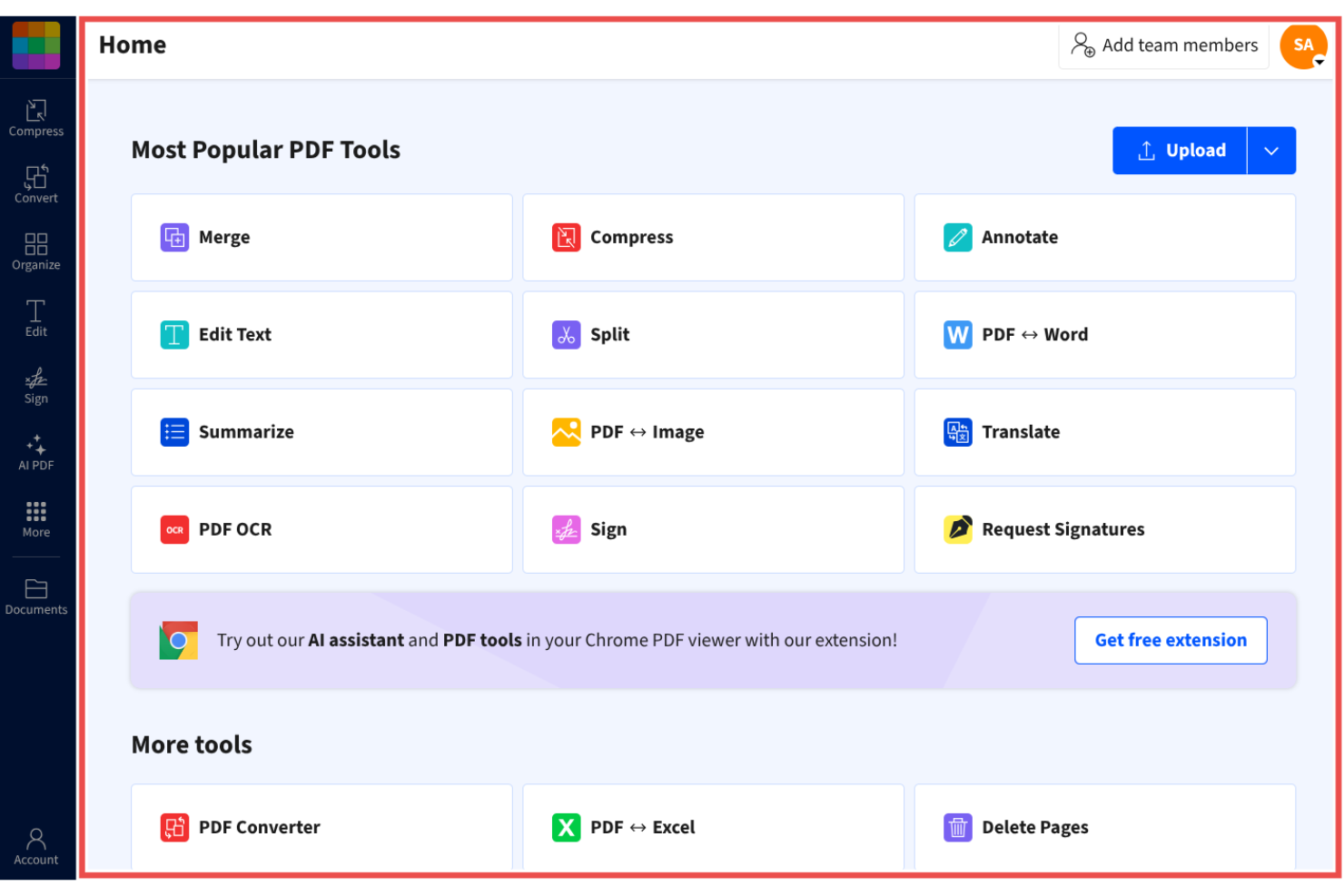
Smallpdf is a PDF management tool designed for individuals and businesses seeking a simple solution for handling documents. It's popular among users who need quick, straightforward access to PDF functionalities like conversion, compression, and editing.
Why it's a good Adobe Acrobat alternative: Smallpdf offers user-friendly PDF tools that simplify your document tasks, making it a practical choice for those looking for straightforward PDF management. Its intuitive interface provides a simple and efficient way to convert, compress, and edit PDFs. The tool is accessible from any device, making it convenient for teams on the go.
Standout Features and Integrations:
Features include PDF editing, compression, and conversion, enabling you to reduce file sizes and share them without losing quality. The conversion tools allow you to rapidly switch between different file formats.
Integrations include Google Workspace, Dropbox, Microsoft OneDrive, and more.
Pros and Cons
Pros:
- Wide range of PDF functions
- Reliable compression tools
- Accessible from any device
Cons:
- No advanced formatting
- Free version limitations
Best for AI-assisted productivity
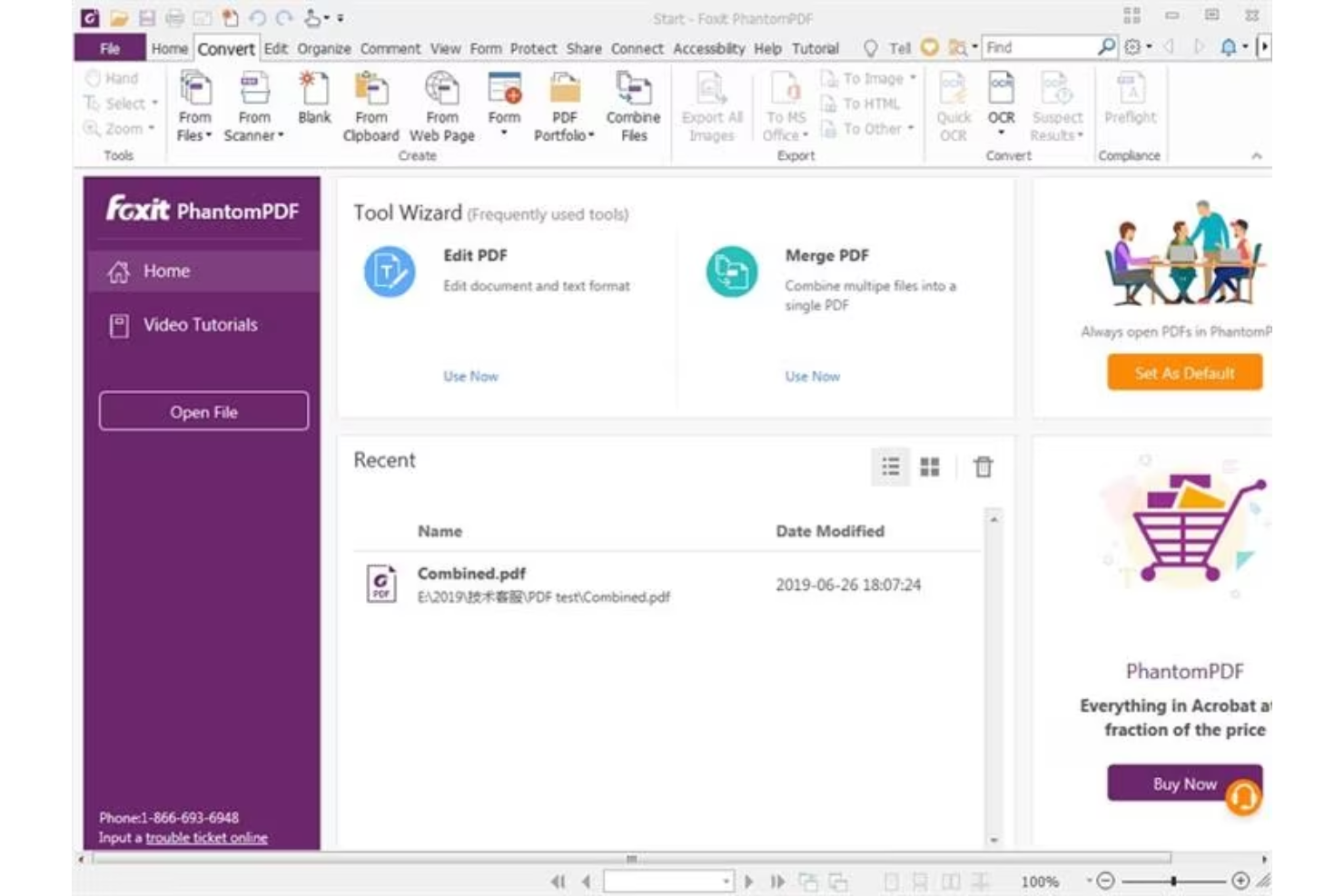
Foxit PDF Editor is designed for businesses and individuals who need reliable document management solutions. It's popular among professionals who require efficient tools for editing, sharing, and securing PDF files.
Why it's a good Adobe Acrobat alternative: Foxit PDF Editor offers AI-powered productivity features that make document handling more intuitive. With AI-powered capabilities, you can automate repetitive tasks and make your team's workflow more efficient. The software includes advanced security options to protect your docs, and it provides add-ins for Microsoft Office apps, including PowerPoint. These features make Foxit PDF Editor a practical choice for those seeking a simpler, more efficient alternative to Adobe Acrobat.
Standout Features and Integrations:
Features include advanced security measures and mobile accessibility. You can manage docs securely with encryption and permission settings. The software also supports real-time collaboration.
Integrations include Google Workspace, Dropbox, Microsoft OneDrive, Box, SharePoint, and more.
Pros and Cons
Pros:
- Real-time collaboration options
- Advanced security features
- AI-driven productivity tools
Cons:
- Heavy resource usage
- Limited advanced PDF editing tools
UPDF
Best for AI-integrated PDF features
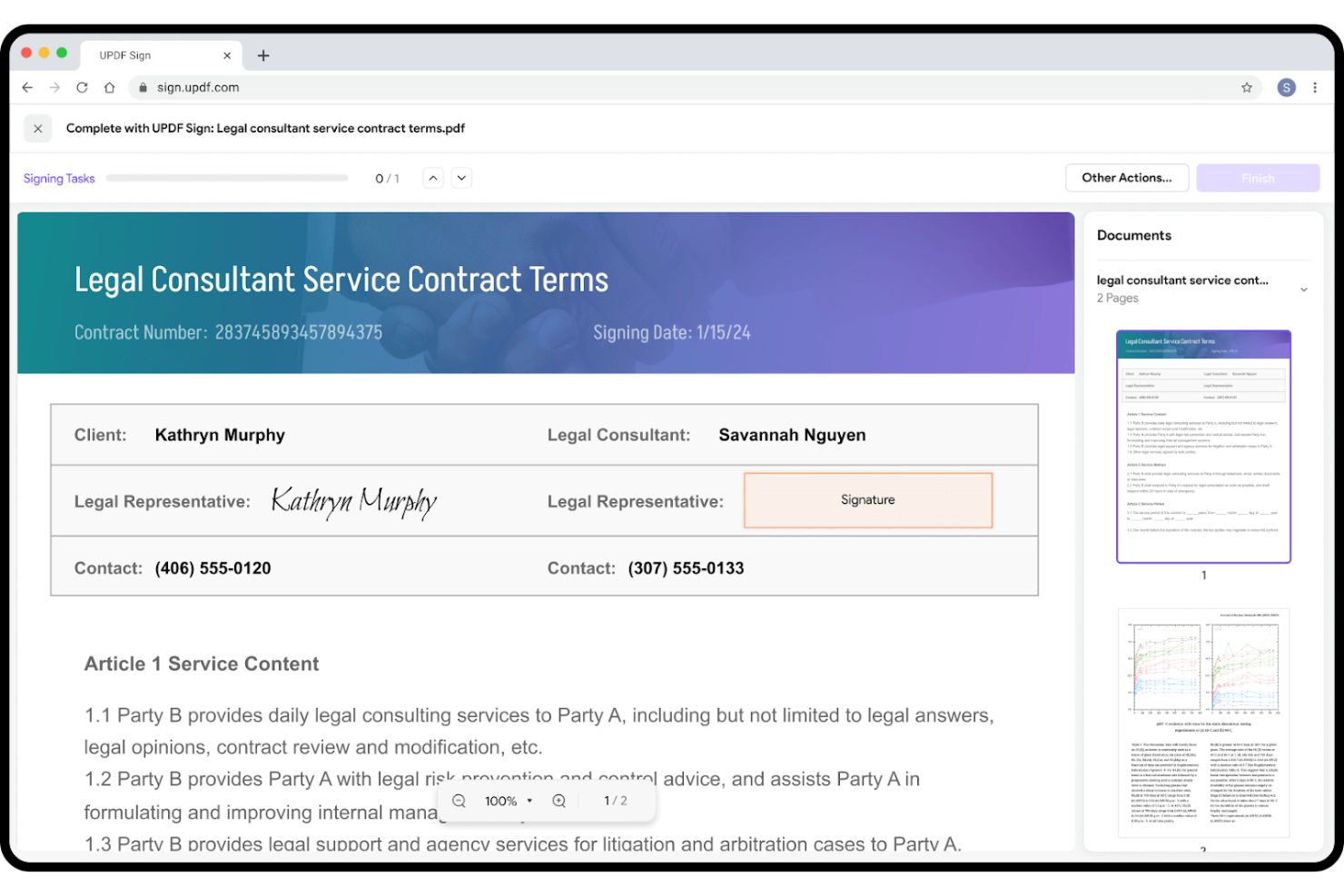
UPDF is a PDF editing software tailored for users who seek efficient and straightforward document management. It's popular among individuals and small teams that need straightforward tools for editing, annotating, and converting PDFs.
Why it's a good Adobe Acrobat alternative: UPDF offers AI-integrated PDF features that simplify your document tasks, making it an attractive choice for those wanting an efficient alternative to Adobe Acrobat. The software provides simple editing and conversion options, making it accessible for users of all levels, and AI-powered tools that allow you to automate repetitive tasks and boost your productivity.
Standout Features and Integrations:
Features include PDF annotation (with highlights and comments), conversion, and editing.
Integrations include Google Workspace, Dropbox, and more.
Pros and Cons
Pros:
- Suitable for small teams
- Efficient format conversion
- AI-powered document automation
Cons:
- Aggressive upsell notifications
- Lacks advanced enterprise tools


Nitro PDF is a PDF and e-signature software designed for businesses and professionals who need efficient document management and signing capabilities. It's widely used by teams that require secure and reliable solutions for handling PDFs and electronic signatures.
Why it's a good Adobe Acrobat alternative: Nitro PDF offers secure eSigning solutions that prioritize your document's safety. You can send, sign, and manage docs with advanced encryption and security features. The software also provides tools for collaboration and productivity, making it a great fit for teams focused on efficiency. For more features, Nitro PDF Pro is an option for those looking for an Adobe Acrobat Pro alternative.
Standout Features and Integrations:
Features include collaboration tools, document analytics, and iPhone accessibility. You can work with your team in real time and track document workflows simply and efficiently. With iPhone and iPad accessibility, you have access to your documents wherever you are.
Integrations include Google Drive, Dropbox, Microsoft OneDrive, SharePoint, Salesforce, iManage, Microsoft 365, and more.
Pros and Cons
Pros:
- Document workflow tracking
- Real-time collaboration tools
- Secure eSigning capabilities
Cons:
- Limited mobile editing tools
- Windows-centric

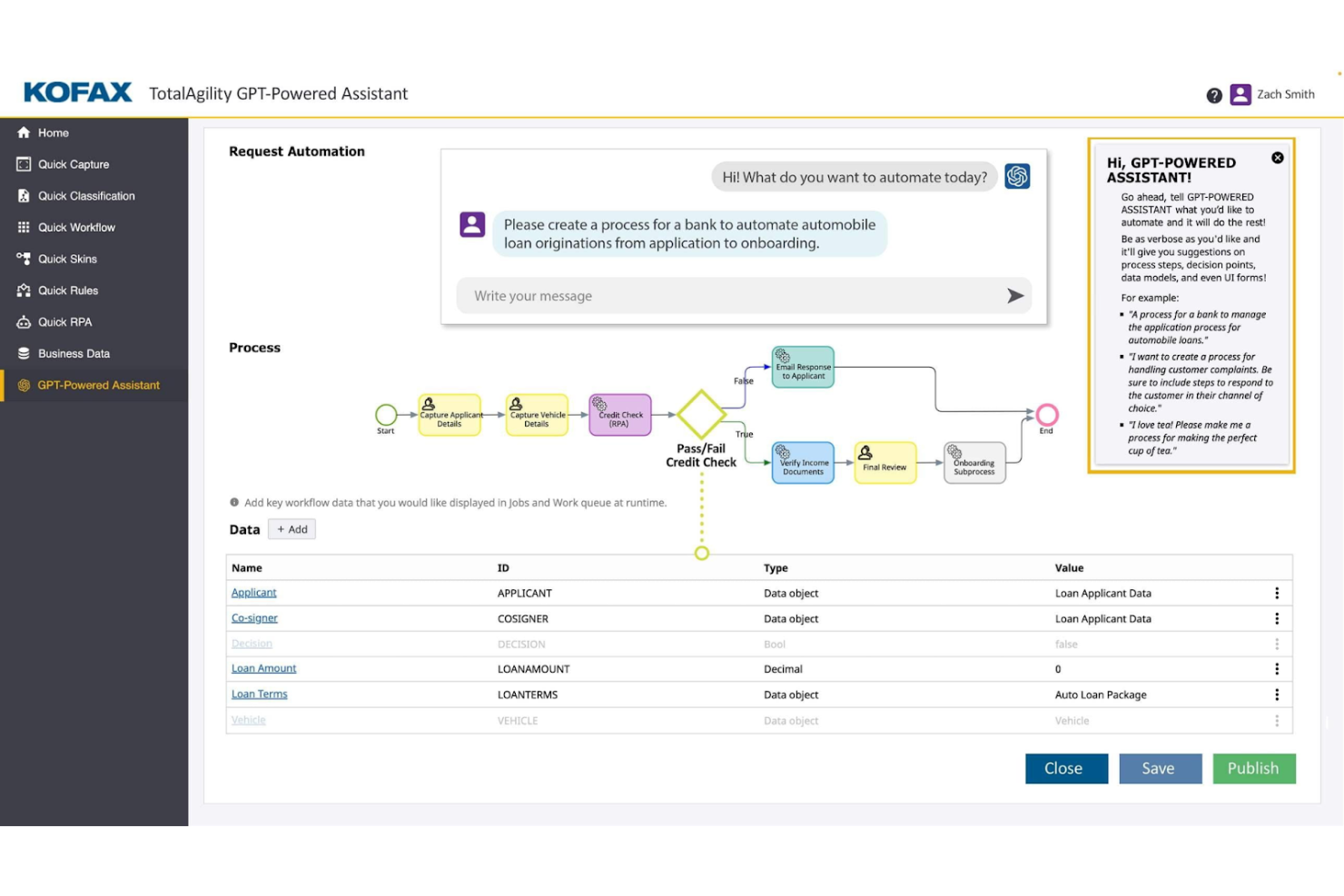
Tungsten Automation Power PDF provides PDF and eSignature solutions for professionals seeking to develop their digital document workflows. It's tailored for users needing efficient document editing and signing capabilities with AI-powered features.
Why it's a good Adobe Acrobat alternative: Tungsten Automation Power PDF offers advanced functionality and strong security support, suiting individuals and businesses. It includes user-friendly interfaces and flexible deployment options that make it simple for your team to integrate the software into existing workflows, while its compliance with ISO standards helps your documents meet industry requirements.
Standout Features and Integrations:
Features include PDF editing, secure digital signatures, and user-friendly conversion and redaction tools. You can manage documents through the intuitive interface, simplifying your workflow.
Integrations include Google Drive, Dropbox, Microsoft OneDrive, Box, SharePoint, Evernote, Salesforce, NetDocuments, iManage, Microsoft Office 365, and more.
Pros and Cons
Pros:
- Strong mobile app functionality
- Flexible deployment options
- ISO compliance
Cons:
- Weak sync between PC and mobile
- Text boxes can be buggy

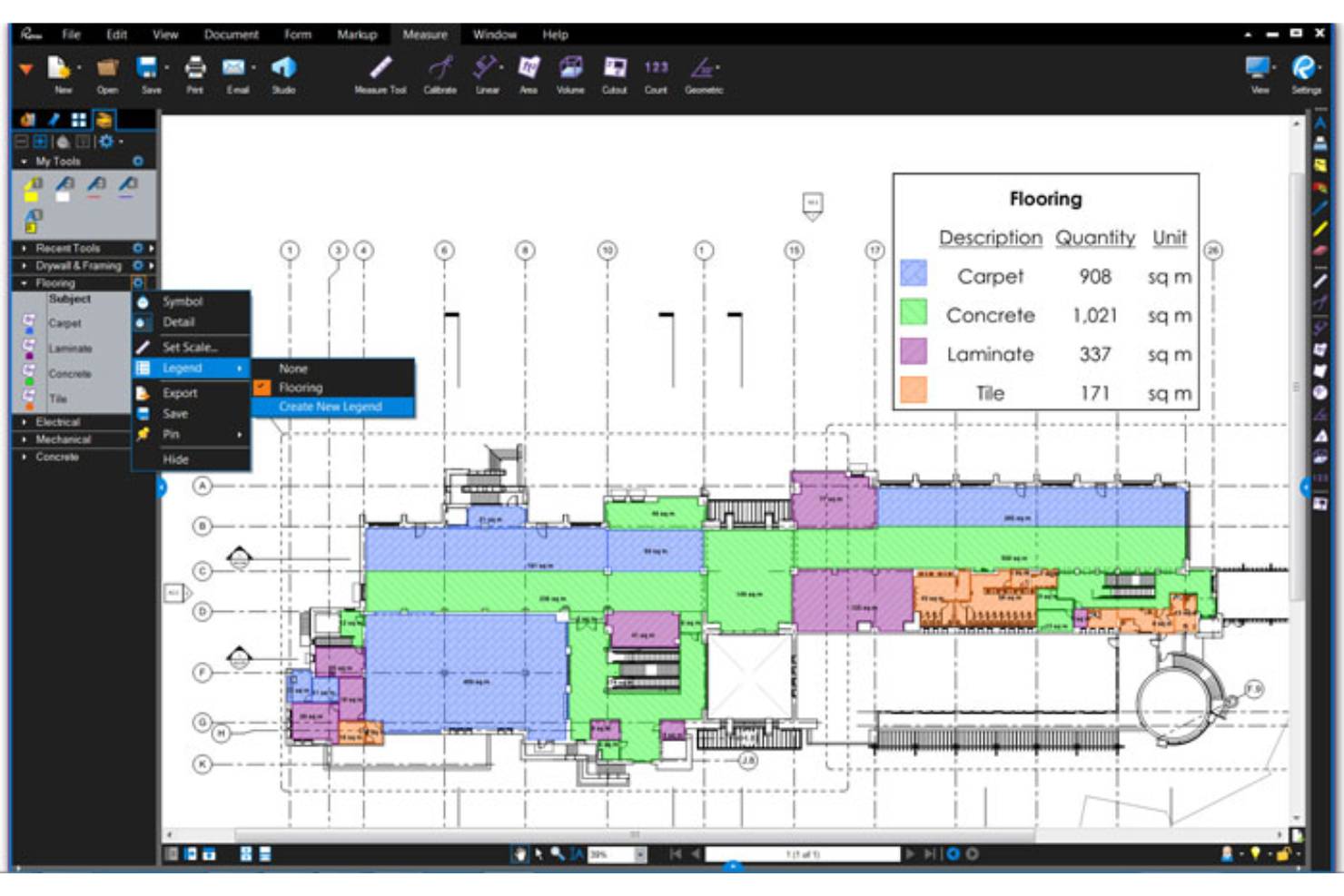
Bluebeam is a PDF software tailored for construction professionals needing efficient document management and markup tools. It's widely used by architects, engineers, and contractors to optimize project workflows and improve collaboration.
Why it's a good Adobe Acrobat alternative: Bluebeam offers specialized tools for construction professionals that support project efficiency, including advanced markup capabilities and real-time collaboration features. These functionalities make it a strong Adobe Acrobat alternative for those seeking tailored solutions in the construction industry.
Standout Features and Integrations:
Features include advanced markup tools, real-time collaboration, and project management capabilities. You can use the markup tools to add comments and annotations directly on your documents. The real-time collaboration feature allows your team to work together efficiently on projects.
Integrations include Autodesk Construction Cloud, SharePoint, ProjectWise, Box, Egnyte, Microsoft OneDrive, Dropbox, and more.
Pros and Cons
Pros:
- Real-time collaboration features
- Advanced markup capabilities
- Tailored for construction projects
Cons:
- Requires high-end PC hardware
- No full version for Mac users
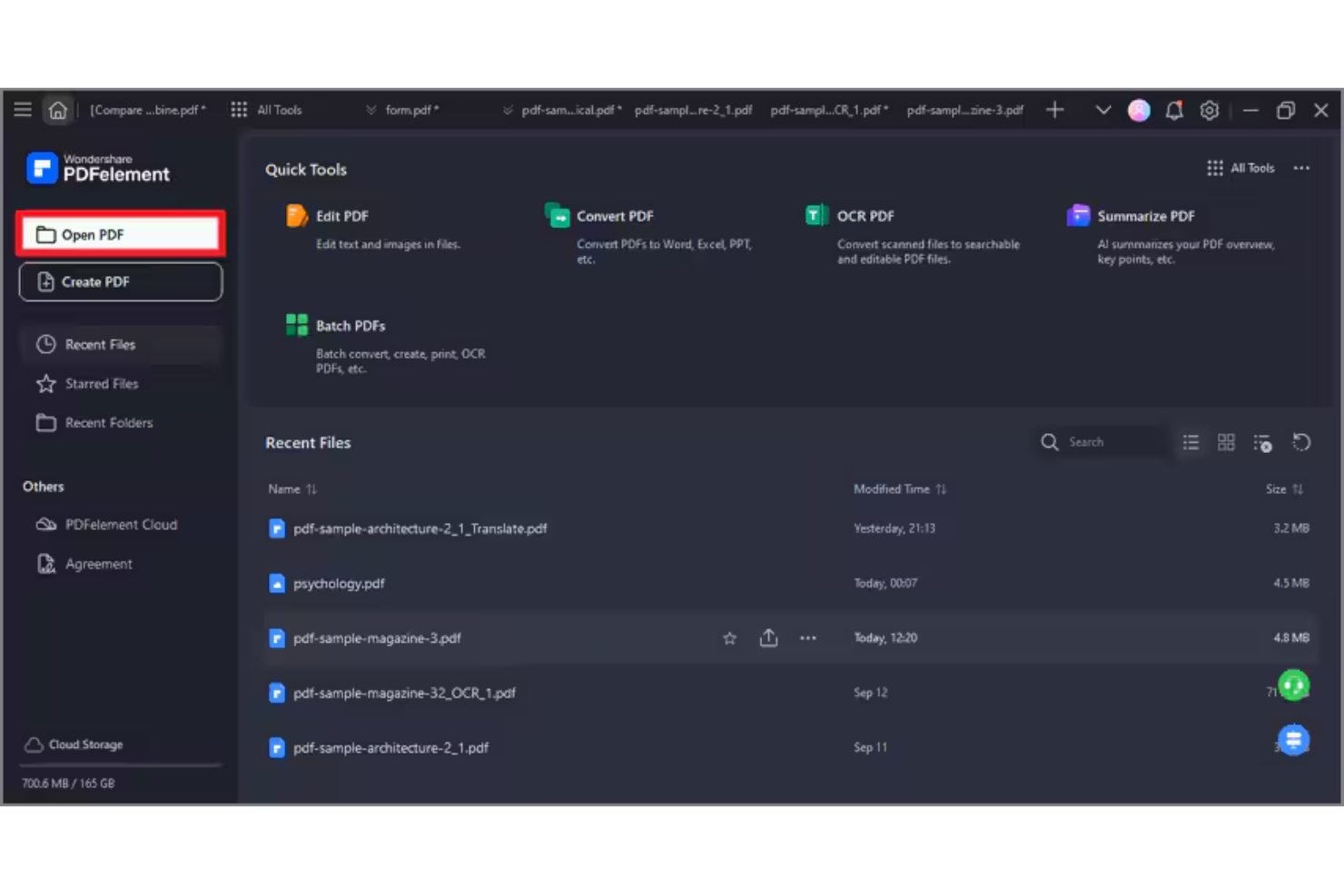
Wondershare PDFelement is a PDF and e-signature software designed for professionals who need efficient PDF document management and editing capabilities. It caters to a wide range of users, including small business teams and individual professionals, providing simple ways to create, edit, manage, and sign PDFs in Windows and Apple operating systems.
Why it's a good Adobe Acrobat alternative: PDFelement offers AI-powered editing for PDF files, which supports your document management experience. Its AI features simplify tasks such as text recognition and PDF form creation. The software also includes batch processing, helping you handle multiple files efficiently, and a perpetual license is available for teams. Overall, PDFelement provides a cost-effective solution for those looking to develop their PDF capabilities without the complexity of Adobe Acrobat.
Standout Features and Integrations:
Features include AI-powered text editing, batch processing, and form creation. The software allows you to edit PDFs with precision and ease. You also get tools for converting PDFs to various file formats, making your document workflows more flexible.
Integrations include Google Drive, Dropbox, Microsoft OneDrive, Apple iCloud, Microsoft Office 365, and more.
Pros and Cons
Pros:
- Flexible file format conversions
- Batch processing for efficiency
- AI-powered editing tools
Cons:
- AI credit limits
- Some document size restrictions

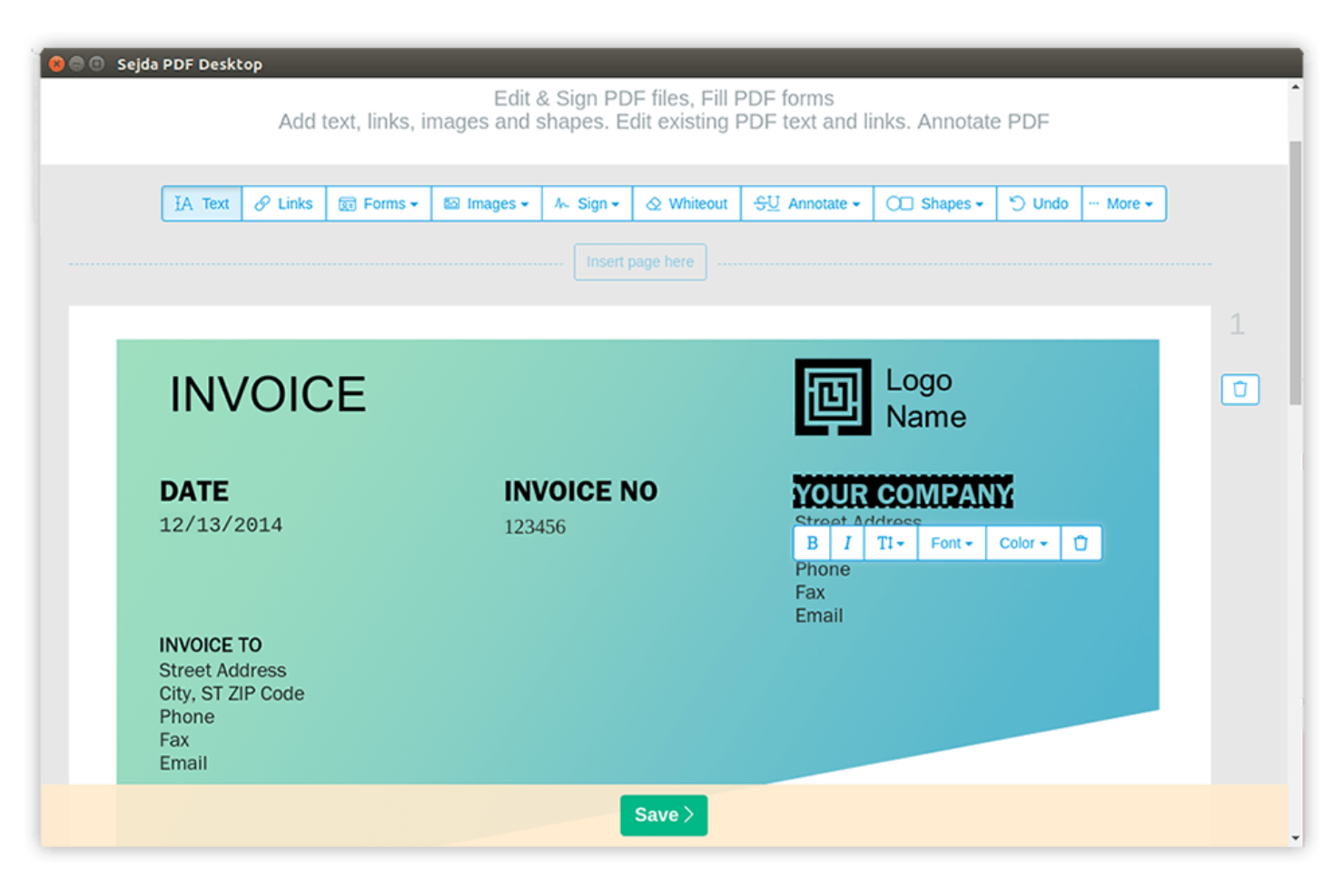
Sejda is an online PDF tool designed for users who need quick, straightforward access to PDF functionalities. It's popular among individuals and small businesses for its ability to perform tasks like editing, merging, and splitting PDFs.
Why it's a good Adobe Acrobat alternative: Sejda excels in handling online PDF tasks efficiently. You can edit and manipulate PDFs directly in your browser, making it highly accessible, while the tool's simplicity allows for quick document modifications without the need for complex software. These features make Sejda a practical choice for those looking for straightforward online PDF solutions.
Standout Features and Integrations:
Features include PDF editing, merging, and splitting, as well as custom font support. You can combine multiple PDFs into one document, while the splitting feature allows you to break down large PDFs into smaller, more manageable files.
Integrations include Google Drive, Dropbox, and more.
Pros and Cons
Pros:
- Simple document manipulation
- No software installation needed
- Efficient online PDF editing
Cons:
- Lacks batch processing tools
- Strict file size and page limits
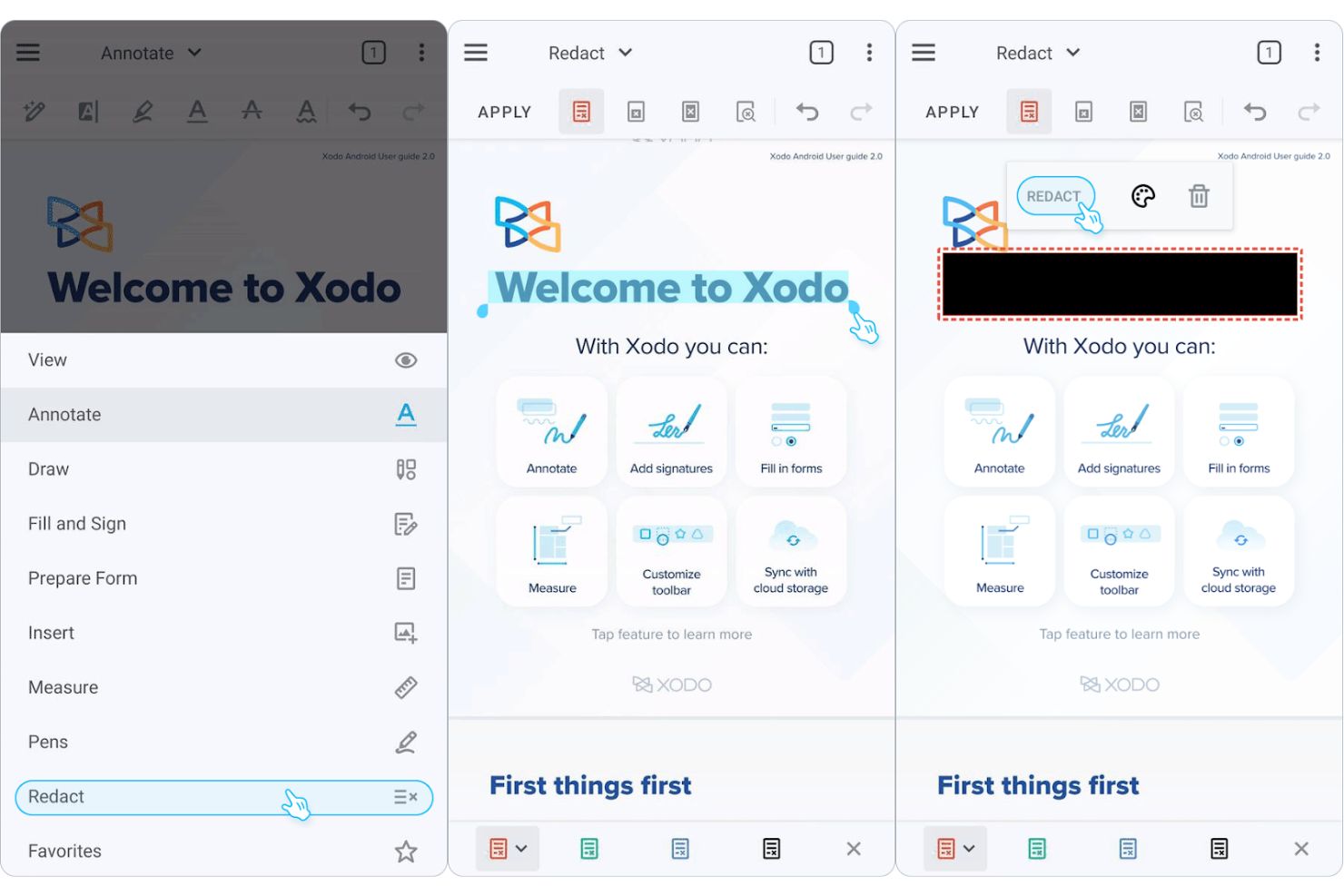
Xodo is a PDF management tool designed for users who need efficient access to documents across various devices. It's popular among individuals and teams that require reliable tools for viewing, annotating, and sharing PDFs.
Why it's a good Adobe Acrobat alternative: Xodo excels in cross-device document management, providing a consistent experience whether you're on mobile, desktop, or web. You can annotate and collaborate on PDFs in real time, thanks to sticky notes and text markup tools. The intuitive software makes it easy for your team to adapt quickly. These features make Xodo a practical choice for those wanting flexibility and accessibility in their PDF solutions.
Standout Features and Integrations:
Features include annotation tools, real-time collaboration, and cloud storage access, allowing you to highlight, underline, and add comments to PDFs while helping your team stay connected and productive.
Integrations include Google Drive, Dropbox, Microsoft OneDrive, Evernote, and more.
Pros and Cons
Pros:
- Quick adaptation for teams
- Cloud storage access
- Consistent cross-device experience
Cons:
- Weak text-reflow editing
- Laggy cloud syncing for large files

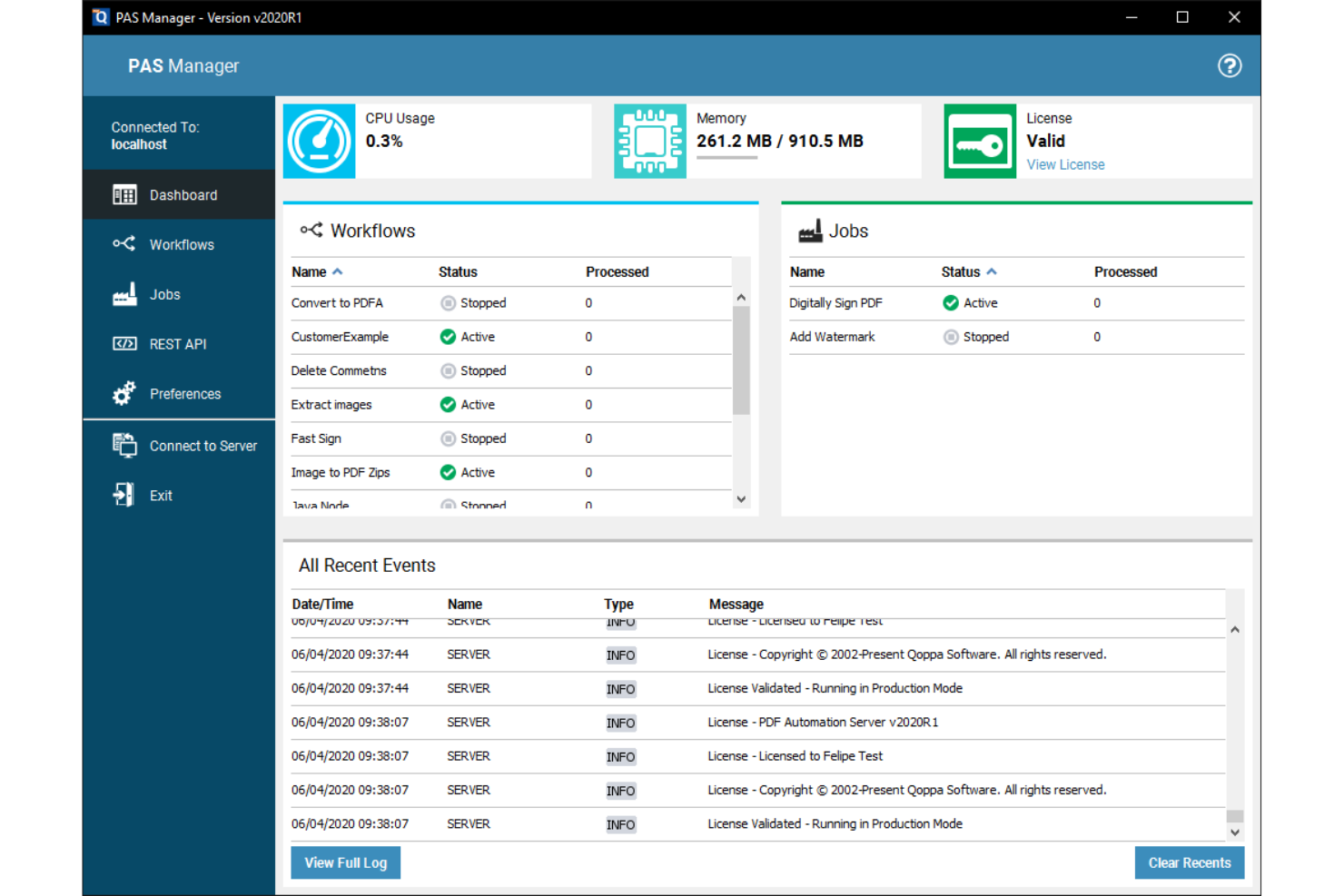
Qoppa PDF Studio provides enterprise-level PDF solutions for businesses that need advanced document processing capabilities. It's ideal for teams that need extensive tools for managing, editing, and securing PDFs.
Why it's a good Adobe Acrobat alternative: Qoppa PDF Studio offers enterprise PDF solutions that cater to complex business needs. With features such as PDF editing, form creation, and digital signature functionality, it enables your team to manage documents efficiently, while its security options help keep your docs protected. These capabilities make Qoppa PDF Studio a strong choice for enterprises looking for an alternative to Adobe Acrobat.
Standout Features and Integrations:
Features include advanced document security, batch processing, form creation, and PDF encryption and permissions. Various file manipulation tools let you split, combine, and rearrange documents.
Integrations include Google Drive, Dropbox, Microsoft OneDrive, Box, and more.
Pros and Cons
Pros:
- Suitable for large teams
- Advanced form creation tools
- Efficient batch processing
Cons:
- Scaling issues on 4K monitors
- Lacks modern AI chat features
Diğer Adobe Acrobat Alternatifleri
Kısa listeme giremeyen ancak yine de göz atmaya değer olan bazı ek Adobe Acrobat alternatifleri şunlardır:
- PDF Expert
For Apple device users
- PDF-XChange Editor
For cost-effective PDF editing
- pdfFiller
For cloud-based document editing
- PDFgear
For fast PDF processing
- ONLYOFFICE
For AI-powered team document collaboration
- ActiveDraft
For construction teams and clients
- Tenorshare PDNob
For simple PDF editing
- Stirling
For secure document encryption
- EaseUS PDF Editor
For straightforward PDF conversion
- PDFsam
For splitting and merging PDFs
- PDF24
For browser-based PDF utilities


How I Evaluate Adobe Acrobat Alternatives
I split my evaluation into baseline criteria every tool must meet—like real PDF editing, page management, and e-signatures—and the differentiators that separate the best fit for your team from the rest.
Core Functionality (Table Stakes For This List)
When I'm selecting tools for my list, I rank each one on a scale from 0 (does not offer the functionality) to 5 (excels in this area) for each core functionality listed below. Then, I calculate the tool's total score into a percentage. Each tool needs to achieve a minimum total score of 65% to be considered for inclusion.
- PDF Editing: I check whether I can edit existing text, swap images, and adjust formatting in-place—like updating a deliverable date buried in a 40-page SOW.
- PDF Creation & Conversion: Converting a Word-based project charter or Excel risk register into a polished PDF (and back again) should preserve tables, fonts, and layout.
- Annotation & Markup: I evaluate the depth of review tools—comments, callouts, drawing shapes—and whether multiple reviewers can mark up the same document in a shared workflow.
- E-Signature Support: I look for built-in or tightly integrated e-signature workflows that let you route a contract or change order for multi-party signing with an audit trail.
- Page Management: Merging separate scope documents into one deliverable package, splitting appendices, or reordering sections should be fast and intuitive across multi-file jobs.
- Security & Redaction: I evaluate password protection, granular permissions, and true content redaction—especially for removing sensitive cost data or PII before sharing files externally.
Once I have a list of tools that meet this criteria, I consider what sets each platform apart.
Differentiating Factors (What Sets Vendors Apart)
Here's how I compare and contrast different vendors:
Standout Features
AI-powered document intelligence is a big differentiator—I look for tools that can summarize a 100-page spec or extract key clauses from a vendor contract without manual scanning. Cloud collaboration matters just as much, especially when distributed teams need to co-review a deliverable in real time instead of passing marked-up copies through email. I also evaluate form-building capabilities, since creating fillable RFIs or change order templates directly inside the PDF editor saves a surprising amount of back-and-forth.
Beyond Features
Ecosystem integrations matter a lot here—I check whether a tool connects natively to platforms like Jira, Smartsheet, or SharePoint, since that's where most project documents actually live. Licensing structure is another key factor; some vendors offer per-user subscriptions while others provide volume or site licenses that work better for a PMO with contractors rotating in and out. I also evaluate cross-platform coverage, because mixed teams running Windows, macOS, and mobile need consistent access without feature gaps.
Adobe Acrobat'ın Temel Özellikleri
Adobe Acrobat'ı alternatif çözümlerle karşılaştırmanıza yardımcı olmak için temel özelliklerinden bazıları şunlardır:
- PDF düzenleme: PDF'ler oluşturmanıza ve dosyalarınızdaki metinleri ve görselleri doğrudan değiştirmenize olanak tanır.
- Dosya dönüştürme: Belgeleri PDF'ye ve PDF'den farklı biçimlere dönüştürmenizi sağlayarak farklı dosya biçimleriyle çalışmayı kolaylaştırır.
- Elektronik imzalar: Dijital imzalar eklemek ve toplamak için araçlar sunarak süreci kolaylaştırır.
- Sayfa düzenleme: PDF'nizdeki sayfaları yeniden sıralamanıza, silmenize veya döndürmenize yardımcı olarak belgelerinizi düzenli tutar.
- Belgeleri koruma: PDF'lerinizi güvende tutmak için parola koruması ve izin ayarları sunar.
- İş birliği ve paylaşım: Belgeleri paylaşmanızı ve geri bildirim toplamanızı sağlayarak ekip iş birliğini destekler.
- Yapay zekâ ile üretkenlik: Belge görevlerini otomatikleştirmek ve bu görevlere yardımcı olmak için yapay zekâ kullanarak verimliliği artırır.
- Form oluşturma: Formlar oluşturmanıza ve doldurmanıza olanak tanıyarak veri toplamayı düzenler.
- Belge karşılaştırma: Farklılıkları belirlemek için bir belgenin iki sürümünü karşılaştırmanızı sağlar.
- Mobil erişim: Araçlara mobil cihazlardan erişim sunarak her yerde çalışabilmenizi sağlar.