

2026’da İncelenen En İyi 10 Belge Tarama Yazılımı

En İyi Belge Tarama Yazılımları Kısa Listesi


Bir projeyi yönetmek, sayısız belgeyi aynı anda düzenlemeyi gerektirir ve bunları düzenli tutmak hiç de kolay değildir. Muhtemelen kâğıt yığınlarını veya dağınık dijital dosyaları ayıklamanın yarattığı hayal kırıklığını yaşamışsınızdır. Belge tarama yazılımları, sizin ve ekibinizin belgeleri verimli bir şekilde düzenlemesine yardımcı olarak hayat kurtarıcı olabilir.
Deneyimlerime göre doğru aracı bulmak, evrak işlerini ele alma biçiminizi dönüştürebilir; zamandan tasarruf etmenizi ve stresi azaltmanızı sağlayabilir. Bu araçları bağımsız olarak test edip inceledim ve size dürüst, iyi araştırılmış bilgiler sunmayı amaçladım.
Belge tarama yazılımları arasındaki en iyi seçenekleri keşfedeceksiniz; her biri farklı ihtiyaçlara göre tasarlanmış benzersiz özelliklere sahip. İster küçük bir işletme ister büyük bir kuruluş olun, size uygun bir çözüm mutlaka vardır.
Why Trust Our Software Recommendations
Our team has been testing and reviewing software since 2012. As project managers ourselves, we know how difficult—and important—it is to choose the right software.
For this guide, we evaluated tools using hands-on testing and independent research, scoring tools using our selection criteria. We also draw on insights from industry thought leaders and practicing project management experts.
Our reviews reflect our human editorial judgment, not a sales pitch.
Expert reviewers:
Belge Tarama Yazılımları Karşılaştırma Tablosu
En iyi belge tarama yazılımı seçimlerimin fiyatlandırma ayrıntıları bu karşılaştırma tablosunda özetlenmiştir.
| Tool | Starting Price | Website | |
|---|---|---|---|
| Best for accurate scans with quality detection | 4.8 out of 5 | Pricing upon request Free demo available | Website |
| Best for AI-based data extraction | 4.9 out of 5 | Pricing upon request Free trial available + free demo | Website |
| Best for mobile device scanning | — | Website | |
| Best for OCR accuracy | — | Website | |
| Best for small business use | — | Website | |
| Best for secure document handling | — | Website | |
| Best for open-source flexibility | — | Free plan available | Website |
| Best for multi-page scanning | — | Website | |
| Best for quick cloud integration | — | Website | |
| Best with custom extraction pipelines | — | $79.20/month Free plan available | Website |
En İyi Belge Tarama Yazılımları İncelemesi
Aşağıda, kısa listeme giren en iyi belge tarama yazılımlarına ilişkin ayrıntılı özetlerimi bulabilirsiniz. İncelemelerim, her aracın temel özelliklerini, artılarını ve eksilerini, entegrasyonlarını ve ideal kullanım alanlarını ayrıntılı şekilde ele alarak sizin için en iyisini bulmanıza yardımcı olur.
Best for accurate scans with quality detection

Doxis AI.dp. is a document scanning software that uses AI to capture, analyze, and extract data from a wide range of document types.
Who Is Doxis AI.dp. Best For?
Doxis AI.dp. is a good fit for operations and finance teams that process large volumes of documents and need reliable, automated data capture.
Why I Picked Doxis AI.dp.
I picked Doxis AI.dp. as one of the best because of how seriously it takes scan quality as a prerequisite for accurate data extraction. The OCR SDK includes real-time user feedback during capture—alerting users if a document is too far away, poorly lit, or if the camera is unstable. This real-time guidance prevents my team from discovering bad scans later. Additionally, the image pre-processing module automatically enhances images before extraction, improving results for low-resolution uploads and imperfect physical documents. The human-in-the-loop feature adds another layer, letting skilled operators validate and correct AI-extracted data to push accuracy close to 100%.
Doxis AI.dp. Key Features
- Document classification: Automatically sorts and labels documents using AI algorithms, with support for custom classification rules and parameters.
- Data anonymization: Detects and redacts sensitive fields from documents to support GDPR and other data privacy compliance requirements.
- Document fraud detection: Uses EXIF analysis, duplicate detection, copy-move checks, and pixel-level analysis to flag manipulated or forged documents.
- Workflow builder: A drag-and-drop interface lets you design and deploy custom document processing workflows, from intake through data extraction and output.
Doxis AI.dp. Integrations
Native integrations are not clearly documented. The tool supports integrations via API for custom connections.
Pros and Cons
Pros:
- Supports conversion to JSON, XML, CSV, XLSX
- Image quality detection reduces unusable scans
- Mobile SDK captures documents in seconds
Cons:
- Some issues with rotated images affecting extraction quality
- Custom-model training may take initial effort
New Product Updates from Doxis AI.dp.
Doxis AI.dp Adds Zero-Shot Classification and Natural-Language Search
Doxis AI.dp adds zero-shot classification, image classification, natural-language Inbox Search, expanded financial outputs, and Active Learning improvements. These updates help teams classify documents, find information, and process financial data. For more information, visit Doxis AI.dp’s official site.
 .

TrailHQ
Best for AI-based data extraction

Nanonets is a document scanning and data extraction platform that uses AI to capture, classify, and process information from a wide range of document types.
Who Is Nanonets Best For?
Nanonets is a good fit for operations and finance teams that need to automate high-volume document processing across invoices, receipts, and forms.
Why I Picked Nanonets
Nanonets earns its spot on my shortlist because of how far its AI-based data extraction goes beyond basic OCR. I've used it to pull structured data from invoices, bills of lading, and bank statements—and it supports over 300 pre-trained document extractors, so my team isn't starting from scratch every time we onboard a new document type. The model learns from corrections over time, so extraction accuracy improves as you use it. I also like that the OCR API supports multiple programming languages, so engineering teams can embed document scanning directly into existing pipelines without a heavy lift.
Nanonets Key Features
- Document classification: Automatically sorts incoming documents into predefined categories based on their content and layout.
- Workflow automation: Build multi-step approval and processing workflows that trigger based on extracted data values.
- Human-in-the-loop review: Flag low-confidence extractions for manual review before data moves downstream.
- Audit trail: Logs every action taken on a document, including edits, approvals, and exports, for compliance tracking.
Nanonets Integrations
Nanonets offers native integrations with Google Drive, Dropbox, Salesforce, QuickBooks, and Zapier. An API is available for custom integrations.
Pros and Cons
Pros:
- Real-time data processing
- Custom workflow creation
- AI improves accuracy over time
Cons:
- Learning curve for custom models
- Limited offline capabilities
- High starting price


Adobe Scan is a document scanning app that lets you capture, convert, and organize physical documents into digital files using your mobile device, with built-in OCR and PDF export capabilities.
Who Is Adobe Scan Best For?
Adobe Scan is a good fit for individuals and teams who need to scan and digitize documents on the go using a smartphone or tablet.
Why I Picked Adobe Scan
Adobe Scan is one of my top picks because I love how it turns a smartphone camera into a fully capable document scanner without needing any additional hardware. Its AI-powered image correction automatically detects document edges, removes shadows and glare, and sharpens text, so scans come out clean even in imperfect lighting. I also rely on the built-in OCR, which makes scanned documents searchable and editable. Scans sync directly to Adobe Document Cloud, so I can open them in Acrobat on desktop or web without any manual file transfers.
Adobe Scan Key Features
- Capture modes: Switch between document, whiteboard, business card, and form capture modes to match what you're scanning.
- Markup tools: Add drawings, shapes, and annotations directly within the app before saving or sharing a scan.
- PDF compression: Reduce file size with adjustable compression levels (high or low) to make scans easier to share.
- Custom folder organization: Save scans with recommended filenames and dates, and sort them into custom folders within the app.
Adobe Scan Integrations
Adobe Scan offers native integration with Adobe Document Cloud, allowing you to access and manage scanned files across Adobe Acrobat and other Adobe apps. Native integrations with third-party tools are not clearly documented.
Pros and Cons
Pros:
- Organize with recommended filenames
- AI-enhanced text clarity
- Easy mobile scanning
Cons:
- Basic editing tools
- Subscription needed for extra features
- Requires Adobe account


ABBYY FineReader is a document scanning and OCR software that lets you digitize, convert, and edit scanned documents and PDFs in multiple formats.
Who Is ABBYY FineReader Best For?
ABBYY FineReader is a good fit for legal, finance, and administrative teams that regularly process large volumes of scanned documents and need accurate text extraction.
Why I Picked ABBYY FineReader
ABBYY FineReader earns its spot on my shortlist because its OCR accuracy is genuinely hard to beat—up to 99.8% recognition accuracy across 198 languages. I've used it to process scanned contracts and multi-language documents where other tools introduced errors that required manual correction. FineReader's AI-guided image preprocessing automatically corrects skewed pages, pixelated text, and distorted characters before recognition begins, improving results on lower-quality scans. The Compare Documents feature is another one I rely on—it uses OCR to detect text-level differences between a scanned PDF and a Word file, which saves my team from tedious line-by-line reviews.
ABBYY FineReader Key Features
- Batch processing: Convert or recognize multiple documents simultaneously using automated workflows without manual file-by-file handling.
- PDF editing: Modify text, images, and pages directly within scanned or native PDFs without converting to another format first.
- Document conversion: Export scanned files to editable formats including Word, Excel, PowerPoint, and searchable PDF.
- Hot folder automation: Set up watched folders that automatically process incoming scanned documents based on predefined rules.
ABBYY FineReader Integrations
ABBYY FineReader offers native integrations with Microsoft 365, SharePoint, and Dropbox, and an API for custom integrations.
Pros and Cons
Pros:
- Document comparison feature
- Direct PDF editing
- High OCR accuracy
Cons:
- High learning curve
- Requires desktop installation
- Limited mobile support


CamScanner is a document scanning software that lets you scan, digitize, organize, and share documents using your mobile device, with features like OCR and multi-format export.
Who Is CamScanner Best For?
CamScanner is a good fit for small business teams that need a lightweight, mobile-first way to scan, digitize, and manage documents on the go.
Why I Picked CamScanner
I picked CamScanner as one of the best because it covers the full document scanning workflow that small business teams encounter daily. When my team scans contracts, receipts, or invoices on the go, the AI-enhanced image processing automatically crops edges, removes backgrounds, and applies filters to produce clean, professional-looking PDFs without any manual cleanup. I also rely heavily on the OCR feature, which pulls editable text from scanned images in 41 languages, making it easy to search, copy, or repurpose content from physical documents. The ability to export directly to Word, Excel, or PPT from a phone scan is something I rarely see in mobile-first tools.
CamScanner Key Features
- PDF editing tools: Merge, split, reorder, compress, add watermarks, and password-protect PDF files directly within the app.
- E-signature support: Add electronic signatures to scanned documents without leaving the app or exporting to a separate tool.
- Smart translation: Translate text extracted from scanned documents across multiple languages using built-in AI translation.
- Multi-device sync: Access and manage your scanned files across phones, tablets, and desktop computers through cloud backup.
CamScanner Integrations
Native integrations are not clearly documented. CamScanner offers cloud storage connections with Google Drive, Dropbox, and OneDrive, and provides an API for custom integrations.
Pros and Cons
Pros:
- Secure sharing options
- Document enhancement features
- Easy mobile scanning
Cons:
- Limited desktop functionality
- Ads in free version
- Limited free features


MyQ is a document scanning and print management platform that lets you capture, digitize, and route documents securely from multifunction devices and desktop environments.
Who Is MyQ Best For?
MyQ is a good fit for IT administrators and document managers in mid-size to enterprise organizations that need centralized control over print and scan environments.
Why I Picked MyQ
MyQ earns its spot on my shortlist because of how seriously it treats document security at every stage of the scanning process. I particularly like the zonal redaction feature, which automatically strips personal data from documents during scanning—useful when my team handles contracts or HR files. Scanned PDFs can be encrypted, password-protected, and stamped with a digital signature and timestamp, creating a clear chain of custody if a document's integrity is questioned. The automatic document classification also means sensitive files like invoices or contracts get routed to the right destination without manual intervention.
MyQ Key Features
- Easy Scan: Launches a full scan-to-destination workflow in one click, sending documents directly to a network folder, email, or cloud storage.
- OCR conversion: Converts scanned documents into searchable, editable PDFs using optical character recognition.
- Barcode and QR code reading: Reads barcodes and QR codes embedded in documents to identify, split, and route multi-document batches automatically.
- Document indexing: Lets you attach metadata—like invoice numbers, due dates, and totals—to scanned documents during the scanning process.
MyQ Integrations
MyQ offers native integrations with Microsoft 365, Google Workspace, Dropbox, Box, and OneDrive, and provides an API for custom integrations.
Pros and Cons
Pros:
- Customizable interfaces
- Detailed audit trails
- User authentication options
Cons:
- Limited mobile functionality
- Requires IT support
- Complex setup process


NAPS2 is an open-source document scanning software that lets you scan, organize, and convert documents using a wide range of scanners and file formats.
Who Is NAPS2 Best For?
NAPS2 is a good fit for developers, IT professionals, and technically inclined individuals who want a free, customizable scanning tool they can adapt to their own workflows.
Why I Picked NAPS2
NAPS2 earns its spot on my shortlist because of how much control it gives you over the scanning process without locking you into a paid ecosystem. What I find particularly compelling is the CLI—you can script entire scanning workflows, set output paths with auto-numbered placeholders, trigger OCR in specific languages, and pipe results directly into other tools. I've used it to automate batch scanning jobs that would otherwise require manual intervention at every step. The MSI installer and GPO deployment support also make it genuinely practical for IT teams rolling it out across multiple machines.
NAPS2 Key Features
- PDF and image output formats: Export scans directly to PDF, TIFF, JPEG, PNG, and other common file formats from within the app.
- OCR text recognition: Convert scanned pages into searchable or editable text using built-in OCR powered by Tesseract.
- Multi-page document editing: Reorder, rotate, crop, and delete individual pages before finalizing your scan output.
- TWAIN and WIA scanner support: Connect to a wide range of physical scanners using standard TWAIN and WIA drivers.
NAPS2 Integrations
Native integrations are not clearly listed.
Pros and Cons
Pros:
- Batch scanning available
- Simple user interface
- Supports many file formats
Cons:
- Not cloud-based
- No native integrations
- Limited advanced features


PaperScan is a document scanning software for digitizing, processing, and organizing paper documents, offering batch scanning, image correction, and support for a wide range of scanner devices and file formats.
Who Is PaperScan Best For?
PaperScan is a good fit for individuals and small teams who need a desktop-based tool for high-volume document scanning and image processing.
Why I Picked PaperScan
PaperScan earns its spot on my shortlist because of how well it handles multi-page document workflows. I particularly like the separator sheet scanning feature, which lets me batch-scan large stacks of mixed documents and automatically split them into separate files—something that saves a lot of manual sorting. PaperScan also handles blank page detection and removal automatically, so multi-page scans don't end up bloated with empty pages I'd otherwise have to clean up by hand. Duplex scanning support means I can capture both sides of a page in a single pass.
PaperScan Key Features
- Image enhancement tools: Apply filters like deskew, despeckling, and brightness adjustment to improve scan quality before saving.
- OCR support: Convert scanned pages into searchable or editable text using built-in optical character recognition.
- Annotation tools: Add stamps, highlights, and notes directly onto scanned documents within the application.
- Multiple export formats: Save scanned documents as PDF, TIFF, JPEG, PNG, and other common file formats.
PaperScan Integrations
Native integrations are not clearly listed.
Pros and Cons
Pros:
- Wide file format support
- Automatic blank page removal
- Easy multi-page scanning
Cons:
- Requires desktop installation
- Limited mobile support
- No cloud integration


Swift Scan is a document scanning software that lets you capture, digitize, and organize documents with features like high-resolution scanning, automatic edge detection, and direct uploads to cloud storage platforms.
Who Is Swift Scan Best For?
Swift Scan is a good fit for individuals and small teams who need to digitize physical documents and sync them directly to cloud storage without a complex setup.
Why I Picked Swift Scan
Swift Scan earns its spot on my shortlist because it moves scanned documents into the cloud with minimal delay. I like that it connects directly to Google Drive, Dropbox, and OneDrive, so my team can scan a document and have it uploaded and organized in seconds. The automatic edge detection and perspective correction mean we're not spending time cleaning up scans before sharing them. Batch scanning also lets us process multi-page documents into a single PDF without interrupting the upload flow.
Swift Scan Key Features
- OCR text recognition: Converts scanned documents into searchable, selectable text you can copy or index.
- Annotation tools: Add notes, highlights, or signatures directly onto scanned documents before saving or sharing.
- Custom folder organization: Create and manage folder structures within the app to keep scanned files sorted by project or category.
- QR and barcode scanning: Scan QR codes and barcodes alongside documents to capture linked data in a single workflow.
Swift Scan Integrations
Swift Scan offers native integrations with Google Drive, Dropbox, OneDrive, Evernote, and Box for direct document uploads. An API is not clearly documented for custom integrations.
Pros and Cons
Pros:
- Multi-page PDF creation
- Automatic edge detection
- Quick cloud integration
Cons:
- No desktop version
- Subscription needed for full features
- Limited to mobile devices

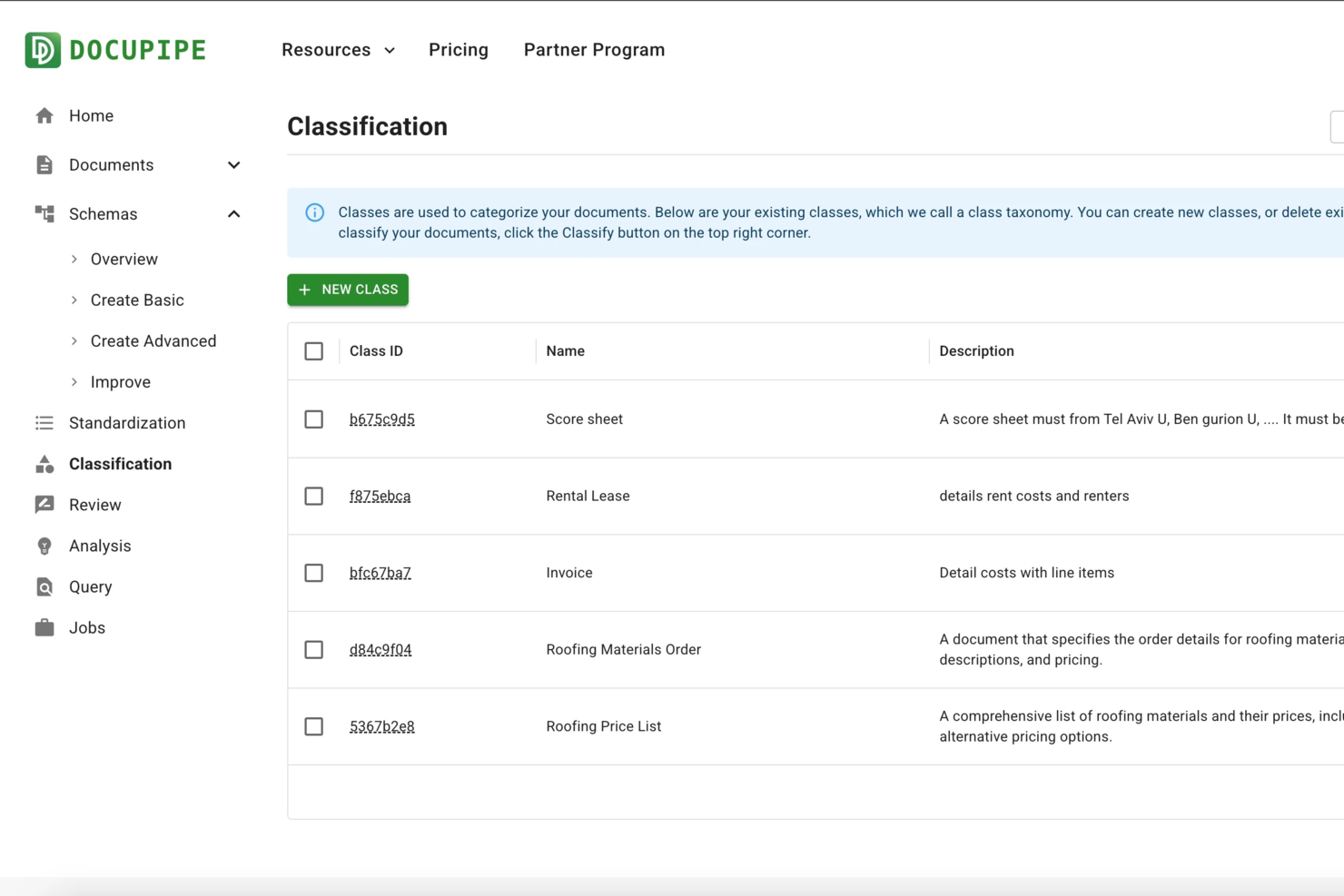
DocuPipe is a document scanning and processing platform that lets you build custom extraction pipelines, automate data capture, and handle complex document types with advanced OCR and workflow tools.
Who Is DocuPipe Best For?
DocuPipe suits operations teams and solution architects who need to automate document processing across diverse formats and workflows.
Why I Picked DocuPipe
I picked DocuPipe as one of the best because its custom extraction pipeline builder lets me design document workflows tailored to unique business rules and data structures. I like that I can set up multi-step extraction logic for invoices, contracts, or forms—my team is able to automate complex data capture scenarios without coding. The visual pipeline editor makes it easy to adapt processes as requirements change.
DocuPipe Key Features
- Handwritten text recognition: Accurately extracts data from scanned handwritten documents and forms.
- Multi-language OCR: Processes documents in over 60 languages for global document handling.
- Automated data validation: Flags inconsistencies and errors in extracted data before export.
- API access: Integrates document processing workflows directly into your existing systems.
DocuPipe Integrations
Native integrations are not clearly documented. DocuPipe provides an API for custom integrations.
Pros and Cons
Pros:
- Automatic field detection adapts to layouts
- Offers custom extraction pipeline builder
- Handles handwritten and mixed-content documents
Cons:
- Lacks built-in export to cloud storage
- Credit-based usage limits on free plan
New Product Updates from DocuPipe
DocuPipe Adds Source View and Auto-Refresh Jobs Page
DocuPipe adds Source view comparisons, auto-refreshing jobs, and real-time progress bars to improve document review and processing visibility. The updates help teams monitor extraction and standardization workflows more efficiently. For more information, visit DocuPipe’s official site.
 .
Diğer Belge Tarama Yazılımları
İşte kısa listeme giremeyen ancak yine de göz atmaya değer bazı ek belge tarama yazılımı seçenekleri:
- Scan2x
For automated workflows
- Genius Scan
For quick batch scanning
- Scan.Plus
For high-resolution scanning
- Tiny Scanner
For lightweight mobile use


How I Evaluate Document Scanning Software
I evaluate document scanning tools in two layers: the core OCR, capture, and output capabilities to qualify, then the differentiators that matter for AP clerks, records teams, and legal ops.
Core Functionality (Table Stakes for This List)
These core capabilities serve as the acceptance criteria for inclusion on my list of document scanning software:
- Multi-Source Document Capture: I check whether a tool supports scanner, MFP, mobile camera, and file import inputs—field teams need camera capture while mailrooms rely on ADF-fed scanners.
- OCR & Text Recognition: Accuracy across languages and document types matters, so I evaluate how well each tool handles degraded originals like faxes, carbon copies, and older contracts.
- Image Processing & Enhancement: Auto-deskew, despeckle, and blank page removal should happen without manual tweaking—especially for high-volume AP teams scanning inconsistent invoice stacks.
- File Format & Export Options: I look for searchable PDF, TIFF, Word, and Excel output with direct export paths to cloud storage, network folders, or connected business systems.
- Data Extraction & Indexing: Barcode separation, zonal OCR, and metadata tagging are what turn a raw scan into a retrievable record—I evaluate how each tool handles structured forms vs. freeform documents.
- Document Redaction Controls: Automated and manual redaction capabilities, granular access controls, encryption, and audit trails are essential for organizations handling sensitive information.
I rank each vendor on a scale from 0 (does not offer the functionality) to 5 (excels in this area) for each criterion.
Vendors need to achieve a minimum average score to be considered for inclusion on my list. From there, I consider what sets each platform apart.
Differentiating Factors (What Sets Vendors Apart)
Once I've curated my list, here's how I contrast and compare different vendors in the document scanning software space:
Standout Features
I look for intelligent document processing powered by AI/ML, since automated classification and entity extraction can dramatically reduce time spent on manual data entry. Tools that offer native mobile capture apps with edge detection and offline sync are valuable for remote teams or field workers who need to digitize paperwork on the go. Batch processing capabilities also matter for environments handling thousands of pages a day—barcode separation and queue management streamline high-volume workflows.
Beyond Features
Scanner hardware compatibility is one of the first things I evaluate—teams using production scanners need confirmed TWAIN and ISIS driver support. Deployment model matters too, since healthcare and legal teams often require on-premise installs to meet data residency policies. I also check for documented compliance certifications like HIPAA, SOC 2 Type II, or GDPR readiness, especially when a tool will handle PHI or attorney-client privileged records.
Belge Tarama Yazılımı Nasıl Seçilir?
Uzun özellik listeleri ve karmaşık fiyatlandırma yapıları arasında kaybolmak kolaydır. Kendinize özgü yazılım seçimi sürecinizde ilerlerken odaklanmanıza yardımcı olmak için göz önünde bulundurmanız gereken faktörleri içeren bir kontrol listesi hazırladım:
| Etken | Dikkate Alınacaklar |
|---|---|
| Ölçeklenebilirlik | Yazılım, artan belge hacminizi yönetebilir mi? Gelecekteki ihtiyaçlarınızı ve aracın tamamen yeni bir sistem kurulmasını gerektirmeden işletmenizle birlikte ölçeklenip ölçeklenemeyeceğini değerlendirin. |
| Entegrasyonlar | Mevcut araçlarınıza bağlanabiliyor mu? İş akışlarınızda aksama yaşamamak için CRM, bulut depolama veya muhasebe yazılımı gibi mevcut sistemlerinizle uyumluluğunu kontrol edin. |
| Özelleştirilebilirlik | Yazılımı süreçlerinize uyacak şekilde uyarlayabilir misiniz? İş akışlarını, kullanıcı izinlerini ve ayarları işletmenizin ihtiyaçlarına göre düzenlemenize olanak tanıyan seçenekleri arayın. |
| Kullanım kolaylığı | Arayüz ekibiniz için sezgisel mi? Ekibinizin hemen etkili bir şekilde kullanmaya başlayabilmesi için kapsamlı eğitim gerektirmeyen bir yazılım seçin. |
| Uygulama ve işe alışma | Başlamak ne kadar kolay? Kurulum için gereken zamanı ve kaynakları, ayrıca sağlayıcının eğitim videoları veya ürün tanıtımları gibi destekler sunup sunmadığını değerlendirin. |
| Maliyet | Fiyatlandırma bütçenizle uyumlu mu? Mali planınıza uyduğundan emin olmak için kurulum ücretleri, abonelik planları ve olası gizli masraflar dahil tüm maliyetleri değerlendirin. |
| Güvenlik önlemleri | Belgeleriniz korunuyor mu? Hassas bilgilerin güvenliğini sağlamak için yazılımın şifreleme, erişim denetimleri ve düzenli güvenlik güncellemeleri sunduğundan emin olun. |
| Destek erişilebilirliği | İhtiyaç duyduğunuzda yardım alabiliyor musunuz? Sorunları hızlı bir şekilde çözmek için sağlayıcının 7/24 destek, birden fazla iletişim seçeneği ve hızlı yanıt süreleri sunup sunmadığını kontrol edin. |
Belge Tarama Yazılımı Nedir?
Belge tarama yazılımı, fiziksel belgeleri PDF veya görüntü gibi dijital biçimlere dönüştüren bir araçtır. Ofis yöneticileri, muhasebeciler ve hukuk asistanları gibi profesyoneller, evrakları verimli bir şekilde yönetmek ve düzenlemek için bu araçları kullanır. Otomatik metin tanıma, çok sayfalı tarama ve güvenli paylaşım özellikleri, belge yönetimini kolaylaştırmaya ve verimliliği artırmaya yardımcı olur. Genel olarak bu araçlar zamandan tasarruf sağlar ve kâğıt belgeleri yönetmenin getirdiği zahmeti azaltır.
Belge Tarama Yazılımının Özellikleri
Belge tarama yazılımı seçerken aşağıdaki temel özelliklere dikkat edin:
- Optik karakter tanıma (OCR): Taranan metni düzenlenebilir ve aranabilir verilere dönüştürerek dijital belgelerle çalışmayı kolaylaştırır.
- Çok sayfalı tarama: Kullanıcıların birden fazla sayfayı tek bir belgeye taramasını sağlayarak zamandan tasarruf eder ve düzeni korur.
- Güvenli belge paylaşımı: Dosyaları şifreleme ve izinlerle güvenli bir şekilde paylaşma seçenekleri sunarak hassas bilgilerin korunmasını sağlar.
- Toplu işleme: Büyük miktardaki belgelerin aynı anda taranmasını sağlayarak yoğun ofislerde verimliliği artırır.
- Bulut entegrasyonu: Belgeleri herhangi bir yerden otomatik olarak kaydetmek ve bunlara erişmek için bulut depolama hizmetlerine bağlanır.
- Özelleştirilebilir iş akışları: Belge süreçlerini belirli işletme ihtiyaçlarına uyacak şekilde düzenleme ve verimliliği artırma olanağı sunar.
- Otomatik belge sınıflandırma: Belgeleri otomatik olarak tanımlar ve kategorilere ayırarak manuel sıralama ihtiyacını ve hataları azaltır.
- Kullanıcı dostu arayüz: Sezgisel gezinme olanağı sunarak kullanım kolaylığı sağlar ve ekiplerin yazılımı hızlı bir şekilde kullanmaya başlamasına yardımcı olur.
- Açıklama ekleme ve düzenleme araçları: Daha iyi iş birliği için doğrudan taranmış belgelere not, vurgulama veya düzenleme ekleme özellikleri sunar.
- Eğitim ve kullanıma alma desteği: Kullanıcıların başlamasına ve yazılımdan en iyi şekilde yararlanmasına yardımcı olmak için videolar ve eğitimler gibi kaynaklar içerir.
Belge Tarama Yazılımının Faydaları
Belge tarama yazılımının uygulanması, ücretsiz e-imza çözümlerini tamamlayan kolaylaştırılmış iş akışları da dâhil olmak üzere ekibiniz ve işletmeniz için çeşitli faydalar sağlar. Yararlanabileceğiniz faydalardan bazıları şunlardır:
- Zamandan tasarruf: Kâğıt belgeleri dijitale dönüştürme sürecini otomatikleştirerek sizin ve ekibinizin sayısız saat kazanmasını sağlar.
- Daha iyi düzen: Çok sayfalı tarama ve otomatik sınıflandırma gibi özelliklerle belgelerin düzenli tutulmasına yardımcı olarak karmaşayı ve karışıklığı azaltır.
- Geliştirilmiş erişilebilirlik: Bulut entegrasyonu sayesinde belgelere her yerden kolayca erişilmesini sağlayarak uzaktan çalışmayı ve iş birliğini destekler.
- Artırılmış güvenlik: Hassas bilgileri güvenli paylaşım ve şifreleme ile koruyarak içinizin rahat olmasını sağlar.
- Hataların azaltılması: OCR ile manuel veri girişi hatalarını en aza indirerek dijital belgelerinizde doğruluk sağlar.
- Maliyet verimliliği: Fiziksel depolama alanı ve kâğıt ihtiyacını azaltarak işletme maliyetlerini düşürür.
- Daha iyi iş birliği: Ekip üyelerinin belgeler üzerinde birlikte açıklama eklemesine ve düzenleme yapmasına olanak tanıyarak ekip çalışmasını ve iletişimi teşvik eder.
Belge Tarama Yazılımının Maliyetleri ve Fiyatlandırması
Belge tarama yazılımı seçmek, mevcut çeşitli fiyatlandırma modellerinin ve planların anlaşılmasını gerektirir. Maliyetler özelliklere, ekip büyüklüğüne, eklentilere ve diğer unsurlara göre değişir. Aşağıdaki tabloda yaygın planlar, ortalama fiyatları ve belge tarama yazılımı çözümlerinde genellikle bulunan özellikler özetlenmektedir:
Belge Tarama Yazılımı Planları Karşılaştırma Tablosu
| Plan Türü | Ortalama Fiyat | Yaygın Özellikler |
|---|---|---|
| Ücretsiz Plan | $0 | Temel tarama, sınırlı depolama ve belgelerde filigran. |
| Kişisel Plan | $5-$15/kullanıcı/ay | OCR özellikleri, bulut depolama entegrasyonu ve temel düzenleme araçları. |
| İşletme Planı | $20-$50/kullanıcı/ay | Gelişmiş güvenlik özellikleri, çok sayfalı tarama ve özelleştirilebilir iş akışları. |
| Kurumsal Plan | $60-$100/kullanıcı/ay | Üst düzey veri şifreleme, özel destek ve kapsamlı entegrasyon seçenekleri. |
Belge Tarama Yazılımı SSS
Belge tarama yazılımı hakkında sık sorulan soruların bazı yanıtlarını burada bulabilirsiniz:
Taranan belgeler ne kadar güvenlidir?
Şifreleme ve erişim denetimleri sunan bir yazılım kullanırsanız taranan belgeler son derece güvenli olabilir. Yalnızca yetkili kullanıcıların belgeleri görüntüleyebilmesini veya düzenleyebilmesini sağlayan izin belirleme özelliklerini arayın. Sağlayıcınızın veri koruma düzenlemelerine uyduğundan daima emin olun.
Taranan belgeler için hangi dosya biçimlerini kullanmalıyım?
Yaygın biçimler arasında geniş ölçüde desteklenen ve kaliteyi koruyan PDF ve TIFF bulunur. PDF’ler yoğun metin içeren belgeler için idealdir; TIFF dosyaları ise görseller için mükemmeldir. Biçim seçerken düzenleme ve paylaşma ihtiyaçlarınızı göz önünde bulundurun.
Belgeleri taramak ne kadar sürer?
Süre, hacme ve karmaşıklığa bağlı olarak değişir. Küçük projeler birkaç gün sürebilirken daha büyük projeler haftalar alabilir. Önceden plan yapmak ve toplu işleme özelliklerini kullanmak süreci hızlandırmaya yardımcı olabilir.
Taranan belgelerde arama yapabilir miyim?
Evet, Optik Karakter Tanıma (OCR) teknolojisini kullanarak bunu yapabilirsiniz. OCR, taranan metni düzenlenebilir verilere dönüştürerek aranabilir hale getirir. Bu özellik, belgelerinizdeki bilgileri hızlıca bulmak için kullanışlıdır.
Tarama işleminden sonra orijinal belgelere ne olur?
Belgeleri saklamayı, imha etmeyi veya iade etmeyi seçebilirsiniz. Birçok kişi yer kazanmak ve güvenliği sağlamak için belgeleri imha etmeyi tercih eder. Ancak orijinallere yasal nedenlerle ihtiyaç duyuluyorsa uygun şekilde saklanmaları önemlidir.
Taranan belgelerime uzaktan nasıl erişebilirim?
Bulut entegrasyonu, internet bağlantısı olan her yerden belgelere erişmenizi sağlar. Yazılımınızın bu özelliği desteklediğinden ve uzaktan çalışma için güvenli erişim sunduğundan emin olun.
İlgili İncelemeler
Aradığınızı hâlâ burada bulamadıysanız test edip değerlendirdiğimiz şu diğer araçlara göz atın: