

As 10 melhores alternativas ao Calendly para marcação de reuniões em 2026

Melhores alternativas ao Calendly — seleção


Gerir eficazmente o calendário da sua equipa pode ser uma dor de cabeça. Agendar reuniões, gerir compromissos e garantir que todos estão alinhados pode consumir o seu valioso tempo. É aqui que entram os programas de agendamento de compromissos, como o Calendly.
Mas o Calendly pode não satisfazer as necessidades de todos. Talvez esteja à procura de mais opções de personalização, facilidade de utilização, um plano de preços melhor ou funcionalidades específicas que o Calendly não oferece. Seja qual for o motivo, não é o único a procurar alternativas.
Identifiquei e testei as principais alternativas ao Calendly que poderão adequar-se melhor aos seus requisitos. Neste artigo, partilharei informações imparciais sobre cada uma delas, ajudando-o a encontrar a solução de aplicação de agendamento certa para os desafios específicos da sua equipa.
O que é o Calendly?
O Calendly é um programa de gestão de calendários que simplifica o processo de agendamento, permitindo aos utilizadores definir a sua disponibilidade e partilhá-la com outras pessoas. É frequentemente utilizado por profissionais, como equipas de vendas, consultores e trabalhadores independentes, que precisam de marcar reuniões de forma eficiente. O Calendly oferece funcionalidades como lembretes automáticos, deteção de fusos horários e integração do calendário com outras aplicações, que ajudam a reduzir conflitos de agendamento e a poupar tempo. De um modo geral, o Calendly proporciona uma forma fácil de utilizar para marcar compromissos sem a troca constante de e-mails.
Comparação das alternativas ao Calendly
Este quadro comparativo resume os detalhes dos preços das minhas principais alternativas ao Calendly.
| Tool | Best For | Trial Info | Price | ||
|---|---|---|---|---|---|
| 1 | Best for HIPAA-enabled booking with a BAA | 7-day free trial | From $20/month | Website | |
| 2 | Best for multilingual client scheduling | Free plan + 14-day trial + demo available | Pricing upon request | Website | |
| 3 | Best for scheduling from outbound emails | Free demo available | From $12/user/month (billed annually) | Website | |
| 4 | Best for routing phone and web bookings | Free plan + 14-day free trial + free demo available | From $12/user/month | Website | |
| 5 | Best for lifetime-priced scheduling | Free plan available | From $8.25/month (billed annually) | Website | |
| 6 | Best for booking around protected work time | Free plan available | From $10/seat/month | Website | |
| 7 | Best for EU data residency | Free plan available | From $13/user/month | Website | |
| 8 | Best for workload-based appointment routing | 7-day free trial + free demo available | From $9/month (billed annually) | Website | |
| 9 | Best for existing Zoom Workplace users | Free plan available | Pricing upon request | Website | |
| 10 | Best for recurring classes and workshops | Free plan available | From $6/user/month (billed annually) | Website |
Why Trust Our Software Recommendations
Our team has been testing and reviewing software since 2012. As project managers ourselves, we know how difficult—and important—it is to choose the right software.
For this guide, we evaluated tools using hands-on testing and independent research, scoring tools using our selection criteria. We also draw on insights from industry thought leaders and practicing project management experts.
Our reviews reflect our human editorial judgment, not a sales pitch.
Expert reviewers:
Avaliações das melhores alternativas ao Calendly
Apresentamos abaixo os meus resumos detalhados das melhores alternativas ao Calendly que entraram na minha seleção. As minhas avaliações oferecem uma análise detalhada das principais funcionalidades, vantagens e desvantagens, integrações e casos de utilização ideais de cada ferramenta, para o ajudar a encontrar a melhor aplicação de agendamento para si.

Best for HIPAA-enabled booking with a BAA
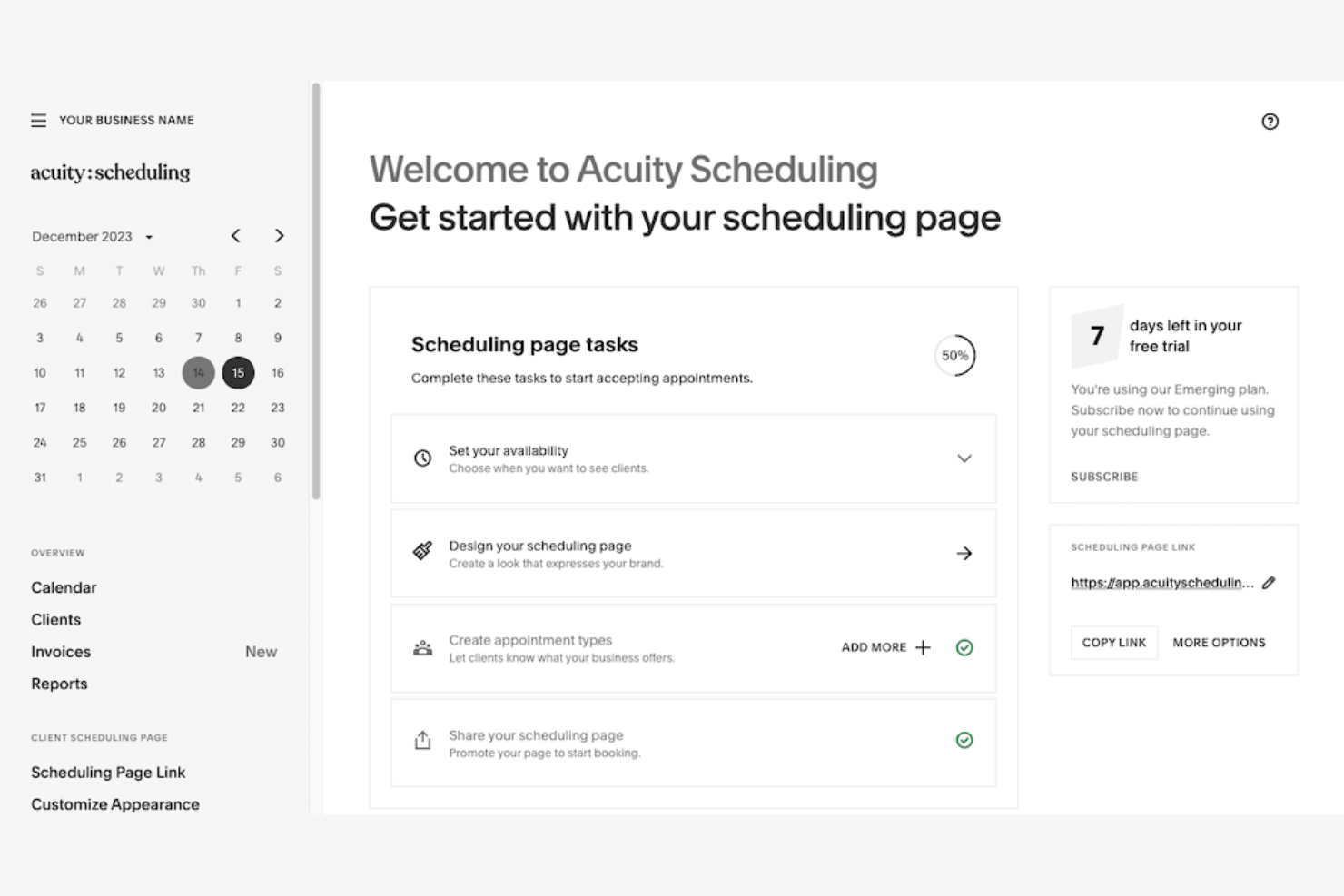
Acuity Scheduling is an appointment-booking platform for service businesses and independent professionals that helps manage availability, coordinate client sessions, and reduce scheduling back-and-forth as an alternative to Calendly.
Who Is Acuity Scheduling Best For?
Acuity Scheduling suits healthcare providers and clinics that need online appointment booking with HIPAA-enabled workflows and a business associate agreement (BAA).
Why I Picked Acuity Scheduling
I picked Acuity Scheduling for healthcare bookings that need HIPAA-enabled workflows and a business associate agreement (BAA). Appointment types help clinics distinguish visits, while intake forms collect relevant details during online booking.
Acuity Scheduling Key Features
- Calendar syncing: Sync appointments with Google, Outlook, and iCloud calendars.
- Automated reminders: Send clients appointment reminders by email or text.
- Payment collection: Accept payments when clients book appointments.
- Packages and subscriptions: Sell appointment packages, gift certificates, and recurring subscriptions.
Acuity Scheduling Integrations
Acuity Scheduling’s documented integrations include Google Calendar, iCloud, Microsoft Outlook, Zoom, Google Meet, Stripe, Square, PayPal, QuickBooks, and Squarespace. It also connects with Zapier and offers an API and webhooks for custom integrations.
Pros and Cons
Pros:
- Automated reminders help reduce no-shows
- Deposits and packages support paid bookings
- HIPAA-enabled booking includes a signed BAA
Cons:
- Advanced reporting takes extra setup
- HIPAA mode disables several calendar sync options

Best for multilingual client scheduling
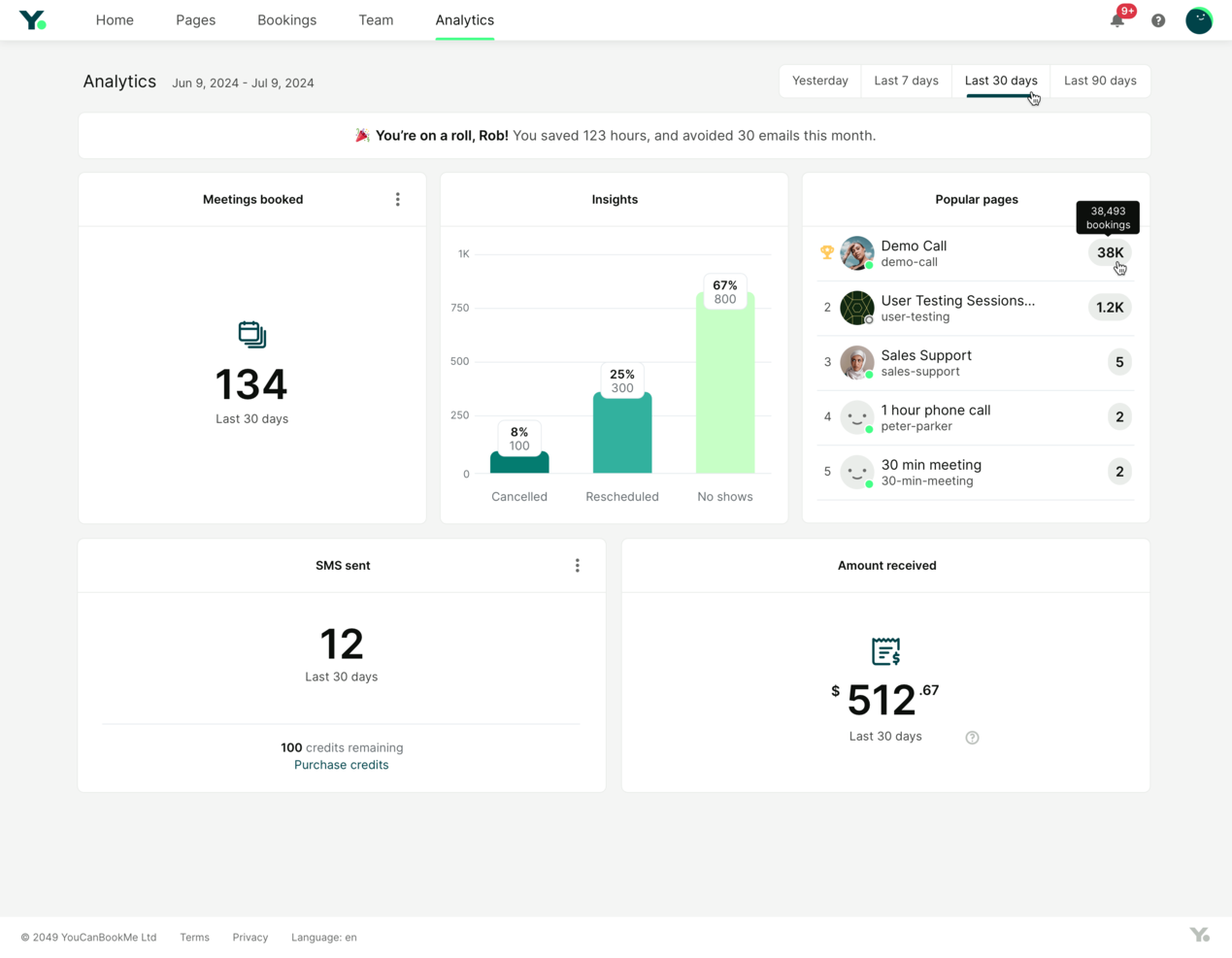
YouCanBookMe is an appointment scheduling platform for client-facing teams that helps consultants and service businesses coordinate availability, reduce booking back-and-forth, and manage client meetings across calendars.
Who Is YouCanBookMe Best For?
YouCanBookMe suits service teams that schedule appointments across language regions and need multilingual booking pages.
Why I Picked YouCanBookMe
I picked YouCanBookMe as a Calendly alternative for multilingual client scheduling. Its multilingual booking pages let consultants share appointment links with clients across language regions, so clients can review available times and book without sorting out scheduling details by email.
YouCanBookMe Key Features
- Calendar sync: Connect work and personal calendars to check availability.
- Buffer times: Add prep or travel time before or after appointments.
- Daily booking cap: Limit the number of meetings booked per day.
- Round robin assignment: Assign bookings by availability, equal rotation, or a fixed order.
YouCanBookMe Integrations
YouCanBookMe integrates with Google Calendar, Outlook, Apple Calendar, Zoom, Google Meet, Microsoft Teams, Stripe, Slack, HubSpot, and Mailchimp. It also connects with Zapier.
Pros and Cons
Pros:
- Calendar sync and reminders reduce scheduling back-and-forth
- Branded forms and booking rules adapt to appointments
- Multilingual booking pages support international clients
Cons:
- Support replies can take days to arrive
- Complex team scheduling needs more configuration

Best for scheduling from outbound emails
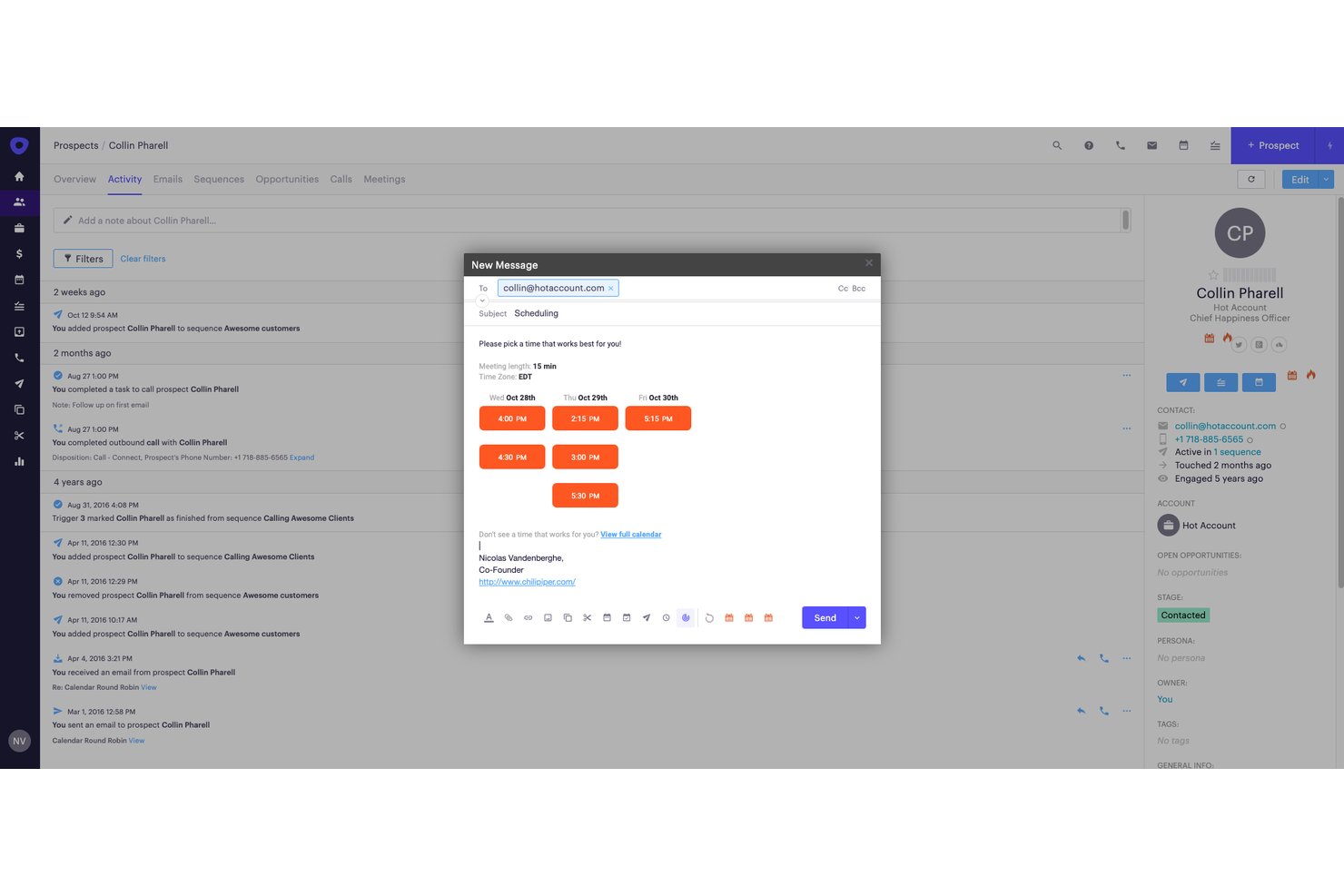
Chili Piper is a scheduling platform for revenue teams that helps sales organizations coordinate buyer meetings, route prospects to the right rep, and reduce friction between lead capture and calendar booking.
Who Is Chili Piper Best For?
Chili Piper suits sales development and revenue teams that want prospects to book meetings directly from outbound emails.
Why I Picked Chili Piper
I picked Chili Piper as a Calendly alternative for its focus: Best for scheduling from outbound emails. I like that reps can include booking links in prospect emails, so buyers can choose an available meeting time without a back-and-forth. Chili Piper can also route prospects to the right rep, helping teams coordinate meetings after an email reply.
Chili Piper Key Features
- Lead enrichment: Enrich lead data using an email address.
- Qualification rules: Apply ICP, territory, and account-ownership criteria to form or chat submissions.
- SLA enforcement: Set response deadlines, reminders, and reassignment when deadlines pass.
- Routing audit logs: Review routing decisions and reports to troubleshoot lead-distribution rules.
Chili Piper Integrations
Chili Piper lists 60+ integrations, including Salesforce, HubSpot, Outreach, Salesloft, Gmail, Outlook, Google Calendar, Zoom, Microsoft Teams, and Zapier. It also offers REST and JavaScript APIs for custom integrations.
Pros and Cons
Pros:
- Coordinates multi-attendee scheduling across time zones
- Routes prospects by territory and account ownership
- Books meetings directly from outbound emails
Cons:
- Complex routing errors take effort to diagnose
- Routing changes often require administrator help

OnceHub
Best for routing phone and web bookings
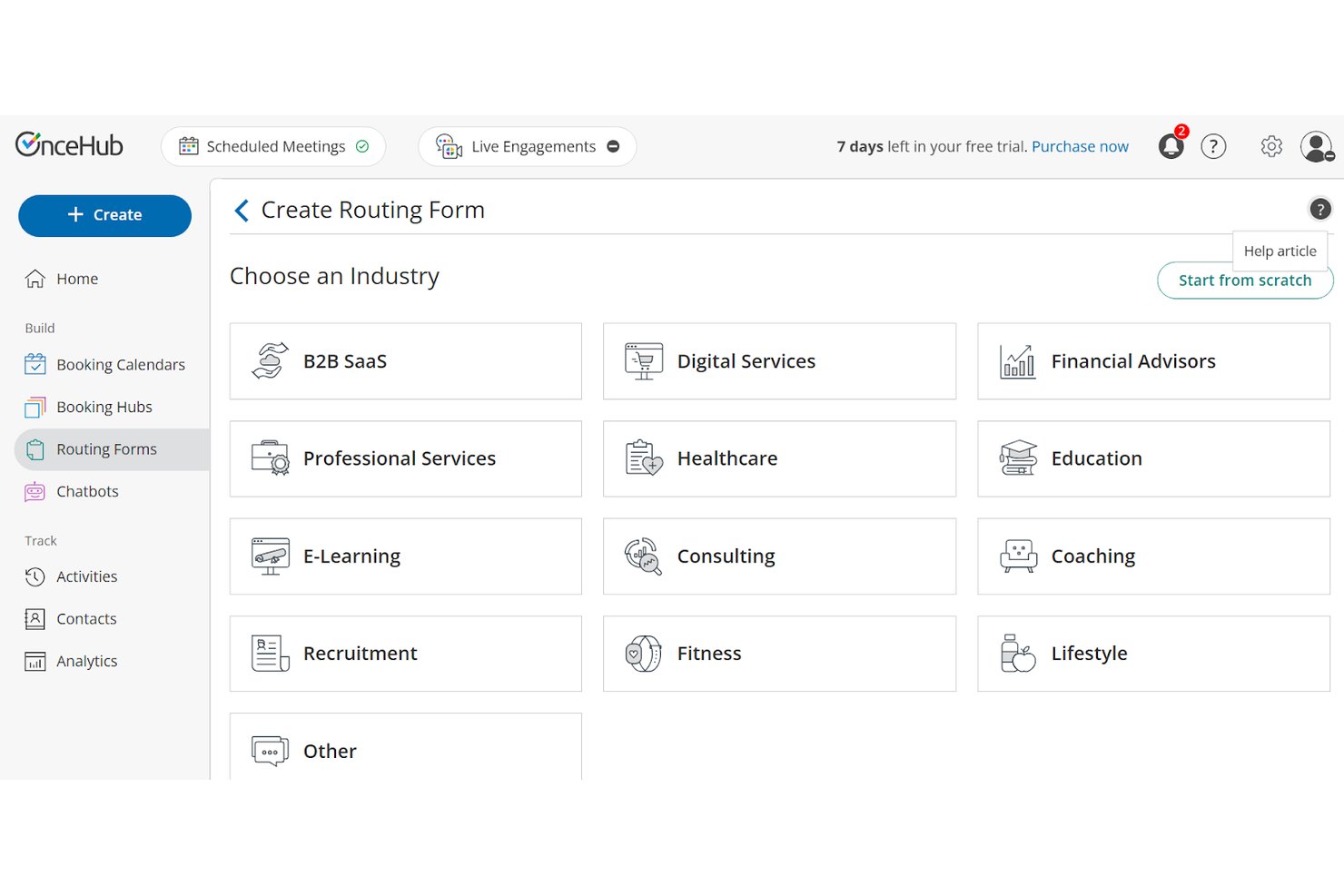
OnceHub is an appointment scheduling platform for sales and service teams that helps coordinate staff availability, manage meeting bookings, and cut the back-and-forth of arranging customer conversations.
Who Is OnceHub Best For?
OnceHub suits sales and service teams that need to route phone and website booking requests to the right person or meeting type.
Why I Picked OnceHub
I picked OnceHub as a Calendly alternative because it’s “Best for routing phone and web bookings.” Its AI phone agent asks callers qualifying questions and routes them to the right team or calendar, while web routing forms assign hosts based on conditional answers. I like that those forms can include scheduling, so qualified website visitors can book within the same flow.
OnceHub Key Features
- Calendar sync: Connects external calendars to reflect availability and scheduled meetings.
- Booking links: Create shareable links for clients to choose and book meeting times.
- Group sessions: Lets multiple guests book seats in one time slot with the same host.
- Automated reminders: Sends meeting reminders and follow-up messages by email or text.
OnceHub Integrations
OnceHub offers native integrations with Google Calendar, Zoom, and Salesforce. It also connects with Zapier and provides an API and webhooks for custom integrations.
Pros and Cons
Pros:
- Supports bulk bookings and client rescheduling
- Automated reminders reduce manual follow-up
- Routes qualified phone and web leads
Cons:
- Branding options may not satisfy every team
- Complex menus make settings hard to find

TidyCal
Best for lifetime-priced scheduling
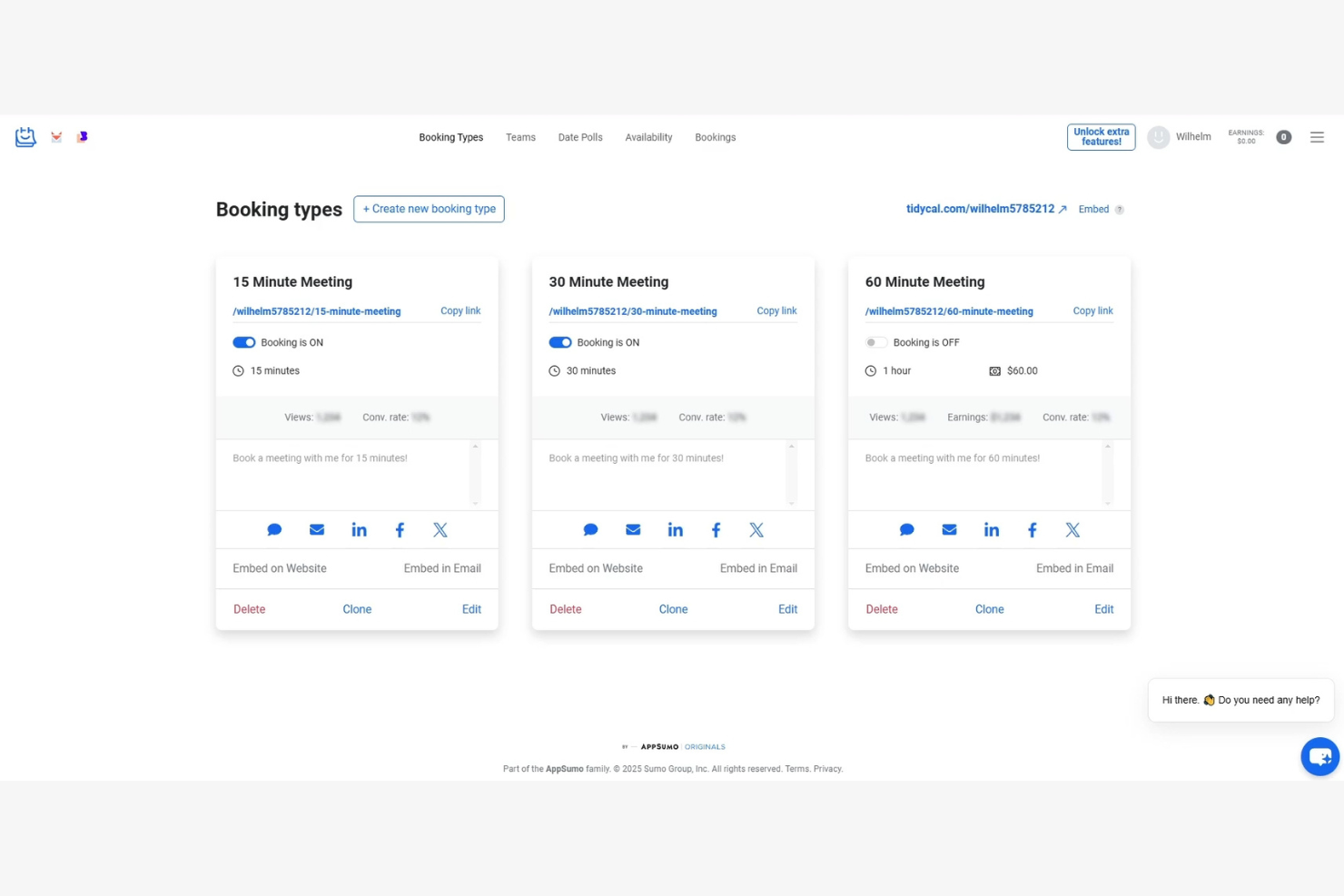
TidyCal is a scheduling tool for consultants and project teams who need a Calendly alternative to coordinate availability, book meetings, and cut back-and-forth over calendars.
Who Is TidyCal Best For?
Independent service providers who want to let clients book appointments without paying an ongoing scheduling-software subscription.
Why I Picked TidyCal
I pick TidyCal for lifetime-priced scheduling that avoids another recurring software bill. Its booking types cover one-to-one calls, recurring sessions, and packages, so I can set up different client appointments on one booking page. With a lifetime plan, I can connect up to 10 calendars and add automatic video meeting links, useful when client bookings span several work calendars.
TidyCal Key Features
- Online payments: Accept payments through Stripe or PayPal when clients book.
- Custom intake questions: Add required or optional questions to booking forms.
- Website embeds: Place a booking calendar on your website.
- Availability controls: Set buffers, minimum notice, and how far ahead clients can book.
TidyCal Integrations
TidyCal’s built-in integrations include Google Calendar, Microsoft 365, Apple Calendar, Zoom, Google Meet, Microsoft Teams, Stripe, PayPal, and SendFox. It also connects with Zapier and provides an API for custom integrations.
Pros and Cons
Pros:
- Custom intake questions collect details before meetings
- Clients can prepay for recurring session packages
- Separate booking types cover varied client sessions
Cons:
- Booking-page design options feel limited
- Fixed durations limit variable-length appointments
- No mobile app for booking management

Reclaim
Best for booking around protected work time
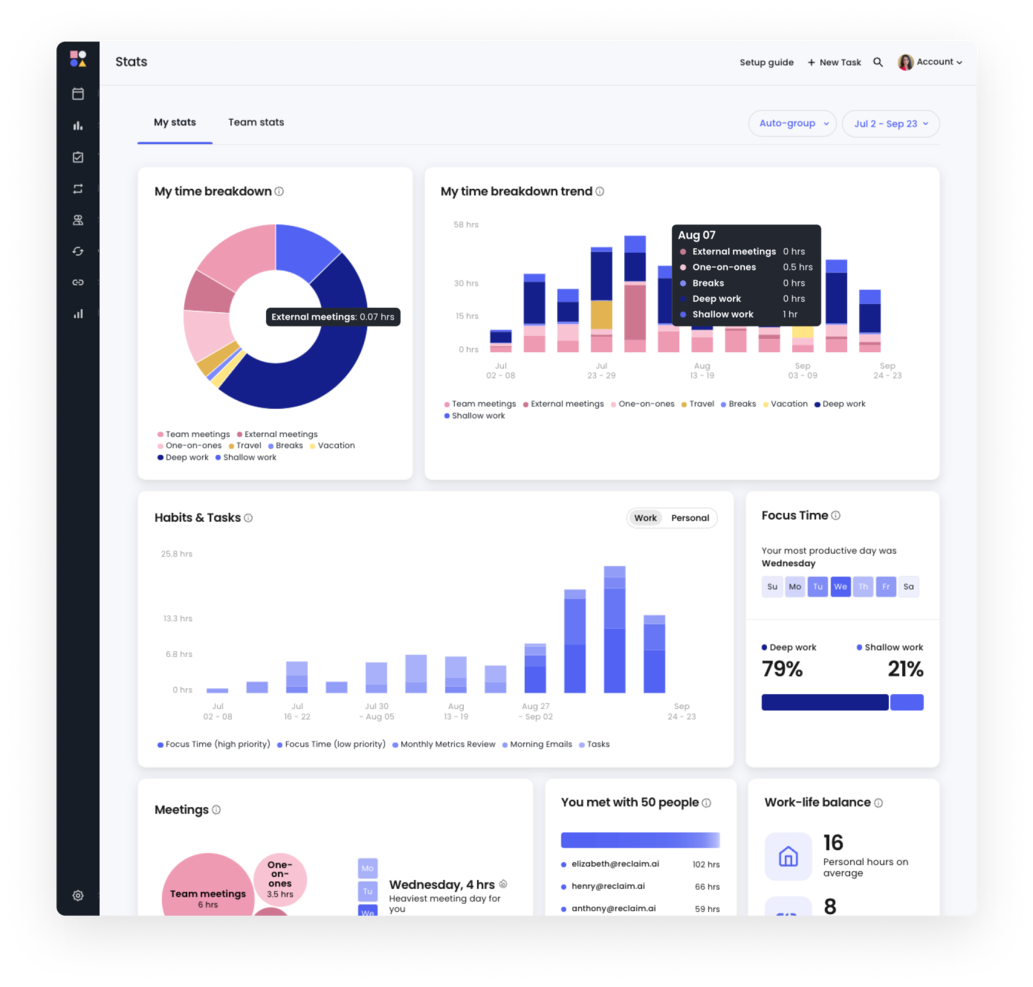
Reclaim is an AI calendar management platform for project teams that need to schedule tasks, meetings, and recurring routines across busy work calendars.
Who Is Reclaim Best For?
Reclaim suits project managers and cross-functional teams who need to protect focused work time amid a meeting-heavy schedule.
Why I Picked Reclaim
I picked Reclaim as a Calendly alternative because it’s the “Best for booking around protected work time” when focus blocks matter. I like how it schedules tasks and recurring habits around meetings, then shifts them when the calendar changes. That lets me share bookable availability without giving away every open slot reserved for project work.
Reclaim Key Features
- Buffer time: Adds prep, recovery, break, or travel time around meetings and events.
- Calendar sync: Copies events between calendars and updates copies when source events change.
- Slack status sync: Updates your Slack status and enables Do Not Disturb during selected events.
- Workforce analytics: Tracks team time and meeting patterns to show workload trends.
Reclaim Integrations
Reclaim documents integrations with Google Calendar, Outlook Calendar, Slack, Zoom, Jira Software, Asana, Todoist, ClickUp, Linear, and Raycast. It also supports Zapier, though its Zapier setup documentation applies to the legacy Reclaim 1.0 experience.
Pros and Cons
Pros:
- Automatic buffers protect time around meetings
- Flexible scheduling links fit changing calendars
- Availability adapts around protected focus blocks
Cons:
- Task rescheduling can require manual intervention
- No native mobile app for booking

Zeeg
Best for EU data residency
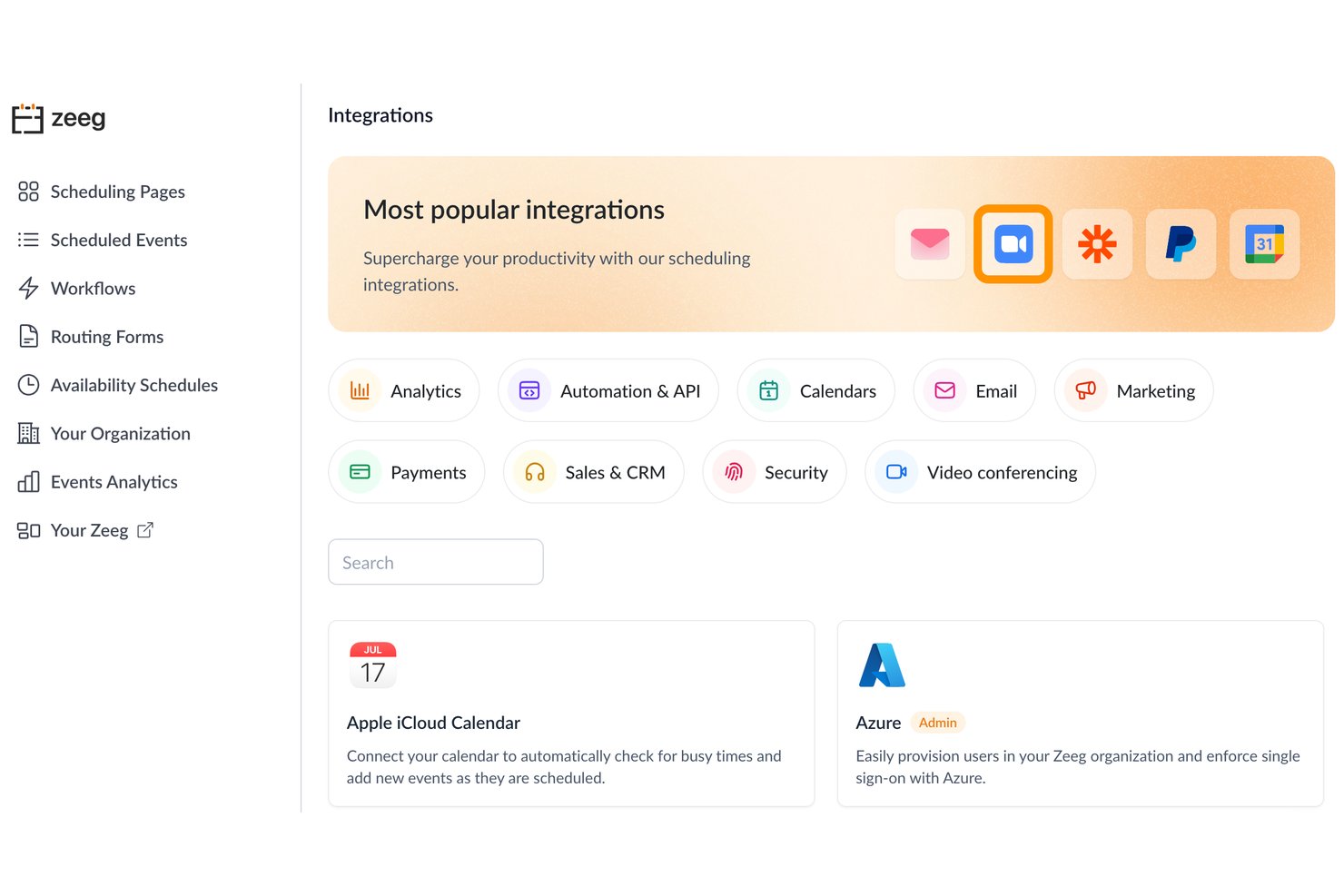
Zeeg is an appointment-scheduling platform for consultants and service teams, with booking pages and team scheduling to coordinate availability and reduce the back-and-forth of arranging meetings.
Who Is Zeeg Best For?
Organizations with EU data-residency requirements that need online booking to coordinate client and internal meetings.
Why I Picked Zeeg
I picked Zeeg as a Calendly alternative because its appointments, contacts, and form answers are end-to-end encrypted and hosted on Telekom servers in Germany. Routing forms and round-robin scheduling direct client bookings to the right specialist while scheduling data stays hosted in Germany. Phone-agent conversations are stored in the EU, too.
Zeeg Key Features
- Calendar sync: Connect Google Calendar, Outlook, Exchange, iCloud, or CalDAV to check availability and add bookings.
- Video conferencing: Add meeting links through integrations with Google Meet, Zoom, Microsoft Teams, Webex, and others.
- Automated reminders: Set workflows to send email or SMS reminders and follow-up messages.
- Booking payments: Collect payments at booking through Stripe or PayPal.
Zeeg Integrations
Zeeg offers native integrations with Google Calendar, Outlook and Microsoft 365, Exchange, iCloud, Zoom, Microsoft Teams, Google Meet, Webex, HubSpot, and Salesforce. It also supports Zapier, a REST API, and webhooks.
Pros and Cons
Pros:
- Round-robin and group bookings coordinate teams
- Routing forms assign leads to specialists
- German-hosted scheduling data supports EU residency
Cons:
- Booking pages offer fewer branding controls
- Setup options can initially feel confusing


Sprintful gives client-facing teams an online appointment scheduling platform to organize availability and bookings, helping consultants and service businesses reduce calendar back-and-forth and manage appointments in one place.
Who Is Sprintful Best For?
Sprintful suits service teams that need to route client appointments according to staff availability and workload.
Why I Picked Sprintful
I picked Sprintful as a Calendly alternative because it’s best for workload-based appointment routing. It can assign meetings by workload, service, or location, then use real-time availability checks to avoid routing clients to unavailable staff. Round-robin assignment also helps distribute appointments across a team.
Sprintful Key Features
- Custom branding: Add your domain, logo, fonts, and colors to booking pages.
- Booking forms and file uploads: Collect client details and documents during booking.
- Automated reminders: Send email reminders or SMS notifications, with one-tap rescheduling.
- Calendar and meeting integrations: Connect Google Calendar or Outlook, plus Zoom or Microsoft Teams.
Sprintful Integrations
Sprintful documents eight native integrations: Google Calendar, Outlook Calendar, Zoom, Google Meet, Microsoft Teams, Microsoft Exchange, Stripe, and Slack; it also connects with Zapier. Sprintful provides a REST API, webhooks, and custom Node.js functions for custom integrations.
Pros and Cons
Pros:
- Collects client details and files during booking
- Round-robin assignment balances team appointment volume
- Routes appointments by workload, service, or location
Cons:
- Reviews mention poor design and unanswered support
- One reviewer called its cost too high

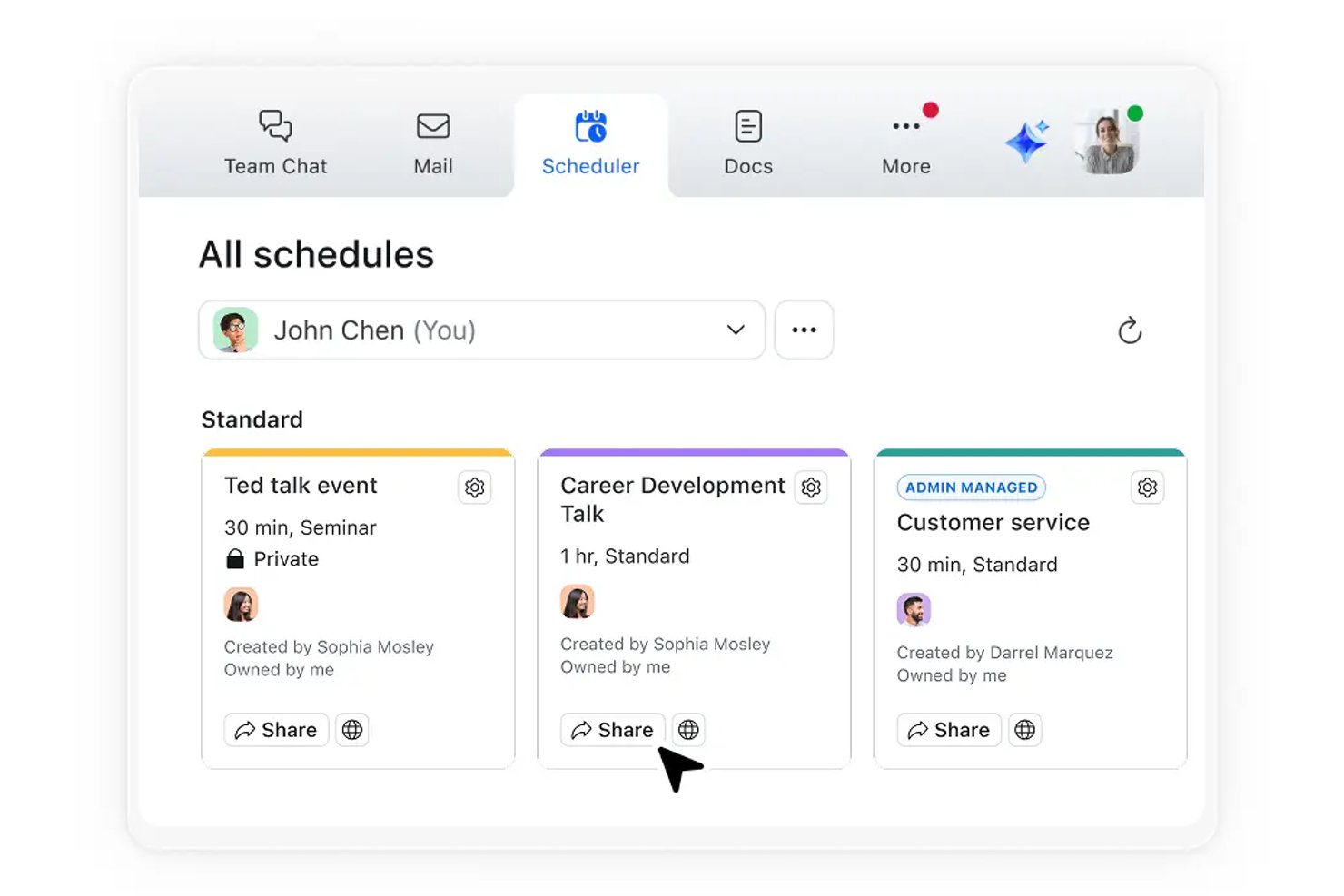
Zoom Scheduler is an appointment-booking tool for client-facing teams that need to share availability, coordinate meetings, and cut down on scheduling back-and-forth as an alternative to Calendly.
Who Is Zoom Scheduler Best For?
Project coordinators and client-facing teams already using Zoom Workplace can offer bookable meeting times within their familiar workflow.
Why I Picked Zoom Scheduler
I picked Zoom Scheduler for the “Best for existing Zoom Workplace users” use case because it gives them a Calendly alternative within their meeting workflow. I like that a shareable booking page shows open times, and confirmed bookings automatically create Zoom meetings.
Zoom Scheduler Key Features
- Scheduling formats: Create one-to-one, one-to-many, team, or meeting poll schedules.
- Calendar integrations: Connect external calendars to coordinate scheduling.
- Routing forms: Direct invitees to booking links based on their responses.
- Email notifications: Customize booking confirmations and reminders.
Zoom Scheduler Integrations
Zoom Scheduler connects to Google Workspace Calendar, Microsoft 365 Exchange Online, and Zoom Mail & Calendar, and can create meetings on Zoom Meetings, Google Meet, or Microsoft Teams. It also supports Stripe, Salesforce, and Zapier integrations, and offers an API for custom integrations.
Pros and Cons
Pros:
- Reviewers praise customizable reminders and notifications
- Confirmed bookings automatically create Zoom meetings
- Booking links reduce client scheduling back-and-forth
Cons:
- Lead routing has fewer advanced options
- Conflict detection can miss existing calendar events

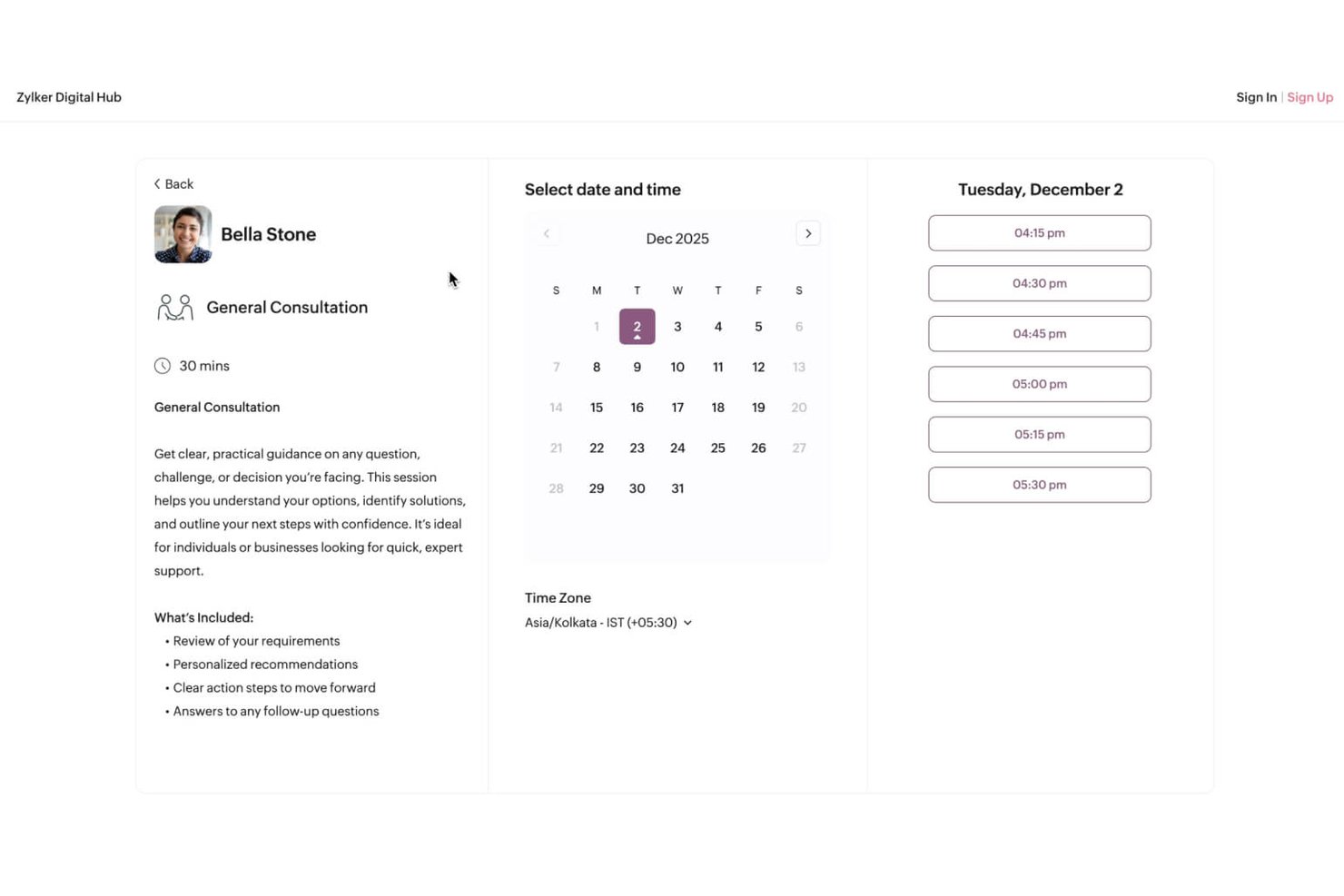
For instructors, studios, and service teams, Zoho Bookings is an online scheduling platform that helps coordinate appointments, manage staff availability, and reduce the back-and-forth of booking.
Who Is Zoho Bookings Best For?
Zoho Bookings suits workshop hosts and class organizers who need to schedule recurring sessions and let participants book online.
Why I Picked Zoho Bookings
I picked Zoho Bookings as a Calendly alternative because it’s Best for recurring classes and workshops. I can set appointments to repeat at a chosen interval and let multiple participants book a shared session, which suits a course with weekly classes and a fixed group size.
Zoho Bookings Key Features
- Calendar sync: Syncs appointments with Google Calendar and Outlook, blocking busy times.
- Staff workspaces: Organizes staff and appointments by branch or department.
- Automated reminders: Sends booking confirmations and email or SMS reminders.
- Online payments: Collects payments through providers such as Stripe and PayPal.
Zoho Bookings Integrations
Zoho Bookings integrates with Google Calendar, Outlook Calendar, Zoho Calendar, Zoho CRM, Zoom, Google Meet, Microsoft Teams, Zoho Meeting, Stripe, and PayPal. It also supports Zapier and Zoho Flow, and offers APIs for custom integrations.
Pros and Cons
Pros:
- Automated reminders help reduce participant no-shows
- Drop-in or series enrollment fits workshops
- Recurring group appointments support class series
Cons:
- Cancellations may not update connected calendars
- No manual approval before confirming bookings
Outras alternativas ao Calendly
Eis algumas alternativas adicionais ao Calendly que não entraram na minha seleção, mas que vale a pena conhecer:
- Cal.com
For meetings that need multiple hosts
- SavvyCal
For invitees to compare calendars
- Appointy
For service bookings with resource needs
- LeanData
For CRM-aware sales meeting handoffs
- Picktime
For booking services, classes and resources
- HoneyBook
For turning bookings into client projects
- SimplyMeet.me
For routing by company size and industry
- HubSpot Meeting Scheduler
For CRM-linked sales scheduling
- TimeTuna
For agencies offering branded scheduling
- Cirrus Insight
For booking meetings into Salesforce


How I Evaluate Calendly Alternatives
I split my evaluation into three parts. First—and this carries the most weight—I check whether a tool can generate self-service booking links and sync calendars in real time to block conflicts, since those are the baseline capabilities any Calendly alternative needs to match. Second, I look for standout features like conditional routing logic and white-label client portals. Third, I consider what's beyond the feature set: pricing transparency, onboarding quality, and data security fit.
Core Functionality (Table Stakes For This List)
When I'm selecting tools for my list, I score each one on a scale from 0 (does not offer the functionality) to 5 (excels in this area) for each core functionality listed below. I then convert the total into a percentage to help assess each tool's overall fit, with extra weight on any functionalities I’ve deemed essential.
- Booking Links (Essential): I look for shareable links or website embeds that let clients choose a meeting type, view availability, and book without email back-and-forth.
- Calendar Sync (Essential): I assess whether connected calendars update availability and block conflicts, especially when a project manager books across work and personal calendars.
- Notifications & Reminders: I check for automated confirmations, reminders, and rescheduling updates that keep clients and project teams informed.
- Availability Rules: I look for controls such as working hours, buffers, event lengths, and booking limits to fit around delivery work.
- Team Distribution: For shared calendars, I evaluate round-robin or collective booking that routes client meetings based on team availability.
- App Integrations: I consider connections to video meetings, CRM, and payment tools, plus how they fit the booking workflow.
Once I have a list of tools that meet the criteria, I consider what sets each platform apart.
Differentiating Factors (What Sets Vendors Apart)
Here's how I compare and contrast different vendors:
Standout Features
I look for conditional routing logic that directs prospects to the right team member based on qualifying answers or region—essential when your PMO handles multiple client accounts. Multi-host collective booking matters just as much, since cross-functional kickoffs fall apart when you can't find a slot across five calendars at once. I also evaluate white-label client portals, because agency teams need branded booking pages on a custom domain, not a generic scheduler link.
Beyond Features
I check whether per-seat pricing stays predictable as your team grows—some tools lock routing or admin controls behind enterprise tiers, which catches mid-size PMOs off guard. Data security matters too: agencies handling client PII should look for SOC 2 compliance and role-based access controls before sharing any booking links externally. I also evaluate onboarding quality, since a tool with poor migration support can stall client-facing scheduling for weeks.
Por que motivo procurar uma alternativa ao Calendly?
Embora o Calendly seja uma boa opção de programa de agendamento de compromissos, existem várias funcionalidades limitadas e motivos pelos quais alguns utilizadores procuram uma nova ferramenta de agendamento. Poderá estar à procura de uma alternativa ao Calendly porque:
- Precisa de mais opções de CRM personalizadas
- As necessidades de agendamento da sua equipa exigem integrações avançadas de calendários
- Pretende planos pagos acessíveis
- A sua empresa opera em vários fusos horários
- Precisa de um melhor apoio ao cliente
Se alguma destas situações lhe parece familiar, veio ao lugar certo. A minha lista contém várias opções com fluxos de trabalho mais adequados para equipas que enfrentam estes desafios e procuram alternativas ao Calendly.
Funcionalidades
Eis algumas das principais funcionalidades do Calendly, para o ajudar a fazer uma comparação com o que as soluções alternativas oferecem:
- Automatização de agendamentos: Suporta o agendamento rotativo de compromissos para reuniões, poupando-lhe tempo.
- Integrações: Liga-se, em tempo real, a ferramentas como o Google Calendar e o Microsoft Outlook Calendar para gerir o agendamento de grupos e evitar marcações duplicadas.
- Tipos de eventos personalizados: Permite criar formatos de reunião adaptados a necessidades específicas.
- Acesso móvel e através do navegador: Permite agendar compromissos e gerir os horários das suas reuniões em qualquer lugar, através da aplicação móvel e do acesso à Web.
- Lembretes automáticos: Envia notificações e lembretes por e-mail para reduzir cancelamentos e faltas, ajudando também os convidados a lembrarem-se das reuniões.
- Análises: Acompanha o desempenho das reuniões para ajudar a melhorar os processos de agendamento de compromissos.
- Formulários de encaminhamento: Encaminha os utilizadores para a página de reserva adequada com base nas informações recolhidas.
- Ferramentas de gestão para administradores: Permite controlar as atividades dos utilizadores no painel e as páginas de agendamento.
- Funcionalidades de segurança: Garante a proteção dos dados e a conformidade com as normas de privacidade.