


Vergelijking van Notion en Teamwork.com en deskundige beoordelingen voor 2026



Choosing between Notion and Teamwork.com can feel overwhelming, especially when you just want project management software that keeps your team moving. Maybe you’re struggling to juggle collaboration, deadlines, or messy documentation—or simply looking for a better way to keep everyone in sync.
In this article, you’ll get a side-by-side comparison of these two tools. I’ll break down their pros and cons, use cases, pricing, security, and usability so you can decide which platform actually fits how you work.
Notion vs. Teamwork.com: An Overview
Notion


Teamwork.com
Waarom u onze softwareaanbevelingen kunt vertrouwen
Ons team test en beoordeelt software sinds 2012. Als projectmanagers weten we zelf hoe moeilijk — en belangrijk — het is om de juiste software te kiezen.
Voor deze gids hebben we tools geëvalueerd met behulp van praktijktests en onafhankelijk onderzoek, waarbij we tools beoordeelden aan de hand van onze selectiecriteria. We putten ook uit inzichten van vooraanstaande experts uit de branche en praktiserende projectmanagementprofessionals.
Onze reviews weerspiegelen ons menselijke redactionele oordeel, geen verkooppraatje.
Deskundige beoordelaars:
Notion vs. Teamwork.com Pricing Comparison
| Notion | Teamwork.com | |
|---|---|---|
| Free Trial | Free plan available | Free plan available; 14-day free trial |
| Pricing | From $10/user/month (billed annually) | From $9.99/user/month (billed annually) |
Prijzen en verborgen kosten van Notion versus Teamwork.com
Notion gebruikt een gelaagd abonnementsmodel per gebruiker, met een echt bruikbaar gratis abonnement en betaalde niveaus die meegroeien met je behoeften. Je kunt beginnen met de basisfunctionaliteit en vervolgens upgraden om functies zoals Notion AI, onbeperkte bestandsuploads, geavanceerde rechten en beheerdersopties te ontgrendelen, met opties op ondernemingsniveau voor complexere beveiliging en beheer.
Teamwork.com volgt een vergelijkbare gelaagde structuur, maar is sterker afgestemd op projectoplevering en klantwerk. Het gratis abonnement is beperkter van omvang, terwijl hogere niveaus geleidelijk mogelijkheden toevoegen zoals automatiseringen, rapportage, resourceplanning en tools voor financieel beheer.
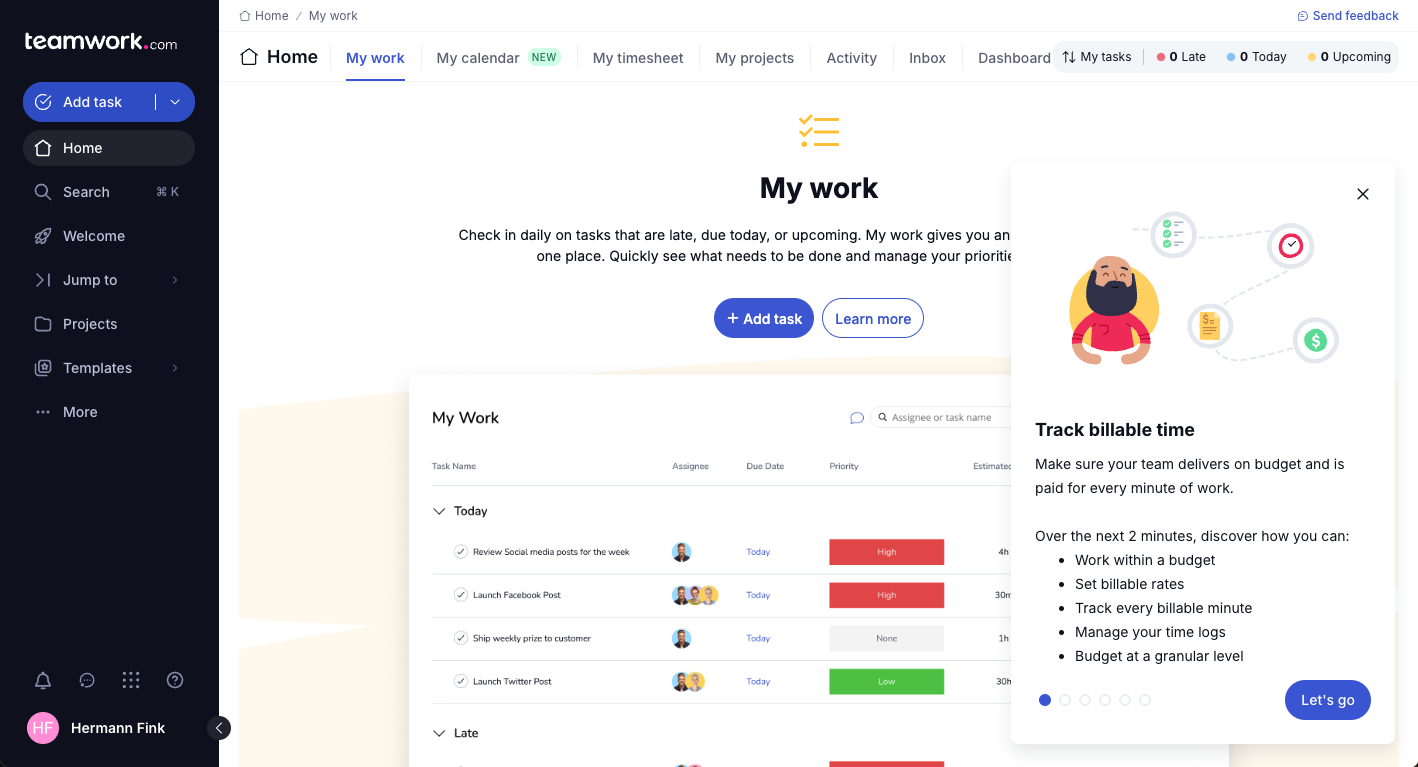
Bij het vergelijken van de twee is het de moeite waard om verder te kijken dan de hoofdabonnementen. Notion houdt het relatief overzichtelijk, hoewel voor AI-functies en geavanceerdere functionaliteit mogelijk upgrades of gebruiksafhankelijke extra's nodig zijn. Teamwork.com voegt daarentegen meer gespecialiseerde functies toe, zoals tijdregistratie, budgettering en facturering aan klanten, naarmate je naar hogere niveaus gaat. Ook kunnen er extra kosten gelden voor inwerkbegeleiding of ondersteuning op premiumniveau.
Notion vs. Teamwork.com Feature Comparison
Zowel Notion als Teamwork.com bieden de basis voor projectbeheer die je nodig hebt: taakregistratie, samenwerking, het delen van bestanden en aanpasbare werkstromen. Je kunt taken toewijzen, deadlines instellen en iedereen op één lijn houden via gecentraliseerde werkruimten en integraties met tools die je team al gebruikt.
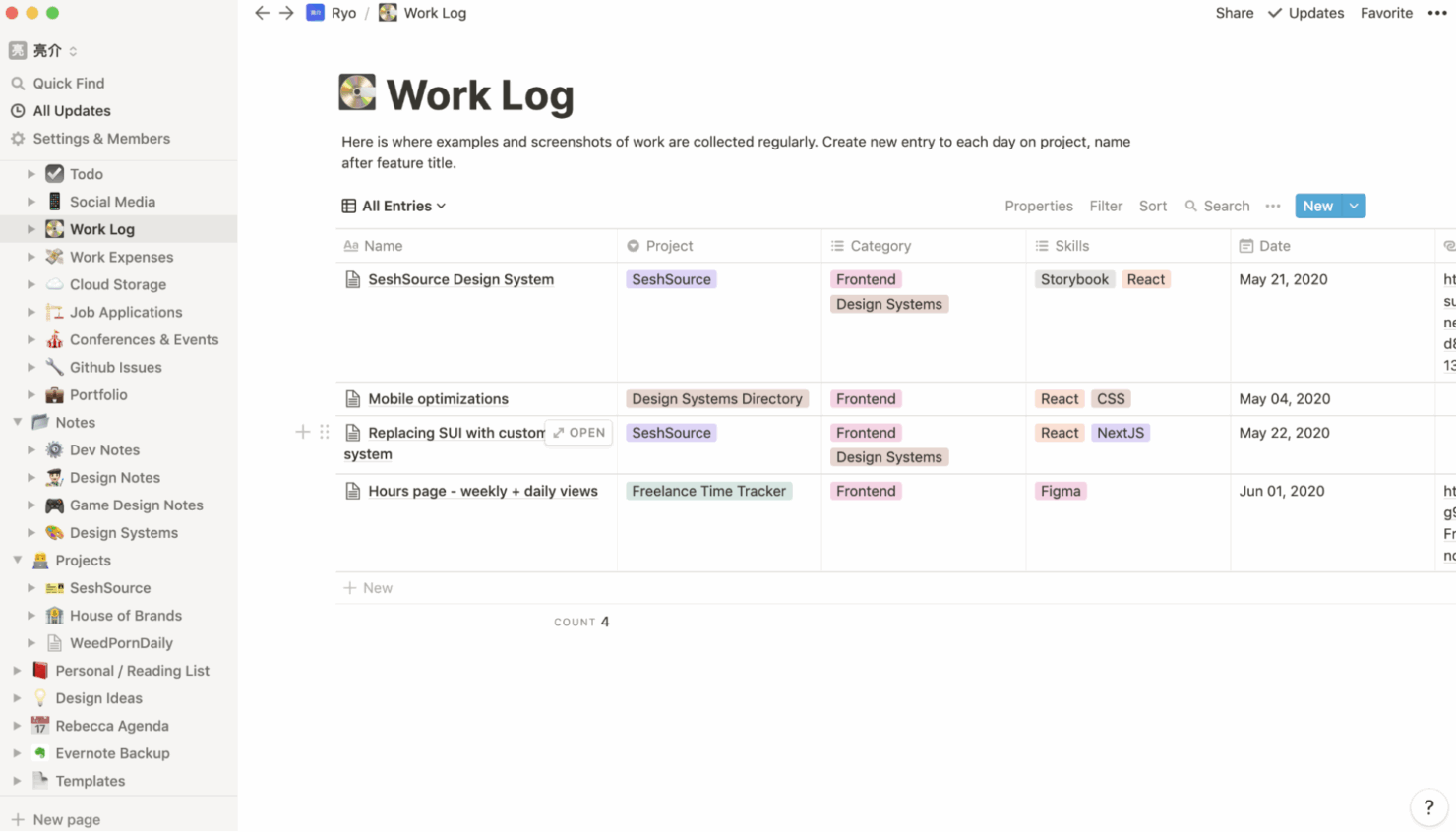
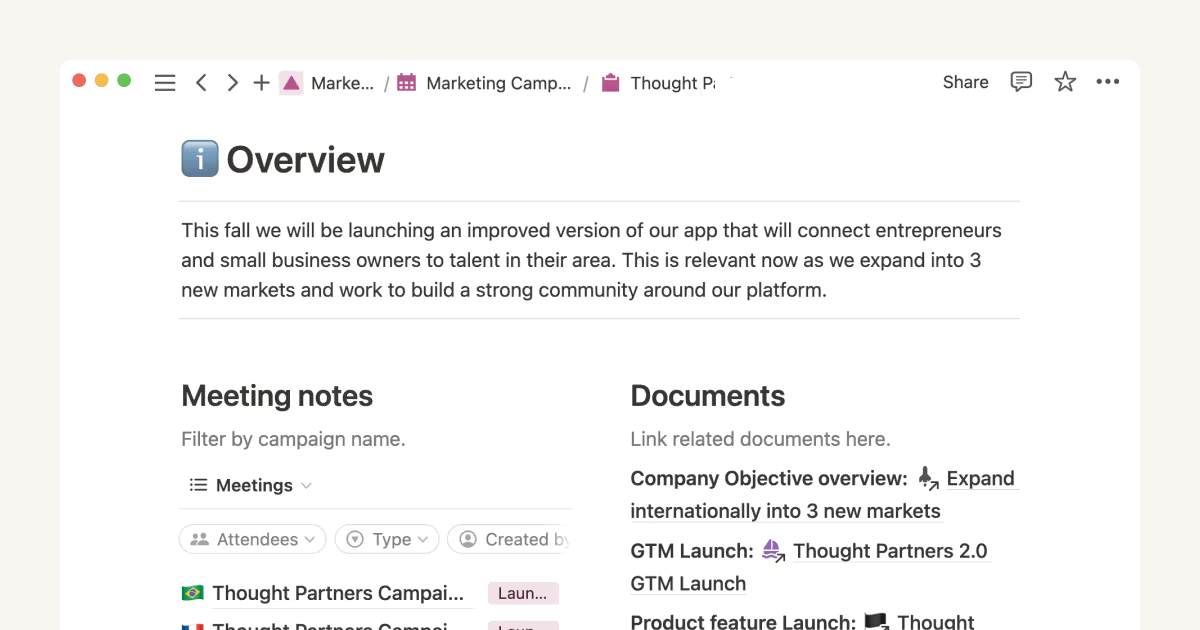
Het verschil zit in hun aanpak en sterke punten. De flexibiliteit van Notion komt goed tot zijn recht dankzij het opbouwen van pagina’s, gekoppelde databases en de mogelijkheid om vrijwel elk proces of elke documentatiestijl aan te passen aan je werkproces. Teamwork.com richt zich daarentegen op projectoplevering voor klanten, met functies zoals ingebouwde tijdregistratie, facturering en uitgebreidere rapportage, zodat dienstverlenende teams projecten en klanten op één plek kunnen beheren.
| Notion | Teamwork.com | |
|---|---|---|
| API | ||
| Calendar Management | ||
| Data Export | ||
| Data Import | ||
| External Integrations | ||
| Multi-User | ||
| Notifications | ||
| Project Management | ||
| Scheduling | ||
| Task Scheduling/Tracking |
Integraties van Notion versus Teamwork.com
| Integratie | Notion | Teamwork.com |
|---|---|---|
| Slack | ✅ | ✅ |
| Google Drive | ✅ | ✅ |
| Microsoft Teams | ✅ | ✅ |
| Zoom | ✅ | ✅ |
| Figma | ✅ | ❌ |
| HubSpot | ❌ | ✅ |
| Salesforce | ✅ | ✅ |
| Xero | ❌ | ✅ |
| API | ✅ | ✅ |
| Zapier | ✅ | ✅ |
Zowel Notion als Teamwork.com ondersteunen belangrijke integraties voor samenwerking en werkstromen, maar de uitgebreidere klant- en financiële tools van Teamwork.com onderscheiden het platform voor dienstverlenende bedrijven. Beide projectbeheertools bieden API's en Zapier-koppelingen voor extra flexibiliteit, dus de meeste teams zullen vinden wat ze nodig hebben. Let wel op als je specifieke kant-en-klare integraties nodig hebt.
Beveiliging, naleving en betrouwbaarheid van Notion versus Teamwork.com
| Factor | Notion | Teamwork.com |
|---|---|---|
| Gegevensversleuteling | Versleutelt gegevens tijdens opslag en overdracht volgens industrienormen. | Versleutelt gegevens tijdens opslag en overdracht volgens gevestigde protocollen. |
| Wettelijke naleving | Biedt SOC 2 Type II- en AVG-naleving voor zakelijke gebruikers. | Ondersteunt de vereisten van de AVG, ISO 27001 en het EU-VS-privacyschild. |
| Toegangsbeheer | Biedt aanpasbare gebruikersrechten en SSO bij hogere abonnementen. | Maakt gedetailleerde rollen, SSO en tweefactorauthenticatie (2FA) mogelijk. |
| Beschikbaarheid en back-ups | Maakt regelmatig back-ups van gegevens en biedt sterke beschikbaarheidsgaranties. | Hoge beschikbaarheids-SLA met dagelijkse geautomatiseerde back-ups. |
Teamwork.com loopt voorop met bredere certificeringen en geavanceerde beheerdersopties, terwijl Notion aan moderne normen voldoet maar de nalevingsfuncties overzichtelijker houdt. Ik denk dat Teamwork.com beter geschikt is voor gereguleerde sectoren of grotere teams, maar Notion voelt betrouwbaar voor het meeste cloudgebaseerde projectwerk.
Gebruiksgemak van Notion versus Teamwork.com
| Factor | Notion | Teamwork.com |
|---|---|---|
| Gebruikersinterface | Minimalistisch en flexibel, zodat je bijna alles kunt aanpassen. | Traditionele indeling, met duidelijke navigatie die voor de meeste mensen vertrouwd aanvoelt. |
| Introductie | Biedt sjablonen en handleidingen, maar heeft een steilere leercurve. | Begeleide introductie, tips in de app en meer gestructureerde hulp. |
| Aanpasbaarheid | Uitzonderlijk veelzijdig: bouw pagina's, sjablonen en workflows. | Aangepaste velden en workflows, maar binnen een standaardkader. |
| Ondersteuning | Uitgebreide documentatie, communityforums en chatondersteuning. | Livechat, e-mail en menselijke ondersteuning met snelle reactietijden. |
Notion is onovertroffen op het gebied van aanpasbaarheid, maar Teamwork.com wint dankzij de snelle installatie en de kortere leercurve. Ik vind de flexibiliteit van Notion geweldig voor teams die volledige controle willen, maar je krijgt te maken met een lichte leercurve wanneer je begint. Teamwork.com spreekt mensen aan die snel aan de slag willen met minder voorbereiding.
Notion vs Teamwork.com: Pros & Cons
Notion
- You can tailor your workspace to fit your needs with flexible layouts and templates.
- The intuitive design makes it easy for users to navigate and organize their projects.
- You can take notes, manage projects, and maintain your databases in one place.
- It can be challenging for new users to master without spending time on tutorials.
- You might experience slow performance if you have large databases or complex setups.
- The mobile app is less intuitive than the desktop version.
Teamwork.com
- You can manage workloads and resources effectively with its robust features.
- Teamwork's collaboration tools, like chat and message boards, keep your team connected.
- The platform's Academy offers useful videos to help you use it effectively.
- You might find the interface overwhelming with its many features.
- Some users feel the mobile app could be more intuitive.
- The learning curve can be steep for new users without prior experience.
Best Use Cases for Notion and Teamwork.com
Notion
- Creative Agencies You can use customizable templates within a flexible workspace to manage creative projects and collaborate with the team.
- Freelancers You can manage multiple projects and clients in a single, organized platform.
- Startups You can tailor your workspace to your needs in order to manage rapid growth and changing project requirements.
- Remote Teams Notion supports constant communication and project tracking across different locations.
- Education Departments You can use Notion's database capabilities to organize curricula, schedules, and educational materials.
- Content Writers You can use the note-taking and organization features to manage research, drafts, and editorial calendars efficiently.
Teamwork.com
- Creative Agencies Teamwork.com supports your agency with tools for managing client projects and tracking billable hours.
- Remote Teams Use Teamwork to stay connected with your team through its communication and collaboration features.
- Marketing Departments Manage your marketing campaigns with task lists, calendars, and resource allocation.
- Consulting Firms Track time and manage multiple client projects efficiently with Teamwork’s time tracking capabilities.
- Event Planning Organize events with ease using project timelines and task dependencies.
- Product Development Coordinate product launches with detailed task management and team collaboration features.
Wie zou Notion moeten gebruiken en wie Teamwork.com?
Als je op zoek bent naar een flexibele, alles-in-één werkruimte waarin je je eigen systeem kunt vormgeven, zal Notion waarschijnlijk beter bij je passen. Ik raad het meestal aan voor individuen, startups en multifunctionele teams die notities, documenten, lichte projecttracking en kennisbeheer op één plek willen combineren.
Je krijgt veel vrijheid om workflows op jouw manier op te bouwen, en de groeiende reeks AI-functies biedt meerwaarde bij het schrijven, organiseren en samenvatten van informatie. Dat gezegd hebbende, haal je het meeste uit Notion als je je prettig voelt bij het vanaf nul creëren van structuur in plaats van te vertrouwen op rigide, vooraf gedefinieerde processen.
Teamwork.com is logischer als je werk draait om het opleveren van projecten voor klanten en je vanaf dag één behoefte hebt aan ingebouwde structuur, inzicht en verantwoordelijkheid. Ik zou bureaus, adviesbureaus en dienstverlenende teams deze richting op wijzen, vooral als ze afhankelijk zijn van tijdregistratie, budgettering, resourceplanning en inzichten in winstgevendheid.
Je bouwt hier niet vanaf nul aan je systeem: je stapt in een platform dat speciaal is ontworpen voor het op schaal beheren van klantwerk. Als je prioriteit ligt bij operationele controle en voorspelbare oplevering in plaats van flexibiliteit, is Teamwork.com de meer doelgerichte keuze.
Differences Between Notion and Teamwork.com
| Notion | Teamwork.com | |
|---|---|---|
| Automation | Offers limited automation through integrations and third parties. | Built-in task automation, recurring project templates, and triggers. |
| Client Management | No native client or billing modules. | Designed for client projects, quotes, invoicing, and time logs. |
| Customization | Build custom pages, workflows, and databases from scratch. | Customize within set project templates and standard task lists. |
| Documentation | Combine wikis, docs, and projects in one workspace. | Documentation is kept within project files and notes. |
| Learning Curve | Requires more setup and exploration to unlock its flexibility. | Easier to pick up with project templates and preset workflows. |
| Read Notion ReviewOpens new window | Read Teamwork.com ReviewOpens new window |
Similarities Between Notion and Teamwork.com
| Cloud Accessibility | Notion and Teamwork.com run in the cloud, offering web, desktop, and mobile access so users can manage work from anywhere. |
|---|---|
| Collaboration Tools | Each tool offers real-time comments, mentions, file sharing, and notifications to keep teams communicating and in sync on shared projects. |
| Integration Support | Both integrate with popular tools like Slack, Google Drive, and Zapier, helping teams connect their project work with existing business apps. |
| Task Management | Both platforms let you assign tasks, add deadlines, create checklists, and track progress visually. |
| Workspace Organization | Both let you create workspaces, organize projects, and categorize tasks for better team structure, whether through Notion pages or Teamwork.com portfolios. |
| Read Notion ReviewOpens new window Read Teamwork.com ReviewOpens new window | |