

10 beste e-mailapps beoordeeld in 2026

Selectie van de beste e-mailapps


Projecten beheren kan een hele opgave zijn en e-mails zorgen vaak voor extra chaos. Je hebt een veilige e-mailapp nodig die je helpt georganiseerd te blijven en je team op koers houdt. Uit mijn ervaring weet ik dat de juiste e-mailclient een wereld van verschil kan maken.
Ik heb talloze e-mailapps getest en beoordeeld om de beste opties voor jou te vinden. Mijn doel is om onbevooroordeelde inzichten te delen die aansluiten bij jouw behoeften. Of het nu gaat om integratie met andere tools of om unieke functies, er is voor elk team wel iets geschikts.
In dit artikel leid ik je langs mijn beste keuzes en belicht ik wat elke app onderscheidt. Laten we de e-mailapp vinden die bij jouw werkproces past en je helpt projecten effectiever te beheren.
Waarom u onze softwareaanbevelingen kunt vertrouwen
Ons team test en beoordeelt software sinds 2012. Als projectmanagers weten we zelf hoe moeilijk — en belangrijk — het is om de juiste software te kiezen.
Voor deze gids hebben we tools geëvalueerd met behulp van praktijktests en onafhankelijk onderzoek, waarbij we tools beoordeelden aan de hand van onze selectiecriteria. We putten ook uit inzichten van vooraanstaande experts uit de branche en praktiserende projectmanagementprofessionals.
Onze reviews weerspiegelen ons menselijke redactionele oordeel, geen verkooppraatje.
Deskundige beoordelaars:
Vergelijkingstabel voor e-mailapps
\u003cspan style=\u0022font-weight: 400;\u0022\u003eDeze vergelijkingstabel geeft een overzicht van de prijsgegevens van mijn beste e-mailapps:\u003c/span\u003e
| Tool | Best For | Trial Info | Price | ||
|---|---|---|---|---|---|
| 1 | Best for business integration | Free 14-day free trial + free plan available | From $4.03/user/month (billed annually) | Website | |
| 2 | Best for Google Workspace users | Free plan available | From $7/user/month (billed annually) | Website | |
| 3 | Best for Apple device integration | Free plan available | From $0.99/month | Website | |
| 4 | Best for free domain options | Free demo available | Free forever plan | Website | |
| 5 | Best for large email storage | Free 14-day trial + free plan available | From $5/month | Website | |
| 6 | Best for AI-based features | Free plan available | From $14.99/month | Website | |
| 7 | Best for open-source customization | Free to use | Free forever plan | Website | |
| 8 | Best for privacy | Free 7-day trial + free plan available | From $3/month | Website | |
| 9 | Best for Windows users | 30-day free trial | From $9.99/month | Website | |
| 10 | Best for AI-powered assistance | Free plan available | From $25/user/month (billed annually) | Website |
Beoordeling van de beste e-mailapps
\u003cspan style=\u0022font-weight: 400\u0022\u003eHieronder vind je mijn uitgebreide samenvattingen van de beste e-mailapps die op mijn selectie zijn beland. Mijn beoordelingen bieden een gedetailleerd overzicht van de belangrijkste functies, voor- en nadelen, integraties en ideale gebruikssituaties van elke tool, zodat je de beste optie voor jou kunt vinden.\u003c/span\u003e

Mailbird
Best for business integration
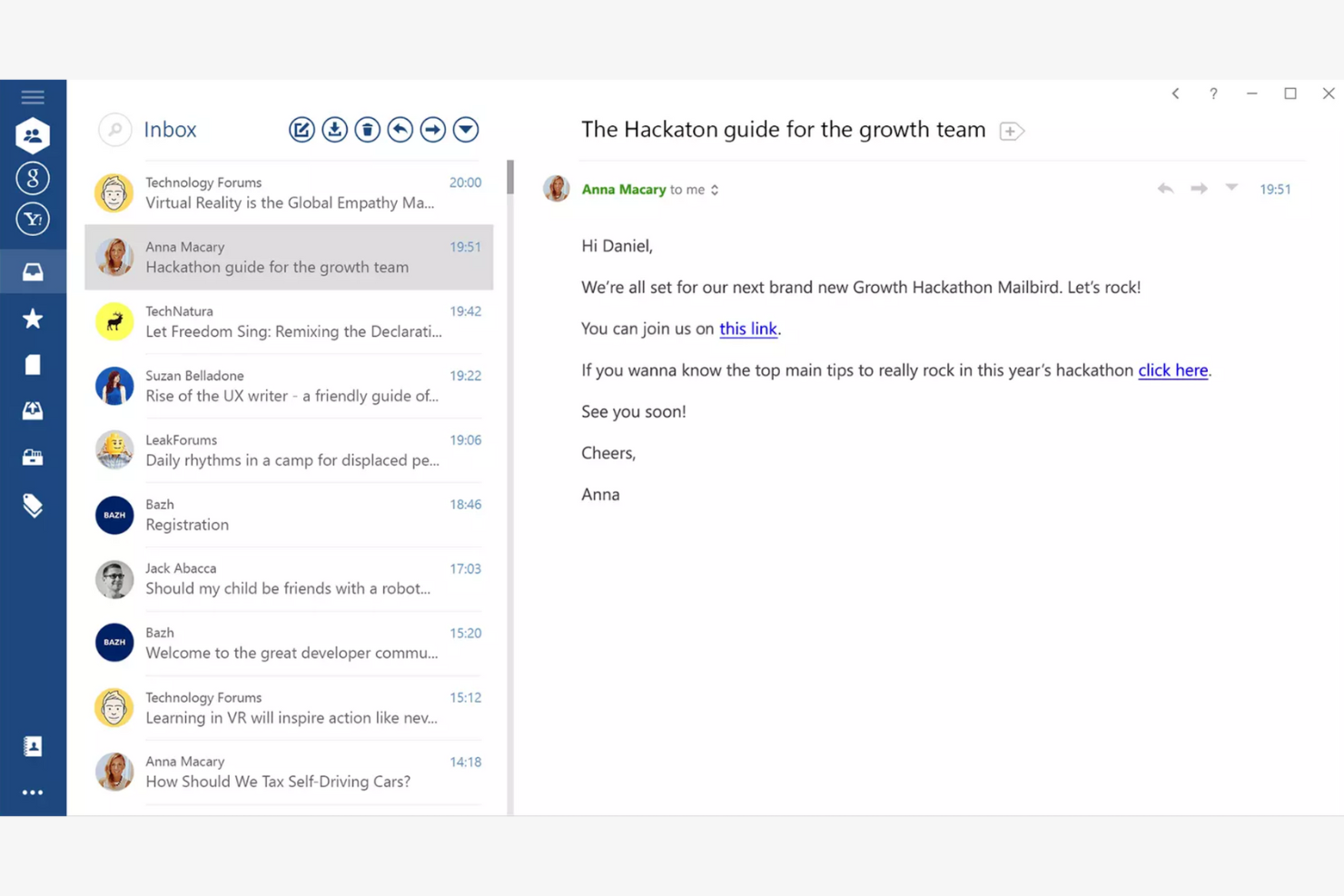
Mailbird is an email client tailored for Windows users, providing an all-in-one platform for managing multiple email accounts. It boosts productivity by offering features that simplify email management and communication.
Why I picked Mailbird: Mailbird is designed specifically for Windows, making it a great choice if your team already uses this operating system. The app's unified inbox lets you manage multiple accounts efficiently, while the speed reader feature helps you process emails quickly. The app's customization options also let you personalize your email experience to fit your needs.
Standout Features and Integrations:
Features include a snooze function to temporarily hide emails and keyboard shortcuts that make navigation quicker and easier. You can also customize the layout to fit your workflow.
Integrations include Slack, Google Calendar, Asana, Dropbox, Evernote, Trello, Facebook, Twitter, WeChat, ZeroBounce, and more.
Pros and Cons
Pros:
- Local-client architecture that keeps data on your device
- Customizable interface
- Unified inbox for multiple accounts
Cons:
- Shallow inbox automation and management tools
- Limited support for non-Windows platforms

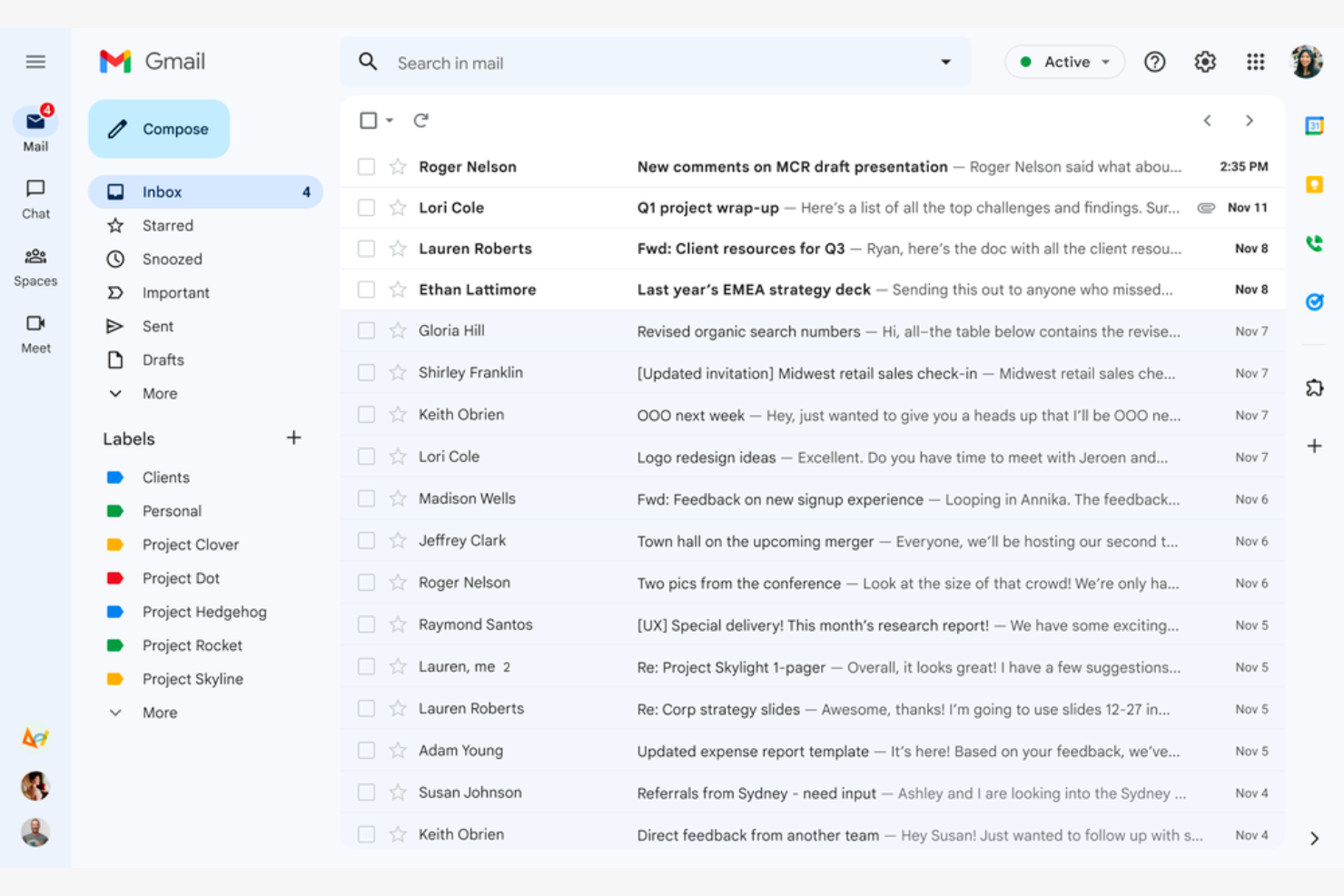
Google Gmail is a widely used email service that caters mainly to Google Workspace users. It offers essential email functions that integrate with Google services, giving both individuals and businesses a connected experience.
Why I picked Google Gmail: Google Gmail is ideal for Google Workspace users because it integrates with Google Drive, Calendar, and Docs. The conversation view groups your emails into threads so you never lose track of the discussion, while labels and filters help you categorize and sort emails efficiently. The Google Gmail app's spam filtering helps keep your inbox clean and protects you from phishing scams.
Standout Features and Integrations:
Features include 15GB of free storage, smart reply suggestions, and advanced search capabilities. You can schedule emails to be sent later, which is handy for coordinating with teams across time zones. The priority inbox also automatically highlights important emails so you never miss critical messages.
Integrations include Google Workspace and more.
Pros and Cons
Pros:
- Search functionality
- Integrates with the Google ecosystem
- Spam and phishing detection
Cons:
- Privacy concerns surrounding Google's data-driven business model
- No folder organization

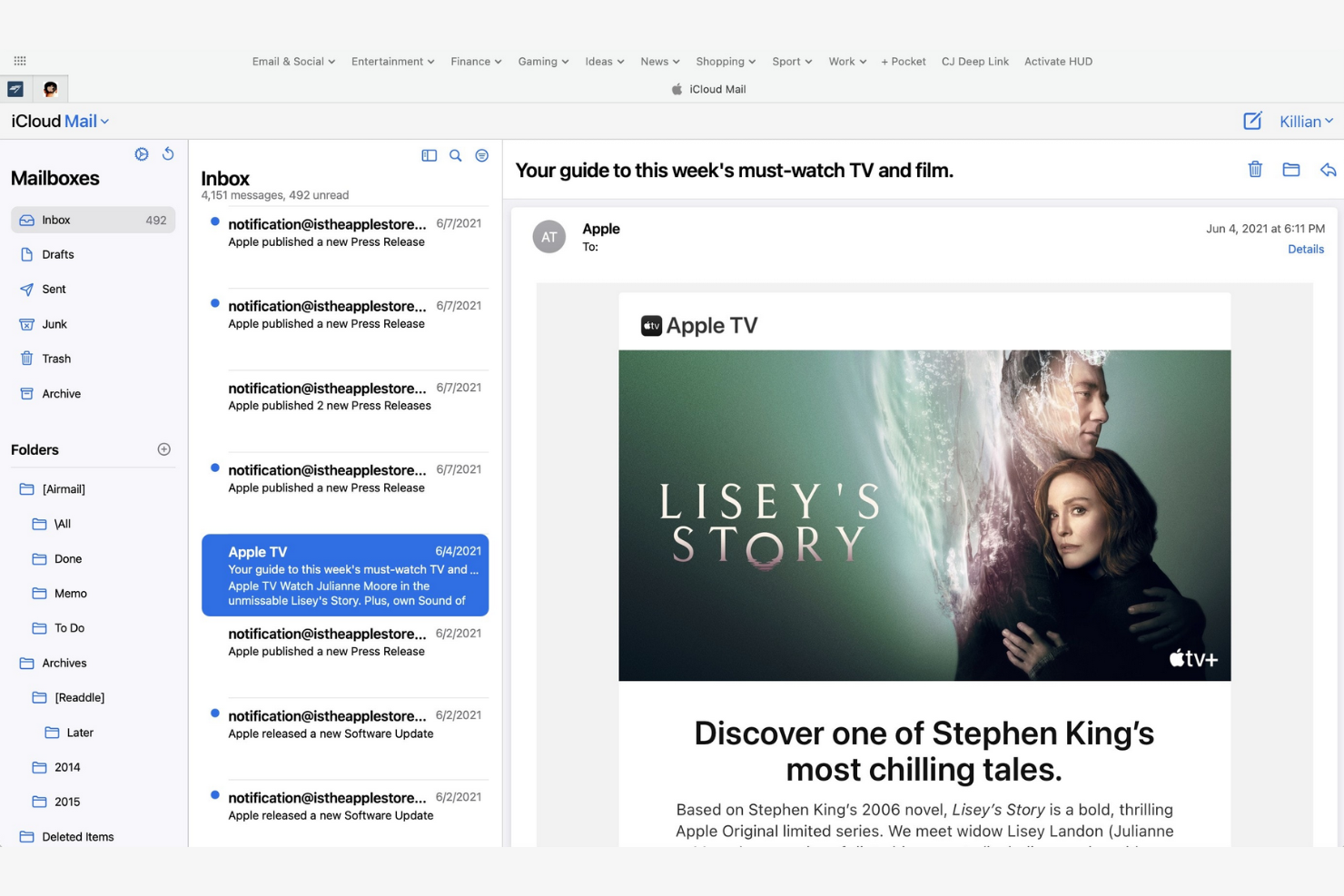
Apple iCloud Mail is an Apple-native email app that offers integration across iPhones, iPads, and Macs. It helps users stay organized and efficient with a suite of essential email management tools.
Why I picked Apple iCloud Mail: Apple iCloud Mail is tailored for Apple users, delivering consistent performance across all your Apple devices. The app's iCloud integration lets you quickly sync emails, contacts, and calendars, while the Handoff feature lets you switch between devices without losing your place. Also, the app's user-friendly interface makes managing emails straightforward.
Standout Features and Integrations:
Features include a priority inbox for important emails, customizable swipe gestures, and support for rich text formatting. You can manage multiple email accounts in one place, and the VIP feature also lets you set notifications for emails from important contacts so you never miss high-priority messages.
Integrations are not publicly listed.
Pros and Cons
Pros:
- Strong privacy protection and minimal data scanning
- Intuitive interface
- Integrates with Apple's ecosystem
Cons:
- Slow search
- Limited free space


mail.com is an email service catering to business owners who need customizable domain options. It lets users create professional-looking email addresses with tailored domain names.
Why I picked mail.com: mail.com's standout feature is free domain options, which let you personalize your email address with a custom domain name. This flexibility is ideal for both individuals and small businesses looking to upgrade their email presence. The tool's simple interface makes managing emails straightforward. The ability to use different domain names sets mail.com apart from other email apps.
Standout Features and Integrations:
Features include unlimited email storage and a customizable spam filter. You can also use the integrated online calendar to manage your schedule efficiently.
Integrations include Opera, Google Chrome, Safari, Mozilla Firefox, Mail Backup X, Mailspring, and more.
Pros and Cons
Pros:
- Intuitive interface
- Generous features included in the free plan
- Wide range of custom domain names
Cons:
- Poor spam protection
- Ads in the free version


Yahoo! Mail is an email service that offers users ample storage for their emails and attachments. Its high-capacity email inbox makes it ideal for both personal and business communication.
Why I picked Yahoo! Mail: Yahoo! Mail's expansive storage capacity is a key feature for users who manage a large volume of emails. You can store thousands of emails without worrying about running out of space. The intuitive interface lets you manage emails efficiently, and thanks to its customizable themes, you can personalize your email experience.
Standout Features and Integrations:
Features include an easy-to-use search function and a built-in calendar that lets you organize your schedule directly from your inbox. You can also customize the interface with unique themes to suit your preferences.
Integrations include Google Drive, Microsoft Office Online, Grammarly, Shift, WiseStamp, CredentialingSpectrum, Reoon Email Verifier, Rambox, Oki-Toki, and more.
Pros and Cons
Pros:
- Built-in calendar and reminder viewer
- Customizable themes available
- Generous email storage space
Cons:
- Track record of major data breaches
- Frequent upselling


Edison Mail is designed for users who value smart features and efficient email management. It increases productivity by automating routine tasks and providing intelligent insights.
Why I picked Edison Mail: Edison Mail's AI-powered features help you manage emails more efficiently. The app includes smart notifications that alert you to important emails, and the one-tap unsubscribe feature is a lifesaver for decluttering your inbox. The built-in assistant also organizes your travel and package information, keeping everything in one place.
Standout Features and Integrations:
Features include a focused inbox that prioritizes emails based on importance and customizable swipe gestures to speed up email management. You can also use dark mode to reduce eye strain during late-night work sessions.
Integrations include Google Workspace, Apple iCloud, Yahoo! Mail, AOL, Hotmail, Amazon, Walmart, Microsoft 365, and more.
Pros and Cons
Pros:
- Focused inbox for priority emails
- One-tap unsubscribing and bulk cleanup features
- Smart notifications
Cons:
- Subscription required
- Syncing errors

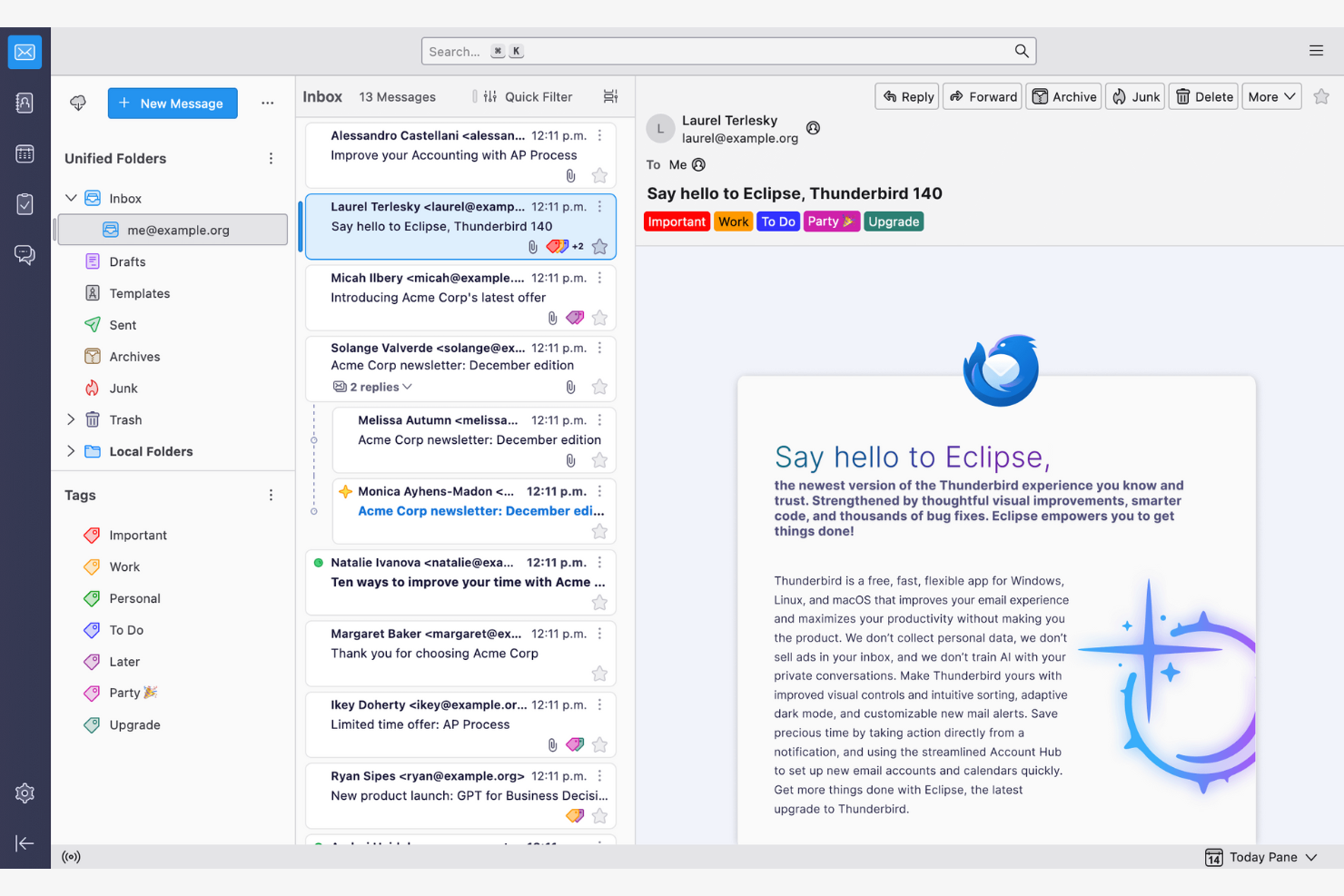
Thunderbird is an open-source email client that lets users customize and control their email environment. Its features make email management and communication more efficient.
Why I picked Thunderbird: Thunderbird is highly customizable, appealing to users who want to tailor it to their specific needs. You can use add-ons to upgrade the app's functionality, while the tabbed email feature lets you manage multiple conversations at once. Because the app is open-source, you can modify it to suit your preferences.
Standout Features and Integrations:
Features include a smart folder system to organize emails across different accounts, powerful spam filtering to block unwanted emails, and a quick filter toolbar to find emails more efficiently.
Integrations include Google Gmail, Yahoo! Mail, McAfee LiveSafe, Kasm Workspaces, Greatmail, PDFCreator, Mailfence, Aid4Mail, 1Tool CRM, and more.
Pros and Cons
Pros:
- Strong spam filtering and privacy options
- Unified inbox with tabs
- Customizable with add-ons
Cons:
- Basic user interface
- No native mobile app

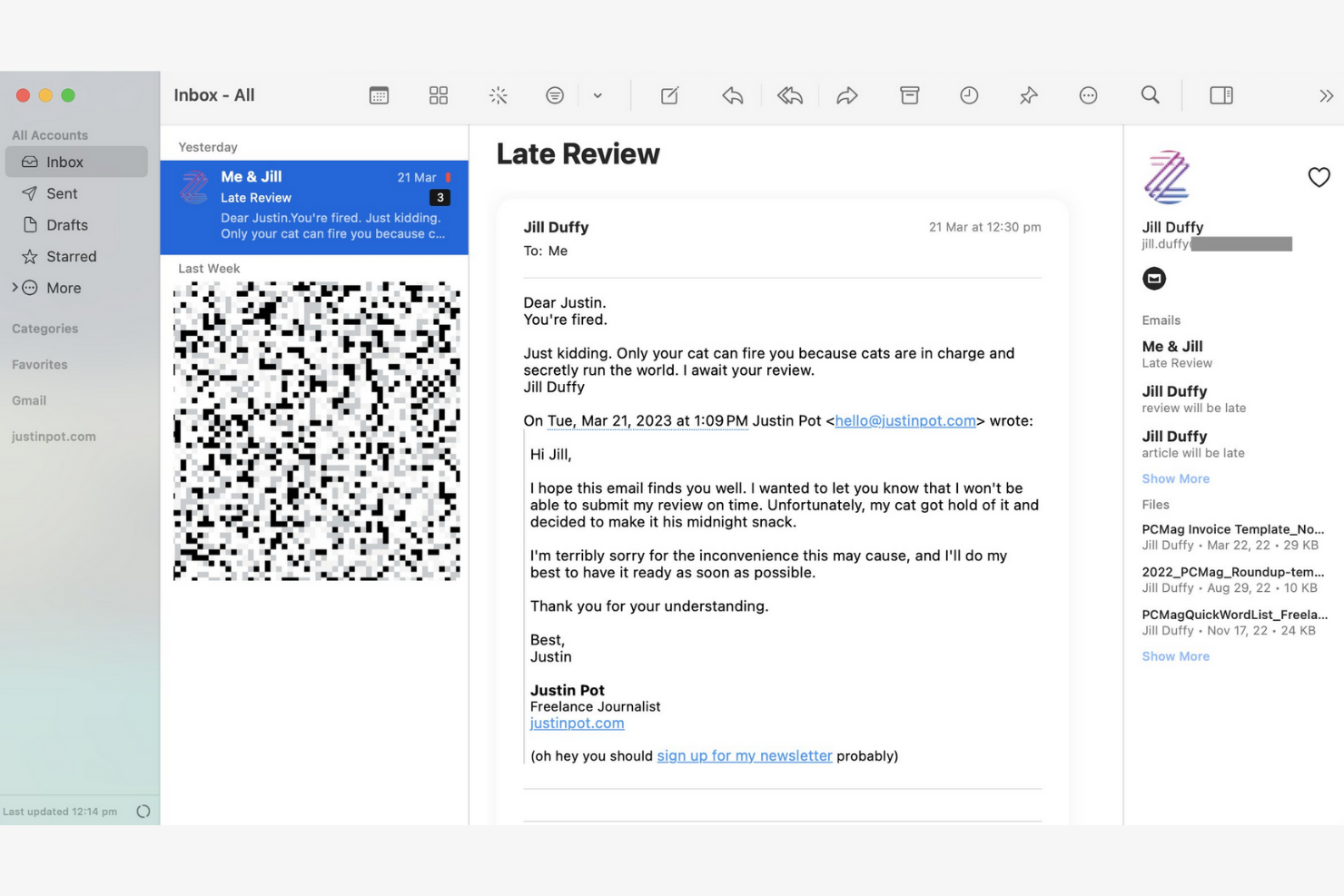
Canary Mail is an email client designed for individuals and teams who prioritize privacy and security in their communications. Its end-to-end encryption keeps your emails confidential and secure.
Why I picked Canary Mail: Canary Mail stands out for its commitment to privacy, offering a suite of data-protection features. You can encrypt emails with a single tap, giving you peace of mind for sensitive communications. The app's focus on security doesn't compromise usability, and the intuitive interface makes it simple to manage your emails while keeping them secure.
Standout Features and Integrations:
Features include search tools that help you find emails quickly, read receipts that show when your emails have been opened, and a snooze feature that temporarily hides emails so you can focus on more important tasks.
Integrations include Google Gmail, Apple iCloud, Proton Mail, Todoist, Asana, and more.
Pros and Cons
Pros:
- Unified inbox across multiple devices
- An AI copilot that functions offline
- Built-in encryption and privacy controls
Cons:
- The best Copilot features require a paid monthly subscription
- Complex encryption


Microsoft Outlook is an email client and personal information manager designed for businesses and professionals. Its integrated calendar features make communicating and scheduling more efficient.
Why I picked Microsoft Outlook: Outlook's strong integration with Microsoft Office makes it ideal for businesses that rely on Microsoft products. You can schedule meetings directly from your inbox to help your team stay organized, and the focused inbox feature shows you your most important emails first. The app's integrated calendar also lets you coordinate schedules.
Standout Features and Integrations:
Features include email categorization to manage messages efficiently, customizable rules to automate email sorting and prioritization, and a built-in task manager to keep track of your to-do lists.
Integrations include Microsoft 365 and more.
Pros and Cons
Pros:
- AI assistance
- Focused inbox for important emails
- Strong integration with the Microsoft 365 ecosystem
Cons:
- Requires regular updates
- Complex interface for new users


Superhuman Mail is an email client tailored for busy professionals who need to manage their emails quickly and efficiently. It focuses on delivering a fast email experience with advanced features that increase productivity.
Why I picked Superhuman Mail: Superhuman Mail prioritizes speed and efficiency, making it a top choice for users who want to process emails quickly. The app's keyboard shortcuts let you navigate and manage emails without a mouse, and the split inbox feature helps you focus by isolating important emails. Also, the app's undo send feature gives you further peace of mind.
Standout Features and Integrations:
Features include a powerful search function to find emails instantly, read-status indicators to see when emails have been opened, and follow-up reminders so you never miss an important response. Superhuman Mail also includes its own built-in AI assistant to help with drafting emails and scheduling meetings.
Integrations include HubSpot, Pipedrive, Salesforce, and more.
Pros and Cons
Pros:
- Minimal, distraction-free interface
- AI integration
- Keyboard shortcuts
Cons:
- Less intuitive for users who prefer traditional mouse-based navigation
- High subscription price relative to other providers
Andere e-mailapps
\u003cspan style=\u0022font-weight: 400\u0022\u003eHier zijn enkele andere opties voor e-mailapps die mijn selectie niet hebben gehaald, maar die toch het bekijken waard zijn:\u003c/span\u003e
- Mailspring
For cross-platform use
- Spark
For team collaboration
- SaneBox
For email prioritization
- Gmelius
For turning Gmail into a workspace
- Clean Email
For inbox organization
- eM Client
For customization
- Missive
For dedicated team spaces


How I Evaluate Email Apps
I evaluate email apps on two levels: the baseline a PM needs—like task conversion and inbox collaboration—and the differentiators that make one tool click where another doesn't.
Core Functionality (Table Stakes For This List)
When I'm selecting tools for my list, I rank each one on a scale from 0 (does not offer the functionality) to 5 (excels in this area) for each core functionality listed below. Then, I calculate the tool's total score into a percentage. Each tool needs to achieve a minimum total score of 65% to be considered for inclusion.
- Email Send & Receive: I check whether the app supports multi-account access across Gmail, Outlook, and IMAP/SMTP so PMs can manage client and internal accounts from one place.
- Inbox Organization: Sorting, labeling, filtering, and archiving matter—especially when you're juggling dozens of stakeholder threads across multiple active projects at once.
- Email-to-Task Conversion: I look for the ability to turn an email into a trackable task with due dates and assignees, like converting a client change request into a backlog item.
- Project Management Integrations: Native connections to tools like Asana, Jira, Monday, ClickUp, or Trello help ensure emails don't live in a silo outside your delivery workflow.
- Shared Inbox Collaboration: For agency and cross-functional teams, I evaluate whether the app supports thread assignment, internal comments, and visibility into who's handling what.
- Calendar & Scheduling: Meeting scheduling, deadline reminders, and two-way calendar sync with Google or Outlook keep project timelines connected to everyday communication.
Once I have a list of tools that meet this criteria, I consider what sets each platform apart.
Differentiating Factors (What Sets Vendors Apart)
Here's how I compare and contrast different vendors:
Standout Features
AI-assisted drafting is a big differentiator—tools that can summarize long threads or suggest replies save PMs real time during peak delivery weeks. I also look for follow-up automation, like scheduled nudges when a stakeholder hasn't responded to a blocker. A unified project inbox that groups all emails by initiative or client is another feature I weigh, since it cuts down the time spent hunting for context across scattered threads.
Beyond Features
Integration depth matters beyond just having a connector—I check whether the link to tools like Jira or Asana supports bi-directional sync, so task updates flow back into email threads. Security is another factor I weigh, especially for PMs handling client data under SOC 2 or GDPR requirements. Cross-platform availability also plays a role; field-based coordinators in construction or logistics need reliable mobile apps with offline sync, not just a browser tab.
Een e-mailapp kiezen
Je raakt gemakkelijk verstrikt in lange lijsten met functies en ingewikkelde prijsstructuren. Om je te helpen gefocust te blijven terwijl je jouw unieke selectieproces voor software doorloopt, vind je hier een checklist met factoren om rekening mee te houden:
| Factor | Waar u op moet letten |
|---|---|
| Schaalbaarheid | Groeit de app mee met uw team? Houd rekening met toekomstige e-mailvolumes, toevoegingen van gebruikers en opslagbehoeften. Controleer of de app uw groei ondersteunt zonder extra kosten. |
| Integraties | Werkt de app met uw bestaande tools? Zoek naar ingebouwde integraties met agenda's, taakbeheerders en CRM-systemen om werkprocessen te vereenvoudigen. |
| Aanpasbaarheid | Kunnen aanpassingen worden gedaan zodat de app aan uw behoeften voldoet? Beoordeel de opties voor aanpassingen van de lay-out, aangepaste mappen en persoonlijke werkprocessen om er zeker van te zijn dat deze bij de stijl van uw team passen. |
| Gebruiksgemak | Is de app intuïtief voor alle gebruikers? Test de interface op eenvoud en controleer of de leercurve minimaal is om vertragingen door training te voorkomen. |
| Implementatie en onboarding | Hoe snel kunt u aan de slag? Beoordeel het installatieproces, de beschikbaarheid van zelfstudies en de ondersteuning bij het migreren van bestaande e-mails om uitvaltijd tot een minimum te beperken. |
| Kosten | Past de prijs binnen uw budget? Vergelijk abonnementen, verborgen kosten en kosten op lange termijn. Zoek naar gratis proefversies om de app te testen voordat u zich vastlegt. |
| Beveiligingsmaatregelen | Hoe veilig zijn uw gegevens? Controleer encryptiestandaarden, opties voor gegevensback-ups en naleving van privacyregelgeving om gevoelige informatie te beschermen. |
| Beschikbaarheid van ondersteuning | Welke hulp is beschikbaar wanneer er problemen ontstaan? Controleer of er 24/7-ondersteuning is, wat de reactietijden zijn en via welke klantenservicekanalen u hulp kunt krijgen wanneer u die nodig hebt. |
Wat is een e-mailapp?
Een e-mailapp is een softwaretool waarmee gebruikers e-mails kunnen verzenden, ontvangen en beheren. Professionals zoals projectmanagers, marketeers en bedrijfsmanagers gebruiken deze tools om communicatie en organisatie te verbeteren. Functies zoals e-mailcategorisering, agenda-integraties en aanpasbare meldingen helpen bij het beheren van taken, het plannen van afspraken en georganiseerd blijven. Deze tools bieden een gestructureerde manier om communicatie efficiënt af te handelen, waardoor tijd wordt bespaard en rommel wordt verminderd.
Functies
Let bij het kiezen van een e-mailapp op de volgende belangrijke functies:
- E-mailcategorisering: Sorteert e-mails automatisch in mappen, zodat u berichten efficiënt kunt prioriteren en beheren.
- Agenda-integratie: Synchroniseert met agenda's om het plannen van afspraken te vereenvoudigen en ervoor te zorgen dat u nooit belangrijke gebeurtenissen mist.
- Aanpasbare meldingen: Hiermee kunt u waarschuwingen instellen voor specifieke e-mails, waardoor afleiding wordt verminderd en u zich op prioriteiten kunt concentreren.
- Eind-tot-eindversleuteling: Beveiligt uw e-mails en beschermt gevoelige informatie tegen ongeautoriseerde toegang.
- Uniform postvak: Combineert meerdere e-mailaccounts in één interface.
- Sluimerfunctie: Verbergt e-mails tijdelijk, zodat u zich op urgente taken kunt concentreren zonder belangrijke berichten uit het oog te verliezen.
- Leesbevestigingen: Stellen u op de hoogte wanneer ontvangers uw e-mails openen.
- Geavanceerd zoeken: Vindt snel specifieke e-mails met behulp van trefwoorden of filters, waardoor tijd en moeite worden bespaard.
- Aanpasbare thema's: Hiermee kunt u het uiterlijk van de app personaliseren volgens uw voorkeuren en de gebruiksvriendelijkheid verbeteren.
- Herinneringen voor opvolging: Herinnert u eraan e-mails opnieuw te bekijken, zodat belangrijke communicatie op schema blijft.
Voordelen
Het implementeren van een e-mailapp biedt verschillende voordelen voor uw team en uw bedrijf. Dit zijn enkele voordelen waar u naar kunt uitkijken:
- Betere organisatie: Functies voor e-mailcategorisering en een uniform postvak helpen u berichten georganiseerd en gemakkelijk vindbaar te houden.
- Verbeterde beveiliging: Eind-tot-eindversleuteling beschermt gevoelige informatie, zodat u gerust kunt zijn.
- Beter tijdbeheer: Aanpasbare meldingen en herinneringen voor opvolging helpen u zich te concentreren op wat het belangrijkst is.
- Hogere productiviteit: Integratie met agenda's en geavanceerde zoekmogelijkheden vereenvoudigt werkprocessen en bespaart tijd.
- Gepersonaliseerde ervaring: Met aanpasbare thema's kunt u het uiterlijk van de app afstemmen op uw voorkeuren, waardoor de gebruiksvriendelijkheid toeneemt.
- Effectieve opvolging van communicatie: Leesbevestigingen laten u weten wanneer ontvangers uw e-mails openen, zodat u de betrokkenheid kunt inschatten.
- Prioritering van taken: De sluimerfunctie helpt u taken te beheren door niet-urgente e-mails tijdelijk te verbergen.
Kosten en prijzen
Bij het kiezen van een e-mailapp is het belangrijk om inzicht te hebben in de verschillende prijsmodellen en beschikbare abonnementen. De kosten variëren afhankelijk van functies, teamgrootte, uitbreidingen en meer. De onderstaande tabel vat veelgebruikte abonnementen, hun gemiddelde prijzen en de typische functies in e-mailoplossingen samen:
Vergelijkingstabel van abonnementen voor e-mailapps
| Abonnementstype | Gemiddelde prijs | Veelvoorkomende functies |
|---|---|---|
| Gratis abonnement | $0 | Basisfuncties voor e-mail, beperkte opslagruimte en advertenties. |
| Persoonlijk abonnement | $0-$10/gebruiker/maand | Aanpasbare thema's, basisbegeleiding en meer opslagruimte. |
| Zakelijk abonnement | $3-$20/gebruiker/maand | Geavanceerde beveiligingsfuncties, integratie met agenda's en prioriteitsondersteuning. |
| Bedrijfsabonnement | $12-$40+/gebruiker/maand | Uitgebreide beveiliging, een toegewijde accountmanager en aangepaste integraties. |
Veelgestelde vragen over e-mailapps
Hier vindt u antwoorden op veelgestelde vragen over e-mailapps:
Hoe migreer ik mijn e-mails naar een nieuwe e-mailapp?
Ja, de meeste e-mailapps bieden hulpmiddelen of handleidingen om u te helpen e-mails te migreren. Maak bij het overstappen een back-up van uw bestaande e-mails en contacten. Veel apps bieden importopties of integratie met uw huidige provider om dit proces eenvoudiger te maken. Controleer of uw nieuwe app een migratietool of ondersteuningsservice heeft die u hierbij kan helpen.
Kan een e-mailapp mij helpen meerdere projecten en belanghebbenden te beheren?
Ja, veel e-mailapps bieden labels, mappen en automatisering om u te helpen communicatie rond verschillende projecten en belanghebbenden bij te houden. Gebruik deze hulpmiddelen om e-mails per project of klant te categoriseren en waarschuwingen in te stellen voor gesprekken met hoge prioriteit.
Kan ik een e-mailapp offline gebruiken?
Ja, veel e-mailapps bieden offline toegang, maar de functies kunnen beperkt zijn. Vaak kunt u offline e-mails lezen en opstellen, maar voor het verzenden en ontvangen van berichten is mogelijk een internetverbinding nodig. Controleer of uw gekozen app de offline modus ondersteunt als dit belangrijk voor u is, vooral als u vaak reist.
Hoe ondersteunen e-mailapps samenwerking binnen teams?
E-mailapps met ingebouwde samenwerkingsfuncties, zoals gedeelde inboxen of opmerkingen, stellen uw team in staat de voortgang te bekijken, berichten toe te wijzen en dubbele antwoorden te voorkomen. Met sommige apps kunt u e-mails zelfs rechtstreeks omzetten in taken of tickets.
Op welke beveiligingsmaatregelen moet ik letten in een e-mailapp?
Kies e-mailapps die versleuteling, tweefactorauthenticatie en spamfilters bieden. Deze functies beschermen uw gegevens en verkleinen het risico op ongeautoriseerde toegang. Controleer of de app voldoet aan de relevante regelgeving voor gegevensbescherming binnen uw sector, zodat uw informatie veilig blijft.
Hoe kan ik terugkerende taken in mijn e-mailapp automatiseren?
Met veel e-mailapps kunt u routinematige handelingen automatiseren met regels, filters of integraties. Stel automatische sortering en standaardantwoorden in of maak verbinding met workflowtools zoals Slack of Trello om tijd te besparen.