


Anmeldelse av Microsoft To Do-programvare for oppgavehåndtering i 2026



Microsoft To Do is a task management software for individuals and small teams who need a simple way to manage tasks, to-do lists, and daily priorities. I'd consider it over Todoist if your team already runs on Microsoft 365, as the native connections to Outlook, Teams, and Planner give you an integrated workflow that Todoist and other task management tools can't replicate without workarounds.
Microsoft To Do Evaluation Summary
- Free to use
- Free-forever plan available
Why Trust Our Software Recommendations
Our team has been testing and reviewing software since 2012. As project managers ourselves, we know how difficult—and important—it is to choose the right software.
For this guide, we evaluated tools using hands-on testing and independent research, scoring tools using our selection criteria. We also draw on insights from industry thought leaders and practicing project management experts.
Our reviews reflect our human editorial judgment, not a sales pitch.
Expert reviewers:
Microsoft To Do Overview
In my opinion, Microsoft To Do is a task management tool that works especially well for teams already using Microsoft 365. Its strength lies in its simplicity and smooth integration with other Microsoft apps—such as Outlook, Teams, and Planner—that offers a unified experience across tools.
That said, the platform may not meet the needs of users seeking advanced project management features like Gantt charts, Kanban boards, or complex automations. It’s best suited for small to mid-sized teams looking for a simple, cost-effective option that fits into the Microsoft ecosystem.

pros
-
Intuitive interface for easy task organization
-
Seamless Microsoft 365 integration
-
Cross-device synchronization
cons
-
Limited advanced project management features
-
Basic customization options
-
Not ideal for large teams or detailed tracking
-

Smartsheet
Visit WebsiteThis rating combines scores from multiple user review sites to reflect overall customer sentiment about the product.4.5 -
Celoxis
Visit WebsiteThis rating combines scores from multiple user review sites to reflect overall customer sentiment about the product.4.5 -
Accelo
Visit WebsiteThis rating combines scores from multiple user review sites to reflect overall customer sentiment about the product.4.4





Our Review Methodology
How We Test & Score Tools
We’ve spent years building, refining, and improving our software testing and scoring system. The rubric is designed to capture the nuances of software selection and what makes a tool effective, focusing on critical aspects of the decision-making process.
Below, you can see exactly how our testing and scoring works across seven criteria. It allows us to provide an unbiased evaluation of the software based on core functionality, standout features, ease of use, onboarding, customer support, integrations, customer reviews, and value for money.
Core Functionality (25% of final scoring)
The starting point of our evaluation is always the core functionality of the tool. Does it have the basic features and functions that a user would expect to see? Are any of those core features locked to higher-tiered pricing plans? At its core, we expect a tool to stand up against the baseline capabilities of its competitors.
Standout Features (25% of final scoring)
Next, we evaluate uncommon standout features that go above and beyond the core functionality typically found in tools of its kind. A high score reflects specialized or unique features that make the product faster, more efficient, or offer additional value to the user.
We also evaluate how easy it is to integrate with other tools typically found in the tech stack to expand the functionality and utility of the software. Tools offering plentiful native integrations, 3rd party connections, and API access to build custom integrations score best.
Ease of Use (10% of final scoring)
We consider how quick and easy it is to execute the tasks defined in the core functionality using the tool. High scoring software is well designed, intuitive to use, offers mobile apps, provides templates, and makes relatively complex tasks seem simple.
Onboarding (10% of final scoring)
We know how important rapid team adoption is for a new platform, so we evaluate how easy it is to learn and use a tool with minimal training. We evaluate how quickly a team member can get set up and start using the tool with no experience. High scoring solutions indicate little or no support is required.
Customer Support (10% of final scoring)
We review how quick and easy it is to get unstuck and find help by phone, live chat, or knowledge base. Tools and companies that provide real-time support score best, while chatbots score worst.
Customer Reviews (10% of final scoring)
Beyond our own testing and evaluation, we consider the net promoter score from current and past customers. We review their likelihood, given the option, to choose the tool again for the core functionality. A high scoring software reflects a high net promoter score from current or past customers.
Value for Money (10% of final scoring)
Lastly, in consideration of all the other criteria, we review the average price of entry level plans against the core features and consider the value of the other evaluation criteria. Software that delivers more, for less, will score higher.
Core Features
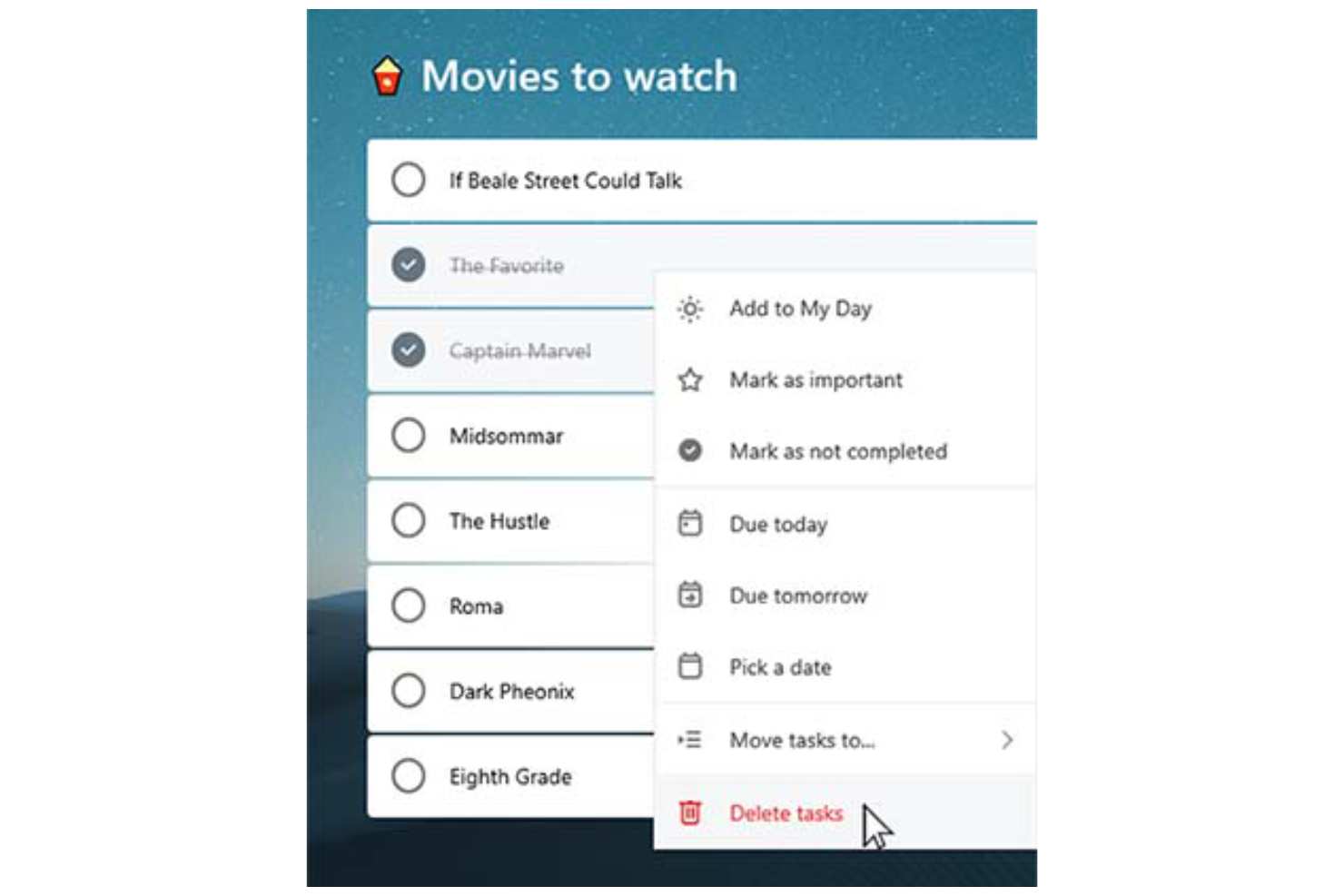
Task lists: You can create tasks, break them into smaller subtasks (called “steps”) and arrange them into organized to-do lists, making it easy to categorize, prioritize, and track various aspects of your professional or personal tasks.
Due dates: Set deadlines for each task to ensure timely completion. Due dates appear across your devices and sync with Outlook, which can help you manage schedules and meet project timelines consistently.
Reminders: You can set time-based reminders for tasks, so you never miss an important deadline. These notifications are designed to keep your team on-track and avoid last-minute rushes.
Recurring tasks: Schedule tasks to repeat at customizable intervals (daily, weekly, monthly, etc.). This is perfect for repetitive work like weekly reports, follow-ups, or administrative tasks.
Custom themes: You can personalize your task lists by applying different background themes and colors, making your workspace more visually appealing and easier to organize.
Priority levels: Assign priority tags (Important or Normal) to tasks. The “Important” tag adds the task to the "Important" smart list, helping you focus on high-priority work and better manage your workload.
Ease of Use
Microsoft To Do stands out with its clean, user-friendly interface that simplifies task management for you and your team. Features like drag-and-drop organization make it easy to rearrange tasks and update priorities on the fly.
The system’s integration with Microsoft 365 also enhances accessibility, allowing you to manage tasks across desktop (Mac or Windows), web, and mobile devices (including Android, iPhone, iPad, and Apple Watch). The mobile to-do list app, available on iOS and Android, ensures you can stay organized and productive wherever you are.
For simple and efficient task management, Microsoft To Do is a reliable choice.

Microsoft To Do Specs
- API
- Batch Permissions & Access
- Budgeting
- Calendar Management
- Collaboration Support
- Contact Management
- Contact Sharing
- Customer Management
- Dashboard
- Dashboards
- Data Export
- Data Import
- Data Visualization
- Dependency Tracking
- Document Sharing
- Expense Tracking
- External Integrations
- File Sharing
- Gantt Charts
- Kanban Boards
- Multi-User
- Notifications
- Project Management
- Resource Management
- Scheduling
- Task Scheduling/Tracking
- Third-Party Plugins/Add-Ons
- Time Management
- Travel Management
- Workflow Management
Alternatives to Microsoft To Do



Vanlige spørsmål om Microsoft To Do
Hvordan håndterer Microsoft To Do datasikkerhet?
Microsoft To Do er bygget på Microsoft 365s sikkerhetsinfrastruktur, noe som betyr at tjenesten drar nytte av beskyttelse på bedriftsnivå. Dataene dine sikres ved hjelp av bransjestandardiserte krypteringsprotokoller, inkludert kryptering i hvile og under overføring. Oppgaver og annen brukerinformasjon lagres i Microsofts globalt distribuerte datasentre, som er sertifisert for å oppfylle internasjonale samsvarsstandarder som ISO/IEC 27001, SOC 1, 2 og 3 samt GDPR.
I tillegg støtter Microsoft To Do flerfaktorautentisering (MFA) og rollebasert tilgangskontroll som en del av det bredere Microsoft-kontomiljøet.
Kan jeg bruke Microsoft To Do uten nett?
Du kan bruke Microsoft To Do uten nett for å se og redigere oppgavene dine. Alle endringer du gjør, synkroniseres automatisk på tvers av enhetene dine når du kommer på nett igjen, slik at alt holdes oppdatert.
Støtter Microsoft To Do teamsamarbeid?
Microsoft To Do støtter grunnleggende teamsamarbeid gjennom delte oppgavelister. Du kan invitere andre til å bli med på en liste, slik at teammedlemmer kan se, legge til, fullføre og redigere oppgaver. Dette gjør tjenesten nyttig for enkel koordinering i små team eller avdelinger, for oppfølging av felles ansvarsområder eller planlegging av sjekklister.
Microsoft To Do inneholder imidlertid ikke avanserte samarbeidsfunksjoner som oppgavekommentarer, aktivitetsoppfølging, samtidig redigering eller rollebaserte tillatelser. For mer omfattende prosjektsamarbeid – som sprintplanlegging, dokumentdeling eller teamchat – foretrekker team kanskje integrerte produktivitetsverktøy som Microsoft Planner, Trello eller Asana.
Hvordan integreres Microsoft To Do med andre Microsoft-apper?
Microsoft To Do integreres med andre Microsoft-apper som Outlook og Teams. Du kan synkronisere oppgaver fra Outlook-e-poster og kalenderhendelser, slik at du kan holde alt organisert på ett sted og forbedre den generelle produktiviteten.
Kan jeg tilpasse oppgavevisninger i Microsoft To Do?
Microsoft To Do tilbyr begrensede muligheter for tilpasning av oppgavevisninger. Du kan sortere oppgaver etter forfallsdato, viktighet eller datoen de ble lagt til, men utover dette er tilpasningsmulighetene minimale. Tjenesten er utviklet for å holde ting enkelt, slik at du kan fokusere på å håndtere oppgaver effektivt.
Finnes det en mobilapp for Microsoft To Do?
Ja, Microsoft To Do tilbyr en mobilapp for både iOS- og Android-enheter. Appen synkroniseres automatisk med nett- og skrivebordsversjonene via Microsoft-kontoen din, slik at oppgavelistene og oppdateringene dine er tilgjengelige på alle plattformer i sanntid.
Med mobilappen kan du opprette, redigere og organisere nye oppgaver, angi påminnelser og merke elementer som fullført mens du er på farten, slik at du holder deg organisert og produktiv uansett hvor du er.
Kan jeg importere oppgaver fra andre apper til Microsoft To Do?
Ja, du kan importere oppgaver til Microsoft To Do, særlig fra Outlook og andre verktøy i Microsoft-økosystemet. Oppgaver i Outlook Tasks synkroniseres automatisk med Microsoft To Do hvis du bruker samme Microsoft-konto. Import av oppgaver fra tredjepartsapper, som Todoist eller TickTick, krever vanligvis manuell registrering eller bruk av tredjepartsverktøy som Zapier eller Microsoft Power Automate for å automatisere overføringen.
Hvis du bytter fra en app med eksportfunksjonalitet, kan du kanskje eksportere oppgavene dine til en CSV-fil og registrere dem manuelt eller bruke et skript for å legge dem inn i To Do, men det finnes ingen innebygd masseimportfunksjon for CSV- eller JSON-filer.
Microsoft To Do – oversikt & historikk
Microsoft To Do er en skybasert app for oppgavebehandling utviklet av Microsoft, med base i Redmond i delstaten Washington. Appen ble offisielt lansert i april 2017 som etterfølgeren til Wunderlist, som Microsoft kjøpte opp i juni 2015 fra den Berlin-baserte oppstartsbedriften 6Wunderkinder.
Som en del av Microsoft 365-pakken integreres den med tjenester som Outlook for å støtte produktiviteten. Appen lar brukerne administrere oppgaver på tvers av enheter og gir en konsekvent og sammenhengende opplevelse.
Viktige milepæler for Microsoft To Do
- 2015: Microsoft kjøper opp Wunderlist.
- 2017: Microsoft To Do lanseres som etterfølgeren til Wunderlist.
- 2019: Et større redesign gjør grensesnittet i Microsoft To Do mer likt grensesnittet i Wunderlist.
- 2020: Microsoft avvikler offisielt Wunderlist for å fokusere på Microsoft To Do.
Hva skjer videre?
Vil du komme i kontakt med andre digitale prosjektledere for å dele ressurser og beste praksis? Bli med i medlemsfellesskapet vårt og få tilgang til over 100 maler, eksempler og illustrasjoner, og kom i kontakt med hundrevis av andre digitale prosjektledere på Slack.