



TMetric vs. Everhour: Confronto e Recensioni degli Esperti per il 2026



Project boards can show what needs to get done, but they do not always explain where the team’s time actually went. When tasks, estimates, timesheets, and budgets tell different stories, even a well-planned project can become difficult to manage.
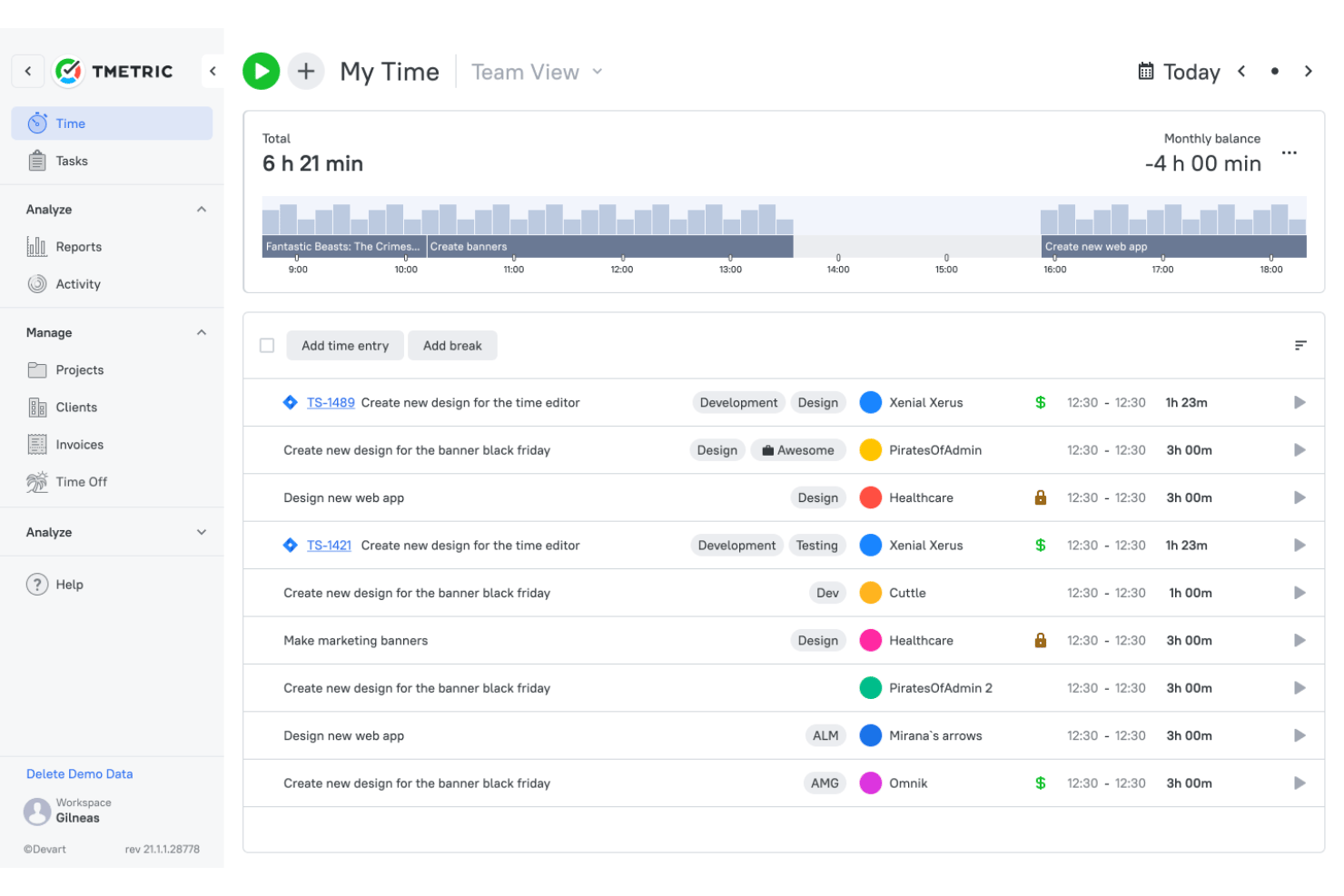
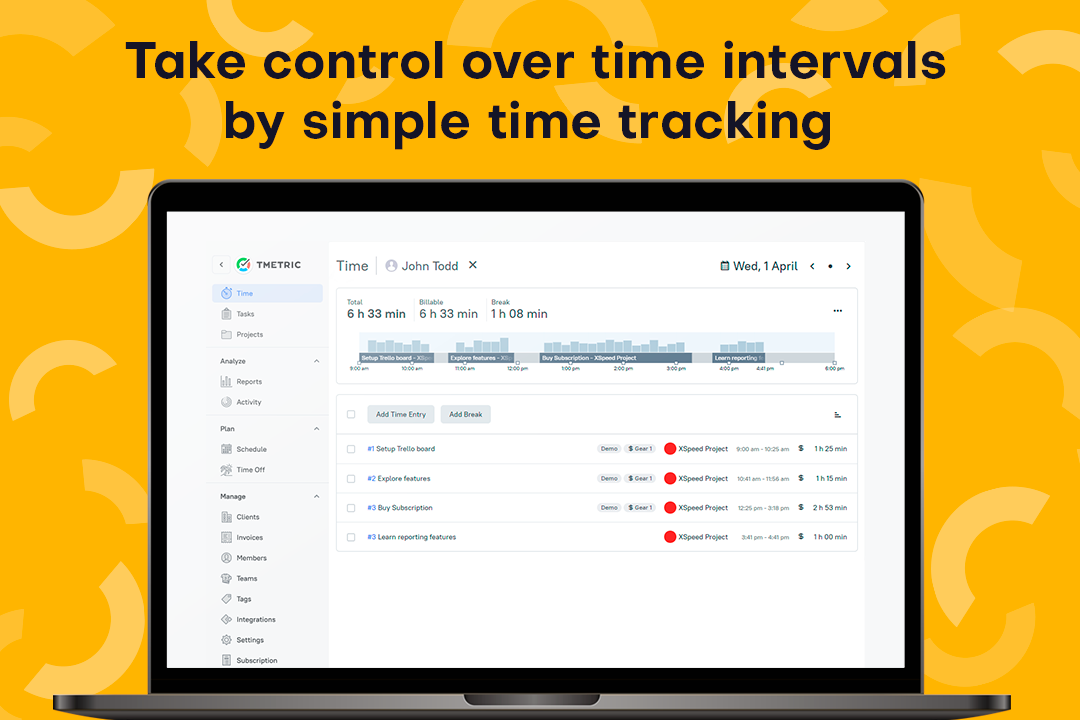
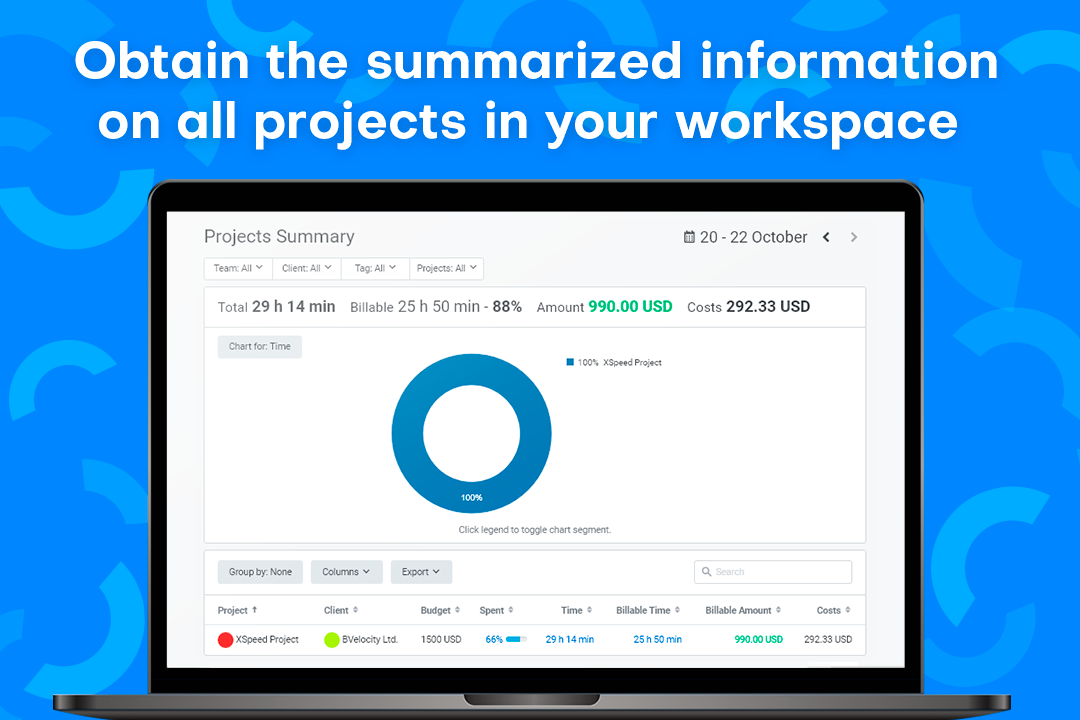
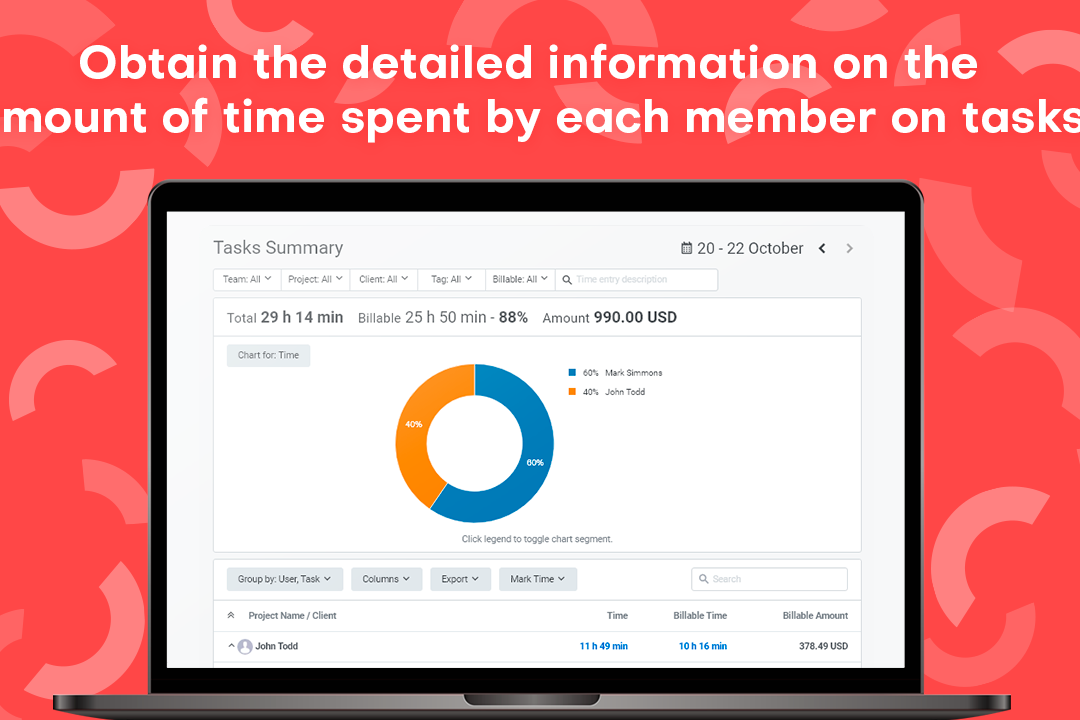
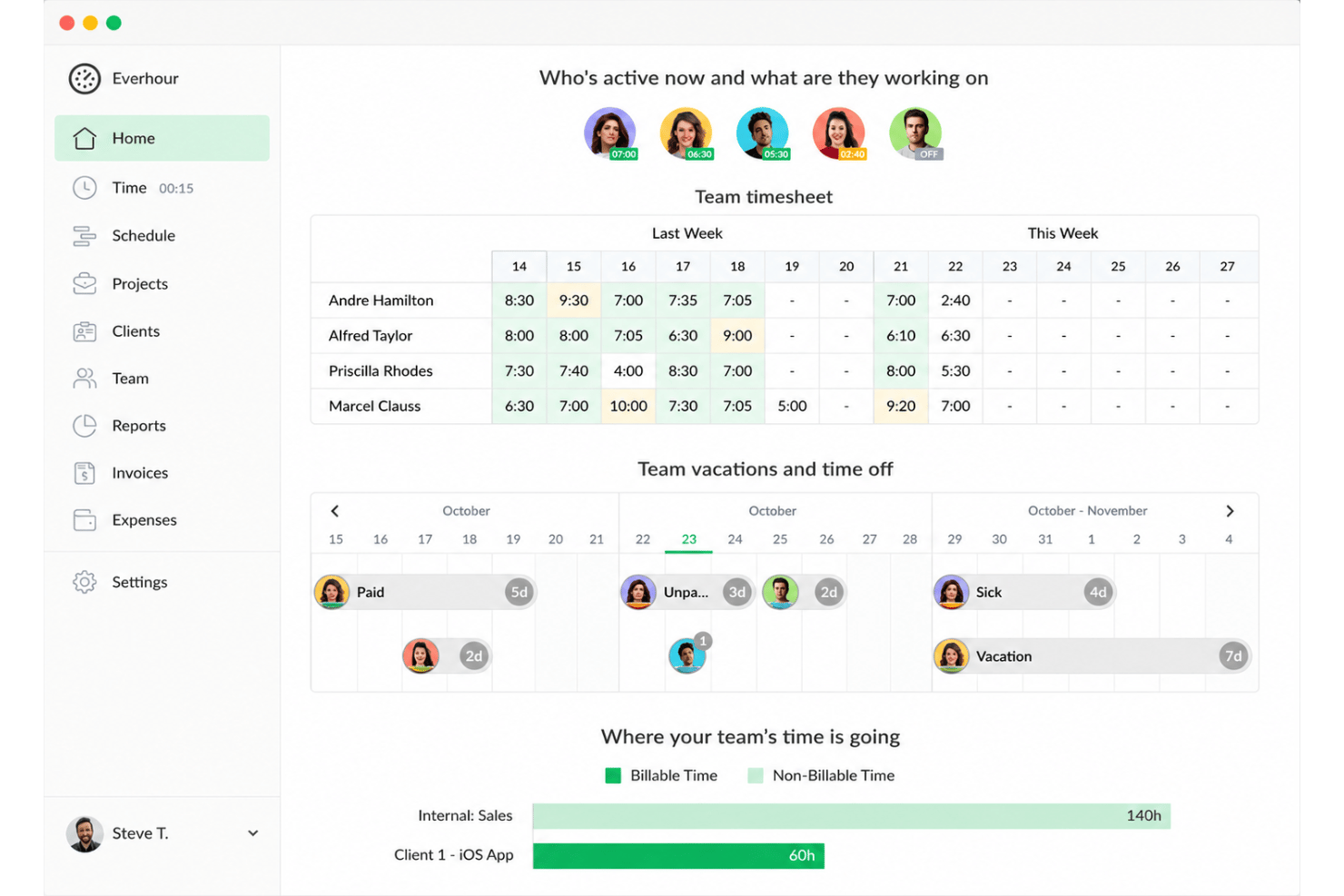
TMetric and Everhour are time tracking software tools that bring time data closer to daily project work. TMetric focuses on structured tracking, approvals, billing, reporting, and profitability, while Everhour embeds timers, estimates, budgets, and workload planning into project management workflows.
In this comparison, I’ll help you decide which tool better supports your team’s time management and productivity.
TMetric vs. Everhour: An Overview
TMetric


Everhour




Perché fidarsi dei nostri consigli sui software
Il nostro team testa e recensisce software dal 2012. In quanto project manager noi stessi, sappiamo quanto sia difficile — e importante — scegliere il software giusto.
Per questa guida, abbiamo valutato gli strumenti attraverso test pratici e ricerche indipendenti, assegnando un punteggio agli strumenti in base ai nostri criteri di selezione. Ci basiamo inoltre sulle competenze di leader di pensiero del settore e di professionisti attivi nella gestione dei progetti.
Le nostre recensioni riflettono il nostro giudizio editoriale umano, non un discorso di vendita.
Revisori esperti:
TMetric vs. Everhour Pricing Comparison
| TMetric | Everhour | |
|---|---|---|
| Free Trial | Free plan available + 14-day free trial | Free plan + 14-day free trial available |
| Pricing | From $5.83/user/month (billed annually) | From $8.50/user/month (billed annually) |
TMetric vs. Everhour: Prezzi e costi nascosti
TMetric offre maggiore flessibilità nei prezzi, ma questa libertà richiede un po' di attenzione in più. Le sue funzionalità a pagamento sono suddivise in diversi livelli, quindi per fatturazione, approvazioni, presenze, ferie (PTO) e monitoraggio potrebbe essere necessario un upgrade. Inoltre, il proprietario dello spazio di lavoro viene comunque conteggiato come un utente a pagamento. Al contrario, Everhour mantiene una struttura di prezzi più semplice includendo le principali funzionalità in un unico piano a pagamento. Tuttavia, il suo piano gratuito esclude le integrazioni e il requisito minimo di utenti può renderlo meno conveniente per i team molto piccoli.
Alla fine, nessuno dei due strumenti dovrebbe essere valutato solo dal piano base. È meglio confrontare il costo totale in base al numero previsto di utenti e verificare quale livello include le funzionalità di fatturazione, approvazioni, integrazioni e supporto effettivamente utilizzate dal tuo team.
TMetric vs. Everhour Feature Comparison
<div class="slate-p slate-selectable" data-slate-node="element" data-block-id="LFgA0m78tf" data-slate-fragment="JTVCJTdCJTIyY2hpbGRyZW4lMjIlM0ElNUIlN0IlMjJ0ZXh0JTIyJTNBJTIyVE1ldHJpYyUyMGFuZCUyMEV2ZXJob3VyJTIwYm90aCUyMG9mZmVyJTIwdGltZXJzJTJDJTIwdGFzay1iYXNlZCUyMHRyYWNraW5nJTJDJTIwYmlsbGFibGUlMjBob3VycyUyQyUyMGJ1ZGdldHMlMkMlMjByZXBvcnRzJTJDJTIwYXBwcm92YWxzJTJDJTIwaW52b2ljaW5nJTJDJTIwc2NyZWVuc2hvdHMlMkMlMjBhbmQlMjBpbnRlZ3JhdGlvbnMuJTIwSG93ZXZlciUyQyUyMFRNZXRyaWMlMjBwdXRzJTIwbW9yZSUyMGVtcGhhc2lzJTIwb24lMjBmdWxsJTIwdGltZS10by1iaWxsaW5nJTIwcHJvY2VzcyUyQyUyMHdpdGggb2ZmbGluZSUyMHRyYWNraW5nJTJDJTIwYXBwcm92ZWQgdGltZXNoZWV0cyUyQyUyMGlu dm9pY2luZyUyQyUyMGFuZCUyMHByb2ZpdGFiaWxpdHkgcmVwb3J0cyUyMHRoYXQgY29ubmVjdCBob3VycyUyQyUyMHJhdGVzJTJDJTIwbGFib3IlMjBjb3N0cyUyQyUyMHJldmVudWUlMkMlMjBhbmQlbWFyZ2lucy4lMjIlN0QlNUQlMkMlMjJ0eXBlJTIyJTNBJTIycCUyMiUyQyUyMmlkJTIyJTNBJTIyTEpnU1BMYUJYOSUyMiU3RCUyQyU3QiUyMmNoaWxkcmVuJTIyJTNBJTVCJTdCJTIydGV4dCUyMiUzQSUyMkJ5JTIwY29udHJhc3QlMkMlMjBFdmVyaG91ciUyMGZpdHMlMjBtb3JlJTIwY2xvc2VseSUyMGludG8lMjBwcm9qZWN0JTIwbWFuYWdlbWVudCUyMHdvcmtmbG93cy4lMjBJdCUyMGVtYmVkcyUyMHRyYWNraW5nJTIwaW50byUyMHRvb2xzJTIwbGlrZSUyMEFzYW5hJTJDJTIwSmlyYSUyQyUyMG1vbmRheS5jb20lMkMlMjBhbmQlMjBUcmVsbG8lMkMlMjB3aGlsZSUyMGFkZGluZyUyMHRhc2slMjBlc3RpbWF0ZXMlMkMlMjBidWRnZXQlMjBhbGVydHMlMkMlMjBjdXN0b20lMjByZXBvcnRzJTJDJTIwYW5kJTIwdmlzdWFsJTIwc2NoZWR1bGluZy4lMjBUTWV0cmljJTIwb2ZmZXJzJTIwYSUyMG1vcmUlMjBzdHJ1dHR1cmVkJTIwdGltZS10by1iaWxsaW5nJTIwYW5kJTIwcHJvamVjdCUyMHByb2ZpdGFiaWxpdHklMjB3b3JrZmxvdyUyQyUyMHdoaWxlJTIwRXZlcmhvdXIuLi4
| TMetric | Everhour | |
|---|---|---|
| API | ||
| Analytics | ||
| Approval Workflows | ||
| Attendance Tracking | ||
| Batch Permissions & Access | ||
| Billing/Invoicing | ||
| Budgeting | ||
| Calendar Management | ||
| Dashboard | ||
| Data Export | ||
| Data Import | ||
| Data Visualization | ||
| Expense Tracking | ||
| External Integrations | ||
| Forecasting | ||
| Multi-User | ||
| Notifications | ||
| Project Management | ||
| Resource Management | ||
| Scheduling | ||
| Task Scheduling/Tracking | ||
| Time Management | ||
| Timesheets | ||
| Vacation & Absence Calendar |
TMetric vs. Everhour Integrazioni
| Integrazione | TMetric | Everhour |
|---|---|---|
| Asana | ✅ | ✅ |
| Trello | ✅ | ✅ |
| Jira | ✅ | ✅ |
| GitHub | ✅ | ✅ |
| Basecamp | ❌ | ✅ |
| QuickBooks | ✅ | ✅ |
| ClickUp | ✅ | ✅ |
| Bitbucket | ✅ | ✅ |
| GitLab | ✅ | ✅ |
| Salesforce | ✅ | ✅ |
| API | ✅ | ✅ |
| Zapier | ✅ | ✅ |
TMetric ed Everhour si integrano entrambi con i principali strumenti di project management, contabilità e collaborazione, quindi la maggior parte dei team non dovrebbe avere difficoltà ad inserire l'uno o l'altro nel proprio sistema esistente. Tuttavia, Everhour offre una copertura nativa leggermente più ampia, mentre TMetric bilancia le integrazioni incluse con opzioni API e automazione per flussi di lavoro meno comuni. La differenza non è marcata, ma Everhour potrebbe richiedere meno soluzioni alternative per i team che utilizzano una gamma di software più ampia.
TMetric vs. Everhour Sicurezza, Conformità e Affidabilità
| Fattore | TMetric | Everhour |
|---|---|---|
| Gestione e archiviazione dati | Archivia dati su progetti, tempi, task e attività nella regione Microsoft Azure West Europe. Anonimizza gli indirizzi IP e indirizza i dati di pagamento tramite Verifone invece di conservare i dati delle carte. | Archivia i dati su AWS in Oregon e Francoforte, con replica regionale. I dettagli di pagamento non vengono archiviati da Everhour. |
| Conformità normativa | Supporta i diritti GDPR relativi ad accesso, restrizione, portabilità, opposizione ed eliminazione. Un DPA conforme al GDPR è disponibile per i clienti UE. | Supporta i requisiti GDPR e possiede un certificato commerciante PCI-DSS, pur facendo affidamento sui controlli SOC 2 del fornitore AWS. |
| Sicurezza dell'infrastruttura | Utilizza Microsoft Azure per i database, i file d’importazione e archivi di backup cifrati. I dati del servizio archiviati non sono leggibili da Microsoft. | Utilizza TLS 1.2, backup cifrati, password hashate e salate, AWS WAF e comunicazione criptata tra server e data center. |
| Controlli di accesso | Gli amministratori dell’area di lavoro controllano il monitoraggio delle attività, delle app e dei siti web, stato di tastiera e mouse, e gli screenshot opzionali. TMetric non registra ciò che gli utenti digitano. | Supporta SSO e permessi d’account, mentre l’accesso dei dipendenti ai dati dei clienti è ristretto, registrato e limitato alle situazioni di supporto. |
| Affidabilità | Mantiene backup off-site criptati e compressi per 30 giorni; i dati eliminati vengono rimossi una volta scaduti i backup correlati. | Esegue backup cifrati giornalieri su almeno due data center, li conserva per 30 giorni e dichiara una disponibilità media del 99%. |
Nel complesso, entrambi gli strumenti offrono solide basi di sicurezza, ma le loro priorità differiscono. TMetric pone maggiore enfasi sui controlli di privacy e sul monitoraggio configurabile dei dipendenti, mentre Everhour offre una panoramica più ampia sull’infrastruttura, ridondanza regionale, SSO e accesso di supporto tracciato. In definitiva, i team dovrebbero confrontare le proprie politiche di monitoraggio, i requisiti di conformità e le aspettative in merito alla documentazione pubblica sulla sicurezza.
TMetric vs. Everhour Facilità d'Uso
| Fattore | TMetric | Everhour |
|---|---|---|
| Interfaccia utente | Mantiene timer, progetti, timesheet, report, fatturazione e attività del team all’interno di uno spazio di lavoro semplice, con opzioni desktop, mobile, web e browser per il monitoraggio quotidiano. | Centra l’esperienza sulla visibilità di progetti e task, con il tracciamento del tempo integrato direttamente negli strumenti di gestione progetti supportati. |
| Onboarding | Utilizza una configurazione self-service dove i team creano uno spazio di lavoro, invitano i membri, installano le app necessarie e configurano i progetti. Sono disponibili articoli di aiuto, guide passo passo, video, demo e importazione CSV per ulteriore supporto. | I team possono collegare gli strumenti di progetto già in uso, sincronizzare progetti e task, invitare i membri e iniziare a tracciare con una minima ricostruzione. Le organizzazioni più grandi possono anche richiedere demo personalizzate prima dell’adozione. |
| Personalizzazione | Permette ai team di regolare filtri di reportistica, tariffe di fatturazione, periodi dei timesheet, notifiche, permessi e impostazioni di monitoraggio opzionali per adattarsi ai vari flussi di lavoro. | Offre report flessibili, stime di task, budget di progetto, pianificazione del carico di lavoro, permessi e visualizzazioni che si adattano alla modalità organizzativa dei team. |
| Supporto | Fornisce assistenza 24/7 tramite live chat ed email, insieme a un help center, video tutorial e demo prodotto facoltative. | Mette a disposizione una knowledge base e supporto diretto, mentre il piano Custom aggiunge risposte prioritarie e un responsabile dedicato. |
TMetric offre un approccio più strutturato, con approvazioni, tariffe di fatturazione, regole di monitoraggio e molteplici app di tracking che danno ai team un controllo più stretto su come il tempo viene registrato e gestito. Al contrario, Everhour risulta più rapido da adottare per i team che già lavorano con bacheche di project management, poiché progetti e task possono essere sincronizzati con un setup minimo. In definitiva, TMetric è ideale per i team che valorizzano flussi di lavoro configurabili e registri temporali puliti, mentre Everhour è adatto a chi dà priorità alla comodità integrata.
TMetric vs Everhour: Pros & Cons
TMetric
- Tracks billable and non-billable time across web, desktop, mobile, and browser extensions.
- Shows project revenue, labor costs, budgets, and margins in profitability reports.
- Creates invoices from billable time entries and syncs invoice data with QuickBooks and Xero.
- Manual tracking depends on users consistently starting timers or adding entries.
- The mobile app offers fewer reporting and management features than the web app.
- Payroll tools calculate labor costs but do not process payments or taxes.
Everhour
- Real-time budget tracking for projects and clients
- Detailed, exportable reports break down time by task
- Billable and non-billable hours easily distinguished
- No built-in invoicing in the base plan
- Mobile app lacks advanced features
- Limited offline time entry support
Best Use Cases for TMetric and Everhour
TMetric
- Small and Mid-Sized Service Teams TMetric fits teams of roughly 5 to 200 people that need time tracking, approvals, attendance, PTO, billing, and project reporting in a self-serve platform.
- Software Development Teams Development teams can track time by task, project, and client while connecting TMetric with tools such as Jira, GitHub, GitLab, Redmine, and ClickUp.
- Professional Services Firms Professional services firms can approve billable hours, apply different rates, create invoices, and monitor the profitability of each engagement.
- Consulting Teams Consultants can organize time across clients and engagements while using configurable rates to support different contracts, roles, and work types.
- Marketing and Media Teams Marketing and media teams can track time by campaign, client, and task to compare delivery hours with budgets and project margins.
- Legal Service Teams Legal teams can use TMetric for client- and matter-based time tracking and invoicing, though it does not replace legal practice management or trust accounting software.
Everhour
- Creative Agencies Agencies see strong value in Everhour’s project and client-based time tracking and budget alerts for billable work.
- Software Teams Engineering and product teams get native integration with major PM tools and easy sprint, epic, and task tracking.
- Consulting Firms Consulting teams benefit from detailed client-based reporting, billable time tracking, and quick export for invoicing.
- Remote Teams Distributed teams use Everhour’s browser-based entry, approval flows, and live dashboards to keep visibility and coordination high.
- Marketing Departments Marketing teams can track campaigns and client projects separately and report on billable vs. internal work effortlessly.
- Startups (5-100 Employees) Small and midsize companies find the onboarding fast and user management intuitive without sacrificing advanced features.
Chi dovrebbe usare TMetric e chi dovrebbe usare Everhour?
Se cerchi un software di monitoraggio del tempo che dia ai team di servizio un controllo più stretto su ore fatturabili, approvazioni, fatturazione, costi del lavoro e redditività dei progetti, TMetric è probabilmente la scelta migliore. Funziona particolarmente bene per team IT, società di consulenza, agenzie di marketing, aziende media e studi legali che necessitano di registri temporali precisi e una visione più chiara dell’impatto del lavoro di progetto su ricavi e margini.
Se invece il tuo team già gestisce la maggior parte del lavoro all'interno di bacheche di progetto e desidera che il monitoraggio del tempo si integri perfettamente in quel flusso di lavoro, Everhour potrebbe essere la scelta migliore. Il suo monitoraggio a livello di attività, la pianificazione dei carichi di lavoro, gli avvisi di budget e i report personalizzabili lo rendono adatto ad agenzie, team SaaS, startup e reparti remoti che vogliono collegare strettamente pianificazione e dati sul tempo.
Differences Between TMetric and Everhour
| TMetric | Everhour | |
|---|---|---|
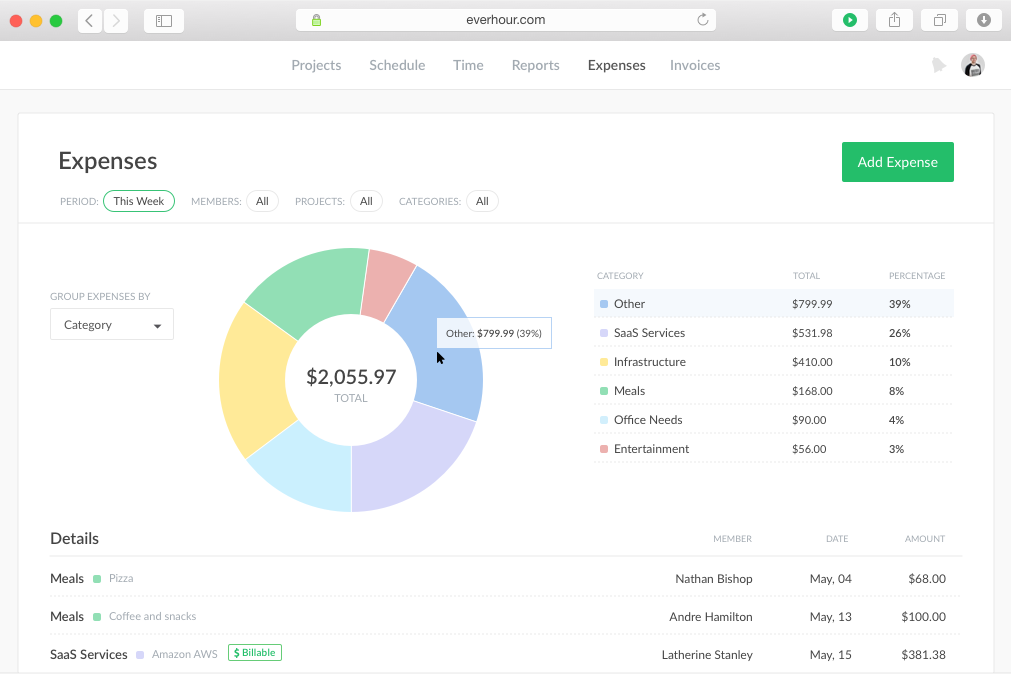
| Project Financials | Connects tracked hours, billing rates, labor costs, budgets, revenue, and margins through its Project Profitability Report. Rates can be configured by workspace, project, client, or team member. | Focuses more on project estimates, live budget progress, expenses, and threshold alerts, helping managers compare planned work with actual time and spending. |
| Reporting Style | Provides structured Summary, Detailed, Activity, and Profitability reports with filters by user, project, client, tag, and date range. | Offers more customizable reports, allowing teams to adjust columns, ordering, filters, and conditional formatting for different stakeholders. |
| Task Management | Organizes tasks within projects and connects tracked task time to timesheets, billing, and profitability records. | Places more emphasis on creating and organizing tasks, setting task estimates, and monitoring how much planned time remains. |
| Tracking Experience | Tracks time across web, desktop, mobile, and browser extensions, with offline entries syncing once the connection returns. Each entry can be tied to a task, project, client, and billing status. | Embeds timers directly into supported project management tools and automatically syncs existing projects and tasks, making it easier to track work without leaving the project board. |
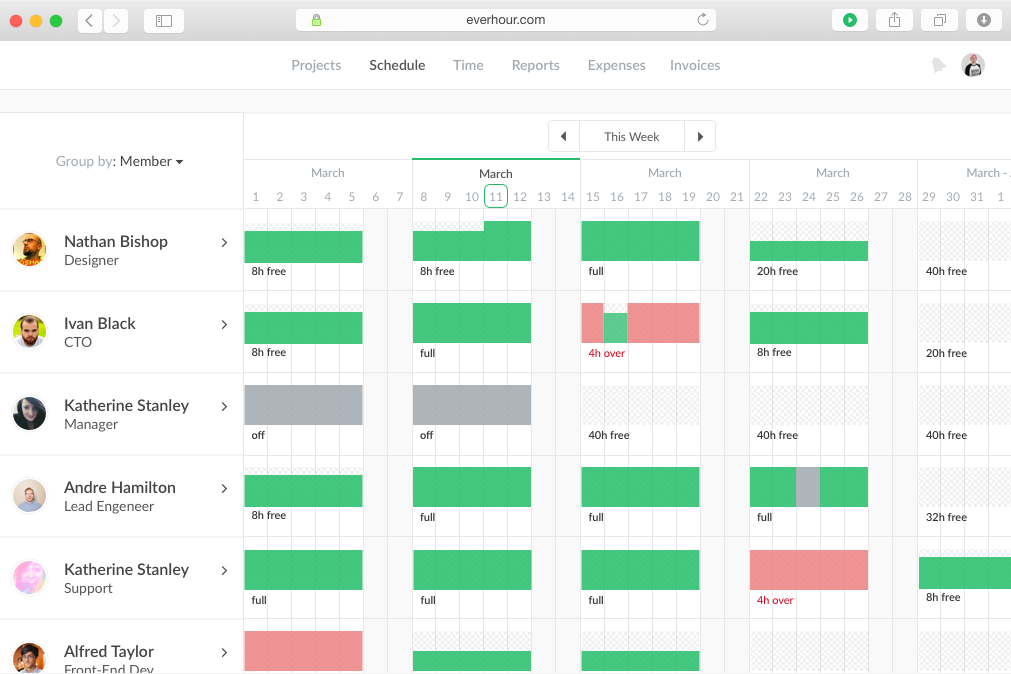
| Workforce Management Approach | Includes attendance, PTO, activity levels, app and website monitoring, and optional screenshots for teams that need time and workforce records together. | Leans more toward resource planning, with visual schedules and workload views that help managers see who is available, overloaded, or ready for more work. |
| Visit TMetricOpens new window | Read Everhour ReviewOpens new window |
Similarities Between TMetric and Everhour
| Billing and Invoicing | Both connect tracked hours to billable rates and client invoices, reducing the manual work required to turn completed tasks into something finance can actually charge for. |
|---|---|
| Reporting and Exports | Both provide filterable reports covering users, projects, clients, and date ranges. Teams can export the results for internal reviews, client updates, or further analysis outside the platform. |
| Roles and Permissions | Both support role-based access and team permissions, allowing managers to control who can view, approve, edit, or administer time and project information. |
| Time Entry Methods | Both let users run timers as they work or add and edit hours afterward. This flexibility supports accurate tracking without forcing every employee into the same routine. |
| Timesheet Approvals | Both turn recorded hours into reviewable timesheets that managers can approve or reject. This creates a cleaner checkpoint before time is used for billing, payroll preparation, or client reports. |
| Visit TMetricOpens new window Read Everhour ReviewOpens new window | |