



Zenhub vs. Teamwork.com: Confronto e Recensioni degli Esperti per il 2026



If juggling shifting priorities and cross-team communication has you searching for an upgrade, you’re not alone. Choosing between Zenhub and Teamwork.com can feel tricky—both promise to organize your work, but each takes a different approach and supports different types of teams. Before you invest time and budget, it helps to see how these options stack up as project management software.
In this article, you’ll get a clear side-by-side comparison of Zenhub and Teamwork.com. I’ll break down their pros and cons, review typical use cases, share pricing details, and flag security and usability differences to help you find your perfect fit.
Zenhub vs. Teamwork.com: An Overview
Zenhub

Teamwork.com


Perché fidarsi dei nostri consigli sui software
Il nostro team testa e recensisce software dal 2012. In quanto project manager noi stessi, sappiamo quanto sia difficile — e importante — scegliere il software giusto.
Per questa guida, abbiamo valutato gli strumenti attraverso test pratici e ricerche indipendenti, assegnando un punteggio agli strumenti in base ai nostri criteri di selezione. Ci basiamo inoltre sulle competenze di leader di pensiero del settore e di professionisti attivi nella gestione dei progetti.
Le nostre recensioni riflettono il nostro giudizio editoriale umano, non un discorso di vendita.
Revisori esperti:
Zenhub vs. Teamwork.com Pricing Comparison
| Zenhub | Teamwork.com | |
|---|---|---|
| Free Trial | Free plan + 14-day free trial + free demo available | Free plan + 14-day free trial available |
| Pricing | From $4.99/user/month (billed annually) | From $9.99/user/month (billed annually) |
Zenhub vs. Teamwork.com: Prezzi e Costi Nascosti
Zenhub utilizza piani a livelli basati sulle funzionalità e sul numero di utenti, con opzioni separate per i team enterprise. È disponibile un'opzione gratuita per un workspace di team e fino a 50 utenti. Teamwork.com offre un modello a livelli simile con diversi livelli di piani, ma fai attenzione ai costi legati all'aggiunta di funzionalità premium, integrazioni o permessi avanzati. Entrambe le piattaforme possono anche applicare costi extra per l'onboarding o il supporto prioritario, a seconda del tuo contratto.
Per scegliere il fornitore giusto, analizza attentamente cosa è incluso in ciascun piano e confrontalo con i tuoi reali bisogni. Consiglio di fare una lista delle funzionalità indispensabili, del numero di utenti necessari e delle possibili integrazioni, per poi verificare quanto sia semplice ampliare — o ridurre — la soluzione se le tue esigenze cambiano. Considera sempre anche il costo dell'onboarding e del supporto a lungo termine, perché spese impreviste in queste aree possono rapidamente sommarsi e incidere sul budget.
Zenhub vs. Teamwork.com Feature Comparison
Sia Zenhub che Teamwork.com offrono monitoraggio delle attività, bacheche di progetto, strumenti di collaborazione per il team e flussi di lavoro personalizzabili. Includono reportistica integrata, notifiche e opzioni di integrazione per aiutarti a mantenere i progetti in carreggiata. Troverai anche funzionalità per gestire le dipendenze e monitorare i progressi in tempo reale.
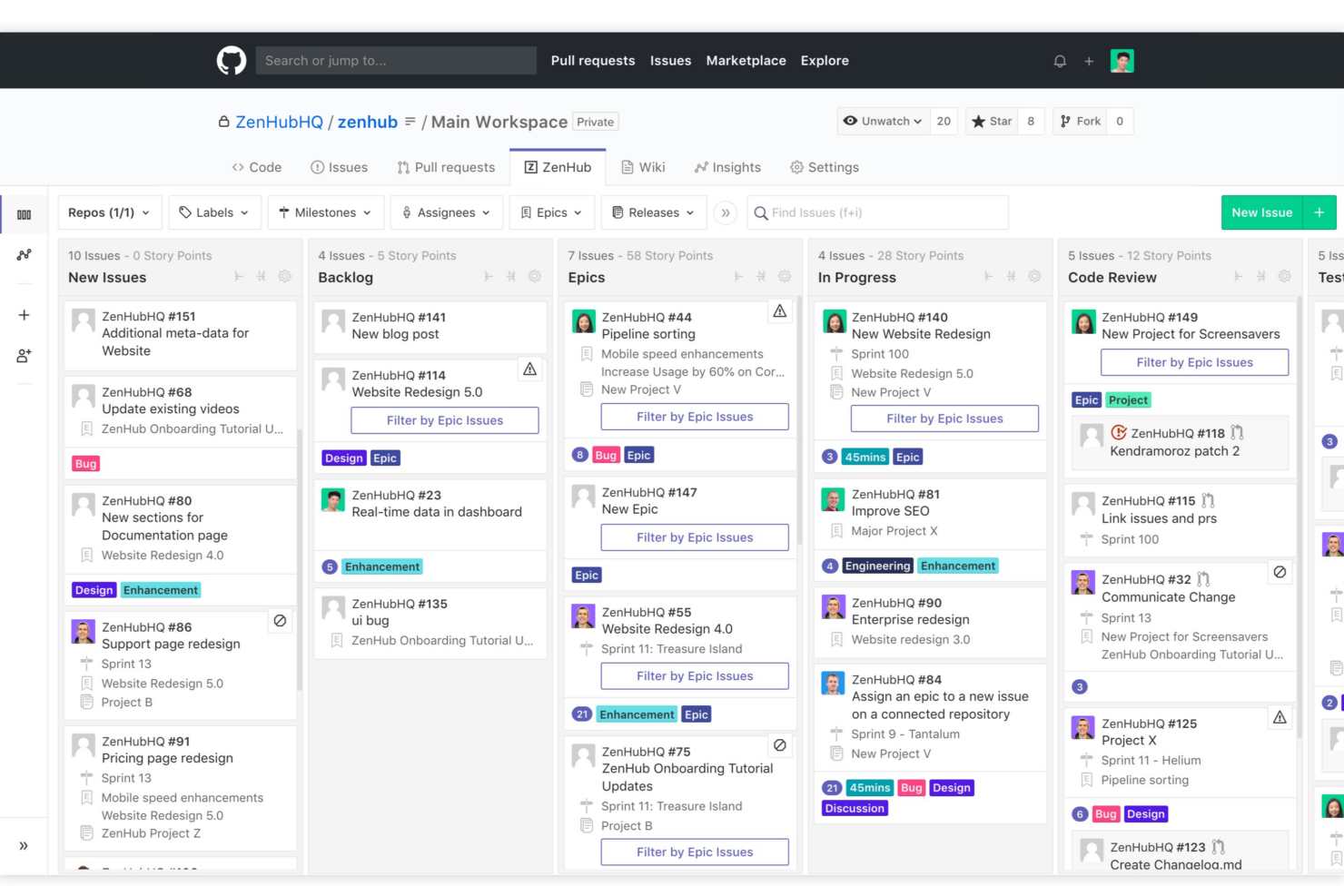
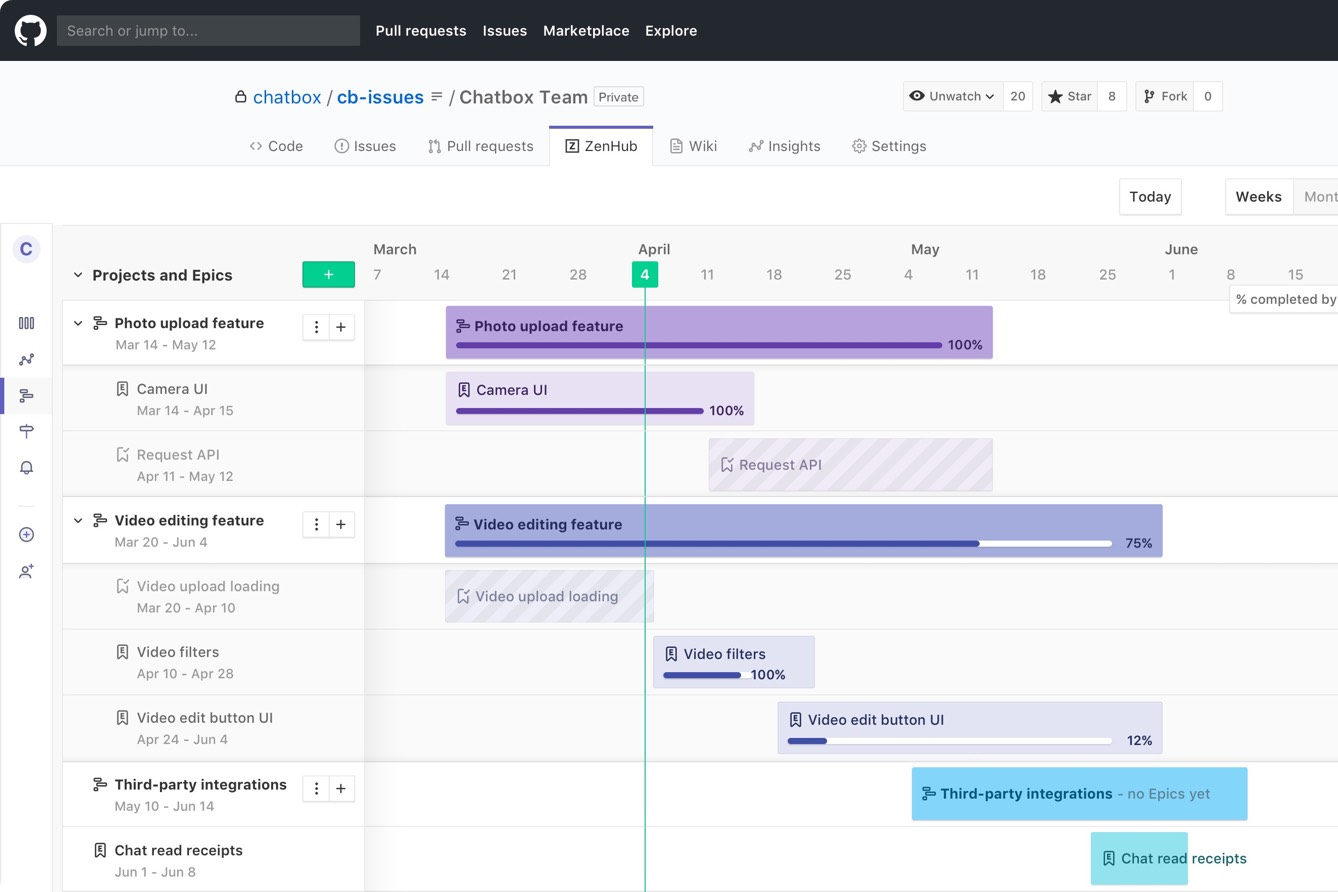
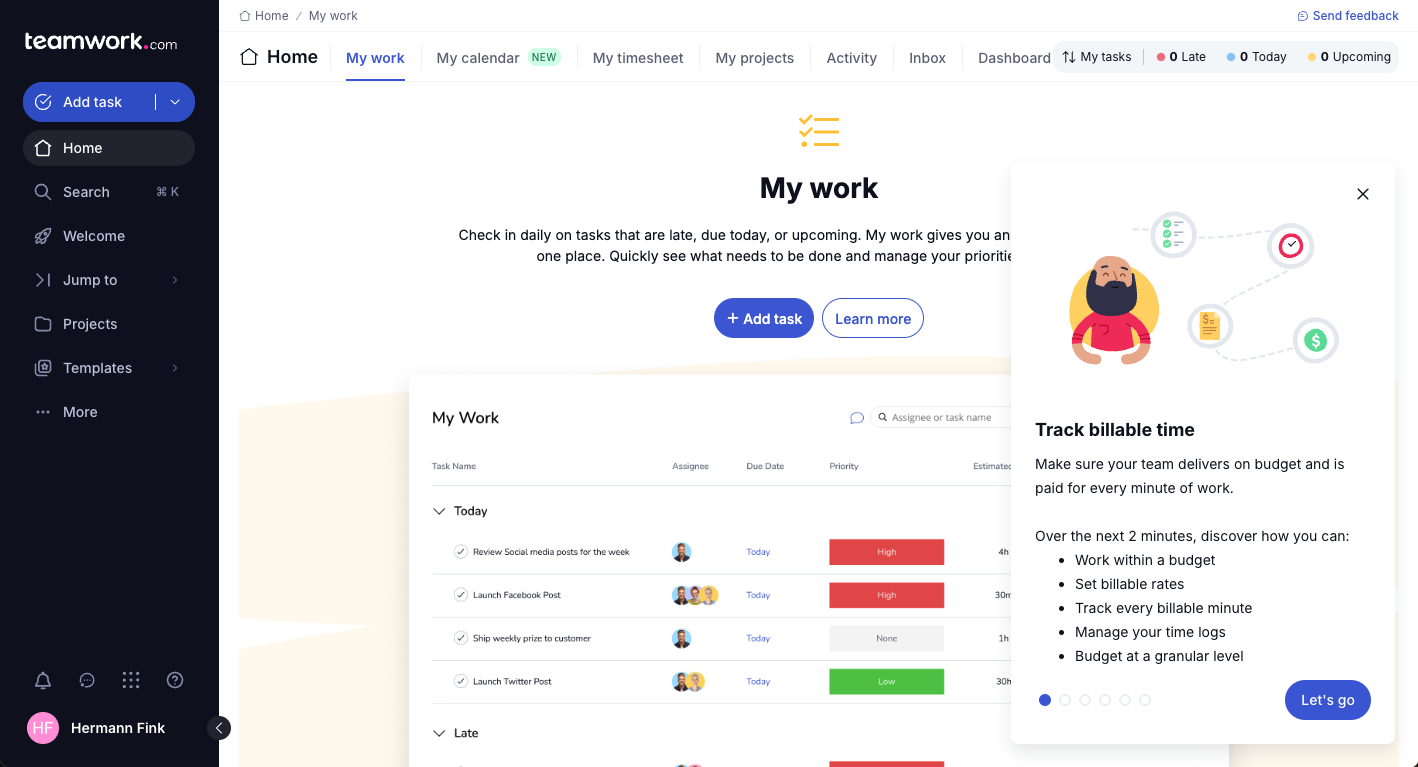
La vera differenza tra questi strumenti sta nel focus: Zenhub si distingue per l’integrazione profonda con GitHub, rendendolo la scelta preferita dai team di sviluppatori che vogliono una gestione progetti direttamente integrata con il flusso di lavoro del codice. Teamwork.com, invece, si caratterizza per potenti funzionalità di collaborazione con i clienti, tracciamento del tempo integrato e gestione della fatturazione — risultando pratico per agenzie e team di servizi che gestiscono progetti multipli per diversi clienti.
| Zenhub | Teamwork.com | |
|---|---|---|
| API | ||
| Batch Permissions & Access | ||
| Budgeting | ||
| Calendar Management | ||
| Collaboration Support | ||
| Contact Management | ||
| Contact Sharing | ||
| Customer Management | ||
| Dashboard | ||
| Dashboards | ||
| Data Export | ||
| Data Import | ||
| Data Visualization | ||
| Dependency Tracking | ||
| Document Sharing | ||
| Expense Tracking | ||
| External Integrations | ||
| File Sharing | ||
| Gantt Charts | ||
| Kanban Boards | ||
| Multi-User | ||
| Notifications | ||
| Project Management | ||
| Resource Management | ||
| Scheduling | ||
| Task Scheduling/Tracking | ||
| Third-Party Plugins/Add-Ons | ||
| Time Management | ||
| Travel Management | ||
| Workflow Management |
Zenhub vs. Teamwork.com Integrazioni
| Integrazione | Zenhub | Teamwork.com |
|---|---|---|
| GitHub | ✅ | ❌ |
| Slack | ❌ | ✅ |
| Google Drive | ❌ | ✅ |
| Microsoft Teams | ❌ | ✅ |
| Jira | ❌ | ✅ |
| HubSpot | ❌ | ✅ |
| Dropbox | ❌ | ✅ |
| OneDrive | ❌ | ✅ |
| API | ✅ | ✅ |
| Zapier | ❌ | ✅ |
Teamwork.com si distingue per una più ampia gamma di integrazioni native, incluse piattaforme di archiviazione file, marketing e automazione. Zenhub, invece, ha come unica vera integrazione nativa GitHub (perché progettato per operare all'interno dell'interfaccia di GitHub). Detto questo, entrambi gli strumenti offrono API, quindi è possibile costruire collegamenti personalizzati con un po' più di lavoro iniziale. Teamwork ha inoltre il vantaggio dell'integrazione con Zapier, che consente di collegarsi a migliaia di altre app senza bisogno di codice personalizzato.
Zenhub vs. Teamwork.com Sicurezza, Conformità e Affidabilità
| Fattore | Zenhub | Teamwork.com |
|---|---|---|
| Crittografia dei dati | Utilizza la crittografia TLS per i dati in transito e a riposo. | Applica crittografia in transito e a riposo, anche nelle app mobili. |
| Conformità normativa | Supporta GDPR, Privacy Shield e preparazione SOC 2. | Soddisfa i requisiti di conformità GDPR, SOC 2 e ISO 27001. |
| Uptime | Offre un SLA di uptime elevato per i clienti enterprise. | Pubblica metriche di uptime e mantiene obiettivi di disponibilità elevata. |
| Controlli di accesso | Accesso basato su ruoli, SSO, e permessi a livello di team. | Offre SSO, 2FA e gestione dettagliata delle autorizzazioni utente. |
| Residenza dei dati | Dati ospitati in Nord America, con alcune opzioni di controllo regionale. | Consente la scelta di data center regionali per esigenze di conformità. |
Per sicurezza e conformità, Teamwork.com ha il vantaggio grazie a controlli più granulari e opzioni di localizzazione dei dati, mentre Zenhub copre affidabilmente gli standard principali per team più piccoli. Ritengo che Zenhub sia la scelta giusta per chi dà priorità alla sicurezza in ambiente GitHub, ma Teamwork.com è ideale quando servono conformità avanzate o requisiti stringenti di residenza dei dati.
Zenhub vs. Teamwork.com Facilità d'Uso
| Fattore | Zenhub | Teamwork.com |
|---|---|---|
| Interfaccia Utente | UI pulita e minimale pensata per gli sviluppatori all'interno di GitHub. | Interfaccia moderna con dashboard visivi e navigazione intuitiva. |
| Onboarding | Veloce per gli utenti GitHub, ma meno intuitivo per i team non tecnici. | Propone walkthrough, modelli e un onboarding più guidato. |
| Gestione delle Attività | Ottimizzata per flussi di lavoro agili e compiti di programmazione. | Liste attività flessibili, sotto-attività e automazione delle attività ricorrenti. |
| Supporto | Guide in-app e supporto via email; live chat limitata. | Chat dal vivo 24/7, help center dettagliato e forum della community. |
| Personalizzazione | Personalizzazione delle board strettamente collegata alla struttura del repository GitHub. | Workspace altamente configurabili per vari tipi di progetti. |
Teamwork.com risulta più accessibile per team nuovi o con competenze miste, mentre Zenhub è la scelta più naturale per gli sviluppatori che già lavorano su GitHub. Secondo me, il workflow integrato di Zenhub velocizza i team focalizzati sul codice, ma Teamwork.com si distingue per l'impostazione versatile e il solido onboarding pensato per utenti diversi. In generale, se il tuo team rientra nel pubblico ideale di ciascuna piattaforma (team di servizi professionali per Teamwork.com o sviluppatori software per Zenhub), troverai entrambe le piattaforme piuttosto intuitive.
Zenhub vs Teamwork.com: Pros & Cons
Zenhub
- Direct integration into GitHub repository interface
- Automated issue tracking and workflow management
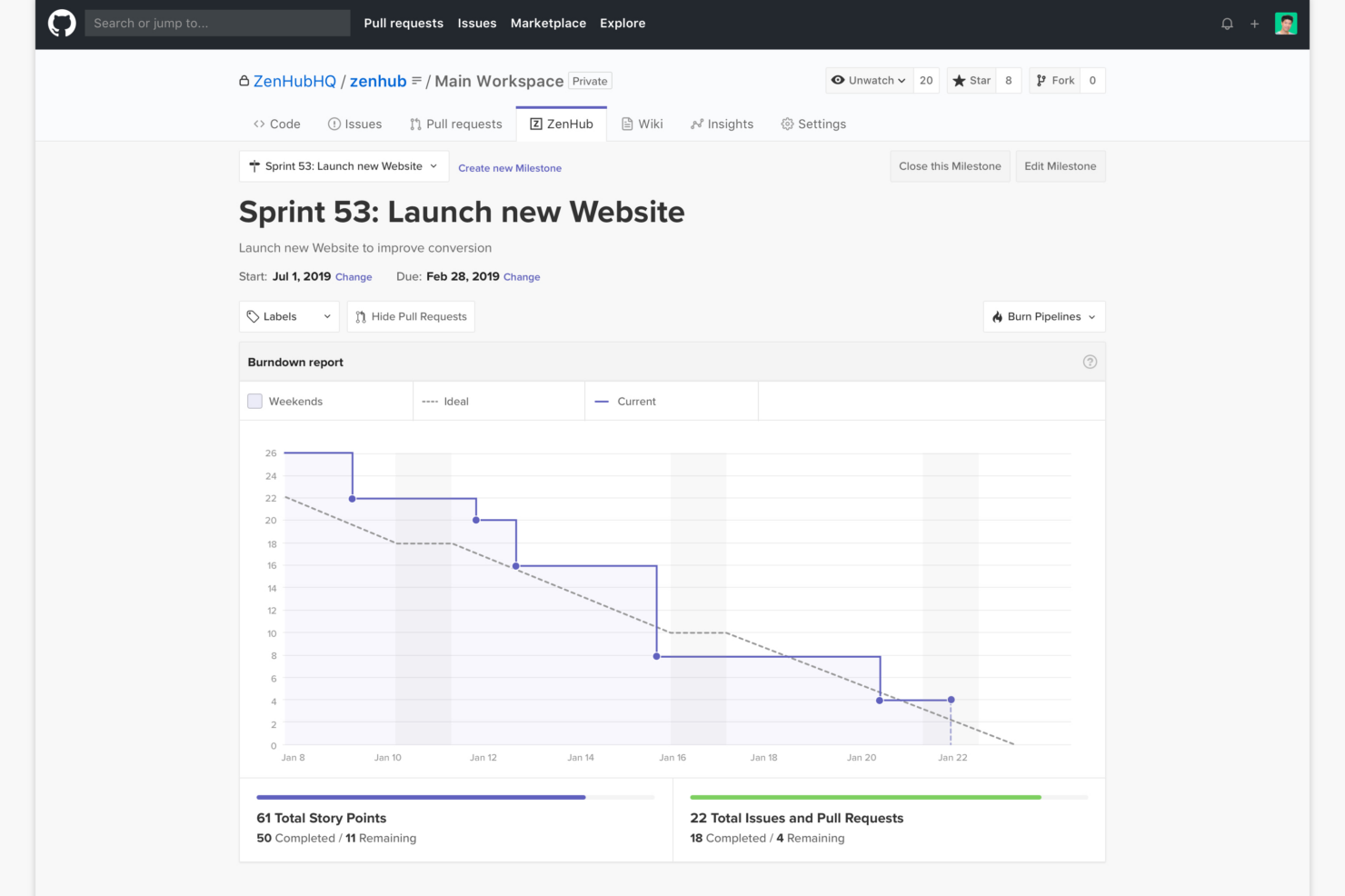
- Sprint planning and agile reporting within GitHub
- Limited functionality for non-developer stakeholders
- Advanced reporting features require higher-tier plans
- Kanban boards feel basic compared to some competitors
Teamwork.com
- You can manage workloads and resources effectively with its robust features.
- Teamwork's collaboration tools, like chat and message boards, keep your team connected.
- The platform's Academy offers useful videos to help you use it effectively.
- You might find the interface overwhelming with its many features.
- Some users feel the mobile app could be more intuitive.
- The learning curve can be steep for new users without prior experience.
Best Use Cases for Zenhub and Teamwork.com
Zenhub
- Agile Engineering Teams Zenhub’s built-in sprints, automation, and agile boards map directly to engineering workflows inside GitHub.
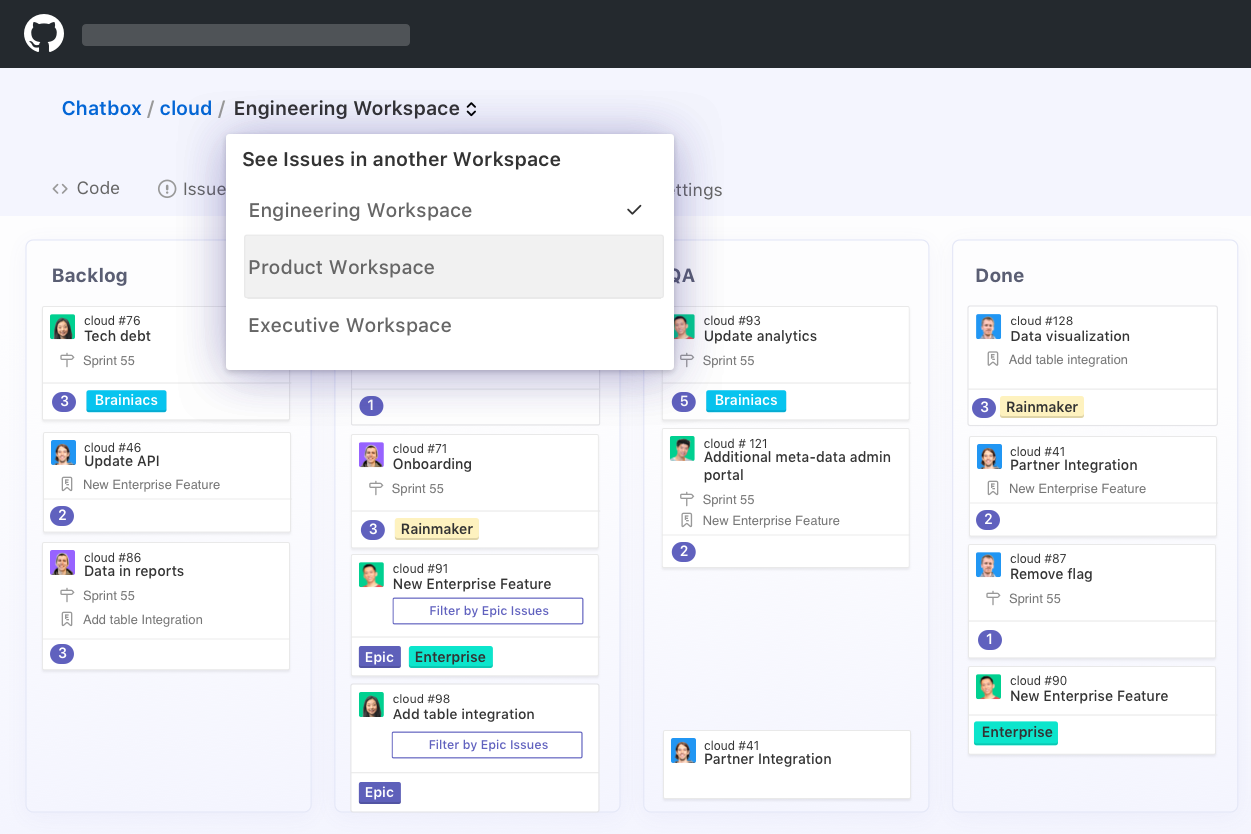
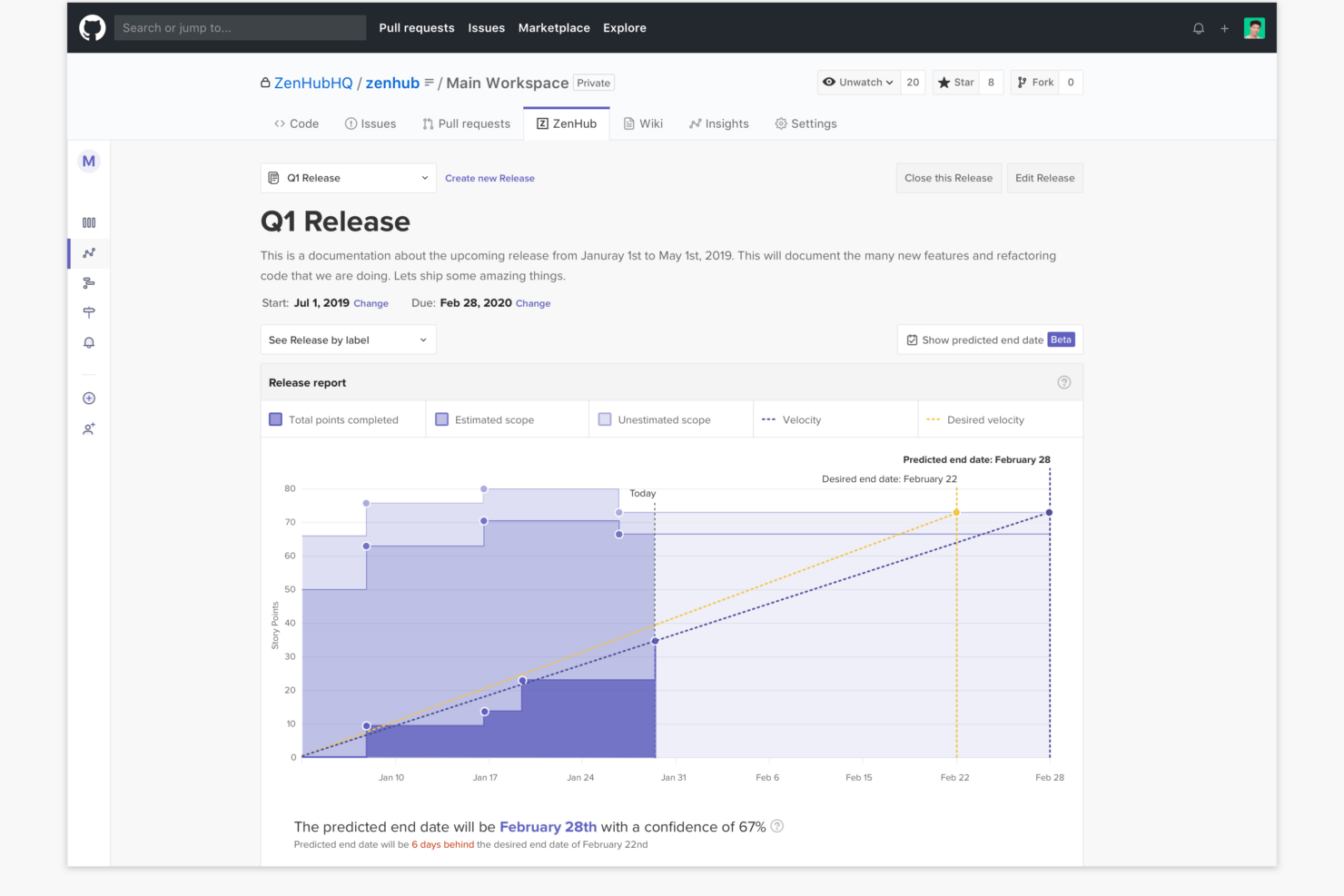
- Product Management Epics, milestones, and real-time roadmaps help product managers keep complex deliverables organized and visible to developers.
- Tech Startups Quick onboarding and low internal process overhead let lean startup teams manage feature delivery and bug fixes directly from GitHub.
- Open Source Projects Native GitHub experience enables seamless contribution management, issue triage, and community collaboration without external tools.
- Remote Development Teams All project tracking within GitHub helps distributed developers stay aligned with async workflows and shared dashboards.
- SaaS Companies Teams juggling multiple repositories and microservices benefit from Zenhub’s workspace-centric organization and reporting.
Teamwork.com
- Creative Agencies Teamwork.com supports your agency with tools for managing client projects and tracking billable hours.
- Remote Teams Use Teamwork to stay connected with your team through its communication and collaboration features.
- Marketing Departments Manage your marketing campaigns with task lists, calendars, and resource allocation.
- Consulting Firms Track time and manage multiple client projects efficiently with Teamwork’s time tracking capabilities.
- Event Planning Organize events with ease using project timelines and task dependencies.
- Product Development Coordinate product launches with detailed task management and team collaboration features.
Chi dovrebbe usare Zenhub e chi dovrebbe scegliere Teamwork.com?
Zenhub è l’ideale per i team di sviluppo software che già lavorano su GitHub e desiderano uno strumento di project management che si integri perfettamente nel flusso di lavoro esistente. Dal mio punto di vista, è il più adatto per i team agili che gestiscono sprint, issue e pull request senza uscire dall’ambiente di sviluppo. Se il tuo lavoro è altamente tecnico e incentrato sul codice, Zenhub sarà intuitivo, ma non è stato progettato per i team non tecnici.
Teamwork.com, invece, è una scelta valida per agenzie, aziende di servizi ai clienti e team trasversali che hanno bisogno di qualcosa in più rispetto alla semplice gestione delle attività. L’ho trovato particolarmente utile per gestire progetti dei clienti, monitorare il tempo, gestire i budget e mantenere una panoramica sulla redditività. Se il tuo lavoro prevede clienti, ore fatturabili o una gestione più ampia delle attività aziendali, Teamwork.com è l’opzione più pratica e flessibile.
Differences Between Zenhub and Teamwork.com
| Zenhub | Teamwork.com | |
|---|---|---|
| Automation | Automates GitHub issue tracking and sprint planning. | Automates tasks, notifications, and project workflows across teams. |
| Client Management | Lacks built-in client collaboration or billing tools. | Offers strong client portals, billing, and time tracking features. |
| Customization | Board setup mirrors GitHub repo structure. | Highly customizable workspaces for diverse project types. |
| GitHub Integration | Deep integration—runs directly inside GitHub for dev teams. | No GitHub integration, focuses on standalone and broad team access. |
| Time Tracking | No native time tracking—relies on GitHub activity and integrations. | Built-in time tracking with billable hours, timesheets, and invoicing support. |
| Read Zenhub ReviewOpens new window | Read Teamwork.com ReviewOpens new window |
Similarities Between Zenhub and Teamwork.com
| Collaboration Tools | Real-time commenting, tagging, and notifications make collaboration easy regardless of team size or location in both platforms. |
|---|---|
| Notifications & Alerts | Both offer customizable notifications and alerts to keep team members updated on task changes, deadlines, and project activity in real time. |
| Project Boards | Both provide visual project boards and kanban-style workflow management—Zenhub inside GitHub, Teamwork.com in its own dashboard. |
| Reporting & Analytics | Both have built-in reporting and analytics to track progress, identify bottlenecks, and showcase project status to stakeholders. |
| Task Tracking | Each tool offers task creation, assignment, status updates, and due dates to keep teams organized and accountable. |
| Read Zenhub ReviewOpens new window Read Teamwork.com ReviewOpens new window | |