Recensione di Deltek Vantagepoint: vantaggi, svantaggi, caratteristiche e panoramica dei prezzi



Deltek Vantagepoint is project management software for professional services that brings together resource planning, project accounting, and client management in one system. If you’re tired of disconnected tools or clunky workflows, Vantagepoint aims to carve out a single source of truth for everything from budgeting to project delivery.
In this review, you’ll find what makes Vantagepoint stand out, which features might not fit every firm, real-world use cases, and pricing details—so you can judge if it’s the right platform for your team.
Deltek Vantagepoint Evaluation Summary
- Pricing upon request
- Free demo available
Perché puoi fidarti di noi
Testiamo e recensiamo software di project management dal 2012. Come project manager, sappiamo quanto sia fondamentale (e difficile) fare la scelta giusta quando si seleziona un software. Investiamo molte risorse nella ricerca per aiutare la nostra audience a scegliere meglio. Abbiamo testato più di 2.000 strumenti per diversi casi d’uso e scritto oltre 1.000 recensioni dettagliate. Scopri come restiamo trasparenti & la nostra metodologia di recensione del software.
Deltek Vantagepoint Overview
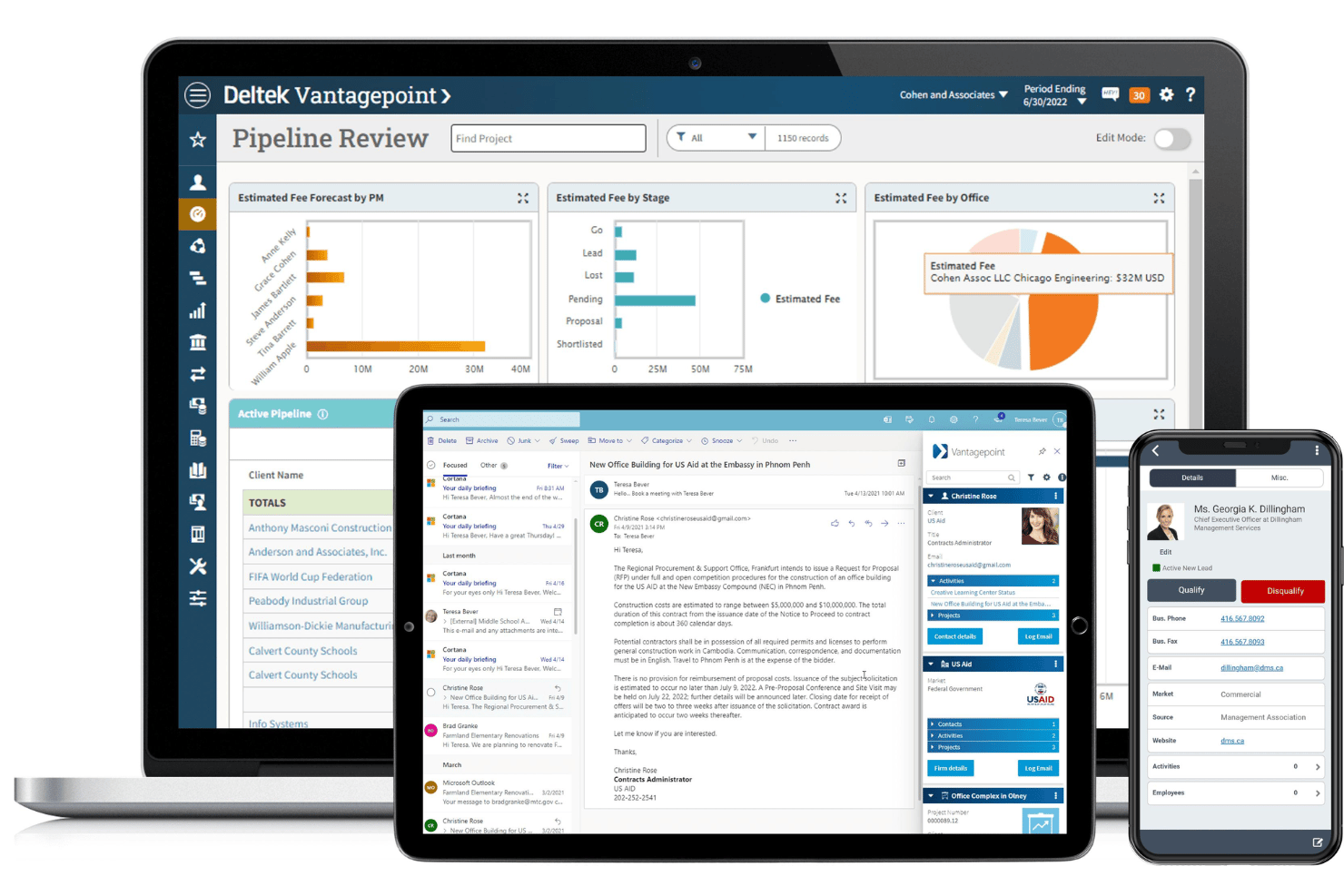
If you’re deciding between options, I think Deltek Vantagepoint stands out with project accounting, resource management functionality, and deep reporting tailored for professional services. The steep learning curve and premium pricing may deter smaller teams, but established firms get ERP-level depth and strong support. Vantagepoint is best for organizations juggling complex contracts, compliance, and billing cycles. Compared to others, I’d pick it for environments needing integrated financials alongside project delivery, though you may want to judge whether its interface and integrations fit your daily workflows.
pros
-
Advanced project accounting tools for billing and revenue tracking
-
Customizable dashboards for project and financial visibility
-
Resource planning aligns staffing with project timelines
cons
-
Mobile app features are limited compared to desktop
-
Reporting setup can be complex for new users
-
Some workflow automations require manual configuration
-

Celoxis
Visit WebsiteThis rating combines scores from multiple user review sites to reflect overall customer sentiment about the product.4.5 -
Smartsheet
Visit WebsiteThis rating combines scores from multiple user review sites to reflect overall customer sentiment about the product.4.5 -
Accelo
Visit WebsiteThis rating combines scores from multiple user review sites to reflect overall customer sentiment about the product.4.4





La nostra metodologia di recensione
Come testiamo e valutiamo gli strumenti
Abbiamo passato anni a costruire, perfezionare e migliorare il nostro sistema di test e valutazione dei software. Il nostro schema è progettato per cogliere tutte le sfumature della scelta di un software e ciò che rende uno strumento efficace, ponendo l’accento sugli aspetti critici del processo decisionale. Qui sotto puoi vedere esattamente come funziona il nostro test e la nostra valutazione su sette criteri. Questo ci consente di offrire una valutazione imparziale del software basata su funzionalità fondamentali, caratteristiche distintive, facilità d’uso, onboarding, assistenza clienti, integrazioni, recensioni dei clienti e rapporto qualità-prezzo.
Funzionalità principali (25% della valutazione finale)
Il punto di partenza della nostra valutazione è sempre la funzionalità principale dello strumento. Ha le funzioni e le caratteristiche di base che un utente si aspetterebbe di trovare? Alcune di queste funzionalità sono limitate ai piani premium? In sostanza, ci aspettiamo che uno strumento sia all’altezza delle capacità di base dei suoi concorrenti.
Caratteristiche distintive (25% della valutazione finale)
Successivamente valutiamo le funzioni distintive, non comuni, che vanno oltre la semplice funzionalità di base normalmente presente in strumenti simili. Un punteggio elevato riflette funzionalità specializzate o uniche che rendono il prodotto più rapido, efficiente o che offrono un valore aggiunto all’utente. Valutiamo anche la facilità d’integrazione con altri strumenti comunemente presenti nel tech stack per ampliare la funzionalità e l’utilità del software. Gli strumenti che offrono molte integrazioni native, connessioni di terze parti e accesso API per creare integrazioni personalizzate ottengono il punteggio più alto.
Facilità d’uso (10% della valutazione finale)
Consideriamo quanto sia semplice e rapido eseguire le attività definite dalla funzionalità principale tramite lo strumento. Gli strumenti con un punteggio elevato sono ben progettati, intuitivi, offrono app mobili, propongono modelli e rendono semplici anche le attività più complesse.
Onboarding (10% della valutazione finale)
Sappiamo quanto sia importante che il team adotti rapidamente una nuova piattaforma, quindi valutiamo quanto sia facile imparare e utilizzare uno strumento con poca formazione. Valutiamo quanto velocemente un membro del team possa iniziare a utilizzare lo strumento senza esperienza. Le soluzioni con un punteggio alto indicano che è richiesto poco o nessun supporto.
Supporto clienti (10% della valutazione finale)
Recensiamo la rapidità e semplicità nel trovare aiuto tramite telefono, chat live o knowledge base. Gli strumenti e le aziende che forniscono supporto in tempo reale ottengono i punteggi migliori, mentre i chatbot i più bassi.
Recensioni dei clienti (10% della valutazione finale)
Oltre ai nostri test e valutazioni, consideriamo il net promoter score dei clienti attuali e passati. Valutiamo la loro probabilità, qualora fosse possibile, di scegliere nuovamente lo strumento per le sue funzionalità di base. Un software con un punteggio elevato riflette un alto net promoter score da clienti attuali o passati.
Rapporto qualità-prezzo (10% della valutazione finale)
Infine, prendendo in considerazione tutti gli altri criteri, analizziamo il prezzo medio dei piani base confrontandolo con le funzionalità principali e valutando il valore degli altri criteri. I software che offrono di più, spendendo meno, ottengono punteggi più alti.
Core Features
Project Planning and Scheduling
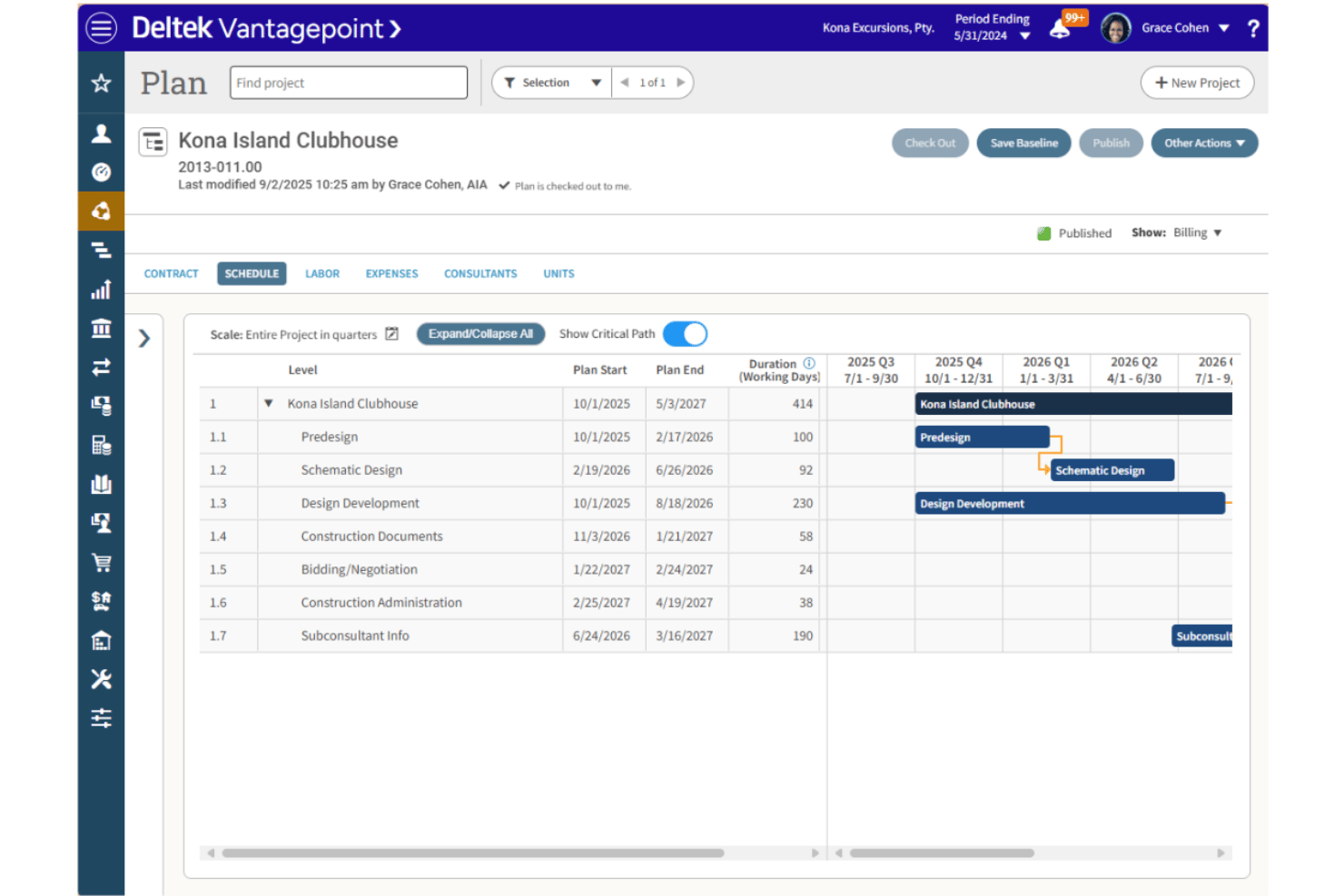
Manage project timelines, dependencies, and milestones in a central workspace. Use visual Gantt charts to adjust schedules and monitor progress.
Resource Management
Allocate team members by skill, availability, or role for each project phase. Quickly spot resource gaps with demand forecasting tools.
Time and Expense Tracking
Track billable hours and expenses directly to each project. Mobile entry options keep data up to date from anywhere.
Project Accounting
Integrate budgeting, invoicing, and revenue forecasting for every engagement. Real-time financial reports help you control margins and cash flow.
Role-Based Dashboards
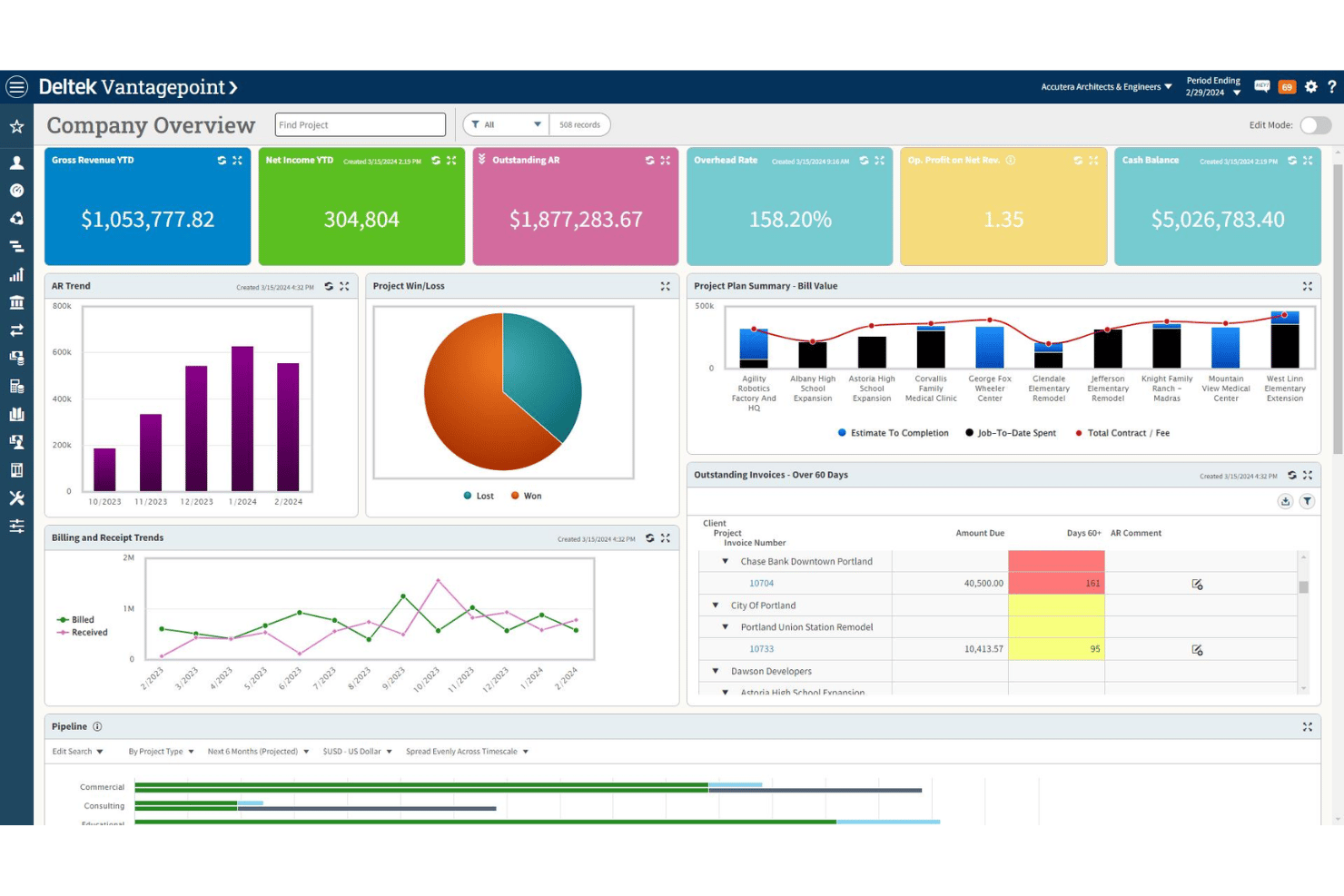
Customize views for project managers, executives, and finance staff. Each user gets actionable insights and metrics tailored to their responsibilities.
Client Relationship Management
Keep all client emails, documents, and activities tied to project records. Monitor sales pipelines and upsell opportunities without leaving the platform.
Ease of Use
Deltek Vantagepoint delivers clear value with customizable dashboards and integrated workflows, but users say mastering its depth takes time and could generally be more user-friendly. Complex reporting setup and dense menus can slow adoption, especially for smaller teams. Once configured, though, I think most users find navigation logical—advanced tools like built-in invoicing and resourcing centralize work that usually takes multiple platforms.
Integrations
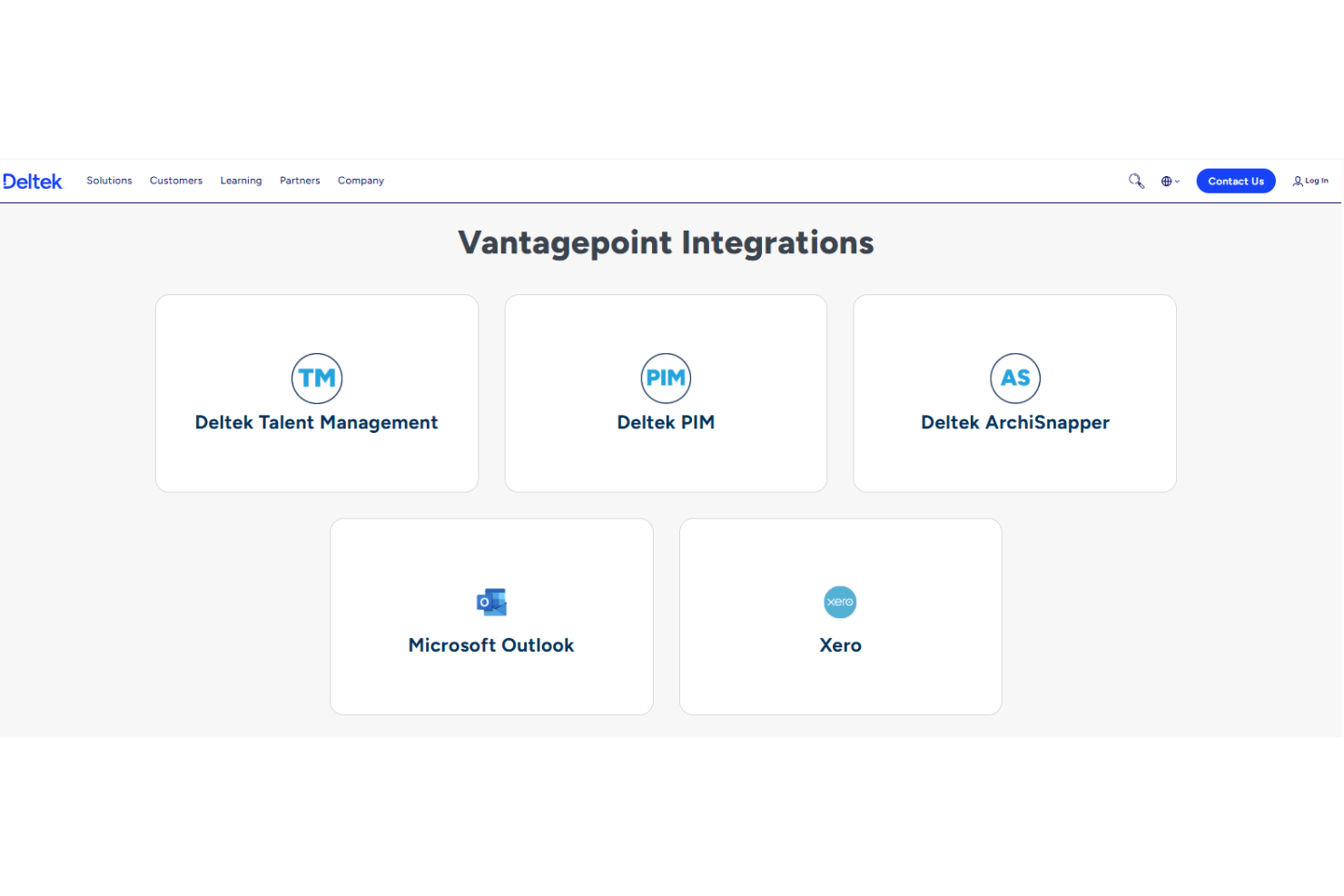
Deltek Vantagepoint integrates with Microsoft Outlook, Deltek Talent Management, Deltek GovWin IQ, Deltek PIM, Deltek ArchiSnapper, and UKG.
It also offers an API, allowing connections with other systems and third-party integration platforms.
Deltek Vantagepoint Specs
- Accounts Payable
- Accounts Receivable
- API
- Budgeting
- Calendar Management
- Compliance Tracking
- Customer Management
- Dashboard
- Data Export
- Data Import
- Data Visualization
- Expense Tracking
- External Integrations
- Financial Analysis
- Forecasting
- Inventory Tracking
- Multi-Currency
- Multi-User
- Notifications
- Order Management
- Payroll
- Project Management
- Purchase Orders
- Resource Management
- Scheduling
- Supplier Management
- Task Scheduling/Tracking
- Third-Party Plugins/Add-Ons
- Warehouse Management
- Workflow Management