


Recensione di Ariso AI: vantaggi, svantaggi, funzionalità e panoramica dei prezzi



Ariso AI is a project management software built around an AI agent, called Ari, that connects strategy, projects, people, and knowledge into one system by pulling context from the chat, email, ticketing, and docs tools your team already uses. I'd consider it if you're running cross-functional work and want status updates, risk flags, and follow-ups generated from real activity instead of chasing standups and self-reported progress. Compared to a traditional tracker, where you still do the admin work of updating tickets and writing status reports, Ariso keeps project data current on its own and surfaces drift before it hits the launch date.
Ariso AI Evaluation Summary
- From $1/day
- Free demo available
Perché fidarsi dei nostri consigli sui software
Il nostro team testa e recensisce software dal 2012. In quanto project manager noi stessi, sappiamo quanto sia difficile — e importante — scegliere il software giusto.
Per questa guida, abbiamo valutato gli strumenti attraverso test pratici e ricerche indipendenti, assegnando un punteggio agli strumenti in base ai nostri criteri di selezione. Ci basiamo inoltre sulle competenze di leader di pensiero del settore e di professionisti attivi nella gestione dei progetti.
Le nostre recensioni riflettono il nostro giudizio editoriale umano, non un discorso di vendita.
Revisori esperti:
Ariso AI Overview
I think Ariso AI stands out for teams that want updates and risk callouts pulled from actual project activity, not just manual task completion. If you're choosing a tool for AI-driven visibility and deep integrations, Ariso feels modern and proactive, especially because its a tool that uses AI as an underlying execution layer instead of just a chatbot. Ariso's Ari tries to surface items, whether risks or post meeting checklists, that keep your team collaborating and making decisions without missing a beat. Pricing is reasonable for the features, and onboarding is quicker than most. If you've been trying to assemble a personal work OS out of a notes app and a task list, this is the managed version—AI agents doing the stitching, and stakeholders staying in the loop without a weekly status meeting. I'd judge its biggest gaps as limited customization and fewer workflow templates. It's best if you want project management that adapts to your real collaboration, and have the patience to let it learn the way your team works.
pros
-
Ari (AI agent) surfaces risks from real-time project activity
-
Automatic status updates eliminate manual progress reporting
-
Centralizes communication, knowledge, and project data in one hub
cons
-
Takes time to reach full value, as Ari needs to learn the context of your team’s projects.
-
Requires broad team adoption for best results.
-
Replacing or supplementing existing tools may require dedicated work and process changes.
Is Ariso AI Right For Your Needs?
Who Would be a Good Fit for Ariso AI?
Ariso AI is a strong choice for tech-forward teams, digital agencies, and departments that depend on fast collaboration, automations, and actionable insights. Teams that want AI-driven support in managing complex projects, integrating with popular tools, and leveraging advanced analytics will find it especially valuable. If you run OKRs and want project work visibly tied to them, Ari functions more like a virtual chief of staff than another dashboard. The platform suits organizations needing to coordinate remote work, automate repetitive tasks, and centralize communications for increased project visibility.
-
Technology Teams
Ariso AI works well for technology teams because it provides a shared execution layer where employees and AI agents can collaborate using the same project context while people retain control over decisions and accountability.
-
Marketing Agencies
Marketing teams can use automations and AI-powered reporting to coordinate campaigns, manage deadlines, and keep clients in the loop.
-
Consulting Teams
Ariso AI is a good choice for consulting teams because it can capture the context created across client conversations and meetings and translate it into projects, responsibilities, decisions, and next steps.
-
Remote Teams
Built-in chat, cross-tool integrations, and real-time notifications make it easier for globally distributed teams to coordinate without silos.
-
IT Departments
With native integrations to development tools, Ariso AI helps IT teams track tickets, PRs, and project requests in one streamlined platform.
-
Data-Driven Enterprises
Advanced reporting, workflow analytics, and customizable dashboards let enterprises keep tabs on KPIs and company goals across large projects.
Who Would be a Bad Fit for Ariso AI?
Ariso AI isn’t ideal for organizations with highly regulated, niche processes or those that need heavy industry customization. If your work depends on legacy integrations, on-premises hosting, zero-trust architecture mandates, or ultra-specialized tools not supported by Ariso AI, you should look elsewhere. Teams with simple project needs also might not get full value from its feature set or pricing model.
-
Construction Firms
Construction companies with field-specific compliance, offline-capable mobile apps, or jobsite resource tracking will find Ariso AI lacks industry modules.
-
Legal Teams
Legal departments needing granular document management, e-discovery, or tight regulatory guardrails may find Ariso AI’s features too general.
-
Healthcare Providers
Regulated medical environments often require compliance with healthcare privacy rules and integrations with EMR systems, which Ariso AI doesn’t provide.
-
Financial Services
Banks and insurers often need advanced audit controls and jurisdiction-based data hosting that aren’t core Ariso AI capabilities.
-
Government Agencies
Government workflows sometimes call for air-gapped deployments and in-depth approval chains that Ariso AI doesn’t handle natively.
-
Solo Professionals
Freelancers or solo consultants needing only basic task tracking may find the platform’s AI features and integrations more complex than necessary.
La nostra metodologia di recensione
Come testiamo e valutiamo gli strumenti
Abbiamo passato anni a costruire, perfezionare e migliorare il nostro sistema di test e valutazione dei software. Il nostro schema è progettato per cogliere tutte le sfumature della scelta di un software e ciò che rende uno strumento efficace, ponendo l’accento sugli aspetti critici del processo decisionale. Qui sotto puoi vedere esattamente come funziona il nostro test e la nostra valutazione su sette criteri. Questo ci consente di offrire una valutazione imparziale del software basata su funzionalità fondamentali, caratteristiche distintive, facilità d’uso, onboarding, assistenza clienti, integrazioni, recensioni dei clienti e rapporto qualità-prezzo.
Funzionalità principali (25% della valutazione finale)
Il punto di partenza della nostra valutazione è sempre la funzionalità principale dello strumento. Ha le funzioni e le caratteristiche di base che un utente si aspetterebbe di trovare? Alcune di queste funzionalità sono limitate ai piani premium? In sostanza, ci aspettiamo che uno strumento sia all’altezza delle capacità di base dei suoi concorrenti.
Caratteristiche distintive (25% della valutazione finale)
Successivamente valutiamo le funzioni distintive, non comuni, che vanno oltre la semplice funzionalità di base normalmente presente in strumenti simili. Un punteggio elevato riflette funzionalità specializzate o uniche che rendono il prodotto più rapido, efficiente o che offrono un valore aggiunto all’utente. Valutiamo anche la facilità d’integrazione con altri strumenti comunemente presenti nel tech stack per ampliare la funzionalità e l’utilità del software. Gli strumenti che offrono molte integrazioni native, connessioni di terze parti e accesso API per creare integrazioni personalizzate ottengono il punteggio più alto.
Facilità d’uso (10% della valutazione finale)
Consideriamo quanto sia semplice e rapido eseguire le attività definite dalla funzionalità principale tramite lo strumento. Gli strumenti con un punteggio elevato sono ben progettati, intuitivi, offrono app mobili, propongono modelli e rendono semplici anche le attività più complesse.
Onboarding (10% della valutazione finale)
Sappiamo quanto sia importante che il team adotti rapidamente una nuova piattaforma, quindi valutiamo quanto sia facile imparare e utilizzare uno strumento con poca formazione. Valutiamo quanto velocemente un membro del team possa iniziare a utilizzare lo strumento senza esperienza. Le soluzioni con un punteggio alto indicano che è richiesto poco o nessun supporto.
Supporto clienti (10% della valutazione finale)
Recensiamo la rapidità e semplicità nel trovare aiuto tramite telefono, chat live o knowledge base. Gli strumenti e le aziende che forniscono supporto in tempo reale ottengono i punteggi migliori, mentre i chatbot i più bassi.
Recensioni dei clienti (10% della valutazione finale)
Oltre ai nostri test e valutazioni, consideriamo il net promoter score dei clienti attuali e passati. Valutiamo la loro probabilità, qualora fosse possibile, di scegliere nuovamente lo strumento per le sue funzionalità di base. Un software con un punteggio elevato riflette un alto net promoter score da clienti attuali o passati.
Rapporto qualità-prezzo (10% della valutazione finale)
Infine, prendendo in considerazione tutti gli altri criteri, analizziamo il prezzo medio dei piani base confrontandolo con le funzionalità principali e valutando il valore degli altri criteri. I software che offrono di più, spendendo meno, ottengono punteggi più alti.
Core Features
AI Status Updates
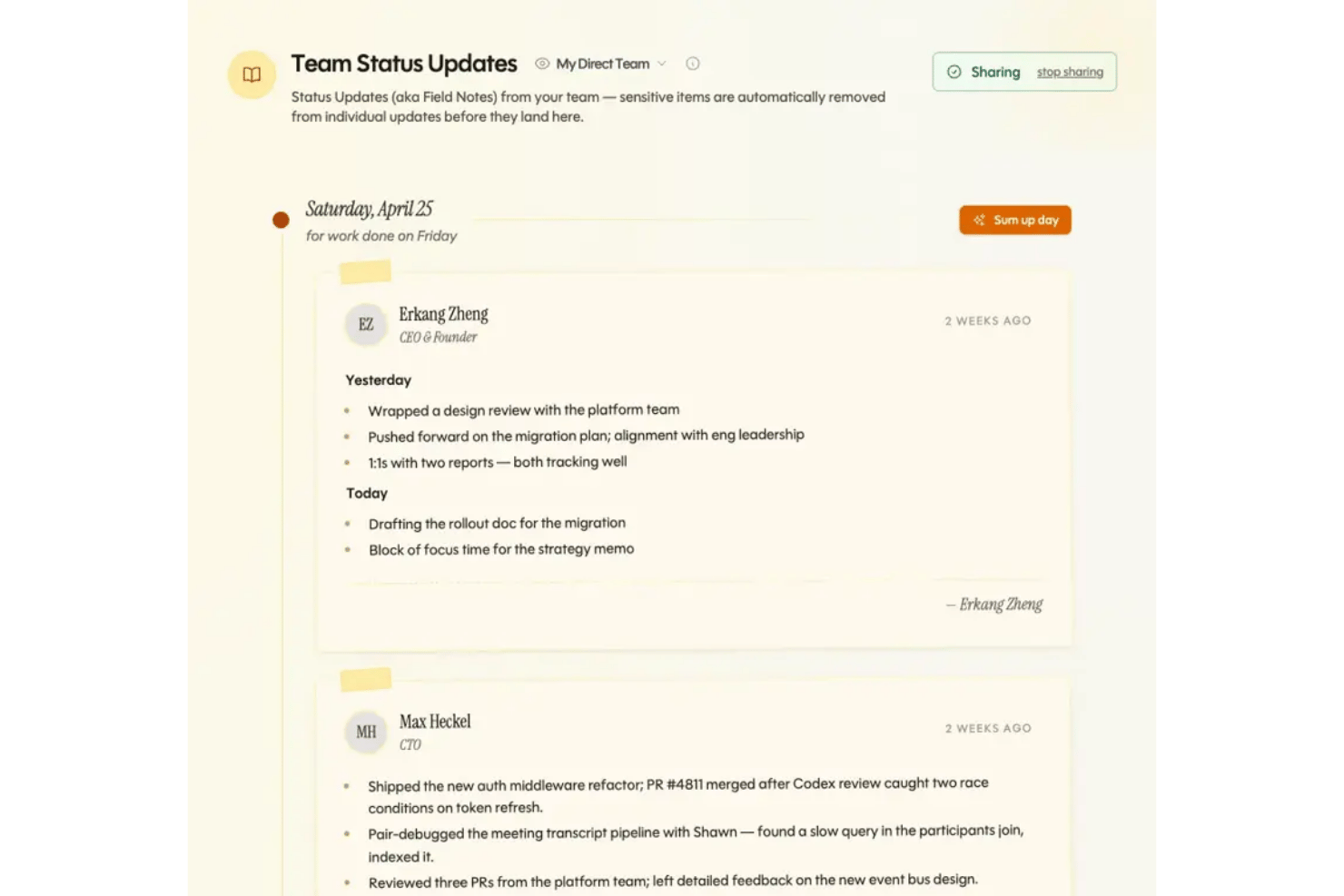
Ariso AI automatically generates project status updates from activity and messages. You always see real-time project health without extra effort.
Risk Insights and Alerts
Ari helps surface overdue commitments, unresolved decisions, risks, dependencies, and missing ownership before they become blockers. This lets you get early warnings based on actual work, and before they become a problem.
Knowledge Hub
Ari links conversations, attachments, and notes into one searchable source. Therefore, teams spend less time tracking down files or answers.
Cross-Project Timeline
View multiple projects and milestones in one timeline view. It’s easier to spot dependencies and impacts across your programs.
Auto-Generated Action Items
Within Ariso AI, Ari captures the context behind the work, helping your team turn discussions and decisions into projects, tasks, owners, and next steps.
Project Pulse Dashboard
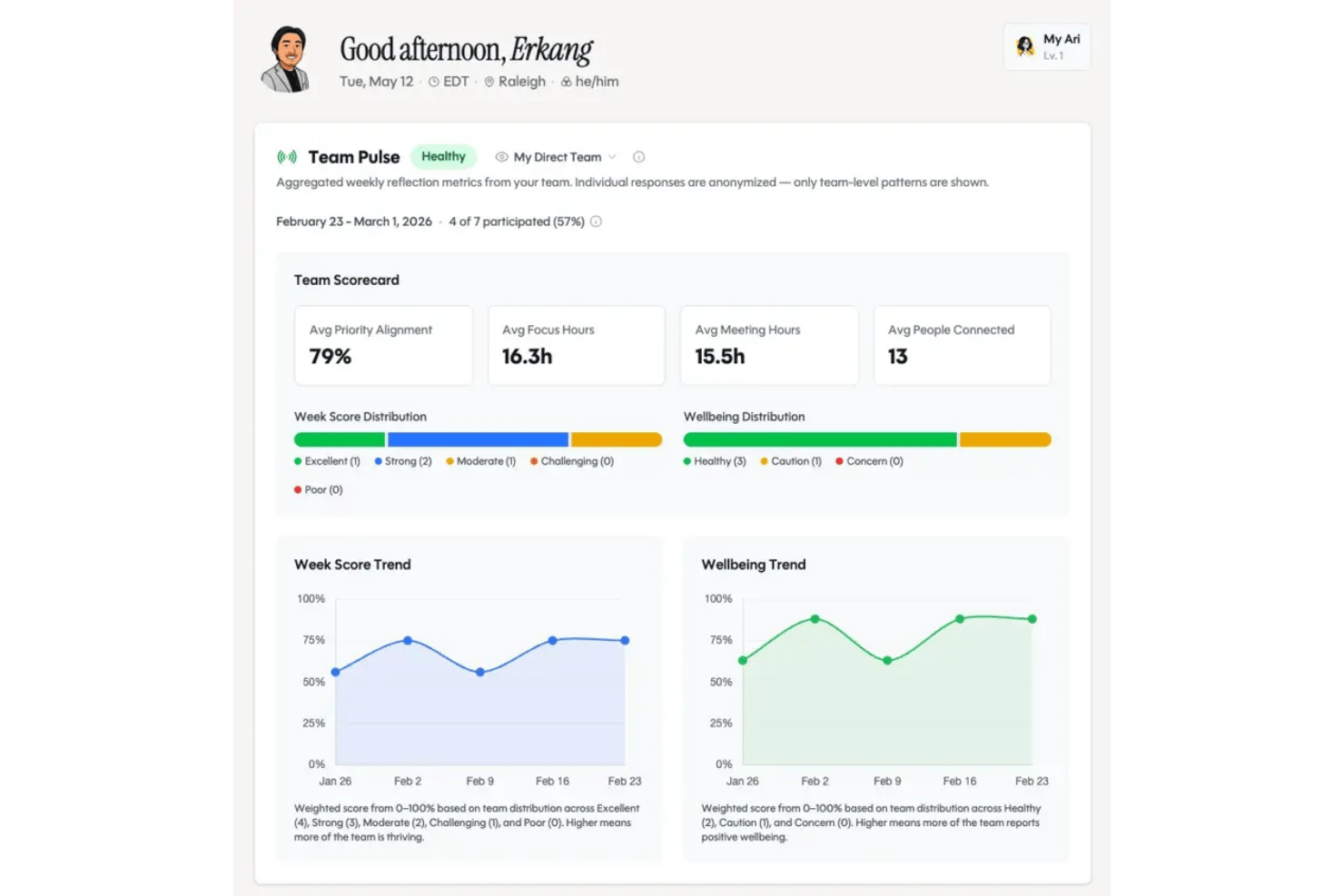
Track team mood, engagement, and progress stats in one dashboard. People management gets easier as Ari learns your work patterns, surfaces commitments, risks, gaps, and relevant context so team leads can manage more effectively.
Standout Features
Conversational Project Assistant
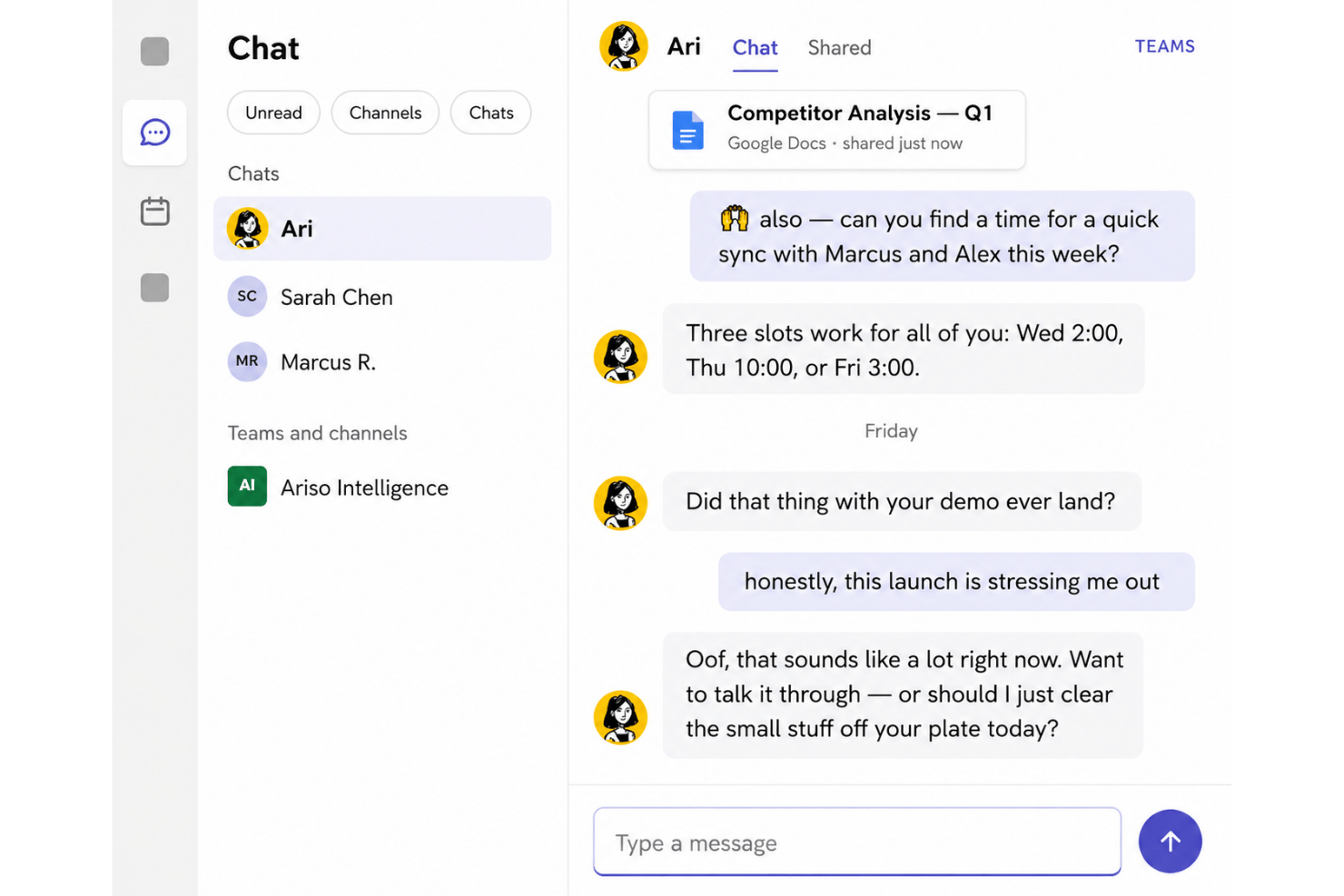
Ari by Ariso answers questions about any project, task, or decision with full context, instantly, without needing you to dig through updates or pinging teammates.
Automated Meeting Summaries
Structured meeting summaries with decision logs and task assignments, generated from call transcripts. You never lose track of what was decided or who owns it.
Ease of Use
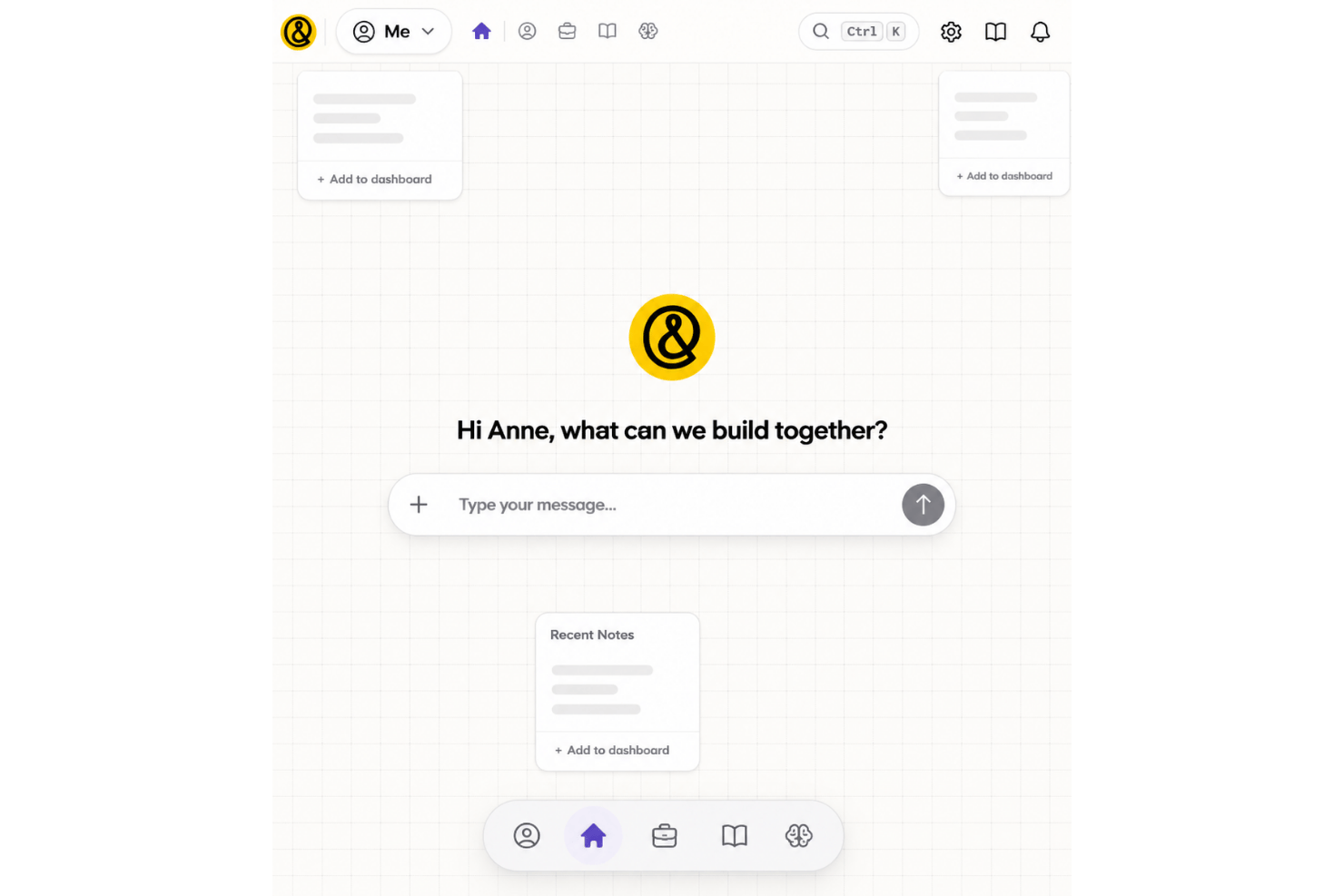
Ariso AI feels more intuitive than most traditional project management software because of Ari. This agent behaves less like a database you feed and more like a copilot that already knows what happened this week. It connects preparation, live meeting context, decisions, action items, and follow-up. So, instead of losing commitments in notes or chat threads, teams can carry them directly into the project workflow.
I think this saves a ton of admin time, especially for teams working across many projects or tools.
Onboarding
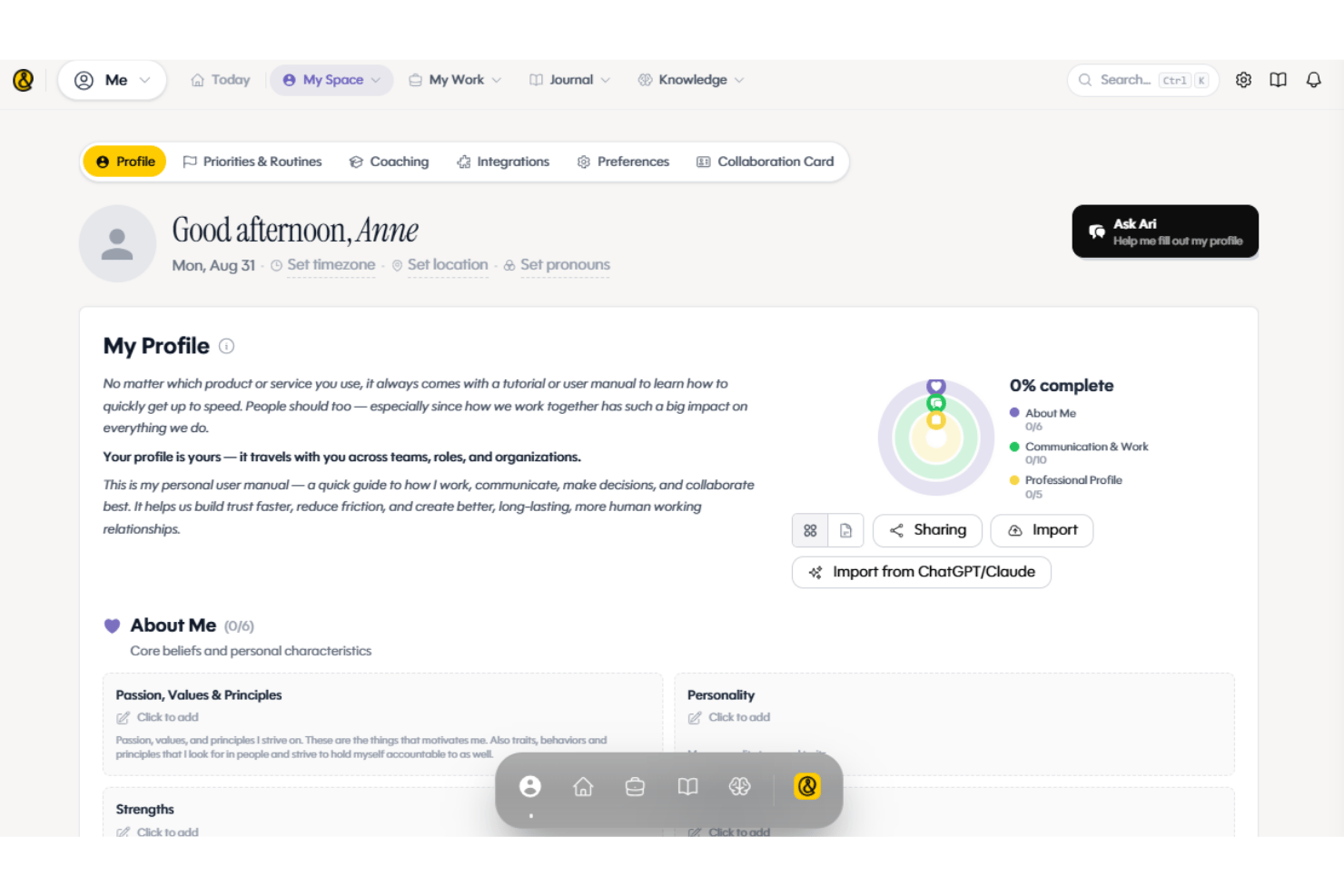
Ariso AI offers a relatively lightweight onboarding experience, with the level of support depending on your team size. Individuals and small teams can get started through self-service setup, primarily by connecting Ari to the tools they already use. Larger or cross-functional teams receive more hands-on guidance, including working sessions to identify priority use cases, configure Ari around existing workflows, and create a practical rollout plan.
Most teams can complete onboarding within a week. The initial product setup takes about an hour, followed by roughly four hours of collaborative planning around use cases, ROI, and adoption. Technical complexity is low, and standard onboarding typically doesn’t require engineering support. Ariso AI can also assist with organizing or migrating relevant project information as part of implementation.
Customer Support
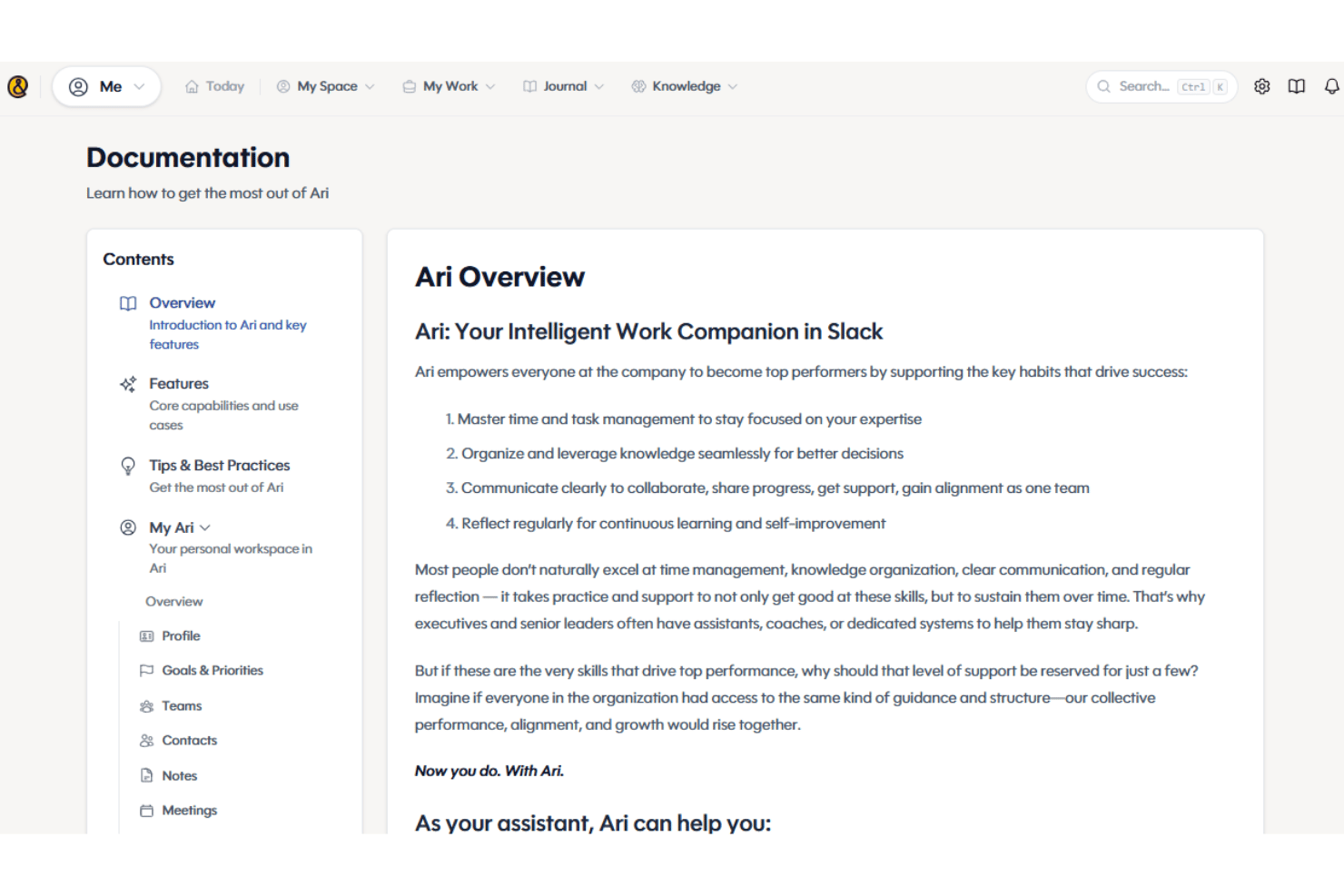
Ariso AI’s customer support stands out because live chat is available directly in the app, and responses are fast and knowledgeable. Reviewers often note how support team members offer helpful troubleshooting, not just canned answers. I think the combination of in-app help, solid documentation, and prompt follow-ups creates a reassuring safety net for busy project teams.
Integrations
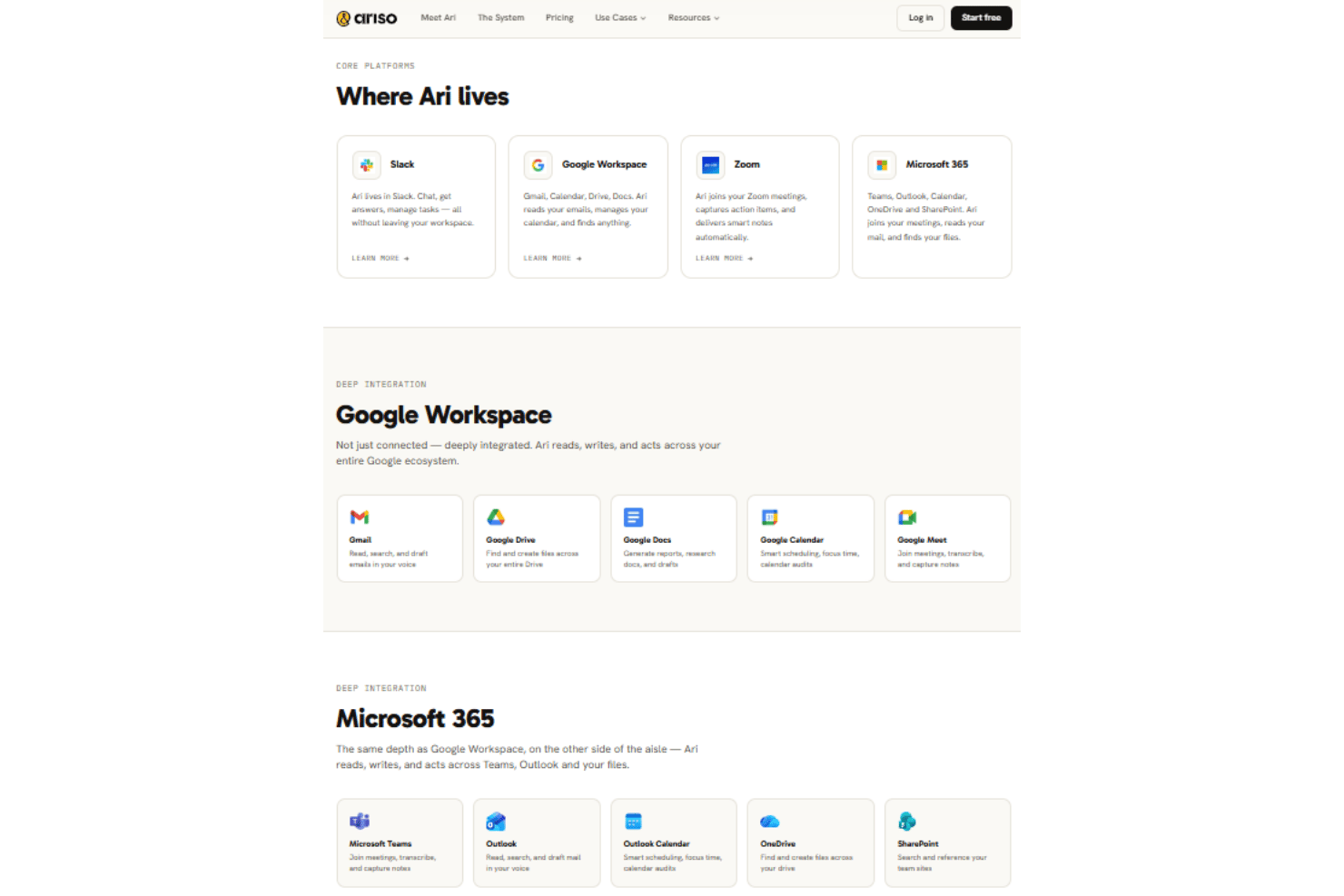
Ariso AI integrates with Slack, Google Workspace, Microsoft 365, Zoom, Notion, Jira, Asana, GitHub, ChatGPT, and Claude, among others. Ariso AI also offers over 150 additional integrations, and you can connect via API or through third-party integration tools for even more flexibility.
Value for Money
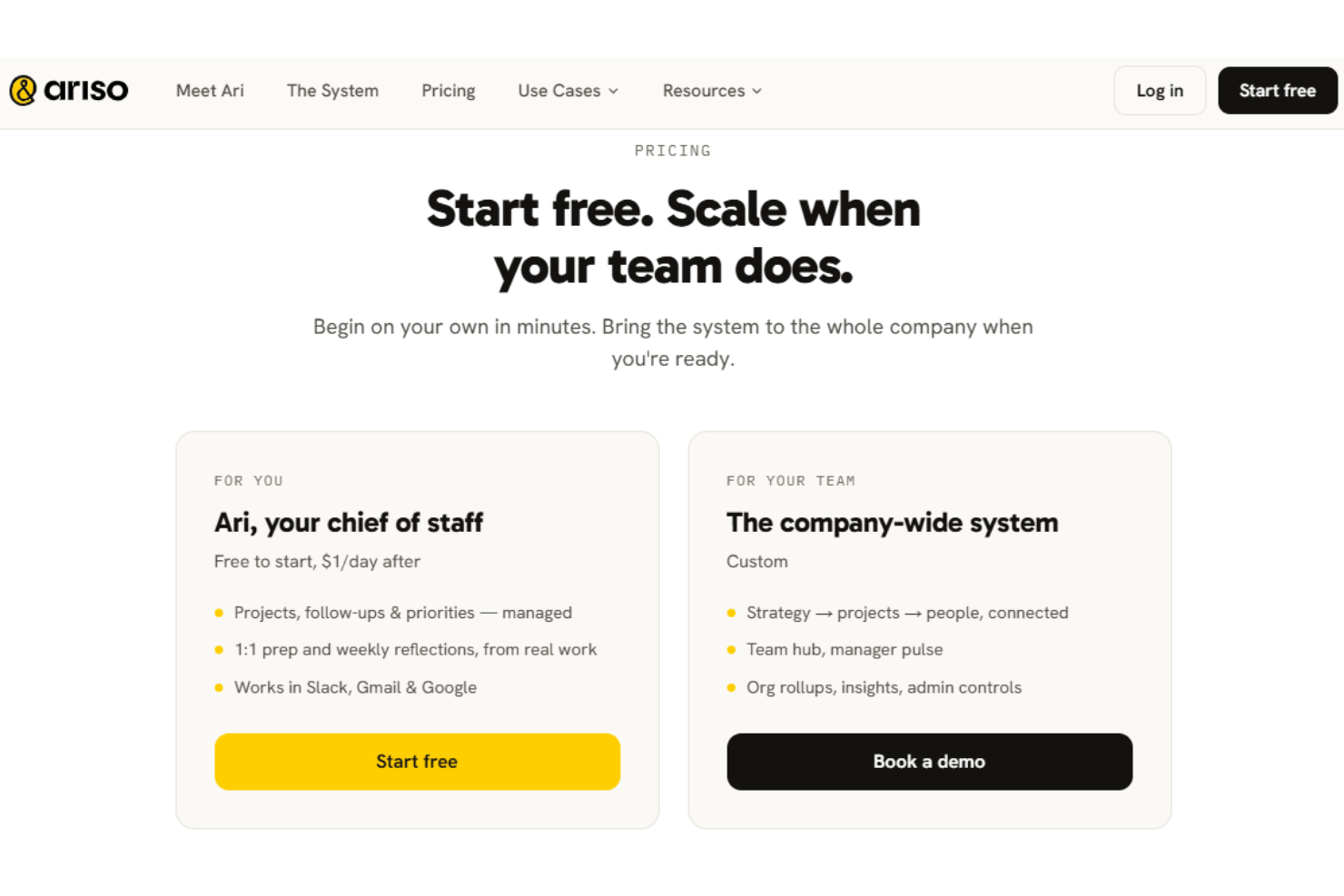
Ariso AI uses a free-to-start model for its individual Ari experience, with pricing listed at $1 per day after the free period; this includes project and priority management, follow-up tracking, 1:1 preparation, weekly reflections, and integrations with Slack, Gmail, and Google Workspace tools.
For broader company deployments, Ariso does not currently publish fixed team or enterprise tiers on its website and instead needs you to book a demo, where pricing is customized to your usage and team size.
Ariso AI Specs
- A/B Testing
- AI Integration
- Analytics
- API
- Calendar Management
- Comparative Reporting
- Custom Reports
- Dashboard
- Data Export
- Data Import
- Data Mining
- Data Visualization
- External Integrations
- Forecasting
- Historical Data Analysis
- Multi-User
- Notifications
- Process Reporting
- Real-time Alerts
- Scenario Planning
- Scheduling
- Sentiment Analysis
- SEO
- Time Series Modeling
- Workflow Management
Ariso AI FAQs
What onboarding resources does Ariso AI provide for new teams?
Can you customize workflows and project templates in Ariso AI?
How does Ariso AI handle data security and compliance?
Can project managers track project health and KPIs within Ariso AI?
Is there a mobile app for Ariso AI?
Ariso AI Company Overview & History
Ariso AI is a technology company focused on AI-driven project management solutions, headquartered in San Francisco, CA. The platform is built by a tight-knit team of engineers, designers, and product experts dedicated to making work simpler and more connected. Its bet is that AI agents, rather than more dashboards, are what finally make strategy execution legible. Ariso AI is an independent company and does not list other owned products or major affiliations. Their platform is used by distributed teams across technology, marketing, and professional services.
Ariso AI Major Milestones
- 2022: Company founded in San Francisco
- 2023: Ariso AI platform officially launched to the public
- 2024: Secured Series A funding round and expanded integration marketplace
- 2025: Recognized as a top AI-first project management solution by several industry publications