



Notion vs. Zenhub: Confronto e Recensioni degli Esperti per il 2026



Deciding between Notion and Zenhub can feel tough when your team needs flexibility, transparency, and reliable delivery. Maybe you're struggling to keep track of shifting priorities, documentation, or cross-team work. Both platforms promise to help, but their takes on project management software are pretty different, and the best fit depends on how you work.
In this article, you'll get a direct comparison of Notion and Zenhub, including pros and cons, top use cases, pricing details, security features, and how user-friendly each one really is. I’ll help you figure out which tool could actually make your projects smoother—and which details to watch for before you decide.
Notion vs. Zenhub: An Overview
Notion

Zenhub

Perché fidarsi dei nostri consigli sui software
Il nostro team testa e recensisce software dal 2012. In quanto project manager noi stessi, sappiamo quanto sia difficile — e importante — scegliere il software giusto.
Per questa guida, abbiamo valutato gli strumenti attraverso test pratici e ricerche indipendenti, assegnando un punteggio agli strumenti in base ai nostri criteri di selezione. Ci basiamo inoltre sulle competenze di leader di pensiero del settore e di professionisti attivi nella gestione dei progetti.
Le nostre recensioni riflettono il nostro giudizio editoriale umano, non un discorso di vendita.
Revisori esperti:
Notion vs. Zenhub Pricing Comparison
| Notion | Zenhub | |
|---|---|---|
| Free Trial | Free plan available | Free plan + 14-day free trial + free demo available |
| Pricing | From $10/user/month (billed annually) | From $4.99/user/month (billed annually) |
Prezzi di Notion vs. Zenhub & Costi Nascosti
Notion utilizza un modello di abbonamento a livelli che include un piano gratuito per i singoli utenti e piani a pagamento in base al numero di utenti e alle funzionalità. Potresti incorrere in costi extra se il tuo team necessita di Notion AI, permessi avanzati, accesso ospite o limiti maggiori di caricamento file. Anche Zenhub offre un'opzione gratuita e prezzi che aumentano secondo un modello di abbonamento a livelli. I costi salgono con l'aumentare degli utenti e alcune funzionalità avanzate di reporting o di gestione delle aree di lavoro possono richiedere abbonamenti di livello superiore.
Per scegliere il modello tariffario giusto, valuta in che modo potrebbe crescere il tuo team, ad esempio aggiungendo nuovi utenti, integrando altri strumenti o espandendo i progetti. Verifica di quali funzionalità avrai bisogno su larga scala, non solo all'inizio, e presta attenzione ai limiti su utenti, permessi, integrazioni e spazio di archiviazione dati. È utile mappare l'uso previsto per l'anno successivo prima di vincolarti, così pagherai solo per ciò che userai davvero.
Notion vs. Zenhub Feature Comparison
Sia Notion che Zenhub offrono workspace di progetto, tracciamento delle attività, bacheche Kanban e strumenti di collaborazione, così puoi pianificare, organizzare e comunicare senza cambiare piattaforma. Aggiornamenti e notifiche in tempo reale mantengono tutti sincronizzati, sia che tu stia gestendo un backlog di prodotto o cicli di sprint.
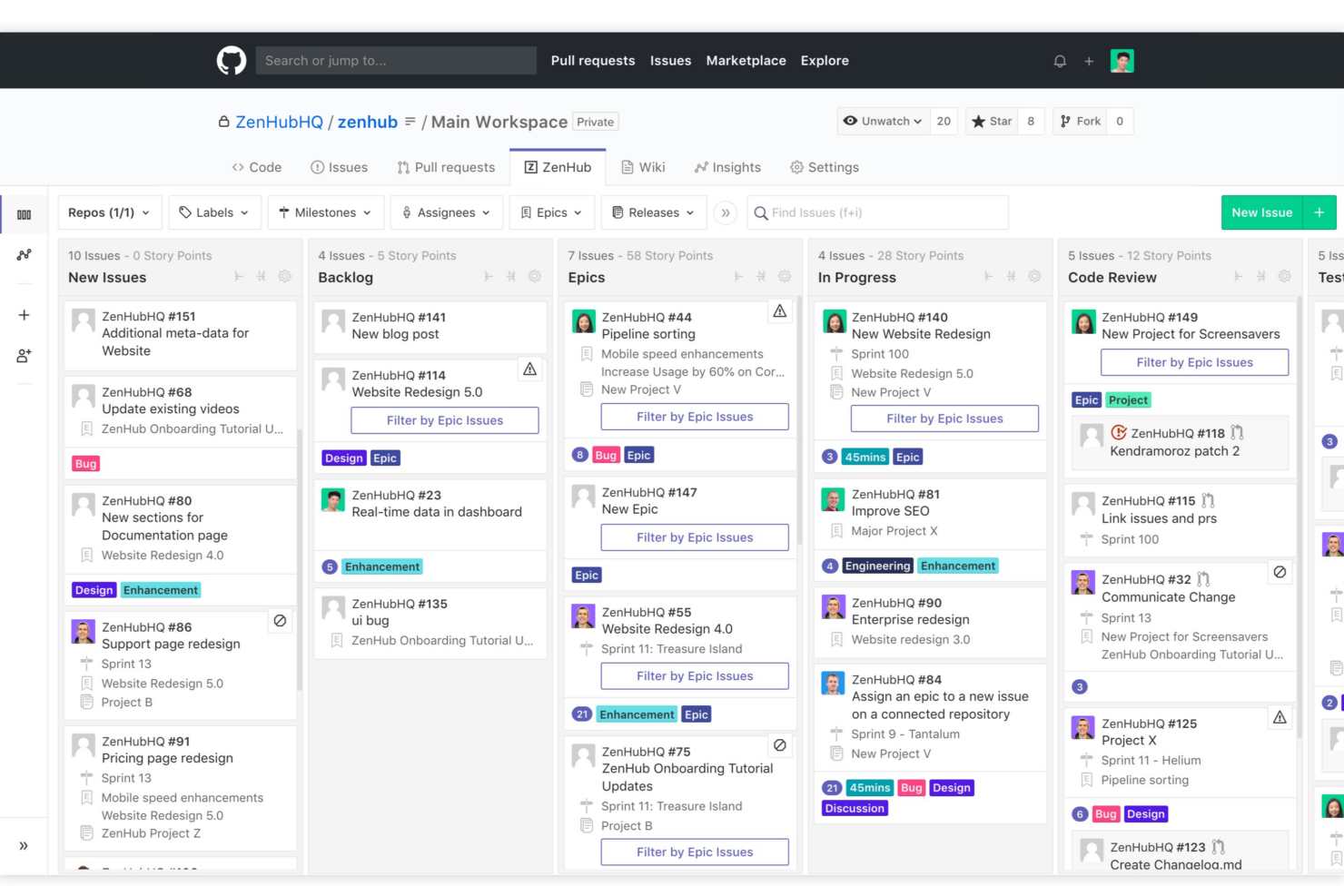
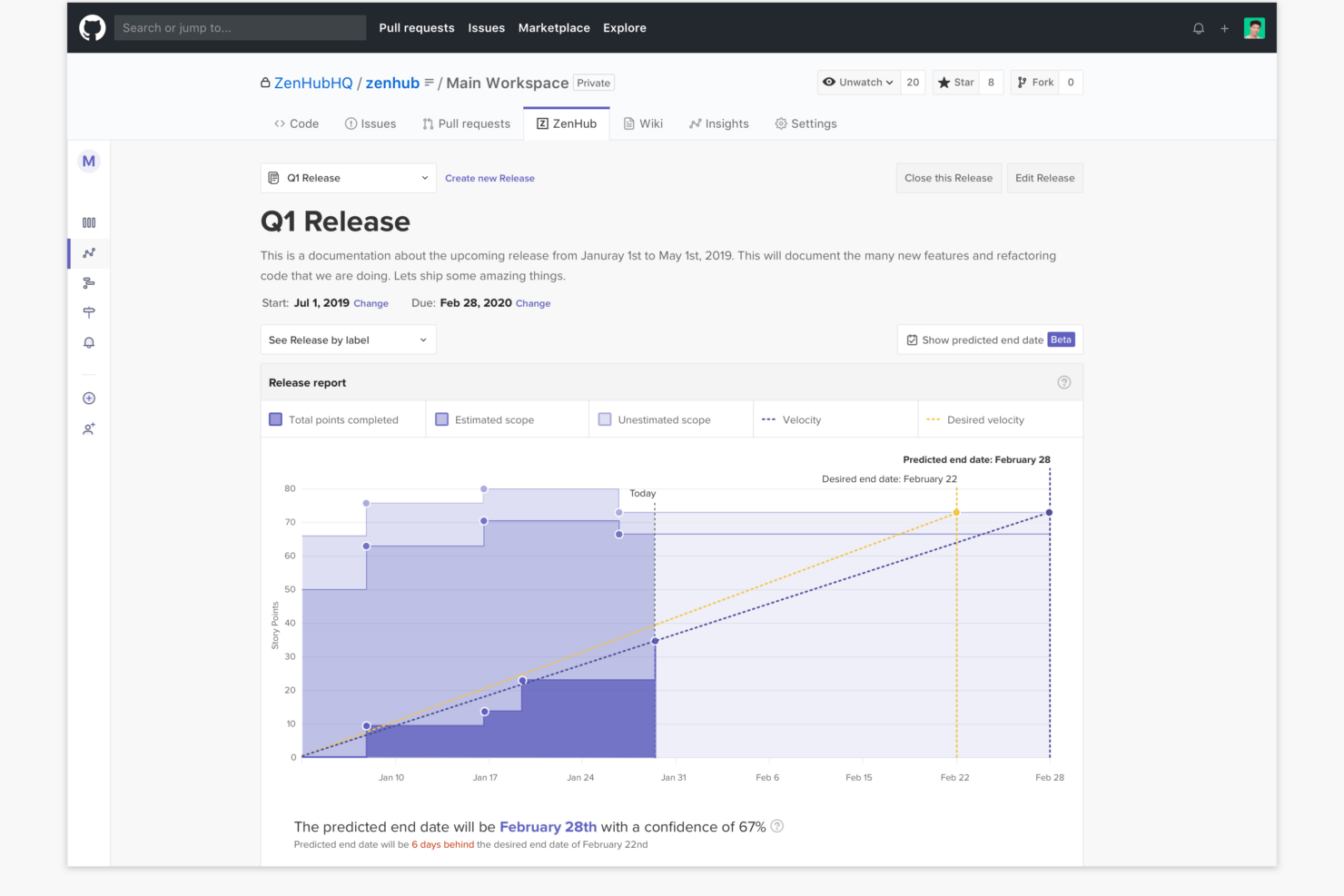
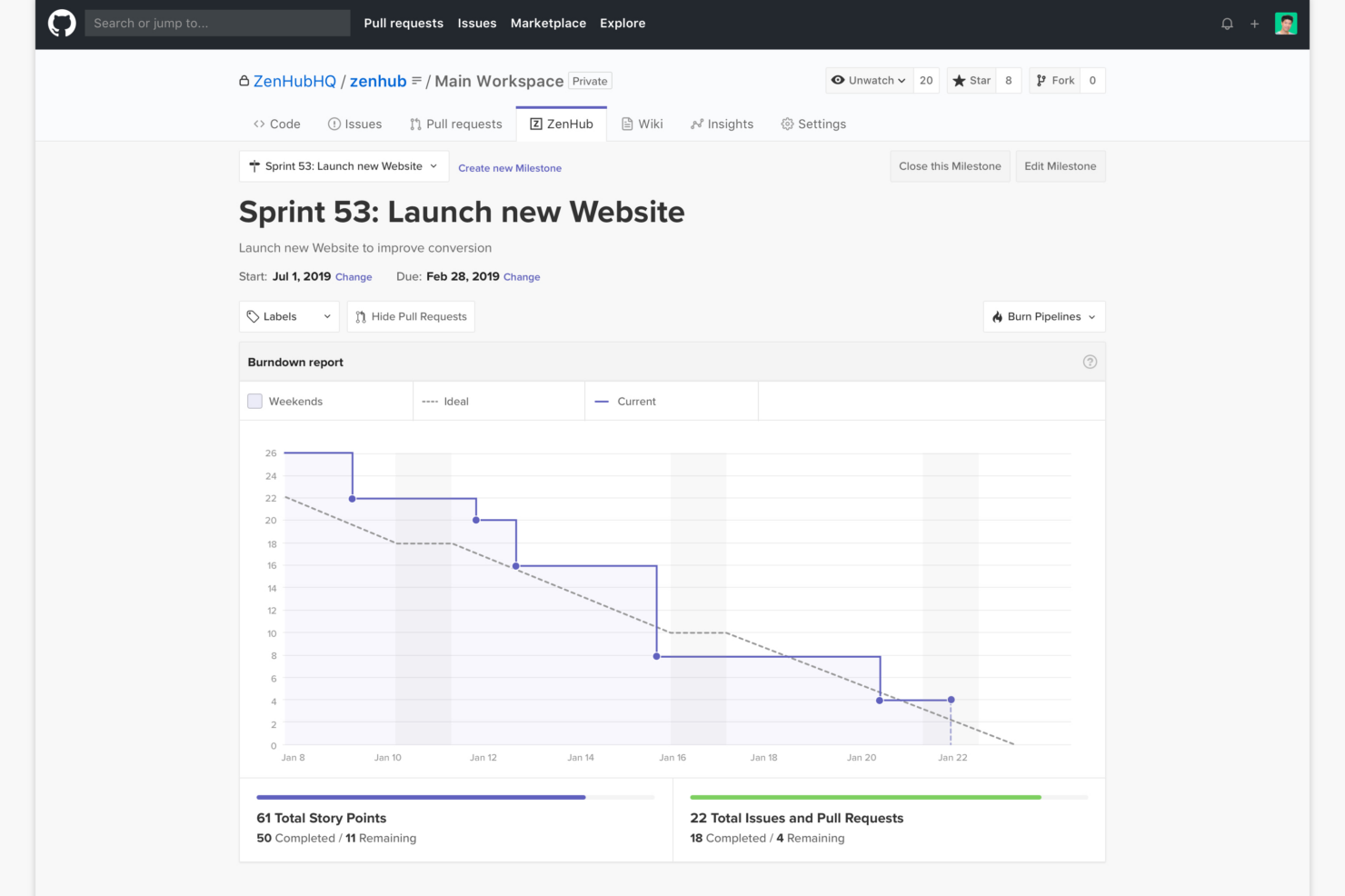
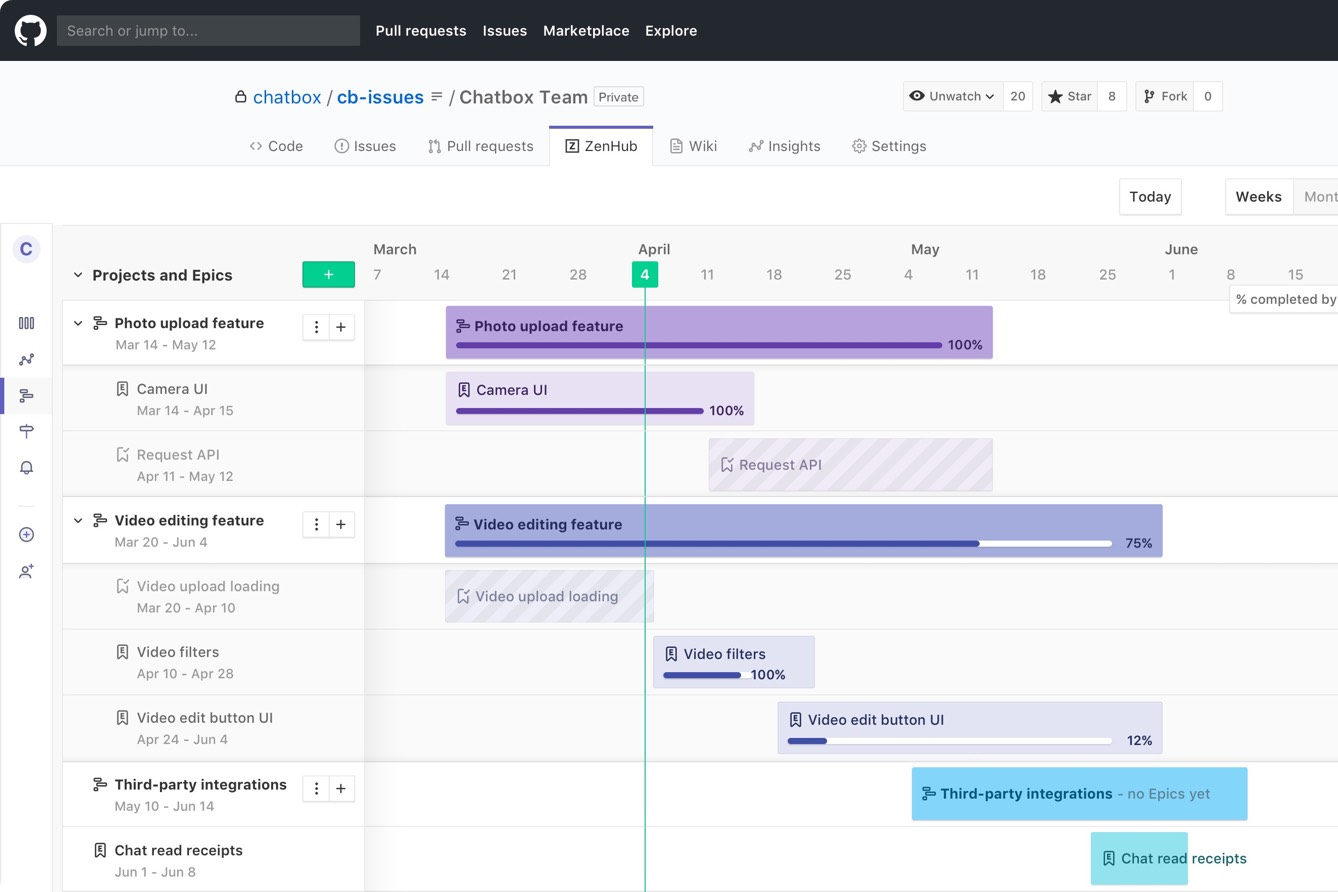
Notion si distingue per le sue capacità flessibili di presa di appunti e database personalizzati, diventando la scelta preferita dai team che necessitano sia di documentazione che di project management. Zenhub, invece, brilla nei team che lavorano in GitHub: la sua profonda integrazione con GitHub e i report agili riuniscono il lavoro di sviluppo e la gestione dei progetti in una vista condivisa che Notion semplicemente non può eguagliare.
| Notion | Zenhub | |
|---|---|---|
| API | ||
| Calendar Management | ||
| Data Export | ||
| Data Import | ||
| External Integrations | ||
| Multi-User | ||
| Notifications | ||
| Project Management | ||
| Scheduling | ||
| Task Scheduling/Tracking |
Notion vs. Zenhub Integrazioni
| Integrazione | Notion | Zenhub |
|---|---|---|
| GitHub | ✅ | ✅ |
| Slack | ✅ | ❌ |
| Google Drive | ✅ | ❌ |
| Figma | ✅ | ❌ |
| Jira | ✅ | ❌ |
| Microsoft Teams | ✅ | ❌ |
| Trello | ✅ | ❌ |
| Bitbucket | ❌ | ❌ |
| API | ✅ | ✅ |
| Zapier | ✅ | ❌ |
Notion offre una gamma più ampia di integrazioni pronte all'uso, in particolare con strumenti creativi e di produttività, mentre l'integrazione nativa principale di Zenhub è GitHub (Zenhub è stato progettato per funzionare direttamente all'interno dell'interfaccia di GitHub). Con Zenhub è comunque possibile collegarsi ad altri strumenti tramite API o connessioni di terze parti. Se il tuo team desidera integrazioni rapide plug-and-play e supporto API e Zapier, Notion è la soluzione ideale. Se invece vi serve una collaborazione più profonda con GitHub e non temete una configurazione iniziale più complessa per collegare altri strumenti, Zenhub sarà all'altezza delle vostre necessità.
Notion vs. Zenhub Sicurezza, Conformità & Affidabilità
| Fattore | Notion | Zenhub |
|---|---|---|
| Crittografia dei dati | Utilizza crittografia AES-256 bit a riposo e TLS in transito. | Protegge i dati con protocolli di crittografia sia per l’archiviazione sia per il transito. |
| Conformità normativa | Certificato SOC 2 Type II e conforme al GDPR. | Rispetta gli standard GDPR e SOC 2, progettato per esigenze enterprise e governative. |
| Garanzia di disponibilità | Monitora la disponibilità e pubblica pubblicamente i report sugli incidenti. | Mantiene un’elevata disponibilità con aggiornamenti trasparenti sullo stato e tracciamento degli incidenti. |
| Permessi utente | Permessi dettagliati su workspace, pagine e database. | Offre controllo degli accessi basato sui ruoli e permessi a livello di workspace. |
| Residenza dei dati | I dati sono ospitati negli Stati Uniti ma offre flessibilità regionale per le imprese. | Offre hosting flessibile, inclusi data center UE per la conformità. |
Entrambi gli strumenti sono forti in termini di sicurezza e conformità, ma Zenhub è più orientato a sviluppatori e aziende, mentre Notion si distingue per trasparenza e controllo granulare degli utenti. Nella mia esperienza, Notion semplifica la gestione dei permessi per team che si muovono rapidamente, mentre Zenhub è una scelta solida se hai necessità di conformità avanzata o hosting dati regione-specifico.
Notion vs. Zenhub Facilità d'Uso
| Fattore | Notion | Zenhub |
|---|---|---|
| Interfaccia utente | Interfaccia drag-and-drop pulita, flessibile e altamente personalizzabile. | Layout Kanban familiare integrato direttamente nelle issue di GitHub. |
| Onboarding | Template guidati e suggerimenti aiutano i nuovi utenti a iniziare rapidamente. | Onboarding senza soluzione di continuità per i team che già utilizzano i workflow di GitHub. |
| Curve di apprendimento | Più ripida all'inizio per la profondità della personalizzazione ma migliora rapidamente. | Superficiale se si ha familiarità con GitHub, più ripida per gli altri. |
| Collaborazione | Condivisione semplice, commenti e menzioni su qualsiasi tipo di contenuto. | Sincronizzazione in tempo reale e commenti nelle issue e nelle board di GitHub. |
| Supporto clienti | Offre chat dal vivo e una vasta base di conoscenza. | Fornisce documentazione, supporto via email e community GitHub. |
Entrambe le piattaforme puntano a una facile adozione, ma Notion risulta più flessibile per i team che desiderano progettare i propri workflow, mentre Zenhub è immediatamente familiare per gli sviluppatori che vivono su GitHub. A mio avviso, la personalizzazione di Notion può sorprendere i team creativi, ma la stretta integrazione di Zenhub con GitHub permette ai progetti di sviluppo di procedere con meno attriti.
Notion vs Zenhub: Pros & Cons
Notion
- You can tailor your workspace to fit your needs with flexible layouts and templates.
- The intuitive design makes it easy for users to navigate and organize their projects.
- You can take notes, manage projects, and maintain your databases in one place.
- It can be challenging for new users to master without spending time on tutorials.
- You might experience slow performance if you have large databases or complex setups.
- The mobile app is less intuitive than the desktop version.
Zenhub
- Direct integration into GitHub repository interface
- Automated issue tracking and workflow management
- Sprint planning and agile reporting within GitHub
- Limited functionality for non-developer stakeholders
- Advanced reporting features require higher-tier plans
- Kanban boards feel basic compared to some competitors
Best Use Cases for Notion and Zenhub
Notion
- Creative Agencies You can use customizable templates within a flexible workspace to manage creative projects and collaborate with the team.
- Freelancers You can manage multiple projects and clients in a single, organized platform.
- Startups You can tailor your workspace to your needs in order to manage rapid growth and changing project requirements.
- Remote Teams Notion supports constant communication and project tracking across different locations.
- Education Departments You can use Notion's database capabilities to organize curricula, schedules, and educational materials.
- Content Writers You can use the note-taking and organization features to manage research, drafts, and editorial calendars efficiently.
Zenhub
- Agile Engineering Teams Zenhub’s built-in sprints, automation, and agile boards map directly to engineering workflows inside GitHub.
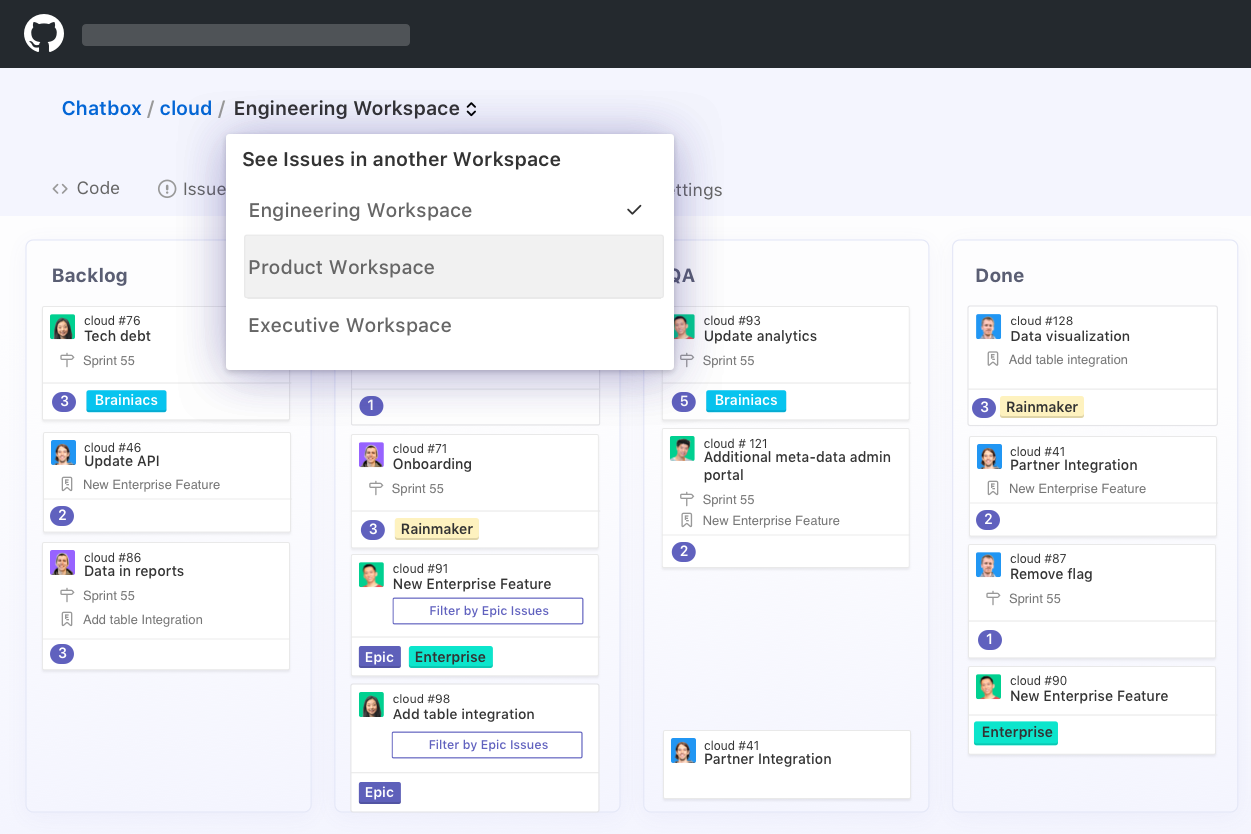
- Product Management Epics, milestones, and real-time roadmaps help product managers keep complex deliverables organized and visible to developers.
- Tech Startups Quick onboarding and low internal process overhead let lean startup teams manage feature delivery and bug fixes directly from GitHub.
- Open Source Projects Native GitHub experience enables seamless contribution management, issue triage, and community collaboration without external tools.
- Remote Development Teams All project tracking within GitHub helps distributed developers stay aligned with async workflows and shared dashboards.
- SaaS Companies Teams juggling multiple repositories and microservices benefit from Zenhub’s workspace-centric organization and reporting.
Chi dovrebbe usare Notion e chi dovrebbe usare Zenhub?
Notion è ideale se desideri uno spazio di lavoro flessibile, tutto-in-uno, per documenti, progetti e collaborazione. Ho scoperto che funziona al meglio per startup, team marketing e gruppi interfunzionali che hanno bisogno di organizzare conoscenza e gestire attività nello stesso posto senza una struttura rigida. Se il tuo lavoro va oltre lo sviluppo—come contenuti, pianificazione, o wiki interni—Notion ti dà la libertà di costruire il tuo sistema.
Zenhub è più adatto per i team di sviluppo Agile che lavorano su GitHub. Se gestisci sprint, issue e rilasci, si inserisce naturalmente nel tuo workflow e mantiene tutto collegato alla tua base di codice. Lo consiglierei se la tua priorità è l'efficienza degli sviluppatori e il tracciamento strutturato dei progetti, piuttosto che una collaborazione più ampia del team o la documentazione.
Differences Between Notion and Zenhub
| Notion | Zenhub | |
|---|---|---|
| Agile Features | Customizable boards and timelines, but fewer native agile tools. | Deep agile support: epics, sprints, velocity, and burndown. |
| Automation | Offers some automation via integrations and templates. | Built-in workflow automations for ticket tracking in GitHub. |
| Core Audience | Flexible for any team, including marketing, ops, and product. | Made for software teams working in GitHub. |
| Documentation | Combines docs, wikis, and tasks in one space. | Focuses on tasks and boards, not text-rich documentation. |
| Integration Focus | Integrates with many creative and productivity platforms. | Integrates tightly with GitHub and dev tools. |
| Read Notion ReviewOpens new window | Read Zenhub ReviewOpens new window |
Similarities Between Notion and Zenhub
| API Access | Each provides API access, making it possible to build custom workflows, connect with external tools, and automate repetitive tasks. |
|---|---|
| Collaboration | Real-time collaboration with commenting and mentions keeps teams connected, whether in a Notion doc or a Zenhub board linked to dev work. |
| Kanban Boards | Both offer drag-and-drop Kanban boards for task and workflow management; in Notion, boards are customizable, while Zenhub boards map directly to GitHub issues. |
| Notifications | Both send email and in-app notifications to keep you up to date on task assignments, comments, and changes. |
| User-Based Pricing | Both platforms charge based on the number of users, letting teams scale from small groups to enterprise deployments as needs grow. |
| Read Notion ReviewOpens new window Read Zenhub ReviewOpens new window | |