

Mural vs. Miro: Confronto e Recensioni Esperte per il 2026



Mural offre una piattaforma dinamica che permette al tuo team di fare brainstorming e collaborare visivamente, mentre Miro fornisce uno spazio versatile per creare e gestire progetti in modo collaborativo. Entrambi gli strumenti possono migliorare la comunicazione e il lavoro di squadra, ma si differenziano per l'approccio alla flessibilità e alle capacità di integrazione.
Ho testato e valutato entrambi gli strumenti in modo approfondito e ho analizzato le loro funzionalità, i pro e i contro, i prezzi e molto altro per aiutarti a decidere quale strumento di collaborazione sia il più adatto alle tue esigenze.
Mural vs. Miro: An Overview
Mural
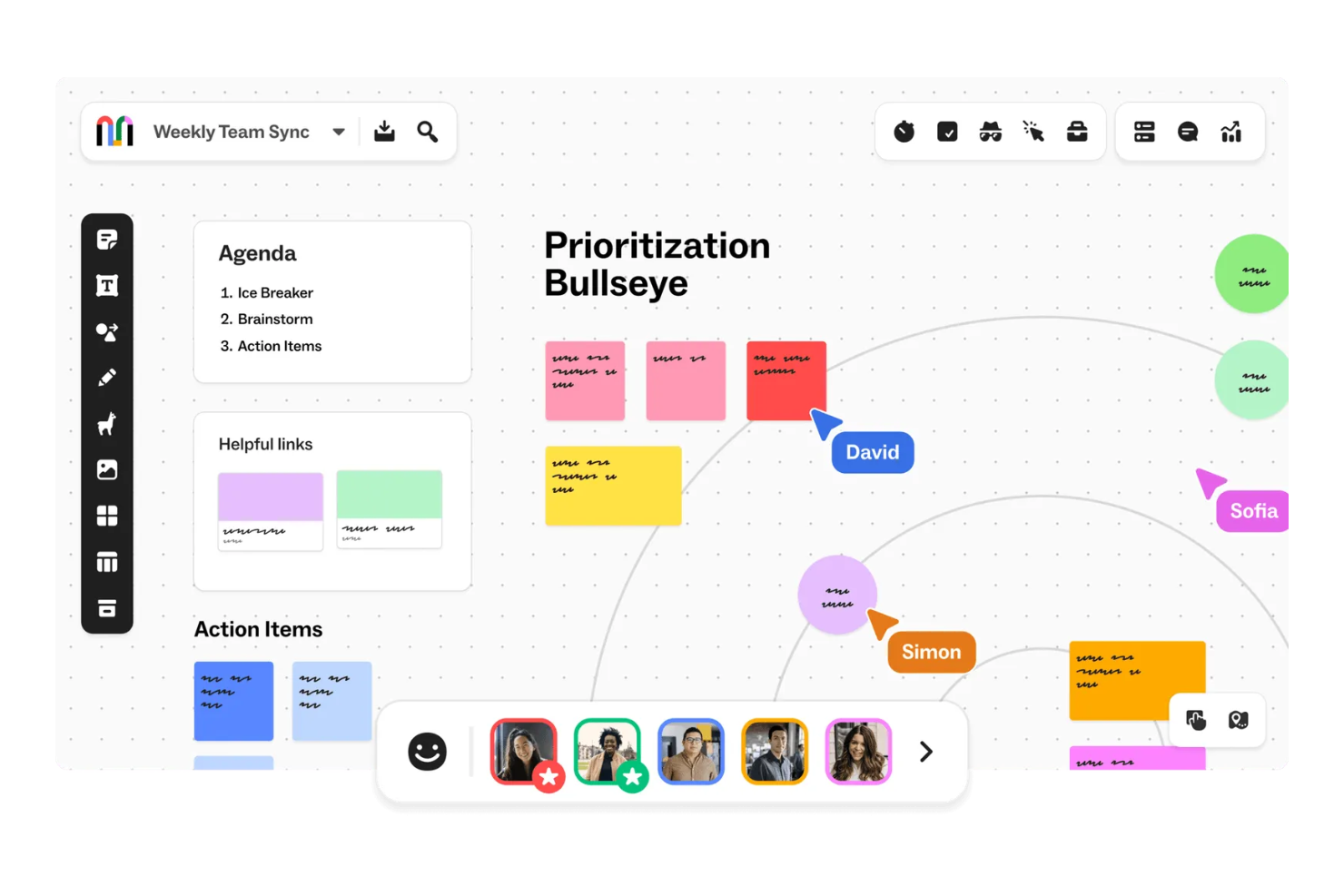
Miro


Perché fidarsi dei nostri consigli sui software
Il nostro team testa e recensisce software dal 2012. In quanto project manager noi stessi, sappiamo quanto sia difficile — e importante — scegliere il software giusto.
Per questa guida, abbiamo valutato gli strumenti attraverso test pratici e ricerche indipendenti, assegnando un punteggio agli strumenti in base ai nostri criteri di selezione. Ci basiamo inoltre sulle competenze di leader di pensiero del settore e di professionisti attivi nella gestione dei progetti.
Le nostre recensioni riflettono il nostro giudizio editoriale umano, non un discorso di vendita.
Revisori esperti:
Mural vs. Miro Pricing Comparison
| Mural | Miro | |
|---|---|---|
| Free Trial | Free demo + free plan available | Free plan available |
| Pricing | From $9.99/user/month (billed annually) | From $8/user/month (billed annually) |
Prezzi e Costi Nascosti di Mural vs. Miro
Il prezzo di Mural segue un modello di abbonamento a livelli, con costi che aumentano in base alla dimensione del team e alle funzionalità aggiuntive selezionate. Anche Miro adotta un modello di abbonamento a livelli e i costi aumentano man mano che si aggiungono funzionalità avanzate e misure di sicurezza. Entrambi gli strumenti offrono anche un piano gratuito.
Per scegliere lo strumento e il piano a pagamento giusti, valuta le esigenze e le modalità d’uso del tuo team, considera la possibilità di scalare e se alcune funzionalità specifiche potrebbero comportare costi aggiuntivi.
Mural vs. Miro Feature Comparison
Le funzionalità di collaborazione e facilitazione di Mural consentono di fare brainstorming e pianificare progetti da remoto con i membri del team. L’ampia libreria di template di Miro offre numerose opzioni per visualizzare progetti complessi e creare roadmap di prodotto.
| Mural | Miro | |
|---|---|---|
| API | ||
| Data Export | ||
| Data Import | ||
| Email Integration | ||
| External Integrations | ||
| Multi-User | ||
| Notifications | ||
| Project Management |
Integrazioni Mural vs. Miro
| Integrazione | Mural | Miro |
|---|---|---|
| Google Workspace | ✅ | ✅ |
| Microsoft Teams | ✅ | ✅ |
| Slack | ✅ | ✅ |
| Zoom | ✅ | ✅ |
| Jira | ✅ | ✅ |
| Asana | ✅ | ✅ |
| Trello | ✅ | ✅ |
| Confluence | ✅ | ✅ |
| API | ✅ | ✅ |
| Zapier | ✅ | ✅ |
L’integrazione di Mural con Microsoft Teams permette di collaborare facilmente in tempo reale e comunicare senza intoppi durante le riunioni da remoto. L’integrazione di Miro con Jira aiuta a gestire i compiti di progetto e a monitorare l’avanzamento, soprattutto negli ambienti agili.
Sicurezza, Conformità e Affidabilità di Mural vs. Miro
| Fattore | Mural | Miro |
|---|---|---|
| Privacy dei dati | Mural garantisce la privacy dei dati grazie alla conformità al GDPR e al controllo delle informazioni da parte dell’utente. | Miro garantisce la privacy dei dati tramite la conformità al GDPR e la crittografia. |
| Crittografia | Mural utilizza la crittografia AES-256 per i dati a riposo. | Miro protegge i dati a riposo con la crittografia AES-256. |
| Conformità normativa | Mural è conforme agli standard SOC 2 Type II e ISO 27001 per le pratiche di sicurezza. | Miro rispetta gli standard SOC 2 Type II e ISO 27001 per la conformità. |
Mural e Miro offrono entrambi solide funzionalità di sicurezza e conformità. Valuta le esigenze specifiche di sicurezza del tuo team e considera fattori come la conformità normativa e gli standard di crittografia per assicurarti che siano allineati ai requisiti della tua organizzazione.
Mural vs. Miro Facilità d'Uso
| Fattore | Mural | Miro |
|---|---|---|
| Interfaccia utente | Mural offre un'interfaccia pulita e intuitiva con funzioni di trascinamento facili da usare. | Miro fornisce un'interfaccia visivamente accattivante con modelli personalizzabili. |
| Esperienza di onboarding | L'onboarding di Mural comprende tutorial interattivi per aiutarti a iniziare rapidamente. | Miro offre una guida all'onboarding completa con video tutorial. |
| Supporto | Mural fornisce un supporto reattivo con un centro assistenza dedicato. | Miro offre un supporto esteso con forum della community e chat live. |
L'interfaccia semplice di Mural rende facile iniziare, ma il suo supporto potrebbe essere più completo. I modelli di Miro offrono molta personalizzazione, ma la configurazione iniziale può risultare un po' impegnativa.
Mural vs Miro: Pros & Cons
Mural
- Mural's intuitive interface makes it easy for your team to engage in creative brainstorming sessions.
- The platform offers a wide array of templates that help you quickly visualize and plan your projects.
- Its real-time collaboration features ensure your team stays connected and productive, no matter where they are.
- Some users find the initial learning curve steep, which might slow down your team's adaptation.
- Performance can lag with larger or more complex boards, impacting your team's workflow.
- Limited offline functionality means your team will need a reliable internet connection to collaborate effectively.
Miro
- You’ll love Miro's intuitive and visually engaging interface.
- Your team can collaborate in real-time with ease.
- Miro's flexible templates save you time on project setup.
- You might find the learning curve steep for advanced features.
- Your team could experience occasional performance lags with large boards.
- Miro may require frequent updates, which can interrupt your workflow.
Best Use Cases for Mural and Miro
Mural
- Design Teams Mural's visual tools and templates allow your design team to sketch and refine ideas collaboratively.
- Marketing Departments Your marketing team can plan campaigns visually, making it easier to align strategies and goals.
- Educational Institutions Teachers can use Mural to create interactive lessons that engage students in collaborative learning.
- Remote Teams Mural's real-time collaboration keeps your remote team connected and productive, regardless of location.
- Product Development Product teams can map out features and workflows visually, aiding in better planning and execution
- Creative Agencies For agencies, Mural offers a space to brainstorm and present creative concepts to clients effectively.
Miro
- Creative agencies Miro supports brainstorming sessions with its visual tools and helps your team innovate and execute creative ideas efficiently.
- Marketing teams It allows you to map out marketing campaigns visually and keeps your projects organized and aligned with your goals.
- Design departments Miro’s flexible templates and drawing tools let your team create and iterate on design concepts with ease.
- Product management Visual roadmaps and collaboration features make it easy for your team to track product development and align on tasks.
- Remote teams Miro allows for seamless remote collaboration, so your team stays connected and productive, no matter where they’re located.
- Education sector Engage your students and make learning more dynamic with interactive lessons using Miro’s visual aids and collaborative features.
Chi dovrebbe usare Mural e chi dovrebbe usare Miro?
Secondo la mia opinione, Mural è ideale per i team creativi e per gli educatori che hanno bisogno di uno strumento visuale e semplice per brainstorming e workshop interattivi. Miro, invece, è perfetto per responsabili di progetto e team tecnici le cui esigenze richiedono una pianificazione dettagliata, gestione delle attività e una vasta gamma di integrazioni.
Se lavori in un ambiente dinamico con processi strutturati, Miro potrebbe essere la scelta migliore. Ma se il tuo team prospera grazie alla creatività e alla collaborazione visiva, Mural potrebbe essere la soluzione ideale.
Differences Between Mural and Miro
| Mural | Miro | |
|---|---|---|
| Integrations | Mural integrates with tools like Microsoft Teams and Slack. | Miro integrates with Jira and Trello. |
| Onboarding | Mural provides interactive tutorials for quick onboarding. | Miro offers comprehensive guides and video tutorials. |
| Security | Mural complies with GDPR, ISO 27001, and SOC 2 Type II standards. | Miro adheres to GDPR, SOC 2 Type II, and ISO 27001 standards. |
| User Interface | Mural offers a straightforward, drag-and-drop interface. | Miro provides a visually rich interface with customizable templates. |
| Read Mural ReviewOpens new window | Visit MiroOpens new window |
Similarities Between Mural and Miro
| Collaboration | Both Mural and Miro let your team collaborate, brainstorm, and edit in real-time, which is crucial for remote work environments. |
|---|---|
| Cross-Platform Access | Both tools can be accessed on multiple devices, so you and your team can work from anywhere, whether on desktop or mobile platforms. |
| Custom Templates | Mural and Miro offer a variety of templates to streamline your workflows, so you can start projects quickly with pre-designed layouts. |
| Data Visualization | Mural and Miro both support visual brainstorming with sticky notes and diagrams, which makes it easy for your team to organize and present ideas clearly. |
| Integrations | Both tools integrate with Zapier, so you can automate workflows and connect the tool with a wide array of other applications to improve your productivity and efficiency. |
| Read Mural ReviewOpens new window Visit MiroOpens new window | |