

10 alternative a Microsoft Forms per i sondaggi nel 2026

Elenco delle alternative a Microsoft Forms


Una valida alternativa a Microsoft Forms offre una progettazione flessibile dei sondaggi, funzionalità avanzate per la raccolta dei dati e integrazioni adatte al flusso di lavoro del tuo team. Se stai cercando alternative a Microsoft Forms, probabilmente cerchi strumenti in grado di gestire sondaggi più complessi, offrire analisi migliori o supportare la collaborazione oltre ciò che Microsoft Forms mette a disposizione.
Con così tante opzioni disponibili, è difficile sapere quale piattaforma soddisferà davvero le tue esigenze, soprattutto quando i requisiti cambiano o gli stakeholder si aspettano di più dai tuoi dati. Questo elenco ti aiuterà a confrontare rapidamente le principali alternative a Microsoft Forms per 2026, così potrai trovare la soluzione più adatta ai tuoi progetti, team ed esigenze di reportistica.
Cos'è Microsoft Forms?
Microsoft Forms è uno strumento online per la creazione di moduli che consente agli utenti di creare sondaggi, quiz e moduli di registrazione per raccogliere dati. Poiché fa parte dell'ecosistema Microsoft 365, si collega a strumenti come Excel e Power Automate, risultando utile per i team che lavorano già in un ambiente con account Microsoft.
Viene comunemente utilizzato da educatori, team di progetto e aziende che hanno bisogno di un modo semplice per raccogliere risposte ai moduli, condurre sondaggi o raccogliere feedback senza una curva di apprendimento ripida. Sebbene copra le esigenze di base dei sondaggi, è più adatto alla raccolta diretta dei dati che ai flussi di lavoro complessi.
Riepilogo delle migliori alternative a Microsoft Forms
Questa tabella comparativa riassume i dettagli dei prezzi delle mie migliori alternative a Microsoft Forms, per aiutarti a trovare quella più adatta al tuo budget e alle esigenze della tua azienda.
| Tool | Best For | Trial Info | Price | ||
|---|---|---|---|---|---|
| 1 | Ideale per sondaggi interattivi e rilevazioni delle opinioni del pubblico dal vivo | Piano gratuito disponibile | A partire da $14/utente/mese (con fatturazione annuale) | Website | |
| 2 | Ideale per la logica avanzata dei sondaggi e le analisi | Piano gratuito disponibile | A partire da $30/utente/mese (fatturato annualmente) | Website | |
| 3 | Ideale per moduli conversazionali con un'interfaccia intuitiva | Piano gratuito disponibile | Da $28/mese (con fatturazione annuale) | Website | |
| 4 | Ideale per la gestione di sondaggi ed esperienze di livello aziendale | Demo gratuita disponibile | Prezzi su richiesta | Website | |
| 5 | Ideale per creare moduli semplici e gratuiti con l'integrazione di Google | Piano gratuito disponibile | Piano gratuito disponibile; a partire da $7/utente/mese (con fatturazione annuale) per Google Workspace | Website | |
| 6 | Ideale per risposte illimitate a moduli no-code | Piano gratuito disponibile | Da $24/mese (fatturato annualmente) | Website | |
| 7 | Ideale per una piattaforma di sondaggi open source con tipi di domande flessibili | Piano gratuito disponibile | A partire da $36/mese (fatturato annualmente) | Website | |
| 8 | Ideale per sondaggi e risposte illimitati in tutti i piani | Piano gratuito disponibile | Da $20/mese | Website | |
| 9 | Ideale per calcoli avanzati e logica condizionale nei moduli | Prova gratuita di 14 giorni + piano gratuito disponibile | Da $19/mese | Website | |
| 10 | Ideale per la creazione di moduli con funzione di trascinamento e numerose integrazioni | Piano gratuito disponibile | A partire da $34/utente/mese (con fatturazione annuale) | Website |
Perché fidarsi dei nostri consigli sui software
Il nostro team testa e recensisce software dal 2012. In quanto project manager noi stessi, sappiamo quanto sia difficile — e importante — scegliere il software giusto.
Per questa guida, abbiamo valutato gli strumenti attraverso test pratici e ricerche indipendenti, assegnando un punteggio agli strumenti in base ai nostri criteri di selezione. Ci basiamo inoltre sulle competenze di leader di pensiero del settore e di professionisti attivi nella gestione dei progetti.
Le nostre recensioni riflettono il nostro giudizio editoriale umano, non un discorso di vendita.
Revisori esperti:
Recensioni delle alternative a Microsoft Forms
Di seguito sono riportati i miei riepiloghi dettagliati delle alternative a Microsoft Forms incluse nel mio elenco. Le mie recensioni offrono uno sguardo approfondito sulle funzionalità, le integrazioni e i prezzi di ogni piattaforma, per aiutarti a trovare quella più adatta a te.

Ideale per sondaggi interattivi e rilevazioni delle opinioni del pubblico dal vivo
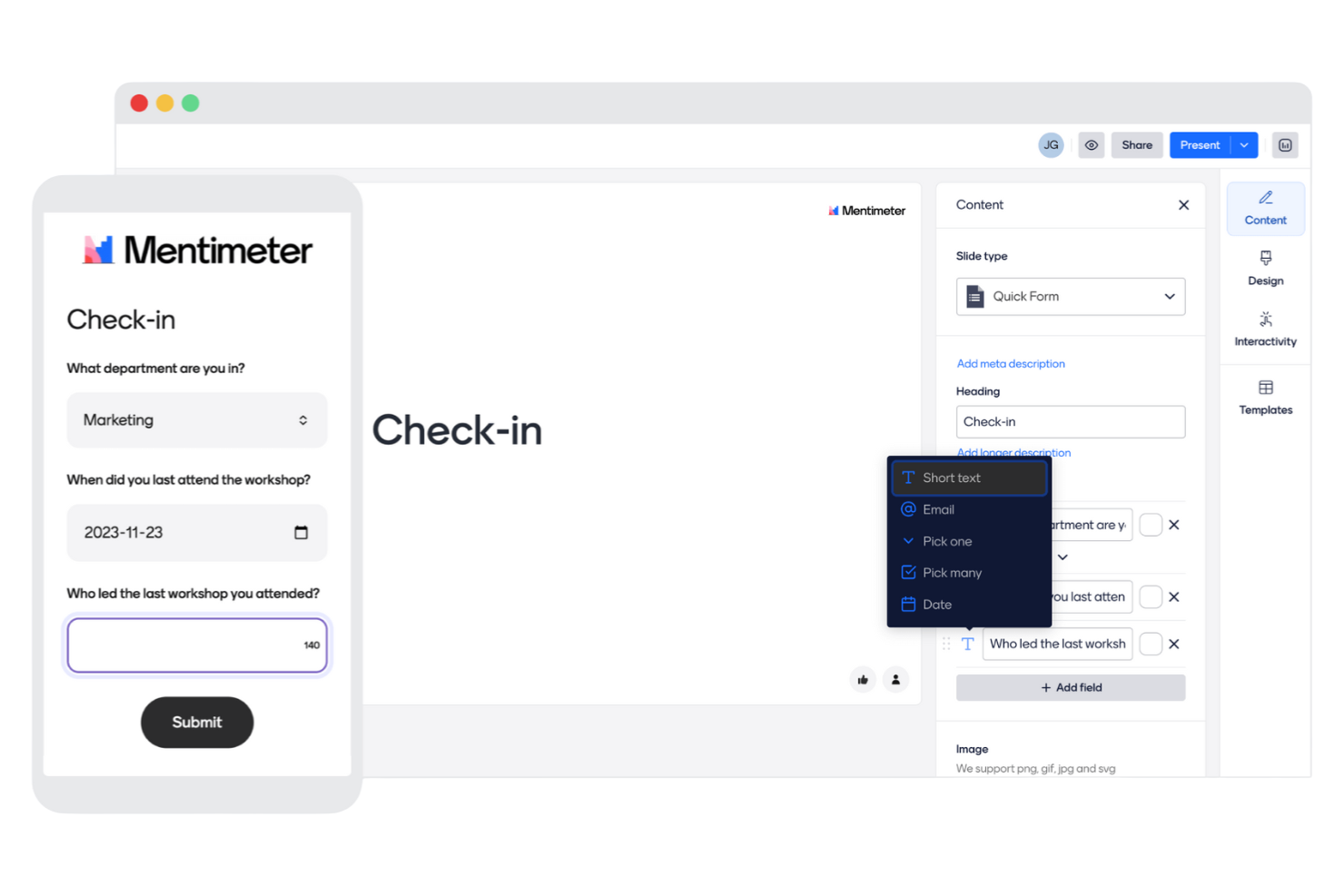
I relatori e i facilitatori che desiderano integrare i sondaggi in sessioni dal vivo e interattive si rivolgono spesso a Mentimeter. Questo strumento è progettato per chiunque gestisca riunioni, workshop o lezioni in cui il coinvolgimento del pubblico in tempo reale e il feedback immediato sono importanti. Mentimeter si distingue da Microsoft Forms perché consente di mostrare sullo schermo i risultati dei sondaggi in tempo reale e di utilizzare tipi di domande interattive che mantengono i partecipanti coinvolti per tutta la sessione.
Perché Mentimeter è una buona alternativa a Microsoft Forms
A differenza della maggior parte degli strumenti per sondaggi, Mentimeter è progettato specificamente per il coinvolgimento del pubblico dal vivo, il che lo rende una scelta valida se desideri raccogliere feedback in tempo reale durante riunioni o presentazioni. Ho scelto Mentimeter perché consente di mostrare immediatamente sullo schermo i risultati dei sondaggi, così tutti possono vedere le risposte man mano che arrivano. Lo strumento offre inoltre tipi di domande interattive come nuvole di parole, sondaggi e quiz, che mantengono i partecipanti attivamente coinvolti. Se hai bisogno di uno strumento per sondaggi che vada oltre i moduli statici e supporti feedback dinamici e contestuali, Mentimeter è un'alternativa interessante a Microsoft Forms.
Funzionalità principali di Mentimeter
Alcune funzionalità aggiuntive rendono Mentimeter una scelta flessibile per le esigenze di sondaggi interattivi:
- Libreria di modelli: Accedi a una raccolta di modelli predefiniti per riunioni, workshop e lezioni.
- Domande e risposte del pubblico: Consenti ai partecipanti di inviare domande in forma anonima durante la sessione.
- Branding personalizzato: Aggiungi il logo e i colori della tua organizzazione a presentazioni e sondaggi.
- Esportazione dei risultati: Scarica i dati dei sondaggi e i risultati delle presentazioni in formato Excel o PDF.
Integrazioni di Mentimeter
Le integrazioni includono Microsoft Teams, Zoom, Slack, PowerPoint, Google Meet, Webex, Microsoft Office 365, Google Slides, Canva e Trello.
Pros and Cons
Pros:
- Le rilevazioni dal vivo consentono il coinvolgimento del pubblico in tempo reale
- I tipi di domande interattive aumentano la partecipazione durante le sessioni
- Le domande e risposte del pubblico supportano contributi anonimi da parte dei partecipanti
Cons:
- La logica dei sondaggi è limitata rispetto agli strumenti dedicati per sondaggi
- Il piano gratuito limita il numero di domande per sessione

Ideale per la logica avanzata dei sondaggi e le analisi

SurveyMonkey è una piattaforma per sondaggi basata sul web, progettata per i team che necessitano di una logica avanzata nelle domande e di analisi approfondite. È particolarmente adatta a responsabili di progetto, ricercatori e organizzazioni che desiderano un maggiore controllo sulla progettazione dei sondaggi e sull'analisi dei dati rispetto a Microsoft Forms. Se hai bisogno di condurre sondaggi complessi o raccogliere riscontri dettagliati per la reportistica, SurveyMonkey offre la flessibilità e le funzionalità necessarie.
Perché SurveyMonkey è una buona alternativa a Microsoft Forms
SurveyMonkey si distingue per la logica avanzata dei sondaggi e le funzionalità di analisi, che vanno ben oltre ciò che offre Microsoft Forms. L'ho scelto per i team che necessitano di funzionalità come la logica di salto e la ramificazione delle domande per creare sondaggi dinamici e personalizzati. La piattaforma offre inoltre pannelli di analisi dettagliati, che rendono più semplice interpretare e utilizzare i dati dei sondaggi. Se cerchi informazioni più approfondite e un maggiore controllo sul flusso del sondaggio, SurveyMonkey è un'ottima scelta.
Funzionalità principali di SurveyMonkey
Alcune delle altre funzionalità che rendono SurveyMonkey una piattaforma per sondaggi versatile includono:
- Banca delle domande: Accedi a una raccolta di domande predefinite per velocizzare la creazione dei sondaggi e mantenere la coerenza.
- Branding personalizzato: Aggiungi il logo, i colori e i temi della tua organizzazione ai sondaggi per un aspetto professionale.
- Quote di risposta: Imposta limiti al numero di risposte per controllare la raccolta dei dati e gestire la partecipazione al sondaggio.
- Opzioni di esportazione: Scarica i risultati dei sondaggi in diversi formati, tra cui CSV, XLS e PDF, per ulteriori analisi o per la condivisione.
Integrazioni di SurveyMonkey
Le integrazioni includono Salesforce, Mailchimp, HubSpot, Slack, Microsoft Teams, Google Drive, Zapier, Zendesk, Eventbrite e Shopify.
Pros and Cons
Pros:
- La logica avanzata consente flussi di sondaggio dinamici e personalizzati
- Pannelli di analisi dettagliati che supportano un'interpretazione più approfondita dei dati
- Ampia gamma di tipi di domande per una progettazione flessibile dei sondaggi
Cons:
- La personalizzazione della progettazione appare limitata rispetto agli strumenti più recenti
- Le funzionalità di collaborazione possono essere limitanti per i team più grandi
Typeform
Ideale per moduli conversazionali con un'interfaccia intuitiva

Se vuoi creare sondaggi interattivi e visivamente coinvolgenti, che sembrino più delle conversazioni, vale la pena prendere in considerazione Typeform. I team di marketing, i product manager e i ricercatori UX scelgono spesso Typeform per la sua logica avanzata, i percorsi ramificati e la flessibilità del design. A differenza di Microsoft Forms, Typeform ti permette di creare esperienze altamente personalizzate e in linea con il tuo brand, che si adattano alle risposte di ogni partecipante.
Perché Typeform è una buona alternativa a Microsoft Forms
Typeform adotta un approccio diverso, concentrandosi su moduli conversazionali che guidano i partecipanti attraverso una domanda alla volta. Ho scelto Typeform perché la sua logica avanzata e i percorsi ramificati permettono di creare flussi di sondaggio altamente personalizzati, che si adattano alle risposte di ogni utente. La piattaforma offre inoltre ampie possibilità di personalizzazione del design, così puoi adattare l'aspetto e lo stile del tuo sondaggio al tuo brand. Se vuoi andare oltre i moduli di base e creare esperienze interattive e coinvolgenti, Typeform offre una flessibilità che Microsoft Forms non garantisce.
Funzionalità principali di Typeform
Alcune altre funzionalità rendono Typeform una scelta eccellente per la creazione di sondaggi basati sul Web:
- Libreria di domande: scegli tra un'ampia gamma di tipi di domande predefiniti per configurare rapidamente il sondaggio.
- Campo per il caricamento di file: consenti ai partecipanti di allegare file direttamente nel modulo.
- Schermate di ringraziamento personalizzate: personalizza l'esperienza al termine del sondaggio con messaggi su misura.
- Notifiche delle risposte in tempo reale: ricevi avvisi immediati quando qualcuno completa il sondaggio.
Integrazioni di Typeform
Le integrazioni includono Google Sheets, Slack, Mailchimp, HubSpot, Salesforce, Zapier, Google Analytics, Trello, Airtable e Microsoft Teams.
Pros and Cons
Pros:
- Il formato conversazionale migliora il coinvolgimento e i tassi di completamento
- I percorsi ramificati avanzati supportano percorsi di sondaggio personalizzati
- L'ampia personalizzazione del design consente di creare esperienze in linea con il brand
Cons:
- I limiti al numero di risposte ostacolano la raccolta di dati su larga scala
- Le funzionalità di collaborazione sono relativamente basilari

Ideale per la gestione di sondaggi ed esperienze di livello aziendale

Qualtrics è progettato per le organizzazioni che necessitano di una personalizzazione avanzata dei sondaggi e di analisi di livello aziendale. È particolarmente utile per i gruppi di ricerca, i dipartimenti delle risorse umane e i professionisti dell'esperienza cliente che richiedono un controllo granulare sulla logica dei sondaggi e sulla sicurezza dei dati. Se cerchi una piattaforma che supporti flussi di lavoro complessi e si integri con i sistemi aziendali, Qualtrics offre funzionalità che vanno ben oltre Microsoft Forms.
Perché Qualtrics è una buona alternativa a Microsoft Forms
Quando hai bisogno di personalizzazione e analisi dei sondaggi di livello aziendale, Qualtrics rappresenta un chiaro passo avanti rispetto a Microsoft Forms. L'ho scelto per la sua capacità di supportare logiche avanzate per le domande, flussi di lavoro personalizzati e report dettagliati, spesso richiesti dalle grandi organizzazioni. Qualtrics consente di progettare sondaggi altamente personalizzati con funzionalità come la logica di visualizzazione, i dati incorporati e i trigger automatizzati. Se il tuo gruppo deve gestire progetti di sondaggio complessi e analizzare i risultati su larga scala, Qualtrics offre la profondità e la flessibilità che mancano a Microsoft Forms.
Funzionalità principali di Qualtrics
Alcune altre funzionalità che rendono Qualtrics una scelta valida per i sondaggi basati sul web includono:
- Distribuzione multicanale: Invia sondaggi tramite e-mail, SMS, social media o link web incorporati per raggiungere i partecipanti ovunque si trovino.
- Controlli degli accessi basati sui ruoli: Assegna autorizzazioni e gestisci l'accesso per i diversi membri del gruppo, così da proteggere i dati sensibili.
- Strumenti di traduzione dei sondaggi: Traduci i sondaggi in più lingue e gestisci la localizzazione da un'unica dashboard.
- Avvisi automatizzati: Configura notifiche che si attivano quando vengono raggiunte determinate soglie o vengono ricevute risposte specifiche.
Integrazioni di Qualtrics
Le integrazioni includono Salesforce, Marketo, Tableau, Slack, Microsoft Teams, Adobe Experience Cloud, Google Analytics, Zendesk, Workday e ServiceNow.
Pros and Cons
Pros:
- La logica granulare dei sondaggi supporta flussi di lavoro di ricerca altamente personalizzati
- Le autorizzazioni basate sui ruoli aiutano a gestire l'accesso all'interno di gruppi numerosi
- Gli strumenti multilingue supportano la distribuzione globale dei sondaggi
Cons:
- L'interfaccia può risultare complessa per i casi d'uso dei sondaggi semplici
- La flessibilità della progettazione è limitata rispetto agli strumenti moderni
Ideale per creare moduli semplici e gratuiti con l'integrazione di Google
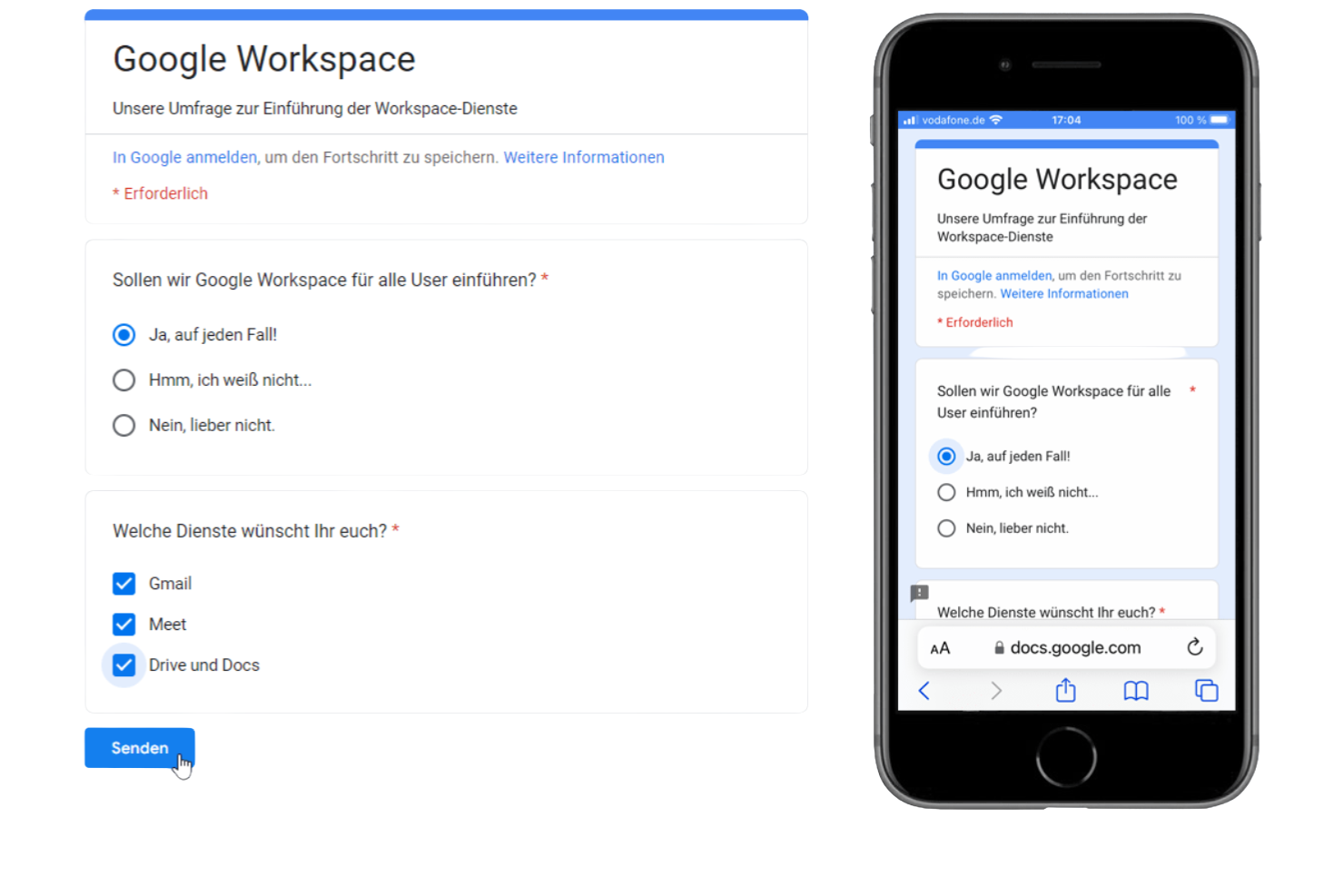
Se stai cercando uno strumento per sondaggi che si integri naturalmente nel tuo Google Workspace esistente, Google Forms è una soluzione da prendere in considerazione. È particolarmente utile per i team e le organizzazioni che già si affidano a Google Drive, Sheets e Gmail per la collaborazione e la gestione dei dati. Google Forms si distingue da Microsoft Forms perché offre la sincronizzazione istantanea con Google Sheets e semplici opzioni di condivisione che facilitano la raccolta e l'analisi delle risposte all'interno dei flussi di lavoro esistenti.
Perché Google Forms è una buona alternativa a Microsoft Forms
Ciò che distingue Google Forms è il suo funzionamento nativo all'interno dell'ecosistema Google Workspace, che lo rende una scelta valida per i team che utilizzano già gli strumenti di produttività di Google. Ho scelto Google Forms perché sincronizza automaticamente le risposte ai sondaggi con Google Sheets, consentendo di analizzare i dati in tempo reale senza passaggi aggiuntivi. Lo strumento permette inoltre di condividere immediatamente i sondaggi con chiunque disponga di un account Google, semplificando la collaborazione e la raccolta delle risposte. Se il tuo team si affida a Google Drive e desidera uno strumento per sondaggi perfettamente integrato, Google Forms è una valida alternativa a Microsoft Forms.
Principali funzionalità di Google Forms
Alcune altre funzionalità rendono Google Forms un'opzione flessibile per i progetti di sondaggi:
- Diversi tipi di domande: scegli tra risposta breve, scelta multipla, caselle di controllo, menu a discesa e altro.
- Convalida delle risposte: imposta regole per richiedere formati o valori specifici nelle risposte.
- Caricamento di file: consenti ai partecipanti di caricare file direttamente tramite il modulo.
- Temi personalizzati: personalizza i moduli con colori, immagini e caratteri personalizzati.
Integrazioni di Google Forms
Le integrazioni includono Google Workspace, Slack, Jira, Salesforce, Trello e altro.
Pros and Cons
Pros:
- La sincronizzazione delle risposte in tempo reale supporta una rapida analisi dei dati
- Le funzionalità di collaborazione consentono a più redattori di lavorare contemporaneamente
- L'interfaccia semplice rende la creazione di sondaggi rapida e accessibile
Cons:
- La personalizzazione limitata riduce la flessibilità dell'identità visiva
- Le funzionalità di logica e ramificazione sono piuttosto basilari

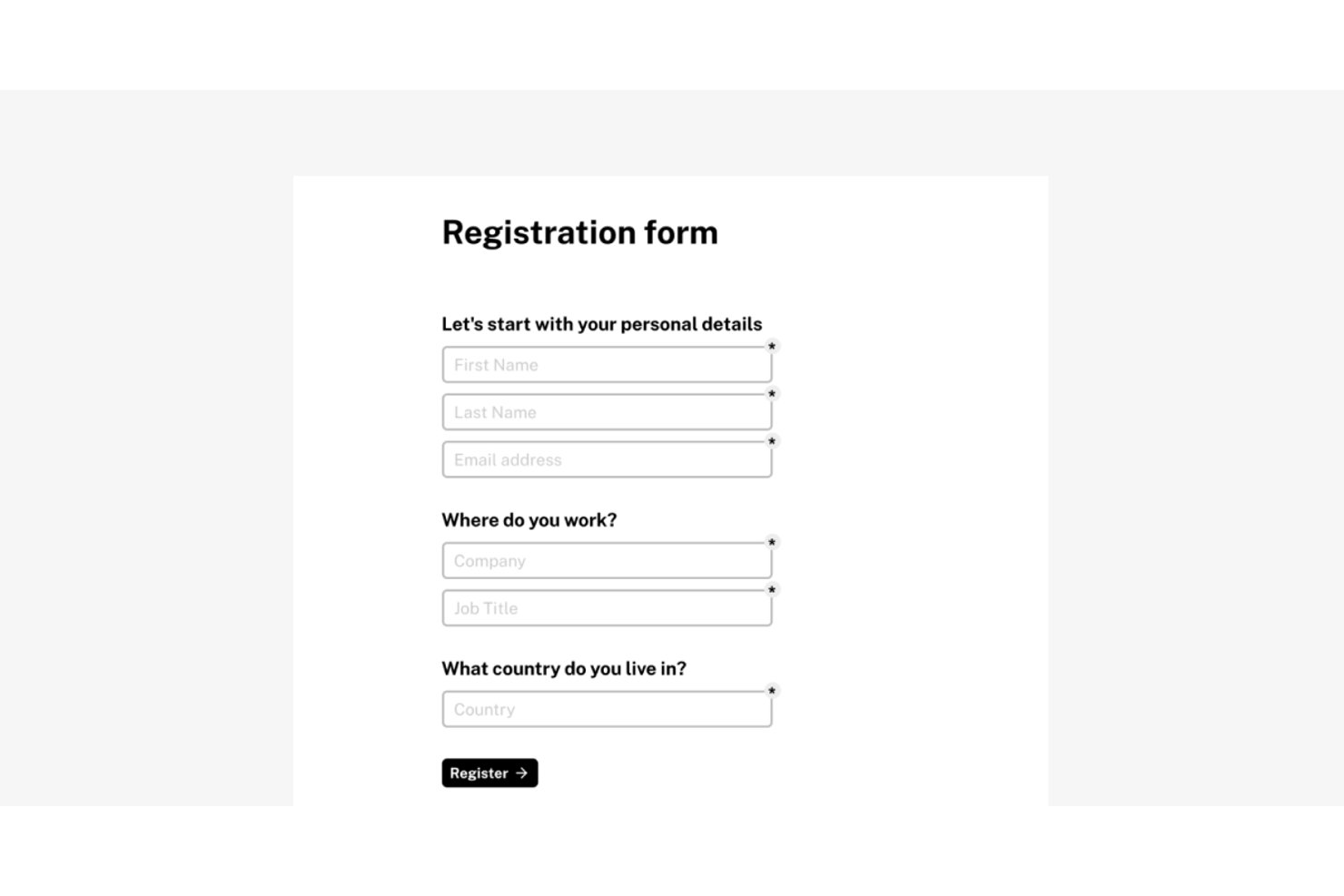
Tally è un generatore di moduli no-code pensato per i team che vogliono creare e pubblicare moduli rapidamente, senza i limiti imposti dalle soluzioni gratuite come Microsoft Forms.
Per chi è ideale Tally?
Tally è perfetto per piccoli team, liberi professionisti e startup che necessitano di un generatore di moduli avanzato senza dover sottoscrivere un costoso abbonamento mensile.
Perché Tally è una valida alternativa a Microsoft Forms
Ho scelto Tally tra i migliori perché elimina i limiti sulle risposte e la dipendenza da Microsoft 365 che rendono Forms difficile da scalare. Con il piano gratuito ottieni moduli illimitati, risposte illimitate, logica condizionale e piping delle risposte — funzioni che la maggior parte degli strumenti riserva ai piani a pagamento. Creare un modulo è come scrivere in Notion: digiti la domanda, selezioni il tipo di blocco e pubblichi, senza bisogno di configurazione drag-and-drop.
Funzionalità principali di Tally
- Integrazioni native con Notion e Airtable: Collega direttamente le risposte dei moduli ai database di Notion o alle basi di Airtable grazie alle integrazioni predefinite.
- CSS personalizzato e controllo del branding: Personalizza i moduli secondo il tuo marchio con temi, font, loghi e supporto per fogli di stile nei piani a pagamento.
- Supporto multilingue e RTL: Pubblica moduli in oltre 50 lingue, inclusi i formati da destra a sinistra per una maggiore accessibilità.
- Raccolta pagamenti con integrazione Stripe: Accetta pagamenti tramite i campi Stripe integrati per moduli d’ordine, registrazioni o donazioni.
Integrazioni di Tally
Tally offre integrazioni native con Notion, Airtable, Google Sheets, Slack e Coda, Piepdream, e si collega con Make e Zapier. È disponibile anche un’API per integrazioni personalizzate.
Pros and Cons
Pros:
- Risposte illimitate anche sul piano gratuito
- L'editor a blocchi tipo Notion velocizza la creazione dei moduli
- Nessun limite di invii su qualsiasi piano a pagamento
Cons:
- Dashboard di reportistica basilare rispetto alla concorrenza
- Collaborazione e permessi senza controlli di ruolo dettagliati
Ideale per una piattaforma di sondaggi open source con tipi di domande flessibili
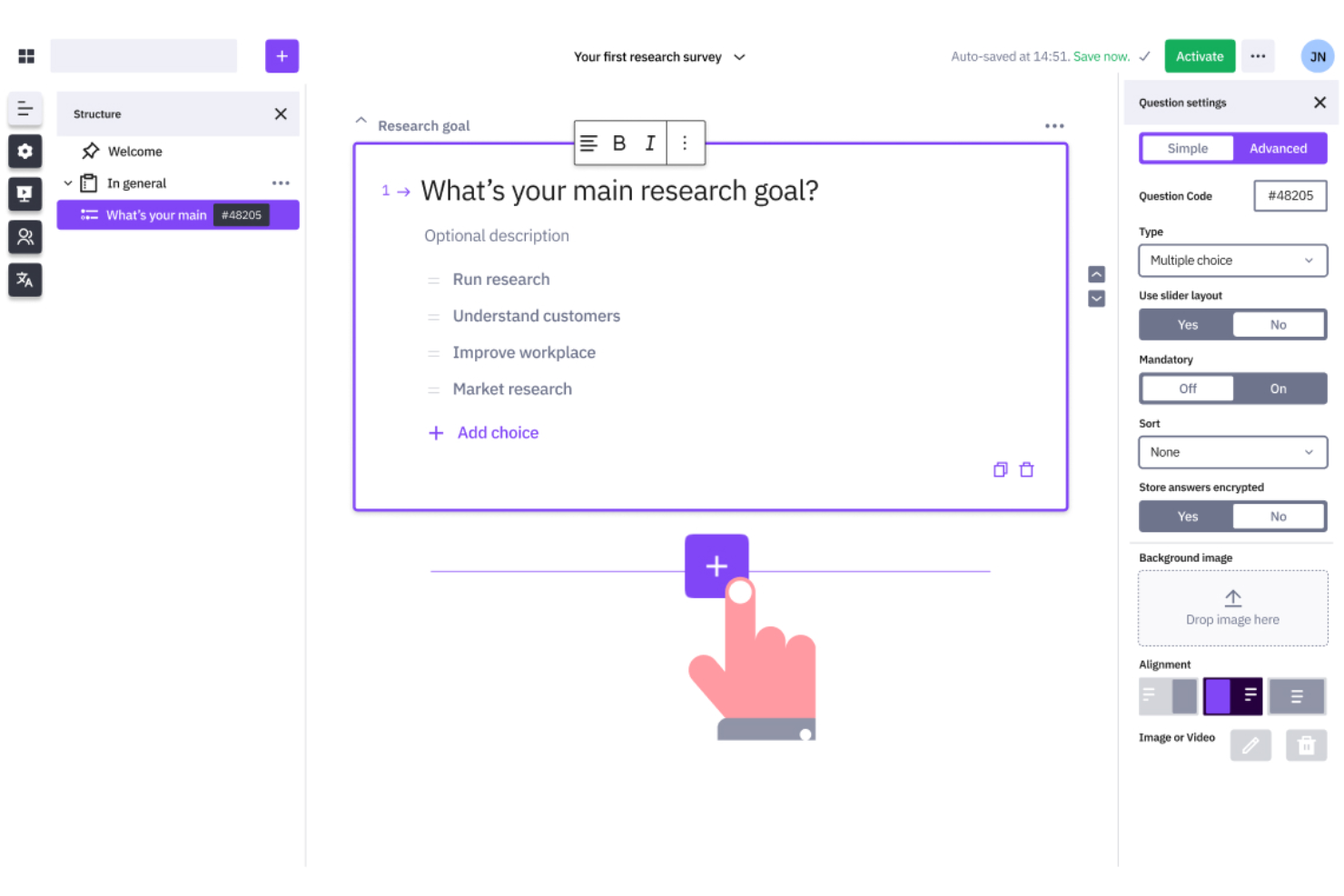
Le organizzazioni che necessitano di un controllo completo sulla progettazione dei sondaggi e sui dati scelgono spesso LimeSurvey. Questa piattaforma open source è apprezzata dai team di ricerca, dalle università e dalle aziende con requisiti complessi per i sondaggi o rigide esigenze di riservatezza dei dati. A differenza di Microsoft Forms, LimeSurvey offre personalizzazione avanzata, opzioni di hosting autonomo e supporto per logiche di sondaggio articolate.
Perché LimeSurvey è una buona alternativa a Microsoft Forms
Se hai bisogno di uno strumento per sondaggi che supporti personalizzazione e controllo avanzati, vale la pena prendere in considerazione LimeSurvey. Ho scelto LimeSurvey perché è open source, quindi puoi ospitarlo autonomamente e adattare la piattaforma ai requisiti specifici della tua organizzazione. Lo strumento supporta logiche di sondaggio complesse, tipi di domande personalizzati e ramificazioni dettagliate, funzionalità non disponibili in Microsoft Forms. Per i team che devono gestire dati sensibili o creare sondaggi altamente specializzati, LimeSurvey offre una flessibilità che va ben oltre quella degli strumenti per sondaggi standard basati sul web.
Funzionalità principali di LimeSurvey
Altre funzionalità rendono LimeSurvey un'opzione flessibile per la creazione e la gestione dei sondaggi:
- Sondaggi multilingue: Crea sondaggi in più lingue per raggiungere pubblici diversi.
- Importazione ed esportazione delle domande: Sposta domande e sondaggi tra i progetti utilizzando file CSV o Excel.
- Gestione dei partecipanti: Organizza, invita e monitora i partecipanti ai sondaggi all'interno della piattaforma.
- Ampia scelta di tipi di domande: Scegli tra oltre 25 formati di domanda, tra cui classificazione, matrice e caricamento di file.
Integrazioni di LimeSurvey
Le integrazioni includono R, SPSS, Microsoft Excel, Google Sheets, Tableau, Power BI, Salesforce, HubSpot, Zapier e WordPress.
Pros and Cons
Pros:
- Il modello open source consente il pieno controllo della personalizzazione
- La logica avanzata supporta strutture di sondaggi complesse
- Il supporto multilingue consente la raccolta globale dei dati
Cons:
- L'interfaccia sembra obsoleta rispetto alle piattaforme moderne
- La configurazione richiede competenze tecniche per un utilizzo completo


I team che devono realizzare sondaggi illimitati senza preoccuparsi dei limiti al numero di risposte spesso si rivolgono a SurveyPlanet. Questa piattaforma è particolarmente adatta a docenti, organizzazioni non profit e aziende che gestiscono grandi volumi di feedback o sondaggi frequenti. A differenza di Microsoft Forms, SurveyPlanet offre sondaggi e risposte illimitati in tutti i piani, risultando ideale per le organizzazioni che necessitano di raccogliere dati in modo continuativo o su larga scala.
Perché SurveyPlanet è una buona alternativa a Microsoft Forms
SurveyPlanet si distingue per chi ha bisogno di raccogliere un numero illimitato di risposte ai sondaggi senza incorrere in restrizioni. Ho scelto SurveyPlanet perché ogni piano, inclusa la versione gratuita, consente di creare tutti i sondaggi e raccogliere tutte le risposte necessarie. Questo è particolarmente utile per le organizzazioni che svolgono ricerche continuative, raccolgono frequentemente feedback sugli eventi o realizzano sondaggi su larga scala. Se cerchi uno strumento per sondaggi basato sul web che non imponga limiti alla raccolta dei dati, SurveyPlanet offre una flessibilità che Microsoft Forms non riesce a eguagliare.
Funzionalità principali di SurveyPlanet
Altre funzionalità rendono SurveyPlanet una scelta versatile per la creazione di sondaggi:
- Modelli di domande predefiniti: Accedi a una libreria di domande già pronte per velocizzare la progettazione dei sondaggi.
- Temi personalizzati: Applica colori, caratteri e sfondi personalizzati in linea con il tuo marchio.
- Opzione di sondaggio anonimo: Raccogli le risposte senza acquisire informazioni identificative.
- Sondaggi ottimizzati per dispositivi mobili: Assicurati che i sondaggi vengano visualizzati correttamente su smartphone e tablet.
Integrazioni di SurveyPlanet
Le integrazioni includono Google Sheets, Microsoft Excel, Slack, Zapier, Salesforce, Dropbox, Mailchimp, Trello, Asana e HubSpot.
Pros and Cons
Pros:
- I sondaggi illimitati supportano la raccolta di dati su larga scala
- I modelli predefiniti velocizzano la creazione dei sondaggi
- Le opzioni di risposta anonima supportano i casi d'uso incentrati sulla privacy
Cons:
- Le funzionalità di reporting sono limitate rispetto a quelle dei concorrenti
- Le opzioni di logica non sono abbastanza flessibili per i sondaggi complessi
Se hai bisogno di moduli che si adattino agli input degli utenti e gestiscano calcoli complessi, vale la pena prendere in considerazione Cognito Forms. È progettato per i team finanziari, educativi e operativi che necessitano di moduli dinamici con logica avanzata e convalida dei dati. A differenza di Microsoft Forms, Cognito Forms consente di creare sondaggi che eseguono calcoli in tempo reale e mostrano o nascondono campi in base alle risposte degli utenti.
Perché Cognito Forms è una buona alternativa a Microsoft Forms
Cognito Forms si distingue per i team che necessitano di moduli con calcoli avanzati e logica dinamica. Ho scelto Cognito Forms perché consente di creare sondaggi che eseguono automaticamente calcoli, ad esempio per il punteggio o i prezzi, direttamente nel modulo. Puoi anche configurare una logica condizionale per mostrare o nascondere domande in base alle risposte precedenti, rendendo ogni sondaggio altamente reattivo agli input degli utenti. Per chi ha bisogno di qualcosa di più di semplici moduli statici, Cognito Forms offre una flessibilità che Microsoft Forms non è in grado di eguagliare.
Funzionalità principali di Cognito Forms
Altre funzionalità rendono Cognito Forms una valida opzione per la creazione di sondaggi basati sul web:
- Caricamento di file: raccogli documenti, immagini o altri file direttamente tramite i tuoi moduli.
- Crittografia dei dati: proteggi i dati sensibili dei moduli con le opzioni di crittografia integrate.
- Sezioni ripetibili: consenti ai partecipanti di aggiungere più voci per un insieme di domande all'interno di un singolo modulo.
- Raccolta dei pagamenti: accetta pagamenti tramite integrazioni con Stripe, PayPal e Square.
Integrazioni di Cognito Forms
Le integrazioni includono Microsoft Flow, Zapier, PayPal, Stripe, Square, QuickBooks, Google Sheets, Dropbox, OneDrive e Mailchimp.
Pros and Cons
Pros:
- I campi di calcolo supportano scenari complessi di raccolta dati
- La logica condizionale consente un comportamento reattivo dei moduli
- La crittografia dei dati supporta la gestione sicura delle informazioni
Cons:
- Le funzionalità di reportistica sono meno avanzate rispetto a quelle dei concorrenti
- Il design per dispositivi mobili potrebbe richiedere regolazioni manuali
Jotform
Ideale per la creazione di moduli con funzione di trascinamento e numerose integrazioni
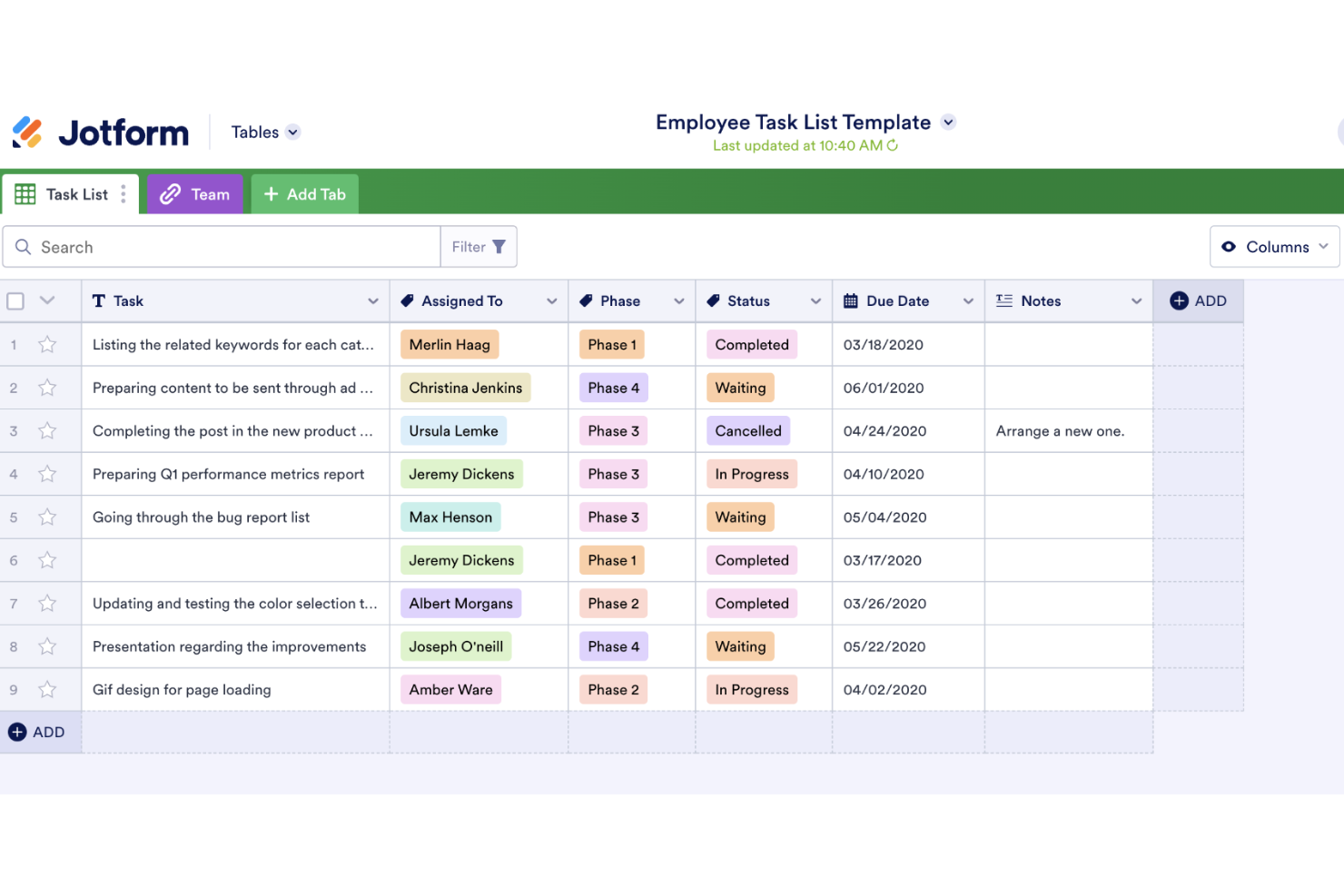
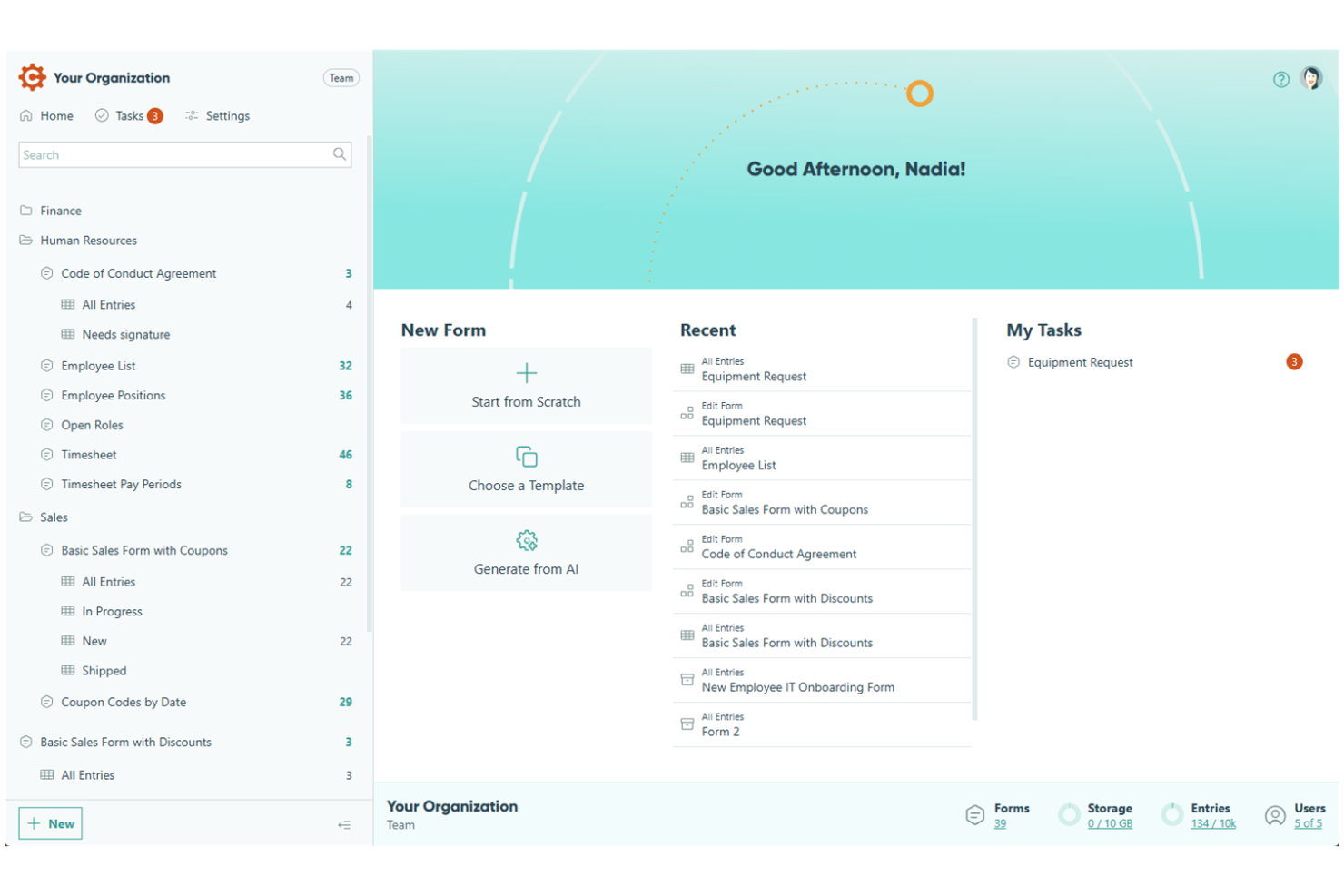
Jotform Enterprise si distingue per le organizzazioni che necessitano di un'automazione avanzata dei flussi di lavoro e di una gestione sicura dei dati nei loro processi di creazione di sondaggi. È una soluzione particolarmente adatta ai team IT, delle risorse umane e operativi di settori regolamentati che richiedono flussi di approvazione personalizzati e controlli granulari degli accessi. A differenza di Microsoft Forms, Jotform Enterprise offre funzionalità di livello aziendale come l'accesso singolo, i domini personalizzati e opzioni avanzate per la conformità.
Perché Jotform è una buona alternativa a Microsoft Forms
Jotform Enterprise offre un'automazione avanzata dei flussi di lavoro e controlli aziendali che vanno ben oltre ciò che offre Microsoft Forms. Ho scelto Jotform per i team che devono automatizzare processi di approvazione in più fasi e gestire in modo sicuro raccolte di dati complesse. Grazie a funzionalità come i flussi di approvazione personalizzati e le autorizzazioni utente granulari, è possibile progettare sondaggi che soddisfano requisiti organizzativi rigorosi. Per le aziende che necessitano di più di una semplice creazione di moduli, l'approccio di Jotform orientato alle esigenze aziendali rappresenta un chiaro vantaggio.
Funzionalità principali di Jotform
Altre funzionalità rendono Jotform Enterprise una scelta flessibile per le esigenze di creazione di sondaggi basati sul web:
- Domini personalizzati: Utilizza il tuo dominio personalizzato per tutti i moduli e i sondaggi.
- Accesso singolo (SSO): Controlla l'accesso degli utenti con i sistemi di autenticazione aziendali.
- Conformità HIPAA: Raccogli e archivia in modo sicuro i dati sanitari sensibili.
- Generazione avanzata di PDF: Crea e condividi automaticamente PDF dalle risposte ai moduli.
Integrazioni di Jotform
Le integrazioni includono Google Drive, Dropbox, PayPal, Stripe, Salesforce, Mailchimp, Google Sheets, Slack, Zoom e HubSpot.
Pros and Cons
Pros:
- L'automazione dei flussi di lavoro supporta i processi di approvazione in più fasi
- I controlli degli accessi supportano una gestione strutturata del team
- La generazione di PDF consente di creare documenti dalle risposte
Cons:
- Le prestazioni possono rallentare con grandi quantità di dati
- La configurazione avanzata può richiedere il coinvolgimento di personale tecnico
Altre alternative a Microsoft Forms
Ecco alcune ulteriori alternative a Microsoft Forms che non sono state incluse nel mio elenco, ma che vale comunque la pena prendere in considerazione:
- Sogolytics
Ideale per sondaggi sicuri e personalizzabili con report dettagliati
- Alchemer
Ideale per la personalizzazione avanzata e l'automazione dei flussi di lavoro
- SmartSurvey
Ideale per una piattaforma di sondaggi con sede nel Regno Unito e funzionalità avanzate di conformità
- BlockSurvey
Ideale per sondaggi con crittografia end-to-end per la raccolta di dati incentrata sulla privacy


Come valuto le alternative a Microsoft Forms
Divido la mia valutazione in due livelli: la funzionalità di base che ogni strumento deve offrire per entrare nella lista, e i fattori di differenziazione—come la sincronizzazione con strumenti di gestione progetti e i flussi di approvazione—che distinguono le soluzioni buone da quelle eccellenti.
Funzionalità di base (Requisiti minimi per questa lista)
Quando seleziono gli strumenti per la mia lista, li valuto su una scala da 0 (non offre la funzionalità) a 5 (eccelle in quest’area) per ciascuna delle funzionalità di base elencate di seguito. Poi, calcolo il punteggio totale dello strumento in percentuale. Ogni strumento deve ottenere un punteggio minimo totale del 65% per essere considerato.
- Costruttore di moduli personalizzati: Valuto la varietà di tipi di campo disponibili—come upload di file per i brief di progetto, selettori di data per richieste di milestone, e scale di valutazione per sondaggi retrospettivi.
- Logica condizionale: Le buone alternative permettono di ramificare un modulo di raccolta progetti cosicché una richiesta creativa venga instradata diversamente da una richiesta di sviluppo, in base alle risposte date da chi compila.
- Integrazione con workflow e task: Verifico che l’invio dei moduli possa essere trasferito in strumenti di gestione progetti come Asana o Jira come nuovi compiti o ticket, senza dover copiare e incollare manualmente.
- Gestione delle risposte e reportistica: Lo strumento dovrebbe permettere di filtrare, visualizzare ed esportare le risposte—ad esempio, generando un cruscotto riepilogativo di tutte le richieste di raccolta ricevute in uno sprint.
- Opzioni di condivisione e distribuzione: Valuto come i moduli raggiungono i rispondenti, dall’incorporamento in una wiki Confluence a link protetti da password inviati a clienti esterni per i feedback.
- Collaborazione e permessi: I team di progetto hanno bisogno di modifica condivisa e accesso basato sui ruoli, affinché il responsabile PMO possa gestire i modelli di modulo mentre i coordinatori gestiscono le richieste giornaliere.
Dopo aver ottenuto una lista di strumenti che soddisfano questi criteri, considero cosa differenzia ogni piattaforma dalle altre.
Fattori di differenziazione (Cosa distingue i fornitori)
Ecco come confronto e metto a confronto i diversi fornitori:
Funzionalità distintive
I flussi di approvazione sono uno degli elementi che fanno la differenza—quando un modulo di raccolta progetti può automaticamente indirizzare una richiesta di modifica attraverso una catena di revisori, evita ai PM di dover rincorrere le approvazioni tramite email. Guardo anche alla creazione di moduli assistita dall’AI, che accelera la costruzione di template da zero. Le capacità di precompilazione sono importanti per gli stakeholder che devono presentare richieste ricorrenti e non dovrebbero dover reinserire ogni volta i dettagli del progetto.
Oltre alle funzionalità
Dal momento che vuoi sostituire Microsoft Forms, verifico quanto bene ogni strumento si collega con l’ambiente di lavoro già in uso—sia che si tratti di Microsoft 365, Google Workspace o entrambi. Una transizione fluida dipende anche da questo. La profondità dell’ecosistema di integrazione è rilevante; valuto se lo strumento si collega nativamente a piattaforme di gestione progetti oppure solo tramite servizi come Zapier. Infine, prezzo e scalabilità meritano attenzione. Alcuni strumenti limitano il volume di risposte o fanno pagare per ogni modulo, il che può diventare un problema se il PMO amplia la raccolta richieste su più team.
Perché cercare un'alternativa a Microsoft Forms?
Sebbene Microsoft Forms sia un discreto strumento per sondaggi basato sul Web, esistono diversi motivi per cui alcuni utenti cercano soluzioni alternative. Potresti cercare un'alternativa perché…
- Hai bisogno di logiche avanzate o campi di calcolo nei tuoi moduli
- Vuoi raccogliere pagamenti o caricare file direttamente tramite i sondaggi
- Hai bisogno di controlli più solidi per la privacy dei dati o la crittografia
- Hai bisogno di funzionalità più approfondite per l'analisi o la reportistica
- Lavori al di fuori dell'ecosistema Microsoft 365
- Vuoi più opzioni di personalizzazione per il branding e il design
Se ti riconosci in una di queste situazioni, sei nel posto giusto. Il mio elenco contiene diverse opzioni di strumenti per sondaggi basati sul Web, più adatte ai team che affrontano queste difficoltà con Microsoft Forms e cercano soluzioni alternative.
Funzionalità principali di Microsoft Forms
Ecco alcune delle funzionalità principali di Microsoft Forms, per aiutarti a mettere a confronto ciò che offrono le soluzioni alternative:
- Molteplici tipi di domande, tra cui scelta, testo, valutazione e data
- Monitoraggio delle risposte in tempo reale e dashboard di analisi di base
- Integrazione con app Microsoft 365 come Excel e Teams
- Logica di diramazione per semplici flussi di lavoro condizionali
- Esportazione automatica dei dati in Excel per ulteriori analisi
- Design dei moduli ottimizzato per i dispositivi mobili e raccolta delle risposte
- Opzioni di condivisione integrate tramite link, codice QR o e-mail
- Limiti e impostazioni delle risposte per privacy e autorizzazioni
- Funzionalità di collaborazione per creare moduli insieme ai colleghi
- Supporto per quiz con valutazione e feedback automatici